KITAQ SERIES • REFERENCE EDITION
VERIFICATION
Captured screen
Source snapshot: September 14, 2026 · English edition: September 14, 2026
Native compiler verification
Native builds and executable checks passed on Windows, Linux, macOS ARM and macOS Intel. KITAQGB passed 48 tests and 395 helper checks per platform; KITAQFC passed 55 tests and 401 helper checks. Rust 1.85 was also tested. PUBLIC_DISTRIBUTION.json records the installed binary hashes and validation provenance. The public GitHub Actions workflows rebuild and test this source independently.
Frozen reference outputs test ROM bytes, diagnostics and helper formats. Earlier C# emulator evidence remains historical evidence with its original source fingerprints. It does not automatically prove every Rust API, real hardware or complete FDS BIOS/game startup. The unavailable original PNG conversion script was reconstructed from its specification; byte parity with that missing script cannot be claimed.
Local library changes and verification, 2026-10-03
Sources from C:/kitaqgb_project/lib were compared with public revision 2de7f4b. Timestamps alone do not establish which version is newer. The local version has additions; the public version has other additions and fixes. This section describes the saved local sources, separately from the existing public API evidence.
physics2d.c retains the contact API and adds cached contact and speed-limit implementations under KQ2D_CACHE_SURFACE. Reserve ROM bank 13 when enabling it. Defining KQ2D_EXTERNAL_SCALE_Q8, KQ2D_EXTERNAL_REST_COMPONENT or KQ2D_EXTERNAL_SURFACE requires the caller to supply the corresponding implementation. The 8,872 cases below exercised the default path without these definitions.
KQ3D_BODY_SPHERE=0x04 selects sphere–box contacts. The sphere radius is half_x. kq3d_overlap_sphere_aabb(sphere, box) includes tangency and returns 0 for NULL pointers or a nonpositive radius. There is no dedicated sphere–sphere solver. Keep coordinate differences, products and squared-distance sums within their 16-bit ranges.
An active body with KQ3D_BODY_KINEMATIC=0x02 updates X/Y velocity and position in kq3d_step even with zero inverse mass. Its Z position and velocity remain unchanged. Contacts do not displace a body with zero inverse mass. kq3d_integrate_body still skips static bodies. Neither break_speed nor KQ3D_BODY_BROKEN causes automatic destruction.
Local bank_switch writes kq_bank_current and address 0x2000. Unlike the public __bankswitch path, it does not update the compiler's bank tracking state. Switch from the fixed bank; use __bankswitch when compiler bank restoration state must also be maintained.
Local cgb_bg_color/cgb_obj_color, including the single-color RGB wrappers, do not enable palette index auto-increment. CGB execution confirmed that the low byte of 0x1234 is overwritten with 0x12. Use the public fix or a colors array API for single-color writes. DMG performs no write.
Local metasprite_draw extends the used count to first_id+count only on completion. An early return at the 40-sprite limit does not update it. With first_id=39 and count=2, the return value was 1, slot 39 was active, and the used count was 0. The public implementation updates the count as each slot is processed.
The local version provides vram_get_queue_used and vram_get_queue_free, but lacks public vram_get_queue_capacity. Use VRAM_QUEUE_MAX for capacity; its default is 32. One queued command produced used=1 and free=31.
wire3d_dmg.h declares DrawRect2D only for the 96-line profile. DrawBoxEdges2D is declared for both profiles; DrawIndexedEdges only for the 120-line profile. Select one source matching the profile. Rendering by these functions was not reverified in this run. No implementation of DrawRect2D or DrawBoxEdges2D was found in the saved lib sources. These are declarations only; calling them requires a separate implementation.
Local audio_vblank lacks the public AudioVBlank_QueueReset/QueueRefill/QueuePlay APIs and audio_vblank_queue.inc. ZX0 is also public-only. These are public additions and are excluded from claims about verified local features.
kq3d_overlap_sphere_aabb
u8 kq3d_overlap_sphere_aabb(const KQBody3D* sphere, const KQBody3D* box);KQ3D_BODY_SPHERE=0x04 selects sphere–box contacts. The sphere radius is half_x. kq3d_overlap_sphere_aabb(sphere, box) includes tangency and returns 0 for NULL pointers or a nonpositive radius. There is no dedicated sphere–sphere solver. Keep coordinate differences, products and squared-distance sums within their 16-bit ranges.
Verification executed in this run
Default 2D path: 8,872 cases passed through the KOKURA C API with automatic hardware selection. Speed limiting, contacts, signed Q8 multiplication and time of impact were checked. This was not a separate explicit DMG/CGB run.
Physics boundaries: 19 cases in both DMG and CGB, all 38 runs passed. Separate 3D extension and sprite/VRAM/palette reproduction cases matched expected values in both modes. Palette and sprite results reproduce defects; they are not confirmations of correct operation.
These are emulator checks of ROMs generated by the C# compiler. They do not prove Rust equivalence, physical hardware, audio, rendering or correctness of every API. Existing images and checks remain historical results tied to the source fingerprints in their records.
Source fingerprints, inputs, expected and observed values, and reproduction steps · evidence.tar.gz · verify_rom_cases.py · verify_surface.py
Captured screens
Captured emulator screens appear beside the sample explanations. Compare the output with the stated expected result; a screen alone does not verify sound, controller input, peripherals or physical hardware.
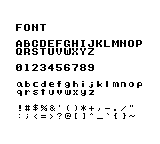
Display the supplied character set gb_font
Purpose: See which letters, digits and punctuation marks the supplied original font contains and how to draw them.
How it works: m_init prepares the display and font. m_text draws each row; m_put draws the double quote using character code 34.
Controls and expected result: Look for 26 uppercase letters, 26 lowercase letters, 10 digits and 30 punctuation marks. Check that every glyph is legible. No input is required.
Return to the compiler manual example / Return to the library manual example
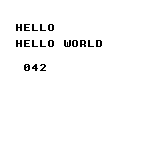
Your first text display gb_hello
Purpose: Learn the basic sequence for starting a ROM and drawing text and a number on the background.
How it works: After m_init, m_text draws the greeting and m_number formats 42. The final loop waits for frames while leaving the screen visible.
Controls and expected result: The screen shows HELLO WORLD and 042. The leading zero is three-digit decimal formatting.
Return to the compiler manual example / Return to the library manual example
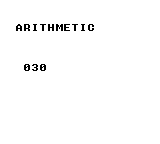
Arithmetic with a wider intermediate gb_arithmetic
Purpose: Learn to keep an intermediate result that does not fit in eight bits.
How it works: (u16)200 + 100 produces 300. The program divides it by 10, then converts the result to u8 for display. Notice that the widening cast precedes the addition.
Controls and expected result: 030 represents the calculated result, 30.
Return to the compiler manual example / Return to the library manual example
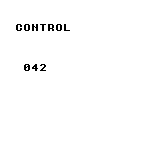
Branches and loops gb_control
Purpose: Try for, continue, while, do/while and switch in a small calculation.
How it works: Adding 0 through 7 while skipping 3 gives 25. The while loop advances to 30, do/while advances to 32, and switch selects case 32 to assign 42.
Controls and expected result: 042 is the final result of these loops and branches.
Return to the compiler manual example / Return to the library manual example
Functions, arrays, structures and pointers gb_aggregate
Purpose: Learn to group values and access them through functions and pointers.
How it works: The program copies a Point containing (10,20), then writes 1 through 4 into an array through a pointer. It adds the function result 30 to array values 1, 2 and 4 and the constant 5.
Controls and expected result: The sum is displayed as 042. Follow the structure copy, the ptr[i] writes and the function return value.
![Functions, arrays, structures and pointers: The sum is displayed as 042. Follow the structure copy, the ptr[i] writes and the function return value.](../verification/gb_aggregate.png)
Return to the compiler manual example / Return to the library manual example
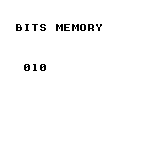
Bit flags and buffer copying gb_bits_memory
Purpose: Pack flags into a byte and copy a buffer into separate storage.
How it works: __memset clears four bytes. The program sets bit 3, toggles bit 1, then copies all four bytes with __memcpy.
Controls and expected result: The first destination byte is displayed as 010: bit 3 contributes 8 and bit 1 contributes 2.
Return to the compiler manual example / Return to the library manual example
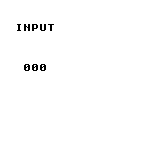
Count new button presses gb_input
Purpose: Distinguish a newly pressed button from one that remains held.
How it works: Each frame calls input_update. The counter advances only when input_pressed(BTN_A) is true.
Controls and expected result: The initial count is 000. Press A to get 001; holding it does not add more. Release and press again for 002. The byte counter wraps from 255 to 000.
Return to the compiler manual example / Return to the library manual example
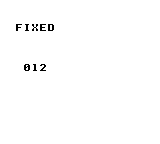
Multiply Q8.8 fixed-point values gb_fixed
Purpose: Learn integer-to-Q8.8 conversion, multiplication and conversion back to an integer.
How it works: fix_from_int converts 3 and 4 to Q8.8. fix_mul multiplies them, and fix_to_int converts the product back.
Controls and expected result: 012 means 3 × 4 = 12. It is the converted integer, not the internal value scaled by 256.
Return to the compiler manual example / Return to the library manual example
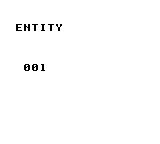
Allocate from a fixed object pool gb_entity
Purpose: Create an object from a fixed set of slots without dynamic allocation.
How it works: entity_init resets the pool. entity_create creates type 1 at (20,30); the program checks for the failure ID 0xFF before setting vx to 2.
Controls and expected result: 001 is the active object count, not an ID or coordinate. This example does not update or draw the object, so no moving character appears.
Return to the compiler manual example / Return to the library manual example
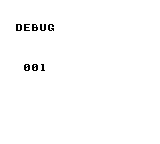
Record a diagnostic value in RAM gb_debug
Purpose: Keep a named game value in a diagnostic buffer separately from the screen display.
How it works: The program initializes debugging, sets frame tag 1 and records the value 42 under the name HP.
Controls and expected result: 001 is the number of trace entries. HP=42 is stored in the diagnostic buffer; the screen alone does not show or verify that payload.
Return to the compiler manual example / Return to the library manual example
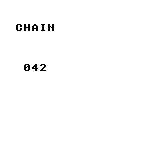
Store a position history gb_chain
Purpose: Learn how to store a trail of positions in a ring buffer.
How it works: chain_init attaches an array with room for four points. chain_push_head then records (20,30).
Controls and expected result: 042 is a fixed completion marker, not a coordinate or count. Inspect trail and points to check the stored history. This program does not draw a following body.
Return to the compiler manual example / Return to the library manual example
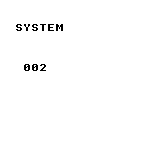
Read the library frame counter gb_system
Purpose: See how counted frame waits affect the library frame counter.
How it works: After system_init, the program calls system_wait_vblank twice and displays system_get_frame8.
Controls and expected result: The result is 002. The idle loop uses the manual helper m_wait, so the displayed value does not keep increasing.
Return to the compiler manual example / Return to the library manual example
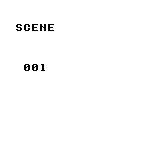
Select the current scene ID gb_scene
Purpose: Learn to select an ID that can distinguish scenes such as a title screen and gameplay.
How it works: The program registers two zero-initialized SceneDef entries and selects ID 1 with scene_change.
Controls and expected result: 001 is the current ID returned by scene_get_current. No scene callbacks or transition drawing are registered in this example.
Return to the compiler manual example / Return to the library manual example
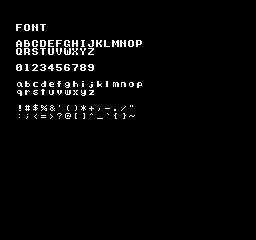
Display the supplied character set fc_font
Purpose: See which letters, digits and punctuation marks the supplied original font contains and how to draw them.
How it works: m_init prepares the display and font. m_text draws each row; m_put draws the double quote using character code 34.
Controls and expected result: Look for 26 uppercase letters, 26 lowercase letters, 10 digits and 30 punctuation marks. Check that every glyph is legible. No input is required.
Return to the compiler manual example / Return to the library manual example
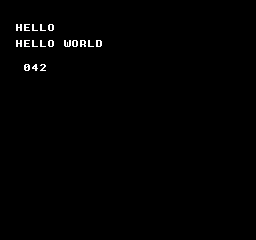
Your first text display fc_hello
Purpose: Learn the basic sequence for starting a ROM and drawing text and a number on the background.
How it works: After m_init, m_text draws the greeting and m_number formats 42. The final loop waits for frames while leaving the screen visible.
Controls and expected result: The screen shows HELLO WORLD and 042. The leading zero is three-digit decimal formatting.
Return to the compiler manual example / Return to the library manual example
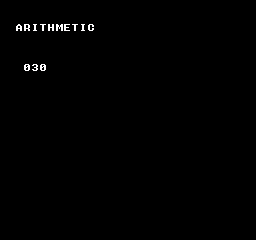
Arithmetic with a wider intermediate fc_arithmetic
Purpose: Learn to keep an intermediate result that does not fit in eight bits.
How it works: (u16)200 + 100 produces 300. The program divides it by 10, then converts the result to u8 for display. Notice that the widening cast precedes the addition.
Controls and expected result: 030 represents the calculated result, 30.
Return to the compiler manual example / Return to the library manual example
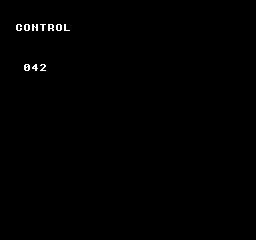
Branches and loops fc_control
Purpose: Try for, continue, while and if/else in a small calculation.
How it works: The for loop skips 3 while adding 0 through 7, producing 25. The while loop advances to 32; the following if assigns 42 when that value matches.
Controls and expected result: 042 is the final result. This program uses an if/else branch.
Return to the compiler manual example / Return to the library manual example
Functions, arrays, structures and pointers fc_aggregate
Purpose: Learn to group values and access them through functions and pointers.
How it works: The program copies a Point containing (10,20), then writes 1 through 4 into an array through a pointer. It adds the function result 30 to array values 1, 2 and 4 and the constant 5.
Controls and expected result: The sum is displayed as 042. Follow the structure copy, the ptr[i] writes and the function return value.
![Functions, arrays, structures and pointers: The sum is displayed as 042. Follow the structure copy, the ptr[i] writes and the function return value.](../verification/fc_aggregate.png)
Return to the compiler manual example / Return to the library manual example
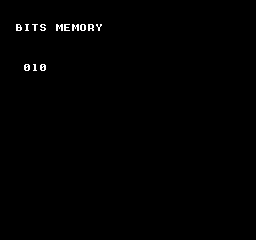
Bit flags and buffer copying fc_bits_memory
Purpose: Pack flags into a byte and copy a buffer into separate storage.
How it works: __memset clears four bytes. The program sets bit 3, toggles bit 1, then copies all four bytes with __memcpy.
Controls and expected result: The first destination byte is displayed as 010: bit 3 contributes 8 and bit 1 contributes 2.
Return to the compiler manual example / Return to the library manual example
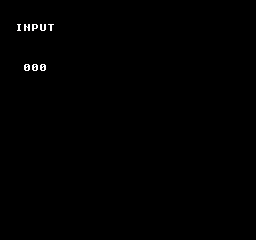
Count new button presses fc_input
Purpose: Distinguish a newly pressed button from one that remains held.
How it works: Each frame calls input_update. The counter advances only when input_pressed(BTN_A) is true.
Controls and expected result: The initial count is 000. Press A to get 001; holding it does not add more. Release and press again for 002. The byte counter wraps from 255 to 000.
Return to the compiler manual example / Return to the library manual example
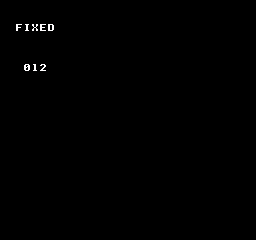
Multiply Q8.8 fixed-point values fc_fixed
Purpose: Learn integer-to-Q8.8 conversion, multiplication and conversion back to an integer.
How it works: fix_from_int converts 3 and 4 to Q8.8. fix_mul multiplies them, and fix_to_int converts the product back.
Controls and expected result: 012 means 3 × 4 = 12. It is the converted integer, not the internal value scaled by 256.
Return to the compiler manual example / Return to the library manual example
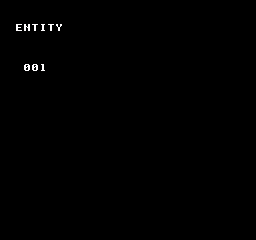
Allocate from a fixed object pool fc_entity
Purpose: Create an object from a fixed set of slots without dynamic allocation.
How it works: entity_init resets the pool. entity_create creates type 1 at (20,30); the program checks for the failure ID 0xFF before setting vx to 2.
Controls and expected result: 001 is the active object count, not an ID or coordinate. This example does not update or draw the object, so no moving character appears.
Return to the compiler manual example / Return to the library manual example
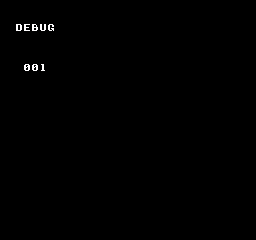
Record a diagnostic value in RAM fc_debug
Purpose: Keep a named game value in a diagnostic buffer separately from the screen display.
How it works: The program initializes debugging, sets frame tag 1 and records the value 42 under the name HP.
Controls and expected result: 001 is the number of trace entries. HP=42 is stored in the diagnostic buffer; the screen alone does not show or verify that payload.
Return to the compiler manual example / Return to the library manual example
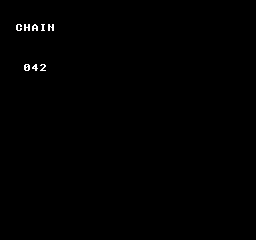
Store a position history fc_chain
Purpose: Learn how to store a trail of positions in a ring buffer.
How it works: chain_init attaches an array with room for four points. chain_push_head then records (20,30).
Controls and expected result: 042 is a fixed completion marker, not a coordinate or count. Inspect trail and points to check the stored history. This program does not draw a following body.
Return to the compiler manual example / Return to the library manual example
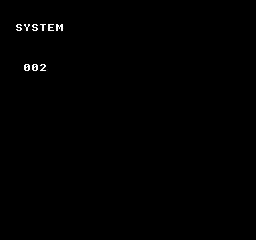
Read the library frame counter fc_system
Purpose: See how counted frame waits affect the library frame counter.
How it works: After system_init, the program calls system_wait_vblank twice and displays system_get_frame8.
Controls and expected result: The result is 002. The idle loop uses the manual helper m_wait, so the displayed value does not keep increasing.
Return to the compiler manual example / Return to the library manual example
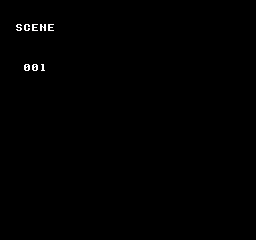
Select the current scene ID fc_scene
Purpose: Learn to select an ID that can distinguish scenes such as a title screen and gameplay.
How it works: The program registers two zero-initialized SceneDef entries and selects ID 1 with scene_change.
Controls and expected result: 001 is the current ID returned by scene_get_current. No scene callbacks or transition drawing are registered in this example.
Return to the compiler manual example / Return to the library manual example
Convert world coordinates to screen coordinates gb_camera
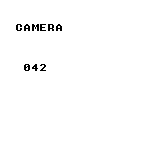
Purpose: Subtract the camera position to find where a world position belongs on screen.
How it works: Camera_Set receives Q8.8 value 2560, or X=10 pixels. Camera_WorldToScreenX then converts world X=52.
Controls and expected result: 052 minus 010 gives the displayed 042. This is a coordinate calculation; it does not scroll a background.
Return to the compiler manual example / Return to the library manual example
Decode RLE into RAM gb_rle
Purpose: Try a compact count/value representation of repeated bytes.
How it works: The packed bytes {3,42,0} mean three copies of 42 followed by a zero-count terminator. rle_decode writes into a three-byte destination.
Controls and expected result: The last byte, out[2], is displayed as 042. All three decoded bytes are expected to contain 42.
![Decode RLE into RAM: The last byte, out[2], is displayed as 042. All three decoded bytes are expected to contain 42.](../verification/gb_rle.png)
Return to the compiler manual example / Return to the library manual example
Read and write a board cell gb_board
Purpose: Learn how grid coordinates map to storage for a board game.
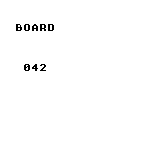
How it works: A 16-byte array backs a 4 × 4 board. The program clears it, writes 42 at cell (2,1), then reads the same cell.
Controls and expected result: 042 is the value read back. The program does not draw the 4 × 4 board itself.
Return to the compiler manual example / Return to the library manual example
Advance a box by one physics step gb_physics
Purpose: Initialize a world and box body, then update position from velocity.
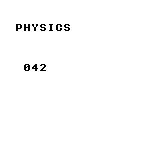
How it works: The body starts at (40,40), with velocity (2,0) and zero gravity. The program calls kq2d_step once.
Controls and expected result: 042 is the resulting X coordinate, measured in integer pixels in this example. No box shape or continuous animation is drawn.
Return to the compiler manual example / Return to the library manual example
Handle serial completion and timeout gb_link
Purpose: Distinguish a completed transfer from one that does not finish within the wait limit.
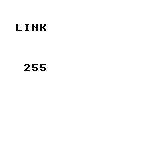
How it works: The master sends 42 and waits with Link_WaitByte. Completion displays the received byte; timeout cancels the transfer and displays zero.
Controls and expected result: An unconnected transfer that completes can return 255. A timeout displays 000; with a connected peer, the display shows its received byte. The result is not always 042.
Return to the compiler manual example / Return to the library manual example
Read ROM data with a bank argument gb_bank
Purpose: Learn the arguments for copying ROM data into RAM.
How it works: far_data_read copies the two bytes 7 and 42 into copied, using bank argument 0 and a length of 2.
Controls and expected result: The second destination byte is displayed as 042. This example reads fixed ROM; it does not demonstrate transfer between different switchable banks.
Return to the compiler manual example / Return to the library manual example
Load data by asset ID gb_asset
Purpose: Register an asset location and length, then retrieve the bytes by ID.
How it works: Asset 0 has type RAW, bank 0, a pointer to {7,42} and length 2. asset_load_raw copies it into a two-byte RAM buffer.
Controls and expected result: The second byte is displayed as 042. This demonstrates asset lookup and copying, not image rendering.
Return to the compiler manual example / Return to the library manual example
Allocate one bullet gb_danmaku
Purpose: Initialize the bullet pool and inspect its occupancy after spawning.
How it works: After danmaku_reset, the program calls danmaku_spawn(40,40,16,0) and displays dm_count.
Controls and expected result: 001 is the number of allocated bullets. There is no bullet update loop or background compositor here, so no moving bullet is drawn.
Return to the compiler manual example / Return to the library manual example
Accumulate fractional Q5.3 motion fc_subpixel
Purpose: Keep subpixel motion as a remainder and carry whole pixels into the position.
How it works: Starting at X=40, the loop adds 2/8 pixel eight times. A right shift extracts whole pixels; a mask retains the remainder.
Controls and expected result: The total motion is two pixels, so the screen shows X=42 as 042. This manual integration example handles positive motion; negative motion needs a matching borrow path.
Return to the compiler manual example / Return to the library manual example
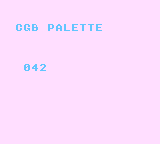
Set a CGB background palette gb_cgb_palette
Purpose: Choose background and text colors using Game Boy Color RGB components.
How it works: The program disables the LCD during VBlank, sets palette 0 color 0 to white (31,31,31) and color 3 to purple (12,0,22), then enables the display.
Controls and expected result: Run in CGB mode to see purple text and 042 on white. DMG monochrome output cannot demonstrate these colors.
Return to the compiler manual example / Return to the library manual example
Scroll the background horizontally gb_scroll
Purpose: Move the viewing position without redrawing the background contents.
How it works: Each frame increments phase and passes it to Scroll_SetBg. The eight-bit position wraps after 255.
Controls and expected result: The word SCROLL moves left. Observe its position over time; a single screenshot cannot show the motion.
Return to the compiler manual example / Return to the library manual example
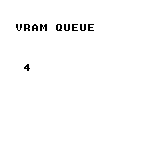
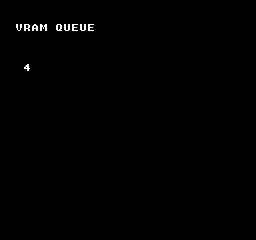
Queue a tile update gb_vram_queue
Purpose: Separate a drawing request from the VRAM transfer that applies it.
How it works: vram_queue_bg_tile queues tile 52 at tile coordinate (3,8), and vram_flush transfers it. In the supplied font, tile 52 is the digit 4.
Controls and expected result: Look for a single 4 at background tile coordinate (3,8). It is a tile update, not a numeric counter.
Return to the compiler manual example / Return to the library manual example
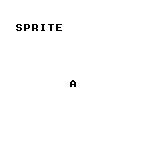
Display a sprite with OAM DMA gb_sprite
Purpose: Allocate and display a sprite independently of the background.
How it works: The fresh pool supplies slot 0. The program selects tile 65, sets position (70,80), enables OBJ display and transfers shadow OAM each frame.
Controls and expected result: A stationary letter A appears at the specified sprite position. In a game, check allocation failure before using the returned ID.
Return to the compiler manual example / Return to the library manual example
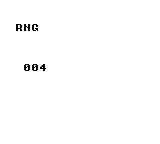
Generate a repeatable random value gb_rng
Purpose: Use a seed to reproduce a pseudorandom sequence.
How it works: rng_seed(1234) initializes the generator, then rng_range(10) is called once. Its upper bound, 10, is excluded.
Controls and expected result: The screen shows a value from 000 to 009. Restarting the same program with the same seed reproduces it; the value does not change every frame.
Return to the compiler manual example / Return to the library manual example
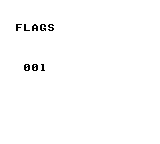
Store a game-state flag gb_flags
Purpose: Represent a Boolean state, such as whether an event is complete, using a flag number.
How it works: The program clears flag 12, sets it and reads it back with flag_get.
Controls and expected result: 001 means flag 12 is true. This example operates on RAM flags and does not save them across power cycles.
Return to the compiler manual example / Return to the library manual example
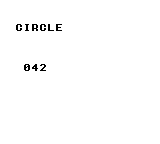
Advance a circle by one physics step gb_circle
Purpose: Set up a circular body and update its position from velocity.
How it works: The active circle has radius 4, position (40,40) and velocity (2,0). Gravity is zero and linear_damping_q8 is 255; kq2dc_step runs once.
Controls and expected result: 042 is the resulting integer X coordinate. This example does not draw a circle outline or collision animation.
Return to the compiler manual example / Return to the library manual example
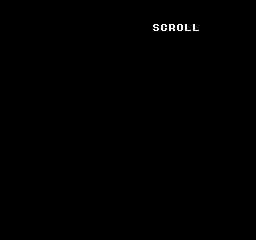
Scroll the NES background fc_scroll
Purpose: Move the background by updating the PPU scroll position.
How it works: Starting at __scroll_set(0,0), the program increments phase once per frame and uses it as the horizontal position.
Controls and expected result: The word SCROLL changes horizontal position. phase wraps from 255 to 0. This is not a wide-map example spanning multiple nametables.
Return to the compiler manual example / Return to the library manual example
Apply a tile update through NMI fc_vram_queue
Purpose: Submit a PPU update from the main program for the NMI path to apply.
How it works: __vramq_put queues tile 52 at nametable address 0x2103, and __vramq_commit submits it. That address corresponds to tile coordinate (3,8).
Controls and expected result: A single 4 appears at background coordinate (3,8). Tile 52 is the digit 4 in the supplied font.
Return to the compiler manual example / Return to the library manual example
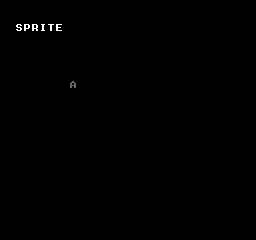
Display an NES OAM sprite fc_sprite
Purpose: Prepare sprite colors and OAM data to draw an image independently of the background.
How it works: The program loads the sprite palette, sets slot 0 to position (70,80), tile 65 and attributes 0, enables rendering and repeats OAM DMA.
Controls and expected result: A stationary letter A appears as a sprite. The example demonstrates OAM setup and transfer, not animation.
Return to the compiler manual example / Return to the library manual example
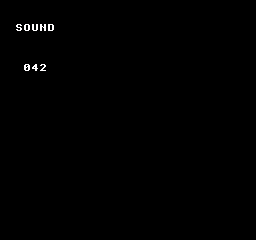
Play an APU pulse tone fc_sound
Purpose: Set the built-in NES pulse channel control, timer and length values.
How it works: After nes_apu_init, the program calls nes_sfx_square1(0xBF,400,20). Control 0xBF selects constant volume and halts the length counter, so the tone sustains. The value 20 is a length-table index, not 20 frames.
Controls and expected result: A sustained pulse tone plays while 042 is displayed. Call nes_apu_silence_all to stop it. The displayed marker alone does not verify sound output.
Return to the compiler manual example / Return to the library manual example
Service a sound effect each frame gb_sound
Purpose: Start a sound-effect stream and advance it through regular frame updates.
How it works: After Audio_Init, Audio_PlaySFX starts tone on channel ID 1. The main loop calls Audio_Update once per frame.
Controls and expected result: A short pulse effect plays while 042 remains visible. That number is a fixed marker, not volume or playback position. Use audio output or a recording to assess the sound.
Return to the compiler manual example / Return to the library manual example