KITAQ SERIES • REFERENCE EDITION
KITAQGB LIBRARY
Tools for building a game
Source snapshot: September 14, 2026 · English edition: September 14, 2026
Library use with the native compiler
lib/ contains C headers and sources compiled into the console ROM. The desktop compiler and helper tools are Rust; game sources, target libraries and their APIs remain C. SOURCE_MANIFEST.json and LIBRARY_MERGE.json record the selected library sources where provided.
kitaqgb · Native Rust compiler and helper tools · GitHub Actions
Native builds and executable checks passed on Windows, Linux, macOS ARM and macOS Intel. KITAQGB passed 48 tests and 395 helper checks per platform; KITAQFC passed 55 tests and 401 helper checks. Rust 1.85 was also tested. PUBLIC_DISTRIBUTION.json records the installed binary hashes and validation provenance. The public GitHub Actions workflows rebuild and test this source independently.
Frozen reference outputs test ROM bytes, diagnostics and helper formats. Earlier C# emulator evidence remains historical evidence with its original source fingerprints. It does not automatically prove every Rust API, real hardware or complete FDS BIOS/game startup. The unavailable original PNG conversion script was reconstructed from its specification; byte parity with that missing script cannot be claimed.
Local library changes and verification, 2026-10-03
Sources from C:/kitaqgb_project/lib were compared with public revision 2de7f4b. Timestamps alone do not establish which version is newer. The local version has additions; the public version has other additions and fixes. This section describes the saved local sources, separately from the existing public API evidence.
physics2d.c retains the contact API and adds cached contact and speed-limit implementations under KQ2D_CACHE_SURFACE. Reserve ROM bank 13 when enabling it. Defining KQ2D_EXTERNAL_SCALE_Q8, KQ2D_EXTERNAL_REST_COMPONENT or KQ2D_EXTERNAL_SURFACE requires the caller to supply the corresponding implementation. The 8,872 cases below exercised the default path without these definitions.
KQ3D_BODY_SPHERE=0x04 selects sphere–box contacts. The sphere radius is half_x. kq3d_overlap_sphere_aabb(sphere, box) includes tangency and returns 0 for NULL pointers or a nonpositive radius. There is no dedicated sphere–sphere solver. Keep coordinate differences, products and squared-distance sums within their 16-bit ranges.
An active body with KQ3D_BODY_KINEMATIC=0x02 updates X/Y velocity and position in kq3d_step even with zero inverse mass. Its Z position and velocity remain unchanged. Contacts do not displace a body with zero inverse mass. kq3d_integrate_body still skips static bodies. Neither break_speed nor KQ3D_BODY_BROKEN causes automatic destruction.
Local bank_switch writes kq_bank_current and address 0x2000. Unlike the public __bankswitch path, it does not update the compiler's bank tracking state. Switch from the fixed bank; use __bankswitch when compiler bank restoration state must also be maintained.
Local cgb_bg_color/cgb_obj_color, including the single-color RGB wrappers, do not enable palette index auto-increment. CGB execution confirmed that the low byte of 0x1234 is overwritten with 0x12. Use the public fix or a colors array API for single-color writes. DMG performs no write.
Local metasprite_draw extends the used count to first_id+count only on completion. An early return at the 40-sprite limit does not update it. With first_id=39 and count=2, the return value was 1, slot 39 was active, and the used count was 0. The public implementation updates the count as each slot is processed.
The local version provides vram_get_queue_used and vram_get_queue_free, but lacks public vram_get_queue_capacity. Use VRAM_QUEUE_MAX for capacity; its default is 32. One queued command produced used=1 and free=31.
wire3d_dmg.h declares DrawRect2D only for the 96-line profile. DrawBoxEdges2D is declared for both profiles; DrawIndexedEdges only for the 120-line profile. Select one source matching the profile. Rendering by these functions was not reverified in this run. No implementation of DrawRect2D or DrawBoxEdges2D was found in the saved lib sources. These are declarations only; calling them requires a separate implementation.
Local audio_vblank lacks the public AudioVBlank_QueueReset/QueueRefill/QueuePlay APIs and audio_vblank_queue.inc. ZX0 is also public-only. These are public additions and are excluded from claims about verified local features.
kq3d_overlap_sphere_aabb
u8 kq3d_overlap_sphere_aabb(const KQBody3D* sphere, const KQBody3D* box);KQ3D_BODY_SPHERE=0x04 selects sphere–box contacts. The sphere radius is half_x. kq3d_overlap_sphere_aabb(sphere, box) includes tangency and returns 0 for NULL pointers or a nonpositive radius. There is no dedicated sphere–sphere solver. Keep coordinate differences, products and squared-distance sums within their 16-bit ranges.
Verification executed in this run
Default 2D path: 8,872 cases passed through the KOKURA C API with automatic hardware selection. Speed limiting, contacts, signed Q8 multiplication and time of impact were checked. This was not a separate explicit DMG/CGB run.
Physics boundaries: 19 cases in both DMG and CGB, all 38 runs passed. Separate 3D extension and sprite/VRAM/palette reproduction cases matched expected values in both modes. Palette and sprite results reproduce defects; they are not confirmations of correct operation.
These are emulator checks of ROMs generated by the C# compiler. They do not prove Rust equivalence, physical hardware, audio, rendering or correctness of every API. Existing images and checks remain historical results tied to the source fingerprints in their records.
Source fingerprints, inputs, expected and observed values, and reproduction steps · evidence.tar.gz · verify_rom_cases.py · verify_surface.py
1. Use the library
The library is a collection of reusable C source built on KITAQGB's __ intrinsics. It ranges from screen control to physics, 3D and communication.
#include "input.h"
// 起動時に一度
input_init();
// ゲームの1フレームに一度
input_update();
if (input_pressed(BTN_A)) { /* 決定処理 */ }.\kitaqgb\kitaqgb.exe .\kitaqgb\lib\input.c .\kitaq-docs\samples\gb_input.c -I .\kitaqgb\lib -I .\kitaq-docs\samples -o .\out\input.gb --profile=devEach API entry identifies its declaration, header, implementation and usage example. Argument-passing fragments show how to call the API; the caller must prepare the buffers and objects they use. The complete-program section contains examples that can be built directly into ROMs.
2. Build one game frame
system_init initializes frame management. system_wait_vblank waits and advances the software frame number. On GB, the VBlank callback is called cooperatively by that wait function; registering it does not install a hardware interrupt handler.
- Update input once.
- Calculate movement, collisions and game state.
- Prepare drawing commands and OAM.
- Apply updates during VBlank.
- Advance music using the selected driver arrangement.
Combining waiting operations such as vram_flush and sprite_flush_oam can wait for two frames during one game update. After waiting yourself, a corresponding _now operation may be appropriate, provided you guarantee its timing requirements.
3. Input and repeat
input_down(mask) tests a held button, input_pressed(mask) tests a new press, input_released(mask) tests a release, and input_repeat(mask) provides menu-style repeat. These states update on input_update(). Calling update repeatedly within one frame can erase a press edge.
| Buttons | Masks |
|---|---|
| Right, Left, Up, Down | 0x01 / 0x02 / 0x04 / 0x08 |
| A, B, SELECT, START | 0x10 / 0x20 / 0x40 / 0x80 |
gb_input.c counts A presses. Verify that holding A does not continuously increment the count, then replace input_pressed with input_down to explore the difference.
4. Backgrounds, text and VRAM
vram_queue_bg_tile queues one tile, vram_queue_bg_rect queues a rectangle, and vram_queue_bg_block queues an array transfer. Check return values and vram_get_overflowed() for capacity overflow. If a queued operation retains a source pointer, keep its data unchanged, its memory valid and its bank accessible until flushing finishes.
text.c and menu.c implement the text, choice and window services declared in rpg.h. Match the text-to-tile mapping to the font you load into VRAM. It is not automatically the same mapping used by this manual's m_text helper.
5. Sprites and animation
Start with sprite_init, sprite_alloc, sprite_set_tile and sprite_set_pos. GB allows 40 sprites overall and 10 on a scanline, so account for horizontal concentration as well as total count. sprite_warn_scanline_overflow and sprite_max_scanline_count help inspect a layout.
MetaSpritePart describes relative OBJ placement. SpriteAnim describes tile frames and update intervals. Match the parts drawn by metasprite_draw to the OBJ slots you allocated. The A in gb_sprite.c demonstrates using a character tile as a sprite.
6. Color, scrolling, raster effects and cameras
RGB arguments to cgb_bg_rgb and cgb_obj_rgb range from 0 to 31, not 0 to 255. CGB_RGB15 packs those components into a 16-bit container. The high-level CGB palette helpers are designed to do nothing on DMG.
Scroll_SetBg positions the background, Scroll_SetWindow positions the window, and the camera module derives a viewport from world coordinates. Keep camera fixed-point units separate from integer screen pixels.
raster.c constructs banded scroll tables and per-line horizontal distortion. Scroll_SplitCommit operations use VBlank/STAT vectors. Do not let separate music and scrolling handlers independently own the same vector; use a common dispatcher where needed.
7. Music and sound effects
Compile audio_hwregs_gb.c, then audio.c, then the game source. Do not add duplicate NR10-NR52 register definitions if the game already supplies them. After Audio_Init, normally call Audio_Update once per frame.
Audio_PlayMusic(bank,song) explicitly names the music bank. Audio_PlaySFXBanked plays an effect from another bank. Priorities arbitrate effects sharing physical channels. GB has four physical sound channels: CH1, CH2, CH3 and CH4.
Music-stream commands AUDIO_CMD_NOTE, AUDIO_CMD_SET_INST and AUDIO_CMD_STOP_CHANNEL share the ordinary API channel IDs: 0=CH1, 1=CH2, 2=CH3, 3=CH4. CH1 is pulse with sweep, CH2 pulse, CH3 wave and CH4 noise. The header defines AUDIO_NOTE_MAX=67.
The basic CH1 effect stream reads note/volume pairs per frame and ends on note 0. CH3 uses a different marker and format. See gb_sound.c. Fades advance during Audio_Update; stopping updates also stops a fade.
8. VBlank IRQ music
audio_vblank.c uses a separate playback format. Timed records contain five bytes: delay, ch1_note, ch2_note, ch3_note, ch4_noise_param. The driver reads directly addressable songs or consumes a WRAM queue; use AudioVBlank_QueueReset to initialize queue mode, AudioVBlank_QueueRefill to submit complete five-byte records, and AudioVBlank_QueuePlay to start. Refill from a single foreground producer. LOOP is recognized only in direct streams, and IMMEDIATE only in queue mode. Ordinary audio.c streams cannot be passed unchanged.
# この方式を採用したROMに対してのみ行います。
.\kitaqgb\scripts\patch_gb_vblank_irq.ps1 .\out\game.gb .\out\game.map
The patch sets the VBlank vector at 0x0040 and updates the checksum. Apply it only to a ROM designed for this driver. Check ownership against custom VBlank ISRs and split scrolling. Build success alone does not establish audible playback: record with KOKURA and verify that the song advances.
9. Fixed point, physics and 3D
In fixed.h Q8.8 arithmetic, 256 means 1.0 and 128 means 0.5. gb_fixed.c demonstrates fix_from_int, fix_mul and fix_to_int. Design value ranges before implementing calculations to avoid overflow.
physics2d handles rectangles, physics2d_circle circles, and physics3d 3D AABBs. Initialize caller-owned world/body arrays, set velocity or gravity, then step the simulation. Use consistent position and per-step velocity units; the library performs no implicit pixel conversion. The circle example uses position 40 and velocity 2. A zero inverse mass denotes a static body. Check each coefficient and intermediate arithmetic range in the headers. In particular, kq2d_body_apply_friction casts its coefficient to a signed byte: values 128–255 are negative, not ordinary unsigned Q8 damping. See gb_circle.c for a complete step example.
wire3d_dmg is a monochrome wireframe renderer for Game Boy. Select 128 × 96 with wire3d_dmg_96.c, or 128 × 120 with wire3d_dmg.c, and use Wire3DDMG_*. wire3d and dmg3d provide alternative entry points for the 96-line and 120-line profiles, respectively. Compile one entry point per program. wire3d_cgb is the dedicated color renderer. Reserve each renderer's RAM, VRAM and display regions explicitly. The two monochrome renderers reject depth-crossing edges rather than clipping them. Their scene occlusion uses face bounding rectangles and five samples along each line, so it is an approximation rather than per-pixel depth testing. The CGB path uses double speed and DMA and requires --cgb=cgb_only.
Wire3DDMG_BeginFrame (WIRE3D_DMG_HEIGHT=96) clears the stage. Wire3DDMG_BeginFrame (WIRE3D_DMG_HEIGHT=120) only resets occlusion state: DMG3D consumes and clears staged bytes during upload. Dirty transfer includes the previous frame's tiles to erase old pixels. Its auxiliary transfer shares part of the main stage; it is not an independent buffer. Match the frame sequence to the renderer you use.
For CGB lines, use colors 1, 2 and 3. Normal 128 × 96 lines combine color bits, so overlapping colors 1 and 2 become color 3. Color 0 does not erase a line. Clear the frame or use the dedicated erasing functions. Normal Wire3DCGB_DrawLine2D and model drawing do not record sparse upload bounds: use Wire3DCGB_DrawLineClipped2D for lines that need this tracking, or call Wire3DCGB_InvalidateFrameHistory to include the entire viewport in the next sparse upload.
The 160 × 144 mode allocates at most 127 tiles per frame. An allocation failure or an out-of-range coordinate in its fast line path sets Wire3DCGB_GetFullScreenOverflow() and suppresses further pixel writes until the next frame reset. Keep vertices within the selected viewport. Triangle-mask padding stops at X=127 in 128 × 96 mode and X=159 in full-screen mode. Follow the API notes for WRAM bank mapping, especially when using full-screen or FastMap functions.
10. Scenes, object pools and bullet patterns
scene manages states such as title, play and pause; entity provides a fixed-capacity object pool; chain provides joint following and position history. Use ChainBody to move an articulated snake or rope. Check allocation failure values such as 0xFF before using the pointer returned by entity_get.
danmaku provides fixed-point bullet pools, directional and fan spawning, hits and grazing. Its CGB background-compositing path avoids the ordinary OBJ count limit, but frame time and background-transfer bandwidth remain limited. Measure frame processing time rather than targeting bullet count alone.
11. RPG, adventure, strategy and saving
rpg.h collects declarations for random numbers, flags, quests, compression, text, menus, scripts, maps, saving and pathfinding. Implementations are split across files such as rng.c, flags.c, rle.c and text.c. Use the dictionary to select the required implementation units.
A fixed rng_seed produces a repeatable sequence for tests. Check whether each range function includes its upper bound. flag_get and flag_set operate on bit sets. save.c uses an MBC5-style SRAM access arrangement; match the ROM header's RAM capacity to the game's save region.
Keep slg.h board, legal-move-list and undo services, and slg_path.c pathfinding, separate from game-specific rules and evaluation. Width, height and work arrays must meet library limits as well as individual argument requirements.
12. Communication
link.c provides serial byte transfers; link_packet.c is an optional packet layer. Link link_hwregs_gb.c first. Polling and interrupt modes require different calls, and the game must connect vector 0x0058 for interrupt mode.
Logical Link4_* operations and physical Nintendo DMG-07 LinkDmg07_* operations are separate systems. DMG-07 uses an external clock: call LinkDmg07_Poll frequently and LinkDmg07_TickFrame once per frame. Polling only once per frame may miss timing requirements. With KOKURA pair/dmg07 jobs, test connection, start, disconnection and reconnection separately.
13. Banks, assets and debugging
BankPtr combines a bank number with a pointer. far_data_read reads another bank's assets into RAM. The asset module associates IDs with descriptors; the game remains responsible for lifetimes, banks and sizes.
debug_trace_u8 and debug_trace_u16 record values in RAM; debug_assert_fail records a diagnostic code. These are not printf calls to a PC console. Inspect the records through emulator memory observation. gb_debug.c records HP=42.
vram_get_queue_capacity() returns the total number of command slots (32 by default). vram_get_queue_free() returns the number of unused slots, and vram_get_queue_used() returns the occupied count. One queued operation takes one slot regardless of its transfer size. These queries describe the transfer queue, not unused hardware VRAM.
Complete sample programs
Each program, the shared headers, the supplied ascii.c and its converted assets are included. Names beginning with m_ are helpers written for these manuals. Read each build command together with its expected result and verification record. Run commands from the parent of the sibling repository folders.
Batch build script / Results and screenshots
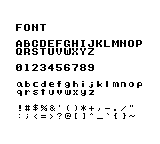
Display the supplied character set gb_font.c
Purpose: See which letters, digits and punctuation marks the supplied original font contains and how to draw them.
How it works: m_init prepares the display and font. m_text draws each row; m_put draws the double quote using character code 34.
Controls and expected result: Look for 26 uppercase letters, 26 lowercase letters, 10 digits and 30 punctuation marks. Check that every glyph is legible. No input is required.
Download source / Verification status
.\kitaqgb\kitaqgb.exe kitaq-docs/samples/gb_font.c -I kitaqgb/lib -I kitaq-docs/samples -o out/gb_font.gb --profile=dev --rst-disable --stack-bank=fixed// Display the letters, digits and punctuation from the supplied ascii.c font.
// Expected: Uppercase, lowercase, numbers and all 30 supplied punctuation glyphs
#include "gb_common.h"
// Lay out every supplied character category, yielding between rows. The final
// m_put uses character code 34 to display the double quote separately.
void main() {
m_init();
m_text(2,3,"FONT");
m_text(2,5,"ABCDEFGHIJKLMNOP"); m_wait();
m_text(2,6,"QRSTUVWXYZ"); m_wait();
m_text(2,8,"0123456789"); m_wait();
m_text(2,10,"abcdefghijklmnop"); m_wait();
m_text(2,11,"qrstuvwxyz"); m_wait();
m_text(2,13,"!#$%&'()*+,-./"); m_wait();
m_text(2,14,":;<=>?@[]^_`{}~"); m_wait();
m_put(16,13,34); m_wait();
while (1) { m_wait(); }
}Your first text display gb_hello.c
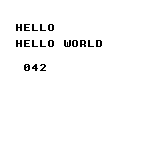
Purpose: Learn the basic sequence for starting a ROM and drawing text and a number on the background.
How it works: After m_init, m_text draws the greeting and m_number formats 42. The final loop waits for frames while leaving the screen visible.
Controls and expected result: The screen shows HELLO WORLD and 042. The leading zero is three-digit decimal formatting.
Download source / Verification status
.\kitaqgb\kitaqgb.exe kitaq-docs/samples/gb_hello.c -I kitaqgb/lib -I kitaq-docs/samples -o out/gb_hello.gb --profile=dev --rst-disable --stack-bank=fixed// Display a first message on screen.
// Expected: HELLO WORLD and 042
#include "gb_common.h"
// Initialize the display/font, write HELLO WORLD and a three-digit 042,
// then wait for frames so the result remains visible.
void main() {
m_init();
m_text(2,3,"HELLO");
m_text(2,5,"HELLO WORLD");
m_number(42);
while (1) { m_wait(); }
}Arithmetic with a wider intermediate gb_arithmetic.c
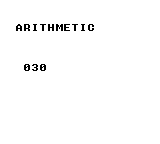
Purpose: Learn to keep an intermediate result that does not fit in eight bits.
How it works: (u16)200 + 100 produces 300. The program divides it by 10, then converts the result to u8 for display. Notice that the widening cast precedes the addition.
Controls and expected result: 030 represents the calculated result, 30.
Download source / Verification status
.\kitaqgb\kitaqgb.exe kitaq-docs/samples/gb_arithmetic.c -I kitaqgb/lib -I kitaq-docs/samples -o out/gb_arithmetic.gb --profile=dev --rst-disable --stack-bank=fixed// Variables, arithmetic and type conversion.
// Expected: 030
#include "gb_common.h"
// Widen before adding 200 + 100, divide the 16-bit sum, and display 30.
// The cast demonstrates avoiding an 8-bit intermediate result.
void main() {
m_init();
m_text(2,3,"ARITHMETIC");
u16 sum;
sum = (u16)200 + 100;
m_number((u8)(sum / 10));
while (1) { m_wait(); }
}Branches and loops gb_control.c
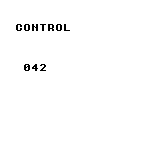
Purpose: Try for, continue, while, do/while and switch in a small calculation.
How it works: Adding 0 through 7 while skipping 3 gives 25. The while loop advances to 30, do/while advances to 32, and switch selects case 32 to assign 42.
Controls and expected result: 042 is the final result of these loops and branches.
Download source / Verification status
.\kitaqgb\kitaqgb.exe kitaq-docs/samples/gb_control.c -I kitaqgb/lib -I kitaq-docs/samples -o out/gb_control.gb --profile=dev --rst-disable --stack-bank=fixed// Conditional branches and loops.
// Expected: 042
#include "gb_common.h"
// Exercise loop control and a final branch, then display the selected value 42.
void main() {
m_init();
m_text(2,3,"CONTROL");
u8 i; u8 sum; sum=0;
for (i=0;i<8;i++) { if (i==3) continue; sum=(u8)(sum+i); }
while (sum<30) { sum++; }
do { sum++; } while (sum<32);
switch (sum) { case 32: sum=42; break; default: sum=0; break; }
m_number(sum);
while (1) { m_wait(); }
}Functions, arrays, structures and pointers gb_aggregate.c
Purpose: Learn to group values and access them through functions and pointers.
How it works: The program copies a Point containing (10,20), then writes 1 through 4 into an array through a pointer. It adds the function result 30 to array values 1, 2 and 4 and the constant 5.
Controls and expected result: The sum is displayed as 042. Follow the structure copy, the ptr[i] writes and the function return value.
![Functions, arrays, structures and pointers: The sum is displayed as 042. Follow the structure copy, the ptr[i] writes and the function return value.](../verification/gb_aggregate.png)
Download source / Verification status
.\kitaqgb\kitaqgb.exe kitaq-docs/samples/gb_aggregate.c -I kitaqgb/lib -I kitaq-docs/samples -o out/gb_aggregate.gb --profile=dev --rst-disable --stack-bank=fixed// Functions, arrays, structures and pointers.
// Expected: 042
#include "gb_common.h"
typedef struct { u8 x; u8 y; } Point;
// Add two byte values and explicitly narrow the returned result to u8.
u8 add(u8 a,u8 b) { return (u8)(a+b); }
// Copy a structure, fill an array through a pointer, and combine selected values
// through add() to produce 42. Keep the final screen visible in the idle loop.
void main() {
m_init();
m_text(2,3,"AGGREGATE");
Point a; Point b; u8 i; u8 data[4]; u8* ptr;
a.x=10; a.y=20; b=a; ptr=data;
for(i=0;i<4;i++) ptr[i]=(u8)(i+1);
m_number((u8)(add(b.x,b.y)+ptr[0]+ptr[1]+ptr[3]+5));
while (1) { m_wait(); }
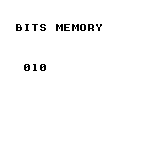
}Bit flags and buffer copying gb_bits_memory.c
Purpose: Pack flags into a byte and copy a buffer into separate storage.
How it works: __memset clears four bytes. The program sets bit 3, toggles bit 1, then copies all four bytes with __memcpy.
Controls and expected result: The first destination byte is displayed as 010: bit 3 contributes 8 and bit 1 contributes 2.
Download source / Verification status
.\kitaqgb\kitaqgb.exe kitaq-docs/samples/gb_bits_memory.c -I kitaqgb/lib -I kitaq-docs/samples -o out/gb_bits_memory.gb --profile=dev --rst-disable --stack-bank=fixed// Bit operations and memory copying.
// Expected: 010
#include "gb_common.h"
void __memset(void* dst,u8 value,u16 len);
void __memcpy(void* dst,const void* src,u16 len);
void __bit_set(u8* base,u16 bit);
void __bit_toggle(u8* base,u16 bit);
// Clear the source bytes, set bits 3 and 1, copy the buffer, and display 8 + 2 = 10.
void main() {
m_init();
m_text(2,3,"BITS MEMORY");
u8 data[4]; u8 copy[4];
__memset(data,0,4); __bit_set(data,3); __bit_toggle(data,1);
__memcpy(copy,data,4); m_number(copy[0]);
while (1) { m_wait(); }
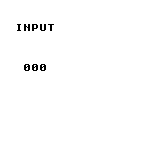
}Count new button presses gb_input.c
Purpose: Distinguish a newly pressed button from one that remains held.
How it works: Each frame calls input_update. The counter advances only when input_pressed(BTN_A) is true.
Controls and expected result: The initial count is 000. Press A to get 001; holding it does not add more. Release and press again for 002. The byte counter wraps from 255 to 000.
Download source / Verification status
.\kitaqgb\kitaqgb.exe kitaqgb/lib/input.c kitaq-docs/samples/gb_input.c -I kitaqgb/lib -I kitaq-docs/samples -o out/gb_input.gb --profile=dev --rst-disable --stack-bank=fixed// Distinguish a new button press from a held button.
// Expected: 000 initially; A increments once per press
#include "gb_common.h"
#include "input.h"
u8 manual_count;
// Sample buttons once per frame and increment only on a new A press.
// Holding A does not repeatedly increment; the byte-sized counter wraps after 255.
void main() {
m_init();
m_text(2,3,"INPUT");
input_init();
m_number(0);
while (1) { m_wait(); input_update(); if(input_pressed(BTN_A)) { manual_count++; m_number(manual_count); } }
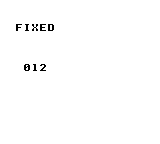
}Multiply Q8.8 fixed-point values gb_fixed.c
Purpose: Learn integer-to-Q8.8 conversion, multiplication and conversion back to an integer.
How it works: fix_from_int converts 3 and 4 to Q8.8. fix_mul multiplies them, and fix_to_int converts the product back.
Controls and expected result: 012 means 3 × 4 = 12. It is the converted integer, not the internal value scaled by 256.
Download source / Verification status
.\kitaqgb\kitaqgb.exe kitaqgb/lib/fixed.c kitaq-docs/samples/gb_fixed.c -I kitaqgb/lib -I kitaq-docs/samples -o out/gb_fixed.gb --profile=dev --rst-disable --stack-bank=fixed// Calculate with signed Q8.8 fixed-point values.
// Expected: 012
#include "gb_common.h"
#include "fixed.h"
// Convert 3 and 4 to Q8.8, multiply them, convert the result back to an
// integer, and display 12.
void main() {
m_init();
m_text(2,3,"FIXED");
fix8 a; fix8 b; a=fix_from_int(3); b=fix_from_int(4);
m_number((u8)fix_to_int(fix_mul(a,b)));
while (1) { m_wait(); }
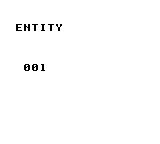
}Allocate from a fixed object pool gb_entity.c
Purpose: Create an object from a fixed set of slots without dynamic allocation.
How it works: entity_init resets the pool. entity_create creates type 1 at (20,30); the program checks for the failure ID 0xFF before setting vx to 2.
Controls and expected result: 001 is the active object count, not an ID or coordinate. This example does not update or draw the object, so no moving character appears.
Download source / Verification status
.\kitaqgb\kitaqgb.exe kitaqgb/lib/entity.c kitaq-docs/samples/gb_entity.c -I kitaqgb/lib -I kitaq-docs/samples -o out/gb_entity.gb --profile=dev --rst-disable --stack-bank=fixed// Allocate an entity from a fixed-capacity object pool.
// Expected: 001
#include "gb_common.h"
#include "entity.h"
// Create one entity and check the 0xFF allocation-failure sentinel before
// accessing its velocity. Display the pool occupancy, not the entity ID.
void main() {
m_init();
m_text(2,3,"ENTITY");
u8 id; entity_init(); id=entity_create(1,20,30);
if(id!=0xFF) entity_get(id)->vx=2; m_number(entity_count_active());
while (1) { m_wait(); }
}Record a diagnostic value in RAM gb_debug.c
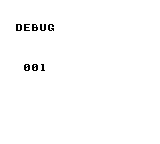
Purpose: Keep a named game value in a diagnostic buffer separately from the screen display.
How it works: The program initializes debugging, sets frame tag 1 and records the value 42 under the name HP.
Controls and expected result: 001 is the number of trace entries. HP=42 is stored in the diagnostic buffer; the screen alone does not show or verify that payload.
Download source / Verification status
.\kitaqgb\kitaqgb.exe kitaqgb/lib/debug.c kitaq-docs/samples/gb_debug.c -I kitaqgb/lib -I kitaq-docs/samples -o out/gb_debug.gb --profile=dev --rst-disable --stack-bank=fixed// Record diagnostic values in the debug trace.
// Expected: 001; trace log contains HP=42
#include "gb_common.h"
#include "debug.h"
// Record HP = 42 with frame tag 1 and display the number of trace entries.
// The trace buffer contains the value; the screen displays the count, not HP.
void main() {
m_init();
m_text(2,3,"DEBUG");
debug_init(); debug_set_frame(1); debug_trace_u8("HP",42);
m_number(debug_get_trace_count());
while (1) { m_wait(); }
}Store a position history gb_chain.c
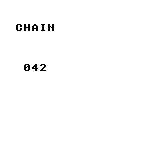
Purpose: Learn how to store a trail of positions in a ring buffer.
How it works: chain_init attaches an array with room for four points. chain_push_head then records (20,30).
Controls and expected result: 042 is a fixed completion marker, not a coordinate or count. Inspect trail and points to check the stored history. This program does not draw a following body.
Download source / Verification status
.\kitaqgb\kitaqgb.exe kitaqgb/lib/chain.c kitaq-docs/samples/gb_chain.c -I kitaqgb/lib -I kitaq-docs/samples -o out/gb_chain.gb --profile=dev --rst-disable --stack-bank=fixed// Store a position history in a ring buffer.
// Expected: 042; history contains (20,30)
#include "gb_common.h"
#include "chain.h"
Chain trail; ChainPoint points[4];
// Attach four history slots and record one point. The displayed 42 is a fixed
// completion marker; inspect the chain to verify the stored (20,30) point.
void main() {
m_init();
m_text(2,3,"CHAIN");
chain_init(&trail,points,4); chain_push_head(&trail,20,30);
m_number(42);
while (1) { m_wait(); }
}Read the library frame counter gb_system.c
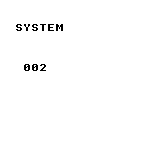
Purpose: See how counted frame waits affect the library frame counter.
How it works: After system_init, the program calls system_wait_vblank twice and displays system_get_frame8.
Controls and expected result: The result is 002. The idle loop uses the manual helper m_wait, so the displayed value does not keep increasing.
Download source / Verification status
.\kitaqgb\kitaqgb.exe kitaqgb/lib/system.c kitaq-docs/samples/gb_system.c -I kitaqgb/lib -I kitaq-docs/samples -o out/gb_system.gb --profile=dev --rst-disable --stack-bank=fixed// Count completed frame waits.
// Expected: 002
#include "gb_common.h"
#include "system.h"
// Reset the library frame count, perform two counted waits, and display 2.
// Subsequent m_wait calls leave that library counter unchanged.
void main() {
m_init();
m_text(2,3,"SYSTEM");
system_init(); system_wait_vblank(); system_wait_vblank();
m_number(system_get_frame8());
while (1) { m_wait(); }
}Select the current scene ID gb_scene.c
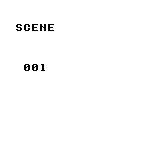
Purpose: Learn to select an ID that can distinguish scenes such as a title screen and gameplay.
How it works: The program registers two zero-initialized SceneDef entries and selects ID 1 with scene_change.
Controls and expected result: 001 is the current ID returned by scene_get_current. No scene callbacks or transition drawing are registered in this example.
Download source / Verification status
.\kitaqgb\kitaqgb.exe kitaqgb/lib/scene.c kitaq-docs/samples/gb_scene.c -I kitaqgb/lib -I kitaq-docs/samples -o out/gb_scene.gb --profile=dev --rst-disable --stack-bank=fixed// Switch the current scene ID.
// Expected: 001; no callbacks registered
#include "gb_common.h"
#include "scene.h"
SceneDef manual_scenes[2];
// Register two zero-initialized scene entries, select ID 1 and display it.
// No callbacks are registered in this example.
void main() {
m_init();
m_text(2,3,"SCENE");
scene_init(manual_scenes,2); scene_change(1);
m_number(scene_get_current());
while (1) { m_wait(); }
}Convert world coordinates to screen coordinates gb_camera.c
Purpose: Subtract the camera position to find where a world position belongs on screen.
How it works: Camera_Set receives Q8.8 value 2560, or X=10 pixels. Camera_WorldToScreenX then converts world X=52.
Controls and expected result: 052 minus 010 gives the displayed 042. This is a coordinate calculation; it does not scroll a background.
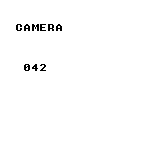
Download source / Verification status
.\kitaqgb\kitaqgb.exe kitaqgb/lib/scroll.c kitaqgb/lib/camera.c kitaq-docs/samples/gb_camera.c -I kitaqgb/lib -I kitaq-docs/samples -o out/gb_camera.gb --profile=dev --rst-disable --stack-bank=fixed// Convert world coordinates to screen coordinates.
// Expected: 042: world x=52 minus camera x=10
#include "gb_common.h"
#include "camera.h"
Camera8_8 cam;
// Set the camera X coordinate to 10 pixels in Q8.8 (10 * 256), then subtract
// it from world X = 52 to display screen X = 42.
void main() {
m_init();
m_text(2,3,"CAMERA");
Camera_Init(&cam); Camera_Set(&cam,2560,0);
m_number((u8)Camera_WorldToScreenX(&cam,52));
while (1) { m_wait(); }
}Decode RLE into RAM gb_rle.c
Purpose: Try a compact count/value representation of repeated bytes.
How it works: The packed bytes {3,42,0} mean three copies of 42 followed by a zero-count terminator. rle_decode writes into a three-byte destination.
Controls and expected result: The last byte, out[2], is displayed as 042. All three decoded bytes are expected to contain 42.
![Decode RLE into RAM: The last byte, out[2], is displayed as 042. All three decoded bytes are expected to contain 42.](../verification/gb_rle.png)
Download source / Verification status
.\kitaqgb\kitaqgb.exe kitaqgb/lib/rle.c kitaq-docs/samples/gb_rle.c -I kitaqgb/lib -I kitaq-docs/samples -o out/gb_rle.gb --profile=dev --rst-disable --stack-bank=fixed// Decode run-length encoded data.
// Expected: 042; three bytes each equal to 42
#include "gb_common.h"
#include "rpg.h"
__prg_rom u8 packed[] = {3,42,0};
// Decode count/value pair (3,42), terminated by a zero count, into a
// three-byte buffer and display the final decoded byte.
void main() {
m_init();
m_text(2,3,"RLE");
u8 out[3]; rle_decode(out,packed); m_number(out[2]);
while (1) { m_wait(); }
}Read and write a board cell gb_board.c
Purpose: Learn how grid coordinates map to storage for a board game.
How it works: A 16-byte array backs a 4 × 4 board. The program clears it, writes 42 at cell (2,1), then reads the same cell.
Controls and expected result: 042 is the value read back. The program does not draw the 4 × 4 board itself.
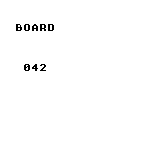
Download source / Verification status
.\kitaqgb\kitaqgb.exe kitaqgb/lib/slg_board.c kitaq-docs/samples/gb_board.c -I kitaqgb/lib -I kitaq-docs/samples -o out/gb_board.gb --profile=dev --rst-disable --stack-bank=fixed// Read and write cells in a game board.
// Expected: 042
#include "gb_common.h"
#include "slg.h"
SLGBoard board; u8 cells[16];
// Create a cleared 4-by-4 board in caller-owned storage, write 42 at (2,1),
// and display the value read back from the same cell.
void main() {
m_init();
m_text(2,3,"BOARD");
slg_board_init(&board,4,4,cells); slg_board_clear(&board,0);
slg_board_set(&board,2,1,42); m_number(slg_board_get(&board,2,1));
while (1) { m_wait(); }
}Advance a box by one physics step gb_physics.c
Purpose: Initialize a world and box body, then update position from velocity.
How it works: The body starts at (40,40), with velocity (2,0) and zero gravity. The program calls kq2d_step once.
Controls and expected result: 042 is the resulting X coordinate, measured in integer pixels in this example. No box shape or continuous animation is drawn.
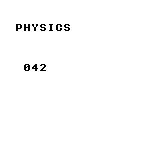
Download source / Verification status
.\kitaqgb\kitaqgb.exe kitaqgb/lib/fixed.c kitaqgb/lib/physics2d.c kitaq-docs/samples/gb_physics.c -I kitaqgb/lib -I kitaq-docs/samples -o out/gb_physics.gb --profile=dev --rst-disable --stack-bank=fixed// Advance a rectangular body through one physics step.
// Expected: 042: integer pixel coordinates
#include "gb_common.h"
#include "physics2d.h"
KQWorld2D world; KQBody2D boxes[1];
// Create one box at X = 40, set horizontal velocity 2 and zero gravity,
// then display its X coordinate after a single physics step.
void main() {
m_init();
m_text(2,3,"PHYSICS");
kq2d_world_init(&world,boxes,1);
kq2d_body_init(&boxes[0],40,40,4,4);
kq2d_body_set_velocity(&boxes[0],2,0);
world.gravity_x=0; world.gravity_y=0;
kq2d_step(&world); m_number((u8)boxes[0].x);
while (1) { m_wait(); }
}Handle serial completion and timeout gb_link.c
Purpose: Distinguish a completed transfer from one that does not finish within the wait limit.
How it works: The master sends 42 and waits with Link_WaitByte. Completion displays the received byte; timeout cancels the transfer and displays zero.
Controls and expected result: An unconnected transfer that completes can return 255. A timeout displays 000; with a connected peer, the display shows its received byte. The result is not always 042.
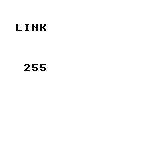
Download source / Verification status
.\kitaqgb\kitaqgb.exe kitaqgb/lib/link_hwregs_gb.c kitaqgb/lib/link.c kitaq-docs/samples/gb_link.c -I kitaqgb/lib -I kitaq-docs/samples -o out/gb_link.gb --profile=dev --rst-disable --stack-bank=fixed// Handle serial transfers that do not deliver a byte in time.
// Expected: 255 for disconnected link; 000 if timeout; peer value when connected
#include "gb_common.h"
#include "link.h"
// Start a master transfer of byte 42 and wait with a bounded timeout.
// Display the received byte on completion; cancel and display zero on timeout.
void main() {
m_init();
m_text(2,3,"LINK");
u8 value; Link_InitMaster(); Link_BeginTransfer(42);
if(Link_WaitByte(4,&value)) m_number(value);
else { Link_Cancel(); m_number(0); }
while (1) { m_wait(); }
}Read ROM data with a bank argument gb_bank.c
Purpose: Learn the arguments for copying ROM data into RAM.
How it works: far_data_read copies the two bytes 7 and 42 into copied, using bank argument 0 and a length of 2.
Controls and expected result: The second destination byte is displayed as 042. This example reads fixed ROM; it does not demonstrate transfer between different switchable banks.
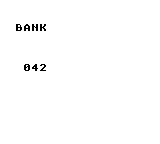
Download source / Verification status
.\kitaqgb\kitaqgb.exe kitaqgb/lib/bank.c kitaq-docs/samples/gb_bank.c -I kitaqgb/lib -I kitaq-docs/samples -o out/gb_bank.gb --profile=dev --rst-disable --stack-bank=fixed// Read data using an explicit ROM bank.
// Expected: 042; explicit bank argument 0
#include "gb_common.h"
#include "bank.h"
__prg_rom u8 values[] = {7,42}; u8 copied[2];
// Copy two ROM bytes using bank argument zero and display the second byte.
// This introduces the API; it does not test switching between distinct payload banks.
void main() {
m_init();
m_text(2,3,"BANK");
far_data_read(0,values,copied,2); m_number(copied[1]);
while (1) { m_wait(); }
}Load data by asset ID gb_asset.c
Purpose: Register an asset location and length, then retrieve the bytes by ID.
How it works: Asset 0 has type RAW, bank 0, a pointer to {7,42} and length 2. asset_load_raw copies it into a two-byte RAM buffer.
Controls and expected result: The second byte is displayed as 042. This demonstrates asset lookup and copying, not image rendering.
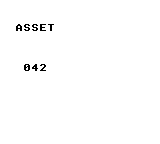
Download source / Verification status
.\kitaqgb\kitaqgb.exe kitaqgb/lib/asset.c kitaq-docs/samples/gb_asset.c -I kitaqgb/lib -I kitaq-docs/samples -o out/gb_asset.gb --profile=dev --rst-disable --stack-bank=fixed// Load asset bytes into RAM by asset ID.
// Expected: 042
#include "gb_common.h"
#include "asset.h"
AssetDesc table[1]; __prg_rom u8 values[] = {7,42}; u8 copied[2];
// Register a two-byte raw asset, copy it into RAM and display its second byte.
// This example uses bank zero and a destination sized for the complete payload.
void main() {
m_init();
m_text(2,3,"ASSET");
table[0].type=ASSET_TYPE_RAW; table[0].bank=0;
table[0].ptr=values; table[0].len=2;
asset_set_table(0,table,1); asset_load_raw(0,copied,2);
m_number(copied[1]);
while (1) { m_wait(); }
}Allocate one bullet gb_danmaku.c
Purpose: Initialize the bullet pool and inspect its occupancy after spawning.
How it works: After danmaku_reset, the program calls danmaku_spawn(40,40,16,0) and displays dm_count.
Controls and expected result: 001 is the number of allocated bullets. There is no bullet update loop or background compositor here, so no moving bullet is drawn.
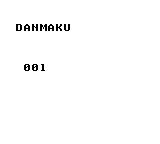
Download source / Verification status
.\kitaqgb\kitaqgb.exe kitaqgb/lib/danmaku.c kitaq-docs/samples/gb_danmaku.c -I kitaqgb/lib -I kitaq-docs/samples -o out/gb_danmaku.gb --profile=dev --rst-disable --stack-bank=fixed// Allocate a bullet and inspect the pool count.
// Expected: 001; numeric pool example, no bullet BG compositor
#include "gb_common.h"
#include "danmaku.h"
// Reset the bullet pool, spawn one bullet and display the active count.
// This numeric example does not install the background bullet compositor.
void main() {
m_init();
m_text(2,3,"DANMAKU");
danmaku_reset(); danmaku_spawn(40,40,16,0);
m_number(dm_count);
while (1) { m_wait(); }
}Set a CGB background palette gb_cgb_palette.c
Purpose: Choose background and text colors using Game Boy Color RGB components.
How it works: The program disables the LCD during VBlank, sets palette 0 color 0 to white (31,31,31) and color 3 to purple (12,0,22), then enables the display.
Controls and expected result: Run in CGB mode to see purple text and 042 on white. DMG monochrome output cannot demonstrate these colors.
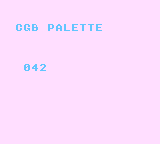
Download source / Verification status
.\kitaqgb\kitaqgb.exe kitaqgb/lib/cgb_palette.c kitaq-docs/samples/gb_cgb_palette.c -I kitaqgb/lib -I kitaq-docs/samples -o out/gb_cgb_palette.gb --profile=dev --rst-disable --stack-bank=fixed --cgb=cgb// Set Game Boy Color palette entries.
// Expected: 042 in purple on white; CGB mode
#include "gb_common.h"
#include "cgb_palette.h"
// Set palette-zero background colors to white and purple, then display 42.
// Run the ROM in CGB mode to observe the color result.
void main() {
m_init();
m_text(2,3,"CGB PALETTE");
// Disable the LCD during VBlank so both palette bytes remain accessible.
m_wait(); M_LCDC = 0;
cgb_bg_rgb(0,0,31,31,31); cgb_bg_rgb(0,3,12,0,22);
M_LCDC = 0x91;
m_number(42);
while (1) { m_wait(); }
}Scroll the background horizontally gb_scroll.c
Purpose: Move the viewing position without redrawing the background contents.
How it works: Each frame increments phase and passes it to Scroll_SetBg. The eight-bit position wraps after 255.
Controls and expected result: The word SCROLL moves left. Observe its position over time; a single screenshot cannot show the motion.
Download source / Verification status
.\kitaqgb\kitaqgb.exe kitaqgb/lib/scroll.c kitaq-docs/samples/gb_scroll.c -I kitaqgb/lib -I kitaq-docs/samples -o out/gb_scroll.gb --profile=dev --rst-disable --stack-bank=fixed// Scroll the background horizontally.
// Expected: title moves left as SCX increases
#include "gb_common.h"
#include "scroll.h"
u8 phase;
// Advance an 8-bit horizontal scroll position once per frame, wrapping naturally
// after 255. Background motion demonstrates the changing scroll register.
void main() {
m_init();
m_text(2,3,"SCROLL");
Scroll_SetBg(0,0);
while (1) { m_wait(); phase++; Scroll_SetBg(phase,0); }
}Queue a tile update gb_vram_queue.c
Purpose: Separate a drawing request from the VRAM transfer that applies it.
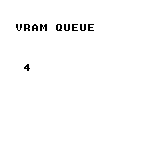
How it works: vram_queue_bg_tile queues tile 52 at tile coordinate (3,8), and vram_flush transfers it. In the supplied font, tile 52 is the digit 4.
Controls and expected result: Look for a single 4 at background tile coordinate (3,8). It is a tile update, not a numeric counter.
Download source / Verification status
.\kitaqgb\kitaqgb.exe kitaqgb/lib/vram.c kitaq-docs/samples/gb_vram_queue.c -I kitaqgb/lib -I kitaq-docs/samples -o out/gb_vram_queue.gb --profile=dev --rst-disable --stack-bank=fixed// Queue a VRAM update and flush it at VBlank.
// Expected: 4 at (3,8)
#include "gb_common.h"
#include "vram.h"
// Queue font tile 52 (the digit 4) at tile coordinate (3,8), then wait for
// VBlank and execute the queued transfer.
void main() {
m_init();
m_text(2,3,"VRAM QUEUE");
vram_init();
vram_queue_bg_tile(3,8,52); vram_flush();
while (1) { m_wait(); }
}Display a sprite with OAM DMA gb_sprite.c
Purpose: Allocate and display a sprite independently of the background.
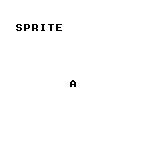
How it works: The fresh pool supplies slot 0. The program selects tile 65, sets position (70,80), enables OBJ display and transfers shadow OAM each frame.
Controls and expected result: A stationary letter A appears at the specified sprite position. In a game, check allocation failure before using the returned ID.
Download source / Verification status
.\kitaqgb\kitaqgb.exe kitaqgb/lib/sprite.c kitaq-docs/samples/gb_sprite.c -I kitaqgb/lib -I kitaq-docs/samples -o out/gb_sprite.gb --profile=dev --rst-disable --stack-bank=fixed// Display a sprite through the OAM DMA path.
// Expected: letter A at sprite position
#include "gb_common.h"
#include "sprite.h"
// Allocate the first sprite, choose font tile 65 (A), set its position and
// enable sprite display. Flush shadow OAM after each frame wait.
void main() {
m_init();
m_text(2,3,"SPRITE");
// The freshly reset pool guarantees slot zero for this first allocation.
// In a running game, check the allocation-failure sentinel before using the returned ID.
sprite_init(); sprite_set_tile(sprite_alloc(),65);
sprite_set_pos(0,70,80); M_LCDC=(u8)(M_LCDC|2);
while (1) { m_wait(); sprite_flush_oam_now(); }
}Generate a repeatable random value gb_rng.c
Purpose: Use a seed to reproduce a pseudorandom sequence.
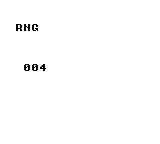
How it works: rng_seed(1234) initializes the generator, then rng_range(10) is called once. Its upper bound, 10, is excluded.
Controls and expected result: The screen shows a value from 000 to 009. Restarting the same program with the same seed reproduces it; the value does not change every frame.
Download source / Verification status
.\kitaqgb\kitaqgb.exe kitaqgb/lib/rng.c kitaq-docs/samples/gb_rng.c -I kitaqgb/lib -I kitaq-docs/samples -o out/gb_rng.gb --profile=dev --rst-disable --stack-bank=fixed// Generate a repeatable pseudorandom value from a seed.
// Expected: value 000 through 009; same seed repeats
#include "gb_common.h"
#include "rpg.h"
// Seed the generator with 1234 and display one value in [0,10).
// Restarting with the same seed reproduces the sequence.
void main() {
m_init();
m_text(2,3,"RNG");
rng_seed(1234); m_number(rng_range(10));
while (1) { m_wait(); }
}Store a game-state flag gb_flags.c
Purpose: Represent a Boolean state, such as whether an event is complete, using a flag number.
How it works: The program clears flag 12, sets it and reads it back with flag_get.
Controls and expected result: 001 means flag 12 is true. This example operates on RAM flags and does not save them across power cycles.
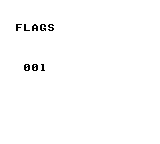
Download source / Verification status
.\kitaqgb\kitaqgb.exe kitaqgb/lib/flags.c kitaq-docs/samples/gb_flags.c -I kitaqgb/lib -I kitaq-docs/samples -o out/gb_flags.gb --profile=dev --rst-disable --stack-bank=fixed// Read and write RAM-backed game-state flags.
// Expected: 001
#include "gb_common.h"
#include "rpg.h"
// Clear and set flag 12, then display its Boolean value. This does not write
// a save file or demonstrate persistence across power cycles.
void main() {
m_init();
m_text(2,3,"FLAGS");
flag_clear(12); flag_set(12); m_number(flag_get(12));
while (1) { m_wait(); }
}Advance a circle by one physics step gb_circle.c
Purpose: Set up a circular body and update its position from velocity.
How it works: The active circle has radius 4, position (40,40) and velocity (2,0). Gravity is zero and linear_damping_q8 is 255; kq2dc_step runs once.
Controls and expected result: 042 is the resulting integer X coordinate. This example does not draw a circle outline or collision animation.
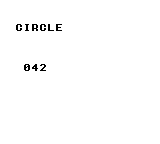
Download source / Verification status
.\kitaqgb\kitaqgb.exe kitaqgb/lib/physics2d_circle.c kitaq-docs/samples/gb_circle.c -I kitaqgb/lib -I kitaq-docs/samples -o out/gb_circle.gb --profile=dev --rst-disable --stack-bank=fixed// Advance a circular body through one physics step.
// Expected: 042 after one step; this example uses integer pixels
#include "gb_common.h"
#include "physics2d_circle.h"
KQCircleBody2D balls[1]; KQCircleWorld2D world;
// Activate one circle at X = 40 with horizontal velocity 2 and zero gravity.
// Advance one step and display its resulting integer-pixel X coordinate.
void main() {
m_init();
m_text(2,3,"CIRCLE");
kq2dc_world_init(&world,balls,1);
balls[0].active=1; balls[0].x=40; balls[0].y=40;
balls[0].radius=4; balls[0].inv_mass_q8=256;
balls[0].vx=2; balls[0].vy=0;
world.gravity_x=0; world.gravity_y=0; world.linear_damping_q8=255;
kq2dc_step(&world); m_number((u8)balls[0].x);
while (1) { m_wait(); }
}Service a sound effect each frame gb_sound.c
Purpose: Start a sound-effect stream and advance it through regular frame updates.
How it works: After Audio_Init, Audio_PlaySFX starts tone on channel ID 1. The main loop calls Audio_Update once per frame.
Controls and expected result: A short pulse effect plays while 042 remains visible. That number is a fixed marker, not volume or playback position. Use audio output or a recording to assess the sound.
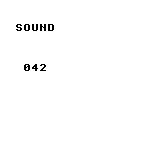
Download source / Verification status
.\kitaqgb\kitaqgb.exe kitaqgb/lib/audio_hwregs_gb.c kitaqgb/lib/audio.c kitaq-docs/samples/gb_sound.c -I kitaqgb/lib -I kitaq-docs/samples -o out/gb_sound.gb --profile=dev --rst-disable --stack-bank=fixed// Play a Game Boy pulse-channel sound effect.
// Expected: 042 and a short pulse tone
#include "gb_common.h"
#include "audio.h"
__prg_rom u8 tone[] = { 24,0xF0,24,0xE0,24,0xC0,24,0xA0,24,0x80,24,0x60,0 };
// Start a pulse-channel effect and service Audio_Update once per frame
// so the effect stream advances while 42 remains on screen.
void main() {
m_init();
m_text(2,3,"SOUND");
Audio_Init(); Audio_PlaySFX(tone,1); m_number(42);
while (1) { m_wait(); Audio_Update(); }
}Library API dictionary
554 entries. Each entry explains the operation, arguments, return value, constraints, usage example and expected result.
zx0
Decode ZX0-compatible assets into RAM or VRAM. Prepare assets with kitaqgb-zx0.exe on the PC, then decode only the data needed at runtime. --format=auto compares raw, RLE and ZX0 payloads and chooses the smallest; ties prefer raw, RLE, then ZX0. Keep the complete container within 65535 bytes including its nine-byte header, and split assets to fit actual CPU banks and RAM.
Einar Saukas designed the ZX0 format and original compression algorithm. The compressor and decompressor provided here are independent KITAQ implementations, copyright DAISUKE OBA, released under the MIT License.
Run these host commands from the repository root. Build the tool with tools/zx0/build.ps1.
.\kitaqgb-zx0.exe tiles.bin tiles.zx0
.\kitaqgb-zx0.exe tiles.bin tiles.h --header=tiles
.\kitaqgb-zx0.exe map.bin map.kqa --format=auto
.\kitaqgb-zx0.exe tiles.zx0 restored.bin --decompress
zx0_decompress
Decode a ZX0 v2 stream into bounded RAM. Matches reference previously decoded bytes, so the destination must be readable and writable. Use this for tile maps or level tables that the CPU will process before use.
Syntax
u16 zx0_decompress(void* dst, u16 capacity, const void* src, u16 packed_size);Parameters
dstStart of writable destination RAM; must not be null. Express capacity in bytes, not array elements.
capacityNumber of writable destination bytes. An ordinary ZX0 stream needs at least one byte. An empty raw KQA1 asset can succeed with capacity zero.
srcStart of compressed data readable through the current bank mapping. Must not be null.
packed_sizeByte count of the complete input. A ZX0 stream includes its end marker and has no trailing bytes. A KQA1 container includes its nine-byte header. Maximum: 65535 bytes.
Return value
Return the decoded byte count on success, or zero on error. Always check zx0_error as well.
Conditions and limits
Include zx0.h and compile lib/zx0.c. These routines use shared scratch and are not reentrant from interrupts. Input and output must not overlap, wrap the CPU address space or cross currently mapped bank windows. The library does not switch asset banks.
Each call updates zx0_error: 0 success, 1 invalid argument, 2 truncated input, 3 malformed stream, 4 insufficient output space, 5 display active. A failure can leave partial output; do not use it. When multiple conditions are invalid, the first detected condition determines the code.
Accept forward ZX0 v2 streams. ZX0 v1, backward streams and external dictionaries are outside this interface. Know the decoded size of the host-generated asset and provide sufficient storage.
Usage example
count=zx0_decompress(decoded_map,16,packed_map,packed_map_SIZE);
    if(count!=16||zx0_error!=ZX0_OK)failures++;
This is a calling fragment. Follow the stated initialization and buffer requirements before using it in a complete program.
Expected result
The RAM MAP row repeats a square, diamond and checker tile. AUTO RLE MAP forms a horizontal bar from sixteen square tiles. VRAM TILES repeats the same three tiles after decoding their pixels into VRAM. On CGB and FC the square is white, the diamond red and the checker blue; DMG uses gray shades. CHECKS OK confirms that all three calls returned the expected decoded sizes without an error.
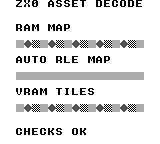
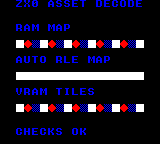
Build command
New-Item -ItemType Directory -Force .\out | Out-Null
.\kitaqgb\kitaqgb.exe .\kitaq-docs\samples\api-examples\gb\zx0_decode.c -I .\kitaqgb\lib -I .\kitaq-docs\samples -o .\out\zx0_decode.gb --profile=dev --rst-disable --stack-bank=fixed --cgb=cgb --no-cache --no-disasm
Implementation and source
kitaqgb/lib/zx0.h:15
Return decoded bytes, or zero on error (possibly after partial writes).
Source and output must not overlap or cross their current CPU bank windows.
Capacity and packed_size are byte counts. No prefix/backward/v1 streams.
kitaqgb/lib/zx0.c:52
u16 zx0_decompress(void* dst,u16 capacity,const void* src,u16 packed_size) {
    u8 phase; u8 low; u8* out; u8* match;
    u16 count; u16 distance; u16 used; u16 upper;
    zx0_error=ZX0_OK;
    if(!kq_zx_arguments(dst,capacity,src,packed_size)) { zx0_error=ZX0_BAD_ARGUMENT; return 0; }
    kq_zx_input=(const u8*)src; kq_zx_left=packed_size;
    kq_zx_mask=0; kq_zx_borrowed=0;
    out=(u8*)dst; used=0; distance=1; phase=0;
    // Phase 0 is literal, 1 reuses the last distance, 2 carries a new distance.
    while(1) {
        if(phase==2) {
            upper=kq_zx_number(1);
            if(zx0_error) return 0;
            if(upper==256) {
                if(kq_zx_left!=0) { zx0_error=ZX0_BAD_STREAM; return 0; }
                return used;
            }
            if(upper>255) { zx0_error=ZX0_BAD_STREAM; return 0; }
            low=kq_zx_byte();
            distance=(u16)((upper<<7)-(low>>1));
            kq_zx_borrowed=1; kq_zx_borrow_value=(u8)(low&1);
            count=kq_zx_number(0);
            if(count==65535) { zx0_error=ZX0_BAD_STREAM; return 0; }
            count++;
        } else count=kq_zx_number(0);
        if(zx0_error) return 0;
        if(count>capacity-used) { zx0_error=ZX0_OUTPUT_FULL; return 0; }
        if(phase==0) {
            if(count>kq_zx_left) { zx0_error=ZX0_TRUNCATED; return 0; }
            kq_zx_left-=count; used+=count;
            while(count!=0) { *out++=*kq_zx_input++; count--; }
            phase=kq_zx_bit()?2:1;
        } else {
            if(distance>used) { zx0_error=ZX0_BAD_STREAM; return 0; }
            match=out-distance; used+=count;
            // Forward byte copying deliberately supports overlapping matches.
            while(count!=0) { *out++=*match++; count--; }
            phase=kq_zx_bit()?2:0;
        }
        if(zx0_error) return 0;
    }
}
asset_decompress
Read the codec and sizes from a KQA1 header generated by --format=auto, then copy raw bytes or decode RLE/ZX0 into RAM. Caller code does not need a separate branch for each codec.
Syntax
u16 asset_decompress(void* dst, u16 capacity, const void* src, u16 packed_size);Parameters
dstStart of writable destination RAM; must not be null. Express capacity in bytes, not array elements.
capacityNumber of writable destination bytes. An ordinary ZX0 stream needs at least one byte. An empty raw KQA1 asset can succeed with capacity zero.
srcStart of compressed data readable through the current bank mapping. Must not be null.
packed_sizeByte count of the complete input. A ZX0 stream includes its end marker and has no trailing bytes. A KQA1 container includes its nine-byte header. Maximum: 65535 bytes.
Return value
Return the decoded byte count on success, or zero on error. Always check zx0_error as well.
Conditions and limits
Include zx0.h and compile lib/zx0.c. These routines use shared scratch and are not reentrant from interrupts. Input and output must not overlap, wrap the CPU address space or cross currently mapped bank windows. The library does not switch asset banks.
Each call updates zx0_error: 0 success, 1 invalid argument, 2 truncated input, 3 malformed stream, 4 insufficient output space, 5 display active. A failure can leave partial output; do not use it. When multiple conditions are invalid, the first detected condition determines the code.
KQA1 is the KITAQ asset container: four-byte magic, one-byte codec (0 raw, 1 RLE, 2 ZX0), decoded size u16, payload size u16, then payload. The u16 fields are little-endian. RLE repeats count/value pairs, with counts 1..255 and a zero-count terminator. An empty raw asset succeeds with return value zero and error zero.
Usage example
count=asset_decompress(decoded_auto,16,packed_auto,packed_auto_SIZE);
    if(count!=16||zx0_error!=ZX0_OK)failures++;
This is a calling fragment. Follow the stated initialization and buffer requirements before using it in a complete program.
Expected result
The RAM MAP row repeats a square, diamond and checker tile. AUTO RLE MAP forms a horizontal bar from sixteen square tiles. VRAM TILES repeats the same three tiles after decoding their pixels into VRAM. On CGB and FC the square is white, the diamond red and the checker blue; DMG uses gray shades. CHECKS OK confirms that all three calls returned the expected decoded sizes without an error.
Build command
New-Item -ItemType Directory -Force .\out | Out-Null
.\kitaqgb\kitaqgb.exe .\kitaq-docs\samples\api-examples\gb\zx0_decode.c -I .\kitaqgb\lib -I .\kitaq-docs\samples -o .\out\zx0_decode.gb --profile=dev --rst-disable --stack-bank=fixed --cgb=cgb --no-cache --no-disasm
Implementation and source
kitaqgb/lib/zx0.h:18
Decode a KQA1 raw/RLE/ZX0 asset produced with --format=auto.
Empty raw assets return zero with zx0_error==ZX0_OK.
kitaqgb/lib/zx0.c:95
u16 asset_decompress(void* dst,u16 capacity,const void* src,u16 packed_size) {
    const u8* in; u8* out; u16 raw; u16 packed; u16 used;
    u8 codec; u8 count; u8 value;
    zx0_error=ZX0_OK;
    if(packed_size<9||!kq_zx_arguments(dst,capacity,src,packed_size)) { zx0_error=ZX0_BAD_ARGUMENT; return 0; }
    in=(const u8*)src; out=(u8*)dst;
    if(in[0]!=75||in[1]!=81||in[2]!=65||in[3]!=49) { zx0_error=ZX0_BAD_STREAM; return 0; }
    codec=in[4]; raw=(u16)((u16)in[5]|((u16)in[6]<<8));
    packed=(u16)((u16)in[7]|((u16)in[8]<<8));
    if(packed!=packed_size-9||codec>2) { zx0_error=ZX0_BAD_STREAM; return 0; }
    if(raw>capacity) { zx0_error=ZX0_OUTPUT_FULL; return 0; }
    in+=9;
    if(codec==2) {
        used=zx0_decompress(dst,raw,in,packed);
        if(zx0_error==0&&used!=raw) zx0_error=ZX0_BAD_STREAM;
        return zx0_error?0:used;
    }
    if(codec==0) {
        if(raw!=packed) { zx0_error=ZX0_BAD_STREAM; return 0; }
        used=raw; while(raw!=0) { *out++=*in++; raw--; } return used;
    }
    used=0;
    while(packed!=0) {
        count=*in++; packed--;
        if(count==0) {
            if(packed!=0||used!=raw) { zx0_error=ZX0_BAD_STREAM; return 0; }
            return used;
        }
        if(packed==0) { zx0_error=ZX0_TRUNCATED; return 0; }
        value=*in++; packed--;
        if((u16)count>raw-used) { zx0_error=ZX0_OUTPUT_FULL; return 0; }
        used+=count; while(count!=0) { *out++=value; count--; }
    }
    zx0_error=ZX0_TRUNCATED; return 0;
}
zx0_decompress_vram
With the LCD stopped, decode ZX0 tile pixels or map data directly into the selected VRAM bank. VRAM itself provides match history, so no intermediate RAM buffer is needed.
Syntax
u16 zx0_decompress_vram(u16 vram_addr, const void* src, u16 packed_size);Parameters
vram_addrVRAM start address, 0x8000..0x9FFF. Output is bounded by the end of VRAM at 0xA000. On CGB, select VBK before calling.
srcStart of compressed data readable through the current bank mapping. Must not be null.
packed_sizeByte count of the complete input. A ZX0 stream includes its end marker and has no trailing bytes. A KQA1 container includes its nine-byte header. Maximum: 65535 bytes.
Return value
Return the decoded byte count on success, or zero on error. Always check zx0_error as well.
Conditions and limits
Include zx0.h and compile lib/zx0.c. These routines use shared scratch and are not reentrant from interrupts. Input and output must not overlap, wrap the CPU address space or cross currently mapped bank windows. The library does not switch asset banks.
Each call updates zx0_error: 0 success, 1 invalid argument, 2 truncated input, 3 malformed stream, 4 insufficient output space, 5 display active. A failure can leave partial output; do not use it. When multiple conditions are invalid, the first detected condition determines the code.
Accept forward ZX0 v2 streams. ZX0 v1, backward streams and external dictionaries are outside this interface. Know the decoded size of the host-generated asset and provide sufficient storage.
Return error 5 when the LCD is enabled; merely being in VBlank is insufficient. Display, VBK and interrupt settings are unchanged. Caller code stops and restarts the LCD.
Usage example
count=zx0_decompress_vram(0x8800,packed_tiles,packed_tiles_SIZE);
    if(count!=48||zx0_error!=ZX0_OK)failures++;
This is a calling fragment. Follow the stated initialization and buffer requirements before using it in a complete program.
Expected result
The RAM MAP row repeats a square, diamond and checker tile. AUTO RLE MAP forms a horizontal bar from sixteen square tiles. VRAM TILES repeats the same three tiles after decoding their pixels into VRAM. On CGB and FC the square is white, the diamond red and the checker blue; DMG uses gray shades. CHECKS OK confirms that all three calls returned the expected decoded sizes without an error.
Build command
New-Item -ItemType Directory -Force .\out | Out-Null
.\kitaqgb\kitaqgb.exe .\kitaq-docs\samples\api-examples\gb\zx0_decode.c -I .\kitaqgb\lib -I .\kitaq-docs\samples -o .\out\zx0_decode.gb --profile=dev --rst-disable --stack-bank=fixed --cgb=cgb --no-cache --no-disasm
Implementation and source
kitaqgb/lib/zx0.h:21
Decode directly into the selected GB VRAM bank ($8000..$9FFF), with LCD off.
Preserve LCDC, VBK and interrupt state. Output must fit before $A000.
kitaqgb/lib/zx0.c:132
u16 zx0_decompress_vram(u16 vram_addr,const void* src,u16 packed_size) {
    zx0_error=ZX0_OK;
    if(vram_addr<0x8000||vram_addr>=0xA000) { zx0_error=ZX0_BAD_ARGUMENT; return 0; }
    if(kq_zx_lcdc&0x80) { zx0_error=ZX0_DISPLAY_ACTIVE; return 0; }
    return zx0_decompress((void*)vram_addr,(u16)(0xA000-vram_addr),src,packed_size);
}
asset.h — Asset IDs and data descriptors
The asset library looks up banked ROM resources by an 8-bit ID. Include asset.c; FC also needs bank.c. Each packed, 6-byte AssetDesc stores a type byte, a payload-bank byte, a 16-bit address and a byte length. The descriptor table and payload may occupy different banks.
Register the table before looking up resources. Registration is shared global state: do not change it concurrently with a lookup. The library checks IDs and asset_get’s output pointer, but does not validate the registered table, payload addresses or cartridge contents.
Look up a RAW or TILES resource and upload all desc.len bytes with __vram_copy. Select the payload’s ROM bank before calling: this GB function uses desc.ptr directly and does not select desc.bank for the upload.
asset_get
Copy one AssetDesc from the registered table’s ROM bank into caller-provided storage. This retrieves the resource’s metadata, not its payload.
Syntax
u8 asset_get(u8 asset_id, AssetDesc* out_desc);Parameters
asset_idZero-based resource index. A valid ID satisfies
asset_id < countfor the registered table.out_descWritable storage for one 6-byte descriptor. A null pointer is rejected before accessing the table.
Return value
1 after copying the descriptor; 0 for a null output or an out-of-range ID. On these failures, output storage is unchanged.
Conditions and limits
Register the table before looking up resources. Registration is shared global state: do not change it concurrently with a lookup. The library checks IDs and asset_get’s output pointer, but does not validate the registered table, payload addresses or cartridge contents.
The samples place calling code in fixed bank 0 so source-bank changes cannot unmap the code being executed. These transfers are synchronous. Do not interrupt a transfer with another bank-changing copy or assume the helper makes a whole application interrupt-safe.
Usage example
loaded=asset_get(0,&descriptor);
expect(loaded==1,1);
expect(descriptor.type==ASSET_TYPE_TILES && descriptor.bank==2,2);
expect(descriptor.ptr==asset_shapes && descriptor.len==144,3);
This is a calling fragment. Follow the stated initialization and buffer requirements before using it in a complete program.
Expected result
The example reads descriptor 0 and checks its TILES type, bank 2, payload pointer and 144-byte length. Invalid-ID and null-output calls must fail; a failed lookup leaves the previous output value intact.
Expected image: a red row starts at pixel (16,32) and spans 72×8 pixels. It repeats an 8×8 triangle, an 8×8 square outline with a one-pixel border, and a tile with its left four columns filled, three times. The triangle grows from one pixel at the top left to eight pixels on its bottom row.
On GB, a blue triangle and outline at (16,64) show the __farmemcpy result; a green pair at (16,96) shows __far_memcpy. Each pair occupies 16×8 pixels. CGB shows these colors; DMG shows the same shapes in black on white.
Expected status: FAILED CHECKS 000 and FIRST FAILURE 00. The verification runs 300 frames and compares text, shape masks and colors against these expectations. This is emulator evidence, not a physical-hardware test.
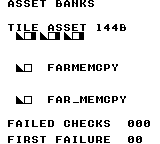
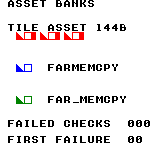
Build command
New-Item -ItemType Directory -Force .\out | Out-Null
.\kitaqgb\kitaqgb.exe .\kitaq-docs\samples\api-examples\gb\asset_banks.c -I .\kitaqgb\lib -I .\kitaq-docs\samples -o .\out\asset_banks.gb --profile=dev --rst-disable --stack-bank=fixed --cgb=cgb --cart=mbc5 --romsize=64k --no-cache --no-disasm
Implementation and source
kitaqgb/lib/asset.h:24
Copy one descriptor from its ROM bank into caller storage. Return zero for a
null destination or an out-of-range ID; table validity is the caller's responsibility.
kitaqgb/lib/asset.c:18
u8 asset_get(u8 asset_id, AssetDesc* out_desc)
{
    if (out_desc == 0) return 0;
    if (asset_id >= asset_table_count) return 0;
    __farmemcpy(out_desc, asset_table_bank, asset_table + asset_id, sizeof(AssetDesc));
    return 1;
}
asset_get_bank
Read the resource’s payload-bank number from its descriptor. This is not the bank containing the descriptor table, and the function does not leave the payload bank selected.
Syntax
u8 asset_get_bank(u8 asset_id);Parameters
asset_idZero-based resource index. A valid ID satisfies
asset_id < countfor the registered table.
Return value
The descriptor’s 8-bit bank, or 0 on lookup failure. Bank zero can also be valid; use asset_get() when success must be distinguished from a zero value.
Conditions and limits
Register the table before looking up resources. Registration is shared global state: do not change it concurrently with a lookup. The library checks IDs and asset_get’s output pointer, but does not validate the registered table, payload addresses or cartridge contents.
Each getter calls asset_get again and copies a descriptor. If you need bank, pointer and length together, call asset_get once and read its fields.
The samples place calling code in fixed bank 0 so source-bank changes cannot unmap the code being executed. These transfers are synchronous. Do not interrupt a transfer with another bank-changing copy or assume the helper makes a whole application interrupt-safe.
Usage example
payload_bank=asset_get_bank(0);
expect(payload_bank==2,17); // Payload bank, not descriptor-table bank 3.
expect(asset_get_bank(4)==0,18); // Failure sentinel; a valid descriptor may also use bank 0.
This is a calling fragment. Follow the stated initialization and buffer requirements before using it in a complete program.
Expected result
The example expects payload bank 2 even though the descriptor table is in bank 3. It also checks that an invalid ID returns zero.
Expected image: a red row starts at pixel (16,32) and spans 72×8 pixels. It repeats an 8×8 triangle, an 8×8 square outline with a one-pixel border, and a tile with its left four columns filled, three times. The triangle grows from one pixel at the top left to eight pixels on its bottom row.
On GB, a blue triangle and outline at (16,64) show the __farmemcpy result; a green pair at (16,96) shows __far_memcpy. Each pair occupies 16×8 pixels. CGB shows these colors; DMG shows the same shapes in black on white.
Expected status: FAILED CHECKS 000 and FIRST FAILURE 00. The verification runs 300 frames and compares text, shape masks and colors against these expectations. This is emulator evidence, not a physical-hardware test.
Build command
New-Item -ItemType Directory -Force .\out | Out-Null
.\kitaqgb\kitaqgb.exe .\kitaq-docs\samples\api-examples\gb\asset_banks.c -I .\kitaqgb\lib -I .\kitaq-docs\samples -o .\out\asset_banks.gb --profile=dev --rst-disable --stack-bank=fixed --cgb=cgb --cart=mbc5 --romsize=64k --no-cache --no-disasm
Implementation and source
kitaqgb/lib/asset.h:32
Return the descriptor bank, or zero on lookup failure; zero can also be a valid bank.
kitaqgb/lib/asset.c:51
u8 asset_get_bank(u8 asset_id)
{
    AssetDesc desc;
    if (asset_get(asset_id, &desc) == 0) return 0;
    return desc.bank;
}
asset_get_len
Read the resource length in bytes from its descriptor. The value is metadata; the function does not inspect the payload or convert bytes to a tile, element or frame count.
Syntax
u16 asset_get_len(u8 asset_id);Parameters
asset_idZero-based resource index. A valid ID satisfies
asset_id < countfor the registered table.
Return value
The 16-bit len in bytes, or 0 on lookup failure. An empty resource also has length zero; use asset_get() to distinguish the two cases.
Conditions and limits
Register the table before looking up resources. Registration is shared global state: do not change it concurrently with a lookup. The library checks IDs and asset_get’s output pointer, but does not validate the registered table, payload addresses or cartridge contents.
Each getter calls asset_get again and copies a descriptor. If you need bank, pointer and length together, call asset_get once and read its fields.
The samples place calling code in fixed bank 0 so source-bank changes cannot unmap the code being executed. These transfers are synchronous. Do not interrupt a transfer with another bank-changing copy or assume the helper makes a whole application interrupt-safe.
Usage example
expect(asset_get_len(0)==144,21); // Bytes, not tiles.
expect(asset_get_len(3)==0 && asset_get_len(4)==0,22); // Empty asset and invalid ID both yield zero.
This is a calling fragment. Follow the stated initialization and buffer requirements before using it in a complete program.
Expected result
The nine-tile resource must report 144 bytes, not nine tiles. Both an empty resource and an invalid ID must report zero.
Expected image: a red row starts at pixel (16,32) and spans 72×8 pixels. It repeats an 8×8 triangle, an 8×8 square outline with a one-pixel border, and a tile with its left four columns filled, three times. The triangle grows from one pixel at the top left to eight pixels on its bottom row.
On GB, a blue triangle and outline at (16,64) show the __farmemcpy result; a green pair at (16,96) shows __far_memcpy. Each pair occupies 16×8 pixels. CGB shows these colors; DMG shows the same shapes in black on white.
Expected status: FAILED CHECKS 000 and FIRST FAILURE 00. The verification runs 300 frames and compares text, shape masks and colors against these expectations. This is emulator evidence, not a physical-hardware test.
Build command
New-Item -ItemType Directory -Force .\out | Out-Null
.\kitaqgb\kitaqgb.exe .\kitaq-docs\samples\api-examples\gb\asset_banks.c -I .\kitaqgb\lib -I .\kitaq-docs\samples -o .\out\asset_banks.gb --profile=dev --rst-disable --stack-bank=fixed --cgb=cgb --cart=mbc5 --romsize=64k --no-cache --no-disasm
Implementation and source
kitaqgb/lib/asset.h:37
Return the descriptor byte length, or zero if its ID cannot be resolved.
kitaqgb/lib/asset.c:68
u16 asset_get_len(u8 asset_id)
{
    AssetDesc desc;
    if (asset_get(asset_id, &desc) == 0) return 0;
    return desc.len;
}
asset_get_ptr
Read the 16-bit payload address stored in the descriptor. The returned near pointer carries no bank number. Pair it with asset_get_bank() and a far-copy helper before reading a resource in another ROM bank.
Syntax
const u8* asset_get_ptr(u8 asset_id);Parameters
asset_idZero-based resource index. A valid ID satisfies
asset_id < countfor the registered table.
Return value
The stored const u8*, or null on lookup failure. The descriptor is not checked for a null payload pointer, so use asset_get() to distinguish lookup failure.
Conditions and limits
Register the table before looking up resources. Registration is shared global state: do not change it concurrently with a lookup. The library checks IDs and asset_get’s output pointer, but does not validate the registered table, payload addresses or cartridge contents.
Each getter calls asset_get again and copies a descriptor. If you need bank, pointer and length together, call asset_get once and read its fields.
The samples place calling code in fixed bank 0 so source-bank changes cannot unmap the code being executed. These transfers are synchronous. Do not interrupt a transfer with another bank-changing copy or assume the helper makes a whole application interrupt-safe.
Usage example
payload_pointer=asset_get_ptr(0);
expect(payload_pointer==asset_shapes,19);
expect(*asset_bank_marker==0xA1,20); // Getting the pointer leaves bank 1 selected.
// Use payload_bank together with payload_pointer for a far copy; do not dereference it here.
This is a calling fragment. Follow the stated initialization and buffer requirements before using it in a complete program.
Expected result
The returned pointer must equal the resource’s linked ROM address, while a marker in bank 1 must remain readable. The example then supplies that pointer and payload bank 2 to a far-copy helper.
Expected image: a red row starts at pixel (16,32) and spans 72×8 pixels. It repeats an 8×8 triangle, an 8×8 square outline with a one-pixel border, and a tile with its left four columns filled, three times. The triangle grows from one pixel at the top left to eight pixels on its bottom row.
On GB, a blue triangle and outline at (16,64) show the __farmemcpy result; a green pair at (16,96) shows __far_memcpy. Each pair occupies 16×8 pixels. CGB shows these colors; DMG shows the same shapes in black on white.
Expected status: FAILED CHECKS 000 and FIRST FAILURE 00. The verification runs 300 frames and compares text, shape masks and colors against these expectations. This is emulator evidence, not a physical-hardware test.
Build command
New-Item -ItemType Directory -Force .\out | Out-Null
.\kitaqgb\kitaqgb.exe .\kitaq-docs\samples\api-examples\gb\asset_banks.c -I .\kitaqgb\lib -I .\kitaq-docs\samples -o .\out\asset_banks.gb --profile=dev --rst-disable --stack-bank=fixed --cgb=cgb --cart=mbc5 --romsize=64k --no-cache --no-disasm
Implementation and source
kitaqgb/lib/asset.h:35
Return the stored address without switching banks. Use the descriptor bank
with far-data helpers before dereferencing banked assets; failure returns null.
kitaqgb/lib/asset.c:60
const u8* asset_get_ptr(u8 asset_id)
{
    AssetDesc desc;
    if (asset_get(asset_id, &desc) == 0) return 0;
    return desc.ptr;
}
asset_load_raw
Look up a resource and copy min(desc.len, max_len) bytes from its ROM bank to writable memory. The type tag is ignored: tile, map and song data are copied as bytes without decoding or decompression.
Syntax
u8 asset_load_raw(u8 asset_id, void* dst, u16 max_len);Parameters
asset_idZero-based resource index. A valid ID satisfies
asset_id < countfor the registered table.dstDestination in writable memory. Reserve enough space for every byte copied. Except for a zero-byte transfer, a null or invalid destination is not checked.
max_lenMaximum number of bytes to copy, 0–65535. A smaller limit truncates the copy; zero copies no payload bytes.
Return value
0 if lookup fails; otherwise 1, including truncation, a zero limit or an empty resource. The return value is not a byte count and does not indicate that the entire resource fitted.
Conditions and limits
Register the table before looking up resources. Registration is shared global state: do not change it concurrently with a lookup. The library checks IDs and asset_get’s output pointer, but does not validate the registered table, payload addresses or cartridge contents.
Keep the full source range in the intended ROM mapping and the full destination range in writable memory. Copying does not select the next bank at a window boundary, handle overlapping ranges like memmove, or provide VRAM-safe writes. Use the graphics transfer APIs for VRAM.
The samples place calling code in fixed bank 0 so source-bank changes cannot unmap the code being executed. These transfers are synchronous. Do not interrupt a transfer with another bank-changing copy or assume the helper makes a whole application interrupt-safe.
Usage example
loaded=asset_load_raw(0,buffer,7); // Success with truncation: copy seven of 144 bytes.
expect(loaded==1 && buffer[7]==0x55,7);
for(i=0;i<7;i++) expect(buffer[(__safe_index u8)i]==expected_shape_byte(i),8);
This is a calling fragment. Follow the stated initialization and buffer requirements before using it in a complete program.
Expected result
A seven-byte limit copies only the first seven bytes of a 144-byte resource and leaves the next byte at 0x55, yet returns success. The program also checks a full copy, a zero limit, an empty resource and raw copying of a MAP-tagged resource.
Expected image: a red row starts at pixel (16,32) and spans 72×8 pixels. It repeats an 8×8 triangle, an 8×8 square outline with a one-pixel border, and a tile with its left four columns filled, three times. The triangle grows from one pixel at the top left to eight pixels on its bottom row.
On GB, a blue triangle and outline at (16,64) show the __farmemcpy result; a green pair at (16,96) shows __far_memcpy. Each pair occupies 16×8 pixels. CGB shows these colors; DMG shows the same shapes in black on white.
Expected status: FAILED CHECKS 000 and FIRST FAILURE 00. The verification runs 300 frames and compares text, shape masks and colors against these expectations. This is emulator evidence, not a physical-hardware test.
Build command
New-Item -ItemType Directory -Force .\out | Out-Null
.\kitaqgb\kitaqgb.exe .\kitaq-docs\samples\api-examples\gb\asset_banks.c -I .\kitaqgb\lib -I .\kitaq-docs\samples -o .\out\asset_banks.gb --profile=dev --rst-disable --stack-bank=fixed --cgb=cgb --cart=mbc5 --romsize=64k --no-cache --no-disasm
Implementation and source
kitaqgb/lib/asset.h:27
Copy at most max_len bytes using the asset's bank. Success means the ID was
valid, even when the payload was truncated to fit the supplied limit.
kitaqgb/lib/asset.c:28
u8 asset_load_raw(u8 asset_id, void* dst, u16 max_len)
{
    AssetDesc desc;
    u16 len;
    if (asset_get(asset_id, &desc) == 0) return 0;
    len = desc.len;
    if (len > max_len) len = max_len;
    __farmemcpy(dst, desc.bank, desc.ptr, len);
    return 1;
}
asset_load_tiles
Look up a RAW or TILES resource and upload all desc.len bytes with __vram_copy. Select the payload’s ROM bank before calling: this GB function uses desc.ptr directly and does not select desc.bank for the upload.
Syntax
u8 asset_load_tiles(u8 asset_id, u16 vram_dst);Parameters
asset_idZero-based resource index. A valid ID satisfies
asset_id < countfor the registered table.vram_dstVRAM byte address in
$8000–$9FFF, not a tile number. For tile patterns, choose a 16-byte-aligned address and a descriptor length that is a multiple of 16; the library does not enforce these format rules.
Return value
0 for an invalid ID or a type other than RAW/TILES; 1 after an accepted transfer, including a zero-length resource. Success does not validate tile encoding or VRAM visibility.
Conditions and limits
Register the table before looking up resources. Registration is shared global state: do not change it concurrently with a lookup. The library checks IDs and asset_get’s output pointer, but does not validate the registered table, payload addresses or cartridge contents.
The samples place calling code in fixed bank 0 so source-bank changes cannot unmap the code being executed. These transfers are synchronous. Do not interrupt a transfer with another bank-changing copy or assume the helper makes a whole application interrupt-safe.
The upload only writes bytes; it does not place tiles on the map, assign colors or allocate VRAM. Arrange the tile map and palettes separately. The samples upload with rendering disabled and enable the display only after the image is ready.
The GB helper restores the compiler’s ROM-bank shadow. Use __bankswitch to maintain it; raw writes to the mapper do not update that shadow. Its saved-bank slot in HRAM is shared, so nested transfers that overwrite it are unsafe.
Usage example
__bankswitch(payload_bank); // GB tile upload expects the payload bank already visible.
loaded=asset_load_tiles(0,0x8010); // Nine tiles = 144 bytes, LCD off.
expect(loaded==1,24);
__bankswitch(1);
This is a calling fragment. Follow the stated initialization and buffer requirements before using it in a complete program.
Expected result
The tile-upload example uses nine original 8×8 patterns, 144 bytes in total. It verifies that MAP and invalid IDs are rejected. On FC, 144 bytes exercise both the 128-byte chunk and the remaining 16 bytes.
Expected image: a red row starts at pixel (16,32) and spans 72×8 pixels. It repeats an 8×8 triangle, an 8×8 square outline with a one-pixel border, and a tile with its left four columns filled, three times. The triangle grows from one pixel at the top left to eight pixels on its bottom row.
On GB, a blue triangle and outline at (16,64) show the __farmemcpy result; a green pair at (16,96) shows __far_memcpy. Each pair occupies 16×8 pixels. CGB shows these colors; DMG shows the same shapes in black on white.
Expected status: FAILED CHECKS 000 and FIRST FAILURE 00. The verification runs 300 frames and compares text, shape masks and colors against these expectations. This is emulator evidence, not a physical-hardware test.
Build command
New-Item -ItemType Directory -Force .\out | Out-Null
.\kitaqgb\kitaqgb.exe .\kitaq-docs\samples\api-examples\gb\asset_banks.c -I .\kitaqgb\lib -I .\kitaq-docs\samples -o .\out\asset_banks.gb --profile=dev --rst-disable --stack-bank=fixed --cgb=cgb --cart=mbc5 --romsize=64k --no-cache --no-disasm
Implementation and source
kitaqgb/lib/asset.h:30
Accept tile/raw descriptors and transfer their bytes to VRAM. This path passes
the descriptor pointer directly; callers must arrange the correct visible ROM bank.
kitaqgb/lib/asset.c:41
u8 asset_load_tiles(u8 asset_id, u16 vram_dst)
{
    AssetDesc desc;
    if (asset_get(asset_id, &desc) == 0) return 0;
    if (desc.type != ASSET_TYPE_TILES && desc.type != ASSET_TYPE_RAW) return 0;
    __vram_copy(vram_dst, desc.ptr, desc.len);
    return 1;
}
asset_set_table
Register the bank, address and entry count of the single active descriptor table. The function stores these three values; it does not copy the table, load any asset or allocate memory.
Syntax
void asset_set_table(u8 bank, const AssetDesc* table, u8 count);Parameters
bank8-bit ROM bank containing the descriptor table, not the payload.
tableNear pointer to
countconsecutiveAssetDescentries. Keep allcount * 6bytes readable in the selected table bank for as long as the table is registered.countNumber of entries, 0–255. Zero makes every ID invalid;
asset_set_table(0, 0, 0)safely registers an empty table.
Return value
None (void).
Conditions and limits
Register the table before looking up resources. Registration is shared global state: do not change it concurrently with a lookup. The library checks IDs and asset_get’s output pointer, but does not validate the registered table, payload addresses or cartridge contents.
Usage example
asset_set_table(3,asset_descriptors,4); // Four descriptors in bank 3, payloads in bank 2.This is a calling fragment. Follow the stated initialization and buffer requirements before using it in a complete program.
Expected result
This example registers four descriptors in bank 3 whose nonempty payloads are in bank 2. It also registers an empty table and verifies that lookup fails without reading address zero.
Expected image: a red row starts at pixel (16,32) and spans 72×8 pixels. It repeats an 8×8 triangle, an 8×8 square outline with a one-pixel border, and a tile with its left four columns filled, three times. The triangle grows from one pixel at the top left to eight pixels on its bottom row.
On GB, a blue triangle and outline at (16,64) show the __farmemcpy result; a green pair at (16,96) shows __far_memcpy. Each pair occupies 16×8 pixels. CGB shows these colors; DMG shows the same shapes in black on white.
Expected status: FAILED CHECKS 000 and FIRST FAILURE 00. The verification runs 300 frames and compares text, shape masks and colors against these expectations. This is emulator evidence, not a physical-hardware test.
Build command
New-Item -ItemType Directory -Force .\out | Out-Null
.\kitaqgb\kitaqgb.exe .\kitaq-docs\samples\api-examples\gb\asset_banks.c -I .\kitaqgb\lib -I .\kitaq-docs\samples -o .\out\asset_banks.gb --profile=dev --rst-disable --stack-bank=fixed --cgb=cgb --cart=mbc5 --romsize=64k --no-cache --no-disasm
Implementation and source
kitaqgb/lib/asset.h:21
Retain the descriptor table address, bank and count; the table is not copied.
kitaqgb/lib/asset.c:9
void asset_set_table(u8 bank, const AssetDesc* table, u8 count)
{
    asset_table_bank = bank;
    asset_table = table;
    asset_table_count = count;
}
audio.h — Music, sound effects and audio control
Provides direct access to four voices, banked music/effects, stereo routing, volume fades and custom waves. Music-stream and direct API channel IDs are CH1=0, CH2=1, CH3=2, CH4=3. CH3 plays waveforms; CH4 generates noise.
Include audio_hwregs_gb.c before audio.c and call Audio_Init at startup. Call Audio_Update exactly once per frame, about 59.7 Hz. Stream reads temporarily change the ROM mapping; do not re-enter this driver from an interrupt.
An effect consumes one (note,value) pair per update and ends at note=0. The value is NR12 for pulse effects or NR32 for CH3. Prefix CH3 data with 0xFF. Keep storage alive until completion. Priorities compete within a slot; equal priority can replace its owner.
Audio_CancelMasterVolumeFade
Stop further fade steps while retaining the current levels and registers.
Syntax
void Audio_CancelMasterVolumeFade();Return value
No return value. Changes sound registers or driver state.
Usage example
// A sustained pulse moves left, right and center, then fades to a quieter level.
#include "gb_sound_example.h"
void main() {
    sound_begin("PAN AND VOLUME");
    Audio_SetMasterVolume(7,7);
    Audio_Ch1NoteOn(33,0xC0,2);
    Audio_SetPan(AUDIO_CHANNEL_CH1,AUDIO_PAN_LEFT);
    sound_result[0]=NR51;
    sound_wait(30);
    // Packed low two bits are CH1: 2 means right. Other channels remain centered.
    Audio_SetPanPacked(2);
    sound_result[1]=NR51;
    sound_wait(30);
    Audio_SetPanPacked(0);
    sound_result[2]=NR51;
    Audio_FadeToMasterVolume(1,1,5);
    sound_wait(30);
    sound_result[3]=NR50;
    sound_result[4]=Audio_FadeActive;
    sound_wait(30);
    // Cancel halfway through a rise: retain volume 4 instead of reaching 7.
    Audio_FadeToMasterVolume(7,7,5);
    sound_wait(15);
    Audio_CancelMasterVolumeFade();
    sound_result[5]=NR50;
    sound_wait(30);
    sound_result[6]=NR50;
    // A zero fade interval sets the target immediately. Level zero is not mute.
    Audio_FadeToMasterVolume(0,0,0);
    sound_result[7]=NR50;
    sound_wait(30);
    Audio_StopChannel(AUDIO_CHANNEL_CH1);
    sound_wait(15);
    sound_end();
}
Expected result
A4 moves left, right and center. In the center it fades from level 7 to 1, then rises to 4 and stays there. Level 0 is still quietly audible; stopping the channel produces silence. Routing changes can leave a decaying filter transient.
Build command
New-Item -ItemType Directory -Force .\out | Out-Null
.\kitaqgb\kitaqgb.exe .\kitaq-docs\samples\api-examples\gb\sound_mix.c -I .\kitaqgb\lib -I .\kitaq-docs\samples -o .\out\gb-mix.gb --profile=dev --rst-disable --stack-bank=fixed --cgb=cgb --cart=mbc5 --romsize=128k --no-cache --no-disasm
Implementation and source
kitaqgb/lib/audio.h:125
Cancel further volume steps, retaining the current cached levels and hardware output.
kitaqgb/lib/audio.c:548
void Audio_CancelMasterVolumeFade() {
    Audio_FadeTargetLeft = Audio_MasterLeft;
    Audio_FadeTargetRight = Audio_MasterRight;
    Audio_FadeStepFrames = 0;
    Audio_FadeCounter = 0;
    Audio_FadeActive = 0;
}
Audio_Ch1NoteOn
Program CH1 sweep, duty, envelope and pitch, then trigger the pulse.
Syntax
void __stackcall Audio_Ch1NoteOn(u8 note, u8 vol_env, u8 duty2);Parameters
notePitch-table index 0..67. See the notes for range folding and CH3’s octave difference.
vol_envNR12/NR22/NR42 encoding: upper nibble initial volume, bit 3 increasing envelope, low three bits envelope period. 0xC0 holds volume 12.
duty2Pulse duty: 0=12.5%, 1=25%, 3=75%; all other values select 50%.
Return value
No return value. Changes sound registers or driver state.
Conditions and limits
note indexes a 0..67 pitch table: 0 is C2 and 33 is A4. Values above 67 clamp to 67; 60..67 use the frequencies of 48..55. CH3 sounds one octave below a pulse channel at the same index. Note-on functions trigger hardware directly without checking enable or pause gates.
Usage example
// Four isolated voices, each lasting 30 frames, separated by 15 silent frames.
#include "gb_sound_example.h"
void main() {
    sound_begin("FOUR SOUND CHANNELS");
    Audio_SetMasterVolume(3,3);
    // CH1: A4, 50% duty, fixed envelope volume 12.
    Audio_SetCh1Duty(2);
    sound_result[0]=Audio_Ch1Duty;
    Audio_Ch1NoteOn(33,0xC0,Audio_Ch1Duty);
    sound_result[1]=NR12;
    sound_wait(30); Audio_StopChannel(AUDIO_CHANNEL_CH1); sound_wait(15);
    // CH2: A4, 25% duty. Changing the cached duty takes effect on this trigger.
    Audio_SetCh2Duty(1);
    sound_result[2]=Audio_Ch2Duty;
    Audio_Ch2NoteOn(33,0xC0,Audio_Ch2Duty);
    sound_result[3]=NR22;
    sound_wait(30); Audio_StopChannel(AUDIO_CHANNEL_CH2); sound_wait(15);
    // CH3: the initialized triangle wave, at 50% digital output level.
    Audio_SetCh3Level(AUDIO_CH3_LEVEL_50);
    sound_result[4]=Audio_Ch3Level;
    Audio_Ch3NoteOn(33,Audio_Ch3Level);
    sound_result[5]=NR32;
    sound_wait(30); Audio_StopChannel(AUDIO_CHANNEL_CH3); sound_wait(15);
    // CH4: a sustained noise burst; param is NR43, not a pitched note number.
    Audio_SetCh4Param(0x35);
    sound_result[6]=Audio_Ch4Param;
    Audio_Ch4NoteOn(Audio_Ch4Param,0xC0);
    sound_result[7]=NR43;
    sound_wait(30); Audio_StopChannel(AUDIO_CHANNEL_CH4); sound_wait(15);
    sound_end();
}
Expected result
After about half a second of silence, hear CH1 A4, CH2 A4, CH3 A3 and noise. Each voice lasts 30 frames, with 15-frame gaps. SEQUENCE COMPLETE marks program completion; use the recording to assess the sound.
Build command
New-Item -ItemType Directory -Force .\out | Out-Null
.\kitaqgb\kitaqgb.exe .\kitaq-docs\samples\api-examples\gb\sound_channels.c -I .\kitaqgb\lib -I .\kitaq-docs\samples -o .\out\gb-channels.gb --profile=dev --rst-disable --stack-bank=fixed --cgb=cgb --cart=mbc5 --romsize=128k --no-cache --no-disasm
Implementation and source
kitaqgb/lib/audio.h:151
Trigger CH1 with the cached sweep and the supplied raw envelope. Clamp the
note index; duty values 0, 1 and 3 select their encodings, and all others use 2.
kitaqgb/lib/audio.c:132
void __stackcall Audio_Ch1NoteOn(u8 note, u8 vol_env, u8 duty2) {
    u16 freq;
    u8 duty_reg;
    u8 hi;

    if (note > AUDIO_NOTE_MAX) note = AUDIO_NOTE_MAX;
    freq = GB_FREQ_TABLE[note];

    duty_reg = 128;
    if (duty2 == 0) duty_reg = 0;
    else if (duty2 == 1) duty_reg = 64;
    else if (duty2 == 3) duty_reg = 192;

    NR10 = Audio_Ch1Sweep;
    NR11 = duty_reg;
    NR12 = vol_env;
    NR13 = (u8)(freq & 0xFF);
    hi = (u8)((u16)freq >> 8);
    NR14 = (u8)(hi | 0x80);
}
Audio_Ch2NoteOn
Program CH2 duty, envelope and pitch, then trigger the pulse.
Syntax
void __stackcall Audio_Ch2NoteOn(u8 note, u8 vol_env, u8 duty2);Parameters
notePitch-table index 0..67. See the notes for range folding and CH3’s octave difference.
vol_envNR12/NR22/NR42 encoding: upper nibble initial volume, bit 3 increasing envelope, low three bits envelope period. 0xC0 holds volume 12.
duty2Pulse duty: 0=12.5%, 1=25%, 3=75%; all other values select 50%.
Return value
No return value. Changes sound registers or driver state.
Conditions and limits
note indexes a 0..67 pitch table: 0 is C2 and 33 is A4. Values above 67 clamp to 67; 60..67 use the frequencies of 48..55. CH3 sounds one octave below a pulse channel at the same index. Note-on functions trigger hardware directly without checking enable or pause gates.
Usage example
// Four isolated voices, each lasting 30 frames, separated by 15 silent frames.
#include "gb_sound_example.h"
void main() {
    sound_begin("FOUR SOUND CHANNELS");
    Audio_SetMasterVolume(3,3);
    // CH1: A4, 50% duty, fixed envelope volume 12.
    Audio_SetCh1Duty(2);
    sound_result[0]=Audio_Ch1Duty;
    Audio_Ch1NoteOn(33,0xC0,Audio_Ch1Duty);
    sound_result[1]=NR12;
    sound_wait(30); Audio_StopChannel(AUDIO_CHANNEL_CH1); sound_wait(15);
    // CH2: A4, 25% duty. Changing the cached duty takes effect on this trigger.
    Audio_SetCh2Duty(1);
    sound_result[2]=Audio_Ch2Duty;
    Audio_Ch2NoteOn(33,0xC0,Audio_Ch2Duty);
    sound_result[3]=NR22;
    sound_wait(30); Audio_StopChannel(AUDIO_CHANNEL_CH2); sound_wait(15);
    // CH3: the initialized triangle wave, at 50% digital output level.
    Audio_SetCh3Level(AUDIO_CH3_LEVEL_50);
    sound_result[4]=Audio_Ch3Level;
    Audio_Ch3NoteOn(33,Audio_Ch3Level);
    sound_result[5]=NR32;
    sound_wait(30); Audio_StopChannel(AUDIO_CHANNEL_CH3); sound_wait(15);
    // CH4: a sustained noise burst; param is NR43, not a pitched note number.
    Audio_SetCh4Param(0x35);
    sound_result[6]=Audio_Ch4Param;
    Audio_Ch4NoteOn(Audio_Ch4Param,0xC0);
    sound_result[7]=NR43;
    sound_wait(30); Audio_StopChannel(AUDIO_CHANNEL_CH4); sound_wait(15);
    sound_end();
}
Expected result
After about half a second of silence, hear CH1 A4, CH2 A4, CH3 A3 and noise. Each voice lasts 30 frames, with 15-frame gaps. SEQUENCE COMPLETE marks program completion; use the recording to assess the sound.
Build command
New-Item -ItemType Directory -Force .\out | Out-Null
.\kitaqgb\kitaqgb.exe .\kitaq-docs\samples\api-examples\gb\sound_channels.c -I .\kitaqgb\lib -I .\kitaq-docs\samples -o .\out\gb-channels.gb --profile=dev --rst-disable --stack-bank=fixed --cgb=cgb --cart=mbc5 --romsize=128k --no-cache --no-disasm
Implementation and source
kitaqgb/lib/audio.h:154
Trigger CH2 with the supplied raw envelope and a clamped note index. Duty
values 0, 1 and 3 select their encodings; all other values use duty 2.
kitaqgb/lib/audio.c:666
void __stackcall Audio_Ch2NoteOn(u8 note, u8 vol_env, u8 duty2) {
    u16 freq;
    u8 duty_reg;
    u8 hi;

    if (note > AUDIO_NOTE_MAX) note = AUDIO_NOTE_MAX;
    freq = GB_FREQ_TABLE[note];

    duty_reg = 128;
    if (duty2 == 0) duty_reg = 0;
    else if (duty2 == 1) duty_reg = 64;
    else if (duty2 == 3) duty_reg = 192;

    NR21 = duty_reg;
    NR22 = vol_env;
    NR23 = (u8)(freq & 0xFF);
    hi = (u8)((u16)freq >> 8);
    NR24 = (u8)(hi | 0x80);
}
Audio_Ch3NoteOn
Trigger the loaded CH3 waveform at the requested pitch and NR32 level.
Syntax
void __stackcall Audio_Ch3NoteOn(u8 note, u8 level);Parameters
notePitch-table index 0..67. See the notes for range folding and CH3’s octave difference.
levelNR32 encoding: 0x00=mute, 0x20=100%, 0x40=50%, 0x60=25%.
Return value
No return value. Changes sound registers or driver state.
Conditions and limits
note indexes a 0..67 pitch table: 0 is C2 and 33 is A4. Values above 67 clamp to 67; 60..67 use the frequencies of 48..55. CH3 sounds one octave below a pulse channel at the same index. Note-on functions trigger hardware directly without checking enable or pause gates.
Usage example
// Four isolated voices, each lasting 30 frames, separated by 15 silent frames.
#include "gb_sound_example.h"
void main() {
    sound_begin("FOUR SOUND CHANNELS");
    Audio_SetMasterVolume(3,3);
    // CH1: A4, 50% duty, fixed envelope volume 12.
    Audio_SetCh1Duty(2);
    sound_result[0]=Audio_Ch1Duty;
    Audio_Ch1NoteOn(33,0xC0,Audio_Ch1Duty);
    sound_result[1]=NR12;
    sound_wait(30); Audio_StopChannel(AUDIO_CHANNEL_CH1); sound_wait(15);
    // CH2: A4, 25% duty. Changing the cached duty takes effect on this trigger.
    Audio_SetCh2Duty(1);
    sound_result[2]=Audio_Ch2Duty;
    Audio_Ch2NoteOn(33,0xC0,Audio_Ch2Duty);
    sound_result[3]=NR22;
    sound_wait(30); Audio_StopChannel(AUDIO_CHANNEL_CH2); sound_wait(15);
    // CH3: the initialized triangle wave, at 50% digital output level.
    Audio_SetCh3Level(AUDIO_CH3_LEVEL_50);
    sound_result[4]=Audio_Ch3Level;
    Audio_Ch3NoteOn(33,Audio_Ch3Level);
    sound_result[5]=NR32;
    sound_wait(30); Audio_StopChannel(AUDIO_CHANNEL_CH3); sound_wait(15);
    // CH4: a sustained noise burst; param is NR43, not a pitched note number.
    Audio_SetCh4Param(0x35);
    sound_result[6]=Audio_Ch4Param;
    Audio_Ch4NoteOn(Audio_Ch4Param,0xC0);
    sound_result[7]=NR43;
    sound_wait(30); Audio_StopChannel(AUDIO_CHANNEL_CH4); sound_wait(15);
    sound_end();
}
Expected result
After about half a second of silence, hear CH1 A4, CH2 A4, CH3 A3 and noise. Each voice lasts 30 frames, with 15-frame gaps. SEQUENCE COMPLETE marks program completion; use the recording to assess the sound.
Build command
New-Item -ItemType Directory -Force .\out | Out-Null
.\kitaqgb\kitaqgb.exe .\kitaq-docs\samples\api-examples\gb\sound_channels.c -I .\kitaqgb\lib -I .\kitaq-docs\samples -o .\out\gb-channels.gb --profile=dev --rst-disable --stack-bank=fixed --cgb=cgb --cart=mbc5 --romsize=128k --no-cache --no-disasm
Implementation and source
kitaqgb/lib/audio.h:157
Clamp the note index, program the raw NR32 output level, and trigger CH3.
Wave RAM must already contain the desired waveform; this does not load one.
kitaqgb/lib/audio.c:115
void __stackcall Audio_Ch3NoteOn(u8 note, u8 level) {
    u16 freq;
    u8 hi;

    if (note > AUDIO_NOTE_MAX) note = AUDIO_NOTE_MAX;
    freq = GB_FREQ_TABLE[note];

    NR30 = 128;
    NR31 = 0;
    NR32 = level;
    NR33 = (u8)(freq & 255);
    hi = (u8)((u16)freq >> 8);
    NR34 = (u8)(hi | 128);
}
Audio_Ch4NoteOn
Cache the noise parameters, program envelope/polynomial registers and trigger CH4.
Syntax
void __stackcall Audio_Ch4NoteOn(u8 param, u8 vol_env);Parameters
paramRaw NR43: bits 7..4 clock shift, bit 3 short LFSR, bits 2..0 divisor code.
vol_envNR12/NR22/NR42 encoding: upper nibble initial volume, bit 3 increasing envelope, low three bits envelope period. 0xC0 holds volume 12.
Return value
No return value. Changes sound registers or driver state.
Conditions and limits
Length-based automatic stop is not enabled. Use the envelope or an explicit stop to end the sound.
Usage example
// Four isolated voices, each lasting 30 frames, separated by 15 silent frames.
#include "gb_sound_example.h"
void main() {
    sound_begin("FOUR SOUND CHANNELS");
    Audio_SetMasterVolume(3,3);
    // CH1: A4, 50% duty, fixed envelope volume 12.
    Audio_SetCh1Duty(2);
    sound_result[0]=Audio_Ch1Duty;
    Audio_Ch1NoteOn(33,0xC0,Audio_Ch1Duty);
    sound_result[1]=NR12;
    sound_wait(30); Audio_StopChannel(AUDIO_CHANNEL_CH1); sound_wait(15);
    // CH2: A4, 25% duty. Changing the cached duty takes effect on this trigger.
    Audio_SetCh2Duty(1);
    sound_result[2]=Audio_Ch2Duty;
    Audio_Ch2NoteOn(33,0xC0,Audio_Ch2Duty);
    sound_result[3]=NR22;
    sound_wait(30); Audio_StopChannel(AUDIO_CHANNEL_CH2); sound_wait(15);
    // CH3: the initialized triangle wave, at 50% digital output level.
    Audio_SetCh3Level(AUDIO_CH3_LEVEL_50);
    sound_result[4]=Audio_Ch3Level;
    Audio_Ch3NoteOn(33,Audio_Ch3Level);
    sound_result[5]=NR32;
    sound_wait(30); Audio_StopChannel(AUDIO_CHANNEL_CH3); sound_wait(15);
    // CH4: a sustained noise burst; param is NR43, not a pitched note number.
    Audio_SetCh4Param(0x35);
    sound_result[6]=Audio_Ch4Param;
    Audio_Ch4NoteOn(Audio_Ch4Param,0xC0);
    sound_result[7]=NR43;
    sound_wait(30); Audio_StopChannel(AUDIO_CHANNEL_CH4); sound_wait(15);
    sound_end();
}
Expected result
After about half a second of silence, hear CH1 A4, CH2 A4, CH3 A3 and noise. Each voice lasts 30 frames, with 15-frame gaps. SEQUENCE COMPLETE marks program completion; use the recording to assess the sound.
Build command
New-Item -ItemType Directory -Force .\out | Out-Null
.\kitaqgb\kitaqgb.exe .\kitaq-docs\samples\api-examples\gb\sound_channels.c -I .\kitaqgb\lib -I .\kitaq-docs\samples -o .\out\gb-channels.gb --profile=dev --rst-disable --stack-bank=fixed --cgb=cgb --cart=mbc5 --romsize=128k --no-cache --no-disasm
Implementation and source
kitaqgb/lib/audio.h:160
Cache the supplied noise parameter, program the raw envelope and polynomial
registers, then trigger CH4 with the length-enable bit clear.
kitaqgb/lib/audio.c:688
void __stackcall Audio_Ch4NoteOn(u8 param, u8 vol_env) {
    Audio_SetCh4Param(param);
    NR41 = 0x20;
    NR42 = vol_env;
    NR43 = Audio_Ch4Param;
    NR44 = 0x80;
}
Audio_FadeToMasterVolume
Move each output level one step toward its target at the requested update interval.
Syntax
void __stackcall Audio_FadeToMasterVolume(u8 left, u8 right, u8 step_frames);Parameters
leftLeft master level, 0..7; larger values clamp to 7. Zero is not complete silence.
rightRight master level, 0..7; larger values clamp to 7.
step_framesNumber of Audio_Update calls per one-level step. Zero applies the target immediately.
Return value
No return value. Changes sound registers or driver state.
Conditions and limits
Include audio_hwregs_gb.c before audio.c and call Audio_Init at startup. Call Audio_Update exactly once per frame, about 59.7 Hz. Stream reads temporarily change the ROM mapping; do not re-enter this driver from an interrupt.
Usage example
// A sustained pulse moves left, right and center, then fades to a quieter level.
#include "gb_sound_example.h"
void main() {
    sound_begin("PAN AND VOLUME");
    Audio_SetMasterVolume(7,7);
    Audio_Ch1NoteOn(33,0xC0,2);
    Audio_SetPan(AUDIO_CHANNEL_CH1,AUDIO_PAN_LEFT);
    sound_result[0]=NR51;
    sound_wait(30);
    // Packed low two bits are CH1: 2 means right. Other channels remain centered.
    Audio_SetPanPacked(2);
    sound_result[1]=NR51;
    sound_wait(30);
    Audio_SetPanPacked(0);
    sound_result[2]=NR51;
    Audio_FadeToMasterVolume(1,1,5);
    sound_wait(30);
    sound_result[3]=NR50;
    sound_result[4]=Audio_FadeActive;
    sound_wait(30);
    // Cancel halfway through a rise: retain volume 4 instead of reaching 7.
    Audio_FadeToMasterVolume(7,7,5);
    sound_wait(15);
    Audio_CancelMasterVolumeFade();
    sound_result[5]=NR50;
    sound_wait(30);
    sound_result[6]=NR50;
    // A zero fade interval sets the target immediately. Level zero is not mute.
    Audio_FadeToMasterVolume(0,0,0);
    sound_result[7]=NR50;
    sound_wait(30);
    Audio_StopChannel(AUDIO_CHANNEL_CH1);
    sound_wait(15);
    sound_end();
}
Expected result
A4 moves left, right and center. In the center it fades from level 7 to 1, then rises to 4 and stays there. Level 0 is still quietly audible; stopping the channel produces silence. Routing changes can leave a decaying filter transient.
Build command
New-Item -ItemType Directory -Force .\out | Out-Null
.\kitaqgb\kitaqgb.exe .\kitaq-docs\samples\api-examples\gb\sound_mix.c -I .\kitaqgb\lib -I .\kitaq-docs\samples -o .\out\gb-mix.gb --profile=dev --rst-disable --stack-bank=fixed --cgb=cgb --cart=mbc5 --romsize=128k --no-cache --no-disasm
Implementation and source
kitaqgb/lib/audio.h:123
Move left/right volume toward clamped targets at the requested Audio_Update
call interval. An interval of zero applies the levels immediately.
kitaqgb/lib/audio.c:528
void __stackcall Audio_FadeToMasterVolume(u8 left, u8 right, u8 step_frames) {
    Audio_FadeTargetLeft = Audio_ClampVolume(left);
    Audio_FadeTargetRight = Audio_ClampVolume(right);

    if (step_frames == 0) {
        Audio_SetMasterVolume(Audio_FadeTargetLeft, Audio_FadeTargetRight);
        return;
    }

    Audio_FadeStepFrames = step_frames;
    Audio_FadeCounter = step_frames;
    if (Audio_MasterLeft == Audio_FadeTargetLeft && Audio_MasterRight == Audio_FadeTargetRight) {
        Audio_FadeActive = 0;
        Audio_FadeCounter = 0;
    } else {
        Audio_FadeActive = 1;
    }
}
Audio_Init
Enable the APU, initialize music/effects/pause/mix/wave state and leave all channels silent.
Syntax
void Audio_Init();Return value
No return value. Changes sound registers or driver state.
Conditions and limits
Include audio_hwregs_gb.c before audio.c and call Audio_Init at startup. Call Audio_Update exactly once per frame, about 59.7 Hz. Stream reads temporarily change the ROM mapping; do not re-enter this driver from an interrupt.
Usage example
// Four isolated voices, each lasting 30 frames, separated by 15 silent frames.
#include "gb_sound_example.h"
void main() {
    sound_begin("FOUR SOUND CHANNELS");
    Audio_SetMasterVolume(3,3);
    // CH1: A4, 50% duty, fixed envelope volume 12.
    Audio_SetCh1Duty(2);
    sound_result[0]=Audio_Ch1Duty;
    Audio_Ch1NoteOn(33,0xC0,Audio_Ch1Duty);
    sound_result[1]=NR12;
    sound_wait(30); Audio_StopChannel(AUDIO_CHANNEL_CH1); sound_wait(15);
    // CH2: A4, 25% duty. Changing the cached duty takes effect on this trigger.
    Audio_SetCh2Duty(1);
    sound_result[2]=Audio_Ch2Duty;
    Audio_Ch2NoteOn(33,0xC0,Audio_Ch2Duty);
    sound_result[3]=NR22;
    sound_wait(30); Audio_StopChannel(AUDIO_CHANNEL_CH2); sound_wait(15);
    // CH3: the initialized triangle wave, at 50% digital output level.
    Audio_SetCh3Level(AUDIO_CH3_LEVEL_50);
    sound_result[4]=Audio_Ch3Level;
    Audio_Ch3NoteOn(33,Audio_Ch3Level);
    sound_result[5]=NR32;
    sound_wait(30); Audio_StopChannel(AUDIO_CHANNEL_CH3); sound_wait(15);
    // CH4: a sustained noise burst; param is NR43, not a pitched note number.
    Audio_SetCh4Param(0x35);
    sound_result[6]=Audio_Ch4Param;
    Audio_Ch4NoteOn(Audio_Ch4Param,0xC0);
    sound_result[7]=NR43;
    sound_wait(30); Audio_StopChannel(AUDIO_CHANNEL_CH4); sound_wait(15);
    sound_end();
}
Expected result
After about half a second of silence, hear CH1 A4, CH2 A4, CH3 A3 and noise. Each voice lasts 30 frames, with 15-frame gaps. SEQUENCE COMPLETE marks program completion; use the recording to assess the sound.
Build command
New-Item -ItemType Directory -Force .\out | Out-Null
.\kitaqgb\kitaqgb.exe .\kitaq-docs\samples\api-examples\gb\sound_channels.c -I .\kitaqgb\lib -I .\kitaq-docs\samples -o .\out\gb-channels.gb --profile=dev --rst-disable --stack-bank=fixed --cgb=cgb --cart=mbc5 --romsize=128k --no-cache --no-disasm
Implementation and source
kitaqgb/lib/audio.h:76
Enable the APU and reset software streams, instruments, mix and fade state.
Load the initial triangle wave, then leave every channel silent. Call at startup
before concurrent interrupt-driven audio service can access these shared fields.
kitaqgb/lib/audio.c:864
void Audio_Init() {
    NR52 = 0x80;
    NR51 = 0xFF;
    Audio_Pan = 0xFF;
    Audio_EffectPan = AUDIO_PAN_INHERIT;
    Audio_EffectPan3 = AUDIO_PAN_INHERIT;
    Audio_UpdateNR51();

    Audio_SetMasterVolume(AUDIO_VOLUME_MAX, AUDIO_VOLUME_MAX);
    Audio_SilenceAll();

    Audio_PlayingMusic = 0;
    Audio_Paused = 0;
    Audio_MusicEnabled = 1;
    Audio_SfxEnabled = 1;
    Audio_Delay = 0;
    Audio_MusicBank = 0;
    Audio_MusicPointer = 0;
    Audio_MusicLoopPoint = 0;

    Audio_EffectPointer = 0;
    Audio_EffectPriority = 0;
    Audio_EffectBank = 0;
    Audio_EffectPointer3 = 0;
    Audio_EffectPriority3 = 0;
    Audio_EffectBank3 = 0;
    Audio_EffectUsesCh2 = 0;
    Audio_EffectPan = AUDIO_PAN_INHERIT;
    Audio_EffectPan3 = AUDIO_PAN_INHERIT;

    Audio_LastChMask = 0;
    Audio_LastCh1Note = 0;
    Audio_LastCh2Note = 0;
    Audio_LastCh3Note = 0;
    Audio_LastCh4Param = 0;

    Audio_Ch1Duty = 2;
    Audio_Ch2Duty = 2;
    Audio_Ch1Env = 0xF1;
    Audio_Ch2Env = 0xF2;
    Audio_Ch4Env = 0xF1;
    Audio_Ch4Param = 0x00;
    Audio_Ch3Level = AUDIO_CH3_LEVEL_100;
    Audio_Ch3Wave = AUDIO_WAVE_TRIANGLE;
    Audio_Ch1Sweep = 0x00;

    Audio_SetCustomWaveTriangle();
#ifdef AUDIO_EXCLUDE_WAVE_LOAD_API
    Audio_ApplyWaveBytes(Audio_CustomWave);
#else
    Audio_LoadWave(Audio_Ch3Wave);
#endif
    Audio_Ch3Off();
}
Audio_LoadCustomWave
Copy sixteen bytes into the custom-wave cache and CH3 wave RAM.
Syntax
void __stackcall Audio_LoadCustomWave(const u8 *wave16);Parameters
wave16Sixteen readable bytes; high and low nibbles encode successive samples. NULL is ignored.
Return value
No return value. Changes sound registers or driver state.
Conditions and limits
The caller may reuse the source after copying. The function disables the DAC for writing; the caller retriggers a note.
Usage example
// Compare a triangle preset with an original packed 32-sample pulse waveform.
#include "gb_sound_example.h"
__prg_rom u8 custom_wave[16]={0xFF,0xFF,0xFF,0xFF,0xFF,0xFF,0xFF,0xFF,0,0,0,0,0,0,0,0};
void main() {
    sound_begin("WAVE PRESET CUSTOM");
    Audio_SetMasterVolume(3,3);
    Audio_LoadWave(AUDIO_WAVE_TRIANGLE);
    Audio_Ch3NoteOn(33,AUDIO_CH3_LEVEL_100);
    sound_wait(45); Audio_StopChannel(AUDIO_CHANNEL_CH3); sound_wait(15);
    // Loading copies all sixteen bytes and enables the DAC without triggering a note.
    Audio_LoadCustomWave(custom_wave);
    sound_result[0]=Audio_CustomWave[0]; sound_result[1]=Audio_CustomWave[8];
    Audio_Ch3NoteOn(33,AUDIO_CH3_LEVEL_100);
    sound_wait(45); Audio_StopChannel(AUDIO_CHANNEL_CH3); sound_wait(15);
    // The cache survives another preset load; select CUSTOM to reuse it.
    Audio_LoadWave(AUDIO_WAVE_SAW);
    Audio_LoadWave(AUDIO_WAVE_CUSTOM);
    sound_result[2]=WAVE0; sound_result[3]=WAVE8;
    Audio_Ch3NoteOn(33,AUDIO_CH3_LEVEL_100);
    sound_wait(45); Audio_StopChannel(AUDIO_CHANNEL_CH3); sound_wait(15);
    sound_end();
}
Expected result
Hear the triangle preset, an original pulse wave and the same pulse wave reloaded from the cache. Each lasts 45 frames with 15-frame gaps. All three are about 220 Hz; only the first has a different timbre.
Build command
New-Item -ItemType Directory -Force .\out | Out-Null
.\kitaqgb\kitaqgb.exe .\kitaq-docs\samples\api-examples\gb\sound_wave.c -I .\kitaqgb\lib -I .\kitaq-docs\samples -o .\out\gb-wave.gb --profile=dev --rst-disable --stack-bank=fixed --cgb=cgb --cart=mbc5 --romsize=128k --no-cache --no-disasm
Implementation and source
kitaqgb/lib/audio.h:138
Copy 16 packed sample bytes into the persistent custom cache and wave RAM.
A null pointer is ignored; the source is needed only for this call.
kitaqgb/lib/audio.c:614
void __stackcall Audio_LoadCustomWave(const u8 *wave16) {
    if (wave16 == 0) return;

    Audio_CustomWave[0] = wave16[0];   Audio_CustomWave[1] = wave16[1];
    Audio_CustomWave[2] = wave16[2];   Audio_CustomWave[3] = wave16[3];
    Audio_CustomWave[4] = wave16[4];   Audio_CustomWave[5] = wave16[5];
    Audio_CustomWave[6] = wave16[6];   Audio_CustomWave[7] = wave16[7];
    Audio_CustomWave[8] = wave16[8];   Audio_CustomWave[9] = wave16[9];
    Audio_CustomWave[10] = wave16[10]; Audio_CustomWave[11] = wave16[11];
    Audio_CustomWave[12] = wave16[12]; Audio_CustomWave[13] = wave16[13];
    Audio_CustomWave[14] = wave16[14]; Audio_CustomWave[15] = wave16[15];

    Audio_ApplyWaveBytes(Audio_CustomWave);
}
Audio_LoadWave
Install a preset or cached custom waveform in CH3 wave RAM.
Syntax
void __stackcall Audio_LoadWave(u8 wave_id);Parameters
wave_idAUDIO_WAVE_* ID 0..7; 7 selects the cached custom wave. Values above 7 do nothing.
Return value
No return value. Changes sound registers or driver state.
Conditions and limits
Loading neither starts a note nor changes Audio_Ch3Wave. The triangle preset also resets the custom cache to a triangle. Call Audio_Ch3NoteOn to trigger the voice.
Usage example
// Compare a triangle preset with an original packed 32-sample pulse waveform.
#include "gb_sound_example.h"
__prg_rom u8 custom_wave[16]={0xFF,0xFF,0xFF,0xFF,0xFF,0xFF,0xFF,0xFF,0,0,0,0,0,0,0,0};
void main() {
    sound_begin("WAVE PRESET CUSTOM");
    Audio_SetMasterVolume(3,3);
    Audio_LoadWave(AUDIO_WAVE_TRIANGLE);
    Audio_Ch3NoteOn(33,AUDIO_CH3_LEVEL_100);
    sound_wait(45); Audio_StopChannel(AUDIO_CHANNEL_CH3); sound_wait(15);
    // Loading copies all sixteen bytes and enables the DAC without triggering a note.
    Audio_LoadCustomWave(custom_wave);
    sound_result[0]=Audio_CustomWave[0]; sound_result[1]=Audio_CustomWave[8];
    Audio_Ch3NoteOn(33,AUDIO_CH3_LEVEL_100);
    sound_wait(45); Audio_StopChannel(AUDIO_CHANNEL_CH3); sound_wait(15);
    // The cache survives another preset load; select CUSTOM to reuse it.
    Audio_LoadWave(AUDIO_WAVE_SAW);
    Audio_LoadWave(AUDIO_WAVE_CUSTOM);
    sound_result[2]=WAVE0; sound_result[3]=WAVE8;
    Audio_Ch3NoteOn(33,AUDIO_CH3_LEVEL_100);
    sound_wait(45); Audio_StopChannel(AUDIO_CHANNEL_CH3); sound_wait(15);
    sound_end();
}
Expected result
Hear the triangle preset, an original pulse wave and the same pulse wave reloaded from the cache. Each lasts 45 frames with 15-frame gaps. All three are about 220 Hz; only the first has a different timbre.
Build command
New-Item -ItemType Directory -Force .\out | Out-Null
.\kitaqgb\kitaqgb.exe .\kitaq-docs\samples\api-examples\gb\sound_wave.c -I .\kitaqgb\lib -I .\kitaq-docs\samples -o .\out\gb-wave.gb --profile=dev --rst-disable --stack-bank=fixed --cgb=cgb --cart=mbc5 --romsize=128k --no-cache --no-disasm
Implementation and source
kitaqgb/lib/audio.h:135
Install a named preset or the cached custom wave. Unknown IDs are ignored.
This does not update Audio_Ch3Wave or trigger a new note.
kitaqgb/lib/audio.c:631
void __stackcall Audio_LoadWave(u8 wave_id) {
    if (wave_id == AUDIO_WAVE_TRIANGLE) Audio_LoadWave0();
    else if (wave_id == AUDIO_WAVE_SAW) Audio_LoadWave1();
    else if (wave_id == AUDIO_WAVE_VOWEL_A) Audio_LoadWave2();
    else if (wave_id == AUDIO_WAVE_VOWEL_I) Audio_LoadWave3();
    else if (wave_id == AUDIO_WAVE_VOWEL_U) Audio_LoadWave4();
    else if (wave_id == AUDIO_WAVE_VOWEL_E) Audio_LoadWave5();
    else if (wave_id == AUDIO_WAVE_VOWEL_O) Audio_LoadWave6();
    else if (wave_id == AUDIO_WAVE_CUSTOM) Audio_ApplyWaveBytes(Audio_CustomWave);
}
Audio_PlayMusic
Arm the song in the specified bank from its beginning and reset instruments, pan and delay.
Syntax
void __stackcall Audio_PlayMusic(u8 bank, u8 *song);Parameters
bankROM bank containing the stream; must match its placement.
songSong start address; the driver borrows the array, which must remain readable throughout playback.
Return value
No return value. Changes sound registers or driver state.
Conditions and limits
Include audio_hwregs_gb.c before audio.c and call Audio_Init at startup. Call Audio_Update exactly once per frame, about 59.7 Hz. Stream reads temporarily change the ROM mapping; do not re-enter this driver from an interrupt.
The next Audio_Update reads the data. NULL is not checked. Existing effects remain active.
Usage example
// Original two-note phrase: pause preserves the cursor; the enable gate does not.
#include "gb_sound_example.h"
__prg_rom u8 song[]={
    AUDIO_CMD_SET_INST,AUDIO_STREAM_CHANNEL_CH1,2,0xC0,
    AUDIO_CMD_NOTE,AUDIO_STREAM_CHANNEL_CH1,33,AUDIO_CMD_WAIT,59,
    AUDIO_CMD_NOTE,AUDIO_STREAM_CHANNEL_CH1,40,AUDIO_CMD_WAIT,59,
    AUDIO_CMD_LOOP
};
void main() {
    u8 delay;
    sound_begin("MUSIC PAUSE GATE");
    Audio_SetMasterVolume(3,3);
    Audio_PlayMusic(0,song);
    sound_wait(30);
    delay=Audio_Delay;
    Audio_SetPaused(1);
    sound_wait(30);
    sound_result[0]=(u8)(Audio_Delay==delay);
    sound_result[1]=Audio_Paused;
    Audio_SetPaused(0);
    sound_wait(30);
    sound_result[2]=Audio_Paused;
    // Disabling suppresses note writes; the next 30 updates still consume data.
    Audio_SetMusicEnabled(0);
    sound_wait(30);
    sound_result[3]=Audio_Delay;
    sound_result[4]=Audio_MusicEnabled;
    // Explicitly stop the sounding channel while leaving the stream running.
    Audio_StopChannel(AUDIO_CHANNEL_CH1);
    sound_wait(30);
    Audio_SetMusicEnabled(1);
    sound_wait(30);
    Audio_StopMusic();
    sound_result[5]=Audio_PlayingMusic;
    sound_wait(30);
    sound_end();
}
Expected result
Hear a note, paused silence, resume, a note retained while music is disabled, explicit channel silence, the next note after re-enabling, then stop. RAM also verifies that 30 paused updates preserve the delay, while the disabled gate still advances it to 30.
Build command
New-Item -ItemType Directory -Force .\out | Out-Null
.\kitaqgb\kitaqgb.exe .\kitaq-docs\samples\api-examples\gb\sound_music.c -I .\kitaqgb\lib -I .\kitaq-docs\samples -o .\out\gb-music.gb --profile=dev --rst-disable --stack-bank=fixed --cgb=cgb --cart=mbc5 --romsize=128k --no-cache --no-disasm
Implementation and source
kitaqgb/lib/audio.h:83
Retain the bank and song pointer, reset legacy instruments/cursors, and arm
playback from the beginning. Supply a valid, persistent song; no bytes are copied
and null is not checked. Existing effect streams remain active.
kitaqgb/lib/audio.c:924
void __stackcall Audio_PlayMusic(u8 bank, u8 *song) {
    Audio_PlayingMusic = 0;
    Audio_MusicBank = bank;
    Audio_MusicPointer = song;
    Audio_MusicLoopPoint = song;
    Audio_Delay = 0;
    Audio_LastChMask = 0;

    Audio_Ch1Duty = 2;
    Audio_Ch2Duty = 2;
    Audio_Ch1Env = 0xF1;
    Audio_Ch2Env = 0xF2;
    Audio_Ch4Env = 0xF1;
    Audio_Ch4Param = 0x00;
    Audio_Ch3Level = AUDIO_CH3_LEVEL_100;
    Audio_Ch3Wave = AUDIO_WAVE_TRIANGLE;
    Audio_Ch1Sweep = 0x00;
    Audio_Pan = 0xFF;
    Audio_UpdateNR51();
    Audio_LoadWave(Audio_Ch3Wave);

    Audio_PlayingMusic = 1;
}
Audio_PlaySFX
Capture the current ROM bank and request an effect with inherited base pan.
Syntax
void __stackcall Audio_PlaySFX(u8 *sfx, u8 priority);Parameters
sfxEffect byte-stream start. See the notes for pulse and CH3 formats.
priorityPriority 0..255. Larger values win; equal values may also replace the current effect.
Return value
No return value. Changes sound registers or driver state.
Conditions and limits
An effect consumes one (note,value) pair per update and ends at note=0. The value is NR12 for pulse effects or NR32 for CH3. Prefix CH3 data with 0xFF. Keep storage alive until completion. Priorities compete within a slot; equal priority can replace its owner.
In the ordinary configuration, effect release turns CH3 off. It silences CH1 when music is stopped, but does not automatically replay an earlier music note while music is playing. With AUDIO_VBLANK_SFX_RESTORE, release requests recovery from the ISR.
Usage example
// Each pair lasts one update. Priority controls replacement within each slot.
#include "gb_sound_example.h"
#pragma bank 2
__prg_rom u8 effect[]={33,0xC0,33,0xC0,33,0xC0,33,0xC0,33,0xC0,33,0xC0,
    40,0xC0,40,0xC0,40,0xC0,40,0xC0,40,0xC0,40,0xC0,0};
__prg_rom u8 wave_effect[]={AUDIO_SFX_CH3_MARKER,
    33,0x20,33,0x20,33,0x20,33,0x20,33,0x20,33,0x20,
    40,0x20,40,0x20,40,0x20,40,0x20,40,0x20,40,0x20,0};
#pragma bank 0
void main() {
    sound_begin("BANKED SOUND EFFECT");
    Audio_SetMasterVolume(3,3);
    // Read the marker in bank 2 while restoring the caller's original mapping.
    Audio_PlaySFXPannedBanked(2,effect,5,AUDIO_PAN_LEFT);
    sound_result[0]=Audio_EffectPriority;
    Audio_PlaySFXBanked(2,effect,4);
    sound_result[1]=Audio_EffectPriority;
    sound_wait(30);
    Audio_PlaySFXPannedBanked(2,wave_effect,5,AUDIO_PAN_RIGHT);
    sound_result[2]=Audio_EffectPriority3;
    sound_wait(30);
    // Implicit-bank entry points capture bank 2; the service restores bank 1.
    __bankswitch(2);
    Audio_PlaySFX(effect,5);
    __bankswitch(1);
    sound_result[3]=Audio_EffectBank;
    sound_wait(30);
    __bankswitch(2);
    Audio_PlaySFXPanned(effect,5,AUDIO_PAN_RIGHT);
    __bankswitch(1);
    sound_wait(6);
    Audio_StopSfx();
    sound_result[4]=(u8)(Audio_EffectPointer==0);
    sound_wait(24);
    // Disabling effects releases current owners; re-enable before the next request.
    Audio_PlaySFXBanked(2,effect,5);
    sound_wait(6);
    Audio_SetSfxEnabled(0);
    sound_result[5]=Audio_SfxEnabled;
    sound_result[6]=(u8)(Audio_EffectPointer==0);
    sound_wait(24);
    Audio_SetSfxEnabled(1);
    Audio_PlaySFXBanked(2,effect,5);
    sound_wait(30);
    sound_result[7]=Audio_SfxEnabled;
    sound_end();
}
Expected result
Bank-2 data plays a short rising pulse on the left, a wave effect on the right and a centered pulse. Later examples stop a right pulse early, disable an effect and re-enable playback. A priority-4 request cannot replace priority 5.
Build command
New-Item -ItemType Directory -Force .\out | Out-Null
.\kitaqgb\kitaqgb.exe .\kitaq-docs\samples\api-examples\gb\sound_sfx.c -I .\kitaqgb\lib -I .\kitaq-docs\samples -o .\out\gb-sfx.gb --profile=dev --rst-disable --stack-bank=fixed --cgb=cgb --cart=mbc5 --romsize=128k --no-cache --no-disasm
Implementation and source
kitaqgb/lib/audio.h:93
Capture the currently mapped ROM bank and start an effect with inherited pan.
Use the explicit-bank API when the pointer belongs to another bank.
kitaqgb/lib/audio.c:1085
void __stackcall Audio_PlaySFX(u8 *sfx, u8 priority) {
    Audio_PlaySFXBanked(__rom_bank, sfx, priority);
}
Audio_PlaySFXBanked
Classify an effect in its explicit source bank and request playback with inherited base pan.
Syntax
void __stackcall Audio_PlaySFXBanked(u8 bank, u8 *sfx, u8 priority);Parameters
bankROM bank containing the stream; must match its placement.
sfxEffect byte-stream start. See the notes for pulse and CH3 formats.
priorityPriority 0..255. Larger values win; equal values may also replace the current effect.
Return value
No return value. Changes sound registers or driver state.
Conditions and limits
An effect consumes one (note,value) pair per update and ends at note=0. The value is NR12 for pulse effects or NR32 for CH3. Prefix CH3 data with 0xFF. Keep storage alive until completion. Priorities compete within a slot; equal priority can replace its owner.
In the ordinary configuration, effect release turns CH3 off. It silences CH1 when music is stopped, but does not automatically replay an earlier music note while music is playing. With AUDIO_VBLANK_SFX_RESTORE, release requests recovery from the ISR.
Usage example
// Each pair lasts one update. Priority controls replacement within each slot.
#include "gb_sound_example.h"
#pragma bank 2
__prg_rom u8 effect[]={33,0xC0,33,0xC0,33,0xC0,33,0xC0,33,0xC0,33,0xC0,
    40,0xC0,40,0xC0,40,0xC0,40,0xC0,40,0xC0,40,0xC0,0};
__prg_rom u8 wave_effect[]={AUDIO_SFX_CH3_MARKER,
    33,0x20,33,0x20,33,0x20,33,0x20,33,0x20,33,0x20,
    40,0x20,40,0x20,40,0x20,40,0x20,40,0x20,40,0x20,0};
#pragma bank 0
void main() {
    sound_begin("BANKED SOUND EFFECT");
    Audio_SetMasterVolume(3,3);
    // Read the marker in bank 2 while restoring the caller's original mapping.
    Audio_PlaySFXPannedBanked(2,effect,5,AUDIO_PAN_LEFT);
    sound_result[0]=Audio_EffectPriority;
    Audio_PlaySFXBanked(2,effect,4);
    sound_result[1]=Audio_EffectPriority;
    sound_wait(30);
    Audio_PlaySFXPannedBanked(2,wave_effect,5,AUDIO_PAN_RIGHT);
    sound_result[2]=Audio_EffectPriority3;
    sound_wait(30);
    // Implicit-bank entry points capture bank 2; the service restores bank 1.
    __bankswitch(2);
    Audio_PlaySFX(effect,5);
    __bankswitch(1);
    sound_result[3]=Audio_EffectBank;
    sound_wait(30);
    __bankswitch(2);
    Audio_PlaySFXPanned(effect,5,AUDIO_PAN_RIGHT);
    __bankswitch(1);
    sound_wait(6);
    Audio_StopSfx();
    sound_result[4]=(u8)(Audio_EffectPointer==0);
    sound_wait(24);
    // Disabling effects releases current owners; re-enable before the next request.
    Audio_PlaySFXBanked(2,effect,5);
    sound_wait(6);
    Audio_SetSfxEnabled(0);
    sound_result[5]=Audio_SfxEnabled;
    sound_result[6]=(u8)(Audio_EffectPointer==0);
    sound_wait(24);
    Audio_SetSfxEnabled(1);
    Audio_PlaySFXBanked(2,effect,5);
    sound_wait(30);
    sound_result[7]=Audio_SfxEnabled;
    sound_end();
}
Expected result
Bank-2 data plays a short rising pulse on the left, a wave effect on the right and a centered pulse. Later examples stop a right pulse early, disable an effect and re-enable playback. A priority-4 request cannot replace priority 5.
Build command
New-Item -ItemType Directory -Force .\out | Out-Null
.\kitaqgb\kitaqgb.exe .\kitaq-docs\samples\api-examples\gb\sound_sfx.c -I .\kitaqgb\lib -I .\kitaq-docs\samples -o .\out\gb-sfx.gb --profile=dev --rst-disable --stack-bank=fixed --cgb=cgb --cart=mbc5 --romsize=128k --no-cache --no-disasm
Implementation and source
kitaqgb/lib/audio.h:95
Start a banked effect with the channel's base pan, subject to priority arbitration.
kitaqgb/lib/audio.c:1078
void __stackcall Audio_PlaySFXBanked(u8 bank, u8 *sfx, u8 priority) {
    Audio_PlaySFXPannedBanked(bank, sfx, priority, AUDIO_PAN_INHERIT);
}
Audio_PlaySFXPanned
Capture the current ROM bank and request an effect with a pan override.
Syntax
void __stackcall Audio_PlaySFXPanned(u8 *sfx, u8 priority, u8 pan);Parameters
sfxEffect byte-stream start. See the notes for pulse and CH3 formats.
priorityPriority 0..255. Larger values win; equal values may also replace the current effect.
pan0=center, 1=left, 2=right, 3=mute. Effect APIs treat values above 3, including 0xFF, as inherited base pan.
Return value
No return value. Changes sound registers or driver state.
Conditions and limits
An effect consumes one (note,value) pair per update and ends at note=0. The value is NR12 for pulse effects or NR32 for CH3. Prefix CH3 data with 0xFF. Keep storage alive until completion. Priorities compete within a slot; equal priority can replace its owner.
In the ordinary configuration, effect release turns CH3 off. It silences CH1 when music is stopped, but does not automatically replay an earlier music note while music is playing. With AUDIO_VBLANK_SFX_RESTORE, release requests recovery from the ISR.
Usage example
// Each pair lasts one update. Priority controls replacement within each slot.
#include "gb_sound_example.h"
#pragma bank 2
__prg_rom u8 effect[]={33,0xC0,33,0xC0,33,0xC0,33,0xC0,33,0xC0,33,0xC0,
    40,0xC0,40,0xC0,40,0xC0,40,0xC0,40,0xC0,40,0xC0,0};
__prg_rom u8 wave_effect[]={AUDIO_SFX_CH3_MARKER,
    33,0x20,33,0x20,33,0x20,33,0x20,33,0x20,33,0x20,
    40,0x20,40,0x20,40,0x20,40,0x20,40,0x20,40,0x20,0};
#pragma bank 0
void main() {
    sound_begin("BANKED SOUND EFFECT");
    Audio_SetMasterVolume(3,3);
    // Read the marker in bank 2 while restoring the caller's original mapping.
    Audio_PlaySFXPannedBanked(2,effect,5,AUDIO_PAN_LEFT);
    sound_result[0]=Audio_EffectPriority;
    Audio_PlaySFXBanked(2,effect,4);
    sound_result[1]=Audio_EffectPriority;
    sound_wait(30);
    Audio_PlaySFXPannedBanked(2,wave_effect,5,AUDIO_PAN_RIGHT);
    sound_result[2]=Audio_EffectPriority3;
    sound_wait(30);
    // Implicit-bank entry points capture bank 2; the service restores bank 1.
    __bankswitch(2);
    Audio_PlaySFX(effect,5);
    __bankswitch(1);
    sound_result[3]=Audio_EffectBank;
    sound_wait(30);
    __bankswitch(2);
    Audio_PlaySFXPanned(effect,5,AUDIO_PAN_RIGHT);
    __bankswitch(1);
    sound_wait(6);
    Audio_StopSfx();
    sound_result[4]=(u8)(Audio_EffectPointer==0);
    sound_wait(24);
    // Disabling effects releases current owners; re-enable before the next request.
    Audio_PlaySFXBanked(2,effect,5);
    sound_wait(6);
    Audio_SetSfxEnabled(0);
    sound_result[5]=Audio_SfxEnabled;
    sound_result[6]=(u8)(Audio_EffectPointer==0);
    sound_wait(24);
    Audio_SetSfxEnabled(1);
    Audio_PlaySFXBanked(2,effect,5);
    sound_wait(30);
    sound_result[7]=Audio_SfxEnabled;
    sound_end();
}
Expected result
Bank-2 data plays a short rising pulse on the left, a wave effect on the right and a centered pulse. Later examples stop a right pulse early, disable an effect and re-enable playback. A priority-4 request cannot replace priority 5.
Build command
New-Item -ItemType Directory -Force .\out | Out-Null
.\kitaqgb\kitaqgb.exe .\kitaq-docs\samples\api-examples\gb\sound_sfx.c -I .\kitaqgb\lib -I .\kitaq-docs\samples -o .\out\gb-sfx.gb --profile=dev --rst-disable --stack-bank=fixed --cgb=cgb --cart=mbc5 --romsize=128k --no-cache --no-disasm
Implementation and source
kitaqgb/lib/audio.h:98
Capture the currently mapped ROM bank and request an effect with a pan override.
Use the explicit-bank API when the pointer belongs to another bank.
kitaqgb/lib/audio.c:1091
void __stackcall Audio_PlaySFXPanned(u8 *sfx, u8 priority, u8 pan) {
    Audio_PlaySFXPannedBanked(__rom_bank, sfx, priority, pan);
}
Audio_PlaySFXPannedBanked
Acquire a pulse or CH3 effect slot with an explicit bank, priority and pan.
Syntax
void __stackcall Audio_PlaySFXPannedBanked(u8 bank, u8 *sfx, u8 priority, u8 pan);Parameters
bankROM bank containing the stream; must match its placement.
sfxEffect byte-stream start. See the notes for pulse and CH3 formats.
priorityPriority 0..255. Larger values win; equal values may also replace the current effect.
pan0=center, 1=left, 2=right, 3=mute. Effect APIs treat values above 3, including 0xFF, as inherited base pan.
Return value
No return value. Changes sound registers or driver state.
Conditions and limits
An effect consumes one (note,value) pair per update and ends at note=0. The value is NR12 for pulse effects or NR32 for CH3. Prefix CH3 data with 0xFF. Keep storage alive until completion. Priorities compete within a slot; equal priority can replace its owner.
In the ordinary configuration, effect release turns CH3 off. It silences CH1 when music is stopped, but does not automatically replay an earlier music note while music is playing. With AUDIO_VBLANK_SFX_RESTORE, release requests recovery from the ISR.
Usage example
// Each pair lasts one update. Priority controls replacement within each slot.
#include "gb_sound_example.h"
#pragma bank 2
__prg_rom u8 effect[]={33,0xC0,33,0xC0,33,0xC0,33,0xC0,33,0xC0,33,0xC0,
    40,0xC0,40,0xC0,40,0xC0,40,0xC0,40,0xC0,40,0xC0,0};
__prg_rom u8 wave_effect[]={AUDIO_SFX_CH3_MARKER,
    33,0x20,33,0x20,33,0x20,33,0x20,33,0x20,33,0x20,
    40,0x20,40,0x20,40,0x20,40,0x20,40,0x20,40,0x20,0};
#pragma bank 0
void main() {
    sound_begin("BANKED SOUND EFFECT");
    Audio_SetMasterVolume(3,3);
    // Read the marker in bank 2 while restoring the caller's original mapping.
    Audio_PlaySFXPannedBanked(2,effect,5,AUDIO_PAN_LEFT);
    sound_result[0]=Audio_EffectPriority;
    Audio_PlaySFXBanked(2,effect,4);
    sound_result[1]=Audio_EffectPriority;
    sound_wait(30);
    Audio_PlaySFXPannedBanked(2,wave_effect,5,AUDIO_PAN_RIGHT);
    sound_result[2]=Audio_EffectPriority3;
    sound_wait(30);
    // Implicit-bank entry points capture bank 2; the service restores bank 1.
    __bankswitch(2);
    Audio_PlaySFX(effect,5);
    __bankswitch(1);
    sound_result[3]=Audio_EffectBank;
    sound_wait(30);
    __bankswitch(2);
    Audio_PlaySFXPanned(effect,5,AUDIO_PAN_RIGHT);
    __bankswitch(1);
    sound_wait(6);
    Audio_StopSfx();
    sound_result[4]=(u8)(Audio_EffectPointer==0);
    sound_wait(24);
    // Disabling effects releases current owners; re-enable before the next request.
    Audio_PlaySFXBanked(2,effect,5);
    sound_wait(6);
    Audio_SetSfxEnabled(0);
    sound_result[5]=Audio_SfxEnabled;
    sound_result[6]=(u8)(Audio_EffectPointer==0);
    sound_wait(24);
    Audio_SetSfxEnabled(1);
    Audio_PlaySFXBanked(2,effect,5);
    sound_wait(30);
    sound_result[7]=Audio_SfxEnabled;
    sound_end();
}
Expected result
Bank-2 data plays a short rising pulse on the left, a wave effect on the right and a centered pulse. Later examples stop a right pulse early, disable an effect and re-enable playback. A priority-4 request cannot replace priority 5.
Build command
New-Item -ItemType Directory -Force .\out | Out-Null
.\kitaqgb\kitaqgb.exe .\kitaq-docs\samples\api-examples\gb\sound_sfx.c -I .\kitaqgb\lib -I .\kitaq-docs\samples -o .\out\gb-sfx.gb --profile=dev --rst-disable --stack-bank=fixed --cgb=cgb --cart=mbc5 --romsize=128k --no-cache --no-disasm
Implementation and source
kitaqgb/lib/audio.h:103
Retain a banked effect stream if its priority equals or exceeds the current
owner's priority, or that slot is empty. A leading CH3 marker selects the wave
slot and is skipped; other streams use the pulse slot. Paused requests are ignored.
Keep stream storage valid until completion; acceptance does not trigger a note.
kitaqgb/lib/audio.c:1041
void __stackcall Audio_PlaySFXPannedBanked(u8 bank, u8 *sfx, u8 priority, u8 pan) {
    u8 sfx_pan = pan;
    u8 use_ch3 = 0;
    if (sfx_pan > AUDIO_PAN_MUTE) sfx_pan = AUDIO_PAN_INHERIT;

    if (Audio_Paused != 0) return;
    if (sfx != 0) {
        use_ch3 = Audio_SfxStartsOnCh3Banked(bank, sfx);
        if (use_ch3 != 0) {
            if (Audio_EffectPointer3 == 0 || priority >= Audio_EffectPriority3) {
                Audio_EffectPointer3 = sfx + 1;
                Audio_EffectPriority3 = priority;
                Audio_EffectBank3 = bank;
                Audio_EffectPan3 = sfx_pan;
                Audio_UpdateNR51();
            }
            return;
        }
    }
    if (Audio_EffectPointer == 0 || priority >= Audio_EffectPriority) {
#ifdef AUDIO_VBLANK_SFX_AUTO_CH2
        // Choose pulse-channel ownership when accepting the effect, so its later
        // updates and deferred recovery agree on which physical channel was borrowed.
        Audio_EffectUsesCh2 = (u8)(AudioVBlank_MusicPlaying != 0 &&
                                   AudioVBlank_MusicEnabled != 0);
#else
        Audio_EffectUsesCh2 = 0;
#endif
        Audio_EffectPointer = sfx;
        Audio_EffectPriority = priority;
        Audio_EffectBank = bank;
        Audio_EffectPan = sfx_pan;
        Audio_UpdateNR51();
    }
}
Audio_SetCh1Duty
Cache the duty index for the next CH1 note.
Syntax
void __stackcall Audio_SetCh1Duty(u8 duty);Parameters
dutyPulse duty index; the low two bits are stored. 0=12.5%, 1=25%, 2=50%, 3=75%.
Return value
No return value. Changes sound registers or driver state.
Conditions and limits
This call alone does not change the active sound registers. Pass the cached value to note-on or use the corresponding stream to apply it.
Usage example
// Four isolated voices, each lasting 30 frames, separated by 15 silent frames.
#include "gb_sound_example.h"
void main() {
    sound_begin("FOUR SOUND CHANNELS");
    Audio_SetMasterVolume(3,3);
    // CH1: A4, 50% duty, fixed envelope volume 12.
    Audio_SetCh1Duty(2);
    sound_result[0]=Audio_Ch1Duty;
    Audio_Ch1NoteOn(33,0xC0,Audio_Ch1Duty);
    sound_result[1]=NR12;
    sound_wait(30); Audio_StopChannel(AUDIO_CHANNEL_CH1); sound_wait(15);
    // CH2: A4, 25% duty. Changing the cached duty takes effect on this trigger.
    Audio_SetCh2Duty(1);
    sound_result[2]=Audio_Ch2Duty;
    Audio_Ch2NoteOn(33,0xC0,Audio_Ch2Duty);
    sound_result[3]=NR22;
    sound_wait(30); Audio_StopChannel(AUDIO_CHANNEL_CH2); sound_wait(15);
    // CH3: the initialized triangle wave, at 50% digital output level.
    Audio_SetCh3Level(AUDIO_CH3_LEVEL_50);
    sound_result[4]=Audio_Ch3Level;
    Audio_Ch3NoteOn(33,Audio_Ch3Level);
    sound_result[5]=NR32;
    sound_wait(30); Audio_StopChannel(AUDIO_CHANNEL_CH3); sound_wait(15);
    // CH4: a sustained noise burst; param is NR43, not a pitched note number.
    Audio_SetCh4Param(0x35);
    sound_result[6]=Audio_Ch4Param;
    Audio_Ch4NoteOn(Audio_Ch4Param,0xC0);
    sound_result[7]=NR43;
    sound_wait(30); Audio_StopChannel(AUDIO_CHANNEL_CH4); sound_wait(15);
    sound_end();
}
Expected result
After about half a second of silence, hear CH1 A4, CH2 A4, CH3 A3 and noise. Each voice lasts 30 frames, with 15-frame gaps. SEQUENCE COMPLETE marks program completion; use the recording to assess the sound.
Build command
New-Item -ItemType Directory -Force .\out | Out-Null
.\kitaqgb\kitaqgb.exe .\kitaq-docs\samples\api-examples\gb\sound_channels.c -I .\kitaqgb\lib -I .\kitaq-docs\samples -o .\out\gb-channels.gb --profile=dev --rst-disable --stack-bank=fixed --cgb=cgb --cart=mbc5 --romsize=128k --no-cache --no-disasm
Implementation and source
kitaqgb/lib/audio.h:141
Cache the low two duty bits for the next CH1 note; do not change the active register.
kitaqgb/lib/audio.c:644
void __stackcall Audio_SetCh1Duty(u8 duty) {
    Audio_Ch1Duty = (u8)(duty & 3);
}
Audio_SetCh2Duty
Cache the duty index for the next CH2 note.
Syntax
void __stackcall Audio_SetCh2Duty(u8 duty);Parameters
dutyPulse duty index; the low two bits are stored. 0=12.5%, 1=25%, 2=50%, 3=75%.
Return value
No return value. Changes sound registers or driver state.
Conditions and limits
This call alone does not change the active sound registers. Pass the cached value to note-on or use the corresponding stream to apply it.
Usage example
// Four isolated voices, each lasting 30 frames, separated by 15 silent frames.
#include "gb_sound_example.h"
void main() {
    sound_begin("FOUR SOUND CHANNELS");
    Audio_SetMasterVolume(3,3);
    // CH1: A4, 50% duty, fixed envelope volume 12.
    Audio_SetCh1Duty(2);
    sound_result[0]=Audio_Ch1Duty;
    Audio_Ch1NoteOn(33,0xC0,Audio_Ch1Duty);
    sound_result[1]=NR12;
    sound_wait(30); Audio_StopChannel(AUDIO_CHANNEL_CH1); sound_wait(15);
    // CH2: A4, 25% duty. Changing the cached duty takes effect on this trigger.
    Audio_SetCh2Duty(1);
    sound_result[2]=Audio_Ch2Duty;
    Audio_Ch2NoteOn(33,0xC0,Audio_Ch2Duty);
    sound_result[3]=NR22;
    sound_wait(30); Audio_StopChannel(AUDIO_CHANNEL_CH2); sound_wait(15);
    // CH3: the initialized triangle wave, at 50% digital output level.
    Audio_SetCh3Level(AUDIO_CH3_LEVEL_50);
    sound_result[4]=Audio_Ch3Level;
    Audio_Ch3NoteOn(33,Audio_Ch3Level);
    sound_result[5]=NR32;
    sound_wait(30); Audio_StopChannel(AUDIO_CHANNEL_CH3); sound_wait(15);
    // CH4: a sustained noise burst; param is NR43, not a pitched note number.
    Audio_SetCh4Param(0x35);
    sound_result[6]=Audio_Ch4Param;
    Audio_Ch4NoteOn(Audio_Ch4Param,0xC0);
    sound_result[7]=NR43;
    sound_wait(30); Audio_StopChannel(AUDIO_CHANNEL_CH4); sound_wait(15);
    sound_end();
}
Expected result
After about half a second of silence, hear CH1 A4, CH2 A4, CH3 A3 and noise. Each voice lasts 30 frames, with 15-frame gaps. SEQUENCE COMPLETE marks program completion; use the recording to assess the sound.
Build command
New-Item -ItemType Directory -Force .\out | Out-Null
.\kitaqgb\kitaqgb.exe .\kitaq-docs\samples\api-examples\gb\sound_channels.c -I .\kitaqgb\lib -I .\kitaq-docs\samples -o .\out\gb-channels.gb --profile=dev --rst-disable --stack-bank=fixed --cgb=cgb --cart=mbc5 --romsize=128k --no-cache --no-disasm
Implementation and source
kitaqgb/lib/audio.h:143
Cache the low two duty bits for the next CH2 note; do not change the active register.
kitaqgb/lib/audio.c:649
void __stackcall Audio_SetCh2Duty(u8 duty) {
    Audio_Ch2Duty = (u8)(duty & 3);
}
Audio_SetCh3Level
Cache the NR32 output level for the next CH3 note.
Syntax
void __stackcall Audio_SetCh3Level(u8 level);Parameters
levelNR32 encoding: 0x00=mute, 0x20=100%, 0x40=50%, 0x60=25%.
Return value
No return value. Changes sound registers or driver state.
Conditions and limits
This call alone does not change the active sound registers. Pass the cached value to note-on or use the corresponding stream to apply it.
Usage example
// Four isolated voices, each lasting 30 frames, separated by 15 silent frames.
#include "gb_sound_example.h"
void main() {
    sound_begin("FOUR SOUND CHANNELS");
    Audio_SetMasterVolume(3,3);
    // CH1: A4, 50% duty, fixed envelope volume 12.
    Audio_SetCh1Duty(2);
    sound_result[0]=Audio_Ch1Duty;
    Audio_Ch1NoteOn(33,0xC0,Audio_Ch1Duty);
    sound_result[1]=NR12;
    sound_wait(30); Audio_StopChannel(AUDIO_CHANNEL_CH1); sound_wait(15);
    // CH2: A4, 25% duty. Changing the cached duty takes effect on this trigger.
    Audio_SetCh2Duty(1);
    sound_result[2]=Audio_Ch2Duty;
    Audio_Ch2NoteOn(33,0xC0,Audio_Ch2Duty);
    sound_result[3]=NR22;
    sound_wait(30); Audio_StopChannel(AUDIO_CHANNEL_CH2); sound_wait(15);
    // CH3: the initialized triangle wave, at 50% digital output level.
    Audio_SetCh3Level(AUDIO_CH3_LEVEL_50);
    sound_result[4]=Audio_Ch3Level;
    Audio_Ch3NoteOn(33,Audio_Ch3Level);
    sound_result[5]=NR32;
    sound_wait(30); Audio_StopChannel(AUDIO_CHANNEL_CH3); sound_wait(15);
    // CH4: a sustained noise burst; param is NR43, not a pitched note number.
    Audio_SetCh4Param(0x35);
    sound_result[6]=Audio_Ch4Param;
    Audio_Ch4NoteOn(Audio_Ch4Param,0xC0);
    sound_result[7]=NR43;
    sound_wait(30); Audio_StopChannel(AUDIO_CHANNEL_CH4); sound_wait(15);
    sound_end();
}
Expected result
After about half a second of silence, hear CH1 A4, CH2 A4, CH3 A3 and noise. Each voice lasts 30 frames, with 15-frame gaps. SEQUENCE COMPLETE marks program completion; use the recording to assess the sound.
Build command
New-Item -ItemType Directory -Force .\out | Out-Null
.\kitaqgb\kitaqgb.exe .\kitaq-docs\samples\api-examples\gb\sound_channels.c -I .\kitaqgb\lib -I .\kitaq-docs\samples -o .\out\gb-channels.gb --profile=dev --rst-disable --stack-bank=fixed --cgb=cgb --cart=mbc5 --romsize=128k --no-cache --no-disasm
Implementation and source
kitaqgb/lib/audio.h:145
Cache the raw NR32 level encoding for the next CH3 note without writing hardware.
kitaqgb/lib/audio.c:654
void __stackcall Audio_SetCh3Level(u8 level) {
    Audio_Ch3Level = level;
}
Audio_SetCh4Param
Cache the NR43 noise parameters for the next CH4 note.
Syntax
void __stackcall Audio_SetCh4Param(u8 param);Parameters
paramRaw NR43: bits 7..4 clock shift, bit 3 short LFSR, bits 2..0 divisor code.
Return value
No return value. Changes sound registers or driver state.
Conditions and limits
This call alone does not change the active sound registers. Pass the cached value to note-on or use the corresponding stream to apply it.
Usage example
// Four isolated voices, each lasting 30 frames, separated by 15 silent frames.
#include "gb_sound_example.h"
void main() {
    sound_begin("FOUR SOUND CHANNELS");
    Audio_SetMasterVolume(3,3);
    // CH1: A4, 50% duty, fixed envelope volume 12.
    Audio_SetCh1Duty(2);
    sound_result[0]=Audio_Ch1Duty;
    Audio_Ch1NoteOn(33,0xC0,Audio_Ch1Duty);
    sound_result[1]=NR12;
    sound_wait(30); Audio_StopChannel(AUDIO_CHANNEL_CH1); sound_wait(15);
    // CH2: A4, 25% duty. Changing the cached duty takes effect on this trigger.
    Audio_SetCh2Duty(1);
    sound_result[2]=Audio_Ch2Duty;
    Audio_Ch2NoteOn(33,0xC0,Audio_Ch2Duty);
    sound_result[3]=NR22;
    sound_wait(30); Audio_StopChannel(AUDIO_CHANNEL_CH2); sound_wait(15);
    // CH3: the initialized triangle wave, at 50% digital output level.
    Audio_SetCh3Level(AUDIO_CH3_LEVEL_50);
    sound_result[4]=Audio_Ch3Level;
    Audio_Ch3NoteOn(33,Audio_Ch3Level);
    sound_result[5]=NR32;
    sound_wait(30); Audio_StopChannel(AUDIO_CHANNEL_CH3); sound_wait(15);
    // CH4: a sustained noise burst; param is NR43, not a pitched note number.
    Audio_SetCh4Param(0x35);
    sound_result[6]=Audio_Ch4Param;
    Audio_Ch4NoteOn(Audio_Ch4Param,0xC0);
    sound_result[7]=NR43;
    sound_wait(30); Audio_StopChannel(AUDIO_CHANNEL_CH4); sound_wait(15);
    sound_end();
}
Expected result
After about half a second of silence, hear CH1 A4, CH2 A4, CH3 A3 and noise. Each voice lasts 30 frames, with 15-frame gaps. SEQUENCE COMPLETE marks program completion; use the recording to assess the sound.
Build command
New-Item -ItemType Directory -Force .\out | Out-Null
.\kitaqgb\kitaqgb.exe .\kitaq-docs\samples\api-examples\gb\sound_channels.c -I .\kitaqgb\lib -I .\kitaq-docs\samples -o .\out\gb-channels.gb --profile=dev --rst-disable --stack-bank=fixed --cgb=cgb --cart=mbc5 --romsize=128k --no-cache --no-disasm
Implementation and source
kitaqgb/lib/audio.h:147
Cache the raw noise polynomial encoding for the next CH4 note without writing hardware.
kitaqgb/lib/audio.c:659
void __stackcall Audio_SetCh4Param(u8 param) {
    Audio_Ch4Param = param;
}
Audio_SetMasterVolume
Clamp left/right master levels to 0..7, write them immediately and cancel an active fade.
Syntax
void __stackcall Audio_SetMasterVolume(u8 left, u8 right);Parameters
leftLeft master level, 0..7; larger values clamp to 7. Zero is not complete silence.
rightRight master level, 0..7; larger values clamp to 7.
Return value
No return value. Changes sound registers or driver state.
Usage example
// A sustained pulse moves left, right and center, then fades to a quieter level.
#include "gb_sound_example.h"
void main() {
    sound_begin("PAN AND VOLUME");
    Audio_SetMasterVolume(7,7);
    Audio_Ch1NoteOn(33,0xC0,2);
    Audio_SetPan(AUDIO_CHANNEL_CH1,AUDIO_PAN_LEFT);
    sound_result[0]=NR51;
    sound_wait(30);
    // Packed low two bits are CH1: 2 means right. Other channels remain centered.
    Audio_SetPanPacked(2);
    sound_result[1]=NR51;
    sound_wait(30);
    Audio_SetPanPacked(0);
    sound_result[2]=NR51;
    Audio_FadeToMasterVolume(1,1,5);
    sound_wait(30);
    sound_result[3]=NR50;
    sound_result[4]=Audio_FadeActive;
    sound_wait(30);
    // Cancel halfway through a rise: retain volume 4 instead of reaching 7.
    Audio_FadeToMasterVolume(7,7,5);
    sound_wait(15);
    Audio_CancelMasterVolumeFade();
    sound_result[5]=NR50;
    sound_wait(30);
    sound_result[6]=NR50;
    // A zero fade interval sets the target immediately. Level zero is not mute.
    Audio_FadeToMasterVolume(0,0,0);
    sound_result[7]=NR50;
    sound_wait(30);
    Audio_StopChannel(AUDIO_CHANNEL_CH1);
    sound_wait(15);
    sound_end();
}
Expected result
A4 moves left, right and center. In the center it fades from level 7 to 1, then rises to 4 and stays there. Level 0 is still quietly audible; stopping the channel produces silence. Routing changes can leave a decaying filter transient.
Build command
New-Item -ItemType Directory -Force .\out | Out-Null
.\kitaqgb\kitaqgb.exe .\kitaq-docs\samples\api-examples\gb\sound_mix.c -I .\kitaqgb\lib -I .\kitaq-docs\samples -o .\out\gb-mix.gb --profile=dev --rst-disable --stack-bank=fixed --cgb=cgb --cart=mbc5 --romsize=128k --no-cache --no-disasm
Implementation and source
kitaqgb/lib/audio.h:120
Clamp both output levels to 0..7, cancel any fade, and write NR50 immediately.
kitaqgb/lib/audio.c:515
void __stackcall Audio_SetMasterVolume(u8 left, u8 right) {
    Audio_MasterLeft = Audio_ClampVolume(left);
    Audio_MasterRight = Audio_ClampVolume(right);
    Audio_FadeTargetLeft = Audio_MasterLeft;
    Audio_FadeTargetRight = Audio_MasterRight;
    Audio_FadeStepFrames = 0;
    Audio_FadeCounter = 0;
    Audio_FadeActive = 0;
    Audio_UpdateNR50();
}
Audio_SetMusicEnabled
Control whether the ordinary music decoder writes new notes.
Syntax
void __stackcall Audio_SetMusicEnabled(u8 on);Parameters
onZero disables; nonzero enables. Read this function’s description to distinguish muting from gating updates.
Return value
No return value. Changes sound registers or driver state.
Conditions and limits
Disabling still advances the stream and processes instrument/pan controls. It does not silence the current note. Use Audio_SetPaused to pause playback.
Usage example
// Original two-note phrase: pause preserves the cursor; the enable gate does not.
#include "gb_sound_example.h"
__prg_rom u8 song[]={
    AUDIO_CMD_SET_INST,AUDIO_STREAM_CHANNEL_CH1,2,0xC0,
    AUDIO_CMD_NOTE,AUDIO_STREAM_CHANNEL_CH1,33,AUDIO_CMD_WAIT,59,
    AUDIO_CMD_NOTE,AUDIO_STREAM_CHANNEL_CH1,40,AUDIO_CMD_WAIT,59,
    AUDIO_CMD_LOOP
};
void main() {
    u8 delay;
    sound_begin("MUSIC PAUSE GATE");
    Audio_SetMasterVolume(3,3);
    Audio_PlayMusic(0,song);
    sound_wait(30);
    delay=Audio_Delay;
    Audio_SetPaused(1);
    sound_wait(30);
    sound_result[0]=(u8)(Audio_Delay==delay);
    sound_result[1]=Audio_Paused;
    Audio_SetPaused(0);
    sound_wait(30);
    sound_result[2]=Audio_Paused;
    // Disabling suppresses note writes; the next 30 updates still consume data.
    Audio_SetMusicEnabled(0);
    sound_wait(30);
    sound_result[3]=Audio_Delay;
    sound_result[4]=Audio_MusicEnabled;
    // Explicitly stop the sounding channel while leaving the stream running.
    Audio_StopChannel(AUDIO_CHANNEL_CH1);
    sound_wait(30);
    Audio_SetMusicEnabled(1);
    sound_wait(30);
    Audio_StopMusic();
    sound_result[5]=Audio_PlayingMusic;
    sound_wait(30);
    sound_end();
}
Expected result
Hear a note, paused silence, resume, a note retained while music is disabled, explicit channel silence, the next note after re-enabling, then stop. RAM also verifies that 30 paused updates preserve the delay, while the disabled gate still advances it to 30.
Build command
New-Item -ItemType Directory -Force .\out | Out-Null
.\kitaqgb\kitaqgb.exe .\kitaq-docs\samples\api-examples\gb\sound_music.c -I .\kitaqgb\lib -I .\kitaq-docs\samples -o .\out\gb-music.gb --profile=dev --rst-disable --stack-bank=fixed --cgb=cgb --cart=mbc5 --romsize=128k --no-cache --no-disasm
Implementation and source
kitaqgb/lib/audio.h:114
Set the music-processing gate. This does not silence notes already playing
or stop the legacy stream cursor from consuming commands.
kitaqgb/lib/audio.c:498
void __stackcall Audio_SetMusicEnabled(u8 on) {
    if (on != 0) Audio_MusicEnabled = 1;
    else Audio_MusicEnabled = 0;
}
Audio_SetPan
Change one physical voice’s base pan, then reapply active effect overrides.
Syntax
void __stackcall Audio_SetPan(u8 ch, u8 pan);Parameters
chChannel ID: 0=CH1, 1=CH2, 2=CH3, 3=CH4. Direct APIs and music streams use the same IDs.
pan0=center, 1=left, 2=right, 3=mute. Effect APIs treat values above 3, including 0xFF, as inherited base pan.
Return value
No return value. Changes sound registers or driver state.
Conditions and limits
An unknown channel selects CH4. Here pan outside 0..3 mutes; it is not the effect API’s inherit setting.
Usage example
// A sustained pulse moves left, right and center, then fades to a quieter level.
#include "gb_sound_example.h"
void main() {
    sound_begin("PAN AND VOLUME");
    Audio_SetMasterVolume(7,7);
    Audio_Ch1NoteOn(33,0xC0,2);
    Audio_SetPan(AUDIO_CHANNEL_CH1,AUDIO_PAN_LEFT);
    sound_result[0]=NR51;
    sound_wait(30);
    // Packed low two bits are CH1: 2 means right. Other channels remain centered.
    Audio_SetPanPacked(2);
    sound_result[1]=NR51;
    sound_wait(30);
    Audio_SetPanPacked(0);
    sound_result[2]=NR51;
    Audio_FadeToMasterVolume(1,1,5);
    sound_wait(30);
    sound_result[3]=NR50;
    sound_result[4]=Audio_FadeActive;
    sound_wait(30);
    // Cancel halfway through a rise: retain volume 4 instead of reaching 7.
    Audio_FadeToMasterVolume(7,7,5);
    sound_wait(15);
    Audio_CancelMasterVolumeFade();
    sound_result[5]=NR50;
    sound_wait(30);
    sound_result[6]=NR50;
    // A zero fade interval sets the target immediately. Level zero is not mute.
    Audio_FadeToMasterVolume(0,0,0);
    sound_result[7]=NR50;
    sound_wait(30);
    Audio_StopChannel(AUDIO_CHANNEL_CH1);
    sound_wait(15);
    sound_end();
}
Expected result
A4 moves left, right and center. In the center it fades from level 7 to 1, then rises to 4 and stays there. Level 0 is still quietly audible; stopping the channel produces silence. Routing changes can leave a decaying filter transient.
Build command
New-Item -ItemType Directory -Force .\out | Out-Null
.\kitaqgb\kitaqgb.exe .\kitaq-docs\samples\api-examples\gb\sound_mix.c -I .\kitaqgb\lib -I .\kitaq-docs\samples -o .\out\gb-mix.gb --profile=dev --rst-disable --stack-bank=fixed --cgb=cgb --cart=mbc5 --romsize=128k --no-cache --no-disasm
Implementation and source
kitaqgb/lib/audio.h:129
Update the base pan for a physical channel and reapply active effect overrides.
Unknown channel IDs select CH4; unsupported pan values mute the selected channel.
kitaqgb/lib/audio.c:558
void __stackcall Audio_SetPan(u8 ch, u8 pan) {
    u8 r_bit;
    u8 l_bit;
    u8 mask;

    if (ch == AUDIO_CHANNEL_CH1) {
        r_bit = 0x01;
        l_bit = 0x10;
    } else if (ch == AUDIO_CHANNEL_CH2) {
        r_bit = 0x02;
        l_bit = 0x20;
    } else if (ch == AUDIO_CHANNEL_CH3) {
        r_bit = 0x04;
        l_bit = 0x40;
    } else {
        r_bit = 0x08;
        l_bit = 0x80;
    }

    mask = (u8)(l_bit | r_bit);
    Audio_Pan = (u8)(Audio_Pan & (u8)~mask);

    if (pan == AUDIO_PAN_CENTER) Audio_Pan = (u8)(Audio_Pan | mask);
    else if (pan == AUDIO_PAN_LEFT) Audio_Pan = (u8)(Audio_Pan | l_bit);
    else if (pan == AUDIO_PAN_RIGHT) Audio_Pan = (u8)(Audio_Pan | r_bit);

    Audio_UpdateNR51();
}
Audio_SetPanPacked
Unpack four base pan settings from one byte and update NR51 once.
Syntax
void __stackcall Audio_SetPanPacked(u8 packed);Parameters
packedTwo bits per physical channel: CH1 bits 0..1, CH2 2..3, CH3 4..5, CH4 6..7. Each field uses the pan values.
Return value
No return value. Changes sound registers or driver state.
Usage example
// A sustained pulse moves left, right and center, then fades to a quieter level.
#include "gb_sound_example.h"
void main() {
    sound_begin("PAN AND VOLUME");
    Audio_SetMasterVolume(7,7);
    Audio_Ch1NoteOn(33,0xC0,2);
    Audio_SetPan(AUDIO_CHANNEL_CH1,AUDIO_PAN_LEFT);
    sound_result[0]=NR51;
    sound_wait(30);
    // Packed low two bits are CH1: 2 means right. Other channels remain centered.
    Audio_SetPanPacked(2);
    sound_result[1]=NR51;
    sound_wait(30);
    Audio_SetPanPacked(0);
    sound_result[2]=NR51;
    Audio_FadeToMasterVolume(1,1,5);
    sound_wait(30);
    sound_result[3]=NR50;
    sound_result[4]=Audio_FadeActive;
    sound_wait(30);
    // Cancel halfway through a rise: retain volume 4 instead of reaching 7.
    Audio_FadeToMasterVolume(7,7,5);
    sound_wait(15);
    Audio_CancelMasterVolumeFade();
    sound_result[5]=NR50;
    sound_wait(30);
    sound_result[6]=NR50;
    // A zero fade interval sets the target immediately. Level zero is not mute.
    Audio_FadeToMasterVolume(0,0,0);
    sound_result[7]=NR50;
    sound_wait(30);
    Audio_StopChannel(AUDIO_CHANNEL_CH1);
    sound_wait(15);
    sound_end();
}
Expected result
A4 moves left, right and center. In the center it fades from level 7 to 1, then rises to 4 and stays there. Level 0 is still quietly audible; stopping the channel produces silence. Routing changes can leave a decaying filter transient.
Build command
New-Item -ItemType Directory -Force .\out | Out-Null
.\kitaqgb\kitaqgb.exe .\kitaq-docs\samples\api-examples\gb\sound_mix.c -I .\kitaqgb\lib -I .\kitaq-docs\samples -o .\out\gb-mix.gb --profile=dev --rst-disable --stack-bank=fixed --cgb=cgb --cart=mbc5 --romsize=128k --no-cache --no-disasm
Implementation and source
kitaqgb/lib/audio.h:132
Two bits per channel (CH1 in bits 0-1): center, left, right, mute.
Applies all four positions with one NR51 update for sequencer automation.
kitaqgb/lib/audio.c:589
void __stackcall Audio_SetPanPacked(u8 packed) {
    u8 mix = 0;
    u8 pan = (u8)(packed & 3);
    if (pan == AUDIO_PAN_CENTER) mix = (u8)(mix | 0x11);
    else if (pan == AUDIO_PAN_LEFT) mix = (u8)(mix | 0x10);
    else if (pan == AUDIO_PAN_RIGHT) mix = (u8)(mix | 0x01);
    pan = (u8)((packed >> 2) & 3);
    if (pan == AUDIO_PAN_CENTER) mix = (u8)(mix | 0x22);
    else if (pan == AUDIO_PAN_LEFT) mix = (u8)(mix | 0x20);
    else if (pan == AUDIO_PAN_RIGHT) mix = (u8)(mix | 0x02);
    pan = (u8)((packed >> 4) & 3);
    if (pan == AUDIO_PAN_CENTER) mix = (u8)(mix | 0x44);
    else if (pan == AUDIO_PAN_LEFT) mix = (u8)(mix | 0x40);
    else if (pan == AUDIO_PAN_RIGHT) mix = (u8)(mix | 0x04);
    pan = (u8)((packed >> 6) & 3);
    if (pan == AUDIO_PAN_CENTER) mix = (u8)(mix | 0x88);
    else if (pan == AUDIO_PAN_LEFT) mix = (u8)(mix | 0x80);
    else if (pan == AUDIO_PAN_RIGHT) mix = (u8)(mix | 0x08);
    Audio_Pan = mix;
    Audio_UpdateNR51();
}
Audio_SetPaused
Silence on pause while preserving music/effect positions. Resume retriggers eligible CH1, CH2 and CH4 notes.
Syntax
void __stackcall Audio_SetPaused(u8 on);Parameters
onZero disables; nonzero enables. Read this function’s description to distinguish muting from gating updates.
Return value
No return value. Changes sound registers or driver state.
Conditions and limits
Include audio_hwregs_gb.c before audio.c and call Audio_Init at startup. Call Audio_Update exactly once per frame, about 59.7 Hz. Stream reads temporarily change the ROM mapping; do not re-enter this driver from an interrupt.
This routine does not retrigger CH3. Effects continue on a later update. Direct note-on calls can still sound while paused.
Usage example
// Original two-note phrase: pause preserves the cursor; the enable gate does not.
#include "gb_sound_example.h"
__prg_rom u8 song[]={
    AUDIO_CMD_SET_INST,AUDIO_STREAM_CHANNEL_CH1,2,0xC0,
    AUDIO_CMD_NOTE,AUDIO_STREAM_CHANNEL_CH1,33,AUDIO_CMD_WAIT,59,
    AUDIO_CMD_NOTE,AUDIO_STREAM_CHANNEL_CH1,40,AUDIO_CMD_WAIT,59,
    AUDIO_CMD_LOOP
};
void main() {
    u8 delay;
    sound_begin("MUSIC PAUSE GATE");
    Audio_SetMasterVolume(3,3);
    Audio_PlayMusic(0,song);
    sound_wait(30);
    delay=Audio_Delay;
    Audio_SetPaused(1);
    sound_wait(30);
    sound_result[0]=(u8)(Audio_Delay==delay);
    sound_result[1]=Audio_Paused;
    Audio_SetPaused(0);
    sound_wait(30);
    sound_result[2]=Audio_Paused;
    // Disabling suppresses note writes; the next 30 updates still consume data.
    Audio_SetMusicEnabled(0);
    sound_wait(30);
    sound_result[3]=Audio_Delay;
    sound_result[4]=Audio_MusicEnabled;
    // Explicitly stop the sounding channel while leaving the stream running.
    Audio_StopChannel(AUDIO_CHANNEL_CH1);
    sound_wait(30);
    Audio_SetMusicEnabled(1);
    sound_wait(30);
    Audio_StopMusic();
    sound_result[5]=Audio_PlayingMusic;
    sound_wait(30);
    sound_end();
}
Expected result
Hear a note, paused silence, resume, a note retained while music is disabled, explicit channel silence, the next note after re-enabling, then stop. RAM also verifies that 30 paused updates preserve the delay, while the disabled gate still advances it to 30.
Build command
New-Item -ItemType Directory -Force .\out | Out-Null
.\kitaqgb\kitaqgb.exe .\kitaq-docs\samples\api-examples\gb\sound_music.c -I .\kitaqgb\lib -I .\kitaq-docs\samples -o .\out\gb-music.gb --profile=dev --rst-disable --stack-bank=fixed --cgb=cgb --cart=mbc5 --romsize=128k --no-cache --no-disasm
Implementation and source
kitaqgb/lib/audio.h:90
On pause entry, silence hardware while retaining cursors. On resume, retrigger
eligible legacy CH1, CH2 and CH4 notes; CH3 is not retriggered here. Updates still
advance master fades while paused, and effect playback resumes on a later update.
kitaqgb/lib/audio.c:1010
void __stackcall Audio_SetPaused(u8 on) {
    if (on != 0) {
        if (Audio_Paused == 0) {
            Audio_Paused = 1;
            Audio_SilenceAll();
        }
    } else {
        if (Audio_Paused != 0) {
            Audio_Paused = 0;
            if (Audio_PlayingMusic != 0 && Audio_MusicEnabled != 0) {
                if ((Audio_LastChMask & AUDIO_RESUME_CH1) != 0 && Audio_EffectPointer == 0) {
                    Audio_Ch1NoteOn(Audio_LastCh1Note, Audio_Ch1Env, Audio_Ch1Duty);
                }
                if ((Audio_LastChMask & AUDIO_RESUME_CH2) != 0) {
                    Audio_Ch2NoteOn(Audio_LastCh2Note, Audio_Ch2Env, Audio_Ch2Duty);
                }
                if ((Audio_LastChMask & AUDIO_RESUME_CH4) != 0) {
                    Audio_Ch4NoteOn(Audio_LastCh4Param, Audio_Ch4Env);
                }
            }
        }
    }
}
Audio_SetSfxEnabled
Gate effect note writes; disabling also releases the effect slots.
Syntax
void __stackcall Audio_SetSfxEnabled(u8 on);Parameters
onZero disables; nonzero enables. Read this function’s description to distinguish muting from gating updates.
Return value
No return value. Changes sound registers or driver state.
Conditions and limits
In the ordinary configuration, effect release turns CH3 off. It silences CH1 when music is stopped, but does not automatically replay an earlier music note while music is playing. With AUDIO_VBLANK_SFX_RESTORE, release requests recovery from the ISR.
Starting while disabled can register a stream, but updates suppress its note writes. Enable effects before requesting audible playback.
Usage example
// Each pair lasts one update. Priority controls replacement within each slot.
#include "gb_sound_example.h"
#pragma bank 2
__prg_rom u8 effect[]={33,0xC0,33,0xC0,33,0xC0,33,0xC0,33,0xC0,33,0xC0,
    40,0xC0,40,0xC0,40,0xC0,40,0xC0,40,0xC0,40,0xC0,0};
__prg_rom u8 wave_effect[]={AUDIO_SFX_CH3_MARKER,
    33,0x20,33,0x20,33,0x20,33,0x20,33,0x20,33,0x20,
    40,0x20,40,0x20,40,0x20,40,0x20,40,0x20,40,0x20,0};
#pragma bank 0
void main() {
    sound_begin("BANKED SOUND EFFECT");
    Audio_SetMasterVolume(3,3);
    // Read the marker in bank 2 while restoring the caller's original mapping.
    Audio_PlaySFXPannedBanked(2,effect,5,AUDIO_PAN_LEFT);
    sound_result[0]=Audio_EffectPriority;
    Audio_PlaySFXBanked(2,effect,4);
    sound_result[1]=Audio_EffectPriority;
    sound_wait(30);
    Audio_PlaySFXPannedBanked(2,wave_effect,5,AUDIO_PAN_RIGHT);
    sound_result[2]=Audio_EffectPriority3;
    sound_wait(30);
    // Implicit-bank entry points capture bank 2; the service restores bank 1.
    __bankswitch(2);
    Audio_PlaySFX(effect,5);
    __bankswitch(1);
    sound_result[3]=Audio_EffectBank;
    sound_wait(30);
    __bankswitch(2);
    Audio_PlaySFXPanned(effect,5,AUDIO_PAN_RIGHT);
    __bankswitch(1);
    sound_wait(6);
    Audio_StopSfx();
    sound_result[4]=(u8)(Audio_EffectPointer==0);
    sound_wait(24);
    // Disabling effects releases current owners; re-enable before the next request.
    Audio_PlaySFXBanked(2,effect,5);
    sound_wait(6);
    Audio_SetSfxEnabled(0);
    sound_result[5]=Audio_SfxEnabled;
    sound_result[6]=(u8)(Audio_EffectPointer==0);
    sound_wait(24);
    Audio_SetSfxEnabled(1);
    Audio_PlaySFXBanked(2,effect,5);
    sound_wait(30);
    sound_result[7]=Audio_SfxEnabled;
    sound_end();
}
Expected result
Bank-2 data plays a short rising pulse on the left, a wave effect on the right and a centered pulse. Later examples stop a right pulse early, disable an effect and re-enable playback. A priority-4 request cannot replace priority 5.
Build command
New-Item -ItemType Directory -Force .\out | Out-Null
.\kitaqgb\kitaqgb.exe .\kitaq-docs\samples\api-examples\gb\sound_sfx.c -I .\kitaqgb\lib -I .\kitaq-docs\samples -o .\out\gb-sfx.gb --profile=dev --rst-disable --stack-bank=fixed --cgb=cgb --cart=mbc5 --romsize=128k --no-cache --no-disasm
Implementation and source
kitaqgb/lib/audio.h:117
Enable effect note writes, or disable them and release both effect streams.
Disabling follows Audio_StopSfx recovery rules rather than silencing all channels.
kitaqgb/lib/audio.c:505
void __stackcall Audio_SetSfxEnabled(u8 on) {
    if (on != 0) {
        Audio_SfxEnabled = 1;
    } else {
        Audio_SfxEnabled = 0;
        Audio_StopSfx();
    }
}
Audio_StopChannel
Stop one physical voice and remove its music note from the resume mask.
Syntax
void __stackcall Audio_StopChannel(u8 ch);Parameters
chChannel ID: 0=CH1, 1=CH2, 2=CH3, 3=CH4. Direct APIs and music streams use the same IDs.
Return value
No return value. Changes sound registers or driver state.
Conditions and limits
CH1/CH3 also clear their effect slot. Values outside 0..3 do nothing. VBlank latched notes are managed separately.
Usage example
// Four isolated voices, each lasting 30 frames, separated by 15 silent frames.
#include "gb_sound_example.h"
void main() {
    sound_begin("FOUR SOUND CHANNELS");
    Audio_SetMasterVolume(3,3);
    // CH1: A4, 50% duty, fixed envelope volume 12.
    Audio_SetCh1Duty(2);
    sound_result[0]=Audio_Ch1Duty;
    Audio_Ch1NoteOn(33,0xC0,Audio_Ch1Duty);
    sound_result[1]=NR12;
    sound_wait(30); Audio_StopChannel(AUDIO_CHANNEL_CH1); sound_wait(15);
    // CH2: A4, 25% duty. Changing the cached duty takes effect on this trigger.
    Audio_SetCh2Duty(1);
    sound_result[2]=Audio_Ch2Duty;
    Audio_Ch2NoteOn(33,0xC0,Audio_Ch2Duty);
    sound_result[3]=NR22;
    sound_wait(30); Audio_StopChannel(AUDIO_CHANNEL_CH2); sound_wait(15);
    // CH3: the initialized triangle wave, at 50% digital output level.
    Audio_SetCh3Level(AUDIO_CH3_LEVEL_50);
    sound_result[4]=Audio_Ch3Level;
    Audio_Ch3NoteOn(33,Audio_Ch3Level);
    sound_result[5]=NR32;
    sound_wait(30); Audio_StopChannel(AUDIO_CHANNEL_CH3); sound_wait(15);
    // CH4: a sustained noise burst; param is NR43, not a pitched note number.
    Audio_SetCh4Param(0x35);
    sound_result[6]=Audio_Ch4Param;
    Audio_Ch4NoteOn(Audio_Ch4Param,0xC0);
    sound_result[7]=NR43;
    sound_wait(30); Audio_StopChannel(AUDIO_CHANNEL_CH4); sound_wait(15);
    sound_end();
}
Expected result
After about half a second of silence, hear CH1 A4, CH2 A4, CH3 A3 and noise. Each voice lasts 30 frames, with 15-frame gaps. SEQUENCE COMPLETE marks program completion; use the recording to assess the sound.
Build command
New-Item -ItemType Directory -Force .\out | Out-Null
.\kitaqgb\kitaqgb.exe .\kitaq-docs\samples\api-examples\gb\sound_channels.c -I .\kitaqgb\lib -I .\kitaq-docs\samples -o .\out\gb-channels.gb --profile=dev --rst-disable --stack-bank=fixed --cgb=cgb --cart=mbc5 --romsize=128k --no-cache --no-disasm
Implementation and source
kitaqgb/lib/audio.h:110
Stop a physical channel and clear its legacy resume bit. CH1 also clears the
pulse effect stream; CH3 clears the wave effect stream. This is the legacy
channel API and does not clear a VBlank driver's independently latched notes.
kitaqgb/lib/audio.c:981
void __stackcall Audio_StopChannel(u8 ch) {
    if (ch == AUDIO_CHANNEL_CH1) {
        Audio_EffectPointer = 0;
        Audio_EffectPriority = 0;
        Audio_EffectBank = 0;
        Audio_EffectPan = AUDIO_PAN_INHERIT;
        Audio_LastChMask = (u8)(Audio_LastChMask & (u8)~AUDIO_RESUME_CH1);
        Audio_UpdateNR51();
        Audio_SilenceCh1();
    } else if (ch == AUDIO_CHANNEL_CH2) {
        Audio_LastChMask = (u8)(Audio_LastChMask & (u8)~AUDIO_RESUME_CH2);
        Audio_SilenceCh2();
    } else if (ch == AUDIO_CHANNEL_CH3) {
        Audio_EffectPointer3 = 0;
        Audio_EffectPriority3 = 0;
        Audio_EffectBank3 = 0;
        Audio_EffectPan3 = AUDIO_PAN_INHERIT;
        Audio_LastChMask = (u8)(Audio_LastChMask & (u8)~AUDIO_RESUME_CH3);
        Audio_UpdateNR51();
        Audio_Ch3Off();
    } else if (ch == AUDIO_CHANNEL_CH4) {
        Audio_LastChMask = (u8)(Audio_LastChMask & (u8)~AUDIO_RESUME_CH4);
        Audio_SilenceCh4();
    }
}
Audio_StopMusic
Clear song playback and its resume mask, then immediately silence all four voices.
Syntax
void Audio_StopMusic();Return value
No return value. Changes sound registers or driver state.
Conditions and limits
Effect pointers remain, so a later Audio_Update may sound an effect. Also call Audio_StopSfx when stopping everything.
Usage example
// Original two-note phrase: pause preserves the cursor; the enable gate does not.
#include "gb_sound_example.h"
__prg_rom u8 song[]={
    AUDIO_CMD_SET_INST,AUDIO_STREAM_CHANNEL_CH1,2,0xC0,
    AUDIO_CMD_NOTE,AUDIO_STREAM_CHANNEL_CH1,33,AUDIO_CMD_WAIT,59,
    AUDIO_CMD_NOTE,AUDIO_STREAM_CHANNEL_CH1,40,AUDIO_CMD_WAIT,59,
    AUDIO_CMD_LOOP
};
void main() {
    u8 delay;
    sound_begin("MUSIC PAUSE GATE");
    Audio_SetMasterVolume(3,3);
    Audio_PlayMusic(0,song);
    sound_wait(30);
    delay=Audio_Delay;
    Audio_SetPaused(1);
    sound_wait(30);
    sound_result[0]=(u8)(Audio_Delay==delay);
    sound_result[1]=Audio_Paused;
    Audio_SetPaused(0);
    sound_wait(30);
    sound_result[2]=Audio_Paused;
    // Disabling suppresses note writes; the next 30 updates still consume data.
    Audio_SetMusicEnabled(0);
    sound_wait(30);
    sound_result[3]=Audio_Delay;
    sound_result[4]=Audio_MusicEnabled;
    // Explicitly stop the sounding channel while leaving the stream running.
    Audio_StopChannel(AUDIO_CHANNEL_CH1);
    sound_wait(30);
    Audio_SetMusicEnabled(1);
    sound_wait(30);
    Audio_StopMusic();
    sound_result[5]=Audio_PlayingMusic;
    sound_wait(30);
    sound_end();
}
Expected result
Hear a note, paused silence, resume, a note retained while music is disabled, explicit channel silence, the next note after re-enabling, then stop. RAM also verifies that 30 paused updates preserve the delay, while the disabled gate still advances it to 30.
Build command
New-Item -ItemType Directory -Force .\out | Out-Null
.\kitaqgb\kitaqgb.exe .\kitaq-docs\samples\api-examples\gb\sound_music.c -I .\kitaqgb\lib -I .\kitaq-docs\samples -o .\out\gb-music.gb --profile=dev --rst-disable --stack-bank=fixed --cgb=cgb --cart=mbc5 --romsize=128k --no-cache --no-disasm
Implementation and source
kitaqgb/lib/audio.h:86
Stop legacy music and clear its resume mask, then silence all physical channels.
Effect pointers remain active and may produce sound on a later update.
kitaqgb/lib/audio.c:952
void Audio_StopMusic() {
    Audio_PlayingMusic = 0;
    Audio_LastChMask = 0;
    Audio_SilenceAll();
}
Audio_StopSfx
Clear both effect streams and their pan overrides, then release the borrowed channels.
Syntax
void Audio_StopSfx();Return value
No return value. Changes sound registers or driver state.
Conditions and limits
An effect consumes one (note,value) pair per update and ends at note=0. The value is NR12 for pulse effects or NR32 for CH3. Prefix CH3 data with 0xFF. Keep storage alive until completion. Priorities compete within a slot; equal priority can replace its owner.
In the ordinary configuration, effect release turns CH3 off. It silences CH1 when music is stopped, but does not automatically replay an earlier music note while music is playing. With AUDIO_VBLANK_SFX_RESTORE, release requests recovery from the ISR.
Usage example
// Each pair lasts one update. Priority controls replacement within each slot.
#include "gb_sound_example.h"
#pragma bank 2
__prg_rom u8 effect[]={33,0xC0,33,0xC0,33,0xC0,33,0xC0,33,0xC0,33,0xC0,
    40,0xC0,40,0xC0,40,0xC0,40,0xC0,40,0xC0,40,0xC0,0};
__prg_rom u8 wave_effect[]={AUDIO_SFX_CH3_MARKER,
    33,0x20,33,0x20,33,0x20,33,0x20,33,0x20,33,0x20,
    40,0x20,40,0x20,40,0x20,40,0x20,40,0x20,40,0x20,0};
#pragma bank 0
void main() {
    sound_begin("BANKED SOUND EFFECT");
    Audio_SetMasterVolume(3,3);
    // Read the marker in bank 2 while restoring the caller's original mapping.
    Audio_PlaySFXPannedBanked(2,effect,5,AUDIO_PAN_LEFT);
    sound_result[0]=Audio_EffectPriority;
    Audio_PlaySFXBanked(2,effect,4);
    sound_result[1]=Audio_EffectPriority;
    sound_wait(30);
    Audio_PlaySFXPannedBanked(2,wave_effect,5,AUDIO_PAN_RIGHT);
    sound_result[2]=Audio_EffectPriority3;
    sound_wait(30);
    // Implicit-bank entry points capture bank 2; the service restores bank 1.
    __bankswitch(2);
    Audio_PlaySFX(effect,5);
    __bankswitch(1);
    sound_result[3]=Audio_EffectBank;
    sound_wait(30);
    __bankswitch(2);
    Audio_PlaySFXPanned(effect,5,AUDIO_PAN_RIGHT);
    __bankswitch(1);
    sound_wait(6);
    Audio_StopSfx();
    sound_result[4]=(u8)(Audio_EffectPointer==0);
    sound_wait(24);
    // Disabling effects releases current owners; re-enable before the next request.
    Audio_PlaySFXBanked(2,effect,5);
    sound_wait(6);
    Audio_SetSfxEnabled(0);
    sound_result[5]=Audio_SfxEnabled;
    sound_result[6]=(u8)(Audio_EffectPointer==0);
    sound_wait(24);
    Audio_SetSfxEnabled(1);
    Audio_PlaySFXBanked(2,effect,5);
    sound_wait(30);
    sound_result[7]=Audio_SfxEnabled;
    sound_end();
}
Expected result
Bank-2 data plays a short rising pulse on the left, a wave effect on the right and a centered pulse. Later examples stop a right pulse early, disable an effect and re-enable playback. A priority-4 request cannot replace priority 5.
Build command
New-Item -ItemType Directory -Force .\out | Out-Null
.\kitaqgb\kitaqgb.exe .\kitaq-docs\samples\api-examples\gb\sound_sfx.c -I .\kitaqgb\lib -I .\kitaq-docs\samples -o .\out\gb-sfx.gb --profile=dev --rst-disable --stack-bank=fixed --cgb=cgb --cart=mbc5 --romsize=128k --no-cache --no-disasm
Implementation and source
kitaqgb/lib/audio.h:106
Clear both effect streams and their pan overrides. When not paused, release
borrowed channels through the configured legacy or VBlank recovery path.
kitaqgb/lib/audio.c:960
void Audio_StopSfx() {
    Audio_EffectPointer = 0;
    Audio_EffectPriority = 0;
    Audio_EffectBank = 0;
    Audio_EffectPointer3 = 0;
    Audio_EffectPriority3 = 0;
    Audio_EffectBank3 = 0;
    Audio_EffectPan = AUDIO_PAN_INHERIT;
    Audio_EffectPan3 = AUDIO_PAN_INHERIT;
    Audio_UpdateNR51();

    if (Audio_Paused != 0) return;
    Audio_ReleaseCh1AfterSfx();
    Audio_RestoreCh3FromMusic();
}
Audio_Update
Advance the volume fade once; unless paused, service effects then music.
Syntax
void Audio_Update();Return value
No return value. Changes sound registers or driver state.
Conditions and limits
Include audio_hwregs_gb.c before audio.c and call Audio_Init at startup. Call Audio_Update exactly once per frame, about 59.7 Hz. Stream reads temporarily change the ROM mapping; do not re-enter this driver from an interrupt.
Fades continue while paused. Reading WAIT n is followed by n waiting calls, so the next command occurs after n+1 updates.
Usage example
// Original two-note phrase: pause preserves the cursor; the enable gate does not.
#include "gb_sound_example.h"
__prg_rom u8 song[]={
    AUDIO_CMD_SET_INST,AUDIO_STREAM_CHANNEL_CH1,2,0xC0,
    AUDIO_CMD_NOTE,AUDIO_STREAM_CHANNEL_CH1,33,AUDIO_CMD_WAIT,59,
    AUDIO_CMD_NOTE,AUDIO_STREAM_CHANNEL_CH1,40,AUDIO_CMD_WAIT,59,
    AUDIO_CMD_LOOP
};
void main() {
    u8 delay;
    sound_begin("MUSIC PAUSE GATE");
    Audio_SetMasterVolume(3,3);
    Audio_PlayMusic(0,song);
    sound_wait(30);
    delay=Audio_Delay;
    Audio_SetPaused(1);
    sound_wait(30);
    sound_result[0]=(u8)(Audio_Delay==delay);
    sound_result[1]=Audio_Paused;
    Audio_SetPaused(0);
    sound_wait(30);
    sound_result[2]=Audio_Paused;
    // Disabling suppresses note writes; the next 30 updates still consume data.
    Audio_SetMusicEnabled(0);
    sound_wait(30);
    sound_result[3]=Audio_Delay;
    sound_result[4]=Audio_MusicEnabled;
    // Explicitly stop the sounding channel while leaving the stream running.
    Audio_StopChannel(AUDIO_CHANNEL_CH1);
    sound_wait(30);
    Audio_SetMusicEnabled(1);
    sound_wait(30);
    Audio_StopMusic();
    sound_result[5]=Audio_PlayingMusic;
    sound_wait(30);
    sound_end();
}
Expected result
Hear a note, paused silence, resume, a note retained while music is disabled, explicit channel silence, the next note after re-enabling, then stop. RAM also verifies that 30 paused updates preserve the delay, while the disabled gate still advances it to 30.
Build command
New-Item -ItemType Directory -Force .\out | Out-Null
.\kitaqgb\kitaqgb.exe .\kitaq-docs\samples\api-examples\gb\sound_music.c -I .\kitaqgb\lib -I .\kitaq-docs\samples -o .\out\gb-music.gb --profile=dev --rst-disable --stack-bank=fixed --cgb=cgb --cart=mbc5 --romsize=128k --no-cache --no-disasm
Implementation and source
kitaqgb/lib/audio.h:79
Advance the master fade first. Unless paused, service both effect streams
then the optional legacy music decoder. Call once per frame for frame-based timing.
kitaqgb/lib/audio.c:849
void Audio_Update() {
    Audio_UpdateFade();
    if (Audio_Paused != 0) return;

    Audio_ServiceSfx();
#ifndef AUDIO_EXCLUDE_LEGACY_MUSIC_SERVICE
    Audio_ServiceMusic();
#endif
}
audio_vblank.h — Music playback through the VBlank IRQ
Services music in VBlank, coordinates effect ownership and provides a frame hook. Do not also advance the same song through the ordinary music decoder.
audio_vblank.c implements __kq_vblank_vector; do not also install a competing VBlank vector. The sample defines Audio_NoiseEffectActive, excludes the ordinary music decoder, and uses Audio_Update only for effects and fades. Mask interrupts while changing song pointers or shared state.
Keep direct song data in fixed ROM or another area always visible to the ISR. A record is five bytes: delay, CH1, CH2, CH3, CH4. In note fields, 0xFF holds the current voice and 0xFD stops it. In the delay field, 0xFF ends playback and 0xFE loops. This is the record layout, not the channel-ID numbering. WRAM queue playback is a separate mode; submit complete five-byte records with AudioVBlank_QueueRefill.
AudioVBlank_DisableIrq
Clear only IE’s VBlank bit, leaving other interrupt sources and sound unchanged.
Syntax
void AudioVBlank_DisableIrq();Return value
No return value. Changes sound registers or driver state.
Conditions and limits
audio_vblank.c implements __kq_vblank_vector; do not also install a competing VBlank vector. The sample defines Audio_NoiseEffectActive, excludes the ordinary music decoder, and uses Audio_Update only for effects and fades. Mask interrupts while changing song pointers or shared state.
Keep direct song data in fixed ROM or another area always visible to the ISR. A record is five bytes: delay, CH1, CH2, CH3, CH4. In note fields, 0xFF holds the current voice and 0xFD stops it. In the delay field, 0xFF ends playback and 0xFE loops. This is the record layout, not the channel-ID numbering. WRAM queue playback is a separate mode; submit complete five-byte records with AudioVBlank_QueueRefill.
Usage example
// Direct fixed-bank music with an actual VBlank ISR and a counting frame hook.
#define SOUND_VBLANK
#include "gb_sound_example.h"
__wram u8 hook_count;
__prg_rom u8 irq_song[]={30,33,0xFF,0xFF,0xFF,30,40,0xFF,0xFF,0xFF,0xFE};
void frame_hook() { hook_count++; }
void main() {
    u8 before;
    sound_begin("VBLANK MUSIC GATES");
    Audio_NoiseEffectActive=0;
    AudioVBlank_Init();
    sound_result[0]=AudioVBlank_MusicPlaying;
    AudioVBlank_Ch1Envelope=0xC0;
    Audio_SetMasterVolume(3,3);
    hook_count=0; AudioVBlank_FrameHook=frame_hook;
    AudioVBlank_SetMusic(irq_song);
    AudioVBlank_Play();
    AudioVBlank_EnableIrq();
    sound_wait(45);
    // Disable music processing while the hook and current note remain active.
    __asm { DI }
    AudioVBlank_SetEnabled(0); before=hook_count;
    __asm { EI }
    sound_wait(30);
    sound_result[1]=(u8)(hook_count!=before);
    __asm { DI }
    AudioVBlank_Stop();
    __asm { EI }
    sound_wait(30);
    __asm { DI }
    AudioVBlank_SetEnabled(1); AudioVBlank_PlayMusic(irq_song);
    __asm { EI }
    sound_wait(45);
    AudioVBlank_DisableIrq();
    before=hook_count;
    sound_wait(30);
    sound_result[2]=(u8)(hook_count==before);
    sound_result[3]=(u8)(AudioVBlank_IE&1);
    AudioVBlank_Stop(); sound_wait(30);
    sound_end();
}
Expected result
The ISR plays a two-note song. Compare gating music updates, which retains the current sound; Stop, which silences it; and gating IRQ after restart, which also retains sound. RAM verifies that the hook runs while music is disabled and stops when IRQ is disabled.
Build command
New-Item -ItemType Directory -Force .\out | Out-Null
.\kitaqgb\kitaqgb.exe .\kitaq-docs\samples\api-examples\gb\sound_vblank.c -I .\kitaqgb\lib -I .\kitaq-docs\samples -o .\out\gb-vblank.gb --profile=dev --rst-disable --stack-bank=fixed --cgb=cgb --cart=mbc5 --romsize=128k --no-cache --no-disasm
Implementation and source
kitaqgb/lib/audio_vblank.h:118
Clear only the VBlank bit in IE. Other interrupt sources and current sound remain unchanged.
kitaqgb/lib/audio_vblank_control.inc:129
void AudioVBlank_DisableIrq()
{
    AudioVBlank_IE = (u8)(AudioVBlank_IE & 0xFE);
}
AudioVBlank_EnableIrq
Set IE’s VBlank bit and execute EI to enable CPU interrupts globally.
Syntax
void AudioVBlank_EnableIrq();Return value
No return value. Changes sound registers or driver state.
Conditions and limits
audio_vblank.c implements __kq_vblank_vector; do not also install a competing VBlank vector. The sample defines Audio_NoiseEffectActive, excludes the ordinary music decoder, and uses Audio_Update only for effects and fades. Mask interrupts while changing song pointers or shared state.
Keep direct song data in fixed ROM or another area always visible to the ISR. A record is five bytes: delay, CH1, CH2, CH3, CH4. In note fields, 0xFF holds the current voice and 0xFD stops it. In the delay field, 0xFF ends playback and 0xFE loops. This is the record layout, not the channel-ID numbering. WRAM queue playback is a separate mode; submit complete five-byte records with AudioVBlank_QueueRefill.
Usage example
// Direct fixed-bank music with an actual VBlank ISR and a counting frame hook.
#define SOUND_VBLANK
#include "gb_sound_example.h"
__wram u8 hook_count;
__prg_rom u8 irq_song[]={30,33,0xFF,0xFF,0xFF,30,40,0xFF,0xFF,0xFF,0xFE};
void frame_hook() { hook_count++; }
void main() {
    u8 before;
    sound_begin("VBLANK MUSIC GATES");
    Audio_NoiseEffectActive=0;
    AudioVBlank_Init();
    sound_result[0]=AudioVBlank_MusicPlaying;
    AudioVBlank_Ch1Envelope=0xC0;
    Audio_SetMasterVolume(3,3);
    hook_count=0; AudioVBlank_FrameHook=frame_hook;
    AudioVBlank_SetMusic(irq_song);
    AudioVBlank_Play();
    AudioVBlank_EnableIrq();
    sound_wait(45);
    // Disable music processing while the hook and current note remain active.
    __asm { DI }
    AudioVBlank_SetEnabled(0); before=hook_count;
    __asm { EI }
    sound_wait(30);
    sound_result[1]=(u8)(hook_count!=before);
    __asm { DI }
    AudioVBlank_Stop();
    __asm { EI }
    sound_wait(30);
    __asm { DI }
    AudioVBlank_SetEnabled(1); AudioVBlank_PlayMusic(irq_song);
    __asm { EI }
    sound_wait(45);
    AudioVBlank_DisableIrq();
    before=hook_count;
    sound_wait(30);
    sound_result[2]=(u8)(hook_count==before);
    sound_result[3]=(u8)(AudioVBlank_IE&1);
    AudioVBlank_Stop(); sound_wait(30);
    sound_end();
}
Expected result
The ISR plays a two-note song. Compare gating music updates, which retains the current sound; Stop, which silences it; and gating IRQ after restart, which also retains sound. RAM verifies that the hook runs while music is disabled and stops when IRQ is disabled.
Build command
New-Item -ItemType Directory -Force .\out | Out-Null
.\kitaqgb\kitaqgb.exe .\kitaq-docs\samples\api-examples\gb\sound_vblank.c -I .\kitaqgb\lib -I .\kitaq-docs\samples -o .\out\gb-vblank.gb --profile=dev --rst-disable --stack-bank=fixed --cgb=cgb --cart=mbc5 --romsize=128k --no-cache --no-disasm
Implementation and source
kitaqgb/lib/audio_vblank.h:116
Enable the VBlank source in IE and execute EI, enabling CPU interrupts globally.
Install the correct interrupt vector and initialize driver state first.
kitaqgb/lib/audio_vblank_control.inc:122
void AudioVBlank_EnableIrq()
{
    AudioVBlank_IE = (u8)(AudioVBlank_IE | 0x01);
    __asm { EI }
}
AudioVBlank_Init
Initialize VBlank music state, queue, instruments and hook. This neither initializes the APU nor masks interrupts.
Syntax
void AudioVBlank_Init();Return value
No return value. Changes sound registers or driver state.
Conditions and limits
audio_vblank.c implements __kq_vblank_vector; do not also install a competing VBlank vector. The sample defines Audio_NoiseEffectActive, excludes the ordinary music decoder, and uses Audio_Update only for effects and fades. Mask interrupts while changing song pointers or shared state.
Keep direct song data in fixed ROM or another area always visible to the ISR. A record is five bytes: delay, CH1, CH2, CH3, CH4. In note fields, 0xFF holds the current voice and 0xFD stops it. In the delay field, 0xFF ends playback and 0xFE loops. This is the record layout, not the channel-ID numbering. WRAM queue playback is a separate mode; submit complete five-byte records with AudioVBlank_QueueRefill.
Usage example
// Direct fixed-bank music with an actual VBlank ISR and a counting frame hook.
#define SOUND_VBLANK
#include "gb_sound_example.h"
__wram u8 hook_count;
__prg_rom u8 irq_song[]={30,33,0xFF,0xFF,0xFF,30,40,0xFF,0xFF,0xFF,0xFE};
void frame_hook() { hook_count++; }
void main() {
    u8 before;
    sound_begin("VBLANK MUSIC GATES");
    Audio_NoiseEffectActive=0;
    AudioVBlank_Init();
    sound_result[0]=AudioVBlank_MusicPlaying;
    AudioVBlank_Ch1Envelope=0xC0;
    Audio_SetMasterVolume(3,3);
    hook_count=0; AudioVBlank_FrameHook=frame_hook;
    AudioVBlank_SetMusic(irq_song);
    AudioVBlank_Play();
    AudioVBlank_EnableIrq();
    sound_wait(45);
    // Disable music processing while the hook and current note remain active.
    __asm { DI }
    AudioVBlank_SetEnabled(0); before=hook_count;
    __asm { EI }
    sound_wait(30);
    sound_result[1]=(u8)(hook_count!=before);
    __asm { DI }
    AudioVBlank_Stop();
    __asm { EI }
    sound_wait(30);
    __asm { DI }
    AudioVBlank_SetEnabled(1); AudioVBlank_PlayMusic(irq_song);
    __asm { EI }
    sound_wait(45);
    AudioVBlank_DisableIrq();
    before=hook_count;
    sound_wait(30);
    sound_result[2]=(u8)(hook_count==before);
    sound_result[3]=(u8)(AudioVBlank_IE&1);
    AudioVBlank_Stop(); sound_wait(30);
    sound_end();
}
Expected result
The ISR plays a two-note song. Compare gating music updates, which retains the current sound; Stop, which silences it; and gating IRQ after restart, which also retains sound. RAM verifies that the hook runs while music is disabled and stops when IRQ is disabled.
Build command
New-Item -ItemType Directory -Force .\out | Out-Null
.\kitaqgb\kitaqgb.exe .\kitaq-docs\samples\api-examples\gb\sound_vblank.c -I .\kitaqgb\lib -I .\kitaq-docs\samples -o .\out\gb-vblank.gb --profile=dev --rst-disable --stack-bank=fixed --cgb=cgb --cart=mbc5 --romsize=128k --no-cache --no-disasm
Implementation and source
kitaqgb/lib/audio_vblank.h:85
Reset software playback state, queue counters, instruments and the frame hook.
Call before enabling this ISR; the routine does not mask interrupts or
initialize the APU registers and cannot synchronize with an active handler.
kitaqgb/lib/audio_vblank_control.inc:6
void AudioVBlank_Init()
{
    AudioVBlank_MusicEnabled = 1;
    AudioVBlank_MusicPlaying = 0;
    AudioVBlank_MusicDelay = 0;
    AudioVBlank_MusicStart = 0;
    AudioVBlank_MusicPointer = 0;
    AudioVBlank_MusicLoopPoint = 0;
    AudioVBlank_Step = 0;
    AudioVBlank_Ch2Note = AUDIO_VBLANK_REST;
    AudioVBlank_Ch1Note = AUDIO_VBLANK_REST;
    AudioVBlank_Ch3Note = AUDIO_VBLANK_REST;
    AudioVBlank_Ch2LatchedNote = AUDIO_VBLANK_STOP;
    AudioVBlank_Ch1LatchedNote = AUDIO_VBLANK_STOP;
    AudioVBlank_Ch3LatchedNote = AUDIO_VBLANK_STOP;
    AudioVBlank_RestoreCh1Pending = 0;
    AudioVBlank_RestoreCh3Pending = 0;
    AudioVBlank_Ch4Param = AUDIO_VBLANK_REST;
    AudioVBlank_Ch1Envelope = 0xF1;
    AudioVBlank_Ch2Envelope = 0xF2;
    AudioVBlank_Ch4Envelope = 0xF1;
    AudioVBlank_Ch1Duty = 0x80;
    AudioVBlank_Ch2Duty = 0x80;
    AudioVBlank_Ch1Sweep = 0x00;
    AudioVBlank_Ch3Level = 0x20;
    AudioVBlank_ControlCommand = 0;
    AudioVBlank_ControlArg0 = 0;
    AudioVBlank_ControlArg1 = 0;
    AudioVBlank_ControlArg2 = 0;
    AudioVBlank_QueueMode = 0;
    AudioVBlank_QueueReadIndex = 0;
    AudioVBlank_QueueWriteIndex = 0;
    AudioVBlank_QueueCount = 0;
    AudioVBlank_QueueUnderruns = 0;
    AudioVBlank_FrameHook = 0;
}
AudioVBlank_Play
Restart the selected song from its beginning and leave queue mode. A NULL song stops playback.
Syntax
void AudioVBlank_Play();Return value
No return value. Changes sound registers or driver state.
Conditions and limits
audio_vblank.c implements __kq_vblank_vector; do not also install a competing VBlank vector. The sample defines Audio_NoiseEffectActive, excludes the ordinary music decoder, and uses Audio_Update only for effects and fades. Mask interrupts while changing song pointers or shared state.
Keep direct song data in fixed ROM or another area always visible to the ISR. A record is five bytes: delay, CH1, CH2, CH3, CH4. In note fields, 0xFF holds the current voice and 0xFD stops it. In the delay field, 0xFF ends playback and 0xFE loops. This is the record layout, not the channel-ID numbering. WRAM queue playback is a separate mode; submit complete five-byte records with AudioVBlank_QueueRefill.
Usage example
// Direct fixed-bank music with an actual VBlank ISR and a counting frame hook.
#define SOUND_VBLANK
#include "gb_sound_example.h"
__wram u8 hook_count;
__prg_rom u8 irq_song[]={30,33,0xFF,0xFF,0xFF,30,40,0xFF,0xFF,0xFF,0xFE};
void frame_hook() { hook_count++; }
void main() {
    u8 before;
    sound_begin("VBLANK MUSIC GATES");
    Audio_NoiseEffectActive=0;
    AudioVBlank_Init();
    sound_result[0]=AudioVBlank_MusicPlaying;
    AudioVBlank_Ch1Envelope=0xC0;
    Audio_SetMasterVolume(3,3);
    hook_count=0; AudioVBlank_FrameHook=frame_hook;
    AudioVBlank_SetMusic(irq_song);
    AudioVBlank_Play();
    AudioVBlank_EnableIrq();
    sound_wait(45);
    // Disable music processing while the hook and current note remain active.
    __asm { DI }
    AudioVBlank_SetEnabled(0); before=hook_count;
    __asm { EI }
    sound_wait(30);
    sound_result[1]=(u8)(hook_count!=before);
    __asm { DI }
    AudioVBlank_Stop();
    __asm { EI }
    sound_wait(30);
    __asm { DI }
    AudioVBlank_SetEnabled(1); AudioVBlank_PlayMusic(irq_song);
    __asm { EI }
    sound_wait(45);
    AudioVBlank_DisableIrq();
    before=hook_count;
    sound_wait(30);
    sound_result[2]=(u8)(hook_count==before);
    sound_result[3]=(u8)(AudioVBlank_IE&1);
    AudioVBlank_Stop(); sound_wait(30);
    sound_end();
}
Expected result
The ISR plays a two-note song. Compare gating music updates, which retains the current sound; Stop, which silences it; and gating IRQ after restart, which also retains sound. RAM verifies that the hook runs while music is disabled and stops when IRQ is disabled.
Build command
New-Item -ItemType Directory -Force .\out | Out-Null
.\kitaqgb\kitaqgb.exe .\kitaq-docs\samples\api-examples\gb\sound_vblank.c -I .\kitaqgb\lib -I .\kitaq-docs\samples -o .\out\gb-vblank.gb --profile=dev --rst-disable --stack-bank=fixed --cgb=cgb --cart=mbc5 --romsize=128k --no-cache --no-disasm
Implementation and source
kitaqgb/lib/audio_vblank.h:103
Restart the selected direct song at its beginning, leaving queue mode.
A null song invokes Stop; this does not enable the music or IRQ gates.
kitaqgb/lib/audio_vblank_control.inc:58
void AudioVBlank_Play()
{
    if (AudioVBlank_MusicStart == 0) {
        AudioVBlank_Stop();
        return;
    }
    AudioVBlank_MusicPointer = AudioVBlank_MusicStart;
    AudioVBlank_MusicLoopPoint = AudioVBlank_MusicStart;
    AudioVBlank_MusicDelay = 0;
    AudioVBlank_Step = 0;
    AudioVBlank_QueueMode = 0;
    AudioVBlank_MusicPlaying = 1;
}
AudioVBlank_PlayMusic
Select a direct song and arm playback from its beginning.
Syntax
void __stackcall AudioVBlank_PlayMusic(u8 *song);Parameters
songSong start address; the driver borrows the array, which must remain readable throughout playback.
Return value
No return value. Changes sound registers or driver state.
Conditions and limits
audio_vblank.c implements __kq_vblank_vector; do not also install a competing VBlank vector. The sample defines Audio_NoiseEffectActive, excludes the ordinary music decoder, and uses Audio_Update only for effects and fades. Mask interrupts while changing song pointers or shared state.
Keep direct song data in fixed ROM or another area always visible to the ISR. A record is five bytes: delay, CH1, CH2, CH3, CH4. In note fields, 0xFF holds the current voice and 0xFD stops it. In the delay field, 0xFF ends playback and 0xFE loops. This is the record layout, not the channel-ID numbering. WRAM queue playback is a separate mode; submit complete five-byte records with AudioVBlank_QueueRefill.
Usage example
// Direct fixed-bank music with an actual VBlank ISR and a counting frame hook.
#define SOUND_VBLANK
#include "gb_sound_example.h"
__wram u8 hook_count;
__prg_rom u8 irq_song[]={30,33,0xFF,0xFF,0xFF,30,40,0xFF,0xFF,0xFF,0xFE};
void frame_hook() { hook_count++; }
void main() {
    u8 before;
    sound_begin("VBLANK MUSIC GATES");
    Audio_NoiseEffectActive=0;
    AudioVBlank_Init();
    sound_result[0]=AudioVBlank_MusicPlaying;
    AudioVBlank_Ch1Envelope=0xC0;
    Audio_SetMasterVolume(3,3);
    hook_count=0; AudioVBlank_FrameHook=frame_hook;
    AudioVBlank_SetMusic(irq_song);
    AudioVBlank_Play();
    AudioVBlank_EnableIrq();
    sound_wait(45);
    // Disable music processing while the hook and current note remain active.
    __asm { DI }
    AudioVBlank_SetEnabled(0); before=hook_count;
    __asm { EI }
    sound_wait(30);
    sound_result[1]=(u8)(hook_count!=before);
    __asm { DI }
    AudioVBlank_Stop();
    __asm { EI }
    sound_wait(30);
    __asm { DI }
    AudioVBlank_SetEnabled(1); AudioVBlank_PlayMusic(irq_song);
    __asm { EI }
    sound_wait(45);
    AudioVBlank_DisableIrq();
    before=hook_count;
    sound_wait(30);
    sound_result[2]=(u8)(hook_count==before);
    sound_result[3]=(u8)(AudioVBlank_IE&1);
    AudioVBlank_Stop(); sound_wait(30);
    sound_end();
}
Expected result
The ISR plays a two-note song. Compare gating music updates, which retains the current sound; Stop, which silences it; and gating IRQ after restart, which also retains sound. RAM verifies that the hook runs while music is disabled and stops when IRQ is disabled.
Build command
New-Item -ItemType Directory -Force .\out | Out-Null
.\kitaqgb\kitaqgb.exe .\kitaq-docs\samples\api-examples\gb\sound_vblank.c -I .\kitaqgb\lib -I .\kitaq-docs\samples -o .\out\gb-vblank.gb --profile=dev --rst-disable --stack-bank=fixed --cgb=cgb --cart=mbc5 --romsize=128k --no-cache --no-disasm
Implementation and source
kitaqgb/lib/audio_vblank.h:105
Select and restart a directly addressed song. This is not the banked WRAM-queue path.
kitaqgb/lib/audio_vblank_control.inc:73
void __stackcall AudioVBlank_PlayMusic(u8 *song)
{
    AudioVBlank_SetMusic(song);
    AudioVBlank_Play();
}
AudioVBlank_QueuePlay
See the 2026-10-03 changes and verification for differences in the local version of this API.
Enable playback when queue mode is active and at least one record is available. Preserve cursors, delay, music-enable and pause state. Reset and prefill the queue before starting a new stream.
Syntax
u8 AudioVBlank_QueuePlay();Return value
Return one when accepted, or zero for an empty queue or non-queue mode. Consumption requires a running ISR, enabled music and an unpaused driver.
Conditions and limits
After AudioVBlank_Init, call QueueReset, QueueRefill and QueuePlay in that order. Compile the ordinary audio_vblank.c; AUDIO_VBLANK_CORE_ONLY excludes the C producer functions. Foreground code fills a queue of sixteen five-byte records and the VBlank ISR consumes it.
Use a single foreground producer; do not call it recursively or from an ISR or FrameHook. Each short publication step saves IE and masks interrupt sources, then restores IE and SVBK. IME is unchanged. Select and retain the source ROM/RAM bank in caller code.
Timed records contain delay, ch1_note, ch2_note, ch3_note and ch4_noise_param. Supply END as a complete five-byte record too. Expand LOOP in producer code by submitting the required records again. Do not pass a variable-length direct-play command stream unchanged.
Usage example
if(AudioVBlank_QueuePlay()==0) sound_result[0]++;
    AudioVBlank_EnableIrq();
This is a calling fragment. Follow the stated initialization and buffer requirements before using it in a complete program.
Expected result
Play an original eight-note phrase six times, then stop. Feed 49 records—48 notes plus END—through the sixteen-slot queue. Checks cover all 49 accepted records, zero underruns, stopped playback, empty/full/null/zero-count cases, CGB WRAM-bank restoration, preserved IME, active audio and silence after completion.
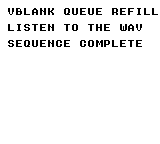
Build command
New-Item -ItemType Directory -Force .\out | Out-Null
.\kitaqgb\kitaqgb.exe .\kitaq-docs\samples\api-examples\gb\audio_vblank_queue.c -I .\kitaqgb\lib -I .\kitaq-docs\samples -o .\out\audio_vblank_queue.gb --profile=dev --rst-disable --stack-bank=fixed --cgb=cgb --cart=mbc5 --romsize=128k --no-cache --no-disasm
Implementation and source
kitaqgb/lib/audio_vblank.h:96
Start/resume queued playback; return 1 on success, 0 for an empty/nonqueue mode.
Does not enable the interrupt, music gate or clear pause. Queue before starting.
kitaqgb/lib/audio_vblank_queue.inc:112
u8 AudioVBlank_QueuePlay()
{
    u8 saved_ie;
    u8 started;
    saved_ie = AudioVBlank_IE;
    AudioVBlank_IE = 0;
    started = 0;
    if (AudioVBlank_QueueMode != 0 && AudioVBlank_QueueCount != 0) {
        AudioVBlank_MusicPlaying = 1;
        started = 1;
    }
    AudioVBlank_IE = saved_ie;
    return started;
}
AudioVBlank_QueueRefill
See the 2026-10-03 changes and verification for differences in the local version of this API.
Copy complete five-byte records into available queue slots and publish each only after its copy finishes. One call accepts at most sixteen records.
Syntax
u8 __stackcall AudioVBlank_QueueRefill(const u8 *records, u8 count);Parameters
recordsRecord array in the currently readable bank. Provide five readable bytes per accepted record. A null pointer returns zero.
countNumber of records to attempt, not bytes. Values above sixteen are capped at sixteen; zero does nothing.
Return value
Return the actual accepted record count, 0..16. Return zero for a full queue, null input, zero count or non-queue mode. Advance the source by five times the return value. The ISR may free slots during the call, so this is not necessarily the free count at entry.
Conditions and limits
After AudioVBlank_Init, call QueueReset, QueueRefill and QueuePlay in that order. Compile the ordinary audio_vblank.c; AUDIO_VBLANK_CORE_ONLY excludes the C producer functions. Foreground code fills a queue of sixteen five-byte records and the VBlank ISR consumes it.
Use a single foreground producer; do not call it recursively or from an ISR or FrameHook. Each short publication step saves IE and masks interrupt sources, then restores IE and SVBK. IME is unchanged. Select and retain the source ROM/RAM bank in caller code.
Timed records contain delay, ch1_note, ch2_note, ch3_note and ch4_noise_param. Supply END as a complete five-byte record too. Expand LOOP in producer code by submitting the required records again. Do not pass a variable-length direct-play command stream unchanged.
Usage example
next=AudioVBlank_QueueRefill(queue_song,16);
    // next counts records; each record occupies five source bytes.
This is a calling fragment. Follow the stated initialization and buffer requirements before using it in a complete program.
Expected result
Play an original eight-note phrase six times, then stop. Feed 49 records—48 notes plus END—through the sixteen-slot queue. Checks cover all 49 accepted records, zero underruns, stopped playback, empty/full/null/zero-count cases, CGB WRAM-bank restoration, preserved IME, active audio and silence after completion.
Build command
New-Item -ItemType Directory -Force .\out | Out-Null
.\kitaqgb\kitaqgb.exe .\kitaq-docs\samples\api-examples\gb\audio_vblank_queue.c -I .\kitaqgb\lib -I .\kitaq-docs\samples -o .\out\audio_vblank_queue.gb --profile=dev --rst-disable --stack-bank=fixed --cgb=cgb --cart=mbc5 --romsize=128k --no-cache --no-disasm
Implementation and source
kitaqgb/lib/audio_vblank.h:93
Copy complete records from the currently mapped source; return records accepted.
Each call attempts at most 16 records and stops when full. Null/zero returns 0.
Supports ROM and RAM sources, restores SVBK and IE, and never changes IME.
Single foreground producer only: do not call from an ISR or frame hook.
LOOP must be expanded by the producer. END occupies a full five-byte record.
kitaqgb/lib/audio_vblank_queue.inc:93
u8 __stackcall AudioVBlank_QueueRefill(const u8 *records, u8 count)
{
    u8 accepted;
    u8 i;
    if (records == 0 || count == 0 || AudioVBlank_QueueMode == 0) return 0;
    if (count > AUDIO_VBLANK_QUEUE_RECORDS) count = AUDIO_VBLANK_QUEUE_RECORDS;
    accepted = 0;
    while (accepted < count) {
        if (AudioVBlank_QueueCount >= AUDIO_VBLANK_QUEUE_RECORDS) break;
        for (i = 0; i < 5; i++) AudioVBlank_QueueStaging[i] = records[i];
        if (AudioVBlank_QueuePublish() == 0) break;
        records += 5;
        accepted++;
    }
    return accepted;
}
AudioVBlank_QueueReset
See the 2026-10-03 changes and verification for differences in the local version of this API.
Stop and silence playback, select queue mode, and zero read/write positions, count and underruns. This discards pending records to prepare a new stream.
Syntax
void AudioVBlank_QueueReset();Return value
No return value. Music-enable and pause settings are preserved.
Conditions and limits
After AudioVBlank_Init, call QueueReset, QueueRefill and QueuePlay in that order. Compile the ordinary audio_vblank.c; AUDIO_VBLANK_CORE_ONLY excludes the C producer functions. Foreground code fills a queue of sixteen five-byte records and the VBlank ISR consumes it.
Use a single foreground producer; do not call it recursively or from an ISR or FrameHook. Each short publication step saves IE and masks interrupt sources, then restores IE and SVBK. IME is unchanged. Select and retain the source ROM/RAM bank in caller code.
Timed records contain delay, ch1_note, ch2_note, ch3_note and ch4_noise_param. Supply END as a complete five-byte record too. Expand LOOP in producer code by submitting the required records again. Do not pass a variable-length direct-play command stream unchanged.
Usage example
AudioVBlank_QueueReset(); // Silence playback and discard any queued records.This is a calling fragment. Follow the stated initialization and buffer requirements before using it in a complete program.
Expected result
Play an original eight-note phrase six times, then stop. Feed 49 records—48 notes plus END—through the sixteen-slot queue. Checks cover all 49 accepted records, zero underruns, stopped playback, empty/full/null/zero-count cases, CGB WRAM-bank restoration, preserved IME, active audio and silence after completion.
Build command
New-Item -ItemType Directory -Force .\out | Out-Null
.\kitaqgb\kitaqgb.exe .\kitaq-docs\samples\api-examples\gb\audio_vblank_queue.c -I .\kitaqgb\lib -I .\kitaq-docs\samples -o .\out\audio_vblank_queue.gb --profile=dev --rst-disable --stack-bank=fixed --cgb=cgb --cart=mbc5 --romsize=128k --no-cache --no-disasm
Implementation and source
kitaqgb/lib/audio_vblank.h:87
Stop music and select an empty WRAM queue; preserve IE, IME and enable/pause gates.
kitaqgb/lib/audio_vblank_queue.inc:76
void AudioVBlank_QueueReset()
{
u8 saved_ie;
saved_ie = AudioVBlank_IE;
AudioVBlank_IE = 0;
AudioVBlank_Stop();
AudioVBlank_QueueMode = 1;
AudioVBlank_QueueReadIndex = 0;
AudioVBlank_QueueWriteIndex = 0;
AudioVBlank_QueueCount = 0;
AudioVBlank_QueueUnderruns = 0;
AudioVBlank_IE = saved_ie;
}AudioVBlank_RequestRestoreCh1
Set pulse release-only request 2 if nothing is pending, preserving an existing recovery request 1.
Syntax
void AudioVBlank_RequestRestoreCh1();Return value
No return value. Changes sound registers or driver state.
Conditions and limits
audio_vblank.c implements __kq_vblank_vector; do not also install a competing VBlank vector. The sample defines Audio_NoiseEffectActive, excludes the ordinary music decoder, and uses Audio_Update only for effects and fades. Mask interrupts while changing song pointers or shared state.
When calling recovery directly, the caller ensures the effect has released the voice and clears the pending flag afterward. Request functions alone do not write sound registers.
Usage example
// Exercise the recovery API with IRQ disabled and explicit effect ownership.
#define SOUND_VBLANK
#include "gb_sound_example.h"
void main() {
sound_begin("EFFECT RECOVERY");
Audio_NoiseEffectActive=0; AudioVBlank_Init();
Audio_SetMasterVolume(3,3);
AudioVBlank_MusicPlaying=1;
AudioVBlank_Ch1Envelope=0xC0; AudioVBlank_Ch1LatchedNote=33;
AudioVBlank_Ch3LatchedNote=33;
// Value 1 represents a suppressed BGM event and survives a release request.
AudioVBlank_RestoreCh1Pending=1;
AudioVBlank_RequestRestoreCh1();
sound_result[0]=AudioVBlank_RestoreCh1Pending;
AudioVBlank_RestoreCh1(); AudioVBlank_RestoreCh1Pending=0;
sound_wait(30);
// Without a pending event, RequestRestore creates release-only value 2.
AudioVBlank_RequestRestoreCh1();
sound_result[1]=AudioVBlank_RestoreCh1Pending;
AudioVBlank_RestoreCh1(); AudioVBlank_RestoreCh1Pending=0;
sound_wait(30);
AudioVBlank_RestoreCh3Pending=1;
AudioVBlank_RequestRestoreCh3();
sound_result[2]=AudioVBlank_RestoreCh3Pending;
AudioVBlank_RestoreCh3(); AudioVBlank_RestoreCh3Pending=0;
sound_wait(30);
AudioVBlank_RequestRestoreCh3();
sound_result[3]=AudioVBlank_RestoreCh3Pending;
AudioVBlank_RestoreCh3(); AudioVBlank_RestoreCh3Pending=0;
sound_wait(30);
AudioVBlank_Stop();
sound_end();
}Expected result
Hear pulse recovery, silence, wave recovery and silence, each for 30 frames. A release request preserves pending value 1; requesting with no pending event produces release-only value 2. Here IRQ is disabled and the caller explicitly manages ownership.
Build command
New-Item -ItemType Directory -Force .\out | Out-Null
.\kitaqgb\kitaqgb.exe .\kitaq-docs\samples\api-examples\gb\sound_recovery.c -I .\kitaqgb\lib -I .\kitaq-docs\samples -o .\out\gb-recovery.gb --profile=dev --rst-disable --stack-bank=fixed --cgb=cgb --cart=mbc5 --romsize=128k --no-cache --no-disasmImplementation and source
kitaqgb/lib/audio_vblank.h:129
Request deferred pulse-channel release only when no recovery is pending. Preserve value 1, which records a music event suppressed while an effect owned it.
kitaqgb/lib/audio_vblank.c:908
void AudioVBlank_RequestRestoreCh1()
{
if (AudioVBlank_RestoreCh1Pending == 0)
AudioVBlank_RestoreCh1Pending = 2;
}AudioVBlank_RequestRestoreCh3
Set wave release-only request 2 if nothing is pending, preserving an existing recovery request 1.
Syntax
void AudioVBlank_RequestRestoreCh3();Return value
No return value. Changes sound registers or driver state.
Conditions and limits
audio_vblank.c implements __kq_vblank_vector; do not also install a competing VBlank vector. The sample defines Audio_NoiseEffectActive, excludes the ordinary music decoder, and uses Audio_Update only for effects and fades. Mask interrupts while changing song pointers or shared state.
When calling recovery directly, the caller ensures the effect has released the voice and clears the pending flag afterward. Request functions alone do not write sound registers.
Usage example
// Exercise the recovery API with IRQ disabled and explicit effect ownership.
#define SOUND_VBLANK
#include "gb_sound_example.h"
void main() {
sound_begin("EFFECT RECOVERY");
Audio_NoiseEffectActive=0; AudioVBlank_Init();
Audio_SetMasterVolume(3,3);
AudioVBlank_MusicPlaying=1;
AudioVBlank_Ch1Envelope=0xC0; AudioVBlank_Ch1LatchedNote=33;
AudioVBlank_Ch3LatchedNote=33;
// Value 1 represents a suppressed BGM event and survives a release request.
AudioVBlank_RestoreCh1Pending=1;
AudioVBlank_RequestRestoreCh1();
sound_result[0]=AudioVBlank_RestoreCh1Pending;
AudioVBlank_RestoreCh1(); AudioVBlank_RestoreCh1Pending=0;
sound_wait(30);
// Without a pending event, RequestRestore creates release-only value 2.
AudioVBlank_RequestRestoreCh1();
sound_result[1]=AudioVBlank_RestoreCh1Pending;
AudioVBlank_RestoreCh1(); AudioVBlank_RestoreCh1Pending=0;
sound_wait(30);
AudioVBlank_RestoreCh3Pending=1;
AudioVBlank_RequestRestoreCh3();
sound_result[2]=AudioVBlank_RestoreCh3Pending;
AudioVBlank_RestoreCh3(); AudioVBlank_RestoreCh3Pending=0;
sound_wait(30);
AudioVBlank_RequestRestoreCh3();
sound_result[3]=AudioVBlank_RestoreCh3Pending;
AudioVBlank_RestoreCh3(); AudioVBlank_RestoreCh3Pending=0;
sound_wait(30);
AudioVBlank_Stop();
sound_end();
}Expected result
Hear pulse recovery, silence, wave recovery and silence, each for 30 frames. A release request preserves pending value 1; requesting with no pending event produces release-only value 2. Here IRQ is disabled and the caller explicitly manages ownership.
Build command
New-Item -ItemType Directory -Force .\out | Out-Null
.\kitaqgb\kitaqgb.exe .\kitaq-docs\samples\api-examples\gb\sound_recovery.c -I .\kitaqgb\lib -I .\kitaq-docs\samples -o .\out\gb-recovery.gb --profile=dev --rst-disable --stack-bank=fixed --cgb=cgb --cart=mbc5 --romsize=128k --no-cache --no-disasmImplementation and source
kitaqgb/lib/audio_vblank.h:132
Request a deferred wave-channel release only if no recovery is pending. Preserve value 1, which records a new music event suppressed by the effect.
kitaqgb/lib/audio_vblank.c:916
void AudioVBlank_RequestRestoreCh3()
{
if (AudioVBlank_RestoreCh3Pending == 0)
AudioVBlank_RestoreCh3Pending = 2;
}AudioVBlank_RestoreCh1
Restore a latched music note to the pulse voice borrowed by an effect (CH1 or CH2), or release it silently.
Syntax
void AudioVBlank_RestoreCh1();Return value
No return value. Changes sound registers or driver state.
Conditions and limits
audio_vblank.c implements __kq_vblank_vector; do not also install a competing VBlank vector. The sample defines Audio_NoiseEffectActive, excludes the ordinary music decoder, and uses Audio_Update only for effects and fades. Mask interrupts while changing song pointers or shared state.
When calling recovery directly, the caller ensures the effect has released the voice and clears the pending flag afterward. Request functions alone do not write sound registers.
Usage example
// Exercise the recovery API with IRQ disabled and explicit effect ownership.
#define SOUND_VBLANK
#include "gb_sound_example.h"
void main() {
sound_begin("EFFECT RECOVERY");
Audio_NoiseEffectActive=0; AudioVBlank_Init();
Audio_SetMasterVolume(3,3);
AudioVBlank_MusicPlaying=1;
AudioVBlank_Ch1Envelope=0xC0; AudioVBlank_Ch1LatchedNote=33;
AudioVBlank_Ch3LatchedNote=33;
// Value 1 represents a suppressed BGM event and survives a release request.
AudioVBlank_RestoreCh1Pending=1;
AudioVBlank_RequestRestoreCh1();
sound_result[0]=AudioVBlank_RestoreCh1Pending;
AudioVBlank_RestoreCh1(); AudioVBlank_RestoreCh1Pending=0;
sound_wait(30);
// Without a pending event, RequestRestore creates release-only value 2.
AudioVBlank_RequestRestoreCh1();
sound_result[1]=AudioVBlank_RestoreCh1Pending;
AudioVBlank_RestoreCh1(); AudioVBlank_RestoreCh1Pending=0;
sound_wait(30);
AudioVBlank_RestoreCh3Pending=1;
AudioVBlank_RequestRestoreCh3();
sound_result[2]=AudioVBlank_RestoreCh3Pending;
AudioVBlank_RestoreCh3(); AudioVBlank_RestoreCh3Pending=0;
sound_wait(30);
AudioVBlank_RequestRestoreCh3();
sound_result[3]=AudioVBlank_RestoreCh3Pending;
AudioVBlank_RestoreCh3(); AudioVBlank_RestoreCh3Pending=0;
sound_wait(30);
AudioVBlank_Stop();
sound_end();
}Expected result
Hear pulse recovery, silence, wave recovery and silence, each for 30 frames. A release request preserves pending value 1; requesting with no pending event produces release-only value 2. Here IRQ is disabled and the caller explicitly manages ownership.
Build command
New-Item -ItemType Directory -Force .\out | Out-Null
.\kitaqgb\kitaqgb.exe .\kitaq-docs\samples\api-examples\gb\sound_recovery.c -I .\kitaqgb\lib -I .\kitaq-docs\samples -o .\out\gb-recovery.gb --profile=dev --rst-disable --stack-bank=fixed --cgb=cgb --cart=mbc5 --romsize=128k --no-cache --no-disasmImplementation and source
kitaqgb/lib/audio_vblank.h:122
Recover the borrowed pulse channel (CH1 or CH2) from its latched music event. Pending value 2, disabled music, or a non-note latch silences it instead. The caller must first establish that the effect has released the channel.
kitaqgb/lib/audio_vblank.c:769
void AudioVBlank_RestoreCh1()
{
__asm {
LD_A_MEM Audio_EffectUsesCh2
OR_A
JR_NZ audiovb_restore_ch2
LD_A_MEM AudioVBlank_RestoreCh1Pending
CP_IMM 2
JR_Z audiovb_restore_ch1_off
LD_A_MEM AudioVBlank_MusicPlaying
OR_A
JR_Z audiovb_restore_ch1_off
LD_A_MEM AudioVBlank_MusicEnabled
OR_A
JR_Z audiovb_restore_ch1_off
LD_A_MEM Audio_MusicEnabled
OR_A
JR_Z audiovb_restore_ch1_off
LD_A_MEM AudioVBlank_Ch1LatchedNote
CP_IMM 0x44
JR_NC audiovb_restore_ch1_off
LD_C_A
LD_A_MEM AudioVBlank_Ch1Sweep
LDH_MEM_A 0x10
LD_A_MEM AudioVBlank_Ch1Duty
LDH_MEM_A 0x11
LD_A_MEM AudioVBlank_Ch1Envelope
LDH_MEM_A 0x12
LD_A_C
LD_E_A
LD_D_IMM 0
LD_HL_IMM AudioVBlank_FreqLo
ADD_HL_DE
LD_A_HL
LDH_MEM_A 0x13
LD_HL_IMM AudioVBlank_FreqHi
ADD_HL_DE
LD_A_HL
OR_IMM 0x80
LDH_MEM_A 0x14
JR audiovb_restore_ch1_done
audiovb_restore_ch1_off:
XOR_A
LDH_MEM_A 0x12
audiovb_restore_ch1_done:
JR audiovb_restore_square_done
audiovb_restore_ch2:
LD_A_MEM AudioVBlank_RestoreCh1Pending
CP_IMM 2
JR_Z audiovb_restore_ch2_off
LD_A_MEM AudioVBlank_MusicPlaying
OR_A
JR_Z audiovb_restore_ch2_off
LD_A_MEM AudioVBlank_MusicEnabled
OR_A
JR_Z audiovb_restore_ch2_off
LD_A_MEM Audio_MusicEnabled
OR_A
JR_Z audiovb_restore_ch2_off
LD_A_MEM AudioVBlank_Ch2LatchedNote
CP_IMM 0x44
JR_NC audiovb_restore_ch2_off
LD_C_A
LD_A_MEM AudioVBlank_Ch2Duty
LDH_MEM_A 0x16
LD_A_MEM AudioVBlank_Ch2Envelope
LDH_MEM_A 0x17
LD_A_C
LD_E_A
LD_D_IMM 0
LD_HL_IMM AudioVBlank_FreqLo
ADD_HL_DE
LD_A_HL
LDH_MEM_A 0x18
LD_HL_IMM AudioVBlank_FreqHi
ADD_HL_DE
LD_A_HL
OR_IMM 0x80
LDH_MEM_A 0x19
JR audiovb_restore_square_done
audiovb_restore_ch2_off:
XOR_A
LDH_MEM_A 0x17
audiovb_restore_square_done:
}
}AudioVBlank_RestoreCh3
Restore CH3’s latched note after effect release, or disable its DAC.
Syntax
void AudioVBlank_RestoreCh3();Return value
No return value. Changes sound registers or driver state.
Conditions and limits
audio_vblank.c implements __kq_vblank_vector; do not also install a competing VBlank vector. The sample defines Audio_NoiseEffectActive, excludes the ordinary music decoder, and uses Audio_Update only for effects and fades. Mask interrupts while changing song pointers or shared state.
When calling recovery directly, the caller ensures the effect has released the voice and clears the pending flag afterward. Request functions alone do not write sound registers.
Usage example
// Exercise the recovery API with IRQ disabled and explicit effect ownership.
#define SOUND_VBLANK
#include "gb_sound_example.h"
void main() {
sound_begin("EFFECT RECOVERY");
Audio_NoiseEffectActive=0; AudioVBlank_Init();
Audio_SetMasterVolume(3,3);
AudioVBlank_MusicPlaying=1;
AudioVBlank_Ch1Envelope=0xC0; AudioVBlank_Ch1LatchedNote=33;
AudioVBlank_Ch3LatchedNote=33;
// Value 1 represents a suppressed BGM event and survives a release request.
AudioVBlank_RestoreCh1Pending=1;
AudioVBlank_RequestRestoreCh1();
sound_result[0]=AudioVBlank_RestoreCh1Pending;
AudioVBlank_RestoreCh1(); AudioVBlank_RestoreCh1Pending=0;
sound_wait(30);
// Without a pending event, RequestRestore creates release-only value 2.
AudioVBlank_RequestRestoreCh1();
sound_result[1]=AudioVBlank_RestoreCh1Pending;
AudioVBlank_RestoreCh1(); AudioVBlank_RestoreCh1Pending=0;
sound_wait(30);
AudioVBlank_RestoreCh3Pending=1;
AudioVBlank_RequestRestoreCh3();
sound_result[2]=AudioVBlank_RestoreCh3Pending;
AudioVBlank_RestoreCh3(); AudioVBlank_RestoreCh3Pending=0;
sound_wait(30);
AudioVBlank_RequestRestoreCh3();
sound_result[3]=AudioVBlank_RestoreCh3Pending;
AudioVBlank_RestoreCh3(); AudioVBlank_RestoreCh3Pending=0;
sound_wait(30);
AudioVBlank_Stop();
sound_end();
}Expected result
Hear pulse recovery, silence, wave recovery and silence, each for 30 frames. A release request preserves pending value 1; requesting with no pending event produces release-only value 2. Here IRQ is disabled and the caller explicitly manages ownership.
Build command
New-Item -ItemType Directory -Force .\out | Out-Null
.\kitaqgb\kitaqgb.exe .\kitaq-docs\samples\api-examples\gb\sound_recovery.c -I .\kitaqgb\lib -I .\kitaq-docs\samples -o .\out\gb-recovery.gb --profile=dev --rst-disable --stack-bank=fixed --cgb=cgb --cart=mbc5 --romsize=128k --no-cache --no-disasmImplementation and source
kitaqgb/lib/audio_vblank.h:126
Recover a latched wave-channel music event after effect release, or disable the DAC for a release-only request, disabled music, or a non-note latch. The caller owns effect arbitration and clearing the pending flag.
kitaqgb/lib/audio_vblank.c:860
void AudioVBlank_RestoreCh3()
{
__asm {
LD_A_MEM AudioVBlank_RestoreCh3Pending
CP_IMM 2
JR_Z audiovb_restore_ch3_off
LD_A_MEM AudioVBlank_MusicPlaying
OR_A
JR_Z audiovb_restore_ch3_off
LD_A_MEM AudioVBlank_MusicEnabled
OR_A
JR_Z audiovb_restore_ch3_off
LD_A_MEM Audio_MusicEnabled
OR_A
JR_Z audiovb_restore_ch3_off
LD_A_MEM AudioVBlank_Ch3LatchedNote
CP_IMM 0x44
JR_NC audiovb_restore_ch3_off
LD_C_A
LD_A_IMM 0x80
LDH_MEM_A 0x1A
XOR_A
LDH_MEM_A 0x1B
LD_A_MEM AudioVBlank_Ch3Level
LDH_MEM_A 0x1C
LD_A_C
LD_E_A
LD_D_IMM 0
LD_HL_IMM AudioVBlank_FreqLo
ADD_HL_DE
LD_A_HL
LDH_MEM_A 0x1D
LD_HL_IMM AudioVBlank_FreqHi
ADD_HL_DE
LD_A_HL
OR_IMM 0x80
LDH_MEM_A 0x1E
JR audiovb_restore_ch3_done
audiovb_restore_ch3_off:
XOR_A
LDH_MEM_A 0x1A
audiovb_restore_ch3_done:
}
}AudioVBlank_SetEnabled
Gate VBlank music and clear recovery requests on disable. Current sound and IRQ remain unchanged.
Syntax
void __stackcall AudioVBlank_SetEnabled(u8 on);Parameters
onZero disables; nonzero enables. Read this function’s description to distinguish muting from gating updates.
Return value
No return value. Changes sound registers or driver state.
Conditions and limits
audio_vblank.c implements __kq_vblank_vector; do not also install a competing VBlank vector. The sample defines Audio_NoiseEffectActive, excludes the ordinary music decoder, and uses Audio_Update only for effects and fades. Mask interrupts while changing song pointers or shared state.
Keep direct song data in fixed ROM or another area always visible to the ISR. A record is five bytes: delay, CH1, CH2, CH3, CH4. In note fields, 0xFF holds the current voice and 0xFD stops it. In the delay field, 0xFF ends playback and 0xFE loops. This is the record layout, not the channel-ID numbering. WRAM queue playback is a separate mode; submit complete five-byte records with AudioVBlank_QueueRefill.
Usage example
// Direct fixed-bank music with an actual VBlank ISR and a counting frame hook.
#define SOUND_VBLANK
#include "gb_sound_example.h"
__wram u8 hook_count;
__prg_rom u8 irq_song[]={30,33,0xFF,0xFF,0xFF,30,40,0xFF,0xFF,0xFF,0xFE};
void frame_hook() { hook_count++; }
void main() {
u8 before;
sound_begin("VBLANK MUSIC GATES");
Audio_NoiseEffectActive=0;
AudioVBlank_Init();
sound_result[0]=AudioVBlank_MusicPlaying;
AudioVBlank_Ch1Envelope=0xC0;
Audio_SetMasterVolume(3,3);
hook_count=0; AudioVBlank_FrameHook=frame_hook;
AudioVBlank_SetMusic(irq_song);
AudioVBlank_Play();
AudioVBlank_EnableIrq();
sound_wait(45);
// Disable music processing while the hook and current note remain active.
__asm { DI }
AudioVBlank_SetEnabled(0); before=hook_count;
__asm { EI }
sound_wait(30);
sound_result[1]=(u8)(hook_count!=before);
__asm { DI }
AudioVBlank_Stop();
__asm { EI }
sound_wait(30);
__asm { DI }
AudioVBlank_SetEnabled(1); AudioVBlank_PlayMusic(irq_song);
__asm { EI }
sound_wait(45);
AudioVBlank_DisableIrq();
before=hook_count;
sound_wait(30);
sound_result[2]=(u8)(hook_count==before);
sound_result[3]=(u8)(AudioVBlank_IE&1);
AudioVBlank_Stop(); sound_wait(30);
sound_end();
}Expected result
The ISR plays a two-note song. Compare gating music updates, which retains the current sound; Stop, which silences it; and gating IRQ after restart, which also retains sound. RAM verifies that the hook runs while music is disabled and stops when IRQ is disabled.
Build command
New-Item -ItemType Directory -Force .\out | Out-Null
.\kitaqgb\kitaqgb.exe .\kitaq-docs\samples\api-examples\gb\sound_vblank.c -I .\kitaqgb\lib -I .\kitaq-docs\samples -o .\out\gb-vblank.gb --profile=dev --rst-disable --stack-bank=fixed --cgb=cgb --cart=mbc5 --romsize=128k --no-cache --no-disasmImplementation and source
kitaqgb/lib/audio_vblank.h:113
Gate music processing and clear pending CH1/CH3 recovery on disable. No audio register is written here: disabling does not itself silence a note already playing or disable the VBlank interrupt.
kitaqgb/lib/audio_vblank_control.inc:109
void __stackcall AudioVBlank_SetEnabled(u8 on)
{
if (on != 0) AudioVBlank_MusicEnabled = 1;
else {
AudioVBlank_MusicEnabled = 0;
// Do not carry a stale SFX-recovery request into a later song.
AudioVBlank_RestoreCh1Pending = 0;
AudioVBlank_RestoreCh3Pending = 0;
}
}AudioVBlank_SetMusic
Select a direct song and reset its cursors without changing the playing flag.
Syntax
void __stackcall AudioVBlank_SetMusic(u8 *song);Parameters
songSong start address; the driver borrows the array, which must remain readable throughout playback.
Return value
No return value. Changes sound registers or driver state.
Conditions and limits
audio_vblank.c implements __kq_vblank_vector; do not also install a competing VBlank vector. The sample defines Audio_NoiseEffectActive, excludes the ordinary music decoder, and uses Audio_Update only for effects and fades. Mask interrupts while changing song pointers or shared state.
Keep direct song data in fixed ROM or another area always visible to the ISR. A record is five bytes: delay, CH1, CH2, CH3, CH4. In note fields, 0xFF holds the current voice and 0xFD stops it. In the delay field, 0xFF ends playback and 0xFE loops. This is the record layout, not the channel-ID numbering. WRAM queue playback is a separate mode; submit complete five-byte records with AudioVBlank_QueueRefill.
Usage example
// Direct fixed-bank music with an actual VBlank ISR and a counting frame hook.
#define SOUND_VBLANK
#include "gb_sound_example.h"
__wram u8 hook_count;
__prg_rom u8 irq_song[]={30,33,0xFF,0xFF,0xFF,30,40,0xFF,0xFF,0xFF,0xFE};
void frame_hook() { hook_count++; }
void main() {
u8 before;
sound_begin("VBLANK MUSIC GATES");
Audio_NoiseEffectActive=0;
AudioVBlank_Init();
sound_result[0]=AudioVBlank_MusicPlaying;
AudioVBlank_Ch1Envelope=0xC0;
Audio_SetMasterVolume(3,3);
hook_count=0; AudioVBlank_FrameHook=frame_hook;
AudioVBlank_SetMusic(irq_song);
AudioVBlank_Play();
AudioVBlank_EnableIrq();
sound_wait(45);
// Disable music processing while the hook and current note remain active.
__asm { DI }
AudioVBlank_SetEnabled(0); before=hook_count;
__asm { EI }
sound_wait(30);
sound_result[1]=(u8)(hook_count!=before);
__asm { DI }
AudioVBlank_Stop();
__asm { EI }
sound_wait(30);
__asm { DI }
AudioVBlank_SetEnabled(1); AudioVBlank_PlayMusic(irq_song);
__asm { EI }
sound_wait(45);
AudioVBlank_DisableIrq();
before=hook_count;
sound_wait(30);
sound_result[2]=(u8)(hook_count==before);
sound_result[3]=(u8)(AudioVBlank_IE&1);
AudioVBlank_Stop(); sound_wait(30);
sound_end();
}Expected result
The ISR plays a two-note song. Compare gating music updates, which retains the current sound; Stop, which silences it; and gating IRQ after restart, which also retains sound. RAM verifies that the hook runs while music is disabled and stops when IRQ is disabled.
Build command
New-Item -ItemType Directory -Force .\out | Out-Null
.\kitaqgb\kitaqgb.exe .\kitaq-docs\samples\api-examples\gb\sound_vblank.c -I .\kitaqgb\lib -I .\kitaq-docs\samples -o .\out\gb-vblank.gb --profile=dev --rst-disable --stack-bank=fixed --cgb=cgb --cart=mbc5 --romsize=128k --no-cache --no-disasmImplementation and source
kitaqgb/lib/audio_vblank.h:100
Select a directly addressed song and reset its cursors, leaving the playing flag unchanged. Song storage must remain accessible to the fixed-bank ISR; coordinate this multi-field update with interrupt execution.
kitaqgb/lib/audio_vblank_control.inc:46
void __stackcall AudioVBlank_SetMusic(u8 *song)
{
AudioVBlank_MusicStart = song;
AudioVBlank_MusicPointer = song;
AudioVBlank_MusicLoopPoint = song;
AudioVBlank_MusicDelay = 0;
AudioVBlank_Step = 0;
AudioVBlank_QueueMode = 0;
}AudioVBlank_Stop
Clear playback/delay/recovery state and immediately silence pulse, noise and wave voices. IRQ remains enabled.
Syntax
void AudioVBlank_Stop();Return value
No return value. Changes sound registers or driver state.
Conditions and limits
audio_vblank.c implements __kq_vblank_vector; do not also install a competing VBlank vector. The sample defines Audio_NoiseEffectActive, excludes the ordinary music decoder, and uses Audio_Update only for effects and fades. Mask interrupts while changing song pointers or shared state.
Keep direct song data in fixed ROM or another area always visible to the ISR. A record is five bytes: delay, CH1, CH2, CH3, CH4. In note fields, 0xFF holds the current voice and 0xFD stops it. In the delay field, 0xFF ends playback and 0xFE loops. This is the record layout, not the channel-ID numbering. WRAM queue playback is a separate mode; submit complete five-byte records with AudioVBlank_QueueRefill.
Usage example
// Direct fixed-bank music with an actual VBlank ISR and a counting frame hook.
#define SOUND_VBLANK
#include "gb_sound_example.h"
__wram u8 hook_count;
__prg_rom u8 irq_song[]={30,33,0xFF,0xFF,0xFF,30,40,0xFF,0xFF,0xFF,0xFE};
void frame_hook() { hook_count++; }
void main() {
u8 before;
sound_begin("VBLANK MUSIC GATES");
Audio_NoiseEffectActive=0;
AudioVBlank_Init();
sound_result[0]=AudioVBlank_MusicPlaying;
AudioVBlank_Ch1Envelope=0xC0;
Audio_SetMasterVolume(3,3);
hook_count=0; AudioVBlank_FrameHook=frame_hook;
AudioVBlank_SetMusic(irq_song);
AudioVBlank_Play();
AudioVBlank_EnableIrq();
sound_wait(45);
// Disable music processing while the hook and current note remain active.
__asm { DI }
AudioVBlank_SetEnabled(0); before=hook_count;
__asm { EI }
sound_wait(30);
sound_result[1]=(u8)(hook_count!=before);
__asm { DI }
AudioVBlank_Stop();
__asm { EI }
sound_wait(30);
__asm { DI }
AudioVBlank_SetEnabled(1); AudioVBlank_PlayMusic(irq_song);
__asm { EI }
sound_wait(45);
AudioVBlank_DisableIrq();
before=hook_count;
sound_wait(30);
sound_result[2]=(u8)(hook_count==before);
sound_result[3]=(u8)(AudioVBlank_IE&1);
AudioVBlank_Stop(); sound_wait(30);
sound_end();
}Expected result
The ISR plays a two-note song. Compare gating music updates, which retains the current sound; Stop, which silences it; and gating IRQ after restart, which also retains sound. RAM verifies that the hook runs while music is disabled and stops when IRQ is disabled.
Build command
New-Item -ItemType Directory -Force .\out | Out-Null
.\kitaqgb\kitaqgb.exe .\kitaq-docs\samples\api-examples\gb\sound_vblank.c -I .\kitaqgb\lib -I .\kitaq-docs\samples -o .\out\gb-vblank.gb --profile=dev --rst-disable --stack-bank=fixed --cgb=cgb --cart=mbc5 --romsize=128k --no-cache --no-disasmImplementation and source
kitaqgb/lib/audio_vblank.h:109
Stop software playback and silence pulse/noise envelopes and the wave DAC. Song pointers and the IRQ enable remain unchanged; the routine writes the physical channels directly, so coordinate ownership with sound effects.
kitaqgb/lib/audio_vblank_control.inc:82
void AudioVBlank_Stop()
{
AudioVBlank_MusicPlaying = 0;
AudioVBlank_MusicDelay = 0;
AudioVBlank_Step = 0;
AudioVBlank_Ch2Note = AUDIO_VBLANK_REST;
AudioVBlank_Ch1Note = AUDIO_VBLANK_REST;
AudioVBlank_Ch3Note = AUDIO_VBLANK_REST;
AudioVBlank_Ch2LatchedNote = AUDIO_VBLANK_STOP;
AudioVBlank_Ch1LatchedNote = AUDIO_VBLANK_STOP;
AudioVBlank_Ch3LatchedNote = AUDIO_VBLANK_STOP;
AudioVBlank_RestoreCh1Pending = 0;
AudioVBlank_RestoreCh3Pending = 0;
AudioVBlank_Ch4Param = AUDIO_VBLANK_REST;
__asm {
XOR_A
LDH_MEM_A 0x12
LDH_MEM_A 0x17
LDH_MEM_A 0x1C
LDH_MEM_A 0x1A
LDH_MEM_A 0x21
}
}bank.h — Bank-aware code and data access
A ROM bank is a block of cartridge storage mapped into the CPU's address space. Different banks can appear at the same CPU address, so a 16-bit pointer alone does not identify banked data. BankPtr is a packed three-byte descriptor containing a one-byte bank number and a two-byte pointer. Use farptr_make to construct it and farptr_read8, farptr_read16 or farptr_read to access its contents.
The GB example uses an MBC5 cartridge: code in fixed bank 0 stays accessible at $0000–$3FFF while banks 1, 2 and 3 are selected at $4000–$7FFF. Keep bank_switch and the code that resumes after it in fixed ROM. Initialize the library's bank record with bank_switch before querying it. GB far_call accepts a callback pointer; __farcall requires a function name.
bank_get_current
Return the last bank number stored by bank_switch. This reads software bookkeeping, not cartridge registers.
Syntax
u8 bank_get_current();Return value
The u8 value most recently stored by bank_switch; zero before initialization.
Conditions and limits
The library record starts at zero and does not discover the cartridge's startup mapping. Initialize it with bank_switch. Direct intrinsics and raw mapper writes do not update this separate record; bank_get_current therefore cannot verify the actual hardware mapping.
Usage example
starting_bank=bank_get_current(); // Last value recorded by bank_switch.
bank_expect(starting_bank==2,1);This is a calling fragment. Follow the stated initialization and buffer requirements before using it in a complete program.
Expected result
The initial bank_switch(2) records and selects bank 2. Later, direct switching selects bank 1 and reads A1 from home1 while bank_get_current still reports 2; switching back makes home2 read B2 again.
The complete program teaches how a bank number and near address identify data, how callbacks cross banks, and how to distinguish the library's record from the actual mapping. All displayed numbers are hexadecimal. BANK IN and BANK OUT must show 02, BYTE HEX D3, WORD HEX 5C7A, and both FAILED CHECKS and FIRST FAILURE 00. CGB and FC display blue text; DMG displays black text.
CALL COUNT is 03: far_call, __farcall and __farcall_ptr each invoke the callback once.
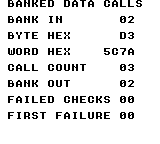
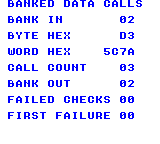
Build command
New-Item -ItemType Directory -Force .\out | Out-Null
.\kitaqgb\kitaqgb.exe .\kitaq-docs\samples\api-examples\gb\banked_data_calls.c -I .\kitaqgb\lib -I .\kitaq-docs\samples -o .\out\banked_data_calls.gb --profile=dev --rst-disable --stack-bank=fixed --cgb=cgb --cart=mbc5 --romsize=64k --no-cache --no-disasmImplementation and source
kitaqgb/lib/bank.h:21
Return the last bank recorded by bank_switch; this does not read cartridge hardware.
kitaqgb/lib/bank.c:15
u8 bank_get_current()
{
return kq_bank_current;
}bank_switch
See the 2026-10-03 changes and verification for differences in the local version of this API.
Select the ROM bank and record it in both the bank library and the compiler's bank state. Far reads and calls use the compiler state to restore the previous mapping.
Syntax
void bank_switch(u8 bank);Parameters
bankAn unsigned 8-bit ROM-bank number. For a call, it must agree with the function's placement; for a read, it selects the source mapping. Use the target cartridge's valid range.
Return value
None (void).
Conditions and limits
A permanent bank change must not unmap the executing code or its return address. Put this call, bank_switch itself when used, and the code that continues afterwards in common/fixed bank 0, as the sample does.
The library record starts at zero and does not discover the cartridge's startup mapping. Initialize it with bank_switch. Direct intrinsics and raw mapper writes do not update this separate record; bank_get_current therefore cannot verify the actual hardware mapping.
These GB bank interfaces carry eight bank bits and do not set the ninth MBC5 bank bit. Cartridge rules still apply, including mapper-specific treatment of bank zero. The example explicitly uses MBC5 banks 1–3; do not mix this state with untracked raw mapper writes.
Usage example
bank_switch(2); // Select the payload window and update library bookkeeping.This is a calling fragment. Follow the stated initialization and buffer requirements before using it in a complete program.
Expected result
The initial bank_switch(2) records and selects bank 2. Later, direct switching selects bank 1 and reads A1 from home1 while bank_get_current still reports 2; switching back makes home2 read B2 again.
The complete program teaches how a bank number and near address identify data, how callbacks cross banks, and how to distinguish the library's record from the actual mapping. All displayed numbers are hexadecimal. BANK IN and BANK OUT must show 02, BYTE HEX D3, WORD HEX 5C7A, and both FAILED CHECKS and FIRST FAILURE 00. CGB and FC display blue text; DMG displays black text.
CALL COUNT is 03: far_call, __farcall and __farcall_ptr each invoke the callback once.
Build command
New-Item -ItemType Directory -Force .\out | Out-Null
.\kitaqgb\kitaqgb.exe .\kitaq-docs\samples\api-examples\gb\banked_data_calls.c -I .\kitaqgb\lib -I .\kitaq-docs\samples -o .\out\banked_data_calls.gb --profile=dev --rst-disable --stack-bank=fixed --cgb=cgb --cart=mbc5 --romsize=64k --no-cache --no-disasmImplementation and source
kitaqgb/lib/bank.h:19
Update both the library bank record and the compiler shadow used by far reads and calls. Invoke this permanent bank change from fixed-bank code.
kitaqgb/lib/bank.c:8
void bank_switch(u8 bank)
{
kq_bank_current = bank;
__bankswitch(bank);
}far_call
Forward a bank number and callback pointer to __farcall_ptr. This library function invokes a zero-argument callback and returns only after the caller's bank has been restored.
Syntax
void far_call(u8 bank, const void* func);Parameters
bankAn unsigned 8-bit ROM-bank number. For a call, it must agree with the function's placement; for a read, it selects the source mapping. Use the target cartridge's valid range.
funcA valid executable address for a callback with no parameters. A function name or runtime pointer may supply it. Null pointers and a wrong bank/address combination are not checked at runtime.
Return value
None (void).
Conditions and limits
These calls do not forward user arguments or make the callback interrupt-reentrant. Keep the callback's own data, stack and interrupt use valid. The bank-restoring call paths are tested with nested calls and repeated calls; physical hardware and arbitrary interrupt interleavings are not covered by this example.
These GB bank interfaces carry eight bank bits and do not set the ninth MBC5 bank bit. Cartridge rules still apply, including mapper-specific treatment of bank zero. The example explicitly uses MBC5 banks 1–3; do not mix this state with untracked raw mapper writes.
Usage example
far_call(3,callback); // No arguments; callback reads payload[0] in bank 3.
bank_expect(callback_count==1 && callback_byte==0xD3,15);This is a calling fragment. Follow the stated initialization and buffer requirements before using it in a complete program.
Expected result
At this point in the complete program, far_call raises callback_count to 1. The callback reads D3 from bank 3. A later near read of B2 from home2 verifies that execution returned with bank 2 mapped.
The complete program teaches how a bank number and near address identify data, how callbacks cross banks, and how to distinguish the library's record from the actual mapping. All displayed numbers are hexadecimal. BANK IN and BANK OUT must show 02, BYTE HEX D3, WORD HEX 5C7A, and both FAILED CHECKS and FIRST FAILURE 00. CGB and FC display blue text; DMG displays black text.
CALL COUNT is 03: far_call, __farcall and __farcall_ptr each invoke the callback once.
Build command
New-Item -ItemType Directory -Force .\out | Out-Null
.\kitaqgb\kitaqgb.exe .\kitaq-docs\samples\api-examples\gb\banked_data_calls.c -I .\kitaqgb\lib -I .\kitaq-docs\samples -o .\out\banked_data_calls.gb --profile=dev --rst-disable --stack-bank=fixed --cgb=cgb --cart=mbc5 --romsize=64k --no-cache --no-disasmImplementation and source
kitaqgb/lib/bank.h:30
Invoke a no-argument callback in its ROM bank, then restore the caller bank. The pointer must identify executable code; no arguments are forwarded.
kitaqgb/lib/bank.c:40
void far_call(u8 bank, const void* func)
{
__farcall_ptr(bank, func);
}far_data_read
Copy len bytes from the specified ROM bank into caller-owned RAM through the far-memory intrinsic. Restore the previous bank before returning.
Syntax
void far_data_read(u8 bank, const void* addr, void* dst, u16 len);Parameters
bankAn unsigned 8-bit ROM-bank number. For a call, it must agree with the function's placement; for a read, it selects the source mapping. Use the target cartridge's valid range.
addrNear pointer to readable source bytes in the selected ROM bank. It does not contain a bank number.
dstDestination in writable memory. Reserve enough space for every byte copied. Except for a zero-byte transfer, a null or invalid destination is not checked.
lenByte count, 0–65535. Zero performs no memory copy, but the bank-selection and restoration steps still run.
Return value
None (void).
Conditions and limits
Keep the full source range in the intended ROM mapping and the full destination range in writable memory. Copying does not select the next bank at a window boundary, handle overlapping ranges like memmove, or provide VRAM-safe writes. Use the graphics transfer APIs for VRAM.
Far reads and copies are synchronous and use shared compiler scratch. Do not let an interrupt run another banked transfer over the same scratch while one is active. On GB, the copy helper also uses one shared HRAM slot for the saved bank. The sample performs these operations from fixed code with no competing banked-transfer handler.
These GB bank interfaces carry eight bank bits and do not set the ninth MBC5 bank bit. Cartridge rules still apply, including mapper-specific treatment of bank zero. The example explicitly uses MBC5 banks 1–3; do not mix this state with untracked raw mapper writes.
Usage example
far_data_read(3,payload,buffer,4); // Copy into four writable RAM bytes.
bank_expect(buffer[0]==0xD3 && buffer[1]==0x7A && buffer[2]==0x5C && buffer[3]==0x96,7);This is a calling fragment. Follow the stated initialization and buffer requirements before using it in a complete program.
Expected result
This excerpt copies 4 bytes through far_data_read and checks the buffer against D3 7A 5C 96. The source descriptor or pointer is retained by the caller; the full program separately checks a zero-length copy and bank restoration.
The complete program teaches how a bank number and near address identify data, how callbacks cross banks, and how to distinguish the library's record from the actual mapping. All displayed numbers are hexadecimal. BANK IN and BANK OUT must show 02, BYTE HEX D3, WORD HEX 5C7A, and both FAILED CHECKS and FIRST FAILURE 00. CGB and FC display blue text; DMG displays black text.
CALL COUNT is 03: far_call, __farcall and __farcall_ptr each invoke the callback once.
Build command
New-Item -ItemType Directory -Force .\out | Out-Null
.\kitaqgb\kitaqgb.exe .\kitaq-docs\samples\api-examples\gb\banked_data_calls.c -I .\kitaqgb\lib -I .\kitaq-docs\samples -o .\out\banked_data_calls.gb --profile=dev --rst-disable --stack-bank=fixed --cgb=cgb --cart=mbc5 --romsize=64k --no-cache --no-disasmImplementation and source
kitaqgb/lib/bank.h:27
Copy len bytes from banked ROM into caller-owned writable storage.
kitaqgb/lib/bank.c:33
void far_data_read(u8 bank, const void* addr, void* dst, u16 len)
{
__farmemcpy(dst, bank, addr, len);
}far_data_read16
Read two consecutive bytes through __farpeek16 and combine them as a little-endian word. The first byte becomes the low eight bits.
Syntax
u16 far_data_read16(u8 bank, const void* addr);Parameters
bankAn unsigned 8-bit ROM-bank number. For a call, it must agree with the function's placement; for a read, it selects the source mapping. Use the target cartridge's valid range.
addrNear pointer to readable source bytes in the selected ROM bank. It does not contain a bank number.
Return value
The little-endian word read, as u16 (0–65535).
Conditions and limits
The complete byte or word must be readable in the selected CPU mapping. These reads do not validate pointers, clip addresses or advance automatically to another ROM bank at a window boundary. A word read needs two valid consecutive bytes.
Far reads and copies are synchronous and use shared compiler scratch. Do not let an interrupt run another banked transfer over the same scratch while one is active. On GB, the copy helper also uses one shared HRAM slot for the saved bank. The sample performs these operations from fixed code with no competing banked-transfer handler.
These GB bank interfaces carry eight bank bits and do not set the ninth MBC5 bank bit. Cartridge rules still apply, including mapper-specific treatment of bank zero. The example explicitly uses MBC5 banks 1–3; do not mix this state with untracked raw mapper writes.
Usage example
word_value=far_data_read16(3,payload+1); // Little-endian 7A 5C -> 0x5C7A.
bank_expect(word_value==0x5C7A,6);This is a calling fragment. Follow the stated initialization and buffer requirements before using it in a complete program.
Expected result
This excerpt uses far_data_read16 to read payload+1 in bank 3 and checks 5C7A. In the full program, the near read from home2 also confirms that the bank-2 mapping is restored.
The complete program teaches how a bank number and near address identify data, how callbacks cross banks, and how to distinguish the library's record from the actual mapping. All displayed numbers are hexadecimal. BANK IN and BANK OUT must show 02, BYTE HEX D3, WORD HEX 5C7A, and both FAILED CHECKS and FIRST FAILURE 00. CGB and FC display blue text; DMG displays black text.
CALL COUNT is 03: far_call, __farcall and __farcall_ptr each invoke the callback once.
Build command
New-Item -ItemType Directory -Force .\out | Out-Null
.\kitaqgb\kitaqgb.exe .\kitaq-docs\samples\api-examples\gb\banked_data_calls.c -I .\kitaqgb\lib -I .\kitaq-docs\samples -o .\out\banked_data_calls.gb --profile=dev --rst-disable --stack-bank=fixed --cgb=cgb --cart=mbc5 --romsize=64k --no-cache --no-disasmImplementation and source
kitaqgb/lib/bank.h:25
Read a 16-bit value from the supplied bank and address through the far-read intrinsic.
kitaqgb/lib/bank.c:27
u16 far_data_read16(u8 bank, const void* addr)
{
return __farpeek16(bank, addr);
}far_data_read8
Read one byte from the supplied ROM bank and address through __farpeek8, then return the byte after restoring the previous bank.
Syntax
u8 far_data_read8(u8 bank, const void* addr);Parameters
bankAn unsigned 8-bit ROM-bank number. For a call, it must agree with the function's placement; for a read, it selects the source mapping. Use the target cartridge's valid range.
addrNear pointer to readable source bytes in the selected ROM bank. It does not contain a bank number.
Return value
The byte read, as u8 (0–255).
Conditions and limits
The complete byte or word must be readable in the selected CPU mapping. These reads do not validate pointers, clip addresses or advance automatically to another ROM bank at a window boundary. A word read needs two valid consecutive bytes.
Far reads and copies are synchronous and use shared compiler scratch. Do not let an interrupt run another banked transfer over the same scratch while one is active. On GB, the copy helper also uses one shared HRAM slot for the saved bank. The sample performs these operations from fixed code with no competing banked-transfer handler.
These GB bank interfaces carry eight bank bits and do not set the ninth MBC5 bank bit. Cartridge rules still apply, including mapper-specific treatment of bank zero. The example explicitly uses MBC5 banks 1–3; do not mix this state with untracked raw mapper writes.
Usage example
byte_value=far_data_read8(3,payload); // One byte: 0xD3.
bank_expect(byte_value==0xD3,5);This is a calling fragment. Follow the stated initialization and buffer requirements before using it in a complete program.
Expected result
This excerpt uses far_data_read8 to read payload in bank 3 and checks D3. In the full program, the near read from home2 also confirms that the bank-2 mapping is restored.
The complete program teaches how a bank number and near address identify data, how callbacks cross banks, and how to distinguish the library's record from the actual mapping. All displayed numbers are hexadecimal. BANK IN and BANK OUT must show 02, BYTE HEX D3, WORD HEX 5C7A, and both FAILED CHECKS and FIRST FAILURE 00. CGB and FC display blue text; DMG displays black text.
CALL COUNT is 03: far_call, __farcall and __farcall_ptr each invoke the callback once.
Build command
New-Item -ItemType Directory -Force .\out | Out-Null
.\kitaqgb\kitaqgb.exe .\kitaq-docs\samples\api-examples\gb\banked_data_calls.c -I .\kitaqgb\lib -I .\kitaq-docs\samples -o .\out\banked_data_calls.gb --profile=dev --rst-disable --stack-bank=fixed --cgb=cgb --cart=mbc5 --romsize=64k --no-cache --no-disasmImplementation and source
kitaqgb/lib/bank.h:23
Read one byte through the compiler intrinsic that accepts an explicit ROM bank.
kitaqgb/lib/bank.c:21
u8 far_data_read8(u8 bank, const void* addr)
{
return __farpeek8(bank, addr);
}farptr_make
Store a bank byte and a CPU-visible pointer in the caller's BankPtr. This constructs a descriptor; it does not switch banks or read the pointed-to bytes.
Syntax
void farptr_make(BankPtr* out, u8 bank, const u8* ptr);Parameters
outPointer to writable storage for one three-byte BankPtr. A null out pointer is ignored and causes no write.
bankAn unsigned 8-bit ROM-bank number. For a call, it must agree with the function's placement; for a read, it selects the source mapping. Use the target cartridge's valid range.
ptrThe 16-bit CPU-visible address to store in the descriptor. It is copied unchanged; this function does not check whether that address exists in the chosen bank.
Return value
None (void).
Usage example
farptr_make(&pointer,3,payload+1); // Store a bank and address; do not read ROM.
bank_expect(pointer.bank==3 && pointer.ptr==payload+1,8);
farptr_make(0,1,home1); // A null destination is ignored.This is a calling fragment. Follow the stated initialization and buffer requirements before using it in a complete program.
Expected result
The descriptor is set to bank 3 and payload+1. Its readers then obtain 7A, 5C7A and the three bytes 7A 5C 96. The null-output call must leave all state unchanged.
The complete program teaches how a bank number and near address identify data, how callbacks cross banks, and how to distinguish the library's record from the actual mapping. All displayed numbers are hexadecimal. BANK IN and BANK OUT must show 02, BYTE HEX D3, WORD HEX 5C7A, and both FAILED CHECKS and FIRST FAILURE 00. CGB and FC display blue text; DMG displays black text.
CALL COUNT is 03: far_call, __farcall and __farcall_ptr each invoke the callback once.
Build command
New-Item -ItemType Directory -Force .\out | Out-Null
.\kitaqgb\kitaqgb.exe .\kitaq-docs\samples\api-examples\gb\banked_data_calls.c -I .\kitaqgb\lib -I .\kitaq-docs\samples -o .\out\banked_data_calls.gb --profile=dev --rst-disable --stack-bank=fixed --cgb=cgb --cart=mbc5 --romsize=64k --no-cache --no-disasmImplementation and source
kitaqgb/lib/bank.h:32
Store a bank/address pair without accessing ROM; a null output pointer is ignored.
kitaqgb/lib/bank.c:46
void farptr_make(BankPtr* out, u8 bank, const u8* ptr)
{
if (out == 0) return;
out->bank = bank;
out->ptr = ptr;
}farptr_read
Copy len bytes from a BankPtr into writable RAM. The descriptor is passed by value, so the caller's pointer still identifies the start of the source.
Syntax
void farptr_read(BankPtr ptr, void* dst, u16 len);Parameters
ptrA BankPtr value containing both bank and ptr. Pass the descriptor itself, not its address. The caller's descriptor is not modified.
dstDestination in writable memory. Reserve enough space for every byte copied. Except for a zero-byte transfer, a null or invalid destination is not checked.
lenByte count, 0–65535. Zero performs no memory copy, but the bank-selection and restoration steps still run.
Return value
None (void).
Conditions and limits
Keep the full source range in the intended ROM mapping and the full destination range in writable memory. Copying does not select the next bank at a window boundary, handle overlapping ranges like memmove, or provide VRAM-safe writes. Use the graphics transfer APIs for VRAM.
Far reads and copies are synchronous and use shared compiler scratch. Do not let an interrupt run another banked transfer over the same scratch while one is active. On GB, the copy helper also uses one shared HRAM slot for the saved bank. The sample performs these operations from fixed code with no competing banked-transfer handler.
These GB bank interfaces carry eight bank bits and do not set the ninth MBC5 bank bit. Cartridge rules still apply, including mapper-specific treatment of bank zero. The example explicitly uses MBC5 banks 1–3; do not mix this state with untracked raw mapper writes.
Usage example
farptr_read(pointer,buffer,3);
bank_expect(buffer[0]==0x7A && buffer[1]==0x5C && buffer[2]==0x96,11);
bank_expect(pointer.bank==3 && pointer.ptr==payload+1,23);This is a calling fragment. Follow the stated initialization and buffer requirements before using it in a complete program.
Expected result
This excerpt copies 3 bytes through farptr_read and checks the buffer against 7A 5C 96. The source descriptor or pointer is retained by the caller; the full program separately checks a zero-length copy and bank restoration.
The complete program teaches how a bank number and near address identify data, how callbacks cross banks, and how to distinguish the library's record from the actual mapping. All displayed numbers are hexadecimal. BANK IN and BANK OUT must show 02, BYTE HEX D3, WORD HEX 5C7A, and both FAILED CHECKS and FIRST FAILURE 00. CGB and FC display blue text; DMG displays black text.
CALL COUNT is 03: far_call, __farcall and __farcall_ptr each invoke the callback once.
Build command
New-Item -ItemType Directory -Force .\out | Out-Null
.\kitaqgb\kitaqgb.exe .\kitaq-docs\samples\api-examples\gb\banked_data_calls.c -I .\kitaqgb\lib -I .\kitaq-docs\samples -o .\out\banked_data_calls.gb --profile=dev --rst-disable --stack-bank=fixed --cgb=cgb --cart=mbc5 --romsize=64k --no-cache --no-disasmImplementation and source
kitaqgb/lib/bank.h:38
Copy len bytes from a bank-qualified pointer; dst must have room for the full copy.
kitaqgb/lib/bank.c:66
void farptr_read(BankPtr ptr, void* dst, u16 len)
{
__farmemcpy(dst, ptr.bank, ptr.ptr, len);
}farptr_read16
Read a little-endian word from the bank and address held in a BankPtr. The descriptor is passed by value and is not advanced.
Syntax
u16 farptr_read16(BankPtr ptr);Parameters
ptrA BankPtr value containing both bank and ptr. Pass the descriptor itself, not its address. The caller's descriptor is not modified.
Return value
The little-endian word read, as u16 (0–65535).
Conditions and limits
The complete byte or word must be readable in the selected CPU mapping. These reads do not validate pointers, clip addresses or advance automatically to another ROM bank at a window boundary. A word read needs two valid consecutive bytes.
Far reads and copies are synchronous and use shared compiler scratch. Do not let an interrupt run another banked transfer over the same scratch while one is active. On GB, the copy helper also uses one shared HRAM slot for the saved bank. The sample performs these operations from fixed code with no competing banked-transfer handler.
These GB bank interfaces carry eight bank bits and do not set the ninth MBC5 bank bit. Cartridge rules still apply, including mapper-specific treatment of bank zero. The example explicitly uses MBC5 banks 1–3; do not mix this state with untracked raw mapper writes.
Usage example
bank_expect(farptr_read16(pointer)==0x5C7A,10);This is a calling fragment. Follow the stated initialization and buffer requirements before using it in a complete program.
Expected result
This excerpt uses farptr_read16 to read pointer.ptr in bank 3 and checks 5C7A. In the full program, the near read from home2 also confirms that the bank-2 mapping is restored.
The complete program teaches how a bank number and near address identify data, how callbacks cross banks, and how to distinguish the library's record from the actual mapping. All displayed numbers are hexadecimal. BANK IN and BANK OUT must show 02, BYTE HEX D3, WORD HEX 5C7A, and both FAILED CHECKS and FIRST FAILURE 00. CGB and FC display blue text; DMG displays black text.
CALL COUNT is 03: far_call, __farcall and __farcall_ptr each invoke the callback once.
Build command
New-Item -ItemType Directory -Force .\out | Out-Null
.\kitaqgb\kitaqgb.exe .\kitaq-docs\samples\api-examples\gb\banked_data_calls.c -I .\kitaqgb\lib -I .\kitaq-docs\samples -o .\out\banked_data_calls.gb --profile=dev --rst-disable --stack-bank=fixed --cgb=cgb --cart=mbc5 --romsize=64k --no-cache --no-disasmImplementation and source
kitaqgb/lib/bank.h:36
Read a 16-bit value using both components of the bank-qualified pointer.
kitaqgb/lib/bank.c:60
u16 farptr_read16(BankPtr ptr)
{
return __farpeek16(ptr.bank, ptr.ptr);
}farptr_read8
Read one byte using both fields of a BankPtr passed by value. The descriptor supplies the bank that an ordinary near pointer cannot carry.
Syntax
u8 farptr_read8(BankPtr ptr);Parameters
ptrA BankPtr value containing both bank and ptr. Pass the descriptor itself, not its address. The caller's descriptor is not modified.
Return value
The byte read, as u8 (0–255).
Conditions and limits
The complete byte or word must be readable in the selected CPU mapping. These reads do not validate pointers, clip addresses or advance automatically to another ROM bank at a window boundary. A word read needs two valid consecutive bytes.
Far reads and copies are synchronous and use shared compiler scratch. Do not let an interrupt run another banked transfer over the same scratch while one is active. On GB, the copy helper also uses one shared HRAM slot for the saved bank. The sample performs these operations from fixed code with no competing banked-transfer handler.
These GB bank interfaces carry eight bank bits and do not set the ninth MBC5 bank bit. Cartridge rules still apply, including mapper-specific treatment of bank zero. The example explicitly uses MBC5 banks 1–3; do not mix this state with untracked raw mapper writes.
Usage example
bank_expect(farptr_read8(pointer)==0x7A,9);This is a calling fragment. Follow the stated initialization and buffer requirements before using it in a complete program.
Expected result
This excerpt uses farptr_read8 to read pointer.ptr in bank 3 and checks 7A. In the full program, the near read from home2 also confirms that the bank-2 mapping is restored.
The complete program teaches how a bank number and near address identify data, how callbacks cross banks, and how to distinguish the library's record from the actual mapping. All displayed numbers are hexadecimal. BANK IN and BANK OUT must show 02, BYTE HEX D3, WORD HEX 5C7A, and both FAILED CHECKS and FIRST FAILURE 00. CGB and FC display blue text; DMG displays black text.
CALL COUNT is 03: far_call, __farcall and __farcall_ptr each invoke the callback once.
Build command
New-Item -ItemType Directory -Force .\out | Out-Null
.\kitaqgb\kitaqgb.exe .\kitaq-docs\samples\api-examples\gb\banked_data_calls.c -I .\kitaqgb\lib -I .\kitaq-docs\samples -o .\out\banked_data_calls.gb --profile=dev --rst-disable --stack-bank=fixed --cgb=cgb --cart=mbc5 --romsize=64k --no-cache --no-disasmImplementation and source
kitaqgb/lib/bank.h:34
Read one byte using both components of the bank-qualified pointer.
kitaqgb/lib/bank.c:54
u8 farptr_read8(BankPtr ptr)
{
return __farpeek8(ptr.bank, ptr.ptr);
}camera.h — World coordinates and visible areas
Manage Q8.8 camera positions, targets and bounds, and convert world/screen coordinates. Choose caller-owned Camera8_8 objects or the lowercase API for one shared camera.
Camera_Add
Add Q8.8 deltas to the current position, then apply any enabled bounds.
Syntax
void Camera_Add(Camera8_8* cam, s16 dfx, s16 dfy);Parameters
camValid pointer to an initialized, caller-owned
Camera8_8.dfxSigned Q8.8 displacement; 256 moves one pixel.
dfySigned Q8.8 displacement; 256 moves one pixel.
Return value
No return value. The affected state and when it takes effect are described in this entry.
Conditions and limits
Coordinates have eight fractional bits. Keep positions, targets and intermediate sums/differences within s16. Update the display separately with Camera_ApplyBg or a buffered flush.
Usage example
Camera_Add(&cam,256,512);result[13]=cam.fx;result[14]=cam.fy;This is a calling fragment. Follow the stated initialization and buffer requirements before using it in a complete program.
Expected result
Learn Q8.8 following, clamping and coordinate conversion. Following yields X/Y=3584/4096; bounds give 3072/3584. BG X remains 13 while pending and becomes 8 after flush. The additional image shows a camera at (8,16) moving a 32×24 world rectangle from (32,32) to screen (24,16).
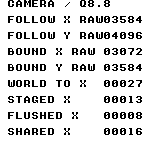
Build command
New-Item -ItemType Directory -Force .\out | Out-Null
.\kitaqgb\kitaqgb.exe .\kitaq-docs\samples\api-examples\gb\batch2_camera.c -I .\kitaqgb\lib -I .\kitaq-docs\samples -o .\out\batch2_camera.gb --no-cache --no-disasm --profile=dev --rst-disable --stack-bank=fixed --cgb=cgb --cart=mbc5 --romsize=64kUsage example
Camera_Init(&view);
Camera_Set(&view,2048,4096);
Camera_ApplyBg(&view);
Scroll_SetWindow(103,80);
Scroll_WindowShow();This is a calling fragment. Follow the stated initialization and buffer requirements before using it in a complete program.
Expected result
With camera (8,16), the red 32×24 rectangle appears at screen (24,16). The window shows a blue 64×64 frame at (96,80) and a green 16×16 square at (112,96). All shapes are black on DMG.
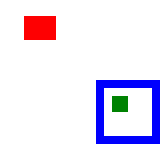
Build command
New-Item -ItemType Directory -Force .\out | Out-Null
.\kitaqgb\kitaqgb.exe .\kitaq-docs\samples\api-examples\gb\batch2_camera_view.c -I .\kitaqgb\lib -I .\kitaq-docs\samples -o .\out\batch2_camera_view.gb --no-cache --no-disasm --profile=dev --rst-disable --stack-bank=fixed --cgb=cgb --cart=mbc5 --romsize=64kImplementation and source
kitaqgb/lib/camera.h:34
Add Q8.8 deltas and clamp afterward. Keep the intermediate sums within s16; clamping cannot repair arithmetic that already overflowed.
kitaqgb/lib/camera.c:79
void Camera_Add(Camera8_8* cam, s16 dfx, s16 dfy)
{
cam->fx += dfx;
cam->fy += dfy;
Camera_ApplyBounds(cam);
}camera_apply
Immediately apply the shared camera’s current position to background scrolling.
Syntax
void camera_apply();Return value
No return value. The affected state and when it takes effect are described in this entry.
Conditions and limits
No VBlank wait is performed; synchronize in the caller when mid-frame changes are unwanted. Negative fractions round downward: −1/256 becomes −1 pixel, or register value 255.
Usage example
camera_apply();result[31]=M_SCX;result[32]=M_SCY;This is a calling fragment. Follow the stated initialization and buffer requirements before using it in a complete program.
Expected result
Learn Q8.8 following, clamping and coordinate conversion. Following yields X/Y=3584/4096; bounds give 3072/3584. BG X remains 13 while pending and becomes 8 after flush. The additional image shows a camera at (8,16) moving a 32×24 world rectangle from (32,32) to screen (24,16).
Build command
New-Item -ItemType Directory -Force .\out | Out-Null
.\kitaqgb\kitaqgb.exe .\kitaq-docs\samples\api-examples\gb\batch2_camera.c -I .\kitaqgb\lib -I .\kitaq-docs\samples -o .\out\batch2_camera.gb --no-cache --no-disasm --profile=dev --rst-disable --stack-bank=fixed --cgb=cgb --cart=mbc5 --romsize=64kUsage example
Camera_Init(&view);
Camera_Set(&view,2048,4096);
Camera_ApplyBg(&view);
Scroll_SetWindow(103,80);
Scroll_WindowShow();This is a calling fragment. Follow the stated initialization and buffer requirements before using it in a complete program.
Expected result
With camera (8,16), the red 32×24 rectangle appears at screen (24,16). The window shows a blue 64×64 frame at (96,80) and a green 16×16 square at (112,96). All shapes are black on DMG.
Build command
New-Item -ItemType Directory -Force .\out | Out-Null
.\kitaqgb\kitaqgb.exe .\kitaq-docs\samples\api-examples\gb\batch2_camera_view.c -I .\kitaqgb\lib -I .\kitaq-docs\samples -o .\out\batch2_camera_view.gb --no-cache --no-disasm --profile=dev --rst-disable --stack-bank=fixed --cgb=cgb --cart=mbc5 --romsize=64kImplementation and source
kitaqgb/lib/camera.h:64
Write the shared camera's current integer position to background scroll registers.
kitaqgb/lib/camera.c:179
void camera_apply()
{
Camera_ApplyBg(&camera_default);
}Camera_ApplyBg
Floor the camera position to integer pixels and immediately write the low eight bits to background scrolling.
Syntax
void Camera_ApplyBg(const Camera8_8* cam);Parameters
camValid pointer to an initialized, caller-owned
Camera8_8.
Return value
No return value. The affected state and when it takes effect are described in this entry.
Conditions and limits
No VBlank wait is performed; synchronize in the caller when mid-frame changes are unwanted. Negative fractions round downward: −1/256 becomes −1 pixel, or register value 255.
Usage example
Camera_ApplyBg(&cam);result[21]=M_SCX;result[22]=M_SCY;This is a calling fragment. Follow the stated initialization and buffer requirements before using it in a complete program.
Expected result
Learn Q8.8 following, clamping and coordinate conversion. Following yields X/Y=3584/4096; bounds give 3072/3584. BG X remains 13 while pending and becomes 8 after flush. The additional image shows a camera at (8,16) moving a 32×24 world rectangle from (32,32) to screen (24,16).
Build command
New-Item -ItemType Directory -Force .\out | Out-Null
.\kitaqgb\kitaqgb.exe .\kitaq-docs\samples\api-examples\gb\batch2_camera.c -I .\kitaqgb\lib -I .\kitaq-docs\samples -o .\out\batch2_camera.gb --no-cache --no-disasm --profile=dev --rst-disable --stack-bank=fixed --cgb=cgb --cart=mbc5 --romsize=64kUsage example
Camera_Init(&view);
Camera_Set(&view,2048,4096);
Camera_ApplyBg(&view);
Scroll_SetWindow(103,80);
Scroll_WindowShow();This is a calling fragment. Follow the stated initialization and buffer requirements before using it in a complete program.
Expected result
With camera (8,16), the red 32×24 rectangle appears at screen (24,16). The window shows a blue 64×64 frame at (96,80) and a green 16×16 square at (112,96). All shapes are black on DMG.
Build command
New-Item -ItemType Directory -Force .\out | Out-Null
.\kitaqgb\kitaqgb.exe .\kitaq-docs\samples\api-examples\gb\batch2_camera_view.c -I .\kitaqgb\lib -I .\kitaq-docs\samples -o .\out\batch2_camera_view.gb --no-cache --no-disasm --profile=dev --rst-disable --stack-bank=fixed --cgb=cgb --cart=mbc5 --romsize=64kImplementation and source
kitaqgb/lib/camera.h:40
Discard fractional bits and write the low eight integer bits to background scroll registers.
kitaqgb/lib/camera.c:109
void Camera_ApplyBg(const Camera8_8* cam)
{
__scroll_bg_set((u8)(cam->fx >> 8), (u8)(cam->fy >> 8));
}Camera_ApplyBgBuffered
Floor the camera position to integer pixels and stage it as pending background scroll.
Syntax
void Camera_ApplyBgBuffered(const Camera8_8* cam);Parameters
camValid pointer to an initialized, caller-owned
Camera8_8.
Return value
No return value. The affected state and when it takes effect are described in this entry.
Conditions and limits
Hardware and tracked current values stay unchanged until Scroll_Flush or __scroll_flush. This call does not wait for VBlank.
Usage example
Camera_Set(&cam,2048,4096);Camera_ApplyBgBuffered(&cam);result[23]=M_SCX;Scroll_Flush();result[24]=M_SCX;result[25]=M_SCY;This is a calling fragment. Follow the stated initialization and buffer requirements before using it in a complete program.
Expected result
Learn Q8.8 following, clamping and coordinate conversion. Following yields X/Y=3584/4096; bounds give 3072/3584. BG X remains 13 while pending and becomes 8 after flush. The additional image shows a camera at (8,16) moving a 32×24 world rectangle from (32,32) to screen (24,16).
Build command
New-Item -ItemType Directory -Force .\out | Out-Null
.\kitaqgb\kitaqgb.exe .\kitaq-docs\samples\api-examples\gb\batch2_camera.c -I .\kitaqgb\lib -I .\kitaq-docs\samples -o .\out\batch2_camera.gb --no-cache --no-disasm --profile=dev --rst-disable --stack-bank=fixed --cgb=cgb --cart=mbc5 --romsize=64kUsage example
Camera_Init(&view);
Camera_Set(&view,2048,4096);
Camera_ApplyBg(&view);
Scroll_SetWindow(103,80);
Scroll_WindowShow();This is a calling fragment. Follow the stated initialization and buffer requirements before using it in a complete program.
Expected result
With camera (8,16), the red 32×24 rectangle appears at screen (24,16). The window shows a blue 64×64 frame at (96,80) and a green 16×16 square at (112,96). All shapes are black on DMG.
Build command
New-Item -ItemType Directory -Force .\out | Out-Null
.\kitaqgb\kitaqgb.exe .\kitaq-docs\samples\api-examples\gb\batch2_camera_view.c -I .\kitaqgb\lib -I .\kitaq-docs\samples -o .\out\batch2_camera_view.gb --no-cache --no-disasm --profile=dev --rst-disable --stack-bank=fixed --cgb=cgb --cart=mbc5 --romsize=64kImplementation and source
kitaqgb/lib/camera.h:42
Convert the Q8.8 position to byte scroll values and stage them for a later flush.
kitaqgb/lib/camera.c:115
void Camera_ApplyBgBuffered(const Camera8_8* cam)
{
__scroll_bg_set_buffered((u8)(cam->fx >> 8), (u8)(cam->fy >> 8));
}camera_clamp
Apply world-minus-screen bounds to the shared camera.
Syntax
void camera_clamp(u16 world_w_px, u16 world_h_px, u8 screen_w_px, u8 screen_h_px);Parameters
world_w_pxWorld dimension in integer pixels; keep its positive excess over the screen within 0–127.
world_h_pxWorld dimension in integer pixels; keep its positive excess over the screen within 0–127.
screen_w_pxViewport size in integer pixels; a viewport at least as large as the world gives zero travel on that axis.
screen_h_pxViewport size in integer pixels; a viewport at least as large as the world gives zero travel on that axis.
Return value
No return value. The affected state and when it takes effect are described in this entry.
Conditions and limits
A world smaller than the viewport gives zero travel. A positive difference of 128 or more exceeds signed Q8.8 when converted. The u16 parameters do not imply support for camera travel across arbitrarily large worlds. These calls share one camera; use the uppercase API for independent camera objects. Positions converted from integer pixels to Q8.8 must be within −128 through 127.
Usage example
camera_clamp(176,160,160,144);result[29]=camera_world_to_screen_x(100);result[30]=camera_world_to_screen_y(90);This is a calling fragment. Follow the stated initialization and buffer requirements before using it in a complete program.
Expected result
Learn Q8.8 following, clamping and coordinate conversion. Following yields X/Y=3584/4096; bounds give 3072/3584. BG X remains 13 while pending and becomes 8 after flush. The additional image shows a camera at (8,16) moving a 32×24 world rectangle from (32,32) to screen (24,16).
Build command
New-Item -ItemType Directory -Force .\out | Out-Null
.\kitaqgb\kitaqgb.exe .\kitaq-docs\samples\api-examples\gb\batch2_camera.c -I .\kitaqgb\lib -I .\kitaq-docs\samples -o .\out\batch2_camera.gb --no-cache --no-disasm --profile=dev --rst-disable --stack-bank=fixed --cgb=cgb --cart=mbc5 --romsize=64kUsage example
Camera_Init(&view);
Camera_Set(&view,2048,4096);
Camera_ApplyBg(&view);
Scroll_SetWindow(103,80);
Scroll_WindowShow();This is a calling fragment. Follow the stated initialization and buffer requirements before using it in a complete program.
Expected result
With camera (8,16), the red 32×24 rectangle appears at screen (24,16). The window shows a blue 64×64 frame at (96,80) and a green 16×16 square at (112,96). All shapes are black on DMG.
Build command
New-Item -ItemType Directory -Force .\out | Out-Null
.\kitaqgb\kitaqgb.exe .\kitaq-docs\samples\api-examples\gb\batch2_camera_view.c -I .\kitaqgb\lib -I .\kitaq-docs\samples -o .\out\batch2_camera_view.gb --no-cache --no-disasm --profile=dev --rst-disable --stack-bank=fixed --cgb=cgb --cart=mbc5 --romsize=64kImplementation and source
kitaqgb/lib/camera.h:62
Derive and apply world/screen bounds to the shared convenience camera.
kitaqgb/lib/camera.c:173
void camera_clamp(u16 world_w_px, u16 world_h_px, u8 screen_w_px, u8 screen_h_px)
{
Camera_ClampToSize(&camera_default, world_w_px, world_h_px, screen_w_px, screen_h_px);
}Camera_ClampToSize
Subtract screen dimensions from world dimensions and install the resulting nonnegative camera bounds.
Syntax
void Camera_ClampToSize(Camera8_8* cam, u16 world_w_px, u16 world_h_px, u8 screen_w_px, u8 screen_h_px);Parameters
camValid pointer to an initialized, caller-owned
Camera8_8.world_w_pxWorld dimension in integer pixels; keep its positive excess over the screen within 0–127.
world_h_pxWorld dimension in integer pixels; keep its positive excess over the screen within 0–127.
screen_w_pxViewport size in integer pixels; a viewport at least as large as the world gives zero travel on that axis.
screen_h_pxViewport size in integer pixels; a viewport at least as large as the world gives zero travel on that axis.
Return value
No return value. The affected state and when it takes effect are described in this entry.
Conditions and limits
A world smaller than the viewport gives zero travel. A positive difference of 128 or more exceeds signed Q8.8 when converted. The u16 parameters do not imply support for camera travel across arbitrarily large worlds.
Usage example
Camera_ClampToSize(&cam,176,160,160,144);result[15]=cam.max_fx;result[16]=cam.max_fy;This is a calling fragment. Follow the stated initialization and buffer requirements before using it in a complete program.
Expected result
Learn Q8.8 following, clamping and coordinate conversion. Following yields X/Y=3584/4096; bounds give 3072/3584. BG X remains 13 while pending and becomes 8 after flush. The additional image shows a camera at (8,16) moving a 32×24 world rectangle from (32,32) to screen (24,16).
Build command
New-Item -ItemType Directory -Force .\out | Out-Null
.\kitaqgb\kitaqgb.exe .\kitaq-docs\samples\api-examples\gb\batch2_camera.c -I .\kitaqgb\lib -I .\kitaq-docs\samples -o .\out\batch2_camera.gb --no-cache --no-disasm --profile=dev --rst-disable --stack-bank=fixed --cgb=cgb --cart=mbc5 --romsize=64kUsage example
Camera_Init(&view);
Camera_Set(&view,2048,4096);
Camera_ApplyBg(&view);
Scroll_SetWindow(103,80);
Scroll_WindowShow();This is a calling fragment. Follow the stated initialization and buffer requirements before using it in a complete program.
Expected result
With camera (8,16), the red 32×24 rectangle appears at screen (24,16). The window shows a blue 64×64 frame at (96,80) and a green 16×16 square at (112,96). All shapes are black on DMG.
Build command
New-Item -ItemType Directory -Force .\out | Out-Null
.\kitaqgb\kitaqgb.exe .\kitaq-docs\samples\api-examples\gb\batch2_camera_view.c -I .\kitaqgb\lib -I .\kitaq-docs\samples -o .\out\batch2_camera_view.gb --no-cache --no-disasm --profile=dev --rst-disable --stack-bank=fixed --cgb=cgb --cart=mbc5 --romsize=64kImplementation and source
kitaqgb/lib/camera.h:46
Derive nonnegative camera extents from world minus screen size, then convert them to Q8.8 bounds. Extents must fit signed Q8.8; the u16 input type does not imply support for arbitrary large worlds.
kitaqgb/lib/camera.c:123
void Camera_ClampToSize(Camera8_8* cam, u16 world_w_px, u16 world_h_px, u8 screen_w_px, u8 screen_h_px)
{
s16 max_x = 0;
s16 max_y = 0;
if (world_w_px > screen_w_px) max_x = (s16)((u16)(world_w_px - screen_w_px) << 8);
if (world_h_px > screen_h_px) max_y = (s16)((u16)(world_h_px - screen_h_px) << 8);
Camera_SetBounds(cam, (s16)0, (s16)0, max_x, max_y);
}Camera_ClearBounds
Disable clamping without changing the position, target or stored bounds.
Syntax
void Camera_ClearBounds(Camera8_8* cam);Parameters
camValid pointer to an initialized, caller-owned
Camera8_8.
Return value
No return value. The affected state and when it takes effect are described in this entry.
Conditions and limits
Coordinates have eight fractional bits. Keep positions, targets and intermediate sums/differences within s16. Update the display separately with Camera_ApplyBg or a buffered flush.
Usage example
Camera_ClearBounds(&cam);result[12]=cam.use_bounds;This is a calling fragment. Follow the stated initialization and buffer requirements before using it in a complete program.
Expected result
Learn Q8.8 following, clamping and coordinate conversion. Following yields X/Y=3584/4096; bounds give 3072/3584. BG X remains 13 while pending and becomes 8 after flush. The additional image shows a camera at (8,16) moving a 32×24 world rectangle from (32,32) to screen (24,16).
Build command
New-Item -ItemType Directory -Force .\out | Out-Null
.\kitaqgb\kitaqgb.exe .\kitaq-docs\samples\api-examples\gb\batch2_camera.c -I .\kitaqgb\lib -I .\kitaq-docs\samples -o .\out\batch2_camera.gb --no-cache --no-disasm --profile=dev --rst-disable --stack-bank=fixed --cgb=cgb --cart=mbc5 --romsize=64kUsage example
Camera_Init(&view);
Camera_Set(&view,2048,4096);
Camera_ApplyBg(&view);
Scroll_SetWindow(103,80);
Scroll_WindowShow();This is a calling fragment. Follow the stated initialization and buffer requirements before using it in a complete program.
Expected result
With camera (8,16), the red 32×24 rectangle appears at screen (24,16). The window shows a blue 64×64 frame at (96,80) and a green 16×16 square at (112,96). All shapes are black on DMG.
Build command
New-Item -ItemType Directory -Force .\out | Out-Null
.\kitaqgb\kitaqgb.exe .\kitaq-docs\samples\api-examples\gb\batch2_camera_view.c -I .\kitaqgb\lib -I .\kitaq-docs\samples -o .\out\batch2_camera_view.gb --no-cache --no-disasm --profile=dev --rst-disable --stack-bank=fixed --cgb=cgb --cart=mbc5 --romsize=64kImplementation and source
kitaqgb/lib/camera.h:31
Disable clamping while retaining the stored bounds and current position.
kitaqgb/lib/camera.c:72
void Camera_ClearBounds(Camera8_8* cam)
{
cam->use_bounds = 0;
}Camera_ClearTarget
Disable following while retaining the current position and stored target.
Syntax
void Camera_ClearTarget(Camera8_8* cam);Parameters
camValid pointer to an initialized, caller-owned
Camera8_8.
Return value
No return value. The affected state and when it takes effect are described in this entry.
Conditions and limits
Coordinates have eight fractional bits. Keep positions, targets and intermediate sums/differences within s16. Update the display separately with Camera_ApplyBg or a buffered flush.
Usage example
Camera_ClearTarget(&cam);result[8]=cam.use_target;result[9]=cam.target_fx;This is a calling fragment. Follow the stated initialization and buffer requirements before using it in a complete program.
Expected result
Learn Q8.8 following, clamping and coordinate conversion. Following yields X/Y=3584/4096; bounds give 3072/3584. BG X remains 13 while pending and becomes 8 after flush. The additional image shows a camera at (8,16) moving a 32×24 world rectangle from (32,32) to screen (24,16).
Build command
New-Item -ItemType Directory -Force .\out | Out-Null
.\kitaqgb\kitaqgb.exe .\kitaq-docs\samples\api-examples\gb\batch2_camera.c -I .\kitaqgb\lib -I .\kitaq-docs\samples -o .\out\batch2_camera.gb --no-cache --no-disasm --profile=dev --rst-disable --stack-bank=fixed --cgb=cgb --cart=mbc5 --romsize=64kUsage example
Camera_Init(&view);
Camera_Set(&view,2048,4096);
Camera_ApplyBg(&view);
Scroll_SetWindow(103,80);
Scroll_WindowShow();This is a calling fragment. Follow the stated initialization and buffer requirements before using it in a complete program.
Expected result
With camera (8,16), the red 32×24 rectangle appears at screen (24,16). The window shows a blue 64×64 frame at (96,80) and a green 16×16 square at (112,96). All shapes are black on DMG.
Build command
New-Item -ItemType Directory -Force .\out | Out-Null
.\kitaqgb\kitaqgb.exe .\kitaq-docs\samples\api-examples\gb\batch2_camera_view.c -I .\kitaqgb\lib -I .\kitaq-docs\samples -o .\out\batch2_camera_view.gb --no-cache --no-disasm --profile=dev --rst-disable --stack-bank=fixed --cgb=cgb --cart=mbc5 --romsize=64kImplementation and source
kitaqgb/lib/camera.h:27
Disable target following without moving the camera or erasing the stored target.
kitaqgb/lib/camera.c:55
void Camera_ClearTarget(Camera8_8* cam)
{
cam->use_target = 0;
}camera_follow_xy
Move the shared camera immediately so a world point appears at the requested screen anchor.
Syntax
void camera_follow_xy(s16 x, s16 y, u8 screen_cx, u8 screen_cy);Parameters
xWorld X coordinate in integer pixels; the result and intermediate difference must fit
s16.yWorld Y coordinate in integer pixels; the result and intermediate difference must fit
s16.screen_cxScreen anchor coordinate in integer pixels, 0–255.
screen_cyScreen anchor coordinate in integer pixels, 0–255.
Return value
No return value. The affected state and when it takes effect are described in this entry.
Conditions and limits
Coordinates have eight fractional bits. Keep positions, targets and intermediate sums/differences within s16. Update the display separately with Camera_ApplyBg or a buffered flush. These calls share one camera; use the uppercase API for independent camera objects. Positions converted from integer pixels to Q8.8 must be within −128 through 127.
Usage example
camera_follow_xy(100,90,80,72);result[27]=camera_world_to_screen_x(100);result[28]=camera_world_to_screen_y(90);This is a calling fragment. Follow the stated initialization and buffer requirements before using it in a complete program.
Expected result
Learn Q8.8 following, clamping and coordinate conversion. Following yields X/Y=3584/4096; bounds give 3072/3584. BG X remains 13 while pending and becomes 8 after flush. The additional image shows a camera at (8,16) moving a 32×24 world rectangle from (32,32) to screen (24,16).
Build command
New-Item -ItemType Directory -Force .\out | Out-Null
.\kitaqgb\kitaqgb.exe .\kitaq-docs\samples\api-examples\gb\batch2_camera.c -I .\kitaqgb\lib -I .\kitaq-docs\samples -o .\out\batch2_camera.gb --no-cache --no-disasm --profile=dev --rst-disable --stack-bank=fixed --cgb=cgb --cart=mbc5 --romsize=64kUsage example
Camera_Init(&view);
Camera_Set(&view,2048,4096);
Camera_ApplyBg(&view);
Scroll_SetWindow(103,80);
Scroll_WindowShow();This is a calling fragment. Follow the stated initialization and buffer requirements before using it in a complete program.
Expected result
With camera (8,16), the red 32×24 rectangle appears at screen (24,16). The window shows a blue 64×64 frame at (96,80) and a green 16×16 square at (112,96). All shapes are black on DMG.
Build command
New-Item -ItemType Directory -Force .\out | Out-Null
.\kitaqgb\kitaqgb.exe .\kitaq-docs\samples\api-examples\gb\batch2_camera_view.c -I .\kitaqgb\lib -I .\kitaq-docs\samples -o .\out\batch2_camera_view.gb --no-cache --no-disasm --profile=dev --rst-disable --stack-bank=fixed --cgb=cgb --cart=mbc5 --romsize=64kImplementation and source
kitaqgb/lib/camera.h:60
Position the shared camera so the world point appears at the requested screen anchor. This is an immediate move, not the smoothed target-following path.
kitaqgb/lib/camera.c:165
void camera_follow_xy(s16 x, s16 y, u8 screen_cx, u8 screen_cy)
{
s16 cx = (s16)(x - screen_cx);
s16 cy = (s16)(y - screen_cy);
Camera_Set(&camera_default, (s16)(cx << 8), (s16)(cy << 8));
}Camera_Init
Zero the position, target and bounds, and disable following and clamping.
Syntax
void Camera_Init(Camera8_8* cam);Parameters
camWritable
Camera8_8to initialize; must not be NULL.
Return value
No return value. The affected state and when it takes effect are described in this entry.
Conditions and limits
Coordinates have eight fractional bits. Keep positions, targets and intermediate sums/differences within s16. Update the display separately with Camera_ApplyBg or a buffered flush.
Usage example
Camera_Init(&cam);result[0]=cam.fx;result[1]=cam.use_target;result[2]=cam.use_bounds;This is a calling fragment. Follow the stated initialization and buffer requirements before using it in a complete program.
Expected result
Learn Q8.8 following, clamping and coordinate conversion. Following yields X/Y=3584/4096; bounds give 3072/3584. BG X remains 13 while pending and becomes 8 after flush. The additional image shows a camera at (8,16) moving a 32×24 world rectangle from (32,32) to screen (24,16).
Build command
New-Item -ItemType Directory -Force .\out | Out-Null
.\kitaqgb\kitaqgb.exe .\kitaq-docs\samples\api-examples\gb\batch2_camera.c -I .\kitaqgb\lib -I .\kitaq-docs\samples -o .\out\batch2_camera.gb --no-cache --no-disasm --profile=dev --rst-disable --stack-bank=fixed --cgb=cgb --cart=mbc5 --romsize=64kUsage example
Camera_Init(&view);
Camera_Set(&view,2048,4096);
Camera_ApplyBg(&view);
Scroll_SetWindow(103,80);
Scroll_WindowShow();This is a calling fragment. Follow the stated initialization and buffer requirements before using it in a complete program.
Expected result
With camera (8,16), the red 32×24 rectangle appears at screen (24,16). The window shows a blue 64×64 frame at (96,80) and a green 16×16 square at (112,96). All shapes are black on DMG.
Build command
New-Item -ItemType Directory -Force .\out | Out-Null
.\kitaqgb\kitaqgb.exe .\kitaq-docs\samples\api-examples\gb\batch2_camera_view.c -I .\kitaqgb\lib -I .\kitaq-docs\samples -o .\out\batch2_camera_view.gb --no-cache --no-disasm --profile=dev --rst-disable --stack-bank=fixed --cgb=cgb --cart=mbc5 --romsize=64kImplementation and source
kitaqgb/lib/camera.h:21
Zero all position/target/bound fields and disable targeting and bounds.
kitaqgb/lib/camera.c:24
void Camera_Init(Camera8_8* cam)
{
cam->fx = 0;
cam->fy = 0;
cam->target_fx = 0;
cam->target_fy = 0;
cam->min_fx = 0;
cam->min_fy = 0;
cam->max_fx = 0;
cam->max_fy = 0;
cam->use_target = 0;
cam->use_bounds = 0;
}Camera_ScreenToWorldX
Add the camera’s integer X component to integer screen X to obtain world X.
Syntax
s16 Camera_ScreenToWorldX(const Camera8_8* cam, s16 screen_x);Parameters
camValid pointer to an initialized, caller-owned
Camera8_8.screen_xScreen X coordinate in integer pixels; the result and intermediate difference must fit
s16.
Return value
Returns the converted integer pixel coordinate as s16; does not test visibility or clip it.
Conditions and limits
Coordinates have eight fractional bits. Keep positions, targets and intermediate sums/differences within s16. Update the display separately with Camera_ApplyBg or a buffered flush.
Usage example
result[19]=Camera_ScreenToWorldX(&cam,27);This is a calling fragment. Follow the stated initialization and buffer requirements before using it in a complete program.
Expected result
Learn Q8.8 following, clamping and coordinate conversion. Following yields X/Y=3584/4096; bounds give 3072/3584. BG X remains 13 while pending and becomes 8 after flush. The additional image shows a camera at (8,16) moving a 32×24 world rectangle from (32,32) to screen (24,16).
Build command
New-Item -ItemType Directory -Force .\out | Out-Null
.\kitaqgb\kitaqgb.exe .\kitaq-docs\samples\api-examples\gb\batch2_camera.c -I .\kitaqgb\lib -I .\kitaq-docs\samples -o .\out\batch2_camera.gb --no-cache --no-disasm --profile=dev --rst-disable --stack-bank=fixed --cgb=cgb --cart=mbc5 --romsize=64kUsage example
Camera_Init(&view);
Camera_Set(&view,2048,4096);
Camera_ApplyBg(&view);
Scroll_SetWindow(103,80);
Scroll_WindowShow();This is a calling fragment. Follow the stated initialization and buffer requirements before using it in a complete program.
Expected result
With camera (8,16), the red 32×24 rectangle appears at screen (24,16). The window shows a blue 64×64 frame at (96,80) and a green 16×16 square at (112,96). All shapes are black on DMG.
Build command
New-Item -ItemType Directory -Force .\out | Out-Null
.\kitaqgb\kitaqgb.exe .\kitaq-docs\samples\api-examples\gb\batch2_camera_view.c -I .\kitaqgb\lib -I .\kitaq-docs\samples -o .\out\batch2_camera_view.gb --no-cache --no-disasm --profile=dev --rst-disable --stack-bank=fixed --cgb=cgb --cart=mbc5 --romsize=64kImplementation and source
kitaqgb/lib/camera.h:52
Convert integer-pixel screen X back to world X using the camera's integer component.
kitaqgb/lib/camera.c:146
s16 Camera_ScreenToWorldX(const Camera8_8* cam, s16 screen_x)
{
return (s16)(screen_x + (cam->fx >> 8));
}Camera_ScreenToWorldY
Add the camera’s integer Y component to integer screen Y to obtain world Y.
Syntax
s16 Camera_ScreenToWorldY(const Camera8_8* cam, s16 screen_y);Parameters
camValid pointer to an initialized, caller-owned
Camera8_8.screen_yScreen Y coordinate in integer pixels; the result and intermediate difference must fit
s16.
Return value
Returns the converted integer pixel coordinate as s16; does not test visibility or clip it.
Conditions and limits
Coordinates have eight fractional bits. Keep positions, targets and intermediate sums/differences within s16. Update the display separately with Camera_ApplyBg or a buffered flush.
Usage example
result[20]=Camera_ScreenToWorldY(&cam,24);This is a calling fragment. Follow the stated initialization and buffer requirements before using it in a complete program.
Expected result
Learn Q8.8 following, clamping and coordinate conversion. Following yields X/Y=3584/4096; bounds give 3072/3584. BG X remains 13 while pending and becomes 8 after flush. The additional image shows a camera at (8,16) moving a 32×24 world rectangle from (32,32) to screen (24,16).
Build command
New-Item -ItemType Directory -Force .\out | Out-Null
.\kitaqgb\kitaqgb.exe .\kitaq-docs\samples\api-examples\gb\batch2_camera.c -I .\kitaqgb\lib -I .\kitaq-docs\samples -o .\out\batch2_camera.gb --no-cache --no-disasm --profile=dev --rst-disable --stack-bank=fixed --cgb=cgb --cart=mbc5 --romsize=64kUsage example
Camera_Init(&view);
Camera_Set(&view,2048,4096);
Camera_ApplyBg(&view);
Scroll_SetWindow(103,80);
Scroll_WindowShow();This is a calling fragment. Follow the stated initialization and buffer requirements before using it in a complete program.
Expected result
With camera (8,16), the red 32×24 rectangle appears at screen (24,16). The window shows a blue 64×64 frame at (96,80) and a green 16×16 square at (112,96). All shapes are black on DMG.
Build command
New-Item -ItemType Directory -Force .\out | Out-Null
.\kitaqgb\kitaqgb.exe .\kitaq-docs\samples\api-examples\gb\batch2_camera_view.c -I .\kitaqgb\lib -I .\kitaq-docs\samples -o .\out\batch2_camera_view.gb --no-cache --no-disasm --profile=dev --rst-disable --stack-bank=fixed --cgb=cgb --cart=mbc5 --romsize=64kImplementation and source
kitaqgb/lib/camera.h:54
Convert integer-pixel screen Y back to world Y using the camera's integer component.
kitaqgb/lib/camera.c:152
s16 Camera_ScreenToWorldY(const Camera8_8* cam, s16 screen_y)
{
return (s16)(screen_y + (cam->fy >> 8));
}Camera_Set
Replace the current camera position and immediately clamp it to any enabled bounds.
Syntax
void Camera_Set(Camera8_8* cam, s16 fx, s16 fy);Parameters
camValid pointer to an initialized, caller-owned
Camera8_8.fxX coordinate. Signed Q8.8 coordinate: 256 is one pixel; the range is −128 through 127+255/256 pixels.
fyY coordinate. Signed Q8.8 coordinate: 256 is one pixel; the range is −128 through 127+255/256 pixels.
Return value
No return value. The affected state and when it takes effect are described in this entry.
Conditions and limits
Coordinates have eight fractional bits. Keep positions, targets and intermediate sums/differences within s16. Update the display separately with Camera_ApplyBg or a buffered flush.
Usage example
Camera_Set(&cam,2560,5120);result[3]=cam.fx;result[4]=cam.fy;This is a calling fragment. Follow the stated initialization and buffer requirements before using it in a complete program.
Expected result
Learn Q8.8 following, clamping and coordinate conversion. Following yields X/Y=3584/4096; bounds give 3072/3584. BG X remains 13 while pending and becomes 8 after flush. The additional image shows a camera at (8,16) moving a 32×24 world rectangle from (32,32) to screen (24,16).
Build command
New-Item -ItemType Directory -Force .\out | Out-Null
.\kitaqgb\kitaqgb.exe .\kitaq-docs\samples\api-examples\gb\batch2_camera.c -I .\kitaqgb\lib -I .\kitaq-docs\samples -o .\out\batch2_camera.gb --no-cache --no-disasm --profile=dev --rst-disable --stack-bank=fixed --cgb=cgb --cart=mbc5 --romsize=64kUsage example
Camera_Init(&view);
Camera_Set(&view,2048,4096);
Camera_ApplyBg(&view);
Scroll_SetWindow(103,80);
Scroll_WindowShow();This is a calling fragment. Follow the stated initialization and buffer requirements before using it in a complete program.
Expected result
With camera (8,16), the red 32×24 rectangle appears at screen (24,16). The window shows a blue 64×64 frame at (96,80) and a green 16×16 square at (112,96). All shapes are black on DMG.
Build command
New-Item -ItemType Directory -Force .\out | Out-Null
.\kitaqgb\kitaqgb.exe .\kitaq-docs\samples\api-examples\gb\batch2_camera_view.c -I .\kitaqgb\lib -I .\kitaq-docs\samples -o .\out\batch2_camera_view.gb --no-cache --no-disasm --profile=dev --rst-disable --stack-bank=fixed --cgb=cgb --cart=mbc5 --romsize=64kImplementation and source
kitaqgb/lib/camera.h:23
Replace the current Q8.8 position and immediately apply enabled bounds.
kitaqgb/lib/camera.c:39
void Camera_Set(Camera8_8* cam, s16 fx, s16 fy)
{
cam->fx = fx;
cam->fy = fy;
Camera_ApplyBounds(cam);
}camera_set
Move the shared camera using integer pixel coordinates, applying its enabled bounds.
Syntax
void camera_set(s16 x, s16 y);Parameters
xWorld X coordinate in integer pixels; the result and intermediate difference must fit
s16.yWorld Y coordinate in integer pixels; the result and intermediate difference must fit
s16.
Return value
No return value. The affected state and when it takes effect are described in this entry.
Conditions and limits
Coordinates have eight fractional bits. Keep positions, targets and intermediate sums/differences within s16. Update the display separately with Camera_ApplyBg or a buffered flush. These calls share one camera; use the uppercase API for independent camera objects. Positions converted from integer pixels to Q8.8 must be within −128 through 127.
Usage example
camera_set(5,6);result[26]=camera_world_to_screen_x(20);This is a calling fragment. Follow the stated initialization and buffer requirements before using it in a complete program.
Expected result
Learn Q8.8 following, clamping and coordinate conversion. Following yields X/Y=3584/4096; bounds give 3072/3584. BG X remains 13 while pending and becomes 8 after flush. The additional image shows a camera at (8,16) moving a 32×24 world rectangle from (32,32) to screen (24,16).
Build command
New-Item -ItemType Directory -Force .\out | Out-Null
.\kitaqgb\kitaqgb.exe .\kitaq-docs\samples\api-examples\gb\batch2_camera.c -I .\kitaqgb\lib -I .\kitaq-docs\samples -o .\out\batch2_camera.gb --no-cache --no-disasm --profile=dev --rst-disable --stack-bank=fixed --cgb=cgb --cart=mbc5 --romsize=64kUsage example
Camera_Init(&view);
Camera_Set(&view,2048,4096);
Camera_ApplyBg(&view);
Scroll_SetWindow(103,80);
Scroll_WindowShow();This is a calling fragment. Follow the stated initialization and buffer requirements before using it in a complete program.
Expected result
With camera (8,16), the red 32×24 rectangle appears at screen (24,16). The window shows a blue 64×64 frame at (96,80) and a green 16×16 square at (112,96). All shapes are black on DMG.
Build command
New-Item -ItemType Directory -Force .\out | Out-Null
.\kitaqgb\kitaqgb.exe .\kitaq-docs\samples\api-examples\gb\batch2_camera_view.c -I .\kitaqgb\lib -I .\kitaq-docs\samples -o .\out\batch2_camera_view.gb --no-cache --no-disasm --profile=dev --rst-disable --stack-bank=fixed --cgb=cgb --cart=mbc5 --romsize=64kImplementation and source
kitaqgb/lib/camera.h:57
Set the shared camera from integer pixels, converting to the representable Q8.8 range.
kitaqgb/lib/camera.c:158
void camera_set(s16 x, s16 y)
{
Camera_Set(&camera_default, (s16)(x << 8), (s16)(y << 8));
}Camera_SetBounds
Install minimum/maximum coordinates, enable clamping and clamp the current position immediately.
Syntax
void Camera_SetBounds(Camera8_8* cam, s16 min_fx, s16 min_fy, s16 max_fx, s16 max_fy);Parameters
camValid pointer to an initialized, caller-owned
Camera8_8.min_fxMinimum X coordinate. Signed Q8.8 coordinate: 256 is one pixel; the range is −128 through 127+255/256 pixels.
min_fyMinimum Y coordinate. Signed Q8.8 coordinate: 256 is one pixel; the range is −128 through 127+255/256 pixels.
max_fxMaximum X coordinate. Signed Q8.8 coordinate: 256 is one pixel; the range is −128 through 127+255/256 pixels.
max_fyMaximum Y coordinate. Signed Q8.8 coordinate: 256 is one pixel; the range is −128 through 127+255/256 pixels.
Return value
No return value. The affected state and when it takes effect are described in this entry.
Conditions and limits
Supply minimum ≤ maximum on each axis; bounds are not reordered. The stored target is not clamped.
Usage example
Camera_SetBounds(&cam,0,0,3072,3584);result[10]=cam.fx;result[11]=cam.fy;This is a calling fragment. Follow the stated initialization and buffer requirements before using it in a complete program.
Expected result
Learn Q8.8 following, clamping and coordinate conversion. Following yields X/Y=3584/4096; bounds give 3072/3584. BG X remains 13 while pending and becomes 8 after flush. The additional image shows a camera at (8,16) moving a 32×24 world rectangle from (32,32) to screen (24,16).
Build command
New-Item -ItemType Directory -Force .\out | Out-Null
.\kitaqgb\kitaqgb.exe .\kitaq-docs\samples\api-examples\gb\batch2_camera.c -I .\kitaqgb\lib -I .\kitaq-docs\samples -o .\out\batch2_camera.gb --no-cache --no-disasm --profile=dev --rst-disable --stack-bank=fixed --cgb=cgb --cart=mbc5 --romsize=64kUsage example
Camera_Init(&view);
Camera_Set(&view,2048,4096);
Camera_ApplyBg(&view);
Scroll_SetWindow(103,80);
Scroll_WindowShow();This is a calling fragment. Follow the stated initialization and buffer requirements before using it in a complete program.
Expected result
With camera (8,16), the red 32×24 rectangle appears at screen (24,16). The window shows a blue 64×64 frame at (96,80) and a green 16×16 square at (112,96). All shapes are black on DMG.
Build command
New-Item -ItemType Directory -Force .\out | Out-Null
.\kitaqgb\kitaqgb.exe .\kitaq-docs\samples\api-examples\gb\batch2_camera_view.c -I .\kitaqgb\lib -I .\kitaq-docs\samples -o .\out\batch2_camera_view.gb --no-cache --no-disasm --profile=dev --rst-disable --stack-bank=fixed --cgb=cgb --cart=mbc5 --romsize=64kImplementation and source
kitaqgb/lib/camera.h:29
Install ordered Q8.8 bounds, enable them and clamp the current position immediately.
kitaqgb/lib/camera.c:61
void Camera_SetBounds(Camera8_8* cam, s16 min_fx, s16 min_fy, s16 max_fx, s16 max_fy)
{
cam->min_fx = min_fx;
cam->min_fy = min_fy;
cam->max_fx = max_fx;
cam->max_fy = max_fy;
cam->use_bounds = 1;
Camera_ApplyBounds(cam);
}Camera_SetTarget
Store a target and enable following without moving the current position.
Syntax
void Camera_SetTarget(Camera8_8* cam, s16 fx, s16 fy);Parameters
camValid pointer to an initialized, caller-owned
Camera8_8.fxX coordinate. Signed Q8.8 coordinate: 256 is one pixel; the range is −128 through 127+255/256 pixels.
fyY coordinate. Signed Q8.8 coordinate: 256 is one pixel; the range is −128 through 127+255/256 pixels.
Return value
No return value. The affected state and when it takes effect are described in this entry.
Conditions and limits
Coordinates have eight fractional bits. Keep positions, targets and intermediate sums/differences within s16. Update the display separately with Camera_ApplyBg or a buffered flush.
Usage example
Camera_SetTarget(&cam,4608,3072);result[5]=cam.use_target;This is a calling fragment. Follow the stated initialization and buffer requirements before using it in a complete program.
Expected result
Learn Q8.8 following, clamping and coordinate conversion. Following yields X/Y=3584/4096; bounds give 3072/3584. BG X remains 13 while pending and becomes 8 after flush. The additional image shows a camera at (8,16) moving a 32×24 world rectangle from (32,32) to screen (24,16).
Build command
New-Item -ItemType Directory -Force .\out | Out-Null
.\kitaqgb\kitaqgb.exe .\kitaq-docs\samples\api-examples\gb\batch2_camera.c -I .\kitaqgb\lib -I .\kitaq-docs\samples -o .\out\batch2_camera.gb --no-cache --no-disasm --profile=dev --rst-disable --stack-bank=fixed --cgb=cgb --cart=mbc5 --romsize=64kUsage example
Camera_Init(&view);
Camera_Set(&view,2048,4096);
Camera_ApplyBg(&view);
Scroll_SetWindow(103,80);
Scroll_WindowShow();This is a calling fragment. Follow the stated initialization and buffer requirements before using it in a complete program.
Expected result
With camera (8,16), the red 32×24 rectangle appears at screen (24,16). The window shows a blue 64×64 frame at (96,80) and a green 16×16 square at (112,96). All shapes are black on DMG.
Build command
New-Item -ItemType Directory -Force .\out | Out-Null
.\kitaqgb\kitaqgb.exe .\kitaq-docs\samples\api-examples\gb\batch2_camera_view.c -I .\kitaqgb\lib -I .\kitaq-docs\samples -o .\out\batch2_camera_view.gb --no-cache --no-disasm --profile=dev --rst-disable --stack-bank=fixed --cgb=cgb --cart=mbc5 --romsize=64kImplementation and source
kitaqgb/lib/camera.h:25
Store a Q8.8 target and enable subsequent step-toward-target updates.
kitaqgb/lib/camera.c:47
void Camera_SetTarget(Camera8_8* cam, s16 fx, s16 fy)
{
cam->target_fx = fx;
cam->target_fy = fy;
cam->use_target = 1;
}Camera_StepTowardTarget
Approach the target by a right-shifted fraction of the remaining distance; do nothing when following is disabled.
Syntax
void Camera_StepTowardTarget(Camera8_8* cam, u8 shift);Parameters
camValid pointer to an initialized, caller-owned
Camera8_8.shiftPower of two used to divide the delta: 0 uses the whole delta, 1 uses half. Values above 7 are clamped to 7.
Return value
No return value. The affected state and when it takes effect are described in this entry.
Conditions and limits
A small positive delta can truncate to zero; an arithmetic right shift can turn a small negative delta into −1. Target equality is tested before clamping. An out-of-bounds target may therefore keep following active, or clear it even though the final clamped position differs from the target.
Usage example
Camera_StepTowardTarget(&cam,1);result[6]=cam.fx;result[7]=cam.fy;This is a calling fragment. Follow the stated initialization and buffer requirements before using it in a complete program.
Expected result
Learn Q8.8 following, clamping and coordinate conversion. Following yields X/Y=3584/4096; bounds give 3072/3584. BG X remains 13 while pending and becomes 8 after flush. The additional image shows a camera at (8,16) moving a 32×24 world rectangle from (32,32) to screen (24,16).
Build command
New-Item -ItemType Directory -Force .\out | Out-Null
.\kitaqgb\kitaqgb.exe .\kitaq-docs\samples\api-examples\gb\batch2_camera.c -I .\kitaqgb\lib -I .\kitaq-docs\samples -o .\out\batch2_camera.gb --no-cache --no-disasm --profile=dev --rst-disable --stack-bank=fixed --cgb=cgb --cart=mbc5 --romsize=64kUsage example
Camera_Init(&view);
Camera_Set(&view,2048,4096);
Camera_ApplyBg(&view);
Scroll_SetWindow(103,80);
Scroll_WindowShow();This is a calling fragment. Follow the stated initialization and buffer requirements before using it in a complete program.
Expected result
With camera (8,16), the red 32×24 rectangle appears at screen (24,16). The window shows a blue 64×64 frame at (96,80) and a green 16×16 square at (112,96). All shapes are black on DMG.
Build command
New-Item -ItemType Directory -Force .\out | Out-Null
.\kitaqgb\kitaqgb.exe .\kitaq-docs\samples\api-examples\gb\batch2_camera_view.c -I .\kitaqgb\lib -I .\kitaq-docs\samples -o .\out\batch2_camera_view.gb --no-cache --no-disasm --profile=dev --rst-disable --stack-bank=fixed --cgb=cgb --cart=mbc5 --romsize=64kImplementation and source
kitaqgb/lib/camera.h:38
Move by the signed target delta shifted by 0..7 bits, then apply bounds. Quantization can make a small delta produce no movement; only exact equality clears targeting, and a target outside the bounds may remain active indefinitely.
kitaqgb/lib/camera.c:89
void Camera_StepTowardTarget(Camera8_8* cam, u8 shift)
{
s16 dx;
s16 dy;
if (cam->use_target == 0) return;
if (shift > 7) shift = 7;
// Keep target-minus-position differences within s16 as well as the individual positions.
dx = cam->target_fx - cam->fx;
dy = cam->target_fy - cam->fy;
if (dx != 0) cam->fx += (dx >> shift);
if (dy != 0) cam->fy += (dy >> shift);
if (cam->fx == cam->target_fx && cam->fy == cam->target_fy) cam->use_target = 0;
Camera_ApplyBounds(cam);
}camera_world_to_screen_x
Convert world X to screen X by subtracting the shared camera’s integer X component.
Syntax
s16 camera_world_to_screen_x(s16 world_x);Parameters
world_xWorld X coordinate in integer pixels; the result and intermediate difference must fit
s16.
Return value
Returns the converted integer pixel coordinate as s16; does not test visibility or clip it.
Conditions and limits
Coordinates have eight fractional bits. Keep positions, targets and intermediate sums/differences within s16. Update the display separately with Camera_ApplyBg or a buffered flush. These calls share one camera; use the uppercase API for independent camera objects. Positions converted from integer pixels to Q8.8 must be within −128 through 127.
Usage example
result[33]=camera_world_to_screen_x(20);This is a calling fragment. Follow the stated initialization and buffer requirements before using it in a complete program.
Expected result
Learn Q8.8 following, clamping and coordinate conversion. Following yields X/Y=3584/4096; bounds give 3072/3584. BG X remains 13 while pending and becomes 8 after flush. The additional image shows a camera at (8,16) moving a 32×24 world rectangle from (32,32) to screen (24,16).
Build command
New-Item -ItemType Directory -Force .\out | Out-Null
.\kitaqgb\kitaqgb.exe .\kitaq-docs\samples\api-examples\gb\batch2_camera.c -I .\kitaqgb\lib -I .\kitaq-docs\samples -o .\out\batch2_camera.gb --no-cache --no-disasm --profile=dev --rst-disable --stack-bank=fixed --cgb=cgb --cart=mbc5 --romsize=64kUsage example
Camera_Init(&view);
Camera_Set(&view,2048,4096);
Camera_ApplyBg(&view);
Scroll_SetWindow(103,80);
Scroll_WindowShow();This is a calling fragment. Follow the stated initialization and buffer requirements before using it in a complete program.
Expected result
With camera (8,16), the red 32×24 rectangle appears at screen (24,16). The window shows a blue 64×64 frame at (96,80) and a green 16×16 square at (112,96). All shapes are black on DMG.
Build command
New-Item -ItemType Directory -Force .\out | Out-Null
.\kitaqgb\kitaqgb.exe .\kitaq-docs\samples\api-examples\gb\batch2_camera_view.c -I .\kitaqgb\lib -I .\kitaq-docs\samples -o .\out\batch2_camera_view.gb --no-cache --no-disasm --profile=dev --rst-disable --stack-bank=fixed --cgb=cgb --cart=mbc5 --romsize=64kImplementation and source
kitaqgb/lib/camera.h:66
Convert integer-pixel world X using the shared convenience camera.
kitaqgb/lib/camera.c:185
s16 camera_world_to_screen_x(s16 world_x)
{
return Camera_WorldToScreenX(&camera_default, world_x);
}camera_world_to_screen_y
Convert world Y to screen Y by subtracting the shared camera’s integer Y component.
Syntax
s16 camera_world_to_screen_y(s16 world_y);Parameters
world_yWorld Y coordinate in integer pixels; the result and intermediate difference must fit
s16.
Return value
Returns the converted integer pixel coordinate as s16; does not test visibility or clip it.
Conditions and limits
Coordinates have eight fractional bits. Keep positions, targets and intermediate sums/differences within s16. Update the display separately with Camera_ApplyBg or a buffered flush. These calls share one camera; use the uppercase API for independent camera objects. Positions converted from integer pixels to Q8.8 must be within −128 through 127.
Usage example
result[34]=camera_world_to_screen_y(20);This is a calling fragment. Follow the stated initialization and buffer requirements before using it in a complete program.
Expected result
Learn Q8.8 following, clamping and coordinate conversion. Following yields X/Y=3584/4096; bounds give 3072/3584. BG X remains 13 while pending and becomes 8 after flush. The additional image shows a camera at (8,16) moving a 32×24 world rectangle from (32,32) to screen (24,16).
Build command
New-Item -ItemType Directory -Force .\out | Out-Null
.\kitaqgb\kitaqgb.exe .\kitaq-docs\samples\api-examples\gb\batch2_camera.c -I .\kitaqgb\lib -I .\kitaq-docs\samples -o .\out\batch2_camera.gb --no-cache --no-disasm --profile=dev --rst-disable --stack-bank=fixed --cgb=cgb --cart=mbc5 --romsize=64kUsage example
Camera_Init(&view);
Camera_Set(&view,2048,4096);
Camera_ApplyBg(&view);
Scroll_SetWindow(103,80);
Scroll_WindowShow();This is a calling fragment. Follow the stated initialization and buffer requirements before using it in a complete program.
Expected result
With camera (8,16), the red 32×24 rectangle appears at screen (24,16). The window shows a blue 64×64 frame at (96,80) and a green 16×16 square at (112,96). All shapes are black on DMG.
Build command
New-Item -ItemType Directory -Force .\out | Out-Null
.\kitaqgb\kitaqgb.exe .\kitaq-docs\samples\api-examples\gb\batch2_camera_view.c -I .\kitaqgb\lib -I .\kitaq-docs\samples -o .\out\batch2_camera_view.gb --no-cache --no-disasm --profile=dev --rst-disable --stack-bank=fixed --cgb=cgb --cart=mbc5 --romsize=64kImplementation and source
kitaqgb/lib/camera.h:68
Convert integer-pixel world Y using the shared convenience camera.
kitaqgb/lib/camera.c:191
s16 camera_world_to_screen_y(s16 world_y)
{
return Camera_WorldToScreenY(&camera_default, world_y);
}Camera_WorldToScreenX
Subtract the camera’s integer X component from an integer world X coordinate to obtain screen X.
Syntax
s16 Camera_WorldToScreenX(const Camera8_8* cam, s16 world_x);Parameters
camValid pointer to an initialized, caller-owned
Camera8_8.world_xWorld X coordinate in integer pixels; the result and intermediate difference must fit
s16.
Return value
Returns the converted integer pixel coordinate as s16; does not test visibility or clip it.
Conditions and limits
Coordinates have eight fractional bits. Keep positions, targets and intermediate sums/differences within s16. Update the display separately with Camera_ApplyBg or a buffered flush.
Usage example
result[17]=Camera_WorldToScreenX(&cam,40);This is a calling fragment. Follow the stated initialization and buffer requirements before using it in a complete program.
Expected result
Learn Q8.8 following, clamping and coordinate conversion. Following yields X/Y=3584/4096; bounds give 3072/3584. BG X remains 13 while pending and becomes 8 after flush. The additional image shows a camera at (8,16) moving a 32×24 world rectangle from (32,32) to screen (24,16).
Build command
New-Item -ItemType Directory -Force .\out | Out-Null
.\kitaqgb\kitaqgb.exe .\kitaq-docs\samples\api-examples\gb\batch2_camera.c -I .\kitaqgb\lib -I .\kitaq-docs\samples -o .\out\batch2_camera.gb --no-cache --no-disasm --profile=dev --rst-disable --stack-bank=fixed --cgb=cgb --cart=mbc5 --romsize=64kUsage example
Camera_Init(&view);
Camera_Set(&view,2048,4096);
Camera_ApplyBg(&view);
Scroll_SetWindow(103,80);
Scroll_WindowShow();This is a calling fragment. Follow the stated initialization and buffer requirements before using it in a complete program.
Expected result
With camera (8,16), the red 32×24 rectangle appears at screen (24,16). The window shows a blue 64×64 frame at (96,80) and a green 16×16 square at (112,96). All shapes are black on DMG.
Build command
New-Item -ItemType Directory -Force .\out | Out-Null
.\kitaqgb\kitaqgb.exe .\kitaq-docs\samples\api-examples\gb\batch2_camera_view.c -I .\kitaqgb\lib -I .\kitaq-docs\samples -o .\out\batch2_camera_view.gb --no-cache --no-disasm --profile=dev --rst-disable --stack-bank=fixed --cgb=cgb --cart=mbc5 --romsize=64kImplementation and source
kitaqgb/lib/camera.h:48
Convert an integer-pixel world X by subtracting the camera's integer X component.
kitaqgb/lib/camera.c:134
s16 Camera_WorldToScreenX(const Camera8_8* cam, s16 world_x)
{
return (s16)(world_x - (cam->fx >> 8));
}Camera_WorldToScreenY
Subtract the camera’s integer Y component from an integer world Y coordinate to obtain screen Y.
Syntax
s16 Camera_WorldToScreenY(const Camera8_8* cam, s16 world_y);Parameters
camValid pointer to an initialized, caller-owned
Camera8_8.world_yWorld Y coordinate in integer pixels; the result and intermediate difference must fit
s16.
Return value
Returns the converted integer pixel coordinate as s16; does not test visibility or clip it.
Conditions and limits
Coordinates have eight fractional bits. Keep positions, targets and intermediate sums/differences within s16. Update the display separately with Camera_ApplyBg or a buffered flush.
Usage example
result[18]=Camera_WorldToScreenY(&cam,40);This is a calling fragment. Follow the stated initialization and buffer requirements before using it in a complete program.
Expected result
Learn Q8.8 following, clamping and coordinate conversion. Following yields X/Y=3584/4096; bounds give 3072/3584. BG X remains 13 while pending and becomes 8 after flush. The additional image shows a camera at (8,16) moving a 32×24 world rectangle from (32,32) to screen (24,16).
Build command
New-Item -ItemType Directory -Force .\out | Out-Null
.\kitaqgb\kitaqgb.exe .\kitaq-docs\samples\api-examples\gb\batch2_camera.c -I .\kitaqgb\lib -I .\kitaq-docs\samples -o .\out\batch2_camera.gb --no-cache --no-disasm --profile=dev --rst-disable --stack-bank=fixed --cgb=cgb --cart=mbc5 --romsize=64kUsage example
Camera_Init(&view);
Camera_Set(&view,2048,4096);
Camera_ApplyBg(&view);
Scroll_SetWindow(103,80);
Scroll_WindowShow();This is a calling fragment. Follow the stated initialization and buffer requirements before using it in a complete program.
Expected result
With camera (8,16), the red 32×24 rectangle appears at screen (24,16). The window shows a blue 64×64 frame at (96,80) and a green 16×16 square at (112,96). All shapes are black on DMG.
Build command
New-Item -ItemType Directory -Force .\out | Out-Null
.\kitaqgb\kitaqgb.exe .\kitaq-docs\samples\api-examples\gb\batch2_camera_view.c -I .\kitaqgb\lib -I .\kitaq-docs\samples -o .\out\batch2_camera_view.gb --no-cache --no-disasm --profile=dev --rst-disable --stack-bank=fixed --cgb=cgb --cart=mbc5 --romsize=64kImplementation and source
kitaqgb/lib/camera.h:50
Convert an integer-pixel world Y by subtracting the camera's integer Y component.
kitaqgb/lib/camera.c:140
s16 Camera_WorldToScreenY(const Camera8_8* cam, s16 world_y)
{
return (s16)(world_y - (cam->fy >> 8));
}cgb_palette.h — CGB BG and OBJ palettes
cgb_palette.h and cgb_palette.c provide RGB15 packing and immediate CGB palette updates. Choose BG helpers for background/window colors and OBJ helpers for sprite colors. Single-color and RGB-component functions change one color; range functions update consecutive words; full-palette functions write four words. The raw range functions use absolute color slots, whereas register intrinsics use byte positions. Set the palette assignment separately through map attributes or OAM. Include the implementation once in the program, as the complete sample does.
Palette and guarded register writes do nothing in DMG mode. Here, safe means a CGB-mode guard, not a PPU access wait or a critical section. Use LCD-off setup or a sufficiently short update in an accessible PPU phase. These functions do not wait for VBlank or protect a multi-byte update from interrupts.
BG/window and OBJ palettes are separate stores. These library writes enable index auto-increment and leave the index register changed. OBJ color index zero is transparent when rendering sprites, even though its palette bytes can be stored and read.
cgb_bg_color
See the 2026-10-03 changes and verification for differences in the local version of this API.
Write one packed RGB15 color to the background/window palette store immediately. The palette and color indices select one of 32 color slots; this does not change tile data or select a tile's palette.
Syntax
void cgb_bg_color(u8 palette_index, u8 color_index, u16 rgb15);Parameters
palette_indexPalette number, 0–7; only the low three bits are used (
& 7).color_indexColor number within the selected palette, 0–3; only the low two bits are used (
& 3).rgb15Packed 15-bit RGB color, normally 0–32767. Both bytes of the supplied
u16are written, low byte first; the library does not explicitly clear bit 15. UseCGB_RGB15orcgb_rgb15to construct a valid value.
Return value
None (void).
Conditions and limits
Palette and guarded register writes do nothing in DMG mode. Here, safe means a CGB-mode guard, not a PPU access wait or a critical section. Use LCD-off setup or a sufficiently short update in an accessible PPU phase. These functions do not wait for VBlank or protect a multi-byte update from interrupts.
BG/window and OBJ palettes are separate stores. These library writes enable index auto-increment and leave the index register changed. OBJ color index zero is transparent when rendering sprites, even though its palette bytes can be stored and read.
Usage example
cgb_bg_color(1,3,31); // Red background color 3 of palette 1.
expect_color(0,7,31);This is a calling fragment. Follow the stated initialization and buffer requirements before using it in a complete program.
Expected result
This program teaches how palette contents affect the same tile pattern differently in BG and OBJ. Each triangle is 8 × 8 pixels; its top row has one pixel on the left, expanding to a full bottom row. At x = 16, 32, 48, 64, 80, 96, 112, the BG row at y = 24 is red, blue, green, red, blue, green, red. The OBJ row at y = 64 is blue, green, red, blue, green, red, blue. The columns use single-color, component, indexed-range, full-palette, absolute-range, canonical-register and alias-register writes, respectively.
At y = 88, the seven 8 × 8 cells show: red triangle (x = 16), blue one-pixel square outline from bank 1 (32), horizontally reflected green triangle (48), vertically reflected red triangle (64), blue triangle reflected both ways (80), green triangle over a red sprite with red visible through color-zero pixels (96), and a full red sprite in front of the BG triangle as a priority control (112). Coordinates are screen pixels measured from the upper-left corner. Blank space and black text remain on white.
FAILED CHECKS 000 confirms RGB masking, truth-valued flags (including input 2), palette index wrapping, writes crossing a palette boundary, clamping at slot 31, null/zero-length no-ops and palette readback while LCD is off. Four target/hardware combinations are tested: dual-mode ROM on DMG and CGB, DMG-only on DMG, and CGB-only on CGB. On DMG, CGB MODE is 0, all triangles are black, the bank/flip attributes have no display effect, and the last two bottom cells are black squares. CGB MODE is 1 in CGB tests. Real hardware and LCD-on palette contention are not covered.
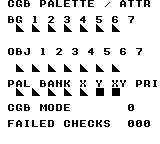
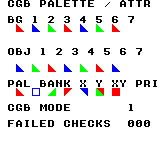
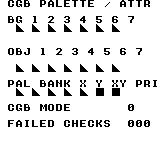
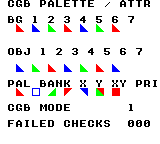
Build command
New-Item -ItemType Directory -Force .\out | Out-Null
.\kitaqgb\kitaqgb.exe .\kitaq-docs\samples\api-examples\gb\cgb_palette_attributes.c -I .\kitaqgb\lib -I .\kitaq-docs\samples -o .\out\cgb_palette_attributes.gb --profile=dev --rst-disable --stack-bank=fixed --cgb=cgb --no-cache --no-disasmImplementation and source
kitaqgb/lib/cgb_palette.h:22
Set one background color through the indexed palette wrapper.
kitaqgb/lib/cgb_palette.c:110
void cgb_bg_color(u8 palette_index, u8 color_index, u16 rgb15)
{
cgb__write_color_bg_raw(cgb__palette_color_slot(palette_index, color_index), rgb15);
}cgb_bg_colors
Write consecutive RGB15 words to the background/window palettes, starting at the specified palette/color pair. The range can cross a four-color palette boundary; it stops at the end of the complete 32-color store.
Syntax
void cgb_bg_colors(u8 palette_index, u8 start_color_index, const u16* colors, u8 color_count);Parameters
palette_indexPalette number, 0–7; only the low three bits are used (
& 7).start_color_indexColor number within the selected palette, 0–3; only the low two bits are used (
& 3).colorsReadable
const u16*containing the requested color words. Data is consumed during the call, not queued. Keep the source and its ROM bank accessible; no bank switch is performed for you. A null pointer causes no writes.color_countNumber of color words, not bytes, supplied as
u8(0–255). Zero does nothing. The effective count is limited to32 - normalized_start_slot; only that many source words are read.
Return value
None (void).
Conditions and limits
Palette and guarded register writes do nothing in DMG mode. Here, safe means a CGB-mode guard, not a PPU access wait or a critical section. Use LCD-off setup or a sufficiently short update in an accessible PPU phase. These functions do not wait for VBlank or protect a multi-byte update from interrupts.
BG/window and OBJ palettes are separate stores. These library writes enable index auto-increment and leave the index register changed. OBJ color index zero is transparent when rendering sprites, even though its palette bytes can be stored and read.
Usage example
cgb_bg_colors(3,2,tail_green,2); // Two color words; color 3 becomes green.
expect_color(0,14,0); expect_color(0,15,992);This is a calling fragment. Follow the stated initialization and buffer requirements before using it in a complete program.
Expected result
This program teaches how palette contents affect the same tile pattern differently in BG and OBJ. Each triangle is 8 × 8 pixels; its top row has one pixel on the left, expanding to a full bottom row. At x = 16, 32, 48, 64, 80, 96, 112, the BG row at y = 24 is red, blue, green, red, blue, green, red. The OBJ row at y = 64 is blue, green, red, blue, green, red, blue. The columns use single-color, component, indexed-range, full-palette, absolute-range, canonical-register and alias-register writes, respectively.
At y = 88, the seven 8 × 8 cells show: red triangle (x = 16), blue one-pixel square outline from bank 1 (32), horizontally reflected green triangle (48), vertically reflected red triangle (64), blue triangle reflected both ways (80), green triangle over a red sprite with red visible through color-zero pixels (96), and a full red sprite in front of the BG triangle as a priority control (112). Coordinates are screen pixels measured from the upper-left corner. Blank space and black text remain on white.
FAILED CHECKS 000 confirms RGB masking, truth-valued flags (including input 2), palette index wrapping, writes crossing a palette boundary, clamping at slot 31, null/zero-length no-ops and palette readback while LCD is off. Four target/hardware combinations are tested: dual-mode ROM on DMG and CGB, DMG-only on DMG, and CGB-only on CGB. On DMG, CGB MODE is 0, all triangles are black, the bank/flip attributes have no display effect, and the last two bottom cells are black squares. CGB MODE is 1 in CGB tests. Real hardware and LCD-on palette contention are not covered.
Build command
New-Item -ItemType Directory -Force .\out | Out-Null
.\kitaqgb\kitaqgb.exe .\kitaq-docs\samples\api-examples\gb\cgb_palette_attributes.c -I .\kitaqgb\lib -I .\kitaq-docs\samples -o .\out\cgb_palette_attributes.gb --profile=dev --rst-disable --stack-bank=fixed --cgb=cgb --no-cache --no-disasmImplementation and source
kitaqgb/lib/cgb_palette.h:32
Write background colors starting at the indexed slot. The range may cross palette boundaries and is clamped only at the end of all 32 slots.
kitaqgb/lib/cgb_palette.c:135
void cgb_bg_colors(u8 palette_index, u8 start_color_index, const u16* colors, u8 color_count)
{
cgb__write_colors_bg_raw(cgb__palette_color_slot(palette_index, start_color_index), colors, color_count);
}cgb_bg_colors_raw
Write consecutive RGB15 words to the background/window palette store using an absolute color-slot index. Unlike the indexed wrapper, the starting position is one number from 0 to 31, not a palette/color pair. These are color words, not raw tile bytes.
Syntax
void cgb_bg_colors_raw(u8 start_color_slot, const u16* colors, u8 color_count);Parameters
start_color_slotAbsolute color-slot index, 0–31; normalized with
& 31before clamping the write length. Slot = palette × 4 + color. This is not a byte offset.colorsReadable
const u16*containing the requested color words. Data is consumed during the call, not queued. Keep the source and its ROM bank accessible; no bank switch is performed for you. A null pointer causes no writes.color_countNumber of color words, not bytes, supplied as
u8(0–255). Zero does nothing. The effective count is limited to32 - normalized_start_slot; only that many source words are read.
Return value
None (void).
Conditions and limits
Palette and guarded register writes do nothing in DMG mode. Here, safe means a CGB-mode guard, not a PPU access wait or a critical section. Use LCD-off setup or a sufficiently short update in an accessible PPU phase. These functions do not wait for VBlank or protect a multi-byte update from interrupts.
BG/window and OBJ palettes are separate stores. These library writes enable index auto-increment and leave the index register changed. OBJ color index zero is transparent when rendering sprites, even though its palette bytes can be stored and read.
Usage example
cgb_bg_colors_raw(23,blue_word,1); // Absolute slot 23 = palette 5, color 3.
expect_color(0,23,31744);This is a calling fragment. Follow the stated initialization and buffer requirements before using it in a complete program.
Expected result
This program teaches how palette contents affect the same tile pattern differently in BG and OBJ. Each triangle is 8 × 8 pixels; its top row has one pixel on the left, expanding to a full bottom row. At x = 16, 32, 48, 64, 80, 96, 112, the BG row at y = 24 is red, blue, green, red, blue, green, red. The OBJ row at y = 64 is blue, green, red, blue, green, red, blue. The columns use single-color, component, indexed-range, full-palette, absolute-range, canonical-register and alias-register writes, respectively.
At y = 88, the seven 8 × 8 cells show: red triangle (x = 16), blue one-pixel square outline from bank 1 (32), horizontally reflected green triangle (48), vertically reflected red triangle (64), blue triangle reflected both ways (80), green triangle over a red sprite with red visible through color-zero pixels (96), and a full red sprite in front of the BG triangle as a priority control (112). Coordinates are screen pixels measured from the upper-left corner. Blank space and black text remain on white.
FAILED CHECKS 000 confirms RGB masking, truth-valued flags (including input 2), palette index wrapping, writes crossing a palette boundary, clamping at slot 31, null/zero-length no-ops and palette readback while LCD is off. Four target/hardware combinations are tested: dual-mode ROM on DMG and CGB, DMG-only on DMG, and CGB-only on CGB. On DMG, CGB MODE is 0, all triangles are black, the bank/flip attributes have no display effect, and the last two bottom cells are black squares. CGB MODE is 1 in CGB tests. Real hardware and LCD-on palette contention are not covered.
Build command
New-Item -ItemType Directory -Force .\out | Out-Null
.\kitaqgb\kitaqgb.exe .\kitaq-docs\samples\api-examples\gb\cgb_palette_attributes.c -I .\kitaqgb\lib -I .\kitaq-docs\samples -o .\out\cgb_palette_attributes.gb --profile=dev --rst-disable --stack-bank=fixed --cgb=cgb --no-cache --no-disasmImplementation and source
kitaqgb/lib/cgb_palette.h:42
Expose sequential background writes using an absolute color-slot index.
kitaqgb/lib/cgb_palette.c:159
void cgb_bg_colors_raw(u8 start_color_slot, const u16* colors, u8 color_count)
{
cgb__write_colors_bg_raw(start_color_slot, colors, color_count);
}cgb_bg_palette
Replace all four colors of one background/window palette from four RGB15 words. This is the indexed range writer with start color zero and count four; it does not select that palette for any tile or sprite.
Syntax
void cgb_bg_palette(u8 palette_index, const u16* colors);Parameters
palette_indexPalette number, 0–7; only the low three bits are used (
& 7).colorsReadable
const u16*containing the requested color words. Data is consumed during the call, not queued. Keep the source and its ROM bank accessible; no bank switch is performed for you. A null pointer causes no writes.
Return value
None (void).
Conditions and limits
Palette and guarded register writes do nothing in DMG mode. Here, safe means a CGB-mode guard, not a PPU access wait or a critical section. Use LCD-off setup or a sufficiently short update in an accessible PPU phase. These functions do not wait for VBlank or protect a multi-byte update from interrupts.
BG/window and OBJ palettes are separate stores. These library writes enable index auto-increment and leave the index register changed. OBJ color index zero is transparent when rendering sprites, even though its palette bytes can be stored and read.
Usage example
cgb_bg_palette(4,red_palette); // Exactly four color words for BG palette 4.
expect_color(0,16,32767); expect_color(0,19,31);This is a calling fragment. Follow the stated initialization and buffer requirements before using it in a complete program.
Expected result
This program teaches how palette contents affect the same tile pattern differently in BG and OBJ. Each triangle is 8 × 8 pixels; its top row has one pixel on the left, expanding to a full bottom row. At x = 16, 32, 48, 64, 80, 96, 112, the BG row at y = 24 is red, blue, green, red, blue, green, red. The OBJ row at y = 64 is blue, green, red, blue, green, red, blue. The columns use single-color, component, indexed-range, full-palette, absolute-range, canonical-register and alias-register writes, respectively.
At y = 88, the seven 8 × 8 cells show: red triangle (x = 16), blue one-pixel square outline from bank 1 (32), horizontally reflected green triangle (48), vertically reflected red triangle (64), blue triangle reflected both ways (80), green triangle over a red sprite with red visible through color-zero pixels (96), and a full red sprite in front of the BG triangle as a priority control (112). Coordinates are screen pixels measured from the upper-left corner. Blank space and black text remain on white.
FAILED CHECKS 000 confirms RGB masking, truth-valued flags (including input 2), palette index wrapping, writes crossing a palette boundary, clamping at slot 31, null/zero-length no-ops and palette readback while LCD is off. Four target/hardware combinations are tested: dual-mode ROM on DMG and CGB, DMG-only on DMG, and CGB-only on CGB. On DMG, CGB MODE is 0, all triangles are black, the bank/flip attributes have no display effect, and the last two bottom cells are black squares. CGB MODE is 1 in CGB tests. Real hardware and LCD-on palette contention are not covered.
Build command
New-Item -ItemType Directory -Force .\out | Out-Null
.\kitaqgb\kitaqgb.exe .\kitaq-docs\samples\api-examples\gb\cgb_palette_attributes.c -I .\kitaqgb\lib -I .\kitaq-docs\samples -o .\out\cgb_palette_attributes.gb --profile=dev --rst-disable --stack-bank=fixed --cgb=cgb --no-cache --no-disasmImplementation and source
kitaqgb/lib/cgb_palette.h:37
Write four consecutive colors for one background palette.
kitaqgb/lib/cgb_palette.c:147
void cgb_bg_palette(u8 palette_index, const u16* colors)
{
cgb_bg_colors(palette_index, 0, colors, 4);
}cgb_bg_rgb
See the 2026-10-03 changes and verification for differences in the local version of this API.
Pack the red, green and blue components with cgb_rgb15, then write one color to the background/window palette store. Use this when components are available separately instead of a packed word.
Syntax
void cgb_bg_rgb(u8 palette_index, u8 color_index, u8 r5, u8 g5, u8 b5);Parameters
palette_indexPalette number, 0–7; only the low three bits are used (
& 7).color_indexColor number within the selected palette, 0–3; only the low two bits are used (
& 3).r5, g5, b5Red, green and blue components respectively, normally 0–31 each. Values are masked, not saturated; each argument appears once in the macro expansion.
Return value
None (void).
Conditions and limits
Palette and guarded register writes do nothing in DMG mode. Here, safe means a CGB-mode guard, not a PPU access wait or a critical section. Use LCD-off setup or a sufficiently short update in an accessible PPU phase. These functions do not wait for VBlank or protect a multi-byte update from interrupts.
BG/window and OBJ palettes are separate stores. These library writes enable index auto-increment and leave the index register changed. OBJ color index zero is transparent when rendering sprites, even though its palette bytes can be stored and read.
Usage example
cgb_bg_rgb(2,3,0,0,31); // Blue, supplied as three five-bit components.
expect_color(0,11,31744);This is a calling fragment. Follow the stated initialization and buffer requirements before using it in a complete program.
Expected result
This program teaches how palette contents affect the same tile pattern differently in BG and OBJ. Each triangle is 8 × 8 pixels; its top row has one pixel on the left, expanding to a full bottom row. At x = 16, 32, 48, 64, 80, 96, 112, the BG row at y = 24 is red, blue, green, red, blue, green, red. The OBJ row at y = 64 is blue, green, red, blue, green, red, blue. The columns use single-color, component, indexed-range, full-palette, absolute-range, canonical-register and alias-register writes, respectively.
At y = 88, the seven 8 × 8 cells show: red triangle (x = 16), blue one-pixel square outline from bank 1 (32), horizontally reflected green triangle (48), vertically reflected red triangle (64), blue triangle reflected both ways (80), green triangle over a red sprite with red visible through color-zero pixels (96), and a full red sprite in front of the BG triangle as a priority control (112). Coordinates are screen pixels measured from the upper-left corner. Blank space and black text remain on white.
FAILED CHECKS 000 confirms RGB masking, truth-valued flags (including input 2), palette index wrapping, writes crossing a palette boundary, clamping at slot 31, null/zero-length no-ops and palette readback while LCD is off. Four target/hardware combinations are tested: dual-mode ROM on DMG and CGB, DMG-only on DMG, and CGB-only on CGB. On DMG, CGB MODE is 0, all triangles are black, the bank/flip attributes have no display effect, and the last two bottom cells are black squares. CGB MODE is 1 in CGB tests. Real hardware and LCD-on palette contention are not covered.
Build command
New-Item -ItemType Directory -Force .\out | Out-Null
.\kitaqgb\kitaqgb.exe .\kitaq-docs\samples\api-examples\gb\cgb_palette_attributes.c -I .\kitaqgb\lib -I .\kitaq-docs\samples -o .\out\cgb_palette_attributes.gb --profile=dev --rst-disable --stack-bank=fixed --cgb=cgb --no-cache --no-disasmImplementation and source
kitaqgb/lib/cgb_palette.h:26
Pack component values and write one background color.
kitaqgb/lib/cgb_palette.c:122
void cgb_bg_rgb(u8 palette_index, u8 color_index, u8 r5, u8 g5, u8 b5)
{
cgb_bg_color(palette_index, color_index, cgb_rgb15(r5, g5, b5));
}cgb_obj_color
See the 2026-10-03 changes and verification for differences in the local version of this API.
Write one packed RGB15 color to the sprite (OBJ) palette store immediately. The palette and color indices select one of 32 color slots; this does not change tile data or select a tile's palette.
Syntax
void cgb_obj_color(u8 palette_index, u8 color_index, u16 rgb15);Parameters
palette_indexPalette number, 0–7; only the low three bits are used (
& 7).color_indexColor number within the selected palette, 0–3; only the low two bits are used (
& 3).rgb15Packed 15-bit RGB color, normally 0–32767. Both bytes of the supplied
u16are written, low byte first; the library does not explicitly clear bit 15. UseCGB_RGB15orcgb_rgb15to construct a valid value.
Return value
None (void).
Conditions and limits
Palette and guarded register writes do nothing in DMG mode. Here, safe means a CGB-mode guard, not a PPU access wait or a critical section. Use LCD-off setup or a sufficiently short update in an accessible PPU phase. These functions do not wait for VBlank or protect a multi-byte update from interrupts.
BG/window and OBJ palettes are separate stores. These library writes enable index auto-increment and leave the index register changed. OBJ color index zero is transparent when rendering sprites, even though its palette bytes can be stored and read.
Usage example
cgb_obj_color(1,3,31744); // Blue sprite color at the same palette/color indices.
expect_color(1,7,31744);This is a calling fragment. Follow the stated initialization and buffer requirements before using it in a complete program.
Expected result
This program teaches how palette contents affect the same tile pattern differently in BG and OBJ. Each triangle is 8 × 8 pixels; its top row has one pixel on the left, expanding to a full bottom row. At x = 16, 32, 48, 64, 80, 96, 112, the BG row at y = 24 is red, blue, green, red, blue, green, red. The OBJ row at y = 64 is blue, green, red, blue, green, red, blue. The columns use single-color, component, indexed-range, full-palette, absolute-range, canonical-register and alias-register writes, respectively.
At y = 88, the seven 8 × 8 cells show: red triangle (x = 16), blue one-pixel square outline from bank 1 (32), horizontally reflected green triangle (48), vertically reflected red triangle (64), blue triangle reflected both ways (80), green triangle over a red sprite with red visible through color-zero pixels (96), and a full red sprite in front of the BG triangle as a priority control (112). Coordinates are screen pixels measured from the upper-left corner. Blank space and black text remain on white.
FAILED CHECKS 000 confirms RGB masking, truth-valued flags (including input 2), palette index wrapping, writes crossing a palette boundary, clamping at slot 31, null/zero-length no-ops and palette readback while LCD is off. Four target/hardware combinations are tested: dual-mode ROM on DMG and CGB, DMG-only on DMG, and CGB-only on CGB. On DMG, CGB MODE is 0, all triangles are black, the bank/flip attributes have no display effect, and the last two bottom cells are black squares. CGB MODE is 1 in CGB tests. Real hardware and LCD-on palette contention are not covered.
Build command
New-Item -ItemType Directory -Force .\out | Out-Null
.\kitaqgb\kitaqgb.exe .\kitaq-docs\samples\api-examples\gb\cgb_palette_attributes.c -I .\kitaqgb\lib -I .\kitaq-docs\samples -o .\out\cgb_palette_attributes.gb --profile=dev --rst-disable --stack-bank=fixed --cgb=cgb --no-cache --no-disasmImplementation and source
kitaqgb/lib/cgb_palette.h:24
Set one object color through the indexed palette wrapper.
kitaqgb/lib/cgb_palette.c:116
void cgb_obj_color(u8 palette_index, u8 color_index, u16 rgb15)
{
cgb__write_color_obj_raw(cgb__palette_color_slot(palette_index, color_index), rgb15);
}cgb_obj_colors
Write consecutive RGB15 words to the sprite (OBJ) palettes, starting at the specified palette/color pair. The range can cross a four-color palette boundary; it stops at the end of the complete 32-color store.
Syntax
void cgb_obj_colors(u8 palette_index, u8 start_color_index, const u16* colors, u8 color_count);Parameters
palette_indexPalette number, 0–7; only the low three bits are used (
& 7).start_color_indexColor number within the selected palette, 0–3; only the low two bits are used (
& 3).colorsReadable
const u16*containing the requested color words. Data is consumed during the call, not queued. Keep the source and its ROM bank accessible; no bank switch is performed for you. A null pointer causes no writes.color_countNumber of color words, not bytes, supplied as
u8(0–255). Zero does nothing. The effective count is limited to32 - normalized_start_slot; only that many source words are read.
Return value
None (void).
Conditions and limits
Palette and guarded register writes do nothing in DMG mode. Here, safe means a CGB-mode guard, not a PPU access wait or a critical section. Use LCD-off setup or a sufficiently short update in an accessible PPU phase. These functions do not wait for VBlank or protect a multi-byte update from interrupts.
BG/window and OBJ palettes are separate stores. These library writes enable index auto-increment and leave the index register changed. OBJ color index zero is transparent when rendering sprites, even though its palette bytes can be stored and read.
Usage example
cgb_obj_colors(3,2,tail_red,2); // Sprite color 3 becomes red.
expect_color(1,14,0); expect_color(1,15,31);This is a calling fragment. Follow the stated initialization and buffer requirements before using it in a complete program.
Expected result
This program teaches how palette contents affect the same tile pattern differently in BG and OBJ. Each triangle is 8 × 8 pixels; its top row has one pixel on the left, expanding to a full bottom row. At x = 16, 32, 48, 64, 80, 96, 112, the BG row at y = 24 is red, blue, green, red, blue, green, red. The OBJ row at y = 64 is blue, green, red, blue, green, red, blue. The columns use single-color, component, indexed-range, full-palette, absolute-range, canonical-register and alias-register writes, respectively.
At y = 88, the seven 8 × 8 cells show: red triangle (x = 16), blue one-pixel square outline from bank 1 (32), horizontally reflected green triangle (48), vertically reflected red triangle (64), blue triangle reflected both ways (80), green triangle over a red sprite with red visible through color-zero pixels (96), and a full red sprite in front of the BG triangle as a priority control (112). Coordinates are screen pixels measured from the upper-left corner. Blank space and black text remain on white.
FAILED CHECKS 000 confirms RGB masking, truth-valued flags (including input 2), palette index wrapping, writes crossing a palette boundary, clamping at slot 31, null/zero-length no-ops and palette readback while LCD is off. Four target/hardware combinations are tested: dual-mode ROM on DMG and CGB, DMG-only on DMG, and CGB-only on CGB. On DMG, CGB MODE is 0, all triangles are black, the bank/flip attributes have no display effect, and the last two bottom cells are black squares. CGB MODE is 1 in CGB tests. Real hardware and LCD-on palette contention are not covered.
Build command
New-Item -ItemType Directory -Force .\out | Out-Null
.\kitaqgb\kitaqgb.exe .\kitaq-docs\samples\api-examples\gb\cgb_palette_attributes.c -I .\kitaqgb\lib -I .\kitaq-docs\samples -o .\out\cgb_palette_attributes.gb --profile=dev --rst-disable --stack-bank=fixed --cgb=cgb --no-cache --no-disasmImplementation and source
kitaqgb/lib/cgb_palette.h:34
Write object colors from the indexed slot, potentially crossing into later palettes.
kitaqgb/lib/cgb_palette.c:141
void cgb_obj_colors(u8 palette_index, u8 start_color_index, const u16* colors, u8 color_count)
{
cgb__write_colors_obj_raw(cgb__palette_color_slot(palette_index, start_color_index), colors, color_count);
}cgb_obj_colors_raw
Write consecutive RGB15 words to the sprite (OBJ) palette store using an absolute color-slot index. Unlike the indexed wrapper, the starting position is one number from 0 to 31, not a palette/color pair. These are color words, not raw tile bytes.
Syntax
void cgb_obj_colors_raw(u8 start_color_slot, const u16* colors, u8 color_count);Parameters
start_color_slotAbsolute color-slot index, 0–31; normalized with
& 31before clamping the write length. Slot = palette × 4 + color. This is not a byte offset.colorsReadable
const u16*containing the requested color words. Data is consumed during the call, not queued. Keep the source and its ROM bank accessible; no bank switch is performed for you. A null pointer causes no writes.color_countNumber of color words, not bytes, supplied as
u8(0–255). Zero does nothing. The effective count is limited to32 - normalized_start_slot; only that many source words are read.
Return value
None (void).
Conditions and limits
Palette and guarded register writes do nothing in DMG mode. Here, safe means a CGB-mode guard, not a PPU access wait or a critical section. Use LCD-off setup or a sufficiently short update in an accessible PPU phase. These functions do not wait for VBlank or protect a multi-byte update from interrupts.
BG/window and OBJ palettes are separate stores. These library writes enable index auto-increment and leave the index register changed. OBJ color index zero is transparent when rendering sprites, even though its palette bytes can be stored and read.
Usage example
cgb_obj_colors_raw(23,green_word,1); // Same absolute slot in the separate OBJ store.
expect_color(1,23,992);This is a calling fragment. Follow the stated initialization and buffer requirements before using it in a complete program.
Expected result
This program teaches how palette contents affect the same tile pattern differently in BG and OBJ. Each triangle is 8 × 8 pixels; its top row has one pixel on the left, expanding to a full bottom row. At x = 16, 32, 48, 64, 80, 96, 112, the BG row at y = 24 is red, blue, green, red, blue, green, red. The OBJ row at y = 64 is blue, green, red, blue, green, red, blue. The columns use single-color, component, indexed-range, full-palette, absolute-range, canonical-register and alias-register writes, respectively.
At y = 88, the seven 8 × 8 cells show: red triangle (x = 16), blue one-pixel square outline from bank 1 (32), horizontally reflected green triangle (48), vertically reflected red triangle (64), blue triangle reflected both ways (80), green triangle over a red sprite with red visible through color-zero pixels (96), and a full red sprite in front of the BG triangle as a priority control (112). Coordinates are screen pixels measured from the upper-left corner. Blank space and black text remain on white.
FAILED CHECKS 000 confirms RGB masking, truth-valued flags (including input 2), palette index wrapping, writes crossing a palette boundary, clamping at slot 31, null/zero-length no-ops and palette readback while LCD is off. Four target/hardware combinations are tested: dual-mode ROM on DMG and CGB, DMG-only on DMG, and CGB-only on CGB. On DMG, CGB MODE is 0, all triangles are black, the bank/flip attributes have no display effect, and the last two bottom cells are black squares. CGB MODE is 1 in CGB tests. Real hardware and LCD-on palette contention are not covered.
Build command
New-Item -ItemType Directory -Force .\out | Out-Null
.\kitaqgb\kitaqgb.exe .\kitaq-docs\samples\api-examples\gb\cgb_palette_attributes.c -I .\kitaqgb\lib -I .\kitaq-docs\samples -o .\out\cgb_palette_attributes.gb --profile=dev --rst-disable --stack-bank=fixed --cgb=cgb --no-cache --no-disasmImplementation and source
kitaqgb/lib/cgb_palette.h:44
Expose sequential object writes using an absolute color-slot index.
kitaqgb/lib/cgb_palette.c:165
void cgb_obj_colors_raw(u8 start_color_slot, const u16* colors, u8 color_count)
{
cgb__write_colors_obj_raw(start_color_slot, colors, color_count);
}cgb_obj_palette
Replace all four colors of one sprite (OBJ) palette from four RGB15 words. This is the indexed range writer with start color zero and count four; it does not select that palette for any tile or sprite.
Syntax
void cgb_obj_palette(u8 palette_index, const u16* colors);Parameters
palette_indexPalette number, 0–7; only the low three bits are used (
& 7).colorsReadable
const u16*containing the requested color words. Data is consumed during the call, not queued. Keep the source and its ROM bank accessible; no bank switch is performed for you. A null pointer causes no writes.
Return value
None (void).
Conditions and limits
Palette and guarded register writes do nothing in DMG mode. Here, safe means a CGB-mode guard, not a PPU access wait or a critical section. Use LCD-off setup or a sufficiently short update in an accessible PPU phase. These functions do not wait for VBlank or protect a multi-byte update from interrupts.
BG/window and OBJ palettes are separate stores. These library writes enable index auto-increment and leave the index register changed. OBJ color index zero is transparent when rendering sprites, even though its palette bytes can be stored and read.
Usage example
cgb_obj_palette(4,blue_palette); // Exactly four words; OBJ color zero is transparent on screen.
expect_color(1,16,32767); expect_color(1,19,31744);This is a calling fragment. Follow the stated initialization and buffer requirements before using it in a complete program.
Expected result
This program teaches how palette contents affect the same tile pattern differently in BG and OBJ. Each triangle is 8 × 8 pixels; its top row has one pixel on the left, expanding to a full bottom row. At x = 16, 32, 48, 64, 80, 96, 112, the BG row at y = 24 is red, blue, green, red, blue, green, red. The OBJ row at y = 64 is blue, green, red, blue, green, red, blue. The columns use single-color, component, indexed-range, full-palette, absolute-range, canonical-register and alias-register writes, respectively.
At y = 88, the seven 8 × 8 cells show: red triangle (x = 16), blue one-pixel square outline from bank 1 (32), horizontally reflected green triangle (48), vertically reflected red triangle (64), blue triangle reflected both ways (80), green triangle over a red sprite with red visible through color-zero pixels (96), and a full red sprite in front of the BG triangle as a priority control (112). Coordinates are screen pixels measured from the upper-left corner. Blank space and black text remain on white.
FAILED CHECKS 000 confirms RGB masking, truth-valued flags (including input 2), palette index wrapping, writes crossing a palette boundary, clamping at slot 31, null/zero-length no-ops and palette readback while LCD is off. Four target/hardware combinations are tested: dual-mode ROM on DMG and CGB, DMG-only on DMG, and CGB-only on CGB. On DMG, CGB MODE is 0, all triangles are black, the bank/flip attributes have no display effect, and the last two bottom cells are black squares. CGB MODE is 1 in CGB tests. Real hardware and LCD-on palette contention are not covered.
Build command
New-Item -ItemType Directory -Force .\out | Out-Null
.\kitaqgb\kitaqgb.exe .\kitaq-docs\samples\api-examples\gb\cgb_palette_attributes.c -I .\kitaqgb\lib -I .\kitaq-docs\samples -o .\out\cgb_palette_attributes.gb --profile=dev --rst-disable --stack-bank=fixed --cgb=cgb --no-cache --no-disasmImplementation and source
kitaqgb/lib/cgb_palette.h:39
Write four consecutive colors for one object palette.
kitaqgb/lib/cgb_palette.c:153
void cgb_obj_palette(u8 palette_index, const u16* colors)
{
cgb_obj_colors(palette_index, 0, colors, 4);
}cgb_obj_rgb
See the 2026-10-03 changes and verification for differences in the local version of this API.
Pack the red, green and blue components with cgb_rgb15, then write one color to the sprite (OBJ) palette store. Use this when components are available separately instead of a packed word.
Syntax
void cgb_obj_rgb(u8 palette_index, u8 color_index, u8 r5, u8 g5, u8 b5);Parameters
palette_indexPalette number, 0–7; only the low three bits are used (
& 7).color_indexColor number within the selected palette, 0–3; only the low two bits are used (
& 3).r5, g5, b5Red, green and blue components respectively, normally 0–31 each. Values are masked, not saturated; each argument appears once in the macro expansion.
Return value
None (void).
Conditions and limits
Palette and guarded register writes do nothing in DMG mode. Here, safe means a CGB-mode guard, not a PPU access wait or a critical section. Use LCD-off setup or a sufficiently short update in an accessible PPU phase. These functions do not wait for VBlank or protect a multi-byte update from interrupts.
BG/window and OBJ palettes are separate stores. These library writes enable index auto-increment and leave the index register changed. OBJ color index zero is transparent when rendering sprites, even though its palette bytes can be stored and read.
Usage example
cgb_obj_rgb(2,3,0,31,0); // Green sprite color.
expect_color(1,11,992);This is a calling fragment. Follow the stated initialization and buffer requirements before using it in a complete program.
Expected result
This program teaches how palette contents affect the same tile pattern differently in BG and OBJ. Each triangle is 8 × 8 pixels; its top row has one pixel on the left, expanding to a full bottom row. At x = 16, 32, 48, 64, 80, 96, 112, the BG row at y = 24 is red, blue, green, red, blue, green, red. The OBJ row at y = 64 is blue, green, red, blue, green, red, blue. The columns use single-color, component, indexed-range, full-palette, absolute-range, canonical-register and alias-register writes, respectively.
At y = 88, the seven 8 × 8 cells show: red triangle (x = 16), blue one-pixel square outline from bank 1 (32), horizontally reflected green triangle (48), vertically reflected red triangle (64), blue triangle reflected both ways (80), green triangle over a red sprite with red visible through color-zero pixels (96), and a full red sprite in front of the BG triangle as a priority control (112). Coordinates are screen pixels measured from the upper-left corner. Blank space and black text remain on white.
FAILED CHECKS 000 confirms RGB masking, truth-valued flags (including input 2), palette index wrapping, writes crossing a palette boundary, clamping at slot 31, null/zero-length no-ops and palette readback while LCD is off. Four target/hardware combinations are tested: dual-mode ROM on DMG and CGB, DMG-only on DMG, and CGB-only on CGB. On DMG, CGB MODE is 0, all triangles are black, the bank/flip attributes have no display effect, and the last two bottom cells are black squares. CGB MODE is 1 in CGB tests. Real hardware and LCD-on palette contention are not covered.
Build command
New-Item -ItemType Directory -Force .\out | Out-Null
.\kitaqgb\kitaqgb.exe .\kitaq-docs\samples\api-examples\gb\cgb_palette_attributes.c -I .\kitaqgb\lib -I .\kitaq-docs\samples -o .\out\cgb_palette_attributes.gb --profile=dev --rst-disable --stack-bank=fixed --cgb=cgb --no-cache --no-disasmImplementation and source
kitaqgb/lib/cgb_palette.h:28
Pack component values and write one object color.
kitaqgb/lib/cgb_palette.c:128
void cgb_obj_rgb(u8 palette_index, u8 color_index, u8 r5, u8 g5, u8 b5)
{
cgb_obj_color(palette_index, color_index, cgb_rgb15(r5, g5, b5));
}CGB_RGB15
Pack RGB components into a u16: red occupies bits 0–4, green 5–9 and blue 10–14; bit 15 is zero. Each component is masked with 31, so oversized values wrap instead of being clamped. This computes a value without writing hardware, on DMG as well as CGB.
Syntax
#define CGB_RGB15(r5, g5, b5) ((u16)((u16)((r5) & 31) | ((u16)((g5) & 31) << 5) | ((u16)((b5) & 31) << 10)))Parameters
r5, g5, b5Red, green and blue components respectively, normally 0–31 each. Values are masked, not saturated; each argument appears once in the macro expansion.
Return value
The packed RGB15 value as u16, from 0 to 32767.
Usage example
if (CGB_RGB15(component,64,95)!=31775) failures++; // (31,0,31), not saturation.This is a calling fragment. Follow the stated initialization and buffer requirements before using it in a complete program.
Expected result
This program teaches how palette contents affect the same tile pattern differently in BG and OBJ. Each triangle is 8 × 8 pixels; its top row has one pixel on the left, expanding to a full bottom row. At x = 16, 32, 48, 64, 80, 96, 112, the BG row at y = 24 is red, blue, green, red, blue, green, red. The OBJ row at y = 64 is blue, green, red, blue, green, red, blue. The columns use single-color, component, indexed-range, full-palette, absolute-range, canonical-register and alias-register writes, respectively.
At y = 88, the seven 8 × 8 cells show: red triangle (x = 16), blue one-pixel square outline from bank 1 (32), horizontally reflected green triangle (48), vertically reflected red triangle (64), blue triangle reflected both ways (80), green triangle over a red sprite with red visible through color-zero pixels (96), and a full red sprite in front of the BG triangle as a priority control (112). Coordinates are screen pixels measured from the upper-left corner. Blank space and black text remain on white.
FAILED CHECKS 000 confirms RGB masking, truth-valued flags (including input 2), palette index wrapping, writes crossing a palette boundary, clamping at slot 31, null/zero-length no-ops and palette readback while LCD is off. Four target/hardware combinations are tested: dual-mode ROM on DMG and CGB, DMG-only on DMG, and CGB-only on CGB. On DMG, CGB MODE is 0, all triangles are black, the bank/flip attributes have no display effect, and the last two bottom cells are black squares. CGB MODE is 1 in CGB tests. Real hardware and LCD-on palette contention are not covered.
Build command
New-Item -ItemType Directory -Force .\out | Out-Null
.\kitaqgb\kitaqgb.exe .\kitaq-docs\samples\api-examples\gb\cgb_palette_attributes.c -I .\kitaqgb\lib -I .\kitaq-docs\samples -o .\out\cgb_palette_attributes.gb --profile=dev --rst-disable --stack-bank=fixed --cgb=cgb --no-cache --no-disasmImplementation and source
kitaqgb/lib/cgb_palette.h:16
cgb_rgb15
Pack RGB components into a u16: red occupies bits 0–4, green 5–9 and blue 10–14; bit 15 is zero. Each component is masked with 31, so oversized values wrap instead of being clamped. This computes a value without writing hardware, on DMG as well as CGB.
Syntax
u16 cgb_rgb15(u8 r5, u8 g5, u8 b5);Parameters
r5, g5, b5Red, green and blue components respectively, normally 0–31 each. Values are masked, not saturated; each argument appears once in the macro expansion.
Return value
The packed RGB15 value as u16, from 0 to 32767.
Usage example
if (cgb_rgb15(component,64,95)!=31775) failures++; // Same packed value through a function.This is a calling fragment. Follow the stated initialization and buffer requirements before using it in a complete program.
Expected result
This program teaches how palette contents affect the same tile pattern differently in BG and OBJ. Each triangle is 8 × 8 pixels; its top row has one pixel on the left, expanding to a full bottom row. At x = 16, 32, 48, 64, 80, 96, 112, the BG row at y = 24 is red, blue, green, red, blue, green, red. The OBJ row at y = 64 is blue, green, red, blue, green, red, blue. The columns use single-color, component, indexed-range, full-palette, absolute-range, canonical-register and alias-register writes, respectively.
At y = 88, the seven 8 × 8 cells show: red triangle (x = 16), blue one-pixel square outline from bank 1 (32), horizontally reflected green triangle (48), vertically reflected red triangle (64), blue triangle reflected both ways (80), green triangle over a red sprite with red visible through color-zero pixels (96), and a full red sprite in front of the BG triangle as a priority control (112). Coordinates are screen pixels measured from the upper-left corner. Blank space and black text remain on white.
FAILED CHECKS 000 confirms RGB masking, truth-valued flags (including input 2), palette index wrapping, writes crossing a palette boundary, clamping at slot 31, null/zero-length no-ops and palette readback while LCD is off. Four target/hardware combinations are tested: dual-mode ROM on DMG and CGB, DMG-only on DMG, and CGB-only on CGB. On DMG, CGB MODE is 0, all triangles are black, the bank/flip attributes have no display effect, and the last two bottom cells are black squares. CGB MODE is 1 in CGB tests. Real hardware and LCD-on palette contention are not covered.
Build command
New-Item -ItemType Directory -Force .\out | Out-Null
.\kitaqgb\kitaqgb.exe .\kitaq-docs\samples\api-examples\gb\cgb_palette_attributes.c -I .\kitaqgb\lib -I .\kitaq-docs\samples -o .\out\cgb_palette_attributes.gb --profile=dev --rst-disable --stack-bank=fixed --cgb=cgb --no-cache --no-disasmImplementation and source
kitaqgb/lib/cgb_palette.h:19
Pack the red, green and blue components using the public RGB15 macro.
kitaqgb/lib/cgb_palette.c:104
u16 cgb_rgb15(u8 r5, u8 g5, u8 b5)
{
return CGB_RGB15(r5, g5, b5);
}cgb_tile.h — CGB tile numbers and attributes
cgb_tile.h groups declarations for tile-map intrinsics and macros for constructing CGB tile attributes. A tile number selects a pattern; its attribute selects the palette, pattern VRAM bank, flips and background priority. Setting attributes does not alter the pattern’s pixels.
The __settile family addresses map 0x9800; __settileat uses an explicit map base; __settilebg uses the background map selected by LCDC; and __settilewin uses its window map. The attr forms write attributes only, while the cgb forms write both tile numbers and attributes. The bulk forms transfer consecutive bytes at the supplied address. Choose an entry point by both its destination and the data it writes.
Use macros such as KQ_CGB_ATTR_PAL for individual attribute bits, or KQ_CGB_ATTR to combine the fields. The bank field selects the VRAM bank containing the pattern, not a ROM bank. Ordinary tile-number writes use the currently selected VRAM bank, so select bank zero before combined tile/attribute operations. On DMG, attribute-only operations do nothing; combined operations still write the tile numbers.
The compiler emits the implementation of the __ intrinsics; they do not require linking cgb_tile.c. Ordinary write paths wait for VRAM access, but some also change the interrupt-enable state. The _unsafe and _fast forms omit those waits: use them only when the caller guarantees writable VRAM, such as while the LCD is off. Check each entry’s interrupt, bank and transfer-length conditions.
KQ_CGB_ATTR
Build a complete CGB map attribute byte from palette, tile-data bank, horizontal reflection, vertical reflection and BG priority. Palette uses bits 0–2; the four Boolean fields set bits 3, 5, 6 and 7. Bit 4 stays zero.
Syntax
#define KQ_CGB_ATTR(palette, bank, xflip, yflip, priority) ((u8)(((palette) & KQ_CGB_ATTR_PAL_MASK) | ((bank) ? KQ_CGB_ATTR_BANK1 : 0) | ((xflip) ? KQ_CGB_ATTR_XFLIP : 0) | ((yflip) ? KQ_CGB_ATTR_YFLIP : 0) | ((priority) ? KQ_CGB_ATTR_PRIORITY : 0)))Parameters
palettePalette number, 0–7; only the low three bits are used (
& 7).bank, xflip, yflip, priorityZero disables the field; any nonzero value enables it. In particular, 2 enables the field too: these macros test truth, not the low bit.
Return value
The attribute field or combined attribute byte as u8, with the bit layout described above.
Conditions and limits
These macros only compute u8 values; they perform no VRAM or register writes. Each argument occurs once. Apply the result with a CGB attribute-writing API or an explicit bank-1 map write. DMG does not display CGB map attributes.
Build bit 3 of a CGB map attribute: return 0x08 for any nonzero bank argument, otherwise 0. This chooses which VRAM bank supplies the displayed tile pattern. It does not write VBK or select the CPU's VRAM bank.
Build the horizontal-reflection flag: 0x20 when enabled is nonzero, otherwise 0. When used in a CGB map attribute, the eight pixels in each tile row are displayed in reverse order; the stored pattern is unchanged.
Build the vertical-reflection flag: 0x40 when enabled is nonzero, otherwise 0. In a CGB map attribute, it displays the tile's eight rows in reverse order without changing the stored pattern.
Build the BG-over-OBJ priority flag: 0x80 when enabled is nonzero, otherwise 0. With CGB master priority enabled (LCDC bit 0), nonzero BG color indices cover sprites. BG color index zero still lets sprites through; the flag does not make a tile opaque.
Usage example
attr=KQ_CGB_ATTR(10,0,2,2,0); // Palette 2, bank 0, both reflections: 0x62.
if (attr!=98 || KQ_CGB_ATTR(10,2,3,4,5)!=234) failures++;
cell(10,11,1,attr);This is a calling fragment. Follow the stated initialization and buffer requirements before using it in a complete program.
Expected result
This program teaches how palette contents affect the same tile pattern differently in BG and OBJ. Each triangle is 8 × 8 pixels; its top row has one pixel on the left, expanding to a full bottom row. At x = 16, 32, 48, 64, 80, 96, 112, the BG row at y = 24 is red, blue, green, red, blue, green, red. The OBJ row at y = 64 is blue, green, red, blue, green, red, blue. The columns use single-color, component, indexed-range, full-palette, absolute-range, canonical-register and alias-register writes, respectively.
At y = 88, the seven 8 × 8 cells show: red triangle (x = 16), blue one-pixel square outline from bank 1 (32), horizontally reflected green triangle (48), vertically reflected red triangle (64), blue triangle reflected both ways (80), green triangle over a red sprite with red visible through color-zero pixels (96), and a full red sprite in front of the BG triangle as a priority control (112). Coordinates are screen pixels measured from the upper-left corner. Blank space and black text remain on white.
FAILED CHECKS 000 confirms RGB masking, truth-valued flags (including input 2), palette index wrapping, writes crossing a palette boundary, clamping at slot 31, null/zero-length no-ops and palette readback while LCD is off. Four target/hardware combinations are tested: dual-mode ROM on DMG and CGB, DMG-only on DMG, and CGB-only on CGB. On DMG, CGB MODE is 0, all triangles are black, the bank/flip attributes have no display effect, and the last two bottom cells are black squares. CGB MODE is 1 in CGB tests. Real hardware and LCD-on palette contention are not covered.
Build command
New-Item -ItemType Directory -Force .\out | Out-Null
.\kitaqgb\kitaqgb.exe .\kitaq-docs\samples\api-examples\gb\cgb_palette_attributes.c -I .\kitaqgb\lib -I .\kitaq-docs\samples -o .\out\cgb_palette_attributes.gb --profile=dev --rst-disable --stack-bank=fixed --cgb=cgb --no-cache --no-disasmImplementation and source
kitaqgb/lib/cgb_tile.h:23
KQ_CGB_ATTR_BANK
Build bit 3 of a CGB map attribute: return 0x08 for any nonzero bank argument, otherwise 0. This chooses which VRAM bank supplies the displayed tile pattern. It does not write VBK or select the CPU's VRAM bank.
Syntax
#define KQ_CGB_ATTR_BANK(bank) ((u8)((bank) ? KQ_CGB_ATTR_BANK1 : 0))Parameters
bankZero disables the field; any nonzero value enables it. In particular, 2 enables the field too: these macros test truth, not the low bit.
Return value
The attribute field or combined attribute byte as u8, with the bit layout described above.
Conditions and limits
These macros only compute u8 values; they perform no VRAM or register writes. Each argument occurs once. Apply the result with a CGB attribute-writing API or an explicit bank-1 map write. DMG does not display CGB map attributes.
Usage example
attr=(u8)(2|KQ_CGB_ATTR_BANK(enabled)); // Any nonzero value selects tile-data bank 1.
if (attr!=10) failures++;
cell(4,11,1,attr); // Blue hollow square, unlike the bank-0 triangle.This is a calling fragment. Follow the stated initialization and buffer requirements before using it in a complete program.
Expected result
This program teaches how palette contents affect the same tile pattern differently in BG and OBJ. Each triangle is 8 × 8 pixels; its top row has one pixel on the left, expanding to a full bottom row. At x = 16, 32, 48, 64, 80, 96, 112, the BG row at y = 24 is red, blue, green, red, blue, green, red. The OBJ row at y = 64 is blue, green, red, blue, green, red, blue. The columns use single-color, component, indexed-range, full-palette, absolute-range, canonical-register and alias-register writes, respectively.
At y = 88, the seven 8 × 8 cells show: red triangle (x = 16), blue one-pixel square outline from bank 1 (32), horizontally reflected green triangle (48), vertically reflected red triangle (64), blue triangle reflected both ways (80), green triangle over a red sprite with red visible through color-zero pixels (96), and a full red sprite in front of the BG triangle as a priority control (112). Coordinates are screen pixels measured from the upper-left corner. Blank space and black text remain on white.
FAILED CHECKS 000 confirms RGB masking, truth-valued flags (including input 2), palette index wrapping, writes crossing a palette boundary, clamping at slot 31, null/zero-length no-ops and palette readback while LCD is off. Four target/hardware combinations are tested: dual-mode ROM on DMG and CGB, DMG-only on DMG, and CGB-only on CGB. On DMG, CGB MODE is 0, all triangles are black, the bank/flip attributes have no display effect, and the last two bottom cells are black squares. CGB MODE is 1 in CGB tests. Real hardware and LCD-on palette contention are not covered.
Build command
New-Item -ItemType Directory -Force .\out | Out-Null
.\kitaqgb\kitaqgb.exe .\kitaq-docs\samples\api-examples\gb\cgb_palette_attributes.c -I .\kitaqgb\lib -I .\kitaq-docs\samples -o .\out\cgb_palette_attributes.gb --profile=dev --rst-disable --stack-bank=fixed --cgb=cgb --no-cache --no-disasmImplementation and source
kitaqgb/lib/cgb_tile.h:19
KQ_CGB_ATTR_PAL
Build the palette-number field of a CGB map attribute: n & 7, returned as u8. Combine it with other attribute flags using bitwise OR.
Syntax
#define KQ_CGB_ATTR_PAL(n) ((u8)((n) & KQ_CGB_ATTR_PAL_MASK))Parameters
nPalette number, 0–7; only the low three bits are used (
& 7).
Return value
The attribute field or combined attribute byte as u8, with the bit layout described above.
Conditions and limits
These macros only compute u8 values; they perform no VRAM or register writes. Each argument occurs once. Apply the result with a CGB attribute-writing API or an explicit bank-1 map write. DMG does not display CGB map attributes.
Usage example
attr=KQ_CGB_ATTR_PAL(9); // 9 & 7 = palette 1, red in this BG example.
if (attr!=1) failures++;
cell(2,11,1,attr);This is a calling fragment. Follow the stated initialization and buffer requirements before using it in a complete program.
Expected result
This program teaches how palette contents affect the same tile pattern differently in BG and OBJ. Each triangle is 8 × 8 pixels; its top row has one pixel on the left, expanding to a full bottom row. At x = 16, 32, 48, 64, 80, 96, 112, the BG row at y = 24 is red, blue, green, red, blue, green, red. The OBJ row at y = 64 is blue, green, red, blue, green, red, blue. The columns use single-color, component, indexed-range, full-palette, absolute-range, canonical-register and alias-register writes, respectively.
At y = 88, the seven 8 × 8 cells show: red triangle (x = 16), blue one-pixel square outline from bank 1 (32), horizontally reflected green triangle (48), vertically reflected red triangle (64), blue triangle reflected both ways (80), green triangle over a red sprite with red visible through color-zero pixels (96), and a full red sprite in front of the BG triangle as a priority control (112). Coordinates are screen pixels measured from the upper-left corner. Blank space and black text remain on white.
FAILED CHECKS 000 confirms RGB masking, truth-valued flags (including input 2), palette index wrapping, writes crossing a palette boundary, clamping at slot 31, null/zero-length no-ops and palette readback while LCD is off. Four target/hardware combinations are tested: dual-mode ROM on DMG and CGB, DMG-only on DMG, and CGB-only on CGB. On DMG, CGB MODE is 0, all triangles are black, the bank/flip attributes have no display effect, and the last two bottom cells are black squares. CGB MODE is 1 in CGB tests. Real hardware and LCD-on palette contention are not covered.
Build command
New-Item -ItemType Directory -Force .\out | Out-Null
.\kitaqgb\kitaqgb.exe .\kitaq-docs\samples\api-examples\gb\cgb_palette_attributes.c -I .\kitaqgb\lib -I .\kitaq-docs\samples -o .\out\cgb_palette_attributes.gb --profile=dev --rst-disable --stack-bank=fixed --cgb=cgb --no-cache --no-disasmImplementation and source
kitaqgb/lib/cgb_tile.h:18
KQ_CGB_ATTR_PRIORITY_IF
Build the BG-over-OBJ priority flag: 0x80 when enabled is nonzero, otherwise 0. With CGB master priority enabled (LCDC bit 0), nonzero BG color indices cover sprites. BG color index zero still lets sprites through; the flag does not make a tile opaque.
Syntax
#define KQ_CGB_ATTR_PRIORITY_IF(enabled) ((u8)((enabled) ? KQ_CGB_ATTR_PRIORITY : 0))Parameters
enabledZero disables the field; any nonzero value enables it. In particular, 2 enables the field too: these macros test truth, not the low bit.
Return value
The attribute field or combined attribute byte as u8, with the bit layout described above.
Conditions and limits
These macros only compute u8 values; they perform no VRAM or register writes. Each argument occurs once. Apply the result with a CGB attribute-writing API or an explicit bank-1 map write. DMG does not display CGB map attributes.
Usage example
attr=(u8)(3|KQ_CGB_ATTR_PRIORITY_IF(enabled)); // Keep nonzero BG pixels in front of sprites.
if (attr!=131) failures++;
cell(12,11,1,attr);
sprite(7,96,88,2,3); // Red full tile behind the green priority triangle.This is a calling fragment. Follow the stated initialization and buffer requirements before using it in a complete program.
Expected result
This program teaches how palette contents affect the same tile pattern differently in BG and OBJ. Each triangle is 8 × 8 pixels; its top row has one pixel on the left, expanding to a full bottom row. At x = 16, 32, 48, 64, 80, 96, 112, the BG row at y = 24 is red, blue, green, red, blue, green, red. The OBJ row at y = 64 is blue, green, red, blue, green, red, blue. The columns use single-color, component, indexed-range, full-palette, absolute-range, canonical-register and alias-register writes, respectively.
At y = 88, the seven 8 × 8 cells show: red triangle (x = 16), blue one-pixel square outline from bank 1 (32), horizontally reflected green triangle (48), vertically reflected red triangle (64), blue triangle reflected both ways (80), green triangle over a red sprite with red visible through color-zero pixels (96), and a full red sprite in front of the BG triangle as a priority control (112). Coordinates are screen pixels measured from the upper-left corner. Blank space and black text remain on white.
FAILED CHECKS 000 confirms RGB masking, truth-valued flags (including input 2), palette index wrapping, writes crossing a palette boundary, clamping at slot 31, null/zero-length no-ops and palette readback while LCD is off. Four target/hardware combinations are tested: dual-mode ROM on DMG and CGB, DMG-only on DMG, and CGB-only on CGB. On DMG, CGB MODE is 0, all triangles are black, the bank/flip attributes have no display effect, and the last two bottom cells are black squares. CGB MODE is 1 in CGB tests. Real hardware and LCD-on palette contention are not covered.
Build command
New-Item -ItemType Directory -Force .\out | Out-Null
.\kitaqgb\kitaqgb.exe .\kitaq-docs\samples\api-examples\gb\cgb_palette_attributes.c -I .\kitaqgb\lib -I .\kitaq-docs\samples -o .\out\cgb_palette_attributes.gb --profile=dev --rst-disable --stack-bank=fixed --cgb=cgb --no-cache --no-disasmImplementation and source
kitaqgb/lib/cgb_tile.h:22
KQ_CGB_ATTR_XFLIP_IF
Build the horizontal-reflection flag: 0x20 when enabled is nonzero, otherwise 0. When used in a CGB map attribute, the eight pixels in each tile row are displayed in reverse order; the stored pattern is unchanged.
Syntax
#define KQ_CGB_ATTR_XFLIP_IF(enabled) ((u8)((enabled) ? KQ_CGB_ATTR_XFLIP : 0))Parameters
enabledZero disables the field; any nonzero value enables it. In particular, 2 enables the field too: these macros test truth, not the low bit.
Return value
The attribute field or combined attribute byte as u8, with the bit layout described above.
Conditions and limits
These macros only compute u8 values; they perform no VRAM or register writes. Each argument occurs once. Apply the result with a CGB attribute-writing API or an explicit bank-1 map write. DMG does not display CGB map attributes.
Usage example
attr=(u8)(3|KQ_CGB_ATTR_XFLIP_IF(enabled));
if (attr!=35) failures++;
cell(6,11,1,attr); // Green triangle reflected horizontally.This is a calling fragment. Follow the stated initialization and buffer requirements before using it in a complete program.
Expected result
This program teaches how palette contents affect the same tile pattern differently in BG and OBJ. Each triangle is 8 × 8 pixels; its top row has one pixel on the left, expanding to a full bottom row. At x = 16, 32, 48, 64, 80, 96, 112, the BG row at y = 24 is red, blue, green, red, blue, green, red. The OBJ row at y = 64 is blue, green, red, blue, green, red, blue. The columns use single-color, component, indexed-range, full-palette, absolute-range, canonical-register and alias-register writes, respectively.
At y = 88, the seven 8 × 8 cells show: red triangle (x = 16), blue one-pixel square outline from bank 1 (32), horizontally reflected green triangle (48), vertically reflected red triangle (64), blue triangle reflected both ways (80), green triangle over a red sprite with red visible through color-zero pixels (96), and a full red sprite in front of the BG triangle as a priority control (112). Coordinates are screen pixels measured from the upper-left corner. Blank space and black text remain on white.
FAILED CHECKS 000 confirms RGB masking, truth-valued flags (including input 2), palette index wrapping, writes crossing a palette boundary, clamping at slot 31, null/zero-length no-ops and palette readback while LCD is off. Four target/hardware combinations are tested: dual-mode ROM on DMG and CGB, DMG-only on DMG, and CGB-only on CGB. On DMG, CGB MODE is 0, all triangles are black, the bank/flip attributes have no display effect, and the last two bottom cells are black squares. CGB MODE is 1 in CGB tests. Real hardware and LCD-on palette contention are not covered.
Build command
New-Item -ItemType Directory -Force .\out | Out-Null
.\kitaqgb\kitaqgb.exe .\kitaq-docs\samples\api-examples\gb\cgb_palette_attributes.c -I .\kitaqgb\lib -I .\kitaq-docs\samples -o .\out\cgb_palette_attributes.gb --profile=dev --rst-disable --stack-bank=fixed --cgb=cgb --no-cache --no-disasmImplementation and source
kitaqgb/lib/cgb_tile.h:20
KQ_CGB_ATTR_YFLIP_IF
Build the vertical-reflection flag: 0x40 when enabled is nonzero, otherwise 0. In a CGB map attribute, it displays the tile's eight rows in reverse order without changing the stored pattern.
Syntax
#define KQ_CGB_ATTR_YFLIP_IF(enabled) ((u8)((enabled) ? KQ_CGB_ATTR_YFLIP : 0))Parameters
enabledZero disables the field; any nonzero value enables it. In particular, 2 enables the field too: these macros test truth, not the low bit.
Return value
The attribute field or combined attribute byte as u8, with the bit layout described above.
Conditions and limits
These macros only compute u8 values; they perform no VRAM or register writes. Each argument occurs once. Apply the result with a CGB attribute-writing API or an explicit bank-1 map write. DMG does not display CGB map attributes.
Usage example
attr=(u8)(1|KQ_CGB_ATTR_YFLIP_IF(enabled));
if (attr!=65) failures++;
cell(8,11,1,attr); // Red triangle reflected vertically.This is a calling fragment. Follow the stated initialization and buffer requirements before using it in a complete program.
Expected result
This program teaches how palette contents affect the same tile pattern differently in BG and OBJ. Each triangle is 8 × 8 pixels; its top row has one pixel on the left, expanding to a full bottom row. At x = 16, 32, 48, 64, 80, 96, 112, the BG row at y = 24 is red, blue, green, red, blue, green, red. The OBJ row at y = 64 is blue, green, red, blue, green, red, blue. The columns use single-color, component, indexed-range, full-palette, absolute-range, canonical-register and alias-register writes, respectively.
At y = 88, the seven 8 × 8 cells show: red triangle (x = 16), blue one-pixel square outline from bank 1 (32), horizontally reflected green triangle (48), vertically reflected red triangle (64), blue triangle reflected both ways (80), green triangle over a red sprite with red visible through color-zero pixels (96), and a full red sprite in front of the BG triangle as a priority control (112). Coordinates are screen pixels measured from the upper-left corner. Blank space and black text remain on white.
FAILED CHECKS 000 confirms RGB masking, truth-valued flags (including input 2), palette index wrapping, writes crossing a palette boundary, clamping at slot 31, null/zero-length no-ops and palette readback while LCD is off. Four target/hardware combinations are tested: dual-mode ROM on DMG and CGB, DMG-only on DMG, and CGB-only on CGB. On DMG, CGB MODE is 0, all triangles are black, the bank/flip attributes have no display effect, and the last two bottom cells are black squares. CGB MODE is 1 in CGB tests. Real hardware and LCD-on palette contention are not covered.
Build command
New-Item -ItemType Directory -Force .\out | Out-Null
.\kitaqgb\kitaqgb.exe .\kitaq-docs\samples\api-examples\gb\cgb_palette_attributes.c -I .\kitaqgb\lib -I .\kitaq-docs\samples -o .\out\cgb_palette_attributes.gb --profile=dev --rst-disable --stack-bank=fixed --cgb=cgb --no-cache --no-disasmImplementation and source
kitaqgb/lib/cgb_tile.h:21
chain.h — Ring buffers for position history
Use ChainBody for articulated snakes or ropes, and Chain for recorded position history. Each body joint stores its current position and one of 16 headings; bends travel backward one joint per update. Body operations support wrapped fields, growth by tail duplication and corrections of up to two pixels per axis.
chain_wrap_delta
Calculate the shortest signed displacement from the current position to a target on an axis whose ends join. Use it for following or distance comparisons across a field edge.
Syntax
s16 chain_wrap_delta(u8 target, u8 current, u16 size);Parameters
targetTarget coordinate, in 0..size−1.
currentCurrent coordinate, in 0..size−1.
sizeWrapped axis length, 1..256: width for X, height for Y. This is a 16-bit argument so that 256 is representable.
Return value
Return the shortest displacement as s16: positive toward increasing coordinates, negative toward decreasing coordinates, or zero at the same position. Valid inputs produce −128..+128. With screen coordinates, rightward and downward displacements are positive.
Conditions and limits
Include chain.h and compile chain.c exactly once. No Chain or ChainBody initialization is required. The function only calculates a displacement; it does not alter coordinate arrays, joint counts or the screen.
The function does not validate or normalize inputs. Do not pass size=0, size>256, or coordinates at least as large as size. Wrap coordinates from a larger coordinate system into 0..size−1 before calling.
If both routes have the same length, retain the sign of the direct target−current displacement. With size=160, 0→80 returns +80 and 80→0 returns −80. With size=1, zero is the only valid coordinate and the result is zero.
Usage example
distances[0]=chain_wrap_delta(1,159,160); // +2: cross the right edge.
distances[1]=chain_wrap_delta(159,1,160); // -2: cross the left edge.
distances[2]=chain_wrap_delta(80,0,160); // +80: keep the direct sign.
distances[3]=chain_wrap_delta(0,80,160); // -80: same-length routes.
distances[4]=chain_wrap_delta(0,0,1); // 0: the only valid position.This is a calling fragment. Follow the stated initialization and buffer requirements before using it in a complete program.
Expected result
This lesson demonstrates wrapped coordinates. Each arrow goes from the current position to the target. It displays computed results +02/−02 for crossing a width-160 edge, +80/−80 for half a field, and +00 for width 1. The leading zero is decimal padding. The lesson does not draw or move an object.
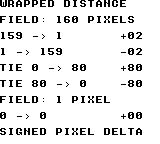
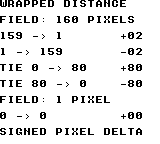
Build command
New-Item -ItemType Directory -Force .\out | Out-Null
.\kitaqgb\kitaqgb.exe .\kitaq-docs\samples\api-examples\gb\chain_wrap.c -I .\kitaqgb\lib -I .\kitaq-docs\samples -o .\out\chain_wrap.gb --profile=dev --rst-disable --stack-bank=fixed --cgb=cgb --cart=mbc5 --romsize=128k --no-cache --no-disasmImplementation and source
kitaqgb/lib/chain.h:35
Return target minus current along the shortest wrapped route. Supply size 1..256 and coordinates in 0..size-1; inputs are not normalized. Exactly half a field retains the direct displacement sign.
kitaqgb/lib/chain.c:98
s16 chain_wrap_delta(u8 target, u8 current, u16 size)
{
s16 delta;
s16 half;
delta = (s16)((s16)target - (s16)current);
half = (s16)(size >> 1);
// At exactly half a field, retain the sign of the direct displacement.
if (delta > half) delta = (s16)(delta - (s16)size);
else if (delta < (s16)(0 - half)) delta = (s16)(delta + (s16)size);
return delta;
}chain_body_init
Attach three caller-owned joint arrays and set the joint count to zero, without allocating memory.
Syntax
u8 chain_body_init(ChainBody* body, u8* x, u8* y, u8* heading, u8 capacity, u16 width, u16 height);Parameters
bodyTarget
ChainBody; null is ignored. Except for initialization, pass an initialized state.xArray of joint X coordinates.
yArray of joint Y coordinates.
headingArray of joint headings.
capacityAllocated array length, 1..255.
widthWrapped field width, 1..256.
heightWrapped field height, 1..256.
Return value
Return 1 on success or 0 for invalid arguments. Failure with a non-null body sets capacity and count to zero, disabling updates.
Conditions and limits
Include chain.h and compile chain.c exactly once. ChainBody holds each joint’s current position and heading. It is a separate state type from the Chain position-history ring.
Supply three separate writable arrays, x, y and heading, each containing capacity bytes. Keep them alive while the body is used. Index zero is the head, included in count. Do not alter storage pointers, capacity or field dimensions after initialization.
Headings use 16 clockwise sectors: 0=right, 4=down, 8=left, 12=up. Only the low four input bits are used. Screen coordinates increase rightward and downward; each dimension is 1..256 pixels.
Usage example
chain_body_init(&body,joint_x,joint_y,joint_heading,8,160,144);
// Eight caller-owned slots, including the head, on a wrapped 160x144 field.This is a calling fragment. Follow the stated initialization and buffer requirements before using it in a complete program.
Expected result
The image shows a straight body at the top, one update after a downward turn in the middle, and four updates after the turn below. Coordinates are drawn at twice their logical size. The bend travels backward from the head at the right. CGB and FC use red for the head, blue for the body and green for the tail; DMG uses black. Four settling updates separate the duplicated tail after growth. These are three views of the same eight joints, not one 24-joint body.
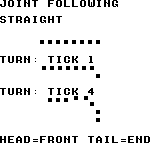
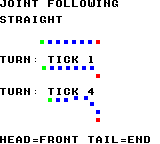
Build command
New-Item -ItemType Directory -Force .\out | Out-Null
.\kitaqgb\kitaqgb.exe .\kitaq-docs\samples\api-examples\gb\chain_body.c -I .\kitaqgb\lib -I .\kitaq-docs\samples -o .\out\chain_body.gb --profile=dev --rst-disable --stack-bank=fixed --cgb=cgb --cart=mbc5 --romsize=128k --no-cache --no-disasmImplementation and source
kitaqgb/lib/chain.h:53
Attach three non-overlapping capacity-byte arrays. Return 1 on success. Invalid storage, zero capacity or dimensions outside 1..256 disable the body.
kitaqgb/lib/chain.c:119
u8 chain_body_init(ChainBody* body, u8* x, u8* y, u8* heading, u8 capacity, u16 width, u16 height)
{
if (body == 0) return 0;
body->x = x;
body->y = y;
body->heading = heading;
body->count = 0;
body->capacity = 0;
body->width = width;
body->height = height;
if (x == 0 || y == 0 || heading == 0 || capacity == 0) return 0;
if (width == 0 || width > 256 || height == 0 || height > 256) return 0;
body->capacity = capacity;
return 1;
}chain_body_reset
Build a straight initial pose by placing joints behind the specified head.
Syntax
u8 chain_body_reset(ChainBody* body, u8 count, u8 head_x, u8 head_y, u8 heading);Parameters
bodyTarget
ChainBody; null is ignored. Except for initialization, pass an initialized state.countJoint count including the head, 1..capacity.
head_xHead X coordinate, wrapped to the field width.
head_yHead Y coordinate, wrapped to the field height.
headingHead heading in the 16-sector system.
Return value
Return 1 on success. A zero or excessive count, or a null body, returns 0 without changing the pose.
Conditions and limits
Include chain.h and compile chain.c exactly once. ChainBody holds each joint’s current position and heading. It is a separate state type from the Chain position-history ring.
Supply three separate writable arrays, x, y and heading, each containing capacity bytes. Keep them alive while the body is used. Index zero is the head, included in count. Do not alter storage pointers, capacity or field dimensions after initialization.
Headings use 16 clockwise sectors: 0=right, 4=down, 8=left, 12=up. Only the low four input bits are used. Screen coordinates increase rightward and downward; each dimension is 1..256 pixels.
Cardinal spacing is four pixels. Intermediate headings use integer vectors such as (4,1), (3,3) and (1,4), so Euclidean distance is not exactly four pixels. The initial pose may cross a field edge.
Usage example
chain_body_reset(&body,7,48,16,0); // Seven joints, facing right.This is a calling fragment. Follow the stated initialization and buffer requirements before using it in a complete program.
Expected result
The image shows a straight body at the top, one update after a downward turn in the middle, and four updates after the turn below. Coordinates are drawn at twice their logical size. The bend travels backward from the head at the right. CGB and FC use red for the head, blue for the body and green for the tail; DMG uses black. Four settling updates separate the duplicated tail after growth. These are three views of the same eight joints, not one 24-joint body.
Build command
New-Item -ItemType Directory -Force .\out | Out-Null
.\kitaqgb\kitaqgb.exe .\kitaq-docs\samples\api-examples\gb\chain_body.c -I .\kitaqgb\lib -I .\kitaq-docs\samples -o .\out\chain_body.gb --profile=dev --rst-disable --stack-bank=fixed --cgb=cgb --cart=mbc5 --romsize=128k --no-cache --no-disasmImplementation and source
kitaqgb/lib/chain.h:57
Seed count joints in a straight pose behind the head; count includes the head. Return 0 without changing the pose if count is zero or exceeds capacity. Coordinates wrap to the playfield and headings are masked to 0..15.
kitaqgb/lib/chain.c:135
u8 chain_body_reset(ChainBody* body, u8 count, u8 head_x, u8 head_y, u8 heading)
{
u8 i;
u8 x;
u8 y;
s16 ox;
s16 oy;
if (body == 0) return 0;
if (count == 0 || count > body->capacity) return 0;
heading = (u8)(heading & 15);
x = chain_body_wrap((s16)head_x, body->width);
y = chain_body_wrap((s16)head_y, body->height);
ox = chain_body_offset_x(heading);
oy = chain_body_offset_y(heading);
i = 0;
while (i < count) {
body->x[(__safe_index u8)i] = x;
body->y[(__safe_index u8)i] = y;
body->heading[(__safe_index u8)i] = heading;
x = chain_body_wrap((s16)((s16)x - ox), body->width);
y = chain_body_wrap((s16)((s16)y - oy), body->height);
i = (u8)(i + 1);
}
body->count = count;
return 1;
}chain_body_step
Set the head pose and pull each joint gradually toward a socket behind its predecessor. Heading changes propagate by one joint per update.
Syntax
void chain_body_step(ChainBody* body, u8 head_x, u8 head_y, u8 heading);Parameters
bodyTarget
ChainBody; null is ignored. Except for initialization, pass an initialized state.head_xHead X coordinate, wrapped to the field width.
head_yHead Y coordinate, wrapped to the field height.
headingHead heading in the 16-sector system.
Return value
No return value.
Conditions and limits
Include chain.h and compile chain.c exactly once. ChainBody holds each joint’s current position and heading. It is a separate state type from the Chain position-history ring.
Supply three separate writable arrays, x, y and heading, each containing capacity bytes. Keep them alive while the body is used. Index zero is the head, included in count. Do not alter storage pointers, capacity or field dimensions after initialization.
Headings use 16 clockwise sectors: 0=right, 4=down, 8=left, 12=up. Only the low four input bits are used. Screen coordinates increase rightward and downward; each dimension is 1..256 pixels.
Use the predecessor’s updated position to find the target socket, then compute the shortest wrapped displacement on each axis. A zero displacement does not move; magnitude 1..4 moves one pixel, and magnitude 5 or more moves two. At exactly half a field, retain the original displacement sign.
Pass each joint’s saved, pre-update heading to the next joint, allowing a bend to travel through the body. An empty body is unchanged.
The caller handles head velocity, acceleration, collisions, rendering and waiting. Normally update the head first, then call chain_body_step once per simulation tick. This is joint following, not a rigid-body or exact length-constraint solver.
Usage example
chain_body_step(&body,48,20,4); // The head turns down; only joint 1 receives 4.
show_pose(8,34);
for(step=1;step<4;step++) {
chain_body_step(&body,48,(u8)(20+step),4);
}
// After four ticks, the new heading has reached joints 1 through 4.This is a calling fragment. Follow the stated initialization and buffer requirements before using it in a complete program.
Expected result
The image shows a straight body at the top, one update after a downward turn in the middle, and four updates after the turn below. Coordinates are drawn at twice their logical size. The bend travels backward from the head at the right. CGB and FC use red for the head, blue for the body and green for the tail; DMG uses black. Four settling updates separate the duplicated tail after growth. These are three views of the same eight joints, not one 24-joint body.
Build command
New-Item -ItemType Directory -Force .\out | Out-Null
.\kitaqgb\kitaqgb.exe .\kitaq-docs\samples\api-examples\gb\chain_body.c -I .\kitaqgb\lib -I .\kitaq-docs\samples -o .\out\chain_body.gb --profile=dev --rst-disable --stack-bank=fixed --cgb=cgb --cart=mbc5 --romsize=128k --no-cache --no-disasmImplementation and source
kitaqgb/lib/chain.h:62
Install the caller's head pose, then pull joints from front to rear. Each joint aims four pixels behind its updated predecessor and receives that predecessor's OLD heading. Each axis moves 1 pixel, or 2 when error exceeds 4. Call once per simulation tick; this does not advance head physics or render.
kitaqgb/lib/chain.c:162
void chain_body_step(ChainBody* body, u8 head_x, u8 head_y, u8 heading)
{
u8 i;
u8 previous;
u8 pull;
u8 old;
u8 x;
u8 y;
u8 tx;
u8 ty;
s16 sx;
s16 sy;
if (body == 0) return;
if (body->count == 0) return;
heading = (u8)(heading & 15);
body->x[0] = chain_body_wrap((s16)head_x, body->width);
body->y[0] = chain_body_wrap((s16)head_y, body->height);
body->heading[0] = heading;
pull = heading;
i = 1;
while (i < body->count) {
previous = (u8)(i - 1);
old = body->heading[(__safe_index u8)i];
x = body->x[(__safe_index u8)i];
y = body->y[(__safe_index u8)i];
tx = chain_body_wrap((s16)((s16)body->x[(__safe_index u8)previous] - chain_body_offset_x(pull)), body->width);
ty = chain_body_wrap((s16)((s16)body->y[(__safe_index u8)previous] - chain_body_offset_y(pull)), body->height);
sx = chain_body_correction(chain_wrap_delta(tx, x, body->width));
sy = chain_body_correction(chain_wrap_delta(ty, y, body->height));
body->heading[(__safe_index u8)i] = pull;
body->x[(__safe_index u8)i] = chain_body_wrap((s16)((s16)x + sx), body->width);
body->y[(__safe_index u8)i] = chain_body_wrap((s16)((s16)y + sy), body->height);
// Save before overwriting: a bend advances by one joint per update.
pull = old;
i = (u8)(i + 1);
}
}chain_body_grow
Copy the tail’s current position and heading into the next free slot and increase the count by one.
Syntax
u8 chain_body_grow(ChainBody* body);Parameters
bodyTarget
ChainBody; null is ignored. Except for initialization, pass an initialized state.
Return value
Return 1 if a joint was appended; return 0 for an empty, full, disabled or null body.
Conditions and limits
Include chain.h and compile chain.c exactly once. ChainBody holds each joint’s current position and heading. It is a separate state type from the Chain position-history ring.
Supply three separate writable arrays, x, y and heading, each containing capacity bytes. Keep them alive while the body is used. Index zero is the head, included in count. Do not alter storage pointers, capacity or field dimensions after initialization.
Headings use 16 clockwise sectors: 0=right, 4=down, 8=left, 12=up. Only the low four input bits are used. Screen coordinates increase rightward and downward; each dimension is 1..256 pixels.
The new tail initially overlaps the previous tail, then separates during subsequent chain_body_step calls. Growth itself does not move the head or other joints.
Usage example
chain_body_grow(&body); // Copy the tail pose into the eighth slot.
chain_body_step(&body,48,16,0);
chain_body_step(&body,48,16,0);
chain_body_step(&body,48,16,0);
chain_body_step(&body,48,16,0); // Allow the duplicated tail to separate.This is a calling fragment. Follow the stated initialization and buffer requirements before using it in a complete program.
Expected result
The image shows a straight body at the top, one update after a downward turn in the middle, and four updates after the turn below. Coordinates are drawn at twice their logical size. The bend travels backward from the head at the right. CGB and FC use red for the head, blue for the body and green for the tail; DMG uses black. Four settling updates separate the duplicated tail after growth. These are three views of the same eight joints, not one 24-joint body.
Build command
New-Item -ItemType Directory -Force .\out | Out-Null
.\kitaqgb\kitaqgb.exe .\kitaq-docs\samples\api-examples\gb\chain_body.c -I .\kitaqgb\lib -I .\kitaq-docs\samples -o .\out\chain_body.gb --profile=dev --rst-disable --stack-bank=fixed --cgb=cgb --cart=mbc5 --romsize=128k --no-cache --no-disasmImplementation and source
kitaqgb/lib/chain.h:65
Append a copy of the current tail; later steps separate the new joint. Return 1 on growth, or 0 for an empty, disabled or full body.
kitaqgb/lib/chain.c:200
u8 chain_body_grow(ChainBody* body)
{
u8 tail;
u8 next;
if (body == 0) return 0;
next = body->count;
if (next == 0 || next >= body->capacity) return 0;
tail = (u8)(next - 1);
body->x[(__safe_index u8)next] = body->x[(__safe_index u8)tail];
body->y[(__safe_index u8)next] = body->y[(__safe_index u8)tail];
body->heading[(__safe_index u8)next] = body->heading[(__safe_index u8)tail];
body->count = (u8)(next + 1);
return 1;
}chain_body_clear
Set the joint count to zero while retaining the arrays and field settings.
Syntax
void chain_body_clear(ChainBody* body);Parameters
bodyTarget
ChainBody; null is ignored. Except for initialization, pass an initialized state.
Return value
No return value.
Conditions and limits
Include chain.h and compile chain.c exactly once. ChainBody holds each joint’s current position and heading. It is a separate state type from the Chain position-history ring.
Supply three separate writable arrays, x, y and heading, each containing capacity bytes. Keep them alive while the body is used. Index zero is the head, included in count. Do not alter storage pointers, capacity or field dimensions after initialization.
Headings use 16 clockwise sectors: 0=right, 4=down, 8=left, 12=up. Only the low four input bits are used. Screen coordinates increase rightward and downward; each dimension is 1..256 pixels.
Array bytes are not erased. Use chain_body_reset to start again; calling chain_body_grow immediately after clearing does not append a joint.
Usage example
chain_body_clear(&body); // Forget the pose; the three arrays remain owned by us.This is a calling fragment. Follow the stated initialization and buffer requirements before using it in a complete program.
Expected result
The image shows a straight body at the top, one update after a downward turn in the middle, and four updates after the turn below. Coordinates are drawn at twice their logical size. The bend travels backward from the head at the right. CGB and FC use red for the head, blue for the body and green for the tail; DMG uses black. Four settling updates separate the duplicated tail after growth. These are three views of the same eight joints, not one 24-joint body.
Build command
New-Item -ItemType Directory -Force .\out | Out-Null
.\kitaqgb\kitaqgb.exe .\kitaq-docs\samples\api-examples\gb\chain_body.c -I .\kitaqgb\lib -I .\kitaq-docs\samples -o .\out\chain_body.gb --profile=dev --rst-disable --stack-bank=fixed --cgb=cgb --cart=mbc5 --romsize=128k --no-cache --no-disasmImplementation and source
kitaqgb/lib/chain.h:67
Remove all joints while retaining caller-owned storage and playfield settings.
kitaqgb/lib/chain.c:215
void chain_body_clear(ChainBody* body)
{
if (body == 0) return;
body->count = 0;
}chain_clear
Forget the recorded history so the same backing array can be reused.
Syntax
void chain_clear(Chain* chain);Parameters
chainPointer to the initialized
Chain.
Return value
No return value.
Conditions and limits
Resets the count and head to zero without erasing or freeing the backing array. The caller owns both Chain and its point array and must keep them alive. Use a capacity no greater than 128 to avoid overflow in the reader’s eight-bit index addition.
The GB version requires a valid chain pointer.
Usage example
chain_clear(&trail);result[11]=chain_get_count(&trail);This is a calling fragment. Follow the stated initialization and buffer requirements before using it in a complete program.
Expected result
The sample clears a four-point history and verifies that its count becomes zero.
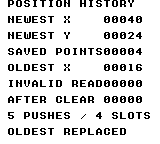
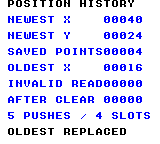
Build command
New-Item -ItemType Directory -Force .\out | Out-Null
.\kitaqgb\kitaqgb.exe .\kitaq-docs\samples\api-examples\gb\batch_chain.c -I .\kitaqgb\lib -I .\kitaq-docs\samples -o .\out\batch_chain.gb --no-cache --no-disasm --profile=dev --rst-disable --stack-bank=fixed --cgb=cgb --cart=mbc5 --romsize=64kImplementation and source
kitaqgb/lib/chain.h:21
Forget the recorded points without clearing or freeing the backing storage.
kitaqgb/lib/chain.c:14
void chain_clear(Chain* chain)
{
chain->count = 0;
chain->head = 0;
}chain_get_count
Read the number of positions currently available in the history.
Syntax
u8 chain_get_count(const Chain* chain);Parameters
chainPointer to the initialized
Chain.
Return value
Returns a count from zero through capacity, or zero for a null chain.
Conditions and limits
The caller owns both Chain and its point array and must keep them alive. Use a capacity no greater than 128 to avoid overflow in the reader’s eight-bit index addition.
Usage example
result[4]=chain_get_count(&trail);This is a calling fragment. Follow the stated initialization and buffer requirements before using it in a complete program.
Expected result
After five pushes into four slots the count remains four. It becomes zero after clearing and stays zero for a zero-capacity history.
Build command
New-Item -ItemType Directory -Force .\out | Out-Null
.\kitaqgb\kitaqgb.exe .\kitaq-docs\samples\api-examples\gb\batch_chain.c -I .\kitaqgb\lib -I .\kitaq-docs\samples -o .\out\batch_chain.gb --no-cache --no-disasm --profile=dev --rst-disable --stack-bank=fixed --cgb=cgb --cart=mbc5 --romsize=64kImplementation and source
kitaqgb/lib/chain.h:30
Return the number of stored points, or zero for a null chain.
kitaqgb/lib/chain.c:63
u8 chain_get_count(const Chain* chain)
{
if (chain == 0) return 0;
return chain->count;
}chain_get_segment
Read a stored position by its age in the history.
Syntax
u8 chain_get_segment(const Chain* chain, u8 index, ChainPoint* out);Parameters
chainPointer to the initialized
Chain.indexPoint age: 0 is newest and
count - 1is oldest retained.outSeparate writable
ChainPointfor the result; null causes failure.
Return value
Returns 1 on success or 0 for an invalid request. A non-null out is cleared to (0,0) before validation.
Conditions and limits
Do not alias out with the backing array or Chain: clearing the output would destroy source data. The caller owns both Chain and its point array and must keep them alive. Use a capacity no greater than 128 to avoid overflow in the reader’s eight-bit index addition.
Usage example
result[1]=chain_get_segment(&trail,0,&point);result[2]=point.x;result[3]=point.y;This is a calling fragment. Follow the stated initialization and buffer requirements before using it in a complete program.
Expected result
Index 0 reads newest (40,24), index 3 reads oldest (16,8), and invalid index 4 returns failure with output (0,0).
Build command
New-Item -ItemType Directory -Force .\out | Out-Null
.\kitaqgb\kitaqgb.exe .\kitaq-docs\samples\api-examples\gb\batch_chain.c -I .\kitaqgb\lib -I .\kitaq-docs\samples -o .\out\batch_chain.gb --no-cache --no-disasm --profile=dev --rst-disable --stack-bank=fixed --cgb=cgb --cart=mbc5 --romsize=64kImplementation and source
kitaqgb/lib/chain.h:28
Read a point by age, with index zero denoting the newest point. Return zero for an invalid request and clear a non-null output first. Keep head + index within the 8-bit range: addition is narrowed before the capacity wrap.
kitaqgb/lib/chain.c:40
u8 chain_get_segment(const Chain* chain, u8 index, ChainPoint* out)
{
u8 pos;
if (out != 0) {
out->x = 0;
out->y = 0;
}
if (out == 0) return 0;
if (chain == 0) return 0;
if (chain->capacity == 0) return 0;
if (index >= chain->count) return 0;
pos = (u8)(chain->head + index);
while (pos >= chain->capacity) {
pos = (u8)(pos - chain->capacity);
}
out->x = chain->points[pos].x;
out->y = chain->points[pos].y;
return 1;
}chain_init
Attach storage to a circular position history and start with no recorded points.
Syntax
void chain_init(Chain* chain, ChainPoint* storage, u8 capacity);Parameters
chainWritable
Chainto initialize.storageArray with room for
capacityChainPointentries.capacityNumber of point slots. Use 1–128 for a usable history; zero disables recording.
Return value
No return value.
Conditions and limits
The caller owns both Chain and its point array and must keep them alive. Use a capacity no greater than 128 to avoid overflow in the reader’s eight-bit index addition.
The GB version requires a valid chain pointer.
Usage example
chain_init(&trail,storage,4);result[0]=chain_get_count(&trail);This is a calling fragment. Follow the stated initialization and buffer requirements before using it in a complete program.
Expected result
The example attaches four point slots and checks that the initial count is zero.
Build command
New-Item -ItemType Directory -Force .\out | Out-Null
.\kitaqgb\kitaqgb.exe .\kitaq-docs\samples\api-examples\gb\batch_chain.c -I .\kitaqgb\lib -I .\kitaq-docs\samples -o .\out\batch_chain.gb --no-cache --no-disasm --profile=dev --rst-disable --stack-bank=fixed --cgb=cgb --cart=mbc5 --romsize=64kImplementation and source
kitaqgb/lib/chain.h:19
Attach caller-owned ring storage and start with no recorded points. The storage must remain valid for the lifetime of the chain. Use a valid chain pointer and capacity entries of caller-owned storage. Capacity at most 128 keeps every head+age sum in the byte range used by the reader.
kitaqgb/lib/chain.c:5
void chain_init(Chain* chain, ChainPoint* storage, u8 capacity)
{
chain->points = storage;
chain->capacity = capacity;
chain->count = 0;
chain->head = 0;
}chain_push_head
Add the newest position at the head of the history, replacing the oldest point when full.
Syntax
void chain_push_head(Chain* chain, s16 x, s16 y);Parameters
chainPointer to the initialized
Chain.xSigned X coordinate of the new point.
ySigned Y coordinate of the new point.
Return value
No return value.
Conditions and limits
A null chain or zero capacity is a no-op. The caller owns both Chain and its point array and must keep them alive. Use a capacity no greater than 128 to avoid overflow in the reader’s eight-bit index addition.
Usage example
chain_push_head(&trail,8,8);chain_push_head(&trail,16,8);chain_push_head(&trail,24,16);chain_push_head(&trail,32,16);chain_push_head(&trail,40,24);This is a calling fragment. Follow the stated initialization and buffer requirements before using it in a complete program.
Expected result
Five pushes into four slots leave (40,24) as the newest point and (16,8) as the oldest retained point; the original (8,8) is replaced.
Build command
New-Item -ItemType Directory -Force .\out | Out-Null
.\kitaqgb\kitaqgb.exe .\kitaq-docs\samples\api-examples\gb\batch_chain.c -I .\kitaqgb\lib -I .\kitaq-docs\samples -o .\out\batch_chain.gb --no-cache --no-disasm --profile=dev --rst-disable --stack-bank=fixed --cgb=cgb --cart=mbc5 --romsize=64kImplementation and source
kitaqgb/lib/chain.h:24
Move the ring head backward and store the newest point. Once full, each push replaces the oldest point; zero capacity is a no-op.
kitaqgb/lib/chain.c:22
void chain_push_head(Chain* chain, s16 x, s16 y)
{
if (chain == 0) return;
if (chain->capacity == 0) return;
if (chain->head == 0) chain->head = (u8)(chain->capacity - 1);
else chain->head--;
chain->points[chain->head].x = x;
chain->points[chain->head].y = y;
if (chain->count < chain->capacity) chain->count++;
}danmaku.h — Bullet pools, fans, hits and grazing
An allocation-free bullet field for up to 96 shots in 160×128 pixels. Provides sixteenth-pixel motion, 32-direction fans, hit/graze events and four-quadrant tile composition. Simulation runs on GB; present_now is a CGB-only upload.
danmaku_clear
Deactivate all bullets and clear live count, current hit/graze events and the allocation cursor.
Syntax
void danmaku_clear();Return value
No return value.
Conditions and limits
Preserves peak and lifetime counters. Clear and upload the RAM map to remove bullets from the display.
Usage example
danmaku_clear();result[6]=dm_count;result[7]=dm_spawned;result[8]=dm_peak;This is a calling fragment. Follow the stated initialization and buffer requirements before using it in a complete program.
Expected result
CGB-only drawing lesson. Spawn eight directions at (80,64), update eight times and show eight red 3×3 dots in a radial arrangement. Cardinal bullets travel 32 pixels; diagonals use integer approximation. Also check pool clearing and retained lifetime spawn counts.
Build command
New-Item -ItemType Directory -Force .\out | Out-Null
.\kitaqgb\kitaqgb.exe .\kitaq-docs\samples\api-examples\gb\batch3_danmaku.c -I .\kitaqgb\lib -I .\kitaq-docs\samples -o .\out\batch3_danmaku.gb --no-cache --no-disasm --profile=dev --rst-disable --stack-bank=fixed --cgb=cgb --cart=mbc5 --romsize=64k --ramsize=noneImplementation and source
kitaqgb/lib/danmaku.h:35
Deactivate the pool while retaining peak/spawn/rejection counters and the RAM map.
kitaqgb/lib/danmaku.c:28
void danmaku_clear() {
u8 i;
for (i=0; i<DANMAKU_MAX; i++) dm_bullets[i].active=0;
dm_count=0; dm_hit=0; dm_graze=0; dm_cursor=0;
}danmaku_clear_map
Clear all 576 bytes of the 32×18 RAM tile map.
Syntax
void danmaku_clear_map();Return value
No return value.
Conditions and limits
Leaves bullet state and VRAM unchanged. Each frame use clear_map, write decorations, step, then upload.
Usage example
danmaku_clear_map();result[11]=dm_map[0];This is a calling fragment. Follow the stated initialization and buffer requirements before using it in a complete program.
Expected result
CGB-only drawing lesson. Spawn eight directions at (80,64), update eight times and show eight red 3×3 dots in a radial arrangement. Cardinal bullets travel 32 pixels; diagonals use integer approximation. Also check pool clearing and retained lifetime spawn counts.
Build command
New-Item -ItemType Directory -Force .\out | Out-Null
.\kitaqgb\kitaqgb.exe .\kitaq-docs\samples\api-examples\gb\batch3_danmaku.c -I .\kitaqgb\lib -I .\kitaq-docs\samples -o .\out\batch3_danmaku.gb --no-cache --no-disasm --profile=dev --rst-disable --stack-bank=fixed --cgb=cgb --cart=mbc5 --romsize=64k --ramsize=noneImplementation and source
kitaqgb/lib/danmaku.h:42
32 directions, 0=right, 8=down, 16=left, 24=up. speed in 1/16 px. Clear the 32x18 RAM map before drawing the next frame; no transfer is performed.
kitaqgb/lib/danmaku.c:78
void danmaku_clear_map() {
__asm {
LD_HL_IMM dm_map
LD_B_IMM 72
XOR_A
dm_clm_loop:
LDI_HL_A
LDI_HL_A
LDI_HL_A
LDI_HL_A
LDI_HL_A
LDI_HL_A
LDI_HL_A
LDI_HL_A
DEC_B
JR_NZ dm_clm_loop
RET
}
}danmaku_fan
Generate a fan using a 32-direction velocity table and a fixed angular step.
Syntax
void danmaku_fan(u8 x, u8 y, u8 direction, u8 step, u8 count, u8 speed);Parameters
xInitial pixel X, 0..159.
yInitial pixel Y, 0..127.
directionStarting angle, masked to five bits: 0=right, 8=down, 16=left, 24=up.
stepAngle increment per bullet, wrapping over 32 directions.
countAttempt count, capped at 96.
speedSpeed in sixteenths of a pixel, capped at 64 (four pixels/update).
Return value
No return value.
Conditions and limits
Continues attempting remaining spawns when full. Integer sin/cos table values introduce rounding in diagonal motion.
Usage example
danmaku_fan(80,64,0,4,8,64);result[9]=dm_count;result[10]=dm_spawned;This is a calling fragment. Follow the stated initialization and buffer requirements before using it in a complete program.
Expected result
CGB-only drawing lesson. Spawn eight directions at (80,64), update eight times and show eight red 3×3 dots in a radial arrangement. Cardinal bullets travel 32 pixels; diagonals use integer approximation. Also check pool clearing and retained lifetime spawn counts.
Build command
New-Item -ItemType Directory -Force .\out | Out-Null
.\kitaqgb\kitaqgb.exe .\kitaq-docs\samples\api-examples\gb\batch3_danmaku.c -I .\kitaqgb\lib -I .\kitaq-docs\samples -o .\out\batch3_danmaku.gb --no-cache --no-disasm --profile=dev --rst-disable --stack-bank=fixed --cgb=cgb --cart=mbc5 --romsize=64k --ramsize=noneImplementation and source
kitaqgb/lib/danmaku.h:39
Attempt a fan using wrapping 32-step angles; count is capped at 96 and speed at 64.
kitaqgb/lib/danmaku.c:62
void danmaku_fan(u8 x,u8 y,u8 direction,u8 step,u8 count,u8 speed) {
u8 n;
u8 a;
s8 vx;
s8 vy;
if(count>DANMAKU_MAX) count=DANMAKU_MAX;
if(speed>64) speed=64;
a=direction&31;
for(n=0;n<count;n++) {
vx=(s8)(((s16)dm_cos[a]*(s16)speed)>>6);
vy=(s8)(((s16)dm_sin[a]*(s16)speed)>>6);
danmaku_spawn(x,y,vx,vy);
a=(u8)((a+step)&31);
}
}danmaku_present_now
Synchronously upload all 576 dm_map bytes to background map $9800 using CGB GDMA.
Syntax
void danmaku_present_now();Return value
No return value.
Conditions and limits
CGB only; do not call on DMG. Use with LCD off or at the start of VBlank. Selects VRAM bank zero without restoring prior VBK. The application supplies bullet graphics in tiles 0..15.
Usage example
// CGB general DMA; the LCD is stopped for this complete-map upload.
danmaku_present_now();This is a calling fragment. Follow the stated initialization and buffer requirements before using it in a complete program.
Expected result
CGB-only drawing lesson. Spawn eight directions at (80,64), update eight times and show eight red 3×3 dots in a radial arrangement. Cardinal bullets travel 32 pixels; diagonals use integer approximation. Also check pool clearing and retained lifetime spawn counts.
Build command
New-Item -ItemType Directory -Force .\out | Out-Null
.\kitaqgb\kitaqgb.exe .\kitaq-docs\samples\api-examples\gb\batch3_danmaku.c -I .\kitaqgb\lib -I .\kitaq-docs\samples -o .\out\batch3_danmaku.gb --no-cache --no-disasm --profile=dev --rst-disable --stack-bank=fixed --cgb=cgb --cart=mbc5 --romsize=64k --ramsize=noneImplementation and source
kitaqgb/lib/danmaku.h:48
Requires CGB and LCD off or the beginning of VBlank. VBK restored to 0. Transfers 18 rows (32-byte stride) to BG map 9800 with 36-block GDMA.
kitaqgb/lib/danmaku.c:301
void danmaku_present_now() {
__asm {
XOR_A
LDH_MEM_A 0x4F
LD_HL_IMM dm_map
LD_A_H
LDH_MEM_A 0x51
LD_A_L
LDH_MEM_A 0x52
LD_A_IMM 0x18
LDH_MEM_A 0x53
XOR_A
LDH_MEM_A 0x54
LD_A_IMM 35
LDH_MEM_A 0x55
RET
}
}danmaku_reset
Empty the 96-bullet pool and reset peak, lifetime spawn and full-pool rejection counters.
Syntax
void danmaku_reset();Return value
No return value.
Conditions and limits
Leaves player coordinates, invulnerability and the RAM tile map unchanged; set those separately at game start.
Usage example
danmaku_reset();result[0]=dm_count;result[1]=dm_peak;This is a calling fragment. Follow the stated initialization and buffer requirements before using it in a complete program.
Expected result
CGB-only drawing lesson. Spawn eight directions at (80,64), update eight times and show eight red 3×3 dots in a radial arrangement. Cardinal bullets travel 32 pixels; diagonals use integer approximation. Also check pool clearing and retained lifetime spawn counts.
Build command
New-Item -ItemType Directory -Force .\out | Out-Null
.\kitaqgb\kitaqgb.exe .\kitaq-docs\samples\api-examples\gb\batch3_danmaku.c -I .\kitaqgb\lib -I .\kitaq-docs\samples -o .\out\batch3_danmaku.gb --no-cache --no-disasm --profile=dev --rst-disable --stack-bank=fixed --cgb=cgb --cart=mbc5 --romsize=64k --ramsize=noneImplementation and source
kitaqgb/lib/danmaku.h:33
Reset pool, peak and lifetime counters; player fields and map contents remain caller-owned state.
kitaqgb/lib/danmaku.c:34
void danmaku_reset() {
danmaku_clear(); dm_peak=0; dm_spawned=0; dm_rejected=0;
}danmaku_spawn
Search free slots cyclically and create one bullet with the requested position and velocity.
Syntax
u8 danmaku_spawn(u8 x, u8 y, s8 vx, s8 vy);Parameters
xInitial pixel X, 0..159.
yInitial pixel Y, 0..127.
vxSigned Q4.4 velocity −128..127; 16 moves one pixel right per update.
vySigned Q4.4 velocity; positive moves down.
Return value
Returns 1 on allocation, 0 for outside coordinates or a full pool. Outside requests do not increment dm_rejected.
Conditions and limits
Positions are stored in sixteenths of a pixel. The u16 spawn/rejection totals wrap after 65535. No dynamic allocation is used.
Usage example
result[2]=danmaku_spawn(40,40,16,0);result[3]=danmaku_spawn(160,40,0,0);result[4]=dm_count;result[5]=dm_rejected;This is a calling fragment. Follow the stated initialization and buffer requirements before using it in a complete program.
Expected result
CGB-only drawing lesson. Spawn eight directions at (80,64), update eight times and show eight red 3×3 dots in a radial arrangement. Cardinal bullets travel 32 pixels; diagonals use integer approximation. Also check pool clearing and retained lifetime spawn counts.
Build command
New-Item -ItemType Directory -Force .\out | Out-Null
.\kitaqgb\kitaqgb.exe .\kitaq-docs\samples\api-examples\gb\batch3_danmaku.c -I .\kitaqgb\lib -I .\kitaq-docs\samples -o .\out\batch3_danmaku.gb --no-cache --no-disasm --profile=dev --rst-disable --stack-bank=fixed --cgb=cgb --cart=mbc5 --romsize=64k --ramsize=noneImplementation and source
kitaqgb/lib/danmaku.h:37
Use pixel origins inside 160x128 and signed sixteenth-pixel velocities; return one if a slot was allocated.
kitaqgb/lib/danmaku.c:39
u8 danmaku_spawn(u8 x, u8 y, s8 vx, s8 vy) {
u8 n;
u8 i;
if (x>=160 || y>=128) return 0;
for(n=0;n<DANMAKU_MAX;n++) {
i=dm_cursor;
dm_cursor++;
if(dm_cursor>=DANMAKU_MAX) dm_cursor=0;
if(dm_bullets[i].active==0) {
dm_bullets[i].x=(s16)((u16)x<<4);
dm_bullets[i].y=(s16)((u16)y<<4);
dm_bullets[i].vx=vx; dm_bullets[i].vy=vy;
dm_bullets[i].active=1; dm_bullets[i].grazed=0;
dm_count++; dm_spawned++;
if(dm_count>dm_peak) dm_peak=dm_count;
return 1;
}
}
dm_rejected++;
return 0;
}danmaku_step
Advance every bullet once, remove outside bullets, compose bullet tiles and detect hits/grazes.
Syntax
void danmaku_step();Return value
No return value.
Conditions and limits
Rendered centers are snapped to four-pixel cells. Axis differences at most eight produce a first graze; at most three produce a hit. Invulnerability suppresses hits only. dm_hit/dm_graze reset each call; each bullet grazes once. Tile IDs 0..15 encode four quadrant bits; occupied decoration IDs 16 or above are replaced.
Usage example
dm_player_x=0;dm_player_y=0;dm_invulnerable=0;for(i=0;i<8;i++){danmaku_clear_map();danmaku_step();}result[12]=dm_count;result[13]=dm_hit;result[14]=dm_graze;This is a calling fragment. Follow the stated initialization and buffer requirements before using it in a complete program.
Expected result
CGB-only drawing lesson. Spawn eight directions at (80,64), update eight times and show eight red 3×3 dots in a radial arrangement. Cardinal bullets travel 32 pixels; diagonals use integer approximation. Also check pool clearing and retained lifetime spawn counts.
Build command
New-Item -ItemType Directory -Force .\out | Out-Null
.\kitaqgb\kitaqgb.exe .\kitaq-docs\samples\api-examples\gb\batch3_danmaku.c -I .\kitaqgb\lib -I .\kitaq-docs\samples -o .\out\batch3_danmaku.gb --no-cache --no-disasm --profile=dev --rst-disable --stack-bank=fixed --cgb=cgb --cart=mbc5 --romsize=64k --ramsize=noneImplementation and source
kitaqgb/lib/danmaku.h:45
Caller fills decoration after clear_map, then calls step to overlay bullets. hit and graze are events for this step. Collision uses rendered centers.
kitaqgb/lib/danmaku.c:99
void danmaku_step() {
// One linear pass. No per-bullet bank calls, multiplication or division.
// The 8-byte packed public layout is x16,y16,vx8,vy8,active,graze.
__asm {
XOR_A
LD_MEM_A dm_hit
LD_MEM_A dm_graze
LD_A_IMM 96
LD_MEM_A dm_remaining
LD_HL_IMM dm_bullets
dm_tick_loop:
PUSH_HL
LD_BC_IMM 6
ADD_HL_BC
LD_A_HL
OR_A
JP_Z dm_tick_next
DEC_HL
LD_A_HL
LD_MEM_A dm_vy
DEC_HL
LD_A_HL
LD_C_A
LD_B_IMM 0
AND_IMM 128
JR_Z dm_tick_xsign
DEC_B
// B:C is the sign-extended X velocity. Add to Q12.4 position; high byte >=10 also rejects negative X.
dm_tick_xsign:
POP_HL
PUSH_HL
LD_A_HL
ADD_C
LDI_HL_A
LD_E_A
LD_A_HL
ADC_B
LDI_HL_A
CP_IMM 10
JP_NC dm_tick_kill
RRCA
RRCA
RRCA
RRCA
LD_D_A
LD_A_E
RRCA
RRCA
RRCA
RRCA
AND_IMM 15
OR_D
LD_MEM_A dm_px
LD_A_MEM dm_vy
LD_C_A
LD_B_IMM 0
AND_IMM 128
JR_Z dm_tick_ysign
DEC_B
// Apply signed Y velocity similarly; high byte >=8 rejects negative Y and positions at or below 128 pixels.
dm_tick_ysign:
LD_A_HL
ADD_C
LDI_HL_A
LD_E_A
LD_A_HL
ADC_B
LDI_HL_A
CP_IMM 8
JP_NC dm_tick_kill
RRCA
RRCA
RRCA
RRCA
LD_D_A
LD_A_E
RRCA
RRCA
RRCA
RRCA
AND_IMM 15
OR_D
LD_MEM_A dm_py
// Signed differences shifted into 0..16 for a wrap-safe range test.
// Rendered centers are (pixel & FC)+2. Test a square of radius eight around the player for graze eligibility.
LD_A_MEM dm_player_x
LD_C_A
LD_A_MEM dm_px
AND_IMM 252
ADD_A_IMM 10
SUB_C
CP_IMM 17
JR_NC dm_tick_plot
LD_B_A
LD_A_MEM dm_player_y
LD_C_A
LD_A_MEM dm_py
AND_IMM 252
ADD_A_IMM 10
SUB_C
CP_IMM 17
JR_NC dm_tick_plot
LD_C_A
INC_HL
INC_HL
INC_HL
LD_A_HL
OR_A
JR_NZ dm_tick_check_hit
LD_A_IMM 1
LD_HL_A
LD_A_MEM dm_graze
INC_A
LD_MEM_A dm_graze
// A bullet grazes at most once during its lifetime. Invulnerability suppresses hits, but not first-graze events.
// The inner hit test uses a square of radius three around the same quantized center.
dm_tick_check_hit:
LD_A_MEM dm_invulnerable
OR_A
JR_NZ dm_tick_plot
LD_A_B
SUB_IMM 5
CP_IMM 7
JR_NC dm_tick_plot
LD_A_C
SUB_IMM 5
CP_IMM 7
JR_NC dm_tick_plot
LD_A_IMM 1
LD_MEM_A dm_hit
// Select one of four quadrant bits from pixel bit 2, then address map[(y>>3)*32+(x>>3)].
// Decoration IDs >=16 are replaced at occupied cells; bullet IDs 0..15 merge with OR.
dm_tick_plot:
LD_A_MEM dm_py
AND_IMM 4
AND_IMM 254
RRCA
LD_B_A
LD_A_MEM dm_px
AND_IMM 4
AND_IMM 254
RRCA
AND_IMM 254
RRCA
OR_B
LD_E_A
LD_D_IMM 0
LD_HL_IMM dm_bits
ADD_HL_DE
LD_A_HL
LD_C_A
LD_A_MEM dm_py
AND_IMM 120
LD_L_A
LD_H_IMM 0
ADD_HL_HL
ADD_HL_HL
LD_A_MEM dm_px
AND_IMM 254
RRCA
AND_IMM 254
RRCA
AND_IMM 254
RRCA
LD_E_A
LD_D_IMM 0
ADD_HL_DE
LD_DE_IMM dm_map
ADD_HL_DE
LD_A_HL
CP_IMM 16
JR_C dm_tick_merge
XOR_A
dm_tick_merge:
OR_C
LD_HL_A
JR dm_tick_next
// Restore the saved record base, clear active at offset six and decrement the live count exactly once.
dm_tick_kill:
POP_HL
PUSH_HL
LD_BC_IMM 6
ADD_HL_BC
XOR_A
LD_HL_A
LD_A_MEM dm_count
DEC_A
LD_MEM_A dm_count
// Restore the saved base even for inactive or culled bullets, then advance by the fixed eight-byte record size.
dm_tick_next:
POP_HL
LD_BC_IMM 8
ADD_HL_BC
LD_A_MEM dm_remaining
DEC_A
LD_MEM_A dm_remaining
JP_NZ dm_tick_loop
RET
}
}debug.h — RAM records and assertions
Record names, values and frame tags in a fixed-capacity RAM log. Assertions retain diagnostic information and allow execution to continue.
debug_assert_fail
Retain an assertion failure code and attempt to append an ASSERT entry.
Syntax
void debug_assert_fail(u16 code);Parameters
code16-bit error identifier to retain.
Return value
No return value.
Conditions and limits
Execution continues. The last assertion code updates even when the log is full. The log holds 32 entries by default and drops new entries when full. If overriding DEBUG_TRACE_MAX, use 1–255 consistently in every translation unit. Names are retained as pointers rather than copied; keep their storage readable until inspection finishes. Serialize interrupt and main-thread writers yourself.
Usage example
debug_assert_fail(42);This is a calling fragment. Follow the stated initialization and buffer requirements before using it in a complete program.
Expected result
The sample records code 42, fills the log, then records code 999. The count stays 32 while the last code becomes 999.
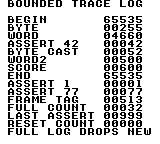
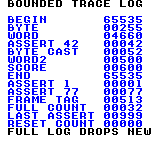
Build command
New-Item -ItemType Directory -Force .\out | Out-Null
.\kitaqgb\kitaqgb.exe .\kitaq-docs\samples\api-examples\gb\batch_debug.c -I .\kitaqgb\lib -I .\kitaq-docs\samples -o .\out\batch_debug.gb --no-cache --no-disasm --profile=dev --rst-disable --stack-bank=fixed --cgb=cgb --cart=mbc5 --romsize=64kImplementation and source
kitaqgb/lib/debug.h:33
Record the assertion code and attempt to append an ASSERT entry. This helper does not halt execution, and the code is retained even if the log is full.
kitaqgb/lib/debug.c:56
void debug_assert_fail(u16 code)
{
kq_debug_last_assert = code;
debug_push((const u8*)"ASSERT", code);
}debug_get_last_assert
Read the latest assertion code independently of available log space.
Syntax
u16 debug_get_last_assert();Return value
Returns the latest 16-bit code, initially zero after initialization.
Conditions and limits
Zero is also the initial value and cannot distinguish a failure recorded with code zero. Reading does not clear the code.
Usage example
result[22]=debug_get_last_assert();This is a calling fragment. Follow the stated initialization and buffer requirements before using it in a complete program.
Expected result
The sample checks 77 from the assertion macro, 999 after the log fills, and zero after reinitialization.
Build command
New-Item -ItemType Directory -Force .\out | Out-Null
.\kitaqgb\kitaqgb.exe .\kitaq-docs\samples\api-examples\gb\batch_debug.c -I .\kitaqgb\lib -I .\kitaq-docs\samples -o .\out\batch_debug.gb --no-cache --no-disasm --profile=dev --rst-disable --stack-bank=fixed --cgb=cgb --cart=mbc5 --romsize=64kImplementation and source
kitaqgb/lib/debug.h:39
Read the last recorded assertion code, or the zero value installed by initialization.
kitaqgb/lib/debug.c:75
u16 debug_get_last_assert()
{
return kq_debug_last_assert;
}debug_get_trace_count
Read the number of valid entries in the trace array.
Syntax
u8 debug_get_trace_count();Return value
Returns a count from zero through DEBUG_TRACE_MAX.
Conditions and limits
The log holds 32 entries by default and drops new entries when full. If overriding DEBUG_TRACE_MAX, use 1–255 consistently in every translation unit. Names are retained as pointers rather than copied; keep their storage readable until inspection finishes. Serialize interrupt and main-thread writers yourself.
Usage example
result[1]=debug_get_trace_count();This is a calling fragment. Follow the stated initialization and buffer requirements before using it in a complete program.
Expected result
The sample verifies ten initial entries and the limit of 32 after further writes; the count does not wrap when full.
Build command
New-Item -ItemType Directory -Force .\out | Out-Null
.\kitaqgb\kitaqgb.exe .\kitaq-docs\samples\api-examples\gb\batch_debug.c -I .\kitaqgb\lib -I .\kitaq-docs\samples -o .\out\batch_debug.gb --no-cache --no-disasm --profile=dev --rst-disable --stack-bank=fixed --cgb=cgb --cart=mbc5 --romsize=64kImplementation and source
kitaqgb/lib/debug.h:35
Return the number of valid entries in the fixed trace buffer.
kitaqgb/lib/debug.c:63
u8 debug_get_trace_count()
{
return kq_debug_trace_count;
}debug_get_trace_log
Obtain a reference to the internal array to inspect recorded names, values and frame tags.
Syntax
const DebugTraceEntry* debug_get_trace_log();Return value
Returns a read-only pointer to the internal DebugTraceEntry array.
Conditions and limits
This is not a copy. Read only the number of entries reported by debug_get_trace_count(). Stale bytes left after initialization are not valid records. The log holds 32 entries by default and drops new entries when full. If overriding DEBUG_TRACE_MAX, use 1–255 consistently in every translation unit. Names are retained as pointers rather than copied; keep their storage readable until inspection finishes. Serialize interrupt and main-thread writers yourself.
Usage example
entries=debug_get_trace_log();for(i=0;i<10;i++){result[2+i]=entries[i].value;result[12+i]=entries[i].frame;}This is a calling fragment. Follow the stated initialization and buffer requirements before using it in a complete program.
Expected result
The sample reads all ten value and frame fields and checks the leading B in the BEGIN label.
Build command
New-Item -ItemType Directory -Force .\out | Out-Null
.\kitaqgb\kitaqgb.exe .\kitaq-docs\samples\api-examples\gb\batch_debug.c -I .\kitaqgb\lib -I .\kitaq-docs\samples -o .\out\batch_debug.gb --no-cache --no-disasm --profile=dev --rst-disable --stack-bank=fixed --cgb=cgb --cart=mbc5 --romsize=64kImplementation and source
kitaqgb/lib/debug.h:37
Expose the internal trace array for inspection; use the count to bound reads.
kitaqgb/lib/debug.c:69
const DebugTraceEntry* debug_get_trace_log()
{
return kq_debug_trace_log;
}debug_init
Initialize the valid log length, frame tag and last assertion code.
Syntax
void debug_init();Return value
No return value.
Conditions and limits
Existing entry bytes are not erased. Call this before recording the first entry. The log holds 32 entries by default and drops new entries when full. If overriding DEBUG_TRACE_MAX, use 1–255 consistently in every translation unit. Names are retained as pointers rather than copied; keep their storage readable until inspection finishes. Serialize interrupt and main-thread writers yourself.
Usage example
debug_init();result[0]=debug_get_trace_count();This is a calling fragment. Follow the stated initialization and buffer requirements before using it in a complete program.
Expected result
The sample checks an initial count of zero, then resets a populated log and verifies that count and assertion code clear while old array values remain.
Build command
New-Item -ItemType Directory -Force .\out | Out-Null
.\kitaqgb\kitaqgb.exe .\kitaq-docs\samples\api-examples\gb\batch_debug.c -I .\kitaqgb\lib -I .\kitaq-docs\samples -o .\out\batch_debug.gb --no-cache --no-disasm --profile=dev --rst-disable --stack-bank=fixed --cgb=cgb --cart=mbc5 --romsize=64kImplementation and source
kitaqgb/lib/debug.h:22
Reset log length, frame tag and last assertion code; existing entry bytes are not erased.
kitaqgb/lib/debug.c:10
void debug_init()
{
kq_debug_trace_count = 0;
kq_debug_frame = 0;
kq_debug_last_assert = 0;
}debug_mark_frame
Record a named frame marker to identify a point in the workflow.
Syntax
void debug_mark_frame(const u8* label);Parameters
labelZero-terminated label stored in memory that remains readable until inspection.
Return value
No return value.
Conditions and limits
The log holds 32 entries by default and drops new entries when full. If overriding DEBUG_TRACE_MAX, use 1–255 consistently in every translation unit. Names are retained as pointers rather than copied; keep their storage readable until inspection finishes. Serialize interrupt and main-thread writers yourself.
Usage example
debug_mark_frame("BEGIN");This is a calling fragment. Follow the stated initialization and buffer requirements before using it in a complete program.
Expected result
Adding the BEGIN marker records value 65535 (0xFFFF) with frame tag 513.
Build command
New-Item -ItemType Directory -Force .\out | Out-Null
.\kitaqgb\kitaqgb.exe .\kitaq-docs\samples\api-examples\gb\batch_debug.c -I .\kitaqgb\lib -I .\kitaq-docs\samples -o .\out\batch_debug.gb --no-cache --no-disasm --profile=dev --rst-disable --stack-bank=fixed --cgb=cgb --cart=mbc5 --romsize=64kImplementation and source
kitaqgb/lib/debug.h:26
Append a named frame marker using 0xFFFF as its value.
kitaqgb/lib/debug.c:37
void debug_mark_frame(const u8* label)
{
debug_push(label, 0xFFFF);
}debug_set_frame
Set the frame tag copied into subsequent log entries.
Syntax
void debug_set_frame(u16 frame);Parameters
frame16-bit frame number for subsequent entries.
Return value
No return value.
Conditions and limits
This neither waits for a frame nor increments the tag automatically. Pass the game’s frame counter explicitly. The log holds 32 entries by default and drops new entries when full. If overriding DEBUG_TRACE_MAX, use 1–255 consistently in every translation unit. Names are retained as pointers rather than copied; keep their storage readable until inspection finishes. Serialize interrupt and main-thread writers yourself.
Usage example
debug_set_frame(513);This is a calling fragment. Follow the stated initialization and buffer requirements before using it in a complete program.
Expected result
The sample sets 513, records ten entries and reads back all ten frame fields to verify the tag.
Build command
New-Item -ItemType Directory -Force .\out | Out-Null
.\kitaqgb\kitaqgb.exe .\kitaq-docs\samples\api-examples\gb\batch_debug.c -I .\kitaqgb\lib -I .\kitaq-docs\samples -o .\out\batch_debug.gb --no-cache --no-disasm --profile=dev --rst-disable --stack-bank=fixed --cgb=cgb --cart=mbc5 --romsize=64kImplementation and source
kitaqgb/lib/debug.h:24
Set the frame tag copied into subsequently recorded entries.
kitaqgb/lib/debug.c:18
void debug_set_frame(u16 frame)
{
kq_debug_frame = frame;
}debug_trace_u16
Log a named 16-bit score or counter.
Syntax
void debug_trace_u16(const u8* name, u16 value);Parameters
nameZero-terminated label stored in memory that remains readable until inspection.
valueValue from 0 through 65535 to record.
Return value
No return value.
Conditions and limits
The log holds 32 entries by default and drops new entries when full. If overriding DEBUG_TRACE_MAX, use 1–255 consistently in every translation unit. Names are retained as pointers rather than copied; keep their storage readable until inspection finishes. Serialize interrupt and main-thread writers yourself.
Usage example
debug_trace_u16("WORD",4660);This is a calling fragment. Follow the stated initialization and buffer requirements before using it in a complete program.
Expected result
The WORD entry stores 4660 (0x1234), and the sample reads it back to check both bytes.
Build command
New-Item -ItemType Directory -Force .\out | Out-Null
.\kitaqgb\kitaqgb.exe .\kitaq-docs\samples\api-examples\gb\batch_debug.c -I .\kitaqgb\lib -I .\kitaq-docs\samples -o .\out\batch_debug.gb --no-cache --no-disasm --profile=dev --rst-disable --stack-bank=fixed --cgb=cgb --cart=mbc5 --romsize=64kImplementation and source
kitaqgb/lib/debug.h:30
Append a 16-bit value with the current frame tag.
kitaqgb/lib/debug.c:49
void debug_trace_u16(const u8* name, u16 value)
{
debug_push(name, value);
}debug_trace_u8
Log an eight-bit state value with its name and current frame tag.
Syntax
void debug_trace_u8(const u8* name, u8 value);Parameters
nameZero-terminated label stored in memory that remains readable until inspection.
valueValue from 0 through 255, zero-extended into the log’s 16-bit field.
Return value
No return value.
Conditions and limits
The log holds 32 entries by default and drops new entries when full. If overriding DEBUG_TRACE_MAX, use 1–255 consistently in every translation unit. Names are retained as pointers rather than copied; keep their storage readable until inspection finishes. Serialize interrupt and main-thread writers yourself.
Usage example
debug_trace_u8("BYTE",255);This is a calling fragment. Follow the stated initialization and buffer requirements before using it in a complete program.
Expected result
The BYTE entry records 255 and verifies that the log’s 16-bit value field contains 255.
Build command
New-Item -ItemType Directory -Force .\out | Out-Null
.\kitaqgb\kitaqgb.exe .\kitaq-docs\samples\api-examples\gb\batch_debug.c -I .\kitaqgb\lib -I .\kitaq-docs\samples -o .\out\batch_debug.gb --no-cache --no-disasm --profile=dev --rst-disable --stack-bank=fixed --cgb=cgb --cart=mbc5 --romsize=64kImplementation and source
kitaqgb/lib/debug.h:28
Append an unsigned byte value, widened to the log's 16-bit value field.
kitaqgb/lib/debug.c:43
void debug_trace_u8(const u8* name, u8 value)
{
debug_push(name, (u16)value);
}KITAQGB_ASSERT
A statement-like macro that records assertion code 1 when its condition is false.
Syntax
#define KITAQGB_ASSERT(cond) do { if (!(cond)) debug_assert_fail((u16)1); } while (0)Parameters
condCondition expected to hold; zero means failure.
Return value
No return value.
Conditions and limits
The condition is evaluated once. True records nothing; false records a failure without stopping execution. Its do…while (0) form makes it usable as one statement in an if…else.
Usage example
KITAQGB_ASSERT(1);KITAQGB_ASSERT(0);This is a calling fragment. Follow the stated initialization and buffer requirements before using it in a complete program.
Expected result
One true and one false assertion produce exactly one entry with code 1.
Build command
New-Item -ItemType Directory -Force .\out | Out-Null
.\kitaqgb\kitaqgb.exe .\kitaq-docs\samples\api-examples\gb\batch_debug.c -I .\kitaqgb\lib -I .\kitaq-docs\samples -o .\out\batch_debug.gb --no-cache --no-disasm --profile=dev --rst-disable --stack-bank=fixed --cgb=cgb --cart=mbc5 --romsize=64kImplementation and source
kitaqgb/lib/debug.h:45
#define KITAQGB_ASSERT(cond) do { if (!(cond)) debug_assert_fail((u16)1); } while (0)KITAQGB_ASSERT_CODE
Record a chosen assertion code only when the condition is false.
Syntax
#define KITAQGB_ASSERT_CODE(cond, code) do { if (!(cond)) debug_assert_fail((u16)(code)); } while (0)Parameters
condCondition expected to hold.
codeCode expression evaluated on failure and converted to 16 bits.
Return value
No return value.
Conditions and limits
The condition is evaluated once; the code expression is evaluated only on failure. Execution continues after recording.
Usage example
KITAQGB_ASSERT_CODE(1,++side_effect);KITAQGB_ASSERT_CODE(0,77);This is a calling fragment. Follow the stated initialization and buffer requirements before using it in a complete program.
Expected result
With a true condition, the code expression ++side_effect is not evaluated and the variable stays zero. A false condition records code 77.
Build command
New-Item -ItemType Directory -Force .\out | Out-Null
.\kitaqgb\kitaqgb.exe .\kitaq-docs\samples\api-examples\gb\batch_debug.c -I .\kitaqgb\lib -I .\kitaq-docs\samples -o .\out\batch_debug.gb --no-cache --no-disasm --profile=dev --rst-disable --stack-bank=fixed --cgb=cgb --cart=mbc5 --romsize=64kImplementation and source
kitaqgb/lib/debug.h:46
#define KITAQGB_ASSERT_CODE(cond, code) do { if (!(cond)) debug_assert_fail((u16)(code)); } while (0)KITAQGB_MARK_FRAME
Cast a label to a string pointer and append a frame marker with value 0xFFFF.
Syntax
#define KITAQGB_MARK_FRAME(label) debug_mark_frame((const u8*)(label))Parameters
labelZero-terminated label stored in memory that remains readable until inspection.
Return value
No return value.
Conditions and limits
The log holds 32 entries by default and drops new entries when full. If overriding DEBUG_TRACE_MAX, use 1–255 consistently in every translation unit. Names are retained as pointers rather than copied; keep their storage readable until inspection finishes. Serialize interrupt and main-thread writers yourself.
Usage example
KITAQGB_MARK_FRAME("END");This is a calling fragment. Follow the stated initialization and buffer requirements before using it in a complete program.
Expected result
The END marker is verified with value 65535 and frame tag 513.
Build command
New-Item -ItemType Directory -Force .\out | Out-Null
.\kitaqgb\kitaqgb.exe .\kitaq-docs\samples\api-examples\gb\batch_debug.c -I .\kitaqgb\lib -I .\kitaq-docs\samples -o .\out\batch_debug.gb --no-cache --no-disasm --profile=dev --rst-disable --stack-bank=fixed --cgb=cgb --cart=mbc5 --romsize=64kImplementation and source
kitaqgb/lib/debug.h:44
#define KITAQGB_MARK_FRAME(label) debug_mark_frame((const u8*)(label))KITAQGB_TRACE
Log a named value after explicitly converting it to 16 bits.
Syntax
#define KITAQGB_TRACE(name, value) debug_trace_u16((const u8*)(name), (u16)(value))Parameters
nameZero-terminated label stored in memory that remains readable until inspection.
valueExpression converted to 16 bits before recording.
Return value
No return value.
Conditions and limits
The macro is always active; build settings do not automatically disable it. It has the same 16-bit logging behavior as KITAQGB_TRACE_U16. The log holds 32 entries by default and drops new entries when full. If overriding DEBUG_TRACE_MAX, use 1–255 consistently in every translation unit. Names are retained as pointers rather than copied; keep their storage readable until inspection finishes. Serialize interrupt and main-thread writers yourself.
Usage example
KITAQGB_TRACE("SCORE",600);This is a calling fragment. Follow the stated initialization and buffer requirements before using it in a complete program.
Expected result
The example records 600. The value is read back from the log for verification.
Build command
New-Item -ItemType Directory -Force .\out | Out-Null
.\kitaqgb\kitaqgb.exe .\kitaq-docs\samples\api-examples\gb\batch_debug.c -I .\kitaqgb\lib -I .\kitaq-docs\samples -o .\out\batch_debug.gb --no-cache --no-disasm --profile=dev --rst-disable --stack-bank=fixed --cgb=cgb --cart=mbc5 --romsize=64kImplementation and source
kitaqgb/lib/debug.h:43
#define KITAQGB_TRACE(name, value) debug_trace_u16((const u8*)(name), (u16)(value))KITAQGB_TRACE_U16
Log a named value after explicitly converting it to 16 bits.
Syntax
#define KITAQGB_TRACE_U16(name, value) debug_trace_u16((const u8*)(name), (u16)(value))Parameters
nameZero-terminated label stored in memory that remains readable until inspection.
valueExpression converted to 16 bits before recording.
Return value
No return value.
Conditions and limits
The macro is always active; build settings do not automatically disable it. The log holds 32 entries by default and drops new entries when full. If overriding DEBUG_TRACE_MAX, use 1–255 consistently in every translation unit. Names are retained as pointers rather than copied; keep their storage readable until inspection finishes. Serialize interrupt and main-thread writers yourself.
Usage example
KITAQGB_TRACE_U16("WORD2",500);This is a calling fragment. Follow the stated initialization and buffer requirements before using it in a complete program.
Expected result
The example records 500. The value is read back from the log for verification.
Build command
New-Item -ItemType Directory -Force .\out | Out-Null
.\kitaqgb\kitaqgb.exe .\kitaq-docs\samples\api-examples\gb\batch_debug.c -I .\kitaqgb\lib -I .\kitaq-docs\samples -o .\out\batch_debug.gb --no-cache --no-disasm --profile=dev --rst-disable --stack-bank=fixed --cgb=cgb --cart=mbc5 --romsize=64kImplementation and source
kitaqgb/lib/debug.h:42
#define KITAQGB_TRACE_U16(name, value) debug_trace_u16((const u8*)(name), (u16)(value))KITAQGB_TRACE_U8
Log a named value after explicitly converting it to 8 bits.
Syntax
#define KITAQGB_TRACE_U8(name, value) debug_trace_u8((const u8*)(name), (u8)(value))Parameters
nameZero-terminated label stored in memory that remains readable until inspection.
valueExpression converted to 8 bits before recording.
Return value
No return value.
Conditions and limits
The macro is always active; build settings do not automatically disable it. The log holds 32 entries by default and drops new entries when full. If overriding DEBUG_TRACE_MAX, use 1–255 consistently in every translation unit. Names are retained as pointers rather than copied; keep their storage readable until inspection finishes. Serialize interrupt and main-thread writers yourself.
Usage example
KITAQGB_TRACE_U8("CAST",0x1234);This is a calling fragment. Follow the stated initialization and buffer requirements before using it in a complete program.
Expected result
The example records 52. Only the low byte 0x34 of 0x1234 is retained.
Build command
New-Item -ItemType Directory -Force .\out | Out-Null
.\kitaqgb\kitaqgb.exe .\kitaq-docs\samples\api-examples\gb\batch_debug.c -I .\kitaqgb\lib -I .\kitaq-docs\samples -o .\out\batch_debug.gb --no-cache --no-disasm --profile=dev --rst-disable --stack-bank=fixed --cgb=cgb --cart=mbc5 --romsize=64kImplementation and source
kitaqgb/lib/debug.h:41
#define KITAQGB_TRACE_U8(name, value) debug_trace_u8((const u8*)(name), (u8)(value))dmg3d.h — Monochrome 128x120 wireframes for DMG
Monochrome 3D line drawing. Supply model vertices, edges and faces and object position, rotation and scale. Use initialization, frame start, drawing and upload in that order. Physics is separate. Angles have sixteen steps per turn; model scale 256 is unity.
Vec3 holds x/y/z, Edge vertex indices a/b, and Face triangle indices a/b/c. Model vertices, edges and faces point to these arrays; each count gives its length. edge_faces contains adjacent face indices f0/f1, with FACE_NONE for a missing face. MODEL_HIDDEN_LINES in flags requests face-based edge selection. Projected signed area determines face orientation, so vertex order matters.
Object stores a model reference, position x/y/z, angles rx/ry/rz, scale_q8 and visible. Objects may share a model, but drawing neither copies tables nor automatically switches their ROM banks. Keep referenced data readable throughout drawing. CGB Object also has a color index.
DMG3D_BeginFrame
Begin drawing a frame and disable occlusion testing.
Syntax
void DMG3D_BeginFrame();Return value
No return value; the state affected and display timing are described above.
Conditions and limits
WIRE3D_DMG_HEIGHT = 120. Disable occlusion filtering only. Stage clearing normally happens during transfer, and Init supplies the first clean stage. This does not discard an unsubmitted frame, clear the mask, or reset pending BG writes/dirty flags.
This sample uses the 128x120 profile. Its viewport starts at screen (16,8). Reserve WRAM D000..DFFF and keep its bank mapping stable on CGB too. Shared state is not reentrant.
Usage example
#pragma bank 0
// Draw a frame with a gap, a projected diagonal, and a copied corner tile.
// The selected 120-line profile determines the stage layout and camera center.
#define WIRE3D_DMG_HEIGHT 120
#include "dmg3d.h"
__location(0xC110) u16 result[8];
__location(0xFF47) u8 sample_bgp;
__location(0xFF40) u8 sample_lcdc;
__location(0xFF44) u8 sample_ly;
__location(0xFF4F) u8 sample_vbk;
__location(0xFF68) u8 sample_bgpi;
__location(0xFF69) u8 sample_bgpd;
u8 projected_x;
u8 projected_y;
void main() {
u8 i;
for(i=0;i<8;i++) result[i]=0;
DMG3D_Init();
// A CGB-compatible ROM also needs CGB palette and tile-map attributes.
if(__cgb_is_cgb()) {
while(sample_ly>=144) {} while(sample_ly<144) {}
sample_lcdc=0; sample_vbk=1;
__vram_memset_unsafe(0x9800,0,1024); sample_vbk=0;
sample_bgpi=0x80; sample_bgpd=255; sample_bgpd=127;
for(i=0;i<6;i++) sample_bgpd=0;
sample_lcdc=0x81;
}
DMG3D_SetPalette(0xFC); // White background; every nonzero shade is black.
result[0]=sample_bgp;
DMG3D_SetCamera(8,0,0,0,0,0);
result[1]=DMG3D_ProjectPoint(0,0,96,&projected_x,&projected_y);
result[2]=projected_x; result[3]=projected_y;
projected_x=91; projected_y=92;
result[4]=DMG3D_ProjectPoint(0,0,7,&projected_x,&projected_y);
result[5]=projected_x; result[6]=projected_y;
DMG3D_SetCamera(0,0,0,0,0,0);
DMG3D_BeginFrame();
DMG3D_DrawLine2D(8,8,56,8);
DMG3D_DrawLine2D(56,8,56,40);
DMG3D_DrawLine2D(56,40,8,40);
DMG3D_DrawLine2D(8,40,8,8);
DMG3D_EraseSpan2D(8,40,24); // Inclusive endpoints are ordered internally.
DMG3D_DrawLine3D(-24,-24,96,24,24,96);
// Copy the viewport's top-left frame corner to a separate map cell.
DMG3D_PutBgTile(1,1,160);
DMG3D_EndFrame();
result[7]=0xA55A;
while(1) {}
}Expected result
This sample demonstrates basic lines, points, erasure and projection in one frame. The middle of the upper-left frame’s top edge is erased and a diagonal is projected near the center. Rejected projection preserves outputs 91 and 92.
Build command
New-Item -ItemType Directory -Force .\out | Out-Null
.\kitaqgb\kitaqgb.exe .\kitaq-docs\samples\api-examples\gb\wire_dmg3d_raster.c .\kitaqgb\lib\dmg3d.c -I .\kitaqgb\lib -I .\kitaq-docs\samples -o .\out\wire_dmg3d_raster.gb --profile=dev --stack-bank=fixed --rst-disable --cgb=cgb --cart=mbc5 --romsize=256k --no-cache --no-disasmImplementation and source
kitaqgb/lib/dmg3d.h:17
WIRE3D_DMG_HEIGHT = 120. Disable occlusion filtering only. Stage clearing normally happens during transfer, and Init supplies the first clean stage. This does not discard an unsubmitted frame, clear the mask, or reset pending BG writes/dirty flags.
kitaqgb/lib/wire3d_dmg.c:2641
void Wire3DDMG_BeginFrame()
{
/* The consuming stage transfer clears D000 as it uploads, so BeginFrame only
resets draw state. Wire3DDMG_Init supplies the first clean buffer. */
w3ddmg_occlusion_active = 0;
}DMG3D_DrawIndexedEdges
Draw an integer-scaled line model from vertices and two-byte edge-index pairs.
Syntax
void DMG3D_DrawIndexedEdges(const Wire3DDMG_Vec3* vertices, w3ddmg_u8 vertex_count, const w3ddmg_u8* edges, w3ddmg_u8 edge_count, w3ddmg_i16 x, w3ddmg_i16 y, w3ddmg_i16 z, w3ddmg_u8 scale);Parameters
verticesArray of 3D vertices.
vertex_countNumber of vertex-array entries.
edgesVertex indices for each edge, in the declared struct or byte-pair format.
edge_countNumber of edges.
xWorld-space X component of the point or object origin.
yWorld-space Y component of the point or object origin.
zWorld-space Z component of the point or object origin.
scaleInteger scale; zero is treated as one.
Return value
No return value; the state affected and display timing are described above.
Conditions and limits
WIRE3D_DMG_HEIGHT = 120. Draw byte-pair edge indices after integer scaling and translation; scale zero means one, and there is no object rotation or face filtering. Project at most 24 vertices. Supply at most 128 edge pairs because byte offsets wrap after 255. Invalid vertex IDs/depth-rejected endpoints are skipped; null arrays are ignored. Keep coordinate products/sums representable as s16.
This sample uses the 128x120 profile. Its viewport starts at screen (16,8). Reserve WRAM D000..DFFF and keep its bank mapping stable on CGB too. Shared state is not reentrant.
Usage example
#pragma bank 0
// Upload a main line and an auxiliary block separately; verify source consumption.
// The selected 120-line profile determines the stage layout and camera center.
#define WIRE3D_DMG_HEIGHT 120
#include "dmg3d.h"
__location(0xC110) u16 result[8];
__location(0xFF47) u8 sample_bgp;
__location(0xFF40) u8 sample_lcdc;
__location(0xFF44) u8 sample_ly;
__location(0xFF4F) u8 sample_vbk;
__location(0xFF68) u8 sample_bgpi;
__location(0xFF69) u8 sample_bgpd;
__prg_rom DMG3D_Vec3 vertices[2]={{-32,0,0},{32,0,0}};
__prg_rom u8 edge_pairs[2]={0,1};
u8* stage_byte;
void main() {
u8 i;
for(i=0;i<8;i++) result[i]=0;
DMG3D_Init();
// A CGB-compatible ROM also needs CGB palette and tile-map attributes.
if(__cgb_is_cgb()) {
while(sample_ly>=144) {} while(sample_ly<144) {}
sample_lcdc=0; sample_vbk=1;
__vram_memset_unsafe(0x9800,0,1024); sample_vbk=0;
sample_bgpi=0x80; sample_bgpd=255; sample_bgpd=127;
for(i=0;i<6;i++) sample_bgpd=0;
sample_lcdc=0x81;
}
DMG3D_SetPalette(0xFC); // White background; every nonzero shade is black.
result[0]=sample_bgp;
DMG3D_BeginFrame();
DMG3D_DrawIndexedEdges(vertices,2,edge_pairs,1,-64,104,96,1);
DMG3D_TransferMainNow();
// Direct auxiliary transfer writes a separate tile after the main upload.
for(i=24;i<=31;i++) DMG3D_DrawLine2D(40,i,47,i);
stage_byte=(u8*)0xD518;result[1]=*stage_byte;
DMG3D_TransferAuxNow();result[2]=*stage_byte;
// Do not upload the consumed stage again.
result[7]=0xA55A; while(1) {}
}Expected result
A projected horizontal line and an auxiliary 8x8 block demonstrate direct transfers; a source byte changes from 255 to 0 as it is consumed.
Build command
New-Item -ItemType Directory -Force .\out | Out-Null
.\kitaqgb\kitaqgb.exe .\kitaq-docs\samples\api-examples\gb\wire_dmg3d_direct.c .\kitaqgb\lib\dmg3d.c -I .\kitaqgb\lib -I .\kitaq-docs\samples -o .\out\wire_dmg3d_direct.gb --profile=dev --stack-bank=fixed --rst-disable --cgb=cgb --cart=mbc5 --romsize=256k --no-cache --no-disasmImplementation and source
kitaqgb/lib/dmg3d.h:20
WIRE3D_DMG_HEIGHT = 120. Draw byte-pair edge indices after integer scaling and translation; scale zero means one, and there is no object rotation or face filtering. Project at most 24 vertices. Supply at most 128 edge pairs because byte offsets wrap after 255. Invalid vertex IDs/depth-rejected endpoints are skipped; null arrays are ignored. Keep coordinate products/sums representable as s16.
kitaqgb/lib/wire3d_dmg.c:3824
void Wire3DDMG_DrawIndexedEdges(const Wire3DDMG_Vec3* vertices, w3ddmg_u8 vertex_count, const w3ddmg_u8* edges, w3ddmg_u8 edge_count, w3ddmg_i16 x, w3ddmg_i16 y, w3ddmg_i16 z, w3ddmg_u8 scale)
{
w3ddmg_u8 i;
w3ddmg_u8 count;
if (vertices == 0) return;
if (edges == 0) return;
count = vertex_count;
if (count > WIRE3D_DMG_MODEL_VERTEX_LIMIT) count = WIRE3D_DMG_MODEL_VERTEX_LIMIT;
if (scale == 0) scale = 1;
i = 0;
while (i < count)
{
const Wire3DDMG_Vec3* v;
w3ddmg_i16 vx;
w3ddmg_i16 vy;
w3ddmg_i16 vz;
w3ddmg_u8 sx;
w3ddmg_u8 sy;
v = &vertices[(__safe_index w3ddmg_u8)i];
vx = (w3ddmg_i16)(x + (w3ddmg_i16)(v->x * scale));
vy = (w3ddmg_i16)(y + (w3ddmg_i16)(v->y * scale));
vz = (w3ddmg_i16)(z + (w3ddmg_i16)(v->z * scale));
if (w3ddmg_project_world(vx, vy, vz, &sx, &sy))
{
w3ddmg_screen_x[(__safe_index w3ddmg_u8)i] = sx;
w3ddmg_screen_y[(__safe_index w3ddmg_u8)i] = sy;
w3ddmg_screen_visible[(__safe_index w3ddmg_u8)i] = 1;
}
else
{
w3ddmg_screen_visible[(__safe_index w3ddmg_u8)i] = 0;
}
i = (w3ddmg_u8)(i + 1);
}
i = 0;
while (i < edge_count)
{
w3ddmg_u8 a;
w3ddmg_u8 b;
a = edges[(__safe_index w3ddmg_u8)((w3ddmg_u8)(i << 1))];
b = edges[(__safe_index w3ddmg_u8)((w3ddmg_u8)((i << 1) + 1))];
if ((a < count) && (b < count) &&
w3ddmg_screen_visible[(__safe_index w3ddmg_u8)a] &&
w3ddmg_screen_visible[(__safe_index w3ddmg_u8)b])
{
Wire3DDMG_DrawLine2D(
w3ddmg_screen_x[(__safe_index w3ddmg_u8)a],
w3ddmg_screen_y[(__safe_index w3ddmg_u8)a],
w3ddmg_screen_x[(__safe_index w3ddmg_u8)b],
w3ddmg_screen_y[(__safe_index w3ddmg_u8)b]);
}
i = (w3ddmg_u8)(i + 1);
}
}DMG3D_DrawLine2D
Draw an inclusive, four-connected screen-space line into the stage.
Syntax
void DMG3D_DrawLine2D(w3ddmg_u8 ax, w3ddmg_u8 ay, w3ddmg_u8 bx, w3ddmg_u8 by);Parameters
axVertex A X coordinate in viewport pixels.
ayVertex A Y coordinate in viewport pixels.
bxVertex B X coordinate in viewport pixels.
byVertex B Y coordinate in viewport pixels.
Return value
No return value; the state affected and display timing are described above.
Conditions and limits
WIRE3D_DMG_HEIGHT = 120. Mark the bounding tile rectangle when dirty transfer is enabled, then draw a connected staged line. Scene drawing may reject it using five mask samples. Supply 128x120 viewport endpoints; low-level pixel bounds checks do not clip the segment geometrically.
This sample uses the 128x120 profile. Its viewport starts at screen (16,8). Reserve WRAM D000..DFFF and keep its bank mapping stable on CGB too. Shared state is not reentrant.
Usage example
#pragma bank 0
// Draw a frame with a gap, a projected diagonal, and a copied corner tile.
// The selected 120-line profile determines the stage layout and camera center.
#define WIRE3D_DMG_HEIGHT 120
#include "dmg3d.h"
__location(0xC110) u16 result[8];
__location(0xFF47) u8 sample_bgp;
__location(0xFF40) u8 sample_lcdc;
__location(0xFF44) u8 sample_ly;
__location(0xFF4F) u8 sample_vbk;
__location(0xFF68) u8 sample_bgpi;
__location(0xFF69) u8 sample_bgpd;
u8 projected_x;
u8 projected_y;
void main() {
u8 i;
for(i=0;i<8;i++) result[i]=0;
DMG3D_Init();
// A CGB-compatible ROM also needs CGB palette and tile-map attributes.
if(__cgb_is_cgb()) {
while(sample_ly>=144) {} while(sample_ly<144) {}
sample_lcdc=0; sample_vbk=1;
__vram_memset_unsafe(0x9800,0,1024); sample_vbk=0;
sample_bgpi=0x80; sample_bgpd=255; sample_bgpd=127;
for(i=0;i<6;i++) sample_bgpd=0;
sample_lcdc=0x81;
}
DMG3D_SetPalette(0xFC); // White background; every nonzero shade is black.
result[0]=sample_bgp;
DMG3D_SetCamera(8,0,0,0,0,0);
result[1]=DMG3D_ProjectPoint(0,0,96,&projected_x,&projected_y);
result[2]=projected_x; result[3]=projected_y;
projected_x=91; projected_y=92;
result[4]=DMG3D_ProjectPoint(0,0,7,&projected_x,&projected_y);
result[5]=projected_x; result[6]=projected_y;
DMG3D_SetCamera(0,0,0,0,0,0);
DMG3D_BeginFrame();
DMG3D_DrawLine2D(8,8,56,8);
DMG3D_DrawLine2D(56,8,56,40);
DMG3D_DrawLine2D(56,40,8,40);
DMG3D_DrawLine2D(8,40,8,8);
DMG3D_EraseSpan2D(8,40,24); // Inclusive endpoints are ordered internally.
DMG3D_DrawLine3D(-24,-24,96,24,24,96);
// Copy the viewport's top-left frame corner to a separate map cell.
DMG3D_PutBgTile(1,1,160);
DMG3D_EndFrame();
result[7]=0xA55A;
while(1) {}
}Expected result
This sample demonstrates basic lines, points, erasure and projection in one frame. The middle of the upper-left frame’s top edge is erased and a diagonal is projected near the center. Rejected projection preserves outputs 91 and 92.
Build command
New-Item -ItemType Directory -Force .\out | Out-Null
.\kitaqgb\kitaqgb.exe .\kitaq-docs\samples\api-examples\gb\wire_dmg3d_raster.c .\kitaqgb\lib\dmg3d.c -I .\kitaqgb\lib -I .\kitaq-docs\samples -o .\out\wire_dmg3d_raster.gb --profile=dev --stack-bank=fixed --rst-disable --cgb=cgb --cart=mbc5 --romsize=256k --no-cache --no-disasmImplementation and source
kitaqgb/lib/dmg3d.h:21
WIRE3D_DMG_HEIGHT = 120. Mark the bounding tile rectangle when dirty transfer is enabled, then draw a connected staged line. Scene drawing may reject it using five mask samples. Supply 128x120 viewport endpoints; low-level pixel bounds checks do not clip the segment geometrically.
kitaqgb/lib/wire3d_dmg.c:2685
void Wire3DDMG_DrawLine2D(w3ddmg_u8 ax, w3ddmg_u8 ay, w3ddmg_u8 bx, w3ddmg_u8 by)
{
w3ddmg_mark_line_dirty(ax, ay, bx, by);
if (w3ddmg_occlusion_active)
{
w3ddmg_line_stage_masked_c(ax, ay, bx, by);
return;
}
w3ddmg_line_x0 = ax;
w3ddmg_line_y0 = ay;
w3ddmg_line_x1 = bx;
w3ddmg_line_y1 = by;
if (ax < 128 && bx < 128 && ay < WIRE3D_DMG_SCREEN_H && by < WIRE3D_DMG_SCREEN_H)
w3ddmg_line_inside_asm();
else
w3ddmg_line_stage_asm();
}DMG3D_DrawLine3D
Project two world-space endpoints and draw a line between them.
Syntax
void DMG3D_DrawLine3D(w3ddmg_i16 ax, w3ddmg_i16 ay, w3ddmg_i16 az, w3ddmg_i16 bx, w3ddmg_i16 by, w3ddmg_i16 bz);Parameters
axStart point’s world-space X component.
ayStart point’s world-space Y component.
azStart point’s world-space Z component.
bxEnd point’s world-space X component.
byEnd point’s world-space Y component.
bzEnd point’s world-space Z component.
Return value
No return value; the state affected and display timing are described above.
Conditions and limits
WIRE3D_DMG_HEIGHT = 120. Project both world endpoints and draw only when both pass the depth range. Do not intersect a crossing segment with near/far planes; projected endpoints are independently clamped to the screen edges.
This sample uses the 128x120 profile. Its viewport starts at screen (16,8). Reserve WRAM D000..DFFF and keep its bank mapping stable on CGB too. Shared state is not reentrant.
Usage example
#pragma bank 0
// Draw a frame with a gap, a projected diagonal, and a copied corner tile.
// The selected 120-line profile determines the stage layout and camera center.
#define WIRE3D_DMG_HEIGHT 120
#include "dmg3d.h"
__location(0xC110) u16 result[8];
__location(0xFF47) u8 sample_bgp;
__location(0xFF40) u8 sample_lcdc;
__location(0xFF44) u8 sample_ly;
__location(0xFF4F) u8 sample_vbk;
__location(0xFF68) u8 sample_bgpi;
__location(0xFF69) u8 sample_bgpd;
u8 projected_x;
u8 projected_y;
void main() {
u8 i;
for(i=0;i<8;i++) result[i]=0;
DMG3D_Init();
// A CGB-compatible ROM also needs CGB palette and tile-map attributes.
if(__cgb_is_cgb()) {
while(sample_ly>=144) {} while(sample_ly<144) {}
sample_lcdc=0; sample_vbk=1;
__vram_memset_unsafe(0x9800,0,1024); sample_vbk=0;
sample_bgpi=0x80; sample_bgpd=255; sample_bgpd=127;
for(i=0;i<6;i++) sample_bgpd=0;
sample_lcdc=0x81;
}
DMG3D_SetPalette(0xFC); // White background; every nonzero shade is black.
result[0]=sample_bgp;
DMG3D_SetCamera(8,0,0,0,0,0);
result[1]=DMG3D_ProjectPoint(0,0,96,&projected_x,&projected_y);
result[2]=projected_x; result[3]=projected_y;
projected_x=91; projected_y=92;
result[4]=DMG3D_ProjectPoint(0,0,7,&projected_x,&projected_y);
result[5]=projected_x; result[6]=projected_y;
DMG3D_SetCamera(0,0,0,0,0,0);
DMG3D_BeginFrame();
DMG3D_DrawLine2D(8,8,56,8);
DMG3D_DrawLine2D(56,8,56,40);
DMG3D_DrawLine2D(56,40,8,40);
DMG3D_DrawLine2D(8,40,8,8);
DMG3D_EraseSpan2D(8,40,24); // Inclusive endpoints are ordered internally.
DMG3D_DrawLine3D(-24,-24,96,24,24,96);
// Copy the viewport's top-left frame corner to a separate map cell.
DMG3D_PutBgTile(1,1,160);
DMG3D_EndFrame();
result[7]=0xA55A;
while(1) {}
}Expected result
This sample demonstrates basic lines, points, erasure and projection in one frame. The middle of the upper-left frame’s top edge is erased and a diagonal is projected near the center. Rejected projection preserves outputs 91 and 92.
Build command
New-Item -ItemType Directory -Force .\out | Out-Null
.\kitaqgb\kitaqgb.exe .\kitaq-docs\samples\api-examples\gb\wire_dmg3d_raster.c .\kitaqgb\lib\dmg3d.c -I .\kitaqgb\lib -I .\kitaq-docs\samples -o .\out\wire_dmg3d_raster.gb --profile=dev --stack-bank=fixed --rst-disable --cgb=cgb --cart=mbc5 --romsize=256k --no-cache --no-disasmImplementation and source
kitaqgb/lib/dmg3d.h:22
WIRE3D_DMG_HEIGHT = 120. Project both world endpoints and draw only when both pass the depth range. Do not intersect a crossing segment with near/far planes; projected endpoints are independently clamped to the screen edges.
kitaqgb/lib/wire3d_dmg.c:2808
void Wire3DDMG_DrawLine3D(w3ddmg_i16 ax, w3ddmg_i16 ay, w3ddmg_i16 az, w3ddmg_i16 bx, w3ddmg_i16 by, w3ddmg_i16 bz)
{
w3ddmg_u8 sx0;
w3ddmg_u8 sy0;
w3ddmg_u8 sx1;
w3ddmg_u8 sy1;
if (w3ddmg_project_world(ax, ay, az, &sx0, &sy0) == 0) return;
if (w3ddmg_project_world(bx, by, bz, &sx1, &sy1) == 0) return;
Wire3DDMG_DrawLine2D(sx0, sy0, sx1, sy1);
}DMG3D_DrawModel
Draw a vertex-and-edge model at the requested position and rotation at unity scale.
Syntax
void DMG3D_DrawModel(const Wire3DDMG_Model* model, w3ddmg_i16 x, w3ddmg_i16 y, w3ddmg_i16 z, w3ddmg_u8 rx, w3ddmg_u8 ry, w3ddmg_u8 rz);Parameters
modelModel holding vertex, edge and face arrays and counts; its tables must remain readable during the call.
xWorld-space X component of the point or object origin.
yWorld-space Y component of the point or object origin.
zWorld-space Z component of the point or object origin.
rxRotation about X; sixteen steps make a full turn.
ryRotation about Y; sixteen steps make a full turn.
rzRotation about Z; sixteen steps make a full turn.
Return value
No return value; the state affected and display timing are described above.
Conditions and limits
WIRE3D_DMG_HEIGHT = 120. Draw an unscaled model by delegating to DrawModelScaled with scale 256.
This sample uses the 128x120 profile. Its viewport starts at screen (16,8). Reserve WRAM D000..DFFF and keep its bank mapping stable on CGB too. Shared state is not reentrant.
Usage example
#pragma bank 0
// Compare direct model scaling with an object-array scene.
// The selected 120-line profile determines the stage layout and camera center.
#define WIRE3D_DMG_HEIGHT 120
#include "dmg3d.h"
__location(0xC110) u16 result[8];
__location(0xFF47) u8 sample_bgp;
__location(0xFF40) u8 sample_lcdc;
__location(0xFF44) u8 sample_ly;
__location(0xFF4F) u8 sample_vbk;
__location(0xFF68) u8 sample_bgpi;
__location(0xFF69) u8 sample_bgpd;
__prg_rom DMG3D_Vec3 vertices[8]={{-16,-16,-16},{16,-16,-16},{16,16,-16},{-16,16,-16},{-16,-16,16},{16,-16,16},{16,16,16},{-16,16,16}};
__prg_rom DMG3D_Edge edges[12]={{0,1},{1,2},{2,3},{3,0},{4,5},{5,6},{6,7},{7,4},{0,4},{1,5},{2,6},{3,7}};
DMG3D_Model cube;
DMG3D_Object objects[2];
s16 px; s16 py; s16 pz;
void main() {
u8 i;
for(i=0;i<8;i++) result[i]=0;
DMG3D_Init();
// A CGB-compatible ROM also needs CGB palette and tile-map attributes.
if(__cgb_is_cgb()) {
while(sample_ly>=144) {} while(sample_ly<144) {}
sample_lcdc=0; sample_vbk=1;
__vram_memset_unsafe(0x9800,0,1024); sample_vbk=0;
sample_bgpi=0x80; sample_bgpd=255; sample_bgpd=127;
for(i=0;i<6;i++) sample_bgpd=0;
sample_lcdc=0x81;
}
DMG3D_SetPalette(0xFC); // White background; every nonzero shade is black.
result[0]=sample_bgp;
cube.vertices=vertices;cube.edges=edges;cube.faces=0;cube.edge_faces=0;
cube.vertex_count=8;cube.edge_count=12;cube.face_count=0;cube.flags=0;
DMG3D_BeginFrame();
// Upper pair: direct model calls at unity and half scale.
DMG3D_DrawModel(&cube,-32,32,96,0,0,0);
DMG3D_DrawModelScaled(&cube,32,32,96,0,0,0,128);
// Lower pair: the caller owns both object records and the model tables.
for(i=0;i<2;i++) {
objects[i].model=&cube;objects[i].x=-32+(s16)i*64;
objects[i].y=-32;objects[i].z=96;
objects[i].rx=0;objects[i].ry=0;objects[i].rz=0;
objects[i].scale_q8=256-(s16)i*128;objects[i].visible=1;
}
DMG3D_DrawScene(objects,2);
// Numeric checks cover the operation supplied by this viewport profile.
px=16;py=0;pz=0;DMG3D_RotatePoint(&px,&py,&pz,0,4,0);
result[1]=px; result[2]=py; result[3]=pz;
DMG3D_EndFrame(); result[7]=0xA55A;
while(1) {}
}Expected result
Unity and half-scale models appear above an object-array scene at the same scales, demonstrating projection and scaling.
Build command
New-Item -ItemType Directory -Force .\out | Out-Null
.\kitaqgb\kitaqgb.exe .\kitaq-docs\samples\api-examples\gb\wire_dmg3d_models.c .\kitaqgb\lib\dmg3d.c -I .\kitaqgb\lib -I .\kitaq-docs\samples -o .\out\wire_dmg3d_models.gb --profile=dev --stack-bank=fixed --rst-disable --cgb=cgb --cart=mbc5 --romsize=256k --no-cache --no-disasmImplementation and source
kitaqgb/lib/dmg3d.h:23
WIRE3D_DMG_HEIGHT = 120. Draw an unscaled model by delegating to DrawModelScaled with scale 256.
kitaqgb/lib/wire3d_dmg.c:2827
void Wire3DDMG_DrawModel(const Wire3DDMG_Model* model, w3ddmg_i16 x, w3ddmg_i16 y, w3ddmg_i16 z, w3ddmg_u8 rx, w3ddmg_u8 ry, w3ddmg_u8 rz)
{
Wire3DDMG_DrawModelScaled(model, x, y, z, rx, ry, rz, 256);
}DMG3D_DrawModelScaled
Scale a model, rotate it in Y/X/Z order, translate and project its vertices, then draw edges.
Syntax
void DMG3D_DrawModelScaled(const Wire3DDMG_Model* model, w3ddmg_i16 x, w3ddmg_i16 y, w3ddmg_i16 z, w3ddmg_u8 rx, w3ddmg_u8 ry, w3ddmg_u8 rz, w3ddmg_i16 scale_q8);Parameters
modelModel holding vertex, edge and face arrays and counts; its tables must remain readable during the call.
xWorld-space X component of the point or object origin.
yWorld-space Y component of the point or object origin.
zWorld-space Z component of the point or object origin.
rxRotation about X; sixteen steps make a full turn.
ryRotation about Y; sixteen steps make a full turn.
rzRotation about Z; sixteen steps make a full turn.
scale_q8Scale with 256 as unity; nonpositive values also mean unity.
Return value
No return value; the state affected and display timing are described above.
Conditions and limits
WIRE3D_DMG_HEIGHT = 120. Scale up to 24 vertices, rotate Y/X/Z, translate and project, then traverse all edge_count entries (a byte count) with optional adjacent-face filtering. Face scratch is capped at 16; edge tables must contain all declared entries. Nonpositive scale means 256. Null model/vertex/edge pointers are ignored. Keep products/translations in signed 16-bit range; depth-crossing edges are dropped.
This sample uses the 128x120 profile. Its viewport starts at screen (16,8). Reserve WRAM D000..DFFF and keep its bank mapping stable on CGB too. Shared state is not reentrant.
Usage example
#pragma bank 0
// Compare direct model scaling with an object-array scene.
// The selected 120-line profile determines the stage layout and camera center.
#define WIRE3D_DMG_HEIGHT 120
#include "dmg3d.h"
__location(0xC110) u16 result[8];
__location(0xFF47) u8 sample_bgp;
__location(0xFF40) u8 sample_lcdc;
__location(0xFF44) u8 sample_ly;
__location(0xFF4F) u8 sample_vbk;
__location(0xFF68) u8 sample_bgpi;
__location(0xFF69) u8 sample_bgpd;
__prg_rom DMG3D_Vec3 vertices[8]={{-16,-16,-16},{16,-16,-16},{16,16,-16},{-16,16,-16},{-16,-16,16},{16,-16,16},{16,16,16},{-16,16,16}};
__prg_rom DMG3D_Edge edges[12]={{0,1},{1,2},{2,3},{3,0},{4,5},{5,6},{6,7},{7,4},{0,4},{1,5},{2,6},{3,7}};
DMG3D_Model cube;
DMG3D_Object objects[2];
s16 px; s16 py; s16 pz;
void main() {
u8 i;
for(i=0;i<8;i++) result[i]=0;
DMG3D_Init();
// A CGB-compatible ROM also needs CGB palette and tile-map attributes.
if(__cgb_is_cgb()) {
while(sample_ly>=144) {} while(sample_ly<144) {}
sample_lcdc=0; sample_vbk=1;
__vram_memset_unsafe(0x9800,0,1024); sample_vbk=0;
sample_bgpi=0x80; sample_bgpd=255; sample_bgpd=127;
for(i=0;i<6;i++) sample_bgpd=0;
sample_lcdc=0x81;
}
DMG3D_SetPalette(0xFC); // White background; every nonzero shade is black.
result[0]=sample_bgp;
cube.vertices=vertices;cube.edges=edges;cube.faces=0;cube.edge_faces=0;
cube.vertex_count=8;cube.edge_count=12;cube.face_count=0;cube.flags=0;
DMG3D_BeginFrame();
// Upper pair: direct model calls at unity and half scale.
DMG3D_DrawModel(&cube,-32,32,96,0,0,0);
DMG3D_DrawModelScaled(&cube,32,32,96,0,0,0,128);
// Lower pair: the caller owns both object records and the model tables.
for(i=0;i<2;i++) {
objects[i].model=&cube;objects[i].x=-32+(s16)i*64;
objects[i].y=-32;objects[i].z=96;
objects[i].rx=0;objects[i].ry=0;objects[i].rz=0;
objects[i].scale_q8=256-(s16)i*128;objects[i].visible=1;
}
DMG3D_DrawScene(objects,2);
// Numeric checks cover the operation supplied by this viewport profile.
px=16;py=0;pz=0;DMG3D_RotatePoint(&px,&py,&pz,0,4,0);
result[1]=px; result[2]=py; result[3]=pz;
DMG3D_EndFrame(); result[7]=0xA55A;
while(1) {}
}Expected result
Unity and half-scale models appear above an object-array scene at the same scales, demonstrating projection and scaling.
Build command
New-Item -ItemType Directory -Force .\out | Out-Null
.\kitaqgb\kitaqgb.exe .\kitaq-docs\samples\api-examples\gb\wire_dmg3d_models.c .\kitaqgb\lib\dmg3d.c -I .\kitaqgb\lib -I .\kitaq-docs\samples -o .\out\wire_dmg3d_models.gb --profile=dev --stack-bank=fixed --rst-disable --cgb=cgb --cart=mbc5 --romsize=256k --no-cache --no-disasmImplementation and source
kitaqgb/lib/dmg3d.h:24
WIRE3D_DMG_HEIGHT = 120. Scale up to 24 vertices, rotate Y/X/Z, translate and project, then traverse all edge_count entries (a byte count) with optional adjacent-face filtering. Face scratch is capped at 16; edge tables must contain all declared entries. Nonpositive scale means 256. Null model/vertex/edge pointers are ignored. Keep products/translations in signed 16-bit range; depth-crossing edges are dropped.
kitaqgb/lib/wire3d_dmg.c:2972
void Wire3DDMG_DrawModelScaled(const Wire3DDMG_Model* model, w3ddmg_i16 x, w3ddmg_i16 y, w3ddmg_i16 z, w3ddmg_u8 rx, w3ddmg_u8 ry, w3ddmg_u8 rz, w3ddmg_i16 scale_q8)
{
w3ddmg_u8 i;
w3ddmg_u8 count;
w3ddmg_u8 edge_count;
w3ddmg_u8 face_count;
if (model == 0) return;
if (model->vertices == 0) return;
if (model->edges == 0) return;
if (scale_q8 <= 0) scale_q8 = 256;
count = model->vertex_count;
if (count > WIRE3D_DMG_MODEL_VERTEX_LIMIT) count = WIRE3D_DMG_MODEL_VERTEX_LIMIT;
i = 0;
while (i < count)
{
const Wire3DDMG_Vec3* v;
w3ddmg_i16 vx;
w3ddmg_i16 vy;
w3ddmg_i16 vz;
w3ddmg_u8 sx;
w3ddmg_u8 sy;
v = &model->vertices[(__safe_index w3ddmg_u8)i];
vx = (w3ddmg_i16)((v->x * scale_q8) >> 8);
vy = (w3ddmg_i16)((v->y * scale_q8) >> 8);
vz = (w3ddmg_i16)((v->z * scale_q8) >> 8);
w3ddmg_rotate_y(&vx, &vz, ry);
w3ddmg_rotate_x(&vy, &vz, rx);
w3ddmg_rotate_z(&vx, &vy, rz);
vx = (w3ddmg_i16)(vx + x);
vy = (w3ddmg_i16)(vy + y);
vz = (w3ddmg_i16)(vz + z);
if (w3ddmg_project_world(vx, vy, vz, &sx, &sy))
{
w3ddmg_screen_x[(__safe_index w3ddmg_u8)i] = sx;
w3ddmg_screen_y[(__safe_index w3ddmg_u8)i] = sy;
w3ddmg_screen_visible[(__safe_index w3ddmg_u8)i] = 1;
}
else
{
w3ddmg_screen_visible[(__safe_index w3ddmg_u8)i] = 0;
}
i = (w3ddmg_u8)(i + 1);
}
face_count = model->face_count;
if (face_count > WIRE3D_DMG_MODEL_FACE_LIMIT) face_count = WIRE3D_DMG_MODEL_FACE_LIMIT;
if ((model->flags & WIRE3D_DMG_MODEL_HIDDEN_LINES) && (model->faces != 0) && (model->edge_faces != 0))
{
w3ddmg_build_face_visibility(model, count, face_count);
}
edge_count = model->edge_count;
i = 0;
while (i < edge_count)
{
const Wire3DDMG_Edge* e;
e = &model->edges[(__safe_index w3ddmg_u8)i];
if ((e->a < count) && (e->b < count))
{
if (w3ddmg_screen_visible[(__safe_index w3ddmg_u8)e->a] &&
w3ddmg_screen_visible[(__safe_index w3ddmg_u8)e->b] &&
w3ddmg_is_edge_visible(model, i, face_count))
{
Wire3DDMG_DrawLine2D(
w3ddmg_screen_x[(__safe_index w3ddmg_u8)e->a],
w3ddmg_screen_y[(__safe_index w3ddmg_u8)e->a],
w3ddmg_screen_x[(__safe_index w3ddmg_u8)e->b],
w3ddmg_screen_y[(__safe_index w3ddmg_u8)e->b]);
}
}
i = (w3ddmg_u8)(i + 1);
}
}DMG3D_DrawScene
Draw up to eight objects near to far, using nearer faces to hide later edges.
Syntax
void DMG3D_DrawScene(Wire3DDMG_Object* objects, w3ddmg_u8 count);Parameters
objectsObject array containing positions, rotations, scales and visibility flags.
countNumber of supplied array entries; see the operation-specific processing limit.
Return value
No return value; the state affected and display timing are described above.
Conditions and limits
WIRE3D_DMG_HEIGHT = 120. Sort at most eight object origins by camera depth, near to far. Draw visible valid models and mark front-face bounding rectangles for later objects. The first sorted slot bypasses mask tests and the last needs no new occluder. This is coarse line rejection, not a depth buffer. Null/empty input is ignored; caller data and the current projection cache must remain valid during traversal.
This sample uses the 128x120 profile. Its viewport starts at screen (16,8). Reserve WRAM D000..DFFF and keep its bank mapping stable on CGB too. Shared state is not reentrant.
Usage example
#pragma bank 0
// Compare direct model scaling with an object-array scene.
// The selected 120-line profile determines the stage layout and camera center.
#define WIRE3D_DMG_HEIGHT 120
#include "dmg3d.h"
__location(0xC110) u16 result[8];
__location(0xFF47) u8 sample_bgp;
__location(0xFF40) u8 sample_lcdc;
__location(0xFF44) u8 sample_ly;
__location(0xFF4F) u8 sample_vbk;
__location(0xFF68) u8 sample_bgpi;
__location(0xFF69) u8 sample_bgpd;
__prg_rom DMG3D_Vec3 vertices[8]={{-16,-16,-16},{16,-16,-16},{16,16,-16},{-16,16,-16},{-16,-16,16},{16,-16,16},{16,16,16},{-16,16,16}};
__prg_rom DMG3D_Edge edges[12]={{0,1},{1,2},{2,3},{3,0},{4,5},{5,6},{6,7},{7,4},{0,4},{1,5},{2,6},{3,7}};
DMG3D_Model cube;
DMG3D_Object objects[2];
s16 px; s16 py; s16 pz;
void main() {
u8 i;
for(i=0;i<8;i++) result[i]=0;
DMG3D_Init();
// A CGB-compatible ROM also needs CGB palette and tile-map attributes.
if(__cgb_is_cgb()) {
while(sample_ly>=144) {} while(sample_ly<144) {}
sample_lcdc=0; sample_vbk=1;
__vram_memset_unsafe(0x9800,0,1024); sample_vbk=0;
sample_bgpi=0x80; sample_bgpd=255; sample_bgpd=127;
for(i=0;i<6;i++) sample_bgpd=0;
sample_lcdc=0x81;
}
DMG3D_SetPalette(0xFC); // White background; every nonzero shade is black.
result[0]=sample_bgp;
cube.vertices=vertices;cube.edges=edges;cube.faces=0;cube.edge_faces=0;
cube.vertex_count=8;cube.edge_count=12;cube.face_count=0;cube.flags=0;
DMG3D_BeginFrame();
// Upper pair: direct model calls at unity and half scale.
DMG3D_DrawModel(&cube,-32,32,96,0,0,0);
DMG3D_DrawModelScaled(&cube,32,32,96,0,0,0,128);
// Lower pair: the caller owns both object records and the model tables.
for(i=0;i<2;i++) {
objects[i].model=&cube;objects[i].x=-32+(s16)i*64;
objects[i].y=-32;objects[i].z=96;
objects[i].rx=0;objects[i].ry=0;objects[i].rz=0;
objects[i].scale_q8=256-(s16)i*128;objects[i].visible=1;
}
DMG3D_DrawScene(objects,2);
// Numeric checks cover the operation supplied by this viewport profile.
px=16;py=0;pz=0;DMG3D_RotatePoint(&px,&py,&pz,0,4,0);
result[1]=px; result[2]=py; result[3]=pz;
DMG3D_EndFrame(); result[7]=0xA55A;
while(1) {}
}Expected result
Unity and half-scale models appear above an object-array scene at the same scales, demonstrating projection and scaling.
Build command
New-Item -ItemType Directory -Force .\out | Out-Null
.\kitaqgb\kitaqgb.exe .\kitaq-docs\samples\api-examples\gb\wire_dmg3d_models.c .\kitaqgb\lib\dmg3d.c -I .\kitaqgb\lib -I .\kitaq-docs\samples -o .\out\wire_dmg3d_models.gb --profile=dev --stack-bank=fixed --rst-disable --cgb=cgb --cart=mbc5 --romsize=256k --no-cache --no-disasmImplementation and source
kitaqgb/lib/dmg3d.h:25
WIRE3D_DMG_HEIGHT = 120. Sort at most eight object origins by camera depth, near to far. Draw visible valid models and mark front-face bounding rectangles for later objects. The first sorted slot bypasses mask tests and the last needs no new occluder. This is coarse line rejection, not a depth buffer. Null/empty input is ignored; caller data and the current projection cache must remain valid during traversal.
kitaqgb/lib/wire3d_dmg.c:2723
void Wire3DDMG_DrawScene(Wire3DDMG_Object* objects, w3ddmg_u8 count)
{
w3ddmg_u8 scene_count;
w3ddmg_u8 i;
if (objects == 0) return;
scene_count = count;
if (scene_count > WIRE3D_DMG_SCENE_OBJECT_LIMIT) scene_count = WIRE3D_DMG_SCENE_OBJECT_LIMIT;
if (scene_count == 0) return;
i = 0;
while (i < scene_count)
{
w3ddmg_scene_order[(__safe_index w3ddmg_u8)i] = i;
w3ddmg_scene_depth[(__safe_index w3ddmg_u8)i] = w3ddmg_scene_object_depth(&objects[(__safe_index w3ddmg_u8)i]);
i = (w3ddmg_u8)(i + 1);
}
i = 0;
while (i < scene_count)
{
w3ddmg_u8 j;
j = (w3ddmg_u8)(i + 1);
while (j < scene_count)
{
w3ddmg_u8 oi;
w3ddmg_u8 oj;
oi = w3ddmg_scene_order[(__safe_index w3ddmg_u8)i];
oj = w3ddmg_scene_order[(__safe_index w3ddmg_u8)j];
if (w3ddmg_scene_depth[(__safe_index w3ddmg_u8)oj] < w3ddmg_scene_depth[(__safe_index w3ddmg_u8)oi])
{
w3ddmg_scene_order[(__safe_index w3ddmg_u8)i] = oj;
w3ddmg_scene_order[(__safe_index w3ddmg_u8)j] = oi;
}
j = (w3ddmg_u8)(j + 1);
}
i = (w3ddmg_u8)(i + 1);
}
w3ddmg_clear_occlusion_mask();
w3ddmg_occlusion_active = 0;
i = 0;
while (i < scene_count)
{
Wire3DDMG_Object* obj;
obj = &objects[(__safe_index w3ddmg_u8)w3ddmg_scene_order[(__safe_index w3ddmg_u8)i]];
if ((obj->visible != 0) && (obj->model != 0))
{
w3ddmg_occlusion_active = i == 0 ? 0 : 1;
Wire3DDMG_DrawModelScaled(obj->model, obj->x, obj->y, obj->z, obj->rx, obj->ry, obj->rz, obj->scale_q8);
if ((w3ddmg_u8)(i + 1) < scene_count)
{
w3ddmg_mark_model_occluder(obj->model);
}
}
i = (w3ddmg_u8)(i + 1);
}
w3ddmg_occlusion_active = 0;
}DMG3D_EndFrame
Submit pending background writes and staged drawing to VRAM.
Syntax
void DMG3D_EndFrame();Return value
No return value; the state affected and display timing are described above.
Conditions and limits
WIRE3D_DMG_HEIGHT = 120. Wait for the next VBlank and flush BG writes, then optionally consume the auxiliary strips before uploading either dirty tiles or the entire main stage. Auxiliary/main source overlap makes that ordering significant. STAT polling continues across access windows; the update need not fit one VBlank.
This sample uses the 128x120 profile. Its viewport starts at screen (16,8). Reserve WRAM D000..DFFF and keep its bank mapping stable on CGB too. Shared state is not reentrant.
Usage example
#pragma bank 0
// Draw a frame with a gap, a projected diagonal, and a copied corner tile.
// The selected 120-line profile determines the stage layout and camera center.
#define WIRE3D_DMG_HEIGHT 120
#include "dmg3d.h"
__location(0xC110) u16 result[8];
__location(0xFF47) u8 sample_bgp;
__location(0xFF40) u8 sample_lcdc;
__location(0xFF44) u8 sample_ly;
__location(0xFF4F) u8 sample_vbk;
__location(0xFF68) u8 sample_bgpi;
__location(0xFF69) u8 sample_bgpd;
u8 projected_x;
u8 projected_y;
void main() {
u8 i;
for(i=0;i<8;i++) result[i]=0;
DMG3D_Init();
// A CGB-compatible ROM also needs CGB palette and tile-map attributes.
if(__cgb_is_cgb()) {
while(sample_ly>=144) {} while(sample_ly<144) {}
sample_lcdc=0; sample_vbk=1;
__vram_memset_unsafe(0x9800,0,1024); sample_vbk=0;
sample_bgpi=0x80; sample_bgpd=255; sample_bgpd=127;
for(i=0;i<6;i++) sample_bgpd=0;
sample_lcdc=0x81;
}
DMG3D_SetPalette(0xFC); // White background; every nonzero shade is black.
result[0]=sample_bgp;
DMG3D_SetCamera(8,0,0,0,0,0);
result[1]=DMG3D_ProjectPoint(0,0,96,&projected_x,&projected_y);
result[2]=projected_x; result[3]=projected_y;
projected_x=91; projected_y=92;
result[4]=DMG3D_ProjectPoint(0,0,7,&projected_x,&projected_y);
result[5]=projected_x; result[6]=projected_y;
DMG3D_SetCamera(0,0,0,0,0,0);
DMG3D_BeginFrame();
DMG3D_DrawLine2D(8,8,56,8);
DMG3D_DrawLine2D(56,8,56,40);
DMG3D_DrawLine2D(56,40,8,40);
DMG3D_DrawLine2D(8,40,8,8);
DMG3D_EraseSpan2D(8,40,24); // Inclusive endpoints are ordered internally.
DMG3D_DrawLine3D(-24,-24,96,24,24,96);
// Copy the viewport's top-left frame corner to a separate map cell.
DMG3D_PutBgTile(1,1,160);
DMG3D_EndFrame();
result[7]=0xA55A;
while(1) {}
}Expected result
This sample demonstrates basic lines, points, erasure and projection in one frame. The middle of the upper-left frame’s top edge is erased and a diagonal is projected near the center. Rejected projection preserves outputs 91 and 92.
Build command
New-Item -ItemType Directory -Force .\out | Out-Null
.\kitaqgb\kitaqgb.exe .\kitaq-docs\samples\api-examples\gb\wire_dmg3d_raster.c .\kitaqgb\lib\dmg3d.c -I .\kitaqgb\lib -I .\kitaq-docs\samples -o .\out\wire_dmg3d_raster.gb --profile=dev --stack-bank=fixed --rst-disable --cgb=cgb --cart=mbc5 --romsize=256k --no-cache --no-disasmImplementation and source
kitaqgb/lib/dmg3d.h:28
WIRE3D_DMG_HEIGHT = 120. Wait for the next VBlank and flush BG writes, then optionally consume the auxiliary strips before uploading either dirty tiles or the entire main stage. Auxiliary/main source overlap makes that ordering significant. STAT polling continues across access windows; the update need not fit one VBlank.
kitaqgb/lib/wire3d_dmg.c:3081
void Wire3DDMG_EndFrame()
{
w3ddmg_wait_vblank_start();
w3ddmg_flush_bg_queue();
if (w3ddmg_aux_transfer_enabled)
{
w3ddmg_transfer_stage_aux_asm();
}
if (w3ddmg_dirty_transfer_enabled)
{
w3ddmg_transfer_dirty_stage();
}
else
{
w3ddmg_transfer_stage_asm();
}
}DMG3D_EraseModelFaces
Project front-facing model triangles and erase staged pixels inside them.
Syntax
void DMG3D_EraseModelFaces(const Wire3DDMG_Model* model, w3ddmg_i16 x, w3ddmg_i16 y, w3ddmg_i16 z, w3ddmg_u8 rx, w3ddmg_u8 ry, w3ddmg_u8 rz, w3ddmg_i16 scale_q8);Parameters
modelModel holding vertex, edge and face arrays and counts; its tables must remain readable during the call.
xWorld-space X component of the point or object origin.
yWorld-space Y component of the point or object origin.
zWorld-space Z component of the point or object origin.
rxRotation about X; sixteen steps make a full turn.
ryRotation about Y; sixteen steps make a full turn.
rzRotation about Z; sixteen steps make a full turn.
scale_q8Scale with 256 as unity; nonpositive values also mean unity.
Return value
No return value; the state affected and display timing are described above.
Conditions and limits
WIRE3D_DMG_HEIGHT = 120. Project up to 24 vertices and erase front-facing triangle interiors from the stage for a model with hidden-line flags and face data. Nonpositive scale means 256 (unity). Up to 16 faces are considered; depth-crossing faces are skipped. This also replaces shared projection caches, but does not update VRAM.
This sample uses the 128x120 profile. Its viewport starts at screen (16,8). Reserve WRAM D000..DFFF and keep its bank mapping stable on CGB too. Shared state is not reentrant.
Usage example
#pragma bank 0
// Erase a screen triangle and a projected model face from separate filled panels.
// The selected 120-line profile determines the stage layout and camera center.
#define WIRE3D_DMG_HEIGHT 120
#include "dmg3d.h"
__location(0xC110) u16 result[8];
__location(0xFF47) u8 sample_bgp;
__location(0xFF40) u8 sample_lcdc;
__location(0xFF44) u8 sample_ly;
__location(0xFF4F) u8 sample_vbk;
__location(0xFF68) u8 sample_bgpi;
__location(0xFF69) u8 sample_bgpd;
__prg_rom DMG3D_Vec3 vertices[4]={{-24,-24,0},{24,-24,0},{24,24,0},{-24,24,0}};
__prg_rom DMG3D_Edge edges[4]={{0,1},{1,2},{2,3},{3,0}};
__prg_rom DMG3D_Face faces[2]={{0,2,1},{0,3,2}};
DMG3D_Model plane;
void main() {
u8 i;
for(i=0;i<8;i++) result[i]=0;
DMG3D_Init();
// A CGB-compatible ROM also needs CGB palette and tile-map attributes.
if(__cgb_is_cgb()) {
while(sample_ly>=144) {} while(sample_ly<144) {}
sample_lcdc=0; sample_vbk=1;
__vram_memset_unsafe(0x9800,0,1024); sample_vbk=0;
sample_bgpi=0x80; sample_bgpd=255; sample_bgpd=127;
for(i=0;i<6;i++) sample_bgpd=0;
sample_lcdc=0x81;
}
DMG3D_SetPalette(0xFC); // White background; every nonzero shade is black.
result[0]=sample_bgp;
plane.vertices=vertices;plane.edges=edges;plane.faces=faces;plane.edge_faces=0;
plane.vertex_count=4;plane.edge_count=4;plane.face_count=2;plane.flags=1;
DMG3D_BeginFrame();
// Separate panels show a direct screen triangle and a projected square face.
for(i=8;i<=32;i++) DMG3D_DrawLine2D(8,i,32,i);
for(i=36;i<=84;i++) DMG3D_DrawLine2D(40,i,88,i);
DMG3D_EraseTriangle2D(12,12,28,12,12,28);
DMG3D_EraseModelFaces(&plane,0,0,64,0,0,0,256);
DMG3D_EndFrame(); result[7]=0xA55A; while(1) {}
}Expected result
Projected faces erase a filled region, making the retained and cleared areas visible.
Build command
New-Item -ItemType Directory -Force .\out | Out-Null
.\kitaqgb\kitaqgb.exe .\kitaq-docs\samples\api-examples\gb\wire_dmg3d_faces.c .\kitaqgb\lib\dmg3d.c -I .\kitaqgb\lib -I .\kitaq-docs\samples -o .\out\wire_dmg3d_faces.gb --profile=dev --stack-bank=fixed --rst-disable --cgb=cgb --cart=mbc5 --romsize=256k --no-cache --no-disasmImplementation and source
kitaqgb/lib/dmg3d.h:29
WIRE3D_DMG_HEIGHT = 120. Project up to 24 vertices and erase front-facing triangle interiors from the stage for a model with hidden-line flags and face data. Nonpositive scale means 256 (unity). Up to 16 faces are considered; depth-crossing faces are skipped. This also replaces shared projection caches, but does not update VRAM.
kitaqgb/lib/wire3d_dmg.c:2843
void Wire3DDMG_EraseModelFaces(const Wire3DDMG_Model* model, w3ddmg_i16 x, w3ddmg_i16 y, w3ddmg_i16 z, w3ddmg_u8 rx, w3ddmg_u8 ry, w3ddmg_u8 rz, w3ddmg_i16 scale_q8)
{
w3ddmg_u8 i;
w3ddmg_u8 count;
w3ddmg_u8 face_count;
if (model == 0) return;
if (model->vertices == 0) return;
if (model->faces == 0) return;
if ((model->flags & WIRE3D_DMG_MODEL_HIDDEN_LINES) == 0) return;
if (scale_q8 <= 0) scale_q8 = 256;
count = model->vertex_count;
if (count > WIRE3D_DMG_MODEL_VERTEX_LIMIT) count = WIRE3D_DMG_MODEL_VERTEX_LIMIT;
i = 0;
while (i < count)
{
const Wire3DDMG_Vec3* v;
w3ddmg_i16 vx;
w3ddmg_i16 vy;
w3ddmg_i16 vz;
w3ddmg_u8 sx;
w3ddmg_u8 sy;
v = &model->vertices[(__safe_index w3ddmg_u8)i];
vx = (w3ddmg_i16)((v->x * scale_q8) >> 8);
vy = (w3ddmg_i16)((v->y * scale_q8) >> 8);
vz = (w3ddmg_i16)((v->z * scale_q8) >> 8);
w3ddmg_rotate_y(&vx, &vz, ry);
w3ddmg_rotate_x(&vy, &vz, rx);
w3ddmg_rotate_z(&vx, &vy, rz);
vx = (w3ddmg_i16)(vx + x);
vy = (w3ddmg_i16)(vy + y);
vz = (w3ddmg_i16)(vz + z);
if (w3ddmg_project_world(vx, vy, vz, &sx, &sy))
{
w3ddmg_screen_x[(__safe_index w3ddmg_u8)i] = sx;
w3ddmg_screen_y[(__safe_index w3ddmg_u8)i] = sy;
w3ddmg_screen_visible[(__safe_index w3ddmg_u8)i] = 1;
}
else
{
w3ddmg_screen_visible[(__safe_index w3ddmg_u8)i] = 0;
}
i = (w3ddmg_u8)(i + 1);
}
face_count = model->face_count;
if (face_count > WIRE3D_DMG_MODEL_FACE_LIMIT) face_count = WIRE3D_DMG_MODEL_FACE_LIMIT;
w3ddmg_build_face_visibility(model, count, face_count);
i = 0;
while (i < face_count)
{
const Wire3DDMG_Face* f;
f = &model->faces[(__safe_index w3ddmg_u8)i];
if (w3ddmg_face_visible[(__safe_index w3ddmg_u8)i] &&
w3ddmg_screen_visible[(__safe_index w3ddmg_u8)f->a] &&
w3ddmg_screen_visible[(__safe_index w3ddmg_u8)f->b] &&
w3ddmg_screen_visible[(__safe_index w3ddmg_u8)f->c])
{
w3ddmg_clear_triangle(
w3ddmg_screen_x[(__safe_index w3ddmg_u8)f->a],
w3ddmg_screen_y[(__safe_index w3ddmg_u8)f->a],
w3ddmg_screen_x[(__safe_index w3ddmg_u8)f->b],
w3ddmg_screen_y[(__safe_index w3ddmg_u8)f->b],
w3ddmg_screen_x[(__safe_index w3ddmg_u8)f->c],
w3ddmg_screen_y[(__safe_index w3ddmg_u8)f->c]);
}
i = (w3ddmg_u8)(i + 1);
}
}DMG3D_EraseSpan2D
Erase an inclusive horizontal span on one staged row.
Syntax
void DMG3D_EraseSpan2D(w3ddmg_u8 y, w3ddmg_u8 x0, w3ddmg_u8 x1);Parameters
yPixel Y coordinate of the row to erase.
x0Lower X endpoint in viewport pixels; ordering and clipping follow this operation’s notes.
x1Upper X endpoint in viewport pixels; ordering and clipping follow this operation’s notes.
Return value
No return value; the state affected and display timing are described above.
Conditions and limits
WIRE3D_DMG_HEIGHT = 120. Order the X endpoints and erase the inclusive staged span. Both endpoints must be in 0..127; invalid Y is ignored. The routine does not clip X for you.
This sample uses the 128x120 profile. Its viewport starts at screen (16,8). Reserve WRAM D000..DFFF and keep its bank mapping stable on CGB too. Shared state is not reentrant.
Usage example
#pragma bank 0
// Draw a frame with a gap, a projected diagonal, and a copied corner tile.
// The selected 120-line profile determines the stage layout and camera center.
#define WIRE3D_DMG_HEIGHT 120
#include "dmg3d.h"
__location(0xC110) u16 result[8];
__location(0xFF47) u8 sample_bgp;
__location(0xFF40) u8 sample_lcdc;
__location(0xFF44) u8 sample_ly;
__location(0xFF4F) u8 sample_vbk;
__location(0xFF68) u8 sample_bgpi;
__location(0xFF69) u8 sample_bgpd;
u8 projected_x;
u8 projected_y;
void main() {
u8 i;
for(i=0;i<8;i++) result[i]=0;
DMG3D_Init();
// A CGB-compatible ROM also needs CGB palette and tile-map attributes.
if(__cgb_is_cgb()) {
while(sample_ly>=144) {} while(sample_ly<144) {}
sample_lcdc=0; sample_vbk=1;
__vram_memset_unsafe(0x9800,0,1024); sample_vbk=0;
sample_bgpi=0x80; sample_bgpd=255; sample_bgpd=127;
for(i=0;i<6;i++) sample_bgpd=0;
sample_lcdc=0x81;
}
DMG3D_SetPalette(0xFC); // White background; every nonzero shade is black.
result[0]=sample_bgp;
DMG3D_SetCamera(8,0,0,0,0,0);
result[1]=DMG3D_ProjectPoint(0,0,96,&projected_x,&projected_y);
result[2]=projected_x; result[3]=projected_y;
projected_x=91; projected_y=92;
result[4]=DMG3D_ProjectPoint(0,0,7,&projected_x,&projected_y);
result[5]=projected_x; result[6]=projected_y;
DMG3D_SetCamera(0,0,0,0,0,0);
DMG3D_BeginFrame();
DMG3D_DrawLine2D(8,8,56,8);
DMG3D_DrawLine2D(56,8,56,40);
DMG3D_DrawLine2D(56,40,8,40);
DMG3D_DrawLine2D(8,40,8,8);
DMG3D_EraseSpan2D(8,40,24); // Inclusive endpoints are ordered internally.
DMG3D_DrawLine3D(-24,-24,96,24,24,96);
// Copy the viewport's top-left frame corner to a separate map cell.
DMG3D_PutBgTile(1,1,160);
DMG3D_EndFrame();
result[7]=0xA55A;
while(1) {}
}Expected result
This sample demonstrates basic lines, points, erasure and projection in one frame. The middle of the upper-left frame’s top edge is erased and a diagonal is projected near the center. Rejected projection preserves outputs 91 and 92.
Build command
New-Item -ItemType Directory -Force .\out | Out-Null
.\kitaqgb\kitaqgb.exe .\kitaq-docs\samples\api-examples\gb\wire_dmg3d_raster.c .\kitaqgb\lib\dmg3d.c -I .\kitaqgb\lib -I .\kitaq-docs\samples -o .\out\wire_dmg3d_raster.gb --profile=dev --stack-bank=fixed --rst-disable --cgb=cgb --cart=mbc5 --romsize=256k --no-cache --no-disasmImplementation and source
kitaqgb/lib/dmg3d.h:30
WIRE3D_DMG_HEIGHT = 120. Order the X endpoints and erase the inclusive staged span. Both endpoints must be in 0..127; invalid Y is ignored. The routine does not clip X for you.
kitaqgb/lib/wire3d_dmg.c:2943
void Wire3DDMG_EraseSpan2D(w3ddmg_u8 y, w3ddmg_u8 x0, w3ddmg_u8 x1)
{
w3ddmg_u8 tx;
if (x0 > x1)
{
tx = x0;
x0 = x1;
x1 = tx;
}
w3ddmg_stage_clear_span(y, x0, x1);
}DMG3D_EraseTriangle2D
Erase a screen-space triangle from the stage using horizontal scanline spans.
Syntax
void DMG3D_EraseTriangle2D(w3ddmg_u8 ax, w3ddmg_u8 ay, w3ddmg_u8 bx, w3ddmg_u8 by, w3ddmg_u8 cx, w3ddmg_u8 cy);Parameters
axVertex A X coordinate in viewport pixels.
ayVertex A Y coordinate in viewport pixels.
bxVertex B X coordinate in viewport pixels.
byVertex B Y coordinate in viewport pixels.
cxVertex C X coordinate in viewport pixels.
cyVertex C Y coordinate in viewport pixels.
Return value
No return value; the state affected and display timing are described above.
Conditions and limits
WIRE3D_DMG_HEIGHT = 120. Erase a triangle from staged pixels using integer scanline intersections. Supply viewport coordinates. Degenerate triangles are ignored; the occlusion mask and VRAM are unchanged.
This sample uses the 128x120 profile. Its viewport starts at screen (16,8). Reserve WRAM D000..DFFF and keep its bank mapping stable on CGB too. Shared state is not reentrant.
Usage example
#pragma bank 0
// Erase a screen triangle and a projected model face from separate filled panels.
// The selected 120-line profile determines the stage layout and camera center.
#define WIRE3D_DMG_HEIGHT 120
#include "dmg3d.h"
__location(0xC110) u16 result[8];
__location(0xFF47) u8 sample_bgp;
__location(0xFF40) u8 sample_lcdc;
__location(0xFF44) u8 sample_ly;
__location(0xFF4F) u8 sample_vbk;
__location(0xFF68) u8 sample_bgpi;
__location(0xFF69) u8 sample_bgpd;
__prg_rom DMG3D_Vec3 vertices[4]={{-24,-24,0},{24,-24,0},{24,24,0},{-24,24,0}};
__prg_rom DMG3D_Edge edges[4]={{0,1},{1,2},{2,3},{3,0}};
__prg_rom DMG3D_Face faces[2]={{0,2,1},{0,3,2}};
DMG3D_Model plane;
void main() {
u8 i;
for(i=0;i<8;i++) result[i]=0;
DMG3D_Init();
// A CGB-compatible ROM also needs CGB palette and tile-map attributes.
if(__cgb_is_cgb()) {
while(sample_ly>=144) {} while(sample_ly<144) {}
sample_lcdc=0; sample_vbk=1;
__vram_memset_unsafe(0x9800,0,1024); sample_vbk=0;
sample_bgpi=0x80; sample_bgpd=255; sample_bgpd=127;
for(i=0;i<6;i++) sample_bgpd=0;
sample_lcdc=0x81;
}
DMG3D_SetPalette(0xFC); // White background; every nonzero shade is black.
result[0]=sample_bgp;
plane.vertices=vertices;plane.edges=edges;plane.faces=faces;plane.edge_faces=0;
plane.vertex_count=4;plane.edge_count=4;plane.face_count=2;plane.flags=1;
DMG3D_BeginFrame();
// Separate panels show a direct screen triangle and a projected square face.
for(i=8;i<=32;i++) DMG3D_DrawLine2D(8,i,32,i);
for(i=36;i<=84;i++) DMG3D_DrawLine2D(40,i,88,i);
DMG3D_EraseTriangle2D(12,12,28,12,12,28);
DMG3D_EraseModelFaces(&plane,0,0,64,0,0,0,256);
DMG3D_EndFrame(); result[7]=0xA55A; while(1) {}
}Expected result
Projected faces erase a filled region, making the retained and cleared areas visible.
Build command
New-Item -ItemType Directory -Force .\out | Out-Null
.\kitaqgb\kitaqgb.exe .\kitaq-docs\samples\api-examples\gb\wire_dmg3d_faces.c .\kitaqgb\lib\dmg3d.c -I .\kitaqgb\lib -I .\kitaq-docs\samples -o .\out\wire_dmg3d_faces.gb --profile=dev --stack-bank=fixed --rst-disable --cgb=cgb --cart=mbc5 --romsize=256k --no-cache --no-disasmImplementation and source
kitaqgb/lib/dmg3d.h:31
WIRE3D_DMG_HEIGHT = 120. Erase a triangle from staged pixels using integer scanline intersections. Supply viewport coordinates. Degenerate triangles are ignored; the occlusion mask and VRAM are unchanged.
kitaqgb/lib/wire3d_dmg.c:2933
void Wire3DDMG_EraseTriangle2D(w3ddmg_u8 ax, w3ddmg_u8 ay, w3ddmg_u8 bx, w3ddmg_u8 by, w3ddmg_u8 cx, w3ddmg_u8 cy)
{
w3ddmg_clear_triangle(ax, ay, bx, by, cx, cy);
}DMG3D_Init
Initialize the LCD, tiles and background map for a monochrome wireframe viewport.
Syntax
void DMG3D_Init();Return value
No return value; the state affected and display timing are described above.
Conditions and limits
WIRE3D_DMG_HEIGHT = 120. Take over LCD state, clear tile VRAM and the BG map, and install a 16x15 viewport beginning at map tile (3,1). Set scroll (8,0), BGP=0xB4 and BG display. Reset camera, queues, transfer modes, both dirty tables and stage. Reserve 0xD000..0xDFFF and retain its WRAM mapping; auxiliary storage aliases it. Call BeginFrame before drawing to establish occlusion state.
This sample uses the 128x120 profile. Its viewport starts at screen (16,8). Reserve WRAM D000..DFFF and keep its bank mapping stable on CGB too. Shared state is not reentrant.
Usage example
#pragma bank 0
// Draw a frame with a gap, a projected diagonal, and a copied corner tile.
// The selected 120-line profile determines the stage layout and camera center.
#define WIRE3D_DMG_HEIGHT 120
#include "dmg3d.h"
__location(0xC110) u16 result[8];
__location(0xFF47) u8 sample_bgp;
__location(0xFF40) u8 sample_lcdc;
__location(0xFF44) u8 sample_ly;
__location(0xFF4F) u8 sample_vbk;
__location(0xFF68) u8 sample_bgpi;
__location(0xFF69) u8 sample_bgpd;
u8 projected_x;
u8 projected_y;
void main() {
u8 i;
for(i=0;i<8;i++) result[i]=0;
DMG3D_Init();
// A CGB-compatible ROM also needs CGB palette and tile-map attributes.
if(__cgb_is_cgb()) {
while(sample_ly>=144) {} while(sample_ly<144) {}
sample_lcdc=0; sample_vbk=1;
__vram_memset_unsafe(0x9800,0,1024); sample_vbk=0;
sample_bgpi=0x80; sample_bgpd=255; sample_bgpd=127;
for(i=0;i<6;i++) sample_bgpd=0;
sample_lcdc=0x81;
}
DMG3D_SetPalette(0xFC); // White background; every nonzero shade is black.
result[0]=sample_bgp;
DMG3D_SetCamera(8,0,0,0,0,0);
result[1]=DMG3D_ProjectPoint(0,0,96,&projected_x,&projected_y);
result[2]=projected_x; result[3]=projected_y;
projected_x=91; projected_y=92;
result[4]=DMG3D_ProjectPoint(0,0,7,&projected_x,&projected_y);
result[5]=projected_x; result[6]=projected_y;
DMG3D_SetCamera(0,0,0,0,0,0);
DMG3D_BeginFrame();
DMG3D_DrawLine2D(8,8,56,8);
DMG3D_DrawLine2D(56,8,56,40);
DMG3D_DrawLine2D(56,40,8,40);
DMG3D_DrawLine2D(8,40,8,8);
DMG3D_EraseSpan2D(8,40,24); // Inclusive endpoints are ordered internally.
DMG3D_DrawLine3D(-24,-24,96,24,24,96);
// Copy the viewport's top-left frame corner to a separate map cell.
DMG3D_PutBgTile(1,1,160);
DMG3D_EndFrame();
result[7]=0xA55A;
while(1) {}
}Expected result
This sample demonstrates basic lines, points, erasure and projection in one frame. The middle of the upper-left frame’s top edge is erased and a diagonal is projected near the center. Rejected projection preserves outputs 91 and 92.
Build command
New-Item -ItemType Directory -Force .\out | Out-Null
.\kitaqgb\kitaqgb.exe .\kitaq-docs\samples\api-examples\gb\wire_dmg3d_raster.c .\kitaqgb\lib\dmg3d.c -I .\kitaqgb\lib -I .\kitaq-docs\samples -o .\out\wire_dmg3d_raster.gb --profile=dev --stack-bank=fixed --rst-disable --cgb=cgb --cart=mbc5 --romsize=256k --no-cache --no-disasmImplementation and source
kitaqgb/lib/dmg3d.h:35
WIRE3D_DMG_HEIGHT = 120. Take over LCD state, clear tile VRAM and the BG map, and install a 16x15 viewport beginning at map tile (3,1). Set scroll (8,0), BGP=0xB4 and BG display. Reset camera, queues, transfer modes, both dirty tables and stage. Reserve 0xD000..0xDFFF and retain its WRAM mapping; auxiliary storage aliases it. Call BeginFrame before drawing to establish occlusion state.
kitaqgb/lib/wire3d_dmg.c:2572
void Wire3DDMG_Init()
{
w3ddmg_u8 row;
w3ddmg_u8 col;
w3ddmg_u8 tid;
w3ddmg_u16 off;
w3ddmg_wait_vblank_start();
w3ddmg_reg_lcdc = 0;
w3ddmg_clear_vram_asm();
w3ddmg_fill_bg_map_asm();
row = 0;
tid = 0x90;
while (row < WIRE3D_DMG_TILE_H)
{
off = (w3ddmg_u16)(0x23 + ((w3ddmg_u16)row << 5));
col = 0;
while (col < WIRE3D_DMG_TILE_W)
{
w3ddmg_bg_map_9800[(w3ddmg_u16)(off + (w3ddmg_u16)col)] = tid;
tid = (w3ddmg_u8)(tid + WIRE3D_DMG_TILE_H);
col = (w3ddmg_u8)(col + 1);
}
row = (w3ddmg_u8)(row + 1);
tid = (w3ddmg_u8)(0x90 + row);
}
w3ddmg_reg_scx = 8;
w3ddmg_reg_scy = 0;
w3ddmg_reg_bgp = 0xB4;
w3ddmg_reg_lcdc = 0x81;
w3ddmg_bgq_count = 0;
w3ddmg_aux_transfer_enabled = 0;
w3ddmg_dirty_transfer_enabled = 0;
Wire3DDMG_SetCamera(0, 0, 0, 0, 0, 0);
w3ddmg_clear_stage_asm();
w3ddmg_clear_stage_aux_asm();
w3ddmg_clear_dirty_tables();
}DMG3D_ProjectPoint
Project a world-space point through the camera to viewport coordinates.
Syntax
w3ddmg_u8 DMG3D_ProjectPoint(w3ddmg_i16 x, w3ddmg_i16 y, w3ddmg_i16 z, w3ddmg_u8* sx, w3ddmg_u8* sy);Parameters
xWorld-space X component of the point or object origin.
yWorld-space Y component of the point or object origin.
zWorld-space Z component of the point or object origin.
sxValid writable u8 pointer receiving the projected X coordinate.
syValid writable u8 pointer receiving the projected Y coordinate.
Return value
Returns 1 on successful projection or 0 on depth rejection.
Conditions and limits
WIRE3D_DMG_HEIGHT = 120. Project a world point with the current camera. Return zero for invalid depth without changing outputs; success writes clamped 128x120 coordinates. Both output pointers must be valid. Coordinate differences must fit s16.
This sample uses the 128x120 profile. Its viewport starts at screen (16,8). Reserve WRAM D000..DFFF and keep its bank mapping stable on CGB too. Shared state is not reentrant.
Usage example
#pragma bank 0
// Draw a frame with a gap, a projected diagonal, and a copied corner tile.
// The selected 120-line profile determines the stage layout and camera center.
#define WIRE3D_DMG_HEIGHT 120
#include "dmg3d.h"
__location(0xC110) u16 result[8];
__location(0xFF47) u8 sample_bgp;
__location(0xFF40) u8 sample_lcdc;
__location(0xFF44) u8 sample_ly;
__location(0xFF4F) u8 sample_vbk;
__location(0xFF68) u8 sample_bgpi;
__location(0xFF69) u8 sample_bgpd;
u8 projected_x;
u8 projected_y;
void main() {
u8 i;
for(i=0;i<8;i++) result[i]=0;
DMG3D_Init();
// A CGB-compatible ROM also needs CGB palette and tile-map attributes.
if(__cgb_is_cgb()) {
while(sample_ly>=144) {} while(sample_ly<144) {}
sample_lcdc=0; sample_vbk=1;
__vram_memset_unsafe(0x9800,0,1024); sample_vbk=0;
sample_bgpi=0x80; sample_bgpd=255; sample_bgpd=127;
for(i=0;i<6;i++) sample_bgpd=0;
sample_lcdc=0x81;
}
DMG3D_SetPalette(0xFC); // White background; every nonzero shade is black.
result[0]=sample_bgp;
DMG3D_SetCamera(8,0,0,0,0,0);
result[1]=DMG3D_ProjectPoint(0,0,96,&projected_x,&projected_y);
result[2]=projected_x; result[3]=projected_y;
projected_x=91; projected_y=92;
result[4]=DMG3D_ProjectPoint(0,0,7,&projected_x,&projected_y);
result[5]=projected_x; result[6]=projected_y;
DMG3D_SetCamera(0,0,0,0,0,0);
DMG3D_BeginFrame();
DMG3D_DrawLine2D(8,8,56,8);
DMG3D_DrawLine2D(56,8,56,40);
DMG3D_DrawLine2D(56,40,8,40);
DMG3D_DrawLine2D(8,40,8,8);
DMG3D_EraseSpan2D(8,40,24); // Inclusive endpoints are ordered internally.
DMG3D_DrawLine3D(-24,-24,96,24,24,96);
// Copy the viewport's top-left frame corner to a separate map cell.
DMG3D_PutBgTile(1,1,160);
DMG3D_EndFrame();
result[7]=0xA55A;
while(1) {}
}Expected result
This sample demonstrates basic lines, points, erasure and projection in one frame. The middle of the upper-left frame’s top edge is erased and a diagonal is projected near the center. Rejected projection preserves outputs 91 and 92.
Build command
New-Item -ItemType Directory -Force .\out | Out-Null
.\kitaqgb\kitaqgb.exe .\kitaq-docs\samples\api-examples\gb\wire_dmg3d_raster.c .\kitaqgb\lib\dmg3d.c -I .\kitaqgb\lib -I .\kitaq-docs\samples -o .\out\wire_dmg3d_raster.gb --profile=dev --stack-bank=fixed --rst-disable --cgb=cgb --cart=mbc5 --romsize=256k --no-cache --no-disasmImplementation and source
kitaqgb/lib/dmg3d.h:43
WIRE3D_DMG_HEIGHT = 120. Project a world point with the current camera. Return zero for invalid depth without changing outputs; success writes clamped 128x120 coordinates. Both output pointers must be valid. Coordinate differences must fit s16.
kitaqgb/lib/wire3d_dmg.c:549
w3ddmg_u8 Wire3DDMG_ProjectPoint(w3ddmg_i16 x, w3ddmg_i16 y, w3ddmg_i16 z, w3ddmg_u8* sx, w3ddmg_u8* sy)
{
return w3ddmg_project_world(x, y, z, sx, sy);
}DMG3D_PutBgTile
Queue one tile-number write to a background-map cell.
Syntax
void DMG3D_PutBgTile(w3ddmg_u8 x, w3ddmg_u8 y, w3ddmg_u8 tile);Parameters
xX tile coordinate in the 32x32 background map.
yY tile coordinate in the 32x32 background map.
tileEight-bit tile number for the background cell.
Return value
No return value; the state affected and display timing are described above.
Conditions and limits
WIRE3D_DMG_HEIGHT = 120. Queue a tile write to the 32x32 map at 0x9800 for EndFrame. Invalid map coordinates and submissions beyond 48 pending writes are silently ignored. This queue is separate from the general vram library queue.
This sample uses the 128x120 profile. Its viewport starts at screen (16,8). Reserve WRAM D000..DFFF and keep its bank mapping stable on CGB too. Shared state is not reentrant.
Usage example
#pragma bank 0
// Draw a frame with a gap, a projected diagonal, and a copied corner tile.
// The selected 120-line profile determines the stage layout and camera center.
#define WIRE3D_DMG_HEIGHT 120
#include "dmg3d.h"
__location(0xC110) u16 result[8];
__location(0xFF47) u8 sample_bgp;
__location(0xFF40) u8 sample_lcdc;
__location(0xFF44) u8 sample_ly;
__location(0xFF4F) u8 sample_vbk;
__location(0xFF68) u8 sample_bgpi;
__location(0xFF69) u8 sample_bgpd;
u8 projected_x;
u8 projected_y;
void main() {
u8 i;
for(i=0;i<8;i++) result[i]=0;
DMG3D_Init();
// A CGB-compatible ROM also needs CGB palette and tile-map attributes.
if(__cgb_is_cgb()) {
while(sample_ly>=144) {} while(sample_ly<144) {}
sample_lcdc=0; sample_vbk=1;
__vram_memset_unsafe(0x9800,0,1024); sample_vbk=0;
sample_bgpi=0x80; sample_bgpd=255; sample_bgpd=127;
for(i=0;i<6;i++) sample_bgpd=0;
sample_lcdc=0x81;
}
DMG3D_SetPalette(0xFC); // White background; every nonzero shade is black.
result[0]=sample_bgp;
DMG3D_SetCamera(8,0,0,0,0,0);
result[1]=DMG3D_ProjectPoint(0,0,96,&projected_x,&projected_y);
result[2]=projected_x; result[3]=projected_y;
projected_x=91; projected_y=92;
result[4]=DMG3D_ProjectPoint(0,0,7,&projected_x,&projected_y);
result[5]=projected_x; result[6]=projected_y;
DMG3D_SetCamera(0,0,0,0,0,0);
DMG3D_BeginFrame();
DMG3D_DrawLine2D(8,8,56,8);
DMG3D_DrawLine2D(56,8,56,40);
DMG3D_DrawLine2D(56,40,8,40);
DMG3D_DrawLine2D(8,40,8,8);
DMG3D_EraseSpan2D(8,40,24); // Inclusive endpoints are ordered internally.
DMG3D_DrawLine3D(-24,-24,96,24,24,96);
// Copy the viewport's top-left frame corner to a separate map cell.
DMG3D_PutBgTile(1,1,160);
DMG3D_EndFrame();
result[7]=0xA55A;
while(1) {}
}Expected result
This sample demonstrates basic lines, points, erasure and projection in one frame. The middle of the upper-left frame’s top edge is erased and a diagonal is projected near the center. Rejected projection preserves outputs 91 and 92.
Build command
New-Item -ItemType Directory -Force .\out | Out-Null
.\kitaqgb\kitaqgb.exe .\kitaq-docs\samples\api-examples\gb\wire_dmg3d_raster.c .\kitaqgb\lib\dmg3d.c -I .\kitaqgb\lib -I .\kitaq-docs\samples -o .\out\wire_dmg3d_raster.gb --profile=dev --stack-bank=fixed --rst-disable --cgb=cgb --cart=mbc5 --romsize=256k --no-cache --no-disasmImplementation and source
kitaqgb/lib/dmg3d.h:44
WIRE3D_DMG_HEIGHT = 120. Queue a tile write to the 32x32 map at 0x9800 for EndFrame. Invalid map coordinates and submissions beyond 48 pending writes are silently ignored. This queue is separate from the general vram library queue.
kitaqgb/lib/wire3d_dmg.c:582
void Wire3DDMG_PutBgTile(w3ddmg_u8 x, w3ddmg_u8 y, w3ddmg_u8 tile)
{
if (x >= 32) return;
if (y >= 32) return;
if (w3ddmg_bgq_count >= WIRE3D_DMG_BG_QUEUE_LIMIT) return;
w3ddmg_bgq_x[(__safe_index w3ddmg_u8)w3ddmg_bgq_count] = x;
w3ddmg_bgq_y[(__safe_index w3ddmg_u8)w3ddmg_bgq_count] = y;
w3ddmg_bgq_tile[(__safe_index w3ddmg_u8)w3ddmg_bgq_count] = tile;
w3ddmg_bgq_count = (w3ddmg_u8)(w3ddmg_bgq_count + 1);
}DMG3D_RotatePoint
Rotate one point in place by the supplied angles.
Syntax
void DMG3D_RotatePoint(w3ddmg_i16* x, w3ddmg_i16* y, w3ddmg_i16* z, w3ddmg_u8 rx, w3ddmg_u8 ry, w3ddmg_u8 rz);Parameters
xDistinct writable s16 pointer for the X component.
yDistinct writable s16 pointer for the Y component.
zDistinct writable s16 pointer for the Z component.
rxRotation about X; sixteen steps make a full turn.
ryRotation about Y; sixteen steps make a full turn.
rzRotation about Z; sixteen steps make a full turn.
Return value
No return value; the state affected and display timing are described above.
Conditions and limits
WIRE3D_DMG_HEIGHT = 120. Rotate in place in Y/X/Z order using 16 steps per full turn. A null component pointer makes the whole call a no-op; use distinct pointers. Each axis rotation clamps its inputs to +/-220.
This sample uses the 128x120 profile. Its viewport starts at screen (16,8). Reserve WRAM D000..DFFF and keep its bank mapping stable on CGB too. Shared state is not reentrant.
Usage example
#pragma bank 0
// Compare direct model scaling with an object-array scene.
// The selected 120-line profile determines the stage layout and camera center.
#define WIRE3D_DMG_HEIGHT 120
#include "dmg3d.h"
__location(0xC110) u16 result[8];
__location(0xFF47) u8 sample_bgp;
__location(0xFF40) u8 sample_lcdc;
__location(0xFF44) u8 sample_ly;
__location(0xFF4F) u8 sample_vbk;
__location(0xFF68) u8 sample_bgpi;
__location(0xFF69) u8 sample_bgpd;
__prg_rom DMG3D_Vec3 vertices[8]={{-16,-16,-16},{16,-16,-16},{16,16,-16},{-16,16,-16},{-16,-16,16},{16,-16,16},{16,16,16},{-16,16,16}};
__prg_rom DMG3D_Edge edges[12]={{0,1},{1,2},{2,3},{3,0},{4,5},{5,6},{6,7},{7,4},{0,4},{1,5},{2,6},{3,7}};
DMG3D_Model cube;
DMG3D_Object objects[2];
s16 px; s16 py; s16 pz;
void main() {
u8 i;
for(i=0;i<8;i++) result[i]=0;
DMG3D_Init();
// A CGB-compatible ROM also needs CGB palette and tile-map attributes.
if(__cgb_is_cgb()) {
while(sample_ly>=144) {} while(sample_ly<144) {}
sample_lcdc=0; sample_vbk=1;
__vram_memset_unsafe(0x9800,0,1024); sample_vbk=0;
sample_bgpi=0x80; sample_bgpd=255; sample_bgpd=127;
for(i=0;i<6;i++) sample_bgpd=0;
sample_lcdc=0x81;
}
DMG3D_SetPalette(0xFC); // White background; every nonzero shade is black.
result[0]=sample_bgp;
cube.vertices=vertices;cube.edges=edges;cube.faces=0;cube.edge_faces=0;
cube.vertex_count=8;cube.edge_count=12;cube.face_count=0;cube.flags=0;
DMG3D_BeginFrame();
// Upper pair: direct model calls at unity and half scale.
DMG3D_DrawModel(&cube,-32,32,96,0,0,0);
DMG3D_DrawModelScaled(&cube,32,32,96,0,0,0,128);
// Lower pair: the caller owns both object records and the model tables.
for(i=0;i<2;i++) {
objects[i].model=&cube;objects[i].x=-32+(s16)i*64;
objects[i].y=-32;objects[i].z=96;
objects[i].rx=0;objects[i].ry=0;objects[i].rz=0;
objects[i].scale_q8=256-(s16)i*128;objects[i].visible=1;
}
DMG3D_DrawScene(objects,2);
// Numeric checks cover the operation supplied by this viewport profile.
px=16;py=0;pz=0;DMG3D_RotatePoint(&px,&py,&pz,0,4,0);
result[1]=px; result[2]=py; result[3]=pz;
DMG3D_EndFrame(); result[7]=0xA55A;
while(1) {}
}Expected result
Unity and half-scale models appear above an object-array scene at the same scales, demonstrating projection and scaling.
Build command
New-Item -ItemType Directory -Force .\out | Out-Null
.\kitaqgb\kitaqgb.exe .\kitaq-docs\samples\api-examples\gb\wire_dmg3d_models.c .\kitaqgb\lib\dmg3d.c -I .\kitaqgb\lib -I .\kitaq-docs\samples -o .\out\wire_dmg3d_models.gb --profile=dev --stack-bank=fixed --rst-disable --cgb=cgb --cart=mbc5 --romsize=256k --no-cache --no-disasmImplementation and source
kitaqgb/lib/dmg3d.h:46
WIRE3D_DMG_HEIGHT = 120. Rotate in place in Y/X/Z order using 16 steps per full turn. A null component pointer makes the whole call a no-op; use distinct pointers. Each axis rotation clamps its inputs to +/-220.
kitaqgb/lib/wire3d_dmg.c:3121
void Wire3DDMG_RotatePoint(w3ddmg_i16* x, w3ddmg_i16* y, w3ddmg_i16* z, w3ddmg_u8 rx, w3ddmg_u8 ry, w3ddmg_u8 rz)
{
if (x == 0) return;
if (y == 0) return;
if (z == 0) return;
w3ddmg_rotate_y(x, z, ry);
w3ddmg_rotate_x(y, z, rx);
w3ddmg_rotate_z(x, y, rz);
}DMG3D_SetAuxTransfer
Choose whether EndFrame also transfers the auxiliary strips.
Syntax
void DMG3D_SetAuxTransfer(w3ddmg_u8 flag);Parameters
flagZero disables the transfer feature; any other value enables it.
Return value
No return value; the state affected and display timing are described above.
Conditions and limits
WIRE3D_DMG_HEIGHT = 120. Store the EndFrame auxiliary-transfer gate; any nonzero value enables it. No data is copied or cleared here. Auxiliary source bytes alias the main stage.
This sample uses the 128x120 profile. Its viewport starts at screen (16,8). Reserve WRAM D000..DFFF and keep its bank mapping stable on CGB too. Shared state is not reentrant.
Usage example
#pragma bank 0
// Use the auxiliary-transfer gate to consume an overlapping stage strip.
// The selected 120-line profile determines the stage layout and camera center.
#define WIRE3D_DMG_HEIGHT 120
#include "dmg3d.h"
__location(0xC110) u16 result[8];
__location(0xFF47) u8 sample_bgp;
__location(0xFF40) u8 sample_lcdc;
__location(0xFF44) u8 sample_ly;
__location(0xFF4F) u8 sample_vbk;
__location(0xFF68) u8 sample_bgpi;
__location(0xFF69) u8 sample_bgpd;
void main() {
u8 i;
for(i=0;i<8;i++) result[i]=0;
DMG3D_Init();
// A CGB-compatible ROM also needs CGB palette and tile-map attributes.
if(__cgb_is_cgb()) {
while(sample_ly>=144) {} while(sample_ly<144) {}
sample_lcdc=0; sample_vbk=1;
__vram_memset_unsafe(0x9800,0,1024); sample_vbk=0;
sample_bgpi=0x80; sample_bgpd=255; sample_bgpd=127;
for(i=0;i<6;i++) sample_bgpd=0;
sample_lcdc=0x81;
}
DMG3D_SetPalette(0xFC); // White background; every nonzero shade is black.
result[0]=sample_bgp;
DMG3D_SetDirtyTransfer(1); DMG3D_SetAuxTransfer(1);
DMG3D_BeginFrame();
for(i=24;i<=31;i++) DMG3D_DrawLine2D(40,i,47,i);
// Auxiliary upload consumes this source before the dirty main tile is sent.
DMG3D_EndFrame(); result[7]=0xA55A; while(1) {}
}Expected result
Part of the main stage is consumed by auxiliary transfer, producing a black 8x8 block at screen coordinate (80,24).
Build command
New-Item -ItemType Directory -Force .\out | Out-Null
.\kitaqgb\kitaqgb.exe .\kitaq-docs\samples\api-examples\gb\wire_dmg3d_aux_gate.c .\kitaqgb\lib\dmg3d.c -I .\kitaqgb\lib -I .\kitaq-docs\samples -o .\out\wire_dmg3d_aux_gate.gb --profile=dev --stack-bank=fixed --rst-disable --cgb=cgb --cart=mbc5 --romsize=256k --no-cache --no-disasmImplementation and source
kitaqgb/lib/dmg3d.h:50
WIRE3D_DMG_HEIGHT = 120. Store the EndFrame auxiliary-transfer gate; any nonzero value enables it. No data is copied or cleared here. Auxiliary source bytes alias the main stage.
kitaqgb/lib/wire3d_dmg.c:3895
void Wire3DDMG_SetAuxTransfer(w3ddmg_u8 flag)
{
w3ddmg_aux_transfer_enabled = flag;
}DMG3D_SetCamera
Store the camera position and orientation for subsequent projection.
Syntax
void DMG3D_SetCamera(w3ddmg_i16 x, w3ddmg_i16 y, w3ddmg_i16 z, w3ddmg_u8 pitch, w3ddmg_u8 yaw, w3ddmg_u8 roll);Parameters
xWorld-space X component of the camera.
yWorld-space Y component of the camera.
zWorld-space Z component of the camera.
pitchRotation about X; sixteen steps make a full turn.
yawRotation about Y; sixteen steps make a full turn.
rollRotation about Z; sixteen steps make a full turn.
Return value
No return value; the state affected and display timing are described above.
Conditions and limits
WIRE3D_DMG_HEIGHT = 120. Store camera position and angles for later draws; a full turn is 16 angle steps. No existing drawing is reprojected and no input range validation occurs.
This sample uses the 128x120 profile. Its viewport starts at screen (16,8). Reserve WRAM D000..DFFF and keep its bank mapping stable on CGB too. Shared state is not reentrant.
Usage example
#pragma bank 0
// Draw a frame with a gap, a projected diagonal, and a copied corner tile.
// The selected 120-line profile determines the stage layout and camera center.
#define WIRE3D_DMG_HEIGHT 120
#include "dmg3d.h"
__location(0xC110) u16 result[8];
__location(0xFF47) u8 sample_bgp;
__location(0xFF40) u8 sample_lcdc;
__location(0xFF44) u8 sample_ly;
__location(0xFF4F) u8 sample_vbk;
__location(0xFF68) u8 sample_bgpi;
__location(0xFF69) u8 sample_bgpd;
u8 projected_x;
u8 projected_y;
void main() {
u8 i;
for(i=0;i<8;i++) result[i]=0;
DMG3D_Init();
// A CGB-compatible ROM also needs CGB palette and tile-map attributes.
if(__cgb_is_cgb()) {
while(sample_ly>=144) {} while(sample_ly<144) {}
sample_lcdc=0; sample_vbk=1;
__vram_memset_unsafe(0x9800,0,1024); sample_vbk=0;
sample_bgpi=0x80; sample_bgpd=255; sample_bgpd=127;
for(i=0;i<6;i++) sample_bgpd=0;
sample_lcdc=0x81;
}
DMG3D_SetPalette(0xFC); // White background; every nonzero shade is black.
result[0]=sample_bgp;
DMG3D_SetCamera(8,0,0,0,0,0);
result[1]=DMG3D_ProjectPoint(0,0,96,&projected_x,&projected_y);
result[2]=projected_x; result[3]=projected_y;
projected_x=91; projected_y=92;
result[4]=DMG3D_ProjectPoint(0,0,7,&projected_x,&projected_y);
result[5]=projected_x; result[6]=projected_y;
DMG3D_SetCamera(0,0,0,0,0,0);
DMG3D_BeginFrame();
DMG3D_DrawLine2D(8,8,56,8);
DMG3D_DrawLine2D(56,8,56,40);
DMG3D_DrawLine2D(56,40,8,40);
DMG3D_DrawLine2D(8,40,8,8);
DMG3D_EraseSpan2D(8,40,24); // Inclusive endpoints are ordered internally.
DMG3D_DrawLine3D(-24,-24,96,24,24,96);
// Copy the viewport's top-left frame corner to a separate map cell.
DMG3D_PutBgTile(1,1,160);
DMG3D_EndFrame();
result[7]=0xA55A;
while(1) {}
}Expected result
This sample demonstrates basic lines, points, erasure and projection in one frame. The middle of the upper-left frame’s top edge is erased and a diagonal is projected near the center. Rejected projection preserves outputs 91 and 92.
Build command
New-Item -ItemType Directory -Force .\out | Out-Null
.\kitaqgb\kitaqgb.exe .\kitaq-docs\samples\api-examples\gb\wire_dmg3d_raster.c .\kitaqgb\lib\dmg3d.c -I .\kitaqgb\lib -I .\kitaq-docs\samples -o .\out\wire_dmg3d_raster.gb --profile=dev --stack-bank=fixed --rst-disable --cgb=cgb --cart=mbc5 --romsize=256k --no-cache --no-disasmImplementation and source
kitaqgb/lib/dmg3d.h:51
WIRE3D_DMG_HEIGHT = 120. Store camera position and angles for later draws; a full turn is 16 angle steps. No existing drawing is reprojected and no input range validation occurs.
kitaqgb/lib/wire3d_dmg.c:2661
void Wire3DDMG_SetCamera(w3ddmg_i16 x, w3ddmg_i16 y, w3ddmg_i16 z, w3ddmg_u8 pitch, w3ddmg_u8 yaw, w3ddmg_u8 roll)
{
w3ddmg_cam_x = x;
w3ddmg_cam_y = y;
w3ddmg_cam_z = z;
w3ddmg_cam_pitch = pitch;
w3ddmg_cam_yaw = yaw;
w3ddmg_cam_roll = roll;
}DMG3D_SetDirtyTransfer
Select dirty-tile transfer for the 120-row main viewport.
Syntax
void DMG3D_SetDirtyTransfer(w3ddmg_u8 flag);Parameters
flagZero disables the transfer feature; any other value enables it.
Return value
No return value; the state affected and display timing are described above.
Conditions and limits
WIRE3D_DMG_HEIGHT = 120. Store the dirty-transfer gate and clear both dirty histories and the main stage, even if the value is unchanged. VRAM is retained; enabling this over an old image can leave unmarked old tiles, so arrange a clean displayed baseline.
This sample uses the 128x120 profile. Its viewport starts at screen (16,8). Reserve WRAM D000..DFFF and keep its bank mapping stable on CGB too. Shared state is not reentrant.
Usage example
#pragma bank 0
// Remove the previous frame and upload only the tracked current/previous tiles.
// The selected 120-line profile determines the stage layout and camera center.
#define WIRE3D_DMG_HEIGHT 120
#include "dmg3d.h"
__location(0xC110) u16 result[8];
__location(0xFF47) u8 sample_bgp;
__location(0xFF40) u8 sample_lcdc;
__location(0xFF44) u8 sample_ly;
__location(0xFF4F) u8 sample_vbk;
__location(0xFF68) u8 sample_bgpi;
__location(0xFF69) u8 sample_bgpd;
void main() {
u8 i;
for(i=0;i<8;i++) result[i]=0;
DMG3D_Init();
// A CGB-compatible ROM also needs CGB palette and tile-map attributes.
if(__cgb_is_cgb()) {
while(sample_ly>=144) {} while(sample_ly<144) {}
sample_lcdc=0; sample_vbk=1;
__vram_memset_unsafe(0x9800,0,1024); sample_vbk=0;
sample_bgpi=0x80; sample_bgpd=255; sample_bgpd=127;
for(i=0;i<6;i++) sample_bgpd=0;
sample_lcdc=0x81;
}
DMG3D_SetPalette(0xFC); // White background; every nonzero shade is black.
result[0]=sample_bgp;
DMG3D_SetDirtyTransfer(1); DMG3D_SetAuxTransfer(0);
DMG3D_BeginFrame();
DMG3D_DrawLine2D(8,8,24,8); DMG3D_DrawLine2D(24,8,24,24);
DMG3D_DrawLine2D(24,24,8,24); DMG3D_DrawLine2D(8,24,8,8);
DMG3D_EndFrame();
DMG3D_BeginFrame();
DMG3D_DrawLine2D(80,80,104,80); DMG3D_DrawLine2D(104,80,104,104);
DMG3D_DrawLine2D(104,104,80,104); DMG3D_DrawLine2D(80,104,80,80);
DMG3D_EndFrame(); result[7]=0xA55A; while(1) {}
}Expected result
The old upper-left frame disappears, leaving only a new frame at screen coordinates (96,88)..(120,112).
Build command
New-Item -ItemType Directory -Force .\out | Out-Null
.\kitaqgb\kitaqgb.exe .\kitaq-docs\samples\api-examples\gb\wire_dmg3d_dirty.c .\kitaqgb\lib\dmg3d.c -I .\kitaqgb\lib -I .\kitaq-docs\samples -o .\out\wire_dmg3d_dirty.gb --profile=dev --stack-bank=fixed --rst-disable --cgb=cgb --cart=mbc5 --romsize=256k --no-cache --no-disasmImplementation and source
kitaqgb/lib/dmg3d.h:52
WIRE3D_DMG_HEIGHT = 120. Store the dirty-transfer gate and clear both dirty histories and the main stage, even if the value is unchanged. VRAM is retained; enabling this over an old image can leave unmarked old tiles, so arrange a clean displayed baseline.
kitaqgb/lib/wire3d_dmg.c:3955
void Wire3DDMG_SetDirtyTransfer(w3ddmg_u8 flag)
{
w3ddmg_dirty_transfer_enabled = flag;
w3ddmg_clear_dirty_tables();
w3ddmg_clear_stage_asm();
}DMG3D_SetPalette
Write the four-shade mapping of the monochrome background palette register BGP.
Syntax
void DMG3D_SetPalette(w3ddmg_u8 bgp);Parameters
bgpBGP register value containing four two-bit shade assignments.
Return value
No return value; the state affected and display timing are described above.
Conditions and limits
WIRE3D_DMG_HEIGHT = 120. Write the raw DMG BGP palette encoding immediately; no frame synchronization occurs.
This sample uses the 128x120 profile. Its viewport starts at screen (16,8). Reserve WRAM D000..DFFF and keep its bank mapping stable on CGB too. Shared state is not reentrant.
Usage example
#pragma bank 0
// Draw a frame with a gap, a projected diagonal, and a copied corner tile.
// The selected 120-line profile determines the stage layout and camera center.
#define WIRE3D_DMG_HEIGHT 120
#include "dmg3d.h"
__location(0xC110) u16 result[8];
__location(0xFF47) u8 sample_bgp;
__location(0xFF40) u8 sample_lcdc;
__location(0xFF44) u8 sample_ly;
__location(0xFF4F) u8 sample_vbk;
__location(0xFF68) u8 sample_bgpi;
__location(0xFF69) u8 sample_bgpd;
u8 projected_x;
u8 projected_y;
void main() {
u8 i;
for(i=0;i<8;i++) result[i]=0;
DMG3D_Init();
// A CGB-compatible ROM also needs CGB palette and tile-map attributes.
if(__cgb_is_cgb()) {
while(sample_ly>=144) {} while(sample_ly<144) {}
sample_lcdc=0; sample_vbk=1;
__vram_memset_unsafe(0x9800,0,1024); sample_vbk=0;
sample_bgpi=0x80; sample_bgpd=255; sample_bgpd=127;
for(i=0;i<6;i++) sample_bgpd=0;
sample_lcdc=0x81;
}
DMG3D_SetPalette(0xFC); // White background; every nonzero shade is black.
result[0]=sample_bgp;
DMG3D_SetCamera(8,0,0,0,0,0);
result[1]=DMG3D_ProjectPoint(0,0,96,&projected_x,&projected_y);
result[2]=projected_x; result[3]=projected_y;
projected_x=91; projected_y=92;
result[4]=DMG3D_ProjectPoint(0,0,7,&projected_x,&projected_y);
result[5]=projected_x; result[6]=projected_y;
DMG3D_SetCamera(0,0,0,0,0,0);
DMG3D_BeginFrame();
DMG3D_DrawLine2D(8,8,56,8);
DMG3D_DrawLine2D(56,8,56,40);
DMG3D_DrawLine2D(56,40,8,40);
DMG3D_DrawLine2D(8,40,8,8);
DMG3D_EraseSpan2D(8,40,24); // Inclusive endpoints are ordered internally.
DMG3D_DrawLine3D(-24,-24,96,24,24,96);
// Copy the viewport's top-left frame corner to a separate map cell.
DMG3D_PutBgTile(1,1,160);
DMG3D_EndFrame();
result[7]=0xA55A;
while(1) {}
}Expected result
This sample demonstrates basic lines, points, erasure and projection in one frame. The middle of the upper-left frame’s top edge is erased and a diagonal is projected near the center. Rejected projection preserves outputs 91 and 92.
Build command
New-Item -ItemType Directory -Force .\out | Out-Null
.\kitaqgb\kitaqgb.exe .\kitaq-docs\samples\api-examples\gb\wire_dmg3d_raster.c .\kitaqgb\lib\dmg3d.c -I .\kitaqgb\lib -I .\kitaq-docs\samples -o .\out\wire_dmg3d_raster.gb --profile=dev --stack-bank=fixed --rst-disable --cgb=cgb --cart=mbc5 --romsize=256k --no-cache --no-disasmImplementation and source
kitaqgb/lib/dmg3d.h:53
WIRE3D_DMG_HEIGHT = 120. Write the raw DMG BGP palette encoding immediately; no frame synchronization occurs.
kitaqgb/lib/wire3d_dmg.c:597
void Wire3DDMG_SetPalette(w3ddmg_u8 bgp)
{
w3ddmg_reg_bgp = bgp;
}DMG3D_TransferAuxNow
Immediately upload six auxiliary strips and clear their source bytes.
Syntax
void DMG3D_TransferAuxNow();Return value
No return value; the state affected and display timing are described above.
Conditions and limits
WIRE3D_DMG_HEIGHT = 120. Upload and consume auxiliary source strips immediately, independent of the auxiliary gate. No VBlank-start wait or dirty-history/BG-queue update occurs. The source overlaps the main stage and must be coordinated with its upload.
This sample uses the 128x120 profile. Its viewport starts at screen (16,8). Reserve WRAM D000..DFFF and keep its bank mapping stable on CGB too. Shared state is not reentrant.
Usage example
#pragma bank 0
// Upload a main line and an auxiliary block separately; verify source consumption.
// The selected 120-line profile determines the stage layout and camera center.
#define WIRE3D_DMG_HEIGHT 120
#include "dmg3d.h"
__location(0xC110) u16 result[8];
__location(0xFF47) u8 sample_bgp;
__location(0xFF40) u8 sample_lcdc;
__location(0xFF44) u8 sample_ly;
__location(0xFF4F) u8 sample_vbk;
__location(0xFF68) u8 sample_bgpi;
__location(0xFF69) u8 sample_bgpd;
__prg_rom DMG3D_Vec3 vertices[2]={{-32,0,0},{32,0,0}};
__prg_rom u8 edge_pairs[2]={0,1};
u8* stage_byte;
void main() {
u8 i;
for(i=0;i<8;i++) result[i]=0;
DMG3D_Init();
// A CGB-compatible ROM also needs CGB palette and tile-map attributes.
if(__cgb_is_cgb()) {
while(sample_ly>=144) {} while(sample_ly<144) {}
sample_lcdc=0; sample_vbk=1;
__vram_memset_unsafe(0x9800,0,1024); sample_vbk=0;
sample_bgpi=0x80; sample_bgpd=255; sample_bgpd=127;
for(i=0;i<6;i++) sample_bgpd=0;
sample_lcdc=0x81;
}
DMG3D_SetPalette(0xFC); // White background; every nonzero shade is black.
result[0]=sample_bgp;
DMG3D_BeginFrame();
DMG3D_DrawIndexedEdges(vertices,2,edge_pairs,1,-64,104,96,1);
DMG3D_TransferMainNow();
// Direct auxiliary transfer writes a separate tile after the main upload.
for(i=24;i<=31;i++) DMG3D_DrawLine2D(40,i,47,i);
stage_byte=(u8*)0xD518;result[1]=*stage_byte;
DMG3D_TransferAuxNow();result[2]=*stage_byte;
// Do not upload the consumed stage again.
result[7]=0xA55A; while(1) {}
}Expected result
A projected horizontal line and an auxiliary 8x8 block demonstrate direct transfers; a source byte changes from 255 to 0 as it is consumed.
Build command
New-Item -ItemType Directory -Force .\out | Out-Null
.\kitaqgb\kitaqgb.exe .\kitaq-docs\samples\api-examples\gb\wire_dmg3d_direct.c .\kitaqgb\lib\dmg3d.c -I .\kitaqgb\lib -I .\kitaq-docs\samples -o .\out\wire_dmg3d_direct.gb --profile=dev --stack-bank=fixed --rst-disable --cgb=cgb --cart=mbc5 --romsize=256k --no-cache --no-disasmImplementation and source
kitaqgb/lib/dmg3d.h:57
WIRE3D_DMG_HEIGHT = 120. Upload and consume auxiliary source strips immediately, independent of the auxiliary gate. No VBlank-start wait or dirty-history/BG-queue update occurs. The source overlaps the main stage and must be coordinated with its upload.
kitaqgb/lib/wire3d_dmg.c:3983
void Wire3DDMG_TransferAuxNow()
{
w3ddmg_transfer_stage_aux_asm();
}DMG3D_TransferMainNow
Immediately upload the whole main stage and clear the consumed source pixels.
Syntax
void DMG3D_TransferMainNow();Return value
No return value; the state affected and display timing are described above.
Conditions and limits
WIRE3D_DMG_HEIGHT = 120. Upload and consume the full main stage immediately, polling STAT but not waiting for the next VBlank. Ignore transfer gates and leave dirty histories and BG tile queue unchanged; the caller coordinates the frame lifecycle.
This sample uses the 128x120 profile. Its viewport starts at screen (16,8). Reserve WRAM D000..DFFF and keep its bank mapping stable on CGB too. Shared state is not reentrant.
Usage example
#pragma bank 0
// Upload a main line and an auxiliary block separately; verify source consumption.
// The selected 120-line profile determines the stage layout and camera center.
#define WIRE3D_DMG_HEIGHT 120
#include "dmg3d.h"
__location(0xC110) u16 result[8];
__location(0xFF47) u8 sample_bgp;
__location(0xFF40) u8 sample_lcdc;
__location(0xFF44) u8 sample_ly;
__location(0xFF4F) u8 sample_vbk;
__location(0xFF68) u8 sample_bgpi;
__location(0xFF69) u8 sample_bgpd;
__prg_rom DMG3D_Vec3 vertices[2]={{-32,0,0},{32,0,0}};
__prg_rom u8 edge_pairs[2]={0,1};
u8* stage_byte;
void main() {
u8 i;
for(i=0;i<8;i++) result[i]=0;
DMG3D_Init();
// A CGB-compatible ROM also needs CGB palette and tile-map attributes.
if(__cgb_is_cgb()) {
while(sample_ly>=144) {} while(sample_ly<144) {}
sample_lcdc=0; sample_vbk=1;
__vram_memset_unsafe(0x9800,0,1024); sample_vbk=0;
sample_bgpi=0x80; sample_bgpd=255; sample_bgpd=127;
for(i=0;i<6;i++) sample_bgpd=0;
sample_lcdc=0x81;
}
DMG3D_SetPalette(0xFC); // White background; every nonzero shade is black.
result[0]=sample_bgp;
DMG3D_BeginFrame();
DMG3D_DrawIndexedEdges(vertices,2,edge_pairs,1,-64,104,96,1);
DMG3D_TransferMainNow();
// Direct auxiliary transfer writes a separate tile after the main upload.
for(i=24;i<=31;i++) DMG3D_DrawLine2D(40,i,47,i);
stage_byte=(u8*)0xD518;result[1]=*stage_byte;
DMG3D_TransferAuxNow();result[2]=*stage_byte;
// Do not upload the consumed stage again.
result[7]=0xA55A; while(1) {}
}Expected result
A projected horizontal line and an auxiliary 8x8 block demonstrate direct transfers; a source byte changes from 255 to 0 as it is consumed.
Build command
New-Item -ItemType Directory -Force .\out | Out-Null
.\kitaqgb\kitaqgb.exe .\kitaq-docs\samples\api-examples\gb\wire_dmg3d_direct.c .\kitaqgb\lib\dmg3d.c -I .\kitaqgb\lib -I .\kitaq-docs\samples -o .\out\wire_dmg3d_direct.gb --profile=dev --stack-bank=fixed --rst-disable --cgb=cgb --cart=mbc5 --romsize=256k --no-cache --no-disasmImplementation and source
kitaqgb/lib/dmg3d.h:58
WIRE3D_DMG_HEIGHT = 120. Upload and consume the full main stage immediately, polling STAT but not waiting for the next VBlank. Ignore transfer gates and leave dirty histories and BG tile queue unchanged; the caller coordinates the frame lifecycle.
kitaqgb/lib/wire3d_dmg.c:3970
void Wire3DDMG_TransferMainNow()
{
w3ddmg_transfer_stage_asm();
}entity.h — Object pools backed by fixed arrays
entity is a fixed-array object pool for state such as enemies, projectiles and items. Allocate a free slot, refer to it by its ID, and reuse the slot when the object is no longer needed. There is no heap allocation. Your game defines coordinate and velocity units, movement, collision handling and timer updates.
Include entity.h and compile entity.c exactly once. Call entity_init first and check that entity_create does not return 0xFF. ENTITY_MAX defaults to 16. IDs support a capacity of 1..255 slots, but the number you can actually allocate depends on available RAM. Use the same capacity definition in every compilation unit.
The pointer returned by entity_get refers to reusable pool storage. After release, the same ID can identify a different object, so neither the ID nor the pointer is a persistent identity. entity_destroy only deactivates the slot. The caller must hide or release sprites and clean up other resources. The sprite field is bookkeeping; it does not automatically update OAM.
entity_update_all and entity_draw_all visit active slots in ascending ID order and call fn(id). Put the actual update or drawing work in the callback. A null callback does nothing. Creating or releasing a later slot inside a callback affects the same traversal. Running the update traversal before the drawing traversal keeps these responsibilities separate.
entity_clear_all
Release all entities and reset their fields, including the no-sprite marker.
Syntax
void entity_clear_all();Return value
None (void).
Conditions and limits
The pool is a fixed array: no heap allocation occurs. ENTITY_MAX defaults to 16 and must be 1–255, defined identically in every compilation unit. Slot IDs start at zero; 0xFF is reserved for failure.
Reset active,type,x,y,vx,vy,state,timer to zero and sprite to 0xFF for every slot. This does not hide or free hardware sprites; clean up rendering resources separately.
Usage example
entity_clear_all();
after_clear = entity_count_active();
if (after_clear != 0 || entity_get(reused) != 0) { failures++; }This is a calling fragment. Follow the stated initialization and buffer requirements before using it in a complete program.
Expected result
The complete program teaches the lifetime of a reusable pool slot. Read the labels with the numbers: CREATED 002 after two allocations; AFTER FREE 001 after freeing the first; REUSED ID 000 when the lowest free ID is reused; AFTER CLEAR 000 after clearing the pool. It checks null lookup after release and reset fields after reuse. FAILED CHECKS 000 means these checks matched the expected values.
The GB traversal calls each callback for the two active entities: UPDATE CALLS 002 and DRAW CALLS 002. The sample's update callback moves both one tile to the right. Its drawing callback places A at tile (3,12) and B at (7,12), representing the two objects. These are background font tiles drawn by the callback, not automatically allocated sprites.
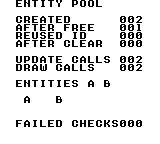
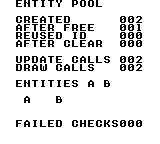
Build command
New-Item -ItemType Directory -Force .\out | Out-Null
.\kitaqgb\kitaqgb.exe .\kitaqgb\lib\entity.c .\kitaq-docs\samples\api-examples\gb\entity_pool.c -I .\kitaqgb\lib -I .\kitaq-docs\samples -o .\out\entity_pool.gb --profile=dev --rst-disable --stack-bank=fixed --cgb=cgb --no-disasmImplementation and source
kitaqgb/lib/entity.h:43
Release every entity and restore deterministic defaults, including the no-sprite sentinel.
kitaqgb/lib/entity.c:14
void entity_clear_all()
{
u8 i = 0;
while (i < ENTITY_MAX) {
entity_pool[i].active = 0;
entity_pool[i].type = 0;
entity_pool[i].x = 0;
entity_pool[i].y = 0;
entity_pool[i].vx = 0;
entity_pool[i].vy = 0;
entity_pool[i].state = 0;
entity_pool[i].timer = 0;
entity_pool[i].sprite = 0xFF;
i++;
}
}entity_count_active
Count the occupied entity slots without modifying them.
Syntax
u8 entity_count_active();Return value
Number of slots whose active byte is nonzero, from 0 to ENTITY_MAX. This is occupancy, not the highest allocated ID or the number of sprites on screen.
Conditions and limits
The pool is a fixed array: no heap allocation occurs. ENTITY_MAX defaults to 16 and must be 1–255, defined identically in every compilation unit. Slot IDs start at zero; 0xFF is reserved for failure.
Usage example
created = entity_count_active();
if (created != 2) { failures++; }This is a calling fragment. Follow the stated initialization and buffer requirements before using it in a complete program.
Expected result
The complete program teaches the lifetime of a reusable pool slot. Read the labels with the numbers: CREATED 002 after two allocations; AFTER FREE 001 after freeing the first; REUSED ID 000 when the lowest free ID is reused; AFTER CLEAR 000 after clearing the pool. It checks null lookup after release and reset fields after reuse. FAILED CHECKS 000 means these checks matched the expected values.
The GB traversal calls each callback for the two active entities: UPDATE CALLS 002 and DRAW CALLS 002. The sample's update callback moves both one tile to the right. Its drawing callback places A at tile (3,12) and B at (7,12), representing the two objects. These are background font tiles drawn by the callback, not automatically allocated sprites.
Build command
New-Item -ItemType Directory -Force .\out | Out-Null
.\kitaqgb\kitaqgb.exe .\kitaqgb\lib\entity.c .\kitaq-docs\samples\api-examples\gb\entity_pool.c -I .\kitaqgb\lib -I .\kitaq-docs\samples -o .\out\entity_pool.gb --profile=dev --rst-disable --stack-bank=fixed --cgb=cgb --no-disasmImplementation and source
kitaqgb/lib/entity.h:41
Count occupied slots without changing entity state.
kitaqgb/lib/entity.c:93
u8 entity_count_active()
{
u8 i = 0;
u8 count = 0;
while (i < ENTITY_MAX) {
if (entity_pool[i].active != 0) count++;
i++;
}
return count;
}entity_create
Allocate an entity with the supplied type and position; return its reusable ID, or 0xFF when full.
Syntax
u8 entity_create(u8 type, s16 x, s16 y);Parameters
typeApplication-defined type tag, 0–255. The pool stores it but does not choose behavior or drawing routines from it.
x, ySigned 16-bit coordinates (
-32768–32767). Their unit is chosen by the game, such as pixels or Q8.8; the pool does not convert units, clip positions or apply velocity automatically.
Return value
The lowest free slot ID (0–ENTITY_MAX-1), or 0xFF when none is free. A successful allocation sets active=1, stores the supplied type and position, clears velocity/state/timer, and sets sprite=0xFF.
Conditions and limits
The pool is a fixed array: no heap allocation occurs. ENTITY_MAX defaults to 16 and must be 1–255, defined identically in every compilation unit. Slot IDs start at zero; 0xFF is reserved for failure.
Usage example
first = entity_create(1, 2, 12);
second = entity_create(2, 6, 12);
if (first == 0xFF || second == 0xFF) { failures++; }This is a calling fragment. Follow the stated initialization and buffer requirements before using it in a complete program.
Expected result
The complete program teaches the lifetime of a reusable pool slot. Read the labels with the numbers: CREATED 002 after two allocations; AFTER FREE 001 after freeing the first; REUSED ID 000 when the lowest free ID is reused; AFTER CLEAR 000 after clearing the pool. It checks null lookup after release and reset fields after reuse. FAILED CHECKS 000 means these checks matched the expected values.
The GB traversal calls each callback for the two active entities: UPDATE CALLS 002 and DRAW CALLS 002. The sample's update callback moves both one tile to the right. Its drawing callback places A at tile (3,12) and B at (7,12), representing the two objects. These are background font tiles drawn by the callback, not automatically allocated sprites.
Build command
New-Item -ItemType Directory -Force .\out | Out-Null
.\kitaqgb\kitaqgb.exe .\kitaqgb\lib\entity.c .\kitaq-docs\samples\api-examples\gb\entity_pool.c -I .\kitaqgb\lib -I .\kitaq-docs\samples -o .\out\entity_pool.gb --profile=dev --rst-disable --stack-bank=fixed --cgb=cgb --no-disasmImplementation and source
kitaqgb/lib/entity.h:29
Returns a reusable slot ID, or 0xFF if no slot is free.
kitaqgb/lib/entity.c:33
u8 entity_create(u8 type, s16 x, s16 y)
{
u8 i = 0;
while (i < ENTITY_MAX) {
if (entity_pool[i].active == 0) {
entity_pool[i].active = 1;
entity_pool[i].type = type;
entity_pool[i].x = x;
entity_pool[i].y = y;
entity_pool[i].vx = 0;
entity_pool[i].vy = 0;
entity_pool[i].state = 0;
entity_pool[i].timer = 0;
entity_pool[i].sprite = 0xFF;
return i;
}
i++;
}
return 0xFF;
}entity_destroy
Release the entity slot identified by id; its stored payload is not cleared until reallocation.
Syntax
void entity_destroy(u8 id);Parameters
idReusable slot index from 0 to
ENTITY_MAX-1. Values outside that range are invalid. Destroying an invalid ID has no effect; looking it up returns null.
Return value
None (void).
Conditions and limits
The pool is a fixed array: no heap allocation occurs. ENTITY_MAX defaults to 16 and must be 1–255, defined identically in every compilation unit. Slot IDs start at zero; 0xFF is reserved for failure.
Destroy only clears active; it does not erase the other fields, free a sprite, or release assets. A later create can reuse the same ID and address for a different entity. Arrange associated resource cleanup in the game.
Usage example
entity_destroy(first);
after_free = entity_count_active();
if (entity_get(first) != 0 || after_free != 1) { failures++; }This is a calling fragment. Follow the stated initialization and buffer requirements before using it in a complete program.
Expected result
The complete program teaches the lifetime of a reusable pool slot. Read the labels with the numbers: CREATED 002 after two allocations; AFTER FREE 001 after freeing the first; REUSED ID 000 when the lowest free ID is reused; AFTER CLEAR 000 after clearing the pool. It checks null lookup after release and reset fields after reuse. FAILED CHECKS 000 means these checks matched the expected values.
The GB traversal calls each callback for the two active entities: UPDATE CALLS 002 and DRAW CALLS 002. The sample's update callback moves both one tile to the right. Its drawing callback places A at tile (3,12) and B at (7,12), representing the two objects. These are background font tiles drawn by the callback, not automatically allocated sprites.
Build command
New-Item -ItemType Directory -Force .\out | Out-Null
.\kitaqgb\kitaqgb.exe .\kitaqgb\lib\entity.c .\kitaq-docs\samples\api-examples\gb\entity_pool.c -I .\kitaqgb\lib -I .\kitaq-docs\samples -o .\out\entity_pool.gb --profile=dev --rst-disable --stack-bank=fixed --cgb=cgb --no-disasmImplementation and source
kitaqgb/lib/entity.h:32
Release a valid slot without clearing its payload. Reallocation resets the payload; a saved pointer or ID must not be treated as a persistent entity identity.
kitaqgb/lib/entity.c:56
void entity_destroy(u8 id)
{
if (id >= ENTITY_MAX) return;
// Deactivation only releases this pool slot; the caller handles sprite/resource cleanup.
entity_pool[id].active = 0;
}entity_draw_all
Traverse active entities and call the supplied drawing callback with each ID. This uses the same traversal as entity_update_all; no sprite or pixel is drawn unless the callback submits drawing data.
Syntax
void entity_draw_all(EntityFn fn);Parameters
fnFunction pointer with signature
void fn(u8 id). It receives a slot ID; useentity_get(id)to access fields. Null is accepted and causes no calls.
Return value
None (void).
Conditions and limits
The pool is a fixed array: no heap allocation occurs. ENTITY_MAX defaults to 16 and must be 1–255, defined identically in every compilation unit. Slot IDs start at zero; 0xFF is reserved for failure.
The scan tests activity when it reaches a slot. A callback can deactivate a later slot so it is skipped, or activate a later slot so it is visited in this pass. This is not a snapshot of the initial active set.
Usage example
void demo_draw(u8 id) {
Entity* entity;
entity = entity_get(id);
if (entity != 0) {
m_put((u8)entity->x, (u8)entity->y, (u8)('A' + entity->type - 1));
draw_calls++;
}
}
// From main(), after creating two entities:
draw_calls = 0;
entity_draw_all(demo_draw);
automatic_draws = draw_calls;
if (automatic_draws != 2) { failures++; }This is a calling fragment. Follow the stated initialization and buffer requirements before using it in a complete program.
Expected result
The complete program teaches the lifetime of a reusable pool slot. Read the labels with the numbers: CREATED 002 after two allocations; AFTER FREE 001 after freeing the first; REUSED ID 000 when the lowest free ID is reused; AFTER CLEAR 000 after clearing the pool. It checks null lookup after release and reset fields after reuse. FAILED CHECKS 000 means these checks matched the expected values.
The GB traversal calls each callback for the two active entities: UPDATE CALLS 002 and DRAW CALLS 002. The sample's update callback moves both one tile to the right. Its drawing callback places A at tile (3,12) and B at (7,12), representing the two objects. These are background font tiles drawn by the callback, not automatically allocated sprites.
Build command
New-Item -ItemType Directory -Force .\out | Out-Null
.\kitaqgb\kitaqgb.exe .\kitaqgb\lib\entity.c .\kitaq-docs\samples\api-examples\gb\entity_pool.c -I .\kitaqgb\lib -I .\kitaq-docs\samples -o .\out\entity_pool.gb --profile=dev --rst-disable --stack-bank=fixed --cgb=cgb --no-disasmImplementation and source
kitaqgb/lib/entity.h:39
Use the same active-slot traversal for drawing; the callback supplies all rendering.
kitaqgb/lib/entity.c:87
void entity_draw_all(EntityFn fn)
{
entity_update_all(fn);
}entity_get
Return a pointer to the active entity, or null for an invalid or inactive ID. The pointer refers to reusable pool storage.
Syntax
Entity* entity_get(u8 id);Parameters
idReusable slot index from 0 to
ENTITY_MAX-1. Values outside that range are invalid. Destroying an invalid ID has no effect; looking it up returns null.
Return value
A writable pointer to the active pool slot, or null if the ID is invalid or inactive. The storage belongs to the pool; do not free it or use it as a permanent identity across destroy/recreate operations.
Conditions and limits
The pool is a fixed array: no heap allocation occurs. ENTITY_MAX defaults to 16 and must be 1–255, defined identically in every compilation unit. Slot IDs start at zero; 0xFF is reserved for failure.
Destroy only clears active; it does not erase the other fields, free a sprite, or release assets. A later create can reuse the same ID and address for a different entity. Arrange associated resource cleanup in the game.
Usage example
current_entity = entity_get(first);
if (current_entity != 0) { current_entity->vx = 5; }
else { failures++; }This is a calling fragment. Follow the stated initialization and buffer requirements before using it in a complete program.
Expected result
The complete program teaches the lifetime of a reusable pool slot. Read the labels with the numbers: CREATED 002 after two allocations; AFTER FREE 001 after freeing the first; REUSED ID 000 when the lowest free ID is reused; AFTER CLEAR 000 after clearing the pool. It checks null lookup after release and reset fields after reuse. FAILED CHECKS 000 means these checks matched the expected values.
The GB traversal calls each callback for the two active entities: UPDATE CALLS 002 and DRAW CALLS 002. The sample's update callback moves both one tile to the right. Its drawing callback places A at tile (3,12) and B at (7,12), representing the two objects. These are background font tiles drawn by the callback, not automatically allocated sprites.
Build command
New-Item -ItemType Directory -Force .\out | Out-Null
.\kitaqgb\kitaqgb.exe .\kitaqgb\lib\entity.c .\kitaq-docs\samples\api-examples\gb\entity_pool.c -I .\kitaqgb\lib -I .\kitaq-docs\samples -o .\out\entity_pool.gb --profile=dev --rst-disable --stack-bank=fixed --cgb=cgb --no-disasmImplementation and source
kitaqgb/lib/entity.h:34
Returns null for an invalid or inactive ID; the returned pointer aliases reusable pool storage.
kitaqgb/lib/entity.c:65
Entity* entity_get(u8 id)
{
if (id >= ENTITY_MAX) return 0;
if (entity_pool[id].active == 0) return 0;
return &entity_pool[(__safe_index u8)id];
}entity_init
Initialize the entity pool by resetting every slot.
Syntax
void entity_init();Return value
None (void).
Conditions and limits
The pool is a fixed array: no heap allocation occurs. ENTITY_MAX defaults to 16 and must be 1–255, defined identically in every compilation unit. Slot IDs start at zero; 0xFF is reserved for failure.
Reset active,type,x,y,vx,vy,state,timer to zero and sprite to 0xFF for every slot. This does not hide or free hardware sprites; clean up rendering resources separately.
Usage example
entity_init();
if (entity_count_active() != 0) { failures++; }This is a calling fragment. Follow the stated initialization and buffer requirements before using it in a complete program.
Expected result
The complete program teaches the lifetime of a reusable pool slot. Read the labels with the numbers: CREATED 002 after two allocations; AFTER FREE 001 after freeing the first; REUSED ID 000 when the lowest free ID is reused; AFTER CLEAR 000 after clearing the pool. It checks null lookup after release and reset fields after reuse. FAILED CHECKS 000 means these checks matched the expected values.
The GB traversal calls each callback for the two active entities: UPDATE CALLS 002 and DRAW CALLS 002. The sample's update callback moves both one tile to the right. Its drawing callback places A at tile (3,12) and B at (7,12), representing the two objects. These are background font tiles drawn by the callback, not automatically allocated sprites.
Build command
New-Item -ItemType Directory -Force .\out | Out-Null
.\kitaqgb\kitaqgb.exe .\kitaqgb\lib\entity.c .\kitaq-docs\samples\api-examples\gb\entity_pool.c -I .\kitaqgb\lib -I .\kitaq-docs\samples -o .\out\entity_pool.gb --profile=dev --rst-disable --stack-bank=fixed --cgb=cgb --no-disasmImplementation and source
kitaqgb/lib/entity.h:27
Reset every slot before the game starts using the pool.
kitaqgb/lib/entity.c:8
void entity_init()
{
entity_clear_all();
}entity_update_all
Visit active slots in ascending ID order and call fn(id) once for each. The callback implements movement, collisions or timers; the pool does not supply that logic. A null callback does nothing.
Syntax
void entity_update_all(EntityFn fn);Parameters
fnFunction pointer with signature
void fn(u8 id). It receives a slot ID; useentity_get(id)to access fields. Null is accepted and causes no calls.
Return value
None (void).
Conditions and limits
The pool is a fixed array: no heap allocation occurs. ENTITY_MAX defaults to 16 and must be 1–255, defined identically in every compilation unit. Slot IDs start at zero; 0xFF is reserved for failure.
The scan tests activity when it reaches a slot. A callback can deactivate a later slot so it is skipped, or activate a later slot so it is visited in this pass. This is not a snapshot of the initial active set.
Usage example
void demo_update(u8 id) {
Entity* entity;
entity = entity_get(id);
if (entity != 0) { entity->x = entity->x + 1; update_calls++; }
}
// From main(), after creating two entities:
update_calls = 0;
entity_update_all(demo_update);
automatic_updates = update_calls;
if (automatic_updates != 2) { failures++; }This is a calling fragment. Follow the stated initialization and buffer requirements before using it in a complete program.
Expected result
The complete program teaches the lifetime of a reusable pool slot. Read the labels with the numbers: CREATED 002 after two allocations; AFTER FREE 001 after freeing the first; REUSED ID 000 when the lowest free ID is reused; AFTER CLEAR 000 after clearing the pool. It checks null lookup after release and reset fields after reuse. FAILED CHECKS 000 means these checks matched the expected values.
The GB traversal calls each callback for the two active entities: UPDATE CALLS 002 and DRAW CALLS 002. The sample's update callback moves both one tile to the right. Its drawing callback places A at tile (3,12) and B at (7,12), representing the two objects. These are background font tiles drawn by the callback, not automatically allocated sprites.
Build command
New-Item -ItemType Directory -Force .\out | Out-Null
.\kitaqgb\kitaqgb.exe .\kitaqgb\lib\entity.c .\kitaq-docs\samples\api-examples\gb\entity_pool.c -I .\kitaqgb\lib -I .\kitaq-docs\samples -o .\out\entity_pool.gb --profile=dev --rst-disable --stack-bank=fixed --cgb=cgb --no-disasmImplementation and source
kitaqgb/lib/entity.h:37
Call fn for each slot that is active when the scan reaches it; null is a no-op. Callbacks may change the pool, so newly activated later slots can run in this pass.
kitaqgb/lib/entity.c:74
void entity_update_all(EntityFn fn)
{
u8 i = 0;
if (fn == 0) return;
while (i < ENTITY_MAX) {
if (entity_pool[i].active != 0) {
fn(i);
}
i++;
}
}fixed.h — Q8.8 fixed-point arithmetic and rectangles
Q8.8 arithmetic represents fractional coordinates and speeds using integers, alongside rectangle/point collision tests. Check each operation’s precision and range limits.
fix_div
Divide Q8.8 values after reducing the operands.
Syntax
fix8 fix_div(fix8 a, fix8 b);Parameters
aLeft operand in Q8.8.
bRight operand in Q8.8.
Return value
Returns a Q8.8 quotient, or zero when b == 0.
Conditions and limits
The expression is ((a >> 4) * 256) / (b >> 4). A nonzero divisor must remain nonzero after the shift: do not pass positive raw values 1–15. The scaled numerator must also fit in 16 bits.
Usage example
result[3]=fix_div(768,512);This is a calling fragment. Follow the stated initialization and buffer requirements before using it in a complete program.
Expected result
Dividing 3.0 by 2.0 yields 1.5 (raw 384). A separate check verifies the explicit zero-divisor return.
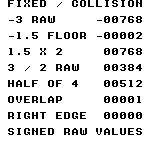
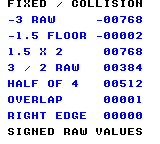
Build command
New-Item -ItemType Directory -Force .\out | Out-Null
.\kitaqgb\kitaqgb.exe .\kitaq-docs\samples\api-examples\gb\batch_math.c -I .\kitaqgb\lib -I .\kitaq-docs\samples -o .\out\batch_math.gb --no-cache --no-disasm --profile=dev --rst-disable --stack-bank=fixed --cgb=cgb --cart=mbc5 --romsize=64kImplementation and source
kitaqgb/lib/fixed.h:32
Scale the reduced-precision quotient back to 8.8 and return zero for b == 0. Callers must also ensure (b >> 4) is nonzero; the explicit check only tests b. The intermediate product must fit the compiler's integer arithmetic.
kitaqgb/lib/fixed.c:26
fix8 fix_div(fix8 a, fix8 b)
{
if (b == 0) return 0;
return (fix8)(((a >> 4) * 256) / (b >> 4));
}fix_from_int
Convert an integer coordinate or speed to Q8.8 so subsequent calculations can retain fractional parts.
Syntax
fix8 fix_from_int(s16 n);Parameters
nInteger to convert, from −128 through 127.
Return value
Returns the raw value n × 256.
Conditions and limits
fix8 is signed Q8.8: a raw value of 256 represents 1.0. Keep intermediate values and results within the 16-bit range.
Usage example
result[0]=fix_from_int(-3);This is a calling fragment. Follow the stated initialization and buffer requirements before using it in a complete program.
Expected result
The example converts −3. The displayed −00768 is the raw Q8.8 result −768.
Build command
New-Item -ItemType Directory -Force .\out | Out-Null
.\kitaqgb\kitaqgb.exe .\kitaq-docs\samples\api-examples\gb\batch_math.c -I .\kitaqgb\lib -I .\kitaq-docs\samples -o .\out\batch_math.gb --no-cache --no-disasm --profile=dev --rst-disable --stack-bank=fixed --cgb=cgb --cart=mbc5 --romsize=64kImplementation and source
kitaqgb/lib/fixed.h:23
Convert an integer to signed 8.8 fixed point by moving it into the high byte. The caller must keep the result within the representable 16-bit range.
kitaqgb/lib/fixed.c:5
fix8 fix_from_int(s16 n)
{
return (fix8)(n << 8);
}fix_lerp
Interpolate from one Q8.8 value toward another using an eight-bit weight.
Syntax
fix8 fix_lerp(fix8 a, fix8 b, u8 t_q8);Parameters
aLeft operand in Q8.8.
bRight operand in Q8.8.
t_q8Interpolation weight from 0 through 255.
Return value
Returns the approximated interpolated Q8.8 value.
Conditions and limits
The difference and weight are each shifted right by four bits. This gives 16 weight levels, so even 255 need not reach the endpoint. Keep b - a and the final result within 16 bits.
Usage example
result[4]=fix_lerp(0,1024,128);This is a calling fragment. Follow the stated initialization and buffer requirements before using it in a complete program.
Expected result
A weight of 128 between 0 and 4.0 yields 2.0 (raw 512). Weight 255 produces 3.75 (raw 960), demonstrating that the endpoint is not reached.
Build command
New-Item -ItemType Directory -Force .\out | Out-Null
.\kitaqgb\kitaqgb.exe .\kitaq-docs\samples\api-examples\gb\batch_math.c -I .\kitaqgb\lib -I .\kitaq-docs\samples -o .\out\batch_math.gb --no-cache --no-disasm --profile=dev --rst-disable --stack-bank=fixed --cgb=cgb --cart=mbc5 --romsize=64kImplementation and source
kitaqgb/lib/fixed.h:35
Interpolate toward b using a quantized Q0.8 weight. Both shifts discard low bits, so small changes may vanish and a weight of 255 need not reach b.
kitaqgb/lib/fixed.c:34
fix8 fix_lerp(fix8 a, fix8 b, u8 t_q8)
{
// The endpoint difference must fit s16 before the reduced-precision multiplication.
fix8 d = (fix8)(b - a);
return (fix8)(a + (fix8)((d >> 4) * (s16)(t_q8 >> 4)));
}fix_mul
Multiply two Q8.8 values using a low-cost approximation.
Syntax
fix8 fix_mul(fix8 a, fix8 b);Parameters
aLeft operand in Q8.8.
bRight operand in Q8.8.
Return value
Returns the product in Q8.8.
Conditions and limits
Each operand is shifted right by four bits before multiplication, discarding four low bits from each. This is less precise than a full 16-by-16-bit product. fix8 is signed Q8.8: a raw value of 256 represents 1.0. Keep intermediate values and results within the 16-bit range.
Usage example
result[2]=fix_mul(384,512);This is a calling fragment. Follow the stated initialization and buffer requirements before using it in a complete program.
Expected result
Multiplying 1.5 by 2.0 yields 3.0 (raw 768). The program also checks the quantization case where raw 271 multiplied by raw 271 yields 256.
Build command
New-Item -ItemType Directory -Force .\out | Out-Null
.\kitaqgb\kitaqgb.exe .\kitaq-docs\samples\api-examples\gb\batch_math.c -I .\kitaqgb\lib -I .\kitaq-docs\samples -o .\out\batch_math.gb --no-cache --no-disasm --profile=dev --rst-disable --stack-bank=fixed --cgb=cgb --cart=mbc5 --romsize=64kImplementation and source
kitaqgb/lib/fixed.h:28
Approximate 8.8 multiplication by discarding four low bits from each operand before multiplying. This trades precision for a smaller intermediate product.
kitaqgb/lib/fixed.c:18
fix8 fix_mul(fix8 a, fix8 b)
{
return (fix8)((a >> 4) * (b >> 4));
}fix_to_int
Extract an integer coordinate from Q8.8 by discarding its fractional bits. Negative values round toward negative infinity.
Syntax
s16 fix_to_int(fix8 x);Parameters
xQ8.8 value to convert to an integer.
Return value
Returns a signed integer.
Conditions and limits
fix8 is signed Q8.8: a raw value of 256 represents 1.0. Keep intermediate values and results within the 16-bit range.
Usage example
result[1]=fix_to_int(-384);This is a calling fragment. Follow the stated initialization and buffer requirements before using it in a complete program.
Expected result
Passing raw −384 (−1.5) produces −2, displayed as −00002. A boundary check also confirms that raw −1 becomes −1.
Build command
New-Item -ItemType Directory -Force .\out | Out-Null
.\kitaqgb\kitaqgb.exe .\kitaq-docs\samples\api-examples\gb\batch_math.c -I .\kitaqgb\lib -I .\kitaq-docs\samples -o .\out\batch_math.gb --no-cache --no-disasm --profile=dev --rst-disable --stack-bank=fixed --cgb=cgb --cart=mbc5 --romsize=64kImplementation and source
kitaqgb/lib/fixed.h:25
Discard the eight fractional bits using a signed right shift.
kitaqgb/lib/fixed.c:11
s16 fix_to_int(fix8 x)
{
return (s16)(x >> 8);
}kq_abs_s16
Find the magnitude of a signed 16-bit value.
Syntax
s16 kq_abs_s16(s16 v);Parameters
vSigned 16-bit value whose magnitude is needed.
Return value
Returns a nonnegative magnitude, except for the unrepresentable magnitude of −32768.
Conditions and limits
The positive magnitude 32768 does not fit in s16. Exclude −32768 when a nonnegative result is required.
Usage example
result[0]=kq_abs_s16(-123);This is a calling fragment. Follow the stated initialization and buffer requirements before using it in a complete program.
Expected result
The sample turns −123 into 123, as when measuring the magnitude of a coordinate difference.
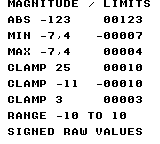
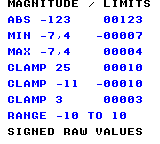
Build command
New-Item -ItemType Directory -Force .\out | Out-Null
.\kitaqgb\kitaqgb.exe .\kitaq-docs\samples\api-examples\gb\batch_math_limits.c -I .\kitaqgb\lib -I .\kitaq-docs\samples -o .\out\batch_math_limits.gb --no-cache --no-disasm --profile=dev --rst-disable --stack-bank=fixed --cgb=cgb --cart=mbc5 --romsize=64kImplementation and source
kitaqgb/lib/fixed.h:38
Return the magnitude in s16. The most-negative s16 has no positive s16 representation and must be excluded by callers needing a nonnegative result.
kitaqgb/lib/fixed.c:43
s16 kq_abs_s16(s16 v)
{
if (v < 0) return (s16)(0 - v);
return v;
}kq_clamp_s16
Restrict a coordinate or speed to an inclusive interval.
Syntax
s16 kq_clamp_s16(s16 v, s16 lo, s16 hi);Parameters
vSigned value to limit.
loInclusive lower limit.
hiInclusive upper limit.
Return value
Returns lo below the interval, hi above it, or v within it.
Conditions and limits
Supply a valid interval with lo <= hi.
Usage example
result[3]=kq_clamp_s16(25,-10,10);This is a calling fragment. Follow the stated initialization and buffer requirements before using it in a complete program.
Expected result
Clamping 25 to −10…10 yields 10. Checks also cover −11→−10 at the lower edge and 3→3 inside the interval.
Build command
New-Item -ItemType Directory -Force .\out | Out-Null
.\kitaqgb\kitaqgb.exe .\kitaq-docs\samples\api-examples\gb\batch_math_limits.c -I .\kitaqgb\lib -I .\kitaq-docs\samples -o .\out\batch_math_limits.gb --no-cache --no-disasm --profile=dev --rst-disable --stack-bank=fixed --cgb=cgb --cart=mbc5 --romsize=64kImplementation and source
kitaqgb/lib/fixed.h:44
Clamp to an inclusive interval; callers must provide lo <= hi.
kitaqgb/lib/fixed.c:64
s16 kq_clamp_s16(s16 v, s16 lo, s16 hi)
{
if (v < lo) return lo;
if (v > hi) return hi;
return v;
}kq_max_s16
Select the larger of two signed 16-bit values.
Syntax
s16 kq_max_s16(s16 a, s16 b);Parameters
aFirst signed value to compare.
bSecond signed value to compare.
Return value
Returns the selected operand.
Conditions and limits
Comparison is signed. Equal operands produce that same value; neither input is modified.
Usage example
result[2]=kq_max_s16(-7,4);This is a calling fragment. Follow the stated initialization and buffer requirements before using it in a complete program.
Expected result
Comparing −7 and 4 yields 4. Negative results are displayed with a minus sign.
Build command
New-Item -ItemType Directory -Force .\out | Out-Null
.\kitaqgb\kitaqgb.exe .\kitaq-docs\samples\api-examples\gb\batch_math_limits.c -I .\kitaqgb\lib -I .\kitaq-docs\samples -o .\out\batch_math_limits.gb --no-cache --no-disasm --profile=dev --rst-disable --stack-bank=fixed --cgb=cgb --cart=mbc5 --romsize=64kImplementation and source
kitaqgb/lib/fixed.h:42
Select the larger signed value.
kitaqgb/lib/fixed.c:57
s16 kq_max_s16(s16 a, s16 b)
{
if (a > b) return a;
return b;
}kq_min_s16
Select the smaller of two signed 16-bit values.
Syntax
s16 kq_min_s16(s16 a, s16 b);Parameters
aFirst signed value to compare.
bSecond signed value to compare.
Return value
Returns the selected operand.
Conditions and limits
Comparison is signed. Equal operands produce that same value; neither input is modified.
Usage example
result[1]=kq_min_s16(-7,4);This is a calling fragment. Follow the stated initialization and buffer requirements before using it in a complete program.
Expected result
Comparing −7 and 4 yields -7. Negative results are displayed with a minus sign.
Build command
New-Item -ItemType Directory -Force .\out | Out-Null
.\kitaqgb\kitaqgb.exe .\kitaq-docs\samples\api-examples\gb\batch_math_limits.c -I .\kitaqgb\lib -I .\kitaq-docs\samples -o .\out\batch_math_limits.gb --no-cache --no-disasm --profile=dev --rst-disable --stack-bank=fixed --cgb=cgb --cart=mbc5 --romsize=64kImplementation and source
kitaqgb/lib/fixed.h:40
Select the smaller signed value.
kitaqgb/lib/fixed.c:50
s16 kq_min_s16(s16 a, s16 b)
{
if (a < b) return a;
return b;
}kq_point_in_rect
Test whether a point lies in a rectangle, including its left and top edges.
Syntax
u8 kq_point_in_rect(s16 x, s16 y, KQRect r);Parameters
xPoint X coordinate in the rectangle’s coordinate system.
yPoint Y coordinate.
rRectangle to test, passed by value.
Return value
Returns 1 inside and 0 outside.
Conditions and limits
Use positive dimensions and keep coordinate-plus-size sums representable as s16. Right and bottom edges are excluded. Zero-area rectangles are not explicitly rejected.
Usage example
result[1]=kq_point_in_rect(9,1,a);
for(gy=0;gy<11;gy++){for(gx=0;gx<15;gx++){
inside_a=kq_point_in_rect(gx,gy,a);inside_b=kq_point_in_rect(gx,gy,b);
tile=0;if(inside_a){tile=65;result[3]=result[3]+1;}if(inside_b)tile=66;if(inside_a && inside_b){tile=79;result[4]=result[4]+1;}
m_put(1+gx,2+gy,tile);if(tile!=0)vram_example_color(1+gx,2+gy,1,1,tile==65?1:(tile==66?2:3));
}}This is a calling fragment. Follow the stated initialization and buffer requirements before using it in a complete program.
Expected result
Each coordinate unit occupies one tile. Rectangles A at (1,1) and B at (5,4) are both 8×6. A-only cells show A, B-only cells show B, and the 4×3 overlap shows 12 O cells. A’s right edge x=9 is excluded. On CGB, A is red, B blue and O green.
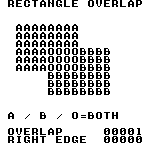
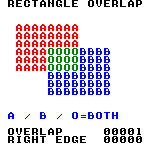
Build command
New-Item -ItemType Directory -Force .\out | Out-Null
.\kitaqgb\kitaqgb.exe .\kitaq-docs\samples\api-examples\gb\batch_geometry.c -I .\kitaqgb\lib -I .\kitaq-docs\samples -o .\out\batch_geometry.gb --no-cache --no-disasm --profile=dev --rst-disable --stack-bank=fixed --cgb=cgb --cart=mbc5 --romsize=64kImplementation and source
kitaqgb/lib/fixed.h:51
Test a half-open rectangle: left/top edges are included, right/bottom excluded. The coordinate-plus-size sums must remain representable as s16.
kitaqgb/lib/fixed.c:85
u8 kq_point_in_rect(s16 x, s16 y, KQRect r)
{
if (x < r.x) return 0;
if (y < r.y) return 0;
if (x >= (s16)(r.x + r.w)) return 0;
if (y >= (s16)(r.y + r.h)) return 0;
return 1;
}kq_rect_intersect
Test whether two axis-aligned rectangles overlap with positive area.
Syntax
u8 kq_rect_intersect(KQRect a, KQRect b);Parameters
aFirst rectangle, passed by value:
x, ylocate its top-left corner;w, hare its width and height.bSecond rectangle in the same coordinate system as A.
Return value
Returns 1 for overlap and 0 for separation or mere edge contact.
Conditions and limits
Use positive dimensions and keep coordinate-plus-size sums representable as s16. Right and bottom edges are excluded. Zero-area rectangles are not explicitly rejected.
Usage example
result[0]=kq_rect_intersect(a,b);result[2]=kq_rect_intersect(a,touch);This is a calling fragment. Follow the stated initialization and buffer requirements before using it in a complete program.
Expected result
Each coordinate unit occupies one tile. Rectangles A at (1,1) and B at (5,4) are both 8×6. A-only cells show A, B-only cells show B, and the 4×3 overlap shows 12 O cells. A’s right edge x=9 is excluded. On CGB, A is red, B blue and O green.
Build command
New-Item -ItemType Directory -Force .\out | Out-Null
.\kitaqgb\kitaqgb.exe .\kitaq-docs\samples\api-examples\gb\batch_geometry.c -I .\kitaqgb\lib -I .\kitaq-docs\samples -o .\out\batch_geometry.gb --no-cache --no-disasm --profile=dev --rst-disable --stack-bank=fixed --cgb=cgb --cart=mbc5 --romsize=64kImplementation and source
kitaqgb/lib/fixed.h:48
Test overlap using exclusive right/bottom edges; touching edges do not collide. Require positive dimensions and edge sums that fit s16; zero-sized rectangles are not explicitly rejected and may be reported as overlapping.
kitaqgb/lib/fixed.c:74
u8 kq_rect_intersect(KQRect a, KQRect b)
{
if ((s16)(a.x + a.w) <= b.x) return 0;
if ((s16)(b.x + b.w) <= a.x) return 0;
if ((s16)(a.y + a.h) <= b.y) return 0;
if ((s16)(b.y + b.h) <= a.y) return 0;
return 1;
}input.h — Button state, press, release and repeat
Use this library to separate continuous movement (input_down), one-shot actions (input_pressed), stopping on release (input_released) and menu repetition (input_repeat). Initialize once, update once per input tick, then query as often as needed. btn_down, btn_pressed, btn_released and btn_repeat are aliases for those four queries.
Shared masks: BTN_RIGHT=0x01, BTN_LEFT=0x02, BTN_UP=0x04, BTN_DOWN=0x08, BTN_A=0x10, BTN_B=0x20, BTN_SELECT=0x40, BTN_START=0x80. A set bit means held. This layout applies to input_* on both GB and FC; raw FC pad functions use a different order.
Repeat timing counts updates, not milliseconds. A new press emits immediately. With defaults INPUT_REPEAT_DELAY=18 and INPUT_REPEAT_RATE=5, the next pulse is 19 updates later, followed by pulses every 6 updates. Each button has its own counter. Define these macros consistently when compiling input.c; changing only the caller's header does not reconfigure the library.
btn_down
btn_down is an alias for input_down. Checks whether any selected button is currently held.
Test whether any button selected by mask is currently held.
Syntax
u8 btn_down(u8 mask);Parameters
maskOne
BTN_*mask or several joined with|. The test succeeds if any selected button matches;BTN_A | BTN_Bdoes not require both. Mask 0 always gives 0. To require every button, compare(input_current() & mask) == mask.
Return value
Exactly 1 if any selected button matches the queried condition; otherwise 0. The return value is not a button mask.
Conditions and limits
The header defines an object-like macro that expands to the implementation name. Arguments, return values and state access are the same as the target; the alias adds no separate state or processing. Use input.h/input.c for input or system.h/system.c for frame services as shown in the complete example and build command.
Shared masks: BTN_RIGHT=0x01, BTN_LEFT=0x02, BTN_UP=0x04, BTN_DOWN=0x08, BTN_A=0x10, BTN_B=0x20, BTN_SELECT=0x40, BTN_START=0x80. A set bit means held. This layout applies to input_* on both GB and FC; raw FC pad functions use a different order.
Getters observe the most recent input_update() without polling, consuming an edge or advancing a repeat timer. Repeated getter calls in the same tick give the same answer. Calling input_update() twice while a button stays down clears its press edge on the second call.
Usage example
if (btn_down(BTN_A)!=0) held_ticks++;This is a calling fragment. Follow the stated initialization and buffer requirements before using it in a complete program.
Expected result
This program demonstrates the difference between held state, a new press, release and automatic repeat. Hold A for 40 updates, then release it. FIRST DOWN, FIRST PRESS and FIRST REPEAT are 1; FIRST CURRENT is 16. HELD TICKS is 40, PRESS COUNT is 1 and REPEAT COUNT is 5. On release, RELEASE is 1, LAST CURRENT is 0 and LAST PREVIOUS is 16. FAILED CHECKS must be 0. Holding A for a different duration changes the counts; the program checks the repeat timing against the duration it actually observed.
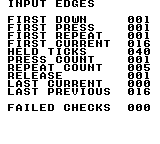
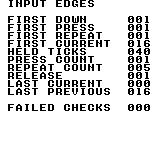
Build command
New-Item -ItemType Directory -Force .\out | Out-Null
.\kitaqgb\kitaqgb.exe .\kitaqgb\lib\input.c .\kitaq-docs\samples\api-examples\gb\input_aliases.c -I .\kitaqgb\lib -I .\kitaq-docs\samples -o .\out\input_aliases.gb --profile=dev --rst-disable --stack-bank=fixed --cgb=cgb --no-disasm --no-cacheImplementation and source
kitaqgb/lib/input.h:48
#define btn_down input_downkitaqgb/lib/input.c:68
u8 input_down(u8 mask)
{
return (u8)((kq_input_keys & mask) != 0);
}btn_pressed
btn_pressed is an alias for input_pressed. Checks whether any selected button became pressed in the latest input update.
Test whether a masked button changed from released to pressed in the latest input update.
Syntax
u8 btn_pressed(u8 mask);Parameters
maskOne
BTN_*mask or several joined with|. The test succeeds if any selected button matches;BTN_A | BTN_Bdoes not require both. Mask 0 always gives 0. To require every button, compare(input_current() & mask) == mask.
Return value
Exactly 1 if any selected button matches the queried condition; otherwise 0. The return value is not a button mask.
Conditions and limits
The header defines an object-like macro that expands to the implementation name. Arguments, return values and state access are the same as the target; the alias adds no separate state or processing. Use input.h/input.c for input or system.h/system.c for frame services as shown in the complete example and build command.
Shared masks: BTN_RIGHT=0x01, BTN_LEFT=0x02, BTN_UP=0x04, BTN_DOWN=0x08, BTN_A=0x10, BTN_B=0x20, BTN_SELECT=0x40, BTN_START=0x80. A set bit means held. This layout applies to input_* on both GB and FC; raw FC pad functions use a different order.
Getters observe the most recent input_update() without polling, consuming an edge or advancing a repeat timer. Repeated getter calls in the same tick give the same answer. Calling input_update() twice while a button stays down clears its press edge on the second call.
Usage example
if (btn_pressed(BTN_A)!=0) {
press_count++; seen_press=1;
first_down=btn_down(BTN_A); first_press=btn_pressed(BTN_A);
first_repeat=btn_repeat(BTN_A);
first_current=input_current(); // Only A held: BTN_A, or decimal 16.
first_previous=input_previous(); // No buttons in the preceding sample: 0.
if (first_down!=1 || first_press!=1 || first_repeat!=1) failures++;
if (first_current!=BTN_A || first_previous!=0) failures++;
if (btn_down(BTN_A|BTN_B)!=1 || btn_down(0)!=0) failures++;
}This is a calling fragment. Follow the stated initialization and buffer requirements before using it in a complete program.
Expected result
This program demonstrates the difference between held state, a new press, release and automatic repeat. Hold A for 40 updates, then release it. FIRST DOWN, FIRST PRESS and FIRST REPEAT are 1; FIRST CURRENT is 16. HELD TICKS is 40, PRESS COUNT is 1 and REPEAT COUNT is 5. On release, RELEASE is 1, LAST CURRENT is 0 and LAST PREVIOUS is 16. FAILED CHECKS must be 0. Holding A for a different duration changes the counts; the program checks the repeat timing against the duration it actually observed.
Build command
New-Item -ItemType Directory -Force .\out | Out-Null
.\kitaqgb\kitaqgb.exe .\kitaqgb\lib\input.c .\kitaq-docs\samples\api-examples\gb\input_aliases.c -I .\kitaqgb\lib -I .\kitaq-docs\samples -o .\out\input_aliases.gb --profile=dev --rst-disable --stack-bank=fixed --cgb=cgb --no-disasm --no-cacheImplementation and source
kitaqgb/lib/input.h:49
#define btn_pressed input_pressedkitaqgb/lib/input.c:74
u8 input_pressed(u8 mask)
{
return (u8)((kq_input_press_keys & mask) != 0);
}btn_released
btn_released is an alias for input_released. Checks whether any selected button was released in the latest input update.
Test whether a masked button changed from pressed to released in the latest input update.
Syntax
u8 btn_released(u8 mask);Parameters
maskOne
BTN_*mask or several joined with|. The test succeeds if any selected button matches;BTN_A | BTN_Bdoes not require both. Mask 0 always gives 0. To require every button, compare(input_current() & mask) == mask.
Return value
Exactly 1 if any selected button matches the queried condition; otherwise 0. The return value is not a button mask.
Conditions and limits
The header defines an object-like macro that expands to the implementation name. Arguments, return values and state access are the same as the target; the alias adds no separate state or processing. Use input.h/input.c for input or system.h/system.c for frame services as shown in the complete example and build command.
Shared masks: BTN_RIGHT=0x01, BTN_LEFT=0x02, BTN_UP=0x04, BTN_DOWN=0x08, BTN_A=0x10, BTN_B=0x20, BTN_SELECT=0x40, BTN_START=0x80. A set bit means held. This layout applies to input_* on both GB and FC; raw FC pad functions use a different order.
Getters observe the most recent input_update() without polling, consuming an edge or advancing a repeat timer. Repeated getter calls in the same tick give the same answer. Calling input_update() twice while a button stays down clears its press edge on the second call.
Usage example
if (btn_released(BTN_A)!=0) {
release_result=btn_released(BTN_A);
last_current=input_current(); last_previous=input_previous();
if (btn_down(BTN_A)!=0 || btn_pressed(BTN_A)!=0 || btn_repeat(BTN_A)!=0) failures++;
break;
}This is a calling fragment. Follow the stated initialization and buffer requirements before using it in a complete program.
Expected result
This program demonstrates the difference between held state, a new press, release and automatic repeat. Hold A for 40 updates, then release it. FIRST DOWN, FIRST PRESS and FIRST REPEAT are 1; FIRST CURRENT is 16. HELD TICKS is 40, PRESS COUNT is 1 and REPEAT COUNT is 5. On release, RELEASE is 1, LAST CURRENT is 0 and LAST PREVIOUS is 16. FAILED CHECKS must be 0. Holding A for a different duration changes the counts; the program checks the repeat timing against the duration it actually observed.
Build command
New-Item -ItemType Directory -Force .\out | Out-Null
.\kitaqgb\kitaqgb.exe .\kitaqgb\lib\input.c .\kitaq-docs\samples\api-examples\gb\input_aliases.c -I .\kitaqgb\lib -I .\kitaq-docs\samples -o .\out\input_aliases.gb --profile=dev --rst-disable --stack-bank=fixed --cgb=cgb --no-disasm --no-cacheImplementation and source
kitaqgb/lib/input.h:50
#define btn_released input_releasedkitaqgb/lib/input.c:80
u8 input_released(u8 mask)
{
return (u8)((kq_input_release_keys & mask) != 0);
}btn_repeat
btn_repeat is an alias for input_repeat. Checks for an initial press or a scheduled repeat pulse during a held input.
Test for an initial press or a scheduled repeat pulse from a masked button.
Syntax
u8 btn_repeat(u8 mask);Parameters
maskOne
BTN_*mask or several joined with|. The test succeeds if any selected button matches;BTN_A | BTN_Bdoes not require both. Mask 0 always gives 0. To require every button, compare(input_current() & mask) == mask.
Return value
Exactly 1 if any selected button matches the queried condition; otherwise 0. The return value is not a button mask.
Conditions and limits
The header defines an object-like macro that expands to the implementation name. Arguments, return values and state access are the same as the target; the alias adds no separate state or processing. Use input.h/input.c for input or system.h/system.c for frame services as shown in the complete example and build command.
Shared masks: BTN_RIGHT=0x01, BTN_LEFT=0x02, BTN_UP=0x04, BTN_DOWN=0x08, BTN_A=0x10, BTN_B=0x20, BTN_SELECT=0x40, BTN_START=0x80. A set bit means held. This layout applies to input_* on both GB and FC; raw FC pad functions use a different order.
Getters observe the most recent input_update() without polling, consuming an edge or advancing a repeat timer. Repeated getter calls in the same tick give the same answer. Calling input_update() twice while a button stays down clears its press edge on the second call.
Repeat timing counts updates, not milliseconds. A new press emits immediately. With defaults INPUT_REPEAT_DELAY=18 and INPUT_REPEAT_RATE=5, the next pulse is 19 updates later, followed by pulses every 6 updates. Each button has its own counter. Define these macros consistently when compiling input.c; changing only the caller's header does not reconfigure the library.
Usage example
if (btn_repeat(BTN_A)!=0) {
// The initial press is pulse 1. Defaults then wait 19 updates, followed by 6.
if (repeat_count==1 && held_ticks-previous_pulse!=19) failures++;
if (repeat_count>1 && held_ticks-previous_pulse!=6) failures++;
previous_pulse=held_ticks; repeat_count++;
if (btn_repeat(BTN_A)!=1) failures++; // Reading again does not consume it.
}This is a calling fragment. Follow the stated initialization and buffer requirements before using it in a complete program.
Expected result
This program demonstrates the difference between held state, a new press, release and automatic repeat. Hold A for 40 updates, then release it. FIRST DOWN, FIRST PRESS and FIRST REPEAT are 1; FIRST CURRENT is 16. HELD TICKS is 40, PRESS COUNT is 1 and REPEAT COUNT is 5. On release, RELEASE is 1, LAST CURRENT is 0 and LAST PREVIOUS is 16. FAILED CHECKS must be 0. Holding A for a different duration changes the counts; the program checks the repeat timing against the duration it actually observed.
Build command
New-Item -ItemType Directory -Force .\out | Out-Null
.\kitaqgb\kitaqgb.exe .\kitaqgb\lib\input.c .\kitaq-docs\samples\api-examples\gb\input_aliases.c -I .\kitaqgb\lib -I .\kitaq-docs\samples -o .\out\input_aliases.gb --profile=dev --rst-disable --stack-bank=fixed --cgb=cgb --no-disasm --no-cacheImplementation and source
kitaqgb/lib/input.h:51
#define btn_repeat input_repeatkitaqgb/lib/input.c:86
u8 input_repeat(u8 mask)
{
return (u8)((kq_input_repeat_keys & mask) != 0);
}input_current
Return the complete held-button mask from the most recent input update.
Syntax
u8 input_current();Return value
An 8-bit mask in the shared BTN_* layout. Several buttons may be set simultaneously; 0 means none.
Conditions and limits
Shared masks: BTN_RIGHT=0x01, BTN_LEFT=0x02, BTN_UP=0x04, BTN_DOWN=0x08, BTN_A=0x10, BTN_B=0x20, BTN_SELECT=0x40, BTN_START=0x80. A set bit means held. This layout applies to input_* on both GB and FC; raw FC pad functions use a different order.
Getters observe the most recent input_update() without polling, consuming an edge or advancing a repeat timer. Repeated getter calls in the same tick give the same answer. Calling input_update() twice while a button stays down clears its press edge on the second call.
Usage example
first_current=input_current(); // Only A held: BTN_A, or decimal 16.This is a calling fragment. Follow the stated initialization and buffer requirements before using it in a complete program.
Expected result
This program demonstrates the difference between held state, a new press, release and automatic repeat. Hold A for 40 updates, then release it. FIRST DOWN, FIRST PRESS and FIRST REPEAT are 1; FIRST CURRENT is 16. HELD TICKS is 40, PRESS COUNT is 1 and REPEAT COUNT is 5. On release, RELEASE is 1, LAST CURRENT is 0 and LAST PREVIOUS is 16. FAILED CHECKS must be 0. Holding A for a different duration changes the counts; the program checks the repeat timing against the duration it actually observed.
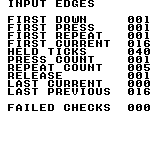
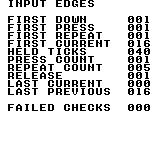
Build command
New-Item -ItemType Directory -Force .\out | Out-Null
.\kitaqgb\kitaqgb.exe .\kitaqgb\lib\input.c .\kitaq-docs\samples\api-examples\gb\input_edges.c -I .\kitaqgb\lib -I .\kitaq-docs\samples -o .\out\input_edges.gb --profile=dev --rst-disable --stack-bank=fixed --cgb=cgb --no-disasm --no-cacheImplementation and source
kitaqgb/lib/input.h:44
Return the complete held-button mask from the latest update.
kitaqgb/lib/input.c:92
u8 input_current()
{
return kq_input_keys;
}input_down
Test whether any button selected by mask is currently held.
Syntax
u8 input_down(u8 mask);Parameters
maskOne
BTN_*mask or several joined with|. The test succeeds if any selected button matches;BTN_A | BTN_Bdoes not require both. Mask 0 always gives 0. To require every button, compare(input_current() & mask) == mask.
Return value
Exactly 1 if any selected button matches the queried condition; otherwise 0. The return value is not a button mask.
Conditions and limits
Shared masks: BTN_RIGHT=0x01, BTN_LEFT=0x02, BTN_UP=0x04, BTN_DOWN=0x08, BTN_A=0x10, BTN_B=0x20, BTN_SELECT=0x40, BTN_START=0x80. A set bit means held. This layout applies to input_* on both GB and FC; raw FC pad functions use a different order.
Getters observe the most recent input_update() without polling, consuming an edge or advancing a repeat timer. Repeated getter calls in the same tick give the same answer. Calling input_update() twice while a button stays down clears its press edge on the second call.
Usage example
if (input_down(BTN_A)!=0) held_ticks++;This is a calling fragment. Follow the stated initialization and buffer requirements before using it in a complete program.
Expected result
This program demonstrates the difference between held state, a new press, release and automatic repeat. Hold A for 40 updates, then release it. FIRST DOWN, FIRST PRESS and FIRST REPEAT are 1; FIRST CURRENT is 16. HELD TICKS is 40, PRESS COUNT is 1 and REPEAT COUNT is 5. On release, RELEASE is 1, LAST CURRENT is 0 and LAST PREVIOUS is 16. FAILED CHECKS must be 0. Holding A for a different duration changes the counts; the program checks the repeat timing against the duration it actually observed.
Build command
New-Item -ItemType Directory -Force .\out | Out-Null
.\kitaqgb\kitaqgb.exe .\kitaqgb\lib\input.c .\kitaq-docs\samples\api-examples\gb\input_edges.c -I .\kitaqgb\lib -I .\kitaq-docs\samples -o .\out\input_edges.gb --profile=dev --rst-disable --stack-bank=fixed --cgb=cgb --no-disasm --no-cacheImplementation and source
kitaqgb/lib/input.h:36
Return whether any masked button is currently held.
kitaqgb/lib/input.c:68
u8 input_down(u8 mask)
{
return (u8)((kq_input_keys & mask) != 0);
}input_init
Clear the current, previous, pressed, released and repeat masks, and reset all eight repeat timers to INPUT_REPEAT_DELAY. This initializes the input library without reading the controller. A button held during the first subsequent update is detected as a new press.
Syntax
void input_init();Return value
None (void).
Conditions and limits
Shared masks: BTN_RIGHT=0x01, BTN_LEFT=0x02, BTN_UP=0x04, BTN_DOWN=0x08, BTN_A=0x10, BTN_B=0x20, BTN_SELECT=0x40, BTN_START=0x80. A set bit means held. This layout applies to input_* on both GB and FC; raw FC pad functions use a different order.
Repeat timing counts updates, not milliseconds. A new press emits immediately. With defaults INPUT_REPEAT_DELAY=18 and INPUT_REPEAT_RATE=5, the next pulse is 19 updates later, followed by pulses every 6 updates. Each button has its own counter. Define these macros consistently when compiling input.c; changing only the caller's header does not reconfigure the library.
Usage example
input_init();
if (input_current()!=0 || input_previous()!=0) failures++;This is a calling fragment. Follow the stated initialization and buffer requirements before using it in a complete program.
Expected result
This program demonstrates the difference between held state, a new press, release and automatic repeat. Hold A for 40 updates, then release it. FIRST DOWN, FIRST PRESS and FIRST REPEAT are 1; FIRST CURRENT is 16. HELD TICKS is 40, PRESS COUNT is 1 and REPEAT COUNT is 5. On release, RELEASE is 1, LAST CURRENT is 0 and LAST PREVIOUS is 16. FAILED CHECKS must be 0. Holding A for a different duration changes the counts; the program checks the repeat timing against the duration it actually observed.
Build command
New-Item -ItemType Directory -Force .\out | Out-Null
.\kitaqgb\kitaqgb.exe .\kitaqgb\lib\input.c .\kitaq-docs\samples\api-examples\gb\input_edges.c -I .\kitaqgb\lib -I .\kitaq-docs\samples -o .\out\input_edges.gb --profile=dev --rst-disable --stack-bank=fixed --cgb=cgb --no-disasm --no-cacheImplementation and source
kitaqgb/lib/input.h:31
Clear sampled/edge state and initialize an independent repeat timer for each button.
kitaqgb/lib/input.c:18
void input_init()
{
u8 i;
kq_input_prev_keys = 0;
kq_input_keys = 0;
kq_input_press_keys = 0;
kq_input_release_keys = 0;
kq_input_repeat_keys = 0;
i = 0;
while (i < 8) {
input_repeat_timer[i] = INPUT_REPEAT_DELAY;
i++;
}
}input_pressed
Test whether a masked button changed from released to pressed in the latest input update.
Syntax
u8 input_pressed(u8 mask);Parameters
maskOne
BTN_*mask or several joined with|. The test succeeds if any selected button matches;BTN_A | BTN_Bdoes not require both. Mask 0 always gives 0. To require every button, compare(input_current() & mask) == mask.
Return value
Exactly 1 if any selected button matches the queried condition; otherwise 0. The return value is not a button mask.
Conditions and limits
Shared masks: BTN_RIGHT=0x01, BTN_LEFT=0x02, BTN_UP=0x04, BTN_DOWN=0x08, BTN_A=0x10, BTN_B=0x20, BTN_SELECT=0x40, BTN_START=0x80. A set bit means held. This layout applies to input_* on both GB and FC; raw FC pad functions use a different order.
Getters observe the most recent input_update() without polling, consuming an edge or advancing a repeat timer. Repeated getter calls in the same tick give the same answer. Calling input_update() twice while a button stays down clears its press edge on the second call.
Usage example
if (input_pressed(BTN_A)!=0) {
press_count++; seen_press=1;
first_down=input_down(BTN_A); first_press=input_pressed(BTN_A);
first_repeat=input_repeat(BTN_A);
first_current=input_current(); // Only A held: BTN_A, or decimal 16.
first_previous=input_previous(); // No buttons in the preceding sample: 0.
if (first_down!=1 || first_press!=1 || first_repeat!=1) failures++;
if (first_current!=BTN_A || first_previous!=0) failures++;
if (input_down(BTN_A|BTN_B)!=1 || input_down(0)!=0) failures++;
}This is a calling fragment. Follow the stated initialization and buffer requirements before using it in a complete program.
Expected result
This program demonstrates the difference between held state, a new press, release and automatic repeat. Hold A for 40 updates, then release it. FIRST DOWN, FIRST PRESS and FIRST REPEAT are 1; FIRST CURRENT is 16. HELD TICKS is 40, PRESS COUNT is 1 and REPEAT COUNT is 5. On release, RELEASE is 1, LAST CURRENT is 0 and LAST PREVIOUS is 16. FAILED CHECKS must be 0. Holding A for a different duration changes the counts; the program checks the repeat timing against the duration it actually observed.
Build command
New-Item -ItemType Directory -Force .\out | Out-Null
.\kitaqgb\kitaqgb.exe .\kitaqgb\lib\input.c .\kitaq-docs\samples\api-examples\gb\input_edges.c -I .\kitaqgb\lib -I .\kitaq-docs\samples -o .\out\input_edges.gb --profile=dev --rst-disable --stack-bank=fixed --cgb=cgb --no-disasm --no-cacheImplementation and source
kitaqgb/lib/input.h:38
Return whether any masked button became pressed in the latest sample.
kitaqgb/lib/input.c:74
u8 input_pressed(u8 mask)
{
return (u8)((kq_input_press_keys & mask) != 0);
}input_previous
Return the held-button mask saved before the most recent input update.
Syntax
u8 input_previous();Return value
An 8-bit mask in the shared BTN_* layout. Several buttons may be set simultaneously; 0 means none.
Conditions and limits
Shared masks: BTN_RIGHT=0x01, BTN_LEFT=0x02, BTN_UP=0x04, BTN_DOWN=0x08, BTN_A=0x10, BTN_B=0x20, BTN_SELECT=0x40, BTN_START=0x80. A set bit means held. This layout applies to input_* on both GB and FC; raw FC pad functions use a different order.
Getters observe the most recent input_update() without polling, consuming an edge or advancing a repeat timer. Repeated getter calls in the same tick give the same answer. Calling input_update() twice while a button stays down clears its press edge on the second call.
Usage example
first_previous=input_previous(); // No buttons in the preceding sample: 0.This is a calling fragment. Follow the stated initialization and buffer requirements before using it in a complete program.
Expected result
This program demonstrates the difference between held state, a new press, release and automatic repeat. Hold A for 40 updates, then release it. FIRST DOWN, FIRST PRESS and FIRST REPEAT are 1; FIRST CURRENT is 16. HELD TICKS is 40, PRESS COUNT is 1 and REPEAT COUNT is 5. On release, RELEASE is 1, LAST CURRENT is 0 and LAST PREVIOUS is 16. FAILED CHECKS must be 0. Holding A for a different duration changes the counts; the program checks the repeat timing against the duration it actually observed.
Build command
New-Item -ItemType Directory -Force .\out | Out-Null
.\kitaqgb\kitaqgb.exe .\kitaqgb\lib\input.c .\kitaq-docs\samples\api-examples\gb\input_edges.c -I .\kitaqgb\lib -I .\kitaq-docs\samples -o .\out\input_edges.gb --profile=dev --rst-disable --stack-bank=fixed --cgb=cgb --no-disasm --no-cacheImplementation and source
kitaqgb/lib/input.h:46
Return the held-button mask that preceded the latest update.
kitaqgb/lib/input.c:98
u8 input_previous()
{
return kq_input_prev_keys;
}input_released
Test whether a masked button changed from pressed to released in the latest input update.
Syntax
u8 input_released(u8 mask);Parameters
maskOne
BTN_*mask or several joined with|. The test succeeds if any selected button matches;BTN_A | BTN_Bdoes not require both. Mask 0 always gives 0. To require every button, compare(input_current() & mask) == mask.
Return value
Exactly 1 if any selected button matches the queried condition; otherwise 0. The return value is not a button mask.
Conditions and limits
Shared masks: BTN_RIGHT=0x01, BTN_LEFT=0x02, BTN_UP=0x04, BTN_DOWN=0x08, BTN_A=0x10, BTN_B=0x20, BTN_SELECT=0x40, BTN_START=0x80. A set bit means held. This layout applies to input_* on both GB and FC; raw FC pad functions use a different order.
Getters observe the most recent input_update() without polling, consuming an edge or advancing a repeat timer. Repeated getter calls in the same tick give the same answer. Calling input_update() twice while a button stays down clears its press edge on the second call.
Usage example
if (input_released(BTN_A)!=0) {
release_result=input_released(BTN_A);
last_current=input_current(); last_previous=input_previous();
if (input_down(BTN_A)!=0 || input_pressed(BTN_A)!=0 || input_repeat(BTN_A)!=0) failures++;
break;
}This is a calling fragment. Follow the stated initialization and buffer requirements before using it in a complete program.
Expected result
This program demonstrates the difference between held state, a new press, release and automatic repeat. Hold A for 40 updates, then release it. FIRST DOWN, FIRST PRESS and FIRST REPEAT are 1; FIRST CURRENT is 16. HELD TICKS is 40, PRESS COUNT is 1 and REPEAT COUNT is 5. On release, RELEASE is 1, LAST CURRENT is 0 and LAST PREVIOUS is 16. FAILED CHECKS must be 0. Holding A for a different duration changes the counts; the program checks the repeat timing against the duration it actually observed.
Build command
New-Item -ItemType Directory -Force .\out | Out-Null
.\kitaqgb\kitaqgb.exe .\kitaqgb\lib\input.c .\kitaq-docs\samples\api-examples\gb\input_edges.c -I .\kitaqgb\lib -I .\kitaq-docs\samples -o .\out\input_edges.gb --profile=dev --rst-disable --stack-bank=fixed --cgb=cgb --no-disasm --no-cacheImplementation and source
kitaqgb/lib/input.h:40
Return whether any masked button became released in the latest sample.
kitaqgb/lib/input.c:80
u8 input_released(u8 mask)
{
return (u8)((kq_input_release_keys & mask) != 0);
}input_repeat
Test for an initial press or a scheduled repeat pulse from a masked button.
Syntax
u8 input_repeat(u8 mask);Parameters
maskOne
BTN_*mask or several joined with|. The test succeeds if any selected button matches;BTN_A | BTN_Bdoes not require both. Mask 0 always gives 0. To require every button, compare(input_current() & mask) == mask.
Return value
Exactly 1 if any selected button matches the queried condition; otherwise 0. The return value is not a button mask.
Conditions and limits
Shared masks: BTN_RIGHT=0x01, BTN_LEFT=0x02, BTN_UP=0x04, BTN_DOWN=0x08, BTN_A=0x10, BTN_B=0x20, BTN_SELECT=0x40, BTN_START=0x80. A set bit means held. This layout applies to input_* on both GB and FC; raw FC pad functions use a different order.
Getters observe the most recent input_update() without polling, consuming an edge or advancing a repeat timer. Repeated getter calls in the same tick give the same answer. Calling input_update() twice while a button stays down clears its press edge on the second call.
Repeat timing counts updates, not milliseconds. A new press emits immediately. With defaults INPUT_REPEAT_DELAY=18 and INPUT_REPEAT_RATE=5, the next pulse is 19 updates later, followed by pulses every 6 updates. Each button has its own counter. Define these macros consistently when compiling input.c; changing only the caller's header does not reconfigure the library.
Usage example
if (input_repeat(BTN_A)!=0) {
// The initial press is pulse 1. Defaults then wait 19 updates, followed by 6.
if (repeat_count==1 && held_ticks-previous_pulse!=19) failures++;
if (repeat_count>1 && held_ticks-previous_pulse!=6) failures++;
previous_pulse=held_ticks; repeat_count++;
if (input_repeat(BTN_A)!=1) failures++; // Reading again does not consume it.
}This is a calling fragment. Follow the stated initialization and buffer requirements before using it in a complete program.
Expected result
This program demonstrates the difference between held state, a new press, release and automatic repeat. Hold A for 40 updates, then release it. FIRST DOWN, FIRST PRESS and FIRST REPEAT are 1; FIRST CURRENT is 16. HELD TICKS is 40, PRESS COUNT is 1 and REPEAT COUNT is 5. On release, RELEASE is 1, LAST CURRENT is 0 and LAST PREVIOUS is 16. FAILED CHECKS must be 0. Holding A for a different duration changes the counts; the program checks the repeat timing against the duration it actually observed.
Build command
New-Item -ItemType Directory -Force .\out | Out-Null
.\kitaqgb\kitaqgb.exe .\kitaqgb\lib\input.c .\kitaq-docs\samples\api-examples\gb\input_edges.c -I .\kitaqgb\lib -I .\kitaq-docs\samples -o .\out\input_edges.gb --profile=dev --rst-disable --stack-bank=fixed --cgb=cgb --no-disasm --no-cacheImplementation and source
kitaqgb/lib/input.h:42
Return whether any masked button produced a fresh press or scheduled repeat pulse.
kitaqgb/lib/input.c:86
u8 input_repeat(u8 mask)
{
return (u8)((kq_input_repeat_keys & mask) != 0);
}input_update
Save the current mask as the previous mask, read the Game Boy buttons through __readpadex, calculate release edges, and advance one independent repeat timer per button. Call once per game input tick before querying the cached state.
Syntax
void input_update();Return value
None (void).
Conditions and limits
Shared masks: BTN_RIGHT=0x01, BTN_LEFT=0x02, BTN_UP=0x04, BTN_DOWN=0x08, BTN_A=0x10, BTN_B=0x20, BTN_SELECT=0x40, BTN_START=0x80. A set bit means held. This layout applies to input_* on both GB and FC; raw FC pad functions use a different order.
Repeat timing counts updates, not milliseconds. A new press emits immediately. With defaults INPUT_REPEAT_DELAY=18 and INPUT_REPEAT_RATE=5, the next pulse is 19 updates later, followed by pulses every 6 updates. Each button has its own counter. Define these macros consistently when compiling input.c; changing only the caller's header does not reconfigure the library.
Usage example
input_update(); // One update per input tick, followed by any number of queries.This is a calling fragment. Follow the stated initialization and buffer requirements before using it in a complete program.
Expected result
This program demonstrates the difference between held state, a new press, release and automatic repeat. Hold A for 40 updates, then release it. FIRST DOWN, FIRST PRESS and FIRST REPEAT are 1; FIRST CURRENT is 16. HELD TICKS is 40, PRESS COUNT is 1 and REPEAT COUNT is 5. On release, RELEASE is 1, LAST CURRENT is 0 and LAST PREVIOUS is 16. FAILED CHECKS must be 0. Holding A for a different duration changes the counts; the program checks the repeat timing against the duration it actually observed.
Build command
New-Item -ItemType Directory -Force .\out | Out-Null
.\kitaqgb\kitaqgb.exe .\kitaqgb\lib\input.c .\kitaq-docs\samples\api-examples\gb\input_edges.c -I .\kitaqgb\lib -I .\kitaq-docs\samples -o .\out\input_edges.gb --profile=dev --rst-disable --stack-bank=fixed --cgb=cgb --no-disasm --no-cacheImplementation and source
kitaqgb/lib/input.h:34
Sample input once per game tick and derive press, release and repeat masks. Repeat delays are measured in calls to this function, not elapsed wall-clock time.
kitaqgb/lib/input.c:35
void input_update()
{
u8 i;
u16 kt;
kq_input_prev_keys = kq_input_keys;
// The intrinsic packs held buttons in the low byte and new presses in the high byte.
kt = __readpadex(kq_input_prev_keys);
kq_input_keys = (u8)kt;
kq_input_press_keys = (u8)(kt >> 8);
kq_input_release_keys = (u8)(kq_input_prev_keys & (u8)(kq_input_keys ^ 0xFF));
kq_input_repeat_keys = kq_input_press_keys;
i = 0;
while (i < 8) {
u8 mask = input_mask_for_index(i);
if ((kq_input_keys & mask) != 0) {
if ((kq_input_press_keys & mask) != 0) {
input_repeat_timer[i] = INPUT_REPEAT_DELAY;
} else if (input_repeat_timer[i] != 0) {
input_repeat_timer[i]--;
} else {
kq_input_repeat_keys = (u8)(kq_input_repeat_keys | mask);
input_repeat_timer[i] = INPUT_REPEAT_RATE;
}
} else {
input_repeat_timer[i] = INPUT_REPEAT_DELAY;
}
i++;
}
}link.h — Serial communication and logical packets
The library provides three layers: byte exchanges, packets of up to 24 bytes, and peer-specific queues. Start with BYTE MASTER/SLAVE, then PACKET, then LINK4 to learn clock ownership and receive readiness. Include the hardware-register unit, link.c and link_packet.c exactly once in a program; gb_link_example.h supplies that order.
Link4 manages logical host slot 0 and peer slots 1–3. SelectPeer does not send a command that switches physical wiring. KOKURA’s link4 topology follows the selected peer through compiler metadata. Use LinkDmg07 for the physical DMG-07 protocol.
Keep polling on both endpoints. A timeout counts 90 calls without progress, not hardware frames. Sending 0xFF solely to clock an ACK does not extend that deadline; transmission allows at most three attempts. Retries can deliver duplicates, so add application-level identifiers when a command must run exactly once.
Link4_BeginTransferTo
Select a destination, then start one byte exchange.
Syntax
u8 __stackcall Link4_BeginTransferTo(u8 peer_slot, u8 out);Parameters
peer_slotConfigured remote slot: 1..slot_count−1 from the host, or 0 from a peer.
outOutgoing eight-bit value.
Return value
Returns the first selection/start error, or 0 on success.
Conditions and limits
Link4 manages logical host slot 0 and peer slots 1–3. SelectPeer does not send a command that switches physical wiring. KOKURA’s link4 topology follows the selected peer through compiler metadata. Use LinkDmg07 for the physical DMG-07 protocol.
Error codes are 0=none, 1=busy, 2=timeout, 3=receive overflow, 4=invalid configuration/protocol and 5=an ACK timeout with a disconnect-like response. Start/configuration calls succeed with 0; receive/pop calls succeed with 1. Successful calls do not clear a latched error.
Link4 copies each received byte to both the ordinary ring and a per-peer ring. Reading one does not drain the other. Packet polling consumes the ordinary ring; regularly discard unused per-peer raw bytes as well to prevent overflow.
The screens come from KOKURA. Multi-endpoint examples check values on linked emulator instances, and screens are captured from their final saved states. These checks do not establish physical cable or four-player adapter behavior.
Run these PowerShell commands from the parent containing kitaqgb, kokura and kitaq-docs. Build every participating ROM before launching the linked session. For Link4, retain the generated symbol metadata beside the ROMs. For DMG runs, change --cgb=cgb to --cgb=dmg and --hardware cgb to --hardware dmg throughout.
Usage example
result[6+slot]=Link4_BeginTransferTo(slot,16+slot);This is a calling fragment. Follow the stated initialization and buffer requirements before using it in a complete program.
Expected result
Connect all four ROMs with KOKURA’s link4 topology. The host receives 161/162/163 from peers 1/2/3 and shows LAST PEER=3. It then sends commands 65/66/67 with payload 7/42/255; verify those values on each peer’s screen too.
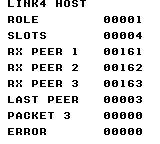
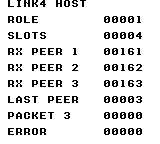
Build command
New-Item -ItemType Directory -Force .\out | Out-Null
.\kitaqgb\kitaqgb.exe .\kitaq-docs\samples\api-examples\gb\link_four_host.c -I .\kitaqgb\lib -I .\kitaq-docs\samples -o .\out\link_four_host.gb --profile=dev --rst-disable --stack-bank=fixed --cgb=cgb --cart=mbc5 --romsize=128k --no-cache --no-disasm
.\kitaqgb\kitaqgb.exe .\kitaq-docs\samples\api-examples\gb\link_four_peer1.c -I .\kitaqgb\lib -I .\kitaq-docs\samples -o .\out\link_four_peer1.gb --profile=dev --rst-disable --stack-bank=fixed --cgb=cgb --cart=mbc5 --romsize=128k --no-cache --no-disasm
.\kitaqgb\kitaqgb.exe .\kitaq-docs\samples\api-examples\gb\link_four_peer2.c -I .\kitaqgb\lib -I .\kitaq-docs\samples -o .\out\link_four_peer2.gb --profile=dev --rst-disable --stack-bank=fixed --cgb=cgb --cart=mbc5 --romsize=128k --no-cache --no-disasm
.\kitaqgb\kitaqgb.exe .\kitaq-docs\samples\api-examples\gb\link_four_peer3.c -I .\kitaqgb\lib -I .\kitaq-docs\samples -o .\out\link_four_peer3.gb --profile=dev --rst-disable --stack-bank=fixed --cgb=cgb --cart=mbc5 --romsize=128k --no-cache --no-disasm
.\kokura\kokura-cli.exe --link-topology link4 --run-frames 360 --link-session "name=four_host|slot=0|rom=.\out\link_four_host.gb|save_state=.\out\four_host.kqs" --link-session "name=four_peer1|slot=1|rom=.\out\link_four_peer1.gb|save_state=.\out\four_peer1.kqs" --link-session "name=four_peer2|slot=2|rom=.\out\link_four_peer2.gb|save_state=.\out\four_peer2.kqs" --link-session "name=four_peer3|slot=3|rom=.\out\link_four_peer3.gb|save_state=.\out\four_peer3.kqs"
.\kokura\kokura-cli.exe .\out\link_four_host.gb --hardware cgb --load-state .\out\four_host.kqs --run-frames 2 --png .\out\four_host.png
.\kokura\kokura-cli.exe .\out\link_four_peer1.gb --hardware cgb --load-state .\out\four_peer1.kqs --run-frames 2 --png .\out\four_peer1.png
.\kokura\kokura-cli.exe .\out\link_four_peer2.gb --hardware cgb --load-state .\out\four_peer2.kqs --run-frames 2 --png .\out\four_peer2.png
.\kokura\kokura-cli.exe .\out\link_four_peer3.gb --hardware cgb --load-state .\out\four_peer3.kqs --run-frames 2 --png .\out\four_peer3.pngImplementation and source
kitaqgb/lib/link.h:129
Select the logical peer and start a byte exchange, returning the first error.
kitaqgb/lib/link.c:584
u8 __stackcall Link4_BeginTransferTo(u8 peer_slot, u8 out) {
u8 err = Link4_SelectPeer(peer_slot);
if (err != LINK_ERR_NONE) return err;
return Link_BeginTransfer(out);
}Link4_GetLastRxPeer
Read the peer attributed to the last completed byte.
Syntax
u8 Link4_GetLastRxPeer();Return value
Host returns the selected peer and a peer returns 0; before reception returns 255.
Conditions and limits
Link4 manages logical host slot 0 and peer slots 1–3. SelectPeer does not send a command that switches physical wiring. KOKURA’s link4 topology follows the selected peer through compiler metadata. Use LinkDmg07 for the physical DMG-07 protocol.
These are configuration/history getters. They do not detect physical connections, query every peer or wait for transfer completion.
The screens come from KOKURA. Multi-endpoint examples check values on linked emulator instances, and screens are captured from their final saved states. These checks do not establish physical cable or four-player adapter behavior.
Run these PowerShell commands from the parent containing kitaqgb, kokura and kitaq-docs. Build every participating ROM before launching the linked session. For Link4, retain the generated symbol metadata beside the ROMs. For DMG runs, change --cgb=cgb to --cgb=dmg and --hardware cgb to --hardware dmg throughout.
Usage example
result[19]=Link4_GetLastRxPeer();This is a calling fragment. Follow the stated initialization and buffer requirements before using it in a complete program.
Expected result
Connect all four ROMs with KOKURA’s link4 topology. The host receives 161/162/163 from peers 1/2/3 and shows LAST PEER=3. It then sends commands 65/66/67 with payload 7/42/255; verify those values on each peer’s screen too.
Build command
New-Item -ItemType Directory -Force .\out | Out-Null
.\kitaqgb\kitaqgb.exe .\kitaq-docs\samples\api-examples\gb\link_four_host.c -I .\kitaqgb\lib -I .\kitaq-docs\samples -o .\out\link_four_host.gb --profile=dev --rst-disable --stack-bank=fixed --cgb=cgb --cart=mbc5 --romsize=128k --no-cache --no-disasm
.\kitaqgb\kitaqgb.exe .\kitaq-docs\samples\api-examples\gb\link_four_peer1.c -I .\kitaqgb\lib -I .\kitaq-docs\samples -o .\out\link_four_peer1.gb --profile=dev --rst-disable --stack-bank=fixed --cgb=cgb --cart=mbc5 --romsize=128k --no-cache --no-disasm
.\kitaqgb\kitaqgb.exe .\kitaq-docs\samples\api-examples\gb\link_four_peer2.c -I .\kitaqgb\lib -I .\kitaq-docs\samples -o .\out\link_four_peer2.gb --profile=dev --rst-disable --stack-bank=fixed --cgb=cgb --cart=mbc5 --romsize=128k --no-cache --no-disasm
.\kitaqgb\kitaqgb.exe .\kitaq-docs\samples\api-examples\gb\link_four_peer3.c -I .\kitaqgb\lib -I .\kitaq-docs\samples -o .\out\link_four_peer3.gb --profile=dev --rst-disable --stack-bank=fixed --cgb=cgb --cart=mbc5 --romsize=128k --no-cache --no-disasm
.\kokura\kokura-cli.exe --link-topology link4 --run-frames 360 --link-session "name=four_host|slot=0|rom=.\out\link_four_host.gb|save_state=.\out\four_host.kqs" --link-session "name=four_peer1|slot=1|rom=.\out\link_four_peer1.gb|save_state=.\out\four_peer1.kqs" --link-session "name=four_peer2|slot=2|rom=.\out\link_four_peer2.gb|save_state=.\out\four_peer2.kqs" --link-session "name=four_peer3|slot=3|rom=.\out\link_four_peer3.gb|save_state=.\out\four_peer3.kqs"
.\kokura\kokura-cli.exe .\out\link_four_host.gb --hardware cgb --load-state .\out\four_host.kqs --run-frames 2 --png .\out\four_host.png
.\kokura\kokura-cli.exe .\out\link_four_peer1.gb --hardware cgb --load-state .\out\four_peer1.kqs --run-frames 2 --png .\out\four_peer1.png
.\kokura\kokura-cli.exe .\out\link_four_peer2.gb --hardware cgb --load-state .\out\four_peer2.kqs --run-frames 2 --png .\out\four_peer2.png
.\kokura\kokura-cli.exe .\out\link_four_peer3.gb --hardware cgb --load-state .\out\four_peer3.kqs --run-frames 2 --png .\out\four_peer3.pngImplementation and source
kitaqgb/lib/link.h:121
Return the peer attributed to the last completed byte transfer.
kitaqgb/lib/link.c:540
u8 Link4_GetLastRxPeer() {
return Link4_LastRxPeer;
}Link4_GetLastTxPeer
Read the destination recorded when the last byte transfer started.
Syntax
u8 Link4_GetLastTxPeer();Return value
Returns the recorded destination, or 255 before any start.
Conditions and limits
Link4 manages logical host slot 0 and peer slots 1–3. SelectPeer does not send a command that switches physical wiring. KOKURA’s link4 topology follows the selected peer through compiler metadata. Use LinkDmg07 for the physical DMG-07 protocol.
These are configuration/history getters. They do not detect physical connections, query every peer or wait for transfer completion.
The screens come from KOKURA. Multi-endpoint examples check values on linked emulator instances, and screens are captured from their final saved states. These checks do not establish physical cable or four-player adapter behavior.
Run these PowerShell commands from the parent containing kitaqgb, kokura and kitaq-docs. Build every participating ROM before launching the linked session. For Link4, retain the generated symbol metadata beside the ROMs. For DMG runs, change --cgb=cgb to --cgb=dmg and --hardware cgb to --hardware dmg throughout.
Usage example
result[20]=Link4_GetLastTxPeer();This is a calling fragment. Follow the stated initialization and buffer requirements before using it in a complete program.
Expected result
Connect all four ROMs with KOKURA’s link4 topology. The host receives 161/162/163 from peers 1/2/3 and shows LAST PEER=3. It then sends commands 65/66/67 with payload 7/42/255; verify those values on each peer’s screen too.
Build command
New-Item -ItemType Directory -Force .\out | Out-Null
.\kitaqgb\kitaqgb.exe .\kitaq-docs\samples\api-examples\gb\link_four_host.c -I .\kitaqgb\lib -I .\kitaq-docs\samples -o .\out\link_four_host.gb --profile=dev --rst-disable --stack-bank=fixed --cgb=cgb --cart=mbc5 --romsize=128k --no-cache --no-disasm
.\kitaqgb\kitaqgb.exe .\kitaq-docs\samples\api-examples\gb\link_four_peer1.c -I .\kitaqgb\lib -I .\kitaq-docs\samples -o .\out\link_four_peer1.gb --profile=dev --rst-disable --stack-bank=fixed --cgb=cgb --cart=mbc5 --romsize=128k --no-cache --no-disasm
.\kitaqgb\kitaqgb.exe .\kitaq-docs\samples\api-examples\gb\link_four_peer2.c -I .\kitaqgb\lib -I .\kitaq-docs\samples -o .\out\link_four_peer2.gb --profile=dev --rst-disable --stack-bank=fixed --cgb=cgb --cart=mbc5 --romsize=128k --no-cache --no-disasm
.\kitaqgb\kitaqgb.exe .\kitaq-docs\samples\api-examples\gb\link_four_peer3.c -I .\kitaqgb\lib -I .\kitaq-docs\samples -o .\out\link_four_peer3.gb --profile=dev --rst-disable --stack-bank=fixed --cgb=cgb --cart=mbc5 --romsize=128k --no-cache --no-disasm
.\kokura\kokura-cli.exe --link-topology link4 --run-frames 360 --link-session "name=four_host|slot=0|rom=.\out\link_four_host.gb|save_state=.\out\four_host.kqs" --link-session "name=four_peer1|slot=1|rom=.\out\link_four_peer1.gb|save_state=.\out\four_peer1.kqs" --link-session "name=four_peer2|slot=2|rom=.\out\link_four_peer2.gb|save_state=.\out\four_peer2.kqs" --link-session "name=four_peer3|slot=3|rom=.\out\link_four_peer3.gb|save_state=.\out\four_peer3.kqs"
.\kokura\kokura-cli.exe .\out\link_four_host.gb --hardware cgb --load-state .\out\four_host.kqs --run-frames 2 --png .\out\four_host.png
.\kokura\kokura-cli.exe .\out\link_four_peer1.gb --hardware cgb --load-state .\out\four_peer1.kqs --run-frames 2 --png .\out\four_peer1.png
.\kokura\kokura-cli.exe .\out\link_four_peer2.gb --hardware cgb --load-state .\out\four_peer2.kqs --run-frames 2 --png .\out\four_peer2.png
.\kokura\kokura-cli.exe .\out\link_four_peer3.gb --hardware cgb --load-state .\out\four_peer3.kqs --run-frames 2 --png .\out\four_peer3.pngImplementation and source
kitaqgb/lib/link.h:123
Return the peer attributed when the last byte transfer was started.
kitaqgb/lib/link.c:545
u8 Link4_GetLastTxPeer() {
return Link4_LastTxPeer;
}Link4_GetLocalSlot
Read this machine’s configured slot.
Syntax
u8 Link4_GetLocalSlot();Return value
Host is 0; peers are 1..3. Unconfigured state also returns 0.
Conditions and limits
Link4 manages logical host slot 0 and peer slots 1–3. SelectPeer does not send a command that switches physical wiring. KOKURA’s link4 topology follows the selected peer through compiler metadata. Use LinkDmg07 for the physical DMG-07 protocol.
These are configuration/history getters. They do not detect physical connections, query every peer or wait for transfer completion.
The screens come from KOKURA. Multi-endpoint examples check values on linked emulator instances, and screens are captured from their final saved states. These checks do not establish physical cable or four-player adapter behavior.
Run these PowerShell commands from the parent containing kitaqgb, kokura and kitaq-docs. Build every participating ROM before launching the linked session. For Link4, retain the generated symbol metadata beside the ROMs. For DMG runs, change --cgb=cgb to --cgb=dmg and --hardware cgb to --hardware dmg throughout.
Usage example
result[2]=Link4_GetLocalSlot();This is a calling fragment. Follow the stated initialization and buffer requirements before using it in a complete program.
Expected result
Connect all four ROMs with KOKURA’s link4 topology. The host receives 161/162/163 from peers 1/2/3 and shows LAST PEER=3. It then sends commands 65/66/67 with payload 7/42/255; verify those values on each peer’s screen too.
Build command
New-Item -ItemType Directory -Force .\out | Out-Null
.\kitaqgb\kitaqgb.exe .\kitaq-docs\samples\api-examples\gb\link_four_host.c -I .\kitaqgb\lib -I .\kitaq-docs\samples -o .\out\link_four_host.gb --profile=dev --rst-disable --stack-bank=fixed --cgb=cgb --cart=mbc5 --romsize=128k --no-cache --no-disasm
.\kitaqgb\kitaqgb.exe .\kitaq-docs\samples\api-examples\gb\link_four_peer1.c -I .\kitaqgb\lib -I .\kitaq-docs\samples -o .\out\link_four_peer1.gb --profile=dev --rst-disable --stack-bank=fixed --cgb=cgb --cart=mbc5 --romsize=128k --no-cache --no-disasm
.\kitaqgb\kitaqgb.exe .\kitaq-docs\samples\api-examples\gb\link_four_peer2.c -I .\kitaqgb\lib -I .\kitaq-docs\samples -o .\out\link_four_peer2.gb --profile=dev --rst-disable --stack-bank=fixed --cgb=cgb --cart=mbc5 --romsize=128k --no-cache --no-disasm
.\kitaqgb\kitaqgb.exe .\kitaq-docs\samples\api-examples\gb\link_four_peer3.c -I .\kitaqgb\lib -I .\kitaq-docs\samples -o .\out\link_four_peer3.gb --profile=dev --rst-disable --stack-bank=fixed --cgb=cgb --cart=mbc5 --romsize=128k --no-cache --no-disasm
.\kokura\kokura-cli.exe --link-topology link4 --run-frames 360 --link-session "name=four_host|slot=0|rom=.\out\link_four_host.gb|save_state=.\out\four_host.kqs" --link-session "name=four_peer1|slot=1|rom=.\out\link_four_peer1.gb|save_state=.\out\four_peer1.kqs" --link-session "name=four_peer2|slot=2|rom=.\out\link_four_peer2.gb|save_state=.\out\four_peer2.kqs" --link-session "name=four_peer3|slot=3|rom=.\out\link_four_peer3.gb|save_state=.\out\four_peer3.kqs"
.\kokura\kokura-cli.exe .\out\link_four_host.gb --hardware cgb --load-state .\out\four_host.kqs --run-frames 2 --png .\out\four_host.png
.\kokura\kokura-cli.exe .\out\link_four_peer1.gb --hardware cgb --load-state .\out\four_peer1.kqs --run-frames 2 --png .\out\four_peer1.png
.\kokura\kokura-cli.exe .\out\link_four_peer2.gb --hardware cgb --load-state .\out\four_peer2.kqs --run-frames 2 --png .\out\four_peer2.png
.\kokura\kokura-cli.exe .\out\link_four_peer3.gb --hardware cgb --load-state .\out\four_peer3.kqs --run-frames 2 --png .\out\four_peer3.pngImplementation and source
kitaqgb/lib/link.h:115
Return the configured zero-based local slot.
kitaqgb/lib/link.c:525
u8 Link4_GetLocalSlot() {
return Link4_LocalSlot;
}Link4_GetMode
Read the configured logical role.
Syntax
u8 Link4_GetMode();Return value
0=unconfigured, 1=host, 2=peer.
Conditions and limits
Link4 manages logical host slot 0 and peer slots 1–3. SelectPeer does not send a command that switches physical wiring. KOKURA’s link4 topology follows the selected peer through compiler metadata. Use LinkDmg07 for the physical DMG-07 protocol.
These are configuration/history getters. They do not detect physical connections, query every peer or wait for transfer completion.
The screens come from KOKURA. Multi-endpoint examples check values on linked emulator instances, and screens are captured from their final saved states. These checks do not establish physical cable or four-player adapter behavior.
Run these PowerShell commands from the parent containing kitaqgb, kokura and kitaq-docs. Build every participating ROM before launching the linked session. For Link4, retain the generated symbol metadata beside the ROMs. For DMG runs, change --cgb=cgb to --cgb=dmg and --hardware cgb to --hardware dmg throughout.
Usage example
result[1]=Link4_GetMode();This is a calling fragment. Follow the stated initialization and buffer requirements before using it in a complete program.
Expected result
Connect all four ROMs with KOKURA’s link4 topology. The host receives 161/162/163 from peers 1/2/3 and shows LAST PEER=3. It then sends commands 65/66/67 with payload 7/42/255; verify those values on each peer’s screen too.
Build command
New-Item -ItemType Directory -Force .\out | Out-Null
.\kitaqgb\kitaqgb.exe .\kitaq-docs\samples\api-examples\gb\link_four_host.c -I .\kitaqgb\lib -I .\kitaq-docs\samples -o .\out\link_four_host.gb --profile=dev --rst-disable --stack-bank=fixed --cgb=cgb --cart=mbc5 --romsize=128k --no-cache --no-disasm
.\kitaqgb\kitaqgb.exe .\kitaq-docs\samples\api-examples\gb\link_four_peer1.c -I .\kitaqgb\lib -I .\kitaq-docs\samples -o .\out\link_four_peer1.gb --profile=dev --rst-disable --stack-bank=fixed --cgb=cgb --cart=mbc5 --romsize=128k --no-cache --no-disasm
.\kitaqgb\kitaqgb.exe .\kitaq-docs\samples\api-examples\gb\link_four_peer2.c -I .\kitaqgb\lib -I .\kitaq-docs\samples -o .\out\link_four_peer2.gb --profile=dev --rst-disable --stack-bank=fixed --cgb=cgb --cart=mbc5 --romsize=128k --no-cache --no-disasm
.\kitaqgb\kitaqgb.exe .\kitaq-docs\samples\api-examples\gb\link_four_peer3.c -I .\kitaqgb\lib -I .\kitaq-docs\samples -o .\out\link_four_peer3.gb --profile=dev --rst-disable --stack-bank=fixed --cgb=cgb --cart=mbc5 --romsize=128k --no-cache --no-disasm
.\kokura\kokura-cli.exe --link-topology link4 --run-frames 360 --link-session "name=four_host|slot=0|rom=.\out\link_four_host.gb|save_state=.\out\four_host.kqs" --link-session "name=four_peer1|slot=1|rom=.\out\link_four_peer1.gb|save_state=.\out\four_peer1.kqs" --link-session "name=four_peer2|slot=2|rom=.\out\link_four_peer2.gb|save_state=.\out\four_peer2.kqs" --link-session "name=four_peer3|slot=3|rom=.\out\link_four_peer3.gb|save_state=.\out\four_peer3.kqs"
.\kokura\kokura-cli.exe .\out\link_four_host.gb --hardware cgb --load-state .\out\four_host.kqs --run-frames 2 --png .\out\four_host.png
.\kokura\kokura-cli.exe .\out\link_four_peer1.gb --hardware cgb --load-state .\out\four_peer1.kqs --run-frames 2 --png .\out\four_peer1.png
.\kokura\kokura-cli.exe .\out\link_four_peer2.gb --hardware cgb --load-state .\out\four_peer2.kqs --run-frames 2 --png .\out\four_peer2.png
.\kokura\kokura-cli.exe .\out\link_four_peer3.gb --hardware cgb --load-state .\out\four_peer3.kqs --run-frames 2 --png .\out\four_peer3.pngImplementation and source
kitaqgb/lib/link.h:113
Return the configured cooperative role; this is not a hardware connection probe.
kitaqgb/lib/link.c:520
u8 Link4_GetMode() {
return Link4_ModeState;
}Link4_GetSelectedPeer
Read the currently selected logical destination.
Syntax
u8 Link4_GetSelectedPeer();Return value
Host returns its selected peer; a peer returns 0; unconfigured returns 255.
Conditions and limits
Link4 manages logical host slot 0 and peer slots 1–3. SelectPeer does not send a command that switches physical wiring. KOKURA’s link4 topology follows the selected peer through compiler metadata. Use LinkDmg07 for the physical DMG-07 protocol.
These are configuration/history getters. They do not detect physical connections, query every peer or wait for transfer completion.
The screens come from KOKURA. Multi-endpoint examples check values on linked emulator instances, and screens are captured from their final saved states. These checks do not establish physical cable or four-player adapter behavior.
Run these PowerShell commands from the parent containing kitaqgb, kokura and kitaq-docs. Build every participating ROM before launching the linked session. For Link4, retain the generated symbol metadata beside the ROMs. For DMG runs, change --cgb=cgb to --cgb=dmg and --hardware cgb to --hardware dmg throughout.
Usage example
result[4]=Link4_GetSelectedPeer();This is a calling fragment. Follow the stated initialization and buffer requirements before using it in a complete program.
Expected result
Connect all four ROMs with KOKURA’s link4 topology. The host receives 161/162/163 from peers 1/2/3 and shows LAST PEER=3. It then sends commands 65/66/67 with payload 7/42/255; verify those values on each peer’s screen too.
Build command
New-Item -ItemType Directory -Force .\out | Out-Null
.\kitaqgb\kitaqgb.exe .\kitaq-docs\samples\api-examples\gb\link_four_host.c -I .\kitaqgb\lib -I .\kitaq-docs\samples -o .\out\link_four_host.gb --profile=dev --rst-disable --stack-bank=fixed --cgb=cgb --cart=mbc5 --romsize=128k --no-cache --no-disasm
.\kitaqgb\kitaqgb.exe .\kitaq-docs\samples\api-examples\gb\link_four_peer1.c -I .\kitaqgb\lib -I .\kitaq-docs\samples -o .\out\link_four_peer1.gb --profile=dev --rst-disable --stack-bank=fixed --cgb=cgb --cart=mbc5 --romsize=128k --no-cache --no-disasm
.\kitaqgb\kitaqgb.exe .\kitaq-docs\samples\api-examples\gb\link_four_peer2.c -I .\kitaqgb\lib -I .\kitaq-docs\samples -o .\out\link_four_peer2.gb --profile=dev --rst-disable --stack-bank=fixed --cgb=cgb --cart=mbc5 --romsize=128k --no-cache --no-disasm
.\kitaqgb\kitaqgb.exe .\kitaq-docs\samples\api-examples\gb\link_four_peer3.c -I .\kitaqgb\lib -I .\kitaq-docs\samples -o .\out\link_four_peer3.gb --profile=dev --rst-disable --stack-bank=fixed --cgb=cgb --cart=mbc5 --romsize=128k --no-cache --no-disasm
.\kokura\kokura-cli.exe --link-topology link4 --run-frames 360 --link-session "name=four_host|slot=0|rom=.\out\link_four_host.gb|save_state=.\out\four_host.kqs" --link-session "name=four_peer1|slot=1|rom=.\out\link_four_peer1.gb|save_state=.\out\four_peer1.kqs" --link-session "name=four_peer2|slot=2|rom=.\out\link_four_peer2.gb|save_state=.\out\four_peer2.kqs" --link-session "name=four_peer3|slot=3|rom=.\out\link_four_peer3.gb|save_state=.\out\four_peer3.kqs"
.\kokura\kokura-cli.exe .\out\link_four_host.gb --hardware cgb --load-state .\out\four_host.kqs --run-frames 2 --png .\out\four_host.png
.\kokura\kokura-cli.exe .\out\link_four_peer1.gb --hardware cgb --load-state .\out\four_peer1.kqs --run-frames 2 --png .\out\four_peer1.png
.\kokura\kokura-cli.exe .\out\link_four_peer2.gb --hardware cgb --load-state .\out\four_peer2.kqs --run-frames 2 --png .\out\four_peer2.png
.\kokura\kokura-cli.exe .\out\link_four_peer3.gb --hardware cgb --load-state .\out\four_peer3.kqs --run-frames 2 --png .\out\four_peer3.pngImplementation and source
kitaqgb/lib/link.h:119
Return the current logical destination, or the invalid-slot sentinel when unset.
kitaqgb/lib/link.c:535
u8 Link4_GetSelectedPeer() {
return Link4_SelectedPeer;
}Link4_GetSlotCount
Read the configured total slot count.
Syntax
u8 Link4_GetSlotCount();Return value
Valid configurations return 2..4; unconfigured returns 0.
Conditions and limits
Link4 manages logical host slot 0 and peer slots 1–3. SelectPeer does not send a command that switches physical wiring. KOKURA’s link4 topology follows the selected peer through compiler metadata. Use LinkDmg07 for the physical DMG-07 protocol.
These are configuration/history getters. They do not detect physical connections, query every peer or wait for transfer completion.
The screens come from KOKURA. Multi-endpoint examples check values on linked emulator instances, and screens are captured from their final saved states. These checks do not establish physical cable or four-player adapter behavior.
Run these PowerShell commands from the parent containing kitaqgb, kokura and kitaq-docs. Build every participating ROM before launching the linked session. For Link4, retain the generated symbol metadata beside the ROMs. For DMG runs, change --cgb=cgb to --cgb=dmg and --hardware cgb to --hardware dmg throughout.
Usage example
result[3]=Link4_GetSlotCount();This is a calling fragment. Follow the stated initialization and buffer requirements before using it in a complete program.
Expected result
Connect all four ROMs with KOKURA’s link4 topology. The host receives 161/162/163 from peers 1/2/3 and shows LAST PEER=3. It then sends commands 65/66/67 with payload 7/42/255; verify those values on each peer’s screen too.
Build command
New-Item -ItemType Directory -Force .\out | Out-Null
.\kitaqgb\kitaqgb.exe .\kitaq-docs\samples\api-examples\gb\link_four_host.c -I .\kitaqgb\lib -I .\kitaq-docs\samples -o .\out\link_four_host.gb --profile=dev --rst-disable --stack-bank=fixed --cgb=cgb --cart=mbc5 --romsize=128k --no-cache --no-disasm
.\kitaqgb\kitaqgb.exe .\kitaq-docs\samples\api-examples\gb\link_four_peer1.c -I .\kitaqgb\lib -I .\kitaq-docs\samples -o .\out\link_four_peer1.gb --profile=dev --rst-disable --stack-bank=fixed --cgb=cgb --cart=mbc5 --romsize=128k --no-cache --no-disasm
.\kitaqgb\kitaqgb.exe .\kitaq-docs\samples\api-examples\gb\link_four_peer2.c -I .\kitaqgb\lib -I .\kitaq-docs\samples -o .\out\link_four_peer2.gb --profile=dev --rst-disable --stack-bank=fixed --cgb=cgb --cart=mbc5 --romsize=128k --no-cache --no-disasm
.\kitaqgb\kitaqgb.exe .\kitaq-docs\samples\api-examples\gb\link_four_peer3.c -I .\kitaqgb\lib -I .\kitaq-docs\samples -o .\out\link_four_peer3.gb --profile=dev --rst-disable --stack-bank=fixed --cgb=cgb --cart=mbc5 --romsize=128k --no-cache --no-disasm
.\kokura\kokura-cli.exe --link-topology link4 --run-frames 360 --link-session "name=four_host|slot=0|rom=.\out\link_four_host.gb|save_state=.\out\four_host.kqs" --link-session "name=four_peer1|slot=1|rom=.\out\link_four_peer1.gb|save_state=.\out\four_peer1.kqs" --link-session "name=four_peer2|slot=2|rom=.\out\link_four_peer2.gb|save_state=.\out\four_peer2.kqs" --link-session "name=four_peer3|slot=3|rom=.\out\link_four_peer3.gb|save_state=.\out\four_peer3.kqs"
.\kokura\kokura-cli.exe .\out\link_four_host.gb --hardware cgb --load-state .\out\four_host.kqs --run-frames 2 --png .\out\four_host.png
.\kokura\kokura-cli.exe .\out\link_four_peer1.gb --hardware cgb --load-state .\out\four_peer1.kqs --run-frames 2 --png .\out\four_peer1.png
.\kokura\kokura-cli.exe .\out\link_four_peer2.gb --hardware cgb --load-state .\out\four_peer2.kqs --run-frames 2 --png .\out\four_peer2.png
.\kokura\kokura-cli.exe .\out\link_four_peer3.gb --hardware cgb --load-state .\out\four_peer3.kqs --run-frames 2 --png .\out\four_peer3.pngImplementation and source
kitaqgb/lib/link.h:117
Return the configured number of logical slots, not a live connection count.
kitaqgb/lib/link.c:530
u8 Link4_GetSlotCount() {
return Link4_SlotCount;
}Link4_HasByteFrom
Inspect unread data in one peer’s receive ring.
Syntax
u8 __stackcall Link4_HasByteFrom(u8 peer_slot);Parameters
peer_slotConfigured remote slot: 1..slot_count−1 from the host, or 0 from a peer.
Return value
Returns 1 for queued data, 0 for empty/invalid peer.
Conditions and limits
An eight-entry receive ring holds seven bytes. A full ring drops the new byte and latches error 3. A received zero byte is valid data.
Link4 copies each received byte to both the ordinary ring and a per-peer ring. Reading one does not drain the other. Packet polling consumes the ordinary ring; regularly discard unused per-peer raw bytes as well to prevent overflow.
This query does not poll hardware; an invalid peer does not change the error latch.
The screens come from KOKURA. Multi-endpoint examples check values on linked emulator instances, and screens are captured from their final saved states. These checks do not establish physical cable or four-player adapter behavior.
Run these PowerShell commands from the parent containing kitaqgb, kokura and kitaq-docs. Build every participating ROM before launching the linked session. For Link4, retain the generated symbol metadata beside the ROMs. For DMG runs, change --cgb=cgb to --cgb=dmg and --hardware cgb to --hardware dmg throughout.
Usage example
result[9+slot]=Link4_HasByteFrom(slot);value=0;This is a calling fragment. Follow the stated initialization and buffer requirements before using it in a complete program.
Expected result
Connect all four ROMs with KOKURA’s link4 topology. The host receives 161/162/163 from peers 1/2/3 and shows LAST PEER=3. It then sends commands 65/66/67 with payload 7/42/255; verify those values on each peer’s screen too.
Build command
New-Item -ItemType Directory -Force .\out | Out-Null
.\kitaqgb\kitaqgb.exe .\kitaq-docs\samples\api-examples\gb\link_four_host.c -I .\kitaqgb\lib -I .\kitaq-docs\samples -o .\out\link_four_host.gb --profile=dev --rst-disable --stack-bank=fixed --cgb=cgb --cart=mbc5 --romsize=128k --no-cache --no-disasm
.\kitaqgb\kitaqgb.exe .\kitaq-docs\samples\api-examples\gb\link_four_peer1.c -I .\kitaqgb\lib -I .\kitaq-docs\samples -o .\out\link_four_peer1.gb --profile=dev --rst-disable --stack-bank=fixed --cgb=cgb --cart=mbc5 --romsize=128k --no-cache --no-disasm
.\kitaqgb\kitaqgb.exe .\kitaq-docs\samples\api-examples\gb\link_four_peer2.c -I .\kitaqgb\lib -I .\kitaq-docs\samples -o .\out\link_four_peer2.gb --profile=dev --rst-disable --stack-bank=fixed --cgb=cgb --cart=mbc5 --romsize=128k --no-cache --no-disasm
.\kitaqgb\kitaqgb.exe .\kitaq-docs\samples\api-examples\gb\link_four_peer3.c -I .\kitaqgb\lib -I .\kitaq-docs\samples -o .\out\link_four_peer3.gb --profile=dev --rst-disable --stack-bank=fixed --cgb=cgb --cart=mbc5 --romsize=128k --no-cache --no-disasm
.\kokura\kokura-cli.exe --link-topology link4 --run-frames 360 --link-session "name=four_host|slot=0|rom=.\out\link_four_host.gb|save_state=.\out\four_host.kqs" --link-session "name=four_peer1|slot=1|rom=.\out\link_four_peer1.gb|save_state=.\out\four_peer1.kqs" --link-session "name=four_peer2|slot=2|rom=.\out\link_four_peer2.gb|save_state=.\out\four_peer2.kqs" --link-session "name=four_peer3|slot=3|rom=.\out\link_four_peer3.gb|save_state=.\out\four_peer3.kqs"
.\kokura\kokura-cli.exe .\out\link_four_host.gb --hardware cgb --load-state .\out\four_host.kqs --run-frames 2 --png .\out\four_host.png
.\kokura\kokura-cli.exe .\out\link_four_peer1.gb --hardware cgb --load-state .\out\four_peer1.kqs --run-frames 2 --png .\out\four_peer1.png
.\kokura\kokura-cli.exe .\out\link_four_peer2.gb --hardware cgb --load-state .\out\four_peer2.kqs --run-frames 2 --png .\out\four_peer2.png
.\kokura\kokura-cli.exe .\out\link_four_peer3.gb --hardware cgb --load-state .\out\four_peer3.kqs --run-frames 2 --png .\out\four_peer3.pngImplementation and source
kitaqgb/lib/link.h:131
Inspect a valid peer ring without polling the hardware.
kitaqgb/lib/link.c:591
u8 __stackcall Link4_HasByteFrom(u8 peer_slot) {
if (Link4_IsValidRemoteSlotInternal(peer_slot) == 0) return 0;
if (Link4_RxHead[(__safe_index u8)peer_slot] == Link4_RxTail[(__safe_index u8)peer_slot]) return 0;
return 1;
}Link4_HasPacketFrom
Inspect the completed-packet mailbox for one remote slot.
Syntax
u8 __stackcall Link4_HasPacketFrom(u8 peer_slot);Parameters
peer_slotConfigured remote slot: 1..slot_count−1 from the host, or 0 from a peer.
Return value
Returns 1 for an unread packet, 0 for empty/invalid peer.
Conditions and limits
Link4 manages logical host slot 0 and peer slots 1–3. SelectPeer does not send a command that switches physical wiring. KOKURA’s link4 topology follows the selected peer through compiler metadata. Use LinkDmg07 for the physical DMG-07 protocol.
A packet contains 0xA5, command, length, 0–24 payload bytes and an XOR checksum. The response is 0x79 (ACK, accepted) or 0x1F (NAK, rejected). The checksum XORs the command, length and payload. Each machine has one shared packet mailbox; Link4 additionally has one mailbox per peer.
This query does not poll hardware; an invalid peer does not change the error latch.
The screens come from KOKURA. Multi-endpoint examples check values on linked emulator instances, and screens are captured from their final saved states. These checks do not establish physical cable or four-player adapter behavior.
Run these PowerShell commands from the parent containing kitaqgb, kokura and kitaq-docs. Build every participating ROM before launching the linked session. For Link4, retain the generated symbol metadata beside the ROMs. For DMG runs, change --cgb=cgb to --cgb=dmg and --hardware cgb to --hardware dmg throughout.
Usage example
result[9]=Link4_HasPacketFrom(0);result[10]=Link4_ReadPacketFrom(0,&cmd,&len,data);This is a calling fragment. Follow the stated initialization and buffer requirements before using it in a complete program.
Expected result
As peer 1 of four slots, expect HOST BYTE=17, COMMAND=65, LENGTH=3 and PAYLOAD 2=42. CONSUMED=0 is the host mailbox flag after consumption.
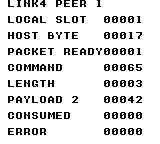
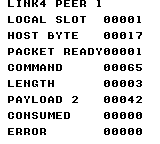
Build command
New-Item -ItemType Directory -Force .\out | Out-Null
.\kitaqgb\kitaqgb.exe .\kitaq-docs\samples\api-examples\gb\link_four_host.c -I .\kitaqgb\lib -I .\kitaq-docs\samples -o .\out\link_four_host.gb --profile=dev --rst-disable --stack-bank=fixed --cgb=cgb --cart=mbc5 --romsize=128k --no-cache --no-disasm
.\kitaqgb\kitaqgb.exe .\kitaq-docs\samples\api-examples\gb\link_four_peer1.c -I .\kitaqgb\lib -I .\kitaq-docs\samples -o .\out\link_four_peer1.gb --profile=dev --rst-disable --stack-bank=fixed --cgb=cgb --cart=mbc5 --romsize=128k --no-cache --no-disasm
.\kitaqgb\kitaqgb.exe .\kitaq-docs\samples\api-examples\gb\link_four_peer2.c -I .\kitaqgb\lib -I .\kitaq-docs\samples -o .\out\link_four_peer2.gb --profile=dev --rst-disable --stack-bank=fixed --cgb=cgb --cart=mbc5 --romsize=128k --no-cache --no-disasm
.\kitaqgb\kitaqgb.exe .\kitaq-docs\samples\api-examples\gb\link_four_peer3.c -I .\kitaqgb\lib -I .\kitaq-docs\samples -o .\out\link_four_peer3.gb --profile=dev --rst-disable --stack-bank=fixed --cgb=cgb --cart=mbc5 --romsize=128k --no-cache --no-disasm
.\kokura\kokura-cli.exe --link-topology link4 --run-frames 360 --link-session "name=four_host|slot=0|rom=.\out\link_four_host.gb|save_state=.\out\four_host.kqs" --link-session "name=four_peer1|slot=1|rom=.\out\link_four_peer1.gb|save_state=.\out\four_peer1.kqs" --link-session "name=four_peer2|slot=2|rom=.\out\link_four_peer2.gb|save_state=.\out\four_peer2.kqs" --link-session "name=four_peer3|slot=3|rom=.\out\link_four_peer3.gb|save_state=.\out\four_peer3.kqs"
.\kokura\kokura-cli.exe .\out\link_four_host.gb --hardware cgb --load-state .\out\four_host.kqs --run-frames 2 --png .\out\four_host.png
.\kokura\kokura-cli.exe .\out\link_four_peer1.gb --hardware cgb --load-state .\out\four_peer1.kqs --run-frames 2 --png .\out\four_peer1.png
.\kokura\kokura-cli.exe .\out\link_four_peer2.gb --hardware cgb --load-state .\out\four_peer2.kqs --run-frames 2 --png .\out\four_peer2.png
.\kokura\kokura-cli.exe .\out\link_four_peer3.gb --hardware cgb --load-state .\out\four_peer3.kqs --run-frames 2 --png .\out\four_peer3.pngImplementation and source
kitaqgb/lib/link.h:142
Inspect the one-packet mailbox for a valid remote slot without consuming it.
kitaqgb/lib/link_packet.c:484
u8 __stackcall Link4_HasPacketFrom(u8 peer_slot) {
return Link4_PacketPeerReady(peer_slot);
}Link4_InitHost
Initialize a logical host with two to four slots and select peer 1.
Syntax
u8 __stackcall Link4_InitHost(u8 slot_count);Parameters
slot_countNumber of slots including the host, 2..4.
Return value
Returns 0 for valid configuration, 4 for an invalid slot count.
Conditions and limits
Initialization discards byte queues, packets, peer selection and errors, and disables the transfer and serial IRQ source. It does not preserve an in-flight exchange.
Link4 manages logical host slot 0 and peer slots 1–3. SelectPeer does not send a command that switches physical wiring. KOKURA’s link4 topology follows the selected peer through compiler metadata. Use LinkDmg07 for the physical DMG-07 protocol.
Internal critical sections track software nesting depth. Leaving the outer section enables CPU interrupts, so do not assume that a previously disabled IME state is preserved.
Initialization occurs before validation. A failed call still discards the previous topology and unread data.
The screens come from KOKURA. Multi-endpoint examples check values on linked emulator instances, and screens are captured from their final saved states. These checks do not establish physical cable or four-player adapter behavior.
Run these PowerShell commands from the parent containing kitaqgb, kokura and kitaq-docs. Build every participating ROM before launching the linked session. For Link4, retain the generated symbol metadata beside the ROMs. For DMG runs, change --cgb=cgb to --cgb=dmg and --hardware cgb to --hardware dmg throughout.
Usage example
result[0]=Link4_InitHost(4);result[1]=Link4_GetMode();result[2]=Link4_GetLocalSlot();result[3]=Link4_GetSlotCount();result[4]=Link4_GetSelectedPeer();This is a calling fragment. Follow the stated initialization and buffer requirements before using it in a complete program.
Expected result
Connect all four ROMs with KOKURA’s link4 topology. The host receives 161/162/163 from peers 1/2/3 and shows LAST PEER=3. It then sends commands 65/66/67 with payload 7/42/255; verify those values on each peer’s screen too.
Build command
New-Item -ItemType Directory -Force .\out | Out-Null
.\kitaqgb\kitaqgb.exe .\kitaq-docs\samples\api-examples\gb\link_four_host.c -I .\kitaqgb\lib -I .\kitaq-docs\samples -o .\out\link_four_host.gb --profile=dev --rst-disable --stack-bank=fixed --cgb=cgb --cart=mbc5 --romsize=128k --no-cache --no-disasm
.\kitaqgb\kitaqgb.exe .\kitaq-docs\samples\api-examples\gb\link_four_peer1.c -I .\kitaqgb\lib -I .\kitaq-docs\samples -o .\out\link_four_peer1.gb --profile=dev --rst-disable --stack-bank=fixed --cgb=cgb --cart=mbc5 --romsize=128k --no-cache --no-disasm
.\kitaqgb\kitaqgb.exe .\kitaq-docs\samples\api-examples\gb\link_four_peer2.c -I .\kitaqgb\lib -I .\kitaq-docs\samples -o .\out\link_four_peer2.gb --profile=dev --rst-disable --stack-bank=fixed --cgb=cgb --cart=mbc5 --romsize=128k --no-cache --no-disasm
.\kitaqgb\kitaqgb.exe .\kitaq-docs\samples\api-examples\gb\link_four_peer3.c -I .\kitaqgb\lib -I .\kitaq-docs\samples -o .\out\link_four_peer3.gb --profile=dev --rst-disable --stack-bank=fixed --cgb=cgb --cart=mbc5 --romsize=128k --no-cache --no-disasm
.\kokura\kokura-cli.exe --link-topology link4 --run-frames 360 --link-session "name=four_host|slot=0|rom=.\out\link_four_host.gb|save_state=.\out\four_host.kqs" --link-session "name=four_peer1|slot=1|rom=.\out\link_four_peer1.gb|save_state=.\out\four_peer1.kqs" --link-session "name=four_peer2|slot=2|rom=.\out\link_four_peer2.gb|save_state=.\out\four_peer2.kqs" --link-session "name=four_peer3|slot=3|rom=.\out\link_four_peer3.gb|save_state=.\out\four_peer3.kqs"
.\kokura\kokura-cli.exe .\out\link_four_host.gb --hardware cgb --load-state .\out\four_host.kqs --run-frames 2 --png .\out\four_host.png
.\kokura\kokura-cli.exe .\out\link_four_peer1.gb --hardware cgb --load-state .\out\four_peer1.kqs --run-frames 2 --png .\out\four_peer1.png
.\kokura\kokura-cli.exe .\out\link_four_peer2.gb --hardware cgb --load-state .\out\four_peer2.kqs --run-frames 2 --png .\out\four_peer2.png
.\kokura\kokura-cli.exe .\out\link_four_peer3.gb --hardware cgb --load-state .\out\four_peer3.kqs --run-frames 2 --png .\out\four_peer3.pngImplementation and source
kitaqgb/lib/link.h:108
Cooperative 4-player adapter helpers. This layer models the common host-selected adapter pattern: - Slot 0 is always the host. - The host selects one active peer slot at a time. - Packet mailboxes stay one-deep per peer. - The original Link_* API remains available for normal 2-player projects. Reset as master, validate slot count and select logical peer one. Invalid configuration still discards old link state.
kitaqgb/lib/link.c:489
u8 __stackcall Link4_InitHost(u8 slot_count) {
u8 err;
Link_InitMaster();
err = Link4_ValidateConfig(LINK4_MODE_HOST, LINK4_HOST_SLOT, slot_count);
if (err != LINK_ERR_NONE) {
Link_SetErrorInternal(err);
return err;
}
Link4_ApplyConfig(LINK4_MODE_HOST, LINK4_HOST_SLOT, slot_count);
return LINK_ERR_NONE;
}Link4_InitPeer
Initialize an externally clocked peer and select host slot 0.
Syntax
u8 __stackcall Link4_InitPeer(u8 local_slot, u8 slot_count);Parameters
local_slotLocal slot, 1..slot_count−1.
slot_countTotal slots including the host, 2..4.
Return value
Returns 0 for valid configuration, 4 for an invalid slot count/local slot.
Conditions and limits
Initialization discards byte queues, packets, peer selection and errors, and disables the transfer and serial IRQ source. It does not preserve an in-flight exchange.
Link4 manages logical host slot 0 and peer slots 1–3. SelectPeer does not send a command that switches physical wiring. KOKURA’s link4 topology follows the selected peer through compiler metadata. Use LinkDmg07 for the physical DMG-07 protocol.
Internal critical sections track software nesting depth. Leaving the outer section enables CPU interrupts, so do not assume that a previously disabled IME state is preserved.
Initialization occurs before validation. A failed call still discards the previous topology and unread data.
The screens come from KOKURA. Multi-endpoint examples check values on linked emulator instances, and screens are captured from their final saved states. These checks do not establish physical cable or four-player adapter behavior.
Run these PowerShell commands from the parent containing kitaqgb, kokura and kitaq-docs. Build every participating ROM before launching the linked session. For Link4, retain the generated symbol metadata beside the ROMs. For DMG runs, change --cgb=cgb to --cgb=dmg and --hardware cgb to --hardware dmg throughout.
Usage example
result[0]=Link4_InitPeer(1,4);result[1]=Link4_GetMode();result[2]=Link4_GetLocalSlot();result[3]=Link4_GetSlotCount();result[4]=Link4_GetSelectedPeer();This is a calling fragment. Follow the stated initialization and buffer requirements before using it in a complete program.
Expected result
As peer 1 of four slots, expect HOST BYTE=17, COMMAND=65, LENGTH=3 and PAYLOAD 2=42. CONSUMED=0 is the host mailbox flag after consumption.
Build command
New-Item -ItemType Directory -Force .\out | Out-Null
.\kitaqgb\kitaqgb.exe .\kitaq-docs\samples\api-examples\gb\link_four_host.c -I .\kitaqgb\lib -I .\kitaq-docs\samples -o .\out\link_four_host.gb --profile=dev --rst-disable --stack-bank=fixed --cgb=cgb --cart=mbc5 --romsize=128k --no-cache --no-disasm
.\kitaqgb\kitaqgb.exe .\kitaq-docs\samples\api-examples\gb\link_four_peer1.c -I .\kitaqgb\lib -I .\kitaq-docs\samples -o .\out\link_four_peer1.gb --profile=dev --rst-disable --stack-bank=fixed --cgb=cgb --cart=mbc5 --romsize=128k --no-cache --no-disasm
.\kitaqgb\kitaqgb.exe .\kitaq-docs\samples\api-examples\gb\link_four_peer2.c -I .\kitaqgb\lib -I .\kitaq-docs\samples -o .\out\link_four_peer2.gb --profile=dev --rst-disable --stack-bank=fixed --cgb=cgb --cart=mbc5 --romsize=128k --no-cache --no-disasm
.\kitaqgb\kitaqgb.exe .\kitaq-docs\samples\api-examples\gb\link_four_peer3.c -I .\kitaqgb\lib -I .\kitaq-docs\samples -o .\out\link_four_peer3.gb --profile=dev --rst-disable --stack-bank=fixed --cgb=cgb --cart=mbc5 --romsize=128k --no-cache --no-disasm
.\kokura\kokura-cli.exe --link-topology link4 --run-frames 360 --link-session "name=four_host|slot=0|rom=.\out\link_four_host.gb|save_state=.\out\four_host.kqs" --link-session "name=four_peer1|slot=1|rom=.\out\link_four_peer1.gb|save_state=.\out\four_peer1.kqs" --link-session "name=four_peer2|slot=2|rom=.\out\link_four_peer2.gb|save_state=.\out\four_peer2.kqs" --link-session "name=four_peer3|slot=3|rom=.\out\link_four_peer3.gb|save_state=.\out\four_peer3.kqs"
.\kokura\kokura-cli.exe .\out\link_four_host.gb --hardware cgb --load-state .\out\four_host.kqs --run-frames 2 --png .\out\four_host.png
.\kokura\kokura-cli.exe .\out\link_four_peer1.gb --hardware cgb --load-state .\out\four_peer1.kqs --run-frames 2 --png .\out\four_peer1.png
.\kokura\kokura-cli.exe .\out\link_four_peer2.gb --hardware cgb --load-state .\out\four_peer2.kqs --run-frames 2 --png .\out\four_peer2.png
.\kokura\kokura-cli.exe .\out\link_four_peer3.gb --hardware cgb --load-state .\out\four_peer3.kqs --run-frames 2 --png .\out\four_peer3.pngImplementation and source
kitaqgb/lib/link.h:111
Reset as slave and validate the local nonzero slot and total slot count. An invalid configuration still discards the previous link state.
kitaqgb/lib/link.c:505
u8 __stackcall Link4_InitPeer(u8 local_slot, u8 slot_count) {
u8 err;
Link_InitSlave();
err = Link4_ValidateConfig(LINK4_MODE_PEER, local_slot, slot_count);
if (err != LINK_ERR_NONE) {
Link_SetErrorInternal(err);
return err;
}
Link4_ApplyConfig(LINK4_MODE_PEER, local_slot, slot_count);
return LINK_ERR_NONE;
}Link4_PollPacket
Advance the shared packet engine once for the currently selected peer.
Syntax
void Link4_PollPacket();Return value
No return value.
Conditions and limits
Link4 manages logical host slot 0 and peer slots 1–3. SelectPeer does not send a command that switches physical wiring. KOKURA’s link4 topology follows the selected peer through compiler metadata. Use LinkDmg07 for the physical DMG-07 protocol.
A packet contains 0xA5, command, length, 0–24 payload bytes and an XOR checksum. The response is 0x79 (ACK, accepted) or 0x1F (NAK, rejected). The checksum XORs the command, length and payload. Each machine has one shared packet mailbox; Link4 additionally has one mailbox per peer.
Keep polling on both endpoints. A timeout counts 90 calls without progress, not hardware frames. Sending 0xFF solely to clock an ACK does not extend that deadline; transmission allows at most three attempts. Retries can deliver duplicates, so add application-level identifiers when a command must run exactly once.
Link4 copies each received byte to both the ordinary ring and a per-peer ring. Reading one does not drain the other. Packet polling consumes the ordinary ring; regularly discard unused per-peer raw bytes as well to prevent overflow.
Does not rotate across all slots. Change peers only after the exchange has finished and selection is permitted.
The screens come from KOKURA. Multi-endpoint examples check values on linked emulator instances, and screens are captured from their final saved states. These checks do not establish physical cable or four-player adapter behavior.
Run these PowerShell commands from the parent containing kitaqgb, kokura and kitaq-docs. Build every participating ROM before launching the linked session. For Link4, retain the generated symbol metadata beside the ROMs. For DMG runs, change --cgb=cgb to --cgb=dmg and --hardware cgb to --hardware dmg throughout.
Usage example
for(i=0;i<50;i++){Link4_PollPacket();while(Link4_TryReadByteFrom(slot,0)){}m_wait();}This is a calling fragment. Follow the stated initialization and buffer requirements before using it in a complete program.
Expected result
Connect all four ROMs with KOKURA’s link4 topology. The host receives 161/162/163 from peers 1/2/3 and shows LAST PEER=3. It then sends commands 65/66/67 with payload 7/42/255; verify those values on each peer’s screen too.
Build command
New-Item -ItemType Directory -Force .\out | Out-Null
.\kitaqgb\kitaqgb.exe .\kitaq-docs\samples\api-examples\gb\link_four_host.c -I .\kitaqgb\lib -I .\kitaq-docs\samples -o .\out\link_four_host.gb --profile=dev --rst-disable --stack-bank=fixed --cgb=cgb --cart=mbc5 --romsize=128k --no-cache --no-disasm
.\kitaqgb\kitaqgb.exe .\kitaq-docs\samples\api-examples\gb\link_four_peer1.c -I .\kitaqgb\lib -I .\kitaq-docs\samples -o .\out\link_four_peer1.gb --profile=dev --rst-disable --stack-bank=fixed --cgb=cgb --cart=mbc5 --romsize=128k --no-cache --no-disasm
.\kitaqgb\kitaqgb.exe .\kitaq-docs\samples\api-examples\gb\link_four_peer2.c -I .\kitaqgb\lib -I .\kitaq-docs\samples -o .\out\link_four_peer2.gb --profile=dev --rst-disable --stack-bank=fixed --cgb=cgb --cart=mbc5 --romsize=128k --no-cache --no-disasm
.\kitaqgb\kitaqgb.exe .\kitaq-docs\samples\api-examples\gb\link_four_peer3.c -I .\kitaqgb\lib -I .\kitaq-docs\samples -o .\out\link_four_peer3.gb --profile=dev --rst-disable --stack-bank=fixed --cgb=cgb --cart=mbc5 --romsize=128k --no-cache --no-disasm
.\kokura\kokura-cli.exe --link-topology link4 --run-frames 360 --link-session "name=four_host|slot=0|rom=.\out\link_four_host.gb|save_state=.\out\four_host.kqs" --link-session "name=four_peer1|slot=1|rom=.\out\link_four_peer1.gb|save_state=.\out\four_peer1.kqs" --link-session "name=four_peer2|slot=2|rom=.\out\link_four_peer2.gb|save_state=.\out\four_peer2.kqs" --link-session "name=four_peer3|slot=3|rom=.\out\link_four_peer3.gb|save_state=.\out\four_peer3.kqs"
.\kokura\kokura-cli.exe .\out\link_four_host.gb --hardware cgb --load-state .\out\four_host.kqs --run-frames 2 --png .\out\four_host.png
.\kokura\kokura-cli.exe .\out\link_four_peer1.gb --hardware cgb --load-state .\out\four_peer1.kqs --run-frames 2 --png .\out\four_peer1.png
.\kokura\kokura-cli.exe .\out\link_four_peer2.gb --hardware cgb --load-state .\out\four_peer2.kqs --run-frames 2 --png .\out\four_peer2.png
.\kokura\kokura-cli.exe .\out\link_four_peer3.gb --hardware cgb --load-state .\out\four_peer3.kqs --run-frames 2 --png .\out\four_peer3.pngImplementation and source
kitaqgb/lib/link.h:140
Advance the shared packet engine; this does not poll every logical peer in turn.
kitaqgb/lib/link_packet.c:479
void Link4_PollPacket() {
Link_PollPacket();
}Link4_ReadPacketFrom
Copy a packet from a specific peer and consume its mailbox.
Syntax
u8 __stackcall Link4_ReadPacketFrom(u8 peer_slot, u8 *cmd, u8 *len, u8 *dst);Parameters
peer_slotConfigured remote slot: 1..slot_count−1 from the host, or 0 from a peer.
cmdWritable command byte; null omits it.
lenWritable length byte, 0..24; null omits it.
dstWritable payload buffer with room for 24 bytes; null discards the payload.
Return value
Returns 1 when consumed, 0 for empty/invalid peer.
Conditions and limits
There is no destination-capacity parameter. Provide 24 writable bytes when using dst. cmd, len and dst may independently be null. Serialize mailbox inspection and consumption against other code and interrupts.
Clears the shared mailbox only when it refers to this same peer’s packet. Unread packets from other peers remain available.
The screens come from KOKURA. Multi-endpoint examples check values on linked emulator instances, and screens are captured from their final saved states. These checks do not establish physical cable or four-player adapter behavior.
Run these PowerShell commands from the parent containing kitaqgb, kokura and kitaq-docs. Build every participating ROM before launching the linked session. For Link4, retain the generated symbol metadata beside the ROMs. For DMG runs, change --cgb=cgb to --cgb=dmg and --hardware cgb to --hardware dmg throughout.
Usage example
result[9]=Link4_HasPacketFrom(0);result[10]=Link4_ReadPacketFrom(0,&cmd,&len,data);This is a calling fragment. Follow the stated initialization and buffer requirements before using it in a complete program.
Expected result
As peer 1 of four slots, expect HOST BYTE=17, COMMAND=65, LENGTH=3 and PAYLOAD 2=42. CONSUMED=0 is the host mailbox flag after consumption.
Build command
New-Item -ItemType Directory -Force .\out | Out-Null
.\kitaqgb\kitaqgb.exe .\kitaq-docs\samples\api-examples\gb\link_four_host.c -I .\kitaqgb\lib -I .\kitaq-docs\samples -o .\out\link_four_host.gb --profile=dev --rst-disable --stack-bank=fixed --cgb=cgb --cart=mbc5 --romsize=128k --no-cache --no-disasm
.\kitaqgb\kitaqgb.exe .\kitaq-docs\samples\api-examples\gb\link_four_peer1.c -I .\kitaqgb\lib -I .\kitaq-docs\samples -o .\out\link_four_peer1.gb --profile=dev --rst-disable --stack-bank=fixed --cgb=cgb --cart=mbc5 --romsize=128k --no-cache --no-disasm
.\kitaqgb\kitaqgb.exe .\kitaq-docs\samples\api-examples\gb\link_four_peer2.c -I .\kitaqgb\lib -I .\kitaq-docs\samples -o .\out\link_four_peer2.gb --profile=dev --rst-disable --stack-bank=fixed --cgb=cgb --cart=mbc5 --romsize=128k --no-cache --no-disasm
.\kitaqgb\kitaqgb.exe .\kitaq-docs\samples\api-examples\gb\link_four_peer3.c -I .\kitaqgb\lib -I .\kitaq-docs\samples -o .\out\link_four_peer3.gb --profile=dev --rst-disable --stack-bank=fixed --cgb=cgb --cart=mbc5 --romsize=128k --no-cache --no-disasm
.\kokura\kokura-cli.exe --link-topology link4 --run-frames 360 --link-session "name=four_host|slot=0|rom=.\out\link_four_host.gb|save_state=.\out\four_host.kqs" --link-session "name=four_peer1|slot=1|rom=.\out\link_four_peer1.gb|save_state=.\out\four_peer1.kqs" --link-session "name=four_peer2|slot=2|rom=.\out\link_four_peer2.gb|save_state=.\out\four_peer2.kqs" --link-session "name=four_peer3|slot=3|rom=.\out\link_four_peer3.gb|save_state=.\out\four_peer3.kqs"
.\kokura\kokura-cli.exe .\out\link_four_host.gb --hardware cgb --load-state .\out\four_host.kqs --run-frames 2 --png .\out\four_host.png
.\kokura\kokura-cli.exe .\out\link_four_peer1.gb --hardware cgb --load-state .\out\four_peer1.kqs --run-frames 2 --png .\out\four_peer1.png
.\kokura\kokura-cli.exe .\out\link_four_peer2.gb --hardware cgb --load-state .\out\four_peer2.kqs --run-frames 2 --png .\out\four_peer2.png
.\kokura\kokura-cli.exe .\out\link_four_peer3.gb --hardware cgb --load-state .\out\four_peer3.kqs --run-frames 2 --png .\out\four_peer3.pngImplementation and source
kitaqgb/lib/link.h:146
Consume a peer mailbox, copying to optional outputs. A nonnull destination needs room for the entire payload. Clear the shared mailbox only when it refers to this same peer.
kitaqgb/lib/link_packet.c:491
u8 __stackcall Link4_ReadPacketFrom(u8 peer_slot, u8 *cmd, u8 *len, u8 *dst) {
u8 i;
u8 offset;
if (Link4_PacketPeerReady(peer_slot) == 0) return 0;
if (cmd != 0) *cmd = Link4_ReceivedPacketCmd[(__safe_index u8)peer_slot];
if (len != 0) *len = Link4_ReceivedPacketLen[(__safe_index u8)peer_slot];
if (dst != 0) {
for (i = 0; i < Link4_ReceivedPacketLen[(__safe_index u8)peer_slot]; ++i) {
offset = Link4_PacketOffset(peer_slot, i);
dst[(__safe_index u8)i] = Link4_ReceivedPacketBuf[(__safe_index u8)offset];
}
}
Link4_ReceivedPacketReady[(__safe_index u8)peer_slot] = 0;
if (Link4_LastPacketPeer == peer_slot) {
Link_ReceivedPacketReady = 0;
Link4_LastPacketPeer = LINK4_INVALID_SLOT;
}
return 1;
}Link4_SelectPeer
Poll completion and change the logical destination only while idle.
Syntax
u8 __stackcall Link4_SelectPeer(u8 peer_slot);Parameters
peer_slotConfigured remote slot: 1..slot_count−1 from the host, or 0 from a peer.
Return value
Returns 0 on selection, 1 for busy byte/packet/ACK state, or 4 for an unconfigured/invalid peer.
Conditions and limits
Link4 manages logical host slot 0 and peer slots 1–3. SelectPeer does not send a command that switches physical wiring. KOKURA’s link4 topology follows the selected peer through compiler metadata. Use LinkDmg07 for the physical DMG-07 protocol.
Error codes are 0=none, 1=busy, 2=timeout, 3=receive overflow, 4=invalid configuration/protocol and 5=an ACK timeout with a disconnect-like response. Start/configuration calls succeed with 0; receive/pop calls succeed with 1. Successful calls do not clear a latched error.
The screens come from KOKURA. Multi-endpoint examples check values on linked emulator instances, and screens are captured from their final saved states. These checks do not establish physical cable or four-player adapter behavior.
Run these PowerShell commands from the parent containing kitaqgb, kokura and kitaq-docs. Build every participating ROM before launching the linked session. For Link4, retain the generated symbol metadata beside the ROMs. For DMG runs, change --cgb=cgb to --cgb=dmg and --hardware cgb to --hardware dmg throughout.
Usage example
result[25]=Link4_SelectPeer(1);result[26]=Link_LastError();This is a calling fragment. Follow the stated initialization and buffer requirements before using it in a complete program.
Expected result
Connect all four ROMs with KOKURA’s link4 topology. The host receives 161/162/163 from peers 1/2/3 and shows LAST PEER=3. It then sends commands 65/66/67 with payload 7/42/255; verify those values on each peer’s screen too.
Build command
New-Item -ItemType Directory -Force .\out | Out-Null
.\kitaqgb\kitaqgb.exe .\kitaq-docs\samples\api-examples\gb\link_four_host.c -I .\kitaqgb\lib -I .\kitaq-docs\samples -o .\out\link_four_host.gb --profile=dev --rst-disable --stack-bank=fixed --cgb=cgb --cart=mbc5 --romsize=128k --no-cache --no-disasm
.\kitaqgb\kitaqgb.exe .\kitaq-docs\samples\api-examples\gb\link_four_peer1.c -I .\kitaqgb\lib -I .\kitaq-docs\samples -o .\out\link_four_peer1.gb --profile=dev --rst-disable --stack-bank=fixed --cgb=cgb --cart=mbc5 --romsize=128k --no-cache --no-disasm
.\kitaqgb\kitaqgb.exe .\kitaq-docs\samples\api-examples\gb\link_four_peer2.c -I .\kitaqgb\lib -I .\kitaq-docs\samples -o .\out\link_four_peer2.gb --profile=dev --rst-disable --stack-bank=fixed --cgb=cgb --cart=mbc5 --romsize=128k --no-cache --no-disasm
.\kitaqgb\kitaqgb.exe .\kitaq-docs\samples\api-examples\gb\link_four_peer3.c -I .\kitaqgb\lib -I .\kitaq-docs\samples -o .\out\link_four_peer3.gb --profile=dev --rst-disable --stack-bank=fixed --cgb=cgb --cart=mbc5 --romsize=128k --no-cache --no-disasm
.\kokura\kokura-cli.exe --link-topology link4 --run-frames 360 --link-session "name=four_host|slot=0|rom=.\out\link_four_host.gb|save_state=.\out\four_host.kqs" --link-session "name=four_peer1|slot=1|rom=.\out\link_four_peer1.gb|save_state=.\out\four_peer1.kqs" --link-session "name=four_peer2|slot=2|rom=.\out\link_four_peer2.gb|save_state=.\out\four_peer2.kqs" --link-session "name=four_peer3|slot=3|rom=.\out\link_four_peer3.gb|save_state=.\out\four_peer3.kqs"
.\kokura\kokura-cli.exe .\out\link_four_host.gb --hardware cgb --load-state .\out\four_host.kqs --run-frames 2 --png .\out\four_host.png
.\kokura\kokura-cli.exe .\out\link_four_peer1.gb --hardware cgb --load-state .\out\four_peer1.kqs --run-frames 2 --png .\out\four_peer1.png
.\kokura\kokura-cli.exe .\out\link_four_peer2.gb --hardware cgb --load-state .\out\four_peer2.kqs --run-frames 2 --png .\out\four_peer2.png
.\kokura\kokura-cli.exe .\out\link_four_peer3.gb --hardware cgb --load-state .\out\four_peer3.kqs --run-frames 2 --png .\out\four_peer3.pngImplementation and source
kitaqgb/lib/link.h:127
Poll completion, then change the logical destination only while byte and packet state are idle. A peer can select only the host. No adapter-routing command is sent here; the transport must provide the matching physical route.
kitaqgb/lib/link.c:552
u8 __stackcall Link4_SelectPeer(u8 peer_slot) {
Link_Poll();
if (Link4_IsEnabledInternal() == 0) {
Link_SetErrorInternal(LINK_ERR_PROTOCOL);
return LINK_ERR_PROTOCOL;
}
if (Link_Busy != 0 || Link_PacketState != LINK_PKT_STATE_IDLE || Link_PendingAck != 0) {
Link_SetErrorInternal(LINK_ERR_BUSY);
return LINK_ERR_BUSY;
}
if (Link4_ModeState == LINK4_MODE_HOST) {
if (Link4_IsValidRemoteSlotInternal(peer_slot) == 0) {
Link_SetErrorInternal(LINK_ERR_PROTOCOL);
return LINK_ERR_PROTOCOL;
}
Link4_SelectedPeer = peer_slot;
return LINK_ERR_NONE;
}
if (Link4_ModeState == LINK4_MODE_PEER && peer_slot == LINK4_HOST_SLOT) {
Link4_SelectedPeer = LINK4_HOST_SLOT;
return LINK_ERR_NONE;
}
Link_SetErrorInternal(LINK_ERR_PROTOCOL);
return LINK_ERR_PROTOCOL;
}Link4_SendPacketTo
Select a logical peer, copy the packet and schedule its transmission.
Syntax
u8 __stackcall Link4_SendPacketTo(u8 peer_slot, const u8 *data, u8 len, u8 cmd);Parameters
peer_slotConfigured remote slot: 1..slot_count−1 from the host, or 0 from a peer.
dataReadable source of len bytes; may be null only when len is zero.
lenPayload length in bytes, 0..24.
cmdApplication-defined eight-bit command.
Return value
Returns the first selection/queueing error; 0 means accepted.
Conditions and limits
Link4 manages logical host slot 0 and peer slots 1–3. SelectPeer does not send a command that switches physical wiring. KOKURA’s link4 topology follows the selected peer through compiler metadata. Use LinkDmg07 for the physical DMG-07 protocol.
Error codes are 0=none, 1=busy, 2=timeout, 3=receive overflow, 4=invalid configuration/protocol and 5=an ACK timeout with a disconnect-like response. Start/configuration calls succeed with 0; receive/pop calls succeed with 1. Successful calls do not clear a latched error.
A packet contains 0xA5, command, length, 0–24 payload bytes and an XOR checksum. The response is 0x79 (ACK, accepted) or 0x1F (NAK, rejected). The checksum XORs the command, length and payload. Each machine has one shared packet mailbox; Link4 additionally has one mailbox per peer.
Keep polling on both endpoints. A timeout counts 90 calls without progress, not hardware frames. Sending 0xFF solely to clock an ACK does not extend that deadline; transmission allows at most three attempts. Retries can deliver duplicates, so add application-level identifiers when a command must run exactly once.
Link4 copies each received byte to both the ordinary ring and a per-peer ring. Reading one does not drain the other. Packet polling consumes the ordinary ring; regularly discard unused per-peer raw bytes as well to prevent overflow.
Selection happens before payload validation; a rejected payload can still leave the new destination selected.
The screens come from KOKURA. Multi-endpoint examples check values on linked emulator instances, and screens are captured from their final saved states. These checks do not establish physical cable or four-player adapter behavior.
Run these PowerShell commands from the parent containing kitaqgb, kokura and kitaq-docs. Build every participating ROM before launching the linked session. For Link4, retain the generated symbol metadata beside the ROMs. For DMG runs, change --cgb=cgb to --cgb=dmg and --hardware cgb to --hardware dmg throughout.
Usage example
result[21+slot]=Link4_SendPacketTo(slot,data,3,64+slot);This is a calling fragment. Follow the stated initialization and buffer requirements before using it in a complete program.
Expected result
Connect all four ROMs with KOKURA’s link4 topology. The host receives 161/162/163 from peers 1/2/3 and shows LAST PEER=3. It then sends commands 65/66/67 with payload 7/42/255; verify those values on each peer’s screen too.
Build command
New-Item -ItemType Directory -Force .\out | Out-Null
.\kitaqgb\kitaqgb.exe .\kitaq-docs\samples\api-examples\gb\link_four_host.c -I .\kitaqgb\lib -I .\kitaq-docs\samples -o .\out\link_four_host.gb --profile=dev --rst-disable --stack-bank=fixed --cgb=cgb --cart=mbc5 --romsize=128k --no-cache --no-disasm
.\kitaqgb\kitaqgb.exe .\kitaq-docs\samples\api-examples\gb\link_four_peer1.c -I .\kitaqgb\lib -I .\kitaq-docs\samples -o .\out\link_four_peer1.gb --profile=dev --rst-disable --stack-bank=fixed --cgb=cgb --cart=mbc5 --romsize=128k --no-cache --no-disasm
.\kitaqgb\kitaqgb.exe .\kitaq-docs\samples\api-examples\gb\link_four_peer2.c -I .\kitaqgb\lib -I .\kitaq-docs\samples -o .\out\link_four_peer2.gb --profile=dev --rst-disable --stack-bank=fixed --cgb=cgb --cart=mbc5 --romsize=128k --no-cache --no-disasm
.\kitaqgb\kitaqgb.exe .\kitaq-docs\samples\api-examples\gb\link_four_peer3.c -I .\kitaqgb\lib -I .\kitaq-docs\samples -o .\out\link_four_peer3.gb --profile=dev --rst-disable --stack-bank=fixed --cgb=cgb --cart=mbc5 --romsize=128k --no-cache --no-disasm
.\kokura\kokura-cli.exe --link-topology link4 --run-frames 360 --link-session "name=four_host|slot=0|rom=.\out\link_four_host.gb|save_state=.\out\four_host.kqs" --link-session "name=four_peer1|slot=1|rom=.\out\link_four_peer1.gb|save_state=.\out\four_peer1.kqs" --link-session "name=four_peer2|slot=2|rom=.\out\link_four_peer2.gb|save_state=.\out\four_peer2.kqs" --link-session "name=four_peer3|slot=3|rom=.\out\link_four_peer3.gb|save_state=.\out\four_peer3.kqs"
.\kokura\kokura-cli.exe .\out\link_four_host.gb --hardware cgb --load-state .\out\four_host.kqs --run-frames 2 --png .\out\four_host.png
.\kokura\kokura-cli.exe .\out\link_four_peer1.gb --hardware cgb --load-state .\out\four_peer1.kqs --run-frames 2 --png .\out\four_peer1.png
.\kokura\kokura-cli.exe .\out\link_four_peer2.gb --hardware cgb --load-state .\out\four_peer2.kqs --run-frames 2 --png .\out\four_peer2.png
.\kokura\kokura-cli.exe .\out\link_four_peer3.gb --hardware cgb --load-state .\out\four_peer3.kqs --run-frames 2 --png .\out\four_peer3.pngImplementation and source
kitaqgb/lib/link.h:138
Select a logical peer, then copy and schedule a packet; return the first error.
kitaqgb/lib/link_packet.c:472
u8 __stackcall Link4_SendPacketTo(u8 peer_slot, const u8 *data, u8 len, u8 cmd) {
u8 err = Link4_SelectPeer(peer_slot);
if (err != LINK_ERR_NONE) return err;
return Link_SendPacket(data, len, cmd);
}Link4_TryReadByteAny
Scan remote slots in ascending order and pop the first available byte.
Syntax
u8 __stackcall Link4_TryReadByteAny(u8 *peer_slot, u8 *out);Parameters
peer_slotWritable origin-slot byte; null omits the origin output.
outWritable byte destination; null discards the byte.
Return value
Returns 1 on receipt, otherwise 0.
Conditions and limits
An eight-entry receive ring holds seven bytes. A full ring drops the new byte and latches error 3. A received zero byte is valid data.
Link4 copies each received byte to both the ordinary ring and a per-peer ring. Reading one does not drain the other. Packet polling consumes the ordinary ring; regularly discard unused per-peer raw bytes as well to prevent overflow.
Internal critical sections track software nesting depth. Leaving the outer section enables CPU interrupts, so do not assume that a previously disabled IME state is preserved.
Skips the local slot. Continuously queued lower slots take priority; use per-peer reads when round-robin fairness is required.
The screens come from KOKURA. Multi-endpoint examples check values on linked emulator instances, and screens are captured from their final saved states. These checks do not establish physical cable or four-player adapter behavior.
Run these PowerShell commands from the parent containing kitaqgb, kokura and kitaq-docs. Build every participating ROM before launching the linked session. For Link4, retain the generated symbol metadata beside the ROMs. For DMG runs, change --cgb=cgb to --cgb=dmg and --hardware cgb to --hardware dmg throughout.
Usage example
else {other=255;Link4_TryReadByteAny(&other,&value);result[12+slot]=other;}This is a calling fragment. Follow the stated initialization and buffer requirements before using it in a complete program.
Expected result
Connect all four ROMs with KOKURA’s link4 topology. The host receives 161/162/163 from peers 1/2/3 and shows LAST PEER=3. It then sends commands 65/66/67 with payload 7/42/255; verify those values on each peer’s screen too.
Build command
New-Item -ItemType Directory -Force .\out | Out-Null
.\kitaqgb\kitaqgb.exe .\kitaq-docs\samples\api-examples\gb\link_four_host.c -I .\kitaqgb\lib -I .\kitaq-docs\samples -o .\out\link_four_host.gb --profile=dev --rst-disable --stack-bank=fixed --cgb=cgb --cart=mbc5 --romsize=128k --no-cache --no-disasm
.\kitaqgb\kitaqgb.exe .\kitaq-docs\samples\api-examples\gb\link_four_peer1.c -I .\kitaqgb\lib -I .\kitaq-docs\samples -o .\out\link_four_peer1.gb --profile=dev --rst-disable --stack-bank=fixed --cgb=cgb --cart=mbc5 --romsize=128k --no-cache --no-disasm
.\kitaqgb\kitaqgb.exe .\kitaq-docs\samples\api-examples\gb\link_four_peer2.c -I .\kitaqgb\lib -I .\kitaq-docs\samples -o .\out\link_four_peer2.gb --profile=dev --rst-disable --stack-bank=fixed --cgb=cgb --cart=mbc5 --romsize=128k --no-cache --no-disasm
.\kitaqgb\kitaqgb.exe .\kitaq-docs\samples\api-examples\gb\link_four_peer3.c -I .\kitaqgb\lib -I .\kitaq-docs\samples -o .\out\link_four_peer3.gb --profile=dev --rst-disable --stack-bank=fixed --cgb=cgb --cart=mbc5 --romsize=128k --no-cache --no-disasm
.\kokura\kokura-cli.exe --link-topology link4 --run-frames 360 --link-session "name=four_host|slot=0|rom=.\out\link_four_host.gb|save_state=.\out\four_host.kqs" --link-session "name=four_peer1|slot=1|rom=.\out\link_four_peer1.gb|save_state=.\out\four_peer1.kqs" --link-session "name=four_peer2|slot=2|rom=.\out\link_four_peer2.gb|save_state=.\out\four_peer2.kqs" --link-session "name=four_peer3|slot=3|rom=.\out\link_four_peer3.gb|save_state=.\out\four_peer3.kqs"
.\kokura\kokura-cli.exe .\out\link_four_host.gb --hardware cgb --load-state .\out\four_host.kqs --run-frames 2 --png .\out\four_host.png
.\kokura\kokura-cli.exe .\out\link_four_peer1.gb --hardware cgb --load-state .\out\four_peer1.kqs --run-frames 2 --png .\out\four_peer1.png
.\kokura\kokura-cli.exe .\out\link_four_peer2.gb --hardware cgb --load-state .\out\four_peer2.kqs --run-frames 2 --png .\out\four_peer2.png
.\kokura\kokura-cli.exe .\out\link_four_peer3.gb --hardware cgb --load-state .\out\four_peer3.kqs --run-frames 2 --png .\out\four_peer3.pngImplementation and source
kitaqgb/lib/link.h:136
Scan remote rings in increasing slot order and return the first available byte. Null output pointers are allowed; lower slots have polling priority.
kitaqgb/lib/link.c:604
u8 __stackcall Link4_TryReadByteAny(u8 *peer_slot, u8 *out) {
u8 slot;
if (Link4_IsEnabledInternal() == 0) return 0;
for (slot = 0; slot < Link4_SlotCount; ++slot) {
if (slot != Link4_LocalSlot) {
if (Link4_PopRxByte(slot, out) != 0) {
if (peer_slot != 0) *peer_slot = slot;
return 1;
}
}
}
return 0;
}Link4_TryReadByteFrom
Pop one byte from a specific peer’s receive ring.
Syntax
u8 __stackcall Link4_TryReadByteFrom(u8 peer_slot, u8 *out);Parameters
peer_slotConfigured remote slot: 1..slot_count−1 from the host, or 0 from a peer.
outWritable byte destination; null discards the byte.
Return value
Returns 1 on a pop; empty/invalid peer returns 0 and preserves out.
Conditions and limits
An eight-entry receive ring holds seven bytes. A full ring drops the new byte and latches error 3. A received zero byte is valid data.
Link4 copies each received byte to both the ordinary ring and a per-peer ring. Reading one does not drain the other. Packet polling consumes the ordinary ring; regularly discard unused per-peer raw bytes as well to prevent overflow.
Internal critical sections track software nesting depth. Leaving the outer section enables CPU interrupts, so do not assume that a previously disabled IME state is preserved.
The screens come from KOKURA. Multi-endpoint examples check values on linked emulator instances, and screens are captured from their final saved states. These checks do not establish physical cable or four-player adapter behavior.
Run these PowerShell commands from the parent containing kitaqgb, kokura and kitaq-docs. Build every participating ROM before launching the linked session. For Link4, retain the generated symbol metadata beside the ROMs. For DMG runs, change --cgb=cgb to --cgb=dmg and --hardware cgb to --hardware dmg throughout.
Usage example
if(slot==1)result[13]=Link4_TryReadByteFrom(slot,&value);This is a calling fragment. Follow the stated initialization and buffer requirements before using it in a complete program.
Expected result
Connect all four ROMs with KOKURA’s link4 topology. The host receives 161/162/163 from peers 1/2/3 and shows LAST PEER=3. It then sends commands 65/66/67 with payload 7/42/255; verify those values on each peer’s screen too.
Build command
New-Item -ItemType Directory -Force .\out | Out-Null
.\kitaqgb\kitaqgb.exe .\kitaq-docs\samples\api-examples\gb\link_four_host.c -I .\kitaqgb\lib -I .\kitaq-docs\samples -o .\out\link_four_host.gb --profile=dev --rst-disable --stack-bank=fixed --cgb=cgb --cart=mbc5 --romsize=128k --no-cache --no-disasm
.\kitaqgb\kitaqgb.exe .\kitaq-docs\samples\api-examples\gb\link_four_peer1.c -I .\kitaqgb\lib -I .\kitaq-docs\samples -o .\out\link_four_peer1.gb --profile=dev --rst-disable --stack-bank=fixed --cgb=cgb --cart=mbc5 --romsize=128k --no-cache --no-disasm
.\kitaqgb\kitaqgb.exe .\kitaq-docs\samples\api-examples\gb\link_four_peer2.c -I .\kitaqgb\lib -I .\kitaq-docs\samples -o .\out\link_four_peer2.gb --profile=dev --rst-disable --stack-bank=fixed --cgb=cgb --cart=mbc5 --romsize=128k --no-cache --no-disasm
.\kitaqgb\kitaqgb.exe .\kitaq-docs\samples\api-examples\gb\link_four_peer3.c -I .\kitaqgb\lib -I .\kitaq-docs\samples -o .\out\link_four_peer3.gb --profile=dev --rst-disable --stack-bank=fixed --cgb=cgb --cart=mbc5 --romsize=128k --no-cache --no-disasm
.\kokura\kokura-cli.exe --link-topology link4 --run-frames 360 --link-session "name=four_host|slot=0|rom=.\out\link_four_host.gb|save_state=.\out\four_host.kqs" --link-session "name=four_peer1|slot=1|rom=.\out\link_four_peer1.gb|save_state=.\out\four_peer1.kqs" --link-session "name=four_peer2|slot=2|rom=.\out\link_four_peer2.gb|save_state=.\out\four_peer2.kqs" --link-session "name=four_peer3|slot=3|rom=.\out\link_four_peer3.gb|save_state=.\out\four_peer3.kqs"
.\kokura\kokura-cli.exe .\out\link_four_host.gb --hardware cgb --load-state .\out\four_host.kqs --run-frames 2 --png .\out\four_host.png
.\kokura\kokura-cli.exe .\out\link_four_peer1.gb --hardware cgb --load-state .\out\four_peer1.kqs --run-frames 2 --png .\out\four_peer1.png
.\kokura\kokura-cli.exe .\out\link_four_peer2.gb --hardware cgb --load-state .\out\four_peer2.kqs --run-frames 2 --png .\out\four_peer2.png
.\kokura\kokura-cli.exe .\out\link_four_peer3.gb --hardware cgb --load-state .\out\four_peer3.kqs --run-frames 2 --png .\out\four_peer3.pngImplementation and source
kitaqgb/lib/link.h:133
Pop one byte from the selected peer ring; null output discards it.
kitaqgb/lib/link.c:598
u8 __stackcall Link4_TryReadByteFrom(u8 peer_slot, u8 *out) {
return Link4_PopRxByte(peer_slot, out);
}Link_BeginTransfer
Load SB and start or arm one full-duplex byte exchange.
Syntax
u8 __stackcall Link_BeginTransfer(u8 out);Parameters
outEight-bit outgoing value; every exchange sends a byte even if only reception matters.
Return value
Returns 0 when started/armed, or 1 if already busy.
Conditions and limits
Each machine has one shared link state. Byte exchanges are full duplex: one side supplies the internal clock and the other uses external clocks. Normal speed takes 512 clocks per bit; CGB fast speed takes 16.
Error codes are 0=none, 1=busy, 2=timeout, 3=receive overflow, 4=invalid configuration/protocol and 5=an ACK timeout with a disconnect-like response. Start/configuration calls succeed with 0; receive/pop calls succeed with 1. Successful calls do not clear a latched error.
An external-clock endpoint waits for the other side to supply clocks. A busy rejection does not replace the byte already in flight.
The screens come from KOKURA. Multi-endpoint examples check values on linked emulator instances, and screens are captured from their final saved states. These checks do not establish physical cable or four-player adapter behavior.
Run these PowerShell commands from the parent containing kitaqgb, kokura and kitaq-docs. Build every participating ROM before launching the linked session. For Link4, retain the generated symbol metadata beside the ROMs. For DMG runs, change --cgb=cgb to --cgb=dmg and --hardware cgb to --hardware dmg throughout.
Usage example
lesson_delay(12);result[0]=Link_BeginTransfer(42);value=0;result[1]=Link_WaitByte(8,&value);result[2]=value;This is a calling fragment. Follow the stated initialization and buffer requirements before using it in a complete program.
Expected result
Connect to BYTE SLAVE. Send 42 and receive 99, then exchange zero in both directions. RECEIVED=1, PEER BYTE=99, ZERO READY=1 and ZERO BYTE=0 distinguish valid zero data from no data. Two CGB instances use fast clocks for the second exchange.
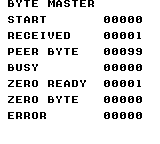
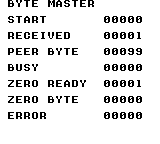
Build command
New-Item -ItemType Directory -Force .\out | Out-Null
.\kitaqgb\kitaqgb.exe .\kitaq-docs\samples\api-examples\gb\link_raw_master.c -I .\kitaqgb\lib -I .\kitaq-docs\samples -o .\out\link_raw_master.gb --profile=dev --rst-disable --stack-bank=fixed --cgb=cgb --cart=mbc5 --romsize=128k --no-cache --no-disasm
.\kitaqgb\kitaqgb.exe .\kitaq-docs\samples\api-examples\gb\link_raw_slave.c -I .\kitaqgb\lib -I .\kitaq-docs\samples -o .\out\link_raw_slave.gb --profile=dev --rst-disable --stack-bank=fixed --cgb=cgb --cart=mbc5 --romsize=128k --no-cache --no-disasm
.\kokura\kokura-cli.exe --link-topology pair --run-frames 360 --link-session "name=raw_master|slot=0|rom=.\out\link_raw_master.gb|save_state=.\out\raw_master.kqs" --link-session "name=raw_slave|slot=1|rom=.\out\link_raw_slave.gb|save_state=.\out\raw_slave.kqs"
.\kokura\kokura-cli.exe .\out\link_raw_master.gb --hardware cgb --load-state .\out\raw_master.kqs --run-frames 2 --png .\out\raw_master.png
.\kokura\kokura-cli.exe .\out\link_raw_slave.gb --hardware cgb --load-state .\out\raw_slave.kqs --run-frames 2 --png .\out\raw_slave.pngImplementation and source
kitaqgb/lib/link.h:66
Start one full-duplex byte exchange, or return BUSY without replacing an active transfer. Slave mode arms reception and waits for external clocks.
kitaqgb/lib/link.c:362
u8 __stackcall Link_BeginTransfer(u8 out) {
u8 sc = LINK_SC_START;
if (Link_Busy != 0) {
Link_SetErrorInternal(LINK_ERR_BUSY);
return LINK_ERR_BUSY;
}
LinkHw_WriteSB(out);
Link_LastTx = out;
Link4_LastTxPeer = Link4_CurrentTransferPeerInternal();
Link_Busy = 1;
LinkHw_WriteIF((u8)(LinkHw_ReadIF() & (u8)~LINK_IF_SERIAL));
if (Link_Mode == LINK_MODE_MASTER) {
sc = (u8)(sc | LINK_SC_INTERNAL);
if (Link_FastClock != 0) sc = (u8)(sc | LINK_SC_FAST);
}
LinkHw_WriteSC(sc);
return LINK_ERR_NONE;
}Link_Cancel
Stop the active or externally clocked byte transfer.
Syntax
void Link_Cancel();Return value
No return value.
Conditions and limits
Internal critical sections track software nesting depth. Leaving the outer section enables CPU interrupts, so do not assume that a previously disabled IME state is preserved.
Writes SC=0 and clears busy and serial-request state. Received bytes, packet state and errors remain. Reinitialize as well when restarting the protocol from scratch.
The screens come from KOKURA. Multi-endpoint examples check values on linked emulator instances, and screens are captured from their final saved states. These checks do not establish physical cable or four-player adapter behavior.
Run these PowerShell commands from the parent containing kitaqgb, kokura and kitaq-docs. Build every participating ROM before launching the linked session. For Link4, retain the generated symbol metadata beside the ROMs. For DMG runs, change --cgb=cgb to --cgb=dmg and --hardware cgb to --hardware dmg throughout.
Usage example
Link_Cancel();result[12]=Link_IsBusy();result[13]=(SC&128)!=0;Link_ClearError();This is a calling fragment. Follow the stated initialization and buffer requirements before using it in a complete program.
Expected result
Check initialization, busy rejection, an external-clock timeout and ring capacity. Expect BUSY ERROR=1, TIMEOUT=2, OPEN RX=255, OVERFLOW=3 and QUEUE BYTES=7. After observing IRQ REQUEST=1, the lesson explicitly dispatches the handler body while the serial IRQ source remains masked.


Build command
New-Item -ItemType Directory -Force .\out | Out-Null
.\kitaqgb\kitaqgb.exe .\kitaq-docs\samples\api-examples\gb\link_control.c -I .\kitaqgb\lib -I .\kitaq-docs\samples -o .\out\link_control.gb --profile=dev --rst-disable --stack-bank=fixed --cgb=cgb --cart=mbc5 --romsize=128k --no-cache --no-disasm
.\kokura\kokura-cli.exe .\out\link_control.gb --hardware cgb --run-frames 330 --png .\out\control.pngImplementation and source
kitaqgb/lib/link.h:71
Stop the hardware transfer under interrupt protection. Queued receive bytes and packet-layer state remain available; this is not a full protocol reset.
kitaqgb/lib/link.c:396
void Link_Cancel() {
u8 tok = __critical_enter();
Link_Busy = 0;
LinkHw_WriteSC(0x00);
LinkHw_WriteIF((u8)(LinkHw_ReadIF() & (u8)~LINK_IF_SERIAL));
__critical_leave(tok);
}Link_ClearError
Clear only the error latch.
Syntax
void Link_ClearError();Return value
No return value.
Conditions and limits
Error codes are 0=none, 1=busy, 2=timeout, 3=receive overflow, 4=invalid configuration/protocol and 5=an ACK timeout with a disconnect-like response. Start/configuration calls succeed with 0; receive/pop calls succeed with 1. Successful calls do not clear a latched error.
Transfers, queues and packet state remain unchanged. Use Link_Cancel to stop the byte transfer, or initialize again to discard all state.
The screens come from KOKURA. Multi-endpoint examples check values on linked emulator instances, and screens are captured from their final saved states. These checks do not establish physical cable or four-player adapter behavior.
Run these PowerShell commands from the parent containing kitaqgb, kokura and kitaq-docs. Build every participating ROM before launching the linked session. For Link4, retain the generated symbol metadata beside the ROMs. For DMG runs, change --cgb=cgb to --cgb=dmg and --hardware cgb to --hardware dmg throughout.
Usage example
Link_ClearError();result[8]=Link_LastError();This is a calling fragment. Follow the stated initialization and buffer requirements before using it in a complete program.
Expected result
Check initialization, busy rejection, an external-clock timeout and ring capacity. Expect BUSY ERROR=1, TIMEOUT=2, OPEN RX=255, OVERFLOW=3 and QUEUE BYTES=7. After observing IRQ REQUEST=1, the lesson explicitly dispatches the handler body while the serial IRQ source remains masked.
Build command
New-Item -ItemType Directory -Force .\out | Out-Null
.\kitaqgb\kitaqgb.exe .\kitaq-docs\samples\api-examples\gb\link_control.c -I .\kitaqgb\lib -I .\kitaq-docs\samples -o .\out\link_control.gb --profile=dev --rst-disable --stack-bank=fixed --cgb=cgb --cart=mbc5 --romsize=128k --no-cache --no-disasm
.\kokura\kokura-cli.exe .\out\link_control.gb --hardware cgb --run-frames 330 --png .\out\control.pngImplementation and source
kitaqgb/lib/link.h:62
Clear the error latch without resetting queues or an active transfer.
kitaqgb/lib/link.c:356
void Link_ClearError() {
Link_LastErrorCode = LINK_ERR_NONE;
}Link_HasByte
Inspect whether the ordinary receive ring contains unread data.
Syntax
u8 Link_HasByte();Return value
Returns 1 when data is queued, otherwise 0.
Conditions and limits
An eight-entry receive ring holds seven bytes. A full ring drops the new byte and latches error 3. A received zero byte is valid data.
Does not poll hardware. Collect completion through Link_Poll or the serial handler first.
The screens come from KOKURA. Multi-endpoint examples check values on linked emulator instances, and screens are captured from their final saved states. These checks do not establish physical cable or four-player adapter behavior.
Run these PowerShell commands from the parent containing kitaqgb, kokura and kitaq-docs. Build every participating ROM before launching the linked session. For Link4, retain the generated symbol metadata beside the ROMs. For DMG runs, change --cgb=cgb to --cgb=dmg and --hardware cgb to --hardware dmg throughout.
Usage example
result[1]=Link_HasByte();value=77;result[2]=Link_TryReadByte(&value);result[3]=value;This is a calling fragment. Follow the stated initialization and buffer requirements before using it in a complete program.
Expected result
BYTE MASTER supplies the clocks. Expect PEER BYTE=42, ZERO READY=1 and ZERO BYTE=0. EMPTY READ is also zero afterwards, which is why readiness or TryRead’s return value is needed to distinguish an empty queue.
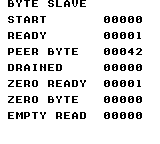
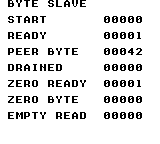
Build command
New-Item -ItemType Directory -Force .\out | Out-Null
.\kitaqgb\kitaqgb.exe .\kitaq-docs\samples\api-examples\gb\link_raw_master.c -I .\kitaqgb\lib -I .\kitaq-docs\samples -o .\out\link_raw_master.gb --profile=dev --rst-disable --stack-bank=fixed --cgb=cgb --cart=mbc5 --romsize=128k --no-cache --no-disasm
.\kitaqgb\kitaqgb.exe .\kitaq-docs\samples\api-examples\gb\link_raw_slave.c -I .\kitaqgb\lib -I .\kitaq-docs\samples -o .\out\link_raw_slave.gb --profile=dev --rst-disable --stack-bank=fixed --cgb=cgb --cart=mbc5 --romsize=128k --no-cache --no-disasm
.\kokura\kokura-cli.exe --link-topology pair --run-frames 360 --link-session "name=raw_master|slot=0|rom=.\out\link_raw_master.gb|save_state=.\out\raw_master.kqs" --link-session "name=raw_slave|slot=1|rom=.\out\link_raw_slave.gb|save_state=.\out\raw_slave.kqs"
.\kokura\kokura-cli.exe .\out\link_raw_master.gb --hardware cgb --load-state .\out\raw_master.kqs --run-frames 2 --png .\out\raw_master.png
.\kokura\kokura-cli.exe .\out\link_raw_slave.gb --hardware cgb --load-state .\out\raw_slave.kqs --run-frames 2 --png .\out\raw_slave.pngImplementation and source
kitaqgb/lib/link.h:58
Read the ordinary receive-ready flag without polling hardware.
kitaqgb/lib/link.c:346
u8 Link_HasByte() {
return Link_RxReady;
}Link_HasPacket
Inspect the shared completed-packet mailbox.
Syntax
u8 Link_HasPacket();Return value
Returns 1 for an unread packet, otherwise 0.
Conditions and limits
A packet contains 0xA5, command, length, 0–24 payload bytes and an XOR checksum. The response is 0x79 (ACK, accepted) or 0x1F (NAK, rejected). The checksum XORs the command, length and payload. Each machine has one shared packet mailbox; Link4 additionally has one mailbox per peer.
Reads a flag without progressing the protocol. It does not indicate whether the sender has received its ACK.
The screens come from KOKURA. Multi-endpoint examples check values on linked emulator instances, and screens are captured from their final saved states. These checks do not establish physical cable or four-player adapter behavior.
Run these PowerShell commands from the parent containing kitaqgb, kokura and kitaq-docs. Build every participating ROM before launching the linked session. For Link4, retain the generated symbol metadata beside the ROMs. For DMG runs, change --cgb=cgb to --cgb=dmg and --hardware cgb to --hardware dmg throughout.
Usage example
result[0]=Link_HasPacket();cmd=0;len=0;result[1]=Link_ReadPacket(&cmd,&len,data);This is a calling fragment. Follow the stated initialization and buffer requirements before using it in a complete program.
Expected result
Connect to PACKET MASTER and check COMMAND=49, LENGTH=3 and payload 7/42/255. CONSUMED=0 after ReadPacket means that the mailbox is now empty.
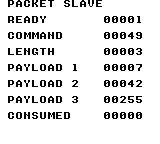
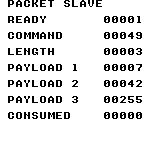
Build command
New-Item -ItemType Directory -Force .\out | Out-Null
.\kitaqgb\kitaqgb.exe .\kitaq-docs\samples\api-examples\gb\link_packet_master.c -I .\kitaqgb\lib -I .\kitaq-docs\samples -o .\out\link_packet_master.gb --profile=dev --rst-disable --stack-bank=fixed --cgb=cgb --cart=mbc5 --romsize=128k --no-cache --no-disasm
.\kitaqgb\kitaqgb.exe .\kitaq-docs\samples\api-examples\gb\link_packet_slave.c -I .\kitaqgb\lib -I .\kitaq-docs\samples -o .\out\link_packet_slave.gb --profile=dev --rst-disable --stack-bank=fixed --cgb=cgb --cart=mbc5 --romsize=128k --no-cache --no-disasm
.\kokura\kokura-cli.exe --link-topology pair --run-frames 360 --link-session "name=packet_master|slot=0|rom=.\out\link_packet_master.gb|save_state=.\out\packet_master.kqs" --link-session "name=packet_slave|slot=1|rom=.\out\link_packet_slave.gb|save_state=.\out\packet_slave.kqs"
.\kokura\kokura-cli.exe .\out\link_packet_master.gb --hardware cgb --load-state .\out\packet_master.kqs --run-frames 2 --png .\out\packet_master.png
.\kokura\kokura-cli.exe .\out\link_packet_slave.gb --hardware cgb --load-state .\out\packet_slave.kqs --run-frames 2 --png .\out\packet_slave.pngImplementation and source
kitaqgb/lib/link.h:94
Inspect the shared completed-packet flag without advancing the protocol.
kitaqgb/lib/link_packet.c:441
u8 Link_HasPacket() {
return Link_ReceivedPacketReady;
}Link_InitCommon
Reset the shared link state to its external-clock default.
Syntax
void Link_InitCommon();Return value
No return value.
Conditions and limits
Each machine has one shared link state. Byte exchanges are full duplex: one side supplies the internal clock and the other uses external clocks. Normal speed takes 512 clocks per bit; CGB fast speed takes 16.
Initialization discards byte queues, packets, peer selection and errors, and disables the transfer and serial IRQ source. It does not preserve an in-flight exchange.
Internal critical sections track software nesting depth. Leaving the outer section enables CPU interrupts, so do not assume that a previously disabled IME state is preserved.
The screens come from KOKURA. Multi-endpoint examples check values on linked emulator instances, and screens are captured from their final saved states. These checks do not establish physical cable or four-player adapter behavior.
Run these PowerShell commands from the parent containing kitaqgb, kokura and kitaq-docs. Build every participating ROM before launching the linked session. For Link4, retain the generated symbol metadata beside the ROMs. For DMG runs, change --cgb=cgb to --cgb=dmg and --hardware cgb to --hardware dmg throughout.
Usage example
Link_InitCommon();result[0]=Link_IsBusy();result[1]=Link_HasByte();result[2]=Link_LastError();This is a calling fragment. Follow the stated initialization and buffer requirements before using it in a complete program.
Expected result
Check initialization, busy rejection, an external-clock timeout and ring capacity. Expect BUSY ERROR=1, TIMEOUT=2, OPEN RX=255, OVERFLOW=3 and QUEUE BYTES=7. After observing IRQ REQUEST=1, the lesson explicitly dispatches the handler body while the serial IRQ source remains masked.
Build command
New-Item -ItemType Directory -Force .\out | Out-Null
.\kitaqgb\kitaqgb.exe .\kitaq-docs\samples\api-examples\gb\link_control.c -I .\kitaqgb\lib -I .\kitaq-docs\samples -o .\out\link_control.gb --profile=dev --rst-disable --stack-bank=fixed --cgb=cgb --cart=mbc5 --romsize=128k --no-cache --no-disasm
.\kokura\kokura-cli.exe .\out\link_control.gb --hardware cgb --run-frames 330 --png .\out\control.pngImplementation and source
kitaqgb/lib/link.h:43
Reset byte queues, packet mailboxes, cooperative-peer state and errors, then disable serial transfers and serial IRQ delivery. Existing data is discarded.
kitaqgb/lib/link.c:243
void Link_InitCommon() {
u8 i;
Link_Mode = LINK_MODE_SLAVE;
Link_UseInterrupt = 0;
Link_FastClock = LINK_CLOCK_NORMAL;
Link_Busy = 0;
Link_LastRx = 0xFF;
Link_LastTx = 0xFF;
Link_RxReady = 0;
Link_LastErrorCode = LINK_ERR_NONE;
Link_PacketState = LINK_PKT_STATE_IDLE;
Link_TxSeq = 0;
Link_RxSeq = 0;
Link4_ModeState = LINK4_MODE_NONE;
Link4_LocalSlot = LINK4_HOST_SLOT;
Link4_SlotCount = 0;
Link4_SelectedPeer = LINK4_INVALID_SLOT;
Link4_LastRxPeer = LINK4_INVALID_SLOT;
Link4_LastTxPeer = LINK4_INVALID_SLOT;
Link4_LastPacketPeer = LINK4_INVALID_SLOT;
Link_RxHead = 0;
Link_RxTail = 0;
Link_TxHead = 0;
Link_TxTail = 0;
Link_CurrentPacketCmd = 0;
Link_CurrentPacketLen = 0;
Link_CurrentPacketChecksum = 0;
Link_PendingAck = 0;
Link_ReceivedPacketReady = 0;
Link_ReceivedPacketCmd = 0;
Link_ReceivedPacketLen = 0;
Link_ReceivedPacketChecksum = 0;
Link_PacketRetryCount = 0;
Link_PacketTimer = 0;
for (i = 0; i < LINK_RX_QUEUE_SIZE; ++i) Link_RxQueue[(__safe_index u8)i] = 0;
for (i = 0; i < LINK_TX_QUEUE_SIZE; ++i) Link_TxQueue[(__safe_index u8)i] = 0;
for (i = 0; i < LINK4_MAX_PLAYERS; ++i) {
Link4_RxHead[(__safe_index u8)i] = 0;
Link4_RxTail[(__safe_index u8)i] = 0;
Link4_ReceivedPacketReady[(__safe_index u8)i] = 0;
Link4_ReceivedPacketCmd[(__safe_index u8)i] = 0;
Link4_ReceivedPacketLen[(__safe_index u8)i] = 0;
}
for (i = 0; i < (u8)(LINK4_MAX_PLAYERS * LINK_RX_QUEUE_SIZE); ++i) {
Link4_RxQueue[(__safe_index u8)i] = 0;
}
for (i = 0; i < LINK_PKT_MAX_PAYLOAD; ++i) {
Link_CurrentPacketBuf[(__safe_index u8)i] = 0;
Link_ReceivedPacketBuf[(__safe_index u8)i] = 0;
}
for (i = 0; i < (u8)(LINK4_MAX_PLAYERS * LINK_PKT_MAX_PAYLOAD); ++i) {
Link4_ReceivedPacketBuf[(__safe_index u8)i] = 0;
}
LinkHw_WriteSB(0xFF);
LinkHw_WriteSC(0x00);
LinkHw_WriteIF((u8)(LinkHw_ReadIF() & (u8)~LINK_IF_SERIAL));
Link_SetSerialInterruptEnabled(0);
}Link_InitMaster
Reset state and make this machine the clock source.
Syntax
void Link_InitMaster();Return value
No return value.
Conditions and limits
Each machine has one shared link state. Byte exchanges are full duplex: one side supplies the internal clock and the other uses external clocks. Normal speed takes 512 clocks per bit; CGB fast speed takes 16.
Initialization discards byte queues, packets, peer selection and errors, and disables the transfer and serial IRQ source. It does not preserve an in-flight exchange.
Internal critical sections track software nesting depth. Leaving the outer section enables CPU interrupts, so do not assume that a previously disabled IME state is preserved.
The screens come from KOKURA. Multi-endpoint examples check values on linked emulator instances, and screens are captured from their final saved states. These checks do not establish physical cable or four-player adapter behavior.
Run these PowerShell commands from the parent containing kitaqgb, kokura and kitaq-docs. Build every participating ROM before launching the linked session. For Link4, retain the generated symbol metadata beside the ROMs. For DMG runs, change --cgb=cgb to --cgb=dmg and --hardware cgb to --hardware dmg throughout.
Usage example
Link_InitMaster();Link_SetUseInterrupt(0);Link_SetFastClock(0);This is a calling fragment. Follow the stated initialization and buffer requirements before using it in a complete program.
Expected result
Connect to BYTE SLAVE. Send 42 and receive 99, then exchange zero in both directions. RECEIVED=1, PEER BYTE=99, ZERO READY=1 and ZERO BYTE=0 distinguish valid zero data from no data. Two CGB instances use fast clocks for the second exchange.
Build command
New-Item -ItemType Directory -Force .\out | Out-Null
.\kitaqgb\kitaqgb.exe .\kitaq-docs\samples\api-examples\gb\link_raw_master.c -I .\kitaqgb\lib -I .\kitaq-docs\samples -o .\out\link_raw_master.gb --profile=dev --rst-disable --stack-bank=fixed --cgb=cgb --cart=mbc5 --romsize=128k --no-cache --no-disasm
.\kitaqgb\kitaqgb.exe .\kitaq-docs\samples\api-examples\gb\link_raw_slave.c -I .\kitaqgb\lib -I .\kitaq-docs\samples -o .\out\link_raw_slave.gb --profile=dev --rst-disable --stack-bank=fixed --cgb=cgb --cart=mbc5 --romsize=128k --no-cache --no-disasm
.\kokura\kokura-cli.exe --link-topology pair --run-frames 360 --link-session "name=raw_master|slot=0|rom=.\out\link_raw_master.gb|save_state=.\out\raw_master.kqs" --link-session "name=raw_slave|slot=1|rom=.\out\link_raw_slave.gb|save_state=.\out\raw_slave.kqs"
.\kokura\kokura-cli.exe .\out\link_raw_master.gb --hardware cgb --load-state .\out\raw_master.kqs --run-frames 2 --png .\out\raw_master.png
.\kokura\kokura-cli.exe .\out\link_raw_slave.gb --hardware cgb --load-state .\out\raw_slave.kqs --run-frames 2 --png .\out\raw_slave.pngImplementation and source
kitaqgb/lib/link.h:45
Reset link state and select the internal-clock role for subsequent transfers.
kitaqgb/lib/link.c:309
void Link_InitMaster() {
Link_InitCommon();
Link_Mode = LINK_MODE_MASTER;
}Link_InitSlave
Reset state and select externally clocked communication.
Syntax
void Link_InitSlave();Return value
No return value.
Conditions and limits
Each machine has one shared link state. Byte exchanges are full duplex: one side supplies the internal clock and the other uses external clocks. Normal speed takes 512 clocks per bit; CGB fast speed takes 16.
Initialization discards byte queues, packets, peer selection and errors, and disables the transfer and serial IRQ source. It does not preserve an in-flight exchange.
Internal critical sections track software nesting depth. Leaving the outer section enables CPU interrupts, so do not assume that a previously disabled IME state is preserved.
The screens come from KOKURA. Multi-endpoint examples check values on linked emulator instances, and screens are captured from their final saved states. These checks do not establish physical cable or four-player adapter behavior.
Run these PowerShell commands from the parent containing kitaqgb, kokura and kitaq-docs. Build every participating ROM before launching the linked session. For Link4, retain the generated symbol metadata beside the ROMs. For DMG runs, change --cgb=cgb to --cgb=dmg and --hardware cgb to --hardware dmg throughout.
Usage example
Link_InitSlave();result[0]=Link_BeginTransfer(99);This is a calling fragment. Follow the stated initialization and buffer requirements before using it in a complete program.
Expected result
BYTE MASTER supplies the clocks. Expect PEER BYTE=42, ZERO READY=1 and ZERO BYTE=0. EMPTY READ is also zero afterwards, which is why readiness or TryRead’s return value is needed to distinguish an empty queue.
Build command
New-Item -ItemType Directory -Force .\out | Out-Null
.\kitaqgb\kitaqgb.exe .\kitaq-docs\samples\api-examples\gb\link_raw_master.c -I .\kitaqgb\lib -I .\kitaq-docs\samples -o .\out\link_raw_master.gb --profile=dev --rst-disable --stack-bank=fixed --cgb=cgb --cart=mbc5 --romsize=128k --no-cache --no-disasm
.\kitaqgb\kitaqgb.exe .\kitaq-docs\samples\api-examples\gb\link_raw_slave.c -I .\kitaqgb\lib -I .\kitaq-docs\samples -o .\out\link_raw_slave.gb --profile=dev --rst-disable --stack-bank=fixed --cgb=cgb --cart=mbc5 --romsize=128k --no-cache --no-disasm
.\kokura\kokura-cli.exe --link-topology pair --run-frames 360 --link-session "name=raw_master|slot=0|rom=.\out\link_raw_master.gb|save_state=.\out\raw_master.kqs" --link-session "name=raw_slave|slot=1|rom=.\out\link_raw_slave.gb|save_state=.\out\raw_slave.kqs"
.\kokura\kokura-cli.exe .\out\link_raw_master.gb --hardware cgb --load-state .\out\raw_master.kqs --run-frames 2 --png .\out\raw_master.png
.\kokura\kokura-cli.exe .\out\link_raw_slave.gb --hardware cgb --load-state .\out\raw_slave.kqs --run-frames 2 --png .\out\raw_slave.pngImplementation and source
kitaqgb/lib/link.h:47
Reset link state and select the external-clock role for subsequent transfers.
kitaqgb/lib/link.c:315
void Link_InitSlave() {
Link_InitCommon();
Link_Mode = LINK_MODE_SLAVE;
}Link_IsBusy
Poll once for completion, then report whether an exchange remains active.
Syntax
u8 Link_IsBusy();Return value
Returns 1 while busy, otherwise 0.
Conditions and limits
An eight-entry receive ring holds seven bytes. A full ring drops the new byte and latches error 3. A received zero byte is valid data.
This is not a passive query: a completed SB byte is enqueued, which can change readiness and error state.
The screens come from KOKURA. Multi-endpoint examples check values on linked emulator instances, and screens are captured from their final saved states. These checks do not establish physical cable or four-player adapter behavior.
Run these PowerShell commands from the parent containing kitaqgb, kokura and kitaq-docs. Build every participating ROM before launching the linked session. For Link4, retain the generated symbol metadata beside the ROMs. For DMG runs, change --cgb=cgb to --cgb=dmg and --hardware cgb to --hardware dmg throughout.
Usage example
result[3]=Link_IsBusy();result[4]=Link_HasByte();This is a calling fragment. Follow the stated initialization and buffer requirements before using it in a complete program.
Expected result
Connect to BYTE SLAVE. Send 42 and receive 99, then exchange zero in both directions. RECEIVED=1, PEER BYTE=99, ZERO READY=1 and ZERO BYTE=0 distinguish valid zero data from no data. Two CGB instances use fast clocks for the second exchange.
Build command
New-Item -ItemType Directory -Force .\out | Out-Null
.\kitaqgb\kitaqgb.exe .\kitaq-docs\samples\api-examples\gb\link_raw_master.c -I .\kitaqgb\lib -I .\kitaq-docs\samples -o .\out\link_raw_master.gb --profile=dev --rst-disable --stack-bank=fixed --cgb=cgb --cart=mbc5 --romsize=128k --no-cache --no-disasm
.\kitaqgb\kitaqgb.exe .\kitaq-docs\samples\api-examples\gb\link_raw_slave.c -I .\kitaqgb\lib -I .\kitaq-docs\samples -o .\out\link_raw_slave.gb --profile=dev --rst-disable --stack-bank=fixed --cgb=cgb --cart=mbc5 --romsize=128k --no-cache --no-disasm
.\kokura\kokura-cli.exe --link-topology pair --run-frames 360 --link-session "name=raw_master|slot=0|rom=.\out\link_raw_master.gb|save_state=.\out\raw_master.kqs" --link-session "name=raw_slave|slot=1|rom=.\out\link_raw_slave.gb|save_state=.\out\raw_slave.kqs"
.\kokura\kokura-cli.exe .\out\link_raw_master.gb --hardware cgb --load-state .\out\raw_master.kqs --run-frames 2 --png .\out\raw_master.png
.\kokura\kokura-cli.exe .\out\link_raw_slave.gb --hardware cgb --load-state .\out\raw_slave.kqs --run-frames 2 --png .\out\raw_slave.pngImplementation and source
kitaqgb/lib/link.h:56
Poll once before returning busy state, so this query may collect a completed byte.
kitaqgb/lib/link.c:340
u8 Link_IsBusy() {
Link_Poll();
return Link_Busy;
}Link_LastError
Read the most recently latched link error without clearing it.
Syntax
u8 Link_LastError();Return value
Returns the current error code, 0..5.
Conditions and limits
Error codes are 0=none, 1=busy, 2=timeout, 3=receive overflow, 4=invalid configuration/protocol and 5=an ACK timeout with a disconnect-like response. Start/configuration calls succeed with 0; receive/pop calls succeed with 1. Successful calls do not clear a latched error.
The screens come from KOKURA. Multi-endpoint examples check values on linked emulator instances, and screens are captured from their final saved states. These checks do not establish physical cable or four-player adapter behavior.
Run these PowerShell commands from the parent containing kitaqgb, kokura and kitaq-docs. Build every participating ROM before launching the linked session. For Link4, retain the generated symbol metadata beside the ROMs. For DMG runs, change --cgb=cgb to --cgb=dmg and --hardware cgb to --hardware dmg throughout.
Usage example
result[2]=Link_LastError();Link_ClearError();result[3]=Link_LastError();This is a calling fragment. Follow the stated initialization and buffer requirements before using it in a complete program.
Expected result
Send command 49 with payload 7/42/255, then change the source array. QUEUED=0 accepts the send; SECOND SEND=1 rejects a second start. That busy error remains latched until ClearError. PAYLOAD 2=42 on the receiving endpoint proves that the queued payload is an owned copy.
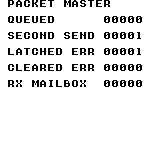
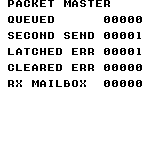
Build command
New-Item -ItemType Directory -Force .\out | Out-Null
.\kitaqgb\kitaqgb.exe .\kitaq-docs\samples\api-examples\gb\link_packet_master.c -I .\kitaqgb\lib -I .\kitaq-docs\samples -o .\out\link_packet_master.gb --profile=dev --rst-disable --stack-bank=fixed --cgb=cgb --cart=mbc5 --romsize=128k --no-cache --no-disasm
.\kitaqgb\kitaqgb.exe .\kitaq-docs\samples\api-examples\gb\link_packet_slave.c -I .\kitaqgb\lib -I .\kitaq-docs\samples -o .\out\link_packet_slave.gb --profile=dev --rst-disable --stack-bank=fixed --cgb=cgb --cart=mbc5 --romsize=128k --no-cache --no-disasm
.\kokura\kokura-cli.exe --link-topology pair --run-frames 360 --link-session "name=packet_master|slot=0|rom=.\out\link_packet_master.gb|save_state=.\out\packet_master.kqs" --link-session "name=packet_slave|slot=1|rom=.\out\link_packet_slave.gb|save_state=.\out\packet_slave.kqs"
.\kokura\kokura-cli.exe .\out\link_packet_master.gb --hardware cgb --load-state .\out\packet_master.kqs --run-frames 2 --png .\out\packet_master.png
.\kokura\kokura-cli.exe .\out\link_packet_slave.gb --hardware cgb --load-state .\out\packet_slave.kqs --run-frames 2 --png .\out\packet_slave.pngImplementation and source
kitaqgb/lib/link.h:60
Return the latest latched error without clearing it.
kitaqgb/lib/link.c:351
u8 Link_LastError() {
return Link_LastErrorCode;
}Link_OnSerialIRQ
Collect a completed byte from a handler that has identified a serial request.
Syntax
void Link_OnSerialIRQ();Return value
No return value.
Conditions and limits
An eight-entry receive ring holds seven bytes. A full ring drops the new byte and latches error 3. A received zero byte is valid data.
Internal critical sections track software nesting depth. Leaving the outer section enables CPU interrupts, so do not assume that a previously disabled IME state is preserved.
The function does not check SC for completion. Do not call it from an unrelated timer interrupt while serial transfer is active. This example explicitly dispatches after a real IF.serial request with the serial CPU IRQ source masked; it tests the body, not vector installation.
The screens come from KOKURA. Multi-endpoint examples check values on linked emulator instances, and screens are captured from their final saved states. These checks do not establish physical cable or four-player adapter behavior.
Run these PowerShell commands from the parent containing kitaqgb, kokura and kitaq-docs. Build every participating ROM before launching the linked session. For Link4, retain the generated symbol metadata beside the ROMs. For DMG runs, change --cgb=cgb to --cgb=dmg and --hardware cgb to --hardware dmg throughout.
Usage example
lesson_delay(2);result[14]=(IF_REG&8)!=0;Link_OnSerialIRQ();result[15]=Link_HasByte();result[16]=Link_ReadByte();result[17]=(IF_REG&8)!=0;This is a calling fragment. Follow the stated initialization and buffer requirements before using it in a complete program.
Expected result
Check initialization, busy rejection, an external-clock timeout and ring capacity. Expect BUSY ERROR=1, TIMEOUT=2, OPEN RX=255, OVERFLOW=3 and QUEUE BYTES=7. After observing IRQ REQUEST=1, the lesson explicitly dispatches the handler body while the serial IRQ source remains masked.
Build command
New-Item -ItemType Directory -Force .\out | Out-Null
.\kitaqgb\kitaqgb.exe .\kitaq-docs\samples\api-examples\gb\link_control.c -I .\kitaqgb\lib -I .\kitaq-docs\samples -o .\out\link_control.gb --profile=dev --rst-disable --stack-bank=fixed --cgb=cgb --cart=mbc5 --romsize=128k --no-cache --no-disasm
.\kokura\kokura-cli.exe .\out\link_control.gb --hardware cgb --run-frames 330 --png .\out\control.pngImplementation and source
kitaqgb/lib/link.h:74
Acknowledge serial IRQ and finish a software-busy transfer. Call this from the actual serial interrupt handler, not an unrelated interrupt.
kitaqgb/lib/link.c:410
void Link_OnSerialIRQ() {
LinkHw_WriteIF((u8)(LinkHw_ReadIF() & (u8)~LINK_IF_SERIAL));
if (Link_Busy == 0) return;
Link_FinishTransfer();
}Link_Poll
Collect a busy transfer only after SC clears its start bit, and enqueue the received byte.
Syntax
void Link_Poll();Return value
No return value.
Conditions and limits
An eight-entry receive ring holds seven bytes. A full ring drops the new byte and latches error 3. A received zero byte is valid data.
A call does not block. It does nothing when software state is idle and does not implement a timeout.
The screens come from KOKURA. Multi-endpoint examples check values on linked emulator instances, and screens are captured from their final saved states. These checks do not establish physical cable or four-player adapter behavior.
Run these PowerShell commands from the parent containing kitaqgb, kokura and kitaq-docs. Build every participating ROM before launching the linked session. For Link4, retain the generated symbol metadata beside the ROMs. For DMG runs, change --cgb=cgb to --cgb=dmg and --hardware cgb to --hardware dmg throughout.
Usage example
for(i=0;i<24;i++){Link_Poll();if(Link_HasByte())break;m_wait();}This is a calling fragment. Follow the stated initialization and buffer requirements before using it in a complete program.
Expected result
BYTE MASTER supplies the clocks. Expect PEER BYTE=42, ZERO READY=1 and ZERO BYTE=0. EMPTY READ is also zero afterwards, which is why readiness or TryRead’s return value is needed to distinguish an empty queue.
Build command
New-Item -ItemType Directory -Force .\out | Out-Null
.\kitaqgb\kitaqgb.exe .\kitaq-docs\samples\api-examples\gb\link_raw_master.c -I .\kitaqgb\lib -I .\kitaq-docs\samples -o .\out\link_raw_master.gb --profile=dev --rst-disable --stack-bank=fixed --cgb=cgb --cart=mbc5 --romsize=128k --no-cache --no-disasm
.\kitaqgb\kitaqgb.exe .\kitaq-docs\samples\api-examples\gb\link_raw_slave.c -I .\kitaqgb\lib -I .\kitaq-docs\samples -o .\out\link_raw_slave.gb --profile=dev --rst-disable --stack-bank=fixed --cgb=cgb --cart=mbc5 --romsize=128k --no-cache --no-disasm
.\kokura\kokura-cli.exe --link-topology pair --run-frames 360 --link-session "name=raw_master|slot=0|rom=.\out\link_raw_master.gb|save_state=.\out\raw_master.kqs" --link-session "name=raw_slave|slot=1|rom=.\out\link_raw_slave.gb|save_state=.\out\raw_slave.kqs"
.\kokura\kokura-cli.exe .\out\link_raw_master.gb --hardware cgb --load-state .\out\raw_master.kqs --run-frames 2 --png .\out\raw_master.png
.\kokura\kokura-cli.exe .\out\link_raw_slave.gb --hardware cgb --load-state .\out\raw_slave.kqs --run-frames 2 --png .\out\raw_slave.pngImplementation and source
kitaqgb/lib/link.h:68
Collect a pending transfer only after hardware clears the SC start bit.
kitaqgb/lib/link.c:388
void Link_Poll() {
if (Link_Busy == 0) return;
if ((LinkHw_ReadSC() & LINK_SC_START) != 0) return;
Link_FinishTransfer();
}Link_PollPacket
Parse received bytes, start the next outgoing byte or ACK, and advance timeout/retry state.
Syntax
void Link_PollPacket();Return value
No return value.
Conditions and limits
A packet contains 0xA5, command, length, 0–24 payload bytes and an XOR checksum. The response is 0x79 (ACK, accepted) or 0x1F (NAK, rejected). The checksum XORs the command, length and payload. Each machine has one shared packet mailbox; Link4 additionally has one mailbox per peer.
Keep polling on both endpoints. A timeout counts 90 calls without progress, not hardware frames. Sending 0xFF solely to clock an ACK does not extend that deadline; transmission allows at most three attempts. Retries can deliver duplicates, so add application-level identifiers when a command must run exactly once.
Raw ReadByte-style calls consume the same ordinary ring and can steal part of a packet. Do not mix raw reads with packet reception.
Link4 copies each received byte to both the ordinary ring and a per-peer ring. Reading one does not drain the other. Packet polling consumes the ordinary ring; regularly discard unused per-peer raw bytes as well to prevent overflow.
The screens come from KOKURA. Multi-endpoint examples check values on linked emulator instances, and screens are captured from their final saved states. These checks do not establish physical cable or four-player adapter behavior.
Run these PowerShell commands from the parent containing kitaqgb, kokura and kitaq-docs. Build every participating ROM before launching the linked session. For Link4, retain the generated symbol metadata beside the ROMs. For DMG runs, change --cgb=cgb to --cgb=dmg and --hardware cgb to --hardware dmg throughout.
Usage example
Link_InitSlave();for(i=0;i<120;i++){Link_PollPacket();m_wait();}This is a calling fragment. Follow the stated initialization and buffer requirements before using it in a complete program.
Expected result
Connect to PACKET MASTER and check COMMAND=49, LENGTH=3 and payload 7/42/255. CONSUMED=0 after ReadPacket means that the mailbox is now empty.
Build command
New-Item -ItemType Directory -Force .\out | Out-Null
.\kitaqgb\kitaqgb.exe .\kitaq-docs\samples\api-examples\gb\link_packet_master.c -I .\kitaqgb\lib -I .\kitaq-docs\samples -o .\out\link_packet_master.gb --profile=dev --rst-disable --stack-bank=fixed --cgb=cgb --cart=mbc5 --romsize=128k --no-cache --no-disasm
.\kitaqgb\kitaqgb.exe .\kitaq-docs\samples\api-examples\gb\link_packet_slave.c -I .\kitaqgb\lib -I .\kitaq-docs\samples -o .\out\link_packet_slave.gb --profile=dev --rst-disable --stack-bank=fixed --cgb=cgb --cart=mbc5 --romsize=128k --no-cache --no-disasm
.\kokura\kokura-cli.exe --link-topology pair --run-frames 360 --link-session "name=packet_master|slot=0|rom=.\out\link_packet_master.gb|save_state=.\out\packet_master.kqs" --link-session "name=packet_slave|slot=1|rom=.\out\link_packet_slave.gb|save_state=.\out\packet_slave.kqs"
.\kokura\kokura-cli.exe .\out\link_packet_master.gb --hardware cgb --load-state .\out\packet_master.kqs --run-frames 2 --png .\out\packet_master.png
.\kokura\kokura-cli.exe .\out\link_packet_slave.gb --hardware cgb --load-state .\out\packet_slave.kqs --run-frames 2 --png .\out\packet_slave.pngUsage example
Link_InitMaster();result[0]=Link_SendPacket(0,0,7);
// An absent peer cannot acknowledge the packet, despite completed FF exchanges.
for(ticks=0;ticks<300;ticks++){Link_PollPacket();m_wait();}
result[1]=Link_LastError();Link_Cancel();result[2]=Link_IsBusy();Link_ClearError();result[3]=Link_LastError();This is a calling fragment. Follow the stated initialization and buffer requirements before using it in a complete program.
Expected result
Send with no peer attached. Byte transfers complete under internal clocks, but no ACK arrives; after retries, NO ACK ERROR=5. Cancel leaves CANCEL BUSY=0.

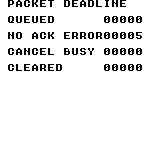
Build command
New-Item -ItemType Directory -Force .\out | Out-Null
.\kitaqgb\kitaqgb.exe .\kitaq-docs\samples\api-examples\gb\link_deadline.c -I .\kitaqgb\lib -I .\kitaq-docs\samples -o .\out\link_deadline.gb --profile=dev --rst-disable --stack-bank=fixed --cgb=cgb --cart=mbc5 --romsize=128k --no-cache --no-disasm
.\kokura\kokura-cli.exe .\out\link_deadline.gb --hardware cgb --run-frames 330 --png .\out\deadline.pngImplementation and source
kitaqgb/lib/link.h:92
Drain received bytes, advance one outgoing exchange and update the retry timer. Timeout ticks count calls without progress, not hardware frames; call with a controlled cadence and avoid mixing raw reads with packet consumption.
kitaqgb/lib/link_packet.c:400
void Link_PollPacket() {
u8 progress = 0;
u8 previous_state;
u8 value = 0;
Link_Poll();
if (Link_PacketState == LINK_PKT_STATE_ERROR) {
Link_PacketGoIdle();
return;
}
while (Link_TryReadByte(&value) != 0) {
if (Link_PacketConsumeByte(value) != 0) progress = 1;
}
if (Link_PacketState == LINK_PKT_STATE_SEND_ACK) {
if (Link_PacketStartAckTransfer() != 0) progress = 1;
} else if (Link_PacketIsSendState() != 0) {
// Clocking an ACK is not protocol progress: a missing peer must time out.
previous_state = Link_PacketState;
if (Link_PacketStartNextTransfer() != 0 && previous_state != LINK_PKT_STATE_WAIT_ACK) progress = 1;
} else {
if (Link_PacketStartReceiveTransfer() != 0) progress = 1;
}
if (Link_PacketState == LINK_PKT_STATE_IDLE) {
Link_PacketTimer = 0;
return;
}
if (progress != 0) {
Link_PacketTimer = LINK_PKT_TIMEOUT_TICKS;
return;
}
if (Link_PacketTimer != 0) Link_PacketTimer--;
if (Link_PacketTimer == 0) Link_PacketHandleTimeout();
}Link_ReadByte
Return one byte popped from the ordinary receive ring.
Syntax
u8 Link_ReadByte();Return value
Returns the received byte; an empty queue also returns zero.
Conditions and limits
An eight-entry receive ring holds seven bytes. A full ring drops the new byte and latches error 3. A received zero byte is valid data.
Internal critical sections track software nesting depth. Leaving the outer section enables CPU interrupts, so do not assume that a previously disabled IME state is preserved.
The return value alone cannot distinguish a received zero from an empty queue. Use TryReadByte’s success flag, or HasByte before reading.
The screens come from KOKURA. Multi-endpoint examples check values on linked emulator instances, and screens are captured from their final saved states. These checks do not establish physical cable or four-player adapter behavior.
Run these PowerShell commands from the parent containing kitaqgb, kokura and kitaq-docs. Build every participating ROM before launching the linked session. For Link4, retain the generated symbol metadata beside the ROMs. For DMG runs, change --cgb=cgb to --cgb=dmg and --hardware cgb to --hardware dmg throughout.
Usage example
result[6]=Link_HasByte();result[7]=Link_ReadByte();result[8]=Link_ReadByte();result[9]=Link_LastError();This is a calling fragment. Follow the stated initialization and buffer requirements before using it in a complete program.
Expected result
BYTE MASTER supplies the clocks. Expect PEER BYTE=42, ZERO READY=1 and ZERO BYTE=0. EMPTY READ is also zero afterwards, which is why readiness or TryRead’s return value is needed to distinguish an empty queue.
Build command
New-Item -ItemType Directory -Force .\out | Out-Null
.\kitaqgb\kitaqgb.exe .\kitaq-docs\samples\api-examples\gb\link_raw_master.c -I .\kitaqgb\lib -I .\kitaq-docs\samples -o .\out\link_raw_master.gb --profile=dev --rst-disable --stack-bank=fixed --cgb=cgb --cart=mbc5 --romsize=128k --no-cache --no-disasm
.\kitaqgb\kitaqgb.exe .\kitaq-docs\samples\api-examples\gb\link_raw_slave.c -I .\kitaqgb\lib -I .\kitaq-docs\samples -o .\out\link_raw_slave.gb --profile=dev --rst-disable --stack-bank=fixed --cgb=cgb --cart=mbc5 --romsize=128k --no-cache --no-disasm
.\kokura\kokura-cli.exe --link-topology pair --run-frames 360 --link-session "name=raw_master|slot=0|rom=.\out\link_raw_master.gb|save_state=.\out\raw_master.kqs" --link-session "name=raw_slave|slot=1|rom=.\out\link_raw_slave.gb|save_state=.\out\raw_slave.kqs"
.\kokura\kokura-cli.exe .\out\link_raw_master.gb --hardware cgb --load-state .\out\raw_master.kqs --run-frames 2 --png .\out\raw_master.png
.\kokura\kokura-cli.exe .\out\link_raw_slave.gb --hardware cgb --load-state .\out\raw_slave.kqs --run-frames 2 --png .\out\raw_slave.pngImplementation and source
kitaqgb/lib/link.h:80
Pop one byte, returning zero when empty. Use Link_TryReadByte when a received zero byte must be distinguished from an empty queue.
kitaqgb/lib/link.c:427
u8 Link_ReadByte() {
u8 value = 0;
if (Link_PopRxByte(&value) != 0) return value;
return 0;
}Link_ReadPacket
Copy a completed packet and consume the shared mailbox.
Syntax
u8 __stackcall Link_ReadPacket(u8 *cmd, u8 *len, u8 *dst);Parameters
cmdWritable command byte; null omits it.
lenWritable length byte, 0..24; null omits it.
dstWritable payload buffer with room for 24 bytes; null discards the payload.
Return value
Returns 1 when consumed, 0 when empty; empty reads leave outputs unchanged.
Conditions and limits
There is no destination-capacity parameter. Provide 24 writable bytes when using dst. cmd, len and dst may independently be null. Serialize mailbox inspection and consumption against other code and interrupts.
In Link4 mode, also clears the peer mailbox corresponding to this shared packet. Other peer mailboxes remain available.
The screens come from KOKURA. Multi-endpoint examples check values on linked emulator instances, and screens are captured from their final saved states. These checks do not establish physical cable or four-player adapter behavior.
Run these PowerShell commands from the parent containing kitaqgb, kokura and kitaq-docs. Build every participating ROM before launching the linked session. For Link4, retain the generated symbol metadata beside the ROMs. For DMG runs, change --cgb=cgb to --cgb=dmg and --hardware cgb to --hardware dmg throughout.
Usage example
result[0]=Link_HasPacket();cmd=0;len=0;result[1]=Link_ReadPacket(&cmd,&len,data);This is a calling fragment. Follow the stated initialization and buffer requirements before using it in a complete program.
Expected result
Connect to PACKET MASTER and check COMMAND=49, LENGTH=3 and payload 7/42/255. CONSUMED=0 after ReadPacket means that the mailbox is now empty.
Build command
New-Item -ItemType Directory -Force .\out | Out-Null
.\kitaqgb\kitaqgb.exe .\kitaq-docs\samples\api-examples\gb\link_packet_master.c -I .\kitaqgb\lib -I .\kitaq-docs\samples -o .\out\link_packet_master.gb --profile=dev --rst-disable --stack-bank=fixed --cgb=cgb --cart=mbc5 --romsize=128k --no-cache --no-disasm
.\kitaqgb\kitaqgb.exe .\kitaq-docs\samples\api-examples\gb\link_packet_slave.c -I .\kitaqgb\lib -I .\kitaq-docs\samples -o .\out\link_packet_slave.gb --profile=dev --rst-disable --stack-bank=fixed --cgb=cgb --cart=mbc5 --romsize=128k --no-cache --no-disasm
.\kokura\kokura-cli.exe --link-topology pair --run-frames 360 --link-session "name=packet_master|slot=0|rom=.\out\link_packet_master.gb|save_state=.\out\packet_master.kqs" --link-session "name=packet_slave|slot=1|rom=.\out\link_packet_slave.gb|save_state=.\out\packet_slave.kqs"
.\kokura\kokura-cli.exe .\out\link_packet_master.gb --hardware cgb --load-state .\out\packet_master.kqs --run-frames 2 --png .\out\packet_master.png
.\kokura\kokura-cli.exe .\out\link_packet_slave.gb --hardware cgb --load-state .\out\packet_slave.kqs --run-frames 2 --png .\out\packet_slave.pngImplementation and source
kitaqgb/lib/link.h:98
Consume the shared packet mailbox and its matching peer flag. Any output may be null; a nonnull destination needs room for the received payload because there is no destination-capacity argument.
kitaqgb/lib/link_packet.c:448
u8 __stackcall Link_ReadPacket(u8 *cmd, u8 *len, u8 *dst) {
u8 i;
u8 peer_slot = Link4_LastPacketPeer;
if (Link_ReceivedPacketReady == 0) return 0;
if (cmd != 0) *cmd = Link_ReceivedPacketCmd;
if (len != 0) *len = Link_ReceivedPacketLen;
if (dst != 0) {
for (i = 0; i < Link_ReceivedPacketLen; ++i) {
dst[(__safe_index u8)i] = Link_ReceivedPacketBuf[(__safe_index u8)i];
}
}
Link_ReceivedPacketReady = 0;
if (Link4_IsValidRemoteSlotInternal(peer_slot) != 0) {
Link4_ReceivedPacketReady[(__safe_index u8)peer_slot] = 0;
}
Link4_LastPacketPeer = LINK4_INVALID_SLOT;
return 1;
}Link_SendPacket
Copy the payload into owned storage and schedule packet transmission.
Syntax
u8 __stackcall Link_SendPacket(const u8 *data, u8 len, u8 cmd);Parameters
dataReadable source of len bytes; may be null only when len is zero.
lenPayload length in bytes, 0..24.
cmdApplication-defined eight-bit command.
Return value
Returns 0 when accepted, 1 for busy packet state, or 4 for invalid length/pointer.
Conditions and limits
Error codes are 0=none, 1=busy, 2=timeout, 3=receive overflow, 4=invalid configuration/protocol and 5=an ACK timeout with a disconnect-like response. Start/configuration calls succeed with 0; receive/pop calls succeed with 1. Successful calls do not clear a latched error.
A packet contains 0xA5, command, length, 0–24 payload bytes and an XOR checksum. The response is 0x79 (ACK, accepted) or 0x1F (NAK, rejected). The checksum XORs the command, length and payload. Each machine has one shared packet mailbox; Link4 additionally has one mailbox per peer.
Keep polling on both endpoints. A timeout counts 90 calls without progress, not hardware frames. Sending 0xFF solely to clock an ACK does not extend that deadline; transmission allows at most three attempts. Retries can deliver duplicates, so add application-level identifiers when a command must run exactly once.
Zero means queued, not received or acknowledged by the peer. The source array may be reused after acceptance.
The screens come from KOKURA. Multi-endpoint examples check values on linked emulator instances, and screens are captured from their final saved states. These checks do not establish physical cable or four-player adapter behavior.
Run these PowerShell commands from the parent containing kitaqgb, kokura and kitaq-docs. Build every participating ROM before launching the linked session. For Link4, retain the generated symbol metadata beside the ROMs. For DMG runs, change --cgb=cgb to --cgb=dmg and --hardware cgb to --hardware dmg throughout.
Usage example
result[0]=Link_SendPacket(data,3,0x31);data[1]=0;result[1]=Link_SendPacket(data,3,0x32);This is a calling fragment. Follow the stated initialization and buffer requirements before using it in a complete program.
Expected result
Send command 49 with payload 7/42/255, then change the source array. QUEUED=0 accepts the send; SECOND SEND=1 rejects a second start. That busy error remains latched until ClearError. PAYLOAD 2=42 on the receiving endpoint proves that the queued payload is an owned copy.
Build command
New-Item -ItemType Directory -Force .\out | Out-Null
.\kitaqgb\kitaqgb.exe .\kitaq-docs\samples\api-examples\gb\link_packet_master.c -I .\kitaqgb\lib -I .\kitaq-docs\samples -o .\out\link_packet_master.gb --profile=dev --rst-disable --stack-bank=fixed --cgb=cgb --cart=mbc5 --romsize=128k --no-cache --no-disasm
.\kitaqgb\kitaqgb.exe .\kitaq-docs\samples\api-examples\gb\link_packet_slave.c -I .\kitaqgb\lib -I .\kitaq-docs\samples -o .\out\link_packet_slave.gb --profile=dev --rst-disable --stack-bank=fixed --cgb=cgb --cart=mbc5 --romsize=128k --no-cache --no-disasm
.\kokura\kokura-cli.exe --link-topology pair --run-frames 360 --link-session "name=packet_master|slot=0|rom=.\out\link_packet_master.gb|save_state=.\out\packet_master.kqs" --link-session "name=packet_slave|slot=1|rom=.\out\link_packet_slave.gb|save_state=.\out\packet_slave.kqs"
.\kokura\kokura-cli.exe .\out\link_packet_master.gb --hardware cgb --load-state .\out\packet_master.kqs --run-frames 2 --png .\out\packet_master.png
.\kokura\kokura-cli.exe .\out\link_packet_slave.gb --hardware cgb --load-state .\out\packet_slave.kqs --run-frames 2 --png .\out\packet_slave.pngImplementation and source
kitaqgb/lib/link.h:88
Validate payload size and idle packet state, copy payload bytes into owned storage and schedule transmission. Return success means queued, not acknowledged; keep polling to progress the exchange and inspect the error latch.
kitaqgb/lib/link_packet.c:361
u8 __stackcall Link_SendPacket(const u8 *data, u8 len, u8 cmd) {
u8 i;
u8 checksum = (u8)(cmd ^ len);
if (len > LINK_PKT_MAX_PAYLOAD) {
Link_SetErrorInternal(LINK_ERR_PROTOCOL);
return LINK_ERR_PROTOCOL;
}
if (len != 0 && data == 0) {
Link_SetErrorInternal(LINK_ERR_PROTOCOL);
return LINK_ERR_PROTOCOL;
}
if (Link_PacketState != LINK_PKT_STATE_IDLE || Link_PendingAck != 0) {
Link_SetErrorInternal(LINK_ERR_BUSY);
return LINK_ERR_BUSY;
}
Link_CurrentPacketCmd = cmd;
Link_CurrentPacketLen = len;
for (i = 0; i < len; ++i) {
Link_CurrentPacketBuf[(__safe_index u8)i] = data[(__safe_index u8)i];
checksum = (u8)(checksum ^ data[(__safe_index u8)i]);
}
Link_CurrentPacketChecksum = checksum;
Link_TxSeq = 0;
Link_RxSeq = 0;
Link_PacketRetryCount = 0;
Link_PacketTimer = LINK_PKT_TIMEOUT_TICKS;
Link_PacketState = LINK_PKT_STATE_SEND_SYNC;
return LINK_ERR_NONE;
}Link_SetFastClock
Choose whether future internally clocked transfers use the CGB fast-clock bit.
Syntax
void __stackcall Link_SetFastClock(u8 on);Parameters
onZero requests normal speed; nonzero requests fast speed.
Return value
No return value.
Conditions and limits
Each machine has one shared link state. Byte exchanges are full duplex: one side supplies the internal clock and the other uses external clocks. Normal speed takes 512 clocks per bit; CGB fast speed takes 16.
Does not change an in-flight transfer. External-clock transfers ignore this setting. Hardware support is not checked; run both sample endpoints on matching hardware modes.
The screens come from KOKURA. Multi-endpoint examples check values on linked emulator instances, and screens are captured from their final saved states. These checks do not establish physical cable or four-player adapter behavior.
Run these PowerShell commands from the parent containing kitaqgb, kokura and kitaq-docs. Build every participating ROM before launching the linked session. For Link4, retain the generated symbol metadata beside the ROMs. For DMG runs, change --cgb=cgb to --cgb=dmg and --hardware cgb to --hardware dmg throughout.
Usage example
lesson_delay(12);Link_SetFastClock(__cgb_is_cgb());result[5]=Link_BeginTransfer(0);value=77;This is a calling fragment. Follow the stated initialization and buffer requirements before using it in a complete program.
Expected result
Connect to BYTE SLAVE. Send 42 and receive 99, then exchange zero in both directions. RECEIVED=1, PEER BYTE=99, ZERO READY=1 and ZERO BYTE=0 distinguish valid zero data from no data. Two CGB instances use fast clocks for the second exchange.
Build command
New-Item -ItemType Directory -Force .\out | Out-Null
.\kitaqgb\kitaqgb.exe .\kitaq-docs\samples\api-examples\gb\link_raw_master.c -I .\kitaqgb\lib -I .\kitaq-docs\samples -o .\out\link_raw_master.gb --profile=dev --rst-disable --stack-bank=fixed --cgb=cgb --cart=mbc5 --romsize=128k --no-cache --no-disasm
.\kitaqgb\kitaqgb.exe .\kitaq-docs\samples\api-examples\gb\link_raw_slave.c -I .\kitaqgb\lib -I .\kitaq-docs\samples -o .\out\link_raw_slave.gb --profile=dev --rst-disable --stack-bank=fixed --cgb=cgb --cart=mbc5 --romsize=128k --no-cache --no-disasm
.\kokura\kokura-cli.exe --link-topology pair --run-frames 360 --link-session "name=raw_master|slot=0|rom=.\out\link_raw_master.gb|save_state=.\out\raw_master.kqs" --link-session "name=raw_slave|slot=1|rom=.\out\link_raw_slave.gb|save_state=.\out\raw_slave.kqs"
.\kokura\kokura-cli.exe .\out\link_raw_master.gb --hardware cgb --load-state .\out\raw_master.kqs --run-frames 2 --png .\out\raw_master.png
.\kokura\kokura-cli.exe .\out\link_raw_slave.gb --hardware cgb --load-state .\out\raw_slave.kqs --run-frames 2 --png .\out\raw_slave.pngImplementation and source
kitaqgb/lib/link.h:53
Select the fast-clock bit for future master transfers; this does not restart an active transfer or verify that the hardware supports CGB fast mode.
kitaqgb/lib/link.c:334
void __stackcall Link_SetFastClock(u8 on) {
if (on != 0) Link_FastClock = LINK_CLOCK_FAST;
else Link_FastClock = LINK_CLOCK_NORMAL;
}Link_SetUseInterrupt
Set the serial interrupt-enable bit and clear a pending serial request.
Syntax
void __stackcall Link_SetUseInterrupt(u8 on);Parameters
onZero disables; any nonzero value enables.
Return value
No return value.
Conditions and limits
Internal critical sections track software nesting depth. Leaving the outer section enables CPU interrupts, so do not assume that a previously disabled IME state is preserved.
Install a handler at vector 0058h separately; this library does not register one. The sample masks the source again before transferring and does not test a CPU interrupt entry stub.
The screens come from KOKURA. Multi-endpoint examples check values on linked emulator instances, and screens are captured from their final saved states. These checks do not establish physical cable or four-player adapter behavior.
Run these PowerShell commands from the parent containing kitaqgb, kokura and kitaq-docs. Build every participating ROM before launching the linked session. For Link4, retain the generated symbol metadata beside the ROMs. For DMG runs, change --cgb=cgb to --cgb=dmg and --hardware cgb to --hardware dmg throughout.
Usage example
Link_SetUseInterrupt(1);result[3]=(IE_REG&8)!=0;Link_SetUseInterrupt(0);result[4]=(IE_REG&8)!=0;This is a calling fragment. Follow the stated initialization and buffer requirements before using it in a complete program.
Expected result
Check initialization, busy rejection, an external-clock timeout and ring capacity. Expect BUSY ERROR=1, TIMEOUT=2, OPEN RX=255, OVERFLOW=3 and QUEUE BYTES=7. After observing IRQ REQUEST=1, the lesson explicitly dispatches the handler body while the serial IRQ source remains masked.
Build command
New-Item -ItemType Directory -Force .\out | Out-Null
.\kitaqgb\kitaqgb.exe .\kitaq-docs\samples\api-examples\gb\link_control.c -I .\kitaqgb\lib -I .\kitaq-docs\samples -o .\out\link_control.gb --profile=dev --rst-disable --stack-bank=fixed --cgb=cgb --cart=mbc5 --romsize=128k --no-cache --no-disasm
.\kokura\kokura-cli.exe .\out\link_control.gb --hardware cgb --run-frames 330 --png .\out\control.pngImplementation and source
kitaqgb/lib/link.h:50
Enable or disable serial IRQ delivery and clear its pending flag. Enabling does not install the handler. Leaving its outer critical section enables CPU interrupts.
kitaqgb/lib/link.c:322
void __stackcall Link_SetUseInterrupt(u8 on) {
if (on != 0) {
Link_UseInterrupt = 1;
Link_SetSerialInterruptEnabled(1);
} else {
Link_UseInterrupt = 0;
Link_SetSerialInterruptEnabled(0);
}
}Link_TryReadByte
Pop one byte from the ordinary receive ring without waiting.
Syntax
u8 __stackcall Link_TryReadByte(u8 *out);Parameters
outWritable byte destination; null discards the byte.
Return value
Returns 1 when popped, 0 when empty; an empty read leaves out unchanged.
Conditions and limits
An eight-entry receive ring holds seven bytes. A full ring drops the new byte and latches error 3. A received zero byte is valid data.
Internal critical sections track software nesting depth. Leaving the outer section enables CPU interrupts, so do not assume that a previously disabled IME state is preserved.
Link4 copies each received byte to both the ordinary ring and a per-peer ring. Reading one does not drain the other. Packet polling consumes the ordinary ring; regularly discard unused per-peer raw bytes as well to prevent overflow.
The screens come from KOKURA. Multi-endpoint examples check values on linked emulator instances, and screens are captured from their final saved states. These checks do not establish physical cable or four-player adapter behavior.
Run these PowerShell commands from the parent containing kitaqgb, kokura and kitaq-docs. Build every participating ROM before launching the linked session. For Link4, retain the generated symbol metadata beside the ROMs. For DMG runs, change --cgb=cgb to --cgb=dmg and --hardware cgb to --hardware dmg throughout.
Usage example
result[1]=Link_HasByte();value=77;result[2]=Link_TryReadByte(&value);result[3]=value;This is a calling fragment. Follow the stated initialization and buffer requirements before using it in a complete program.
Expected result
BYTE MASTER supplies the clocks. Expect PEER BYTE=42, ZERO READY=1 and ZERO BYTE=0. EMPTY READ is also zero afterwards, which is why readiness or TryRead’s return value is needed to distinguish an empty queue.
Build command
New-Item -ItemType Directory -Force .\out | Out-Null
.\kitaqgb\kitaqgb.exe .\kitaq-docs\samples\api-examples\gb\link_raw_master.c -I .\kitaqgb\lib -I .\kitaq-docs\samples -o .\out\link_raw_master.gb --profile=dev --rst-disable --stack-bank=fixed --cgb=cgb --cart=mbc5 --romsize=128k --no-cache --no-disasm
.\kitaqgb\kitaqgb.exe .\kitaq-docs\samples\api-examples\gb\link_raw_slave.c -I .\kitaqgb\lib -I .\kitaq-docs\samples -o .\out\link_raw_slave.gb --profile=dev --rst-disable --stack-bank=fixed --cgb=cgb --cart=mbc5 --romsize=128k --no-cache --no-disasm
.\kokura\kokura-cli.exe --link-topology pair --run-frames 360 --link-session "name=raw_master|slot=0|rom=.\out\link_raw_master.gb|save_state=.\out\raw_master.kqs" --link-session "name=raw_slave|slot=1|rom=.\out\link_raw_slave.gb|save_state=.\out\raw_slave.kqs"
.\kokura\kokura-cli.exe .\out\link_raw_master.gb --hardware cgb --load-state .\out\raw_master.kqs --run-frames 2 --png .\out\raw_master.png
.\kokura\kokura-cli.exe .\out\link_raw_slave.gb --hardware cgb --load-state .\out\raw_slave.kqs --run-frames 2 --png .\out\raw_slave.pngImplementation and source
kitaqgb/lib/link.h:77
Pop the ordinary receive queue without waiting or polling hardware; null discards a byte.
kitaqgb/lib/link.c:417
u8 __stackcall Link_TryReadByte(u8 *out) {
return Link_PopRxByte(out);
}Link_WaitByte
Poll immediately, then wait for a byte with a VBlank-based limit.
Syntax
u8 __stackcall Link_WaitByte(u16 timeout_frames, u8 *out);Parameters
timeout_framesMaximum number of VBlank waits. Zero still performs the initial poll and read.
outRequired writable byte. Null returns zero immediately without changing the error latch.
Return value
Returns 1 on receipt, 0 on timeout or a null output.
Conditions and limits
An eight-entry receive ring holds seven bytes. A full ring drops the new byte and latches error 3. A received zero byte is valid data.
Use with the LCD running. Timeout latches error 2 and leaves out unchanged. The transfer itself is not cancelled; call Cancel if abandoning it.
The screens come from KOKURA. Multi-endpoint examples check values on linked emulator instances, and screens are captured from their final saved states. These checks do not establish physical cable or four-player adapter behavior.
Run these PowerShell commands from the parent containing kitaqgb, kokura and kitaq-docs. Build every participating ROM before launching the linked session. For Link4, retain the generated symbol metadata beside the ROMs. For DMG runs, change --cgb=cgb to --cgb=dmg and --hardware cgb to --hardware dmg throughout.
Usage example
value=77;result[9]=Link_WaitByte(2,&value);result[10]=value;result[11]=Link_LastError();This is a calling fragment. Follow the stated initialization and buffer requirements before using it in a complete program.
Expected result
Check initialization, busy rejection, an external-clock timeout and ring capacity. Expect BUSY ERROR=1, TIMEOUT=2, OPEN RX=255, OVERFLOW=3 and QUEUE BYTES=7. After observing IRQ REQUEST=1, the lesson explicitly dispatches the handler body while the serial IRQ source remains masked.
Build command
New-Item -ItemType Directory -Force .\out | Out-Null
.\kitaqgb\kitaqgb.exe .\kitaq-docs\samples\api-examples\gb\link_control.c -I .\kitaqgb\lib -I .\kitaq-docs\samples -o .\out\link_control.gb --profile=dev --rst-disable --stack-bank=fixed --cgb=cgb --cart=mbc5 --romsize=128k --no-cache --no-disasm
.\kokura\kokura-cli.exe .\out\link_control.gb --hardware cgb --run-frames 330 --png .\out\control.pngImplementation and source
kitaqgb/lib/link.h:83
Require an output pointer, poll immediately, then wait at most timeout_frames VBlanks for a byte. Zero timeout still performs the initial poll and read.
kitaqgb/lib/link.c:435
u8 __stackcall Link_WaitByte(u16 timeout_frames, u8 *out) {
u16 waited = 0;
if (out == 0) return 0;
Link_Poll();
if (Link_TryReadByte(out) != 0) return 1;
while (waited < timeout_frames) {
__wait_vblank();
waited++;
Link_Poll();
if (Link_TryReadByte(out) != 0) return 1;
}
Link_SetErrorInternal(LINK_ERR_TIMEOUT);
return 0;
}link_dmg07.h — DMG-07 external-clock communication
The DMG-07 broadcasts one submitted byte from each console to all four players. This library handles discovery, player-1 startup, delayed packet broadcasts and aligned restart control. Learn four-console exchange with EXCHANGE, timeout behavior with NO ADAPTER, unread data with OVERFLOW and recovery with RESTART.
Library player numbers are 1..4; zero means undiscovered. Connection-mask bits 0..3 correspond to players 1..4. KOKURA --link-session slot values are 0..3, a separate numbering convention from the ROM API.
This driver owns the serial port. Do not run ordinary Link or Link4 concurrently; include link_hwregs_gb.c and link_dmg07.c once each. The adapter supplies external clocks; the driver does not select CGB fast serial mode.
Call Poll repeatedly throughout the frame and TickFrame exactly once per frame. One Poll per VBlank cannot re-arm the port between adapter bytes. The shared header’s d_poll detects entry into LY >= 144 to call TickFrame once. Serialize both operations instead of racing an ISR against the main loop.
With SIZE=1 each console submits one byte; the four-byte broadcast is ordered by players 1..4. The initial broadcast is discarded. Subsequent broadcasts contain the previous packet’s submissions. An all-0xFF four-byte broadcast is reserved as the restart indication.
LinkDmg07_ClearError
Reset the last-error code to zero.
Syntax
void LinkDmg07_ClearError();Return value
No return value.
Conditions and limits
SilenceFrames and diagnostic counters saturate at 255. Init resets them all; ordinary protocol restarts preserve diagnostic counters. ClearError clears only the error code.
Preserves received data, phase, connection information and the timeout latch. This call alone does not reconnect or resume reception.
Screens are captured from KOKURA’s DMG-07 model. Each console executes independently, and transmitted and received values are compared. Physical adapter/cable electrical behavior and timing are unverified. CGB screens display numeric values in blue.
Place kitaqgb, kokura and kitaq-docs under one parent directory and open PowerShell there. Four-console examples launch the same ROM in four sessions. For DMG checks, replace --cgb=cgb with --cgb=dmg and --hardware cgb with --hardware dmg throughout.
Usage example
LinkDmg07_ClearError();result[21]=LinkDmg07_LastError();result[22]=LinkDmg07_GetErrorCount();This is a calling fragment. Follow the stated initialization and buffer requirements before using it in a complete program.
Expected result
Leave the first valid packet unread until another arrives. Expect SENT SEQ=3, PACKET SEQ=2 and ERROR=6; the read returns the latest 33/34/35/36. ClearError changes CLEAR ERROR to zero while ErrorCount remains one.
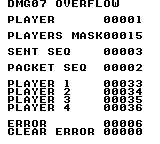
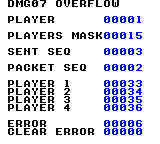
Build command
New-Item -ItemType Directory -Force .\out | Out-Null
.\kitaqgb\kitaqgb.exe .\kitaq-docs\samples\api-examples\gb\dmg07_overflow.c -I .\kitaqgb\lib -I .\kitaq-docs\samples -o .\out\dmg07_overflow.gb --profile=dev --rst-disable --stack-bank=fixed --cgb=cgb --cart=mbc5 --romsize=128k --no-cache --no-disasm
.\kokura\kokura-cli.exe --link-topology dmg07 --run-frames 90 --link-session "name=player1|slot=0|rom=.\out\dmg07_overflow.gb|save_state=.\out\player1.kqs" --link-session "name=player2|slot=1|rom=.\out\dmg07_overflow.gb|save_state=.\out\player2.kqs" --link-session "name=player3|slot=2|rom=.\out\dmg07_overflow.gb|save_state=.\out\player3.kqs" --link-session "name=player4|slot=3|rom=.\out\dmg07_overflow.gb|save_state=.\out\player4.kqs"
.\kokura\kokura-cli.exe .\out\dmg07_overflow.gb --hardware cgb --load-state .\out\player1.kqs --run-frames 2 --png .\out\player1.png
.\kokura\kokura-cli.exe .\out\dmg07_overflow.gb --hardware cgb --load-state .\out\player2.kqs --run-frames 2 --png .\out\player2.png
.\kokura\kokura-cli.exe .\out\dmg07_overflow.gb --hardware cgb --load-state .\out\player3.kqs --run-frames 2 --png .\out\player3.png
.\kokura\kokura-cli.exe .\out\dmg07_overflow.gb --hardware cgb --load-state .\out\player4.kqs --run-frames 2 --png .\out\player4.pngImplementation and source
kitaqgb/lib/link_dmg07.h:125
Clear only the latest error code, preserving counters and protocol state.
kitaqgb/lib/link_dmg07.c:541
void LinkDmg07_ClearError() {
LinkDmg07_LastErrorCode = LINK_DMG07_ERR_NONE;
}LinkDmg07_ConsumePingStatus
Consume and clear a completed-discovery notification.
Syntax
u8 LinkDmg07_ConsumePingStatus();Return value
Returns 1 when consumed, otherwise 0.
Conditions and limits
Clears only the notification, preserving slot, mask and LastStatus. Further calls return zero until a new notification arrives.
Screens are captured from KOKURA’s DMG-07 model. Each console executes independently, and transmitted and received values are compared. Physical adapter/cable electrical behavior and timing are unverified. CGB screens display numeric values in blue.
Place kitaqgb, kokura and kitaq-docs under one parent directory and open PowerShell there. Four-console examples launch the same ROM in four sessions. For DMG checks, replace --cgb=cgb with --cgb=dmg and --hardware cgb with --hardware dmg throughout.
Usage example
result[3]=LinkDmg07_ConsumePingStatus();This is a calling fragment. Follow the stated initialization and buffer requirements before using it in a complete program.
Expected result
Run the same ROM on four consoles, each sending 32 plus its player number. Every console receives PLAYER 1..4 = 33/34/35/36. The first valid broadcast records SENT SEQ=2 and PACKET SEQ=1, showing the one-packet delay. The screen freezes that observation; a game continues polling afterwards.
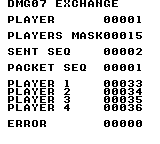
Build command
New-Item -ItemType Directory -Force .\out | Out-Null
.\kitaqgb\kitaqgb.exe .\kitaq-docs\samples\api-examples\gb\dmg07_exchange.c -I .\kitaqgb\lib -I .\kitaq-docs\samples -o .\out\dmg07_exchange.gb --profile=dev --rst-disable --stack-bank=fixed --cgb=cgb --cart=mbc5 --romsize=128k --no-cache --no-disasm
.\kokura\kokura-cli.exe --link-topology dmg07 --run-frames 90 --link-session "name=player1|slot=0|rom=.\out\dmg07_exchange.gb|save_state=.\out\player1.kqs" --link-session "name=player2|slot=1|rom=.\out\dmg07_exchange.gb|save_state=.\out\player2.kqs" --link-session "name=player3|slot=2|rom=.\out\dmg07_exchange.gb|save_state=.\out\player3.kqs" --link-session "name=player4|slot=3|rom=.\out\dmg07_exchange.gb|save_state=.\out\player4.kqs"
.\kokura\kokura-cli.exe .\out\dmg07_exchange.gb --hardware cgb --load-state .\out\player1.kqs --run-frames 2 --png .\out\player1.png
.\kokura\kokura-cli.exe .\out\dmg07_exchange.gb --hardware cgb --load-state .\out\player2.kqs --run-frames 2 --png .\out\player2.png
.\kokura\kokura-cli.exe .\out\dmg07_exchange.gb --hardware cgb --load-state .\out\player3.kqs --run-frames 2 --png .\out\player3.png
.\kokura\kokura-cli.exe .\out\dmg07_exchange.gb --hardware cgb --load-state .\out\player4.kqs --run-frames 2 --png .\out\player4.pngImplementation and source
kitaqgb/lib/link_dmg07.h:71
Clear and report the completed-discovery flag; return zero if no new status exists.
kitaqgb/lib/link_dmg07.c:418
u8 LinkDmg07_ConsumePingStatus() {
if (LinkDmg07_PingStatusReady == 0) return 0;
LinkDmg07_PingStatusReady = 0;
return 1;
}LinkDmg07_GetConnectedMask
Read the four-bit set of players in the last accepted status.
Syntax
u8 LinkDmg07_GetConnectedMask();Return value
Bits 0..3 report connected players. Undiscovered is zero; four connected players is 15.
Conditions and limits
Library player numbers are 1..4; zero means undiscovered. Connection-mask bits 0..3 correspond to players 1..4. KOKURA --link-session slot values are 0..3, a separate numbering convention from the ROM API.
Returns cached discovery status rather than probing physical wiring. During transfer it reflects the most recent accepted notification.
Screens are captured from KOKURA’s DMG-07 model. Each console executes independently, and transmitted and received values are compared. Physical adapter/cable electrical behavior and timing are unverified. CGB screens display numeric values in blue.
Place kitaqgb, kokura and kitaq-docs under one parent directory and open PowerShell there. Four-console examples launch the same ROM in four sessions. For DMG checks, replace --cgb=cgb with --cgb=dmg and --hardware cgb with --hardware dmg throughout.
Usage example
result[1]=LinkDmg07_GetConnectedMask();This is a calling fragment. Follow the stated initialization and buffer requirements before using it in a complete program.
Expected result
Run the same ROM on four consoles, each sending 32 plus its player number. Every console receives PLAYER 1..4 = 33/34/35/36. The first valid broadcast records SENT SEQ=2 and PACKET SEQ=1, showing the one-packet delay. The screen freezes that observation; a game continues polling afterwards.
Build command
New-Item -ItemType Directory -Force .\out | Out-Null
.\kitaqgb\kitaqgb.exe .\kitaq-docs\samples\api-examples\gb\dmg07_exchange.c -I .\kitaqgb\lib -I .\kitaq-docs\samples -o .\out\dmg07_exchange.gb --profile=dev --rst-disable --stack-bank=fixed --cgb=cgb --cart=mbc5 --romsize=128k --no-cache --no-disasm
.\kokura\kokura-cli.exe --link-topology dmg07 --run-frames 90 --link-session "name=player1|slot=0|rom=.\out\dmg07_exchange.gb|save_state=.\out\player1.kqs" --link-session "name=player2|slot=1|rom=.\out\dmg07_exchange.gb|save_state=.\out\player2.kqs" --link-session "name=player3|slot=2|rom=.\out\dmg07_exchange.gb|save_state=.\out\player3.kqs" --link-session "name=player4|slot=3|rom=.\out\dmg07_exchange.gb|save_state=.\out\player4.kqs"
.\kokura\kokura-cli.exe .\out\dmg07_exchange.gb --hardware cgb --load-state .\out\player1.kqs --run-frames 2 --png .\out\player1.png
.\kokura\kokura-cli.exe .\out\dmg07_exchange.gb --hardware cgb --load-state .\out\player2.kqs --run-frames 2 --png .\out\player2.png
.\kokura\kokura-cli.exe .\out\dmg07_exchange.gb --hardware cgb --load-state .\out\player3.kqs --run-frames 2 --png .\out\player3.png
.\kokura\kokura-cli.exe .\out\dmg07_exchange.gb --hardware cgb --load-state .\out\player4.kqs --run-frames 2 --png .\out\player4.pngImplementation and source
kitaqgb/lib/link_dmg07.h:65
Normalized mask: bit 0 is player 1, ..., bit 3 is player 4.
kitaqgb/lib/link_dmg07.c:403
u8 LinkDmg07_GetConnectedMask() {
return LinkDmg07_ConnectedMask;
}LinkDmg07_GetDisconnectCount
Read recorded loss events: silence after seeing an adapter, or players disappearing from discovery status.
Syntax
u8 LinkDmg07_GetDisconnectCount();Return value
Returns 0..255 events, not the number of lost players.
Conditions and limits
SilenceFrames and diagnostic counters saturate at 255. Init resets them all; ordinary protocol restarts preserve diagnostic counters. ClearError clears only the error code.
A deadline before any adapter has been observed does not increment it. Multiple players removed by one status change count as one event.
Screens are captured from KOKURA’s DMG-07 model. Each console executes independently, and transmitted and received values are compared. Physical adapter/cable electrical behavior and timing are unverified. CGB screens display numeric values in blue.
Place kitaqgb, kokura and kitaq-docs under one parent directory and open PowerShell there. Four-console examples launch the same ROM in four sessions. For DMG checks, replace --cgb=cgb with --cgb=dmg and --hardware cgb with --hardware dmg throughout.
Usage example
result[8]=LinkDmg07_GetDisconnectCount();This is a calling fragment. Follow the stated initialization and buffer requirements before using it in a complete program.
Expected result
Run without an adapter. Expect PLAYER=0, START ERROR=2, SILENT FRAME=12, TIMEOUTS=1 and ERROR=4. DISCONNECTS stays zero because no adapter has ever been seen. An empty read preserves EMPTY BUFFER=77; ClearError produces CLEARED=0.
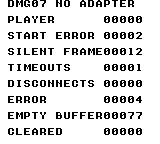
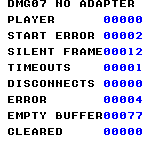
Build command
New-Item -ItemType Directory -Force .\out | Out-Null
.\kitaqgb\kitaqgb.exe .\kitaq-docs\samples\api-examples\gb\dmg07_absent.c -I .\kitaqgb\lib -I .\kitaq-docs\samples -o .\out\dmg07_absent.gb --profile=dev --rst-disable --stack-bank=fixed --cgb=cgb --cart=mbc5 --romsize=128k --no-cache --no-disasm
.\kokura\kokura-cli.exe .\out\dmg07_absent.gb --hardware cgb --run-frames 90 --png .\out\absent.pngImplementation and source
kitaqgb/lib/link_dmg07.h:118
Return the saturating count of removed-player and previously-seen-adapter timeout events.
kitaqgb/lib/link_dmg07.c:525
u8 LinkDmg07_GetDisconnectCount() {
return LinkDmg07_DisconnectCount;
}LinkDmg07_GetErrorCount
Read the count of received-protocol errors and unread-packet overwrites.
Syntax
u8 LinkDmg07_GetErrorCount();Return value
Returns 0..255. Request validation/state errors and timeouts are not included.
Conditions and limits
SilenceFrames and diagnostic counters saturate at 255. Init resets them all; ordinary protocol restarts preserve diagnostic counters. ClearError clears only the error code.
The receive mailbox holds only the latest packet. Completion of another packet overwrites unread data, latches error 6 and increments ErrorCount. The adapter does not wait for the application to consume the mailbox.
Screens are captured from KOKURA’s DMG-07 model. Each console executes independently, and transmitted and received values are compared. Physical adapter/cable electrical behavior and timing are unverified. CGB screens display numeric values in blue.
Place kitaqgb, kokura and kitaq-docs under one parent directory and open PowerShell there. Four-console examples launch the same ROM in four sessions. For DMG checks, replace --cgb=cgb with --cgb=dmg and --hardware cgb with --hardware dmg throughout.
Usage example
result[19]=LinkDmg07_GetErrorCount();This is a calling fragment. Follow the stated initialization and buffer requirements before using it in a complete program.
Expected result
Leave the first valid packet unread until another arrives. Expect SENT SEQ=3, PACKET SEQ=2 and ERROR=6; the read returns the latest 33/34/35/36. ClearError changes CLEAR ERROR to zero while ErrorCount remains one.
Build command
New-Item -ItemType Directory -Force .\out | Out-Null
.\kitaqgb\kitaqgb.exe .\kitaq-docs\samples\api-examples\gb\dmg07_overflow.c -I .\kitaqgb\lib -I .\kitaq-docs\samples -o .\out\dmg07_overflow.gb --profile=dev --rst-disable --stack-bank=fixed --cgb=cgb --cart=mbc5 --romsize=128k --no-cache --no-disasm
.\kokura\kokura-cli.exe --link-topology dmg07 --run-frames 90 --link-session "name=player1|slot=0|rom=.\out\dmg07_overflow.gb|save_state=.\out\player1.kqs" --link-session "name=player2|slot=1|rom=.\out\dmg07_overflow.gb|save_state=.\out\player2.kqs" --link-session "name=player3|slot=2|rom=.\out\dmg07_overflow.gb|save_state=.\out\player3.kqs" --link-session "name=player4|slot=3|rom=.\out\dmg07_overflow.gb|save_state=.\out\player4.kqs"
.\kokura\kokura-cli.exe .\out\dmg07_overflow.gb --hardware cgb --load-state .\out\player1.kqs --run-frames 2 --png .\out\player1.png
.\kokura\kokura-cli.exe .\out\dmg07_overflow.gb --hardware cgb --load-state .\out\player2.kqs --run-frames 2 --png .\out\player2.png
.\kokura\kokura-cli.exe .\out\dmg07_overflow.gb --hardware cgb --load-state .\out\player3.kqs --run-frames 2 --png .\out\player3.png
.\kokura\kokura-cli.exe .\out\dmg07_overflow.gb --hardware cgb --load-state .\out\player4.kqs --run-frames 2 --png .\out\player4.pngImplementation and source
kitaqgb/lib/link_dmg07.h:121
Return the saturating protocol/overflow error count. Timeout and request validation paths use separate counters or latches and do not increment this value.
kitaqgb/lib/link_dmg07.c:531
u8 LinkDmg07_GetErrorCount() {
return LinkDmg07_ErrorCount;
}LinkDmg07_GetLastStatus
Read the last validated raw adapter status byte.
Syntax
u8 LinkDmg07_GetLastStatus();Return value
The high nibble is the connection mask; the low three bits contain the local player number. Initially zero.
Conditions and limits
Library player numbers are 1..4; zero means undiscovered. Connection-mask bits 0..3 correspond to players 1..4. KOKURA --link-session slot values are 0..3, a separate numbering convention from the ROM API.
Rejects status with bit 3 set, player number zero or above four, or a changed local number after discovery. Rejection latches error 5 without storing that value as LastStatus.
Screens are captured from KOKURA’s DMG-07 model. Each console executes independently, and transmitted and received values are compared. Physical adapter/cable electrical behavior and timing are unverified. CGB screens display numeric values in blue.
Place kitaqgb, kokura and kitaq-docs under one parent directory and open PowerShell there. Four-console examples launch the same ROM in four sessions. For DMG checks, replace --cgb=cgb with --cgb=dmg and --hardware cgb with --hardware dmg throughout.
Usage example
result[2]=LinkDmg07_GetLastStatus();This is a calling fragment. Follow the stated initialization and buffer requirements before using it in a complete program.
Expected result
Run the same ROM on four consoles, each sending 32 plus its player number. Every console receives PLAYER 1..4 = 33/34/35/36. The first valid broadcast records SENT SEQ=2 and PACKET SEQ=1, showing the one-packet delay. The screen freezes that observation; a game continues polling afterwards.
Build command
New-Item -ItemType Directory -Force .\out | Out-Null
.\kitaqgb\kitaqgb.exe .\kitaq-docs\samples\api-examples\gb\dmg07_exchange.c -I .\kitaqgb\lib -I .\kitaq-docs\samples -o .\out\dmg07_exchange.gb --profile=dev --rst-disable --stack-bank=fixed --cgb=cgb --cart=mbc5 --romsize=128k --no-cache --no-disasm
.\kokura\kokura-cli.exe --link-topology dmg07 --run-frames 90 --link-session "name=player1|slot=0|rom=.\out\dmg07_exchange.gb|save_state=.\out\player1.kqs" --link-session "name=player2|slot=1|rom=.\out\dmg07_exchange.gb|save_state=.\out\player2.kqs" --link-session "name=player3|slot=2|rom=.\out\dmg07_exchange.gb|save_state=.\out\player3.kqs" --link-session "name=player4|slot=3|rom=.\out\dmg07_exchange.gb|save_state=.\out\player4.kqs"
.\kokura\kokura-cli.exe .\out\dmg07_exchange.gb --hardware cgb --load-state .\out\player1.kqs --run-frames 2 --png .\out\player1.png
.\kokura\kokura-cli.exe .\out\dmg07_exchange.gb --hardware cgb --load-state .\out\player2.kqs --run-frames 2 --png .\out\player2.png
.\kokura\kokura-cli.exe .\out\dmg07_exchange.gb --hardware cgb --load-state .\out\player3.kqs --run-frames 2 --png .\out\player3.png
.\kokura\kokura-cli.exe .\out\dmg07_exchange.gb --hardware cgb --load-state .\out\player4.kqs --run-frames 2 --png .\out\player4.pngImplementation and source
kitaqgb/lib/link_dmg07.h:67
Return the last validated raw adapter status byte.
kitaqgb/lib/link_dmg07.c:408
u8 LinkDmg07_GetLastStatus() {
return LinkDmg07_LastStatus;
}LinkDmg07_GetLocalSlot
Read this console’s player number learned from adapter status.
Syntax
u8 LinkDmg07_GetLocalSlot();Return value
Returns 1..4 when discovered; zero before discovery or immediately after a discovery reset.
Conditions and limits
Library player numbers are 1..4; zero means undiscovered. Connection-mask bits 0..3 correspond to players 1..4. KOKURA --link-session slot values are 0..3, a separate numbering convention from the ROM API.
Screens are captured from KOKURA’s DMG-07 model. Each console executes independently, and transmitted and received values are compared. Physical adapter/cable electrical behavior and timing are unverified. CGB screens display numeric values in blue.
Place kitaqgb, kokura and kitaq-docs under one parent directory and open PowerShell there. Four-console examples launch the same ROM in four sessions. For DMG checks, replace --cgb=cgb with --cgb=dmg and --hardware cgb with --hardware dmg throughout.
Usage example
slot=LinkDmg07_GetLocalSlot();This is a calling fragment. Follow the stated initialization and buffer requirements before using it in a complete program.
Expected result
Run the same ROM on four consoles, each sending 32 plus its player number. Every console receives PLAYER 1..4 = 33/34/35/36. The first valid broadcast records SENT SEQ=2 and PACKET SEQ=1, showing the one-packet delay. The screen freezes that observation; a game continues polling afterwards.
Build command
New-Item -ItemType Directory -Force .\out | Out-Null
.\kitaqgb\kitaqgb.exe .\kitaq-docs\samples\api-examples\gb\dmg07_exchange.c -I .\kitaqgb\lib -I .\kitaq-docs\samples -o .\out\dmg07_exchange.gb --profile=dev --rst-disable --stack-bank=fixed --cgb=cgb --cart=mbc5 --romsize=128k --no-cache --no-disasm
.\kokura\kokura-cli.exe --link-topology dmg07 --run-frames 90 --link-session "name=player1|slot=0|rom=.\out\dmg07_exchange.gb|save_state=.\out\player1.kqs" --link-session "name=player2|slot=1|rom=.\out\dmg07_exchange.gb|save_state=.\out\player2.kqs" --link-session "name=player3|slot=2|rom=.\out\dmg07_exchange.gb|save_state=.\out\player3.kqs" --link-session "name=player4|slot=3|rom=.\out\dmg07_exchange.gb|save_state=.\out\player4.kqs"
.\kokura\kokura-cli.exe .\out\dmg07_exchange.gb --hardware cgb --load-state .\out\player1.kqs --run-frames 2 --png .\out\player1.png
.\kokura\kokura-cli.exe .\out\dmg07_exchange.gb --hardware cgb --load-state .\out\player2.kqs --run-frames 2 --png .\out\player2.png
.\kokura\kokura-cli.exe .\out\dmg07_exchange.gb --hardware cgb --load-state .\out\player3.kqs --run-frames 2 --png .\out\player3.png
.\kokura\kokura-cli.exe .\out\dmg07_exchange.gb --hardware cgb --load-state .\out\player4.kqs --run-frames 2 --png .\out\player4.pngImplementation and source
kitaqgb/lib/link_dmg07.h:62
Return the one-based player slot, or LINK_DMG07_NO_SLOT before discovery.
kitaqgb/lib/link_dmg07.c:398
u8 LinkDmg07_GetLocalSlot() {
return LinkDmg07_LocalSlot;
}LinkDmg07_GetPacketSequence
Read the sequence assigned to the most recently published packet.
Syntax
u8 LinkDmg07_GetPacketSequence();Return value
Returns the eight-bit packet sequence without changing readiness.
Conditions and limits
Sequence numbers wrap from 255 to zero. At publication, PacketSequence equals SentSequence minus one. Later transmit starts advance SentSequence, so two getters sampled later need not differ by one.
The receive mailbox holds only the latest packet. Completion of another packet overwrites unread data, latches error 6 and increments ErrorCount. The adapter does not wait for the application to consume the mailbox.
Screens are captured from KOKURA’s DMG-07 model. Each console executes independently, and transmitted and received values are compared. Physical adapter/cable electrical behavior and timing are unverified. CGB screens display numeric values in blue.
Place kitaqgb, kokura and kitaq-docs under one parent directory and open PowerShell there. Four-console examples launch the same ROM in four sessions. For DMG checks, replace --cgb=cgb with --cgb=dmg and --hardware cgb with --hardware dmg throughout.
Usage example
result[7]=LinkDmg07_GetPacketSequence();This is a calling fragment. Follow the stated initialization and buffer requirements before using it in a complete program.
Expected result
Run the same ROM on four consoles, each sending 32 plus its player number. Every console receives PLAYER 1..4 = 33/34/35/36. The first valid broadcast records SENT SEQ=2 and PACKET SEQ=1, showing the one-packet delay. The screen freezes that observation; a game continues polling afterwards.
Build command
New-Item -ItemType Directory -Force .\out | Out-Null
.\kitaqgb\kitaqgb.exe .\kitaq-docs\samples\api-examples\gb\dmg07_exchange.c -I .\kitaqgb\lib -I .\kitaq-docs\samples -o .\out\dmg07_exchange.gb --profile=dev --rst-disable --stack-bank=fixed --cgb=cgb --cart=mbc5 --romsize=128k --no-cache --no-disasm
.\kokura\kokura-cli.exe --link-topology dmg07 --run-frames 90 --link-session "name=player1|slot=0|rom=.\out\dmg07_exchange.gb|save_state=.\out\player1.kqs" --link-session "name=player2|slot=1|rom=.\out\dmg07_exchange.gb|save_state=.\out\player2.kqs" --link-session "name=player3|slot=2|rom=.\out\dmg07_exchange.gb|save_state=.\out\player3.kqs" --link-session "name=player4|slot=3|rom=.\out\dmg07_exchange.gb|save_state=.\out\player4.kqs"
.\kokura\kokura-cli.exe .\out\dmg07_exchange.gb --hardware cgb --load-state .\out\player1.kqs --run-frames 2 --png .\out\player1.png
.\kokura\kokura-cli.exe .\out\dmg07_exchange.gb --hardware cgb --load-state .\out\player2.kqs --run-frames 2 --png .\out\player2.png
.\kokura\kokura-cli.exe .\out\dmg07_exchange.gb --hardware cgb --load-state .\out\player3.kqs --run-frames 2 --png .\out\player3.png
.\kokura\kokura-cli.exe .\out\dmg07_exchange.gb --hardware cgb --load-state .\out\player4.kqs --run-frames 2 --png .\out\player4.pngImplementation and source
kitaqgb/lib/link_dmg07.h:109
Return the modulo-256 sequence associated with the most recently published packet.
kitaqgb/lib/link_dmg07.c:510
u8 LinkDmg07_GetPacketSequence() {
return LinkDmg07_PacketSequence;
}LinkDmg07_GetPacketSlot
Read one player’s byte from cached packet storage.
Syntax
u8 __stackcall LinkDmg07_GetPacketSlot(u8 player_slot);Parameters
player_slotPhysical player number, 1..4.
Return value
Returns the cached byte for player 1..4, or zero for an invalid number.
Conditions and limits
Library player numbers are 1..4; zero means undiscovered. Connection-mask bits 0..3 correspond to players 1..4. KOKURA --link-session slot values are 0..3, a separate numbering convention from the ROM API.
Neither checks nor consumes readiness. Returns zero just after initialization and may return retained bytes after consumption or a discovery reset. Do not use it as a new-data test.
Screens are captured from KOKURA’s DMG-07 model. Each console executes independently, and transmitted and received values are compared. Physical adapter/cable electrical behavior and timing are unverified. CGB screens display numeric values in blue.
Place kitaqgb, kokura and kitaq-docs under one parent directory and open PowerShell there. Four-console examples launch the same ROM in four sessions. For DMG checks, replace --cgb=cgb with --cgb=dmg and --hardware cgb with --hardware dmg throughout.
Usage example
result[16]=LinkDmg07_GetPacketSlot(4);This is a calling fragment. Follow the stated initialization and buffer requirements before using it in a complete program.
Expected result
Run the same ROM on four consoles, each sending 32 plus its player number. Every console receives PLAYER 1..4 = 33/34/35/36. The first valid broadcast records SENT SEQ=2 and PACKET SEQ=1, showing the one-packet delay. The screen freezes that observation; a game continues polling afterwards.
Build command
New-Item -ItemType Directory -Force .\out | Out-Null
.\kitaqgb\kitaqgb.exe .\kitaq-docs\samples\api-examples\gb\dmg07_exchange.c -I .\kitaqgb\lib -I .\kitaq-docs\samples -o .\out\dmg07_exchange.gb --profile=dev --rst-disable --stack-bank=fixed --cgb=cgb --cart=mbc5 --romsize=128k --no-cache --no-disasm
.\kokura\kokura-cli.exe --link-topology dmg07 --run-frames 90 --link-session "name=player1|slot=0|rom=.\out\dmg07_exchange.gb|save_state=.\out\player1.kqs" --link-session "name=player2|slot=1|rom=.\out\dmg07_exchange.gb|save_state=.\out\player2.kqs" --link-session "name=player3|slot=2|rom=.\out\dmg07_exchange.gb|save_state=.\out\player3.kqs" --link-session "name=player4|slot=3|rom=.\out\dmg07_exchange.gb|save_state=.\out\player4.kqs"
.\kokura\kokura-cli.exe .\out\dmg07_exchange.gb --hardware cgb --load-state .\out\player1.kqs --run-frames 2 --png .\out\player1.png
.\kokura\kokura-cli.exe .\out\dmg07_exchange.gb --hardware cgb --load-state .\out\player2.kqs --run-frames 2 --png .\out\player2.png
.\kokura\kokura-cli.exe .\out\dmg07_exchange.gb --hardware cgb --load-state .\out\player3.kqs --run-frames 2 --png .\out\player3.png
.\kokura\kokura-cli.exe .\out\dmg07_exchange.gb --hardware cgb --load-state .\out\player4.kqs --run-frames 2 --png .\out\player4.pngImplementation and source
kitaqgb/lib/link_dmg07.h:102
Read one cached player byte using a one-based slot. Invalid slots return zero; the function neither requires readiness nor consumes the packet.
kitaqgb/lib/link_dmg07.c:499
u8 __stackcall LinkDmg07_GetPacketSlot(u8 player_slot) {
if ((player_slot == 0) || (player_slot > LINK_DMG07_MAX_PLAYERS)) return 0;
return LinkDmg07_RxPacket[(__safe_index u8)(player_slot - 1)];
}LinkDmg07_GetPhase
Read the current discovery, start-request, confirmation or transfer phase.
Syntax
u8 LinkDmg07_GetPhase();Return value
0=PING, 1=REQUEST_AA, 2=WAIT_CC, 3=TRANSFER.
Conditions and limits
Does not poll or wait. Acceptance of a start request is insufficient for TRANSFER: four consecutive 0xCC bytes are required.
Screens are captured from KOKURA’s DMG-07 model. Each console executes independently, and transmitted and received values are compared. Physical adapter/cable electrical behavior and timing are unverified. CGB screens display numeric values in blue.
Place kitaqgb, kokura and kitaq-docs under one parent directory and open PowerShell there. Four-console examples launch the same ROM in four sessions. For DMG checks, replace --cgb=cgb with --cgb=dmg and --hardware cgb with --hardware dmg throughout.
Usage example
result[8]=LinkDmg07_GetPhase();This is a calling fragment. Follow the stated initialization and buffer requirements before using it in a complete program.
Expected result
Run the same ROM on four consoles, each sending 32 plus its player number. Every console receives PLAYER 1..4 = 33/34/35/36. The first valid broadcast records SENT SEQ=2 and PACKET SEQ=1, showing the one-packet delay. The screen freezes that observation; a game continues polling afterwards.
Build command
New-Item -ItemType Directory -Force .\out | Out-Null
.\kitaqgb\kitaqgb.exe .\kitaq-docs\samples\api-examples\gb\dmg07_exchange.c -I .\kitaqgb\lib -I .\kitaq-docs\samples -o .\out\dmg07_exchange.gb --profile=dev --rst-disable --stack-bank=fixed --cgb=cgb --cart=mbc5 --romsize=128k --no-cache --no-disasm
.\kokura\kokura-cli.exe --link-topology dmg07 --run-frames 90 --link-session "name=player1|slot=0|rom=.\out\dmg07_exchange.gb|save_state=.\out\player1.kqs" --link-session "name=player2|slot=1|rom=.\out\dmg07_exchange.gb|save_state=.\out\player2.kqs" --link-session "name=player3|slot=2|rom=.\out\dmg07_exchange.gb|save_state=.\out\player3.kqs" --link-session "name=player4|slot=3|rom=.\out\dmg07_exchange.gb|save_state=.\out\player4.kqs"
.\kokura\kokura-cli.exe .\out\dmg07_exchange.gb --hardware cgb --load-state .\out\player1.kqs --run-frames 2 --png .\out\player1.png
.\kokura\kokura-cli.exe .\out\dmg07_exchange.gb --hardware cgb --load-state .\out\player2.kqs --run-frames 2 --png .\out\player2.png
.\kokura\kokura-cli.exe .\out\dmg07_exchange.gb --hardware cgb --load-state .\out\player3.kqs --run-frames 2 --png .\out\player3.png
.\kokura\kokura-cli.exe .\out\dmg07_exchange.gb --hardware cgb --load-state .\out\player4.kqs --run-frames 2 --png .\out\player4.pngImplementation and source
kitaqgb/lib/link_dmg07.h:60
Return the discovery, start-handshake or transfer phase without polling.
kitaqgb/lib/link_dmg07.c:393
u8 LinkDmg07_GetPhase() {
return LinkDmg07_Phase;
}LinkDmg07_GetRestartState
Read whether restart control is absent, pending or being sent.
Syntax
u8 LinkDmg07_GetRestartState();Return value
0=none, 1=pending boundary, 2=sending control traffic.
Conditions and limits
Separate from the communication phase. Zero alone does not imply an established or usable connection.
Screens are captured from KOKURA’s DMG-07 model. Each console executes independently, and transmitted and received values are compared. Physical adapter/cable electrical behavior and timing are unverified. CGB screens display numeric values in blue.
Place kitaqgb, kokura and kitaq-docs under one parent directory and open PowerShell there. Four-console examples launch the same ROM in four sessions. For DMG checks, replace --cgb=cgb with --cgb=dmg and --hardware cgb with --hardware dmg throughout.
Usage example
result[4]=LinkDmg07_GetRestartState();This is a calling fragment. Follow the stated initialization and buffer requirements before using it in a complete program.
Expected result
Player 2 requests restart. That console records PENDING=1 and SENT FF=1. All four show DATA VALID=1, RESET PHASE=0, SLOT AFTER=0 and RESET PRIME=0. The driver preserves the active exchange until the adapter’s indication returns it to discovery.
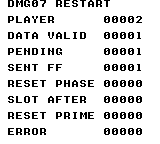
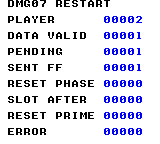
Build command
New-Item -ItemType Directory -Force .\out | Out-Null
.\kitaqgb\kitaqgb.exe .\kitaq-docs\samples\api-examples\gb\dmg07_restart.c -I .\kitaqgb\lib -I .\kitaq-docs\samples -o .\out\dmg07_restart.gb --profile=dev --rst-disable --stack-bank=fixed --cgb=cgb --cart=mbc5 --romsize=128k --no-cache --no-disasm
.\kokura\kokura-cli.exe --link-topology dmg07 --run-frames 90 --link-session "name=player1|slot=0|rom=.\out\dmg07_restart.gb|save_state=.\out\player1.kqs" --link-session "name=player2|slot=1|rom=.\out\dmg07_restart.gb|save_state=.\out\player2.kqs" --link-session "name=player3|slot=2|rom=.\out\dmg07_restart.gb|save_state=.\out\player3.kqs" --link-session "name=player4|slot=3|rom=.\out\dmg07_restart.gb|save_state=.\out\player4.kqs"
.\kokura\kokura-cli.exe .\out\dmg07_restart.gb --hardware cgb --load-state .\out\player1.kqs --run-frames 2 --png .\out\player1.png
.\kokura\kokura-cli.exe .\out\dmg07_restart.gb --hardware cgb --load-state .\out\player2.kqs --run-frames 2 --png .\out\player2.png
.\kokura\kokura-cli.exe .\out\dmg07_restart.gb --hardware cgb --load-state .\out\player3.kqs --run-frames 2 --png .\out\player3.png
.\kokura\kokura-cli.exe .\out\dmg07_restart.gb --hardware cgb --load-state .\out\player4.kqs --run-frames 2 --png .\out\player4.pngImplementation and source
kitaqgb/lib/link_dmg07.h:85
Return whether aligned recovery is absent, pending or sending control traffic.
kitaqgb/lib/link_dmg07.c:457
u8 LinkDmg07_GetRestartState() {
return LinkDmg07_RestartState;
}LinkDmg07_GetSentSequence
Read the count of application submission bytes actually clocked out.
Syntax
u8 LinkDmg07_GetSentSequence();Return value
Returns the eight-bit sent sequence. Counts the initial submission but excludes restart-control traffic.
Conditions and limits
Sequence numbers wrap from 255 to zero. At publication, PacketSequence equals SentSequence minus one. Later transmit starts advance SentSequence, so two getters sampled later need not differ by one.
With SIZE=1 each console submits one byte; the four-byte broadcast is ordered by players 1..4. The initial broadcast is discarded. Subsequent broadcasts contain the previous packet’s submissions. An all-0xFF four-byte broadcast is reserved as the restart indication.
Screens are captured from KOKURA’s DMG-07 model. Each console executes independently, and transmitted and received values are compared. Physical adapter/cable electrical behavior and timing are unverified. CGB screens display numeric values in blue.
Place kitaqgb, kokura and kitaq-docs under one parent directory and open PowerShell there. Four-console examples launch the same ROM in four sessions. For DMG checks, replace --cgb=cgb with --cgb=dmg and --hardware cgb with --hardware dmg throughout.
Usage example
result[6]=LinkDmg07_GetSentSequence();This is a calling fragment. Follow the stated initialization and buffer requirements before using it in a complete program.
Expected result
Run the same ROM on four consoles, each sending 32 plus its player number. Every console receives PLAYER 1..4 = 33/34/35/36. The first valid broadcast records SENT SEQ=2 and PACKET SEQ=1, showing the one-packet delay. The screen freezes that observation; a game continues polling afterwards.
Build command
New-Item -ItemType Directory -Force .\out | Out-Null
.\kitaqgb\kitaqgb.exe .\kitaq-docs\samples\api-examples\gb\dmg07_exchange.c -I .\kitaqgb\lib -I .\kitaq-docs\samples -o .\out\dmg07_exchange.gb --profile=dev --rst-disable --stack-bank=fixed --cgb=cgb --cart=mbc5 --romsize=128k --no-cache --no-disasm
.\kokura\kokura-cli.exe --link-topology dmg07 --run-frames 90 --link-session "name=player1|slot=0|rom=.\out\dmg07_exchange.gb|save_state=.\out\player1.kqs" --link-session "name=player2|slot=1|rom=.\out\dmg07_exchange.gb|save_state=.\out\player2.kqs" --link-session "name=player3|slot=2|rom=.\out\dmg07_exchange.gb|save_state=.\out\player3.kqs" --link-session "name=player4|slot=3|rom=.\out\dmg07_exchange.gb|save_state=.\out\player4.kqs"
.\kokura\kokura-cli.exe .\out\dmg07_exchange.gb --hardware cgb --load-state .\out\player1.kqs --run-frames 2 --png .\out\player1.png
.\kokura\kokura-cli.exe .\out\dmg07_exchange.gb --hardware cgb --load-state .\out\player2.kqs --run-frames 2 --png .\out\player2.png
.\kokura\kokura-cli.exe .\out\dmg07_exchange.gb --hardware cgb --load-state .\out\player3.kqs --run-frames 2 --png .\out\player3.png
.\kokura\kokura-cli.exe .\out\dmg07_exchange.gb --hardware cgb --load-state .\out\player4.kqs --run-frames 2 --png .\out\player4.pngImplementation and source
kitaqgb/lib/link_dmg07.h:107
SentSequence increments when this console's packet byte is clocked out. PacketSequence labels the returned four-byte packet. For a valid packet it is one less than SentSequence, making the DMG-07 one-packet delay explicit.
kitaqgb/lib/link_dmg07.c:505
u8 LinkDmg07_GetSentSequence() {
return LinkDmg07_SentSequence;
}LinkDmg07_GetSilenceFrames
Read frames counted since the last processed serial completion.
Syntax
u8 LinkDmg07_GetSilenceFrames();Return value
0..255; processed completion resets it, and each TickFrame increments it.
Conditions and limits
Call Poll repeatedly throughout the frame and TickFrame exactly once per frame. One Poll per VBlank cannot re-arm the port between adapter bytes. The shared header’s d_poll detects entry into LY >= 144 to call TickFrame once. Serialize both operations instead of racing an ISR against the main loop.
SilenceFrames and diagnostic counters saturate at 255. Init resets them all; ordinary protocol restarts preserve diagnostic counters. ClearError clears only the error code.
Screens are captured from KOKURA’s DMG-07 model. Each console executes independently, and transmitted and received values are compared. Physical adapter/cable electrical behavior and timing are unverified. CGB screens display numeric values in blue.
Place kitaqgb, kokura and kitaq-docs under one parent directory and open PowerShell there. Four-console examples launch the same ROM in four sessions. For DMG checks, replace --cgb=cgb with --cgb=dmg and --hardware cgb with --hardware dmg throughout.
Usage example
result[6]=LinkDmg07_GetSilenceFrames();This is a calling fragment. Follow the stated initialization and buffer requirements before using it in a complete program.
Expected result
Run without an adapter. Expect PLAYER=0, START ERROR=2, SILENT FRAME=12, TIMEOUTS=1 and ERROR=4. DISCONNECTS stays zero because no adapter has ever been seen. An empty read preserves EMPTY BUFFER=77; ClearError produces CLEARED=0.
Build command
New-Item -ItemType Directory -Force .\out | Out-Null
.\kitaqgb\kitaqgb.exe .\kitaq-docs\samples\api-examples\gb\dmg07_absent.c -I .\kitaqgb\lib -I .\kitaq-docs\samples -o .\out\dmg07_absent.gb --profile=dev --rst-disable --stack-bank=fixed --cgb=cgb --cart=mbc5 --romsize=128k --no-cache --no-disasm
.\kokura\kokura-cli.exe .\out\dmg07_absent.gb --hardware cgb --run-frames 90 --png .\out\absent.pngImplementation and source
kitaqgb/lib/link_dmg07.h:114
SilenceFrames is reset by every completed serial byte. TimeoutCount counts distinct serial-silence or AA/CC/restart handshake timeouts. DisconnectCount counts adapter-silence outages and ping-status membership drops. All saturate.
kitaqgb/lib/link_dmg07.c:515
u8 LinkDmg07_GetSilenceFrames() {
return LinkDmg07_SilenceFrames;
}LinkDmg07_GetTimeoutCount
Read the count of silence or handshake deadline expirations.
Syntax
u8 LinkDmg07_GetTimeoutCount();Return value
Returns a cumulative value in 0..255.
Conditions and limits
SilenceFrames and diagnostic counters saturate at 255. Init resets them all; ordinary protocol restarts preserve diagnostic counters. ClearError clears only the error code.
Does not count the same silence episode every frame before reception resumes. ClearError preserves both this suppression latch and the cumulative count.
Screens are captured from KOKURA’s DMG-07 model. Each console executes independently, and transmitted and received values are compared. Physical adapter/cable electrical behavior and timing are unverified. CGB screens display numeric values in blue.
Place kitaqgb, kokura and kitaq-docs under one parent directory and open PowerShell there. Four-console examples launch the same ROM in four sessions. For DMG checks, replace --cgb=cgb with --cgb=dmg and --hardware cgb with --hardware dmg throughout.
Usage example
result[7]=LinkDmg07_GetTimeoutCount();This is a calling fragment. Follow the stated initialization and buffer requirements before using it in a complete program.
Expected result
Run without an adapter. Expect PLAYER=0, START ERROR=2, SILENT FRAME=12, TIMEOUTS=1 and ERROR=4. DISCONNECTS stays zero because no adapter has ever been seen. An empty read preserves EMPTY BUFFER=77; ClearError produces CLEARED=0.
Build command
New-Item -ItemType Directory -Force .\out | Out-Null
.\kitaqgb\kitaqgb.exe .\kitaq-docs\samples\api-examples\gb\dmg07_absent.c -I .\kitaqgb\lib -I .\kitaq-docs\samples -o .\out\dmg07_absent.gb --profile=dev --rst-disable --stack-bank=fixed --cgb=cgb --cart=mbc5 --romsize=128k --no-cache --no-disasm
.\kokura\kokura-cli.exe .\out\dmg07_absent.gb --hardware cgb --run-frames 90 --png .\out\absent.pngImplementation and source
kitaqgb/lib/link_dmg07.h:116
Return the saturating lifetime timeout count, preserved across protocol restarts.
kitaqgb/lib/link_dmg07.c:520
u8 LinkDmg07_GetTimeoutCount() {
return LinkDmg07_TimeoutCount;
}LinkDmg07_HasPacket
Inspect whether a completed four-byte data packet is unread.
Syntax
u8 LinkDmg07_HasPacket();Return value
Returns 1 for unread data, otherwise 0.
Conditions and limits
With SIZE=1 each console submits one byte; the four-byte broadcast is ordered by players 1..4. The initial broadcast is discarded. Subsequent broadcasts contain the previous packet’s submissions. An all-0xFF four-byte broadcast is reserved as the restart indication.
The receive mailbox holds only the latest packet. Completion of another packet overwrites unread data, latches error 6 and increments ErrorCount. The adapter does not wait for the application to consume the mailbox.
Screens are captured from KOKURA’s DMG-07 model. Each console executes independently, and transmitted and received values are compared. Physical adapter/cable electrical behavior and timing are unverified. CGB screens display numeric values in blue.
Place kitaqgb, kokura and kitaq-docs under one parent directory and open PowerShell there. Four-console examples launch the same ROM in four sessions. For DMG checks, replace --cgb=cgb with --cgb=dmg and --hardware cgb with --hardware dmg throughout.
Usage example
result[15]=LinkDmg07_HasPacket();This is a calling fragment. Follow the stated initialization and buffer requirements before using it in a complete program.
Expected result
Run the same ROM on four consoles, each sending 32 plus its player number. Every console receives PLAYER 1..4 = 33/34/35/36. The first valid broadcast records SENT SEQ=2 and PACKET SEQ=1, showing the one-packet delay. The screen freezes that observation; a game continues polling afterwards.
Build command
New-Item -ItemType Directory -Force .\out | Out-Null
.\kitaqgb\kitaqgb.exe .\kitaq-docs\samples\api-examples\gb\dmg07_exchange.c -I .\kitaqgb\lib -I .\kitaq-docs\samples -o .\out\dmg07_exchange.gb --profile=dev --rst-disable --stack-bank=fixed --cgb=cgb --cart=mbc5 --romsize=128k --no-cache --no-disasm
.\kokura\kokura-cli.exe --link-topology dmg07 --run-frames 90 --link-session "name=player1|slot=0|rom=.\out\dmg07_exchange.gb|save_state=.\out\player1.kqs" --link-session "name=player2|slot=1|rom=.\out\dmg07_exchange.gb|save_state=.\out\player2.kqs" --link-session "name=player3|slot=2|rom=.\out\dmg07_exchange.gb|save_state=.\out\player3.kqs" --link-session "name=player4|slot=3|rom=.\out\dmg07_exchange.gb|save_state=.\out\player4.kqs"
.\kokura\kokura-cli.exe .\out\dmg07_exchange.gb --hardware cgb --load-state .\out\player1.kqs --run-frames 2 --png .\out\player1.png
.\kokura\kokura-cli.exe .\out\dmg07_exchange.gb --hardware cgb --load-state .\out\player2.kqs --run-frames 2 --png .\out\player2.png
.\kokura\kokura-cli.exe .\out\dmg07_exchange.gb --hardware cgb --load-state .\out\player3.kqs --run-frames 2 --png .\out\player3.png
.\kokura\kokura-cli.exe .\out\dmg07_exchange.gb --hardware cgb --load-state .\out\player4.kqs --run-frames 2 --png .\out\player4.pngImplementation and source
kitaqgb/lib/link_dmg07.h:96
Inspect the one-packet receive mailbox without consuming it.
kitaqgb/lib/link_dmg07.c:473
u8 LinkDmg07_HasPacket() {
return LinkDmg07_PacketReady;
}LinkDmg07_HasPingStatus
Inspect whether a completed four-byte discovery exchange is awaiting acknowledgment.
Syntax
u8 LinkDmg07_HasPingStatus();Return value
Returns 1 for an unconsumed notification, otherwise 0.
Conditions and limits
Reads only a flag. A discovery exchange can progress despite a rejected status byte; do not use this flag alone to infer fully valid data or completed startup. Check the slot, mask and LastError too.
Screens are captured from KOKURA’s DMG-07 model. Each console executes independently, and transmitted and received values are compared. Physical adapter/cable electrical behavior and timing are unverified. CGB screens display numeric values in blue.
Place kitaqgb, kokura and kitaq-docs under one parent directory and open PowerShell there. Four-console examples launch the same ROM in four sessions. For DMG checks, replace --cgb=cgb with --cgb=dmg and --hardware cgb with --hardware dmg throughout.
Usage example
result[4]=LinkDmg07_HasPingStatus();This is a calling fragment. Follow the stated initialization and buffer requirements before using it in a complete program.
Expected result
Run the same ROM on four consoles, each sending 32 plus its player number. Every console receives PLAYER 1..4 = 33/34/35/36. The first valid broadcast records SENT SEQ=2 and PACKET SEQ=1, showing the one-packet delay. The screen freezes that observation; a game continues polling afterwards.
Build command
New-Item -ItemType Directory -Force .\out | Out-Null
.\kitaqgb\kitaqgb.exe .\kitaq-docs\samples\api-examples\gb\dmg07_exchange.c -I .\kitaqgb\lib -I .\kitaq-docs\samples -o .\out\dmg07_exchange.gb --profile=dev --rst-disable --stack-bank=fixed --cgb=cgb --cart=mbc5 --romsize=128k --no-cache --no-disasm
.\kokura\kokura-cli.exe --link-topology dmg07 --run-frames 90 --link-session "name=player1|slot=0|rom=.\out\dmg07_exchange.gb|save_state=.\out\player1.kqs" --link-session "name=player2|slot=1|rom=.\out\dmg07_exchange.gb|save_state=.\out\player2.kqs" --link-session "name=player3|slot=2|rom=.\out\dmg07_exchange.gb|save_state=.\out\player3.kqs" --link-session "name=player4|slot=3|rom=.\out\dmg07_exchange.gb|save_state=.\out\player4.kqs"
.\kokura\kokura-cli.exe .\out\dmg07_exchange.gb --hardware cgb --load-state .\out\player1.kqs --run-frames 2 --png .\out\player1.png
.\kokura\kokura-cli.exe .\out\dmg07_exchange.gb --hardware cgb --load-state .\out\player2.kqs --run-frames 2 --png .\out\player2.png
.\kokura\kokura-cli.exe .\out\dmg07_exchange.gb --hardware cgb --load-state .\out\player3.kqs --run-frames 2 --png .\out\player3.png
.\kokura\kokura-cli.exe .\out\dmg07_exchange.gb --hardware cgb --load-state .\out\player4.kqs --run-frames 2 --png .\out\player4.pngImplementation and source
kitaqgb/lib/link_dmg07.h:69
Read the completed-discovery status flag without clearing it.
kitaqgb/lib/link_dmg07.c:413
u8 LinkDmg07_HasPingStatus() {
return LinkDmg07_PingStatusReady;
}LinkDmg07_Init
Reset discovery, receive storage and diagnostics, then arm reception for adapter clocks.
Syntax
void __stackcall LinkDmg07_Init(u8 rate);Parameters
rateEight-bit RATE response to the adapter; zero selects the default 0x10.
Return value
No return value.
Conditions and limits
This driver owns the serial port. Do not run ordinary Link or Link4 concurrently; include link_hwregs_gb.c and link_dmg07.c once each. The adapter supplies external clocks; the driver does not select CGB fast serial mode.
Library player numbers are 1..4; zero means undiscovered. Connection-mask bits 0..3 correspond to players 1..4. KOKURA --link-session slot values are 0..3, a separate numbering convention from the ROM API.
Sets SC to 0x80 and SB to 0x88; clears only the serial bits in IE and IF. It does not alter the other interrupt-enable bits or CPU IME state.
Screens are captured from KOKURA’s DMG-07 model. Each console executes independently, and transmitted and received values are compared. Physical adapter/cable electrical behavior and timing are unverified. CGB screens display numeric values in blue.
Place kitaqgb, kokura and kitaq-docs under one parent directory and open PowerShell there. Four-console examples launch the same ROM in four sessions. For DMG checks, replace --cgb=cgb with --cgb=dmg and --hardware cgb with --hardware dmg throughout.
Usage example
LinkDmg07_Init(0);This is a calling fragment. Follow the stated initialization and buffer requirements before using it in a complete program.
Expected result
Run the same ROM on four consoles, each sending 32 plus its player number. Every console receives PLAYER 1..4 = 33/34/35/36. The first valid broadcast records SENT SEQ=2 and PACKET SEQ=1, showing the one-packet delay. The screen freezes that observation; a game continues polling afterwards.
Build command
New-Item -ItemType Directory -Force .\out | Out-Null
.\kitaqgb\kitaqgb.exe .\kitaq-docs\samples\api-examples\gb\dmg07_exchange.c -I .\kitaqgb\lib -I .\kitaq-docs\samples -o .\out\dmg07_exchange.gb --profile=dev --rst-disable --stack-bank=fixed --cgb=cgb --cart=mbc5 --romsize=128k --no-cache --no-disasm
.\kokura\kokura-cli.exe --link-topology dmg07 --run-frames 90 --link-session "name=player1|slot=0|rom=.\out\dmg07_exchange.gb|save_state=.\out\player1.kqs" --link-session "name=player2|slot=1|rom=.\out\dmg07_exchange.gb|save_state=.\out\player2.kqs" --link-session "name=player3|slot=2|rom=.\out\dmg07_exchange.gb|save_state=.\out\player3.kqs" --link-session "name=player4|slot=3|rom=.\out\dmg07_exchange.gb|save_state=.\out\player4.kqs"
.\kokura\kokura-cli.exe .\out\dmg07_exchange.gb --hardware cgb --load-state .\out\player1.kqs --run-frames 2 --png .\out\player1.png
.\kokura\kokura-cli.exe .\out\dmg07_exchange.gb --hardware cgb --load-state .\out\player2.kqs --run-frames 2 --png .\out\player2.png
.\kokura\kokura-cli.exe .\out\dmg07_exchange.gb --hardware cgb --load-state .\out\player3.kqs --run-frames 2 --png .\out\player3.png
.\kokura\kokura-cli.exe .\out\dmg07_exchange.gb --hardware cgb --load-state .\out\player4.kqs --run-frames 2 --png .\out\player4.pngImplementation and source
kitaqgb/lib/link_dmg07.h:50
Initializes polling-only external-clock operation. A zero RATE is replaced with LINK_DMG07_DEFAULT_RATE. This driver disables only the serial IRQ bit.
kitaqgb/lib/link_dmg07.c:282
void __stackcall LinkDmg07_Init(u8 rate) {
u8 i;
LinkDmg07_Rate = rate;
if (LinkDmg07_Rate == 0) LinkDmg07_Rate = LINK_DMG07_DEFAULT_RATE;
LinkDmg07_LocalByte = 0;
LinkDmg07_SentSequence = 0;
LinkDmg07_PacketSequence = 0;
LinkDmg07_RestartState = LINK_DMG07_RESTART_NONE;
LinkDmg07_SilenceFrames = 0;
LinkDmg07_TimeoutCount = 0;
LinkDmg07_DisconnectCount = 0;
LinkDmg07_ErrorCount = 0;
LinkDmg07_LastErrorCode = LINK_DMG07_ERR_NONE;
LinkDmg07_SeenAdapter = 0;
LinkDmg07_TimeoutLatched = 0;
for (i = 0; i < LINK_DMG07_PACKET_BYTES; ++i) {
LinkDmg07_RxBuild[(__safe_index u8)i] = 0;
LinkDmg07_RxPacket[(__safe_index u8)i] = 0;
}
LinkDmg07_ResetToPingInternal();
LinkHw_WriteIE((u8)(LinkHw_ReadIE() & LINK_DMG07_IRQ_SERIAL_CLEAR));
LinkHw_WriteIF((u8)(LinkHw_ReadIF() & LINK_DMG07_IRQ_SERIAL_CLEAR));
LinkDmg07_ArmInternal(LINK_DMG07_ACK);
}LinkDmg07_IsPipelinePrimed
Inspect whether the initial undefined broadcast has been discarded.
Syntax
u8 LinkDmg07_IsPipelinePrimed();Return value
Returns 1 after the initial broadcast; initialization, discovery reset and startup confirmation clear it.
Conditions and limits
With SIZE=1 each console submits one byte; the four-byte broadcast is ordered by players 1..4. The initial broadcast is discarded. Subsequent broadcasts contain the previous packet’s submissions. An all-0xFF four-byte broadcast is reserved as the restart indication.
A primed pipeline need not contain a completed packet. Use HasPacket to determine whether a read is available.
Screens are captured from KOKURA’s DMG-07 model. Each console executes independently, and transmitted and received values are compared. Physical adapter/cable electrical behavior and timing are unverified. CGB screens display numeric values in blue.
Place kitaqgb, kokura and kitaq-docs under one parent directory and open PowerShell there. Four-console examples launch the same ROM in four sessions. For DMG checks, replace --cgb=cgb with --cgb=dmg and --hardware cgb with --hardware dmg throughout.
Usage example
result[9]=LinkDmg07_IsPipelinePrimed();This is a calling fragment. Follow the stated initialization and buffer requirements before using it in a complete program.
Expected result
Run the same ROM on four consoles, each sending 32 plus its player number. Every console receives PLAYER 1..4 = 33/34/35/36. The first valid broadcast records SENT SEQ=2 and PACKET SEQ=1, showing the one-packet delay. The screen freezes that observation; a game continues polling afterwards.
Build command
New-Item -ItemType Directory -Force .\out | Out-Null
.\kitaqgb\kitaqgb.exe .\kitaq-docs\samples\api-examples\gb\dmg07_exchange.c -I .\kitaqgb\lib -I .\kitaq-docs\samples -o .\out\dmg07_exchange.gb --profile=dev --rst-disable --stack-bank=fixed --cgb=cgb --cart=mbc5 --romsize=128k --no-cache --no-disasm
.\kokura\kokura-cli.exe --link-topology dmg07 --run-frames 90 --link-session "name=player1|slot=0|rom=.\out\dmg07_exchange.gb|save_state=.\out\player1.kqs" --link-session "name=player2|slot=1|rom=.\out\dmg07_exchange.gb|save_state=.\out\player2.kqs" --link-session "name=player3|slot=2|rom=.\out\dmg07_exchange.gb|save_state=.\out\player3.kqs" --link-session "name=player4|slot=3|rom=.\out\dmg07_exchange.gb|save_state=.\out\player4.kqs"
.\kokura\kokura-cli.exe .\out\dmg07_exchange.gb --hardware cgb --load-state .\out\player1.kqs --run-frames 2 --png .\out\player1.png
.\kokura\kokura-cli.exe .\out\dmg07_exchange.gb --hardware cgb --load-state .\out\player2.kqs --run-frames 2 --png .\out\player2.png
.\kokura\kokura-cli.exe .\out\dmg07_exchange.gb --hardware cgb --load-state .\out\player3.kqs --run-frames 2 --png .\out\player3.png
.\kokura\kokura-cli.exe .\out\dmg07_exchange.gb --hardware cgb --load-state .\out\player4.kqs --run-frames 2 --png .\out\player4.pngImplementation and source
kitaqgb/lib/link_dmg07.h:94
The first incoming adapter data packet is discarded. Thereafter ReadPacket copies four bytes in physical slot order (players 1..4).
kitaqgb/lib/link_dmg07.c:468
u8 LinkDmg07_IsPipelinePrimed() {
return LinkDmg07_PipelinePrimed;
}LinkDmg07_LastError
Read the most recently latched error code.
Syntax
u8 LinkDmg07_LastError();Return value
Returns error code 0..6.
Conditions and limits
Error codes are 0=none, 1=wrong phase, 2=not player 1, 3=not ready, 4=timeout, 5=protocol error and 6=unread packet overwritten. Requests succeed with zero; receive/pop operations succeed with one. A successful request does not clear an earlier error.
Reading does not clear it. Stores only the latest code, not a history of every error.
Screens are captured from KOKURA’s DMG-07 model. Each console executes independently, and transmitted and received values are compared. Physical adapter/cable electrical behavior and timing are unverified. CGB screens display numeric values in blue.
Place kitaqgb, kokura and kitaq-docs under one parent directory and open PowerShell there. Four-console examples launch the same ROM in four sessions. For DMG checks, replace --cgb=cgb with --cgb=dmg and --hardware cgb with --hardware dmg throughout.
Usage example
result[9]=LinkDmg07_LastError();This is a calling fragment. Follow the stated initialization and buffer requirements before using it in a complete program.
Expected result
Run without an adapter. Expect PLAYER=0, START ERROR=2, SILENT FRAME=12, TIMEOUTS=1 and ERROR=4. DISCONNECTS stays zero because no adapter has ever been seen. An empty read preserves EMPTY BUFFER=77; ClearError produces CLEARED=0.
Build command
New-Item -ItemType Directory -Force .\out | Out-Null
.\kitaqgb\kitaqgb.exe .\kitaq-docs\samples\api-examples\gb\dmg07_absent.c -I .\kitaqgb\lib -I .\kitaq-docs\samples -o .\out\dmg07_absent.gb --profile=dev --rst-disable --stack-bank=fixed --cgb=cgb --cart=mbc5 --romsize=128k --no-cache --no-disasm
.\kokura\kokura-cli.exe .\out\dmg07_absent.gb --hardware cgb --run-frames 90 --png .\out\absent.pngImplementation and source
kitaqgb/lib/link_dmg07.h:123
Return the latest error latch without clearing counters or restarting the protocol.
kitaqgb/lib/link_dmg07.c:536
u8 LinkDmg07_LastError() {
return LinkDmg07_LastErrorCode;
}LinkDmg07_Poll
Process one completed serial byte in the current phase and immediately arm the next response.
Syntax
void LinkDmg07_Poll();Return value
No return value.
Conditions and limits
This driver owns the serial port. Do not run ordinary Link or Link4 concurrently; include link_hwregs_gb.c and link_dmg07.c once each. The adapter supplies external clocks; the driver does not select CGB fast serial mode.
Call Poll repeatedly throughout the frame and TickFrame exactly once per frame. One Poll per VBlank cannot re-arm the port between adapter bytes. The shared header’s d_poll detects entry into LY >= 144 to call TickFrame once. Serialize both operations instead of racing an ISR against the main loop.
Does nothing while SC’s start bit is set. Processing completion resets SilenceFrames and the timeout latch. Initialize before polling.
Screens are captured from KOKURA’s DMG-07 model. Each console executes independently, and transmitted and received values are compared. Physical adapter/cable electrical behavior and timing are unverified. CGB screens display numeric values in blue.
Place kitaqgb, kokura and kitaq-docs under one parent directory and open PowerShell there. Four-console examples launch the same ROM in four sessions. For DMG checks, replace --cgb=cgb with --cgb=dmg and --hardware cgb with --hardware dmg throughout.
Usage example
void d_poll(){LinkDmg07_Poll();if(D_LY>=144){if(d_vblank==0){d_vblank=1;LinkDmg07_TickFrame();}}else d_vblank=0;}This is a calling fragment. Follow the stated initialization and buffer requirements before using it in a complete program.
Expected result
Run the same ROM on four consoles, each sending 32 plus its player number. Every console receives PLAYER 1..4 = 33/34/35/36. The first valid broadcast records SENT SEQ=2 and PACKET SEQ=1, showing the one-packet delay. The screen freezes that observation; a game continues polling afterwards.
Build command
New-Item -ItemType Directory -Force .\out | Out-Null
.\kitaqgb\kitaqgb.exe .\kitaq-docs\samples\api-examples\gb\dmg07_exchange.c -I .\kitaqgb\lib -I .\kitaq-docs\samples -o .\out\dmg07_exchange.gb --profile=dev --rst-disable --stack-bank=fixed --cgb=cgb --cart=mbc5 --romsize=128k --no-cache --no-disasm
.\kokura\kokura-cli.exe --link-topology dmg07 --run-frames 90 --link-session "name=player1|slot=0|rom=.\out\dmg07_exchange.gb|save_state=.\out\player1.kqs" --link-session "name=player2|slot=1|rom=.\out\dmg07_exchange.gb|save_state=.\out\player2.kqs" --link-session "name=player3|slot=2|rom=.\out\dmg07_exchange.gb|save_state=.\out\player3.kqs" --link-session "name=player4|slot=3|rom=.\out\dmg07_exchange.gb|save_state=.\out\player4.kqs"
.\kokura\kokura-cli.exe .\out\dmg07_exchange.gb --hardware cgb --load-state .\out\player1.kqs --run-frames 2 --png .\out\player1.png
.\kokura\kokura-cli.exe .\out\dmg07_exchange.gb --hardware cgb --load-state .\out\player2.kqs --run-frames 2 --png .\out\player2.png
.\kokura\kokura-cli.exe .\out\dmg07_exchange.gb --hardware cgb --load-state .\out\player3.kqs --run-frames 2 --png .\out\player3.png
.\kokura\kokura-cli.exe .\out\dmg07_exchange.gb --hardware cgb --load-state .\out\player4.kqs --run-frames 2 --png .\out\player4.pngImplementation and source
kitaqgb/lib/link_dmg07.h:54
Services at most one completed serial byte and immediately re-arms SC=$80. Call continuously from the main loop, including between VBlanks.
kitaqgb/lib/link_dmg07.c:311
void LinkDmg07_Poll() {
u8 value;
u8 next;
if ((LinkHw_ReadSC() & LINK_DMG07_SC_EXTERNAL_START) != 0) return;
value = LinkHw_ReadSB();
LinkDmg07_SilenceFrames = 0;
LinkDmg07_TimeoutLatched = 0;
LinkDmg07_SeenAdapter = 1;
next = 0;
if (LinkDmg07_Phase == LINK_DMG07_PHASE_PING) {
next = LinkDmg07_ProcessPingInternal(value);
} else if (LinkDmg07_Phase == LINK_DMG07_PHASE_REQUEST_AA) {
next = LinkDmg07_ProcessRequestInternal(value);
} else if (LinkDmg07_Phase == LINK_DMG07_PHASE_WAIT_CC) {
next = LinkDmg07_ProcessWaitCcInternal(value);
} else if (LinkDmg07_Phase == LINK_DMG07_PHASE_TRANSFER) {
next = LinkDmg07_ProcessTransferInternal(value);
} else {
LinkDmg07_SetRuntimeErrorInternal(LINK_DMG07_ERR_PROTOCOL);
LinkDmg07_ResetToPingInternal();
next = LINK_DMG07_ACK;
}
LinkDmg07_ArmInternal(next);
}LinkDmg07_ReadPacket
Copy the latest completed packet and clear its unread flag.
Syntax
u8 __stackcall LinkDmg07_ReadPacket(u8 *dst);Parameters
dstFour writable bytes; null discards the packet.
Return value
Returns 1 when consumed, 0 when empty. Empty reads leave dst unchanged.
Conditions and limits
With SIZE=1 each console submits one byte; the four-byte broadcast is ordered by players 1..4. The initial broadcast is discarded. Subsequent broadcasts contain the previous packet’s submissions. An all-0xFF four-byte broadcast is reserved as the restart indication.
The receive mailbox holds only the latest packet. Completion of another packet overwrites unread data, latches error 6 and increments ErrorCount. The adapter does not wait for the application to consume the mailbox.
Cached bytes remain available through GetPacketSlot after consumption. An empty ReadPacket does not copy those cached bytes again.
Screens are captured from KOKURA’s DMG-07 model. Each console executes independently, and transmitted and received values are compared. Physical adapter/cable electrical behavior and timing are unverified. CGB screens display numeric values in blue.
Place kitaqgb, kokura and kitaq-docs under one parent directory and open PowerShell there. Four-console examples launch the same ROM in four sessions. For DMG checks, replace --cgb=cgb with --cgb=dmg and --hardware cgb with --hardware dmg throughout.
Usage example
result[10]=LinkDmg07_ReadPacket(packet);This is a calling fragment. Follow the stated initialization and buffer requirements before using it in a complete program.
Expected result
Run the same ROM on four consoles, each sending 32 plus its player number. Every console receives PLAYER 1..4 = 33/34/35/36. The first valid broadcast records SENT SEQ=2 and PACKET SEQ=1, showing the one-packet delay. The screen freezes that observation; a game continues polling afterwards.
Build command
New-Item -ItemType Directory -Force .\out | Out-Null
.\kitaqgb\kitaqgb.exe .\kitaq-docs\samples\api-examples\gb\dmg07_exchange.c -I .\kitaqgb\lib -I .\kitaq-docs\samples -o .\out\dmg07_exchange.gb --profile=dev --rst-disable --stack-bank=fixed --cgb=cgb --cart=mbc5 --romsize=128k --no-cache --no-disasm
.\kokura\kokura-cli.exe --link-topology dmg07 --run-frames 90 --link-session "name=player1|slot=0|rom=.\out\dmg07_exchange.gb|save_state=.\out\player1.kqs" --link-session "name=player2|slot=1|rom=.\out\dmg07_exchange.gb|save_state=.\out\player2.kqs" --link-session "name=player3|slot=2|rom=.\out\dmg07_exchange.gb|save_state=.\out\player3.kqs" --link-session "name=player4|slot=3|rom=.\out\dmg07_exchange.gb|save_state=.\out\player4.kqs"
.\kokura\kokura-cli.exe .\out\dmg07_exchange.gb --hardware cgb --load-state .\out\player1.kqs --run-frames 2 --png .\out\player1.png
.\kokura\kokura-cli.exe .\out\dmg07_exchange.gb --hardware cgb --load-state .\out\player2.kqs --run-frames 2 --png .\out\player2.png
.\kokura\kokura-cli.exe .\out\dmg07_exchange.gb --hardware cgb --load-state .\out\player3.kqs --run-frames 2 --png .\out\player3.png
.\kokura\kokura-cli.exe .\out\dmg07_exchange.gb --hardware cgb --load-state .\out\player4.kqs --run-frames 2 --png .\out\player4.pngImplementation and source
kitaqgb/lib/link_dmg07.h:99
Consume the latest four-byte packet. A nonnull destination must hold four bytes; null discards the packet. Packet storage remains after the flag clears.
kitaqgb/lib/link_dmg07.c:479
u8 __stackcall LinkDmg07_ReadPacket(u8 *dst) {
if (LinkDmg07_PacketReady == 0) return 0;
if (dst != 0) {
// Keep this as a sequential pointer copy. Besides being smaller for a
// fixed four-byte packet, it avoids making a serial hot-path copy
// depend on general variable-index pointer lowering.
*dst = LinkDmg07_RxPacket[0];
dst++;
*dst = LinkDmg07_RxPacket[1];
dst++;
*dst = LinkDmg07_RxPacket[2];
dst++;
*dst = LinkDmg07_RxPacket[3];
}
LinkDmg07_PacketReady = 0;
return 1;
}LinkDmg07_RequestRestart
Schedule restart control traffic beginning at a transfer packet boundary.
Syntax
u8 LinkDmg07_RequestRestart();Return value
Returns 0 in TRANSFER, otherwise 1. Repeated requests while pending/sending also return 0.
Conditions and limits
With SIZE=1 each console submits one byte; the four-byte broadcast is ordered by players 1..4. The initial broadcast is discarded. Subsequent broadcasts contain the previous packet’s submissions. An all-0xFF four-byte broadcast is reserved as the restart indication.
Error codes are 0=none, 1=wrong phase, 2=not player 1, 3=not ready, 4=timeout, 5=protocol error and 6=unread packet overwritten. Requests succeed with zero; receive/pop operations succeed with one. A successful request does not clear an earlier error.
Any player may request it. Preserves the current byte position, sends aligned 0xFF traffic, and returns to discovery after the adapter’s all-0xFF indication. Merely requesting it does not erase the local slot or receive pipeline.
Screens are captured from KOKURA’s DMG-07 model. Each console executes independently, and transmitted and received values are compared. Physical adapter/cable electrical behavior and timing are unverified. CGB screens display numeric values in blue.
Place kitaqgb, kokura and kitaq-docs under one parent directory and open PowerShell there. Four-console examples launch the same ROM in four sessions. For DMG checks, replace --cgb=cgb with --cgb=dmg and --hardware cgb with --hardware dmg throughout.
Usage example
result[3]=LinkDmg07_RequestRestart();result[4]=LinkDmg07_GetRestartState();This is a calling fragment. Follow the stated initialization and buffer requirements before using it in a complete program.
Expected result
Player 2 requests restart. That console records PENDING=1 and SENT FF=1. All four show DATA VALID=1, RESET PHASE=0, SLOT AFTER=0 and RESET PRIME=0. The driver preserves the active exchange until the adapter’s indication returns it to discovery.
Build command
New-Item -ItemType Directory -Force .\out | Out-Null
.\kitaqgb\kitaqgb.exe .\kitaq-docs\samples\api-examples\gb\dmg07_restart.c -I .\kitaqgb\lib -I .\kitaq-docs\samples -o .\out\dmg07_restart.gb --profile=dev --rst-disable --stack-bank=fixed --cgb=cgb --cart=mbc5 --romsize=128k --no-cache --no-disasm
.\kokura\kokura-cli.exe --link-topology dmg07 --run-frames 90 --link-session "name=player1|slot=0|rom=.\out\dmg07_restart.gb|save_state=.\out\player1.kqs" --link-session "name=player2|slot=1|rom=.\out\dmg07_restart.gb|save_state=.\out\player2.kqs" --link-session "name=player3|slot=2|rom=.\out\dmg07_restart.gb|save_state=.\out\player3.kqs" --link-session "name=player4|slot=3|rom=.\out\dmg07_restart.gb|save_state=.\out\player4.kqs"
.\kokura\kokura-cli.exe .\out\dmg07_restart.gb --hardware cgb --load-state .\out\player1.kqs --run-frames 2 --png .\out\player1.png
.\kokura\kokura-cli.exe .\out\dmg07_restart.gb --hardware cgb --load-state .\out\player2.kqs --run-frames 2 --png .\out\player2.png
.\kokura\kokura-cli.exe .\out\dmg07_restart.gb --hardware cgb --load-state .\out\player3.kqs --run-frames 2 --png .\out\player3.png
.\kokura\kokura-cli.exe .\out\dmg07_restart.gb --hardware cgb --load-state .\out\player4.kqs --run-frames 2 --png .\out\player4.pngImplementation and source
kitaqgb/lib/link_dmg07.h:83
Any physical slot may schedule FF FF FF FF at the next four-byte packet boundary while remaining in TRANSFER phase. The driver keeps sending aligned FF bytes until it sees the adapter's complete all-FF indicator packet, then returns to PING. A transfer-phase silence timeout schedules the same recovery automatically and preserves the current byte position for clocks that resume.
kitaqgb/lib/link_dmg07.c:445
u8 LinkDmg07_RequestRestart() {
if (LinkDmg07_Phase != LINK_DMG07_PHASE_TRANSFER) {
LinkDmg07_LastErrorCode = LINK_DMG07_ERR_STATE;
return LINK_DMG07_ERR_STATE;
}
if (LinkDmg07_RestartState == LINK_DMG07_RESTART_NONE) {
LinkDmg07_RestartState = LINK_DMG07_RESTART_PENDING;
}
return LINK_DMG07_ERR_NONE;
}LinkDmg07_RequestTransmission
Schedule a start request from physical player 1 at the next discovery-packet boundary.
Syntax
u8 LinkDmg07_RequestTransmission();Return value
Returns 0 when scheduled, 1 for the wrong phase, 2 when not player 1, or 3 when the local connection bit is absent.
Conditions and limits
Library player numbers are 1..4; zero means undiscovered. Connection-mask bits 0..3 correspond to players 1..4. KOKURA --link-session slot values are 0..3, a separate numbering convention from the ROM API.
Error codes are 0=none, 1=wrong phase, 2=not player 1, 3=not ready, 4=timeout, 5=protocol error and 6=unread packet overwritten. Requests succeed with zero; receive/pop operations succeed with one. A successful request does not clear an earlier error.
Can be scheduled only in PING. It does not itself wait for all four players; the example checks mask 15 in application code. Scheduling is asynchronous: aligned 0xAA traffic precedes the 0xCC confirmation.
Screens are captured from KOKURA’s DMG-07 model. Each console executes independently, and transmitted and received values are compared. Physical adapter/cable electrical behavior and timing are unverified. CGB screens display numeric values in blue.
Place kitaqgb, kokura and kitaq-docs under one parent directory and open PowerShell there. Four-console examples launch the same ROM in four sessions. For DMG checks, replace --cgb=cgb with --cgb=dmg and --hardware cgb with --hardware dmg throughout.
Usage example
result[5]=LinkDmg07_RequestTransmission();This is a calling fragment. Follow the stated initialization and buffer requirements before using it in a complete program.
Expected result
Run the same ROM on four consoles, each sending 32 plus its player number. Every console receives PLAYER 1..4 = 33/34/35/36. The first valid broadcast records SENT SEQ=2 and PACKET SEQ=1, showing the one-packet delay. The screen freezes that observation; a game continues polling afterwards.
Build command
New-Item -ItemType Directory -Force .\out | Out-Null
.\kitaqgb\kitaqgb.exe .\kitaq-docs\samples\api-examples\gb\dmg07_exchange.c -I .\kitaqgb\lib -I .\kitaq-docs\samples -o .\out\dmg07_exchange.gb --profile=dev --rst-disable --stack-bank=fixed --cgb=cgb --cart=mbc5 --romsize=128k --no-cache --no-disasm
.\kokura\kokura-cli.exe --link-topology dmg07 --run-frames 90 --link-session "name=player1|slot=0|rom=.\out\dmg07_exchange.gb|save_state=.\out\player1.kqs" --link-session "name=player2|slot=1|rom=.\out\dmg07_exchange.gb|save_state=.\out\player2.kqs" --link-session "name=player3|slot=2|rom=.\out\dmg07_exchange.gb|save_state=.\out\player3.kqs" --link-session "name=player4|slot=3|rom=.\out\dmg07_exchange.gb|save_state=.\out\player4.kqs"
.\kokura\kokura-cli.exe .\out\dmg07_exchange.gb --hardware cgb --load-state .\out\player1.kqs --run-frames 2 --png .\out\player1.png
.\kokura\kokura-cli.exe .\out\dmg07_exchange.gb --hardware cgb --load-state .\out\player2.kqs --run-frames 2 --png .\out\player2.png
.\kokura\kokura-cli.exe .\out\dmg07_exchange.gb --hardware cgb --load-state .\out\player3.kqs --run-frames 2 --png .\out\player3.png
.\kokura\kokura-cli.exe .\out\dmg07_exchange.gb --hardware cgb --load-state .\out\player4.kqs --run-frames 2 --png .\out\player4.pngImplementation and source
kitaqgb/lib/link_dmg07.h:76
Only physical player 1 may request AA AA AA AA. The bytes are aligned to the next FE/status/status/status ping packet. All consoles enter transfer mode only after receiving four consecutive CC bytes.
kitaqgb/lib/link_dmg07.c:426
u8 LinkDmg07_RequestTransmission() {
if (LinkDmg07_Phase != LINK_DMG07_PHASE_PING) {
LinkDmg07_LastErrorCode = LINK_DMG07_ERR_STATE;
return LINK_DMG07_ERR_STATE;
}
if (LinkDmg07_LocalSlot != 1) {
LinkDmg07_LastErrorCode = LINK_DMG07_ERR_NOT_PLAYER1;
return LINK_DMG07_ERR_NOT_PLAYER1;
}
if ((LinkDmg07_ConnectedMask & (u8)0x01) == 0) {
LinkDmg07_LastErrorCode = LINK_DMG07_ERR_NOT_READY;
return LINK_DMG07_ERR_NOT_READY;
}
LinkDmg07_StartRequested = 1;
return LINK_DMG07_ERR_NONE;
}LinkDmg07_SetLocalByte
Set the one-byte application value for a future outgoing packet.
Syntax
void __stackcall LinkDmg07_SetLocalByte(u8 value);Parameters
valueEight-bit application value to submit.
Return value
No return value.
Conditions and limits
With SIZE=1 each console submits one byte; the four-byte broadcast is ordered by players 1..4. The initial broadcast is discarded. Subsequent broadcasts contain the previous packet’s submissions. An all-0xFF four-byte broadcast is reserved as the restart indication.
Sampled when packet byte zero is armed. Does not modify an already armed SB byte. Set the first submission before requesting startup.
Screens are captured from KOKURA’s DMG-07 model. Each console executes independently, and transmitted and received values are compared. Physical adapter/cable electrical behavior and timing are unverified. CGB screens display numeric values in blue.
Place kitaqgb, kokura and kitaq-docs under one parent directory and open PowerShell there. Four-console examples launch the same ROM in four sessions. For DMG checks, replace --cgb=cgb with --cgb=dmg and --hardware cgb with --hardware dmg throughout.
Usage example
LinkDmg07_SetLocalByte(32+slot);This is a calling fragment. Follow the stated initialization and buffer requirements before using it in a complete program.
Expected result
Run the same ROM on four consoles, each sending 32 plus its player number. Every console receives PLAYER 1..4 = 33/34/35/36. The first valid broadcast records SENT SEQ=2 and PACKET SEQ=1, showing the one-packet delay. The screen freezes that observation; a game continues polling afterwards.
Build command
New-Item -ItemType Directory -Force .\out | Out-Null
.\kitaqgb\kitaqgb.exe .\kitaq-docs\samples\api-examples\gb\dmg07_exchange.c -I .\kitaqgb\lib -I .\kitaq-docs\samples -o .\out\dmg07_exchange.gb --profile=dev --rst-disable --stack-bank=fixed --cgb=cgb --cart=mbc5 --romsize=128k --no-cache --no-disasm
.\kokura\kokura-cli.exe --link-topology dmg07 --run-frames 90 --link-session "name=player1|slot=0|rom=.\out\dmg07_exchange.gb|save_state=.\out\player1.kqs" --link-session "name=player2|slot=1|rom=.\out\dmg07_exchange.gb|save_state=.\out\player2.kqs" --link-session "name=player3|slot=2|rom=.\out\dmg07_exchange.gb|save_state=.\out\player3.kqs" --link-session "name=player4|slot=3|rom=.\out\dmg07_exchange.gb|save_state=.\out\player4.kqs"
.\kokura\kokura-cli.exe .\out\dmg07_exchange.gb --hardware cgb --load-state .\out\player1.kqs --run-frames 2 --png .\out\player1.png
.\kokura\kokura-cli.exe .\out\dmg07_exchange.gb --hardware cgb --load-state .\out\player2.kqs --run-frames 2 --png .\out\player2.png
.\kokura\kokura-cli.exe .\out\dmg07_exchange.gb --hardware cgb --load-state .\out\player3.kqs --run-frames 2 --png .\out\player3.png
.\kokura\kokura-cli.exe .\out\dmg07_exchange.gb --hardware cgb --load-state .\out\player4.kqs --run-frames 2 --png .\out\player4.pngImplementation and source
kitaqgb/lib/link_dmg07.h:90
Sets the byte sampled when byte 0 of the next adapter packet is armed. Set it before the current packet completes (and before requesting start for the first submission). During normal transfer, bytes 1..3 are sent as zero.
kitaqgb/lib/link_dmg07.c:463
void __stackcall LinkDmg07_SetLocalByte(u8 value) {
LinkDmg07_LocalByte = value;
}LinkDmg07_TickFrame
Advance silence and start/restart watchdogs by one frame, requesting recovery at the deadline.
Syntax
void LinkDmg07_TickFrame();Return value
No return value.
Conditions and limits
Call Poll repeatedly throughout the frame and TickFrame exactly once per frame. One Poll per VBlank cannot re-arm the port between adapter bytes. The shared header’s d_poll detects entry into LY >= 144 to call TickFrame once. Serialize both operations instead of racing an ISR against the main loop.
SilenceFrames and diagnostic counters saturate at 255. Init resets them all; ordinary protocol restarts preserve diagnostic counters. ClearError clears only the error code.
The default deadline is 12 calls; define LINK_DMG07_TIMEOUT_FRAMES as 1..255 before inclusion to choose another deadline. A silence episode is counted once until another byte clears its latch. Transfer recovery preserves byte alignment; discovery/start recovery returns to discovery.
Screens are captured from KOKURA’s DMG-07 model. Each console executes independently, and transmitted and received values are compared. Physical adapter/cable electrical behavior and timing are unverified. CGB screens display numeric values in blue.
Place kitaqgb, kokura and kitaq-docs under one parent directory and open PowerShell there. Four-console examples launch the same ROM in four sessions. For DMG checks, replace --cgb=cgb with --cgb=dmg and --hardware cgb with --hardware dmg throughout.
Usage example
void d_poll(){LinkDmg07_Poll();if(D_LY>=144){if(d_vblank==0){d_vblank=1;LinkDmg07_TickFrame();}}else d_vblank=0;}This is a calling fragment. Follow the stated initialization and buffer requirements before using it in a complete program.
Expected result
Run without an adapter. Expect PLAYER=0, START ERROR=2, SILENT FRAME=12, TIMEOUTS=1 and ERROR=4. DISCONNECTS stays zero because no adapter has ever been seen. An empty read preserves EMPTY BUFFER=77; ClearError produces CLEARED=0.
Build command
New-Item -ItemType Directory -Force .\out | Out-Null
.\kitaqgb\kitaqgb.exe .\kitaq-docs\samples\api-examples\gb\dmg07_absent.c -I .\kitaqgb\lib -I .\kitaq-docs\samples -o .\out\dmg07_absent.gb --profile=dev --rst-disable --stack-bank=fixed --cgb=cgb --cart=mbc5 --romsize=128k --no-cache --no-disasm
.\kokura\kokura-cli.exe .\out\dmg07_absent.gb --hardware cgb --run-frames 90 --png .\out\absent.pngImplementation and source
kitaqgb/lib/link_dmg07.h:57
Advances saturating frame-based silence and handshake timeout counters.
kitaqgb/lib/link_dmg07.c:369
void LinkDmg07_TickFrame() {
LinkDmg07_SilenceFrames = LinkDmg07_IncrementSaturatingInternal(LinkDmg07_SilenceFrames);
if ((LinkDmg07_Phase == LINK_DMG07_PHASE_REQUEST_AA) ||
(LinkDmg07_Phase == LINK_DMG07_PHASE_WAIT_CC) ||
(LinkDmg07_RestartState == LINK_DMG07_RESTART_SENDING)) {
LinkDmg07_HandshakeFrames = LinkDmg07_IncrementSaturatingInternal(LinkDmg07_HandshakeFrames);
} else {
LinkDmg07_HandshakeFrames = 0;
}
if ((LinkDmg07_SilenceFrames >= LINK_DMG07_TIMEOUT_FRAMES) &&
(LinkDmg07_TimeoutLatched == 0)) {
LinkDmg07_TimeoutInternal(1);
return;
}
if ((LinkDmg07_HandshakeFrames >= LINK_DMG07_TIMEOUT_FRAMES) &&
(LinkDmg07_TimeoutLatched == 0)) {
LinkDmg07_TimeoutInternal(0);
}
}physics2d.h — 2D motion and collision
Provides box integration/AABB contacts and an optional surface-response solver. Bodies use centers and half extents; active=0 excludes a slot and inv_mass_q8<=0 makes it static. KQRect instead uses top-left coordinates and width/height. Box-pair contacts do not use the body restitution field; surface responses use KQSurface2D coefficients.
Choose consistent integer units for positions, radii, half extents, velocities and gravity. One step is one simulation tick. The samples use one unit per pixel. These routines neither convert positions to Q8.8 automatically nor render them.
A world borrows its array. The caller allocates and owns body storage and keeps it alive. Initializing a world does not initialize its array elements.
kq2d_body_apply_friction
Scale both velocity components by a signed-byte coefficient divided by 256 without checking position or activity.
Syntax
void kq2d_body_apply_friction(KQBody2D* body, u8 friction_q8);Parameters
bodyPointer to the body to modify. Fields not used by this operation are retained.
friction_q8Velocity multiplier retained by this function. It is converted to s8, so 128..255 become negative coefficients.
Return value
No return value. This entry describes the fields updated and when they take effect.
Conditions and limits
Values 0..127 give multipliers 0..127/256. Values 128..255 become negative after the s8 conversion and reverse velocity. For positive damping across 0..255, use kq2d_scale_q8 on each velocity instead. Products truncate toward zero. NULL is ignored.
Usage example
kq2d_body_apply_friction(&temp,64);
result[11]=temp.vx; result[12]=temp.vy;This is a calling fragment. Follow the stated initialization and buffer requirements before using it in a complete program.
Expected result
Left shows the initial state; right shows one tick later. A red 16x16 box with center (24,24) and velocity (4,16) reaches (28,36), with Y velocity zero on the blue floor. Panel origins are screen (8,48) and (88,48). DMG renders all marks in black. RAM checks also cover initialization, setters, integration, rectangle/point queries and signed scaling.
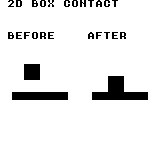
Build command
New-Item -ItemType Directory -Force .\out | Out-Null
.\kitaqgb\kitaqgb.exe .\kitaq-docs\samples\api-examples\gb\physics_body2d.c -I .\kitaqgb\lib -I .\kitaq-docs\samples -o .\out\physics_body2d.gb --profile=dev --rst-disable --stack-bank=fixed --cgb=cgb --cart=mbc5 --romsize=128k --no-cache --no-disasmImplementation and source
kitaqgb/lib/physics2d.h:66
Scale both velocities through the signed 8-bit coefficient intrinsic. Despite the unsigned parameter, values 128..255 become negative coefficients; this is not a full-range unsigned Q8 damping helper. Null is ignored.
kitaqgb/lib/physics2d.c:654
void kq2d_body_apply_friction(KQBody2D* body, u8 friction_q8)
{
if (body == 0) return;
body->vx = (s16)__smul16x8(body->vx, (s8)friction_q8);
body->vy = (s16)__smul16x8(body->vy, (s8)friction_q8);
}kq2d_body_apply_gravity
Add gravity to an active dynamic body and clamp each axis to +/-max_speed without updating position.
Syntax
void kq2d_body_apply_gravity(KQBody2D* body, s16 gravity_x, s16 gravity_y, s16 max_speed);Parameters
bodyPointer to the body to modify. Fields not used by this operation are retained.
gravity_xAcceleration added to X velocity by this call.
gravity_yAcceleration added to Y velocity by this call.
max_speedSpeed limit; the entry specifies whether this limits each axis or the combined vector.
Return value
No return value. This entry describes the fields updated and when they take effect.
Conditions and limits
Choose consistent integer units for positions, radii, half extents, velocities and gravity. One step is one simulation tick. The samples use one unit per pixel. These routines neither convert positions to Q8.8 automatically nor render them.
Keep sums, differences, combined half extents and contact-correction products within signed 16-bit range. Velocity limits apply after addition and cannot prevent overflow during that addition.
Box integration and collision routines use shared scratch storage. Do not re-enter these physics routines from an interrupt.
Ignore NULL, inactive and nonpositive-inverse-mass bodies. Supply a nonnegative speed limit.
Usage example
kq2d_body_apply_gravity(&temp,5,-10,32);
result[9]=temp.vx; result[10]=temp.vy;This is a calling fragment. Follow the stated initialization and buffer requirements before using it in a complete program.
Expected result
Left shows the initial state; right shows one tick later. A red 16x16 box with center (24,24) and velocity (4,16) reaches (28,36), with Y velocity zero on the blue floor. Panel origins are screen (8,48) and (88,48). DMG renders all marks in black. RAM checks also cover initialization, setters, integration, rectangle/point queries and signed scaling.
Build command
New-Item -ItemType Directory -Force .\out | Out-Null
.\kitaqgb\kitaqgb.exe .\kitaq-docs\samples\api-examples\gb\physics_body2d.c -I .\kitaqgb\lib -I .\kitaq-docs\samples -o .\out\physics_body2d.gb --profile=dev --rst-disable --stack-bank=fixed --cgb=cgb --cart=mbc5 --romsize=128k --no-cache --no-disasmImplementation and source
kitaqgb/lib/physics2d.h:62
Add gravity and clamp each velocity axis separately for an active dynamic body. Null, inactive and static bodies are ignored. Supply a nonnegative limit and avoid overflow in the additions before clamping; position is unchanged.
kitaqgb/lib/physics2d.c:630
void kq2d_body_apply_gravity(KQBody2D* body, s16 gravity_x, s16 gravity_y, s16 max_speed)
{
if (body == 0) return;
if (body->active == 0) return;
if (body->inv_mass_q8 <= 0) return;
kq2d_asm_value = body->vx;
kq2d_asm_operand = gravity_x;
kq2d_add_s16_asm();
kq2d_asm_limit = max_speed;
kq2d_clamp_abs_s16_asm();
body->vx = kq2d_asm_value;
kq2d_asm_value = body->vy;
kq2d_asm_operand = gravity_y;
kq2d_add_s16_asm();
kq2d_asm_limit = max_speed;
kq2d_clamp_abs_s16_asm();
body->vy = kq2d_asm_value;
}kq2d_body_init
Initialize a centered box with the supplied half extents, zero velocity, inverse mass 256 and active status.
Syntax
void kq2d_body_init(KQBody2D* body, s16 x, s16 y, s16 half_x, s16 half_y);Parameters
bodyPointer to the body to modify. Fields not used by this operation are retained.
xX coordinate of the center or point, in pixels in the sample.
yY coordinate of the center or point; positive is downward in the sample.
half_xHalf extent along X; the full box width is twice this value.
half_yHalf extent along Y; the full box height is twice this value.
Return value
No return value. This entry describes the fields updated and when they take effect.
Conditions and limits
Choose consistent integer units for positions, radii, half extents, velocities and gravity. One step is one simulation tick. The samples use one unit per pixel. These routines neither convert positions to Q8.8 automatically nor render them.
Sets restitution_q8 to zero. A NULL body is ignored. Supply positive half extents.
Usage example
kq2d_body_init(&temp,10,20,8,8);
result[3]=temp.inv_mass_q8; result[4]=temp.active;This is a calling fragment. Follow the stated initialization and buffer requirements before using it in a complete program.
Expected result
Left shows the initial state; right shows one tick later. A red 16x16 box with center (24,24) and velocity (4,16) reaches (28,36), with Y velocity zero on the blue floor. Panel origins are screen (8,48) and (88,48). DMG renders all marks in black. RAM checks also cover initialization, setters, integration, rectangle/point queries and signed scaling.
Build command
New-Item -ItemType Directory -Force .\out | Out-Null
.\kitaqgb\kitaqgb.exe .\kitaq-docs\samples\api-examples\gb\physics_body2d.c -I .\kitaqgb\lib -I .\kitaq-docs\samples -o .\out\physics_body2d.gb --profile=dev --rst-disable --stack-bank=fixed --cgb=cgb --cart=mbc5 --romsize=128k --no-cache --no-disasmImplementation and source
kitaqgb/lib/physics2d.h:54
Initialize an active unit-inverse-mass body at the supplied center and half extents, with zero velocity and reserved restitution set to zero. Null is ignored.
kitaqgb/lib/physics2d.c:597
void kq2d_body_init(KQBody2D* body, s16 x, s16 y, s16 half_x, s16 half_y)
{
if (body == 0) return;
body->x = x;
body->y = y;
body->vx = 0;
body->vy = 0;
body->half_x = half_x;
body->half_y = half_y;
body->inv_mass_q8 = 256;
body->restitution_q8 = 0;
body->active = 1;
}kq2d_body_limit_speed
See the 2026-10-03 changes and verification for differences in the local version of this API.
Estimate vector length conservatively and scale both axes together to limit combined speed.
Syntax
void kq2d_body_limit_speed(KQBody2D* body, s16 max_speed);Parameters
bodyPointer to the body to modify. Fields not used by this operation are retained.
max_speedSpeed limit; the entry specifies whether this limits each axis or the combined vector.
Return value
No return value. This entry describes the fields updated and when they take effect.
Conditions and limits
Keep velocity magnitudes and a positive max_speed within 16383. A nonpositive limit zeros velocity. NULL is ignored, but activity and mass do not suppress modification. Integer quantization can undershoot the limit and tiny scale factors can produce zero.
Usage example
kq2d_body_limit_speed(&body,250);
result[2]=body.vx; result[3]=body.vy;This is a calling fragment. Follow the stated initialization and buffer requirements before using it in a complete program.
Expected result
The red body stays in place. Its green velocity line changes from (8,16) on the left to (2,-8) on the right, showing bounce and tangential friction against the blue surface. Panel origins are screen (8,48)/(88,48); the body center is local (24,40). Incoming speed is 16 and the crossing-time example returns 192/256. The speed-limit example reduces (300,400) to (147,196). All marks are black on DMG.
Build command
New-Item -ItemType Directory -Force .\out | Out-Null
.\kitaqgb\kitaqgb.exe .\kitaq-docs\samples\api-examples\gb\physics_surface.c -I .\kitaqgb\lib -I .\kitaq-docs\samples -o .\out\physics_surface.gb --profile=dev --rst-disable --stack-bank=fixed --cgb=cgb --cart=mbc5 --romsize=128k --no-cache --no-disasmImplementation and source
kitaqgb/lib/physics2d.h:92
Conservative circular bound, with a shared Q8 scale for both components. Quantizes toward zero; very small limits relative to input may yield zero. Components and positive max_speed must be <= 16383 in magnitude.
kitaqgb/lib/physics2d.c:260
void kq2d_body_limit_speed(KQBody2D* body, s16 max_speed)
{
u16 x;
u16 y;
u16 swap;
u16 ratio;
u16 length;
if (body == 0) return;
if (max_speed <= 0) { body->vx = 0; body->vy = 0; return; }
x = (u16)body->vx;
y = (u16)body->vy;
if (body->vx < 0) x = (u16)(0 - body->vx);
if (body->vy < 0) y = (u16)(0 - body->vy);
if (x + y <= (u16)max_speed) return;
if (x < y) { swap = x; x = y; y = swap; }
// major + minor/2 bounds hypot from above for 0 <= minor <= major.
if (x + (y >> 1) + 1 <= (u16)max_speed) return;
// Round the minor/major ratio upward for the 65-entry upper-bound table.
// The extra unit covers truncation when converting the estimate back to speed.
ratio = (kq2d__fraction_q8(y, x) + 4) >> 2;
if (ratio > 64) ratio = 64;
length = x + (u16)kq2d_scale_q8((s16)x, (s16)kq2d_hypot_extra[(__safe_index u8)ratio]) + 1;
if (length <= (u16)max_speed) return;
ratio = kq2d__fraction_q8((u16)max_speed, length);
body->vx = kq2d_scale_q8(body->vx, (s16)ratio);
body->vy = kq2d_scale_q8(body->vy, (s16)ratio);
}kq2d_body_resolve_surface
See the 2026-10-03 changes and verification for differences in the local version of this API.
Use velocity relative to a moving surface to apply normal bounce, minimum bounce speed and tangential friction.
Syntax
s16 kq2d_body_resolve_surface(KQBody2D* body, const KQSurface2D* surface);Parameters
bodyPointer to the body to modify. Fields not used by this operation are retained.
surfacePointer to a KQSurface2D containing its normal, velocity, bounce and friction settings.
Return value
Returns the positive incoming normal speed, or 0 for NULL inputs or separating motion.
Conditions and limits
Use a Q8 unit normal with length 256. Keep relative components within +/-8191, threshold/kick nonnegative and coefficients in 0..255. Restitution applies only strictly above the threshold, with kick as a minimum rebound speed. NULL inputs or separating motion leave velocity unchanged. Contact detection and penetration correction are separate; activity and mass are not checked.
Usage example
result[6]=kq2d_body_resolve_surface(&body,&surface);
result[7]=body.vx; result[8]=body.vy; result[9]=body.y;This is a calling fragment. Follow the stated initialization and buffer requirements before using it in a complete program.
Expected result
The red body stays in place. Its green velocity line changes from (8,16) on the left to (2,-8) on the right, showing bounce and tangential friction against the blue surface. Panel origins are screen (8,48)/(88,48); the body center is local (24,40). Incoming speed is 16 and the crossing-time example returns 192/256. The speed-limit example reduces (300,400) to (147,196). All marks are black on DMG.
Build command
New-Item -ItemType Directory -Force .\out | Out-Null
.\kitaqgb\kitaqgb.exe .\kitaq-docs\samples\api-examples\gb\physics_surface.c -I .\kitaqgb\lib -I .\kitaq-docs\samples -o .\out\physics_surface.gb --profile=dev --rst-disable --stack-bank=fixed --cgb=cgb --cart=mbc5 --romsize=128k --no-cache --no-disasmImplementation and source
kitaqgb/lib/physics2d.h:95
Kinematic surface response; returns incoming normal speed, or zero if separating. Caller resolves penetration separately. Relative components must fit +/-8191.
kitaqgb/lib/physics2d.c:314
s16 kq2d_body_resolve_surface(KQBody2D* body, const KQSurface2D* surface)
{
s16 vx;
s16 vy;
s16 speed;
s16 tangent;
s16 bounce = 0;
s16 impulse;
s16 friction;
if (body == 0 || surface == 0) return 0;
vx = (s16)(body->vx - surface->vx);
vy = (s16)(body->vy - surface->vy);
speed = (s16)(kq2d_scale_q8(vx,surface->nx_q8) + kq2d_scale_q8(vy,surface->ny_q8));
if (speed >= 0) return 0;
speed = (s16)(0 - speed);
if (speed > surface->bounce_threshold) bounce = kq2d_scale_q8(speed,(s16)surface->restitution_q8);
if (bounce < surface->kick) bounce = surface->kick;
impulse = (s16)(speed + bounce);
// A resting contact is a tangent constraint, not a tiny rounded bounce.
if (bounce == 0) {
tangent = (s16)(kq2d__rest_component(vy,surface->nx_q8) - kq2d__rest_component(vx,surface->ny_q8));
friction = kq2d_scale_q8(impulse,(s16)surface->friction_q8);
if (tangent > friction) tangent = (s16)(tangent - friction);
else if (tangent < (s16)(0 - friction)) tangent = (s16)(tangent + friction);
else tangent = 0;
body->vx = (s16)(surface->vx - kq2d__rest_component(tangent,surface->ny_q8));
body->vy = (s16)(surface->vy + kq2d__rest_component(tangent,surface->nx_q8));
return speed;
}
body->vx = (s16)(body->vx + kq2d_scale_q8(impulse,surface->nx_q8));
body->vy = (s16)(body->vy + kq2d_scale_q8(impulse,surface->ny_q8));
if (surface->friction_q8 != 0) {
tangent = (s16)(kq2d_scale_q8(vy,surface->nx_q8) - kq2d_scale_q8(vx,surface->ny_q8));
friction = kq2d_scale_q8(impulse,(s16)surface->friction_q8);
if (tangent > friction) tangent = friction;
if (tangent < (s16)(0 - friction)) tangent = (s16)(0 - friction);
body->vx = (s16)(body->vx + kq2d_scale_q8(tangent,surface->ny_q8));
body->vy = (s16)(body->vy - kq2d_scale_q8(tangent,surface->nx_q8));
}
return speed;
}kq2d_body_set_pos
Replace only the body center, retaining velocity, extents and activity.
Syntax
void kq2d_body_set_pos(KQBody2D* body, s16 x, s16 y);Parameters
bodyPointer to the body to modify. Fields not used by this operation are retained.
xX coordinate of the center or point, in pixels in the sample.
yY coordinate of the center or point; positive is downward in the sample.
Return value
No return value. This entry describes the fields updated and when they take effect.
Conditions and limits
Choose consistent integer units for positions, radii, half extents, velocities and gravity. One step is one simulation tick. The samples use one unit per pixel. These routines neither convert positions to Q8.8 automatically nor render them.
NULL is ignored. Inactive and static bodies are still changed when the pointer is valid.
Usage example
kq2d_body_set_pos(&temp,-12,20);
result[5]=temp.x; result[6]=temp.y;This is a calling fragment. Follow the stated initialization and buffer requirements before using it in a complete program.
Expected result
Left shows the initial state; right shows one tick later. A red 16x16 box with center (24,24) and velocity (4,16) reaches (28,36), with Y velocity zero on the blue floor. Panel origins are screen (8,48) and (88,48). DMG renders all marks in black. RAM checks also cover initialization, setters, integration, rectangle/point queries and signed scaling.
Build command
New-Item -ItemType Directory -Force .\out | Out-Null
.\kitaqgb\kitaqgb.exe .\kitaq-docs\samples\api-examples\gb\physics_body2d.c -I .\kitaqgb\lib -I .\kitaq-docs\samples -o .\out\physics_body2d.gb --profile=dev --rst-disable --stack-bank=fixed --cgb=cgb --cart=mbc5 --romsize=128k --no-cache --no-disasmImplementation and source
kitaqgb/lib/physics2d.h:56
Replace the center without altering velocity, extents or activity. Null is ignored.
kitaqgb/lib/physics2d.c:612
void kq2d_body_set_pos(KQBody2D* body, s16 x, s16 y)
{
if (body == 0) return;
body->x = x;
body->y = y;
}kq2d_body_set_velocity
Set velocity directly without clamping it or updating position.
Syntax
void kq2d_body_set_velocity(KQBody2D* body, s16 vx, s16 vy);Parameters
bodyPointer to the body to modify. Fields not used by this operation are retained.
vxX displacement per simulation tick, in the same units as position.
vyY displacement per simulation tick, in the same units as position.
Return value
No return value. This entry describes the fields updated and when they take effect.
Conditions and limits
Choose consistent integer units for positions, radii, half extents, velocities and gravity. One step is one simulation tick. The samples use one unit per pixel. These routines neither convert positions to Q8.8 automatically nor render them.
NULL is ignored. Inactive and static bodies are still changed when the pointer is valid.
Usage example
kq2d_body_set_velocity(&temp,40,-30);
result[7]=temp.vx; result[8]=temp.vy;This is a calling fragment. Follow the stated initialization and buffer requirements before using it in a complete program.
Expected result
Left shows the initial state; right shows one tick later. A red 16x16 box with center (24,24) and velocity (4,16) reaches (28,36), with Y velocity zero on the blue floor. Panel origins are screen (8,48) and (88,48). DMG renders all marks in black. RAM checks also cover initialization, setters, integration, rectangle/point queries and signed scaling.
Build command
New-Item -ItemType Directory -Force .\out | Out-Null
.\kitaqgb\kitaqgb.exe .\kitaq-docs\samples\api-examples\gb\physics_body2d.c -I .\kitaqgb\lib -I .\kitaq-docs\samples -o .\out\physics_body2d.gb --profile=dev --rst-disable --stack-bank=fixed --cgb=cgb --cart=mbc5 --romsize=128k --no-cache --no-disasmImplementation and source
kitaqgb/lib/physics2d.h:58
Replace velocity without clamping or checking activity/mass. Null is ignored.
kitaqgb/lib/physics2d.c:620
void kq2d_body_set_velocity(KQBody2D* body, s16 vx, s16 vy)
{
if (body == 0) return;
body->vx = vx;
body->vy = vy;
}kq2d_integrate_body
Apply world gravity and per-axis speed limits to one dynamic body, then add its velocity to position.
Syntax
void kq2d_integrate_body(KQWorld2D* world, KQBody2D* body);Parameters
worldPointer to the world holding the body array and simulation settings.
bodyPointer to the body to modify. Fields not used by this operation are retained.
Return value
No return value. This entry describes the fields updated and when they take effect.
Conditions and limits
Choose consistent integer units for positions, radii, half extents, velocities and gravity. One step is one simulation tick. The samples use one unit per pixel. These routines neither convert positions to Q8.8 automatically nor render them.
Keep sums, differences, combined half extents and contact-correction products within signed 16-bit range. Velocity limits apply after addition and cannot prevent overflow during that addition.
Box integration and collision routines use shared scratch storage. Do not re-enter these physics routines from an interrupt.
Ignore NULL, inactive and nonpositive-inverse-mass bodies. Supply a nonnegative speed limit.
This call does not resolve contacts with other bodies. A NULL world is also ignored.
Usage example
kq2d_integrate_body(&world,&temp);
result[18]=temp.x; result[19]=temp.y;This is a calling fragment. Follow the stated initialization and buffer requirements before using it in a complete program.
Expected result
Left shows the initial state; right shows one tick later. A red 16x16 box with center (24,24) and velocity (4,16) reaches (28,36), with Y velocity zero on the blue floor. Panel origins are screen (8,48) and (88,48). DMG renders all marks in black. RAM checks also cover initialization, setters, integration, rectangle/point queries and signed scaling.
Build command
New-Item -ItemType Directory -Force .\out | Out-Null
.\kitaqgb\kitaqgb.exe .\kitaq-docs\samples\api-examples\gb\physics_body2d.c -I .\kitaqgb\lib -I .\kitaq-docs\samples -o .\out\physics_body2d.gb --profile=dev --rst-disable --stack-bank=fixed --cgb=cgb --cart=mbc5 --romsize=128k --no-cache --no-disasmImplementation and source
kitaqgb/lib/physics2d.h:47
For one active dynamic body, add gravity, clamp each velocity axis and then add velocity to position. Null inputs are ignored; no contacts are solved. Use a nonnegative speed limit and keep additions in signed 16-bit range.
kitaqgb/lib/physics2d.c:664
void kq2d_integrate_body(KQWorld2D* world, KQBody2D* body)
{
if (world == 0) return;
if (body == 0) return;
if (body->active == 0) return;
if (body->inv_mass_q8 <= 0) return;
kq2d_asm_value = body->vx;
kq2d_asm_operand = world->gravity_x;
kq2d_add_s16_asm();
kq2d_asm_limit = world->max_speed;
kq2d_clamp_abs_s16_asm();
body->vx = kq2d_asm_value;
kq2d_asm_value = body->vy;
kq2d_asm_operand = world->gravity_y;
kq2d_add_s16_asm();
kq2d_asm_limit = world->max_speed;
kq2d_clamp_abs_s16_asm();
body->vy = kq2d_asm_value;
kq2d_asm_value = body->x;
kq2d_asm_operand = body->vx;
kq2d_add_s16_asm();
body->x = kq2d_asm_value;
kq2d_asm_value = body->y;
kq2d_asm_operand = body->vy;
kq2d_add_s16_asm();
body->y = kq2d_asm_value;
}kq2d_overlap_aabb
Test strict overlap of two centered boxes on both X and Y.
Syntax
u8 kq2d_overlap_aabb(const KQBody2D* a, const KQBody2D* b);Parameters
aValid body pointer; the query ignores activity, mass and flags.
bValid body pointer; the query ignores activity, mass and flags.
Return value
Returns 1 for interior overlap and 0 for touching or separated shapes.
Conditions and limits
Choose consistent integer units for positions, radii, half extents, velocities and gravity. One step is one simulation tick. The samples use one unit per pixel. These routines neither convert positions to Q8.8 automatically nor render them.
Keep sums, differences, combined half extents and contact-correction products within signed 16-bit range. Velocity limits apply after addition and cannot prevent overflow during that addition.
Usage example
result[20]=kq2d_overlap_aabb(&bodies[0],&bodies[1]);
bodies[1].x=40; result[21]=kq2d_overlap_aabb(&bodies[0],&bodies[1]);This is a calling fragment. Follow the stated initialization and buffer requirements before using it in a complete program.
Expected result
Left shows the initial state; right shows one tick later. A red 16x16 box with center (24,24) and velocity (4,16) reaches (28,36), with Y velocity zero on the blue floor. Panel origins are screen (8,48) and (88,48). DMG renders all marks in black. RAM checks also cover initialization, setters, integration, rectangle/point queries and signed scaling.
Build command
New-Item -ItemType Directory -Force .\out | Out-Null
.\kitaqgb\kitaqgb.exe .\kitaq-docs\samples\api-examples\gb\physics_body2d.c -I .\kitaqgb\lib -I .\kitaq-docs\samples -o .\out\physics_body2d.gb --profile=dev --rst-disable --stack-bank=fixed --cgb=cgb --cart=mbc5 --romsize=128k --no-cache --no-disasmImplementation and source
kitaqgb/lib/physics2d.h:51
Test strict overlap of two centered boxes; touching edges return false. Both pointers must be valid. Active/mass flags are ignored, and coordinate differences and extent sums must fit the signed 16-bit calculations.
kitaqgb/lib/physics2d.c:579
u8 kq2d_overlap_aabb(const KQBody2D* a, const KQBody2D* b)
{
s16 dx = (s16)(b->x - a->x);
s16 dy = (s16)(b->y - a->y);
s16 adx = kq2d__abs_s16(dx);
s16 ady = kq2d__abs_s16(dy);
s16 sx = (s16)(a->half_x + b->half_x);
s16 sy = (s16)(a->half_y + b->half_y);
if (adx >= sx) return 0;
if (ady >= sy) return 0;
return 1;
}kq2d_point_in_rect
Test whether a point lies in a rectangle including its left/top edges but excluding right/bottom.
Syntax
u8 kq2d_point_in_rect(s16 x, s16 y, KQRect r);Parameters
xX coordinate of the center or point, in pixels in the sample.
yY coordinate of the center or point; positive is downward in the sample.
rKQRect value containing a top-left x/y position and width/height w/h.
Return value
Returns 1 inside and 0 outside.
Conditions and limits
Keep sums, differences, combined half extents and contact-correction products within signed 16-bit range. Velocity limits apply after addition and cannot prevent overflow during that addition.
Usage example
result[16]=kq2d_point_in_rect(0,0,r1);
result[17]=kq2d_point_in_rect(16,0,r1);This is a calling fragment. Follow the stated initialization and buffer requirements before using it in a complete program.
Expected result
Left shows the initial state; right shows one tick later. A red 16x16 box with center (24,24) and velocity (4,16) reaches (28,36), with Y velocity zero on the blue floor. Panel origins are screen (8,48) and (88,48). DMG renders all marks in black. RAM checks also cover initialization, setters, integration, rectangle/point queries and signed scaling.
Build command
New-Item -ItemType Directory -Force .\out | Out-Null
.\kitaqgb\kitaqgb.exe .\kitaq-docs\samples\api-examples\gb\physics_body2d.c -I .\kitaqgb\lib -I .\kitaq-docs\samples -o .\out\physics_body2d.gb --profile=dev --rst-disable --stack-bank=fixed --cgb=cgb --cart=mbc5 --romsize=128k --no-cache --no-disasmImplementation and source
kitaqgb/lib/physics2d.h:72
Delegate the half-open point test: include left/top and exclude right/bottom. Coordinate-plus-size sums must remain representable as s16.
kitaqgb/lib/physics2d.c:705
u8 kq2d_point_in_rect(s16 x, s16 y, KQRect r)
{
return kq_point_in_rect(x, y, r);
}kq2d_rect_intersect
Test interior overlap of two rectangles represented by top-left positions and sizes.
Syntax
u8 kq2d_rect_intersect(KQRect a, KQRect b);Parameters
aKQRect value with top-left coordinates and positive width and height.
bKQRect value with top-left coordinates and positive width and height.
Return value
Returns 1 for interior overlap and 0 for touching or separated shapes.
Conditions and limits
Keep sums, differences, combined half extents and contact-correction products within signed 16-bit range. Velocity limits apply after addition and cannot prevent overflow during that addition.
Nonpositive dimensions are not explicitly rejected. Do not copy a body center and half extents directly into a KQRect.
Usage example
result[14]=kq2d_rect_intersect(r1,r2);
r2.x=16; result[15]=kq2d_rect_intersect(r1,r2);This is a calling fragment. Follow the stated initialization and buffer requirements before using it in a complete program.
Expected result
Left shows the initial state; right shows one tick later. A red 16x16 box with center (24,24) and velocity (4,16) reaches (28,36), with Y velocity zero on the blue floor. Panel origins are screen (8,48) and (88,48). DMG renders all marks in black. RAM checks also cover initialization, setters, integration, rectangle/point queries and signed scaling.
Build command
New-Item -ItemType Directory -Force .\out | Out-Null
.\kitaqgb\kitaqgb.exe .\kitaq-docs\samples\api-examples\gb\physics_body2d.c -I .\kitaqgb\lib -I .\kitaq-docs\samples -o .\out\physics_body2d.gb --profile=dev --rst-disable --stack-bank=fixed --cgb=cgb --cart=mbc5 --romsize=128k --no-cache --no-disasmImplementation and source
kitaqgb/lib/physics2d.h:69
Delegate strict rectangle overlap to the fixed-point utility; edge-only contact is false. Coordinate-plus-size sums must remain representable as s16.
kitaqgb/lib/physics2d.c:698
u8 kq2d_rect_intersect(KQRect a, KQRect b)
{
return kq_rect_intersect(a, b);
}kq2d_scale_q8
See the 2026-10-03 changes and verification for differences in the local version of this API.
Multiply by a signed coefficient divided by 256, truncating toward zero for either sign.
Syntax
s16 kq2d_scale_q8(s16 value, s16 coefficient);Parameters
valueSigned 16-bit value to scale.
coefficientSigned coefficient in -256..256, with 256 representing 1.0.
Return value
Returns the signed 16-bit result truncated toward zero.
Conditions and limits
Use coefficients only in -256..256; +/-256 gives +/-1. The mathematical result for value=-32768 and coefficient=-256 is 32768 and cannot fit s16.
Usage example
result[0]=kq2d_scale_q8(-257,128);
result[1]=kq2d_scale_q8(300,-256);This is a calling fragment. Follow the stated initialization and buffer requirements before using it in a complete program.
Expected result
The red body stays in place. Its green velocity line changes from (8,16) on the left to (2,-8) on the right, showing bounce and tangential friction against the blue surface. Panel origins are screen (8,48)/(88,48); the body center is local (24,40). Incoming speed is 16 and the crossing-time example returns 192/256. The speed-limit example reduces (300,400) to (147,196). All marks are black on DMG.
Build command
New-Item -ItemType Directory -Force .\out | Out-Null
.\kitaqgb\kitaqgb.exe .\kitaq-docs\samples\api-examples\gb\physics_surface.c -I .\kitaqgb\lib -I .\kitaq-docs\samples -o .\out\physics_surface.gb --profile=dev --rst-disable --stack-bank=fixed --cgb=cgb --cart=mbc5 --romsize=128k --no-cache --no-disasmImplementation and source
kitaqgb/lib/physics2d.h:88
Truncates toward zero, including negative values; coefficient is -256..256.
kitaqgb/lib/physics2d.c:8
s16 kq2d_scale_q8(s16 value, s16 coefficient)
{
// Eight-bit shift/add product in HL:C, with sign applied after truncation.
__asm {
LD_HL_IMM value
LD_A_HL
LD_E_A
INC_HL
LD_A_HL
LD_D_A
OR_E
JP_Z kqscale_zero
LD_HL_IMM coefficient
LD_A_HL
LD_C_A
INC_HL
LD_A_HL
LD_B_A
LD_A_C
OR_A
JR_NZ kqscale_fraction
LD_A_B
OR_A
JP_Z kqscale_zero
LD_H_D
LD_L_E
AND_IMM 128
RET_Z
JP kqscale_negate
kqscale_fraction:
LD_A_D
XOR_B
AND_IMM 128
PUSH_AF
LD_A_D
AND_IMM 128
JR_Z kqscale_value_positive
XOR_A
SUB_E
LD_E_A
LD_A_IMM 0
SBC_D
LD_D_A
kqscale_value_positive:
LD_A_B
AND_IMM 128
JR_Z kqscale_coefficient_positive
XOR_A
SUB_C
LD_C_A
kqscale_coefficient_positive:
LD_HL_IMM 0
// Unroll eight bits: avoid a loop branch on every fixed-point product.
LD_A_C
AND_IMM 1
JR_Z kqscale_shift_0
ADD_HL_DE
kqscale_shift_0:
LD_A_H
RRA
LD_H_A
LD_A_L
RRA
LD_L_A
LD_A_C
RRA
LD_C_A
LD_A_C
AND_IMM 1
JR_Z kqscale_shift_1
ADD_HL_DE
kqscale_shift_1:
LD_A_H
RRA
LD_H_A
LD_A_L
RRA
LD_L_A
LD_A_C
RRA
LD_C_A
LD_A_C
AND_IMM 1
JR_Z kqscale_shift_2
ADD_HL_DE
kqscale_shift_2:
LD_A_H
RRA
LD_H_A
LD_A_L
RRA
LD_L_A
LD_A_C
RRA
LD_C_A
LD_A_C
AND_IMM 1
JR_Z kqscale_shift_3
ADD_HL_DE
kqscale_shift_3:
LD_A_H
RRA
LD_H_A
LD_A_L
RRA
LD_L_A
LD_A_C
RRA
LD_C_A
LD_A_C
AND_IMM 1
JR_Z kqscale_shift_4
ADD_HL_DE
kqscale_shift_4:
LD_A_H
RRA
LD_H_A
LD_A_L
RRA
LD_L_A
LD_A_C
RRA
LD_C_A
LD_A_C
AND_IMM 1
JR_Z kqscale_shift_5
ADD_HL_DE
kqscale_shift_5:
LD_A_H
RRA
LD_H_A
LD_A_L
RRA
LD_L_A
LD_A_C
RRA
LD_C_A
LD_A_C
AND_IMM 1
JR_Z kqscale_shift_6
ADD_HL_DE
kqscale_shift_6:
LD_A_H
RRA
LD_H_A
LD_A_L
RRA
LD_L_A
LD_A_C
RRA
LD_C_A
LD_A_C
AND_IMM 1
JR_Z kqscale_shift_7
ADD_HL_DE
kqscale_shift_7:
LD_A_H
RRA
LD_H_A
LD_A_L
RRA
LD_L_A
LD_A_C
RRA
LD_C_A
POP_AF
OR_A
RET_Z
kqscale_negate:
XOR_A
SUB_L
LD_L_A
LD_A_IMM 0
SBC_H
LD_H_A
RET
kqscale_zero:
LD_HL_IMM 0
RET
}
}kq2d_step
Integrate active dynamic bodies, then resolve contacts among active array entries.
Syntax
void kq2d_step(KQWorld2D* world);Parameters
worldPointer to the world holding the body array and simulation settings.
Return value
No return value. This entry describes the fields updated and when they take effect.
Conditions and limits
Choose consistent integer units for positions, radii, half extents, velocities and gravity. One step is one simulation tick. The samples use one unit per pixel. These routines neither convert positions to Q8.8 automatically nor render them.
A world borrows its array. The caller allocates and owns body storage and keeps it alive. Initializing a world does not initialize its array elements.
Keep sums, differences, combined half extents and contact-correction products within signed 16-bit range. Velocity limits apply after addition and cannot prevent overflow during that addition.
Contacts resolve along the shallower penetration axis, choosing Y on a tie. Position correction uses inverse masses, but two dynamic bodies receive their simple average axis velocity; collision with a static body zeros that component. This solver does not use restitution_q8. It is discrete collision handling and can miss fast crossings.
Box integration and collision routines use shared scratch storage. Do not re-enter these physics routines from an interrupt.
A NULL world or array is ignored. A zero solver_iterations value still performs one contact pass.
Usage example
kq2d_step(&world);
result[22]=bodies[0].x; result[23]=bodies[0].y;
result[24]=bodies[0].vx; result[25]=bodies[0].vy;This is a calling fragment. Follow the stated initialization and buffer requirements before using it in a complete program.
Expected result
Left shows the initial state; right shows one tick later. A red 16x16 box with center (24,24) and velocity (4,16) reaches (28,36), with Y velocity zero on the blue floor. Panel origins are screen (8,48) and (88,48). DMG renders all marks in black. RAM checks also cover initialization, setters, integration, rectangle/point queries and signed scaling.
Build command
New-Item -ItemType Directory -Force .\out | Out-Null
.\kitaqgb\kitaqgb.exe .\kitaq-docs\samples\api-examples\gb\physics_body2d.c -I .\kitaqgb\lib -I .\kitaq-docs\samples -o .\out\physics_body2d.gb --profile=dev --rst-disable --stack-bank=fixed --cgb=cgb --cart=mbc5 --romsize=128k --no-cache --no-disasmImplementation and source
kitaqgb/lib/physics2d.h:43
Advance active dynamic bodies, then visit each active unordered pair for the configured contact passes (zero means one). Static bodies still participate as obstacles. The world borrows its array and shares non-reentrant ASM scratch. This is discrete integration; fast bodies can pass through thin obstacles.
kitaqgb/lib/physics2d.c:794
void kq2d_step(KQWorld2D* world)
{
if (world == 0) return;
if (world->bodies == 0) return;
KQBody2D* bodies = world->bodies;
u8 count = world->body_count;
// Integrate dynamic bodies.
u8 i;
for (i = 0; i < count; i++)
{
KQBody2D* b = &bodies[(__safe_index u8)i];
if (b->active == 0) continue;
if (b->inv_mass_q8 <= 0) continue;
kq2d_asm_value = b->vx;
kq2d_asm_operand = world->gravity_x;
kq2d_add_s16_asm();
kq2d_asm_limit = world->max_speed;
kq2d_clamp_abs_s16_asm();
b->vx = kq2d_asm_value;
kq2d_asm_value = b->vy;
kq2d_asm_operand = world->gravity_y;
kq2d_add_s16_asm();
kq2d_asm_limit = world->max_speed;
kq2d_clamp_abs_s16_asm();
b->vy = kq2d_asm_value;
kq2d_asm_value = b->x;
kq2d_asm_operand = b->vx;
kq2d_add_s16_asm();
b->x = kq2d_asm_value;
kq2d_asm_value = b->y;
kq2d_asm_operand = b->vy;
kq2d_add_s16_asm();
b->y = kq2d_asm_value;
}
// Solve contacts with a small fixed iteration count.
u8 iterations = world->solver_iterations;
if (iterations == 0) iterations = 1;
u8 it;
for (it = 0; it < iterations; it++)
{
for (i = 0; i < count; i++)
{
KQBody2D* a = &bodies[(__safe_index u8)i];
if (a->active == 0) continue;
u8 j;
for (j = (u8)(i + 1); j < count; j++)
{
KQBody2D* b = &bodies[(__safe_index u8)j];
if (b->active == 0) continue;
kq2d__resolve_pair(a, b);
}
}
}
}kq2d_surface_toi_q8
Estimate the within-tick crossing time from signed start/end gaps under linear motion.
Syntax
u16 kq2d_surface_toi_q8(s16 start_gap, s16 end_gap);Parameters
start_gapSigned gap at the start of the tick; positive means outside the surface.
end_gapSigned gap at the end of the tick; negative means past the surface.
Return value
Returns Q8 time in 0..256; 192 is 75% of the tick.
Conditions and limits
Keep gaps within +/-8191. A nonpositive start returns 0; a nonnegative end returns 256. Initial overlap and time zero share a return value, as do no crossing and contact exactly at the endpoint. No position is changed.
Usage example
result[4]=kq2d_surface_toi_q8(6,-2);
result[5]=kq2d_surface_toi_q8(6,0);This is a calling fragment. Follow the stated initialization and buffer requirements before using it in a complete program.
Expected result
The red body stays in place. Its green velocity line changes from (8,16) on the left to (2,-8) on the right, showing bounce and tangential friction against the blue surface. Panel origins are screen (8,48)/(88,48); the body center is local (24,40). Incoming speed is 16 and the crossing-time example returns 192/256. The speed-limit example reduces (300,400) to (147,196). All marks are black on DMG.
Build command
New-Item -ItemType Directory -Force .\out | Out-Null
.\kitaqgb\kitaqgb.exe .\kitaq-docs\samples\api-examples\gb\physics_surface.c -I .\kitaqgb\lib -I .\kitaq-docs\samples -o .\out\physics_surface.gb --profile=dev --rst-disable --stack-bank=fixed --cgb=cgb --cart=mbc5 --romsize=128k --no-cache --no-disasmImplementation and source
kitaqgb/lib/physics2d.h:98
Linear crossing time in Q8 (0..256); positive separation is outside. Returns 0 for initial overlap, 256 for no crossing. Gaps must fit +/-8191.
kitaqgb/lib/physics2d.c:291
u16 kq2d_surface_toi_q8(s16 start_gap, s16 end_gap)
{
if (start_gap <= 0) return 0;
if (end_gap >= 0) return 256;
return kq2d__fraction_q8((u16)start_gap, (u16)(start_gap - end_gap));
}kq2d_world_init
Attach an array to a 2D world and set gravity (0,32), four contact iterations and a per-axis speed limit of 512.
Syntax
void kq2d_world_init(KQWorld2D* world, KQBody2D* bodies, u8 body_count);Parameters
worldPointer to the world holding the body array and simulation settings.
bodiesStart of a caller-owned body array containing body_count elements.
body_countNumber of array slots, 0..255, including inactive entries.
Return value
No return value. This entry describes the fields updated and when they take effect.
Conditions and limits
Choose consistent integer units for positions, radii, half extents, velocities and gravity. One step is one simulation tick. The samples use one unit per pixel. These routines neither convert positions to Q8.8 automatically nor render them.
A world borrows its array. The caller allocates and owns body storage and keeps it alive. Initializing a world does not initialize its array elements.
Usage example
kq2d_world_init(&world,bodies,2);
result[0]=world.gravity_y; result[1]=world.solver_iterations; result[2]=world.max_speed;This is a calling fragment. Follow the stated initialization and buffer requirements before using it in a complete program.
Expected result
Left shows the initial state; right shows one tick later. A red 16x16 box with center (24,24) and velocity (4,16) reaches (28,36), with Y velocity zero on the blue floor. Panel origins are screen (8,48) and (88,48). DMG renders all marks in black. RAM checks also cover initialization, setters, integration, rectangle/point queries and signed scaling.
Build command
New-Item -ItemType Directory -Force .\out | Out-Null
.\kitaqgb\kitaqgb.exe .\kitaq-docs\samples\api-examples\gb\physics_body2d.c -I .\kitaqgb\lib -I .\kitaq-docs\samples -o .\out\physics_body2d.gb --profile=dev --rst-disable --stack-bank=fixed --cgb=cgb --cart=mbc5 --romsize=128k --no-cache --no-disasmImplementation and source
kitaqgb/lib/physics2d.h:38
Retain the caller-owned body array without initializing its elements. Set gravity to (0,32), four contact iterations and a per-axis speed limit of 512. A null world is ignored; the array must outlive subsequent world operations.
kitaqgb/lib/physics2d.c:564
void kq2d_world_init(KQWorld2D* world, KQBody2D* bodies, u8 body_count)
{
if (world == 0) return;
world->bodies = bodies;
world->body_count = body_count;
world->gravity_x = 0;
world->gravity_y = 32;
world->solver_iterations = 4;
world->max_speed = 512;
}physics2d_circle.h — Circle physics
Supports circle radius, inverse mass, restitution, tangential friction, world damping and bounds. The caller initializes every body field. Body friction_q8 and wall_friction_q8 describe tangential motion removed, whereas linear_damping_q8 describes velocity retained. Byte coefficients are divided by 256, so 255 is not exactly 1.0.
Choose consistent integer units for positions, radii, half extents, velocities and gravity. One step is one simulation tick. The samples use one unit per pixel. These routines neither convert positions to Q8.8 automatically nor render them.
Circle distance and normals are integer approximations. Reducing each component to at most 255 does not guarantee that the squared-distance sum fits 65535. Keep center differences, radius sums and inverse-mass sums representable, and keep inv_mass_q8 * 255 within 32767 in the weight calculation; the sample uses 64.
kq2dc_overlap_circle
Approximate interior overlap using reduced center distance and the radius sum.
Syntax
u8 kq2dc_overlap_circle(const KQCircleBody2D* a, const KQCircleBody2D* b);Parameters
aValid pointer to the first circle.
bValid pointer to the second circle.
Return value
Returns 1 for interior overlap and 0 for touching or separated shapes.
Conditions and limits
Choose consistent integer units for positions, radii, half extents, velocities and gravity. One step is one simulation tick. The samples use one unit per pixel. These routines neither convert positions to Q8.8 automatically nor render them.
Circle distance and normals are integer approximations. Reducing each component to at most 255 does not guarantee that the squared-distance sum fits 65535. Keep center differences, radius sums and inverse-mass sums representable, and keep inv_mass_q8 * 255 within 32767 in the weight calculation; the sample uses 64.
Requires two valid pointers and positive radii. Activity and mass are ignored. Reduction and integer square roots can differ from an exact geometric distance test.
Usage example
result[4]=kq2dc_overlap_circle(&balls[0],&balls[1]);
balls[1].x=18; result[5]=kq2dc_overlap_circle(&balls[0],&balls[1]);This is a calling fragment. Follow the stated initialization and buffer requirements before using it in a complete program.
Expected result
A red radius-6 circle moves from center (24,24) on the left to (54,24) on the right. Local bounds are (4,4)..(60,60). The right wall clamps the center to 54 and changes X velocity from 32 to -15: wall restitution 128/256 is followed by damping 255/256. Panel origins are screen (8,48)/(88,48). DMG shows the circle and boundary in black.
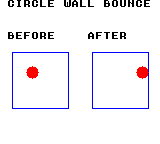
Build command
New-Item -ItemType Directory -Force .\out | Out-Null
.\kitaqgb\kitaqgb.exe .\kitaq-docs\samples\api-examples\gb\physics_circle.c -I .\kitaqgb\lib -I .\kitaq-docs\samples -o .\out\physics_circle.gb --profile=dev --rst-disable --stack-bank=fixed --cgb=cgb --cart=mbc5 --romsize=128k --no-cache --no-disasmImplementation and source
kitaqgb/lib/physics2d_circle.h:55
Compare a reduced integer center distance with the reduced radius sum. Valid pointers and positive radii are required; activity and mass are ignored. This approximate test requires representable differences, radius sums and squared-distance sum. Touching at the computed distance returns false.
kitaqgb/lib/physics2d_circle.c:397
u8 kq2dc_overlap_circle(const KQCircleBody2D* a, const KQCircleBody2D* b)
{
s16 dx;
s16 dy;
s16 sdx;
s16 sdy;
u8 shift;
u16 adx;
u16 ady;
u16 dist_sq;
u16 dist_scaled;
s16 radius_sum;
u16 radius_sum_scaled;
dx = (s16)(b->x - a->x);
dy = (s16)(b->y - a->y);
sdx = dx;
sdy = dy;
shift = kq2dc__reduce_vector(&sdx, &sdy);
adx = (u16)kq2dc__abs_s16(sdx);
ady = (u16)kq2dc__abs_s16(sdy);
dist_sq = (u16)((adx * adx) + (ady * ady));
dist_scaled = kq2dc__isqrt_u16(dist_sq);
radius_sum = (s16)(a->radius + b->radius);
radius_sum_scaled = kq2dc__scale_down_positive(radius_sum, shift);
if (dist_scaled >= radius_sum_scaled) return 0;
return 1;
}kq2dc_set_bounds
Store and enable circle-world bounds without moving bodies immediately.
Syntax
void kq2dc_set_bounds(KQCircleWorld2D* world, s16 min_x, s16 min_y, s16 max_x, s16 max_y);Parameters
worldPointer to the world holding the body array and simulation settings.
min_xLeft boundary; a circle center is limited to at least min_x + radius.
min_yTop boundary; a circle center is limited to at least min_y + radius.
max_xRight boundary; a circle center is limited to at most max_x - radius.
max_yBottom boundary; a circle center is limited to at most max_y - radius.
Return value
No return value. This entry describes the fields updated and when they take effect.
Conditions and limits
Choose consistent integer units for positions, radii, half extents, velocities and gravity. One step is one simulation tick. The samples use one unit per pixel. These routines neither convert positions to Q8.8 automatically nor render them.
NULL is ignored. Ordering and fit are not validated, so provide width and height at least as large as the circle diameter. A step performs the actual position correction.
Usage example
kq2dc_set_bounds(&world,4,4,60,60);This is a calling fragment. Follow the stated initialization and buffer requirements before using it in a complete program.
Expected result
A red radius-6 circle moves from center (24,24) on the left to (54,24) on the right. Local bounds are (4,4)..(60,60). The right wall clamps the center to 54 and changes X velocity from 32 to -15: wall restitution 128/256 is followed by damping 255/256. Panel origins are screen (8,48)/(88,48). DMG shows the circle and boundary in black.
Build command
New-Item -ItemType Directory -Force .\out | Out-Null
.\kitaqgb\kitaqgb.exe .\kitaq-docs\samples\api-examples\gb\physics_circle.c -I .\kitaqgb\lib -I .\kitaq-docs\samples -o .\out\physics_circle.gb --profile=dev --rst-disable --stack-bank=fixed --cgb=cgb --cart=mbc5 --romsize=128k --no-cache --no-disasmImplementation and source
kitaqgb/lib/physics2d_circle.h:45
Store and enable bounds without validating their order or fitting bodies immediately. Supply extents large enough for body diameters. Null is ignored.
kitaqgb/lib/physics2d_circle.c:382
void kq2dc_set_bounds(KQCircleWorld2D* world, s16 min_x, s16 min_y, s16 max_x, s16 max_y)
{
if (world == 0) return;
world->use_bounds = 1;
world->min_x = min_x;
world->min_y = min_y;
world->max_x = max_x;
world->max_y = max_y;
}kq2dc_step
Integrate circles, resolve bounds and circle contacts, then apply linear damping.
Syntax
void kq2dc_step(KQCircleWorld2D* world);Parameters
worldPointer to the world holding the body array and simulation settings.
Return value
No return value. This entry describes the fields updated and when they take effect.
Conditions and limits
Choose consistent integer units for positions, radii, half extents, velocities and gravity. One step is one simulation tick. The samples use one unit per pixel. These routines neither convert positions to Q8.8 automatically nor render them.
A world borrows its array. The caller allocates and owns body storage and keeps it alive. Initializing a world does not initialize its array elements.
Circle distance and normals are integer approximations. Reducing each component to at most 255 does not guarantee that the squared-distance sum fits 65535. Keep center differences, radius sums and inverse-mass sums representable, and keep inv_mass_q8 * 255 within 32767 in the weight calculation; the sample uses 64.
Finally snaps velocity components in -1..1 to zero. Even damping 255 loses some speed. Overlaps between resting circles can remain. Static circles are also moved inside enabled bounds. Zero iterations means one pass; NULL world/array is ignored. This discrete, quantized solver can visit contacts in a different order as velocities change.
Usage example
kq2dc_step(&world);
result[6]=balls[0].x; result[7]=balls[0].y; result[8]=balls[0].vx;This is a calling fragment. Follow the stated initialization and buffer requirements before using it in a complete program.
Expected result
A red radius-6 circle moves from center (24,24) on the left to (54,24) on the right. Local bounds are (4,4)..(60,60). The right wall clamps the center to 54 and changes X velocity from 32 to -15: wall restitution 128/256 is followed by damping 255/256. Panel origins are screen (8,48)/(88,48). DMG shows the circle and boundary in black.
Build command
New-Item -ItemType Directory -Force .\out | Out-Null
.\kitaqgb\kitaqgb.exe .\kitaq-docs\samples\api-examples\gb\physics_circle.c -I .\kitaqgb\lib -I .\kitaq-docs\samples -o .\out\physics_circle.gb --profile=dev --rst-disable --stack-bank=fixed --cgb=cgb --cart=mbc5 --romsize=128k --no-cache --no-disasmImplementation and source
kitaqgb/lib/physics2d_circle.h:50
Integrate active dynamic bodies, apply bounds, solve contacts, then damp velocity and snap components in -1..1 to zero. Zero solver iterations means one. Pairs with both velocities zero are skipped, so resting overlaps can remain. Bounds can reposition static bodies; null world/array inputs are ignored.
kitaqgb/lib/physics2d_circle.c:433
void kq2dc_step(KQCircleWorld2D* world)
{
KQCircleBody2D* bodies;
u8 count;
u8 i;
u8 iterations;
u8 it;
if (world == 0) return;
if (world->bodies == 0) return;
bodies = world->bodies;
count = world->body_count;
for (i = 0; i < count; i++)
{
KQCircleBody2D* body = &bodies[(__safe_index u8)i];
if (body->active == 0) continue;
if (body->inv_mass_q8 <= 0)
{
if (world->use_bounds != 0) kq2dc__resolve_bounds(world, body);
continue;
}
body->vx = (s16)(body->vx + world->gravity_x);
body->vy = (s16)(body->vy + world->gravity_y);
body->vx = kq2dc__clamp_abs(body->vx, world->max_speed);
body->vy = kq2dc__clamp_abs(body->vy, world->max_speed);
body->x = (s16)(body->x + body->vx);
body->y = (s16)(body->y + body->vy);
if (world->use_bounds != 0) kq2dc__resolve_bounds(world, body);
}
iterations = world->solver_iterations;
if (iterations == 0) iterations = 1;
for (it = 0; it < iterations; it++)
{
for (i = 0; i < count; i++)
{
KQCircleBody2D* a = &bodies[(__safe_index u8)i];
if (a->active == 0) continue;
if (a->vx == 0 && a->vy == 0) continue;
if (world->use_bounds != 0) kq2dc__resolve_bounds(world, a);
{
u8 j;
for (j = 0; j < count; j++)
{
KQCircleBody2D* b = &bodies[(__safe_index u8)j];
s16 radius_sum;
if (j == i) continue;
if (b->active == 0) continue;
// Avoid revisiting an earlier moving body, but still allow a moving body
// to resolve against a stationary slot with a lower index. Velocities are live
// solver state, so contact ordering can change which later pairs are visited.
if (j < i && (b->vx != 0 || b->vy != 0)) continue;
radius_sum = (s16)(a->radius + b->radius);
if (kq2dc__abs_s16((s16)(b->x - a->x)) >= radius_sum) continue;
if (kq2dc__abs_s16((s16)(b->y - a->y)) >= radius_sum) continue;
kq2dc__resolve_pair(a, b);
}
}
}
}
for (i = 0; i < count; i++)
{
KQCircleBody2D* body = &bodies[(__safe_index u8)i];
if (body->active == 0) continue;
if (body->inv_mass_q8 <= 0) continue;
body->vx = kq2dc__mul_q8(body->vx, world->linear_damping_q8);
body->vy = kq2dc__mul_q8(body->vy, world->linear_damping_q8);
if (body->vx >= -1 && body->vx <= 1) body->vx = 0;
if (body->vy >= -1 && body->vy <= 1) body->vy = 0;
if (world->use_bounds != 0) kq2dc__resolve_bounds(world, body);
}
}kq2dc_world_init
Attach a circle array and set zero gravity, four passes, per-axis limit 768 and damping 252/256.
Syntax
void kq2dc_world_init(KQCircleWorld2D* world, KQCircleBody2D* bodies, u8 body_count);Parameters
worldPointer to the world holding the body array and simulation settings.
bodiesStart of a caller-owned body array containing body_count elements.
body_countNumber of array slots, 0..255, including inactive entries.
Return value
No return value. This entry describes the fields updated and when they take effect.
Conditions and limits
Choose consistent integer units for positions, radii, half extents, velocities and gravity. One step is one simulation tick. The samples use one unit per pixel. These routines neither convert positions to Q8.8 automatically nor render them.
A world borrows its array. The caller allocates and owns body storage and keeps it alive. Initializing a world does not initialize its array elements.
Bounds start disabled with values (0,0)..(159,143); wall restitution is 240 and wall friction 16. There is no circle-body initializer: assign every body field in the caller. A NULL world is ignored.
Usage example
kq2dc_world_init(&world,balls,1);
result[0]=world.gravity_y; result[1]=world.solver_iterations;
result[2]=world.max_speed; result[3]=world.linear_damping_q8;This is a calling fragment. Follow the stated initialization and buffer requirements before using it in a complete program.
Expected result
A red radius-6 circle moves from center (24,24) on the left to (54,24) on the right. Local bounds are (4,4)..(60,60). The right wall clamps the center to 54 and changes X velocity from 32 to -15: wall restitution 128/256 is followed by damping 255/256. Panel origins are screen (8,48)/(88,48). DMG shows the circle and boundary in black.
Build command
New-Item -ItemType Directory -Force .\out | Out-Null
.\kitaqgb\kitaqgb.exe .\kitaq-docs\samples\api-examples\gb\physics_circle.c -I .\kitaqgb\lib -I .\kitaq-docs\samples -o .\out\physics_circle.gb --profile=dev --rst-disable --stack-bank=fixed --cgb=cgb --cart=mbc5 --romsize=128k --no-cache --no-disasmImplementation and source
kitaqgb/lib/physics2d_circle.h:42
Retain a caller-owned array without initializing bodies. Set zero gravity, four contact passes, per-axis limit 768 and damping 252/256; bounds start disabled. A null world is ignored. Keep the array alive for subsequent steps.
kitaqgb/lib/physics2d_circle.c:360
void kq2dc_world_init(KQCircleWorld2D* world, KQCircleBody2D* bodies, u8 body_count)
{
if (world == 0) return;
world->bodies = bodies;
world->body_count = body_count;
world->gravity_x = 0;
world->gravity_y = 0;
world->solver_iterations = 4;
world->max_speed = 768;
world->linear_damping_q8 = 252;
world->use_bounds = 0;
world->min_x = 0;
world->min_y = 0;
world->max_x = 159;
world->max_y = 143;
world->wall_restitution_q8 = 240;
world->wall_friction_q8 = 16;
}physics3d.h — 3D AABB physics
Physics for nonrotating 3D boxes represented by centers and per-axis half extents. Mass/inverse mass weight contacts, restitution_q8 controls bounce and ax/ay/az provide persistent acceleration. Rendering is separate. The sample draws front and top views of the same body to show depth movement and wall bounce.
Choose consistent integer units for positions, radii, half extents, velocities and gravity. One step is one simulation tick. The samples use one unit per pixel. These routines neither convert positions to Q8.8 automatically nor render them.
physics3d.c resides in ROM bank 2. The sample uses an MBC5 128 KB ROM, includes that implementation first and places main in bank 0. Do not change the ROM mapping externally during a call.
last_impact_speed records the maximum closing speed along a contact axis. Integration clears it for active dynamic bodies; static and inactive bodies retain it. Neither break_speed nor KQ3D_BODY_BROKEN triggers automatic destruction. The game decides when to break a body and changes flags/active itself.
kq3d_body_init
Initialize 3D center, half extents and mass; zero velocity, acceleration, impact and flags, and activate the body.
Syntax
void kq3d_body_init(KQBody3D* body, s16 x, s16 y, s16 z, s16 half_x, s16 half_y, s16 half_z, s16 mass_q8);Parameters
bodyPointer to the body to modify. Fields not used by this operation are retained.
xX coordinate of the center or point, in pixels in the sample.
yY coordinate of the center or point; positive is downward in the sample.
zZ coordinate of the center, shown vertically in the sample top view.
half_xHalf extent along X; the full box width is twice this value.
half_yHalf extent along Y; the full box height is twice this value.
half_zHalf extent along Z; full depth is twice this value.
mass_q8Mass value with 256 representing 1.0; nonpositive values create a static body.
Return value
No return value. This entry describes the fields updated and when they take effect.
Conditions and limits
Choose consistent integer units for positions, radii, half extents, velocities and gravity. One step is one simulation tick. The samples use one unit per pixel. These routines neither convert positions to Q8.8 automatically nor render them.
physics3d.c resides in ROM bank 2. The sample uses an MBC5 128 KB ROM, includes that implementation first and places main in bank 0. Do not change the ROM mapping externally during a call.
Restitution is 224 and break_speed is zero. Mass follows kq3d_body_set_mass rules. NULL is ignored; the caller supplies valid half extents.
Usage example
kq3d_body_init(&temp,10,20,30,8,8,8,256);
result[3]=temp.inv_mass_q8; result[4]=temp.restitution_q8; result[5]=temp.active;This is a calling fragment. Follow the stated initialization and buffer requirements before using it in a complete program.
Expected result
Left is the X/Y front view and right is the X/Z top view. Green outlines mark the initial (24,24,16); red boxes show (36,24,24) after one tick; blue regions are the static obstacle. X velocity bounces from 16 to -14 while Z velocity stays 8. Impact is 16, but flags remain zero despite break_speed=1. Panel origins are screen (8,48)/(88,48). All marks are black on DMG.
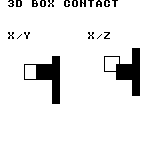
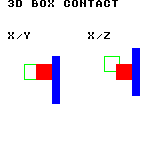
Build command
New-Item -ItemType Directory -Force .\out | Out-Null
.\kitaqgb\kitaqgb.exe .\kitaq-docs\samples\api-examples\gb\physics_body3d.c -I .\kitaqgb\lib -I .\kitaq-docs\samples -o .\out\physics_body3d.gb --profile=dev --rst-disable --stack-bank=fixed --cgb=cgb --cart=mbc5 --romsize=128k --no-cache --no-disasmImplementation and source
kitaqgb/lib/physics3d.h:50
Initialize an active centered box with zero velocity/acceleration, restitution 224, cleared impact/flags and mass set through the weight helper. The caller supplies valid half extents. Null body is ignored.
kitaqgb/lib/physics3d.c:330
void kq3d_body_init(KQBody3D* body, s16 x, s16 y, s16 z, s16 half_x, s16 half_y, s16 half_z, s16 mass_q8)
{
if (body == 0) return;
body->x = x;
body->y = y;
body->z = z;
body->vx = 0;
body->vy = 0;
body->vz = 0;
body->ax = 0;
body->ay = 0;
body->az = 0;
body->half_x = half_x;
body->half_y = half_y;
body->half_z = half_z;
body->restitution_q8 = 224;
body->break_speed = 0;
body->last_impact_speed = 0;
body->active = 1;
body->flags = 0;
kq3d_body_set_mass(body, mass_q8);
}kq3d_body_set_mass
Store the requested mass and compute an inverse-mass weight for correction and bounce.
Syntax
void kq3d_body_set_mass(KQBody3D* body, s16 mass_q8);Parameters
bodyPointer to the body to modify. Fields not used by this operation are retained.
mass_q8Mass value with 256 representing 1.0; nonpositive values create a static body.
Return value
No return value. This entry describes the fields updated and when they take effect.
Conditions and limits
physics3d.c resides in ROM bank 2. The sample uses an MBC5 128 KB ROM, includes that implementation first and places main in bank 0. Do not change the ROM mapping externally during a call.
Nonpositive mass gives inverse mass zero (static). Positive mass uses integer 32767/max(mass,64), with a minimum of 1. Stored mass retains the requested value: the weight is not an exact Q8 reciprocal. Mass 256 gives inverse mass 127. Velocity/activity stay unchanged; NULL is ignored.
Usage example
kq3d_body_set_mass(&temp,32); result[6]=temp.mass_q8; result[7]=temp.inv_mass_q8;
kq3d_body_set_mass(&temp,0); result[8]=temp.inv_mass_q8;
kq3d_body_set_mass(&temp,256);This is a calling fragment. Follow the stated initialization and buffer requirements before using it in a complete program.
Expected result
Left is the X/Y front view and right is the X/Z top view. Green outlines mark the initial (24,24,16); red boxes show (36,24,24) after one tick; blue regions are the static obstacle. X velocity bounces from 16 to -14 while Z velocity stays 8. Impact is 16, but flags remain zero despite break_speed=1. Panel origins are screen (8,48)/(88,48). All marks are black on DMG.
Build command
New-Item -ItemType Directory -Force .\out | Out-Null
.\kitaqgb\kitaqgb.exe .\kitaq-docs\samples\api-examples\gb\physics_body3d.c -I .\kitaqgb\lib -I .\kitaq-docs\samples -o .\out\physics_body3d.gb --profile=dev --rst-disable --stack-bank=fixed --cgb=cgb --cart=mbc5 --romsize=128k --no-cache --no-disasmImplementation and source
kitaqgb/lib/physics3d.h:55
Store the requested mass; nonpositive mass makes the body static. For positive mass compute inverse weight as max(1,32767/max(mass,64)). The stored mass retains the original input; this is a relative solver weight, not an exact Q8 reciprocal. Null body is ignored.
kitaqgb/lib/physics3d.c:311
void kq3d_body_set_mass(KQBody3D* body, s16 mass_q8)
{
if (body == 0) return;
body->mass_q8 = mass_q8;
if (mass_q8 <= 0)
{
body->inv_mass_q8 = 0;
return;
}
if (mass_q8 < 64) mass_q8 = 64;
body->inv_mass_q8 = (s16)(32767 / mass_q8);
if (body->inv_mass_q8 <= 0) body->inv_mass_q8 = 1;
}kq3d_dot_q8_8
Divide each of three signed products by 256, truncate each toward zero, then add the terms.
Syntax
s16 kq3d_dot_q8_8(s16 x, s16 y, s16 z, s8 ax, s8 ay, s8 az);Parameters
xSigned 16-bit component to multiply by the matching coefficient; it may represent position or velocity.
ySigned 16-bit component to multiply by the matching coefficient; it may represent position or velocity.
zSigned 16-bit component to multiply by the matching coefficient; it may represent position or velocity.
axSigned byte coefficient for this axis (-128..127), scaled by 1/256.
aySigned byte coefficient for this axis (-128..127), scaled by 1/256.
azSigned byte coefficient for this axis (-128..127), scaled by 1/256.
Return value
Returns the sum of three quantized terms as s16.
Conditions and limits
physics3d.c resides in ROM bank 2. The sample uses an MBC5 128 KB ROM, includes that implementation first and places main in bank 0. Do not change the ROM mapping externally during a call.
Truncating each term toward zero first can differ from shifting the full sum once. A coefficient cannot store 1.0=256. The final sum is not saturated.
Usage example
result[13]=kq3d_dot_q8_8(256,128,0,64,-64,127);This is a calling fragment. Follow the stated initialization and buffer requirements before using it in a complete program.
Expected result
Left is the X/Y front view and right is the X/Z top view. Green outlines mark the initial (24,24,16); red boxes show (36,24,24) after one tick; blue regions are the static obstacle. X velocity bounces from 16 to -14 while Z velocity stays 8. Impact is 16, but flags remain zero despite break_speed=1. Panel origins are screen (8,48)/(88,48). All marks are black on DMG.
Build command
New-Item -ItemType Directory -Force .\out | Out-Null
.\kitaqgb\kitaqgb.exe .\kitaq-docs\samples\api-examples\gb\physics_body3d.c -I .\kitaqgb\lib -I .\kitaq-docs\samples -o .\out\physics_body3d.gb --profile=dev --rst-disable --stack-bank=fixed --cgb=cgb --cart=mbc5 --romsize=128k --no-cache --no-disasmImplementation and source
kitaqgb/lib/physics3d.h:74
Sum three signed products, shifting each by eight bits before addition. Coefficients are signed bytes scaled by 1/256; the 16-bit sum is not saturated.
kitaqgb/lib/physics3d.c:576
s16 kq3d_dot_q8_8(s16 x, s16 y, s16 z, s8 ax, s8 ay, s8 az)
{
return __sdot3_q8_8(x, y, z, ax, ay, az);
}kq3d_integrate_body
See the 2026-10-03 changes and verification for differences in the local version of this API.
Clear one active dynamic body’s impact, add world gravity and body acceleration, clamp each velocity axis and advance position.
Syntax
void kq3d_integrate_body(KQWorld3D* world, KQBody3D* body);Parameters
worldPointer to the world holding the body array and simulation settings.
bodyPointer to the body to modify. Fields not used by this operation are retained.
Return value
No return value. This entry describes the fields updated and when they take effect.
Conditions and limits
Choose consistent integer units for positions, radii, half extents, velocities and gravity. One step is one simulation tick. The samples use one unit per pixel. These routines neither convert positions to Q8.8 automatically nor render them.
Keep sums, differences, combined half extents and contact-correction products within signed 16-bit range. Velocity limits apply after addition and cannot prevent overflow during that addition.
Box integration and collision routines use shared scratch storage. Do not re-enter these physics routines from an interrupt.
physics3d.c resides in ROM bank 2. The sample uses an MBC5 128 KB ROM, includes that implementation first and places main in bank 0. Do not change the ROM mapping externally during a call.
last_impact_speed records the maximum closing speed along a contact axis. Integration clears it for active dynamic bodies; static and inactive bodies retain it. Neither break_speed nor KQ3D_BODY_BROKEN triggers automatic destruction. The game decides when to break a body and changes flags/active itself.
ax/ay/az persist and apply again on the next integration. This function alone does not resolve contacts. NULL, inactive and static bodies are not modified.
Usage example
kq3d_integrate_body(&world,&temp);
result[9]=temp.x; result[10]=temp.y; result[11]=temp.z; result[12]=temp.last_impact_speed;This is a calling fragment. Follow the stated initialization and buffer requirements before using it in a complete program.
Expected result
Left is the X/Y front view and right is the X/Z top view. Green outlines mark the initial (24,24,16); red boxes show (36,24,24) after one tick; blue regions are the static obstacle. X velocity bounces from 16 to -14 while Z velocity stays 8. Impact is 16, but flags remain zero despite break_speed=1. Panel origins are screen (8,48)/(88,48). All marks are black on DMG.
Build command
New-Item -ItemType Directory -Force .\out | Out-Null
.\kitaqgb\kitaqgb.exe .\kitaq-docs\samples\api-examples\gb\physics_body3d.c -I .\kitaqgb\lib -I .\kitaq-docs\samples -o .\out\physics_body3d.gb --profile=dev --rst-disable --stack-bank=fixed --cgb=cgb --cart=mbc5 --romsize=128k --no-cache --no-disasmImplementation and source
kitaqgb/lib/physics3d.h:66
Reset impact for one active dynamic body, add gravity and persistent body acceleration, clamp velocity per axis and advance position. Static/inactive bodies retain impact state. Null inputs are ignored; no contacts are solved. Use a nonnegative speed limit and avoid overflow before clamping.
kitaqgb/lib/physics3d.c:436
void kq3d_integrate_body(KQWorld3D* world, KQBody3D* body)
{
if (world == 0) return;
if (body == 0) return;
if (body->active == 0) return;
if (body->inv_mass_q8 <= 0) return;
body->last_impact_speed = 0;
kq3d_asm_value = body->vx;
kq3d_asm_operand = world->gravity_x;
kq3d_add_s16_asm();
kq3d_asm_operand = body->ax;
kq3d_add_s16_asm();
kq3d_asm_limit = world->max_speed;
kq3d_clamp_abs_s16_asm();
body->vx = kq3d_asm_value;
kq3d_asm_value = body->vy;
kq3d_asm_operand = world->gravity_y;
kq3d_add_s16_asm();
kq3d_asm_operand = body->ay;
kq3d_add_s16_asm();
kq3d_asm_limit = world->max_speed;
kq3d_clamp_abs_s16_asm();
body->vy = kq3d_asm_value;
kq3d_asm_value = body->vz;
kq3d_asm_operand = world->gravity_z;
kq3d_add_s16_asm();
kq3d_asm_operand = body->az;
kq3d_add_s16_asm();
kq3d_asm_limit = world->max_speed;
kq3d_clamp_abs_s16_asm();
body->vz = kq3d_asm_value;
kq3d_asm_value = body->x;
kq3d_asm_operand = body->vx;
kq3d_add_s16_asm();
body->x = kq3d_asm_value;
kq3d_asm_value = body->y;
kq3d_asm_operand = body->vy;
kq3d_add_s16_asm();
body->y = kq3d_asm_value;
kq3d_asm_value = body->z;
kq3d_asm_operand = body->vz;
kq3d_add_s16_asm();
body->z = kq3d_asm_value;
}kq3d_overlap_aabb
Test strict overlap of two centered boxes on all three axes.
Syntax
u8 kq3d_overlap_aabb(const KQBody3D* a, const KQBody3D* b);Parameters
aValid body pointer; the query ignores activity, mass and flags.
bValid body pointer; the query ignores activity, mass and flags.
Return value
Returns 1 for interior overlap and 0 for touching or separated shapes.
Conditions and limits
Choose consistent integer units for positions, radii, half extents, velocities and gravity. One step is one simulation tick. The samples use one unit per pixel. These routines neither convert positions to Q8.8 automatically nor render them.
Keep sums, differences, combined half extents and contact-correction products within signed 16-bit range. Velocity limits apply after addition and cannot prevent overflow during that addition.
physics3d.c resides in ROM bank 2. The sample uses an MBC5 128 KB ROM, includes that implementation first and places main in bank 0. Do not change the ROM mapping externally during a call.
Usage example
result[14]=kq3d_overlap_aabb(&bodies[0],&bodies[1]);
bodies[1].z=32; result[15]=kq3d_overlap_aabb(&bodies[0],&bodies[1]);This is a calling fragment. Follow the stated initialization and buffer requirements before using it in a complete program.
Expected result
Left is the X/Y front view and right is the X/Z top view. Green outlines mark the initial (24,24,16); red boxes show (36,24,24) after one tick; blue regions are the static obstacle. X velocity bounces from 16 to -14 while Z velocity stays 8. Impact is 16, but flags remain zero despite break_speed=1. Panel origins are screen (8,48)/(88,48). All marks are black on DMG.
Build command
New-Item -ItemType Directory -Force .\out | Out-Null
.\kitaqgb\kitaqgb.exe .\kitaq-docs\samples\api-examples\gb\physics_body3d.c -I .\kitaqgb\lib -I .\kitaq-docs\samples -o .\out\physics_body3d.gb --profile=dev --rst-disable --stack-bank=fixed --cgb=cgb --cart=mbc5 --romsize=128k --no-cache --no-disasmImplementation and source
kitaqgb/lib/physics3d.h:70
Test strict overlap on all three axes; face-only contact returns false. Valid pointers are required and flags are ignored. Center differences and extent sums must fit the signed 16-bit magnitude calculations.
kitaqgb/lib/physics3d.c:357
u8 kq3d_overlap_aabb(const KQBody3D* a, const KQBody3D* b)
{
s16 dx = kq3d__abs_s16((s16)(b->x - a->x));
s16 dy = kq3d__abs_s16((s16)(b->y - a->y));
s16 dz = kq3d__abs_s16((s16)(b->z - a->z));
s16 sx = (s16)(a->half_x + b->half_x);
s16 sy = (s16)(a->half_y + b->half_y);
s16 sz = (s16)(a->half_z + b->half_z);
if (dx >= sx) return 0;
if (dy >= sy) return 0;
if (dz >= sz) return 0;
return 1;
}kq3d_step
See the 2026-10-03 changes and verification for differences in the local version of this API.
Integrate active dynamic bodies and resolve contact correction, bounce and impact records among active world entries.
Syntax
void kq3d_step(KQWorld3D* world);Parameters
worldPointer to the world holding the body array and simulation settings.
Return value
No return value. This entry describes the fields updated and when they take effect.
Conditions and limits
Choose consistent integer units for positions, radii, half extents, velocities and gravity. One step is one simulation tick. The samples use one unit per pixel. These routines neither convert positions to Q8.8 automatically nor render them.
A world borrows its array. The caller allocates and owns body storage and keeps it alive. Initializing a world does not initialize its array elements.
Keep sums, differences, combined half extents and contact-correction products within signed 16-bit range. Velocity limits apply after addition and cannot prevent overflow during that addition.
Box integration and collision routines use shared scratch storage. Do not re-enter these physics routines from an interrupt.
physics3d.c resides in ROM bank 2. The sample uses an MBC5 128 KB ROM, includes that implementation first and places main in bank 0. Do not change the ROM mapping externally during a call.
Contacts use the least-penetrating axis, preferring X, then Y, then Z on ties. Only closing motion produces a bounce, using inverse masses and the average restitution clamped to 0..256. Fast tunnelling, rotation, angular momentum and friction are not handled.
last_impact_speed records the maximum closing speed along a contact axis. Integration clears it for active dynamic bodies; static and inactive bodies retain it. Neither break_speed nor KQ3D_BODY_BROKEN triggers automatic destruction. The game decides when to break a body and changes flags/active itself.
A NULL world or array is ignored. A zero solver_iterations value still performs one contact pass.
The intermediate impact*(256+restitution) and correction*inverse-mass products are also s16. Keep products within 32767; for example, with restitution 256 keep impact at most 63.
Usage example
kq3d_step(&world);
result[16]=bodies[0].x; result[17]=bodies[0].y; result[18]=bodies[0].z;
result[19]=bodies[0].vx; result[20]=bodies[0].vz;
result[21]=bodies[0].last_impact_speed; result[22]=bodies[0].flags;This is a calling fragment. Follow the stated initialization and buffer requirements before using it in a complete program.
Expected result
Left is the X/Y front view and right is the X/Z top view. Green outlines mark the initial (24,24,16); red boxes show (36,24,24) after one tick; blue regions are the static obstacle. X velocity bounces from 16 to -14 while Z velocity stays 8. Impact is 16, but flags remain zero despite break_speed=1. Panel origins are screen (8,48)/(88,48). All marks are black on DMG.
Build command
New-Item -ItemType Directory -Force .\out | Out-Null
.\kitaqgb\kitaqgb.exe .\kitaq-docs\samples\api-examples\gb\physics_body3d.c -I .\kitaqgb\lib -I .\kitaq-docs\samples -o .\out\physics_body3d.gb --profile=dev --rst-disable --stack-bank=fixed --cgb=cgb --cart=mbc5 --romsize=128k --no-cache --no-disasmImplementation and source
kitaqgb/lib/physics3d.h:61
Integrate active dynamic bodies and reset their impact values, then solve each active unordered pair for the configured passes (zero means one). Static bodies retain previous impact maxima until the game clears them. Acceleration persists; flags and break thresholds remain game-owned. This discrete solver shares non-reentrant ASM scratch and can miss fast crossings.
kitaqgb/lib/physics3d.c:492
void kq3d_step(KQWorld3D* world)
{
if (world == 0) return;
if (world->bodies == 0) return;
KQBody3D* bodies = world->bodies;
u8 count = world->body_count;
u8 i;
for (i = 0; i < count; i++)
{
KQBody3D* b = &bodies[(__safe_index u8)i];
if (b->active == 0) continue;
if (b->inv_mass_q8 <= 0) continue;
b->last_impact_speed = 0;
kq3d_asm_value = b->vx;
kq3d_asm_operand = world->gravity_x;
kq3d_add_s16_asm();
kq3d_asm_operand = b->ax;
kq3d_add_s16_asm();
kq3d_asm_limit = world->max_speed;
kq3d_clamp_abs_s16_asm();
b->vx = kq3d_asm_value;
kq3d_asm_value = b->vy;
kq3d_asm_operand = world->gravity_y;
kq3d_add_s16_asm();
kq3d_asm_operand = b->ay;
kq3d_add_s16_asm();
kq3d_asm_limit = world->max_speed;
kq3d_clamp_abs_s16_asm();
b->vy = kq3d_asm_value;
kq3d_asm_value = b->vz;
kq3d_asm_operand = world->gravity_z;
kq3d_add_s16_asm();
kq3d_asm_operand = b->az;
kq3d_add_s16_asm();
kq3d_asm_limit = world->max_speed;
kq3d_clamp_abs_s16_asm();
b->vz = kq3d_asm_value;
kq3d_asm_value = b->x;
kq3d_asm_operand = b->vx;
kq3d_add_s16_asm();
b->x = kq3d_asm_value;
kq3d_asm_value = b->y;
kq3d_asm_operand = b->vy;
kq3d_add_s16_asm();
b->y = kq3d_asm_value;
kq3d_asm_value = b->z;
kq3d_asm_operand = b->vz;
kq3d_add_s16_asm();
b->z = kq3d_asm_value;
}
u8 iterations = world->solver_iterations;
if (iterations == 0) iterations = 1;
u8 it;
for (it = 0; it < iterations; it++)
{
for (i = 0; i < count; i++)
{
KQBody3D* a = &bodies[(__safe_index u8)i];
if (a->active == 0) continue;
u8 j;
for (j = (u8)(i + 1); j < count; j++)
{
KQBody3D* b = &bodies[(__safe_index u8)j];
if (b->active == 0) continue;
kq3d__resolve_pair(a, b);
}
}
}
}kq3d_world_init
Attach a body array to a 3D world with gravity (0,24,0), four passes and per-axis speed limit 512.
Syntax
void kq3d_world_init(KQWorld3D* world, KQBody3D* bodies, u8 body_count);Parameters
worldPointer to the world holding the body array and simulation settings.
bodiesStart of a caller-owned body array containing body_count elements.
body_countNumber of array slots, 0..255, including inactive entries.
Return value
No return value. This entry describes the fields updated and when they take effect.
Conditions and limits
Choose consistent integer units for positions, radii, half extents, velocities and gravity. One step is one simulation tick. The samples use one unit per pixel. These routines neither convert positions to Q8.8 automatically nor render them.
A world borrows its array. The caller allocates and owns body storage and keeps it alive. Initializing a world does not initialize its array elements.
physics3d.c resides in ROM bank 2. The sample uses an MBC5 128 KB ROM, includes that implementation first and places main in bank 0. Do not change the ROM mapping externally during a call.
Usage example
kq3d_world_init(&world,bodies,2);
result[0]=world.gravity_y; result[1]=world.solver_iterations; result[2]=world.max_speed;This is a calling fragment. Follow the stated initialization and buffer requirements before using it in a complete program.
Expected result
Left is the X/Y front view and right is the X/Z top view. Green outlines mark the initial (24,24,16); red boxes show (36,24,24) after one tick; blue regions are the static obstacle. X velocity bounces from 16 to -14 while Z velocity stays 8. Impact is 16, but flags remain zero despite break_speed=1. Panel origins are screen (8,48)/(88,48). All marks are black on DMG.
Build command
New-Item -ItemType Directory -Force .\out | Out-Null
.\kitaqgb\kitaqgb.exe .\kitaq-docs\samples\api-examples\gb\physics_body3d.c -I .\kitaqgb\lib -I .\kitaq-docs\samples -o .\out\physics_body3d.gb --profile=dev --rst-disable --stack-bank=fixed --cgb=cgb --cart=mbc5 --romsize=128k --no-cache --no-disasmImplementation and source
kitaqgb/lib/physics3d.h:46
Borrow the body array without initializing it. Set gravity (0,24,0), four contact passes and a per-axis speed limit of 512. Null world is ignored; the caller retains ownership and must keep the array alive.
kitaqgb/lib/physics3d.c:294
void kq3d_world_init(KQWorld3D* world, KQBody3D* bodies, u8 body_count)
{
if (world == 0) return;
world->bodies = bodies;
world->body_count = body_count;
world->gravity_x = 0;
world->gravity_y = 24;
world->gravity_z = 0;
world->solver_iterations = 4;
world->max_speed = 512;
}raster.h — Scroll tables for bands and scanlines
The Raster library provides an eight-entry band table and a LineX renderer that changes X on all 144 visible lines. Bands suit fixed HUDs, parallax, window changes and CGB color regions. LineX suits rippling titles and screen effects. Choose one driver; do not run both together.
Include raster.h and compile raster.c plus scroll.c. A shared table holds up to eight bands. Do not interleave direct Scroll_Split* or __scroll_split_* calls while building with Raster_*; they bypass the wrapper count and last-line bookkeeping.
Rebuild in VBlank or another interval where you control the display impact: clear, add entries, then commit. Clear stops the active splits too; this is not editing an independent back buffer. LY schedules an interrupt, and register writes take additional time. Use the separate Raster_LineX* family for per-scanline wave rendering; do not run both drivers together.
A scanline wave and an animated title entrance
Changing background X on each screen line bends pillars and lettering into a wave. This can introduce a warp, a boss encounter or a title. The preview below cycles through eight captured images; the ROM advances the wave phase on every frame.
Raster_Push operations schedule up to eight bands. Use Raster_LineXRunFrame for a separate horizontal offset on every scanline. Sprites and the window do not bend. The renderer occupies the CPU and masks interrupts during all 144 visible lines, so update game logic and audio between calls.

The title enters from the right with a large wave, changes to a small ripple and then settles. It includes raster_wave.c from the same directory, so keep both source files together. The API entries below include build commands and individual usage notes.
The Raster library provides an eight-entry band table and a LineX renderer that changes X on all 144 visible lines. Bands suit fixed HUDs, parallax, window changes and CGB color regions. LineX suits rippling titles and screen effects. Choose one driver; do not run both together.
Include raster.h and compile raster.c plus scroll.c. A shared table holds up to eight bands. Do not interleave direct Scroll_Split* or __scroll_split_* calls while building with Raster_*; they bypass the wrapper count and last-line bookkeeping.
Rebuild in VBlank or another interval where you control the display impact: clear, add entries, then commit. Clear stops the active splits too; this is not editing an independent back buffer. LY schedules an interrupt, and register writes take additional time. Use the separate Raster_LineX* family for per-scanline wave rendering; do not run both drivers together.
Raster_BuildHudBottom
Build a scrolling upper playfield and fixed bottom HUD. LY=0 uses camera coordinates; hud_y switches to background (0,0).
Syntax
u8 Raster_BuildHudBottom(u8 hud_y, u8 camera_x, u8 camera_y);Parameters
hud_ySplit line, 1..143. Zero or 144 and above return BAD_RANGE.
camera_xBackground scroll byte, 0..255. SCX/SCY specify where to read the background map, not a screen-space position. Coordinates wrap across the 256-pixel background.
camera_yBackground scroll byte, 0..255. SCX/SCY specify where to read the background map, not a screen-space position. Coordinates wrap across the 256-pixel background.
Return value
Return KQ_RASTER_OK (0) on success or an error status 1..4. See the function constraints and Raster_GetLastError.
Conditions and limits
Include raster.h and compile raster.c plus scroll.c. A shared table holds up to eight bands. Do not interleave direct Scroll_Split* or __scroll_split_* calls while building with Raster_*; they bypass the wrapper count and last-line bookkeeping.
Rebuild in VBlank or another interval where you control the display impact: clear, add entries, then commit. Clear stops the active splits too; this is not editing an independent back buffer. LY schedules an interrupt, and register writes take additional time. Use the separate Raster_LineX* family for per-scanline wave rendering; do not run both drivers together.
Status codes are 0 OK, 1 FULL, 2 BAD_LY, 3 UNSORTED and 4 BAD_RANGE. Push operations check LY range, capacity and ordering in that order. A rejected entry does not grow the table. A later successful push or clear resets the error to zero, so check each return value when it occurs.
Valid parameters stop existing splits, clear the table and add the new bands. Invalid parameters preserve the table and count while storing BAD_RANGE. A successful build still requires Raster_Commit.
Usage example
Raster_BuildHudBottom(96,8,8);This is a calling fragment. Follow the stated initialization and buffer requirements before using it in a complete program.
Expected result
Rows from 96 downward stay fixed. Camera (8,8) places the upper rectangles at (24,8) and (24,72), while the bottom rectangle stays at (32,112). FIXED BOTTOM HUD stays at the bottom.
Build command
New-Item -ItemType Directory -Force .\out | Out-Null
.\kitaqgb\kitaqgb.exe .\kitaq-docs\samples\api-examples\gb\raster_bands_hud_bottom.c -I .\kitaqgb\lib -I .\kitaq-docs\samples -o .\out\raster_bands.gb --profile=dev --rst-disable --stack-bank=fixed --cgb=cgb --cart=mbc5 --romsize=64k --no-cache --no-disasmImplementation and source
kitaqgb/lib/raster.h:73
Build a scrolling upper playfield and fixed bottom HUD after validating the split.
kitaqgb/lib/raster.c:183
u8 Raster_BuildHudBottom(u8 hud_y, u8 camera_x, u8 camera_y)
{
u8 r;
if (hud_y == 0) return Raster_SetError(KQ_RASTER_BAD_RANGE);
if (hud_y >= 144) return Raster_SetError(KQ_RASTER_BAD_RANGE);
Raster_Clear();
r = Raster_Push(0, camera_x, camera_y);
if (r != KQ_RASTER_OK) return r;
return Raster_Push(hud_y, 0, 0);
}Raster_BuildHudTop
Build two background bands for a fixed top HUD: (0,0) at LY=0, then camera coordinates at hud_height. This splits background scrolling; it does not use the window.
Syntax
u8 Raster_BuildHudTop(u8 hud_height, u8 camera_x, u8 camera_y);Parameters
hud_heightSplit line, 1..143. Zero or 144 and above return BAD_RANGE.
camera_xBackground scroll byte, 0..255. SCX/SCY specify where to read the background map, not a screen-space position. Coordinates wrap across the 256-pixel background.
camera_yBackground scroll byte, 0..255. SCX/SCY specify where to read the background map, not a screen-space position. Coordinates wrap across the 256-pixel background.
Return value
Return KQ_RASTER_OK (0) on success or an error status 1..4. See the function constraints and Raster_GetLastError.
Conditions and limits
Include raster.h and compile raster.c plus scroll.c. A shared table holds up to eight bands. Do not interleave direct Scroll_Split* or __scroll_split_* calls while building with Raster_*; they bypass the wrapper count and last-line bookkeeping.
Rebuild in VBlank or another interval where you control the display impact: clear, add entries, then commit. Clear stops the active splits too; this is not editing an independent back buffer. LY schedules an interrupt, and register writes take additional time. Use the separate Raster_LineX* family for per-scanline wave rendering; do not run both drivers together.
Status codes are 0 OK, 1 FULL, 2 BAD_LY, 3 UNSORTED and 4 BAD_RANGE. Push operations check LY range, capacity and ordering in that order. A rejected entry does not grow the table. A later successful push or clear resets the error to zero, so check each return value when it occurs.
Valid parameters stop existing splits, clear the table and add the new bands. Invalid parameters preserve the table and count while storing BAD_RANGE. A successful build still requires Raster_Commit.
Usage example
Raster_BuildHudTop(32,8,8);This is a calling fragment. Follow the stated initialization and buffer requirements before using it in a complete program.
Expected result
The top 32 rows stay fixed. The upper rectangle remains at (32,16); camera (8,8) moves the other two to (24,72) and (24,104). FIXED TOP HUD remains at the top.
Build command
New-Item -ItemType Directory -Force .\out | Out-Null
.\kitaqgb\kitaqgb.exe .\kitaq-docs\samples\api-examples\gb\raster_bands_hud_top.c -I .\kitaqgb\lib -I .\kitaq-docs\samples -o .\out\raster_bands.gb --profile=dev --rst-disable --stack-bank=fixed --cgb=cgb --cart=mbc5 --romsize=64k --no-cache --no-disasmImplementation and source
kitaqgb/lib/raster.h:71
Validate the HUD height, then replace pending splits with a fixed top band and scrolling playfield. The new table still requires an explicit commit.
kitaqgb/lib/raster.c:169
u8 Raster_BuildHudTop(u8 hud_height, u8 camera_x, u8 camera_y)
{
u8 r;
if (hud_height == 0) return Raster_SetError(KQ_RASTER_BAD_RANGE);
if (hud_height >= 144) return Raster_SetError(KQ_RASTER_BAD_RANGE);
Raster_Clear();
r = Raster_Push(0, 0, 0);
if (r != KQ_RASTER_OK) return r;
return Raster_Push(hud_height, camera_x, camera_y);
}Raster_BuildParallax2
Build two background bands with separate horizontal offsets: far_scx at LY=0 and near_scx from split_y, sharing the same Y scroll.
Syntax
u8 Raster_BuildParallax2(u8 split_y, u8 far_scx, u8 near_scx, u8 scy);Parameters
split_ySplit line, 1..143. Zero or 144 and above return BAD_RANGE.
far_scxBackground scroll byte, 0..255. SCX/SCY specify where to read the background map, not a screen-space position. Coordinates wrap across the 256-pixel background.
near_scxBackground scroll byte, 0..255. SCX/SCY specify where to read the background map, not a screen-space position. Coordinates wrap across the 256-pixel background.
scyBackground scroll byte, 0..255. SCX/SCY specify where to read the background map, not a screen-space position. Coordinates wrap across the 256-pixel background.
Return value
Return KQ_RASTER_OK (0) on success or an error status 1..4. See the function constraints and Raster_GetLastError.
Conditions and limits
Include raster.h and compile raster.c plus scroll.c. A shared table holds up to eight bands. Do not interleave direct Scroll_Split* or __scroll_split_* calls while building with Raster_*; they bypass the wrapper count and last-line bookkeeping.
Rebuild in VBlank or another interval where you control the display impact: clear, add entries, then commit. Clear stops the active splits too; this is not editing an independent back buffer. LY schedules an interrupt, and register writes take additional time. Use the separate Raster_LineX* family for per-scanline wave rendering; do not run both drivers together.
Status codes are 0 OK, 1 FULL, 2 BAD_LY, 3 UNSORTED and 4 BAD_RANGE. Push operations check LY range, capacity and ordering in that order. A rejected entry does not grow the table. A later successful push or clear resets the error to zero, so check each return value when it occurs.
Valid parameters stop existing splits, clear the table and add the new bands. Invalid parameters preserve the table and count while storing BAD_RANGE. A successful build still requires Raster_Commit.
Usage example
Raster_BuildParallax2(64,0,16,0);This is a calling fragment. Follow the stated initialization and buffer requirements before using it in a complete program.
Expected result
X changes from 0 to 16 at the scheduled line 64. Rectangles appear at (32,16), (16,80) and (16,112); only the lower region shifts sixteen pixels left.
Build command
New-Item -ItemType Directory -Force .\out | Out-Null
.\kitaqgb\kitaqgb.exe .\kitaq-docs\samples\api-examples\gb\raster_bands_parallax2.c -I .\kitaqgb\lib -I .\kitaq-docs\samples -o .\out\raster_bands.gb --profile=dev --rst-disable --stack-bank=fixed --cgb=cgb --cart=mbc5 --romsize=64k --no-cache --no-disasmImplementation and source
kitaqgb/lib/raster.h:76
Build two horizontal-scroll bands sharing one vertical scroll value.
kitaqgb/lib/raster.c:197
u8 Raster_BuildParallax2(u8 split_y, u8 far_scx, u8 near_scx, u8 scy)
{
u8 r;
if (split_y == 0) return Raster_SetError(KQ_RASTER_BAD_RANGE);
if (split_y >= 144) return Raster_SetError(KQ_RASTER_BAD_RANGE);
Raster_Clear();
r = Raster_Push(0, far_scx, scy);
if (r != KQ_RASTER_OK) return r;
return Raster_Push(split_y, near_scx, scy);
}Raster_BuildParallax3
Register scx0, scx1 and scx2 for bands beginning at LY=0, y1 and y2. Give far, middle and near layers different horizontal offsets while sharing Y scroll.
Syntax
u8 Raster_BuildParallax3(u8 y1, u8 y2, u8 scx0, u8 scx1, u8 scx2, u8 scy);Parameters
y1Split line; require 1 <= y1 < y2 <= 143.
y2Split line; require 1 <= y1 < y2 <= 143.
scx0Background scroll byte, 0..255. SCX/SCY specify where to read the background map, not a screen-space position. Coordinates wrap across the 256-pixel background.
scx1Background scroll byte, 0..255. SCX/SCY specify where to read the background map, not a screen-space position. Coordinates wrap across the 256-pixel background.
scx2Background scroll byte, 0..255. SCX/SCY specify where to read the background map, not a screen-space position. Coordinates wrap across the 256-pixel background.
scyBackground scroll byte, 0..255. SCX/SCY specify where to read the background map, not a screen-space position. Coordinates wrap across the 256-pixel background.
Return value
Return KQ_RASTER_OK (0) on success or an error status 1..4. See the function constraints and Raster_GetLastError.
Conditions and limits
Include raster.h and compile raster.c plus scroll.c. A shared table holds up to eight bands. Do not interleave direct Scroll_Split* or __scroll_split_* calls while building with Raster_*; they bypass the wrapper count and last-line bookkeeping.
Rebuild in VBlank or another interval where you control the display impact: clear, add entries, then commit. Clear stops the active splits too; this is not editing an independent back buffer. LY schedules an interrupt, and register writes take additional time. Use the separate Raster_LineX* family for per-scanline wave rendering; do not run both drivers together.
Status codes are 0 OK, 1 FULL, 2 BAD_LY, 3 UNSORTED and 4 BAD_RANGE. Push operations check LY range, capacity and ordering in that order. A rejected entry does not grow the table. A later successful push or clear resets the error to zero, so check each return value when it occurs.
Valid parameters stop existing splits, clear the table and add the new bands. Invalid parameters preserve the table and count while storing BAD_RANGE. A successful build still requires Raster_Commit.
Usage example
Raster_BuildParallax3(64,104,0,8,16,0);This is a calling fragment. Follow the stated initialization and buffer requirements before using it in a complete program.
Expected result
Scheduled lines 64 and 104 select X offsets 0, 8 and 16. Rectangles at (32,16), (24,80) and (16,112) show the increasing displacement across three bands.
Build command
New-Item -ItemType Directory -Force .\out | Out-Null
.\kitaqgb\kitaqgb.exe .\kitaq-docs\samples\api-examples\gb\raster_bands_parallax3.c -I .\kitaqgb\lib -I .\kitaq-docs\samples -o .\out\raster_bands.gb --profile=dev --rst-disable --stack-bank=fixed --cgb=cgb --cart=mbc5 --romsize=64k --no-cache --no-disasmImplementation and source
kitaqgb/lib/raster.h:79
Build three horizontal-scroll bands at ordered visible split lines. Invalid parameters leave the previous pending table intact and set the error status.
kitaqgb/lib/raster.c:212
u8 Raster_BuildParallax3(u8 y1, u8 y2, u8 scx0, u8 scx1, u8 scx2, u8 scy)
{
u8 r;
if (y1 == 0) return Raster_SetError(KQ_RASTER_BAD_RANGE);
if (y2 >= 144) return Raster_SetError(KQ_RASTER_BAD_RANGE);
if (y2 <= y1) return Raster_SetError(KQ_RASTER_BAD_RANGE);
Raster_Clear();
r = Raster_Push(0, scx0, scy);
if (r != KQ_RASTER_OK) return r;
r = Raster_Push(y1, scx1, scy);
if (r != KQ_RASTER_OK) return r;
return Raster_Push(y2, scx2, scy);
}Raster_Clear
Immediately stop split scheduling and reset count, ordering and error state before rebuilding a table in the same scene. It does not zero every byte of table storage.
Syntax
void Raster_Clear();Return value
No return value.
Conditions and limits
Include raster.h and compile raster.c plus scroll.c. A shared table holds up to eight bands. Do not interleave direct Scroll_Split* or __scroll_split_* calls while building with Raster_*; they bypass the wrapper count and last-line bookkeeping.
Rebuild in VBlank or another interval where you control the display impact: clear, add entries, then commit. Clear stops the active splits too; this is not editing an independent back buffer. LY schedules an interrupt, and register writes take additional time. Use the separate Raster_LineX* family for per-scanline wave rendering; do not run both drivers together.
Status codes are 0 OK, 1 FULL, 2 BAD_LY, 3 UNSORTED and 4 BAD_RANGE. Push operations check LY range, capacity and ordering in that order. A rejected entry does not grow the table. A later successful push or clear resets the error to zero, so check each return value when it occurs.
Stopping splits does not zero SCX, SCY, WX or WY. Use ordinary setters such as Scroll_SetBg for the desired base state. These functions also do not restore previous VBlank/STAT IE bits or IME.
Usage example
Raster_Clear();This is a calling fragment. Follow the stated initialization and buffer requirements before using it in a complete program.
Expected result
Red rectangles (black on DMG), each 24 by 16 pixels, appear at (32,16), (24,80) and (16,112). Lower bands shift farther left. Internal results record count 3, error 0 and commit result 0.
Build command
New-Item -ItemType Directory -Force .\out | Out-Null
.\kitaqgb\kitaqgb.exe .\kitaq-docs\samples\api-examples\gb\raster_bands_bands.c -I .\kitaqgb\lib -I .\kitaq-docs\samples -o .\out\raster_bands.gb --profile=dev --rst-disable --stack-bank=fixed --cgb=cgb --cart=mbc5 --romsize=64k --no-cache --no-disasmImplementation and source
kitaqgb/lib/raster.h:39
Stop splits immediately and clear bookkeeping. Build and commit a new table to restart.
kitaqgb/lib/raster.c:65
void Raster_Clear()
{
Scroll_SplitReset();
Raster_CountValue = 0;
Raster_LastLyValue = 0;
Raster_HasLastLy = 0;
Raster_LastErrorValue = KQ_RASTER_OK;
}Raster_Commit
Activate the constructed shared table. Even if a previous push failed, entries successfully added before it are activated; caller code must check each registration.
Syntax
u8 Raster_Commit();Return value
Return the last stored error. Zero does not prove that every earlier registration succeeded.
Conditions and limits
Include raster.h and compile raster.c plus scroll.c. A shared table holds up to eight bands. Do not interleave direct Scroll_Split* or __scroll_split_* calls while building with Raster_*; they bypass the wrapper count and last-line bookkeeping.
Rebuild in VBlank or another interval where you control the display impact: clear, add entries, then commit. Clear stops the active splits too; this is not editing an independent back buffer. LY schedules an interrupt, and register writes take additional time. Use the separate Raster_LineX* family for per-scanline wave rendering; do not run both drivers together.
Status codes are 0 OK, 1 FULL, 2 BAD_LY, 3 UNSORTED and 4 BAD_RANGE. Push operations check LY range, capacity and ordering in that order. A rejected entry does not grow the table. A later successful push or clear resets the error to zero, so check each return value when it occurs.
A nonempty table sets the VBlank/STAT IE bits and executes EI, enabling interrupts; other IE bits are preserved. An empty table disables split scheduling without restoring the global interrupt configuration.
Usage example
result[2]=Raster_Commit();This is a calling fragment. Follow the stated initialization and buffer requirements before using it in a complete program.
Expected result
Red rectangles (black on DMG), each 24 by 16 pixels, appear at (32,16), (24,80) and (16,112). Lower bands shift farther left. Internal results record count 3, error 0 and commit result 0.
Build command
New-Item -ItemType Directory -Force .\out | Out-Null
.\kitaqgb\kitaqgb.exe .\kitaq-docs\samples\api-examples\gb\raster_bands_bands.c -I .\kitaqgb\lib -I .\kitaq-docs\samples -o .\out\raster_bands.gb --profile=dev --rst-disable --stack-bank=fixed --cgb=cgb --cart=mbc5 --romsize=64k --no-cache --no-disasmImplementation and source
kitaqgb/lib/raster.h:67
Publish pending splits and return the stored status. This commits even if an earlier append failed; callers should inspect errors while building the table.
kitaqgb/lib/raster.c:161
u8 Raster_Commit()
{
Scroll_SplitCommit();
return Raster_LastErrorValue;
}Raster_Disable
Clear and commit an empty table to disable raster bands. Use this as an explicit stop when entering a scene without split scrolling.
Syntax
void Raster_Disable();Return value
No return value.
Conditions and limits
Include raster.h and compile raster.c plus scroll.c. A shared table holds up to eight bands. Do not interleave direct Scroll_Split* or __scroll_split_* calls while building with Raster_*; they bypass the wrapper count and last-line bookkeeping.
Rebuild in VBlank or another interval where you control the display impact: clear, add entries, then commit. Clear stops the active splits too; this is not editing an independent back buffer. LY schedules an interrupt, and register writes take additional time. Use the separate Raster_LineX* family for per-scanline wave rendering; do not run both drivers together.
Status codes are 0 OK, 1 FULL, 2 BAD_LY, 3 UNSORTED and 4 BAD_RANGE. Push operations check LY range, capacity and ordering in that order. A rejected entry does not grow the table. A later successful push or clear resets the error to zero, so check each return value when it occurs.
Stopping splits does not zero SCX, SCY, WX or WY. Use ordinary setters such as Scroll_SetBg for the desired base state. These functions also do not restore previous VBlank/STAT IE bits or IME.
Usage example
Raster_Disable();This is a calling fragment. Follow the stated initialization and buffer requirements before using it in a complete program.
Expected result
Red rectangles (black on DMG), each 24 by 16 pixels, appear at (32,16), (24,80) and (16,112). Lower bands shift farther left. Internal results record count 3, error 0 and commit result 0.
Build command
New-Item -ItemType Directory -Force .\out | Out-Null
.\kitaqgb\kitaqgb.exe .\kitaq-docs\samples\api-examples\gb\raster_bands_bands.c -I .\kitaqgb\lib -I .\kitaq-docs\samples -o .\out\raster_bands.gb --profile=dev --rst-disable --stack-bank=fixed --cgb=cgb --cart=mbc5 --romsize=64k --no-cache --no-disasmImplementation and source
kitaqgb/lib/raster.h:41
Commit an empty split table so no raster bands remain active.
kitaqgb/lib/raster.c:75
void Raster_Disable()
{
Raster_Clear();
Scroll_SplitCommit();
}Raster_GetCount
Read the number of bands registered through the Raster wrapper. Clear/Disable reset it to zero; committing alone preserves it.
Syntax
u8 Raster_GetCount();Return value
Return the entry count, 0..8. Subtract it from eight for remaining capacity. Reading does not alter state.
Conditions and limits
Include raster.h and compile raster.c plus scroll.c. A shared table holds up to eight bands. Do not interleave direct Scroll_Split* or __scroll_split_* calls while building with Raster_*; they bypass the wrapper count and last-line bookkeeping.
Rebuild in VBlank or another interval where you control the display impact: clear, add entries, then commit. Clear stops the active splits too; this is not editing an independent back buffer. LY schedules an interrupt, and register writes take additional time. Use the separate Raster_LineX* family for per-scanline wave rendering; do not run both drivers together.
Status codes are 0 OK, 1 FULL, 2 BAD_LY, 3 UNSORTED and 4 BAD_RANGE. Push operations check LY range, capacity and ordering in that order. A rejected entry does not grow the table. A later successful push or clear resets the error to zero, so check each return value when it occurs.
Usage example
result[0]=Raster_GetCount();This is a calling fragment. Follow the stated initialization and buffer requirements before using it in a complete program.
Expected result
Red rectangles (black on DMG), each 24 by 16 pixels, appear at (32,16), (24,80) and (16,112). Lower bands shift farther left. Internal results record count 3, error 0 and commit result 0.
Build command
New-Item -ItemType Directory -Force .\out | Out-Null
.\kitaqgb\kitaqgb.exe .\kitaq-docs\samples\api-examples\gb\raster_bands_bands.c -I .\kitaqgb\lib -I .\kitaq-docs\samples -o .\out\raster_bands.gb --profile=dev --rst-disable --stack-bank=fixed --cgb=cgb --cart=mbc5 --romsize=64k --no-cache --no-disasmImplementation and source
kitaqgb/lib/raster.h:44
Read the number of bands currently recorded by this wrapper.
kitaqgb/lib/raster.c:82
u8 Raster_GetCount()
{
return Raster_CountValue;
}Raster_GetLastError
Read the last stored Raster status without clearing it. This is not a cumulative record of every previous failure.
Syntax
u8 Raster_GetLastError();Return value
Return the stored status, 0..4. Commit returns this value but does not automatically undo a failure or discard the table.
Conditions and limits
Include raster.h and compile raster.c plus scroll.c. A shared table holds up to eight bands. Do not interleave direct Scroll_Split* or __scroll_split_* calls while building with Raster_*; they bypass the wrapper count and last-line bookkeeping.
Rebuild in VBlank or another interval where you control the display impact: clear, add entries, then commit. Clear stops the active splits too; this is not editing an independent back buffer. LY schedules an interrupt, and register writes take additional time. Use the separate Raster_LineX* family for per-scanline wave rendering; do not run both drivers together.
Status codes are 0 OK, 1 FULL, 2 BAD_LY, 3 UNSORTED and 4 BAD_RANGE. Push operations check LY range, capacity and ordering in that order. A rejected entry does not grow the table. A later successful push or clear resets the error to zero, so check each return value when it occurs.
Usage example
result[1]=Raster_GetLastError();This is a calling fragment. Follow the stated initialization and buffer requirements before using it in a complete program.
Expected result
Red rectangles (black on DMG), each 24 by 16 pixels, appear at (32,16), (24,80) and (16,112). Lower bands shift farther left. Internal results record count 3, error 0 and commit result 0.
Build command
New-Item -ItemType Directory -Force .\out | Out-Null
.\kitaqgb\kitaqgb.exe .\kitaq-docs\samples\api-examples\gb\raster_bands_bands.c -I .\kitaqgb\lib -I .\kitaq-docs\samples -o .\out\raster_bands.gb --profile=dev --rst-disable --stack-bank=fixed --cgb=cgb --cart=mbc5 --romsize=64k --no-cache --no-disasmImplementation and source
kitaqgb/lib/raster.h:46
Read the last stored status without clearing it.
kitaqgb/lib/raster.c:88
u8 Raster_GetLastError()
{
return Raster_LastErrorValue;
}Raster_Init
Empty the shared band table, stop splits, and initialize count, last-LY validity and error state. Unlike Scroll_Init, this does not initialize background/window coordinates.
Syntax
void Raster_Init();Return value
No return value.
Conditions and limits
Include raster.h and compile raster.c plus scroll.c. A shared table holds up to eight bands. Do not interleave direct Scroll_Split* or __scroll_split_* calls while building with Raster_*; they bypass the wrapper count and last-line bookkeeping.
Rebuild in VBlank or another interval where you control the display impact: clear, add entries, then commit. Clear stops the active splits too; this is not editing an independent back buffer. LY schedules an interrupt, and register writes take additional time. Use the separate Raster_LineX* family for per-scanline wave rendering; do not run both drivers together.
Status codes are 0 OK, 1 FULL, 2 BAD_LY, 3 UNSORTED and 4 BAD_RANGE. Push operations check LY range, capacity and ordering in that order. A rejected entry does not grow the table. A later successful push or clear resets the error to zero, so check each return value when it occurs.
Stopping splits does not zero SCX, SCY, WX or WY. Use ordinary setters such as Scroll_SetBg for the desired base state. These functions also do not restore previous VBlank/STAT IE bits or IME.
Usage example
Raster_Init();This is a calling fragment. Follow the stated initialization and buffer requirements before using it in a complete program.
Expected result
Red rectangles (black on DMG), each 24 by 16 pixels, appear at (32,16), (24,80) and (16,112). Lower bands shift farther left. Internal results record count 3, error 0 and commit result 0.
Build command
New-Item -ItemType Directory -Force .\out | Out-Null
.\kitaqgb\kitaqgb.exe .\kitaq-docs\samples\api-examples\gb\raster_bands_bands.c -I .\kitaqgb\lib -I .\kitaq-docs\samples -o .\out\raster_bands.gb --profile=dev --rst-disable --stack-bank=fixed --cgb=cgb --cart=mbc5 --romsize=64k --no-cache --no-disasmImplementation and source
kitaqgb/lib/raster.h:37
Stop split scheduling, empty the shared table and clear error/count state.
kitaqgb/lib/raster.c:59
void Raster_Init()
{
Raster_Clear();
}Raster_LineXGetOffset
Calculate SCX for a requested line without changing state, the display or the phase.
Syntax
u8 Raster_LineXGetOffset(const RasterLineX* effect, u8 ly);Parameters
effectPointer to an initialized RasterLineX that remains valid throughout the call.
lyLine coordinate to query (0..255); visible lines are 0..143. The lookup wraps at the wave period instead of reporting a range error.
Return value
Eight-bit SCX equal to base X plus that row’s displacement. The sample lookup at phase 8, line 0 returns 17.
Conditions and limits
SCX is an eight-bit value and the background wraps at 256 pixels. Negative displacements use modulo-256 byte values. Populate the map beyond the visible viewport as well.
The effect changes horizontal background scrolling; sprites and the window do not bend. RunFrame owns the CPU and masks interrupts during all 144 visible lines. Update game logic and audio between calls, and do not combine this renderer with a STAT raster interrupt driver.
Images come from DMG and CGB runs in KOKURA. Every pixel of the 160×144 scene, including pillars and text, is compared with the expected per-line coordinates. Hardware timing has not been tested.
Place kitaqgb, kokura and kitaq-docs under one parent directory and open PowerShell there. The ROM supports both DMG and CGB; select dmg or cgb with KOKURA --hardware.
Usage example
wave_lookup = Raster_LineXGetOffset(&wave, 0);This is a calling fragment. Follow the stated initialization and buffer requirements before using it in a complete program.
Expected result
The pillars and letters bend horizontally by up to 24 pixels. One wave spans 64 scanlines, and its phase advances by one line per frame. CGB uses blue pillars and lettering. Look for a different horizontal offset on each row, rather than uniform movement of the whole screen.
Build command
New-Item -ItemType Directory -Force .\out | Out-Null
.\kitaqgb\kitaqgb.exe .\kitaq-docs\samples\api-examples\gb\raster_wave.c -I .\kitaqgb\lib -I .\kitaq-docs\samples -o .\out\raster_wave.gb --profile=dev --rst-disable --stack-bank=fixed --cgb=cgb --no-cache --no-disasm
.\kokura\kokura-cli.exe .\out\raster_wave.gb --hardware cgb --run-frames 120 --png .\out\raster_wave.pngImplementation and source
kitaqgb/lib/raster.h:91
Look up the selected periodic profile at LY + phase and add base X modulo 256. An unknown profile returns the unmodified base X.
kitaqgb/lib/raster.c:264
u8 Raster_LineXGetOffset(const RasterLineX* effect, u8 ly)
{
u8 index;
if (effect->profile == KQ_RASTER_LINE_X_TITLE) {
index = (u8)((ly + effect->phase) & 15);
return (u8)(effect->base_x + Raster_LineXXTitle[(__safe_index u8)index]);
}
if (effect->profile == KQ_RASTER_LINE_TRAVEL_GATE) {
index = (u8)((ly + effect->phase) & 63);
return (u8)(effect->base_x + Raster_LineXTravelGate[(__safe_index u8)index]);
}
return effect->base_x;
}Raster_LineXInit
Initialize the profile and base X, with phase zero and one phase step per frame. This call does not draw or write scroll registers.
Syntax
void Raster_LineXInit(RasterLineX* effect, u8 profile, u8 base_x);Parameters
effectPointer to writable RasterLineX storage; no prior initialization is required.
profile0 (FLAT) applies no displacement; 1 (X_TITLE) repeats offsets −4..+3 pixels every 16 lines; 2 (TRAVEL_GATE) repeats a ±24-pixel wave every 64 lines. Other values apply no displacement.
base_xBackground X added to the wave displacement, in pixels (0..255).
Return value
No return value.
Conditions and limits
SCX is an eight-bit value and the background wraps at 256 pixels. Negative displacements use modulo-256 byte values. Populate the map beyond the visible viewport as well.
The effect changes horizontal background scrolling; sprites and the window do not bend. RunFrame owns the CPU and masks interrupts during all 144 visible lines. Update game logic and audio between calls, and do not combine this renderer with a STAT raster interrupt driver.
Images come from DMG and CGB runs in KOKURA. Every pixel of the 160×144 scene, including pillars and text, is compared with the expected per-line coordinates. Hardware timing has not been tested.
Place kitaqgb, kokura and kitaq-docs under one parent directory and open PowerShell there. The ROM supports both DMG and CGB; select dmg or cgb with KOKURA --hardware.
Usage example
Raster_LineXInit(&wave, KQ_RASTER_LINE_TRAVEL_GATE, 0);This is a calling fragment. Follow the stated initialization and buffer requirements before using it in a complete program.
Expected result
The pillars and letters bend horizontally by up to 24 pixels. One wave spans 64 scanlines, and its phase advances by one line per frame. CGB uses blue pillars and lettering. Look for a different horizontal offset on each row, rather than uniform movement of the whole screen.
Build command
New-Item -ItemType Directory -Force .\out | Out-Null
.\kitaqgb\kitaqgb.exe .\kitaq-docs\samples\api-examples\gb\raster_wave.c -I .\kitaqgb\lib -I .\kitaq-docs\samples -o .\out\raster_wave.gb --profile=dev --rst-disable --stack-bank=fixed --cgb=cgb --no-cache --no-disasm
.\kokura\kokura-cli.exe .\out\raster_wave.gb --hardware cgb --run-frames 120 --png .\out\raster_wave.pngImplementation and source
kitaqgb/lib/raster.h:82
Initialize a scanline-wave state with phase zero and one phase step per frame.
kitaqgb/lib/raster.c:229
void Raster_LineXInit(RasterLineX* effect, u8 profile, u8 base_x)
{
effect->profile = profile;
effect->base_x = base_x;
effect->phase = 0;
effect->phase_step = 1;
effect->frame_divider = 1;
effect->frame_counter = 0;
}Raster_LineXRunFrame
Wait for VBlank and render the following 144 visible lines with per-line background X. Afterwards advance the divider counter and update phase at the selected interval.
Syntax
void Raster_LineXRunFrame(RasterLineX* effect);Parameters
effectPointer to an initialized RasterLineX that remains valid throughout the call.
Return value
No return value.
Conditions and limits
If the LCD is off, return immediately without changing the effect. Otherwise block until SCX has been updated for all 144 rows, restore the interrupt-enable state and synchronize the Scroll helper with the final SCX. Return does not guarantee that VBlank is active. Before writing directly to VRAM, wait for VBlank or use a transfer routine that manages safe access timing.
SCX is an eight-bit value and the background wraps at 256 pixels. Negative displacements use modulo-256 byte values. Populate the map beyond the visible viewport as well.
The effect changes horizontal background scrolling; sprites and the window do not bend. RunFrame owns the CPU and masks interrupts during all 144 visible lines. Update game logic and audio between calls, and do not combine this renderer with a STAT raster interrupt driver.
Images come from DMG and CGB runs in KOKURA. Every pixel of the 160×144 scene, including pillars and text, is compared with the expected per-line coordinates. Hardware timing has not been tested.
Place kitaqgb, kokura and kitaq-docs under one parent directory and open PowerShell there. The ROM supports both DMG and CGB; select dmg or cgb with KOKURA --hardware.
Usage example
Raster_LineXRunFrame(&wave);This is a calling fragment. Follow the stated initialization and buffer requirements before using it in a complete program.
Expected result
The pillars and letters bend horizontally by up to 24 pixels. One wave spans 64 scanlines, and its phase advances by one line per frame. CGB uses blue pillars and lettering. Look for a different horizontal offset on each row, rather than uniform movement of the whole screen.
Build command
New-Item -ItemType Directory -Force .\out | Out-Null
.\kitaqgb\kitaqgb.exe .\kitaq-docs\samples\api-examples\gb\raster_wave.c -I .\kitaqgb\lib -I .\kitaq-docs\samples -o .\out\raster_wave.gb --profile=dev --rst-disable --stack-bank=fixed --cgb=cgb --no-cache --no-disasm
.\kokura\kokura-cli.exe .\out\raster_wave.gb --hardware cgb --run-frames 120 --png .\out\raster_wave.pngImplementation and source
kitaqgb/lib/raster.h:96
Render all 144 visible lines with one SCX write per line, then advance phase. This foreground renderer masks interrupts during the visible frame. Do game and audio work between calls; do not combine it with a STAT raster driver. Returns without changing the effect when the LCD is off.
kitaqgb/lib/raster.c:298
void Raster_LineXRunFrame(RasterLineX* effect)
{
u8 interrupt_state;
if ((Raster_LineXLcdc & 0x80) == 0) return;
Raster_LineXTable = Raster_LineXFlat;
Raster_LineXMask = 15;
if (effect->profile == KQ_RASTER_LINE_X_TITLE) {
Raster_LineXTable = Raster_LineXXTitle;
}
if (effect->profile == KQ_RASTER_LINE_TRAVEL_GATE) {
Raster_LineXTable = Raster_LineXTravelGate;
Raster_LineXMask = 63;
}
Raster_LineXPhase = effect->phase;
Raster_LineXBase = effect->base_x;
interrupt_state = __critical_enter();
__asm {
PUSH_AF
PUSH_BC
PUSH_DE
PUSH_HL
// Use the current VBlank when the preceding frame ended there.
// Waiting for another VBlank edge would leave every second frame flat.
raster_linex_vblank:
LDH_A_MEM 0x44
CP_IMM 144
JR_C raster_linex_vblank
LD_B_IMM 0
LD_A_MEM Raster_LineXPhase
LD_C_A
LD_A_MEM Raster_LineXMask
LD_D_A
LD_A_MEM Raster_LineXBase
LD_E_A
raster_linex_line:
LD_A_B
ADD_C
AND_D
LD_L_A
LD_H_IMM 0
PUSH_DE
LD_A_MEM Raster_LineXTable
LD_E_A
LD_A_MEM Raster_LineXTable+1
LD_D_A
ADD_HL_DE
POP_DE
LD_A_HL
ADD_E
PUSH_AF
raster_linex_wait:
LDH_A_MEM 0x44
CP_B
JR_NZ raster_linex_wait
POP_AF
LDH_MEM_A 0x43
INC_B
LD_A_B
CP_IMM 144
JR_NZ raster_linex_line
POP_HL
POP_DE
POP_BC
POP_AF
}
// Synchronize the scroll helper's tracked state with the last hardware write.
__scroll_bg_x_set(Raster_LineXScx);
__critical_leave(interrupt_state);
effect->frame_counter++;
if (effect->frame_counter >= effect->frame_divider) {
effect->frame_counter = 0;
effect->phase = (u8)(effect->phase + effect->phase_step);
}
}Raster_LineXSetPhase
Set the wave position directly, preserving base X, speed and the divider counter.
Syntax
void Raster_LineXSetPhase(RasterLineX* effect, u8 phase);Parameters
effectPointer to an initialized RasterLineX that remains valid throughout the call.
phaseEight-bit phase value; the selected wave repeats every 16 or 64 steps.
Return value
No return value.
Conditions and limits
SCX is an eight-bit value and the background wraps at 256 pixels. Negative displacements use modulo-256 byte values. Populate the map beyond the visible viewport as well.
The effect changes horizontal background scrolling; sprites and the window do not bend. RunFrame owns the CPU and masks interrupts during all 144 visible lines. Update game logic and audio between calls, and do not combine this renderer with a STAT raster interrupt driver.
Images come from DMG and CGB runs in KOKURA. Every pixel of the 160×144 scene, including pillars and text, is compared with the expected per-line coordinates. Hardware timing has not been tested.
Place kitaqgb, kokura and kitaq-docs under one parent directory and open PowerShell there. The ROM supports both DMG and CGB; select dmg or cgb with KOKURA --hardware.
Usage example
Raster_LineXSetPhase(&wave, 8);This is a calling fragment. Follow the stated initialization and buffer requirements before using it in a complete program.
Expected result
The pillars and letters bend horizontally by up to 24 pixels. One wave spans 64 scanlines, and its phase advances by one line per frame. CGB uses blue pillars and lettering. Look for a different horizontal offset on each row, rather than uniform movement of the whole screen.
Build command
New-Item -ItemType Directory -Force .\out | Out-Null
.\kitaqgb\kitaqgb.exe .\kitaq-docs\samples\api-examples\gb\raster_wave.c -I .\kitaqgb\lib -I .\kitaq-docs\samples -o .\out\raster_wave.gb --profile=dev --rst-disable --stack-bank=fixed --cgb=cgb --no-cache --no-disasm
.\kokura\kokura-cli.exe .\out\raster_wave.gb --hardware cgb --run-frames 120 --png .\out\raster_wave.pngImplementation and source
kitaqgb/lib/raster.h:88
Set the byte phase directly without resetting the frame-divider counter.
kitaqgb/lib/raster.c:257
void Raster_LineXSetPhase(RasterLineX* effect, u8 phase)
{
effect->phase = phase;
}Raster_LineXSetProfile
Select a profile and reset the phase and frame-divider counter to zero. Preserve base X and speed.
Syntax
void Raster_LineXSetProfile(RasterLineX* effect, u8 profile);Parameters
effectPointer to an initialized RasterLineX that remains valid throughout the call.
profile0 (FLAT) applies no displacement; 1 (X_TITLE) repeats offsets −4..+3 pixels every 16 lines; 2 (TRAVEL_GATE) repeats a ±24-pixel wave every 64 lines. Other values apply no displacement.
Return value
No return value.
Conditions and limits
SCX is an eight-bit value and the background wraps at 256 pixels. Negative displacements use modulo-256 byte values. Populate the map beyond the visible viewport as well.
The effect changes horizontal background scrolling; sprites and the window do not bend. RunFrame owns the CPU and masks interrupts during all 144 visible lines. Update game logic and audio between calls, and do not combine this renderer with a STAT raster interrupt driver.
Images come from DMG and CGB runs in KOKURA. Every pixel of the 160×144 scene, including pillars and text, is compared with the expected per-line coordinates. Hardware timing has not been tested.
Place kitaqgb, kokura and kitaq-docs under one parent directory and open PowerShell there. The ROM supports both DMG and CGB; select dmg or cgb with KOKURA --hardware.
Usage example
Raster_LineXSetProfile(&wave, KQ_RASTER_LINE_X_TITLE);This is a calling fragment. Follow the stated initialization and buffer requirements before using it in a complete program.
Expected result
The original title ORBIT GUARD enters from the right with a large wave. After 48 rendered frames it changes to a small ripple; from frame 96 it is stationary. The entrance repeats after 160 frames. The images show arrival, the small ripple and the settled title in that order.
Build command
New-Item -ItemType Directory -Force .\out | Out-Null
.\kitaqgb\kitaqgb.exe .\kitaq-docs\samples\api-examples\gb\raster_title_entry.c -I .\kitaqgb\lib -I .\kitaq-docs\samples -o .\out\raster_title_entry.gb --profile=dev --rst-disable --stack-bank=fixed --cgb=cgb --no-cache --no-disasm
.\kokura\kokura-cli.exe .\out\raster_title_entry.gb --hardware cgb --run-frames 120 --png .\out\raster_title_entry.pngImplementation and source
kitaqgb/lib/raster.h:84
Change the wave profile and restart its phase/divider counter.
kitaqgb/lib/raster.c:240
void Raster_LineXSetProfile(RasterLineX* effect, u8 profile)
{
effect->profile = profile;
effect->phase = 0;
effect->frame_counter = 0;
}Raster_LineXSetSpeed
Set the phase increment and update interval. Reset the divider counter while preserving the current phase.
Syntax
void Raster_LineXSetSpeed(RasterLineX* effect, u8 phase_step, u8 frame_divider);Parameters
effectPointer to an initialized RasterLineX that remains valid throughout the call.
phase_stepPhase increment per update (0..255). Zero freezes the wave. A value of 255 moves backwards by one step through eight-bit wraparound.
frame_dividerNumber of rendered RunFrame calls per phase update (1..255). Zero selects one. Calls that return because the LCD is off do not count.
Return value
No return value.
Conditions and limits
SCX is an eight-bit value and the background wraps at 256 pixels. Negative displacements use modulo-256 byte values. Populate the map beyond the visible viewport as well.
The effect changes horizontal background scrolling; sprites and the window do not bend. RunFrame owns the CPU and masks interrupts during all 144 visible lines. Update game logic and audio between calls, and do not combine this renderer with a STAT raster interrupt driver.
Images come from DMG and CGB runs in KOKURA. Every pixel of the 160×144 scene, including pillars and text, is compared with the expected per-line coordinates. Hardware timing has not been tested.
Place kitaqgb, kokura and kitaq-docs under one parent directory and open PowerShell there. The ROM supports both DMG and CGB; select dmg or cgb with KOKURA --hardware.
Usage example
Raster_LineXSetSpeed(&wave, 1, 1);This is a calling fragment. Follow the stated initialization and buffer requirements before using it in a complete program.
Expected result
The pillars and letters bend horizontally by up to 24 pixels. One wave spans 64 scanlines, and its phase advances by one line per frame. CGB uses blue pillars and lettering. Look for a different horizontal offset on each row, rather than uniform movement of the whole screen.
Build command
New-Item -ItemType Directory -Force .\out | Out-Null
.\kitaqgb\kitaqgb.exe .\kitaq-docs\samples\api-examples\gb\raster_wave.c -I .\kitaqgb\lib -I .\kitaq-docs\samples -o .\out\raster_wave.gb --profile=dev --rst-disable --stack-bank=fixed --cgb=cgb --no-cache --no-disasm
.\kokura\kokura-cli.exe .\out\raster_wave.gb --hardware cgb --run-frames 120 --png .\out\raster_wave.pngImplementation and source
kitaqgb/lib/raster.h:86
Configure the phase increment and frame interval; clamp a zero interval to one.
kitaqgb/lib/raster.c:248
void Raster_LineXSetSpeed(RasterLineX* effect, u8 phase_step, u8 frame_divider)
{
effect->phase_step = phase_step;
if (frame_divider == 0) frame_divider = 1;
effect->frame_divider = frame_divider;
effect->frame_counter = 0;
}Raster_Push
Append one band that changes background SCX/SCY at the scheduled LY. This background-only operation does not change the window or colors.
Syntax
u8 Raster_Push(u8 ly, u8 scx, u8 scy);Parameters
lyVisible scheduled line, 0..143, strictly greater than the previous entry in the table. A first entry at LY=0 is applied by VBlank handling to establish the frame-start state.
scxBackground scroll byte, 0..255. SCX/SCY specify where to read the background map, not a screen-space position. Coordinates wrap across the 256-pixel background.
scyBackground scroll byte, 0..255. SCX/SCY specify where to read the background map, not a screen-space position. Coordinates wrap across the 256-pixel background.
Return value
Return KQ_RASTER_OK (0) on success or an error status 1..4. See the function constraints and Raster_GetLastError.
Conditions and limits
Include raster.h and compile raster.c plus scroll.c. A shared table holds up to eight bands. Do not interleave direct Scroll_Split* or __scroll_split_* calls while building with Raster_*; they bypass the wrapper count and last-line bookkeeping.
Rebuild in VBlank or another interval where you control the display impact: clear, add entries, then commit. Clear stops the active splits too; this is not editing an independent back buffer. LY schedules an interrupt, and register writes take additional time. Use the separate Raster_LineX* family for per-scanline wave rendering; do not run both drivers together.
Status codes are 0 OK, 1 FULL, 2 BAD_LY, 3 UNSORTED and 4 BAD_RANGE. Push operations check LY range, capacity and ordering in that order. A rejected entry does not grow the table. A later successful push or clear resets the error to zero, so check each return value when it occurs.
Usage example
Raster_Push(0,0,0);Raster_Push(64,8,0);This is a calling fragment. Follow the stated initialization and buffer requirements before using it in a complete program.
Expected result
Red rectangles (black on DMG), each 24 by 16 pixels, appear at (32,16), (24,80) and (16,112). Lower bands shift farther left. Internal results record count 3, error 0 and commit result 0.
Build command
New-Item -ItemType Directory -Force .\out | Out-Null
.\kitaqgb\kitaqgb.exe .\kitaq-docs\samples\api-examples\gb\raster_bands_bands.c -I .\kitaqgb\lib -I .\kitaq-docs\samples -o .\out\raster_bands.gb --profile=dev --rst-disable --stack-bank=fixed --cgb=cgb --cart=mbc5 --romsize=64k --no-cache --no-disasmImplementation and source
kitaqgb/lib/raster.h:50
Append a validated background-scroll band and advance the monotonic-LY bookkeeping. A successful append clears the previous error.
kitaqgb/lib/raster.c:95
u8 Raster_Push(u8 ly, u8 scx, u8 scy)
{
u8 r;
r = Raster_CheckPush(ly);
if (r != KQ_RASTER_OK) return r;
Scroll_SplitPush(ly, scx, scy);
Raster_LastLyValue = ly;
Raster_HasLastLy = 1;
Raster_CountValue++;
Raster_LastErrorValue = KQ_RASTER_OK;
return KQ_RASTER_OK;
}Raster_PushBgColor0
Append a band that changes color zero of CGB background palette zero during the frame. It does not select a different palette or change its other three colors. Registration on DMG does not produce a color effect.
Syntax
u8 Raster_PushBgColor0(u8 ly, u16 rgb15);Parameters
lyVisible scheduled line, 0..143, strictly greater than the previous entry in the table. A first entry at LY=0 is applied by VBlank handling to establish the frame-start state.
rgb15RGB15: red in bits 0..4, green in 5..9, blue in 10..14. 0x001F is red, 0x03E0 green and 0x7C00 blue. The input is not range-checked.
Return value
Return KQ_RASTER_OK (0) on success or an error status 1..4. See the function constraints and Raster_GetLastError.
Conditions and limits
Include raster.h and compile raster.c plus scroll.c. A shared table holds up to eight bands. Do not interleave direct Scroll_Split* or __scroll_split_* calls while building with Raster_*; they bypass the wrapper count and last-line bookkeeping.
Rebuild in VBlank or another interval where you control the display impact: clear, add entries, then commit. Clear stops the active splits too; this is not editing an independent back buffer. LY schedules an interrupt, and register writes take additional time. Use the separate Raster_LineX* family for per-scanline wave rendering; do not run both drivers together.
Status codes are 0 OK, 1 FULL, 2 BAD_LY, 3 UNSORTED and 4 BAD_RANGE. Push operations check LY range, capacity and ordering in that order. A rejected entry does not grow the table. A later successful push or clear resets the error to zero, so check each return value when it occurs.
Color updates use BCPS/BCPD and do not preserve the previous BCPS index. Set the index explicitly when foreground code writes palettes too. The handler waits for an accessible LCD mode, so the visible color boundary can follow the scheduled LY.
Usage example
Raster_PushBgColor0(0,0x7C00);Raster_PushBgColor0(64,0x001F);Raster_PushBgColor0(112,0x03E0);This is a calling fragment. Follow the stated initialization and buffer requirements before using it in a complete program.
Expected result
In the verified CGB normal-speed capture, rows 0..65 are blue, 66..113 red and 114..143 green. Scheduled LY values are 0, 64 and 112; interrupt and palette-access latency contribute to the visible boundaries. There is no DMG color version.

Build command
New-Item -ItemType Directory -Force .\out | Out-Null
.\kitaqgb\kitaqgb.exe .\kitaq-docs\samples\api-examples\gb\raster_bands_color.c -I .\kitaqgb\lib -I .\kitaq-docs\samples -o .\out\raster_bands.gb --profile=dev --rst-disable --stack-bank=fixed --cgb=cgb --cart=mbc5 --romsize=64k --no-cache --no-disasmImplementation and source
kitaqgb/lib/raster.h:63
Pack a 15-bit color into the extended band's two scroll-byte fields and select the color-zero operation, which interprets those fields as color data.
kitaqgb/lib/raster.c:154
u8 Raster_PushBgColor0(u8 ly, u16 rgb15)
{
return Raster_PushEx(ly, (u8)rgb15, (u8)(rgb15 >> 8), 0, 0, KQ_RASTER_BG_COLOR0);
}Raster_PushBgWindowScreen
Update background scroll and window coordinates in a single band. The wrapper adds BG and WIN and converts window screen X to WX.
Syntax
u8 Raster_PushBgWindowScreen(u8 ly, u8 scx, u8 scy, u8 screen_x, u8 screen_y, u8 flags);Parameters
lyVisible scheduled line, 0..143, strictly greater than the previous entry in the table. A first entry at LY=0 is applied by VBlank handling to establish the frame-start state.
scxBackground scroll byte, 0..255. SCX/SCY specify where to read the background map, not a screen-space position. Coordinates wrap across the 256-pixel background.
scyBackground scroll byte, 0..255. SCX/SCY specify where to read the background map, not a screen-space position. Coordinates wrap across the 256-pixel background.
screen_xScreen X coordinate of the window left edge. The wrapper adds seven to form WX. Normally use 0..159. Values of 249 or more wrap during byte addition; do not use them as a way to hide the window.
screen_yWindow WY in pixels from the top edge. Unlike X, Y needs no addition of seven. WY values of 144 or more have no start line in the visible area.
flagsNormally pass WIN_SHOW or WIN_HIDE. The wrapper adds WIN, so zero is sufficient to update coordinates without changing visibility. Other supported bits pass through; avoid unintended BG or color operations.
Return value
Return KQ_RASTER_OK (0) on success or an error status 1..4. See the function constraints and Raster_GetLastError.
Conditions and limits
Include raster.h and compile raster.c plus scroll.c. A shared table holds up to eight bands. Do not interleave direct Scroll_Split* or __scroll_split_* calls while building with Raster_*; they bypass the wrapper count and last-line bookkeeping.
Rebuild in VBlank or another interval where you control the display impact: clear, add entries, then commit. Clear stops the active splits too; this is not editing an independent back buffer. LY schedules an interrupt, and register writes take additional time. Use the separate Raster_LineX* family for per-scanline wave rendering; do not run both drivers together.
Status codes are 0 OK, 1 FULL, 2 BAD_LY, 3 UNSORTED and 4 BAD_RANGE. Push operations check LY range, capacity and ordering in that order. A rejected entry does not grow the table. A later successful push or clear resets the error to zero, so check each return value when it occurs.
Usage example
Raster_PushBgWindowScreen(0,8,0,24,48,KQ_RASTER_WIN_SHOW);This is a calling fragment. Follow the stated initialization and buffer requirements before using it in a complete program.
Expected result
Background X=8 moves the red background rectangle to (24,16). The window origin remains (24,48), keeping its blue rectangle at (32,56). This shows the independent coordinate systems.
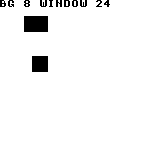
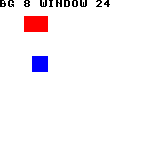
Build command
New-Item -ItemType Directory -Force .\out | Out-Null
.\kitaqgb\kitaqgb.exe .\kitaq-docs\samples\api-examples\gb\raster_bands_bg_window.c -I .\kitaqgb\lib -I .\kitaq-docs\samples -o .\out\raster_bands.gb --profile=dev --rst-disable --stack-bank=fixed --cgb=cgb --cart=mbc5 --romsize=64k --no-cache --no-disasmImplementation and source
kitaqgb/lib/raster.h:60
Queue both background and window updates, converting window screen X to WX.
kitaqgb/lib/raster.c:145
u8 Raster_PushBgWindowScreen(u8 ly, u8 scx, u8 scy, u8 screen_x, u8 screen_y, u8 flags)
{
flags = (u8)(flags | KQ_RASTER_BG | KQ_RASTER_WIN);
return Raster_PushEx(ly, scx, scy, (u8)(screen_x + 7), screen_y, flags);
}Raster_PushEx
Append an extended band that performs the background, window, visibility or color operations selected by flags. Use Raster_Push for ordinary background-only changes with fewer arguments.
Syntax
u8 Raster_PushEx(u8 ly, u8 scx, u8 scy, u8 wx, u8 wy, u8 flags);Parameters
lyVisible scheduled line, 0..143, strictly greater than the previous entry in the table. A first entry at LY=0 is applied by VBlank handling to establish the frame-start state.
scxBackground scroll byte, 0..255. SCX/SCY specify where to read the background map, not a screen-space position. Coordinates wrap across the 256-pixel background.
scyBackground scroll byte, 0..255. SCX/SCY specify where to read the background map, not a screen-space position. Coordinates wrap across the 256-pixel background.
wxRaw hardware WX value. Add seven to an ordinary screen X coordinate; WX=7 places the window at the left edge. This function does not clamp or validate WX.
wyWindow WY in pixels from the top edge. Unlike X, Y needs no addition of seven. WY values of 144 or more have no start line in the visible area.
flagsFlags: BG=1 updates background scroll, WIN=2 updates WX/WY, WIN_SHOW=4 shows the window, WIN_HIDE=8 hides it, BG_COLOR0=16 updates CGB background color zero. Unknown upper bits are discarded. With both SHOW and HIDE, SHOW is applied last. Color updates reuse SCX/SCY payload fields; do not combine them with ordinary background scrolling.
Return value
Return KQ_RASTER_OK (0) on success or an error status 1..4. See the function constraints and Raster_GetLastError.
Conditions and limits
Include raster.h and compile raster.c plus scroll.c. A shared table holds up to eight bands. Do not interleave direct Scroll_Split* or __scroll_split_* calls while building with Raster_*; they bypass the wrapper count and last-line bookkeeping.
Rebuild in VBlank or another interval where you control the display impact: clear, add entries, then commit. Clear stops the active splits too; this is not editing an independent back buffer. LY schedules an interrupt, and register writes take additional time. Use the separate Raster_LineX* family for per-scanline wave rendering; do not run both drivers together.
Status codes are 0 OK, 1 FULL, 2 BAD_LY, 3 UNSORTED and 4 BAD_RANGE. Push operations check LY range, capacity and ordering in that order. A rejected entry does not grow the table. A later successful push or clear resets the error to zero, so check each return value when it occurs.
Usage example
Raster_PushEx(104,16,0,7,0,KQ_RASTER_BG|KQ_RASTER_WIN_HIDE);This is a calling fragment. Follow the stated initialization and buffer requirements before using it in a complete program.
Expected result
Red rectangles (black on DMG), each 24 by 16 pixels, appear at (32,16), (24,80) and (16,112). Lower bands shift farther left. Internal results record count 3, error 0 and commit result 0.
Build command
New-Item -ItemType Directory -Force .\out | Out-Null
.\kitaqgb\kitaqgb.exe .\kitaq-docs\samples\api-examples\gb\raster_bands_bands.c -I .\kitaqgb\lib -I .\kitaq-docs\samples -o .\out\raster_bands.gb --profile=dev --rst-disable --stack-bank=fixed --cgb=cgb --cart=mbc5 --romsize=64k --no-cache --no-disasmImplementation and source
kitaqgb/lib/raster.h:52
Append a validated extended band after masking flags to supported operations.
kitaqgb/lib/raster.c:112
u8 Raster_PushEx(u8 ly, u8 scx, u8 scy, u8 wx, u8 wy, u8 flags)
{
u8 r;
r = Raster_CheckPush(ly);
if (r != KQ_RASTER_OK) return r;
// Masking removes unknown bits but does not reject conflicting supported operations.
flags = (u8)(flags & KQ_RASTER_FLAG_MASK);
Scroll_SplitPushEx(ly, scx, scy, wx, wy, flags);
Raster_LastLyValue = ly;
Raster_HasLastLy = 1;
Raster_CountValue++;
Raster_LastErrorValue = KQ_RASTER_OK;
return KQ_RASTER_OK;
}Raster_PushWindowRaw
Append a window band using raw hardware WX/WY. It automatically adds WIN and supplies zero for the two background payload bytes.
Syntax
u8 Raster_PushWindowRaw(u8 ly, u8 wx, u8 wy, u8 flags);Parameters
lyVisible scheduled line, 0..143, strictly greater than the previous entry in the table. A first entry at LY=0 is applied by VBlank handling to establish the frame-start state.
wxRaw hardware WX value. Add seven to an ordinary screen X coordinate; WX=7 places the window at the left edge. This function does not clamp or validate WX.
wyWindow WY in pixels from the top edge. Unlike X, Y needs no addition of seven. WY values of 144 or more have no start line in the visible area.
flagsNormally pass WIN_SHOW or WIN_HIDE. The wrapper adds WIN, so zero is sufficient to update coordinates without changing visibility. Other supported bits pass through; avoid unintended BG or color operations.
Return value
Return KQ_RASTER_OK (0) on success or an error status 1..4. See the function constraints and Raster_GetLastError.
Conditions and limits
Include raster.h and compile raster.c plus scroll.c. A shared table holds up to eight bands. Do not interleave direct Scroll_Split* or __scroll_split_* calls while building with Raster_*; they bypass the wrapper count and last-line bookkeeping.
Rebuild in VBlank or another interval where you control the display impact: clear, add entries, then commit. Clear stops the active splits too; this is not editing an independent back buffer. LY schedules an interrupt, and register writes take additional time. Use the separate Raster_LineX* family for per-scanline wave rendering; do not run both drivers together.
Status codes are 0 OK, 1 FULL, 2 BAD_LY, 3 UNSORTED and 4 BAD_RANGE. Push operations check LY range, capacity and ordering in that order. A rejected entry does not grow the table. A later successful push or clear resets the error to zero, so check each return value when it occurs.
Usage example
Raster_PushWindowRaw(0,31,48,KQ_RASTER_WIN_SHOW);This is a calling fragment. Follow the stated initialization and buffer requirements before using it in a complete program.
Expected result
WX=31 and WY=48 place the window origin at screen (24,48). Its blue 16-by-16 rectangle at local (8,8) appears at screen (32,56). The upper red background rectangle stays at (32,16). Both are black on DMG.
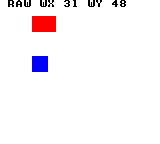
Build command
New-Item -ItemType Directory -Force .\out | Out-Null
.\kitaqgb\kitaqgb.exe .\kitaq-docs\samples\api-examples\gb\raster_bands_window_raw.c -I .\kitaqgb\lib -I .\kitaq-docs\samples -o .\out\raster_bands.gb --profile=dev --rst-disable --stack-bank=fixed --cgb=cgb --cart=mbc5 --romsize=64k --no-cache --no-disasmImplementation and source
kitaqgb/lib/raster.h:55
Enable window updates and pass hardware WX/WY values without coordinate conversion.
kitaqgb/lib/raster.c:131
u8 Raster_PushWindowRaw(u8 ly, u8 wx, u8 wy, u8 flags)
{
flags = (u8)(flags | KQ_RASTER_WIN);
return Raster_PushEx(ly, 0, 0, wx, wy, flags);
}Raster_PushWindowScreen
Append a window band in screen coordinates. It adds seven to X before calling the raw variant, so callers can position the window without mixing up screen X and WX.
Syntax
u8 Raster_PushWindowScreen(u8 ly, u8 screen_x, u8 screen_y, u8 flags);Parameters
lyVisible scheduled line, 0..143, strictly greater than the previous entry in the table. A first entry at LY=0 is applied by VBlank handling to establish the frame-start state.
screen_xScreen X coordinate of the window left edge. The wrapper adds seven to form WX. Normally use 0..159. Values of 249 or more wrap during byte addition; do not use them as a way to hide the window.
screen_yWindow WY in pixels from the top edge. Unlike X, Y needs no addition of seven. WY values of 144 or more have no start line in the visible area.
flagsNormally pass WIN_SHOW or WIN_HIDE. The wrapper adds WIN, so zero is sufficient to update coordinates without changing visibility. Other supported bits pass through; avoid unintended BG or color operations.
Return value
Return KQ_RASTER_OK (0) on success or an error status 1..4. See the function constraints and Raster_GetLastError.
Conditions and limits
Include raster.h and compile raster.c plus scroll.c. A shared table holds up to eight bands. Do not interleave direct Scroll_Split* or __scroll_split_* calls while building with Raster_*; they bypass the wrapper count and last-line bookkeeping.
Rebuild in VBlank or another interval where you control the display impact: clear, add entries, then commit. Clear stops the active splits too; this is not editing an independent back buffer. LY schedules an interrupt, and register writes take additional time. Use the separate Raster_LineX* family for per-scanline wave rendering; do not run both drivers together.
Status codes are 0 OK, 1 FULL, 2 BAD_LY, 3 UNSORTED and 4 BAD_RANGE. Push operations check LY range, capacity and ordering in that order. A rejected entry does not grow the table. A later successful push or clear resets the error to zero, so check each return value when it occurs.
Usage example
Raster_PushWindowScreen(0,24,48,KQ_RASTER_WIN_SHOW);This is a calling fragment. Follow the stated initialization and buffer requirements before using it in a complete program.
Expected result
Passing screen (24,48) directly produces the same blue window rectangle at (32,56) as the raw example. The library adds seven to X. The upper red background rectangle is at (32,16).
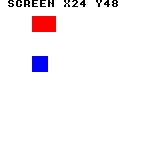
Build command
New-Item -ItemType Directory -Force .\out | Out-Null
.\kitaqgb\kitaqgb.exe .\kitaq-docs\samples\api-examples\gb\raster_bands_window_screen.c -I .\kitaqgb\lib -I .\kitaq-docs\samples -o .\out\raster_bands.gb --profile=dev --rst-disable --stack-bank=fixed --cgb=cgb --cart=mbc5 --romsize=64k --no-cache --no-disasmImplementation and source
kitaqgb/lib/raster.h:58
Convert screen X to hardware WX by adding seven, then queue a window band. The byte addition wraps if callers supply an excessive X coordinate.
kitaqgb/lib/raster.c:139
u8 Raster_PushWindowScreen(u8 ly, u8 screen_x, u8 screen_y, u8 flags)
{
return Raster_PushWindowRaw(ly, (u8)(screen_x + 7), screen_y, flags);
}rpg.h — Random numbers, text, maps, saves and RPG/ADV/SLG services
Absolute text helpers draw directly on the background map. text_window opens a framed area, text_clear_rect fills a region, and text_print_xy writes tile bytes without control decoding. text_print_u8, text_print_u16 and text_print_s16 convert numbers to decimal with only the required cells. Reserve and clear a full field when replacing values of different lengths.
The RNG functions declared in rpg.h are implemented in lib/rng.c. They share the compiler's GB generator: rng_seed resets it, rng8/rng_next8 consume one byte, rng16/rng_next16 consume two, and rand_range/rng_range, rng_chance and weighted_choice adapt draws for gameplay choices. Compile rng.c with your program when calling these library functions. For reproducible tests, keep the seed and call order fixed; modulo-based choices do not promise exact probabilities.
RLE decoding uses count/value byte pairs and a zero count terminator. rle_decode reads an ordinary pointer into RAM; rle_decode_far reads a ROM-bank-qualified pointer into RAM; __rle_decode_vram expands banked input directly to VRAM with LCD-aware stores. The RAM functions live in lib/rle.c, while the direct VRAM operation is compiler-generated. All three return output bytes and require a valid stream and enough destination space.
Game-state storage declared in rpg.h is implemented by lib/flags.c. The three flag functions operate on 2048 independent Boolean bits; quest_state and quest_set_state operate on 64 independent bytes for game-defined stages. Compile flags.c when using them, keep IDs within those limits, and use a separate save system if progress must survive power-off.
Windowed dialogue shares one active rectangle, cursor and character-speed setting. text_open initializes the area, text_close erases it, and text_set_speed sets per-character VBlank waits. text_print and text_print_far interpret control streams; text_choice runs a blocking vertical selector. Load the tiles, fit the area and plan how the game handles these blocking calls.
Provides map/metatile drawing, scripts, SRAM saves and pathfinding. Ordinary cells are 8×8 pixels; metatiles are 16×16. Loading/drawing, movement masks and attack masks are separate operations; the game coordinates graphics loading and event execution.
Search uses about 4 KiB of shared, non-reentrant workspace. Limit maps to 1024 cells and explored distances to 254. Distance 0xFF means unreached, so a 255-step route is not representable. Cost/mask outputs need width*height writable bytes.
Defaults to four 512-byte slots, each with a six-byte header and up to 506 payload bytes. The sample uses MBC5 with 8 KiB SRAM. Calls finish with RAM disabled and do not restore its previous bank or enable state.
Menus support both blocking selection and separate input/draw calls driven by the game loop. The inventory menu displays item names and quantities.
camera_center
Center an ordinary-map cell in a 20×18-tile viewport, clamping at map edges.
Syntax
void camera_center(u8 x, u8 y);Parameters
xCell X coordinate.
yCell Y coordinate.
Return value
No return value.
Conditions and limits
The origin starts at max(x−10,0), max(y−9,0), clamps to map edges, then writes the low bytes of origin*8 to SCX/SCY. Metatile mode does not apply it. It does not stream new rows or columns into VRAM.
Usage example
camera_center(5,4);result[9]=*((u8*)0xFF43);result[10]=*((u8*)0xFF42);This is a calling fragment. Follow the stated initialization and buffer requirements before using it in a complete program.
Expected result
The left grid shows movement costs within three steps; the right shows a shortest route from S to G. Green asterisks trace nine steps around a red three-cell wall; blue digits show costs. DMG uses the same layout in black. RAM checks also demonstrate that the attack mask ignores walls.
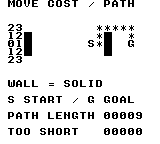
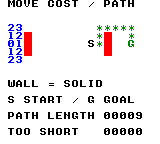
Build command
New-Item -ItemType Directory -Force .\out | Out-Null
.\kitaqgb\kitaqgb.exe .\kitaq-docs\samples\api-examples\gb\batch3_map_path.c -I .\kitaqgb\lib -I .\kitaq-docs\samples -o .\out\batch3_map_path.gb --no-cache --no-disasm --profile=dev --rst-disable --stack-bank=fixed --cgb=cgb --cart=mbc5 --romsize=64k --ramsize=noneImplementation and source
kitaqgb/lib/rpg.h:297
Center an ordinary-map tile coordinate within a 20-by-18 viewport and clamp the scroll origin to its edges. This adjusts scroll registers only; it does not stream newly exposed map rows into VRAM.
kitaqgb/lib/map.c:105
void camera_center(u8 x, u8 y)
{
u8 tile_x = 0;
u8 tile_y = 0;
u8 max_x = 0;
u8 max_y = 0;
map_camera_x = x;
map_camera_y = y;
if (map_loaded == 0) return;
if (map_current.width > 20) max_x = (u8)(map_current.width - 20);
if (map_current.height > 18) max_y = (u8)(map_current.height - 18);
if (x > 10) tile_x = (u8)(x - 10);
if (y > 9) tile_y = (u8)(y - 9);
if (tile_x > max_x) tile_x = max_x;
if (tile_y > max_y) tile_y = max_y;
__scroll_bg_set((u8)(tile_x << 3), (u8)(tile_y << 3));
}far_read16
Read a little-endian word through a bank-qualified pointer.
Syntax
#define far_read16(p) __farpeek16((p).bank, (p).ptr)Parameters
pfar_ptr_t containing bank and ptr, where ptr is a CPU-visible address.
Return value
The word as u16.
Conditions and limits
The macro reads p.bank and p.ptr separately; do not pass a side-effecting expression. The intrinsic temporarily selects the ROM bank and restores it. Avoid concurrent bank changes from interrupts.
Usage example
result[1]=far_read16(far);This is a calling fragment. Follow the stated initialization and buffer requirements before using it in a complete program.
Expected result
Read hexadecimal 34 12 AB from another ROM bank: first byte 52, little-endian word 4660 and copied final byte 171.
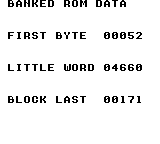
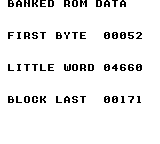
Build command
New-Item -ItemType Directory -Force .\out | Out-Null
.\kitaqgb\kitaqgb.exe .\kitaq-docs\samples\api-examples\gb\batch3_far.c -I .\kitaqgb\lib -I .\kitaq-docs\samples -o .\out\batch3_far.gb --no-cache --no-disasm --profile=dev --rst-disable --stack-bank=fixed --cgb=cgb --cart=mbc5 --romsize=64k --ramsize=noneImplementation and source
kitaqgb/lib/rpg.h:172
far_read8
Read one byte through a bank-qualified pointer.
Syntax
#define far_read8(p) __farpeek8((p).bank, (p).ptr)Parameters
pfar_ptr_t containing bank and ptr, where ptr is a CPU-visible address.
Return value
The byte as u8.
Conditions and limits
The macro reads p.bank and p.ptr separately; do not pass a side-effecting expression. The intrinsic temporarily selects the ROM bank and restores it. Avoid concurrent bank changes from interrupts.
Usage example
far.bank=1;far.ptr=bank_bytes;result[0]=far_read8(far);This is a calling fragment. Follow the stated initialization and buffer requirements before using it in a complete program.
Expected result
Read hexadecimal 34 12 AB from another ROM bank: first byte 52, little-endian word 4660 and copied final byte 171.
Build command
New-Item -ItemType Directory -Force .\out | Out-Null
.\kitaqgb\kitaqgb.exe .\kitaq-docs\samples\api-examples\gb\batch3_far.c -I .\kitaqgb\lib -I .\kitaq-docs\samples -o .\out\batch3_far.gb --no-cache --no-disasm --profile=dev --rst-disable --stack-bank=fixed --cgb=cgb --cart=mbc5 --romsize=64k --ramsize=noneImplementation and source
kitaqgb/lib/rpg.h:171
far_read_block
Copy consecutive bytes from a bank-qualified pointer into RAM.
Syntax
#define far_read_block(dst, p, len) __farmemcpy((dst), (p).bank, (p).ptr, (len))Parameters
dstStart of len writable RAM bytes.
pfar_ptr_t containing bank and ptr, where ptr is a CPU-visible address.
lenByte count; keep the source extent within its bank.
Return value
No return value.
Conditions and limits
Macro forwarding to __farmemcpy. It does not cross ROM bank boundaries automatically and is not an overlapping-memory move.
Usage example
far_read_block(copy,far,3);result[2]=copy[2];This is a calling fragment. Follow the stated initialization and buffer requirements before using it in a complete program.
Expected result
Read hexadecimal 34 12 AB from another ROM bank: first byte 52, little-endian word 4660 and copied final byte 171.
Build command
New-Item -ItemType Directory -Force .\out | Out-Null
.\kitaqgb\kitaqgb.exe .\kitaq-docs\samples\api-examples\gb\batch3_far.c -I .\kitaqgb\lib -I .\kitaq-docs\samples -o .\out\batch3_far.gb --no-cache --no-disasm --profile=dev --rst-disable --stack-bank=fixed --cgb=cgb --cart=mbc5 --romsize=64k --ramsize=noneImplementation and source
kitaqgb/lib/rpg.h:173
flag_clear
Clear one game flag to 0 without clearing the neighboring flags. Use it when an event condition is undone or when explicitly initializing a flag. Clearing an already clear flag leaves it at zero.
Syntax
void flag_clear(u16 id);Parameters
idFlag number, 0–2047, passed as u16. The byte offset is id / 8 and the bit within it is id % 8, starting at the least significant bit. The wider parameter type does not enlarge the fixed 2048-flag store.
Return value
None (void).
Conditions and limits
The function does not validate the ID. Keep flag IDs below 2048 and quest IDs below 64; out-of-range access can read or overwrite unrelated RAM. The examples use explicit initialization rather than depending on startup contents.
flags.c owns 256 bytes for flags and 64 separate bytes for quests in RAM. These functions do not access cartridge save RAM and do not save across power cycles. To persist progress, your game must serialize the flag and quest values through its save system and restore them when loading.
Include rpg.h and compile lib/flags.c with the game. The arrays are private to that source file; use the flag/quest APIs to access them. Their storage is shared by all callers, so coordinate writes from the main loop and interrupt handlers yourself.
Usage example
flag_clear(9);flag_clear(9); // Mark it closed; clearing twice still leaves 0.
cleared=flag_get(9);This is a calling fragment. Follow the stated initialization and buffer requirements before using it in a complete program.
Expected result
This sample clears door flag 9 after setting it. DOOR CLOSED displays 000 even though clear is called twice. The earlier DOOR OPEN value remains visible as 001 so you can compare the two stored observations.
The complete program displays decimal results on white: black text on DMG and blue text on CGB. FAILED must be 000. The captured screens show only RAM-state behavior; they do not demonstrate saving a game.
On the DMG emulator, verification exercised every flag ID from 0 through 2047, repeated set/clear calls, adjacent entries, and all 256 state values for each of 64 quests. A final 256-byte flag pattern and 64 quest bytes were compared with expected data. Both teaching screens were checked after 240 frames. Physical hardware and save persistence were not tested.
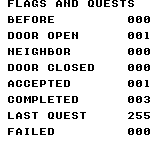
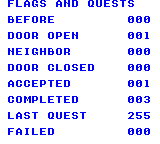
Build command
New-Item -ItemType Directory -Force .\out | Out-Null
.\kitaqgb\kitaqgb.exe .\kitaq-docs\samples\api-examples\gb\flags_quests.c .\kitaqgb\lib\flags.c -I .\kitaqgb\lib -I .\kitaq-docs\samples -o .\out\flags_quests.gb --profile=dev --rst-disable --stack-bank=fixed --cgb=cgb --no-cache --no-disasmImplementation and source
kitaqgb/lib/rpg.h:372
Clear a flag bit; id must be below 2048.
kitaqgb/lib/flags.c:21
void flag_clear(u16 id)
{
__bit_clear(flags_bits, id);
}flag_get
Read one on/off game flag from the library's RAM bit array. Use it to ask whether a door is open, an item has been collected, or another game-defined event has happened. Reading a flag does not change it.
Syntax
u8 flag_get(u16 id);Parameters
idFlag number, 0–2047, passed as u16. The byte offset is id / 8 and the bit within it is id % 8, starting at the least significant bit. The wider parameter type does not enlarge the fixed 2048-flag store.
Return value
A normalized u8 Boolean: 0 when the flag is clear, 1 when set. This GB library calls the GB __bit_test intrinsic, which normalizes the result.
Conditions and limits
The function does not validate the ID. Keep flag IDs below 2048 and quest IDs below 64; out-of-range access can read or overwrite unrelated RAM. The examples use explicit initialization rather than depending on startup contents.
flags.c owns 256 bytes for flags and 64 separate bytes for quests in RAM. These functions do not access cartridge save RAM and do not save across power cycles. To persist progress, your game must serialize the flag and quest values through its save system and restore them when loading.
Include rpg.h and compile lib/flags.c with the game. The arrays are private to that source file; use the flag/quest APIs to access them. Their storage is shared by all callers, so coordinate writes from the main loop and interrupt handlers yourself.
Usage example
before=flag_get(9); // Door-open flag: 0 after explicit initialization.This is a calling fragment. Follow the stated initialization and buffer requirements before using it in a complete program.
Expected result
This sample assigns flag 9 to a door. After explicitly clearing it, BEFORE displays 000. Setting and clearing the flag later produces DOOR OPEN 001 and DOOR CLOSED 000, showing that reads reflect the stored condition.
The complete program displays decimal results on white: black text on DMG and blue text on CGB. FAILED must be 000. The captured screens show only RAM-state behavior; they do not demonstrate saving a game.
On the DMG emulator, verification exercised every flag ID from 0 through 2047, repeated set/clear calls, adjacent entries, and all 256 state values for each of 64 quests. A final 256-byte flag pattern and 64 quest bytes were compared with expected data. Both teaching screens were checked after 240 frames. Physical hardware and save persistence were not tested.
Build command
New-Item -ItemType Directory -Force .\out | Out-Null
.\kitaqgb\kitaqgb.exe .\kitaq-docs\samples\api-examples\gb\flags_quests.c .\kitaqgb\lib\flags.c -I .\kitaqgb\lib -I .\kitaq-docs\samples -o .\out\flags_quests.gb --profile=dev --rst-disable --stack-bank=fixed --cgb=cgb --no-cache --no-disasmImplementation and source
kitaqgb/lib/rpg.h:368
Read a bit from the flag array. Callers must keep id below 2048.
kitaqgb/lib/flags.c:9
u8 flag_get(u16 id)
{
return __bit_test(flags_bits, id);
}flag_set
Set one game flag to 1 while preserving the other seven flags in its byte. Setting an already set flag leaves it set; use this to record a one-time event such as opening a door.
Syntax
void flag_set(u16 id);Parameters
idFlag number, 0–2047, passed as u16. The byte offset is id / 8 and the bit within it is id % 8, starting at the least significant bit. The wider parameter type does not enlarge the fixed 2048-flag store.
Return value
None (void).
Conditions and limits
The function does not validate the ID. Keep flag IDs below 2048 and quest IDs below 64; out-of-range access can read or overwrite unrelated RAM. The examples use explicit initialization rather than depending on startup contents.
flags.c owns 256 bytes for flags and 64 separate bytes for quests in RAM. These functions do not access cartridge save RAM and do not save across power cycles. To persist progress, your game must serialize the flag and quest values through its save system and restore them when loading.
Include rpg.h and compile lib/flags.c with the game. The arrays are private to that source file; use the flag/quest APIs to access them. Their storage is shared by all callers, so coordinate writes from the main loop and interrupt handlers yourself.
Usage example
flag_set(9); // Mark the door as open; setting an already set flag is harmless.
flag_set(9);
opened=flag_get(9);neighbor=flag_get(8); // 1 and 0: adjacent flag is unchanged.This is a calling fragment. Follow the stated initialization and buffer requirements before using it in a complete program.
Expected result
This sample sets door flag 9 twice. DOOR OPEN displays 001 and the adjacent flag 8 remains NEIGHBOR 000. Both flags occupy the same byte, so the neighbor value demonstrates that setting one flag preserves the other.
The complete program displays decimal results on white: black text on DMG and blue text on CGB. FAILED must be 000. The captured screens show only RAM-state behavior; they do not demonstrate saving a game.
On the DMG emulator, verification exercised every flag ID from 0 through 2047, repeated set/clear calls, adjacent entries, and all 256 state values for each of 64 quests. A final 256-byte flag pattern and 64 quest bytes were compared with expected data. Both teaching screens were checked after 240 frames. Physical hardware and save persistence were not tested.
Build command
New-Item -ItemType Directory -Force .\out | Out-Null
.\kitaqgb\kitaqgb.exe .\kitaq-docs\samples\api-examples\gb\flags_quests.c .\kitaqgb\lib\flags.c -I .\kitaqgb\lib -I .\kitaq-docs\samples -o .\out\flags_quests.gb --profile=dev --rst-disable --stack-bank=fixed --cgb=cgb --no-cache --no-disasmImplementation and source
kitaqgb/lib/rpg.h:370
Set a flag bit without disturbing adjacent flags; id must be below 2048.
kitaqgb/lib/flags.c:15
void flag_set(u16 id)
{
__bit_set(flags_bits, id);
}map_current_height
Read the active map’s height.
Syntax
u8 map_current_height();Return value
Returns height in cells, or zero if no map is loaded.
Conditions and limits
Coordinates address cells in the current map: 8×8 pixels for ordinary tiles, 16×16 pixels for metatiles.
Usage example
result[1]=map_current_height();This is a calling fragment. Follow the stated initialization and buffer requirements before using it in a complete program.
Expected result
The left grid shows movement costs within three steps; the right shows a shortest route from S to G. Green asterisks trace nine steps around a red three-cell wall; blue digits show costs. DMG uses the same layout in black. RAM checks also demonstrate that the attack mask ignores walls.
Build command
New-Item -ItemType Directory -Force .\out | Out-Null
.\kitaqgb\kitaqgb.exe .\kitaq-docs\samples\api-examples\gb\batch3_map_path.c -I .\kitaqgb\lib -I .\kitaq-docs\samples -o .\out\batch3_map_path.gb --no-cache --no-disasm --profile=dev --rst-disable --stack-bank=fixed --cgb=cgb --cart=mbc5 --romsize=64k --ramsize=noneImplementation and source
kitaqgb/lib/rpg.h:391
Return the active map height in its own cell units, or zero when no map is loaded.
kitaqgb/lib/map.c:25
u8 map_current_height()
{
if (map_meta_loaded != 0) return map_meta_current.height;
if (map_loaded == 0) return 0;
return map_current.height;
}map_current_width
Read the active map’s width.
Syntax
u8 map_current_width();Return value
Returns width in cells, or zero if no map is loaded.
Conditions and limits
Coordinates address cells in the current map: 8×8 pixels for ordinary tiles, 16×16 pixels for metatiles.
Usage example
result[0]=map_current_width();This is a calling fragment. Follow the stated initialization and buffer requirements before using it in a complete program.
Expected result
The left grid shows movement costs within three steps; the right shows a shortest route from S to G. Green asterisks trace nine steps around a red three-cell wall; blue digits show costs. DMG uses the same layout in black. RAM checks also demonstrate that the attack mask ignores walls.
Build command
New-Item -ItemType Directory -Force .\out | Out-Null
.\kitaqgb\kitaqgb.exe .\kitaq-docs\samples\api-examples\gb\batch3_map_path.c -I .\kitaqgb\lib -I .\kitaq-docs\samples -o .\out\batch3_map_path.gb --no-cache --no-disasm --profile=dev --rst-disable --stack-bank=fixed --cgb=cgb --cart=mbc5 --romsize=64k --ramsize=noneImplementation and source
kitaqgb/lib/rpg.h:389
Return the active map width in its own cell units, or zero when no map is loaded.
kitaqgb/lib/map.c:17
u8 map_current_width()
{
if (map_meta_loaded != 0) return map_meta_current.width;
if (map_loaded == 0) return 0;
return map_current.width;
}map_draw_visible
Draw 10×9 metatiles from the requested origin and remember that camera position for dirty redraws.
Syntax
void map_draw_visible(u8 camera_tx, u8 camera_ty);Parameters
camera_txLeftmost cell X; keep at most 246 to avoid byte wrap during traversal.
camera_tyTopmost cell Y; keep at most 247.
Return value
No return value.
Conditions and limits
Outside cells draw metatile ID zero, so always supply definition zero. The call leaves cells outside the 20×18 tile viewport and CGB attributes unchanged.
Usage example
map_draw_visible(1,0);result[9]=*((u8*)0x9800);This is a calling fragment. Follow the stated initialization and buffer requirements before using it in a complete program.
Expected result
Edit a metatile ID in RAM, mark it dirty and flush. Camera (1,0) shows a green 16×16 square at the upper-left. The sample explicitly applies palette metadata to CGB attributes. DMG shows a black square.


Build command
New-Item -ItemType Directory -Force .\out | Out-Null
.\kitaqgb\kitaqgb.exe .\kitaq-docs\samples\api-examples\gb\batch3_metatile.c -I .\kitaqgb\lib -I .\kitaq-docs\samples -o .\out\batch3_metatile.gb --no-cache --no-disasm --profile=dev --rst-disable --stack-bank=fixed --cgb=cgb --cart=mbc5 --romsize=64k --ramsize=noneImplementation and source
kitaqgb/lib/rpg.h:304
Draw a 10-by-9 metatile viewport as 20-by-18 individual background tiles. Out-of-range cells use definition zero; palette attributes are not written. Remember the camera and clear the dirty flag after the full redraw.
kitaqgb/lib/map.c:212
void map_draw_visible(u8 camera_tx, u8 camera_ty)
{
u8 my;
if (map_meta_loaded == 0) return;
map_camera_x = camera_tx;
map_camera_y = camera_ty;
my = 0;
while (my < 9) {
u8 mx = 0;
while (mx < 10) {
u8 tx = (u8)(camera_tx + mx);
u8 ty = (u8)(camera_ty + my);
u8 sx = (u8)(mx << 1);
u8 sy = (u8)(my << 1);
metatile_t meta;
u8 id = map_get_metatile(tx, ty);
map_read_metatile(id, &meta);
__settile_xy(sx, sy, meta.tile_tl);
__settile_xy((u8)(sx + 1), sy, meta.tile_tr);
__settile_xy(sx, (u8)(sy + 1), meta.tile_bl);
__settile_xy((u8)(sx + 1), (u8)(sy + 1), meta.tile_br);
mx++;
}
my++;
}
map_dirty = 0;
}map_flush_dirty
If dirty, redraw the viewport at its saved camera origin and clear the dirty flag.
Syntax
void map_flush_dirty();Return value
No return value.
Conditions and limits
Does nothing when clean. A dirty redraw covers all 10×9 metatiles, not just the changed cell.
Usage example
map_flush_dirty();result[11]=*((u8*)0x9800);This is a calling fragment. Follow the stated initialization and buffer requirements before using it in a complete program.
Expected result
Edit a metatile ID in RAM, mark it dirty and flush. Camera (1,0) shows a green 16×16 square at the upper-left. The sample explicitly applies palette metadata to CGB attributes. DMG shows a black square.
Build command
New-Item -ItemType Directory -Force .\out | Out-Null
.\kitaqgb\kitaqgb.exe .\kitaq-docs\samples\api-examples\gb\batch3_metatile.c -I .\kitaqgb\lib -I .\kitaq-docs\samples -o .\out\batch3_metatile.gb --no-cache --no-disasm --profile=dev --rst-disable --stack-bank=fixed --cgb=cgb --cart=mbc5 --romsize=64k --ramsize=noneImplementation and source
kitaqgb/lib/rpg.h:321
Redraw the remembered metatile viewport only when the shared dirty flag is set.
kitaqgb/lib/map.c:254
void map_flush_dirty()
{
if (map_dirty == 0) return;
map_draw_visible(map_camera_x, map_camera_y);
}map_get_attr
Read palette metadata from the cell’s metatile definition.
Syntax
u8 map_get_attr(u8 tx, u8 ty);Parameters
txMetatile X coordinate.
tyMetatile Y coordinate.
Return value
Returns the palette byte. Outside cells use definition zero; without metatile mode returns zero.
Conditions and limits
Coordinates address cells in the current map: 8×8 pixels for ordinary tiles, 16×16 pixels for metatiles.
Usage example
result[3]=map_get_attr(0,0);This is a calling fragment. Follow the stated initialization and buffer requirements before using it in a complete program.
Expected result
Edit a metatile ID in RAM, mark it dirty and flush. Camera (1,0) shows a green 16×16 square at the upper-left. The sample explicitly applies palette metadata to CGB attributes. DMG shows a black square.
Build command
New-Item -ItemType Directory -Force .\out | Out-Null
.\kitaqgb\kitaqgb.exe .\kitaq-docs\samples\api-examples\gb\batch3_metatile.c -I .\kitaqgb\lib -I .\kitaq-docs\samples -o .\out\batch3_metatile.gb --no-cache --no-disasm --profile=dev --rst-disable --stack-bank=fixed --cgb=cgb --cart=mbc5 --romsize=64k --ramsize=noneImplementation and source
kitaqgb/lib/rpg.h:310
Return the selected definition's palette byte. An out-of-range coordinate uses the metatile-zero fallback; this function does not write CGB attributes.
kitaqgb/lib/map.c:172
u8 map_get_attr(u8 tx, u8 ty)
{
metatile_t meta;
u8 id;
if (map_meta_loaded == 0) return 0;
id = map_get_metatile(tx, ty);
map_read_metatile(id, &meta);
return meta.palette;
}map_get_event
Read a metatile event ID; ordinary maps report event presence.
Syntax
u8 map_get_event(u8 tx, u8 ty);Parameters
txMetatile X coordinate.
tyMetatile Y coordinate.
Return value
Returns the metatile event byte or ordinary-map Boolean; missing/outside cells return zero.
Conditions and limits
Coordinates address cells in the current map: 8×8 pixels for ordinary tiles, 16×16 pixels for metatiles.
Usage example
result[7]=map_get_event(0,0);result[8]=map_get_event(3,0);This is a calling fragment. Follow the stated initialization and buffer requirements before using it in a complete program.
Expected result
Edit a metatile ID in RAM, mark it dirty and flush. Camera (1,0) shows a green 16×16 square at the upper-left. The sample explicitly applies palette metadata to CGB attributes. DMG shows a black square.
Build command
New-Item -ItemType Directory -Force .\out | Out-Null
.\kitaqgb\kitaqgb.exe .\kitaq-docs\samples\api-examples\gb\batch3_metatile.c -I .\kitaqgb\lib -I .\kitaq-docs\samples -o .\out\batch3_metatile.gb --no-cache --no-disasm --profile=dev --rst-disable --stack-bank=fixed --cgb=cgb --cart=mbc5 --romsize=64k --ramsize=noneImplementation and source
kitaqgb/lib/rpg.h:316
Return a metatile event ID, or the ordinary-map Boolean trigger result. Missing/out-of-range metatile cells have no event.
kitaqgb/lib/map.c:197
u8 map_get_event(u8 tx, u8 ty)
{
metatile_t meta;
u8 id;
if (map_meta_loaded == 0) return map_trigger_at(tx, ty);
if (tx >= map_meta_current.width || ty >= map_meta_current.height) return 0;
id = map_get_metatile(tx, ty);
map_read_metatile(id, &meta);
return meta.event;
}map_get_metatile
Read a cell’s metatile ID.
Syntax
u8 map_get_metatile(u8 tx, u8 ty);Parameters
txMetatile X coordinate.
tyMetatile Y coordinate.
Return value
Returns the ID, or zero outside the map or without metatile mode.
Conditions and limits
Coordinates address cells in the current map: 8×8 pixels for ordinary tiles, 16×16 pixels for metatiles.
Usage example
result[1]=map_get_metatile(0,0);result[2]=map_get_metatile(3,0);This is a calling fragment. Follow the stated initialization and buffer requirements before using it in a complete program.
Expected result
Edit a metatile ID in RAM, mark it dirty and flush. Camera (1,0) shows a green 16×16 square at the upper-left. The sample explicitly applies palette metadata to CGB attributes. DMG shows a black square.
Build command
New-Item -ItemType Directory -Force .\out | Out-Null
.\kitaqgb\kitaqgb.exe .\kitaq-docs\samples\api-examples\gb\batch3_metatile.c -I .\kitaqgb\lib -I .\kitaq-docs\samples -o .\out\batch3_metatile.gb --no-cache --no-disasm --profile=dev --rst-disable --stack-bank=fixed --cgb=cgb --cart=mbc5 --romsize=64k --ramsize=noneImplementation and source
kitaqgb/lib/rpg.h:307
Read a row-major metatile ID, returning ID zero for inactive or out-of-range lookups. Callers must provide a usable definition for metatile zero.
kitaqgb/lib/map.c:159
u8 map_get_metatile(u8 tx, u8 ty)
{
u16 index;
if (map_meta_loaded == 0) return 0;
if (tx >= map_meta_current.width || ty >= map_meta_current.height) return 0;
index = __map_index(tx, ty, map_meta_current.width);
return __farpeek8(map_meta_data_bank(), map_meta_current.metatile_ids + index);
}map_is_blocked
Test whether a destination cell blocks movement; metatile mode uses the definition’s collision field.
Syntax
u8 map_is_blocked(u8 x, u8 y);Parameters
xCell X coordinate.
yCell Y coordinate.
Return value
Returns 1 for a wall, outside coordinate or missing map; 0 for passable cells. A NULL ordinary collision array makes all in-bounds cells passable.
Conditions and limits
Coordinates address cells in the current map: 8×8 pixels for ordinary tiles, 16×16 pixels for metatiles.
Usage example
result[4]=map_is_blocked(2,2);result[5]=map_is_blocked(6,2);result[6]=map_is_blocked(1,2);This is a calling fragment. Follow the stated initialization and buffer requirements before using it in a complete program.
Expected result
The left grid shows movement costs within three steps; the right shows a shortest route from S to G. Green asterisks trace nine steps around a red three-cell wall; blue digits show costs. DMG uses the same layout in black. RAM checks also demonstrate that the attack mask ignores walls.
Build command
New-Item -ItemType Directory -Force .\out | Out-Null
.\kitaqgb\kitaqgb.exe .\kitaq-docs\samples\api-examples\gb\batch3_map_path.c -I .\kitaqgb\lib -I .\kitaq-docs\samples -o .\out\batch3_map_path.gb --no-cache --no-disasm --profile=dev --rst-disable --stack-bank=fixed --cgb=cgb --cart=mbc5 --romsize=64k --ramsize=noneImplementation and source
kitaqgb/lib/rpg.h:290
Use metatile collision when that mode is active; otherwise read one packed collision bit. Missing maps/out-of-range cells block movement, but a valid ordinary map without a collision array is entirely passable.
kitaqgb/lib/map.c:68
u8 map_is_blocked(u8 x, u8 y)
{
u16 index;
u8 value;
if (map_meta_loaded != 0) return map_is_solid(x, y);
if (map_loaded == 0) return 1;
if (x >= map_current.width || y >= map_current.height) return 1;
if (map_current.collision_bits == 0) return 0;
index = __map_index(x, y, map_current.width);
// Collision uses least-significant bit first within each row-major group of eight cells.
value = __farpeek8(map_bank, map_current.collision_bits + (index >> 3));
if ((value & (u8)(1 << (index & 7))) != 0) return 1;
return 0;
}map_is_solid
Test solidity, delegating to collision bits in ordinary-map mode.
Syntax
u8 map_is_solid(u8 tx, u8 ty);Parameters
txMetatile X coordinate.
tyMetatile Y coordinate.
Return value
Returns 1 for nonzero collision or an outside cell, otherwise 0.
Conditions and limits
Coordinates address cells in the current map: 8×8 pixels for ordinary tiles, 16×16 pixels for metatiles.
Usage example
result[4]=map_is_solid(0,0);result[5]=map_is_solid(1,0);result[6]=map_is_solid(3,0);This is a calling fragment. Follow the stated initialization and buffer requirements before using it in a complete program.
Expected result
Edit a metatile ID in RAM, mark it dirty and flush. Camera (1,0) shows a green 16×16 square at the upper-left. The sample explicitly applies palette metadata to CGB attributes. DMG shows a black square.
Build command
New-Item -ItemType Directory -Force .\out | Out-Null
.\kitaqgb\kitaqgb.exe .\kitaq-docs\samples\api-examples\gb\batch3_metatile.c -I .\kitaqgb\lib -I .\kitaq-docs\samples -o .\out\batch3_metatile.gb --no-cache --no-disasm --profile=dev --rst-disable --stack-bank=fixed --cgb=cgb --cart=mbc5 --romsize=64k --ramsize=noneImplementation and source
kitaqgb/lib/rpg.h:313
Treat out-of-range metatile cells as solid; otherwise inspect the definition collision flag. In ordinary-map mode, delegate to its packed collision bits.
kitaqgb/lib/map.c:184
u8 map_is_solid(u8 tx, u8 ty)
{
metatile_t meta;
u8 id;
if (map_meta_loaded == 0) return map_is_blocked(tx, ty);
if (tx >= map_meta_current.width || ty >= map_meta_current.height) return 1;
id = map_get_metatile(tx, ty);
map_read_metatile(id, &meta);
return (u8)(meta.collision != 0);
}map_load
Load an ordinary-map descriptor and draw up to 20×18 tiles from its upper-left corner into the selected background map.
Syntax
void map_load(u8 bank, const map_t* map);Parameters
bankROM bank for the descriptor, collision bits and events.
mapPacked nine-byte map_t. tiles contains width*height tile IDs; collision_bits packs cells least-significant bit first; events stores one byte per cell. Tile reads use bank_tiles.
Return value
No return value.
Conditions and limits
There is one shared active map. The descriptor is copied, but its arrays must remain readable for as long as needed. Load tile graphics into VRAM separately.
Coordinates address cells in the current map: 8×8 pixels for ordinary tiles, 16×16 pixels for metatiles.
Cells outside a small map are not cleared. For ordinary maps, bank_tiles=0 means bank zero; it does not inherit the descriptor bank.
Usage example
map_load(0,maps);result[2]=map_current_width();result[3]=map_current_height();This is a calling fragment. Follow the stated initialization and buffer requirements before using it in a complete program.
Expected result
The left grid shows movement costs within three steps; the right shows a shortest route from S to G. Green asterisks trace nine steps around a red three-cell wall; blue digits show costs. DMG uses the same layout in black. RAM checks also demonstrate that the attack mask ignores walls.
Build command
New-Item -ItemType Directory -Force .\out | Out-Null
.\kitaqgb\kitaqgb.exe .\kitaq-docs\samples\api-examples\gb\batch3_map_path.c -I .\kitaqgb\lib -I .\kitaq-docs\samples -o .\out\batch3_map_path.gb --no-cache --no-disasm --profile=dev --rst-disable --stack-bank=fixed --cgb=cgb --cart=mbc5 --romsize=64k --ramsize=noneImplementation and source
kitaqgb/lib/rpg.h:286
Load the nine-byte ordinary-map descriptor and draw up to 20 by 18 tiles from its top-left corner. Drawing does not upload tile graphics or clear background cells beyond smaller map dimensions.
kitaqgb/lib/map.c:35
void map_load(u8 bank, const map_t* map)
{
u8 row;
u8 h;
u8 w;
// The literal copy size depends on the packed map_t layout; changing that layout requires updating this copy.
__farmemcpy(&map_current, bank, map, 9);
map_bank = bank;
map_loaded = 1;
map_meta_loaded = 0;
w = map_current.width;
h = map_current.height;
if (w > 20) w = 20;
if (h > 18) h = 18;
row = 0;
while (row < h) {
u8 x = 0;
u16 base_index = __map_index(0, row, map_current.width);
while (x < w) {
map_row[x] = __farpeek8(map_current.bank_tiles, map_current.tiles + base_index + x);
x++;
}
__settile_row(0, row, map_row, w);
row++;
}
}map_load_metatile
Select a metatile map and expand a 10×9-cell viewport at camera (0,0) into 20×18 tiles.
Syntax
void map_load_metatile(u8 bank, const metatile_map_t* map);Parameters
bankROM bank containing the descriptor.
mapPointer to metatile_map_t. Dimensions count 16×16 cells. It references an ID array and a table of seven-byte metatile_t definitions.
Return value
No return value.
Conditions and limits
There is one shared active map. The descriptor is copied, but its arrays must remain readable for as long as needed. Load tile graphics into VRAM separately.
bank_tiles=0 inherits the descriptor bank; a nonzero value selects the bank for both IDs and definitions. A definition stores top-left, top-right, bottom-left, bottom-right tiles, collision, palette and event. Drawing does not automatically apply palette metadata.
Usage example
map_load_metatile(0,&level);result[0]=*((u8*)0x9800);This is a calling fragment. Follow the stated initialization and buffer requirements before using it in a complete program.
Expected result
Edit a metatile ID in RAM, mark it dirty and flush. Camera (1,0) shows a green 16×16 square at the upper-left. The sample explicitly applies palette metadata to CGB attributes. DMG shows a black square.
Build command
New-Item -ItemType Directory -Force .\out | Out-Null
.\kitaqgb\kitaqgb.exe .\kitaq-docs\samples\api-examples\gb\batch3_metatile.c -I .\kitaqgb\lib -I .\kitaq-docs\samples -o .\out\batch3_metatile.gb --no-cache --no-disasm --profile=dev --rst-disable --stack-bank=fixed --cgb=cgb --cart=mbc5 --romsize=64k --ramsize=noneImplementation and source
kitaqgb/lib/rpg.h:300
Select metatile mode, copy its descriptor and draw the initial viewport with the camera at cell (0,0).
kitaqgb/lib/map.c:145
void map_load_metatile(u8 bank, const metatile_map_t* map)
{
map_meta_bank = bank;
__farmemcpy(&map_meta_current, bank, map, sizeof(metatile_map_t));
map_meta_loaded = 1;
map_loaded = 0;
map_dirty = 0;
map_camera_x = 0;
map_camera_y = 0;
map_draw_visible(0, 0);
}map_mark_dirty
Mark the viewport for redraw when given a valid metatile coordinate.
Syntax
void map_mark_dirty(u8 tx, u8 ty);Parameters
txMetatile X coordinate.
tyMetatile Y coordinate.
Return value
No return value.
Conditions and limits
Sets one shared dirty flag rather than queuing a per-cell update. Outside coordinates are ignored. The caller changes IDs or definitions separately before marking dirty.
Usage example
ids[1]=1;map_mark_dirty(1,0);result[10]=*((u8*)0x9800);This is a calling fragment. Follow the stated initialization and buffer requirements before using it in a complete program.
Expected result
Edit a metatile ID in RAM, mark it dirty and flush. Camera (1,0) shows a green 16×16 square at the upper-left. The sample explicitly applies palette metadata to CGB attributes. DMG shows a black square.
Build command
New-Item -ItemType Directory -Force .\out | Out-Null
.\kitaqgb\kitaqgb.exe .\kitaq-docs\samples\api-examples\gb\batch3_metatile.c -I .\kitaqgb\lib -I .\kitaq-docs\samples -o .\out\batch3_metatile.gb --no-cache --no-disasm --profile=dev --rst-disable --stack-bank=fixed --cgb=cgb --cart=mbc5 --romsize=64k --ramsize=noneImplementation and source
kitaqgb/lib/rpg.h:319
Mark the viewport for a full redraw when a valid metatile cell changes. The coordinate is validated but no per-cell dirty list is retained.
kitaqgb/lib/map.c:246
void map_mark_dirty(u8 tx, u8 ty)
{
if (map_meta_loaded == 0) return;
if (tx >= map_meta_current.width || ty >= map_meta_current.height) return;
map_dirty = 1;
}map_trigger_at
Check whether a cell has an event, without executing it.
Syntax
u8 map_trigger_at(u8 x, u8 y);Parameters
xCell X coordinate.
yCell Y coordinate.
Return value
Returns 1 if an event is present, otherwise 0; does not return the stored event byte or metatile event ID.
Conditions and limits
Coordinates address cells in the current map: 8×8 pixels for ordinary tiles, 16×16 pixels for metatiles.
Usage example
result[7]=map_trigger_at(5,4);result[8]=map_trigger_at(6,4);This is a calling fragment. Follow the stated initialization and buffer requirements before using it in a complete program.
Expected result
The left grid shows movement costs within three steps; the right shows a shortest route from S to G. Green asterisks trace nine steps around a red three-cell wall; blue digits show costs. DMG uses the same layout in black. RAM checks also demonstrate that the attack mask ignores walls.
Build command
New-Item -ItemType Directory -Force .\out | Out-Null
.\kitaqgb\kitaqgb.exe .\kitaq-docs\samples\api-examples\gb\batch3_map_path.c -I .\kitaqgb\lib -I .\kitaq-docs\samples -o .\out\batch3_map_path.gb --no-cache --no-disasm --profile=dev --rst-disable --stack-bank=fixed --cgb=cgb --cart=mbc5 --romsize=64k --ramsize=noneImplementation and source
kitaqgb/lib/rpg.h:293
Report whether an event exists at the cell. Ordinary maps expose a Boolean byte-presence test; metatile maps reduce their event ID to a Boolean here.
kitaqgb/lib/map.c:87
u8 map_trigger_at(u8 x, u8 y)
{
u16 index;
u8 value;
if (map_meta_loaded != 0) return (u8)(map_get_event(x, y) != 0);
if (map_loaded == 0) return 0;
if (x >= map_current.width || y >= map_current.height) return 0;
if (map_current.events == 0) return 0;
index = __map_index(x, y, map_current.width);
value = __farpeek8(map_bank, ((const u8*)map_current.events) + index);
return (u8)((value != 0) ? 1 : 0);
}menu_draw
Draw the border, item labels and current cursor from a menu state.
Syntax
void menu_draw(menu_state_t* state);Parameters
statePointer to an initialized menu state.
Return value
No return value.
Conditions and limits
Null is a no-op. Each call reopens the window with text_open(), also updating shared text-window state. It does not read input. Load frame, cursor and text tiles beforehand. The caller retains the item array and strings. Text is neither automatically wrapped nor clipped; choose positions, counts and label lengths that fit the window.
Usage example
menu_draw(&menu_state);This is a calling fragment. Follow the stated initialization and buffer requirements before using it in a complete program.
Expected result
The example draws initially and redraws after input. After DOWN, the cursor is next to SHIELD.
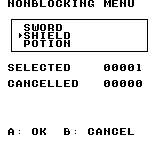
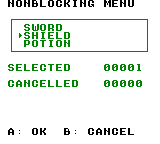
Build command
New-Item -ItemType Directory -Force .\out | Out-Null
.\kitaqgb\kitaqgb.exe .\kitaq-docs\samples\api-examples\gb\batch_menu_state.c -I .\kitaqgb\lib -I .\kitaq-docs\samples -o .\out\batch_menu_state.gb --no-cache --no-disasm --profile=dev --rst-disable --stack-bank=fixed --cgb=cgb --cart=mbc5 --romsize=64kImplementation and source
kitaqgb/lib/rpg.h:273
Draw the current menu and cursor without waiting or sampling input. The caller schedules suitable display timing and keeps item text within bounds.
kitaqgb/lib/menu.c:94
void menu_draw(menu_state_t* state)
{
u8 i;
if (state == 0) return;
text_open(state->x, state->y, state->w, state->h);
i = 0;
while (i < state->count) {
u8 py = (u8)(state->y + 1 + i);
const u8* s = state->items[i];
u8 px = (u8)(state->x + 2);
__settile_xy((u8)(state->x + 1), py, (i == state->cursor) ? TEXT_TILE_CURSOR : TEXT_TILE_FILL);
while (*s != 0) {
__settile_xy(px, py, *s);
px++;
s++;
}
i++;
}
}menu_get_selected
Read the selection retained by an incremental menu.
Syntax
u8 menu_get_selected(menu_state_t* state);Parameters
statePointer to an initialized menu state.
Return value
Returns the zero-based selection, or 255 when pending, cancelled or passed null.
Conditions and limits
Reading does not clear the result. Stop updating after completion and call menu_init_state() before starting a new interaction.
Usage example
result[0]=menu_get_selected(&menu_state);This is a calling fragment. Follow the stated initialization and buffer requirements before using it in a complete program.
Expected result
The example reads selection 1 for SHIELD and verifies that null returns 255.
Build command
New-Item -ItemType Directory -Force .\out | Out-Null
.\kitaqgb\kitaqgb.exe .\kitaq-docs\samples\api-examples\gb\batch_menu_state.c -I .\kitaqgb\lib -I .\kitaq-docs\samples -o .\out\batch_menu_state.gb --no-cache --no-disasm --profile=dev --rst-disable --stack-bank=fixed --cgb=cgb --cart=mbc5 --romsize=64kImplementation and source
kitaqgb/lib/rpg.h:279
Read the latched selection without clearing it; null state returns 0xFF.
kitaqgb/lib/menu.c:148
u8 menu_get_selected(menu_state_t* state)
{
if (state == 0) return 0xFF;
return state->selected;
}menu_init_state
Initialize a menu that will be driven incrementally by the game loop.
Syntax
void menu_init_state(menu_state_t* state, u8 x, u8 y, u8 w, u8 h, const u8* const* items, u8 count);Parameters
stateWritable, non-null
menu_state_tto initialize.xWindow’s leftmost tile column.
yWindow’s top tile row.
wWidth in tiles, including the border.
hHeight in tiles, including the border.
itemsArray of pointers to zero-terminated item labels.
countItem count, no greater than the available interior rows.
Return value
No return value.
Conditions and limits
Sets cursor and previous keys to zero, selection to 255, and cancellation to zero. It neither draws nor waits for input. Load frame, cursor and text tiles beforehand. The caller retains the item array and strings. Text is neither automatically wrapped nor clipped; choose positions, counts and label lengths that fit the window.
Usage example
menu_init_state(&menu_state,1,2,18,5,choices,3);result[2]=menu_state.selected;This is a calling fragment. Follow the stated initialization and buffer requirements before using it in a complete program.
Expected result
The example prepares a three-item menu at (1,2), sized 18×5 tiles, with initial selection 255.
Build command
New-Item -ItemType Directory -Force .\out | Out-Null
.\kitaqgb\kitaqgb.exe .\kitaq-docs\samples\api-examples\gb\batch_menu_state.c -I .\kitaqgb\lib -I .\kitaq-docs\samples -o .\out\batch_menu_state.gb --no-cache --no-disasm --profile=dev --rst-disable --stack-bank=fixed --cgb=cgb --cart=mbc5 --romsize=64kImplementation and source
kitaqgb/lib/rpg.h:270
Initialize a nonblocking menu state that borrows the item pointer table. Selection starts unset (0xFF), and the cancellation flag starts clear.
kitaqgb/lib/menu.c:78
void menu_init_state(menu_state_t* state, u8 x, u8 y, u8 w, u8 h, const u8* const* items, u8 count)
{
state->x = x;
state->y = y;
state->w = w;
state->h = h;
state->items = items;
state->count = count;
state->cursor = 0;
state->prev_keys = 0;
state->selected = 0xFF;
state->cancelled = 0;
}menu_inventory
Display inventory names and two-digit quantities and let the player choose an item.
Syntax
u8 menu_inventory(const item_t* items, u8 count);Parameters
itemsReadable
item_tarray containing IDs, quantities and names.countItem count: 1–15 for a visible list, or zero for an empty list.
Return value
Returns the selected array index, not the item ID, or 255 for cancellation/empty input.
Conditions and limits
Items and quantities are not modified. Use quantities 0–99 and at most 15 visible items. The window is at (1,1), width 18 and height count+2. Names start in column 3 and quantities occupy columns 15–16; long names can overwrite them. UP/DOWN wraps, and A wins over simultaneous B. Load frame, cursor and text tiles beforehand. The caller retains the item array and strings. Text is neither automatically wrapped nor clipped; choose positions, counts and label lengths that fit the window.
Usage example
result[0]=menu_inventory(items,3);This is a calling fragment. Follow the stated initialization and buffer requirements before using it in a complete program.
Expected result
The window shows SWORD 07, SHIELD 42 and POTION 99. Selecting SHIELD returns index 1 and leaves its quantity at 42.
Build command
New-Item -ItemType Directory -Force .\out | Out-Null
.\kitaqgb\kitaqgb.exe .\kitaq-docs\samples\api-examples\gb\batch_menu_inventory.c -I .\kitaqgb\lib -I .\kitaq-docs\samples -o .\out\batch_menu_inventory.gb --no-cache --no-disasm --profile=dev --rst-disable --stack-bank=fixed --cgb=cgb --cart=mbc5 --romsize=64kImplementation and source
kitaqgb/lib/rpg.h:267
Run a blocking item menu, drawing names and two-digit quantities. Return the selected index or 0xFF on empty input/B; this does not consume an item.
kitaqgb/lib/menu.c:176
u8 menu_inventory(const item_t* items, u8 count)
{
u8 cursor;
u8 prev;
u8 i;
if (count == 0) return 0xFF;
text_open(1, 1, 18, (u8)(count + 2));
cursor = 0;
prev = 0;
while (1) {
for (i = 0; i < count; i++) {
u8 py = (u8)(2 + i);
const u8* s = items[i].name;
u8 px = 3;
__settile_xy(2, py, (i == cursor) ? TEXT_TILE_CURSOR : TEXT_TILE_FILL);
while (*s != 0) {
__settile_xy(px, py, *s);
px++;
s++;
}
menu_draw_ascii_qty(15, py, items[i].qty);
}
__wait_vblank();
{
u16 kt = __readpadex(prev);
u8 trigger;
prev = (u8)kt;
trigger = (u8)(kt >> 8);
if ((trigger & PAD_KEY_UP) != 0) {
if (cursor == 0) cursor = (u8)(count - 1);
else cursor--;
}
if ((trigger & PAD_KEY_DOWN) != 0) {
cursor++;
if (cursor >= count) cursor = 0;
}
if ((trigger & PAD_KEY_A) != 0) return cursor;
if ((trigger & PAD_KEY_B) != 0) return 0xFF;
}
}
}menu_run
Run a selection menu that displays its items and waits for confirmation or cancellation.
Syntax
u8 menu_run(const menu_t* menu);Parameters
menuNon-null
menu_tspecifying position, size, items, count and starting cursor. An out-of-range starting cursor falls back to zero.
Return value
Returns the zero-based selection, or 255 for B/cancellation or an empty list.
Conditions and limits
New UP/DOWN presses wrap at the ends, with no held-key repeat. A wins over B when both are pressed. Keys already held on entry count as new presses. menu->cursor supplies the starting position and is not updated with the result. The window remains after return. Load frame, cursor and text tiles beforehand. The caller retains the item array and strings. Text is neither automatically wrapped nor clipped; choose positions, counts and label lengths that fit the window.
Usage example
result[0]=menu_run(&menu);This is a calling fragment. Follow the stated initialization and buffer requirements before using it in a complete program.
Expected result
DOWN then A selects SHIELD, index 1, from SWORD/SHIELD/POTION. The stored starting cursor remains zero.
Build command
New-Item -ItemType Directory -Force .\out | Out-Null
.\kitaqgb\kitaqgb.exe .\kitaq-docs\samples\api-examples\gb\batch_menu_run.c -I .\kitaqgb\lib -I .\kitaq-docs\samples -o .\out\batch_menu_run.gb --no-cache --no-disasm --profile=dev --rst-disable --stack-bank=fixed --cgb=cgb --cart=mbc5 --romsize=64kImplementation and source
kitaqgb/lib/rpg.h:262
Run a blocking menu loop with wraparound up/down selection, A to accept and B to cancel. Return 0xFF for an empty menu or cancellation. Item strings and menu dimensions must fit the visible tile area.
kitaqgb/lib/menu.c:25
u8 menu_run(const menu_t* menu)
{
u8 cursor;
u8 prev;
if (menu->count == 0) return 0xFF;
text_open(menu->x, menu->y, menu->w, menu->h);
cursor = menu->cursor;
if (cursor >= menu->count) cursor = 0;
prev = 0;
while (1) {
u8 i;
for (i = 0; i < menu->count; i++) {
u8 py = (u8)(menu->y + 1 + i);
__settile_xy((u8)(menu->x + 1), py, (i == cursor) ? TEXT_TILE_CURSOR : TEXT_TILE_FILL);
{
const u8* s = menu->items[i];
u8 px = (u8)(menu->x + 2);
while (*s != 0) {
__settile_xy(px, py, *s);
px++;
s++;
}
}
}
__wait_vblank();
{
u16 kt = __readpadex(prev);
u8 trigger;
prev = (u8)kt;
trigger = (u8)(kt >> 8);
if ((trigger & PAD_KEY_UP) != 0) {
if (cursor == 0) cursor = (u8)(menu->count - 1);
else cursor--;
}
if ((trigger & PAD_KEY_DOWN) != 0) {
cursor++;
if (cursor >= menu->count) cursor = 0;
}
if ((trigger & PAD_KEY_A) != 0) return cursor;
if ((trigger & PAD_KEY_B) != 0) return 0xFF;
}
}
}menu_update
Read one controller transition and update the cursor, selection and cancellation state.
Syntax
void menu_update(menu_state_t* state);Parameters
stateInitialized menu state whose input history and results will be updated.
Return value
No return value.
Conditions and limits
Null or an empty list is a no-op. It neither waits for a frame nor draws; call it about once per game-loop frame. UP/DOWN wraps without held-key repeat. B is processed after A, so simultaneous A/B cancels.
Usage example
menu_update(&menu_state);menu_draw(&menu_state);This is a calling fragment. Follow the stated initialization and buffer requirements before using it in a complete program.
Expected result
The loop waits for VBlank, updates, then draws until selected or cancelled. DOWN then A yields selection 1 and cancellation flag 0.
Build command
New-Item -ItemType Directory -Force .\out | Out-Null
.\kitaqgb\kitaqgb.exe .\kitaq-docs\samples\api-examples\gb\batch_menu_state.c -I .\kitaqgb\lib -I .\kitaq-docs\samples -o .\out\batch_menu_state.gb --no-cache --no-disasm --profile=dev --rst-disable --stack-bank=fixed --cgb=cgb --cart=mbc5 --romsize=64kImplementation and source
kitaqgb/lib/rpg.h:277
Sample new button presses and update cursor/selection state without drawing. Selected and cancelled results remain latched; a B press in the same update as A clears selection and leaves cancellation set.
kitaqgb/lib/menu.c:118
void menu_update(menu_state_t* state)
{
u16 kt;
u8 trigger;
if (state == 0) return;
if (state->count == 0) return;
kt = __readpadex(state->prev_keys);
state->prev_keys = (u8)kt;
trigger = (u8)(kt >> 8);
if ((trigger & PAD_KEY_UP) != 0) {
if (state->cursor == 0) state->cursor = (u8)(state->count - 1);
else state->cursor--;
}
if ((trigger & PAD_KEY_DOWN) != 0) {
state->cursor++;
if (state->cursor >= state->count) state->cursor = 0;
}
if ((trigger & PAD_KEY_A) != 0) {
state->selected = state->cursor;
}
if ((trigger & PAD_KEY_B) != 0) {
state->cancelled = 1;
state->selected = 0xFF;
}
}menu_was_cancelled
Check whether an incremental menu was cancelled with B.
Syntax
u8 menu_was_cancelled(menu_state_t* state);Parameters
statePointer to an initialized menu state.
Return value
Returns 1 when cancelled, otherwise 0, including for null.
Conditions and limits
The flag is not cleared by reading. Reinitialize before reuse. Use this alongside selection because 255 alone cannot distinguish pending input from cancellation.
Usage example
result[1]=menu_was_cancelled(&menu_state);This is a calling fragment. Follow the stated initialization and buffer requirements before using it in a complete program.
Expected result
Confirmation with A leaves the flag at zero. A separate input check cancels with B and verifies one.
Build command
New-Item -ItemType Directory -Force .\out | Out-Null
.\kitaqgb\kitaqgb.exe .\kitaq-docs\samples\api-examples\gb\batch_menu_state.c -I .\kitaqgb\lib -I .\kitaq-docs\samples -o .\out\batch_menu_state.gb --no-cache --no-disasm --profile=dev --rst-disable --stack-bank=fixed --cgb=cgb --cart=mbc5 --romsize=64kImplementation and source
kitaqgb/lib/rpg.h:281
Read the latched cancellation flag; null state returns false.
kitaqgb/lib/menu.c:155
u8 menu_was_cancelled(menu_state_t* state)
{
if (state == 0) return 0;
return state->cancelled;
}menu_yesno
Display a YES/NO menu at a fixed location and wait for input.
Syntax
u8 menu_yesno();Return value
Returns 0 for YES, 1 for NO, or 255 for cancellation with B.
Conditions and limits
The window starts at tile (6,10) and is 8×4 tiles. Selection uses text_choice(). The caller performs the chosen game action after return. Load frame, cursor and text tiles beforehand. The caller retains the item array and strings. Text is neither automatically wrapped nor clipped; choose positions, counts and label lengths that fit the window.
Usage example
result[0]=menu_yesno();This is a calling fragment. Follow the stated initialization and buffer requirements before using it in a complete program.
Expected result
DOWN then A selects NO. The cursor appears to the left of NO and SELECTED reads 00001.
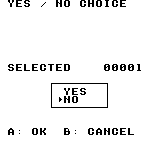
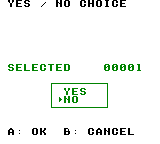
Build command
New-Item -ItemType Directory -Force .\out | Out-Null
.\kitaqgb\kitaqgb.exe .\kitaq-docs\samples\api-examples\gb\batch_menu_yesno.c -I .\kitaqgb\lib -I .\kitaq-docs\samples -o .\out\batch_menu_yesno.gb --no-cache --no-disasm --profile=dev --rst-disable --stack-bank=fixed --cgb=cgb --cart=mbc5 --romsize=64kImplementation and source
kitaqgb/lib/rpg.h:264
Open a two-choice dialog and return the text-choice result (YES first, NO second).
kitaqgb/lib/menu.c:162
u8 menu_yesno()
{
const u8* items[2];
items[0] = menu_yes;
items[1] = menu_no;
text_open(6, 10, 8, 4);
return text_choice(items, 2);
}path_find_bfs
Find a shortest cardinal route and write its directions in start-to-goal order.
Syntax
u8 path_find_bfs(u8 sx, u8 sy, u8 gx, u8 gy, u8* out_path, u8 max_len);Parameters
sxIn-bounds start cell X.
syStart cell Y.
gxGoal cell X; a blocked goal distinct from the origin is rejected.
gyGoal cell Y.
out_pathWritable array of at least max_len bytes; 0=up, 1=right, 2=down, 3=left.
max_lenOutput capacity; an excessive route fails rather than being truncated.
Return value
Returns route length; zero means unreachable, invalid coordinates, insufficient max_len, or an already reached goal.
Conditions and limits
Coordinates address cells in the current map: 8×8 pixels for ordinary tiles, 16×16 pixels for metatiles.
Search uses about 4 KiB of shared, non-reentrant workspace. Limit maps to 1024 cells and explored distances to 254. Distance 0xFF means unreached, so a 255-step route is not representable. Cost/mask outputs need width*height writable bytes.
max_len limits output, not the search radius. Do not use output as a new route after failure.
Usage example
result[49]=path_find_bfs(0,2,5,2,route,30);x=0;y=2;for(i=0;i<result[49];i++){if(route[i]==0)y--;if(route[i]==1)x++;if(route[i]==2)y++;if(route[i]==3)x--;}result[50]=x;result[51]=y;result[52]=path_find_bfs(0,2,5,2,route,2);result[53]=path_find_bfs(0,2,2,2,route,30);This is a calling fragment. Follow the stated initialization and buffer requirements before using it in a complete program.
Expected result
The left grid shows movement costs within three steps; the right shows a shortest route from S to G. Green asterisks trace nine steps around a red three-cell wall; blue digits show costs. DMG uses the same layout in black. RAM checks also demonstrate that the attack mask ignores walls.
Build command
New-Item -ItemType Directory -Force .\out | Out-Null
.\kitaqgb\kitaqgb.exe .\kitaq-docs\samples\api-examples\gb\batch3_map_path.c -I .\kitaqgb\lib -I .\kitaq-docs\samples -o .\out\batch3_map_path.gb --no-cache --no-disasm --profile=dev --rst-disable --stack-bank=fixed --cgb=cgb --cart=mbc5 --romsize=64k --ramsize=noneImplementation and source
kitaqgb/lib/rpg.h:361
Find a shortest cardinal path with BFS and write direction codes 0=up, 1=right, 2=down, 3=left. Return its byte length, or zero for failure or an already-reached goal. The caller supplies max_len output bytes and respects the shared workspace/distance limits; excessive paths are not truncated.
kitaqgb/lib/slg_path.c:78
u8 path_find_bfs(u8 sx, u8 sy, u8 gx, u8 gy, u8* out_path, u8 max_len)
{
u8 w = map_current_width();
u8 h = map_current_height();
u16 total;
u16 head = 0;
u16 tail = 0;
u16 start;
u16 goal;
u8 found = 0;
if (w == 0 || h == 0) return 0;
if (sx >= w || sy >= h || gx >= w || gy >= h) return 0;
if ((sx != gx || sy != gy) && map_is_blocked(gx, gy) != 0) return 0;
total = (u16)((u16)w * (u16)h);
__memset(path_dist, 0xFF, total);
start = __map_index(sx, sy, w);
goal = __map_index(gx, gy, w);
path_dist[start] = 0;
path_queue[tail++] = start;
while (head < tail) {
u16 cur = path_queue[head++];
u8 cost = path_dist[cur];
u8 y = (u8)(cur / w);
u8 x = (u8)(cur - ((u16)y * (u16)w));
if (cur == goal) {
found = 1;
break;
}
if (y > 0) {
u16 next = (u16)(cur - w);
if (path_dist[next] == 0xFF && map_is_blocked(x, (u8)(y - 1)) == 0) {
path_dist[next] = (u8)(cost + 1);
path_queue[tail++] = next;
}
}
if ((u8)(x + 1) < w) {
u16 next = (u16)(cur + 1);
if (path_dist[next] == 0xFF && map_is_blocked((u8)(x + 1), y) == 0) {
path_dist[next] = (u8)(cost + 1);
path_queue[tail++] = next;
}
}
if ((u8)(y + 1) < h) {
u16 next = (u16)(cur + w);
if (path_dist[next] == 0xFF && map_is_blocked(x, (u8)(y + 1)) == 0) {
path_dist[next] = (u8)(cost + 1);
path_queue[tail++] = next;
}
}
if (x > 0) {
u16 next = (u16)(cur - 1);
if (path_dist[next] == 0xFF && map_is_blocked((u8)(x - 1), y) == 0) {
path_dist[next] = (u8)(cost + 1);
path_queue[tail++] = next;
}
}
}
// Reject unreachable or oversized paths before reconstructing output.
if (found == 0) return 0;
if (path_dist[goal] > max_len) return 0;
{
// Walk backward through decreasing costs, recording forward directions in
// reverse order. The fixed neighbor order makes tied routes deterministic.
u8 len = 0;
u16 cur = goal;
while (cur != start) {
u8 cur_cost = path_dist[cur];
u8 y = (u8)(cur / w);
u8 x = (u8)(cur - ((u16)y * (u16)w));
if (y > 0 && path_dist[(u16)(cur - w)] == (u8)(cur_cost - 1)) {
path_rev[len++] = 2;
cur = (u16)(cur - w);
continue;
}
if ((u8)(x + 1) < w && path_dist[(u16)(cur + 1)] == (u8)(cur_cost - 1)) {
path_rev[len++] = 3;
cur = (u16)(cur + 1);
continue;
}
if ((u8)(y + 1) < h && path_dist[(u16)(cur + w)] == (u8)(cur_cost - 1)) {
path_rev[len++] = 0;
cur = (u16)(cur + w);
continue;
}
if (x > 0 && path_dist[(u16)(cur - 1)] == (u8)(cur_cost - 1)) {
path_rev[len++] = 1;
cur = (u16)(cur - 1);
continue;
}
return 0;
}
// Reverse the recovered directions so the first output step starts at the origin.
while (len != 0) {
len--;
out_path[path_dist[goal] - 1 - len] = path_rev[len];
}
return path_dist[goal];
}
}quest_set_state
Replace one quest's entire state byte. The meaning of each value belongs to your game: for example, you can use 1 for accepted and 3 for completed. The function does not check whether that transition is allowed and does not trigger rewards or callbacks.
Syntax
void quest_set_state(u8 quest_id, u8 state);Parameters
quest_idQuest number, 0–63, passed as u8. It directly indexes one of 64 state bytes; it is a game-defined ID, not a pointer or a count of completed quests.
stateNew u8 state, 0–255. All eight bits replace the previous value. The library assigns no built-in meanings to the values and does not reserve 0 or 255.
Return value
None (void).
Conditions and limits
The function does not validate the ID. Keep flag IDs below 2048 and quest IDs below 64; out-of-range access can read or overwrite unrelated RAM. The examples use explicit initialization rather than depending on startup contents.
flags.c owns 256 bytes for flags and 64 separate bytes for quests in RAM. These functions do not access cartridge save RAM and do not save across power cycles. To persist progress, your game must serialize the flag and quest values through its save system and restore them when loading.
Include rpg.h and compile lib/flags.c with the game. The arrays are private to that source file; use the flag/quest APIs to access them. Their storage is shared by all callers, so coordinate writes from the main loop and interrupt handlers yourself.
Usage example
quest_set_state(2,1); // In this game, 1 means accepted.
started=quest_state(2);
quest_set_state(2,3); // In this game, 3 means completed; replace the whole byte.This is a calling fragment. Follow the stated initialization and buffer requirements before using it in a complete program.
Expected result
This sample stores 1, then overwrites it with 3 for quest 2. ACCEPTED shows the first observation, 001, and COMPLETED shows the replacement, 003. LAST QUEST is 255 after storing 255 at quest ID 63, the last valid entry.
The complete program displays decimal results on white: black text on DMG and blue text on CGB. FAILED must be 000. The captured screens show only RAM-state behavior; they do not demonstrate saving a game.
On the DMG emulator, verification exercised every flag ID from 0 through 2047, repeated set/clear calls, adjacent entries, and all 256 state values for each of 64 quests. A final 256-byte flag pattern and 64 quest bytes were compared with expected data. Both teaching screens were checked after 240 frames. Physical hardware and save persistence were not tested.
Build command
New-Item -ItemType Directory -Force .\out | Out-Null
.\kitaqgb\kitaqgb.exe .\kitaq-docs\samples\api-examples\gb\flags_quests.c .\kitaqgb\lib\flags.c -I .\kitaqgb\lib -I .\kitaq-docs\samples -o .\out\flags_quests.gb --profile=dev --rst-disable --stack-bank=fixed --cgb=cgb --no-cache --no-disasmImplementation and source
kitaqgb/lib/rpg.h:377
Replace a quest-state byte without validating its game-specific meaning. The caller must keep quest_id below 64.
kitaqgb/lib/flags.c:34
void quest_set_state(u8 quest_id, u8 state)
{
quest_states[quest_id] = state;
}quest_state
Read the stored byte for one quest. Unlike a one-bit flag, a quest byte can distinguish several stages, such as not started, accepted and completed. The function only reads storage; it does not run quest logic or advance the stage.
Syntax
u8 quest_state(u8 quest_id);Parameters
quest_idQuest number, 0–63, passed as u8. It directly indexes one of 64 state bytes; it is a game-defined ID, not a pointer or a count of completed quests.
Return value
The stored u8 value, 0–255. This is a full state byte, not a normalized Boolean; compare it with the stage values defined by your game.
Conditions and limits
The function does not validate the ID. Keep flag IDs below 2048 and quest IDs below 64; out-of-range access can read or overwrite unrelated RAM. The examples use explicit initialization rather than depending on startup contents.
flags.c owns 256 bytes for flags and 64 separate bytes for quests in RAM. These functions do not access cartridge save RAM and do not save across power cycles. To persist progress, your game must serialize the flag and quest values through its save system and restore them when loading.
Include rpg.h and compile lib/flags.c with the game. The arrays are private to that source file; use the flag/quest APIs to access them. Their storage is shared by all callers, so coordinate writes from the main loop and interrupt handlers yourself.
Usage example
finished=quest_state(2); // Read back 3 without advancing any quest logic.This is a calling fragment. Follow the stated initialization and buffer requirements before using it in a complete program.
Expected result
This sample reads quest 2 after the game explicitly changes its state from 1 to 3. ACCEPTED displays 001 and COMPLETED displays 003. The names and stage meanings are chosen by the sample, not enforced by the library.
The complete program displays decimal results on white: black text on DMG and blue text on CGB. FAILED must be 000. The captured screens show only RAM-state behavior; they do not demonstrate saving a game.
On the DMG emulator, verification exercised every flag ID from 0 through 2047, repeated set/clear calls, adjacent entries, and all 256 state values for each of 64 quests. A final 256-byte flag pattern and 64 quest bytes were compared with expected data. Both teaching screens were checked after 240 frames. Physical hardware and save persistence were not tested.
Build command
New-Item -ItemType Directory -Force .\out | Out-Null
.\kitaqgb\kitaqgb.exe .\kitaq-docs\samples\api-examples\gb\flags_quests.c .\kitaqgb\lib\flags.c -I .\kitaqgb\lib -I .\kitaq-docs\samples -o .\out\flags_quests.gb --profile=dev --rst-disable --stack-bank=fixed --cgb=cgb --no-cache --no-disasmImplementation and source
kitaqgb/lib/rpg.h:374
Read a quest-state byte; quest_id must be below 64.
kitaqgb/lib/flags.c:27
u8 quest_state(u8 quest_id)
{
return quest_states[quest_id];
}rand_range
Choose a zero-based value below max by taking rng8() % max. For example, a bound of 10 gives a usable index from 0 through 9. A zero bound returns zero immediately without drawing.
Syntax
u8 rand_range(u8 max);Parameters
maxExclusive upper bound, as u8 (0–255). For max > 0 the result is smaller than max. This parameter cannot express 256; use rng8 when you want the full byte result without modulo reduction.
Return value
For max > 0, a u8 in 0 through max−1 after one draw. For max == 0, zero without a draw. Even max == 1 consumes one draw although its result is always zero.
Conditions and limits
Modulo reduction can favor some outcomes when the input range is not divisible by the bound. The underlying generator also need not be uniform. Treat bounded results and chance thresholds as gameplay approximations rather than exact probabilities.
These calls share persistent state. Reproduction requires the same target, seed and sequence of calls, including calls made by other helpers. Keep seed and draw operations in one execution context; these checks do not establish safe concurrent use from an interrupt handler.
GB and FC use different algorithms and do not promise the same sequence for the same seed. These are deterministic gameplay generators, not a source of cryptographic randomness; the tests check implementation behavior, not statistical quality or period.
Include rpg.h and compile lib/rng.c alongside your game when using the library functions. The __rng_seed and __rng8 intrinsics themselves are emitted by the compiler; a program using only those two needs no rng.c object.
Usage example
rng_seed(0x1234);
bounded=rand_range(10); // An index from 0 through 9; this seed yields 2.This is a calling fragment. Follow the stated initialization and buffer requirements before using it in a complete program.
Expected result
This sample chooses an index below 10. RANGE 10 displays 00002 because the first byte from seed 0x1234 is 2. ZERO BOUND is 00000 and the following NEXT BYTE is still 00002, confirming that the zero-bound call did not draw.
The complete program prints decimal results on a white background: black text on DMG, blue text on CGB. FAILED must read 00000. The pictures show the actual emulator output of this sample.
Verification compared 32 outputs and eight subsequent byte draws per case with an independent host model: 93 GB cases and 18 FC cases, including constant/runtime seeds and GB range/chance/weight boundaries. The teaching screens were checked after 240 emulator frames. Physical hardware and statistical quality were not tested.
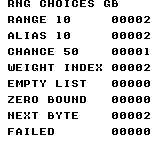
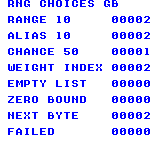
Build command
New-Item -ItemType Directory -Force .\out | Out-Null
.\kitaqgb\kitaqgb.exe .\kitaq-docs\samples\api-examples\gb\rng_choices.c .\kitaqgb\lib\rng.c -I .\kitaqgb\lib -I .\kitaq-docs\samples -o .\out\rng_choices.gb --profile=dev --rst-disable --stack-bank=fixed --cgb=cgb --no-cache --no-disasmImplementation and source
kitaqgb/lib/rpg.h:199
Reduce a random byte modulo max; zero returns zero without consuming randomness. Modulo reduction is biased unless max divides the generator range.
kitaqgb/lib/rng.c:37
u8 rand_range(u8 max)
{
if (max == 0) return 0;
return (u8)(rng8() % max);
}range_fill_move
Flood cardinal neighbors at unit cost with breadth-first search to build movement costs.
Syntax
void range_fill_move(u8 sx, u8 sy, u8 move, u8* out_costmap);Parameters
sxIn-bounds start cell X.
syStart cell Y.
moveMovement limit 0..254; zero reaches only the origin.
out_costmapWritable width*height cost array: 255 unreached, zero at the origin.
Return value
No return value.
Conditions and limits
Coordinates address cells in the current map: 8×8 pixels for ordinary tiles, 16×16 pixels for metatiles.
Search uses about 4 KiB of shared, non-reentrant workspace. Limit maps to 1024 cells and explored distances to 254. Distance 0xFF means unreached, so a 255-step route is not representable. Cost/mask outputs need width*height writable bytes.
Missing maps or invalid origins leave output unchanged. Blocked destination cells are not entered.
Usage example
range_fill_move(0,2,3,costs);for(i=0;i<30;i++)result[13+i]=costs[i];This is a calling fragment. Follow the stated initialization and buffer requirements before using it in a complete program.
Expected result
The left grid shows movement costs within three steps; the right shows a shortest route from S to G. Green asterisks trace nine steps around a red three-cell wall; blue digits show costs. DMG uses the same layout in black. RAM checks also demonstrate that the attack mask ignores walls.
Build command
New-Item -ItemType Directory -Force .\out | Out-Null
.\kitaqgb\kitaqgb.exe .\kitaq-docs\samples\api-examples\gb\batch3_map_path.c -I .\kitaqgb\lib -I .\kitaq-docs\samples -o .\out\batch3_map_path.gb --no-cache --no-disasm --profile=dev --rst-disable --stack-bank=fixed --cgb=cgb --cart=mbc5 --romsize=64k --ramsize=noneImplementation and source
kitaqgb/lib/rpg.h:365
Flood cardinal neighbors at unit cost, stopping expansion at the movement limit and rejecting blocked destinations. Initialize output to 0xFF only after validating the map and origin; invalid input leaves output unchanged.
kitaqgb/lib/slg_path.c:14
void range_fill_move(u8 sx, u8 sy, u8 move, u8* out_costmap)
{
u8 w = map_current_width();
u8 h = map_current_height();
u16 total;
u16 head = 0;
u16 tail = 0;
u16 start;
if (w == 0 || h == 0) return;
if (sx >= w || sy >= h) return;
total = (u16)((u16)w * (u16)h);
__memset(out_costmap, 0xFF, total);
start = __map_index(sx, sy, w);
out_costmap[start] = 0;
path_queue[tail++] = start;
while (head < tail) {
u16 cur = path_queue[head++];
u8 cost = out_costmap[cur];
u8 y = (u8)(cur / w);
u8 x = (u8)(cur - ((u16)y * (u16)w));
if (cost >= move) continue;
if (y > 0) {
u16 next = (u16)(cur - w);
if (out_costmap[next] == 0xFF && map_is_blocked(x, (u8)(y - 1)) == 0) {
out_costmap[next] = (u8)(cost + 1);
path_queue[tail++] = next;
}
}
if ((u8)(x + 1) < w) {
u16 next = (u16)(cur + 1);
if (out_costmap[next] == 0xFF && map_is_blocked((u8)(x + 1), y) == 0) {
out_costmap[next] = (u8)(cost + 1);
path_queue[tail++] = next;
}
}
if ((u8)(y + 1) < h) {
u16 next = (u16)(cur + w);
if (out_costmap[next] == 0xFF && map_is_blocked(x, (u8)(y + 1)) == 0) {
out_costmap[next] = (u8)(cost + 1);
path_queue[tail++] = next;
}
}
if (x > 0) {
u16 next = (u16)(cur - 1);
if (out_costmap[next] == 0xFF && map_is_blocked((u8)(x - 1), y) == 0) {
out_costmap[next] = (u8)(cost + 1);
path_queue[tail++] = next;
}
}
}
}rle_decode
Expand a run-length encoded byte stream into ordinary writable RAM. Each count/value pair repeats one byte count times; a zero count ends the stream. Use this path when the encoded data is already readable through an ordinary pointer and you want to inspect or modify the expanded bytes before uploading them.
Syntax
u16 rle_decode(void* dst, const void* src);Parameters
dstPointer to enough writable RAM for the entire expanded stream. No capacity is passed to the function. Keep the output separate from the encoded source so that writes cannot overwrite pairs that have not yet been read.
srcReadable pointer to count/value byte pairs terminated by a zero count. The count is 1–255 for an ordinary run; the repeated value can be any byte, including zero. A terminating zero has no following value byte. The pointer must remain readable in the current mapping throughout the call.
Return value
Number of bytes written, as u16. An immediate zero count produces zero bytes and returns 0. The terminator is not copied. Keep the expanded length representable in u16; the return value has no separate error code and is not a tile count.
Conditions and limits
The encoding is byte-oriented, not text-oriented. For example, {3, 0x12, 2, 0xA5, 0} expands to five bytes: 12 12 12 A5 A5. Values are hexadecimal in that output listing. A zero value inside a nonzero-count pair is ordinary data, not the end marker.
There is no encoded-size, output-capacity or malformed-data argument. Validate assets when creating or loading them, provide the zero terminator, and calculate their expanded size before decoding. An invalid or unterminated stream can read past the source and write past the destination.
The RAM decoders use ordinary stores and do not synchronize with LCD access periods. Keep their destinations in RAM. To display the result, upload it separately with a suitable VRAM copy API, as the sample does while the LCD is stopped.
Do not let an interrupt routine change the ROM mapping or reuse the far-copy helper while a bank-qualified fetch is in progress. The helpers use shared bank bookkeeping. Place a near decoder and its source in compatible mappings; switching to a function's bank must not hide an ordinary source pointer.
rle_decode and rle_decode_far are declared in rpg.h and implemented in lib/rle.c. Compile that implementation once with your game. The complete example includes rle.c after #pragma bank 0 so that its caller and decoders stay in the common bank; do not also pass rle.c as a separate input for this example. The __rle_decode_vram intrinsic itself needs no library implementation file.
Usage example
near_count=rle_decode(near_buffer+1,local_rle); // 48 bytes in writable RAM.
__vram_copy(0x8800,near_buffer+1,near_count); // Upload those bytes while the LCD is off.This is a calling fragment. Follow the stated initialization and buffer requirements before using it in a complete program.
Expected result
This example expands nine encoded bytes into a guarded RAM buffer, then copies the 48-byte result to tile-data address 0x8800. RLE TO RAM reads 048. The top row is red on CGB and shows the three tiles decoded through this ordinary-pointer path.
Each row contains, from left to right, an 8×8 filled square, an 8×8 one-pixel outline, and a filled 4×8 rectangle occupying the left half of an 8×8 tile. Their tile columns are 2, 5 and 8 (pixel x = 16, 40 and 64). The three rows start at pixel y = 32, 72 and 112. DMG uses black shapes; CGB uses red, green and blue by row. FAILED must be 000. The numbers are byte counts: three 16-byte GB tiles require 48 decoded bytes.
The verification matrix checks 42 cases covering an empty stream, a one-byte run, zero-valued data, a 255-byte run, 510-byte output across a destination page, and encoded data across a source page. It compares all 528 observed destination/guard bytes, output length and restored ROM mapping. Direct VRAM cases include LCD on/off on DMG and CGB, plus CGB VBK 1. The two teaching screens are checked after 240 emulator frames. Invalid assets, concurrent interrupt use and physical hardware are not covered.
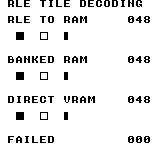
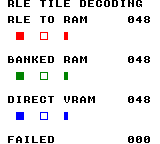
Build command
New-Item -ItemType Directory -Force .\out | Out-Null
.\kitaqgb\kitaqgb.exe .\kitaq-docs\samples\api-examples\gb\rle_shapes.c -I .\kitaqgb\lib -I .\kitaq-docs\samples -o .\out\rle_shapes.gb --profile=dev --rst-disable --stack-bank=fixed --cgb=cgb --cart=mbc5 --romsize=64k --no-cache --no-disasmImplementation and source
kitaqgb/lib/rpg.h:382
Expand count/value byte pairs until a zero count terminates the stream. The caller must provide a valid terminator and sufficient destination storage; there are no source or destination bounds parameters. Return the 16-bit byte count.
kitaqgb/lib/rle.c:8
u16 rle_decode(void* dst, const void* src)
{
const u8* in = (const u8*)src;
u8* out = (u8*)dst;
u16 total = 0;
while (1) {
u8 count = *in++;
u8 value;
if (count == 0) break;
value = *in++;
while (count != 0) {
*out++ = value;
total++;
count--;
}
}
return total;
}rle_decode_far
Expand the same count/value format into RAM while reading each encoded byte through __farpeek8 with the supplied ROM bank. Use it for compressed assets stored in a switchable ROM bank. The destination remains an ordinary RAM pointer; the bank argument describes the source.
Syntax
u16 rle_decode_far(void* dst, u8 bank, const void* src);Parameters
dstPointer to enough writable RAM for the entire expanded stream. No capacity is passed to the function. Keep the output separate from the encoded source so that writes cannot overwrite pairs that have not yet been read.
bankSource ROM bank number as u8. The bank and CPU address must match your cartridge mapper and asset placement. Bank selection is restored after each encoded-byte fetch; it is not a destination VRAM-bank selector and cannot express a 9-bit MBC5 bank number.
srcCPU pointer to the encoded stream in the supplied bank. The function increments this address, but keeps the bank number fixed. Keep the full stream, including its terminating zero, inside a readable mapping; crossing 0x7FFF does not automatically continue in the next ROM bank.
Return value
Number of bytes written, as u16. An immediate zero count produces zero bytes and returns 0. The terminator is not copied. Keep the expanded length representable in u16; the return value has no separate error code and is not a tile count.
Conditions and limits
The encoding is byte-oriented, not text-oriented. For example, {3, 0x12, 2, 0xA5, 0} expands to five bytes: 12 12 12 A5 A5. Values are hexadecimal in that output listing. A zero value inside a nonzero-count pair is ordinary data, not the end marker.
There is no encoded-size, output-capacity or malformed-data argument. Validate assets when creating or loading them, provide the zero terminator, and calculate their expanded size before decoding. An invalid or unterminated stream can read past the source and write past the destination.
The RAM decoders use ordinary stores and do not synchronize with LCD access periods. Keep their destinations in RAM. To display the result, upload it separately with a suitable VRAM copy API, as the sample does while the LCD is stopped.
Do not let an interrupt routine change the ROM mapping or reuse the far-copy helper while a bank-qualified fetch is in progress. The helpers use shared bank bookkeeping. Place a near decoder and its source in compatible mappings; switching to a function's bank must not hide an ordinary source pointer.
rle_decode and rle_decode_far are declared in rpg.h and implemented in lib/rle.c. Compile that implementation once with your game. The complete example includes rle.c after #pragma bank 0 so that its caller and decoders stay in the common bank; do not also pass rle.c as a separate input for this example. The __rle_decode_vram intrinsic itself needs no library implementation file.
Usage example
far_count=rle_decode_far(far_buffer+1,2,banked_rle); // Read encoded pairs from ROM bank 2.
if(*rle_bank_marker!=0xA1)failures++; // ROM bank 1 must be visible again.
__vram_copy(0x8830,far_buffer+1,far_count);This is a calling fragment. Follow the stated initialization and buffer requirements before using it in a complete program.
Expected result
This example reads the encoded stream from ROM bank 2, expands 48 bytes into RAM, and uploads them at 0x8830. BANKED RAM reads 048. The middle row is green on CGB. A marker in ROM bank 1 is also checked to verify restoration of the caller's mapping.
Each row contains, from left to right, an 8×8 filled square, an 8×8 one-pixel outline, and a filled 4×8 rectangle occupying the left half of an 8×8 tile. Their tile columns are 2, 5 and 8 (pixel x = 16, 40 and 64). The three rows start at pixel y = 32, 72 and 112. DMG uses black shapes; CGB uses red, green and blue by row. FAILED must be 000. The numbers are byte counts: three 16-byte GB tiles require 48 decoded bytes.
The verification matrix checks 42 cases covering an empty stream, a one-byte run, zero-valued data, a 255-byte run, 510-byte output across a destination page, and encoded data across a source page. It compares all 528 observed destination/guard bytes, output length and restored ROM mapping. Direct VRAM cases include LCD on/off on DMG and CGB, plus CGB VBK 1. The two teaching screens are checked after 240 emulator frames. Invalid assets, concurrent interrupt use and physical hardware are not covered.
Build command
New-Item -ItemType Directory -Force .\out | Out-Null
.\kitaqgb\kitaqgb.exe .\kitaq-docs\samples\api-examples\gb\rle_shapes.c -I .\kitaqgb\lib -I .\kitaq-docs\samples -o .\out\rle_shapes.gb --profile=dev --rst-disable --stack-bank=fixed --cgb=cgb --cart=mbc5 --romsize=64k --no-cache --no-disasmImplementation and source
kitaqgb/lib/rpg.h:386
Decode the same count/value format using bank-qualified reads for every source byte. Keep the encoded stream within the supplied bank/address mapping and provide enough destination space; a zero count ends the stream.
kitaqgb/lib/rle.c:34
u16 rle_decode_far(void* dst, u8 bank, const void* src)
{
const u8* p = (const u8*)src;
u8* out = (u8*)dst;
u16 total = 0;
while (1) {
u8 count = __farpeek8(bank, p);
u8 value;
p++;
if (count == 0) break;
value = __farpeek8(bank, p);
p++;
while (count != 0) {
*out++ = value;
total++;
count--;
}
}
return total;
}rng16
Build an unsigned 16-bit value from two successive rng8 draws. The first byte becomes bits 15–8 and the second becomes bits 7–0. Use this when one byte cannot represent the value range you need.
Syntax
u16 rng16();Return value
One u16 result (0–65535), formed as (first_byte << 8) | second_byte. Exactly two byte draws are consumed; this does not establish a uniform distribution of all 65536 values.
Conditions and limits
These calls share persistent state. Reproduction requires the same target, seed and sequence of calls, including calls made by other helpers. Keep seed and draw operations in one execution context; these checks do not establish safe concurrent use from an interrupt handler.
GB and FC use different algorithms and do not promise the same sequence for the same seed. These are deterministic gameplay generators, not a source of cryptographic randomness; the tests check implementation behavior, not statistical quality or period.
Include rpg.h and compile lib/rng.c alongside your game when using the library functions. The __rng_seed and __rng8 intrinsics themselves are emitted by the compiler; a program using only those two needs no rng.c object.
Usage example
rng_seed(0x1234);
word=rng16(); // First draw 2 is high, second draw 34 is low: 0x0222 = 546.This is a calling fragment. Follow the stated initialization and buffer requirements before using it in a complete program.
Expected result
This sample demonstrates word assembly. After reseeding with 0x1234, bytes 2 and 34 form 0x0222, so RNG16 displays 00546. FIRST and SECOND show the corresponding byte values separately.
The complete program prints decimal results on a white background: black text on DMG, blue text on CGB. FAILED must read 00000. The pictures show the actual emulator output of this sample.
Verification compared 32 outputs and eight subsequent byte draws per case with an independent host model: 93 GB cases and 18 FC cases, including constant/runtime seeds and GB range/chance/weight boundaries. The teaching screens were checked after 240 emulator frames. Physical hardware and statistical quality were not tested.
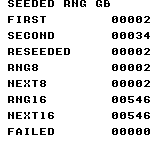
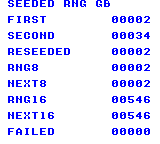
Build command
New-Item -ItemType Directory -Force .\out | Out-Null
.\kitaqgb\kitaqgb.exe .\kitaq-docs\samples\api-examples\gb\rng_values.c .\kitaqgb\lib\rng.c -I .\kitaqgb\lib -I .\kitaq-docs\samples -o .\out\rng_values.gb --profile=dev --rst-disable --stack-bank=fixed --cgb=cgb --no-cache --no-disasmImplementation and source
kitaqgb/lib/rpg.h:196
Consume two generator bytes in high-byte/low-byte order to form a 16-bit value.
kitaqgb/lib/rng.c:22
u16 rng16()
{
u16 hi = (u16)rng8();
u16 lo = (u16)rng8();
return (u16)((hi << 8) | lo);
}rng8
Get one pseudorandom byte through the GB library. rng8 calls __rng8 exactly once, making it the basic draw operation used by the other rng.c helpers.
Syntax
u8 rng8();Return value
One u8 result (0–255), after advancing the shared generator once. This describes the value's type and bounds, not equal likelihood for every byte.
Conditions and limits
These calls share persistent state. Reproduction requires the same target, seed and sequence of calls, including calls made by other helpers. Keep seed and draw operations in one execution context; these checks do not establish safe concurrent use from an interrupt handler.
GB and FC use different algorithms and do not promise the same sequence for the same seed. These are deterministic gameplay generators, not a source of cryptographic randomness; the tests check implementation behavior, not statistical quality or period.
Include rpg.h and compile lib/rng.c alongside your game when using the library functions. The __rng_seed and __rng8 intrinsics themselves are emitted by the compiler; a program using only those two needs no rng.c object.
Usage example
rng_seed(0x1234); // Reset the same generator used by the intrinsics.
wrapped=rng8(); // One byte draw: 2 after the preceding seed.This is a calling fragment. Follow the stated initialization and buffer requirements before using it in a complete program.
Expected result
This sample compares the library byte draw with the intrinsic. After rng_seed(0x1234), RNG8 displays 00002, matching FIRST. Seeding does not consume the first draw.
The complete program prints decimal results on a white background: black text on DMG, blue text on CGB. FAILED must read 00000. The pictures show the actual emulator output of this sample.
Verification compared 32 outputs and eight subsequent byte draws per case with an independent host model: 93 GB cases and 18 FC cases, including constant/runtime seeds and GB range/chance/weight boundaries. The teaching screens were checked after 240 emulator frames. Physical hardware and statistical quality were not tested.
Build command
New-Item -ItemType Directory -Force .\out | Out-Null
.\kitaqgb\kitaqgb.exe .\kitaq-docs\samples\api-examples\gb\rng_values.c .\kitaqgb\lib\rng.c -I .\kitaqgb\lib -I .\kitaq-docs\samples -o .\out\rng_values.gb --profile=dev --rst-disable --stack-bank=fixed --cgb=cgb --no-cache --no-disasmImplementation and source
kitaqgb/lib/rpg.h:194
Advance the compiler-provided pseudorandom generator and return one byte.
kitaqgb/lib/rng.c:4
u8 rng8()
{
return __rng8();
}rng_chance
Make a yes/no choice using rng_range(100) < percent. This is useful for approximate gameplay chances, such as deciding whether an enemy drops an item. Zero always returns false; values of 100 or more always return true, and neither endpoint consumes a draw.
Syntax
u8 rng_chance(u8 percent);Parameters
percentRequested chance as u8. Values 1–99 use one modulo-reduced byte; 0 returns false, and 100–255 return true. The intermediate values are approximate thresholds, not a guarantee of exact percentages.
Return value
Normalized Boolean: 0 for false or 1 for true. A call with a threshold from 1 through 99 consumes one byte draw.
Conditions and limits
Modulo reduction can favor some outcomes when the input range is not divisible by the bound. The underlying generator also need not be uniform. Treat bounded results and chance thresholds as gameplay approximations rather than exact probabilities.
These calls share persistent state. Reproduction requires the same target, seed and sequence of calls, including calls made by other helpers. Keep seed and draw operations in one execution context; these checks do not establish safe concurrent use from an interrupt handler.
GB and FC use different algorithms and do not promise the same sequence for the same seed. These are deterministic gameplay generators, not a source of cryptographic randomness; the tests check implementation behavior, not statistical quality or period.
Include rpg.h and compile lib/rng.c alongside your game when using the library functions. The __rng_seed and __rng8 intrinsics themselves are emitted by the compiler; a program using only those two needs no rng.c object.
Usage example
rng_seed(0x1234);
chance=rng_chance(50); // Here 2 % 100 < 50, so the result is 1 (true).This is a calling fragment. Follow the stated initialization and buffer requirements before using it in a complete program.
Expected result
This sample performs one approximate 50-percent decision. The seeded byte is 2, and 2 % 100 < 50 is true, so CHANCE 50 displays 00001. One successful draw does not demonstrate a 50-percent long-run success rate.
The complete program prints decimal results on a white background: black text on DMG, blue text on CGB. FAILED must read 00000. The pictures show the actual emulator output of this sample.
Verification compared 32 outputs and eight subsequent byte draws per case with an independent host model: 93 GB cases and 18 FC cases, including constant/runtime seeds and GB range/chance/weight boundaries. The teaching screens were checked after 240 emulator frames. Physical hardware and statistical quality were not tested.
Build command
New-Item -ItemType Directory -Force .\out | Out-Null
.\kitaqgb\kitaqgb.exe .\kitaq-docs\samples\api-examples\gb\rng_choices.c .\kitaqgb\lib\rng.c -I .\kitaqgb\lib -I .\kitaq-docs\samples -o .\out\rng_choices.gb --profile=dev --rst-disable --stack-bank=fixed --cgb=cgb --no-cache --no-disasmImplementation and source
kitaqgb/lib/rpg.h:214
Return false for zero and true for values at least 100. Intermediate values use the modulo-based range generator, so percentages are approximate.
kitaqgb/lib/rng.c:51
u8 rng_chance(u8 percent)
{
if (percent == 0) return 0;
if (percent >= 100) return 1;
return (u8)(rng_range(100) < percent);
}rng_next16
Return the same two-draw word as rng16. This is an alias through the library, with the first draw in the high byte and the second in the low byte; it does not skip an extra value before drawing.
Syntax
u16 rng_next16();Return value
One u16 result (0–65535), formed as (first_byte << 8) | second_byte. Exactly two byte draws are consumed; this does not establish a uniform distribution of all 65536 values.
Conditions and limits
These calls share persistent state. Reproduction requires the same target, seed and sequence of calls, including calls made by other helpers. Keep seed and draw operations in one execution context; these checks do not establish safe concurrent use from an interrupt handler.
GB and FC use different algorithms and do not promise the same sequence for the same seed. These are deterministic gameplay generators, not a source of cryptographic randomness; the tests check implementation behavior, not statistical quality or period.
Include rpg.h and compile lib/rng.c alongside your game when using the library functions. The __rng_seed and __rng8 intrinsics themselves are emitted by the compiler; a program using only those two needs no rng.c object.
Usage example
rng_seed(0x1234);
nextword=rng_next16(); // The same two-draw word: 546.This is a calling fragment. Follow the stated initialization and buffer requirements before using it in a complete program.
Expected result
This sample compares the word alias with rng16 after equal seeds. NEXT16 and RNG16 both display 00546, representing two byte draws in high/low order.
The complete program prints decimal results on a white background: black text on DMG, blue text on CGB. FAILED must read 00000. The pictures show the actual emulator output of this sample.
Verification compared 32 outputs and eight subsequent byte draws per case with an independent host model: 93 GB cases and 18 FC cases, including constant/runtime seeds and GB range/chance/weight boundaries. The teaching screens were checked after 240 emulator frames. Physical hardware and statistical quality were not tested.
Build command
New-Item -ItemType Directory -Force .\out | Out-Null
.\kitaqgb\kitaqgb.exe .\kitaq-docs\samples\api-examples\gb\rng_values.c .\kitaqgb\lib\rng.c -I .\kitaqgb\lib -I .\kitaq-docs\samples -o .\out\rng_values.gb --profile=dev --rst-disable --stack-bank=fixed --cgb=cgb --no-cache --no-disasmImplementation and source
kitaqgb/lib/rpg.h:209
Alias the two-step 16-bit generator.
kitaqgb/lib/rng.c:30
u16 rng_next16()
{
return rng16();
}rng_next8
Draw the next byte using the same operation as rng8. The name emphasizes advancing the sequence; calling both names in turn consumes two successive draws from one shared generator.
Syntax
u8 rng_next8();Return value
One u8 result (0–255), after advancing the shared generator once. This describes the value's type and bounds, not equal likelihood for every byte.
Conditions and limits
These calls share persistent state. Reproduction requires the same target, seed and sequence of calls, including calls made by other helpers. Keep seed and draw operations in one execution context; these checks do not establish safe concurrent use from an interrupt handler.
GB and FC use different algorithms and do not promise the same sequence for the same seed. These are deterministic gameplay generators, not a source of cryptographic randomness; the tests check implementation behavior, not statistical quality or period.
Include rpg.h and compile lib/rng.c alongside your game when using the library functions. The __rng_seed and __rng8 intrinsics themselves are emitted by the compiler; a program using only those two needs no rng.c object.
Usage example
rng_seed(0x1234);
nextbyte=rng_next8(); // One draw, just like rng8(): 2.This is a calling fragment. Follow the stated initialization and buffer requirements before using it in a complete program.
Expected result
This sample checks the byte alias after the same seed. NEXT8 and RNG8 both display 00002 because the program reseeds before each comparison; without those resets they would consume successive values.
The complete program prints decimal results on a white background: black text on DMG, blue text on CGB. FAILED must read 00000. The pictures show the actual emulator output of this sample.
Verification compared 32 outputs and eight subsequent byte draws per case with an independent host model: 93 GB cases and 18 FC cases, including constant/runtime seeds and GB range/chance/weight boundaries. The teaching screens were checked after 240 emulator frames. Physical hardware and statistical quality were not tested.
Build command
New-Item -ItemType Directory -Force .\out | Out-Null
.\kitaqgb\kitaqgb.exe .\kitaq-docs\samples\api-examples\gb\rng_values.c .\kitaqgb\lib\rng.c -I .\kitaqgb\lib -I .\kitaq-docs\samples -o .\out\rng_values.gb --profile=dev --rst-disable --stack-bank=fixed --cgb=cgb --no-cache --no-disasmImplementation and source
kitaqgb/lib/rpg.h:207
Alias the byte generator; this consumes one generator step.
kitaqgb/lib/rng.c:16
u8 rng_next8()
{
return rng8();
}rng_range
Call rand_range with the same exclusive upper bound. This spelling groups bounded selection with the other rng_ functions; it uses the same byte draw and modulo operation, including the no-draw result for a zero bound.
Syntax
u8 rng_range(u8 max);Parameters
maxExclusive upper bound, as u8 (0–255). For max > 0 the result is smaller than max. This parameter cannot express 256; use rng8 when you want the full byte result without modulo reduction.
Return value
For max > 0, a u8 in 0 through max−1 after one draw. For max == 0, zero without a draw. Even max == 1 consumes one draw although its result is always zero.
Conditions and limits
Modulo reduction can favor some outcomes when the input range is not divisible by the bound. The underlying generator also need not be uniform. Treat bounded results and chance thresholds as gameplay approximations rather than exact probabilities.
These calls share persistent state. Reproduction requires the same target, seed and sequence of calls, including calls made by other helpers. Keep seed and draw operations in one execution context; these checks do not establish safe concurrent use from an interrupt handler.
GB and FC use different algorithms and do not promise the same sequence for the same seed. These are deterministic gameplay generators, not a source of cryptographic randomness; the tests check implementation behavior, not statistical quality or period.
Include rpg.h and compile lib/rng.c alongside your game when using the library functions. The __rng_seed and __rng8 intrinsics themselves are emitted by the compiler; a program using only those two needs no rng.c object.
Usage example
rng_seed(0x1234);
alias=rng_range(10); // The same exclusive upper bound and result, 2.This is a calling fragment. Follow the stated initialization and buffer requirements before using it in a complete program.
Expected result
This sample compares two spellings of bounded selection. Reseeding before each call makes ALIAS 10 and RANGE 10 both display 00002. The upper bound 10 itself is excluded.
The complete program prints decimal results on a white background: black text on DMG, blue text on CGB. FAILED must read 00000. The pictures show the actual emulator output of this sample.
Verification compared 32 outputs and eight subsequent byte draws per case with an independent host model: 93 GB cases and 18 FC cases, including constant/runtime seeds and GB range/chance/weight boundaries. The teaching screens were checked after 240 emulator frames. Physical hardware and statistical quality were not tested.
Build command
New-Item -ItemType Directory -Force .\out | Out-Null
.\kitaqgb\kitaqgb.exe .\kitaq-docs\samples\api-examples\gb\rng_choices.c .\kitaqgb\lib\rng.c -I .\kitaqgb\lib -I .\kitaq-docs\samples -o .\out\rng_choices.gb --profile=dev --rst-disable --stack-bank=fixed --cgb=cgb --no-cache --no-disasmImplementation and source
kitaqgb/lib/rpg.h:211
Alias rand_range and return a value in [0,max), or zero when max is zero.
kitaqgb/lib/rng.c:44
u8 rng_range(u8 max)
{
return rand_range(max);
}rng_seed
Set the seed through the GB library interface. This is a wrapper around __rng_seed, so it resets the same shared state used by rng8, rng16 and the selection helpers; it does not create a separate generator.
Syntax
void rng_seed(u16 seed);Parameters
seedUnsigned 16-bit seed, 0–65535. Both bytes are stored as supplied. Choose and record the seed before the sequence of gameplay draws you want to reproduce.
Return value
None (void).
Conditions and limits
A zero state is accepted. On the next byte draw, the GB generator substitutes 0x5AA5 before advancing; __rng_seed(0) followed by __rng8() therefore returns 122. Repeatedly reseeding restarts the sequence instead of adding randomness.
These calls share persistent state. Reproduction requires the same target, seed and sequence of calls, including calls made by other helpers. Keep seed and draw operations in one execution context; these checks do not establish safe concurrent use from an interrupt handler.
GB and FC use different algorithms and do not promise the same sequence for the same seed. These are deterministic gameplay generators, not a source of cryptographic randomness; the tests check implementation behavior, not statistical quality or period.
Include rpg.h and compile lib/rng.c alongside your game when using the library functions. The __rng_seed and __rng8 intrinsics themselves are emitted by the compiler; a program using only those two needs no rng.c object.
Usage example
rng_seed(0x1234); // Reset the same generator used by the intrinsics.
wrapped=rng8(); // One byte draw: 2 after the preceding seed.This is a calling fragment. Follow the stated initialization and buffer requirements before using it in a complete program.
Expected result
This sample compares the library byte draw with the intrinsic. After rng_seed(0x1234), RNG8 displays 00002, matching FIRST. Seeding does not consume the first draw.
The complete program prints decimal results on a white background: black text on DMG, blue text on CGB. FAILED must read 00000. The pictures show the actual emulator output of this sample.
Verification compared 32 outputs and eight subsequent byte draws per case with an independent host model: 93 GB cases and 18 FC cases, including constant/runtime seeds and GB range/chance/weight boundaries. The teaching screens were checked after 240 emulator frames. Physical hardware and statistical quality were not tested.
Build command
New-Item -ItemType Directory -Force .\out | Out-Null
.\kitaqgb\kitaqgb.exe .\kitaq-docs\samples\api-examples\gb\rng_values.c .\kitaqgb\lib\rng.c -I .\kitaqgb\lib -I .\kitaq-docs\samples -o .\out\rng_values.gb --profile=dev --rst-disable --stack-bank=fixed --cgb=cgb --no-cache --no-disasmImplementation and source
kitaqgb/lib/rpg.h:205
Replace the generator seed so subsequent calls can reproduce a sequence.
kitaqgb/lib/rng.c:10
void rng_seed(u16 seed)
{
__rng_seed(seed);
}save_check
Perform the same integrity check as save_exists without extracting the payload.
Syntax
u8 save_check(u8 slot);Parameters
slotSlot number 0..3.
Return value
Returns 1 if valid, otherwise 0. A zero-length save can be valid.
Conditions and limits
Defaults to four 512-byte slots, each with a six-byte header and up to 506 payload bytes. The sample uses MBC5 with 8 KiB SRAM. Calls finish with RAM disabled and do not restore its previous bank or enable state.
Usage example
result[4]=save_check(0);This is a calling fragment. Follow the stated initialization and buffer requirements before using it in a complete program.
Expected result
Save three bytes, 7/42/255, then test length mismatch, an invalid slot and a damaged checksum. A successful load yields middle byte 42; a failed read preserves destination 77; validation after clearing returns 0.
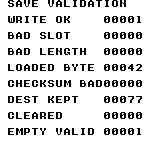
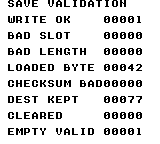
Build command
New-Item -ItemType Directory -Force .\out | Out-Null
.\kitaqgb\kitaqgb.exe .\kitaq-docs\samples\api-examples\gb\batch3_save.c -I .\kitaqgb\lib -I .\kitaq-docs\samples -o .\out\batch3_save.gb --no-cache --no-disasm --profile=dev --rst-disable --stack-bank=fixed --cgb=cgb --cart=mbc5 --romsize=64k --ramsize=8kImplementation and source
kitaqgb/lib/rpg.h:341
Alias save_exists, including its header and checksum validation.
kitaqgb/lib/save.c:175
u8 save_check(u8 slot)
{
return save_exists(slot);
}save_clear
Zero all 512 bytes of a slot to invalidate its save.
Syntax
void save_clear(u8 slot);Parameters
slotSlot number 0..3.
Return value
No return value.
Conditions and limits
Defaults to four 512-byte slots, each with a six-byte header and up to 506 payload bytes. The sample uses MBC5 with 8 KiB SRAM. Calls finish with RAM disabled and do not restore its previous bank or enable state.
Ignores slots outside 0..3 and leaves other slots unchanged.
Usage example
save_clear(0);result[16]=save_check(0);result[17]=save_write(3,payload,0);result[18]=save_exists(3);save_clear(3);This is a calling fragment. Follow the stated initialization and buffer requirements before using it in a complete program.
Expected result
Save three bytes, 7/42/255, then test length mismatch, an invalid slot and a damaged checksum. A successful load yields middle byte 42; a failed read preserves destination 77; validation after clearing returns 0.
Build command
New-Item -ItemType Directory -Force .\out | Out-Null
.\kitaqgb\kitaqgb.exe .\kitaq-docs\samples\api-examples\gb\batch3_save.c -I .\kitaqgb\lib -I .\kitaq-docs\samples -o .\out\batch3_save.gb --no-cache --no-disasm --profile=dev --rst-disable --stack-bank=fixed --cgb=cgb --cart=mbc5 --romsize=64k --ramsize=8kImplementation and source
kitaqgb/lib/rpg.h:344
Zero the complete selected slot, including header and payload; invalid slot IDs are ignored. Cartridge RAM is disabled when clearing finishes.
kitaqgb/lib/save.c:225
void save_clear(u8 slot)
{
u16 base;
u16 i;
if (slot >= SAVE_SLOT_COUNT) return;
base = save_slot_base(slot);
save_enable();
i = 0;
while (i < SAVE_SLOT_SIZE) {
save_write_abs((u16)(base + i), 0);
i++;
}
save_disable();
}save_exists
Validate a slot’s header, length and checksum to check for a usable save.
Syntax
u8 save_exists(u8 slot);Parameters
slotSlot number 0..3.
Return value
Returns 1 if valid, otherwise 0. A zero-length save can be valid.
Conditions and limits
Defaults to four 512-byte slots, each with a six-byte header and up to 506 payload bytes. The sample uses MBC5 with 8 KiB SRAM. Calls finish with RAM disabled and do not restore its previous bank or enable state.
Usage example
result[0]=save_exists(0);This is a calling fragment. Follow the stated initialization and buffer requirements before using it in a complete program.
Expected result
Save three bytes, 7/42/255, then test length mismatch, an invalid slot and a damaged checksum. A successful load yields middle byte 42; a failed read preserves destination 77; validation after clearing returns 0.
Build command
New-Item -ItemType Directory -Force .\out | Out-Null
.\kitaqgb\kitaqgb.exe .\kitaq-docs\samples\api-examples\gb\batch3_save.c -I .\kitaqgb\lib -I .\kitaq-docs\samples -o .\out\batch3_save.gb --no-cache --no-disasm --profile=dev --rst-disable --stack-bank=fixed --cgb=cgb --cart=mbc5 --romsize=64k --ramsize=8kImplementation and source
kitaqgb/lib/rpg.h:334
Validate a slot's header, payload bounds and checksum without copying the payload out. A nonzero result means the stored record passes these checks.
kitaqgb/lib/save.c:182
u8 save_exists(u8 slot)
{
u16 base;
u16 stored_len;
u8 stored_sum;
if (slot >= SAVE_SLOT_COUNT) return 0;
base = save_slot_base(slot);
save_enable();
if (save_read_abs(base + 0) != SAVE_MAGIC0) {
save_disable();
return 0;
}
if (save_read_abs(base + 1) != SAVE_MAGIC1) {
save_disable();
return 0;
}
if (save_read_abs(base + 2) != SAVE_VERSION) {
save_disable();
return 0;
}
stored_len = (u16)save_read_abs(base + 3);
stored_len |= (u16)((u16)save_read_abs(base + 4) << 8);
stored_sum = save_read_abs(base + 5);
if (stored_len > (u16)(SAVE_SLOT_SIZE - SAVE_HEADER_SIZE)) {
save_disable();
return 0;
}
if (save_checksum_ram((u16)(base + SAVE_HEADER_SIZE), stored_len) != stored_sum) {
save_disable();
return 0;
}
save_disable();
return 1;
}save_init
Select RAM bank zero, enable it briefly, then disable it.
Syntax
void save_init();Return value
No return value.
Conditions and limits
Defaults to four 512-byte slots, each with a six-byte header and up to 506 payload bytes. The sample uses MBC5 with 8 KiB SRAM. Calls finish with RAM disabled and do not restore its previous bank or enable state.
Does not erase saved data, detect cartridge hardware or format slots.
Usage example
save_init();save_clear(0);This is a calling fragment. Follow the stated initialization and buffer requirements before using it in a complete program.
Expected result
Save three bytes, 7/42/255, then test length mismatch, an invalid slot and a damaged checksum. A successful load yields middle byte 42; a failed read preserves destination 77; validation after clearing returns 0.
Build command
New-Item -ItemType Directory -Force .\out | Out-Null
.\kitaqgb\kitaqgb.exe .\kitaq-docs\samples\api-examples\gb\batch3_save.c -I .\kitaqgb\lib -I .\kitaq-docs\samples -o .\out\batch3_save.gb --no-cache --no-disasm --profile=dev --rst-disable --stack-bank=fixed --cgb=cgb --cart=mbc5 --romsize=64k --ramsize=8kImplementation and source
kitaqgb/lib/rpg.h:337
Initialize the expected RAM access state and leave cartridge RAM disabled. Existing slot contents are preserved.
kitaqgb/lib/save.c:70
void save_init()
{
save_enable();
save_disable();
}save_load
Load saved data through the same validation performed by save_read.
Syntax
u8 save_load(u8 slot, void* data, u16 len);Parameters
slotSlot number 0..3.
dataWritable destination of len bytes.
lenPayload length 0..506 bytes. Reads require an exact match with the saved length.
Return value
Returns 1 on a successful load, otherwise 0; requested length must match the saved length.
Conditions and limits
Defaults to four 512-byte slots, each with a six-byte header and up to 506 payload bytes. The sample uses MBC5 with 8 KiB SRAM. Calls finish with RAM disabled and do not restore its previous bank or enable state.
The additive eight-bit checksum cannot detect every corruption. Writes are not atomic across power loss; a success result alone is not a guarantee of physical persistence.
Usage example
readback[1]=0;result[10]=save_load(0,readback,3);result[11]=readback[1];This is a calling fragment. Follow the stated initialization and buffer requirements before using it in a complete program.
Expected result
Save three bytes, 7/42/255, then test length mismatch, an invalid slot and a damaged checksum. A successful load yields middle byte 42; a failed read preserves destination 77; validation after clearing returns 0.
Build command
New-Item -ItemType Directory -Force .\out | Out-Null
.\kitaqgb\kitaqgb.exe .\kitaq-docs\samples\api-examples\gb\batch3_save.c -I .\kitaqgb\lib -I .\kitaq-docs\samples -o .\out\batch3_save.gb --no-cache --no-disasm --profile=dev --rst-disable --stack-bank=fixed --cgb=cgb --cart=mbc5 --romsize=64k --ramsize=8kImplementation and source
kitaqgb/lib/rpg.h:339
Alias the checked save_read operation.
kitaqgb/lib/save.c:114
u8 save_load(u8 slot, void* data, u16 len)
{
return save_read(slot, data, len);
}save_read
Validate header, exact length and checksum, copying data only after successful validation.
Syntax
u8 save_read(u8 slot, void* data, u16 len);Parameters
slotSlot number 0..3.
dataWritable destination of len bytes.
lenPayload length 0..506 bytes. Reads require an exact match with the saved length.
Return value
Returns 1 on success, 0 on failed validation; failure leaves the destination unchanged.
Conditions and limits
Defaults to four 512-byte slots, each with a six-byte header and up to 506 payload bytes. The sample uses MBC5 with 8 KiB SRAM. Calls finish with RAM disabled and do not restore its previous bank or enable state.
The additive eight-bit checksum cannot detect every corruption. Writes are not atomic across power loss; a success result alone is not a guarantee of physical persistence.
Usage example
readback[0]=99;result[5]=save_read(0,readback,2);result[6]=readback[0];result[7]=save_read(0,readback,3);result[8]=readback[0];result[9]=readback[2];This is a calling fragment. Follow the stated initialization and buffer requirements before using it in a complete program.
Expected result
Save three bytes, 7/42/255, then test length mismatch, an invalid slot and a damaged checksum. A successful load yields middle byte 42; a failed read preserves destination 77; validation after clearing returns 0.
Build command
New-Item -ItemType Directory -Force .\out | Out-Null
.\kitaqgb\kitaqgb.exe .\kitaq-docs\samples\api-examples\gb\batch3_save.c -I .\kitaqgb\lib -I .\kitaq-docs\samples -o .\out\batch3_save.gb --no-cache --no-disasm --profile=dev --rst-disable --stack-bank=fixed --cgb=cgb --cart=mbc5 --romsize=64k --ramsize=8kImplementation and source
kitaqgb/lib/rpg.h:331
Require matching magic/version, exact requested length and a valid checksum before copying data into the destination. Validation failure leaves the destination unchanged. An invalid slot returns before touching RAM control; validation failures after enabling RAM disable it before returning zero.
kitaqgb/lib/save.c:125
u8 save_read(u8 slot, void* data, u16 len)
{
u8* dst = (u8*)data;
u16 base;
u16 stored_len;
u8 stored_sum;
u16 i;
if (slot >= SAVE_SLOT_COUNT) return 0;
base = save_slot_base(slot);
save_enable();
if (save_read_abs(base + 0) != SAVE_MAGIC0) {
save_disable();
return 0;
}
if (save_read_abs(base + 1) != SAVE_MAGIC1) {
save_disable();
return 0;
}
if (save_read_abs(base + 2) != SAVE_VERSION) {
save_disable();
return 0;
}
stored_len = (u16)save_read_abs(base + 3);
stored_len |= (u16)((u16)save_read_abs(base + 4) << 8);
stored_sum = save_read_abs(base + 5);
if (stored_len != len || stored_len > (u16)(SAVE_SLOT_SIZE - SAVE_HEADER_SIZE)) {
save_disable();
return 0;
}
if (save_checksum_ram((u16)(base + SAVE_HEADER_SIZE), stored_len) != stored_sum) {
save_disable();
return 0;
}
i = 0;
while (i < stored_len) {
dst[i] = save_read_abs((u16)(base + SAVE_HEADER_SIZE + i));
i++;
}
save_disable();
return 1;
}save_write
Write data, length and checksum into a slot.
Syntax
u8 save_write(u8 slot, const void* data, u16 len);Parameters
slotSlot number 0..3.
dataReadable source of len bytes.
lenPayload length 0..506 bytes. Reads require an exact match with the saved length.
Return value
Returns 1 for valid arguments, 0 for invalid slot/length; does not perform readback verification.
Conditions and limits
Defaults to four 512-byte slots, each with a six-byte header and up to 506 payload bytes. The sample uses MBC5 with 8 KiB SRAM. Calls finish with RAM disabled and do not restore its previous bank or enable state.
The additive eight-bit checksum cannot detect every corruption. Writes are not atomic across power loss; a success result alone is not a guarantee of physical persistence.
Usage example
payload[0]=7;payload[1]=42;payload[2]=255;result[1]=save_write(0,payload,3);result[2]=save_write(4,payload,3);result[3]=save_write(0,payload,507);This is a calling fragment. Follow the stated initialization and buffer requirements before using it in a complete program.
Expected result
Save three bytes, 7/42/255, then test length mismatch, an invalid slot and a damaged checksum. A successful load yields middle byte 42; a failed read preserves destination 77; validation after clearing returns 0.
Build command
New-Item -ItemType Directory -Force .\out | Out-Null
.\kitaqgb\kitaqgb.exe .\kitaq-docs\samples\api-examples\gb\batch3_save.c -I .\kitaqgb\lib -I .\kitaq-docs\samples -o .\out\batch3_save.gb --no-cache --no-disasm --profile=dev --rst-disable --stack-bank=fixed --cgb=cgb --cart=mbc5 --romsize=64k --ramsize=8kImplementation and source
kitaqgb/lib/rpg.h:326
Validate slot and payload length, write payload bytes, then write the header and checksum. Return one after completing the writes; interruption can leave a partially replaced slot, so this is not transactional save storage.
kitaqgb/lib/save.c:81
u8 save_write(u8 slot, const void* data, u16 len)
{
const u8* src = (const u8*)data;
u16 base;
u16 i;
u8 sum = 0;
if (slot >= SAVE_SLOT_COUNT) return 0;
if (len > (u16)(SAVE_SLOT_SIZE - SAVE_HEADER_SIZE)) return 0;
base = save_slot_base(slot);
save_enable();
i = 0;
while (i < len) {
u8 v = src[i];
save_write_abs((u16)(base + SAVE_HEADER_SIZE + i), v);
sum = (u8)(sum + v);
i++;
}
save_write_abs(base + 0, SAVE_MAGIC0);
save_write_abs(base + 1, SAVE_MAGIC1);
save_write_abs(base + 2, SAVE_VERSION);
save_write_abs(base + 3, (u8)(len & 0xFF));
save_write_abs(base + 4, (u8)(len >> 8));
save_write_abs(base + 5, sum);
save_disable();
return 1;
}script_run
Select a script and reset its wait count, choice result and saved return location.
Syntax
void script_run(u8 bank, const u8* script);Parameters
bankROM bank of the instruction stream.
scriptStart of a valid terminated stream; this call arms it without executing commands.
Return value
No return value.
Conditions and limits
Opcodes: 00 END; 01 TEXT(bank,ptr16); 02 SET_FLAG(id16); 03 CLEAR_FLAG(id16); 04 JUMP(bank,ptr16); 05 IF_FLAG(id16,bank,ptr16); 06 CHOICE(count,table16); 07 WAIT(n); 08 CALL_EVENT(bank,ptr16). Words are little-endian. Keep strings, pointer tables and instructions readable and within their mapped banks.
Usage example
flag_clear(19);script_run(1,(const u8*)&entry);result[0]=flag_get(19);This is a calling fragment. Follow the stated initialization and buffer requirements before using it in a complete program.
Expected result
Jump from bank 1 to bank 2, set flag 19 and wait. Initial two waiting calls return 1; destination flag becomes 1; completion after WAIT returns 2. The flag proves control reached the other bank.
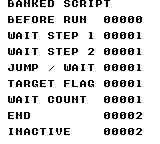
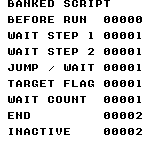
Build command
New-Item -ItemType Directory -Force .\out | Out-Null
.\kitaqgb\kitaqgb.exe .\kitaq-docs\samples\api-examples\gb\batch3_script.c -I .\kitaqgb\lib -I .\kitaq-docs\samples -o .\out\batch3_script.gb --no-cache --no-disasm --profile=dev --rst-disable --stack-bank=fixed --cgb=cgb --cart=mbc5 --romsize=64k --ramsize=noneImplementation and source
kitaqgb/lib/rpg.h:250
Replace the active script and clear wait, choice and saved-return state.
kitaqgb/lib/script.c:105
void script_run(u8 bank, const u8* script)
{
script_active = 1;
script_bank = bank;
script_pc = script;
script_wait = 0;
script_last_choice = 0xFF;
script_return_active = 0;
}script_step
Advance commands until output, choice, waiting or completion yields control.
Syntax
u8 script_step();Return value
0=TEXT/CHOICE yield; 1=waiting; 2=finished or inactive. Unknown opcodes also terminate with 2.
Conditions and limits
Opcodes: 00 END; 01 TEXT(bank,ptr16); 02 SET_FLAG(id16); 03 CLEAR_FLAG(id16); 04 JUMP(bank,ptr16); 05 IF_FLAG(id16,bank,ptr16); 06 CHOICE(count,table16); 07 WAIT(n); 08 CALL_EVENT(bank,ptr16). Words are little-endian. Keep strings, pointer tables and instructions readable and within their mapped banks.
WAIT n returns 1 on decoding, then waits for n more calls. CALL_EVENT has only one saved return slot. CHOICE needs a nonzero count and blocks internally until selection. A non-yielding jump loop blocks the game loop, so ensure execution reaches a terminator or yielding command.
Usage example
result[3]=script_step();result[4]=flag_get(19);result[5]=script_step();result[6]=script_step();result[7]=script_step();This is a calling fragment. Follow the stated initialization and buffer requirements before using it in a complete program.
Expected result
Jump from bank 1 to bank 2, set flag 19 and wait. Initial two waiting calls return 1; destination flag becomes 1; completion after WAIT returns 2. The flag proves control reached the other bank.
Build command
New-Item -ItemType Directory -Force .\out | Out-Null
.\kitaqgb\kitaqgb.exe .\kitaq-docs\samples\api-examples\gb\batch3_script.c -I .\kitaqgb\lib -I .\kitaq-docs\samples -o .\out\batch3_script.gb --no-cache --no-disasm --profile=dev --rst-disable --stack-bank=fixed --cgb=cgb --cart=mbc5 --romsize=64k --ramsize=noneImplementation and source
kitaqgb/lib/rpg.h:254
Execute commands until an output/choice yields (0), a wait yields (1), or execution ends (2). Control/flag commands continue within the same call, so a script loop without a yielding command can block the game loop indefinitely.
kitaqgb/lib/script.c:125
u8 script_step()
{
if (script_active == 0) return 2;
if (script_wait != 0) {
script_wait--;
return 1;
}
while (script_active != 0) {
u8 op = script_read8();
// An END returns to the one saved caller when present; otherwise it ends the script.
if (op == SCRIPT_OP_END) {
if (script_return_active != 0) {
script_bank = script_return_bank;
script_pc = script_return_pc;
script_return_active = 0;
continue;
}
script_active = 0;
return 2;
}
if (op == SCRIPT_OP_TEXT) {
u8 bank = script_read8();
u16 ptr = script_read16();
text_print_far(bank, (const u8*)ptr);
return 0;
}
if (op == SCRIPT_OP_SET_FLAG) {
u16 id = script_read16();
flag_set(id);
continue;
}
if (op == SCRIPT_OP_CLEAR_FLAG) {
u16 id = script_read16();
flag_clear(id);
continue;
}
if (op == SCRIPT_OP_JUMP) {
// Read all operands in the source bank before installing the destination.
u8 bank = script_read8();
u16 ptr = script_read16();
script_bank = bank;
script_pc = (const u8*)ptr;
continue;
}
// Read all branch operands before switching bank/address so an untaken branch
// still consumes the full instruction.
if (op == SCRIPT_OP_IF_FLAG) {
u16 id = script_read16();
u8 bank = script_read8();
u16 ptr = script_read16();
if (flag_get(id) != 0) {
script_bank = bank;
script_pc = (const u8*)ptr;
}
continue;
}
if (op == SCRIPT_OP_CHOICE) {
u8 count = script_read8();
u16 table = script_read16();
script_last_choice = script_choice(script_bank, (const u8*)table, count);
return 0;
}
if (op == SCRIPT_OP_WAIT) {
script_wait = script_read8();
return 1;
}
// Save the continuation only when the single return slot is empty. Nested
// calls replace the current script but do not push another return address.
if (op == SCRIPT_OP_CALL_EVENT) {
u8 bank = script_read8();
u16 ptr = script_read16();
if (script_return_active == 0) {
script_return_active = 1;
script_return_bank = script_bank;
script_return_pc = script_pc;
}
script_bank = bank;
script_pc = (const u8*)ptr;
continue;
}
// Unknown opcodes terminate with the same return code as END; there is no distinct malformed-stream error.
script_active = 0;
return 2;
}
return 2;
}script_wait_frames
Make the next specified number of script_step calls wait.
Syntax
void script_wait_frames(u8 n);Parameters
nNumber of waiting calls, 0..255; zero clears the wait.
Return value
No return value.
Conditions and limits
This becomes a frame count only when script_step is called once per frame; the function does not itself wait for VBlank.
Usage example
script_wait_frames(2);result[1]=script_step();result[2]=script_step();This is a calling fragment. Follow the stated initialization and buffer requirements before using it in a complete program.
Expected result
Jump from bank 1 to bank 2, set flag 19 and wait. Initial two waiting calls return 1; destination flag becomes 1; completion after WAIT returns 2. The flag proves control reached the other bank.
Build command
New-Item -ItemType Directory -Force .\out | Out-Null
.\kitaqgb\kitaqgb.exe .\kitaq-docs\samples\api-examples\gb\batch3_script.c -I .\kitaqgb\lib -I .\kitaq-docs\samples -o .\out\batch3_script.gb --no-cache --no-disasm --profile=dev --rst-disable --stack-bank=fixed --cgb=cgb --cart=mbc5 --romsize=64k --ramsize=noneImplementation and source
kitaqgb/lib/rpg.h:257
Set the number of subsequent script_step calls to spend waiting. Frame-based timing requires the application to call script_step once per frame.
kitaqgb/lib/script.c:117
void script_wait_frames(u8 n)
{
script_wait = n;
}text_choice
Draw a vertical list inside the active text area and wait for a selection. UP and DOWN move a cursor with wraparound; A accepts and B cancels. The loop redraws choices and polls once after a VBlank wait. It returns a zero-based index or 255 for cancellation or an empty list.
Syntax
u8 text_choice(const u8* const* choices, u8 count);Parameters
choicesPointer to an array of count readable string pointers. Each string ends in zero and contains raw tile IDs; choice labels do not interpret dialogue control codes. Keep the pointer table and strings mapped until selection finishes.
countNumber of choices. Zero returns 255 immediately without reading the pointer table. For a nonempty list, provide at least count interior rows and enough width for one cursor cell plus the longest label. There is no clipping or scrolling.
Return value
Index from 0 to count−1 when A accepts. The value 255 means B cancelled or count was zero; distinguish these situations in the calling code if needed. The function does not close the text area or clear the list.
Conditions and limits
Use a valid BG-map rectangle and load font/frame tiles first. The software text area uses the BG map selected by LCDC bit 3; it does not enable the hardware Window layer. Use VBK 0 on CGB for tile numbers and set color attributes separately. The examples provide the ASCII-mapped font and frame, cursor and page-indicator tiles. Dialogue and choice labels use byte-sized tile IDs, not UTF-8 decoding. To display characters outside the supplied font, provide the glyph tiles and encode the text for those IDs; keep dialogue control-byte values reserved.
Open and size the area before calling. The choice routine uses its stored position without checking whether the area is open. Labels start two columns inside the left edge and one row below the top; the cursor occupies the cell immediately to their left. Printing the choices does not use the dialogue character-speed setting.
The input loop reacts to new presses, with UP processed before DOWN and A before B. Holding a direction does not repeat the movement; release and press again. Since the previous button mask starts at zero, a held button can act immediately on entry. A simultaneous move and A returns the moved-to index, although the last drawn cursor may still show the preceding position.
These are blocking helpers: they do not call your game update, music service or rendering loop while waiting. With the LCD off, __wait_vblank returns immediately, so character speed and WAIT do not create frame delays. Keep the LCD enabled for timed dialogue and frame-paced input polling. Use a game-side state machine when other work must advance during a conversation.
The underlying safe tile writes wait for writable LCD modes when the LCD is on and use DI/EI around writes. They can enable interrupts rather than preserving an initially disabled interrupt state. Do not call these blocking helpers from an interrupt handler or depend on them to preserve that state.
Each complete example includes text.c once. Build the example with the library and manual-sample include directories; do not also add lib/text.c as another source input. The far-stream example uses MBC5 with a 64 KiB ROM so its bank-2 data is present.
Usage example
selected=text_choice(dialogue_choices,3);This is a calling fragment. Follow the stated initialization and buffer requirements before using it in a complete program.
Expected result
Press DOWN once and then A. In the captured run, the right-pointing cursor is beside SHIELD at tile (2,4), and SELECTED shows 1. The three labels start at (3,3), (3,4) and (3,5). The frame, cursor and labels are green on CGB and black on DMG; the result and instructions remain black.
The emulator checks compare complete BG-map contents and the four sample images. Additional runs cover open/close state, ordinary and banked control streams, timed waits, explicit and automatic page waits, A/B/START advance, held buttons, wraparound choices, empty lists and simultaneous-input priority. Checkpoints before and after scripted input verify that page waits actually block. Physical hardware and interrupt concurrency are not tested.
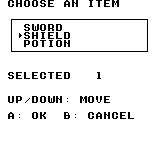
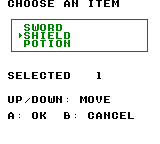
Build command
New-Item -ItemType Directory -Force .\out | Out-Null
.\kitaqgb\kitaqgb.exe .\kitaq-docs\samples\api-examples\gb\dialogue_choice.c -I .\kitaqgb\lib -I .\kitaq-docs\samples -o .\out\dialogue_choice.gb --profile=dev --rst-disable --stack-bank=fixed --cgb=cgb --cart=mbc5 --romsize=64k --no-cache --no-disasmImplementation and source
kitaqgb/lib/rpg.h:231
Redraw choices and block for edge-triggered navigation: UP/DOWN wrap, A accepts, and B returns 0xFF. Zero choices also returns 0xFF. Choice strings use raw tile bytes, and the caller must fit them inside the available rows.
kitaqgb/lib/text.c:316
u8 text_choice(const u8* const* choices, u8 count)
{
u8 cursor;
u8 prev;
if (count == 0) return 0xFF;
cursor = 0;
prev = 0;
while (1) {
u8 i;
for (i = 0; i < count; i++) {
u8 py = (u8)(text_y + 1 + i);
__settile_xy((u8)(text_x + 1), py, (i == cursor) ? TEXT_TILE_CURSOR : TEXT_TILE_FILL);
text_draw_string_at((u8)(text_x + 2), py, choices[i]);
}
__wait_vblank();
{
u16 kt = __readpadex(prev);
u8 trigger;
prev = (u8)kt;
trigger = (u8)(kt >> 8);
if ((trigger & PAD_KEY_UP) != 0) {
if (cursor == 0) cursor = (u8)(count - 1);
else cursor--;
}
if ((trigger & PAD_KEY_DOWN) != 0) {
cursor++;
if (cursor >= count) cursor = 0;
}
if ((trigger & PAD_KEY_A) != 0) return cursor;
if ((trigger & PAD_KEY_B) != 0) return 0xFF;
}
}
}text_clear_rect
Fill a rectangular area of the background tile map with TEXT_TILE_FILL. Use it to erase a label, clear a numeric field or blank part of a panel. It does not move the active text cursor, close the text area or change its dimensions.
Syntax
void text_clear_rect(u8 x, u8 y, u8 w, u8 h);Parameters
xStarting column in 8×8 background-map cells. Keep the complete output within columns 0–31. With no background scrolling, the visible columns are 0–19.
yStarting row in 8×8 background-map cells, 0–31. With no background scrolling, rows 0–17 are visible. A rectangle must also fit vertically.
wWidth in tile cells. For text_window this includes both border columns, leaving max(w−2, 0) interior columns. For text_clear_rect it is the number of cells to fill on each row.
hHeight in tile cells. For text_window this includes the top and bottom borders, leaving max(h−2, 0) interior rows. For text_clear_rect it is the number of rows to fill.
Return value
No return value. The function writes tile-map cells before returning; it does not return a character count or a status code.
Conditions and limits
These functions paint the BG map selected by LCDC bit 3. The text window is a software text area on that map, not the hardware Window layer. Keep CGB VBK at 0 for tile numbers; these calls do not set color attributes, palettes or scrolling.
Load the font and frame graphics before drawing. Default frame IDs are 1–6, the fill tile is 0, and decimal digits start at ASCII 0 (tile 48). The minus sign uses ASCII - (tile 45). The sample supplies six frame tiles and the manual font whose glyph IDs match ASCII.
Keep rectangles and text inside the 32×32 map. Rectangle fills do not clip their width or height to the map boundary. A zero width or height fills nothing; text_window still records that area as open, with no usable interior.
The public numeric functions choose a field exactly as wide as the new value. They do not erase leftover cells to its right. Writing 7 over 12345 at the same position displays 72345. To obtain just 7, clear the reserved five-cell field with text_clear_rect before printing. Reserve six cells for a signed 16-bit field.
The tile-write intrinsics check LCD state: with LCD off they write immediately; with LCD on they wait for writable LCD modes and use DI/EI around writes. That path can enable interrupts on return, so do not assume it preserves a disabled interrupt state. The samples and byte-level tests here perform their writes with LCD off.
The complete sample includes text.c once so its library implementation is compiled with the program. Do not also pass lib/text.c as a separate input for this sample. To customize TEXT_* tile constants, define them before including rpg.h and the implementation; apply the same definitions wherever the library is compiled.
Usage example
text_clear_rect(7,5,5,1);This is a calling fragment. Follow the stated initialization and buffer requirements before using it in a complete program.
Expected result
The frame initially contains KEEP ERASE KEEP on row 5. Clearing five cells at (7,5) removes ERASE while both KEEP labels and the frame remain. The CLEAN row also clears a five-cell number field before writing 7.
Verification compares every visible pixel and all 1024 BG-map bytes in both sample screens. Separate DMG/CGB ROMs check all 256 unsigned byte values, decimal digit boundaries and signed extremes, preserving dots beside each numeric output as guards. Layout checks include empty and narrow rectangles, map-edge placement, raw control-valued tile bytes and the window cursor after absolute writes. These are emulator tests, not physical-hardware tests.
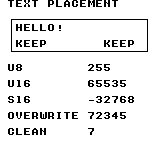
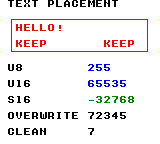
Build command
New-Item -ItemType Directory -Force .\out | Out-Null
.\kitaqgb\kitaqgb.exe .\kitaq-docs\samples\api-examples\gb\text_layout.c -I .\kitaqgb\lib -I .\kitaq-docs\samples -o .\out\text_layout.gb --profile=dev --rst-disable --stack-bank=fixed --cgb=cgb --cart=mbc5 --romsize=64k --no-cache --no-disasmImplementation and source
kitaqgb/lib/rpg.h:237
Fill the supplied tile rectangle without changing the active text window or cursor.
kitaqgb/lib/text.c:220
void text_clear_rect(u8 x, u8 y, u8 w, u8 h)
{
__settile_rect(x, y, w, h, TEXT_TILE_FILL);
}text_close
Erase the active text area, including its frame, with TEXT_TILE_FILL and mark it closed. Calling again while closed does nothing. It does not restore the background tiles that were present before opening the area.
Syntax
void text_close();Return value
No return value. Any drawing or blocking waits occur before the function returns.
Conditions and limits
Use a valid BG-map rectangle and load font/frame tiles first. The software text area uses the BG map selected by LCDC bit 3; it does not enable the hardware Window layer. Use VBK 0 on CGB for tile numbers and set color attributes separately. The examples provide the ASCII-mapped font and frame, cursor and page-indicator tiles. Dialogue and choice labels use byte-sized tile IDs, not UTF-8 decoding. To display characters outside the supplied font, provide the glyph tiles and encode the text for those IDs; keep dialogue control-byte values reserved.
Ordinary characters are ignored while the area is closed or has no usable interior. Control bytes are still interpreted: WAIT can still block, and page controls can wait or clear the stored area. Therefore text_print on a closed area is not a general no-op.
These are blocking helpers: they do not call your game update, music service or rendering loop while waiting. With the LCD off, __wait_vblank returns immediately, so character speed and WAIT do not create frame delays. Keep the LCD enabled for timed dialogue and frame-paced input polling. Use a game-side state machine when other work must advance during a conversation.
The underlying safe tile writes wait for writable LCD modes when the LCD is on and use DI/EI around writes. They can enable interrupts rather than preserving an initially disabled interrupt state. Do not call these blocking helpers from an interrupt handler or depend on them to preserve that state.
Each complete example includes text.c once. Build the example with the library and manual-sample include directories; do not also add lib/text.c as another source input. The far-stream example uses MBC5 with a 64 KiB ROM so its bank-2 data is present.
Usage example
text_close();
text_print("HIDDEN"); // With the area closed, ordinary characters are not drawn.This is a calling fragment. Follow the stated initialization and buffer requirements before using it in a complete program.
Expected result
The example opens an 18×3-cell area at (1,9), writes ERASE ME, then closes it and attempts to write HIDDEN. Below CLOSED AREA, cells x=1–18 and y=9–11 must be blank: neither text nor frame should remain. The blue dialogue above remains visible.
The emulator checks compare complete BG-map contents and the four sample images. Additional runs cover open/close state, ordinary and banked control streams, timed waits, explicit and automatic page waits, A/B/START advance, held buttons, wraparound choices, empty lists and simultaneous-input priority. Checkpoints before and after scripted input verify that page waits actually block. Physical hardware and interrupt concurrency are not tested.
Build command
New-Item -ItemType Directory -Force .\out | Out-Null
.\kitaqgb\kitaqgb.exe .\kitaq-docs\samples\api-examples\gb\dialogue_flow.c -I .\kitaqgb\lib -I .\kitaq-docs\samples -o .\out\dialogue_flow.gb --profile=dev --rst-disable --stack-bank=fixed --cgb=cgb --cart=mbc5 --romsize=64k --no-cache --no-disasmImplementation and source
kitaqgb/lib/rpg.h:220
Erase the open window with the fill tile and disable windowed character output.
kitaqgb/lib/text.c:200
void text_close()
{
if (text_opened == 0) return;
__settile_rect(text_x, text_y, text_w, text_h, TEXT_TILE_FILL);
text_opened = 0;
}text_open
Open a software text area on the background map. Store its position and size, reset the character cursor to the first interior cell, draw the frame and clear the interior. Opening another area changes the active cursor and area; it does not erase a previously drawn area elsewhere on the map.
Syntax
void text_open(u8 x, u8 y, u8 w, u8 h);Parameters
xLeftmost column of the area in 8×8 BG-map cells. Keep the full width inside columns 0–31.
yTop row of the area in 8×8 BG-map cells. Keep the full height inside rows 0–31.
wTotal width in cells, including left and right borders. At least three cells are needed for one interior character column.
hTotal height in cells, including top and bottom borders. At least three cells are needed for one interior character row.
Return value
No return value. Any drawing or blocking waits occur before the function returns.
Conditions and limits
Use a valid BG-map rectangle and load font/frame tiles first. The software text area uses the BG map selected by LCDC bit 3; it does not enable the hardware Window layer. Use VBK 0 on CGB for tile numbers and set color attributes separately. The examples provide the ASCII-mapped font and frame, cursor and page-indicator tiles. Dialogue and choice labels use byte-sized tile IDs, not UTF-8 decoding. To display characters outside the supplied font, provide the glyph tiles and encode the text for those IDs; keep dialogue control-byte values reserved.
These are blocking helpers: they do not call your game update, music service or rendering loop while waiting. With the LCD off, __wait_vblank returns immediately, so character speed and WAIT do not create frame delays. Keep the LCD enabled for timed dialogue and frame-paced input polling. Use a game-side state machine when other work must advance during a conversation.
The underlying safe tile writes wait for writable LCD modes when the LCD is on and use DI/EI around writes. They can enable interrupts rather than preserving an initially disabled interrupt state. Do not call these blocking helpers from an interrupt handler or depend on them to preserve that state.
Each complete example includes text.c once. Build the example with the library and manual-sample include directories; do not also add lib/text.c as another source input. The far-stream example uses MBC5 with a 64 KiB ROM so its bank-2 data is present.
Usage example
text_open(1,2,18,5);This is a calling fragment. Follow the stated initialization and buffer requirements before using it in a complete program.
Expected result
DIALOGUE FLOW opens an 18×5-cell frame at (1,2), with a 16×3-cell interior. NEAR, READY and BANK 2 occupy its three rows. The visible frame lines extend from pixel x=11 to 147 and y=19 to 51. The frame and its text are blue on CGB and black on DMG. Opening the later erase-test area leaves this frame visible.
The emulator checks compare complete BG-map contents and the four sample images. Additional runs cover open/close state, ordinary and banked control streams, timed waits, explicit and automatic page waits, A/B/START advance, held buttons, wraparound choices, empty lists and simultaneous-input priority. Checkpoints before and after scripted input verify that page waits actually block. Physical hardware and interrupt concurrency are not tested.
Build command
New-Item -ItemType Directory -Force .\out | Out-Null
.\kitaqgb\kitaqgb.exe .\kitaq-docs\samples\api-examples\gb\dialogue_flow.c -I .\kitaqgb\lib -I .\kitaq-docs\samples -o .\out\dialogue_flow.gb --profile=dev --rst-disable --stack-bank=fixed --cgb=cgb --cart=mbc5 --romsize=64k --no-cache --no-disasmImplementation and source
kitaqgb/lib/rpg.h:218
Set the tile-space window, reset its cursor and redraw it immediately. Opening does not reset the existing character speed or load font tiles.
kitaqgb/lib/text.c:187
void text_open(u8 x, u8 y, u8 w, u8 h)
{
text_x = x;
text_y = y;
text_w = w;
text_h = h;
text_opened = 1;
text_reset_cursor();
text_draw_frame();
text_clear_inside();
}text_print
Read a control stream through an ordinary pointer and write its character tiles at the active window cursor. The function interprets newlines, timed waits and page waits, wrapping at the interior width. It returns only after reaching END, so page waits can block until a button is pressed.
Syntax
void text_print(const u8* str);Parameters
strReadable pointer to a stream terminated by TEXT_CTRL_END (0). Keep the whole stream mapped, including any operand after WAIT, throughout blocking waits. No buffer length or validity check is provided.
Return value
No return value. Any drawing or blocking waits occur before the function returns.
Conditions and limits
Use a valid BG-map rectangle and load font/frame tiles first. The software text area uses the BG map selected by LCDC bit 3; it does not enable the hardware Window layer. Use VBK 0 on CGB for tile numbers and set color attributes separately. The examples provide the ASCII-mapped font and frame, cursor and page-indicator tiles. Dialogue and choice labels use byte-sized tile IDs, not UTF-8 decoding. To display characters outside the supplied font, provide the glyph tiles and encode the text for those IDs; keep dialogue control-byte values reserved.
Control bytes: 0x00 ends the stream; 0x0A moves to a new interior row; 0x01 consumes the next byte as a VBlank-wait count, including zero; 0x02 waits for page advance, clears the interior and resets the cursor. Other bytes are tile IDs. A WAIT operand of zero is not an END marker.
Moving below the last interior row, either through a newline or automatic wrapping, shows the page-wait marker, waits for A, B or START, clears the interior and resumes at its first cell. This replaces the page rather than scrolling its rows. An explicit 0x02 waits without adding the marker. The page poll starts with no remembered buttons, so a button already held when the wait begins can advance it.
Ordinary characters are ignored while the area is closed or has no usable interior. Control bytes are still interpreted: WAIT can still block, and page controls can wait or clear the stored area. Therefore text_print on a closed area is not a general no-op.
These are blocking helpers: they do not call your game update, music service or rendering loop while waiting. With the LCD off, __wait_vblank returns immediately, so character speed and WAIT do not create frame delays. Keep the LCD enabled for timed dialogue and frame-paced input polling. Use a game-side state machine when other work must advance during a conversation.
The underlying safe tile writes wait for writable LCD modes when the LCD is on and use DI/EI around writes. They can enable interrupts rather than preserving an initially disabled interrupt state. Do not call these blocking helpers from an interrupt handler or depend on them to preserve that state.
Each complete example includes text.c once. Build the example with the library and manual-sample include directories; do not also add lib/text.c as another source input. The far-stream example uses MBC5 with a 64 KiB ROM so its bank-2 data is present.
Usage example
text_print(dialogue_near);This is a calling fragment. Follow the stated initialization and buffer requirements before using it in a complete program.
Expected result
The near stream writes NEAR, a newline, READY and a twelve-wait command before END. NEAR starts at tile (2,3) and READY at (2,4). The later banked stream continues from the same cursor, so its initial newline places BANK 2 on the third interior row.
The emulator checks compare complete BG-map contents and the four sample images. Additional runs cover open/close state, ordinary and banked control streams, timed waits, explicit and automatic page waits, A/B/START advance, held buttons, wraparound choices, empty lists and simultaneous-input priority. Checkpoints before and after scripted input verify that page waits actually block. Physical hardware and interrupt concurrency are not tested.
Build command
New-Item -ItemType Directory -Force .\out | Out-Null
.\kitaqgb\kitaqgb.exe .\kitaq-docs\samples\api-examples\gb\dialogue_flow.c -I .\kitaqgb\lib -I .\kitaq-docs\samples -o .\out\dialogue_flow.gb --profile=dev --rst-disable --stack-bank=fixed --cgb=cgb --cart=mbc5 --romsize=64k --no-cache --no-disasmImplementation and source
kitaqgb/lib/rpg.h:224
Decode an END-terminated stream of tile bytes and newline/wait/page controls. WAIT consumes a following frame-count byte. The source must remain readable through blocking waits; the routine does not validate stream length.
kitaqgb/lib/text.c:261
void text_print(const u8* str)
{
while (*str != TEXT_CTRL_END) {
u8 c = *str++;
if (c == TEXT_CTRL_NEWLINE) {
text_newline();
continue;
}
if (c == TEXT_CTRL_WAIT) {
u8 frames = *str++;
text_delay_frames(frames);
continue;
}
if (c == TEXT_CTRL_PAGE_WAIT) {
text_wait_advance();
text_clear_inside();
text_reset_cursor();
continue;
}
text_put_tile(c);
}
}text_print_far
Interpret the same dialogue control stream while fetching each byte from a specified ROM bank with __farpeek8. Use this for dialogue stored outside the currently mapped source bank. Character placement, speed, wrapping and page controls are the same as text_print.
Syntax
void text_print_far(u8 bank, const u8* str);Parameters
bankUnsigned 8-bit source ROM bank number. The example stores the stream in bank 2 and checks that the caller can still read a marker in bank 1 after printing.
strCPU address of the stream within the specified bank. The address advances but the bank number stays fixed; crossing the switchable ROM window does not automatically continue in the next bank.
Return value
No return value. Any drawing or blocking waits occur before the function returns.
Conditions and limits
Use a valid BG-map rectangle and load font/frame tiles first. The software text area uses the BG map selected by LCDC bit 3; it does not enable the hardware Window layer. Use VBK 0 on CGB for tile numbers and set color attributes separately. The examples provide the ASCII-mapped font and frame, cursor and page-indicator tiles. Dialogue and choice labels use byte-sized tile IDs, not UTF-8 decoding. To display characters outside the supplied font, provide the glyph tiles and encode the text for those IDs; keep dialogue control-byte values reserved.
Control bytes: 0x00 ends the stream; 0x0A moves to a new interior row; 0x01 consumes the next byte as a VBlank-wait count, including zero; 0x02 waits for page advance, clears the interior and resets the cursor. Other bytes are tile IDs. A WAIT operand of zero is not an END marker.
Moving below the last interior row, either through a newline or automatic wrapping, shows the page-wait marker, waits for A, B or START, clears the interior and resumes at its first cell. This replaces the page rather than scrolling its rows. An explicit 0x02 waits without adding the marker. The page poll starts with no remembered buttons, so a button already held when the wait begins can advance it.
Ordinary characters are ignored while the area is closed or has no usable interior. Control bytes are still interpreted: WAIT can still block, and page controls can wait or clear the stored area. Therefore text_print on a closed area is not a general no-op.
These are blocking helpers: they do not call your game update, music service or rendering loop while waiting. With the LCD off, __wait_vblank returns immediately, so character speed and WAIT do not create frame delays. Keep the LCD enabled for timed dialogue and frame-paced input polling. Use a game-side state machine when other work must advance during a conversation.
The underlying safe tile writes wait for writable LCD modes when the LCD is on and use DI/EI around writes. They can enable interrupts rather than preserving an initially disabled interrupt state. Do not call these blocking helpers from an interrupt handler or depend on them to preserve that state.
Each complete example includes text.c once. Build the example with the library and manual-sample include directories; do not also add lib/text.c as another source input. The far-stream example uses MBC5 with a 64 KiB ROM so its bank-2 data is present.
Usage example
text_print_far(2,dialogue_far);This is a calling fragment. Follow the stated initialization and buffer requirements before using it in a complete program.
Expected result
The sample reads the newline and BANK 2 from ROM bank 2. BANK RESTORED displays 161 by reading the marker in the caller's bank 1 afterward. The visible BANK 2 line starts at tile (2,5); the restoration number appears at (16,14).
The emulator checks compare complete BG-map contents and the four sample images. Additional runs cover open/close state, ordinary and banked control streams, timed waits, explicit and automatic page waits, A/B/START advance, held buttons, wraparound choices, empty lists and simultaneous-input priority. Checkpoints before and after scripted input verify that page waits actually block. Physical hardware and interrupt concurrency are not tested.
Build command
New-Item -ItemType Directory -Force .\out | Out-Null
.\kitaqgb\kitaqgb.exe .\kitaq-docs\samples\api-examples\gb\dialogue_flow.c -I .\kitaqgb\lib -I .\kitaq-docs\samples -o .\out\dialogue_flow.gb --profile=dev --rst-disable --stack-bank=fixed --cgb=cgb --cart=mbc5 --romsize=64k --no-cache --no-disasmImplementation and source
kitaqgb/lib/rpg.h:227
Decode the same text controls while fetching each byte from the specified ROM bank. The pointer advances within that bank; it does not roll into the next bank.
kitaqgb/lib/text.c:286
void text_print_far(u8 bank, const u8* str)
{
const u8* p = str;
while (1) {
u8 c = __farpeek8(bank, p);
p++;
if (c == TEXT_CTRL_END) return;
if (c == TEXT_CTRL_NEWLINE) {
text_newline();
continue;
}
if (c == TEXT_CTRL_WAIT) {
u8 frames = __farpeek8(bank, p);
p++;
text_delay_frames(frames);
continue;
}
if (c == TEXT_CTRL_PAGE_WAIT) {
text_wait_advance();
text_clear_inside();
text_reset_cursor();
continue;
}
text_put_tile(c);
}
}text_print_s16
Draw a signed 16-bit decimal value. A negative value begins with the minus tile and then its magnitude; zero and positive values have no sign. The longest output is -32768, which occupies six cells.
Syntax
void text_print_s16(u8 x, u8 y, s16 value);Parameters
xStarting column in 8×8 background-map cells. Keep the complete output within columns 0–31. With no background scrolling, the visible columns are 0–19.
yStarting row in 8×8 background-map cells, 0–31. With no background scrolling, rows 0–17 are visible. A rectangle must also fit vertically.
valueSigned value from −32768 to 32767. The sample casts the 16-bit pattern 32768 (0x8000) to s16 to display −32768.
Return value
No return value. The function writes tile-map cells before returning; it does not return a character count or a status code.
Conditions and limits
These functions paint the BG map selected by LCDC bit 3. The text window is a software text area on that map, not the hardware Window layer. Keep CGB VBK at 0 for tile numbers; these calls do not set color attributes, palettes or scrolling.
Load the font and frame graphics before drawing. Default frame IDs are 1–6, the fill tile is 0, and decimal digits start at ASCII 0 (tile 48). The minus sign uses ASCII - (tile 45). The sample supplies six frame tiles and the manual font whose glyph IDs match ASCII.
Keep rectangles and text inside the 32×32 map. Rectangle fills do not clip their width or height to the map boundary. A zero width or height fills nothing; text_window still records that area as open, with no usable interior.
The public numeric functions choose a field exactly as wide as the new value. They do not erase leftover cells to its right. Writing 7 over 12345 at the same position displays 72345. To obtain just 7, clear the reserved five-cell field with text_clear_rect before printing. Reserve six cells for a signed 16-bit field.
The tile-write intrinsics check LCD state: with LCD off they write immediately; with LCD on they wait for writable LCD modes and use DI/EI around writes. That path can enable interrupts on return, so do not assume it preserves a disabled interrupt state. The samples and byte-level tests here perform their writes with LCD off.
The complete sample includes text.c once so its library implementation is compiled with the program. Do not also pass lib/text.c as a separate input for this sample. To customize TEXT_* tile constants, define them before including rpg.h and the implementation; apply the same definitions wherever the library is compiled.
Usage example
text_print_s16(11,12,(s16)32768);This is a calling fragment. Follow the stated initialization and buffer requirements before using it in a complete program.
Expected result
The S16 row shows -32768 starting at (11,12), using six cells including the minus sign. It is green on CGB. This exercises the lowest signed 16-bit value, whose positive magnitude does not fit in s16.
Verification compares every visible pixel and all 1024 BG-map bytes in both sample screens. Separate DMG/CGB ROMs check all 256 unsigned byte values, decimal digit boundaries and signed extremes, preserving dots beside each numeric output as guards. Layout checks include empty and narrow rectangles, map-edge placement, raw control-valued tile bytes and the window cursor after absolute writes. These are emulator tests, not physical-hardware tests.
Build command
New-Item -ItemType Directory -Force .\out | Out-Null
.\kitaqgb\kitaqgb.exe .\kitaq-docs\samples\api-examples\gb\text_layout.c -I .\kitaqgb\lib -I .\kitaq-docs\samples -o .\out\text_layout.gb --profile=dev --rst-disable --stack-bank=fixed --cgb=cgb --cart=mbc5 --romsize=64k --no-cache --no-disasmImplementation and source
kitaqgb/lib/rpg.h:247
Print a minus tile for negative values, followed by the unsigned magnitude. Positive values use the unsigned decimal path; no plus sign is emitted.
kitaqgb/lib/text.c:246
void text_print_s16(u8 x, u8 y, s16 value)
{
u16 magnitude;
if (value < 0) {
__settile_xy(x, y, (u8)'-');
magnitude = (u16)((s16)0 - value);
text_print_u16_width((u8)(x + 1), y, magnitude, text_dec_digits_u16(magnitude));
return;
}
text_print_u16(x, y, (u16)value);
}text_print_u16
Draw an unsigned 16-bit value as decimal digits, starting at the given tile position. The output uses one to five cells with no leading zeroes. Use it for values such as scores or item counts that can exceed 255.
Syntax
void text_print_u16(u8 x, u8 y, u16 value);Parameters
xStarting column in 8×8 background-map cells. Keep the complete output within columns 0–31. With no background scrolling, the visible columns are 0–19.
yStarting row in 8×8 background-map cells, 0–31. With no background scrolling, rows 0–17 are visible. A rectangle must also fit vertically.
valueUnsigned value from 0 to 65535.
Return value
No return value. The function writes tile-map cells before returning; it does not return a character count or a status code.
Conditions and limits
These functions paint the BG map selected by LCDC bit 3. The text window is a software text area on that map, not the hardware Window layer. Keep CGB VBK at 0 for tile numbers; these calls do not set color attributes, palettes or scrolling.
Load the font and frame graphics before drawing. Default frame IDs are 1–6, the fill tile is 0, and decimal digits start at ASCII 0 (tile 48). The minus sign uses ASCII - (tile 45). The sample supplies six frame tiles and the manual font whose glyph IDs match ASCII.
Keep rectangles and text inside the 32×32 map. Rectangle fills do not clip their width or height to the map boundary. A zero width or height fills nothing; text_window still records that area as open, with no usable interior.
The public numeric functions choose a field exactly as wide as the new value. They do not erase leftover cells to its right. Writing 7 over 12345 at the same position displays 72345. To obtain just 7, clear the reserved five-cell field with text_clear_rect before printing. Reserve six cells for a signed 16-bit field.
The tile-write intrinsics check LCD state: with LCD off they write immediately; with LCD on they wait for writable LCD modes and use DI/EI around writes. That path can enable interrupts on return, so do not assume it preserves a disabled interrupt state. The samples and byte-level tests here perform their writes with LCD off.
The complete sample includes text.c once so its library implementation is compiled with the program. Do not also pass lib/text.c as a separate input for this sample. To customize TEXT_* tile constants, define them before including rpg.h and the implementation; apply the same definitions wherever the library is compiled.
Usage example
text_print_u16(11,10,65535);This is a calling fragment. Follow the stated initialization and buffer requirements before using it in a complete program.
Expected result
The U16 row shows 65535 at (11,10), using five cells. It is blue on CGB. OVERWRITE shows 72345 after writing 7 over 12345 without first clearing the five-cell field.
Verification compares every visible pixel and all 1024 BG-map bytes in both sample screens. Separate DMG/CGB ROMs check all 256 unsigned byte values, decimal digit boundaries and signed extremes, preserving dots beside each numeric output as guards. Layout checks include empty and narrow rectangles, map-edge placement, raw control-valued tile bytes and the window cursor after absolute writes. These are emulator tests, not physical-hardware tests.
Build command
New-Item -ItemType Directory -Force .\out | Out-Null
.\kitaqgb\kitaqgb.exe .\kitaq-docs\samples\api-examples\gb\text_layout.c -I .\kitaqgb\lib -I .\kitaq-docs\samples -o .\out\text_layout.gb --profile=dev --rst-disable --stack-bank=fixed --cgb=cgb --cart=mbc5 --romsize=64k --no-cache --no-disasmImplementation and source
kitaqgb/lib/rpg.h:244
Print an unsigned word in decimal using only the required number of cells.
kitaqgb/lib/text.c:239
void text_print_u16(u8 x, u8 y, u16 value)
{
text_print_u16_width(x, y, value, text_dec_digits_u16(value));
}text_print_u8
Draw an unsigned 8-bit value as decimal digits, starting at the given tile position. Values occupy one to three cells, with no leading zeroes; zero occupies one cell. This is useful for small counters such as lives or ammunition.
Syntax
void text_print_u8(u8 x, u8 y, u8 value);Parameters
xStarting column in 8×8 background-map cells. Keep the complete output within columns 0–31. With no background scrolling, the visible columns are 0–19.
yStarting row in 8×8 background-map cells, 0–31. With no background scrolling, rows 0–17 are visible. A rectangle must also fit vertically.
valueUnsigned value from 0 to 255. Wider expressions are converted to u8 by the function parameter.
Return value
No return value. The function writes tile-map cells before returning; it does not return a character count or a status code.
Conditions and limits
These functions paint the BG map selected by LCDC bit 3. The text window is a software text area on that map, not the hardware Window layer. Keep CGB VBK at 0 for tile numbers; these calls do not set color attributes, palettes or scrolling.
Load the font and frame graphics before drawing. Default frame IDs are 1–6, the fill tile is 0, and decimal digits start at ASCII 0 (tile 48). The minus sign uses ASCII - (tile 45). The sample supplies six frame tiles and the manual font whose glyph IDs match ASCII.
Keep rectangles and text inside the 32×32 map. Rectangle fills do not clip their width or height to the map boundary. A zero width or height fills nothing; text_window still records that area as open, with no usable interior.
The public numeric functions choose a field exactly as wide as the new value. They do not erase leftover cells to its right. Writing 7 over 12345 at the same position displays 72345. To obtain just 7, clear the reserved five-cell field with text_clear_rect before printing. Reserve six cells for a signed 16-bit field.
The tile-write intrinsics check LCD state: with LCD off they write immediately; with LCD on they wait for writable LCD modes and use DI/EI around writes. That path can enable interrupts on return, so do not assume it preserves a disabled interrupt state. The samples and byte-level tests here perform their writes with LCD off.
The complete sample includes text.c once so its library implementation is compiled with the program. Do not also pass lib/text.c as a separate input for this sample. To customize TEXT_* tile constants, define them before including rpg.h and the implementation; apply the same definitions wherever the library is compiled.
Usage example
text_print_u8(11,8,255);This is a calling fragment. Follow the stated initialization and buffer requirements before using it in a complete program.
Expected result
The U8 row shows 255 starting at (11,8), using exactly three cells. It is blue on CGB. The OVERWRITE and CLEAN rows show why a shorter replacement needs an explicitly cleared field.
Verification compares every visible pixel and all 1024 BG-map bytes in both sample screens. Separate DMG/CGB ROMs check all 256 unsigned byte values, decimal digit boundaries and signed extremes, preserving dots beside each numeric output as guards. Layout checks include empty and narrow rectangles, map-edge placement, raw control-valued tile bytes and the window cursor after absolute writes. These are emulator tests, not physical-hardware tests.
Build command
New-Item -ItemType Directory -Force .\out | Out-Null
.\kitaqgb\kitaqgb.exe .\kitaq-docs\samples\api-examples\gb\text_layout.c -I .\kitaqgb\lib -I .\kitaq-docs\samples -o .\out\text_layout.gb --profile=dev --rst-disable --stack-bank=fixed --cgb=cgb --cart=mbc5 --romsize=64k --no-cache --no-disasmImplementation and source
kitaqgb/lib/rpg.h:242
Print an unsigned byte in decimal using only the required number of cells.
kitaqgb/lib/text.c:233
void text_print_u8(u8 x, u8 y, u8 value)
{
text_print_u16_width(x, y, (u16)value, text_dec_digits_u16((u16)value));
}text_print_xy
Draw a zero-terminated sequence of tile numbers horizontally from an absolute background-map position. This path has no window clipping, line wrapping, text control-code interpretation or per-character delay. It does not move the cursor used by text_print.
Syntax
void text_print_xy(u8 x, u8 y, const u8* str);Parameters
xStarting column in 8×8 background-map cells. Keep the complete output within columns 0–31. With no background scrolling, the visible columns are 0–19.
yStarting row in 8×8 background-map cells, 0–31. With no background scrolling, rows 0–17 are visible. A rectangle must also fit vertically.
strReadable pointer to tile bytes ending with 0. Bytes are used directly as tile numbers. An ASCII string displays as text only when the matching glyphs occupy the corresponding tile IDs. The source must stay mapped and readable until the call returns. These functions do not decode UTF-8 or load glyphs. Multibyte text needs a game-defined encoding and matching tile data before it can be displayed.
Return value
No return value. The function writes tile-map cells before returning; it does not return a character count or a status code.
Conditions and limits
These functions paint the BG map selected by LCDC bit 3. The text window is a software text area on that map, not the hardware Window layer. Keep CGB VBK at 0 for tile numbers; these calls do not set color attributes, palettes or scrolling.
Load the font and frame graphics before drawing. Default frame IDs are 1–6, the fill tile is 0, and decimal digits start at ASCII 0 (tile 48). The minus sign uses ASCII - (tile 45). The sample supplies six frame tiles and the manual font whose glyph IDs match ASCII.
Keep rectangles and text inside the 32×32 map. Rectangle fills do not clip their width or height to the map boundary. A zero width or height fills nothing; text_window still records that area as open, with no usable interior.
The tile-write intrinsics check LCD state: with LCD off they write immediately; with LCD on they wait for writable LCD modes and use DI/EI around writes. That path can enable interrupts on return, so do not assume it preserves a disabled interrupt state. The samples and byte-level tests here perform their writes with LCD off.
The complete sample includes text.c once so its library implementation is compiled with the program. Do not also pass lib/text.c as a separate input for this sample. To customize TEXT_* tile constants, define them before including rpg.h and the implementation; apply the same definitions wherever the library is compiled.
Usage example
text_print_xy(2,3,"HELLO!");This is a calling fragment. Follow the stated initialization and buffer requirements before using it in a complete program.
Expected result
HELLO! starts at tile (2,3), pixel (16,24), inside the red CGB frame. The position is absolute on the BG map: opening the text area does not add an offset to x or y.
Verification compares every visible pixel and all 1024 BG-map bytes in both sample screens. Separate DMG/CGB ROMs check all 256 unsigned byte values, decimal digit boundaries and signed extremes, preserving dots beside each numeric output as guards. Layout checks include empty and narrow rectangles, map-edge placement, raw control-valued tile bytes and the window cursor after absolute writes. These are emulator tests, not physical-hardware tests.
Build command
New-Item -ItemType Directory -Force .\out | Out-Null
.\kitaqgb\kitaqgb.exe .\kitaq-docs\samples\api-examples\gb\text_layout.c -I .\kitaqgb\lib -I .\kitaq-docs\samples -o .\out\text_layout.gb --profile=dev --rst-disable --stack-bank=fixed --cgb=cgb --cart=mbc5 --romsize=64k --no-cache --no-disasmImplementation and source
kitaqgb/lib/rpg.h:240
Draw a zero-terminated tile string at absolute tile coordinates, without window clipping, control codes or the windowed printing delay.
kitaqgb/lib/text.c:227
void text_print_xy(u8 x, u8 y, const u8* str)
{
text_draw_string_at(x, y, str);
}text_set_speed
Set the number of VBlank waits performed after each ordinary character written by text_print or text_print_far. Zero removes these per-character waits. Opening or closing an area does not reset this setting. Explicit WAIT commands still wait even when the character speed is zero.
Syntax
void text_set_speed(u8 speed);Parameters
speedVBlank waits after each displayed character, from 0 to 255. This is a wait count, not milliseconds. The setting does not affect text_print_xy, numeric helpers or the choice list.
Return value
No return value. Any drawing or blocking waits occur before the function returns.
Conditions and limits
Use a valid BG-map rectangle and load font/frame tiles first. The software text area uses the BG map selected by LCDC bit 3; it does not enable the hardware Window layer. Use VBK 0 on CGB for tile numbers and set color attributes separately. The examples provide the ASCII-mapped font and frame, cursor and page-indicator tiles. Dialogue and choice labels use byte-sized tile IDs, not UTF-8 decoding. To display characters outside the supplied font, provide the glyph tiles and encode the text for those IDs; keep dialogue control-byte values reserved.
These are blocking helpers: they do not call your game update, music service or rendering loop while waiting. With the LCD off, __wait_vblank returns immediately, so character speed and WAIT do not create frame delays. Keep the LCD enabled for timed dialogue and frame-paced input polling. Use a game-side state machine when other work must advance during a conversation.
The underlying safe tile writes wait for writable LCD modes when the LCD is on and use DI/EI around writes. They can enable interrupts rather than preserving an initially disabled interrupt state. Do not call these blocking helpers from an interrupt handler or depend on them to preserve that state.
Each complete example includes text.c once. Build the example with the library and manual-sample include directories; do not also add lib/text.c as another source input. The far-stream example uses MBC5 with a 64 KiB ROM so its bank-2 data is present.
Usage example
text_set_speed(2);This is a calling fragment. Follow the stated initialization and buffer requirements before using it in a complete program.
Expected result
The flow example uses speed 2 for the near and banked dialogue and includes a WAIT operand of 12. The finished image shows the text after those waits; a separate frame trace checks speed 3, an explicit five-wait command and a four-wait command while closed. A final screenshot alone is not used to verify timing.
The emulator checks compare complete BG-map contents and the four sample images. Additional runs cover open/close state, ordinary and banked control streams, timed waits, explicit and automatic page waits, A/B/START advance, held buttons, wraparound choices, empty lists and simultaneous-input priority. Checkpoints before and after scripted input verify that page waits actually block. Physical hardware and interrupt concurrency are not tested.
Build command
New-Item -ItemType Directory -Force .\out | Out-Null
.\kitaqgb\kitaqgb.exe .\kitaq-docs\samples\api-examples\gb\dialogue_flow.c -I .\kitaqgb\lib -I .\kitaq-docs\samples -o .\out\dialogue_flow.gb --profile=dev --rst-disable --stack-bank=fixed --cgb=cgb --cart=mbc5 --romsize=64k --no-cache --no-disasmImplementation and source
kitaqgb/lib/rpg.h:233
Set VBlank waits per windowed character; zero prints without character delays.
kitaqgb/lib/text.c:208
void text_set_speed(u8 speed)
{
text_speed = speed;
}text_window
Draw a framed text area on the background tile map and make it the active area for windowed printing. This is an alias of text_open: it resets the window cursor to the first interior cell, redraws the border and clears the interior. It keeps the current character delay.
Syntax
void text_window(u8 x, u8 y, u8 w, u8 h);Parameters
xStarting column in 8×8 background-map cells. Keep the complete output within columns 0–31. With no background scrolling, the visible columns are 0–19.
yStarting row in 8×8 background-map cells, 0–31. With no background scrolling, rows 0–17 are visible. A rectangle must also fit vertically.
wWidth in tile cells. For text_window this includes both border columns, leaving max(w−2, 0) interior columns. For text_clear_rect it is the number of cells to fill on each row.
hHeight in tile cells. For text_window this includes the top and bottom borders, leaving max(h−2, 0) interior rows. For text_clear_rect it is the number of rows to fill.
Return value
No return value. The function writes tile-map cells before returning; it does not return a character count or a status code.
Conditions and limits
These functions paint the BG map selected by LCDC bit 3. The text window is a software text area on that map, not the hardware Window layer. Keep CGB VBK at 0 for tile numbers; these calls do not set color attributes, palettes or scrolling.
Load the font and frame graphics before drawing. Default frame IDs are 1–6, the fill tile is 0, and decimal digits start at ASCII 0 (tile 48). The minus sign uses ASCII - (tile 45). The sample supplies six frame tiles and the manual font whose glyph IDs match ASCII.
Keep rectangles and text inside the 32×32 map. Rectangle fills do not clip their width or height to the map boundary. A zero width or height fills nothing; text_window still records that area as open, with no usable interior.
The tile-write intrinsics check LCD state: with LCD off they write immediately; with LCD on they wait for writable LCD modes and use DI/EI around writes. That path can enable interrupts on return, so do not assume it preserves a disabled interrupt state. The samples and byte-level tests here perform their writes with LCD off.
The complete sample includes text.c once so its library implementation is compiled with the program. Do not also pass lib/text.c as a separate input for this sample. To customize TEXT_* tile constants, define them before including rpg.h and the implementation; apply the same definitions wherever the library is compiled.
Usage example
text_window(1,2,18,5);This is a calling fragment. Follow the stated initialization and buffer requirements before using it in a complete program.
Expected result
The sample opens an 18×5-cell area at (1,2). Its interior is 16×3 cells. The supplied frame has one-pixel strokes; its outer visible lines run from x=11 to 147 and y=19 to 51 pixels. It is red on CGB and black on DMG.
Verification compares every visible pixel and all 1024 BG-map bytes in both sample screens. Separate DMG/CGB ROMs check all 256 unsigned byte values, decimal digit boundaries and signed extremes, preserving dots beside each numeric output as guards. Layout checks include empty and narrow rectangles, map-edge placement, raw control-valued tile bytes and the window cursor after absolute writes. These are emulator tests, not physical-hardware tests.
Build command
New-Item -ItemType Directory -Force .\out | Out-Null
.\kitaqgb\kitaqgb.exe .\kitaq-docs\samples\api-examples\gb\text_layout.c -I .\kitaqgb\lib -I .\kitaq-docs\samples -o .\out\text_layout.gb --profile=dev --rst-disable --stack-bank=fixed --cgb=cgb --cart=mbc5 --romsize=64k --no-cache --no-disasmImplementation and source
kitaqgb/lib/rpg.h:235
Open and redraw a window using the same tile-space arguments as text_open.
kitaqgb/lib/text.c:214
void text_window(u8 x, u8 y, u8 w, u8 h)
{
text_open(x, y, w, h);
}unit_attack_range
Mark cells whose Manhattan distance lies between atk_min and atk_max, inclusive.
Syntax
u8 unit_attack_range(unit_t* u, u8* out_mask);Parameters
uValid unit_t: cell position, move in steps, inclusive atk_min/atk_max range, hp and acted for action eligibility.
out_maskWritable width*height bytes; receives zero or one for each cell.
Return value
Returns 1 for an available map, 0 for zero dimensions.
Conditions and limits
Coordinates address cells in the current map: 8×8 pixels for ordinary tiles, 16×16 pixels for metatiles.
Ignores obstacles, line of sight and friendly units. Keep evaluated distances at most 255. If minimum range exceeds maximum range, every cell is zero.
Usage example
result[46]=unit_attack_range(&hero,mask);result[47]=mask[12];result[48]=mask[14];This is a calling fragment. Follow the stated initialization and buffer requirements before using it in a complete program.
Expected result
The left grid shows movement costs within three steps; the right shows a shortest route from S to G. Green asterisks trace nine steps around a red three-cell wall; blue digits show costs. DMG uses the same layout in black. RAM checks also demonstrate that the attack mask ignores walls.
Build command
New-Item -ItemType Directory -Force .\out | Out-Null
.\kitaqgb\kitaqgb.exe .\kitaq-docs\samples\api-examples\gb\batch3_map_path.c -I .\kitaqgb\lib -I .\kitaq-docs\samples -o .\out\batch3_map_path.gb --no-cache --no-disasm --profile=dev --rst-disable --stack-bank=fixed --cgb=cgb --cart=mbc5 --romsize=64k --ramsize=noneImplementation and source
kitaqgb/lib/rpg.h:352
Mark cells whose Manhattan distance falls within the inclusive attack range. This geometric mask does not test obstacles, line of sight or other units.
kitaqgb/lib/slg_unit.c:38
u8 unit_attack_range(unit_t* u, u8* out_mask)
{
u8 w = map_current_width();
u8 h = map_current_height();
u8 y;
if (w == 0 || h == 0) return 0;
__memset(out_mask, 0, (u16)((u16)w * (u16)h));
y = 0;
while (y < h) {
u8 x = 0;
while (x < w) {
u8 dist = __manhattan(u->x, u->y, x, y);
if (dist >= u->atk_min && dist <= u->atk_max) {
out_mask[__map_index(x, y, w)] = 1;
}
x++;
}
y++;
}
return 1;
}unit_can_act
Check that a unit has HP and has not acted.
Syntax
u8 unit_can_act(const unit_t* u);Parameters
uValid unit_t: cell position, move in steps, inclusive atk_min/atk_max range, hp and acted for action eligibility.
Return value
Returns 1 when hp is nonzero and acted is zero; otherwise 0. Does not modify the unit.
Usage example
result[11]=unit_can_act(&hero);hero.acted=1;result[12]=unit_can_act(&hero);hero.acted=0;This is a calling fragment. Follow the stated initialization and buffer requirements before using it in a complete program.
Expected result
The left grid shows movement costs within three steps; the right shows a shortest route from S to G. Green asterisks trace nine steps around a red three-cell wall; blue digits show costs. DMG uses the same layout in black. RAM checks also demonstrate that the attack mask ignores walls.
Build command
New-Item -ItemType Directory -Force .\out | Out-Null
.\kitaqgb\kitaqgb.exe .\kitaq-docs\samples\api-examples\gb\batch3_map_path.c -I .\kitaqgb\lib -I .\kitaq-docs\samples -o .\out\batch3_map_path.gb --no-cache --no-disasm --profile=dev --rst-disable --stack-bank=fixed --cgb=cgb --cart=mbc5 --romsize=64k --ramsize=noneImplementation and source
kitaqgb/lib/rpg.h:355
A unit can act only while HP is nonzero and its acted flag is clear. The unit pointer must refer to a valid record.
kitaqgb/lib/slg_unit.c:5
u8 unit_can_act(const unit_t* u)
{
if (u->hp == 0) return 0;
if (u->acted != 0) return 0;
return 1;
}unit_move_range
Build a movement mask of cells reachable within the unit’s move allowance.
Syntax
u8 unit_move_range(unit_t* u, u8* out_mask);Parameters
uValid unit_t: cell position, move in steps, inclusive atk_min/atk_max range, hp and acted for action eligibility.
out_maskWritable width*height bytes; receives zero or one for each cell.
Return value
Returns 1 for an available map, 0 for zero dimensions. The unit’s origin must be in bounds.
Conditions and limits
Coordinates address cells in the current map: 8×8 pixels for ordinary tiles, 16×16 pixels for metatiles.
Search uses about 4 KiB of shared, non-reentrant workspace. Limit maps to 1024 cells and explored distances to 254. Distance 0xFF means unreached, so a 255-step route is not representable. Cost/mask outputs need width*height writable bytes.
The origin is seeded as reachable even when blocked. HP, acted and other units do not affect the movement mask.
Usage example
result[43]=unit_move_range(&hero,mask);result[44]=mask[12];result[45]=mask[14];This is a calling fragment. Follow the stated initialization and buffer requirements before using it in a complete program.
Expected result
The left grid shows movement costs within three steps; the right shows a shortest route from S to G. Green asterisks trace nine steps around a red three-cell wall; blue digits show costs. DMG uses the same layout in black. RAM checks also demonstrate that the attack mask ignores walls.
Build command
New-Item -ItemType Directory -Force .\out | Out-Null
.\kitaqgb\kitaqgb.exe .\kitaq-docs\samples\api-examples\gb\batch3_map_path.c -I .\kitaqgb\lib -I .\kitaq-docs\samples -o .\out\batch3_map_path.gb --no-cache --no-disasm --profile=dev --rst-disable --stack-bank=fixed --cgb=cgb --cart=mbc5 --romsize=64k --ramsize=noneImplementation and source
kitaqgb/lib/rpg.h:349
Build movement costs, then convert reachable cells to one and unreachable 0xFF cells to zero. The caller provides one output byte per current-map cell and a valid unit origin; path-search workspace limits also apply.
kitaqgb/lib/slg_unit.c:15
u8 unit_move_range(unit_t* u, u8* out_mask)
{
u8 w = map_current_width();
u8 h = map_current_height();
u16 total;
u16 i;
if (w == 0 || h == 0) return 0;
// A valid origin is required: the fill leaves storage unchanged on invalid origins, but this loop still converts it.
range_fill_move(u->x, u->y, u->move, out_mask);
total = (u16)((u16)w * (u16)h);
i = 0;
while (i < total) {
out_mask[i] = (u8)((out_mask[i] == 0xFF) ? 0 : 1);
i++;
}
return 1;
}weighted_choice
Select an item index from a list of relative byte weights. The function sums the weights, reduces one rng16 draw modulo that total, then finds the first cumulative interval containing the result. With weights [1, 3, 6], indices 0, 1 and 2 own intervals 0, 1–3 and 4–9.
Syntax
u8 weighted_choice(const u8* weights, u8 count);Parameters
weightsPointer to count readable u8 weights. The array is not modified. Zero-weight items are skipped when the total is positive. With count == 0 the pointer is not read and may be null; otherwise provide a valid array.
countNumber of weights, 0–255. At most 255 weights of 255 sum to 65025, which fits the function's u16 accumulator. The function scans the list to total the weights, then scans until it finds the selected interval.
Return value
For a positive total, an index from 0 through count−1 after two byte draws. If count is zero or every weight is zero, returns zero without drawing. That fallback is indistinguishable from a valid selection of index 0, so check empty or all-zero lists yourself when that distinction matters.
Conditions and limits
The weights define relative interval sizes, not guaranteed observed percentages. Both the rng16 output distribution and reduction modulo the total affect the actual frequencies. A positive total always consumes two byte draws, even if only one item has a nonzero weight.
These calls share persistent state. Reproduction requires the same target, seed and sequence of calls, including calls made by other helpers. Keep seed and draw operations in one execution context; these checks do not establish safe concurrent use from an interrupt handler.
GB and FC use different algorithms and do not promise the same sequence for the same seed. These are deterministic gameplay generators, not a source of cryptographic randomness; the tests check implementation behavior, not statistical quality or period.
Include rpg.h and compile lib/rng.c alongside your game when using the library functions. The __rng_seed and __rng8 intrinsics themselves are emitted by the compiler; a program using only those two needs no rng.c object.
Usage example
weights[0]=1;weights[1]=3;weights[2]=6;
rng_seed(0x1234);
chosen=weighted_choice(weights,3); // 546 % 10 = 6 selects index 2.
empty=weighted_choice((const u8*)0,0); // No items: 0 is a fallback, not a chosen item.This is a calling fragment. Follow the stated initialization and buffer requirements before using it in a complete program.
Expected result
This sample assigns weights 1, 3 and 6 to three items. The seeded word 546 gives remainder 6, which lies in index 2's interval 4–9; WEIGHT INDEX displays 00002. EMPTY LIST displays 00000 as an empty-list fallback, not a successful choice of item 0.
The complete program prints decimal results on a white background: black text on DMG, blue text on CGB. FAILED must read 00000. The pictures show the actual emulator output of this sample.
Verification compared 32 outputs and eight subsequent byte draws per case with an independent host model: 93 GB cases and 18 FC cases, including constant/runtime seeds and GB range/chance/weight boundaries. The teaching screens were checked after 240 emulator frames. Physical hardware and statistical quality were not tested.
Build command
New-Item -ItemType Directory -Force .\out | Out-Null
.\kitaqgb\kitaqgb.exe .\kitaq-docs\samples\api-examples\gb\rng_choices.c .\kitaqgb\lib\rng.c -I .\kitaqgb\lib -I .\kitaq-docs\samples -o .\out\rng_choices.gb --profile=dev --rst-disable --stack-bank=fixed --cgb=cgb --no-cache --no-disasmImplementation and source
kitaqgb/lib/rpg.h:203
Select an index from cumulative byte weights using a 16-bit random draw. A zero total, including an empty list, returns zero; callers must distinguish that case from a valid index. Modulo reduction can introduce a small bias.
kitaqgb/lib/rng.c:61
u8 weighted_choice(const u8* weights, u8 count)
{
u8 i;
u16 total;
u16 pick;
u16 acc;
// At most 255 byte weights sum to 65025, so this accumulator fits u16.
// A nonempty list requires count readable weight bytes.
total = 0;
i = 0;
while (i < count) {
total = (u16)(total + (u16)weights[i]);
i++;
}
if (total == 0) return 0;
pick = (u16)(rng16() % total);
acc = 0;
i = 0;
while (i < count) {
acc = (u16)(acc + (u16)weights[i]);
if (pick < acc) return i;
i++;
}
return (u8)(count - 1);
}scene.h — Scene registration, changes and updates
Dispatch a scene table’s enter, update, draw and exit handlers to switch between screens such as a title and gameplay.
scene_change
Exit the current scene, if any, and enter the requested scene.
Syntax
void scene_change(u8 scene_id);Parameters
scene_idIndex of the scene to enter, from 0 through count−1.
Return value
No return value.
Conditions and limits
Out-of-range IDs are ignored. A valid change runs exit, stores the new ID and change flag, then runs enter. Selecting the same ID still runs exit and enter. The caller owns the scene table. Keep it and the targets of its ordinary function pointers valid while in use. Null callbacks are skipped. Do not recursively change scenes or replace the table from enter/exit callbacks.
Build this complete sample with the default Legacy ABI. Its callbacks use function-pointer calls, which the compiler rejects as unsupported with --abi=stack. The same restriction applies when using an alias.
Usage example
scene_change(0);scene_change(9);result[11]=events;result[12]=scene_was_changed();This is a calling fragment. Follow the stated initialization and buffer requirements before using it in a complete program.
Expected result
The program activates 0, ignores invalid ID 9, transitions 0→1 and re-enters 1→1, checking callback order.
Build command
New-Item -ItemType Directory -Force .\out | Out-Null
.\kitaqgb\kitaqgb.exe .\kitaq-docs\samples\api-examples\gb\batch_services.c -I .\kitaqgb\lib -I .\kitaq-docs\samples -o .\out\batch_services.gb --no-cache --no-disasm --profile=dev --rst-disable --stack-bank=fixed --cgb=cgb --cart=mbc5 --romsize=64kImplementation and source
kitaqgb/lib/scene.h:20
Ignore invalid IDs; otherwise exit the current scene and enter the requested one. Selecting the current ID still performs exit/enter. Callbacks run synchronously.
kitaqgb/lib/scene.c:27
void scene_change(u8 scene_id)
{
SceneFunc fn;
if (scene_id >= scene_count) return;
// Exit/enter handlers must not recursively change scenes or replace this shared table.
if (scene_has_current != 0) {
fn = scene_table[(__safe_index u8)scene_current].exit;
if (fn != 0) fn();
}
scene_current = scene_id;
scene_has_current = 1;
scene_changed = 1;
fn = scene_table[(__safe_index u8)scene_current].enter;
if (fn != 0) fn();
}scene_draw
Invoke the active scene’s draw callback once.
Syntax
void scene_draw();Return value
No return value.
Conditions and limits
No active scene or a null draw callback is a no-op. The change flag is not cleared. Plan display transfers and frame timing in the callback or surrounding game loop. The caller owns the scene table. Keep it and the targets of its ordinary function pointers valid while in use. Null callbacks are skipped. Do not recursively change scenes or replace the table from enter/exit callbacks.
Build this complete sample with the default Legacy ABI. Its callbacks use function-pointer calls, which the compiler rejects as unsupported with --abi=stack. The same restriction applies when using an alias.
Usage example
scene_draw();result[15]=events;This is a calling fragment. Follow the stated initialization and buffer requirements before using it in a complete program.
Expected result
The event sequence contains 12 from scene 0’s draw and 22 from scene 1’s draw.
Build command
New-Item -ItemType Directory -Force .\out | Out-Null
.\kitaqgb\kitaqgb.exe .\kitaq-docs\samples\api-examples\gb\batch_services.c -I .\kitaqgb\lib -I .\kitaq-docs\samples -o .\out\batch_services.gb --no-cache --no-disasm --profile=dev --rst-disable --stack-bank=fixed --cgb=cgb --cart=mbc5 --romsize=64kImplementation and source
kitaqgb/lib/scene.h:25
Call the active scene's draw handler if one exists; no current scene is a no-op.
kitaqgb/lib/scene.c:60
void scene_draw()
{
SceneFunc fn;
if (scene_has_current == 0) return;
fn = scene_table[(__safe_index u8)scene_current].draw;
if (fn != 0) fn();
}scene_get_current
Read the stored current scene ID.
Syntax
u8 scene_get_current();Return value
Returns the stored eight-bit ID; initialization also leaves it at zero.
Conditions and limits
A return value of zero alone does not prove that scene 0 is active. Track whether the first scene_change() has occurred after initialization.
Build this complete sample with the default Legacy ABI. Its callbacks use function-pointer calls, which the compiler rejects as unsupported with --abi=stack. The same restriction applies when using an alias.
Usage example
result[16]=scene_get_current();This is a calling fragment. Follow the stated initialization and buffer requirements before using it in a complete program.
Expected result
The sample reads zero after activating scene 0 and one after changing to scene 1.
Build command
New-Item -ItemType Directory -Force .\out | Out-Null
.\kitaqgb\kitaqgb.exe .\kitaq-docs\samples\api-examples\gb\batch_services.c -I .\kitaqgb\lib -I .\kitaq-docs\samples -o .\out\batch_services.gb --no-cache --no-disasm --profile=dev --rst-disable --stack-bank=fixed --cgb=cgb --cart=mbc5 --romsize=64kImplementation and source
kitaqgb/lib/scene.h:27
Return the stored scene ID; zero is also returned before the first transition.
kitaqgb/lib/scene.c:70
u8 scene_get_current()
{
return scene_current;
}scene_init
Attach a scene table with no scene active yet.
Syntax
void scene_init(const SceneDef* scenes, u8 count);Parameters
scenesArray of
SceneDefentries with enter, update, draw and exit callbacks.countNumber of entries; zero provides no valid scene IDs.
Return value
No return value.
Conditions and limits
Resets the stored ID and change flag to zero. It does not call enter; use scene_change() to activate a scene. The caller owns the scene table. Keep it and the targets of its ordinary function pointers valid while in use. Null callbacks are skipped. Do not recursively change scenes or replace the table from enter/exit callbacks.
Build this complete sample with the default Legacy ABI. Its callbacks use function-pointer calls, which the compiler rejects as unsupported with --abi=stack. The same restriction applies when using an alias.
Usage example
scene_init(scenes,2);scene_update();scene_draw();result[9]=events;result[10]=scene_was_changed();This is a calling fragment. Follow the stated initialization and buffer requirements before using it in a complete program.
Expected result
The sample registers two scenes and verifies that update/draw before activation produce no events.
Build command
New-Item -ItemType Directory -Force .\out | Out-Null
.\kitaqgb\kitaqgb.exe .\kitaq-docs\samples\api-examples\gb\batch_services.c -I .\kitaqgb\lib -I .\kitaq-docs\samples -o .\out\batch_services.gb --no-cache --no-disasm --profile=dev --rst-disable --stack-bank=fixed --cgb=cgb --cart=mbc5 --romsize=64kImplementation and source
kitaqgb/lib/scene.h:15
Attach the caller-owned scene table and clear current-scene state without invoking callbacks.
kitaqgb/lib/scene.c:10
void scene_init(const SceneDef* scenes, u8 count)
{
scene_table = scenes;
scene_count = count;
scene_current = 0;
scene_changed = 0;
scene_has_current = 0;
}scene_set_table
Replace the scene table and leave no scene active.
Syntax
void scene_set_table(const SceneDef* scenes, u8 count);Parameters
scenesArray of
SceneDefentries with enter, update, draw and exit callbacks.countNumber of entries; zero provides no valid scene IDs.
Return value
No return value.
Conditions and limits
Resets state like scene_init(), calling neither the old exit callback nor a new enter callback. The caller owns the scene table. Keep it and the targets of its ordinary function pointers valid while in use. Null callbacks are skipped. Do not recursively change scenes or replace the table from enter/exit callbacks.
Build this complete sample with the default Legacy ABI. Its callbacks use function-pointer calls, which the compiler rejects as unsupported with --abi=stack. The same restriction applies when using an alias.
Usage example
scene_set_table(scenes,2);result[23]=events;result[24]=scene_was_changed();scene_draw();result[25]=events;This is a calling fragment. Follow the stated initialization and buffer requirements before using it in a complete program.
Expected result
Replacing the table after nine events leaves the count at nine, resets the change flag to zero, and makes the following draw a no-op.
Build command
New-Item -ItemType Directory -Force .\out | Out-Null
.\kitaqgb\kitaqgb.exe .\kitaq-docs\samples\api-examples\gb\batch_services.c -I .\kitaqgb\lib -I .\kitaq-docs\samples -o .\out\batch_services.gb --no-cache --no-disasm --profile=dev --rst-disable --stack-bank=fixed --cgb=cgb --cart=mbc5 --romsize=64kImplementation and source
kitaqgb/lib/scene.h:17
Replace the table by resetting scene state; this does not call the old scene's exit handler.
kitaqgb/lib/scene.c:20
void scene_set_table(const SceneDef* scenes, u8 count)
{
scene_init(scenes, count);
}scene_update
Invoke the active scene’s update callback once.
Syntax
void scene_update();Return value
No return value.
Conditions and limits
Without an active scene this is a no-op. Otherwise it clears the change flag before dispatch, so a transition made inside update remains visible afterward. The caller owns the scene table. Keep it and the targets of its ordinary function pointers valid while in use. Null callbacks are skipped. Do not recursively change scenes or replace the table from enter/exit callbacks.
Build this complete sample with the default Legacy ABI. Its callbacks use function-pointer calls, which the compiler rejects as unsupported with --abi=stack. The same restriction applies when using an alias.
Usage example
scene_update();result[13]=events;result[14]=scene_was_changed();This is a calling fragment. Follow the stated initialization and buffer requirements before using it in a complete program.
Expected result
Scene 0’s update records event 11. The change flag, previously one, becomes zero after this ordinary update.
Build command
New-Item -ItemType Directory -Force .\out | Out-Null
.\kitaqgb\kitaqgb.exe .\kitaq-docs\samples\api-examples\gb\batch_services.c -I .\kitaqgb\lib -I .\kitaq-docs\samples -o .\out\batch_services.gb --no-cache --no-disasm --profile=dev --rst-disable --stack-bank=fixed --cgb=cgb --cart=mbc5 --romsize=64kImplementation and source
kitaqgb/lib/scene.h:23
Clear the change flag before calling the active scene's update handler, so a transition made during that handler is visible afterward.
kitaqgb/lib/scene.c:49
void scene_update()
{
SceneFunc fn;
if (scene_has_current == 0) return;
scene_changed = 0;
fn = scene_table[(__safe_index u8)scene_current].update;
if (fn != 0) fn();
}scene_was_changed
Read whether a scene transition is currently recorded.
Syntax
u8 scene_was_changed();Return value
Returns 1 when the transition flag is set, otherwise 0.
Conditions and limits
Reading does not clear the flag. Initialization, table replacement and the start of an active update clear it. An invalid scene ID leaves it unchanged.
Build this complete sample with the default Legacy ABI. Its callbacks use function-pointer calls, which the compiler rejects as unsupported with --abi=stack. The same restriction applies when using an alias.
Usage example
result[17]=scene_was_changed();This is a calling fragment. Follow the stated initialization and buffer requirements before using it in a complete program.
Expected result
Checks cover one immediately after a transition, zero after an ordinary update, and zero after replacing the table.
Build command
New-Item -ItemType Directory -Force .\out | Out-Null
.\kitaqgb\kitaqgb.exe .\kitaq-docs\samples\api-examples\gb\batch_services.c -I .\kitaqgb\lib -I .\kitaq-docs\samples -o .\out\batch_services.gb --no-cache --no-disasm --profile=dev --rst-disable --stack-bank=fixed --cgb=cgb --cart=mbc5 --romsize=64kImplementation and source
kitaqgb/lib/scene.h:29
Read the transition flag, which is cleared at the start of an active scene update.
kitaqgb/lib/scene.c:76
u8 scene_was_changed()
{
return scene_changed;
}scroll.h — Background, window and split scrolling
Control immediate and buffered background/window scrolling and up to eight raster splits. Distinguish getter-managed current values, live hardware registers and pending values.
Scroll_BgAdd
Add signed deltas to tracked background coordinates and apply them immediately.
Syntax
void Scroll_BgAdd(s8 dx, s8 dy);Parameters
dxSigned horizontal pixel delta, −128 through 127.
dySigned vertical pixel delta, −128 through 127.
Return value
No return value. The affected state and when it takes effect are described in this entry.
Conditions and limits
No wait is performed. Immediate setters/additions synchronize the affected pending pair to current values and clear its dirty flag. Even a single-axis immediate setter cancels the other pending axis in the same pair. Results wrap modulo 256. Additions start from tracked current values, not pending values or temporary raster register values. This function wraps __scroll_bg_add.
Usage example
Scroll_BgAdd(-20,3);result[22]=M_SCX;result[23]=M_SCY;This is a calling fragment. Follow the stated initialization and buffer requirements before using it in a complete program.
Expected result
Use Scroll functions to learn immediate updates, staging, flushing, addition and visibility. Flushing changes BG X from 250 to 16 and WX from 23 to 39. The window bit is 32 after show and 0 after hide.
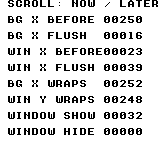
Build command
New-Item -ItemType Directory -Force .\out | Out-Null
.\kitaqgb\kitaqgb.exe .\kitaq-docs\samples\api-examples\gb\batch2_scroll_wrappers.c -I .\kitaqgb\lib -I .\kitaq-docs\samples -o .\out\batch2_scroll_wrappers.gb --no-cache --no-disasm --profile=dev --rst-disable --stack-bank=fixed --cgb=cgb --cart=mbc5 --romsize=64kUsage example
Camera_Init(&view);
Camera_Set(&view,2048,4096);
Camera_ApplyBg(&view);
Scroll_SetWindow(103,80);
Scroll_WindowShow();This is a calling fragment. Follow the stated initialization and buffer requirements before using it in a complete program.
Expected result
With camera (8,16), the red 32×24 rectangle appears at screen (24,16). The window shows a blue 64×64 frame at (96,80) and a green 16×16 square at (112,96). All shapes are black on DMG.
Build command
New-Item -ItemType Directory -Force .\out | Out-Null
.\kitaqgb\kitaqgb.exe .\kitaq-docs\samples\api-examples\gb\batch2_camera_view.c -I .\kitaqgb\lib -I .\kitaq-docs\samples -o .\out\batch2_camera_view.gb --no-cache --no-disasm --profile=dev --rst-disable --stack-bank=fixed --cgb=cgb --cart=mbc5 --romsize=64kImplementation and source
kitaqgb/lib/scroll.h:73
Apply signed deltas to the byte-sized background-scroll coordinates.
kitaqgb/lib/scroll.c:41
void Scroll_BgAdd(s8 dx, s8 dy) { __scroll_bg_add(dx, dy); }Scroll_Flush
Apply dirty background/window coordinates to tracked state and hardware, then clear their pending flags.
Syntax
void Scroll_Flush();Return value
No return value. The affected state and when it takes effect are described in this entry.
Conditions and limits
A clean coordinate pair is left alone. No interrupt masking or VBlank wait is performed; arrange the required timing in the caller. This function wraps __scroll_flush.
Usage example
Scroll_Flush();result[18]=M_SCX;result[19]=M_SCY;result[20]=M_WX;result[21]=M_WY;This is a calling fragment. Follow the stated initialization and buffer requirements before using it in a complete program.
Expected result
Use Scroll functions to learn immediate updates, staging, flushing, addition and visibility. Flushing changes BG X from 250 to 16 and WX from 23 to 39. The window bit is 32 after show and 0 after hide.
Build command
New-Item -ItemType Directory -Force .\out | Out-Null
.\kitaqgb\kitaqgb.exe .\kitaq-docs\samples\api-examples\gb\batch2_scroll_wrappers.c -I .\kitaqgb\lib -I .\kitaq-docs\samples -o .\out\batch2_scroll_wrappers.gb --no-cache --no-disasm --profile=dev --rst-disable --stack-bank=fixed --cgb=cgb --cart=mbc5 --romsize=64kUsage example
Camera_Init(&view);
Camera_Set(&view,2048,4096);
Camera_ApplyBg(&view);
Scroll_SetWindow(103,80);
Scroll_WindowShow();This is a calling fragment. Follow the stated initialization and buffer requirements before using it in a complete program.
Expected result
With camera (8,16), the red 32×24 rectangle appears at screen (24,16). The window shows a blue 64×64 frame at (96,80) and a green 16×16 square at (112,96). All shapes are black on DMG.
Build command
New-Item -ItemType Directory -Force .\out | Out-Null
.\kitaqgb\kitaqgb.exe .\kitaq-docs\samples\api-examples\gb\batch2_camera_view.c -I .\kitaqgb\lib -I .\kitaq-docs\samples -o .\out\batch2_camera_view.gb --no-cache --no-disasm --profile=dev --rst-disable --stack-bank=fixed --cgb=cgb --cart=mbc5 --romsize=64kImplementation and source
kitaqgb/lib/scroll.h:70
Apply the buffered scroll/window state through the compiler runtime.
kitaqgb/lib/scroll.c:38
void Scroll_Flush() { __scroll_flush(); }Scroll_GetBgX
Read the tracked current horizontal background scroll.
Syntax
u8 Scroll_GetBgX();Return value
Returns the tracked current byte, 0–255. WX includes its seven-pixel hardware offset.
Conditions and limits
This is not a hardware-register read. It excludes pending buffered values, direct register writes and temporary values applied by raster splits. This function wraps __scroll_bg_x_get.
Usage example
result[6]=Scroll_GetBgX();This is a calling fragment. Follow the stated initialization and buffer requirements before using it in a complete program.
Expected result
Use Scroll functions to learn immediate updates, staging, flushing, addition and visibility. Flushing changes BG X from 250 to 16 and WX from 23 to 39. The window bit is 32 after show and 0 after hide.
Build command
New-Item -ItemType Directory -Force .\out | Out-Null
.\kitaqgb\kitaqgb.exe .\kitaq-docs\samples\api-examples\gb\batch2_scroll_wrappers.c -I .\kitaqgb\lib -I .\kitaq-docs\samples -o .\out\batch2_scroll_wrappers.gb --no-cache --no-disasm --profile=dev --rst-disable --stack-bank=fixed --cgb=cgb --cart=mbc5 --romsize=64kUsage example
Camera_Init(&view);
Camera_Set(&view,2048,4096);
Camera_ApplyBg(&view);
Scroll_SetWindow(103,80);
Scroll_WindowShow();This is a calling fragment. Follow the stated initialization and buffer requirements before using it in a complete program.
Expected result
With camera (8,16), the red 32×24 rectangle appears at screen (24,16). The window shows a blue 64×64 frame at (96,80) and a green 16×16 square at (112,96). All shapes are black on DMG.
Build command
New-Item -ItemType Directory -Force .\out | Out-Null
.\kitaqgb\kitaqgb.exe .\kitaq-docs\samples\api-examples\gb\batch2_camera_view.c -I .\kitaqgb\lib -I .\kitaq-docs\samples -o .\out\batch2_camera_view.gb --no-cache --no-disasm --profile=dev --rst-disable --stack-bank=fixed --cgb=cgb --cart=mbc5 --romsize=64kImplementation and source
kitaqgb/lib/scroll.h:50
Read the tracked current background X; this is not a direct SCX register read.
kitaqgb/lib/scroll.c:18
u8 Scroll_GetBgX() { return __scroll_bg_x_get(); }Scroll_GetBgY
Read the tracked current vertical background scroll.
Syntax
u8 Scroll_GetBgY();Return value
Returns the tracked current byte, 0–255. WX includes its seven-pixel hardware offset.
Conditions and limits
This is not a hardware-register read. It excludes pending buffered values, direct register writes and temporary values applied by raster splits. This function wraps __scroll_bg_y_get.
Usage example
result[7]=Scroll_GetBgY();This is a calling fragment. Follow the stated initialization and buffer requirements before using it in a complete program.
Expected result
Use Scroll functions to learn immediate updates, staging, flushing, addition and visibility. Flushing changes BG X from 250 to 16 and WX from 23 to 39. The window bit is 32 after show and 0 after hide.
Build command
New-Item -ItemType Directory -Force .\out | Out-Null
.\kitaqgb\kitaqgb.exe .\kitaq-docs\samples\api-examples\gb\batch2_scroll_wrappers.c -I .\kitaqgb\lib -I .\kitaq-docs\samples -o .\out\batch2_scroll_wrappers.gb --no-cache --no-disasm --profile=dev --rst-disable --stack-bank=fixed --cgb=cgb --cart=mbc5 --romsize=64kUsage example
Camera_Init(&view);
Camera_Set(&view,2048,4096);
Camera_ApplyBg(&view);
Scroll_SetWindow(103,80);
Scroll_WindowShow();This is a calling fragment. Follow the stated initialization and buffer requirements before using it in a complete program.
Expected result
With camera (8,16), the red 32×24 rectangle appears at screen (24,16). The window shows a blue 64×64 frame at (96,80) and a green 16×16 square at (112,96). All shapes are black on DMG.
Build command
New-Item -ItemType Directory -Force .\out | Out-Null
.\kitaqgb\kitaqgb.exe .\kitaq-docs\samples\api-examples\gb\batch2_camera_view.c -I .\kitaqgb\lib -I .\kitaq-docs\samples -o .\out\batch2_camera_view.gb --no-cache --no-disasm --profile=dev --rst-disable --stack-bank=fixed --cgb=cgb --cart=mbc5 --romsize=64kImplementation and source
kitaqgb/lib/scroll.h:52
Read the tracked current background Y; pending and raster-only values are excluded.
kitaqgb/lib/scroll.c:20
u8 Scroll_GetBgY() { return __scroll_bg_y_get(); }Scroll_GetWindowX
Read the tracked current window WX value.
Syntax
u8 Scroll_GetWindowX();Return value
Returns the tracked current byte, 0–255. WX includes its seven-pixel hardware offset.
Conditions and limits
This is not a hardware-register read. It excludes pending buffered values, direct register writes and temporary values applied by raster splits. This function wraps __scroll_win_x_get.
Usage example
result[12]=Scroll_GetWindowX();This is a calling fragment. Follow the stated initialization and buffer requirements before using it in a complete program.
Expected result
Use Scroll functions to learn immediate updates, staging, flushing, addition and visibility. Flushing changes BG X from 250 to 16 and WX from 23 to 39. The window bit is 32 after show and 0 after hide.
Build command
New-Item -ItemType Directory -Force .\out | Out-Null
.\kitaqgb\kitaqgb.exe .\kitaq-docs\samples\api-examples\gb\batch2_scroll_wrappers.c -I .\kitaqgb\lib -I .\kitaq-docs\samples -o .\out\batch2_scroll_wrappers.gb --no-cache --no-disasm --profile=dev --rst-disable --stack-bank=fixed --cgb=cgb --cart=mbc5 --romsize=64kUsage example
Camera_Init(&view);
Camera_Set(&view,2048,4096);
Camera_ApplyBg(&view);
Scroll_SetWindow(103,80);
Scroll_WindowShow();This is a calling fragment. Follow the stated initialization and buffer requirements before using it in a complete program.
Expected result
With camera (8,16), the red 32×24 rectangle appears at screen (24,16). The window shows a blue 64×64 frame at (96,80) and a green 16×16 square at (112,96). All shapes are black on DMG.
Build command
New-Item -ItemType Directory -Force .\out | Out-Null
.\kitaqgb\kitaqgb.exe .\kitaq-docs\samples\api-examples\gb\batch2_camera_view.c -I .\kitaqgb\lib -I .\kitaq-docs\samples -o .\out\batch2_camera_view.gb --no-cache --no-disasm --profile=dev --rst-disable --stack-bank=fixed --cgb=cgb --cart=mbc5 --romsize=64kImplementation and source
kitaqgb/lib/scroll.h:61
Read tracked current WX, including its seven-pixel offset; not a live hardware read.
kitaqgb/lib/scroll.c:29
u8 Scroll_GetWindowX() { return __scroll_win_x_get(); }Scroll_GetWindowY
Read the tracked current window WY value.
Syntax
u8 Scroll_GetWindowY();Return value
Returns the tracked current byte, 0–255. WX includes its seven-pixel hardware offset.
Conditions and limits
This is not a hardware-register read. It excludes pending buffered values, direct register writes and temporary values applied by raster splits. This function wraps __scroll_win_y_get.
Usage example
result[13]=Scroll_GetWindowY();This is a calling fragment. Follow the stated initialization and buffer requirements before using it in a complete program.
Expected result
Use Scroll functions to learn immediate updates, staging, flushing, addition and visibility. Flushing changes BG X from 250 to 16 and WX from 23 to 39. The window bit is 32 after show and 0 after hide.
Build command
New-Item -ItemType Directory -Force .\out | Out-Null
.\kitaqgb\kitaqgb.exe .\kitaq-docs\samples\api-examples\gb\batch2_scroll_wrappers.c -I .\kitaqgb\lib -I .\kitaq-docs\samples -o .\out\batch2_scroll_wrappers.gb --no-cache --no-disasm --profile=dev --rst-disable --stack-bank=fixed --cgb=cgb --cart=mbc5 --romsize=64kUsage example
Camera_Init(&view);
Camera_Set(&view,2048,4096);
Camera_ApplyBg(&view);
Scroll_SetWindow(103,80);
Scroll_WindowShow();This is a calling fragment. Follow the stated initialization and buffer requirements before using it in a complete program.
Expected result
With camera (8,16), the red 32×24 rectangle appears at screen (24,16). The window shows a blue 64×64 frame at (96,80) and a green 16×16 square at (112,96). All shapes are black on DMG.
Build command
New-Item -ItemType Directory -Force .\out | Out-Null
.\kitaqgb\kitaqgb.exe .\kitaq-docs\samples\api-examples\gb\batch2_camera_view.c -I .\kitaqgb\lib -I .\kitaq-docs\samples -o .\out\batch2_camera_view.gb --no-cache --no-disasm --profile=dev --rst-disable --stack-bank=fixed --cgb=cgb --cart=mbc5 --romsize=64kImplementation and source
kitaqgb/lib/scroll.h:63
Read tracked current WY; pending and raster-only values are excluded.
kitaqgb/lib/scroll.c:31
u8 Scroll_GetWindowY() { return __scroll_win_y_get(); }Scroll_Init
Initialize background scroll to (0,0) and window position to WX=7, WY=0.
Syntax
void Scroll_Init();Return value
No return value. The affected state and when it takes effect are described in this entry.
Conditions and limits
Synchronizes current and pending coordinates; does not reset window visibility or the split table.
Usage example
Scroll_Init();result[0]=M_SCX;result[1]=M_SCY;result[2]=M_WX;result[3]=M_WY;This is a calling fragment. Follow the stated initialization and buffer requirements before using it in a complete program.
Expected result
Use Scroll functions to learn immediate updates, staging, flushing, addition and visibility. Flushing changes BG X from 250 to 16 and WX from 23 to 39. The window bit is 32 after show and 0 after hide.
Build command
New-Item -ItemType Directory -Force .\out | Out-Null
.\kitaqgb\kitaqgb.exe .\kitaq-docs\samples\api-examples\gb\batch2_scroll_wrappers.c -I .\kitaqgb\lib -I .\kitaq-docs\samples -o .\out\batch2_scroll_wrappers.gb --no-cache --no-disasm --profile=dev --rst-disable --stack-bank=fixed --cgb=cgb --cart=mbc5 --romsize=64kUsage example
Camera_Init(&view);
Camera_Set(&view,2048,4096);
Camera_ApplyBg(&view);
Scroll_SetWindow(103,80);
Scroll_WindowShow();This is a calling fragment. Follow the stated initialization and buffer requirements before using it in a complete program.
Expected result
With camera (8,16), the red 32×24 rectangle appears at screen (24,16). The window shows a blue 64×64 frame at (96,80) and a green 16×16 square at (112,96). All shapes are black on DMG.
Build command
New-Item -ItemType Directory -Force .\out | Out-Null
.\kitaqgb\kitaqgb.exe .\kitaq-docs\samples\api-examples\gb\batch2_camera_view.c -I .\kitaqgb\lib -I .\kitaq-docs\samples -o .\out\batch2_camera_view.gb --no-cache --no-disasm --profile=dev --rst-disable --stack-bank=fixed --cgb=cgb --cart=mbc5 --romsize=64kImplementation and source
kitaqgb/lib/scroll.h:42
Reset background scroll to zero and place the window at screen origin using hardware WX=7 and WY=0.
kitaqgb/lib/scroll.c:5
void Scroll_Init()
{
__scroll_bg_set(0, 0);
__scroll_win_set(7, 0);
}Scroll_SetBg
Set both background scroll coordinates immediately.
Syntax
void Scroll_SetBg(u8 scx, u8 scy);Parameters
scxHorizontal background scroll, 0–255 pixels; increasing it moves the background left.
scyVertical background scroll, 0–255 pixels; increasing it moves the background up.
Return value
No return value. The affected state and when it takes effect are described in this entry.
Conditions and limits
Wraps __scroll_bg_set: synchronizes current, pending and hardware values and clears the BG dirty flag, without waiting for VBlank.
Usage example
Scroll_SetBg(8,16);result[28]=M_SCX;result[29]=M_SCY;This is a calling fragment. Follow the stated initialization and buffer requirements before using it in a complete program.
Expected result
Use Scroll functions to learn immediate updates, staging, flushing, addition and visibility. Flushing changes BG X from 250 to 16 and WX from 23 to 39. The window bit is 32 after show and 0 after hide.
Build command
New-Item -ItemType Directory -Force .\out | Out-Null
.\kitaqgb\kitaqgb.exe .\kitaq-docs\samples\api-examples\gb\batch2_scroll_wrappers.c -I .\kitaqgb\lib -I .\kitaq-docs\samples -o .\out\batch2_scroll_wrappers.gb --no-cache --no-disasm --profile=dev --rst-disable --stack-bank=fixed --cgb=cgb --cart=mbc5 --romsize=64kUsage example
Camera_Init(&view);
Camera_Set(&view,2048,4096);
Camera_ApplyBg(&view);
Scroll_SetWindow(103,80);
Scroll_WindowShow();This is a calling fragment. Follow the stated initialization and buffer requirements before using it in a complete program.
Expected result
With camera (8,16), the red 32×24 rectangle appears at screen (24,16). The window shows a blue 64×64 frame at (96,80) and a green 16×16 square at (112,96). All shapes are black on DMG.
Build command
New-Item -ItemType Directory -Force .\out | Out-Null
.\kitaqgb\kitaqgb.exe .\kitaq-docs\samples\api-examples\gb\batch2_camera_view.c -I .\kitaqgb\lib -I .\kitaq-docs\samples -o .\out\batch2_camera_view.gb --no-cache --no-disasm --profile=dev --rst-disable --stack-bank=fixed --cgb=cgb --cart=mbc5 --romsize=64kImplementation and source
kitaqgb/lib/scroll.h:44
Write both hardware background-scroll bytes immediately.
kitaqgb/lib/scroll.c:12
void Scroll_SetBg(u8 scx, u8 scy) { __scroll_bg_set(scx, scy); }Scroll_SetBgBuffered
Stage both background scroll coordinates for a later flush.
Syntax
void Scroll_SetBgBuffered(u8 scx, u8 scy);Parameters
scxHorizontal background scroll, 0–255 pixels; increasing it moves the background left.
scyVertical background scroll, 0–255 pixels; increasing it moves the background up.
Return value
No return value. The affected state and when it takes effect are described in this entry.
Conditions and limits
Does not change current tracked values or registers. Apply it with __scroll_flush or Scroll_Flush; staging itself does not wait for VBlank. This function wraps __scroll_bg_set_buffered.
Usage example
Scroll_SetBgBuffered(16,24);result[14]=M_SCX;result[15]=Scroll_GetBgX();This is a calling fragment. Follow the stated initialization and buffer requirements before using it in a complete program.
Expected result
Use Scroll functions to learn immediate updates, staging, flushing, addition and visibility. Flushing changes BG X from 250 to 16 and WX from 23 to 39. The window bit is 32 after show and 0 after hide.
Build command
New-Item -ItemType Directory -Force .\out | Out-Null
.\kitaqgb\kitaqgb.exe .\kitaq-docs\samples\api-examples\gb\batch2_scroll_wrappers.c -I .\kitaqgb\lib -I .\kitaq-docs\samples -o .\out\batch2_scroll_wrappers.gb --no-cache --no-disasm --profile=dev --rst-disable --stack-bank=fixed --cgb=cgb --cart=mbc5 --romsize=64kUsage example
Camera_Init(&view);
Camera_Set(&view,2048,4096);
Camera_ApplyBg(&view);
Scroll_SetWindow(103,80);
Scroll_WindowShow();This is a calling fragment. Follow the stated initialization and buffer requirements before using it in a complete program.
Expected result
With camera (8,16), the red 32×24 rectangle appears at screen (24,16). The window shows a blue 64×64 frame at (96,80) and a green 16×16 square at (112,96). All shapes are black on DMG.
Build command
New-Item -ItemType Directory -Force .\out | Out-Null
.\kitaqgb\kitaqgb.exe .\kitaq-docs\samples\api-examples\gb\batch2_camera_view.c -I .\kitaqgb\lib -I .\kitaq-docs\samples -o .\out\batch2_camera_view.gb --no-cache --no-disasm --profile=dev --rst-disable --stack-bank=fixed --cgb=cgb --cart=mbc5 --romsize=64kImplementation and source
kitaqgb/lib/scroll.h:66
Stage background-scroll values in the intrinsic buffer for a later flush.
kitaqgb/lib/scroll.c:34
void Scroll_SetBgBuffered(u8 scx, u8 scy) { __scroll_bg_set_buffered(scx, scy); }Scroll_SetBgX
Set horizontal background scroll immediately.
Syntax
void Scroll_SetBgX(u8 scx);Parameters
scxHorizontal background scroll, 0–255 pixels; increasing it moves the background left.
Return value
No return value. The affected state and when it takes effect are described in this entry.
Conditions and limits
No wait is performed. Immediate setters/additions synchronize the affected pending pair to current values and clear its dirty flag. Even a single-axis immediate setter cancels the other pending axis in the same pair. This function wraps __scroll_bg_x_set.
Usage example
Scroll_SetBgX(250);result[4]=M_SCX;This is a calling fragment. Follow the stated initialization and buffer requirements before using it in a complete program.
Expected result
Use Scroll functions to learn immediate updates, staging, flushing, addition and visibility. Flushing changes BG X from 250 to 16 and WX from 23 to 39. The window bit is 32 after show and 0 after hide.
Build command
New-Item -ItemType Directory -Force .\out | Out-Null
.\kitaqgb\kitaqgb.exe .\kitaq-docs\samples\api-examples\gb\batch2_scroll_wrappers.c -I .\kitaqgb\lib -I .\kitaq-docs\samples -o .\out\batch2_scroll_wrappers.gb --no-cache --no-disasm --profile=dev --rst-disable --stack-bank=fixed --cgb=cgb --cart=mbc5 --romsize=64kUsage example
Camera_Init(&view);
Camera_Set(&view,2048,4096);
Camera_ApplyBg(&view);
Scroll_SetWindow(103,80);
Scroll_WindowShow();This is a calling fragment. Follow the stated initialization and buffer requirements before using it in a complete program.
Expected result
With camera (8,16), the red 32×24 rectangle appears at screen (24,16). The window shows a blue 64×64 frame at (96,80) and a green 16×16 square at (112,96). All shapes are black on DMG.
Build command
New-Item -ItemType Directory -Force .\out | Out-Null
.\kitaqgb\kitaqgb.exe .\kitaq-docs\samples\api-examples\gb\batch2_camera_view.c -I .\kitaqgb\lib -I .\kitaq-docs\samples -o .\out\batch2_camera_view.gb --no-cache --no-disasm --profile=dev --rst-disable --stack-bank=fixed --cgb=cgb --cart=mbc5 --romsize=64kImplementation and source
kitaqgb/lib/scroll.h:46
Write horizontal background scroll while leaving vertical scroll unchanged.
kitaqgb/lib/scroll.c:14
void Scroll_SetBgX(u8 scx) { __scroll_bg_x_set(scx); }Scroll_SetBgY
Set vertical background scroll immediately.
Syntax
void Scroll_SetBgY(u8 scy);Parameters
scyVertical background scroll, 0–255 pixels; increasing it moves the background up.
Return value
No return value. The affected state and when it takes effect are described in this entry.
Conditions and limits
No wait is performed. Immediate setters/additions synchronize the affected pending pair to current values and clear its dirty flag. Even a single-axis immediate setter cancels the other pending axis in the same pair. This function wraps __scroll_bg_y_set.
Usage example
Scroll_SetBgY(2);result[5]=M_SCY;This is a calling fragment. Follow the stated initialization and buffer requirements before using it in a complete program.
Expected result
Use Scroll functions to learn immediate updates, staging, flushing, addition and visibility. Flushing changes BG X from 250 to 16 and WX from 23 to 39. The window bit is 32 after show and 0 after hide.
Build command
New-Item -ItemType Directory -Force .\out | Out-Null
.\kitaqgb\kitaqgb.exe .\kitaq-docs\samples\api-examples\gb\batch2_scroll_wrappers.c -I .\kitaqgb\lib -I .\kitaq-docs\samples -o .\out\batch2_scroll_wrappers.gb --no-cache --no-disasm --profile=dev --rst-disable --stack-bank=fixed --cgb=cgb --cart=mbc5 --romsize=64kUsage example
Camera_Init(&view);
Camera_Set(&view,2048,4096);
Camera_ApplyBg(&view);
Scroll_SetWindow(103,80);
Scroll_WindowShow();This is a calling fragment. Follow the stated initialization and buffer requirements before using it in a complete program.
Expected result
With camera (8,16), the red 32×24 rectangle appears at screen (24,16). The window shows a blue 64×64 frame at (96,80) and a green 16×16 square at (112,96). All shapes are black on DMG.
Build command
New-Item -ItemType Directory -Force .\out | Out-Null
.\kitaqgb\kitaqgb.exe .\kitaq-docs\samples\api-examples\gb\batch2_camera_view.c -I .\kitaqgb\lib -I .\kitaq-docs\samples -o .\out\batch2_camera_view.gb --no-cache --no-disasm --profile=dev --rst-disable --stack-bank=fixed --cgb=cgb --cart=mbc5 --romsize=64kImplementation and source
kitaqgb/lib/scroll.h:48
Write vertical background scroll while leaving horizontal scroll unchanged.
kitaqgb/lib/scroll.c:16
void Scroll_SetBgY(u8 scy) { __scroll_bg_y_set(scy); }Scroll_SetWindow
Set window WX and WY immediately.
Syntax
void Scroll_SetWindow(u8 wx, u8 wy);Parameters
wxRaw WX byte, 0–255: add 7 to the desired screen X; the left edge uses 7.
wyWindow top in screen Y pixels, 0–255; visible rows are 0–143.
Return value
No return value. The affected state and when it takes effect are described in this entry.
Conditions and limits
No wait is performed. Immediate setters/additions synchronize the affected pending pair to current values and clear its dirty flag. Even a single-axis immediate setter cancels the other pending axis in the same pair. This function wraps __scroll_win_set.
Usage example
Scroll_SetWindow(15,8);result[8]=M_WX;result[9]=M_WY;This is a calling fragment. Follow the stated initialization and buffer requirements before using it in a complete program.
Expected result
Use Scroll functions to learn immediate updates, staging, flushing, addition and visibility. Flushing changes BG X from 250 to 16 and WX from 23 to 39. The window bit is 32 after show and 0 after hide.
Build command
New-Item -ItemType Directory -Force .\out | Out-Null
.\kitaqgb\kitaqgb.exe .\kitaq-docs\samples\api-examples\gb\batch2_scroll_wrappers.c -I .\kitaqgb\lib -I .\kitaq-docs\samples -o .\out\batch2_scroll_wrappers.gb --no-cache --no-disasm --profile=dev --rst-disable --stack-bank=fixed --cgb=cgb --cart=mbc5 --romsize=64kUsage example
Camera_Init(&view);
Camera_Set(&view,2048,4096);
Camera_ApplyBg(&view);
Scroll_SetWindow(103,80);
Scroll_WindowShow();This is a calling fragment. Follow the stated initialization and buffer requirements before using it in a complete program.
Expected result
With camera (8,16), the red 32×24 rectangle appears at screen (24,16). The window shows a blue 64×64 frame at (96,80) and a green 16×16 square at (112,96). All shapes are black on DMG.
Build command
New-Item -ItemType Directory -Force .\out | Out-Null
.\kitaqgb\kitaqgb.exe .\kitaq-docs\samples\api-examples\gb\batch2_camera_view.c -I .\kitaqgb\lib -I .\kitaq-docs\samples -o .\out\batch2_camera_view.gb --no-cache --no-disasm --profile=dev --rst-disable --stack-bank=fixed --cgb=cgb --cart=mbc5 --romsize=64kImplementation and source
kitaqgb/lib/scroll.h:55
Write raw hardware WX/WY values; callers add seven to a screen-space window X.
kitaqgb/lib/scroll.c:23
void Scroll_SetWindow(u8 wx, u8 wy) { __scroll_win_set(wx, wy); }Scroll_SetWindowBuffered
Stage both window coordinates for a later flush.
Syntax
void Scroll_SetWindowBuffered(u8 wx, u8 wy);Parameters
wxRaw WX byte, 0–255: add 7 to the desired screen X; the left edge uses 7.
wyWindow top in screen Y pixels, 0–255; visible rows are 0–143.
Return value
No return value. The affected state and when it takes effect are described in this entry.
Conditions and limits
Does not change current tracked values or registers. Apply it with __scroll_flush or Scroll_Flush; staging itself does not wait for VBlank. This function wraps __scroll_win_set_buffered.
Usage example
Scroll_SetWindowBuffered(39,32);result[16]=M_WX;result[17]=Scroll_GetWindowX();This is a calling fragment. Follow the stated initialization and buffer requirements before using it in a complete program.
Expected result
Use Scroll functions to learn immediate updates, staging, flushing, addition and visibility. Flushing changes BG X from 250 to 16 and WX from 23 to 39. The window bit is 32 after show and 0 after hide.
Build command
New-Item -ItemType Directory -Force .\out | Out-Null
.\kitaqgb\kitaqgb.exe .\kitaq-docs\samples\api-examples\gb\batch2_scroll_wrappers.c -I .\kitaqgb\lib -I .\kitaq-docs\samples -o .\out\batch2_scroll_wrappers.gb --no-cache --no-disasm --profile=dev --rst-disable --stack-bank=fixed --cgb=cgb --cart=mbc5 --romsize=64kUsage example
Camera_Init(&view);
Camera_Set(&view,2048,4096);
Camera_ApplyBg(&view);
Scroll_SetWindow(103,80);
Scroll_WindowShow();This is a calling fragment. Follow the stated initialization and buffer requirements before using it in a complete program.
Expected result
With camera (8,16), the red 32×24 rectangle appears at screen (24,16). The window shows a blue 64×64 frame at (96,80) and a green 16×16 square at (112,96). All shapes are black on DMG.
Build command
New-Item -ItemType Directory -Force .\out | Out-Null
.\kitaqgb\kitaqgb.exe .\kitaq-docs\samples\api-examples\gb\batch2_camera_view.c -I .\kitaqgb\lib -I .\kitaq-docs\samples -o .\out\batch2_camera_view.gb --no-cache --no-disasm --profile=dev --rst-disable --stack-bank=fixed --cgb=cgb --cart=mbc5 --romsize=64kImplementation and source
kitaqgb/lib/scroll.h:68
Stage raw window-coordinate values for a later flush.
kitaqgb/lib/scroll.c:36
void Scroll_SetWindowBuffered(u8 wx, u8 wy) { __scroll_win_set_buffered(wx, wy); }Scroll_SetWindowX
Set only the window’s raw WX coordinate immediately.
Syntax
void Scroll_SetWindowX(u8 wx);Parameters
wxRaw WX byte, 0–255: add 7 to the desired screen X; the left edge uses 7.
Return value
No return value. The affected state and when it takes effect are described in this entry.
Conditions and limits
No wait is performed. Immediate setters/additions synchronize the affected pending pair to current values and clear its dirty flag. Even a single-axis immediate setter cancels the other pending axis in the same pair. This function wraps __scroll_win_x_set.
Usage example
Scroll_SetWindowX(23);result[10]=M_WX;This is a calling fragment. Follow the stated initialization and buffer requirements before using it in a complete program.
Expected result
Use Scroll functions to learn immediate updates, staging, flushing, addition and visibility. Flushing changes BG X from 250 to 16 and WX from 23 to 39. The window bit is 32 after show and 0 after hide.
Build command
New-Item -ItemType Directory -Force .\out | Out-Null
.\kitaqgb\kitaqgb.exe .\kitaq-docs\samples\api-examples\gb\batch2_scroll_wrappers.c -I .\kitaqgb\lib -I .\kitaq-docs\samples -o .\out\batch2_scroll_wrappers.gb --no-cache --no-disasm --profile=dev --rst-disable --stack-bank=fixed --cgb=cgb --cart=mbc5 --romsize=64kUsage example
Camera_Init(&view);
Camera_Set(&view,2048,4096);
Camera_ApplyBg(&view);
Scroll_SetWindow(103,80);
Scroll_WindowShow();This is a calling fragment. Follow the stated initialization and buffer requirements before using it in a complete program.
Expected result
With camera (8,16), the red 32×24 rectangle appears at screen (24,16). The window shows a blue 64×64 frame at (96,80) and a green 16×16 square at (112,96). All shapes are black on DMG.
Build command
New-Item -ItemType Directory -Force .\out | Out-Null
.\kitaqgb\kitaqgb.exe .\kitaq-docs\samples\api-examples\gb\batch2_camera_view.c -I .\kitaqgb\lib -I .\kitaq-docs\samples -o .\out\batch2_camera_view.gb --no-cache --no-disasm --profile=dev --rst-disable --stack-bank=fixed --cgb=cgb --cart=mbc5 --romsize=64kImplementation and source
kitaqgb/lib/scroll.h:57
Write raw hardware WX without converting a screen-space X coordinate.
kitaqgb/lib/scroll.c:25
void Scroll_SetWindowX(u8 wx) { __scroll_win_x_set(wx); }Scroll_SetWindowY
Set only the window’s WY coordinate immediately.
Syntax
void Scroll_SetWindowY(u8 wy);Parameters
wyWindow top in screen Y pixels, 0–255; visible rows are 0–143.
Return value
No return value. The affected state and when it takes effect are described in this entry.
Conditions and limits
No wait is performed. Immediate setters/additions synchronize the affected pending pair to current values and clear its dirty flag. Even a single-axis immediate setter cancels the other pending axis in the same pair. This function wraps __scroll_win_y_set.
Usage example
Scroll_SetWindowY(16);result[11]=M_WY;This is a calling fragment. Follow the stated initialization and buffer requirements before using it in a complete program.
Expected result
Use Scroll functions to learn immediate updates, staging, flushing, addition and visibility. Flushing changes BG X from 250 to 16 and WX from 23 to 39. The window bit is 32 after show and 0 after hide.
Build command
New-Item -ItemType Directory -Force .\out | Out-Null
.\kitaqgb\kitaqgb.exe .\kitaq-docs\samples\api-examples\gb\batch2_scroll_wrappers.c -I .\kitaqgb\lib -I .\kitaq-docs\samples -o .\out\batch2_scroll_wrappers.gb --no-cache --no-disasm --profile=dev --rst-disable --stack-bank=fixed --cgb=cgb --cart=mbc5 --romsize=64kUsage example
Camera_Init(&view);
Camera_Set(&view,2048,4096);
Camera_ApplyBg(&view);
Scroll_SetWindow(103,80);
Scroll_WindowShow();This is a calling fragment. Follow the stated initialization and buffer requirements before using it in a complete program.
Expected result
With camera (8,16), the red 32×24 rectangle appears at screen (24,16). The window shows a blue 64×64 frame at (96,80) and a green 16×16 square at (112,96). All shapes are black on DMG.
Build command
New-Item -ItemType Directory -Force .\out | Out-Null
.\kitaqgb\kitaqgb.exe .\kitaq-docs\samples\api-examples\gb\batch2_camera_view.c -I .\kitaqgb\lib -I .\kitaq-docs\samples -o .\out\batch2_camera_view.gb --no-cache --no-disasm --profile=dev --rst-disable --stack-bank=fixed --cgb=cgb --cart=mbc5 --romsize=64kImplementation and source
kitaqgb/lib/scroll.h:59
Write the window Y coordinate through the intrinsic.
kitaqgb/lib/scroll.c:27
void Scroll_SetWindowY(u8 wy) { __scroll_win_y_set(wy); }Scroll_SplitCommit
Capture base window visibility and arm the first scanline event in the split table.
Syntax
void Scroll_SplitCommit();Return value
No return value. The affected state and when it takes effect are described in this entry.
Conditions and limits
The shared table holds eight entries. Appending neither applies nor sorts them, and excess entries are ignored. Rebuild with reset→push→commit at a safe frame boundary and space events far enough apart for the handler to finish. Interrupt latency means the scheduled line and first affected pixel need not coincide. A nonempty table enables VBlank/STAT in IE and executes EI. An empty table disables the LYC source but does not restore IE or CPU interrupt state. This function wraps __scroll_split_commit.
Usage example
Scroll_SplitCommit();This is a calling fragment. Follow the stated initialization and buffer requirements before using it in a complete program.
Expected result
Use Scroll wrappers for three background-scroll bands. Events at LY=64 and 104 change X to 8 and 16, positioning 24×16 rectangles at (32,16), (24,80) and (16,112). The image makes each band’s displacement visible.
Build command
New-Item -ItemType Directory -Force .\out | Out-Null
.\kitaqgb\kitaqgb.exe .\kitaq-docs\samples\api-examples\gb\batch2_split_wrappers.c -I .\kitaqgb\lib -I .\kitaq-docs\samples -o .\out\batch2_split_wrappers.gb --no-cache --no-disasm --profile=dev --rst-disable --stack-bank=fixed --cgb=cgb --cart=mbc5 --romsize=64kImplementation and source
kitaqgb/lib/scroll.h:92
Publish the pending split configuration through the compiler runtime.
kitaqgb/lib/scroll.c:66
void Scroll_SplitCommit() { __scroll_split_commit(); }Scroll_SplitPush
Append a split entry that changes background scrolling at the requested scanline event.
Syntax
void Scroll_SplitPush(u8 ly, u8 scx, u8 scy);Parameters
lyScanline event number; use 0–143 for visible events and append in ascending order. A first entry at zero is applied during VBlank.
scxHorizontal background scroll, 0–255 pixels; increasing it moves the background left.
scyVertical background scroll, 0–255 pixels; increasing it moves the background up.
Return value
No return value. The affected state and when it takes effect are described in this entry.
Conditions and limits
The shared table holds eight entries. Appending neither applies nor sorts them, and excess entries are ignored. Rebuild with reset→push→commit at a safe frame boundary and space events far enough apart for the handler to finish. Interrupt latency means the scheduled line and first affected pixel need not coincide. This function wraps __scroll_split_push.
Usage example
Scroll_SplitPush(64,8,0);This is a calling fragment. Follow the stated initialization and buffer requirements before using it in a complete program.
Expected result
Use Scroll wrappers for three background-scroll bands. Events at LY=64 and 104 change X to 8 and 16, positioning 24×16 rectangles at (32,16), (24,80) and (16,112). The image makes each band’s displacement visible.
Build command
New-Item -ItemType Directory -Force .\out | Out-Null
.\kitaqgb\kitaqgb.exe .\kitaq-docs\samples\api-examples\gb\batch2_split_wrappers.c -I .\kitaqgb\lib -I .\kitaq-docs\samples -o .\out\batch2_split_wrappers.gb --no-cache --no-disasm --profile=dev --rst-disable --stack-bank=fixed --cgb=cgb --cart=mbc5 --romsize=64kImplementation and source
kitaqgb/lib/scroll.h:85
Append a background-scroll split directly. Use Raster_Push when caller-side scanline ordering and capacity validation are desired.
kitaqgb/lib/scroll.c:53
void Scroll_SplitPush(u8 ly, u8 scx, u8 scy) { __scroll_split_push(ly, scx, scy); }Scroll_SplitPushBgColor0
Append an event that changes color zero of CGB background palette zero.
Syntax
void Scroll_SplitPushBgColor0(u8 ly, u16 rgb15);Parameters
lyScanline event number; use 0–143 for visible events and append in ascending order. A first entry at zero is applied during VBlank.
rgb1515-bit RGB555 color: red in bits 0–4, green in 5–9, blue in 10–14.
Return value
No return value. The affected state and when it takes effect are described in this entry.
Conditions and limits
CGB-only. Uses one entry in the eight-slot split table through the extended split operation. Palette writes wait for accessible PPU time. In this normal-speed CGB sample, LY=64/112 events become visible from rows 66/114. Do not equate the event line with the first rendered line.
Usage example
Scroll_SplitPushBgColor0(0,0x7C00);Scroll_SplitPushBgColor0(64,0x001F);Scroll_SplitPushBgColor0(112,0x03E0);This is a calling fragment. Follow the stated initialization and buffer requirements before using it in a complete program.
Expected result
Change CGB background color zero during the frame. At normal speed, this sample renders rows 0–65 blue, 66–113 red and 114–143 green. Events are scheduled at 0, 64 and 112; interrupt handling and palette access add latency. DMG does not provide these color palettes.

Build command
New-Item -ItemType Directory -Force .\out | Out-Null
.\kitaqgb\kitaqgb.exe .\kitaq-docs\samples\api-examples\gb\batch2_split_color.c -I .\kitaqgb\lib -I .\kitaq-docs\samples -o .\out\batch2_split_color.gb --no-cache --no-disasm --profile=dev --rst-disable --stack-bank=fixed --cgb=cgb --cart=mbc5 --romsize=64kImplementation and source
kitaqgb/lib/scroll.h:90
Reuse the two background-scroll fields to carry the low/high RGB15 bytes for a split whose operation flag selects background color zero.
kitaqgb/lib/scroll.c:61
void Scroll_SplitPushBgColor0(u8 ly, u16 rgb15)
{
__scroll_split_push_ex(ly, (u8)rgb15, (u8)(rgb15 >> 8), 0, 0, KQ_SCROLL_SPLIT_BG_COLOR0);
}Scroll_SplitPushEx
Append a split entry whose flags select background, window, visibility or background-color-zero operations.
Syntax
void Scroll_SplitPushEx(u8 ly, u8 scx, u8 scy, u8 wx, u8 wy, u8 flags);Parameters
lyScanline event number; use 0–143 for visible events and append in ascending order. A first entry at zero is applied during VBlank.
scxHorizontal background scroll, 0–255 pixels; increasing it moves the background left.
scyVertical background scroll, 0–255 pixels; increasing it moves the background up.
wxRaw WX byte, 0–255: add 7 to the desired screen X; the left edge uses 7.
wyWindow top in screen Y pixels, 0–255; visible rows are 0–143.
flagsOperation bits: BG=1, window position=2, show=4, hide=8, CGB background palette 0/color 0=16. Unknown bits are discarded. Color-zero mode reuses scx/scy for the RGB15 low/high bytes.
Return value
No return value. The affected state and when it takes effect are described in this entry.
Conditions and limits
The shared table holds eight entries. Appending neither applies nor sorts them, and excess entries are ignored. Rebuild with reset→push→commit at a safe frame boundary and space events far enough apart for the handler to finish. Interrupt latency means the scheduled line and first affected pixel need not coincide. Show wins when both visibility bits are set. Color zero is CGB-only; combining it with BG movement uses the same scx/scy bytes for both purposes. This function wraps __scroll_split_push_ex.
Usage example
Scroll_SplitPushEx(104,16,0,7,0,KQ_SCROLL_SPLIT_USE_BG|KQ_SCROLL_SPLIT_WIN_HIDE);This is a calling fragment. Follow the stated initialization and buffer requirements before using it in a complete program.
Expected result
Use Scroll wrappers for three background-scroll bands. Events at LY=64 and 104 change X to 8 and 16, positioning 24×16 rectangles at (32,16), (24,80) and (16,112). The image makes each band’s displacement visible.
Build command
New-Item -ItemType Directory -Force .\out | Out-Null
.\kitaqgb\kitaqgb.exe .\kitaq-docs\samples\api-examples\gb\batch2_split_wrappers.c -I .\kitaqgb\lib -I .\kitaq-docs\samples -o .\out\batch2_split_wrappers.gb --no-cache --no-disasm --profile=dev --rst-disable --stack-bank=fixed --cgb=cgb --cart=mbc5 --romsize=64kImplementation and source
kitaqgb/lib/scroll.h:87
Append an extended split with raw background/window fields and operation flags.
kitaqgb/lib/scroll.c:55
void Scroll_SplitPushEx(u8 ly, u8 scx, u8 scy, u8 wx, u8 wy, u8 flags)
{
__scroll_split_push_ex(ly, scx, scy, wx, wy, flags);
}Scroll_SplitReset
Clear the split count and index, disable split processing and clear STAT’s LYC interrupt-enable bit.
Syntax
void Scroll_SplitReset();Return value
No return value. The affected state and when it takes effect are described in this entry.
Conditions and limits
The shared table holds eight entries. Appending neither applies nor sorts them, and excess entries are ignored. Rebuild with reset→push→commit at a safe frame boundary and space events far enough apart for the handler to finish. Interrupt latency means the scheduled line and first affected pixel need not coincide. It does not erase table bytes, clear IE, or disable CPU interrupts. This function wraps __scroll_split_reset.
Usage example
Scroll_SplitReset();This is a calling fragment. Follow the stated initialization and buffer requirements before using it in a complete program.
Expected result
Use Scroll wrappers for three background-scroll bands. Events at LY=64 and 104 change X to 8 and 16, positioning 24×16 rectangles at (32,16), (24,80) and (16,112). The image makes each band’s displacement visible.
Build command
New-Item -ItemType Directory -Force .\out | Out-Null
.\kitaqgb\kitaqgb.exe .\kitaq-docs\samples\api-examples\gb\batch2_split_wrappers.c -I .\kitaqgb\lib -I .\kitaq-docs\samples -o .\out\batch2_split_wrappers.gb --no-cache --no-disasm --profile=dev --rst-disable --stack-bank=fixed --cgb=cgb --cart=mbc5 --romsize=64kImplementation and source
kitaqgb/lib/scroll.h:82
Clear the pending split table before building a new raster configuration.
kitaqgb/lib/scroll.c:50
void Scroll_SplitReset() { __scroll_split_reset(); }Scroll_WindowAdd
Add signed deltas to tracked window coordinates and apply them immediately.
Syntax
void Scroll_WindowAdd(s8 dx, s8 dy);Parameters
dxSigned horizontal pixel delta, −128 through 127.
dySigned vertical pixel delta, −128 through 127.
Return value
No return value. The affected state and when it takes effect are described in this entry.
Conditions and limits
No wait is performed. Immediate setters/additions synchronize the affected pending pair to current values and clear its dirty flag. Even a single-axis immediate setter cancels the other pending axis in the same pair. Results wrap modulo 256. Additions start from tracked current values, not pending values or temporary raster register values. This function wraps __scroll_win_add.
Usage example
Scroll_WindowAdd(4,-40);result[24]=M_WX;result[25]=M_WY;This is a calling fragment. Follow the stated initialization and buffer requirements before using it in a complete program.
Expected result
Use Scroll functions to learn immediate updates, staging, flushing, addition and visibility. Flushing changes BG X from 250 to 16 and WX from 23 to 39. The window bit is 32 after show and 0 after hide.
Build command
New-Item -ItemType Directory -Force .\out | Out-Null
.\kitaqgb\kitaqgb.exe .\kitaq-docs\samples\api-examples\gb\batch2_scroll_wrappers.c -I .\kitaqgb\lib -I .\kitaq-docs\samples -o .\out\batch2_scroll_wrappers.gb --no-cache --no-disasm --profile=dev --rst-disable --stack-bank=fixed --cgb=cgb --cart=mbc5 --romsize=64kUsage example
Camera_Init(&view);
Camera_Set(&view,2048,4096);
Camera_ApplyBg(&view);
Scroll_SetWindow(103,80);
Scroll_WindowShow();This is a calling fragment. Follow the stated initialization and buffer requirements before using it in a complete program.
Expected result
With camera (8,16), the red 32×24 rectangle appears at screen (24,16). The window shows a blue 64×64 frame at (96,80) and a green 16×16 square at (112,96). All shapes are black on DMG.
Build command
New-Item -ItemType Directory -Force .\out | Out-Null
.\kitaqgb\kitaqgb.exe .\kitaq-docs\samples\api-examples\gb\batch2_camera_view.c -I .\kitaqgb\lib -I .\kitaq-docs\samples -o .\out\batch2_camera_view.gb --no-cache --no-disasm --profile=dev --rst-disable --stack-bank=fixed --cgb=cgb --cart=mbc5 --romsize=64kImplementation and source
kitaqgb/lib/scroll.h:75
Apply signed deltas to the byte-sized hardware window coordinates.
kitaqgb/lib/scroll.c:43
void Scroll_WindowAdd(s8 dx, s8 dy) { __scroll_win_add(dx, dy); }Scroll_WindowHide
Clear the LCDC window bit and tracked window visibility state.
Syntax
void Scroll_WindowHide();Return value
No return value. The affected state and when it takes effect are described in this entry.
Conditions and limits
Does not change coordinates or map selection. Visibility also requires the LCD/background-window facilities to be enabled and the window to lie within the visible area. This function wraps __scroll_win_hide.
Usage example
Scroll_WindowHide();result[27]=M_LCDC&32;This is a calling fragment. Follow the stated initialization and buffer requirements before using it in a complete program.
Expected result
Use Scroll functions to learn immediate updates, staging, flushing, addition and visibility. Flushing changes BG X from 250 to 16 and WX from 23 to 39. The window bit is 32 after show and 0 after hide.
Build command
New-Item -ItemType Directory -Force .\out | Out-Null
.\kitaqgb\kitaqgb.exe .\kitaq-docs\samples\api-examples\gb\batch2_scroll_wrappers.c -I .\kitaqgb\lib -I .\kitaq-docs\samples -o .\out\batch2_scroll_wrappers.gb --no-cache --no-disasm --profile=dev --rst-disable --stack-bank=fixed --cgb=cgb --cart=mbc5 --romsize=64kUsage example
Camera_Init(&view);
Camera_Set(&view,2048,4096);
Camera_ApplyBg(&view);
Scroll_SetWindow(103,80);
Scroll_WindowShow();This is a calling fragment. Follow the stated initialization and buffer requirements before using it in a complete program.
Expected result
With camera (8,16), the red 32×24 rectangle appears at screen (24,16). The window shows a blue 64×64 frame at (96,80) and a green 16×16 square at (112,96). All shapes are black on DMG.
Build command
New-Item -ItemType Directory -Force .\out | Out-Null
.\kitaqgb\kitaqgb.exe .\kitaq-docs\samples\api-examples\gb\batch2_camera_view.c -I .\kitaqgb\lib -I .\kitaq-docs\samples -o .\out\batch2_camera_view.gb --no-cache --no-disasm --profile=dev --rst-disable --stack-bank=fixed --cgb=cgb --cart=mbc5 --romsize=64kImplementation and source
kitaqgb/lib/scroll.h:79
Request that the window be hidden through the compiler intrinsic.
kitaqgb/lib/scroll.c:47
void Scroll_WindowHide() { __scroll_win_hide(); }Scroll_WindowShow
Enable the LCDC window bit and the tracked window visibility state.
Syntax
void Scroll_WindowShow();Return value
No return value. The affected state and when it takes effect are described in this entry.
Conditions and limits
Does not change coordinates or map selection. Visibility also requires the LCD/background-window facilities to be enabled and the window to lie within the visible area. This function wraps __scroll_win_show.
Usage example
Scroll_WindowShow();result[26]=M_LCDC&32;This is a calling fragment. Follow the stated initialization and buffer requirements before using it in a complete program.
Expected result
Use Scroll functions to learn immediate updates, staging, flushing, addition and visibility. Flushing changes BG X from 250 to 16 and WX from 23 to 39. The window bit is 32 after show and 0 after hide.
Build command
New-Item -ItemType Directory -Force .\out | Out-Null
.\kitaqgb\kitaqgb.exe .\kitaq-docs\samples\api-examples\gb\batch2_scroll_wrappers.c -I .\kitaqgb\lib -I .\kitaq-docs\samples -o .\out\batch2_scroll_wrappers.gb --no-cache --no-disasm --profile=dev --rst-disable --stack-bank=fixed --cgb=cgb --cart=mbc5 --romsize=64kUsage example
Camera_Init(&view);
Camera_Set(&view,2048,4096);
Camera_ApplyBg(&view);
Scroll_SetWindow(103,80);
Scroll_WindowShow();This is a calling fragment. Follow the stated initialization and buffer requirements before using it in a complete program.
Expected result
With camera (8,16), the red 32×24 rectangle appears at screen (24,16). The window shows a blue 64×64 frame at (96,80) and a green 16×16 square at (112,96). All shapes are black on DMG.
Build command
New-Item -ItemType Directory -Force .\out | Out-Null
.\kitaqgb\kitaqgb.exe .\kitaq-docs\samples\api-examples\gb\batch2_camera_view.c -I .\kitaqgb\lib -I .\kitaq-docs\samples -o .\out\batch2_camera_view.gb --no-cache --no-disasm --profile=dev --rst-disable --stack-bank=fixed --cgb=cgb --cart=mbc5 --romsize=64kImplementation and source
kitaqgb/lib/scroll.h:77
Request window visibility through the compiler intrinsic.
kitaqgb/lib/scroll.c:45
void Scroll_WindowShow() { __scroll_win_show(); }slg.h — Boards, move lists and undo
A byte-valued board, bounded move list and undo-record stack. The game combines these operations to apply moves or undo records to its board.
slg_board_clear
Fill every cell of the board with the requested value.
Syntax
void slg_board_clear(SLGBoard* board, u8 value);Parameters
boardThe
SLGBoardto operate on; initialization requires non-NULL storage.valueByte value to store; the game assigns its meaning, such as a piece or terrain type.
Return value
No return value. The affected state and when it takes effect are described in this entry.
Conditions and limits
Storage is supplied by the caller. Initialization neither allocates nor erases it. Board coordinates are measured in cells.
Usage example
slg_board_clear(&board,0);result[1]=cells[0];result[2]=cells[11];This is a calling fragment. Follow the stated initialization and buffer requirements before using it in a complete program.
Expected result
Learn the separate roles of boards, move lists and undo records. Board initialization retains 9; a third append to a two-slot list returns 0. Popping alone leaves the board at 8; explicitly applying the retrieved record restores 7.
Build command
New-Item -ItemType Directory -Force .\out | Out-Null
.\kitaqgb\kitaqgb.exe .\kitaq-docs\samples\api-examples\gb\batch2_board.c -I .\kitaqgb\lib -I .\kitaq-docs\samples -o .\out\batch2_board.gb --no-cache --no-disasm --profile=dev --rst-disable --stack-bank=fixed --cgb=cgb --cart=mbc5 --romsize=64kImplementation and source
kitaqgb/lib/slg.h:33
Fill every cell with value; a null board is ignored. A valid board must own enough accessible cell storage for its declared dimensions.
kitaqgb/lib/slg_board.c:36
void slg_board_clear(SLGBoard* board, u8 value)
{
u16 total;
u16 i;
u8* p;
if (board == 0) return;
total = (u16)((u16)board->width * (u16)board->height);
i = 0;
p = board->cells;
while (i < total) {
*p = value;
p++;
i++;
}
}slg_board_get
Read one cell; a NULL board or out-of-bounds coordinate returns zero.
Syntax
u8 slg_board_get(const SLGBoard* board, u8 x, u8 y);Parameters
boardThe
SLGBoardto operate on; initialization requires non-NULL storage.xCell column from the left, starting at zero; recording a move does not validate board bounds.
yCell row from the top, starting at zero; recording a move does not validate board bounds.
Return value
The cell byte, or zero for an invalid lookup. Zero alone cannot distinguish an empty cell from an invalid coordinate.
Conditions and limits
Storage is supplied by the caller. Initialization neither allocates nor erases it. Board coordinates are measured in cells.
Usage example
result[3]=slg_board_get(&board,1,1);result[4]=slg_board_get(&board,4,1);This is a calling fragment. Follow the stated initialization and buffer requirements before using it in a complete program.
Expected result
Learn the separate roles of boards, move lists and undo records. Board initialization retains 9; a third append to a two-slot list returns 0. Popping alone leaves the board at 8; explicitly applying the retrieved record restores 7.
Build command
New-Item -ItemType Directory -Force .\out | Out-Null
.\kitaqgb\kitaqgb.exe .\kitaq-docs\samples\api-examples\gb\batch2_board.c -I .\kitaqgb\lib -I .\kitaq-docs\samples -o .\out\batch2_board.gb --no-cache --no-disasm --profile=dev --rst-disable --stack-bank=fixed --cgb=cgb --cart=mbc5 --romsize=64kImplementation and source
kitaqgb/lib/slg.h:36
Return zero for a null board or out-of-range coordinate; otherwise read the cell. Zero therefore cannot distinguish an invalid lookup from an empty cell.
kitaqgb/lib/slg_board.c:54
u8 slg_board_get(const SLGBoard* board, u8 x, u8 y)
{
u8* p;
if (board == 0) return 0;
if (x >= board->width || y >= board->height) return 0;
p = slg_cell_ptr((SLGBoard*)board, x, y);
return *p;
}slg_board_init
Attach board dimensions and a cell array, retaining its existing contents.
Syntax
void slg_board_init(SLGBoard* board, u8 width, u8 height, u8* cells);Parameters
boardThe
SLGBoardto operate on; initialization requires non-NULL storage.widthBoard width in cells, also the row stride.
heightNumber of board rows.
cellsWritable row-major array of at least
width*heightcell bytes.
Return value
No return value. The affected state and when it takes effect are described in this entry.
Conditions and limits
Storage is supplied by the caller. Initialization neither allocates nor erases it. Board coordinates are measured in cells.
Usage example
cells[0]=9;slg_board_init(&board,4,3,cells);result[0]=slg_board_get(&board,0,0);This is a calling fragment. Follow the stated initialization and buffer requirements before using it in a complete program.
Expected result
Learn the separate roles of boards, move lists and undo records. Board initialization retains 9; a third append to a two-slot list returns 0. Popping alone leaves the board at 8; explicitly applying the retrieved record restores 7.
Build command
New-Item -ItemType Directory -Force .\out | Out-Null
.\kitaqgb\kitaqgb.exe .\kitaq-docs\samples\api-examples\gb\batch2_board.c -I .\kitaqgb\lib -I .\kitaq-docs\samples -o .\out\batch2_board.gb --no-cache --no-disasm --profile=dev --rst-disable --stack-bank=fixed --cgb=cgb --cart=mbc5 --romsize=64kImplementation and source
kitaqgb/lib/slg.h:30
Attach width * height bytes of caller-owned cell storage without clearing it.
kitaqgb/lib/slg_board.c:27
void slg_board_init(SLGBoard* board, u8 width, u8 height, u8* cells)
{
board->width = width;
board->height = height;
board->cells = cells;
}slg_board_set
Write one valid board cell; ignore a NULL board or an out-of-range coordinate.
Syntax
void slg_board_set(SLGBoard* board, u8 x, u8 y, u8 value);Parameters
boardThe
SLGBoardto operate on; initialization requires non-NULL storage.xCell column from the left, starting at zero; recording a move does not validate board bounds.
yCell row from the top, starting at zero; recording a move does not validate board bounds.
valueByte value to store; the game assigns its meaning, such as a piece or terrain type.
Return value
No return value. The affected state and when it takes effect are described in this entry.
Conditions and limits
Storage is supplied by the caller. Initialization neither allocates nor erases it. Board coordinates are measured in cells.
Usage example
slg_board_set(&board,1,1,7);slg_board_set(&board,4,1,9);This is a calling fragment. Follow the stated initialization and buffer requirements before using it in a complete program.
Expected result
Learn the separate roles of boards, move lists and undo records. Board initialization retains 9; a third append to a two-slot list returns 0. Popping alone leaves the board at 8; explicitly applying the retrieved record restores 7.
Build command
New-Item -ItemType Directory -Force .\out | Out-Null
.\kitaqgb\kitaqgb.exe .\kitaq-docs\samples\api-examples\gb\batch2_board.c -I .\kitaqgb\lib -I .\kitaq-docs\samples -o .\out\batch2_board.gb --no-cache --no-disasm --profile=dev --rst-disable --stack-bank=fixed --cgb=cgb --cart=mbc5 --romsize=64kImplementation and source
kitaqgb/lib/slg.h:38
Write a cell only when the board and coordinate are valid.
kitaqgb/lib/slg_board.c:64
void slg_board_set(SLGBoard* board, u8 x, u8 y, u8 value)
{
u8* p;
if (board == 0) return;
if (x >= board->width || y >= board->height) return;
p = slg_cell_ptr(board, x, y);
*p = value;
}slg_move_list_clear
Reset the move count without erasing the stored records.
Syntax
void slg_move_list_clear(SLGMoveList* list);Parameters
listMove list to operate on; initialization requires a non-NULL pointer.
Return value
No return value. The affected state and when it takes effect are described in this entry.
Conditions and limits
Storage is supplied by the caller. Initialization neither allocates nor erases it. Board coordinates are measured in cells.
Usage example
slg_move_list_clear(&moves);result[10]=moves.count;result[11]=move_data[0].value;This is a calling fragment. Follow the stated initialization and buffer requirements before using it in a complete program.
Expected result
Learn the separate roles of boards, move lists and undo records. Board initialization retains 9; a third append to a two-slot list returns 0. Popping alone leaves the board at 8; explicitly applying the retrieved record restores 7.
Build command
New-Item -ItemType Directory -Force .\out | Out-Null
.\kitaqgb\kitaqgb.exe .\kitaq-docs\samples\api-examples\gb\batch2_board.c -I .\kitaqgb\lib -I .\kitaq-docs\samples -o .\out\batch2_board.gb --no-cache --no-disasm --profile=dev --rst-disable --stack-bank=fixed --cgb=cgb --cart=mbc5 --romsize=64kImplementation and source
kitaqgb/lib/slg.h:42
Forget the moves without erasing their storage; a null list is ignored.
kitaqgb/lib/slg_board.c:83
void slg_move_list_clear(SLGMoveList* list)
{
if (list == 0) return;
list->count = 0;
}slg_move_list_init
Attach move storage and its capacity, setting the count to zero.
Syntax
void slg_move_list_init(SLGMoveList* list, SLGMove* items, u8 capacity);Parameters
listMove list to operate on; initialization requires a non-NULL pointer.
itemsCaller-owned array with room for at least
capacitySLGMoverecords.capacityMaximum record count; zero permits no additions. Each record contains three bytes: x, y and value.
Return value
No return value. The affected state and when it takes effect are described in this entry.
Conditions and limits
Storage is supplied by the caller. Initialization neither allocates nor erases it. Board coordinates are measured in cells.
Usage example
slg_move_list_init(&moves,move_data,2);result[5]=moves.count;This is a calling fragment. Follow the stated initialization and buffer requirements before using it in a complete program.
Expected result
Learn the separate roles of boards, move lists and undo records. Board initialization retains 9; a third append to a two-slot list returns 0. Popping alone leaves the board at 8; explicitly applying the retrieved record restores 7.
Build command
New-Item -ItemType Directory -Force .\out | Out-Null
.\kitaqgb\kitaqgb.exe .\kitaq-docs\samples\api-examples\gb\batch2_board.c -I .\kitaqgb\lib -I .\kitaq-docs\samples -o .\out\batch2_board.gb --no-cache --no-disasm --profile=dev --rst-disable --stack-bank=fixed --cgb=cgb --cart=mbc5 --romsize=64kImplementation and source
kitaqgb/lib/slg.h:40
Attach caller-owned move storage and reset the list length.
kitaqgb/lib/slg_board.c:75
void slg_move_list_init(SLGMoveList* list, SLGMove* items, u8 capacity)
{
list->items = items;
list->capacity = capacity;
list->count = 0;
}slg_move_list_push
Append coordinates and a value to the move list without changing the board.
Syntax
u8 slg_move_list_push(SLGMoveList* list, u8 x, u8 y, u8 value);Parameters
listMove list to operate on; initialization requires a non-NULL pointer.
xCell column from the left, starting at zero; recording a move does not validate board bounds.
yCell row from the top, starting at zero; recording a move does not validate board bounds.
valueByte value to store; the game assigns its meaning, such as a piece or terrain type.
Return value
1 if appended, 0 for NULL or full storage; failure preserves the count and existing records.
Conditions and limits
Storage is supplied by the caller. Initialization neither allocates nor erases it. Board coordinates are measured in cells.
Usage example
result[6]=slg_move_list_push(&moves,1,1,7);result[7]=slg_move_list_push(&moves,2,1,8);result[8]=slg_move_list_push(&moves,3,1,9);result[9]=moves.count;This is a calling fragment. Follow the stated initialization and buffer requirements before using it in a complete program.
Expected result
Learn the separate roles of boards, move lists and undo records. Board initialization retains 9; a third append to a two-slot list returns 0. Popping alone leaves the board at 8; explicitly applying the retrieved record restores 7.
Build command
New-Item -ItemType Directory -Force .\out | Out-Null
.\kitaqgb\kitaqgb.exe .\kitaq-docs\samples\api-examples\gb\batch2_board.c -I .\kitaqgb\lib -I .\kitaq-docs\samples -o .\out\batch2_board.gb --no-cache --no-disasm --profile=dev --rst-disable --stack-bank=fixed --cgb=cgb --cart=mbc5 --romsize=64kImplementation and source
kitaqgb/lib/slg.h:45
Append coordinates and a value to the bounded move list. Return zero on a null/full list without replacing any existing move.
kitaqgb/lib/slg_board.c:91
u8 slg_move_list_push(SLGMoveList* list, u8 x, u8 y, u8 value)
{
SLGMove* move;
if (list == 0) return 0;
if (list->count >= list->capacity) return 0;
move = &list->items[(__safe_index u8)list->count];
move->x = x;
move->y = y;
move->value = value;
list->count++;
return 1;
}slg_undo_init
Attach undo storage and its capacity, starting with an empty stack.
Syntax
void slg_undo_init(SLGUndoStack* stack, SLGMove* items, u8 capacity);Parameters
stackUndo stack to operate on; initialization requires a non-NULL pointer.
itemsCaller-owned array with room for at least
capacitySLGMoverecords.capacityMaximum record count; zero permits no additions. Each record contains three bytes: x, y and value.
Return value
No return value. The affected state and when it takes effect are described in this entry.
Conditions and limits
Storage is supplied by the caller. Initialization neither allocates nor erases it. Board coordinates are measured in cells.
Usage example
slg_undo_init(&undo,undo_data,2);result[12]=undo.count;This is a calling fragment. Follow the stated initialization and buffer requirements before using it in a complete program.
Expected result
Learn the separate roles of boards, move lists and undo records. Board initialization retains 9; a third append to a two-slot list returns 0. Popping alone leaves the board at 8; explicitly applying the retrieved record restores 7.
Build command
New-Item -ItemType Directory -Force .\out | Out-Null
.\kitaqgb\kitaqgb.exe .\kitaq-docs\samples\api-examples\gb\batch2_board.c -I .\kitaqgb\lib -I .\kitaq-docs\samples -o .\out\batch2_board.gb --no-cache --no-disasm --profile=dev --rst-disable --stack-bank=fixed --cgb=cgb --cart=mbc5 --romsize=64kImplementation and source
kitaqgb/lib/slg.h:47
Attach caller-owned undo records and initialize an empty stack.
kitaqgb/lib/slg_board.c:106
void slg_undo_init(SLGUndoStack* stack, SLGMove* items, u8 capacity)
{
stack->items = items;
stack->capacity = capacity;
stack->count = 0;
}slg_undo_pop
Remove and retrieve the most recent undo record; the caller applies it to the board.
Syntax
u8 slg_undo_pop(SLGUndoStack* stack, SLGMove* out_move);Parameters
stackUndo stack to operate on; initialization requires a non-NULL pointer.
out_moveDestination for the popped record; NULL discards it without copying.
Return value
1 if a record was removed, 0 for a NULL or empty stack; an empty stack leaves the output unchanged.
Conditions and limits
Storage is supplied by the caller. Initialization neither allocates nor erases it. Board coordinates are measured in cells.
Usage example
result[15]=slg_undo_pop(&undo,&old);result[16]=old.value;result[17]=slg_board_get(&board,1,1);slg_undo_pop(&undo,&old);slg_board_set(&board,old.x,old.y,old.value);result[18]=slg_board_get(&board,1,1);result[19]=slg_undo_pop(&undo,&old);This is a calling fragment. Follow the stated initialization and buffer requirements before using it in a complete program.
Expected result
Learn the separate roles of boards, move lists and undo records. Board initialization retains 9; a third append to a two-slot list returns 0. Popping alone leaves the board at 8; explicitly applying the retrieved record restores 7.
Build command
New-Item -ItemType Directory -Force .\out | Out-Null
.\kitaqgb\kitaqgb.exe .\kitaq-docs\samples\api-examples\gb\batch2_board.c -I .\kitaqgb\lib -I .\kitaq-docs\samples -o .\out\batch2_board.gb --no-cache --no-disasm --profile=dev --rst-disable --stack-bank=fixed --cgb=cgb --cart=mbc5 --romsize=64kImplementation and source
kitaqgb/lib/slg.h:53
Remove the newest undo record and optionally copy it out. A null output still discards the record; a null or empty stack returns zero.
kitaqgb/lib/slg_board.c:128
u8 slg_undo_pop(SLGUndoStack* stack, SLGMove* out_move)
{
if (stack == 0) return 0;
if (stack->count == 0) return 0;
stack->count--;
if (out_move != 0) {
out_move->x = stack->items[stack->count].x;
out_move->y = stack->items[stack->count].y;
out_move->value = stack->items[stack->count].value;
}
return 1;
}slg_undo_push
Push a cell’s previous value onto the undo stack without modifying the board.
Syntax
u8 slg_undo_push(SLGUndoStack* stack, u8 x, u8 y, u8 old_value);Parameters
stackUndo stack to operate on; initialization requires a non-NULL pointer.
xCell column from the left, starting at zero; recording a move does not validate board bounds.
yCell row from the top, starting at zero; recording a move does not validate board bounds.
old_valueThe cell’s previous byte value; the function does not read it from the board automatically.
Return value
1 if appended, 0 for NULL or full storage; failure preserves the count and existing records.
Conditions and limits
Storage is supplied by the caller. Initialization neither allocates nor erases it. Board coordinates are measured in cells.
Usage example
result[13]=slg_undo_push(&undo,1,1,slg_board_get(&board,1,1));slg_board_set(&board,1,1,8);slg_undo_push(&undo,1,1,8);result[14]=slg_undo_push(&undo,0,0,9);This is a calling fragment. Follow the stated initialization and buffer requirements before using it in a complete program.
Expected result
Learn the separate roles of boards, move lists and undo records. Board initialization retains 9; a third append to a two-slot list returns 0. Popping alone leaves the board at 8; explicitly applying the retrieved record restores 7.
Build command
New-Item -ItemType Directory -Force .\out | Out-Null
.\kitaqgb\kitaqgb.exe .\kitaq-docs\samples\api-examples\gb\batch2_board.c -I .\kitaqgb\lib -I .\kitaq-docs\samples -o .\out\batch2_board.gb --no-cache --no-disasm --profile=dev --rst-disable --stack-bank=fixed --cgb=cgb --cart=mbc5 --romsize=64kImplementation and source
kitaqgb/lib/slg.h:50
Record a cell's previous value for later undo. Return zero if the stack is null or full; this function does not change the board itself.
kitaqgb/lib/slg_board.c:115
u8 slg_undo_push(SLGUndoStack* stack, u8 x, u8 y, u8 old_value)
{
if (stack == 0) return 0;
if (stack->count >= stack->capacity) return 0;
stack->items[stack->count].x = x;
stack->items[stack->count].y = y;
stack->items[stack->count].value = old_value;
stack->count++;
return 1;
}sprite.h — OBJ allocation, positioning, metasprites and animation
Sprites are movable hardware objects, normally 8×8 or 8×16 pixels, described by entries in Object Attribute Memory (OAM). Allocate slots, set their position, tile and attributes in shadow OAM, then transfer that data. A metasprite combines several slots into one object. GB provides 40 slots with a 10-per-scanline limit; FC provides 64 with an 8-per-scanline limit.
GB attributes: bit 4 selects DMG palette OBP1; bits 5/6 flip X/Y; bit 7 places the sprite behind nonzero background pixels. On CGB, bits 0..2 select the object palette and bit 3 the tile-data VRAM bank; the DMG palette-select bit is not used for native CGB colors.
The example uses the full GB sprite library. Defining KQ_SPRITE_MINIMAL_RUNTIME omits sprite_free, sprite_set_pos, sprite_count_used, both scanline queries, metasprite_draw and anim_update from sprite.c; do not enable it when using those functions.
anim_update
Advance a SpriteAnim timer and return the selected tile number. After ticks_per_frame calls, move to the next consecutive tile; wrap to the first frame after frame_count frames. The caller applies the result with sprite_set_tile.
Syntax
u8 anim_update(SpriteAnim* anim);Parameters
animWritable SpriteAnim state with first_tile, frame_count, frame, ticks and ticks_per_frame. Keep frame below frame_count and ticks below ticks_per_frame when those counts are nonzero.
Return value
Selected eight-bit tile number; 0 for a null state pointer. The function does not write OAM.
Conditions and limits
A zero frame_count returns first_tile without advancing; zero ticks_per_frame freezes the current frame. Calls, not video frames, advance the timer. Tile arithmetic wraps at 256 and does not skip alternate tiles in 8×16 mode.
The example uses the full GB sprite library. Defining KQ_SPRITE_MINIMAL_RUNTIME omits sprite_free, sprite_set_pos, sprite_count_used, both scanline queries, metasprite_draw and anim_update from sprite.c; do not enable it when using those functions.
Usage example
sprite_example_animation.first_tile=128;sprite_example_animation.frame_count=2;
sprite_example_animation.frame=0;sprite_example_animation.ticks=0;
sprite_example_animation.ticks_per_frame=2;
sprite_example_expect(anim_update(&sprite_example_animation)==128);
tile=anim_update(&sprite_example_animation);
sprite_example_expect(tile==129);sprite_set_tile(5,tile);This is a calling fragment. Follow the stated initialization and buffer requirements before using it in a complete program.
Expected result
With first_tile=128, two frames and two calls per frame, the first update returns arrow tile 128 and the second returns square tile 129. The square shown beside ANIMATION proves that the returned tile was applied to OAM.
This program teaches sprite allocation, positioning, flips, composite objects, overlap, animation and the scanline limit. The two digits at the upper right must be 00: every in-program check passed. Each arrow and square occupies an 8×8 tile.
NORMAL shows a right-pointing arrow at (88,16). FLIP X points left at (88,32); FLIP Y vertically mirrors the arrow at (88,48). META places two arrows at (88,64) and (96,64). OVERLAP puts the arrow at (88,80) in front of the square at (92,80), with the square visible through transparent arrow pixels. ANIMATION shows the square at (88,96). The areas at (120,16) and (120,32) remain empty after hiding and freeing their slots.
CGB and FC arrows use a green shaft, red outline and blue tip details; the square is green. Transparent pixels reveal the white GB background or black FC background. DMG uses light gray, dark gray and black instead of red, green and blue.
The row below SCAN LIMIT starts at (8,128). The program submits 11 GB sprites or 9 FC sprites on that line, deliberately one too many. Expect 10 visible arrows on GB and 8 on FC; the final submitted arrow is absent. The software peak and warning checks must still report 11/9 and 1.
Build command
New-Item -ItemType Directory -Force .\out | Out-Null
.\kitaqgb\kitaqgb.exe .\kitaq-docs\samples\api-examples\gb\sprite_shapes.c -I .\kitaqgb\lib -I .\kitaq-docs\samples -o .\out\sprite_shapes.gb --profile=dev --rst-disable --stack-bank=fixed --cgb=cgb --no-cache --no-disasmImplementation and source
kitaqgb/lib/sprite.h:86
Advance animation ticks/frame with wrapping frame selection and return the resulting tile. Zero ticks-per-frame freezes animation; null state returns zero.
kitaqgb/lib/sprite.c:211
u8 anim_update(SpriteAnim* anim)
{
if (anim == 0) return 0;
if (anim->frame_count == 0) return anim->first_tile;
if (anim->ticks_per_frame == 0) return (u8)(anim->first_tile + anim->frame);
anim->ticks++;
if (anim->ticks >= anim->ticks_per_frame) {
anim->ticks = 0;
anim->frame++;
if (anim->frame >= anim->frame_count) anim->frame = 0;
}
return (u8)(anim->first_tile + anim->frame);
}metasprite_draw
See the 2026-10-03 changes and verification for differences in the local version of this API.
Place a counted array of sprite parts in consecutive slots. Each part supplies a signed offset, tile and attributes. The routine activates new slots, overwrites existing active slots and stops at the slot limit.
Syntax
u8 metasprite_draw(u8 first_id, u8 x, u8 y, const MetaSpritePart* parts, u8 count);Parameters
first_idSlot ID in 0..SPRITE_MAX-1: 0..39 by default on GB, 0..63 on FC. Out-of-range IDs are ignored.
xHorizontal position in pixels, stored as an unsigned byte. This is a pixel coordinate, not a tile coordinate.
yScreen Y coordinate in pixels. The GB wrapper adds 16 before storing it in OAM.
partsReadable array containing at least count MetaSpritePart records. Each four-byte record contains signed dx/dy offsets followed by tile and flags; there is no terminator.
countNumber of parts, as an unsigned byte. Zero performs no writes. Fewer parts are written if the consecutive slot range reaches SPRITE_MAX.
Return value
Number of parts written, from 0 to count. Check this result to detect truncation at the slot limit.
Conditions and limits
Position, tile, attribute and hide operations change shadow data. They do not allocate a slot or immediately change the hardware OAM; transfer the completed frame with sprite_flush_oam.
Offsets are signed bytes added to the supplied origin, then wrapped to eight bits. Keep the part array readable for the whole call. Writing an active slot replaces its contents; the function does not protect another object's slots.
The example uses the full GB sprite library. Defining KQ_SPRITE_MINIMAL_RUNTIME omits sprite_free, sprite_set_pos, sprite_count_used, both scanline queries, metasprite_draw and anim_update from sprite.c; do not enable it when using those functions.
Usage example
sprite_example_expect(metasprite_draw(10,88,SPRITE_EXAMPLE_Y(64),sprite_example_pair,2)==2);
sprite_example_expect(sprite_count_used()==9); // Sparse IDs count actual active slots.This is a calling fragment. Follow the stated initialization and buffer requirements before using it in a complete program.
Expected result
Initialization yields zero allocated slots. Eight allocations return IDs 0..7. Hiding slot 6 keeps the count at 8; freeing slot 7 twice leaves 7. Placing the pair in slots 10 and 11 raises the count to 9.
This program teaches sprite allocation, positioning, flips, composite objects, overlap, animation and the scanline limit. The two digits at the upper right must be 00: every in-program check passed. Each arrow and square occupies an 8×8 tile.
NORMAL shows a right-pointing arrow at (88,16). FLIP X points left at (88,32); FLIP Y vertically mirrors the arrow at (88,48). META places two arrows at (88,64) and (96,64). OVERLAP puts the arrow at (88,80) in front of the square at (92,80), with the square visible through transparent arrow pixels. ANIMATION shows the square at (88,96). The areas at (120,16) and (120,32) remain empty after hiding and freeing their slots.
CGB and FC arrows use a green shaft, red outline and blue tip details; the square is green. Transparent pixels reveal the white GB background or black FC background. DMG uses light gray, dark gray and black instead of red, green and blue.
The row below SCAN LIMIT starts at (8,128). The program submits 11 GB sprites or 9 FC sprites on that line, deliberately one too many. Expect 10 visible arrows on GB and 8 on FC; the final submitted arrow is absent. The software peak and warning checks must still report 11/9 and 1.
Build command
New-Item -ItemType Directory -Force .\out | Out-Null
.\kitaqgb\kitaqgb.exe .\kitaq-docs\samples\api-examples\gb\sprite_shapes.c -I .\kitaqgb\lib -I .\kitaq-docs\samples -o .\out\sprite_shapes.gb --profile=dev --rst-disable --stack-bank=fixed --cgb=cgb --no-cache --no-disasmImplementation and source
kitaqgb/lib/sprite.h:83
Place consecutive parts, counting each newly activated slot once. Existing active slots are overwritten without increasing the allocation count. Return the number written; an invalid first slot or zero count writes nothing.
kitaqgb/lib/sprite.c:191
u8 metasprite_draw(u8 first_id, u8 x, u8 y, const MetaSpritePart* parts, u8 count)
{
u8 i = 0;
while (i < count) {
u8 id = (u8)(first_id + i);
if (id >= SPRITE_MAX) return i;
if (kq_sprite_active[id] == 0) {
kq_sprite_active[id] = 1;
kq_sprite_used = (u8)(kq_sprite_used + 1);
}
sprite_set_pos(id, (u8)(x + parts[i].dx), (u8)(y + parts[i].dy));
sprite_set_tile(id, parts[i].tile);
sprite_set_flags(id, parts[i].flags);
i++;
}
return count;
}sprite_alloc
Reserve the first free sprite slot and hide it until you position it. The slot remains allocated even while hidden; set its tile and attributes before displaying it.
Syntax
u8 sprite_alloc();Return value
Allocated slot ID, or 0xFF if every slot is active.
Conditions and limits
Position, tile, attribute and hide operations change shadow data. They do not allocate a slot or immediately change the hardware OAM; transfer the completed frame with sprite_flush_oam.
The example uses the full GB sprite library. Defining KQ_SPRITE_MINIMAL_RUNTIME omits sprite_free, sprite_set_pos, sprite_count_used, both scanline queries, metasprite_draw and anim_update from sprite.c; do not enable it when using those functions.
Usage example
for(i=0;i<8;i++) sprite_example_expect(sprite_alloc()==i);
sprite_example_expect(sprite_count_used()==8);This is a calling fragment. Follow the stated initialization and buffer requirements before using it in a complete program.
Expected result
Initialization yields zero allocated slots. Eight allocations return IDs 0..7. Hiding slot 6 keeps the count at 8; freeing slot 7 twice leaves 7. Placing the pair in slots 10 and 11 raises the count to 9.
This program teaches sprite allocation, positioning, flips, composite objects, overlap, animation and the scanline limit. The two digits at the upper right must be 00: every in-program check passed. Each arrow and square occupies an 8×8 tile.
NORMAL shows a right-pointing arrow at (88,16). FLIP X points left at (88,32); FLIP Y vertically mirrors the arrow at (88,48). META places two arrows at (88,64) and (96,64). OVERLAP puts the arrow at (88,80) in front of the square at (92,80), with the square visible through transparent arrow pixels. ANIMATION shows the square at (88,96). The areas at (120,16) and (120,32) remain empty after hiding and freeing their slots.
CGB and FC arrows use a green shaft, red outline and blue tip details; the square is green. Transparent pixels reveal the white GB background or black FC background. DMG uses light gray, dark gray and black instead of red, green and blue.
The row below SCAN LIMIT starts at (8,128). The program submits 11 GB sprites or 9 FC sprites on that line, deliberately one too many. Expect 10 visible arrows on GB and 8 on FC; the final submitted arrow is absent. The software peak and warning checks must still report 11/9 and 1.
Build command
New-Item -ItemType Directory -Force .\out | Out-Null
.\kitaqgb\kitaqgb.exe .\kitaq-docs\samples\api-examples\gb\sprite_shapes.c -I .\kitaqgb\lib -I .\kitaq-docs\samples -o .\out\sprite_shapes.gb --profile=dev --rst-disable --stack-bank=fixed --cgb=cgb --no-cache --no-disasmImplementation and source
kitaqgb/lib/sprite.h:53
Claim the first free slot, hide it, and return its ID; return 0xFF when full. Previously stored tile/flag bytes are retained until the caller replaces them.
kitaqgb/lib/sprite.c:60
u8 sprite_alloc()
{
u8 i = 0;
while (i < SPRITE_MAX) {
if (kq_sprite_active[i] == 0) {
kq_sprite_active[i] = 1;
kq_sprite_used++;
sprite_hide(i);
return i;
}
i++;
}
return 0xFF;
}sprite_count_used
Return the number of allocated slots, including hidden sprites and slots activated by metasprite_draw. This is an allocation count, not the number of sprites visible on screen.
Syntax
u8 sprite_count_used();Return value
An unsigned byte from 0 to SPRITE_MAX.
Conditions and limits
The example uses the full GB sprite library. Defining KQ_SPRITE_MINIMAL_RUNTIME omits sprite_free, sprite_set_pos, sprite_count_used, both scanline queries, metasprite_draw and anim_update from sprite.c; do not enable it when using those functions.
Usage example
sprite_example_expect(sprite_count_used()==9); // After hiding, freeing and drawing the pair.This is a calling fragment. Follow the stated initialization and buffer requirements before using it in a complete program.
Expected result
Initialization yields zero allocated slots. Eight allocations return IDs 0..7. Hiding slot 6 keeps the count at 8; freeing slot 7 twice leaves 7. Placing the pair in slots 10 and 11 raises the count to 9.
This program teaches sprite allocation, positioning, flips, composite objects, overlap, animation and the scanline limit. The two digits at the upper right must be 00: every in-program check passed. Each arrow and square occupies an 8×8 tile.
NORMAL shows a right-pointing arrow at (88,16). FLIP X points left at (88,32); FLIP Y vertically mirrors the arrow at (88,48). META places two arrows at (88,64) and (96,64). OVERLAP puts the arrow at (88,80) in front of the square at (92,80), with the square visible through transparent arrow pixels. ANIMATION shows the square at (88,96). The areas at (120,16) and (120,32) remain empty after hiding and freeing their slots.
CGB and FC arrows use a green shaft, red outline and blue tip details; the square is green. Transparent pixels reveal the white GB background or black FC background. DMG uses light gray, dark gray and black instead of red, green and blue.
The row below SCAN LIMIT starts at (8,128). The program submits 11 GB sprites or 9 FC sprites on that line, deliberately one too many. Expect 10 visible arrows on GB and 8 on FC; the final submitted arrow is absent. The software peak and warning checks must still report 11/9 and 1.
Build command
New-Item -ItemType Directory -Force .\out | Out-Null
.\kitaqgb\kitaqgb.exe .\kitaq-docs\samples\api-examples\gb\sprite_shapes.c -I .\kitaqgb\lib -I .\kitaq-docs\samples -o .\out\sprite_shapes.gb --profile=dev --rst-disable --stack-bank=fixed --cgb=cgb --no-cache --no-disasmImplementation and source
kitaqgb/lib/sprite.h:73
Return the number of active slots, including slots activated by metasprite_draw. Hidden allocated slots remain active until sprite_free releases them.
kitaqgb/lib/sprite.c:148
u8 sprite_count_used()
{
return kq_sprite_used;
}sprite_flush_oam
Wait for VBlank, then transfer shadow OAM through sprite_flush_oam_now.
Syntax
void sprite_flush_oam();Return value
None (void).
Conditions and limits
The GB routine runs a DMA stub from HRAM and copies 160 bytes from the aligned shadow OAM. It disables interrupts during the transfer and always enables them afterward; it does not restore a previously disabled interrupt state.
The example uses the full GB sprite library. Defining KQ_SPRITE_MINIMAL_RUNTIME omits sprite_free, sprite_set_pos, sprite_count_used, both scanline queries, metasprite_draw and anim_update from sprite.c; do not enable it when using those functions.
Usage example
while(1) { sprite_flush_oam(); } // Transfer prepared sprites at the next frame boundary.This is a calling fragment. Follow the stated initialization and buffer requirements before using it in a complete program.
Expected result
NORMAL shows a right-pointing arrow at (88,16). FLIP X points left at (88,32); FLIP Y vertically mirrors the arrow at (88,48). META places two arrows at (88,64) and (96,64). OVERLAP puts the arrow at (88,80) in front of the square at (92,80), with the square visible through transparent arrow pixels. ANIMATION shows the square at (88,96). The areas at (120,16) and (120,32) remain empty after hiding and freeing their slots.
This program teaches sprite allocation, positioning, flips, composite objects, overlap, animation and the scanline limit. The two digits at the upper right must be 00: every in-program check passed. Each arrow and square occupies an 8×8 tile.
CGB and FC arrows use a green shaft, red outline and blue tip details; the square is green. Transparent pixels reveal the white GB background or black FC background. DMG uses light gray, dark gray and black instead of red, green and blue.
The row below SCAN LIMIT starts at (8,128). The program submits 11 GB sprites or 9 FC sprites on that line, deliberately one too many. Expect 10 visible arrows on GB and 8 on FC; the final submitted arrow is absent. The software peak and warning checks must still report 11/9 and 1.
Build command
New-Item -ItemType Directory -Force .\out | Out-Null
.\kitaqgb\kitaqgb.exe .\kitaq-docs\samples\api-examples\gb\sprite_shapes.c -I .\kitaqgb\lib -I .\kitaq-docs\samples -o .\out\sprite_shapes.gb --profile=dev --rst-disable --stack-bank=fixed --cgb=cgb --no-cache --no-disasmImplementation and source
kitaqgb/lib/sprite.h:70
Wait for VBlank, then transfer shadow OAM using the immediate DMA routine.
kitaqgb/lib/sprite.c:139
void sprite_flush_oam()
{
__wait_vblank();
sprite_flush_oam_now();
}sprite_flush_oam_now
Transfer shadow OAM to hardware immediately. This routine does not wait for a safe display interval; the caller chooses when to run it.
Syntax
void sprite_flush_oam_now();Return value
None (void).
Conditions and limits
The GB routine runs a DMA stub from HRAM and copies 160 bytes from the aligned shadow OAM. It disables interrupts during the transfer and always enables them afterward; it does not restore a previously disabled interrupt state.
The example uses the full GB sprite library. Defining KQ_SPRITE_MINIMAL_RUNTIME omits sprite_free, sprite_set_pos, sprite_count_used, both scanline queries, metasprite_draw and anim_update from sprite.c; do not enable it when using those functions.
Usage example
// Rendering is disabled here; all shadow entries have been prepared.
sprite_flush_oam_now();This is a calling fragment. Follow the stated initialization and buffer requirements before using it in a complete program.
Expected result
NORMAL shows a right-pointing arrow at (88,16). FLIP X points left at (88,32); FLIP Y vertically mirrors the arrow at (88,48). META places two arrows at (88,64) and (96,64). OVERLAP puts the arrow at (88,80) in front of the square at (92,80), with the square visible through transparent arrow pixels. ANIMATION shows the square at (88,96). The areas at (120,16) and (120,32) remain empty after hiding and freeing their slots.
This program teaches sprite allocation, positioning, flips, composite objects, overlap, animation and the scanline limit. The two digits at the upper right must be 00: every in-program check passed. Each arrow and square occupies an 8×8 tile.
CGB and FC arrows use a green shaft, red outline and blue tip details; the square is green. Transparent pixels reveal the white GB background or black FC background. DMG uses light gray, dark gray and black instead of red, green and blue.
The row below SCAN LIMIT starts at (8,128). The program submits 11 GB sprites or 9 FC sprites on that line, deliberately one too many. Expect 10 visible arrows on GB and 8 on FC; the final submitted arrow is absent. The software peak and warning checks must still report 11/9 and 1.
Build command
New-Item -ItemType Directory -Force .\out | Out-Null
.\kitaqgb\kitaqgb.exe .\kitaq-docs\samples\api-examples\gb\sprite_shapes.c -I .\kitaqgb\lib -I .\kitaq-docs\samples -o .\out\sprite_shapes.gb --profile=dev --rst-disable --stack-bank=fixed --cgb=cgb --no-cache --no-disasmImplementation and source
kitaqgb/lib/sprite.h:68
Install the HRAM stub lazily and execute OAM DMA with interrupts disabled. This routine does not wait for VBlank and always enables interrupts afterward; it does not restore the caller's previous interrupt-enable state.
kitaqgb/lib/sprite.c:122
void sprite_flush_oam_now()
{
SpriteDmaRoutine dma;
if (kq_sprite_dma_ready == 0) {
sprite_install_dma_stub();
}
dma = (SpriteDmaRoutine)kq_sprite_dma_stub;
__asm {
DI
}
dma();
__asm {
EI
}
}sprite_free
Release an allocated slot, hide it and decrease the active-slot count. An invalid ID or a slot that is already free has no effect.
Syntax
void sprite_free(u8 id);Parameters
idSlot ID in 0..SPRITE_MAX-1: 0..39 by default on GB, 0..63 on FC. Out-of-range IDs are ignored.
Return value
None (void).
Conditions and limits
Position, tile, attribute and hide operations change shadow data. They do not allocate a slot or immediately change the hardware OAM; transfer the completed frame with sprite_flush_oam.
The example uses the full GB sprite library. Defining KQ_SPRITE_MINIMAL_RUNTIME omits sprite_free, sprite_set_pos, sprite_count_used, both scanline queries, metasprite_draw and anim_update from sprite.c; do not enable it when using those functions.
Usage example
sprite_free(7);sprite_free(7);
sprite_example_expect(sprite_count_used()==7); // Repeated release is ignored.This is a calling fragment. Follow the stated initialization and buffer requirements before using it in a complete program.
Expected result
Initialization yields zero allocated slots. Eight allocations return IDs 0..7. Hiding slot 6 keeps the count at 8; freeing slot 7 twice leaves 7. Placing the pair in slots 10 and 11 raises the count to 9.
This program teaches sprite allocation, positioning, flips, composite objects, overlap, animation and the scanline limit. The two digits at the upper right must be 00: every in-program check passed. Each arrow and square occupies an 8×8 tile.
NORMAL shows a right-pointing arrow at (88,16). FLIP X points left at (88,32); FLIP Y vertically mirrors the arrow at (88,48). META places two arrows at (88,64) and (96,64). OVERLAP puts the arrow at (88,80) in front of the square at (92,80), with the square visible through transparent arrow pixels. ANIMATION shows the square at (88,96). The areas at (120,16) and (120,32) remain empty after hiding and freeing their slots.
CGB and FC arrows use a green shaft, red outline and blue tip details; the square is green. Transparent pixels reveal the white GB background or black FC background. DMG uses light gray, dark gray and black instead of red, green and blue.
The row below SCAN LIMIT starts at (8,128). The program submits 11 GB sprites or 9 FC sprites on that line, deliberately one too many. Expect 10 visible arrows on GB and 8 on FC; the final submitted arrow is absent. The software peak and warning checks must still report 11/9 and 1.
Build command
New-Item -ItemType Directory -Force .\out | Out-Null
.\kitaqgb\kitaqgb.exe .\kitaq-docs\samples\api-examples\gb\sprite_shapes.c -I .\kitaqgb\lib -I .\kitaq-docs\samples -o .\out\sprite_shapes.gb --profile=dev --rst-disable --stack-bank=fixed --cgb=cgb --no-cache --no-disasmImplementation and source
kitaqgb/lib/sprite.h:55
Release an allocated valid slot and hide it. Repeated frees do not decrement the count.
kitaqgb/lib/sprite.c:78
void sprite_free(u8 id)
{
if (sprite_valid(id) == 0) return;
if (kq_sprite_active[id] == 0) return;
kq_sprite_active[id] = 0;
if (kq_sprite_used != 0) kq_sprite_used--;
sprite_hide(id);
}sprite_hide
Hide a sprite by changing its shadow position. Keep its allocation, tile and attributes, so setting a visible position can show it again without another allocation.
Syntax
void sprite_hide(u8 id);Parameters
idSlot ID in 0..SPRITE_MAX-1: 0..39 by default on GB, 0..63 on FC. Out-of-range IDs are ignored.
Return value
None (void).
Conditions and limits
Position, tile, attribute and hide operations change shadow data. They do not allocate a slot or immediately change the hardware OAM; transfer the completed frame with sprite_flush_oam.
The example uses the full GB sprite library. Defining KQ_SPRITE_MINIMAL_RUNTIME omits sprite_free, sprite_set_pos, sprite_count_used, both scanline queries, metasprite_draw and anim_update from sprite.c; do not enable it when using those functions.
Usage example
sprite_hide(6);
sprite_example_expect(sprite_count_used()==8); // Hiding retains allocation.This is a calling fragment. Follow the stated initialization and buffer requirements before using it in a complete program.
Expected result
Initialization yields zero allocated slots. Eight allocations return IDs 0..7. Hiding slot 6 keeps the count at 8; freeing slot 7 twice leaves 7. Placing the pair in slots 10 and 11 raises the count to 9.
This program teaches sprite allocation, positioning, flips, composite objects, overlap, animation and the scanline limit. The two digits at the upper right must be 00: every in-program check passed. Each arrow and square occupies an 8×8 tile.
NORMAL shows a right-pointing arrow at (88,16). FLIP X points left at (88,32); FLIP Y vertically mirrors the arrow at (88,48). META places two arrows at (88,64) and (96,64). OVERLAP puts the arrow at (88,80) in front of the square at (92,80), with the square visible through transparent arrow pixels. ANIMATION shows the square at (88,96). The areas at (120,16) and (120,32) remain empty after hiding and freeing their slots.
CGB and FC arrows use a green shaft, red outline and blue tip details; the square is green. Transparent pixels reveal the white GB background or black FC background. DMG uses light gray, dark gray and black instead of red, green and blue.
The row below SCAN LIMIT starts at (8,128). The program submits 11 GB sprites or 9 FC sprites on that line, deliberately one too many. Expect 10 visible arrows on GB and 8 on FC; the final submitted arrow is absent. The software peak and warning checks must still report 11/9 and 1.
Build command
New-Item -ItemType Directory -Force .\out | Out-Null
.\kitaqgb\kitaqgb.exe .\kitaq-docs\samples\api-examples\gb\sprite_shapes.c -I .\kitaqgb\lib -I .\kitaq-docs\samples -o .\out\sprite_shapes.gb --profile=dev --rst-disable --stack-bank=fixed --cgb=cgb --no-cache --no-disasmImplementation and source
kitaqgb/lib/sprite.h:64
Move a valid shadow slot off screen without freeing it.
kitaqgb/lib/sprite.c:112
void sprite_hide(u8 id)
{
if (sprite_valid(id) == 0) return;
kq_sprite_oam[id].y = 0;
kq_sprite_oam[id].x = 0;
}sprite_init
Reset the sprite allocator and hide every slot in shadow OAM. Set the software sprite height to 8 pixels; configuring the hardware sprite size and transferring OAM are separate steps.
Syntax
void sprite_init();Return value
None (void).
Conditions and limits
GB initialization clears all four bytes of every shadow entry and resets installation of the HRAM DMA stub. Keep the default SPRITE_MAX=40 unless your custom DMA source still provides all 160 bytes.
The example uses the full GB sprite library. Defining KQ_SPRITE_MINIMAL_RUNTIME omits sprite_free, sprite_set_pos, sprite_count_used, both scanline queries, metasprite_draw and anim_update from sprite.c; do not enable it when using those functions.
Usage example
sprite_init();
sprite_example_expect(sprite_count_used()==0);This is a calling fragment. Follow the stated initialization and buffer requirements before using it in a complete program.
Expected result
Initialization yields zero allocated slots. Eight allocations return IDs 0..7. Hiding slot 6 keeps the count at 8; freeing slot 7 twice leaves 7. Placing the pair in slots 10 and 11 raises the count to 9.
This program teaches sprite allocation, positioning, flips, composite objects, overlap, animation and the scanline limit. The two digits at the upper right must be 00: every in-program check passed. Each arrow and square occupies an 8×8 tile.
NORMAL shows a right-pointing arrow at (88,16). FLIP X points left at (88,32); FLIP Y vertically mirrors the arrow at (88,48). META places two arrows at (88,64) and (96,64). OVERLAP puts the arrow at (88,80) in front of the square at (92,80), with the square visible through transparent arrow pixels. ANIMATION shows the square at (88,96). The areas at (120,16) and (120,32) remain empty after hiding and freeing their slots.
CGB and FC arrows use a green shaft, red outline and blue tip details; the square is green. Transparent pixels reveal the white GB background or black FC background. DMG uses light gray, dark gray and black instead of red, green and blue.
The row below SCAN LIMIT starts at (8,128). The program submits 11 GB sprites or 9 FC sprites on that line, deliberately one too many. Expect 10 visible arrows on GB and 8 on FC; the final submitted arrow is absent. The software peak and warning checks must still report 11/9 and 1.
Build command
New-Item -ItemType Directory -Force .\out | Out-Null
.\kitaqgb\kitaqgb.exe .\kitaq-docs\samples\api-examples\gb\sprite_shapes.c -I .\kitaqgb\lib -I .\kitaq-docs\samples -o .\out\sprite_shapes.gb --profile=dev --rst-disable --stack-bank=fixed --cgb=cgb --no-cache --no-disasmImplementation and source
kitaqgb/lib/sprite.h:50
Clear allocation and shadow OAM state and reset the DMA-stub installation flag. The default height is eight pixels; the hardware display mode is configured elsewhere.
kitaqgb/lib/sprite.c:22
void sprite_init()
{
u8 i = 0;
kq_sprite_used = 0;
kq_sprite_height = 8;
kq_sprite_dma_ready = 0;
while (i < SPRITE_MAX) {
kq_sprite_active[i] = 0;
kq_sprite_oam[i].y = 0;
kq_sprite_oam[i].x = 0;
kq_sprite_oam[i].tile = 0;
kq_sprite_oam[i].flags = 0;
i++;
}
}sprite_max_scanline_count
Estimate the largest number of active sprites overlapping one visible scanline from their tracked vertical positions and kq_sprite_height.
Syntax
u8 sprite_max_scanline_count();Return value
An unsigned byte from 0 to SPRITE_MAX.
Conditions and limits
Set kq_sprite_height to the hardware height, 8 or 16. This estimate ignores transparency, horizontal visibility and hardware priority. FC reads the library's tracked coordinates, so direct OAM intrinsic edits are not reflected.
The example uses the full GB sprite library. Defining KQ_SPRITE_MINIMAL_RUNTIME omits sprite_free, sprite_set_pos, sprite_count_used, both scanline queries, metasprite_draw and anim_update from sprite.c; do not enable it when using those functions.
Usage example
sprite_example_expect(sprite_max_scanline_count()==SPRITE_EXAMPLE_LINE_COUNT);This is a calling fragment. Follow the stated initialization and buffer requirements before using it in a complete program.
Expected result
The row below SCAN LIMIT starts at (8,128). The program submits 11 GB sprites or 9 FC sprites on that line, deliberately one too many. Expect 10 visible arrows on GB and 8 on FC; the final submitted arrow is absent. The software peak and warning checks must still report 11/9 and 1.
This program teaches sprite allocation, positioning, flips, composite objects, overlap, animation and the scanline limit. The two digits at the upper right must be 00: every in-program check passed. Each arrow and square occupies an 8×8 tile.
NORMAL shows a right-pointing arrow at (88,16). FLIP X points left at (88,32); FLIP Y vertically mirrors the arrow at (88,48). META places two arrows at (88,64) and (96,64). OVERLAP puts the arrow at (88,80) in front of the square at (92,80), with the square visible through transparent arrow pixels. ANIMATION shows the square at (88,96). The areas at (120,16) and (120,32) remain empty after hiding and freeing their slots.
CGB and FC arrows use a green shaft, red outline and blue tip details; the square is green. Transparent pixels reveal the white GB background or black FC background. DMG uses light gray, dark gray and black instead of red, green and blue.
Build command
New-Item -ItemType Directory -Force .\out | Out-Null
.\kitaqgb\kitaqgb.exe .\kitaq-docs\samples\api-examples\gb\sprite_shapes.c -I .\kitaqgb\lib -I .\kitaq-docs\samples -o .\out\sprite_shapes.gb --profile=dev --rst-disable --stack-bank=fixed --cgb=cgb --no-cache --no-disasmImplementation and source
kitaqgb/lib/sprite.h:79
Estimate the largest overlap of active, non-hidden shadow sprites across visible scanlines using the configured sprite height. This is a software overlap count, not a rendered-pixel or hardware-priority simulation.
kitaqgb/lib/sprite.c:158
u8 sprite_max_scanline_count()
{
u8 line = 0;
u8 best = 0;
while (line < 144) {
u8 i = 0;
u8 count = 0;
u8 ly_oam = (u8)(line + 16);
while (i < SPRITE_MAX) {
u8 sy = kq_sprite_oam[i].y;
if (kq_sprite_active[i] != 0 && sy != 0) {
if (ly_oam >= sy && ly_oam < (u8)(sy + kq_sprite_height)) {
count++;
}
}
i++;
}
if (count > best) best = count;
line++;
}
return best;
}sprite_set_flags
Replace the entire sprite attribute byte. Combine the platform's flag constants to select flips, palette and background priority; omitted bits are cleared.
Syntax
void sprite_set_flags(u8 id, u8 flags);Parameters
idSlot ID in 0..SPRITE_MAX-1: 0..39 by default on GB, 0..63 on FC. Out-of-range IDs are ignored.
flagsComplete hardware attribute byte, built with the SPRITE_FLAG_* constants for this platform. Combine flags with bitwise OR (|).
Return value
None (void).
Conditions and limits
Position, tile, attribute and hide operations change shadow data. They do not allocate a slot or immediately change the hardware OAM; transfer the completed frame with sprite_flush_oam.
GB attributes: bit 4 selects DMG palette OBP1; bits 5/6 flip X/Y; bit 7 places the sprite behind nonzero background pixels. On CGB, bits 0..2 select the object palette and bit 3 the tile-data VRAM bank; the DMG palette-select bit is not used for native CGB colors.
The example uses the full GB sprite library. Defining KQ_SPRITE_MINIMAL_RUNTIME omits sprite_free, sprite_set_pos, sprite_count_used, both scanline queries, metasprite_draw and anim_update from sprite.c; do not enable it when using those functions.
Usage example
sprite_set_flags(1,SPRITE_FLAG_XFLIP);
sprite_set_flags(2,SPRITE_FLAG_YFLIP);This is a calling fragment. Follow the stated initialization and buffer requirements before using it in a complete program.
Expected result
NORMAL shows a right-pointing arrow at (88,16). FLIP X points left at (88,32); FLIP Y vertically mirrors the arrow at (88,48). META places two arrows at (88,64) and (96,64). OVERLAP puts the arrow at (88,80) in front of the square at (92,80), with the square visible through transparent arrow pixels. ANIMATION shows the square at (88,96). The areas at (120,16) and (120,32) remain empty after hiding and freeing their slots.
This program teaches sprite allocation, positioning, flips, composite objects, overlap, animation and the scanline limit. The two digits at the upper right must be 00: every in-program check passed. Each arrow and square occupies an 8×8 tile.
CGB and FC arrows use a green shaft, red outline and blue tip details; the square is green. Transparent pixels reveal the white GB background or black FC background. DMG uses light gray, dark gray and black instead of red, green and blue.
The row below SCAN LIMIT starts at (8,128). The program submits 11 GB sprites or 9 FC sprites on that line, deliberately one too many. Expect 10 visible arrows on GB and 8 on FC; the final submitted arrow is absent. The software peak and warning checks must still report 11/9 and 1.
Build command
New-Item -ItemType Directory -Force .\out | Out-Null
.\kitaqgb\kitaqgb.exe .\kitaq-docs\samples\api-examples\gb\sprite_shapes.c -I .\kitaqgb\lib -I .\kitaq-docs\samples -o .\out\sprite_shapes.gb --profile=dev --rst-disable --stack-bank=fixed --cgb=cgb --no-cache --no-disasmImplementation and source
kitaqgb/lib/sprite.h:62
Replace a valid shadow slot's complete hardware attribute byte.
kitaqgb/lib/sprite.c:105
void sprite_set_flags(u8 id, u8 flags)
{
if (sprite_valid(id) == 0) return;
kq_sprite_oam[id].flags = flags;
}sprite_set_pos
Move a GB sprite in shadow OAM using screen pixel coordinates. The function adds the hardware offsets of 8 to X and 16 to Y.
Syntax
void sprite_set_pos(u8 id, u8 x, u8 y);Parameters
idSlot ID in 0..SPRITE_MAX-1: 0..39 by default on GB, 0..63 on FC. Out-of-range IDs are ignored.
xHorizontal position in pixels, stored as an unsigned byte. This is a pixel coordinate, not a tile coordinate.
yScreen Y coordinate in pixels. The GB wrapper adds 16 before storing it in OAM.
Return value
None (void).
Conditions and limits
Position, tile, attribute and hide operations change shadow data. They do not allocate a slot or immediately change the hardware OAM; transfer the completed frame with sprite_flush_oam.
Coordinate additions use eight-bit arithmetic and wrap modulo 256; the library does not clip to the screen. A valid slot may be edited even when its allocation flag is clear.
The example uses the full GB sprite library. Defining KQ_SPRITE_MINIMAL_RUNTIME omits sprite_free, sprite_set_pos, sprite_count_used, both scanline queries, metasprite_draw and anim_update from sprite.c; do not enable it when using those functions.
Usage example
sprite_set_pos(0,88,SPRITE_EXAMPLE_Y(16)); // Visible top-left: (88,16).This is a calling fragment. Follow the stated initialization and buffer requirements before using it in a complete program.
Expected result
NORMAL shows a right-pointing arrow at (88,16). FLIP X points left at (88,32); FLIP Y vertically mirrors the arrow at (88,48). META places two arrows at (88,64) and (96,64). OVERLAP puts the arrow at (88,80) in front of the square at (92,80), with the square visible through transparent arrow pixels. ANIMATION shows the square at (88,96). The areas at (120,16) and (120,32) remain empty after hiding and freeing their slots.
This program teaches sprite allocation, positioning, flips, composite objects, overlap, animation and the scanline limit. The two digits at the upper right must be 00: every in-program check passed. Each arrow and square occupies an 8×8 tile.
CGB and FC arrows use a green shaft, red outline and blue tip details; the square is green. Transparent pixels reveal the white GB background or black FC background. DMG uses light gray, dark gray and black instead of red, green and blue.
The row below SCAN LIMIT starts at (8,128). The program submits 11 GB sprites or 9 FC sprites on that line, deliberately one too many. Expect 10 visible arrows on GB and 8 on FC; the final submitted arrow is absent. The software peak and warning checks must still report 11/9 and 1.
Build command
New-Item -ItemType Directory -Force .\out | Out-Null
.\kitaqgb\kitaqgb.exe .\kitaq-docs\samples\api-examples\gb\sprite_shapes.c -I .\kitaqgb\lib -I .\kitaq-docs\samples -o .\out\sprite_shapes.gb --profile=dev --rst-disable --stack-bank=fixed --cgb=cgb --no-cache --no-disasmImplementation and source
kitaqgb/lib/sprite.h:58
Convert screen coordinates to OAM coordinates by adding X=8 and Y=16. The byte additions wrap; this updates shadow storage even for an unallocated slot.
kitaqgb/lib/sprite.c:89
void sprite_set_pos(u8 id, u8 x, u8 y)
{
if (sprite_valid(id) == 0) return;
kq_sprite_oam[id].x = (u8)(x + 8);
kq_sprite_oam[id].y = (u8)(y + 16);
}sprite_set_tile
Replace the tile number of one shadow OAM entry. This selects graphics already in tile memory; it neither uploads graphics nor allocates a sprite.
Syntax
void sprite_set_tile(u8 id, u8 tile);Parameters
idSlot ID in 0..SPRITE_MAX-1: 0..39 by default on GB, 0..63 on FC. Out-of-range IDs are ignored.
tileEight-bit tile number. Load its graphics first. Hardware rules for 8×16 sprites still apply; this function does not adjust the number for paired tiles.
Return value
None (void).
Conditions and limits
Position, tile, attribute and hide operations change shadow data. They do not allocate a slot or immediately change the hardware OAM; transfer the completed frame with sprite_flush_oam.
The example uses the full GB sprite library. Defining KQ_SPRITE_MINIMAL_RUNTIME omits sprite_free, sprite_set_pos, sprite_count_used, both scanline queries, metasprite_draw and anim_update from sprite.c; do not enable it when using those functions.
Usage example
sprite_set_tile(5,129); // Select the green square beside ANIMATION.This is a calling fragment. Follow the stated initialization and buffer requirements before using it in a complete program.
Expected result
With first_tile=128, two frames and two calls per frame, the first update returns arrow tile 128 and the second returns square tile 129. The square shown beside ANIMATION proves that the returned tile was applied to OAM.
This program teaches sprite allocation, positioning, flips, composite objects, overlap, animation and the scanline limit. The two digits at the upper right must be 00: every in-program check passed. Each arrow and square occupies an 8×8 tile.
NORMAL shows a right-pointing arrow at (88,16). FLIP X points left at (88,32); FLIP Y vertically mirrors the arrow at (88,48). META places two arrows at (88,64) and (96,64). OVERLAP puts the arrow at (88,80) in front of the square at (92,80), with the square visible through transparent arrow pixels. ANIMATION shows the square at (88,96). The areas at (120,16) and (120,32) remain empty after hiding and freeing their slots.
CGB and FC arrows use a green shaft, red outline and blue tip details; the square is green. Transparent pixels reveal the white GB background or black FC background. DMG uses light gray, dark gray and black instead of red, green and blue.
The row below SCAN LIMIT starts at (8,128). The program submits 11 GB sprites or 9 FC sprites on that line, deliberately one too many. Expect 10 visible arrows on GB and 8 on FC; the final submitted arrow is absent. The software peak and warning checks must still report 11/9 and 1.
Build command
New-Item -ItemType Directory -Force .\out | Out-Null
.\kitaqgb\kitaqgb.exe .\kitaq-docs\samples\api-examples\gb\sprite_shapes.c -I .\kitaqgb\lib -I .\kitaq-docs\samples -o .\out\sprite_shapes.gb --profile=dev --rst-disable --stack-bank=fixed --cgb=cgb --no-cache --no-disasmImplementation and source
kitaqgb/lib/sprite.h:60
Set a valid shadow slot's tile byte; allocation and hardware transfer are separate.
kitaqgb/lib/sprite.c:98
void sprite_set_tile(u8 id, u8 tile)
{
if (sprite_valid(id) == 0) return;
kq_sprite_oam[id].tile = tile;
}sprite_warn_scanline_overflow
Compare sprite_max_scanline_count with the hardware's per-line sprite limit: 10 on GB and 8 on FC. This reports a software estimate; it does not read the hardware overflow flag.
Syntax
u8 sprite_warn_scanline_overflow();Return value
1 when the estimate exceeds the per-line limit; otherwise 0.
Conditions and limits
Set kq_sprite_height to the hardware height, 8 or 16. This estimate ignores transparency, horizontal visibility and hardware priority. FC reads the library's tracked coordinates, so direct OAM intrinsic edits are not reflected.
The example uses the full GB sprite library. Defining KQ_SPRITE_MINIMAL_RUNTIME omits sprite_free, sprite_set_pos, sprite_count_used, both scanline queries, metasprite_draw and anim_update from sprite.c; do not enable it when using those functions.
Usage example
sprite_example_expect(sprite_warn_scanline_overflow()==1);This is a calling fragment. Follow the stated initialization and buffer requirements before using it in a complete program.
Expected result
The row below SCAN LIMIT starts at (8,128). The program submits 11 GB sprites or 9 FC sprites on that line, deliberately one too many. Expect 10 visible arrows on GB and 8 on FC; the final submitted arrow is absent. The software peak and warning checks must still report 11/9 and 1.
This program teaches sprite allocation, positioning, flips, composite objects, overlap, animation and the scanline limit. The two digits at the upper right must be 00: every in-program check passed. Each arrow and square occupies an 8×8 tile.
NORMAL shows a right-pointing arrow at (88,16). FLIP X points left at (88,32); FLIP Y vertically mirrors the arrow at (88,48). META places two arrows at (88,64) and (96,64). OVERLAP puts the arrow at (88,80) in front of the square at (92,80), with the square visible through transparent arrow pixels. ANIMATION shows the square at (88,96). The areas at (120,16) and (120,32) remain empty after hiding and freeing their slots.
CGB and FC arrows use a green shaft, red outline and blue tip details; the square is green. Transparent pixels reveal the white GB background or black FC background. DMG uses light gray, dark gray and black instead of red, green and blue.
Build command
New-Item -ItemType Directory -Force .\out | Out-Null
.\kitaqgb\kitaqgb.exe .\kitaq-docs\samples\api-examples\gb\sprite_shapes.c -I .\kitaqgb\lib -I .\kitaq-docs\samples -o .\out\sprite_shapes.gb --profile=dev --rst-disable --stack-bank=fixed --cgb=cgb --no-cache --no-disasmImplementation and source
kitaqgb/lib/sprite.h:75
Report whether the software overlap estimate exceeds ten sprites on a scanline.
kitaqgb/lib/sprite.c:182
u8 sprite_warn_scanline_overflow()
{
return (u8)(sprite_max_scanline_count() > 10);
}sprite_order.h — Sprite selection by priority and rotation
sprite_order places important objects first and rotates OAM order among objects with the same priority. It emits up to 40 objects from at most 255 candidates, helping manage the ten-object scanline limit. The existing sprite library handles slot allocation and DMA; sprite_order handles candidate selection order.
Include sprite_order.h and compile sprite_order.c exactly once. After initialization, call begin, then push for each candidate, then build each frame. The ordering library itself does not require sprite.c or any global variable definitions.
Hardware selects the first ten objects intersecting each scanline in OAM order. Putting lower priority values first protects important objects when a line is crowded. Rotation does not guarantee equal display frequency within a priority band. If high-priority objects fill all ten slots, lower-priority objects on that line remain invisible.
SpriteOrderOamEntry contains four bytes: Y, X, tile and flags. To use the shadow OAM from sprite.h, write to (SpriteOrderOamEntry*)kq_sprite_oam. Keep the standard SPRITE_MAX of 40 and do not mix allocator-managed slot identities with reordered output: build does not update allocator bookkeeping.
sprite_order_begin
Clear the submission count for a new frame while retaining storage, height and rotation phase. Unlike reinitializing every frame, this lets rotation continue.
Syntax
void sprite_order_begin(SpriteOrder* order);Parameters
orderAddress of a caller-owned
SpriteOrder. Initialize it before use and keep its updates in foreground code.
Return value
No return value. Null order is ignored. Old item bytes and already-built OAM are not erased.
Conditions and limits
Include sprite_order.h and compile sprite_order.c exactly once. After initialization, call begin, then push for each candidate, then build each frame. The ordering library itself does not require sprite.c or any global variable definitions.
Hardware selects the first ten objects intersecting each scanline in OAM order. Putting lower priority values first protects important objects when a line is crowded. Rotation does not guarantee equal display frequency within a priority band. If high-priority objects fill all ten slots, lower-priority objects on that line remain invisible.
Usage example
sprite_order_begin(&order_demo);This is a calling fragment. Follow the stated initialization and buffer requirements before using it in a complete program.
Expected result
This lesson shows scanline selection with fourteen objects on one row. The two diamonds under HIGH have high priority; the twelve squares under NORMAL have normal priority. CGB uses red diamonds and blue squares; DMG uses gray and black. Both diamonds remain visible, while only eight squares appear. The labels 0..B identify square positions. PHASE 04 shows 4..B; PHASE 08 shows 8..B and 0..3. The normal build advances PHASE after every 60 frame waits. The published captures fix the phase in the same program; the running version was also checked for changing square selection.
Build command
New-Item -ItemType Directory -Force .\out | Out-Null
.\kitaqgb\kitaqgb.exe .\kitaq-docs\samples\api-examples\gb\sprite_order_demo.c -I .\kitaqgb\lib -I .\kitaq-docs\samples -o .\out\sprite_order_demo.gb --cgb=cgb --profile=dev --rst-disable --stack-bank=fixed --no-cache --no-disasmImplementation and source
kitaqgb/lib/sprite_order.h:42
Discard this frame's submissions while preserving storage, height and phase. A null state is ignored. Call once before submitting the next frame's sprites.
kitaqgb/lib/sprite_order.c:24
void sprite_order_begin(SpriteOrder* order)
{
if (order != 0) order->count = 0;
}sprite_order_build
Build 160 bytes of shadow OAM from the submitted candidates in priority and cyclic order. Hide every unused slot by zeroing it, then advance the phase for the next build. Submission storage is not reordered.
Syntax
u8 sprite_order_build(SpriteOrder* order, SpriteOrderOamEntry* output, u8 limit);Parameters
orderAddress of a caller-owned
SpriteOrder. Initialize it before use and keep its updates in foreground code.outputWritable array of 40
SpriteOrderOamEntryvalues. The function writes all 160 bytes even when limit is zero or below 40.limitMaximum emitted count, 0..40; larger values are clamped to 40. This limits the whole OAM, not each scanline.
Return value
Return the emitted count, 0..40. A valid empty queue clears all slots and sets phase=0. Otherwise normalize phase modulo count, use that cyclic starting position within each ascending priority band, then increment and wrap phase. A zero limit still advances phase. Null order/output, disabled state, invalid height or count>capacity returns zero without changing output or phase.
Conditions and limits
Hardware selects the first ten objects intersecting each scanline in OAM order. Putting lower priority values first protects important objects when a line is crowded. Rotation does not guarantee equal display frequency within a priority band. If high-priority objects fill all ten slots, lower-priority objects on that line remain invisible.
The priority argument controls selection order, independently of the behind-background attribute. On DMG, overlapping selected objects favor the smaller X coordinate, with OAM order breaking ties. Normal CGB color-mode overlap uses OAM order, but a DMG-style ordering configuration selected through OPRI still applies. This library does not change hardware priority rules.
SpriteOrderOamEntry contains four bytes: Y, X, tile and flags. To use the shadow OAM from sprite.h, write to (SpriteOrderOamEntry*)kq_sprite_oam. Keep the standard SPRITE_MAX of 40 and do not mix allocator-managed slot identities with reordered output: build does not update allocator bookkeeping.
build only writes RAM. Provide a 160-byte output array that does not overlap the state or submission storage. A buffer used for OAM DMA must start on a 256-byte boundary. Finish building before transferring during VBlank; an interrupt must not transfer a half-built buffer. The sample uses sprite_flush_oam.
Each submission takes a bounded amount of work. Building clears 160 bytes of shadow OAM and scans the submission array up to four times. It neither sorts that array nor needs a temporary sorting buffer. This is not a guarantee that 255 candidates fit a game’s per-frame budget; submit only the candidates the scene needs.
Usage example
order_demo_state[1]=sprite_order_build(&order_demo,(SpriteOrderOamEntry*)kq_sprite_oam,40);This is a calling fragment. Follow the stated initialization and buffer requirements before using it in a complete program.
Expected result
This lesson shows scanline selection with fourteen objects on one row. The two diamonds under HIGH have high priority; the twelve squares under NORMAL have normal priority. CGB uses red diamonds and blue squares; DMG uses gray and black. Both diamonds remain visible, while only eight squares appear. The labels 0..B identify square positions. PHASE 04 shows 4..B; PHASE 08 shows 8..B and 0..3. The normal build advances PHASE after every 60 frame waits. The published captures fix the phase in the same program; the running version was also checked for changing square selection.
Build command
New-Item -ItemType Directory -Force .\out | Out-Null
.\kitaqgb\kitaqgb.exe .\kitaq-docs\samples\api-examples\gb\sprite_order_demo.c -I .\kitaqgb\lib -I .\kitaq-docs\samples -o .\out\sprite_order_demo.gb --cgb=cgb --profile=dev --rst-disable --stack-bank=fixed --no-cache --no-disasmImplementation and source
kitaqgb/lib/sprite_order.h:62
Write a complete 160-byte shadow OAM: ascending priority, then cyclic order within each priority. Clamp limit to 40, return the number emitted and zero all unused entries (including Y) so they cannot consume scanline slots. Advance phase once for a nonempty valid queue, even when limit is zero. Empty queues reset phase to zero. Null/disabled/corrupt state or null output returns 0 without modifying output or phase. Output must provide 40 entries and must not overlap item/state storage. This only writes RAM. Build in foreground, then transfer during VBlank. DMG overlap priority also depends on X: this cannot override that hardware rule. OAM order chooses the first ten sprites per scanline on both DMG/CGB. It neither updates sprite_alloc's bookkeeping nor performs OAM DMA.
kitaqgb/lib/sprite_order.c:57
u8 sprite_order_build(SpriteOrder* order, SpriteOrderOamEntry* output, u8 limit)
{
u8 i;
u8 count;
u8 phase;
u8 priority;
u8 visited;
u8 written;
SpriteOrderItem* item;
if (order == 0 || output == 0) return 0;
if (order->items == 0 || order->capacity == 0) return 0;
if (order->count > order->capacity) return 0;
if (order->height != 8 && order->height != 16) return 0;
// Clear all hardware slots regardless of the requested emission limit.
for (i = 0; i < SPRITE_ORDER_OAM_COUNT; i++) {
output[i].y = 0;
output[i].x = 0;
output[i].tile = 0;
output[i].flags = 0;
}
count = order->count;
if (count == 0) {
order->phase = 0;
return 0;
}
if (limit > SPRITE_ORDER_OAM_COUNT) limit = SPRITE_ORDER_OAM_COUNT;
phase = order->phase;
while (phase >= count) phase = (u8)(phase - count);
written = 0;
for (priority = 0; priority < SPRITE_ORDER_LEVELS && written < limit; priority++) {
i = phase;
visited = 0;
while (visited < count && written < limit) {
item = &order->items[i];
if (item->priority == priority) {
output[written].y = item->oam.y;
output[written].x = item->oam.x;
output[written].tile = item->oam.tile;
output[written].flags = item->oam.flags;
written++;
}
visited++;
i++;
if (i >= count) i = 0;
}
}
phase++;
if (phase >= count) phase = 0;
order->phase = phase;
return written;
}sprite_order_init
Bind submission storage to an ordering state and reset the count and rotation phase. Use this when starting a scene or changing storage.
Syntax
u8 sprite_order_init(SpriteOrder* order, SpriteOrderItem* items, u8 capacity, u8 height);Parameters
orderAddress of a caller-owned
SpriteOrder. Initialize it before use and keep its updates in foreground code.itemsWritable
SpriteOrderItemarray, five bytes per item. Allocate capacity entries and keep the storage valid throughout use.capacityArray capacity, 1..255 items; neither a byte count nor the hardware slot count.
heightHeight is shared by all objects. Pass 8 or 16 to match LCDC’s 8×8/8×16 setting; the library does not configure LCDC. Hardware ignores the tile number’s low bit in 8×16 mode.
Return value
Return 1 on success, or 0 for null items, zero capacity, a height other than 8/16, or null order. With a non-null order, failure leaves it disabled: items=NULL, capacity=count=phase=0 and height=8. The item array is untouched.
Conditions and limits
Include sprite_order.h and compile sprite_order.c exactly once. After initialization, call begin, then push for each candidate, then build each frame. The ordering library itself does not require sprite.c or any global variable definitions.
Usage example
sprite_init();sprite_order_init(&order_demo,order_demo_items,14,8);This is a calling fragment. Follow the stated initialization and buffer requirements before using it in a complete program.
Expected result
This lesson shows scanline selection with fourteen objects on one row. The two diamonds under HIGH have high priority; the twelve squares under NORMAL have normal priority. CGB uses red diamonds and blue squares; DMG uses gray and black. Both diamonds remain visible, while only eight squares appear. The labels 0..B identify square positions. PHASE 04 shows 4..B; PHASE 08 shows 8..B and 0..3. The normal build advances PHASE after every 60 frame waits. The published captures fix the phase in the same program; the running version was also checked for changing square selection.
Build command
New-Item -ItemType Directory -Force .\out | Out-Null
.\kitaqgb\kitaqgb.exe .\kitaq-docs\samples\api-examples\gb\sprite_order_demo.c -I .\kitaqgb\lib -I .\kitaq-docs\samples -o .\out\sprite_order_demo.gb --cgb=cgb --profile=dev --rst-disable --stack-bank=fixed --no-cache --no-disasmImplementation and source
kitaqgb/lib/sprite_order.h:38
Bind writable item storage and select the hardware sprite height (8 or 16). Return 1 on success. Invalid storage, zero capacity or another height returns 0 and leaves a non-null state disabled. A null state returns 0 without writes.
kitaqgb/lib/sprite_order.c:6
u8 sprite_order_init(SpriteOrder* order, SpriteOrderItem* items, u8 capacity, u8 height)
{
if (order == 0) return 0;
order->items = 0;
order->capacity = 0;
order->count = 0;
order->height = 8;
order->phase = 0;
if (items == 0 || capacity == 0) return 0;
if (height != 8 && height != 16) return 0;
order->items = items;
order->capacity = capacity;
order->height = height;
return 1;
}sprite_order_push
Submit one sprite that intersects the visible screen by at least one pixel. Fully off-screen candidates are rejected before they can consume OAM selection slots.
Syntax
u8 sprite_order_push(SpriteOrder* order, s16 x, s16 y, u8 tile, u8 flags, u8 priority);Parameters
orderAddress of a caller-owned
SpriteOrder. Initialize it before use and keep its updates in foreground code.xSigned screen X measured from the top left. Left edges −7..159 are accepted; at most −8 or at least 160 is fully off-screen. Storage adds 8 for OAM coordinates.
ySigned screen Y measured from the top left. Accepted range is −7..143 for height 8, or −15..143 for height 16. Storage adds 16 for OAM coordinates.
tileTile number, 0..255, stored unchanged. See the height notes for 8×16 mode.
flagsHardware attribute byte, stored unchanged: flips, behind-background priority, DMG/CGB palette and CGB VRAM bank bits retain their usual meanings.
prioritySoftware selection priority, 0..3, with zero first. Values at least four are rejected. This is separate from the hardware flags byte.
Return value
Return 1 and increment count when accepted. Return 0 without changing items or count for a null/disabled state, invalid height, full storage, invalid priority or a fully off-screen object.
Conditions and limits
Height is shared by all objects. Pass 8 or 16 to match LCDC’s 8×8/8×16 setting; the library does not configure LCDC. Hardware ignores the tile number’s low bit in 8×16 mode.
Hardware selects the first ten objects intersecting each scanline in OAM order. Putting lower priority values first protects important objects when a line is crowded. Rotation does not guarantee equal display frequency within a priority band. If high-priority objects fill all ten slots, lower-priority objects on that line remain invisible.
The priority argument controls selection order, independently of the behind-background attribute. On DMG, overlapping selected objects favor the smaller X coordinate, with OAM order breaking ties. Normal CGB color-mode overlap uses OAM order, but a DMG-style ordering configuration selected through OPRI still applies. This library does not change hardware priority rules.
Usage example
sprite_order_push(&order_demo,8,64,128,0,0);This is a calling fragment. Follow the stated initialization and buffer requirements before using it in a complete program.
Expected result
This lesson shows scanline selection with fourteen objects on one row. The two diamonds under HIGH have high priority; the twelve squares under NORMAL have normal priority. CGB uses red diamonds and blue squares; DMG uses gray and black. Both diamonds remain visible, while only eight squares appear. The labels 0..B identify square positions. PHASE 04 shows 4..B; PHASE 08 shows 8..B and 0..3. The normal build advances PHASE after every 60 frame waits. The published captures fix the phase in the same program; the running version was also checked for changing square selection.
Build command
New-Item -ItemType Directory -Force .\out | Out-Null
.\kitaqgb\kitaqgb.exe .\kitaq-docs\samples\api-examples\gb\sprite_order_demo.c -I .\kitaqgb\lib -I .\kitaq-docs\samples -o .\out\sprite_order_demo.gb --cgb=cgb --profile=dev --rst-disable --stack-bank=fixed --no-cache --no-disasmImplementation and source
kitaqgb/lib/sprite_order.h:49
Submit one sprite at signed, top-left SCREEN pixel coordinates. Preserve the tile and attribute bytes; use priority 0 (first) through 3 (last). Fully off-screen sprites, invalid priorities, disabled state and full storage return 0 without consuming a slot. Partly visible sprites are accepted. Return 1 on acceptance. Hardware 8x16 mode still ignores the tile index's low bit.
kitaqgb/lib/sprite_order.c:31
u8 sprite_order_push(SpriteOrder* order, s16 x, s16 y, u8 tile, u8 flags, u8 priority)
{
SpriteOrderItem* item;
if (order == 0) return 0;
if (order->items == 0 || order->capacity == 0) return 0;
if (order->height != 8 && order->height != 16) return 0;
if (order->count >= order->capacity || priority >= SPRITE_ORDER_LEVELS) return 0;
if (x <= -8 || x >= 160 || y >= 144) return 0;
if (order->height == 16) {
if (y <= -16) return 0;
} else {
if (y <= -8) return 0;
}
item = &order->items[order->count];
item->oam.y = (u8)(y + 16);
item->oam.x = (u8)(x + 8);
item->oam.tile = tile;
item->oam.flags = flags;
item->priority = priority;
order->count++;
return 1;
}system.h — Startup, frame counts, waits and interrupts
Manage frame-wait counts, callbacks after waits, and maskable CPU interrupt control.
gb_disable_interrupts
gb_disable_interrupts is an alias for system_disable_interrupts. Disables CPU interrupts on GB.
Disable maskable CPU interrupts.
Syntax
void gb_disable_interrupts();Return value
No return value.
Conditions and limits
The header defines an object-like macro that expands to the implementation name. Arguments, return values and state access are the same as the target; the alias adds no separate state or processing. Use input.h/input.c for input or system.h/system.c for frame services as shown in the complete example and build command.
Keep protected updates short and restore interrupts appropriately afterward. Interrupt masking is separate from the conditions needed by a frame-wait routine.
On GB, waiting returns immediately with the LCD off, but the wrapper still increments its counter and calls its callback. Initialization alone does not configure the LCD or interrupt sources.
Build this complete sample with the default Legacy ABI. Its callbacks use function-pointer calls, which the compiler rejects as unsupported with --abi=stack. The same restriction applies when using an alias.
Usage example
gb_disable_interrupts();This is a calling fragment. Follow the stated initialization and buffer requirements before using it in a complete program.
Expected result
The example pairs disabling with enabling. Dedicated verification programs also inspect the CPU interrupt state.
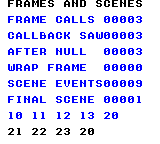
Build command
New-Item -ItemType Directory -Force .\out | Out-Null
.\kitaqgb\kitaqgb.exe .\kitaq-docs\samples\api-examples\gb\system_aliases.c -I .\kitaqgb\lib -I .\kitaq-docs\samples -o .\out\system_aliases.gb --no-cache --no-disasm --profile=dev --rst-disable --stack-bank=fixed --cgb=cgb --cart=mbc5 --romsize=64kImplementation and source
kitaqgb/lib/system.h:32
#define gb_disable_interrupts system_disable_interruptskitaqgb/lib/system.c:52
void system_disable_interrupts()
{
__asm {
DI
RET
}
}gb_enable_interrupts
gb_enable_interrupts is an alias for system_enable_interrupts. Enables CPU interrupts on GB.
Enable maskable CPU interrupts.
Syntax
void gb_enable_interrupts();Return value
No return value.
Conditions and limits
The header defines an object-like macro that expands to the implementation name. Arguments, return values and state access are the same as the target; the alias adds no separate state or processing. Use input.h/input.c for input or system.h/system.c for frame services as shown in the complete example and build command.
Prepare interrupt sources and handlers before enabling them. On FC this is independent of enabling or disabling NMI.
On GB, waiting returns immediately with the LCD off, but the wrapper still increments its counter and calls its callback. Initialization alone does not configure the LCD or interrupt sources.
Build this complete sample with the default Legacy ABI. Its callbacks use function-pointer calls, which the compiler rejects as unsupported with --abi=stack. The same restriction applies when using an alias.
Usage example
gb_enable_interrupts();This is a calling fragment. Follow the stated initialization and buffer requirements before using it in a complete program.
Expected result
The example restores interrupts. The FC program first disables APU frame and DMC IRQ sources to avoid repeatedly servicing an unacknowledged IRQ.
Build command
New-Item -ItemType Directory -Force .\out | Out-Null
.\kitaqgb\kitaqgb.exe .\kitaq-docs\samples\api-examples\gb\system_aliases.c -I .\kitaqgb\lib -I .\kitaq-docs\samples -o .\out\system_aliases.gb --no-cache --no-disasm --profile=dev --rst-disable --stack-bank=fixed --cgb=cgb --cart=mbc5 --romsize=64kImplementation and source
kitaqgb/lib/system.h:31
#define gb_enable_interrupts system_enable_interruptskitaqgb/lib/system.c:43
void system_enable_interrupts()
{
__asm {
EI
RET
}
}gb_frame_count
gb_frame_count is an alias for system_get_frame. Reads the 16-bit software count of completed wrapper waits.
Read the frame-wait wrapper’s 16-bit counter.
Syntax
u16 gb_frame_count();Return value
Returns the current counter from 0 through 65535.
Conditions and limits
The header defines an object-like macro that expands to the implementation name. Arguments, return values and state access are the same as the target; the alias adds no separate state or processing. Use input.h/input.c for input or system.h/system.c for frame services as shown in the complete example and build command.
The counter counts waits through this wrapper; it does not automatically measure elapsed hardware frames. It wraps at 16 bits.
On GB, waiting returns immediately with the LCD off, but the wrapper still increments its counter and calls its callback. Initialization alone does not configure the LCD or interrupt sources.
Build this complete sample with the default Legacy ABI. Its callbacks use function-pointer calls, which the compiler rejects as unsupported with --abi=stack. The same restriction applies when using an alias.
Usage example
result[3]=gb_frame_count();This is a calling fragment. Follow the stated initialization and buffer requirements before using it in a complete program.
Expected result
The sample reads three after three waits. For a wraparound check it explicitly sets the counter to 65535 and verifies zero after the next wait.
Build command
New-Item -ItemType Directory -Force .\out | Out-Null
.\kitaqgb\kitaqgb.exe .\kitaq-docs\samples\api-examples\gb\system_aliases.c -I .\kitaqgb\lib -I .\kitaq-docs\samples -o .\out\system_aliases.gb --no-cache --no-disasm --profile=dev --rst-disable --stack-bank=fixed --cgb=cgb --cart=mbc5 --romsize=64kImplementation and source
kitaqgb/lib/system.h:30
#define gb_frame_count system_get_framekitaqgb/lib/system.c:31
u16 system_get_frame()
{
return kq_system_frame;
}gb_init
gb_init is an alias for system_init. Resets the software frame count and callback registration.
Initialize frame management by clearing the counter and registered callback.
Syntax
void gb_init();Return value
No return value.
Conditions and limits
The header defines an object-like macro that expands to the implementation name. Arguments, return values and state access are the same as the target; the alias adds no separate state or processing. Use input.h/input.c for input or system.h/system.c for frame services as shown in the complete example and build command.
The counter counts waits through this wrapper; it does not automatically measure elapsed hardware frames. It wraps at 16 bits.
On GB, waiting returns immediately with the LCD off, but the wrapper still increments its counter and calls its callback. Initialization alone does not configure the LCD or interrupt sources.
Build this complete sample with the default Legacy ABI. Its callbacks use function-pointer calls, which the compiler rejects as unsupported with --abi=stack. The same restriction applies when using an alias.
Usage example
gb_init();result[0]=gb_frame_count();This is a calling fragment. Follow the stated initialization and buffer requirements before using it in a complete program.
Expected result
The sample confirms an initial frame number of zero before registering its callback.
Build command
New-Item -ItemType Directory -Force .\out | Out-Null
.\kitaqgb\kitaqgb.exe .\kitaq-docs\samples\api-examples\gb\system_aliases.c -I .\kitaqgb\lib -I .\kitaq-docs\samples -o .\out\system_aliases.gb --no-cache --no-disasm --profile=dev --rst-disable --stack-bank=fixed --cgb=cgb --cart=mbc5 --romsize=64kImplementation and source
kitaqgb/lib/system.h:27
#define gb_init system_initkitaqgb/lib/system.c:7
void system_init()
{
kq_system_frame = 0;
system_vblank_callback = 0;
}gb_set_vblank_callback
gb_set_vblank_callback is an alias for system_set_vblank_callback. Registers or removes the callback invoked synchronously after a frame wait.
Register, replace or remove the function called after a frame wait.
Syntax
void gb_set_vblank_callback(SystemCallback callback);Parameters
callbackFunction to invoke; 0 removes the callback.
Return value
No return value.
Conditions and limits
The header defines an object-like macro that expands to the implementation name. Arguments, return values and state access are the same as the target; the alias adds no separate state or processing. Use input.h/input.c for input or system.h/system.c for frame services as shown in the complete example and build command.
This is an ordinary pointer to a function with no arguments and no return value. It carries no bank number; keep the target code mapped while it can be called.
On GB, waiting returns immediately with the LCD off, but the wrapper still increments its counter and calls its callback. Initialization alone does not configure the LCD or interrupt sources.
Build this complete sample with the default Legacy ABI. Its callbacks use function-pointer calls, which the compiler rejects as unsupported with --abi=stack. The same restriction applies when using an alias.
Usage example
gb_set_vblank_callback(on_frame);This is a calling fragment. Follow the stated initialization and buffer requirements before using it in a complete program.
Expected result
After three callback invocations, registering 0 disables dispatch. The next wait advances the frame to four while the callback count stays three.
Build command
New-Item -ItemType Directory -Force .\out | Out-Null
.\kitaqgb\kitaqgb.exe .\kitaq-docs\samples\api-examples\gb\system_aliases.c -I .\kitaqgb\lib -I .\kitaq-docs\samples -o .\out\system_aliases.gb --no-cache --no-disasm --profile=dev --rst-disable --stack-bank=fixed --cgb=cgb --cart=mbc5 --romsize=64kImplementation and source
kitaqgb/lib/system.h:29
#define gb_set_vblank_callback system_set_vblank_callbackkitaqgb/lib/system.c:25
void system_set_vblank_callback(SystemCallback callback)
{
system_vblank_callback = callback;
}gb_wait_vblank
gb_wait_vblank is an alias for system_wait_vblank. Waits for the frame boundary, advances the software frame count and calls the registered callback.
Wait for the next frame, increment the counter, then invoke the registered callback.
Syntax
void gb_wait_vblank();Return value
No return value.
Conditions and limits
The header defines an object-like macro that expands to the implementation name. Arguments, return values and state access are the same as the target; the alias adds no separate state or processing. Use input.h/input.c for input or system.h/system.c for frame services as shown in the complete example and build command.
The callback runs synchronously inside this function; registration does not install an interrupt handler. The counter counts waits through this wrapper; it does not automatically measure elapsed hardware frames. It wraps at 16 bits.
On GB, waiting returns immediately with the LCD off, but the wrapper still increments its counter and calls its callback. Initialization alone does not configure the LCD or interrupt sources.
Build this complete sample with the default Legacy ABI. Its callbacks use function-pointer calls, which the compiler rejects as unsupported with --abi=stack. The same restriction applies when using an alias.
Usage example
gb_wait_vblank();gb_wait_vblank();gb_wait_vblank();result[1]=frame_calls;result[2]=frame_seen;This is a calling fragment. Follow the stated initialization and buffer requirements before using it in a complete program.
Expected result
Three waits invoke the callback three times, and the last counter value observed inside it is three.
Build command
New-Item -ItemType Directory -Force .\out | Out-Null
.\kitaqgb\kitaqgb.exe .\kitaq-docs\samples\api-examples\gb\system_aliases.c -I .\kitaqgb\lib -I .\kitaq-docs\samples -o .\out\system_aliases.gb --no-cache --no-disasm --profile=dev --rst-disable --stack-bank=fixed --cgb=cgb --cart=mbc5 --romsize=64kImplementation and source
kitaqgb/lib/system.h:28
#define gb_wait_vblank system_wait_vblankkitaqgb/lib/system.c:15
void system_wait_vblank()
{
__wait_vblank();
kq_system_frame++;
if (system_vblank_callback != 0) {
system_vblank_callback();
}
}system_disable_interrupts
Disable maskable CPU interrupts.
Syntax
void system_disable_interrupts();Return value
No return value.
Conditions and limits
Keep protected updates short and restore interrupts appropriately afterward. Interrupt masking is separate from the conditions needed by a frame-wait routine.
On GB, waiting returns immediately with the LCD off, but the wrapper still increments its counter and calls its callback. Initialization alone does not configure the LCD or interrupt sources.
Build this complete sample with the default Legacy ABI. Its callbacks use function-pointer calls, which the compiler rejects as unsupported with --abi=stack. The same restriction applies when using an alias.
Usage example
system_disable_interrupts();This is a calling fragment. Follow the stated initialization and buffer requirements before using it in a complete program.
Expected result
The example pairs disabling with enabling. Dedicated verification programs also inspect the CPU interrupt state.
Build command
New-Item -ItemType Directory -Force .\out | Out-Null
.\kitaqgb\kitaqgb.exe .\kitaq-docs\samples\api-examples\gb\batch_services.c -I .\kitaqgb\lib -I .\kitaq-docs\samples -o .\out\batch_services.gb --no-cache --no-disasm --profile=dev --rst-disable --stack-bank=fixed --cgb=cgb --cart=mbc5 --romsize=64kImplementation and source
kitaqgb/lib/system.h:25
Disable CPU interrupts and return; callers must explicitly re-enable them later.
kitaqgb/lib/system.c:52
void system_disable_interrupts()
{
__asm {
DI
RET
}
}system_enable_interrupts
Enable maskable CPU interrupts.
Syntax
void system_enable_interrupts();Return value
No return value.
Conditions and limits
Prepare interrupt sources and handlers before enabling them. On FC this is independent of enabling or disabling NMI.
On GB, waiting returns immediately with the LCD off, but the wrapper still increments its counter and calls its callback. Initialization alone does not configure the LCD or interrupt sources.
Build this complete sample with the default Legacy ABI. Its callbacks use function-pointer calls, which the compiler rejects as unsupported with --abi=stack. The same restriction applies when using an alias.
Usage example
system_enable_interrupts();This is a calling fragment. Follow the stated initialization and buffer requirements before using it in a complete program.
Expected result
The example restores interrupts. The FC program first disables APU frame and DMC IRQ sources to avoid repeatedly servicing an unacknowledged IRQ.
Build command
New-Item -ItemType Directory -Force .\out | Out-Null
.\kitaqgb\kitaqgb.exe .\kitaq-docs\samples\api-examples\gb\batch_services.c -I .\kitaqgb\lib -I .\kitaq-docs\samples -o .\out\batch_services.gb --no-cache --no-disasm --profile=dev --rst-disable --stack-bank=fixed --cgb=cgb --cart=mbc5 --romsize=64kImplementation and source
kitaqgb/lib/system.h:23
Enable CPU interrupts and return using the inline-assembly function body.
kitaqgb/lib/system.c:43
void system_enable_interrupts()
{
__asm {
EI
RET
}
}system_get_frame
Read the frame-wait wrapper’s 16-bit counter.
Syntax
u16 system_get_frame();Return value
Returns the current counter from 0 through 65535.
Conditions and limits
The counter counts waits through this wrapper; it does not automatically measure elapsed hardware frames. It wraps at 16 bits.
On GB, waiting returns immediately with the LCD off, but the wrapper still increments its counter and calls its callback. Initialization alone does not configure the LCD or interrupt sources.
Build this complete sample with the default Legacy ABI. Its callbacks use function-pointer calls, which the compiler rejects as unsupported with --abi=stack. The same restriction applies when using an alias.
Usage example
result[3]=system_get_frame();This is a calling fragment. Follow the stated initialization and buffer requirements before using it in a complete program.
Expected result
The sample reads three after three waits. For a wraparound check it explicitly sets the counter to 65535 and verifies zero after the next wait.
Build command
New-Item -ItemType Directory -Force .\out | Out-Null
.\kitaqgb\kitaqgb.exe .\kitaq-docs\samples\api-examples\gb\batch_services.c -I .\kitaqgb\lib -I .\kitaq-docs\samples -o .\out\batch_services.gb --no-cache --no-disasm --profile=dev --rst-disable --stack-bank=fixed --cgb=cgb --cart=mbc5 --romsize=64kImplementation and source
kitaqgb/lib/system.h:19
Read the software count of completed system_wait_vblank calls.
kitaqgb/lib/system.c:31
u16 system_get_frame()
{
return kq_system_frame;
}system_get_frame8
Read the low eight bits of the frame counter for short repeating intervals.
Syntax
u8 system_get_frame8();Return value
Returns the low byte, from 0 through 255.
Conditions and limits
The counter counts waits through this wrapper; it does not automatically measure elapsed hardware frames. It wraps at 16 bits.
On GB, waiting returns immediately with the LCD off, but the wrapper still increments its counter and calls its callback. Initialization alone does not configure the LCD or interrupt sources.
Build this complete sample with the default Legacy ABI. Its callbacks use function-pointer calls, which the compiler rejects as unsupported with --abi=stack. The same restriction applies when using an alias.
Usage example
result[4]=system_get_frame8();This is a calling fragment. Follow the stated initialization and buffer requirements before using it in a complete program.
Expected result
The sample reads three after three waits and zero when the 16-bit counter wraps.
Build command
New-Item -ItemType Directory -Force .\out | Out-Null
.\kitaqgb\kitaqgb.exe .\kitaq-docs\samples\api-examples\gb\batch_services.c -I .\kitaqgb\lib -I .\kitaq-docs\samples -o .\out\batch_services.gb --no-cache --no-disasm --profile=dev --rst-disable --stack-bank=fixed --cgb=cgb --cart=mbc5 --romsize=64kImplementation and source
kitaqgb/lib/system.h:21
Return the low byte of the software frame counter for wrapping 8-bit timing.
kitaqgb/lib/system.c:37
u8 system_get_frame8()
{
return (u8)kq_system_frame;
}system_init
Initialize frame management by clearing the counter and registered callback.
Syntax
void system_init();Return value
No return value.
Conditions and limits
The counter counts waits through this wrapper; it does not automatically measure elapsed hardware frames. It wraps at 16 bits.
On GB, waiting returns immediately with the LCD off, but the wrapper still increments its counter and calls its callback. Initialization alone does not configure the LCD or interrupt sources.
Build this complete sample with the default Legacy ABI. Its callbacks use function-pointer calls, which the compiler rejects as unsupported with --abi=stack. The same restriction applies when using an alias.
Usage example
system_init();result[0]=system_get_frame();This is a calling fragment. Follow the stated initialization and buffer requirements before using it in a complete program.
Expected result
The sample confirms an initial frame number of zero before registering its callback.
Build command
New-Item -ItemType Directory -Force .\out | Out-Null
.\kitaqgb\kitaqgb.exe .\kitaq-docs\samples\api-examples\gb\batch_services.c -I .\kitaqgb\lib -I .\kitaq-docs\samples -o .\out\batch_services.gb --no-cache --no-disasm --profile=dev --rst-disable --stack-bank=fixed --cgb=cgb --cart=mbc5 --romsize=64kImplementation and source
kitaqgb/lib/system.h:12
Reset the software frame counter and remove any registered callback.
kitaqgb/lib/system.c:7
void system_init()
{
kq_system_frame = 0;
system_vblank_callback = 0;
}system_set_vblank_callback
Register, replace or remove the function called after a frame wait.
Syntax
void system_set_vblank_callback(SystemCallback callback);Parameters
callbackFunction to invoke; 0 removes the callback.
Return value
No return value.
Conditions and limits
This is an ordinary pointer to a function with no arguments and no return value. It carries no bank number; keep the target code mapped while it can be called.
On GB, waiting returns immediately with the LCD off, but the wrapper still increments its counter and calls its callback. Initialization alone does not configure the LCD or interrupt sources.
Build this complete sample with the default Legacy ABI. Its callbacks use function-pointer calls, which the compiler rejects as unsupported with --abi=stack. The same restriction applies when using an alias.
Usage example
system_set_vblank_callback(on_frame);This is a calling fragment. Follow the stated initialization and buffer requirements before using it in a complete program.
Expected result
After three callback invocations, registering 0 disables dispatch. The next wait advances the frame to four while the callback count stays three.
Build command
New-Item -ItemType Directory -Force .\out | Out-Null
.\kitaqgb\kitaqgb.exe .\kitaq-docs\samples\api-examples\gb\batch_services.c -I .\kitaqgb\lib -I .\kitaq-docs\samples -o .\out\batch_services.gb --no-cache --no-disasm --profile=dev --rst-disable --stack-bank=fixed --cgb=cgb --cart=mbc5 --romsize=64kImplementation and source
kitaqgb/lib/system.h:17
Replace the callback used by system_wait_vblank; null disables the callback.
kitaqgb/lib/system.c:25
void system_set_vblank_callback(SystemCallback callback)
{
system_vblank_callback = callback;
}system_wait_vblank
Wait for the next frame, increment the counter, then invoke the registered callback.
Syntax
void system_wait_vblank();Return value
No return value.
Conditions and limits
The callback runs synchronously inside this function; registration does not install an interrupt handler. The counter counts waits through this wrapper; it does not automatically measure elapsed hardware frames. It wraps at 16 bits.
On GB, waiting returns immediately with the LCD off, but the wrapper still increments its counter and calls its callback. Initialization alone does not configure the LCD or interrupt sources.
Build this complete sample with the default Legacy ABI. Its callbacks use function-pointer calls, which the compiler rejects as unsupported with --abi=stack. The same restriction applies when using an alias.
Usage example
system_wait_vblank();system_wait_vblank();system_wait_vblank();result[1]=frame_calls;result[2]=frame_seen;This is a calling fragment. Follow the stated initialization and buffer requirements before using it in a complete program.
Expected result
Three waits invoke the callback three times, and the last counter value observed inside it is three.
Build command
New-Item -ItemType Directory -Force .\out | Out-Null
.\kitaqgb\kitaqgb.exe .\kitaq-docs\samples\api-examples\gb\batch_services.c -I .\kitaqgb\lib -I .\kitaq-docs\samples -o .\out\batch_services.gb --no-cache --no-disasm --profile=dev --rst-disable --stack-bank=fixed --cgb=cgb --cart=mbc5 --romsize=64kImplementation and source
kitaqgb/lib/system.h:15
Wait for VBlank, count this wrapper call, then invoke the callback synchronously. The counter wraps at 16 bits and is not an independent hardware frame clock.
kitaqgb/lib/system.c:15
void system_wait_vblank()
{
__wait_vblank();
kq_system_frame++;
if (system_vblank_callback != 0) {
system_vblank_callback();
}
}vram.h — Queued VRAM updates and transfer
Initialize the deferred VRAM command queue to empty and clear its overflow latch. This does not erase the screen, upload tile graphics or allocate hardware VRAM.
GB counts command slots: the default capacity is 32. Every queue helper uses one slot, even for a large or zero-length transfer. Set VRAM_QUEUE_MAX consistently in every compilation unit to a value from 1 to 255. An empty queue has used=0 and free=capacity.
Wait with __wait_vblank, then call vram_flush_now. Use this for a modest batch of queued screen changes. The single wait does not impose a transfer budget or guarantee that the entire batch finishes within one VBlank.
Build and consume the queue in coordinated phases. Do not append while an interrupt executes it, change its bookkeeping directly, or overwrite retained source data unintentionally. These APIs provide neither locking nor double buffering. Capacity describes the command buffer, not free bytes in hardware VRAM.
vram_clear_queue
Discard pending VRAM commands and clear the overflow flag without performing their writes.
Syntax
void vram_clear_queue();Return value
None (void).
Conditions and limits
GB counts command slots: the default capacity is 32. Every queue helper uses one slot, even for a large or zero-length transfer. Set VRAM_QUEUE_MAX consistently in every compilation unit to a value from 1 to 255. An empty queue has used=0 and free=capacity.
Build and consume the queue in coordinated phases. Do not append while an interrupt executes it, change its bookkeeping directly, or overwrite retained source data unintentionally. These APIs provide neither locking nor double buffering. Capacity describes the command buffer, not free bytes in hardware VRAM.
Usage example
vram_clear_queue();
if (vram_get_queue_used()!=0 || vram_get_overflowed()!=0) failures++;This is a calling fragment. Follow the stated initialization and buffer requirements before using it in a complete program.
Expected result
This complete program demonstrates deferred writes, queue accounting and overflow recovery. Seven drawing calls use 7 of 32 command slots on GB, or 52 of 128 command bytes on FC: CAPACITY/USED/FREE reads 032/007/025 or 128/052/076. AFTER FLUSH and FAILED CHECKS must be 000; OVERFLOW SEEN must be 001. An intentional full-queue rejection tests the latch. Reading or flushing does not clear it; clearing the queue does. On FC, an uncommitted direct flush must leave the pending queue intact.
Image coordinates are pixels from the upper-left corner. Expect solid 8 × 8 squares at (16,16) and (32,16), a solid 32 × 24 rectangle at (16,32), and a 40 × 8 horizontal bar at (80,64). The final VBlank write adds an 8 × 8 square at (144,80). The discarded write at (144,24) must leave that cell blank. DMG uses black shapes on white, CGB uses red, blue and green shapes on white, and FC uses red, blue and green shapes on black. These emulator images do not constitute real-hardware verification.
Three original 8 × 8 patterns distinguish the copy operations: tile 1 is solid; tile 2 fills its left four columns; tile 3 is a left-aligned triangle widening from one pixel at the top to eight at the bottom. At (80,32), the 3 × 2 tile block must read [1,2,3] / [3,0,2], where 0 is blank. Its first source byte changes after queuing, so a solid tile there proves that the source pointer is retained. At (16,64), the copy shows [1,2,3]; at (48,64), the tiles alias shows [2,3]. Their dimensions are 24 × 16, 24 × 8 and 16 × 8 pixels respectively.
In CGB mode, the two upper squares, the three-pattern copy and the final VBlank square are red. The 32 × 24 rectangle and two-pattern copy are blue. The packed 3 × 2 block and 40 × 8 bar are green. Text remains black on white. Color checks cover each drawn pixel as well as geometry.
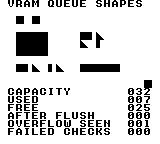
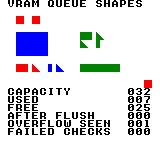
Build command
New-Item -ItemType Directory -Force .\out | Out-Null
.\kitaqgb\kitaqgb.exe .\kitaqgb\lib\vram.c .\kitaq-docs\samples\api-examples\gb\vram_queue_shapes.c -I .\kitaqgb\lib -I .\kitaq-docs\samples -o .\out\vram_queue_shapes.gb --profile=dev --rst-disable --stack-bank=fixed --cgb=cgb --no-cache --no-disasmImplementation and source
kitaqgb/lib/vram.h:41
Discard pending commands and clear the latched overflow flag without writing VRAM.
kitaqgb/lib/vram.c:41
void vram_clear_queue()
{
kq_vram_queue_used = 0;
kq_vram_queue_overflowed = 0;
}vram_flush
Wait with __wait_vblank, then call vram_flush_now. Use this for a modest batch of queued screen changes. The single wait does not impose a transfer budget or guarantee that the entire batch finishes within one VBlank.
Syntax
void vram_flush();Return value
None (void).
Conditions and limits
GB counts command slots: the default capacity is 32. Every queue helper uses one slot, even for a large or zero-length transfer. Set VRAM_QUEUE_MAX consistently in every compilation unit to a value from 1 to 255. An empty queue has used=0 and free=capacity.
Build and consume the queue in coordinated phases. Do not append while an interrupt executes it, change its bookkeeping directly, or overwrite retained source data unintentionally. These APIs provide neither locking nor double buffering. Capacity describes the command buffer, not free bytes in hardware VRAM.
Destination byte address in VRAM (0x8000–0x9FFF), in the bank selected when executed. The transfer is contiguous, without tilemap row wrapping. Keep the entire destination range valid. With the LCD on, safe write paths can enable interrupts; they do not preserve an interrupt-disabled calling state.
Usage example
vram_flush(); // One small write through the VBlank/NMI path.
if (vram_get_queue_used()!=0) failures++;This is a calling fragment. Follow the stated initialization and buffer requirements before using it in a complete program.
Expected result
This complete program demonstrates deferred writes, queue accounting and overflow recovery. Seven drawing calls use 7 of 32 command slots on GB, or 52 of 128 command bytes on FC: CAPACITY/USED/FREE reads 032/007/025 or 128/052/076. AFTER FLUSH and FAILED CHECKS must be 000; OVERFLOW SEEN must be 001. An intentional full-queue rejection tests the latch. Reading or flushing does not clear it; clearing the queue does. On FC, an uncommitted direct flush must leave the pending queue intact.
Image coordinates are pixels from the upper-left corner. Expect solid 8 × 8 squares at (16,16) and (32,16), a solid 32 × 24 rectangle at (16,32), and a 40 × 8 horizontal bar at (80,64). The final VBlank write adds an 8 × 8 square at (144,80). The discarded write at (144,24) must leave that cell blank. DMG uses black shapes on white, CGB uses red, blue and green shapes on white, and FC uses red, blue and green shapes on black. These emulator images do not constitute real-hardware verification.
Three original 8 × 8 patterns distinguish the copy operations: tile 1 is solid; tile 2 fills its left four columns; tile 3 is a left-aligned triangle widening from one pixel at the top to eight at the bottom. At (80,32), the 3 × 2 tile block must read [1,2,3] / [3,0,2], where 0 is blank. Its first source byte changes after queuing, so a solid tile there proves that the source pointer is retained. At (16,64), the copy shows [1,2,3]; at (48,64), the tiles alias shows [2,3]. Their dimensions are 24 × 16, 24 × 8 and 16 × 8 pixels respectively.
In CGB mode, the two upper squares, the three-pattern copy and the final VBlank square are red. The 32 × 24 rectangle and two-pattern copy are blue. The packed 3 × 2 block and 40 × 8 bar are green. Text remains black on white. Color checks cover each drawn pixel as well as geometry.
Build command
New-Item -ItemType Directory -Force .\out | Out-Null
.\kitaqgb\kitaqgb.exe .\kitaqgb\lib\vram.c .\kitaq-docs\samples\api-examples\gb\vram_queue_shapes.c -I .\kitaqgb\lib -I .\kitaq-docs\samples -o .\out\vram_queue_shapes.gb --profile=dev --rst-disable --stack-bank=fixed --cgb=cgb --no-cache --no-disasmImplementation and source
kitaqgb/lib/vram.h:64
Wait for VBlank before executing the queue. Waiting once does not itself limit the queued workload to the available VBlank duration.
kitaqgb/lib/vram.c:148
void vram_flush()
{
__wait_vblank();
vram_flush_now();
}vram_flush_now
Execute every queued command in insertion order, then set the used count to 0. No VBlank wait is performed here. The called safe VRAM intrinsics handle writable periods when the LCD is on, but a large queue can span several scanlines or frames. The overflow latch is preserved.
Syntax
void vram_flush_now();Return value
None (void).
Conditions and limits
GB counts command slots: the default capacity is 32. Every queue helper uses one slot, even for a large or zero-length transfer. Set VRAM_QUEUE_MAX consistently in every compilation unit to a value from 1 to 255. An empty queue has used=0 and free=capacity.
Build and consume the queue in coordinated phases. Do not append while an interrupt executes it, change its bookkeeping directly, or overwrite retained source data unintentionally. These APIs provide neither locking nor double buffering. Capacity describes the command buffer, not free bytes in hardware VRAM.
Destination byte address in VRAM (0x8000–0x9FFF), in the bank selected when executed. The transfer is contiguous, without tilemap row wrapping. Keep the entire destination range valid. With the LCD on, safe write paths can enable interrupts; they do not preserve an interrupt-disabled calling state.
Usage example
// Rendering is stopped here. On FC, commit readiness before direct execution.
vram_flush_now();
after_flush=vram_get_queue_used();
if (after_flush!=0) failures++;This is a calling fragment. Follow the stated initialization and buffer requirements before using it in a complete program.
Expected result
This complete program demonstrates deferred writes, queue accounting and overflow recovery. Seven drawing calls use 7 of 32 command slots on GB, or 52 of 128 command bytes on FC: CAPACITY/USED/FREE reads 032/007/025 or 128/052/076. AFTER FLUSH and FAILED CHECKS must be 000; OVERFLOW SEEN must be 001. An intentional full-queue rejection tests the latch. Reading or flushing does not clear it; clearing the queue does. On FC, an uncommitted direct flush must leave the pending queue intact.
Image coordinates are pixels from the upper-left corner. Expect solid 8 × 8 squares at (16,16) and (32,16), a solid 32 × 24 rectangle at (16,32), and a 40 × 8 horizontal bar at (80,64). The final VBlank write adds an 8 × 8 square at (144,80). The discarded write at (144,24) must leave that cell blank. DMG uses black shapes on white, CGB uses red, blue and green shapes on white, and FC uses red, blue and green shapes on black. These emulator images do not constitute real-hardware verification.
Three original 8 × 8 patterns distinguish the copy operations: tile 1 is solid; tile 2 fills its left four columns; tile 3 is a left-aligned triangle widening from one pixel at the top to eight at the bottom. At (80,32), the 3 × 2 tile block must read [1,2,3] / [3,0,2], where 0 is blank. Its first source byte changes after queuing, so a solid tile there proves that the source pointer is retained. At (16,64), the copy shows [1,2,3]; at (48,64), the tiles alias shows [2,3]. Their dimensions are 24 × 16, 24 × 8 and 16 × 8 pixels respectively.
In CGB mode, the two upper squares, the three-pattern copy and the final VBlank square are red. The 32 × 24 rectangle and two-pattern copy are blue. The packed 3 × 2 block and 40 × 8 bar are green. Text remains black on white. Color checks cover each drawn pixel as well as geometry.
Build command
New-Item -ItemType Directory -Force .\out | Out-Null
.\kitaqgb\kitaqgb.exe .\kitaqgb\lib\vram.c .\kitaq-docs\samples\api-examples\gb\vram_queue_shapes.c -I .\kitaqgb\lib -I .\kitaq-docs\samples -o .\out\vram_queue_shapes.gb --profile=dev --rst-disable --stack-bank=fixed --cgb=cgb --no-cache --no-disasmImplementation and source
kitaqgb/lib/vram.h:61
Execute pending commands in insertion order without waiting for VBlank here. The caller must arrange suitable VRAM access timing and a sufficient transfer budget. Only the used count is cleared; overflow stays latched until an explicit reset.
kitaqgb/lib/vram.c:125
void vram_flush_now()
{
u8 i = 0;
while (i < kq_vram_queue_used) {
VramCommand* cmd = &kq_vram_queue[(__safe_index u8)i];
if (cmd->kind == VRAM_CMD_BG_TILE) {
__settile_xy(cmd->x, cmd->y, cmd->value);
} else if (cmd->kind == VRAM_CMD_BG_RECT) {
__settile_rect(cmd->x, cmd->y, cmd->w, cmd->h, cmd->value);
} else if (cmd->kind == VRAM_CMD_BG_BLOCK) {
__settilemap_rect(cmd->dst, cmd->x, cmd->y, cmd->w, cmd->h, cmd->src);
} else if (cmd->kind == VRAM_CMD_MEMCPY) {
__vram_copy(cmd->dst, cmd->src, cmd->len);
} else if (cmd->kind == VRAM_CMD_MEMSET) {
__vram_fill(cmd->dst, cmd->value, cmd->len);
}
i++;
}
kq_vram_queue_used = 0;
}vram_get_overflowed
Read the queue-overflow flag without clearing it; it can retain an earlier failure.
Syntax
u8 vram_get_overflowed();Return value
0 if no overflow is currently latched; 1 after a rejected append until explicit reset. Flushing does not clear this latch.
Conditions and limits
GB counts command slots: the default capacity is 32. Every queue helper uses one slot, even for a large or zero-length transfer. Set VRAM_QUEUE_MAX consistently in every compilation unit to a value from 1 to 255. An empty queue has used=0 and free=capacity.
Build and consume the queue in coordinated phases. Do not append while an interrupt executes it, change its bookkeeping directly, or overwrite retained source data unintentionally. These APIs provide neither locking nor double buffering. Capacity describes the command buffer, not free bytes in hardware VRAM.
Usage example
overflow_seen=vram_get_overflowed();
if (overflow_seen!=1) failures++;
// Reading the latch again does not clear it.
if (vram_get_overflowed()!=1) failures++;This is a calling fragment. Follow the stated initialization and buffer requirements before using it in a complete program.
Expected result
This complete program demonstrates deferred writes, queue accounting and overflow recovery. Seven drawing calls use 7 of 32 command slots on GB, or 52 of 128 command bytes on FC: CAPACITY/USED/FREE reads 032/007/025 or 128/052/076. AFTER FLUSH and FAILED CHECKS must be 000; OVERFLOW SEEN must be 001. An intentional full-queue rejection tests the latch. Reading or flushing does not clear it; clearing the queue does. On FC, an uncommitted direct flush must leave the pending queue intact.
Image coordinates are pixels from the upper-left corner. Expect solid 8 × 8 squares at (16,16) and (32,16), a solid 32 × 24 rectangle at (16,32), and a 40 × 8 horizontal bar at (80,64). The final VBlank write adds an 8 × 8 square at (144,80). The discarded write at (144,24) must leave that cell blank. DMG uses black shapes on white, CGB uses red, blue and green shapes on white, and FC uses red, blue and green shapes on black. These emulator images do not constitute real-hardware verification.
Three original 8 × 8 patterns distinguish the copy operations: tile 1 is solid; tile 2 fills its left four columns; tile 3 is a left-aligned triangle widening from one pixel at the top to eight at the bottom. At (80,32), the 3 × 2 tile block must read [1,2,3] / [3,0,2], where 0 is blank. Its first source byte changes after queuing, so a solid tile there proves that the source pointer is retained. At (16,64), the copy shows [1,2,3]; at (48,64), the tiles alias shows [2,3]. Their dimensions are 24 × 16, 24 × 8 and 16 × 8 pixels respectively.
In CGB mode, the two upper squares, the three-pattern copy and the final VBlank square are red. The 32 × 24 rectangle and two-pattern copy are blue. The packed 3 × 2 block and 40 × 8 bar are green. Text remains black on white. Color checks cover each drawn pixel as well as geometry.
Build command
New-Item -ItemType Directory -Force .\out | Out-Null
.\kitaqgb\kitaqgb.exe .\kitaqgb\lib\vram.c .\kitaq-docs\samples\api-examples\gb\vram_queue_shapes.c -I .\kitaqgb\lib -I .\kitaq-docs\samples -o .\out\vram_queue_shapes.gb --profile=dev --rst-disable --stack-bank=fixed --cgb=cgb --no-cache --no-disasmImplementation and source
kitaqgb/lib/vram.h:73
Read the overflow latch without clearing it.
kitaqgb/lib/vram.c:175
u8 vram_get_overflowed()
{
return kq_vram_queue_overflowed;
}vram_get_queue_capacity
See the 2026-10-03 changes and verification for differences in the local version of this API.
Return the total capacity of the command buffer, regardless of how much is currently used.
Syntax
u8 vram_get_queue_capacity();Return value
An unsigned byte in the platform-specific units described here. Reading it does not modify or execute the queue.
Conditions and limits
GB counts command slots: the default capacity is 32. Every queue helper uses one slot, even for a large or zero-length transfer. Set VRAM_QUEUE_MAX consistently in every compilation unit to a value from 1 to 255. An empty queue has used=0 and free=capacity.
Build and consume the queue in coordinated phases. Do not append while an interrupt executes it, change its bookkeeping directly, or overwrite retained source data unintentionally. These APIs provide neither locking nor double buffering. Capacity describes the command buffer, not free bytes in hardware VRAM.
Usage example
capacity=vram_get_queue_capacity();This is a calling fragment. Follow the stated initialization and buffer requirements before using it in a complete program.
Expected result
This complete program demonstrates deferred writes, queue accounting and overflow recovery. Seven drawing calls use 7 of 32 command slots on GB, or 52 of 128 command bytes on FC: CAPACITY/USED/FREE reads 032/007/025 or 128/052/076. AFTER FLUSH and FAILED CHECKS must be 000; OVERFLOW SEEN must be 001. An intentional full-queue rejection tests the latch. Reading or flushing does not clear it; clearing the queue does. On FC, an uncommitted direct flush must leave the pending queue intact.
Image coordinates are pixels from the upper-left corner. Expect solid 8 × 8 squares at (16,16) and (32,16), a solid 32 × 24 rectangle at (16,32), and a 40 × 8 horizontal bar at (80,64). The final VBlank write adds an 8 × 8 square at (144,80). The discarded write at (144,24) must leave that cell blank. DMG uses black shapes on white, CGB uses red, blue and green shapes on white, and FC uses red, blue and green shapes on black. These emulator images do not constitute real-hardware verification.
Three original 8 × 8 patterns distinguish the copy operations: tile 1 is solid; tile 2 fills its left four columns; tile 3 is a left-aligned triangle widening from one pixel at the top to eight at the bottom. At (80,32), the 3 × 2 tile block must read [1,2,3] / [3,0,2], where 0 is blank. Its first source byte changes after queuing, so a solid tile there proves that the source pointer is retained. At (16,64), the copy shows [1,2,3]; at (48,64), the tiles alias shows [2,3]. Their dimensions are 24 × 16, 24 × 8 and 16 × 8 pixels respectively.
In CGB mode, the two upper squares, the three-pattern copy and the final VBlank square are red. The 32 × 24 rectangle and two-pattern copy are blue. The packed 3 × 2 block and 40 × 8 bar are green. Text remains black on white. Color checks cover each drawn pixel as well as geometry.
Build command
New-Item -ItemType Directory -Force .\out | Out-Null
.\kitaqgb\kitaqgb.exe .\kitaqgb\lib\vram.c .\kitaq-docs\samples\api-examples\gb\vram_queue_shapes.c -I .\kitaqgb\lib -I .\kitaq-docs\samples -o .\out\vram_queue_shapes.gb --profile=dev --rst-disable --stack-bank=fixed --cgb=cgb --no-cache --no-disasmImplementation and source
kitaqgb/lib/vram.h:69
Return the total number of command slots, independent of queue usage. This is command-buffer capacity, not free space in hardware VRAM.
kitaqgb/lib/vram.c:162
u8 vram_get_queue_capacity()
{
return VRAM_QUEUE_MAX;
}vram_get_queue_free
Return total command-buffer capacity minus current usage. Check whether the entire next record or batch fits before appending it; this getter does not reserve space.
Syntax
u8 vram_get_queue_free();Return value
An unsigned byte in the platform-specific units described here. Reading it does not modify or execute the queue.
Conditions and limits
GB counts command slots: the default capacity is 32. Every queue helper uses one slot, even for a large or zero-length transfer. Set VRAM_QUEUE_MAX consistently in every compilation unit to a value from 1 to 255. An empty queue has used=0 and free=capacity.
Build and consume the queue in coordinated phases. Do not append while an interrupt executes it, change its bookkeeping directly, or overwrite retained source data unintentionally. These APIs provide neither locking nor double buffering. Capacity describes the command buffer, not free bytes in hardware VRAM.
Usage example
available=vram_get_queue_free();
if (used+available!=capacity) failures++;This is a calling fragment. Follow the stated initialization and buffer requirements before using it in a complete program.
Expected result
This complete program demonstrates deferred writes, queue accounting and overflow recovery. Seven drawing calls use 7 of 32 command slots on GB, or 52 of 128 command bytes on FC: CAPACITY/USED/FREE reads 032/007/025 or 128/052/076. AFTER FLUSH and FAILED CHECKS must be 000; OVERFLOW SEEN must be 001. An intentional full-queue rejection tests the latch. Reading or flushing does not clear it; clearing the queue does. On FC, an uncommitted direct flush must leave the pending queue intact.
Image coordinates are pixels from the upper-left corner. Expect solid 8 × 8 squares at (16,16) and (32,16), a solid 32 × 24 rectangle at (16,32), and a 40 × 8 horizontal bar at (80,64). The final VBlank write adds an 8 × 8 square at (144,80). The discarded write at (144,24) must leave that cell blank. DMG uses black shapes on white, CGB uses red, blue and green shapes on white, and FC uses red, blue and green shapes on black. These emulator images do not constitute real-hardware verification.
Three original 8 × 8 patterns distinguish the copy operations: tile 1 is solid; tile 2 fills its left four columns; tile 3 is a left-aligned triangle widening from one pixel at the top to eight at the bottom. At (80,32), the 3 × 2 tile block must read [1,2,3] / [3,0,2], where 0 is blank. Its first source byte changes after queuing, so a solid tile there proves that the source pointer is retained. At (16,64), the copy shows [1,2,3]; at (48,64), the tiles alias shows [2,3]. Their dimensions are 24 × 16, 24 × 8 and 16 × 8 pixels respectively.
In CGB mode, the two upper squares, the three-pattern copy and the final VBlank square are red. The 32 × 24 rectangle and two-pattern copy are blue. The packed 3 × 2 block and 40 × 8 bar are green. Text remains black on white. Color checks cover each drawn pixel as well as geometry.
Build command
New-Item -ItemType Directory -Force .\out | Out-Null
.\kitaqgb\kitaqgb.exe .\kitaqgb\lib\vram.c .\kitaq-docs\samples\api-examples\gb\vram_queue_shapes.c -I .\kitaqgb\lib -I .\kitaq-docs\samples -o .\out\vram_queue_shapes.gb --profile=dev --rst-disable --stack-bank=fixed --cgb=cgb --no-cache --no-disasmImplementation and source
kitaqgb/lib/vram.h:71
Return the remaining command-slot capacity.
kitaqgb/lib/vram.c:169
u8 vram_get_queue_free()
{
return (u8)(VRAM_QUEUE_MAX - kq_vram_queue_used);
}vram_get_queue_used
Return the amount of command-buffer storage currently occupied by pending commands. This is not the number of bytes that will be written to video memory.
Syntax
u8 vram_get_queue_used();Return value
An unsigned byte in the platform-specific units described here. Reading it does not modify or execute the queue.
Conditions and limits
GB counts command slots: the default capacity is 32. Every queue helper uses one slot, even for a large or zero-length transfer. Set VRAM_QUEUE_MAX consistently in every compilation unit to a value from 1 to 255. An empty queue has used=0 and free=capacity.
Build and consume the queue in coordinated phases. Do not append while an interrupt executes it, change its bookkeeping directly, or overwrite retained source data unintentionally. These APIs provide neither locking nor double buffering. Capacity describes the command buffer, not free bytes in hardware VRAM.
Usage example
used=vram_get_queue_used();This is a calling fragment. Follow the stated initialization and buffer requirements before using it in a complete program.
Expected result
This complete program demonstrates deferred writes, queue accounting and overflow recovery. Seven drawing calls use 7 of 32 command slots on GB, or 52 of 128 command bytes on FC: CAPACITY/USED/FREE reads 032/007/025 or 128/052/076. AFTER FLUSH and FAILED CHECKS must be 000; OVERFLOW SEEN must be 001. An intentional full-queue rejection tests the latch. Reading or flushing does not clear it; clearing the queue does. On FC, an uncommitted direct flush must leave the pending queue intact.
Image coordinates are pixels from the upper-left corner. Expect solid 8 × 8 squares at (16,16) and (32,16), a solid 32 × 24 rectangle at (16,32), and a 40 × 8 horizontal bar at (80,64). The final VBlank write adds an 8 × 8 square at (144,80). The discarded write at (144,24) must leave that cell blank. DMG uses black shapes on white, CGB uses red, blue and green shapes on white, and FC uses red, blue and green shapes on black. These emulator images do not constitute real-hardware verification.
Three original 8 × 8 patterns distinguish the copy operations: tile 1 is solid; tile 2 fills its left four columns; tile 3 is a left-aligned triangle widening from one pixel at the top to eight at the bottom. At (80,32), the 3 × 2 tile block must read [1,2,3] / [3,0,2], where 0 is blank. Its first source byte changes after queuing, so a solid tile there proves that the source pointer is retained. At (16,64), the copy shows [1,2,3]; at (48,64), the tiles alias shows [2,3]. Their dimensions are 24 × 16, 24 × 8 and 16 × 8 pixels respectively.
In CGB mode, the two upper squares, the three-pattern copy and the final VBlank square are red. The 32 × 24 rectangle and two-pattern copy are blue. The packed 3 × 2 block and 40 × 8 bar are green. Text remains black on white. Color checks cover each drawn pixel as well as geometry.
Build command
New-Item -ItemType Directory -Force .\out | Out-Null
.\kitaqgb\kitaqgb.exe .\kitaqgb\lib\vram.c .\kitaq-docs\samples\api-examples\gb\vram_queue_shapes.c -I .\kitaqgb\lib -I .\kitaq-docs\samples -o .\out\vram_queue_shapes.gb --profile=dev --rst-disable --stack-bank=fixed --cgb=cgb --no-cache --no-disasmImplementation and source
kitaqgb/lib/vram.h:66
Return the number of queued commands, not the number of transfer bytes.
kitaqgb/lib/vram.c:155
u8 vram_get_queue_used()
{
return kq_vram_queue_used;
}vram_init
Initialize the deferred VRAM command queue to empty and clear its overflow latch. This does not erase the screen, upload tile graphics or allocate hardware VRAM.
Syntax
void vram_init();Return value
None (void).
Conditions and limits
GB counts command slots: the default capacity is 32. Every queue helper uses one slot, even for a large or zero-length transfer. Set VRAM_QUEUE_MAX consistently in every compilation unit to a value from 1 to 255. An empty queue has used=0 and free=capacity.
Build and consume the queue in coordinated phases. Do not append while an interrupt executes it, change its bookkeeping directly, or overwrite retained source data unintentionally. These APIs provide neither locking nor double buffering. Capacity describes the command buffer, not free bytes in hardware VRAM.
Usage example
vram_init();
if (vram_get_queue_used()!=0 || vram_get_overflowed()!=0) failures++;This is a calling fragment. Follow the stated initialization and buffer requirements before using it in a complete program.
Expected result
This complete program demonstrates deferred writes, queue accounting and overflow recovery. Seven drawing calls use 7 of 32 command slots on GB, or 52 of 128 command bytes on FC: CAPACITY/USED/FREE reads 032/007/025 or 128/052/076. AFTER FLUSH and FAILED CHECKS must be 000; OVERFLOW SEEN must be 001. An intentional full-queue rejection tests the latch. Reading or flushing does not clear it; clearing the queue does. On FC, an uncommitted direct flush must leave the pending queue intact.
Image coordinates are pixels from the upper-left corner. Expect solid 8 × 8 squares at (16,16) and (32,16), a solid 32 × 24 rectangle at (16,32), and a 40 × 8 horizontal bar at (80,64). The final VBlank write adds an 8 × 8 square at (144,80). The discarded write at (144,24) must leave that cell blank. DMG uses black shapes on white, CGB uses red, blue and green shapes on white, and FC uses red, blue and green shapes on black. These emulator images do not constitute real-hardware verification.
Three original 8 × 8 patterns distinguish the copy operations: tile 1 is solid; tile 2 fills its left four columns; tile 3 is a left-aligned triangle widening from one pixel at the top to eight at the bottom. At (80,32), the 3 × 2 tile block must read [1,2,3] / [3,0,2], where 0 is blank. Its first source byte changes after queuing, so a solid tile there proves that the source pointer is retained. At (16,64), the copy shows [1,2,3]; at (48,64), the tiles alias shows [2,3]. Their dimensions are 24 × 16, 24 × 8 and 16 × 8 pixels respectively.
In CGB mode, the two upper squares, the three-pattern copy and the final VBlank square are red. The 32 × 24 rectangle and two-pattern copy are blue. The packed 3 × 2 block and 40 × 8 bar are green. Text remains black on white. Color checks cover each drawn pixel as well as geometry.
Build command
New-Item -ItemType Directory -Force .\out | Out-Null
.\kitaqgb\kitaqgb.exe .\kitaqgb\lib\vram.c .\kitaq-docs\samples\api-examples\gb\vram_queue_shapes.c -I .\kitaqgb\lib -I .\kitaq-docs\samples -o .\out\vram_queue_shapes.gb --profile=dev --rst-disable --stack-bank=fixed --cgb=cgb --no-cache --no-disasmImplementation and source
kitaqgb/lib/vram.h:39
Start with an empty command queue and a clear overflow flag.
kitaqgb/lib/vram.c:34
void vram_init()
{
kq_vram_queue_used = 0;
kq_vram_queue_overflowed = 0;
}vram_queue_bg_block
Queue a w × h rectangle of tile numbers from src into the map at base. Source rows are tightly packed with w bytes each; destination rows are 32 bytes apart. The command retains the source pointer, so edits to the source before execution affect the displayed block.
Syntax
u8 vram_queue_bg_block(u16 base, u8 x, u8 y, u8 w, u8 h, const u8* src);Parameters
baseTile and rectangle commands select the background map from LCDC bit 3 when executed. On CGB, use VRAM bank 0 for tile numbers. A block uses its explicit base, normally
0x9800or0x9C00. Rows have a stride of 32 bytes; coordinates are not clipped.x, yTop-left coordinates in 8×8 tiles, not pixels. No clipping is performed. Keep the affected rectangle inside the intended map:
x + w <= 32, andy + h <= 32on GB or<= 30in an FC nametable's tile area. For a single tile, use width and height 1.w, hUnsigned byte width and height in tiles. The source block contains
w * hbytes in row order. Zero dimensions perform no visible writes, but queue-storage use follows the platform's record rules.srcNear pointer to readable bytes, retained until execution. Keep the required bytes alive and their memory/ROM bank mapped for the entire flush; no bank number or payload copy is stored. A nonempty transfer requires a valid source. Do not use an expired local array.
Return value
1 when this command was queued, or 0 if no slot was available. A failure sets the overflow latch and leaves existing commands intact. An earlier overflow does not by itself make a later successful append return 0.
Conditions and limits
GB counts command slots: the default capacity is 32. Every queue helper uses one slot, even for a large or zero-length transfer. Set VRAM_QUEUE_MAX consistently in every compilation unit to a value from 1 to 255. An empty queue has used=0 and free=capacity.
Tile and rectangle commands select the background map from LCDC bit 3 when executed. On CGB, use VRAM bank 0 for tile numbers. A block uses its explicit base, normally 0x9800 or 0x9C00. Rows have a stride of 32 bytes; coordinates are not clipped.
Build and consume the queue in coordinated phases. Do not append while an interrupt executes it, change its bookkeeping directly, or overwrite retained source data unintentionally. These APIs provide neither locking nor double buffering. Capacity describes the command buffer, not free bytes in hardware VRAM.
Usage example
check_result=vram_queue_bg_block(MAP_BASE,10,4,3,2,block);
block[0]=1; // The queued pointer sees this change when the queue executes.
if (check_result!=1) failures++;This is a calling fragment. Follow the stated initialization and buffer requirements before using it in a complete program.
Expected result
This complete program demonstrates deferred writes, queue accounting and overflow recovery. Seven drawing calls use 7 of 32 command slots on GB, or 52 of 128 command bytes on FC: CAPACITY/USED/FREE reads 032/007/025 or 128/052/076. AFTER FLUSH and FAILED CHECKS must be 000; OVERFLOW SEEN must be 001. An intentional full-queue rejection tests the latch. Reading or flushing does not clear it; clearing the queue does. On FC, an uncommitted direct flush must leave the pending queue intact.
Image coordinates are pixels from the upper-left corner. Expect solid 8 × 8 squares at (16,16) and (32,16), a solid 32 × 24 rectangle at (16,32), and a 40 × 8 horizontal bar at (80,64). The final VBlank write adds an 8 × 8 square at (144,80). The discarded write at (144,24) must leave that cell blank. DMG uses black shapes on white, CGB uses red, blue and green shapes on white, and FC uses red, blue and green shapes on black. These emulator images do not constitute real-hardware verification.
Three original 8 × 8 patterns distinguish the copy operations: tile 1 is solid; tile 2 fills its left four columns; tile 3 is a left-aligned triangle widening from one pixel at the top to eight at the bottom. At (80,32), the 3 × 2 tile block must read [1,2,3] / [3,0,2], where 0 is blank. Its first source byte changes after queuing, so a solid tile there proves that the source pointer is retained. At (16,64), the copy shows [1,2,3]; at (48,64), the tiles alias shows [2,3]. Their dimensions are 24 × 16, 24 × 8 and 16 × 8 pixels respectively.
In CGB mode, the two upper squares, the three-pattern copy and the final VBlank square are red. The 32 × 24 rectangle and two-pattern copy are blue. The packed 3 × 2 block and 40 × 8 bar are green. Text remains black on white. Color checks cover each drawn pixel as well as geometry.
Build command
New-Item -ItemType Directory -Force .\out | Out-Null
.\kitaqgb\kitaqgb.exe .\kitaqgb\lib\vram.c .\kitaq-docs\samples\api-examples\gb\vram_queue_shapes.c -I .\kitaqgb\lib -I .\kitaq-docs\samples -o .\out\vram_queue_shapes.gb --profile=dev --rst-disable --stack-bank=fixed --cgb=cgb --no-cache --no-disasmImplementation and source
kitaqgb/lib/vram.h:50
Queue a tile-map rectangle while retaining src rather than copying its bytes. Keep the source data and its ROM bank accessible until the queue is flushed.
kitaqgb/lib/vram.c:79
u8 vram_queue_bg_block(u16 base, u8 x, u8 y, u8 w, u8 h, const u8* src)
{
VramCommand* cmd = vram_push(VRAM_CMD_BG_BLOCK);
if (cmd == 0) return 0;
cmd->dst = base;
cmd->x = x;
cmd->y = y;
cmd->w = w;
cmd->h = h;
cmd->src = src;
return 1;
}vram_queue_bg_rect
Queue a background-map rectangle filled with the same tile number. Its top-left tile is (x, y) and its size is w × h tiles. A solid tile produces a filled rectangle; a patterned tile repeats its pattern in every cell.
Syntax
u8 vram_queue_bg_rect(u8 x, u8 y, u8 w, u8 h, u8 tile);Parameters
x, yTop-left coordinates in 8×8 tiles, not pixels. No clipping is performed. Keep the affected rectangle inside the intended map:
x + w <= 32, andy + h <= 32on GB or<= 30in an FC nametable's tile area. For a single tile, use width and height 1.w, hUnsigned byte width and height in tiles. The source block contains
w * hbytes in row order. Zero dimensions perform no visible writes, but queue-storage use follows the platform's record rules.tileTile-map byte, 0–255. Load the corresponding graphic separately and select the intended pattern table/addressing mode. A tile number is neither a pointer nor a color value.
Return value
1 when this command was queued, or 0 if no slot was available. A failure sets the overflow latch and leaves existing commands intact. An earlier overflow does not by itself make a later successful append return 0.
Conditions and limits
GB counts command slots: the default capacity is 32. Every queue helper uses one slot, even for a large or zero-length transfer. Set VRAM_QUEUE_MAX consistently in every compilation unit to a value from 1 to 255. An empty queue has used=0 and free=capacity.
Tile and rectangle commands select the background map from LCDC bit 3 when executed. On CGB, use VRAM bank 0 for tile numbers. A block uses its explicit base, normally 0x9800 or 0x9C00. Rows have a stride of 32 bytes; coordinates are not clipped.
Build and consume the queue in coordinated phases. Do not append while an interrupt executes it, change its bookkeeping directly, or overwrite retained source data unintentionally. These APIs provide neither locking nor double buffering. Capacity describes the command buffer, not free bytes in hardware VRAM.
Usage example
check_result=vram_queue_bg_rect(2,4,4,3,1); // A filled 32x24 rectangle at (16,32).
if (check_result!=1) failures++;This is a calling fragment. Follow the stated initialization and buffer requirements before using it in a complete program.
Expected result
This complete program demonstrates deferred writes, queue accounting and overflow recovery. Seven drawing calls use 7 of 32 command slots on GB, or 52 of 128 command bytes on FC: CAPACITY/USED/FREE reads 032/007/025 or 128/052/076. AFTER FLUSH and FAILED CHECKS must be 000; OVERFLOW SEEN must be 001. An intentional full-queue rejection tests the latch. Reading or flushing does not clear it; clearing the queue does. On FC, an uncommitted direct flush must leave the pending queue intact.
Image coordinates are pixels from the upper-left corner. Expect solid 8 × 8 squares at (16,16) and (32,16), a solid 32 × 24 rectangle at (16,32), and a 40 × 8 horizontal bar at (80,64). The final VBlank write adds an 8 × 8 square at (144,80). The discarded write at (144,24) must leave that cell blank. DMG uses black shapes on white, CGB uses red, blue and green shapes on white, and FC uses red, blue and green shapes on black. These emulator images do not constitute real-hardware verification.
Three original 8 × 8 patterns distinguish the copy operations: tile 1 is solid; tile 2 fills its left four columns; tile 3 is a left-aligned triangle widening from one pixel at the top to eight at the bottom. At (80,32), the 3 × 2 tile block must read [1,2,3] / [3,0,2], where 0 is blank. Its first source byte changes after queuing, so a solid tile there proves that the source pointer is retained. At (16,64), the copy shows [1,2,3]; at (48,64), the tiles alias shows [2,3]. Their dimensions are 24 × 16, 24 × 8 and 16 × 8 pixels respectively.
In CGB mode, the two upper squares, the three-pattern copy and the final VBlank square are red. The 32 × 24 rectangle and two-pattern copy are blue. The packed 3 × 2 block and 40 × 8 bar are green. Text remains black on white. Color checks cover each drawn pixel as well as geometry.
Build command
New-Item -ItemType Directory -Force .\out | Out-Null
.\kitaqgb\kitaqgb.exe .\kitaqgb\lib\vram.c .\kitaq-docs\samples\api-examples\gb\vram_queue_shapes.c -I .\kitaqgb\lib -I .\kitaq-docs\samples -o .\out\vram_queue_shapes.gb --profile=dev --rst-disable --stack-bank=fixed --cgb=cgb --no-cache --no-disasmImplementation and source
kitaqgb/lib/vram.h:47
Queue a rectangle filled with one tile value; coordinates and dimensions are in tiles.
kitaqgb/lib/vram.c:65
u8 vram_queue_bg_rect(u8 x, u8 y, u8 w, u8 h, u8 tile)
{
VramCommand* cmd = vram_push(VRAM_CMD_BG_RECT);
if (cmd == 0) return 0;
cmd->x = x;
cmd->y = y;
cmd->w = w;
cmd->h = h;
cmd->value = tile;
return 1;
}vram_queue_bg_tile
Queue one background tile-number write at (x, y). The visible tile changes when the queue executes. The command writes a map entry; it does not upload the tile's pixel data or change its palette attributes.
Syntax
u8 vram_queue_bg_tile(u8 x, u8 y, u8 tile);Parameters
x, yTop-left coordinates in 8×8 tiles, not pixels. No clipping is performed. Keep the affected rectangle inside the intended map:
x + w <= 32, andy + h <= 32on GB or<= 30in an FC nametable's tile area. For a single tile, use width and height 1.tileTile-map byte, 0–255. Load the corresponding graphic separately and select the intended pattern table/addressing mode. A tile number is neither a pointer nor a color value.
Return value
1 when this command was queued, or 0 if no slot was available. A failure sets the overflow latch and leaves existing commands intact. An earlier overflow does not by itself make a later successful append return 0.
Conditions and limits
GB counts command slots: the default capacity is 32. Every queue helper uses one slot, even for a large or zero-length transfer. Set VRAM_QUEUE_MAX consistently in every compilation unit to a value from 1 to 255. An empty queue has used=0 and free=capacity.
Tile and rectangle commands select the background map from LCDC bit 3 when executed. On CGB, use VRAM bank 0 for tile numbers. A block uses its explicit base, normally 0x9800 or 0x9C00. Rows have a stride of 32 bytes; coordinates are not clipped.
Build and consume the queue in coordinated phases. Do not append while an interrupt executes it, change its bookkeeping directly, or overwrite retained source data unintentionally. These APIs provide neither locking nor double buffering. Capacity describes the command buffer, not free bytes in hardware VRAM.
Usage example
check_result=vram_queue_bg_tile(2,2,1); // A solid 8x8 tile at pixel (16,16).
if (check_result!=1) failures++;This is a calling fragment. Follow the stated initialization and buffer requirements before using it in a complete program.
Expected result
This complete program demonstrates deferred writes, queue accounting and overflow recovery. Seven drawing calls use 7 of 32 command slots on GB, or 52 of 128 command bytes on FC: CAPACITY/USED/FREE reads 032/007/025 or 128/052/076. AFTER FLUSH and FAILED CHECKS must be 000; OVERFLOW SEEN must be 001. An intentional full-queue rejection tests the latch. Reading or flushing does not clear it; clearing the queue does. On FC, an uncommitted direct flush must leave the pending queue intact.
Image coordinates are pixels from the upper-left corner. Expect solid 8 × 8 squares at (16,16) and (32,16), a solid 32 × 24 rectangle at (16,32), and a 40 × 8 horizontal bar at (80,64). The final VBlank write adds an 8 × 8 square at (144,80). The discarded write at (144,24) must leave that cell blank. DMG uses black shapes on white, CGB uses red, blue and green shapes on white, and FC uses red, blue and green shapes on black. These emulator images do not constitute real-hardware verification.
Three original 8 × 8 patterns distinguish the copy operations: tile 1 is solid; tile 2 fills its left four columns; tile 3 is a left-aligned triangle widening from one pixel at the top to eight at the bottom. At (80,32), the 3 × 2 tile block must read [1,2,3] / [3,0,2], where 0 is blank. Its first source byte changes after queuing, so a solid tile there proves that the source pointer is retained. At (16,64), the copy shows [1,2,3]; at (48,64), the tiles alias shows [2,3]. Their dimensions are 24 × 16, 24 × 8 and 16 × 8 pixels respectively.
In CGB mode, the two upper squares, the three-pattern copy and the final VBlank square are red. The 32 × 24 rectangle and two-pattern copy are blue. The packed 3 × 2 block and 40 × 8 bar are green. Text remains black on white. Color checks cover each drawn pixel as well as geometry.
Build command
New-Item -ItemType Directory -Force .\out | Out-Null
.\kitaqgb\kitaqgb.exe .\kitaqgb\lib\vram.c .\kitaq-docs\samples\api-examples\gb\vram_queue_shapes.c -I .\kitaqgb\lib -I .\kitaq-docs\samples -o .\out\vram_queue_shapes.gb --profile=dev --rst-disable --stack-bank=fixed --cgb=cgb --no-cache --no-disasmImplementation and source
kitaqgb/lib/vram.h:43
Queue a single background tile write; return zero if no command slot is available.
kitaqgb/lib/vram.c:48
u8 vram_queue_bg_tile(u8 x, u8 y, u8 tile)
{
VramCommand* cmd = vram_push(VRAM_CMD_BG_TILE);
if (cmd == 0) return 0;
cmd->x = x;
cmd->y = y;
cmd->value = tile;
return 1;
}vram_queue_memcpy
Queue a copy of len consecutive bytes from src to dst. Source and destination advance by one byte, without a tile-row stride. This can transfer map bytes or writable tile-pattern bytes; the function does not convert formats or infer how many bytes a tile occupies.
Syntax
u8 vram_queue_memcpy(u16 dst, const void* src, u16 len);Parameters
dstDestination byte address in VRAM (
0x8000–0x9FFF), in the bank selected when executed. The transfer is contiguous, without tilemap row wrapping. Keep the entire destination range valid. With the LCD on, safe write paths can enable interrupts; they do not preserve an interrupt-disabled calling state.srcNear pointer to readable bytes, retained until execution. Keep the required bytes alive and their memory/ROM bank mapped for the entire flush; no bank number or payload copy is stored. A nonempty transfer requires a valid source. Do not use an expired local array.
lenNumber of consecutive bytes, 0–65535. It is not a tile count. Keep the complete address range inside valid source and writable destination storage; the API does not check bounds or prevent 16-bit address wrap.
Return value
1 when this command was queued, or 0 if no slot was available. A failure sets the overflow latch and leaves existing commands intact. An earlier overflow does not by itself make a later successful append return 0.
Conditions and limits
GB counts command slots: the default capacity is 32. Every queue helper uses one slot, even for a large or zero-length transfer. Set VRAM_QUEUE_MAX consistently in every compilation unit to a value from 1 to 255. An empty queue has used=0 and free=capacity.
Build and consume the queue in coordinated phases. Do not append while an interrupt executes it, change its bookkeeping directly, or overwrite retained source data unintentionally. These APIs provide neither locking nor double buffering. Capacity describes the command buffer, not free bytes in hardware VRAM.
Usage example
check_result=vram_queue_memcpy(MAP_BASE+8*32+2,strip,3);
if (check_result!=1) failures++; // Copy three map bytes, not three tile patterns.This is a calling fragment. Follow the stated initialization and buffer requirements before using it in a complete program.
Expected result
This complete program demonstrates deferred writes, queue accounting and overflow recovery. Seven drawing calls use 7 of 32 command slots on GB, or 52 of 128 command bytes on FC: CAPACITY/USED/FREE reads 032/007/025 or 128/052/076. AFTER FLUSH and FAILED CHECKS must be 000; OVERFLOW SEEN must be 001. An intentional full-queue rejection tests the latch. Reading or flushing does not clear it; clearing the queue does. On FC, an uncommitted direct flush must leave the pending queue intact.
Image coordinates are pixels from the upper-left corner. Expect solid 8 × 8 squares at (16,16) and (32,16), a solid 32 × 24 rectangle at (16,32), and a 40 × 8 horizontal bar at (80,64). The final VBlank write adds an 8 × 8 square at (144,80). The discarded write at (144,24) must leave that cell blank. DMG uses black shapes on white, CGB uses red, blue and green shapes on white, and FC uses red, blue and green shapes on black. These emulator images do not constitute real-hardware verification.
Three original 8 × 8 patterns distinguish the copy operations: tile 1 is solid; tile 2 fills its left four columns; tile 3 is a left-aligned triangle widening from one pixel at the top to eight at the bottom. At (80,32), the 3 × 2 tile block must read [1,2,3] / [3,0,2], where 0 is blank. Its first source byte changes after queuing, so a solid tile there proves that the source pointer is retained. At (16,64), the copy shows [1,2,3]; at (48,64), the tiles alias shows [2,3]. Their dimensions are 24 × 16, 24 × 8 and 16 × 8 pixels respectively.
In CGB mode, the two upper squares, the three-pattern copy and the final VBlank square are red. The 32 × 24 rectangle and two-pattern copy are blue. The packed 3 × 2 block and 40 × 8 bar are green. Text remains black on white. Color checks cover each drawn pixel as well as geometry.
Build command
New-Item -ItemType Directory -Force .\out | Out-Null
.\kitaqgb\kitaqgb.exe .\kitaqgb\lib\vram.c .\kitaq-docs\samples\api-examples\gb\vram_queue_shapes.c -I .\kitaqgb\lib -I .\kitaq-docs\samples -o .\out\vram_queue_shapes.gb --profile=dev --rst-disable --stack-bank=fixed --cgb=cgb --no-cache --no-disasmImplementation and source
kitaqgb/lib/vram.h:53
Queue a byte transfer and retain the source pointer. The source must remain valid and visible until flush; len is measured in bytes, not tiles.
kitaqgb/lib/vram.c:94
u8 vram_queue_memcpy(u16 dst, const void* src, u16 len)
{
VramCommand* cmd = vram_push(VRAM_CMD_MEMCPY);
if (cmd == 0) return 0;
cmd->dst = dst;
cmd->src = (const u8*)src;
cmd->len = len;
return 1;
}vram_queue_memset
Queue a fill of len consecutive bytes at dst with the single byte value. It repeats a byte, not a multi-byte tile pattern, and does not insert a 32-byte map-row stride.
Syntax
u8 vram_queue_memset(u16 dst, u8 value, u16 len);Parameters
dstDestination byte address in VRAM (
0x8000–0x9FFF), in the bank selected when executed. The transfer is contiguous, without tilemap row wrapping. Keep the entire destination range valid. With the LCD on, safe write paths can enable interrupts; they do not preserve an interrupt-disabled calling state.valueOne byte, 0–255, written repeatedly. Its visible meaning depends on whether the destination contains tile indices, pixel planes or another byte-based structure.
lenNumber of consecutive bytes, 0–65535. It is not a tile count. Keep the complete address range inside valid source and writable destination storage; the API does not check bounds or prevent 16-bit address wrap.
Return value
1 when this command was queued, or 0 if no slot was available. A failure sets the overflow latch and leaves existing commands intact. An earlier overflow does not by itself make a later successful append return 0.
Conditions and limits
GB counts command slots: the default capacity is 32. Every queue helper uses one slot, even for a large or zero-length transfer. Set VRAM_QUEUE_MAX consistently in every compilation unit to a value from 1 to 255. An empty queue has used=0 and free=capacity.
Build and consume the queue in coordinated phases. Do not append while an interrupt executes it, change its bookkeeping directly, or overwrite retained source data unintentionally. These APIs provide neither locking nor double buffering. Capacity describes the command buffer, not free bytes in hardware VRAM.
Usage example
check_result=vram_queue_memset(MAP_BASE+8*32+10,1,5);
if (check_result!=1) failures++; // Five solid tiles form a 40x8 horizontal bar.This is a calling fragment. Follow the stated initialization and buffer requirements before using it in a complete program.
Expected result
This complete program demonstrates deferred writes, queue accounting and overflow recovery. Seven drawing calls use 7 of 32 command slots on GB, or 52 of 128 command bytes on FC: CAPACITY/USED/FREE reads 032/007/025 or 128/052/076. AFTER FLUSH and FAILED CHECKS must be 000; OVERFLOW SEEN must be 001. An intentional full-queue rejection tests the latch. Reading or flushing does not clear it; clearing the queue does. On FC, an uncommitted direct flush must leave the pending queue intact.
Image coordinates are pixels from the upper-left corner. Expect solid 8 × 8 squares at (16,16) and (32,16), a solid 32 × 24 rectangle at (16,32), and a 40 × 8 horizontal bar at (80,64). The final VBlank write adds an 8 × 8 square at (144,80). The discarded write at (144,24) must leave that cell blank. DMG uses black shapes on white, CGB uses red, blue and green shapes on white, and FC uses red, blue and green shapes on black. These emulator images do not constitute real-hardware verification.
Three original 8 × 8 patterns distinguish the copy operations: tile 1 is solid; tile 2 fills its left four columns; tile 3 is a left-aligned triangle widening from one pixel at the top to eight at the bottom. At (80,32), the 3 × 2 tile block must read [1,2,3] / [3,0,2], where 0 is blank. Its first source byte changes after queuing, so a solid tile there proves that the source pointer is retained. At (16,64), the copy shows [1,2,3]; at (48,64), the tiles alias shows [2,3]. Their dimensions are 24 × 16, 24 × 8 and 16 × 8 pixels respectively.
In CGB mode, the two upper squares, the three-pattern copy and the final VBlank square are red. The 32 × 24 rectangle and two-pattern copy are blue. The packed 3 × 2 block and 40 × 8 bar are green. Text remains black on white. Color checks cover each drawn pixel as well as geometry.
Build command
New-Item -ItemType Directory -Force .\out | Out-Null
.\kitaqgb\kitaqgb.exe .\kitaqgb\lib\vram.c .\kitaq-docs\samples\api-examples\gb\vram_queue_shapes.c -I .\kitaqgb\lib -I .\kitaq-docs\samples -o .\out\vram_queue_shapes.gb --profile=dev --rst-disable --stack-bank=fixed --cgb=cgb --no-cache --no-disasmImplementation and source
kitaqgb/lib/vram.h:57
Queue a byte fill and return zero if the command queue is full.
kitaqgb/lib/vram.c:111
u8 vram_queue_memset(u16 dst, u8 value, u16 len)
{
VramCommand* cmd = vram_push(VRAM_CMD_MEMSET);
if (cmd == 0) return 0;
cmd->dst = dst;
cmd->value = value;
cmd->len = len;
return 1;
}vram_queue_tile
vram_queue_tile directly calls vram_queue_bg_tile with the same arguments and return value. Use this short name for a single background-map entry; it is not a sprite operation or a tile-graphics upload.
Syntax
u8 vram_queue_tile(u8 x, u8 y, u8 tile);Parameters
x, yTop-left coordinates in 8×8 tiles, not pixels. No clipping is performed. Keep the affected rectangle inside the intended map:
x + w <= 32, andy + h <= 32on GB or<= 30in an FC nametable's tile area. For a single tile, use width and height 1.tileTile-map byte, 0–255. Load the corresponding graphic separately and select the intended pattern table/addressing mode. A tile number is neither a pointer nor a color value.
Return value
1 when this command was queued, or 0 if no slot was available. A failure sets the overflow latch and leaves existing commands intact. An earlier overflow does not by itself make a later successful append return 0.
Conditions and limits
GB counts command slots: the default capacity is 32. Every queue helper uses one slot, even for a large or zero-length transfer. Set VRAM_QUEUE_MAX consistently in every compilation unit to a value from 1 to 255. An empty queue has used=0 and free=capacity.
Tile and rectangle commands select the background map from LCDC bit 3 when executed. On CGB, use VRAM bank 0 for tile numbers. A block uses its explicit base, normally 0x9800 or 0x9C00. Rows have a stride of 32 bytes; coordinates are not clipped.
Build and consume the queue in coordinated phases. Do not append while an interrupt executes it, change its bookkeeping directly, or overwrite retained source data unintentionally. These APIs provide neither locking nor double buffering. Capacity describes the command buffer, not free bytes in hardware VRAM.
Usage example
check_result=vram_queue_tile(4,2,1); // The short alias draws at pixel (32,16).
if (check_result!=1) failures++;This is a calling fragment. Follow the stated initialization and buffer requirements before using it in a complete program.
Expected result
This complete program demonstrates deferred writes, queue accounting and overflow recovery. Seven drawing calls use 7 of 32 command slots on GB, or 52 of 128 command bytes on FC: CAPACITY/USED/FREE reads 032/007/025 or 128/052/076. AFTER FLUSH and FAILED CHECKS must be 000; OVERFLOW SEEN must be 001. An intentional full-queue rejection tests the latch. Reading or flushing does not clear it; clearing the queue does. On FC, an uncommitted direct flush must leave the pending queue intact.
Image coordinates are pixels from the upper-left corner. Expect solid 8 × 8 squares at (16,16) and (32,16), a solid 32 × 24 rectangle at (16,32), and a 40 × 8 horizontal bar at (80,64). The final VBlank write adds an 8 × 8 square at (144,80). The discarded write at (144,24) must leave that cell blank. DMG uses black shapes on white, CGB uses red, blue and green shapes on white, and FC uses red, blue and green shapes on black. These emulator images do not constitute real-hardware verification.
Three original 8 × 8 patterns distinguish the copy operations: tile 1 is solid; tile 2 fills its left four columns; tile 3 is a left-aligned triangle widening from one pixel at the top to eight at the bottom. At (80,32), the 3 × 2 tile block must read [1,2,3] / [3,0,2], where 0 is blank. Its first source byte changes after queuing, so a solid tile there proves that the source pointer is retained. At (16,64), the copy shows [1,2,3]; at (48,64), the tiles alias shows [2,3]. Their dimensions are 24 × 16, 24 × 8 and 16 × 8 pixels respectively.
In CGB mode, the two upper squares, the three-pattern copy and the final VBlank square are red. The 32 × 24 rectangle and two-pattern copy are blue. The packed 3 × 2 block and 40 × 8 bar are green. Text remains black on white. Color checks cover each drawn pixel as well as geometry.
Build command
New-Item -ItemType Directory -Force .\out | Out-Null
.\kitaqgb\kitaqgb.exe .\kitaqgb\lib\vram.c .\kitaq-docs\samples\api-examples\gb\vram_queue_shapes.c -I .\kitaqgb\lib -I .\kitaq-docs\samples -o .\out\vram_queue_shapes.gb --profile=dev --rst-disable --stack-bank=fixed --cgb=cgb --no-cache --no-disasmImplementation and source
kitaqgb/lib/vram.h:45
Provide the short alias for a queued background tile write.
kitaqgb/lib/vram.c:59
u8 vram_queue_tile(u8 x, u8 y, u8 tile)
{
return vram_queue_bg_tile(x, y, tile);
}vram_queue_tiles
vram_queue_tiles directly calls vram_queue_memcpy. Its len argument is still a byte count, not a tile count. It retains the same source pointer and uses the same queue records, return value and execution timing.
Syntax
u8 vram_queue_tiles(u16 dst, const void* src, u16 len);Parameters
dstDestination byte address in VRAM (
0x8000–0x9FFF), in the bank selected when executed. The transfer is contiguous, without tilemap row wrapping. Keep the entire destination range valid. With the LCD on, safe write paths can enable interrupts; they do not preserve an interrupt-disabled calling state.srcNear pointer to readable bytes, retained until execution. Keep the required bytes alive and their memory/ROM bank mapped for the entire flush; no bank number or payload copy is stored. A nonempty transfer requires a valid source. Do not use an expired local array.
lenNumber of consecutive bytes, 0–65535. It is not a tile count. Keep the complete address range inside valid source and writable destination storage; the API does not check bounds or prevent 16-bit address wrap.
Return value
1 when this command was queued, or 0 if no slot was available. A failure sets the overflow latch and leaves existing commands intact. An earlier overflow does not by itself make a later successful append return 0.
Conditions and limits
GB counts command slots: the default capacity is 32. Every queue helper uses one slot, even for a large or zero-length transfer. Set VRAM_QUEUE_MAX consistently in every compilation unit to a value from 1 to 255. An empty queue has used=0 and free=capacity.
Build and consume the queue in coordinated phases. Do not append while an interrupt executes it, change its bookkeeping directly, or overwrite retained source data unintentionally. These APIs provide neither locking nor double buffering. Capacity describes the command buffer, not free bytes in hardware VRAM.
Usage example
check_result=vram_queue_tiles(MAP_BASE+8*32+6,strip+1,2);
if (check_result!=1) failures++; // This alias also measures length in bytes.This is a calling fragment. Follow the stated initialization and buffer requirements before using it in a complete program.
Expected result
This complete program demonstrates deferred writes, queue accounting and overflow recovery. Seven drawing calls use 7 of 32 command slots on GB, or 52 of 128 command bytes on FC: CAPACITY/USED/FREE reads 032/007/025 or 128/052/076. AFTER FLUSH and FAILED CHECKS must be 000; OVERFLOW SEEN must be 001. An intentional full-queue rejection tests the latch. Reading or flushing does not clear it; clearing the queue does. On FC, an uncommitted direct flush must leave the pending queue intact.
Image coordinates are pixels from the upper-left corner. Expect solid 8 × 8 squares at (16,16) and (32,16), a solid 32 × 24 rectangle at (16,32), and a 40 × 8 horizontal bar at (80,64). The final VBlank write adds an 8 × 8 square at (144,80). The discarded write at (144,24) must leave that cell blank. DMG uses black shapes on white, CGB uses red, blue and green shapes on white, and FC uses red, blue and green shapes on black. These emulator images do not constitute real-hardware verification.
Three original 8 × 8 patterns distinguish the copy operations: tile 1 is solid; tile 2 fills its left four columns; tile 3 is a left-aligned triangle widening from one pixel at the top to eight at the bottom. At (80,32), the 3 × 2 tile block must read [1,2,3] / [3,0,2], where 0 is blank. Its first source byte changes after queuing, so a solid tile there proves that the source pointer is retained. At (16,64), the copy shows [1,2,3]; at (48,64), the tiles alias shows [2,3]. Their dimensions are 24 × 16, 24 × 8 and 16 × 8 pixels respectively.
In CGB mode, the two upper squares, the three-pattern copy and the final VBlank square are red. The 32 × 24 rectangle and two-pattern copy are blue. The packed 3 × 2 block and 40 × 8 bar are green. Text remains black on white. Color checks cover each drawn pixel as well as geometry.
Build command
New-Item -ItemType Directory -Force .\out | Out-Null
.\kitaqgb\kitaqgb.exe .\kitaqgb\lib\vram.c .\kitaq-docs\samples\api-examples\gb\vram_queue_shapes.c -I .\kitaqgb\lib -I .\kitaq-docs\samples -o .\out\vram_queue_shapes.gb --profile=dev --rst-disable --stack-bank=fixed --cgb=cgb --no-cache --no-disasmImplementation and source
kitaqgb/lib/vram.h:55
Alias the queued byte-copy operation; this does not convert a tile count to bytes.
kitaqgb/lib/vram.c:105
u8 vram_queue_tiles(u16 dst, const void* src, u16 len)
{
return vram_queue_memcpy(dst, src, len);
}wire3d.h — Wireframes for DMG
Monochrome 3D line drawing. Supply model vertices, edges and faces and object position, rotation and scale. Use initialization, frame start, drawing and upload in that order. Physics is separate. Angles have sixteen steps per turn; model scale 256 is unity.
Vec3 holds x/y/z, Edge vertex indices a/b, and Face triangle indices a/b/c. Model vertices, edges and faces point to these arrays; each count gives its length. edge_faces contains adjacent face indices f0/f1, with FACE_NONE for a missing face. MODEL_HIDDEN_LINES in flags requests face-based edge selection. Projected signed area determines face orientation, so vertex order matters.
Object stores a model reference, position x/y/z, angles rx/ry/rz, scale_q8 and visible. Objects may share a model, but drawing neither copies tables nor automatically switches their ROM banks. Keep referenced data readable throughout drawing. CGB Object also has a color index.
The 96-row Model also contains edge_masks and edge_mask_count. Supply a RAM table of 16-bit edge masks selected by object yaw, or set both fields to zero when unused.
Wire3D_BeginFrame
Begin drawing a frame and disable occlusion testing.
Syntax
void Wire3D_BeginFrame();Return value
No return value; the state affected and display timing are described above.
Conditions and limits
WIRE3D_DMG_HEIGHT = 96. Clear staged pixels and occlusion mask and disable occlusion filtering. This leaves the displayed VRAM frame and pending BG tile queue unchanged.
This sample uses the 128x96 profile. Its viewport starts at screen (0,0). Reserve WRAM D000..DFFF and keep its bank mapping stable on CGB too. Shared state is not reentrant.
Usage example
#pragma bank 0
// Draw a frame with a gap, a projected diagonal, and a copied corner tile.
// The selected 96-line profile determines the stage layout and camera center.
#define WIRE3D_DMG_HEIGHT 96
#include "wire3d.h"
__location(0xC110) u16 result[8];
__location(0xFF47) u8 sample_bgp;
__location(0xFF40) u8 sample_lcdc;
__location(0xFF44) u8 sample_ly;
__location(0xFF4F) u8 sample_vbk;
__location(0xFF68) u8 sample_bgpi;
__location(0xFF69) u8 sample_bgpd;
u8 projected_x;
u8 projected_y;
void main() {
u8 i;
for(i=0;i<8;i++) result[i]=0;
Wire3D_Init();
// A CGB-compatible ROM also needs CGB palette and tile-map attributes.
if(__cgb_is_cgb()) {
while(sample_ly>=144) {} while(sample_ly<144) {}
sample_lcdc=0; sample_vbk=1;
__vram_memset_unsafe(0x9800,0,1024); sample_vbk=0;
sample_bgpi=0x80; sample_bgpd=255; sample_bgpd=127;
for(i=0;i<6;i++) sample_bgpd=0;
sample_lcdc=0x81;
}
Wire3D_SetPalette(0xFC); // White background; every nonzero shade is black.
result[0]=sample_bgp;
Wire3D_SetCamera(8,0,0,0,0,0);
result[1]=Wire3D_ProjectPoint(0,0,96,&projected_x,&projected_y);
result[2]=projected_x; result[3]=projected_y;
projected_x=91; projected_y=92;
result[4]=Wire3D_ProjectPoint(0,0,7,&projected_x,&projected_y);
result[5]=projected_x; result[6]=projected_y;
Wire3D_SetCamera(0,0,0,0,0,0);
Wire3D_BeginFrame();
Wire3D_DrawLine2D(8,8,56,8);
Wire3D_DrawLine2D(56,8,56,40);
Wire3D_DrawLine2D(56,40,8,40);
Wire3D_DrawLine2D(8,40,8,8);
Wire3D_EraseSpan2D(8,40,24); // Inclusive endpoints are ordered internally.
Wire3D_DrawLine3D(-24,-24,96,24,24,96);
// Copy the viewport's top-left frame corner to a separate map cell.
Wire3D_PutBgTile(18,1,157);
Wire3D_EndFrame();
result[7]=0xA55A;
while(1) {}
}Expected result
This sample demonstrates basic lines, points, erasure and projection in one frame. The middle of the upper-left frame’s top edge is erased and a diagonal is projected near the center. Rejected projection preserves outputs 91 and 92.
Build command
New-Item -ItemType Directory -Force .\out | Out-Null
.\kitaqgb\kitaqgb.exe .\kitaq-docs\samples\api-examples\gb\wire_wire3d_raster.c .\kitaqgb\lib\wire3d.c -I .\kitaqgb\lib -I .\kitaq-docs\samples -o .\out\wire_wire3d_raster.gb --profile=dev --stack-bank=fixed --rst-disable --cgb=cgb --cart=mbc5 --romsize=256k --no-cache --no-disasmImplementation and source
kitaqgb/lib/wire3d.h:34
WIRE3D_DMG_HEIGHT = 96. Clear staged pixels and occlusion mask and disable occlusion filtering. This leaves the displayed VRAM frame and pending BG tile queue unchanged.
kitaqgb/lib/wire3d_dmg.c:2641
void Wire3DDMG_BeginFrame()
{
w3ddmg_clear_stage_asm();
w3ddmg_clear_occlusion_mask();
w3ddmg_occlusion_active = 0;
}Wire3D_DrawLine2D
Draw an inclusive, four-connected screen-space line into the stage.
Syntax
void Wire3D_DrawLine2D(w3ddmg_u8 ax, w3ddmg_u8 ay, w3ddmg_u8 bx, w3ddmg_u8 by);Parameters
axVertex A X coordinate in viewport pixels.
ayVertex A Y coordinate in viewport pixels.
bxVertex B X coordinate in viewport pixels.
byVertex B Y coordinate in viewport pixels.
Return value
No return value; the state affected and display timing are described above.
Conditions and limits
WIRE3D_DMG_HEIGHT = 96. Draw a connected line into the 128x96 stage, including endpoints. During DrawScene, use the coarse five-sample occlusion rejection; otherwise draw directly. Supply viewport coordinates. VRAM is updated only by EndFrame.
This sample uses the 128x96 profile. Its viewport starts at screen (0,0). Reserve WRAM D000..DFFF and keep its bank mapping stable on CGB too. Shared state is not reentrant.
Usage example
#pragma bank 0
// Draw a frame with a gap, a projected diagonal, and a copied corner tile.
// The selected 96-line profile determines the stage layout and camera center.
#define WIRE3D_DMG_HEIGHT 96
#include "wire3d.h"
__location(0xC110) u16 result[8];
__location(0xFF47) u8 sample_bgp;
__location(0xFF40) u8 sample_lcdc;
__location(0xFF44) u8 sample_ly;
__location(0xFF4F) u8 sample_vbk;
__location(0xFF68) u8 sample_bgpi;
__location(0xFF69) u8 sample_bgpd;
u8 projected_x;
u8 projected_y;
void main() {
u8 i;
for(i=0;i<8;i++) result[i]=0;
Wire3D_Init();
// A CGB-compatible ROM also needs CGB palette and tile-map attributes.
if(__cgb_is_cgb()) {
while(sample_ly>=144) {} while(sample_ly<144) {}
sample_lcdc=0; sample_vbk=1;
__vram_memset_unsafe(0x9800,0,1024); sample_vbk=0;
sample_bgpi=0x80; sample_bgpd=255; sample_bgpd=127;
for(i=0;i<6;i++) sample_bgpd=0;
sample_lcdc=0x81;
}
Wire3D_SetPalette(0xFC); // White background; every nonzero shade is black.
result[0]=sample_bgp;
Wire3D_SetCamera(8,0,0,0,0,0);
result[1]=Wire3D_ProjectPoint(0,0,96,&projected_x,&projected_y);
result[2]=projected_x; result[3]=projected_y;
projected_x=91; projected_y=92;
result[4]=Wire3D_ProjectPoint(0,0,7,&projected_x,&projected_y);
result[5]=projected_x; result[6]=projected_y;
Wire3D_SetCamera(0,0,0,0,0,0);
Wire3D_BeginFrame();
Wire3D_DrawLine2D(8,8,56,8);
Wire3D_DrawLine2D(56,8,56,40);
Wire3D_DrawLine2D(56,40,8,40);
Wire3D_DrawLine2D(8,40,8,8);
Wire3D_EraseSpan2D(8,40,24); // Inclusive endpoints are ordered internally.
Wire3D_DrawLine3D(-24,-24,96,24,24,96);
// Copy the viewport's top-left frame corner to a separate map cell.
Wire3D_PutBgTile(18,1,157);
Wire3D_EndFrame();
result[7]=0xA55A;
while(1) {}
}Expected result
This sample demonstrates basic lines, points, erasure and projection in one frame. The middle of the upper-left frame’s top edge is erased and a diagonal is projected near the center. Rejected projection preserves outputs 91 and 92.
Build command
New-Item -ItemType Directory -Force .\out | Out-Null
.\kitaqgb\kitaqgb.exe .\kitaq-docs\samples\api-examples\gb\wire_wire3d_raster.c .\kitaqgb\lib\wire3d.c -I .\kitaqgb\lib -I .\kitaq-docs\samples -o .\out\wire_wire3d_raster.gb --profile=dev --stack-bank=fixed --rst-disable --cgb=cgb --cart=mbc5 --romsize=256k --no-cache --no-disasmImplementation and source
kitaqgb/lib/wire3d.h:35
WIRE3D_DMG_HEIGHT = 96. Draw a connected line into the 128x96 stage, including endpoints. During DrawScene, use the coarse five-sample occlusion rejection; otherwise draw directly. Supply viewport coordinates. VRAM is updated only by EndFrame.
kitaqgb/lib/wire3d_dmg.c:2685
void Wire3DDMG_DrawLine2D(w3ddmg_u8 ax, w3ddmg_u8 ay, w3ddmg_u8 bx, w3ddmg_u8 by)
{
if (w3ddmg_occlusion_active)
{
w3ddmg_line_stage_masked_c(ax, ay, bx, by);
return;
}
w3ddmg_line_x0 = ax;
w3ddmg_line_y0 = ay;
w3ddmg_line_x1 = bx;
w3ddmg_line_y1 = by;
if (ax < 128 && bx < 128 && ay < WIRE3D_DMG_SCREEN_H && by < WIRE3D_DMG_SCREEN_H)
w3ddmg_line_inside_asm();
else
w3ddmg_line_stage_asm();
}Wire3D_DrawLine3D
Project two world-space endpoints and draw a line between them.
Syntax
void Wire3D_DrawLine3D(w3ddmg_i16 ax, w3ddmg_i16 ay, w3ddmg_i16 az, w3ddmg_i16 bx, w3ddmg_i16 by, w3ddmg_i16 bz);Parameters
axStart point’s world-space X component.
ayStart point’s world-space Y component.
azStart point’s world-space Z component.
bxEnd point’s world-space X component.
byEnd point’s world-space Y component.
bzEnd point’s world-space Z component.
Return value
No return value; the state affected and display timing are described above.
Conditions and limits
WIRE3D_DMG_HEIGHT = 96. Project both world endpoints and draw only when both pass the depth range. Do not intersect a crossing segment with near/far planes; projected endpoints are independently clamped to the screen edges.
This sample uses the 128x96 profile. Its viewport starts at screen (0,0). Reserve WRAM D000..DFFF and keep its bank mapping stable on CGB too. Shared state is not reentrant.
Usage example
#pragma bank 0
// Draw a frame with a gap, a projected diagonal, and a copied corner tile.
// The selected 96-line profile determines the stage layout and camera center.
#define WIRE3D_DMG_HEIGHT 96
#include "wire3d.h"
__location(0xC110) u16 result[8];
__location(0xFF47) u8 sample_bgp;
__location(0xFF40) u8 sample_lcdc;
__location(0xFF44) u8 sample_ly;
__location(0xFF4F) u8 sample_vbk;
__location(0xFF68) u8 sample_bgpi;
__location(0xFF69) u8 sample_bgpd;
u8 projected_x;
u8 projected_y;
void main() {
u8 i;
for(i=0;i<8;i++) result[i]=0;
Wire3D_Init();
// A CGB-compatible ROM also needs CGB palette and tile-map attributes.
if(__cgb_is_cgb()) {
while(sample_ly>=144) {} while(sample_ly<144) {}
sample_lcdc=0; sample_vbk=1;
__vram_memset_unsafe(0x9800,0,1024); sample_vbk=0;
sample_bgpi=0x80; sample_bgpd=255; sample_bgpd=127;
for(i=0;i<6;i++) sample_bgpd=0;
sample_lcdc=0x81;
}
Wire3D_SetPalette(0xFC); // White background; every nonzero shade is black.
result[0]=sample_bgp;
Wire3D_SetCamera(8,0,0,0,0,0);
result[1]=Wire3D_ProjectPoint(0,0,96,&projected_x,&projected_y);
result[2]=projected_x; result[3]=projected_y;
projected_x=91; projected_y=92;
result[4]=Wire3D_ProjectPoint(0,0,7,&projected_x,&projected_y);
result[5]=projected_x; result[6]=projected_y;
Wire3D_SetCamera(0,0,0,0,0,0);
Wire3D_BeginFrame();
Wire3D_DrawLine2D(8,8,56,8);
Wire3D_DrawLine2D(56,8,56,40);
Wire3D_DrawLine2D(56,40,8,40);
Wire3D_DrawLine2D(8,40,8,8);
Wire3D_EraseSpan2D(8,40,24); // Inclusive endpoints are ordered internally.
Wire3D_DrawLine3D(-24,-24,96,24,24,96);
// Copy the viewport's top-left frame corner to a separate map cell.
Wire3D_PutBgTile(18,1,157);
Wire3D_EndFrame();
result[7]=0xA55A;
while(1) {}
}Expected result
This sample demonstrates basic lines, points, erasure and projection in one frame. The middle of the upper-left frame’s top edge is erased and a diagonal is projected near the center. Rejected projection preserves outputs 91 and 92.
Build command
New-Item -ItemType Directory -Force .\out | Out-Null
.\kitaqgb\kitaqgb.exe .\kitaq-docs\samples\api-examples\gb\wire_wire3d_raster.c .\kitaqgb\lib\wire3d.c -I .\kitaqgb\lib -I .\kitaq-docs\samples -o .\out\wire_wire3d_raster.gb --profile=dev --stack-bank=fixed --rst-disable --cgb=cgb --cart=mbc5 --romsize=256k --no-cache --no-disasmImplementation and source
kitaqgb/lib/wire3d.h:36
WIRE3D_DMG_HEIGHT = 96. Project both world endpoints and draw only when both pass the depth range. Do not intersect a crossing segment with near/far planes; projected endpoints are independently clamped to the screen edges.
kitaqgb/lib/wire3d_dmg.c:2808
void Wire3DDMG_DrawLine3D(w3ddmg_i16 ax, w3ddmg_i16 ay, w3ddmg_i16 az, w3ddmg_i16 bx, w3ddmg_i16 by, w3ddmg_i16 bz)
{
w3ddmg_u8 sx0;
w3ddmg_u8 sy0;
w3ddmg_u8 sx1;
w3ddmg_u8 sy1;
if (w3ddmg_project_world(ax, ay, az, &sx0, &sy0) == 0) return;
if (w3ddmg_project_world(bx, by, bz, &sx1, &sy1) == 0) return;
Wire3DDMG_DrawLine2D(sx0, sy0, sx1, sy1);
}Wire3D_DrawModel
Draw a vertex-and-edge model at the requested position and rotation at unity scale.
Syntax
void Wire3D_DrawModel(const Wire3DDMG_Model* model, w3ddmg_i16 x, w3ddmg_i16 y, w3ddmg_i16 z, w3ddmg_i8 rx, w3ddmg_i8 ry, w3ddmg_i8 rz);Parameters
modelModel holding vertex, edge and face arrays and counts; its tables must remain readable during the call.
xWorld-space X component of the point or object origin.
yWorld-space Y component of the point or object origin.
zWorld-space Z component of the point or object origin.
rxRotation about X; sixteen steps make a full turn.
ryRotation about Y; sixteen steps make a full turn.
rzRotation about Z; sixteen steps make a full turn.
Return value
No return value; the state affected and display timing are described above.
Conditions and limits
WIRE3D_DMG_HEIGHT = 96. Draw an unscaled model by delegating to DrawModelScaled with scale 256.
This sample uses the 128x96 profile. Its viewport starts at screen (0,0). Reserve WRAM D000..DFFF and keep its bank mapping stable on CGB too. Shared state is not reentrant.
Usage example
#pragma bank 0
// Compare direct model scaling with an object-array scene.
// The selected 96-line profile determines the stage layout and camera center.
#define WIRE3D_DMG_HEIGHT 96
#include "wire3d.h"
__location(0xC110) u16 result[8];
__location(0xFF47) u8 sample_bgp;
__location(0xFF40) u8 sample_lcdc;
__location(0xFF44) u8 sample_ly;
__location(0xFF4F) u8 sample_vbk;
__location(0xFF68) u8 sample_bgpi;
__location(0xFF69) u8 sample_bgpd;
__prg_rom Wire3D_Vec3 vertices[8]={{-16,-16,-16},{16,-16,-16},{16,16,-16},{-16,16,-16},{-16,-16,16},{16,-16,16},{16,16,16},{-16,16,16}};
__prg_rom Wire3D_Edge edges[12]={{0,1},{1,2},{2,3},{3,0},{4,5},{5,6},{6,7},{7,4},{0,4},{1,5},{2,6},{3,7}};
Wire3D_Model cube;
Wire3D_Object objects[2];
u16 masks[2];
void main() {
u8 i;
for(i=0;i<8;i++) result[i]=0;
Wire3D_Init();
// A CGB-compatible ROM also needs CGB palette and tile-map attributes.
if(__cgb_is_cgb()) {
while(sample_ly>=144) {} while(sample_ly<144) {}
sample_lcdc=0; sample_vbk=1;
__vram_memset_unsafe(0x9800,0,1024); sample_vbk=0;
sample_bgpi=0x80; sample_bgpd=255; sample_bgpd=127;
for(i=0;i<6;i++) sample_bgpd=0;
sample_lcdc=0x81;
}
Wire3D_SetPalette(0xFC); // White background; every nonzero shade is black.
result[0]=sample_bgp;
cube.vertices=vertices;cube.edges=edges;cube.faces=0;cube.edge_faces=0;
cube.vertex_count=8;cube.edge_count=12;cube.face_count=0;cube.flags=0;
cube.edge_masks=0; cube.edge_mask_count=0;
Wire3D_BeginFrame();
// Upper pair: direct model calls at unity and half scale.
Wire3D_DrawModel(&cube,-32,32,96,0,0,0);
Wire3D_DrawModelScaled(&cube,32,32,96,0,0,0,128);
// Lower pair: the caller owns both object records and the model tables.
for(i=0;i<2;i++) {
objects[i].model=&cube;objects[i].x=-32+(s16)i*64;
objects[i].y=-32;objects[i].z=96;
objects[i].rx=0;objects[i].ry=0;objects[i].rz=0;
objects[i].scale_q8=256-(s16)i*128;objects[i].visible=1;
}
Wire3D_DrawScene(objects,2);
// Numeric checks cover the operation supplied by this viewport profile.
masks[0]=3;masks[1]=12;cube.edge_masks=masks; cube.edge_mask_count=2;
result[1]=Wire3D_SelectEdgeMask(&cube,0,0,0);
result[2]=Wire3D_SelectEdgeMask(&cube,0,8,0);
Wire3D_EndFrame(); result[7]=0xA55A;
while(1) {}
}Expected result
Unity and half-scale models appear above an object-array scene at the same scales, demonstrating projection and scaling.
Build command
New-Item -ItemType Directory -Force .\out | Out-Null
.\kitaqgb\kitaqgb.exe .\kitaq-docs\samples\api-examples\gb\wire_wire3d_models.c .\kitaqgb\lib\wire3d.c -I .\kitaqgb\lib -I .\kitaq-docs\samples -o .\out\wire_wire3d_models.gb --profile=dev --stack-bank=fixed --rst-disable --cgb=cgb --cart=mbc5 --romsize=256k --no-cache --no-disasmImplementation and source
kitaqgb/lib/wire3d.h:37
WIRE3D_DMG_HEIGHT = 96. Draw an unscaled model by delegating to DrawModelScaled with scale 256.
kitaqgb/lib/wire3d_dmg.c:2825
void Wire3DDMG_DrawModel(const Wire3DDMG_Model* model, w3ddmg_i16 x, w3ddmg_i16 y, w3ddmg_i16 z, w3ddmg_i8 rx, w3ddmg_i8 ry, w3ddmg_i8 rz)
{
Wire3DDMG_DrawModelScaled(model, x, y, z, rx, ry, rz, 256);
}Wire3D_DrawModelScaled
Scale a model, rotate it in Y/X/Z order, translate and project its vertices, then draw edges.
Syntax
void Wire3D_DrawModelScaled(const Wire3DDMG_Model* model, w3ddmg_i16 x, w3ddmg_i16 y, w3ddmg_i16 z, w3ddmg_i8 rx, w3ddmg_i8 ry, w3ddmg_i8 rz, w3ddmg_i16 scale_q8);Parameters
modelModel holding vertex, edge and face arrays and counts; its tables must remain readable during the call.
xWorld-space X component of the point or object origin.
yWorld-space Y component of the point or object origin.
zWorld-space Z component of the point or object origin.
rxRotation about X; sixteen steps make a full turn.
ryRotation about Y; sixteen steps make a full turn.
rzRotation about Z; sixteen steps make a full turn.
scale_q8Scale with 256 as unity; nonpositive values also mean unity.
Return value
No return value; the state affected and display timing are described above.
Conditions and limits
WIRE3D_DMG_HEIGHT = 96. Scale, rotate in Y/X/Z order, translate and project at most 24 vertices; then draw up to 16 edges filtered by yaw masks and optional front-facing faces. Nonpositive scale becomes unity (256). Null model/vertex/edge pointers are ignored; referenced tables must remain readable. Keep scale products and translations in signed 16-bit range. Depth-crossing edges are dropped, not clipped.
This sample uses the 128x96 profile. Its viewport starts at screen (0,0). Reserve WRAM D000..DFFF and keep its bank mapping stable on CGB too. Shared state is not reentrant.
Usage example
#pragma bank 0
// Compare direct model scaling with an object-array scene.
// The selected 96-line profile determines the stage layout and camera center.
#define WIRE3D_DMG_HEIGHT 96
#include "wire3d.h"
__location(0xC110) u16 result[8];
__location(0xFF47) u8 sample_bgp;
__location(0xFF40) u8 sample_lcdc;
__location(0xFF44) u8 sample_ly;
__location(0xFF4F) u8 sample_vbk;
__location(0xFF68) u8 sample_bgpi;
__location(0xFF69) u8 sample_bgpd;
__prg_rom Wire3D_Vec3 vertices[8]={{-16,-16,-16},{16,-16,-16},{16,16,-16},{-16,16,-16},{-16,-16,16},{16,-16,16},{16,16,16},{-16,16,16}};
__prg_rom Wire3D_Edge edges[12]={{0,1},{1,2},{2,3},{3,0},{4,5},{5,6},{6,7},{7,4},{0,4},{1,5},{2,6},{3,7}};
Wire3D_Model cube;
Wire3D_Object objects[2];
u16 masks[2];
void main() {
u8 i;
for(i=0;i<8;i++) result[i]=0;
Wire3D_Init();
// A CGB-compatible ROM also needs CGB palette and tile-map attributes.
if(__cgb_is_cgb()) {
while(sample_ly>=144) {} while(sample_ly<144) {}
sample_lcdc=0; sample_vbk=1;
__vram_memset_unsafe(0x9800,0,1024); sample_vbk=0;
sample_bgpi=0x80; sample_bgpd=255; sample_bgpd=127;
for(i=0;i<6;i++) sample_bgpd=0;
sample_lcdc=0x81;
}
Wire3D_SetPalette(0xFC); // White background; every nonzero shade is black.
result[0]=sample_bgp;
cube.vertices=vertices;cube.edges=edges;cube.faces=0;cube.edge_faces=0;
cube.vertex_count=8;cube.edge_count=12;cube.face_count=0;cube.flags=0;
cube.edge_masks=0; cube.edge_mask_count=0;
Wire3D_BeginFrame();
// Upper pair: direct model calls at unity and half scale.
Wire3D_DrawModel(&cube,-32,32,96,0,0,0);
Wire3D_DrawModelScaled(&cube,32,32,96,0,0,0,128);
// Lower pair: the caller owns both object records and the model tables.
for(i=0;i<2;i++) {
objects[i].model=&cube;objects[i].x=-32+(s16)i*64;
objects[i].y=-32;objects[i].z=96;
objects[i].rx=0;objects[i].ry=0;objects[i].rz=0;
objects[i].scale_q8=256-(s16)i*128;objects[i].visible=1;
}
Wire3D_DrawScene(objects,2);
// Numeric checks cover the operation supplied by this viewport profile.
masks[0]=3;masks[1]=12;cube.edge_masks=masks; cube.edge_mask_count=2;
result[1]=Wire3D_SelectEdgeMask(&cube,0,0,0);
result[2]=Wire3D_SelectEdgeMask(&cube,0,8,0);
Wire3D_EndFrame(); result[7]=0xA55A;
while(1) {}
}Expected result
Unity and half-scale models appear above an object-array scene at the same scales, demonstrating projection and scaling.
Build command
New-Item -ItemType Directory -Force .\out | Out-Null
.\kitaqgb\kitaqgb.exe .\kitaq-docs\samples\api-examples\gb\wire_wire3d_models.c .\kitaqgb\lib\wire3d.c -I .\kitaqgb\lib -I .\kitaq-docs\samples -o .\out\wire_wire3d_models.gb --profile=dev --stack-bank=fixed --rst-disable --cgb=cgb --cart=mbc5 --romsize=256k --no-cache --no-disasmImplementation and source
kitaqgb/lib/wire3d.h:38
WIRE3D_DMG_HEIGHT = 96. Scale, rotate in Y/X/Z order, translate and project at most 24 vertices; then draw up to 16 edges filtered by yaw masks and optional front-facing faces. Nonpositive scale becomes unity (256). Null model/vertex/edge pointers are ignored; referenced tables must remain readable. Keep scale products and translations in signed 16-bit range. Depth-crossing edges are dropped, not clipped.
kitaqgb/lib/wire3d_dmg.c:2965
void Wire3DDMG_DrawModelScaled(const Wire3DDMG_Model* model, w3ddmg_i16 x, w3ddmg_i16 y, w3ddmg_i16 z, w3ddmg_i8 rx, w3ddmg_i8 ry, w3ddmg_i8 rz, w3ddmg_i16 scale_q8)
{
w3ddmg_u8 i;
w3ddmg_u8 count;
w3ddmg_u8 edge_count;
w3ddmg_u8 face_count;
if (model == 0) return;
if (model->vertices == 0) return;
if (model->edges == 0) return;
if (scale_q8 <= 0) scale_q8 = 256;
count = model->vertex_count;
if (count > WIRE3D_DMG_MODEL_VERTEX_LIMIT) count = WIRE3D_DMG_MODEL_VERTEX_LIMIT;
i = 0;
while (i < count)
{
const Wire3DDMG_Vec3* v;
w3ddmg_i16 vx;
w3ddmg_i16 vy;
w3ddmg_i16 vz;
w3ddmg_u8 sx;
w3ddmg_u8 sy;
v = &model->vertices[(__safe_index w3ddmg_u8)i];
vx = (w3ddmg_i16)((v->x * scale_q8) >> 8);
vy = (w3ddmg_i16)((v->y * scale_q8) >> 8);
vz = (w3ddmg_i16)((v->z * scale_q8) >> 8);
w3ddmg_rotate_y(&vx, &vz, (w3ddmg_i8)ry);
w3ddmg_rotate_x(&vy, &vz, (w3ddmg_i8)rx);
w3ddmg_rotate_z(&vx, &vy, (w3ddmg_i8)rz);
vx = (w3ddmg_i16)(vx + x);
vy = (w3ddmg_i16)(vy + y);
vz = (w3ddmg_i16)(vz + z);
if (w3ddmg_project_world(vx, vy, vz, &sx, &sy))
{
w3ddmg_screen_x[(__safe_index w3ddmg_u8)i] = sx;
w3ddmg_screen_y[(__safe_index w3ddmg_u8)i] = sy;
w3ddmg_screen_visible[(__safe_index w3ddmg_u8)i] = 1;
}
else
{
w3ddmg_screen_visible[(__safe_index w3ddmg_u8)i] = 0;
}
i = (w3ddmg_u8)(i + 1);
}
face_count = model->face_count;
if (face_count > WIRE3D_DMG_MODEL_FACE_LIMIT) face_count = WIRE3D_DMG_MODEL_FACE_LIMIT;
if ((model->flags & WIRE3D_DMG_MODEL_HIDDEN_LINES) && (model->faces != 0) && (model->edge_faces != 0))
{
w3ddmg_build_face_visibility(model, count, face_count);
}
edge_count = model->edge_count;
if (edge_count > WIRE3D_DMG_MODEL_EDGE_LIMIT) edge_count = WIRE3D_DMG_MODEL_EDGE_LIMIT;
w3ddmg_build_edge_flags(model, edge_count, face_count, rx, ry, rz);
i = 0;
while (i < edge_count)
{
const Wire3DDMG_Edge* e;
e = &model->edges[(__safe_index w3ddmg_u8)i];
if ((e->a < count) && (e->b < count))
{
if (w3ddmg_screen_visible[(__safe_index w3ddmg_u8)e->a] &&
w3ddmg_screen_visible[(__safe_index w3ddmg_u8)e->b] &&
w3ddmg_edge_flags[(__safe_index w3ddmg_u8)i])
{
Wire3DDMG_DrawLine2D(
w3ddmg_screen_x[(__safe_index w3ddmg_u8)e->a],
w3ddmg_screen_y[(__safe_index w3ddmg_u8)e->a],
w3ddmg_screen_x[(__safe_index w3ddmg_u8)e->b],
w3ddmg_screen_y[(__safe_index w3ddmg_u8)e->b]);
}
}
i = (w3ddmg_u8)(i + 1);
}
}Wire3D_DrawScene
Draw up to eight objects near to far, using nearer faces to hide later edges.
Syntax
void Wire3D_DrawScene(Wire3DDMG_Object* objects, w3ddmg_u8 count);Parameters
objectsObject array containing positions, rotations, scales and visibility flags.
countNumber of supplied array entries; see the operation-specific processing limit.
Return value
No return value; the state affected and display timing are described above.
Conditions and limits
WIRE3D_DMG_HEIGHT = 96. Process at most the first eight objects, sorted near to far by transformed origin depth. Draw visible valid models, then mark their front-face bounding rectangles to reject fully sampled later lines. This approximates inter-object occlusion, not a depth buffer. It clears its mask but retains existing staged pixels. Null arrays are ignored; objects and their data must remain readable.
This sample uses the 128x96 profile. Its viewport starts at screen (0,0). Reserve WRAM D000..DFFF and keep its bank mapping stable on CGB too. Shared state is not reentrant.
Usage example
#pragma bank 0
// Compare direct model scaling with an object-array scene.
// The selected 96-line profile determines the stage layout and camera center.
#define WIRE3D_DMG_HEIGHT 96
#include "wire3d.h"
__location(0xC110) u16 result[8];
__location(0xFF47) u8 sample_bgp;
__location(0xFF40) u8 sample_lcdc;
__location(0xFF44) u8 sample_ly;
__location(0xFF4F) u8 sample_vbk;
__location(0xFF68) u8 sample_bgpi;
__location(0xFF69) u8 sample_bgpd;
__prg_rom Wire3D_Vec3 vertices[8]={{-16,-16,-16},{16,-16,-16},{16,16,-16},{-16,16,-16},{-16,-16,16},{16,-16,16},{16,16,16},{-16,16,16}};
__prg_rom Wire3D_Edge edges[12]={{0,1},{1,2},{2,3},{3,0},{4,5},{5,6},{6,7},{7,4},{0,4},{1,5},{2,6},{3,7}};
Wire3D_Model cube;
Wire3D_Object objects[2];
u16 masks[2];
void main() {
u8 i;
for(i=0;i<8;i++) result[i]=0;
Wire3D_Init();
// A CGB-compatible ROM also needs CGB palette and tile-map attributes.
if(__cgb_is_cgb()) {
while(sample_ly>=144) {} while(sample_ly<144) {}
sample_lcdc=0; sample_vbk=1;
__vram_memset_unsafe(0x9800,0,1024); sample_vbk=0;
sample_bgpi=0x80; sample_bgpd=255; sample_bgpd=127;
for(i=0;i<6;i++) sample_bgpd=0;
sample_lcdc=0x81;
}
Wire3D_SetPalette(0xFC); // White background; every nonzero shade is black.
result[0]=sample_bgp;
cube.vertices=vertices;cube.edges=edges;cube.faces=0;cube.edge_faces=0;
cube.vertex_count=8;cube.edge_count=12;cube.face_count=0;cube.flags=0;
cube.edge_masks=0; cube.edge_mask_count=0;
Wire3D_BeginFrame();
// Upper pair: direct model calls at unity and half scale.
Wire3D_DrawModel(&cube,-32,32,96,0,0,0);
Wire3D_DrawModelScaled(&cube,32,32,96,0,0,0,128);
// Lower pair: the caller owns both object records and the model tables.
for(i=0;i<2;i++) {
objects[i].model=&cube;objects[i].x=-32+(s16)i*64;
objects[i].y=-32;objects[i].z=96;
objects[i].rx=0;objects[i].ry=0;objects[i].rz=0;
objects[i].scale_q8=256-(s16)i*128;objects[i].visible=1;
}
Wire3D_DrawScene(objects,2);
// Numeric checks cover the operation supplied by this viewport profile.
masks[0]=3;masks[1]=12;cube.edge_masks=masks; cube.edge_mask_count=2;
result[1]=Wire3D_SelectEdgeMask(&cube,0,0,0);
result[2]=Wire3D_SelectEdgeMask(&cube,0,8,0);
Wire3D_EndFrame(); result[7]=0xA55A;
while(1) {}
}Expected result
Unity and half-scale models appear above an object-array scene at the same scales, demonstrating projection and scaling.
Build command
New-Item -ItemType Directory -Force .\out | Out-Null
.\kitaqgb\kitaqgb.exe .\kitaq-docs\samples\api-examples\gb\wire_wire3d_models.c .\kitaqgb\lib\wire3d.c -I .\kitaqgb\lib -I .\kitaq-docs\samples -o .\out\wire_wire3d_models.gb --profile=dev --stack-bank=fixed --rst-disable --cgb=cgb --cart=mbc5 --romsize=256k --no-cache --no-disasmImplementation and source
kitaqgb/lib/wire3d.h:39
WIRE3D_DMG_HEIGHT = 96. Process at most the first eight objects, sorted near to far by transformed origin depth. Draw visible valid models, then mark their front-face bounding rectangles to reject fully sampled later lines. This approximates inter-object occlusion, not a depth buffer. It clears its mask but retains existing staged pixels. Null arrays are ignored; objects and their data must remain readable.
kitaqgb/lib/wire3d_dmg.c:2723
void Wire3DDMG_DrawScene(Wire3DDMG_Object* objects, w3ddmg_u8 count)
{
w3ddmg_u8 scene_count;
w3ddmg_u8 i;
if (objects == 0) return;
scene_count = count;
if (scene_count > WIRE3D_DMG_SCENE_OBJECT_LIMIT) scene_count = WIRE3D_DMG_SCENE_OBJECT_LIMIT;
i = 0;
while (i < scene_count)
{
w3ddmg_scene_order[(__safe_index w3ddmg_u8)i] = i;
w3ddmg_scene_depth[(__safe_index w3ddmg_u8)i] = w3ddmg_scene_object_depth(&objects[(__safe_index w3ddmg_u8)i]);
i = (w3ddmg_u8)(i + 1);
}
i = 0;
while (i < scene_count)
{
w3ddmg_u8 j;
j = (w3ddmg_u8)(i + 1);
while (j < scene_count)
{
w3ddmg_u8 oi;
w3ddmg_u8 oj;
oi = w3ddmg_scene_order[(__safe_index w3ddmg_u8)i];
oj = w3ddmg_scene_order[(__safe_index w3ddmg_u8)j];
// Put the nearer origin first so its face bounds can suppress later lines.
// The array itself stays in caller order; only the scratch index list is sorted.
if (w3ddmg_scene_depth[(__safe_index w3ddmg_u8)oj] < w3ddmg_scene_depth[(__safe_index w3ddmg_u8)oi])
{
w3ddmg_scene_order[(__safe_index w3ddmg_u8)i] = oj;
w3ddmg_scene_order[(__safe_index w3ddmg_u8)j] = oi;
}
j = (w3ddmg_u8)(j + 1);
}
i = (w3ddmg_u8)(i + 1);
}
w3ddmg_clear_occlusion_mask();
w3ddmg_occlusion_active = 1;
i = 0;
while (i < scene_count)
{
Wire3DDMG_Object* obj;
obj = &objects[(__safe_index w3ddmg_u8)w3ddmg_scene_order[(__safe_index w3ddmg_u8)i]];
if ((obj->visible != 0) && (obj->model != 0))
{
Wire3DDMG_DrawModelScaled(obj->model, obj->x, obj->y, obj->z, (w3ddmg_i8)obj->rx, (w3ddmg_i8)obj->ry, (w3ddmg_i8)obj->rz, obj->scale_q8);
w3ddmg_mark_model_occluder(obj->model);
}
i = (w3ddmg_u8)(i + 1);
}
w3ddmg_occlusion_active = 0;
}Wire3D_EndFrame
Submit pending background writes and staged drawing to VRAM.
Syntax
void Wire3D_EndFrame();Return value
No return value; the state affected and display timing are described above.
Conditions and limits
WIRE3D_DMG_HEIGHT = 96. Wait for the next VBlank, flush pending BG map writes, then copy the stage to VRAM while polling access windows. Copying consumes the staged pixels. The transfer may extend beyond VBlank; this is not an atomic frame swap.
This sample uses the 128x96 profile. Its viewport starts at screen (0,0). Reserve WRAM D000..DFFF and keep its bank mapping stable on CGB too. Shared state is not reentrant.
Usage example
#pragma bank 0
// Draw a frame with a gap, a projected diagonal, and a copied corner tile.
// The selected 96-line profile determines the stage layout and camera center.
#define WIRE3D_DMG_HEIGHT 96
#include "wire3d.h"
__location(0xC110) u16 result[8];
__location(0xFF47) u8 sample_bgp;
__location(0xFF40) u8 sample_lcdc;
__location(0xFF44) u8 sample_ly;
__location(0xFF4F) u8 sample_vbk;
__location(0xFF68) u8 sample_bgpi;
__location(0xFF69) u8 sample_bgpd;
u8 projected_x;
u8 projected_y;
void main() {
u8 i;
for(i=0;i<8;i++) result[i]=0;
Wire3D_Init();
// A CGB-compatible ROM also needs CGB palette and tile-map attributes.
if(__cgb_is_cgb()) {
while(sample_ly>=144) {} while(sample_ly<144) {}
sample_lcdc=0; sample_vbk=1;
__vram_memset_unsafe(0x9800,0,1024); sample_vbk=0;
sample_bgpi=0x80; sample_bgpd=255; sample_bgpd=127;
for(i=0;i<6;i++) sample_bgpd=0;
sample_lcdc=0x81;
}
Wire3D_SetPalette(0xFC); // White background; every nonzero shade is black.
result[0]=sample_bgp;
Wire3D_SetCamera(8,0,0,0,0,0);
result[1]=Wire3D_ProjectPoint(0,0,96,&projected_x,&projected_y);
result[2]=projected_x; result[3]=projected_y;
projected_x=91; projected_y=92;
result[4]=Wire3D_ProjectPoint(0,0,7,&projected_x,&projected_y);
result[5]=projected_x; result[6]=projected_y;
Wire3D_SetCamera(0,0,0,0,0,0);
Wire3D_BeginFrame();
Wire3D_DrawLine2D(8,8,56,8);
Wire3D_DrawLine2D(56,8,56,40);
Wire3D_DrawLine2D(56,40,8,40);
Wire3D_DrawLine2D(8,40,8,8);
Wire3D_EraseSpan2D(8,40,24); // Inclusive endpoints are ordered internally.
Wire3D_DrawLine3D(-24,-24,96,24,24,96);
// Copy the viewport's top-left frame corner to a separate map cell.
Wire3D_PutBgTile(18,1,157);
Wire3D_EndFrame();
result[7]=0xA55A;
while(1) {}
}Expected result
This sample demonstrates basic lines, points, erasure and projection in one frame. The middle of the upper-left frame’s top edge is erased and a diagonal is projected near the center. Rejected projection preserves outputs 91 and 92.
Build command
New-Item -ItemType Directory -Force .\out | Out-Null
.\kitaqgb\kitaqgb.exe .\kitaq-docs\samples\api-examples\gb\wire_wire3d_raster.c .\kitaqgb\lib\wire3d.c -I .\kitaqgb\lib -I .\kitaq-docs\samples -o .\out\wire_wire3d_raster.gb --profile=dev --stack-bank=fixed --rst-disable --cgb=cgb --cart=mbc5 --romsize=256k --no-cache --no-disasmImplementation and source
kitaqgb/lib/wire3d.h:42
WIRE3D_DMG_HEIGHT = 96. Wait for the next VBlank, flush pending BG map writes, then copy the stage to VRAM while polling access windows. Copying consumes the staged pixels. The transfer may extend beyond VBlank; this is not an atomic frame swap.
kitaqgb/lib/wire3d_dmg.c:3081
void Wire3DDMG_EndFrame()
{
w3ddmg_wait_vblank_start();
w3ddmg_flush_bg_queue();
w3ddmg_transfer_stage_asm();
}Wire3D_EraseModelFaces
Project front-facing model triangles and erase staged pixels inside them.
Syntax
void Wire3D_EraseModelFaces(const Wire3DDMG_Model* model, w3ddmg_i16 x, w3ddmg_i16 y, w3ddmg_i16 z, w3ddmg_i8 rx, w3ddmg_i8 ry, w3ddmg_i8 rz, w3ddmg_i16 scale_q8);Parameters
modelModel holding vertex, edge and face arrays and counts; its tables must remain readable during the call.
xWorld-space X component of the point or object origin.
yWorld-space Y component of the point or object origin.
zWorld-space Z component of the point or object origin.
rxRotation about X; sixteen steps make a full turn.
ryRotation about Y; sixteen steps make a full turn.
rzRotation about Z; sixteen steps make a full turn.
scale_q8Scale with 256 as unity; nonpositive values also mean unity.
Return value
No return value; the state affected and display timing are described above.
Conditions and limits
WIRE3D_DMG_HEIGHT = 96. Project up to 24 vertices and erase front-facing triangle interiors from the stage for a model with hidden-line flags and face data. Nonpositive scale means 256 (unity). Up to 16 faces are considered; depth-crossing faces are skipped. This also replaces shared projection caches, but does not update VRAM.
This sample uses the 128x96 profile. Its viewport starts at screen (0,0). Reserve WRAM D000..DFFF and keep its bank mapping stable on CGB too. Shared state is not reentrant.
Usage example
#pragma bank 0
// Erase a screen triangle and a projected model face from separate filled panels.
// The selected 96-line profile determines the stage layout and camera center.
#define WIRE3D_DMG_HEIGHT 96
#include "wire3d.h"
__location(0xC110) u16 result[8];
__location(0xFF47) u8 sample_bgp;
__location(0xFF40) u8 sample_lcdc;
__location(0xFF44) u8 sample_ly;
__location(0xFF4F) u8 sample_vbk;
__location(0xFF68) u8 sample_bgpi;
__location(0xFF69) u8 sample_bgpd;
__prg_rom Wire3D_Vec3 vertices[4]={{-24,-24,0},{24,-24,0},{24,24,0},{-24,24,0}};
__prg_rom Wire3D_Edge edges[4]={{0,1},{1,2},{2,3},{3,0}};
__prg_rom Wire3D_Face faces[2]={{0,2,1},{0,3,2}};
Wire3D_Model plane;
void main() {
u8 i;
for(i=0;i<8;i++) result[i]=0;
Wire3D_Init();
// A CGB-compatible ROM also needs CGB palette and tile-map attributes.
if(__cgb_is_cgb()) {
while(sample_ly>=144) {} while(sample_ly<144) {}
sample_lcdc=0; sample_vbk=1;
__vram_memset_unsafe(0x9800,0,1024); sample_vbk=0;
sample_bgpi=0x80; sample_bgpd=255; sample_bgpd=127;
for(i=0;i<6;i++) sample_bgpd=0;
sample_lcdc=0x81;
}
Wire3D_SetPalette(0xFC); // White background; every nonzero shade is black.
result[0]=sample_bgp;
plane.vertices=vertices;plane.edges=edges;plane.faces=faces;plane.edge_faces=0;
plane.vertex_count=4;plane.edge_count=4;plane.face_count=2;plane.flags=1;plane.edge_masks=0;plane.edge_mask_count=0;
Wire3D_BeginFrame();
// Separate panels show a direct screen triangle and a projected square face.
for(i=8;i<=32;i++) Wire3D_DrawLine2D(8,i,32,i);
for(i=24;i<=72;i++) Wire3D_DrawLine2D(40,i,88,i);
Wire3D_EraseTriangle2D(12,12,28,12,12,28);
Wire3D_EraseModelFaces(&plane,0,0,64,0,0,0,256);
Wire3D_EndFrame(); result[7]=0xA55A; while(1) {}
}Expected result
Projected faces erase a filled region, making the retained and cleared areas visible.
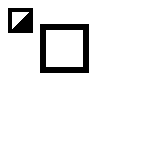
Build command
New-Item -ItemType Directory -Force .\out | Out-Null
.\kitaqgb\kitaqgb.exe .\kitaq-docs\samples\api-examples\gb\wire_wire3d_faces.c .\kitaqgb\lib\wire3d.c -I .\kitaqgb\lib -I .\kitaq-docs\samples -o .\out\wire_wire3d_faces.gb --profile=dev --stack-bank=fixed --rst-disable --cgb=cgb --cart=mbc5 --romsize=256k --no-cache --no-disasmImplementation and source
kitaqgb/lib/wire3d.h:43
WIRE3D_DMG_HEIGHT = 96. Project up to 24 vertices and erase front-facing triangle interiors from the stage for a model with hidden-line flags and face data. Nonpositive scale means 256 (unity). Up to 16 faces are considered; depth-crossing faces are skipped. This also replaces shared projection caches, but does not update VRAM.
kitaqgb/lib/wire3d_dmg.c:2841
void Wire3DDMG_EraseModelFaces(const Wire3DDMG_Model* model, w3ddmg_i16 x, w3ddmg_i16 y, w3ddmg_i16 z, w3ddmg_i8 rx, w3ddmg_i8 ry, w3ddmg_i8 rz, w3ddmg_i16 scale_q8)
{
w3ddmg_u8 i;
w3ddmg_u8 count;
w3ddmg_u8 face_count;
if (model == 0) return;
if (model->vertices == 0) return;
if (model->faces == 0) return;
if ((model->flags & WIRE3D_DMG_MODEL_HIDDEN_LINES) == 0) return;
if (scale_q8 <= 0) scale_q8 = 256;
count = model->vertex_count;
if (count > WIRE3D_DMG_MODEL_VERTEX_LIMIT) count = WIRE3D_DMG_MODEL_VERTEX_LIMIT;
i = 0;
while (i < count)
{
const Wire3DDMG_Vec3* v;
w3ddmg_i16 vx;
w3ddmg_i16 vy;
w3ddmg_i16 vz;
w3ddmg_u8 sx;
w3ddmg_u8 sy;
v = &model->vertices[(__safe_index w3ddmg_u8)i];
vx = (w3ddmg_i16)((v->x * scale_q8) >> 8);
vy = (w3ddmg_i16)((v->y * scale_q8) >> 8);
vz = (w3ddmg_i16)((v->z * scale_q8) >> 8);
w3ddmg_rotate_y(&vx, &vz, (w3ddmg_i8)ry);
w3ddmg_rotate_x(&vy, &vz, (w3ddmg_i8)rx);
w3ddmg_rotate_z(&vx, &vy, (w3ddmg_i8)rz);
vx = (w3ddmg_i16)(vx + x);
vy = (w3ddmg_i16)(vy + y);
vz = (w3ddmg_i16)(vz + z);
if (w3ddmg_project_world(vx, vy, vz, &sx, &sy))
{
w3ddmg_screen_x[(__safe_index w3ddmg_u8)i] = sx;
w3ddmg_screen_y[(__safe_index w3ddmg_u8)i] = sy;
w3ddmg_screen_visible[(__safe_index w3ddmg_u8)i] = 1;
}
else
{
w3ddmg_screen_visible[(__safe_index w3ddmg_u8)i] = 0;
}
i = (w3ddmg_u8)(i + 1);
}
face_count = model->face_count;
if (face_count > WIRE3D_DMG_MODEL_FACE_LIMIT) face_count = WIRE3D_DMG_MODEL_FACE_LIMIT;
w3ddmg_build_face_visibility(model, count, face_count);
i = 0;
while (i < face_count)
{
const Wire3DDMG_Face* f;
f = &model->faces[(__safe_index w3ddmg_u8)i];
if (w3ddmg_face_visible[(__safe_index w3ddmg_u8)i] &&
w3ddmg_screen_visible[(__safe_index w3ddmg_u8)f->a] &&
w3ddmg_screen_visible[(__safe_index w3ddmg_u8)f->b] &&
w3ddmg_screen_visible[(__safe_index w3ddmg_u8)f->c])
{
w3ddmg_clear_triangle(
w3ddmg_screen_x[(__safe_index w3ddmg_u8)f->a],
w3ddmg_screen_y[(__safe_index w3ddmg_u8)f->a],
w3ddmg_screen_x[(__safe_index w3ddmg_u8)f->b],
w3ddmg_screen_y[(__safe_index w3ddmg_u8)f->b],
w3ddmg_screen_x[(__safe_index w3ddmg_u8)f->c],
w3ddmg_screen_y[(__safe_index w3ddmg_u8)f->c]);
}
i = (w3ddmg_u8)(i + 1);
}
}Wire3D_EraseSpan2D
Erase an inclusive horizontal span on one staged row.
Syntax
void Wire3D_EraseSpan2D(w3ddmg_u8 y, w3ddmg_u8 x0, w3ddmg_u8 x1);Parameters
yPixel Y coordinate of the row to erase.
x0Lower X endpoint in viewport pixels; ordering and clipping follow this operation’s notes.
x1Upper X endpoint in viewport pixels; ordering and clipping follow this operation’s notes.
Return value
No return value; the state affected and display timing are described above.
Conditions and limits
WIRE3D_DMG_HEIGHT = 96. Order the X endpoints and erase the inclusive staged span. Both endpoints must be in 0..127; invalid Y is ignored. The routine does not clip X for you.
This sample uses the 128x96 profile. Its viewport starts at screen (0,0). Reserve WRAM D000..DFFF and keep its bank mapping stable on CGB too. Shared state is not reentrant.
Usage example
#pragma bank 0
// Draw a frame with a gap, a projected diagonal, and a copied corner tile.
// The selected 96-line profile determines the stage layout and camera center.
#define WIRE3D_DMG_HEIGHT 96
#include "wire3d.h"
__location(0xC110) u16 result[8];
__location(0xFF47) u8 sample_bgp;
__location(0xFF40) u8 sample_lcdc;
__location(0xFF44) u8 sample_ly;
__location(0xFF4F) u8 sample_vbk;
__location(0xFF68) u8 sample_bgpi;
__location(0xFF69) u8 sample_bgpd;
u8 projected_x;
u8 projected_y;
void main() {
u8 i;
for(i=0;i<8;i++) result[i]=0;
Wire3D_Init();
// A CGB-compatible ROM also needs CGB palette and tile-map attributes.
if(__cgb_is_cgb()) {
while(sample_ly>=144) {} while(sample_ly<144) {}
sample_lcdc=0; sample_vbk=1;
__vram_memset_unsafe(0x9800,0,1024); sample_vbk=0;
sample_bgpi=0x80; sample_bgpd=255; sample_bgpd=127;
for(i=0;i<6;i++) sample_bgpd=0;
sample_lcdc=0x81;
}
Wire3D_SetPalette(0xFC); // White background; every nonzero shade is black.
result[0]=sample_bgp;
Wire3D_SetCamera(8,0,0,0,0,0);
result[1]=Wire3D_ProjectPoint(0,0,96,&projected_x,&projected_y);
result[2]=projected_x; result[3]=projected_y;
projected_x=91; projected_y=92;
result[4]=Wire3D_ProjectPoint(0,0,7,&projected_x,&projected_y);
result[5]=projected_x; result[6]=projected_y;
Wire3D_SetCamera(0,0,0,0,0,0);
Wire3D_BeginFrame();
Wire3D_DrawLine2D(8,8,56,8);
Wire3D_DrawLine2D(56,8,56,40);
Wire3D_DrawLine2D(56,40,8,40);
Wire3D_DrawLine2D(8,40,8,8);
Wire3D_EraseSpan2D(8,40,24); // Inclusive endpoints are ordered internally.
Wire3D_DrawLine3D(-24,-24,96,24,24,96);
// Copy the viewport's top-left frame corner to a separate map cell.
Wire3D_PutBgTile(18,1,157);
Wire3D_EndFrame();
result[7]=0xA55A;
while(1) {}
}Expected result
This sample demonstrates basic lines, points, erasure and projection in one frame. The middle of the upper-left frame’s top edge is erased and a diagonal is projected near the center. Rejected projection preserves outputs 91 and 92.
Build command
New-Item -ItemType Directory -Force .\out | Out-Null
.\kitaqgb\kitaqgb.exe .\kitaq-docs\samples\api-examples\gb\wire_wire3d_raster.c .\kitaqgb\lib\wire3d.c -I .\kitaqgb\lib -I .\kitaq-docs\samples -o .\out\wire_wire3d_raster.gb --profile=dev --stack-bank=fixed --rst-disable --cgb=cgb --cart=mbc5 --romsize=256k --no-cache --no-disasmImplementation and source
kitaqgb/lib/wire3d.h:44
WIRE3D_DMG_HEIGHT = 96. Order the X endpoints and erase the inclusive staged span. Both endpoints must be in 0..127; invalid Y is ignored. The routine does not clip X for you.
kitaqgb/lib/wire3d_dmg.c:2943
void Wire3DDMG_EraseSpan2D(w3ddmg_u8 y, w3ddmg_u8 x0, w3ddmg_u8 x1)
{
w3ddmg_u8 tx;
if (x0 > x1)
{
tx = x0;
x0 = x1;
x1 = tx;
}
w3ddmg_stage_clear_span(y, x0, x1);
}Wire3D_EraseTriangle2D
Erase a screen-space triangle from the stage using horizontal scanline spans.
Syntax
void Wire3D_EraseTriangle2D(w3ddmg_u8 ax, w3ddmg_u8 ay, w3ddmg_u8 bx, w3ddmg_u8 by, w3ddmg_u8 cx, w3ddmg_u8 cy);Parameters
axVertex A X coordinate in viewport pixels.
ayVertex A Y coordinate in viewport pixels.
bxVertex B X coordinate in viewport pixels.
byVertex B Y coordinate in viewport pixels.
cxVertex C X coordinate in viewport pixels.
cyVertex C Y coordinate in viewport pixels.
Return value
No return value; the state affected and display timing are described above.
Conditions and limits
WIRE3D_DMG_HEIGHT = 96. Erase a triangle from staged pixels using integer scanline intersections. Supply viewport coordinates. Degenerate triangles are ignored; the occlusion mask and VRAM are unchanged.
This sample uses the 128x96 profile. Its viewport starts at screen (0,0). Reserve WRAM D000..DFFF and keep its bank mapping stable on CGB too. Shared state is not reentrant.
Usage example
#pragma bank 0
// Erase a screen triangle and a projected model face from separate filled panels.
// The selected 96-line profile determines the stage layout and camera center.
#define WIRE3D_DMG_HEIGHT 96
#include "wire3d.h"
__location(0xC110) u16 result[8];
__location(0xFF47) u8 sample_bgp;
__location(0xFF40) u8 sample_lcdc;
__location(0xFF44) u8 sample_ly;
__location(0xFF4F) u8 sample_vbk;
__location(0xFF68) u8 sample_bgpi;
__location(0xFF69) u8 sample_bgpd;
__prg_rom Wire3D_Vec3 vertices[4]={{-24,-24,0},{24,-24,0},{24,24,0},{-24,24,0}};
__prg_rom Wire3D_Edge edges[4]={{0,1},{1,2},{2,3},{3,0}};
__prg_rom Wire3D_Face faces[2]={{0,2,1},{0,3,2}};
Wire3D_Model plane;
void main() {
u8 i;
for(i=0;i<8;i++) result[i]=0;
Wire3D_Init();
// A CGB-compatible ROM also needs CGB palette and tile-map attributes.
if(__cgb_is_cgb()) {
while(sample_ly>=144) {} while(sample_ly<144) {}
sample_lcdc=0; sample_vbk=1;
__vram_memset_unsafe(0x9800,0,1024); sample_vbk=0;
sample_bgpi=0x80; sample_bgpd=255; sample_bgpd=127;
for(i=0;i<6;i++) sample_bgpd=0;
sample_lcdc=0x81;
}
Wire3D_SetPalette(0xFC); // White background; every nonzero shade is black.
result[0]=sample_bgp;
plane.vertices=vertices;plane.edges=edges;plane.faces=faces;plane.edge_faces=0;
plane.vertex_count=4;plane.edge_count=4;plane.face_count=2;plane.flags=1;plane.edge_masks=0;plane.edge_mask_count=0;
Wire3D_BeginFrame();
// Separate panels show a direct screen triangle and a projected square face.
for(i=8;i<=32;i++) Wire3D_DrawLine2D(8,i,32,i);
for(i=24;i<=72;i++) Wire3D_DrawLine2D(40,i,88,i);
Wire3D_EraseTriangle2D(12,12,28,12,12,28);
Wire3D_EraseModelFaces(&plane,0,0,64,0,0,0,256);
Wire3D_EndFrame(); result[7]=0xA55A; while(1) {}
}Expected result
Projected faces erase a filled region, making the retained and cleared areas visible.
Build command
New-Item -ItemType Directory -Force .\out | Out-Null
.\kitaqgb\kitaqgb.exe .\kitaq-docs\samples\api-examples\gb\wire_wire3d_faces.c .\kitaqgb\lib\wire3d.c -I .\kitaqgb\lib -I .\kitaq-docs\samples -o .\out\wire_wire3d_faces.gb --profile=dev --stack-bank=fixed --rst-disable --cgb=cgb --cart=mbc5 --romsize=256k --no-cache --no-disasmImplementation and source
kitaqgb/lib/wire3d.h:45
WIRE3D_DMG_HEIGHT = 96. Erase a triangle from staged pixels using integer scanline intersections. Supply viewport coordinates. Degenerate triangles are ignored; the occlusion mask and VRAM are unchanged.
kitaqgb/lib/wire3d_dmg.c:2933
void Wire3DDMG_EraseTriangle2D(w3ddmg_u8 ax, w3ddmg_u8 ay, w3ddmg_u8 bx, w3ddmg_u8 by, w3ddmg_u8 cx, w3ddmg_u8 cy)
{
w3ddmg_clear_triangle(ax, ay, bx, by, cx, cy);
}Wire3D_Init
Initialize the LCD, tiles and background map for a monochrome wireframe viewport.
Syntax
void Wire3D_Init();Return value
No return value; the state affected and display timing are described above.
Conditions and limits
WIRE3D_DMG_HEIGHT = 96. Take over the LCD: wait for VBlank, switch it off, clear 6144 tile bytes and the BG map, install HUD tiles and the 128x96 signed-tile viewport, then enable BG display with scroll zero and BGP=0xB4. Reset camera, BG queue and stage. Reserve 0xD000..0xDFFF for staging and retain its WRAM bank mapping. Call BeginFrame before drawing to initialize the occlusion state as well.
This sample uses the 128x96 profile. Its viewport starts at screen (0,0). Reserve WRAM D000..DFFF and keep its bank mapping stable on CGB too. Shared state is not reentrant.
Usage example
#pragma bank 0
// Draw a frame with a gap, a projected diagonal, and a copied corner tile.
// The selected 96-line profile determines the stage layout and camera center.
#define WIRE3D_DMG_HEIGHT 96
#include "wire3d.h"
__location(0xC110) u16 result[8];
__location(0xFF47) u8 sample_bgp;
__location(0xFF40) u8 sample_lcdc;
__location(0xFF44) u8 sample_ly;
__location(0xFF4F) u8 sample_vbk;
__location(0xFF68) u8 sample_bgpi;
__location(0xFF69) u8 sample_bgpd;
u8 projected_x;
u8 projected_y;
void main() {
u8 i;
for(i=0;i<8;i++) result[i]=0;
Wire3D_Init();
// A CGB-compatible ROM also needs CGB palette and tile-map attributes.
if(__cgb_is_cgb()) {
while(sample_ly>=144) {} while(sample_ly<144) {}
sample_lcdc=0; sample_vbk=1;
__vram_memset_unsafe(0x9800,0,1024); sample_vbk=0;
sample_bgpi=0x80; sample_bgpd=255; sample_bgpd=127;
for(i=0;i<6;i++) sample_bgpd=0;
sample_lcdc=0x81;
}
Wire3D_SetPalette(0xFC); // White background; every nonzero shade is black.
result[0]=sample_bgp;
Wire3D_SetCamera(8,0,0,0,0,0);
result[1]=Wire3D_ProjectPoint(0,0,96,&projected_x,&projected_y);
result[2]=projected_x; result[3]=projected_y;
projected_x=91; projected_y=92;
result[4]=Wire3D_ProjectPoint(0,0,7,&projected_x,&projected_y);
result[5]=projected_x; result[6]=projected_y;
Wire3D_SetCamera(0,0,0,0,0,0);
Wire3D_BeginFrame();
Wire3D_DrawLine2D(8,8,56,8);
Wire3D_DrawLine2D(56,8,56,40);
Wire3D_DrawLine2D(56,40,8,40);
Wire3D_DrawLine2D(8,40,8,8);
Wire3D_EraseSpan2D(8,40,24); // Inclusive endpoints are ordered internally.
Wire3D_DrawLine3D(-24,-24,96,24,24,96);
// Copy the viewport's top-left frame corner to a separate map cell.
Wire3D_PutBgTile(18,1,157);
Wire3D_EndFrame();
result[7]=0xA55A;
while(1) {}
}Expected result
This sample demonstrates basic lines, points, erasure and projection in one frame. The middle of the upper-left frame’s top edge is erased and a diagonal is projected near the center. Rejected projection preserves outputs 91 and 92.
Build command
New-Item -ItemType Directory -Force .\out | Out-Null
.\kitaqgb\kitaqgb.exe .\kitaq-docs\samples\api-examples\gb\wire_wire3d_raster.c .\kitaqgb\lib\wire3d.c -I .\kitaqgb\lib -I .\kitaq-docs\samples -o .\out\wire_wire3d_raster.gb --profile=dev --stack-bank=fixed --rst-disable --cgb=cgb --cart=mbc5 --romsize=256k --no-cache --no-disasmImplementation and source
kitaqgb/lib/wire3d.h:47
WIRE3D_DMG_HEIGHT = 96. Take over the LCD: wait for VBlank, switch it off, clear 6144 tile bytes and the BG map, install HUD tiles and the 128x96 signed-tile viewport, then enable BG display with scroll zero and BGP=0xB4. Reset camera, BG queue and stage. Reserve 0xD000..0xDFFF for staging and retain its WRAM bank mapping. Call BeginFrame before drawing to initialize the occlusion state as well.
kitaqgb/lib/wire3d_dmg.c:2572
void Wire3DDMG_Init()
{
w3ddmg_u8 row;
w3ddmg_u8 col;
w3ddmg_u8 tid;
w3ddmg_u16 off;
w3ddmg_wait_vblank_start();
w3ddmg_reg_lcdc = 0;
w3ddmg_clear_vram_asm();
w3ddmg_load_hud_tiles();
w3ddmg_fill_bg_map_asm();
row = 0;
tid = 0x90;
while (row < WIRE3D_DMG_TILE_H)
{
off = (w3ddmg_u16)((w3ddmg_u16)row << 5);
col = 0;
while (col < WIRE3D_DMG_TILE_W)
{
w3ddmg_bg_map_9800[(w3ddmg_u16)(off + (w3ddmg_u16)col)] = tid;
tid = (w3ddmg_u8)(tid + WIRE3D_DMG_TILE_H);
col = (w3ddmg_u8)(col + 1);
}
row = (w3ddmg_u8)(row + 1);
tid = (w3ddmg_u8)(0x90 + row);
}
w3ddmg_reg_scx = 0;
w3ddmg_reg_scy = 0;
w3ddmg_reg_bgp = 0xB4;
w3ddmg_reg_lcdc = 0x81;
w3ddmg_bgq_count = 0;
Wire3DDMG_SetCamera(0, 0, 0, 0, 0, 0);
w3ddmg_clear_stage_asm();
}Wire3D_ProjectPoint
Project a world-space point through the camera to viewport coordinates.
Syntax
w3ddmg_u8 Wire3D_ProjectPoint(w3ddmg_i16 x, w3ddmg_i16 y, w3ddmg_i16 z, w3ddmg_u8* sx, w3ddmg_u8* sy);Parameters
xWorld-space X component of the point or object origin.
yWorld-space Y component of the point or object origin.
zWorld-space Z component of the point or object origin.
sxValid writable u8 pointer receiving the projected X coordinate.
syValid writable u8 pointer receiving the projected Y coordinate.
Return value
Returns 1 on successful projection or 0 on depth rejection.
Conditions and limits
WIRE3D_DMG_HEIGHT = 96. Project a world point with the current camera. Return zero for rejected depth, leaving outputs unchanged; success writes clamped 128x96 coordinates. Output pointers must be valid. Screen clamping is not geometric clipping.
This sample uses the 128x96 profile. Its viewport starts at screen (0,0). Reserve WRAM D000..DFFF and keep its bank mapping stable on CGB too. Shared state is not reentrant.
Usage example
#pragma bank 0
// Draw a frame with a gap, a projected diagonal, and a copied corner tile.
// The selected 96-line profile determines the stage layout and camera center.
#define WIRE3D_DMG_HEIGHT 96
#include "wire3d.h"
__location(0xC110) u16 result[8];
__location(0xFF47) u8 sample_bgp;
__location(0xFF40) u8 sample_lcdc;
__location(0xFF44) u8 sample_ly;
__location(0xFF4F) u8 sample_vbk;
__location(0xFF68) u8 sample_bgpi;
__location(0xFF69) u8 sample_bgpd;
u8 projected_x;
u8 projected_y;
void main() {
u8 i;
for(i=0;i<8;i++) result[i]=0;
Wire3D_Init();
// A CGB-compatible ROM also needs CGB palette and tile-map attributes.
if(__cgb_is_cgb()) {
while(sample_ly>=144) {} while(sample_ly<144) {}
sample_lcdc=0; sample_vbk=1;
__vram_memset_unsafe(0x9800,0,1024); sample_vbk=0;
sample_bgpi=0x80; sample_bgpd=255; sample_bgpd=127;
for(i=0;i<6;i++) sample_bgpd=0;
sample_lcdc=0x81;
}
Wire3D_SetPalette(0xFC); // White background; every nonzero shade is black.
result[0]=sample_bgp;
Wire3D_SetCamera(8,0,0,0,0,0);
result[1]=Wire3D_ProjectPoint(0,0,96,&projected_x,&projected_y);
result[2]=projected_x; result[3]=projected_y;
projected_x=91; projected_y=92;
result[4]=Wire3D_ProjectPoint(0,0,7,&projected_x,&projected_y);
result[5]=projected_x; result[6]=projected_y;
Wire3D_SetCamera(0,0,0,0,0,0);
Wire3D_BeginFrame();
Wire3D_DrawLine2D(8,8,56,8);
Wire3D_DrawLine2D(56,8,56,40);
Wire3D_DrawLine2D(56,40,8,40);
Wire3D_DrawLine2D(8,40,8,8);
Wire3D_EraseSpan2D(8,40,24); // Inclusive endpoints are ordered internally.
Wire3D_DrawLine3D(-24,-24,96,24,24,96);
// Copy the viewport's top-left frame corner to a separate map cell.
Wire3D_PutBgTile(18,1,157);
Wire3D_EndFrame();
result[7]=0xA55A;
while(1) {}
}Expected result
This sample demonstrates basic lines, points, erasure and projection in one frame. The middle of the upper-left frame’s top edge is erased and a diagonal is projected near the center. Rejected projection preserves outputs 91 and 92.
Build command
New-Item -ItemType Directory -Force .\out | Out-Null
.\kitaqgb\kitaqgb.exe .\kitaq-docs\samples\api-examples\gb\wire_wire3d_raster.c .\kitaqgb\lib\wire3d.c -I .\kitaqgb\lib -I .\kitaq-docs\samples -o .\out\wire_wire3d_raster.gb --profile=dev --stack-bank=fixed --rst-disable --cgb=cgb --cart=mbc5 --romsize=256k --no-cache --no-disasmImplementation and source
kitaqgb/lib/wire3d.h:50
WIRE3D_DMG_HEIGHT = 96. Project a world point with the current camera. Return zero for rejected depth, leaving outputs unchanged; success writes clamped 128x96 coordinates. Output pointers must be valid. Screen clamping is not geometric clipping.
kitaqgb/lib/wire3d_dmg.c:549
w3ddmg_u8 Wire3DDMG_ProjectPoint(w3ddmg_i16 x, w3ddmg_i16 y, w3ddmg_i16 z, w3ddmg_u8* sx, w3ddmg_u8* sy)
{
return w3ddmg_project_world(x, y, z, sx, sy);
}Wire3D_PutBgTile
Queue one tile-number write to a background-map cell.
Syntax
void Wire3D_PutBgTile(w3ddmg_u8 x, w3ddmg_u8 y, w3ddmg_u8 tile);Parameters
xX tile coordinate in the 32x32 background map.
yY tile coordinate in the 32x32 background map.
tileEight-bit tile number for the background cell.
Return value
No return value; the state affected and display timing are described above.
Conditions and limits
WIRE3D_DMG_HEIGHT = 96. Queue a tile write to the 32x32 map at 0x9800 for EndFrame. Invalid map coordinates and submissions beyond 48 pending writes are silently ignored. This queue is separate from the general vram library queue.
This sample uses the 128x96 profile. Its viewport starts at screen (0,0). Reserve WRAM D000..DFFF and keep its bank mapping stable on CGB too. Shared state is not reentrant.
Usage example
#pragma bank 0
// Draw a frame with a gap, a projected diagonal, and a copied corner tile.
// The selected 96-line profile determines the stage layout and camera center.
#define WIRE3D_DMG_HEIGHT 96
#include "wire3d.h"
__location(0xC110) u16 result[8];
__location(0xFF47) u8 sample_bgp;
__location(0xFF40) u8 sample_lcdc;
__location(0xFF44) u8 sample_ly;
__location(0xFF4F) u8 sample_vbk;
__location(0xFF68) u8 sample_bgpi;
__location(0xFF69) u8 sample_bgpd;
u8 projected_x;
u8 projected_y;
void main() {
u8 i;
for(i=0;i<8;i++) result[i]=0;
Wire3D_Init();
// A CGB-compatible ROM also needs CGB palette and tile-map attributes.
if(__cgb_is_cgb()) {
while(sample_ly>=144) {} while(sample_ly<144) {}
sample_lcdc=0; sample_vbk=1;
__vram_memset_unsafe(0x9800,0,1024); sample_vbk=0;
sample_bgpi=0x80; sample_bgpd=255; sample_bgpd=127;
for(i=0;i<6;i++) sample_bgpd=0;
sample_lcdc=0x81;
}
Wire3D_SetPalette(0xFC); // White background; every nonzero shade is black.
result[0]=sample_bgp;
Wire3D_SetCamera(8,0,0,0,0,0);
result[1]=Wire3D_ProjectPoint(0,0,96,&projected_x,&projected_y);
result[2]=projected_x; result[3]=projected_y;
projected_x=91; projected_y=92;
result[4]=Wire3D_ProjectPoint(0,0,7,&projected_x,&projected_y);
result[5]=projected_x; result[6]=projected_y;
Wire3D_SetCamera(0,0,0,0,0,0);
Wire3D_BeginFrame();
Wire3D_DrawLine2D(8,8,56,8);
Wire3D_DrawLine2D(56,8,56,40);
Wire3D_DrawLine2D(56,40,8,40);
Wire3D_DrawLine2D(8,40,8,8);
Wire3D_EraseSpan2D(8,40,24); // Inclusive endpoints are ordered internally.
Wire3D_DrawLine3D(-24,-24,96,24,24,96);
// Copy the viewport's top-left frame corner to a separate map cell.
Wire3D_PutBgTile(18,1,157);
Wire3D_EndFrame();
result[7]=0xA55A;
while(1) {}
}Expected result
This sample demonstrates basic lines, points, erasure and projection in one frame. The middle of the upper-left frame’s top edge is erased and a diagonal is projected near the center. Rejected projection preserves outputs 91 and 92.
Build command
New-Item -ItemType Directory -Force .\out | Out-Null
.\kitaqgb\kitaqgb.exe .\kitaq-docs\samples\api-examples\gb\wire_wire3d_raster.c .\kitaqgb\lib\wire3d.c -I .\kitaqgb\lib -I .\kitaq-docs\samples -o .\out\wire_wire3d_raster.gb --profile=dev --stack-bank=fixed --rst-disable --cgb=cgb --cart=mbc5 --romsize=256k --no-cache --no-disasmImplementation and source
kitaqgb/lib/wire3d.h:51
WIRE3D_DMG_HEIGHT = 96. Queue a tile write to the 32x32 map at 0x9800 for EndFrame. Invalid map coordinates and submissions beyond 48 pending writes are silently ignored. This queue is separate from the general vram library queue.
kitaqgb/lib/wire3d_dmg.c:582
void Wire3DDMG_PutBgTile(w3ddmg_u8 x, w3ddmg_u8 y, w3ddmg_u8 tile)
{
if (x >= 32) return;
if (y >= 32) return;
if (w3ddmg_bgq_count >= WIRE3D_DMG_BG_QUEUE_LIMIT) return;
w3ddmg_bgq_x[(__safe_index w3ddmg_u8)w3ddmg_bgq_count] = x;
w3ddmg_bgq_y[(__safe_index w3ddmg_u8)w3ddmg_bgq_count] = y;
w3ddmg_bgq_tile[(__safe_index w3ddmg_u8)w3ddmg_bgq_count] = tile;
w3ddmg_bgq_count = (w3ddmg_u8)(w3ddmg_bgq_count + 1);
}Wire3D_SelectEdgeMask
Select a precomputed edge-visibility mask for the object yaw.
Syntax
w3ddmg_u16 Wire3D_SelectEdgeMask(const Wire3DDMG_Model* model, w3ddmg_i8 rx, w3ddmg_i8 ry, w3ddmg_i8 rz);Parameters
modelModel holding vertex, edge and face arrays and counts; its tables must remain readable during the call.
rxRotation about X; sixteen steps make a full turn.
ryRotation about Y; sixteen steps make a full turn.
rzRotation about Z; sixteen steps make a full turn.
Return value
A 16-bit edge visibility mask, or 0xFFFF when no table is supplied.
Conditions and limits
WIRE3D_DMG_HEIGHT = 96. Select a precomputed mask from the low four bits of object yaw; pitch, roll and camera orientation are ignored. Use 16, 8, 4 or 2 bins; other positive counts select entry zero (counts >=16 use the first 16). Missing data returns 0xFFFF. Keep the mask table readable through the current data-pointer mapping.
This sample uses the 128x96 profile. Its viewport starts at screen (0,0). Reserve WRAM D000..DFFF and keep its bank mapping stable on CGB too. Shared state is not reentrant.
Usage example
#pragma bank 0
// Compare direct model scaling with an object-array scene.
// The selected 96-line profile determines the stage layout and camera center.
#define WIRE3D_DMG_HEIGHT 96
#include "wire3d.h"
__location(0xC110) u16 result[8];
__location(0xFF47) u8 sample_bgp;
__location(0xFF40) u8 sample_lcdc;
__location(0xFF44) u8 sample_ly;
__location(0xFF4F) u8 sample_vbk;
__location(0xFF68) u8 sample_bgpi;
__location(0xFF69) u8 sample_bgpd;
__prg_rom Wire3D_Vec3 vertices[8]={{-16,-16,-16},{16,-16,-16},{16,16,-16},{-16,16,-16},{-16,-16,16},{16,-16,16},{16,16,16},{-16,16,16}};
__prg_rom Wire3D_Edge edges[12]={{0,1},{1,2},{2,3},{3,0},{4,5},{5,6},{6,7},{7,4},{0,4},{1,5},{2,6},{3,7}};
Wire3D_Model cube;
Wire3D_Object objects[2];
u16 masks[2];
void main() {
u8 i;
for(i=0;i<8;i++) result[i]=0;
Wire3D_Init();
// A CGB-compatible ROM also needs CGB palette and tile-map attributes.
if(__cgb_is_cgb()) {
while(sample_ly>=144) {} while(sample_ly<144) {}
sample_lcdc=0; sample_vbk=1;
__vram_memset_unsafe(0x9800,0,1024); sample_vbk=0;
sample_bgpi=0x80; sample_bgpd=255; sample_bgpd=127;
for(i=0;i<6;i++) sample_bgpd=0;
sample_lcdc=0x81;
}
Wire3D_SetPalette(0xFC); // White background; every nonzero shade is black.
result[0]=sample_bgp;
cube.vertices=vertices;cube.edges=edges;cube.faces=0;cube.edge_faces=0;
cube.vertex_count=8;cube.edge_count=12;cube.face_count=0;cube.flags=0;
cube.edge_masks=0; cube.edge_mask_count=0;
Wire3D_BeginFrame();
// Upper pair: direct model calls at unity and half scale.
Wire3D_DrawModel(&cube,-32,32,96,0,0,0);
Wire3D_DrawModelScaled(&cube,32,32,96,0,0,0,128);
// Lower pair: the caller owns both object records and the model tables.
for(i=0;i<2;i++) {
objects[i].model=&cube;objects[i].x=-32+(s16)i*64;
objects[i].y=-32;objects[i].z=96;
objects[i].rx=0;objects[i].ry=0;objects[i].rz=0;
objects[i].scale_q8=256-(s16)i*128;objects[i].visible=1;
}
Wire3D_DrawScene(objects,2);
// Numeric checks cover the operation supplied by this viewport profile.
masks[0]=3;masks[1]=12;cube.edge_masks=masks; cube.edge_mask_count=2;
result[1]=Wire3D_SelectEdgeMask(&cube,0,0,0);
result[2]=Wire3D_SelectEdgeMask(&cube,0,8,0);
Wire3D_EndFrame(); result[7]=0xA55A;
while(1) {}
}Expected result
Unity and half-scale models appear above an object-array scene at the same scales, demonstrating projection and scaling.
Build command
New-Item -ItemType Directory -Force .\out | Out-Null
.\kitaqgb\kitaqgb.exe .\kitaq-docs\samples\api-examples\gb\wire_wire3d_models.c .\kitaqgb\lib\wire3d.c -I .\kitaqgb\lib -I .\kitaq-docs\samples -o .\out\wire_wire3d_models.gb --profile=dev --stack-bank=fixed --rst-disable --cgb=cgb --cart=mbc5 --romsize=256k --no-cache --no-disasmImplementation and source
kitaqgb/lib/wire3d.h:52
WIRE3D_DMG_HEIGHT = 96. Select a precomputed mask from the low four bits of object yaw; pitch, roll and camera orientation are ignored. Use 16, 8, 4 or 2 bins; other positive counts select entry zero (counts >=16 use the first 16). Missing data returns 0xFFFF. Keep the mask table readable through the current data-pointer mapping.
kitaqgb/lib/wire3d_dmg.c:1109
w3ddmg_u16 Wire3DDMG_SelectEdgeMask(const Wire3DDMG_Model* model, w3ddmg_i8 rx, w3ddmg_i8 ry, w3ddmg_i8 rz)
{
w3ddmg_u8 count;
w3ddmg_u8 bin;
if (model == 0) return 0xFFFF;
if (model->edge_masks == 0) return 0xFFFF;
count = model->edge_mask_count;
if (count == 0) return 0xFFFF;
(void)rx;
(void)rz;
bin = (w3ddmg_u8)(((w3ddmg_u8)ry) & 15);
if (count >= 16) return model->edge_masks[(__safe_index w3ddmg_u8)bin];
if (count == 8) bin = (w3ddmg_u8)(bin >> 1);
else if (count == 4) bin = (w3ddmg_u8)(bin >> 2);
else if (count == 2) bin = (w3ddmg_u8)(bin >> 3);
else bin = 0;
if (bin >= count) bin = (w3ddmg_u8)(count - 1);
return model->edge_masks[(__safe_index w3ddmg_u8)bin];
}Wire3D_SetCamera
Store the camera position and orientation for subsequent projection.
Syntax
void Wire3D_SetCamera(w3ddmg_i16 x, w3ddmg_i16 y, w3ddmg_i16 z, w3ddmg_i8 pitch, w3ddmg_i8 yaw, w3ddmg_i8 roll);Parameters
xWorld-space X component of the camera.
yWorld-space Y component of the camera.
zWorld-space Z component of the camera.
pitchRotation about X; sixteen steps make a full turn.
yawRotation about Y; sixteen steps make a full turn.
rollRotation about Z; sixteen steps make a full turn.
Return value
No return value; the state affected and display timing are described above.
Conditions and limits
WIRE3D_DMG_HEIGHT = 96. Store camera position and angles for later draws; a full turn is 16 angle steps. No existing drawing is reprojected and no input range validation occurs.
This sample uses the 128x96 profile. Its viewport starts at screen (0,0). Reserve WRAM D000..DFFF and keep its bank mapping stable on CGB too. Shared state is not reentrant.
Usage example
#pragma bank 0
// Draw a frame with a gap, a projected diagonal, and a copied corner tile.
// The selected 96-line profile determines the stage layout and camera center.
#define WIRE3D_DMG_HEIGHT 96
#include "wire3d.h"
__location(0xC110) u16 result[8];
__location(0xFF47) u8 sample_bgp;
__location(0xFF40) u8 sample_lcdc;
__location(0xFF44) u8 sample_ly;
__location(0xFF4F) u8 sample_vbk;
__location(0xFF68) u8 sample_bgpi;
__location(0xFF69) u8 sample_bgpd;
u8 projected_x;
u8 projected_y;
void main() {
u8 i;
for(i=0;i<8;i++) result[i]=0;
Wire3D_Init();
// A CGB-compatible ROM also needs CGB palette and tile-map attributes.
if(__cgb_is_cgb()) {
while(sample_ly>=144) {} while(sample_ly<144) {}
sample_lcdc=0; sample_vbk=1;
__vram_memset_unsafe(0x9800,0,1024); sample_vbk=0;
sample_bgpi=0x80; sample_bgpd=255; sample_bgpd=127;
for(i=0;i<6;i++) sample_bgpd=0;
sample_lcdc=0x81;
}
Wire3D_SetPalette(0xFC); // White background; every nonzero shade is black.
result[0]=sample_bgp;
Wire3D_SetCamera(8,0,0,0,0,0);
result[1]=Wire3D_ProjectPoint(0,0,96,&projected_x,&projected_y);
result[2]=projected_x; result[3]=projected_y;
projected_x=91; projected_y=92;
result[4]=Wire3D_ProjectPoint(0,0,7,&projected_x,&projected_y);
result[5]=projected_x; result[6]=projected_y;
Wire3D_SetCamera(0,0,0,0,0,0);
Wire3D_BeginFrame();
Wire3D_DrawLine2D(8,8,56,8);
Wire3D_DrawLine2D(56,8,56,40);
Wire3D_DrawLine2D(56,40,8,40);
Wire3D_DrawLine2D(8,40,8,8);
Wire3D_EraseSpan2D(8,40,24); // Inclusive endpoints are ordered internally.
Wire3D_DrawLine3D(-24,-24,96,24,24,96);
// Copy the viewport's top-left frame corner to a separate map cell.
Wire3D_PutBgTile(18,1,157);
Wire3D_EndFrame();
result[7]=0xA55A;
while(1) {}
}Expected result
This sample demonstrates basic lines, points, erasure and projection in one frame. The middle of the upper-left frame’s top edge is erased and a diagonal is projected near the center. Rejected projection preserves outputs 91 and 92.
Build command
New-Item -ItemType Directory -Force .\out | Out-Null
.\kitaqgb\kitaqgb.exe .\kitaq-docs\samples\api-examples\gb\wire_wire3d_raster.c .\kitaqgb\lib\wire3d.c -I .\kitaqgb\lib -I .\kitaq-docs\samples -o .\out\wire_wire3d_raster.gb --profile=dev --stack-bank=fixed --rst-disable --cgb=cgb --cart=mbc5 --romsize=256k --no-cache --no-disasmImplementation and source
kitaqgb/lib/wire3d.h:53
WIRE3D_DMG_HEIGHT = 96. Store camera position and angles for later draws; a full turn is 16 angle steps. No existing drawing is reprojected and no input range validation occurs.
kitaqgb/lib/wire3d_dmg.c:2659
void Wire3DDMG_SetCamera(w3ddmg_i16 x, w3ddmg_i16 y, w3ddmg_i16 z, w3ddmg_i8 pitch, w3ddmg_i8 yaw, w3ddmg_i8 roll)
{
w3ddmg_cam_x = x;
w3ddmg_cam_y = y;
w3ddmg_cam_z = z;
w3ddmg_cam_pitch = pitch;
w3ddmg_cam_yaw = yaw;
w3ddmg_cam_roll = roll;
}Wire3D_SetPalette
Write the four-shade mapping of the monochrome background palette register BGP.
Syntax
void Wire3D_SetPalette(w3ddmg_u8 bgp);Parameters
bgpBGP register value containing four two-bit shade assignments.
Return value
No return value; the state affected and display timing are described above.
Conditions and limits
WIRE3D_DMG_HEIGHT = 96. Write the raw DMG BGP palette encoding immediately; no frame synchronization occurs.
This sample uses the 128x96 profile. Its viewport starts at screen (0,0). Reserve WRAM D000..DFFF and keep its bank mapping stable on CGB too. Shared state is not reentrant.
Usage example
#pragma bank 0
// Draw a frame with a gap, a projected diagonal, and a copied corner tile.
// The selected 96-line profile determines the stage layout and camera center.
#define WIRE3D_DMG_HEIGHT 96
#include "wire3d.h"
__location(0xC110) u16 result[8];
__location(0xFF47) u8 sample_bgp;
__location(0xFF40) u8 sample_lcdc;
__location(0xFF44) u8 sample_ly;
__location(0xFF4F) u8 sample_vbk;
__location(0xFF68) u8 sample_bgpi;
__location(0xFF69) u8 sample_bgpd;
u8 projected_x;
u8 projected_y;
void main() {
u8 i;
for(i=0;i<8;i++) result[i]=0;
Wire3D_Init();
// A CGB-compatible ROM also needs CGB palette and tile-map attributes.
if(__cgb_is_cgb()) {
while(sample_ly>=144) {} while(sample_ly<144) {}
sample_lcdc=0; sample_vbk=1;
__vram_memset_unsafe(0x9800,0,1024); sample_vbk=0;
sample_bgpi=0x80; sample_bgpd=255; sample_bgpd=127;
for(i=0;i<6;i++) sample_bgpd=0;
sample_lcdc=0x81;
}
Wire3D_SetPalette(0xFC); // White background; every nonzero shade is black.
result[0]=sample_bgp;
Wire3D_SetCamera(8,0,0,0,0,0);
result[1]=Wire3D_ProjectPoint(0,0,96,&projected_x,&projected_y);
result[2]=projected_x; result[3]=projected_y;
projected_x=91; projected_y=92;
result[4]=Wire3D_ProjectPoint(0,0,7,&projected_x,&projected_y);
result[5]=projected_x; result[6]=projected_y;
Wire3D_SetCamera(0,0,0,0,0,0);
Wire3D_BeginFrame();
Wire3D_DrawLine2D(8,8,56,8);
Wire3D_DrawLine2D(56,8,56,40);
Wire3D_DrawLine2D(56,40,8,40);
Wire3D_DrawLine2D(8,40,8,8);
Wire3D_EraseSpan2D(8,40,24); // Inclusive endpoints are ordered internally.
Wire3D_DrawLine3D(-24,-24,96,24,24,96);
// Copy the viewport's top-left frame corner to a separate map cell.
Wire3D_PutBgTile(18,1,157);
Wire3D_EndFrame();
result[7]=0xA55A;
while(1) {}
}Expected result
This sample demonstrates basic lines, points, erasure and projection in one frame. The middle of the upper-left frame’s top edge is erased and a diagonal is projected near the center. Rejected projection preserves outputs 91 and 92.
Build command
New-Item -ItemType Directory -Force .\out | Out-Null
.\kitaqgb\kitaqgb.exe .\kitaq-docs\samples\api-examples\gb\wire_wire3d_raster.c .\kitaqgb\lib\wire3d.c -I .\kitaqgb\lib -I .\kitaq-docs\samples -o .\out\wire_wire3d_raster.gb --profile=dev --stack-bank=fixed --rst-disable --cgb=cgb --cart=mbc5 --romsize=256k --no-cache --no-disasmImplementation and source
kitaqgb/lib/wire3d.h:54
WIRE3D_DMG_HEIGHT = 96. Write the raw DMG BGP palette encoding immediately; no frame synchronization occurs.
kitaqgb/lib/wire3d_dmg.c:597
void Wire3DDMG_SetPalette(w3ddmg_u8 bgp)
{
w3ddmg_reg_bgp = bgp;
}wire3d_cgb.h — Color wireframes for CGB
Using the fast rendering paths
The normal 128×96 renderer advances drawing addresses incrementally. For unoccluded lines it selects the color plane once per line and keeps the pixel count and error in CPU registers. Occluded lines also select the color planes once per line and advance both drawing and mask addresses incrementally. Each pixel tests its mask bit and is written only when uncovered. The 160×144 renderer and FastMap each have dedicated paths. Rotations of 0, 90, 180 and 270 degrees clamp inputs, then use coordinate swaps and sign changes. Overall game performance also depends on vertex count, edge length, occlusion and VRAM transfers. Measure individual operations separately from the time needed to complete a displayed image.
Color wireframes for CGB. The 128x96 pixel renderer, 160x144 tile allocator and outline-tile FastMap use distinct initialization and transfer sequences. The caller owns model vertices, edges and triangular faces. This module does not simulate physics.
Vec3 holds x/y/z, Edge vertex indices a/b, and Face triangle indices a/b/c. Model vertices, edges and faces point to these arrays; each count gives its length. edge_faces contains adjacent face indices f0/f1, with FACE_NONE for a missing face. MODEL_HIDDEN_LINES in flags requests face-based edge selection. Projected signed area determines face orientation, so vertex order matters.
Object stores a model reference, position x/y/z, angles rx/ry/rz, scale_q8 and visible. Objects may share a model, but drawing neither copies tables nor automatically switches their ROM banks. Keep referenced data readable throughout drawing. CGB Object also has a color index.
FastCube x/y are offsets from the screen center; z selects size or drawing order. FastCubes ignores angles, whereas FastCubeFrame uses rx/ry/rz to choose four stamp variants. These simplified displays serve different purposes from camera-projected DrawModel.
Wire3DCGB_BeginFrame
Start a new empty frame in the selected rendering mode.
Syntax
void Wire3DCGB_BeginFrame();Return value
No return value; the state affected and display timing are described above.
Conditions and limits
In normal mode, select full-stage transfer, clear all staged pixels and the bitmap mask, reset mask bounds, and disable occlusion. In full-screen mode, reset that mode's allocator/spans instead. Pending BG writes remain queued. Full-runtime build required.
CGB only. Normal staging reserves D300..DEFF in WRAM bank 2. Shared state makes these routines non-reentrant; do not call them recursively from interrupts. Samples use a fixed stack and the full runtime.
DMG accepts WIRE3D_DMG_HEIGHT 88, 96 or 120; CGB accepts WIRE3DCGB_HEIGHT 88 or 96. Defaults remain DMG 120 and CGB 96. The 88-row viewport is 128×88 with center Y=44. Use the same setting in the library and caller, compiling wire3d_dmg_88.c / wire3d_cgb_88.c instead of the normal entry. DMG 88 shares the 96-row model layout and 16-edge limit. CGB 160×144 mode is unchanged.
CGB sparse startup refreshes the full viewport on the first use of each destination bank (the first two frames), removing initialization tiles. Measurements include this startup cost. Ordinary DrawLine2D does not register sparse ranges: use DrawLineClipped2D or explicitly call MarkDirtyRect2D.
Usage example
#pragma bank 0
// CGB raster paths: a red frame, blue diagonal, green marker and clipped line.
// Build this source together with lib/wire3d_cgb.c in an MBC5 256 KB CGB ROM.
#include "wire3d_cgb.h"
__location(0xFF40) u8 sample_lcdc;
__location(0xFF44) u8 sample_ly;
__location(0xFF4D) u8 sample_key1;
__location(0xC110) u16 result[8];
__prg_rom u8 lower_lines[8]={80,56,112,56,112,56,112,80};
void main() {
u8 i;
for(i=0;i<8;i++) result[i]=0;
Wire3DCGB_EnableDoubleSpeed();
Wire3DCGB_Init(); // Already at double speed: its internal request is a no-op.
result[2]=(u8)(sample_key1&128);
// Palette writes are performed with the LCD off, after entering VBlank.
while(sample_ly>=144) {} while(sample_ly<144) {}
sample_lcdc=0;
Wire3DCGB_SetPaletteRGB15(WIRE3DCGB_RGB15(0,0,0),WIRE3DCGB_RGB15(31,0,0),WIRE3DCGB_RGB15(0,0,31),WIRE3DCGB_RGB15(0,31,0));
sample_lcdc=0x81;
Wire3DCGB_SetScreenOffset(0,0);
Wire3DCGB_SetCamera(0,0,0,0,0,0);
Wire3DCGB_BeginFrame();
Wire3DCGB_SetLineColor(1);
Wire3DCGB_DrawLine2D(8,8,56,8);
Wire3DCGB_DrawLine2D(56,8,56,40);
Wire3DCGB_DrawLine2D(56,40,8,40);
Wire3DCGB_DrawLine2D(8,40,8,8);
Wire3DCGB_DrawLine2DColor(8,40,56,8,2);
result[0]=Wire3DCGB_GetLineColor(); // Temporary blue restores red.
Wire3DCGB_SetLineColor(3);
Wire3DCGB_DrawPoint2D(64,48);
Wire3DCGB_DrawLineClipped2D(-10,72,140,72,3);
Wire3DCGB_DrawLineList2DColor(lower_lines,2,2);
result[1]=Wire3DCGB_GetLineColor(); // The blue line list restores green.
Wire3DCGB_PutBgTile(18,1,0x80); // Queue the supplied zero glyph outside the viewport.
Wire3DCGB_EndFrame();
result[7]=0xA55A;
while(1) {}
}Expected result
This sample demonstrates basic lines, points, erasure and projection in one frame. A red frame contains a blue diagonal, with a green point and horizontal line, a blue L and a green zero at the upper right.
Build command
New-Item -ItemType Directory -Force .\out | Out-Null
.\kitaqgb\kitaqgb.exe .\kitaq-docs\samples\api-examples\gb\wire_cgb_raster.c .\kitaqgb\lib\wire3d_cgb.c -I .\kitaqgb\lib -I .\kitaq-docs\samples -o .\out\wire_cgb_raster.gb --profile=dev --stack-bank=fixed --rst-disable --cgb=cgb --cart=mbc5 --romsize=256k --no-cache --no-disasmImplementation and source
kitaqgb/lib/wire3d_cgb.h:122
kitaqgb/lib/wire3d_cgb.c:8154
void Wire3DCGB_BeginFrame()
{
if (w3dcgb_full_mode != 0)
{
w3dcgb_full_begin_asm();
return;
}
w3dcgb_full_frame_transfer = 1;
w3dcgb_clear_stage_asm();
w3dcgb_clear_occlusion_mask_asm();
w3dcgb_occ_min_x = (w3dcgb_u8)(WIRE3DCGB_SCREEN_W - 1);
w3dcgb_occ_min_y = (w3dcgb_u8)(WIRE3DCGB_SCREEN_H - 1);
w3dcgb_occ_max_x = 0;
w3dcgb_occ_max_y = 0;
w3dcgb_occlusion_active = 0;
}Wire3DCGB_BeginFrameFast
Begin a cleared frame and invalidate the previous sparse ranges to cover the whole viewport.
Syntax
void Wire3DCGB_BeginFrameFast();Return value
No return value; the state affected and display timing are described above.
Conditions and limits
Perform the same normal/full-screen frame reset as BeginFrame, while first marking both previous sparse-history ranges as the entire 192-tile viewport. This prevents a subsequent sparse upload from trusting stale banks.
CGB only. Normal staging reserves D300..DEFF in WRAM bank 2. Shared state makes these routines non-reentrant; do not call them recursively from interrupts. Samples use a fixed stack and the full runtime.
DMG accepts WIRE3D_DMG_HEIGHT 88, 96 or 120; CGB accepts WIRE3DCGB_HEIGHT 88 or 96. Defaults remain DMG 120 and CGB 96. The 88-row viewport is 128×88 with center Y=44. Use the same setting in the library and caller, compiling wire3d_dmg_88.c / wire3d_cgb_88.c instead of the normal entry. DMG 88 shares the 96-row model layout and 16-edge limit. CGB 160×144 mode is unchanged.
CGB sparse startup refreshes the full viewport on the first use of each destination bank (the first two frames), removing initialization tiles. Measurements include this startup cost. Ordinary DrawLine2D does not register sparse ranges: use DrawLineClipped2D or explicitly call MarkDirtyRect2D.
Usage example
#pragma bank 0
// Reuse both VRAM banks and remove old geometry while presenting sparse frames.
#include "wire_cgb_example.h"
void main() {
wire_results_clear(); Wire3DCGB_Init();
Wire3DCGB_ClearFrameTiles();
Wire3DCGB_EnableAtomicMaps(); wire_colors();
// First frame: red on the left. Fast begin invalidates both bank histories.
Wire3DCGB_BeginFrameFast(); wire_frame(8,8,32,32,1);
Wire3DCGB_EndFrameFast();
// Second frame: blue in the middle, with the old red frame removed.
Wire3DCGB_BeginFrameSparse(); wire_frame(40,40,64,64,2);
Wire3DCGB_EndFrameSparse();
// Third frame: explicitly clearing a stage discards its first green point.
Wire3DCGB_BeginFrameSparse();
Wire3DCGB_SetLineColor(3); Wire3DCGB_DrawPoint2D(4,4);
Wire3DCGB_ClearSparseStageFast();
// The final image contains only this green frame on the right.
wire_frame(80,8,112,32,3);
Wire3DCGB_MarkDirtyRect2D(80,8,112,32);
Wire3DCGB_InvalidateFrameHistory();
Wire3DCGB_EndFrameSparseNow();
result[0]=Wire3DCGB_GetLineColor();
result[7]=0xA55A;
while(1) {}
}Expected result
Earlier red and blue frames disappear, leaving only the final green frame at (80,8)..(112,32), demonstrating sparse upload and history management.
Build command
New-Item -ItemType Directory -Force .\out | Out-Null
.\kitaqgb\kitaqgb.exe .\kitaq-docs\samples\api-examples\gb\wire_cgb_sparse.c .\kitaqgb\lib\wire3d_cgb.c -I .\kitaqgb\lib -I .\kitaq-docs\samples -o .\out\wire_cgb_sparse.gb --profile=dev --stack-bank=fixed --rst-disable --cgb=cgb --cart=mbc5 --romsize=256k --no-cache --no-disasmImplementation and source
kitaqgb/lib/wire3d_cgb.h:123
kitaqgb/lib/wire3d_cgb.c:8175
void Wire3DCGB_BeginFrameFast()
{
w3dcgb_older_dirty_min_tile = 0;
w3dcgb_older_dirty_max_tile = (w3dcgb_u8)(WIRE3DCGB_TILE_COUNT - 1);
w3dcgb_prev_dirty_min_tile = 0;
w3dcgb_prev_dirty_max_tile = (w3dcgb_u8)(WIRE3DCGB_TILE_COUNT - 1);
if (w3dcgb_full_mode != 0)
{
w3dcgb_full_begin_asm();
return;
}
w3dcgb_full_frame_transfer = 1;
w3dcgb_clear_stage_asm();
w3dcgb_clear_occlusion_mask_asm();
w3dcgb_occ_min_x = (w3dcgb_u8)(WIRE3DCGB_SCREEN_W - 1);
w3dcgb_occ_min_y = (w3dcgb_u8)(WIRE3DCGB_SCREEN_H - 1);
w3dcgb_occ_max_x = 0;
w3dcgb_occ_max_y = 0;
w3dcgb_occlusion_active = 0;
}Wire3DCGB_BeginFrameSparse
Begin a frame for sparse-range transfer.
Syntax
void Wire3DCGB_BeginFrameSparse();Return value
No return value; the state affected and display timing are described above.
Conditions and limits
Select sparse transfer and clear the entire 128x96 stage, avoiding stale pixels when the dirty range expands. Reset mask bounds and disable occlusion; PAINTER_ONLY builds skip clearing the unused bitmap mask. Full-screen mode delegates to its own allocator reset.
CGB only. Normal staging reserves D300..DEFF in WRAM bank 2. Shared state makes these routines non-reentrant; do not call them recursively from interrupts. Samples use a fixed stack and the full runtime.
DMG accepts WIRE3D_DMG_HEIGHT 88, 96 or 120; CGB accepts WIRE3DCGB_HEIGHT 88 or 96. Defaults remain DMG 120 and CGB 96. The 88-row viewport is 128×88 with center Y=44. Use the same setting in the library and caller, compiling wire3d_dmg_88.c / wire3d_cgb_88.c instead of the normal entry. DMG 88 shares the 96-row model layout and 16-edge limit. CGB 160×144 mode is unchanged.
CGB sparse startup refreshes the full viewport on the first use of each destination bank (the first two frames), removing initialization tiles. Measurements include this startup cost. Ordinary DrawLine2D does not register sparse ranges: use DrawLineClipped2D or explicitly call MarkDirtyRect2D.
Usage example
#pragma bank 0
// Reuse both VRAM banks and remove old geometry while presenting sparse frames.
#include "wire_cgb_example.h"
void main() {
wire_results_clear(); Wire3DCGB_Init();
Wire3DCGB_ClearFrameTiles();
Wire3DCGB_EnableAtomicMaps(); wire_colors();
// First frame: red on the left. Fast begin invalidates both bank histories.
Wire3DCGB_BeginFrameFast(); wire_frame(8,8,32,32,1);
Wire3DCGB_EndFrameFast();
// Second frame: blue in the middle, with the old red frame removed.
Wire3DCGB_BeginFrameSparse(); wire_frame(40,40,64,64,2);
Wire3DCGB_EndFrameSparse();
// Third frame: explicitly clearing a stage discards its first green point.
Wire3DCGB_BeginFrameSparse();
Wire3DCGB_SetLineColor(3); Wire3DCGB_DrawPoint2D(4,4);
Wire3DCGB_ClearSparseStageFast();
// The final image contains only this green frame on the right.
wire_frame(80,8,112,32,3);
Wire3DCGB_MarkDirtyRect2D(80,8,112,32);
Wire3DCGB_InvalidateFrameHistory();
Wire3DCGB_EndFrameSparseNow();
result[0]=Wire3DCGB_GetLineColor();
result[7]=0xA55A;
while(1) {}
}Expected result
Earlier red and blue frames disappear, leaving only the final green frame at (80,8)..(112,32), demonstrating sparse upload and history management.
Build command
New-Item -ItemType Directory -Force .\out | Out-Null
.\kitaqgb\kitaqgb.exe .\kitaq-docs\samples\api-examples\gb\wire_cgb_sparse.c .\kitaqgb\lib\wire3d_cgb.c -I .\kitaqgb\lib -I .\kitaq-docs\samples -o .\out\wire_cgb_sparse.gb --profile=dev --stack-bank=fixed --rst-disable --cgb=cgb --cart=mbc5 --romsize=256k --no-cache --no-disasmImplementation and source
kitaqgb/lib/wire3d_cgb.h:124
kitaqgb/lib/wire3d_cgb.c:8200
void Wire3DCGB_BeginFrameSparse()
{
if (w3dcgb_full_mode != 0)
{
w3dcgb_full_begin_asm();
return;
}
w3dcgb_full_frame_transfer = 0;
w3dcgb_dirty_count = 0;
/* One ASM pass is faster than repeated range-growth clears and guarantees
that newly exposed dirty tiles can never copy stale stage pixels. */
w3dcgb_clear_stage_asm();
#ifndef WIRE3DCGB_PAINTER_ONLY
/* A Z-sorted painter erases silhouettes directly in the stage and never
reads the separate front-to-back coverage mask. */
w3dcgb_clear_occlusion_mask_asm();
#endif
w3dcgb_occ_min_x = (w3dcgb_u8)(WIRE3DCGB_SCREEN_W - 1);
w3dcgb_occ_min_y = (w3dcgb_u8)(WIRE3DCGB_SCREEN_H - 1);
w3dcgb_occ_max_x = 0;
w3dcgb_occ_max_y = 0;
w3dcgb_occlusion_active = 0;
}Wire3DCGB_ClearFrameTiles
Clear the displayed 128x96 frame tiles and the stage.
Syntax
void Wire3DCGB_ClearFrameTiles();Return value
No return value; the state affected and display timing are described above.
Conditions and limits
For the 128x96 renderer, wait for VBlank, disable the LCD, clear the stage and frame tile ranges in both banks, reset map attributes, then enable LCDC 0x81. Clear dirty flags/counts but not sparse min/max history. This does not reset full_mode and is not a full-screen reinitializer.
CGB only. Normal staging reserves D300..DEFF in WRAM bank 2. Shared state makes these routines non-reentrant; do not call them recursively from interrupts. Samples use a fixed stack and the full runtime.
DMG accepts WIRE3D_DMG_HEIGHT 88, 96 or 120; CGB accepts WIRE3DCGB_HEIGHT 88 or 96. Defaults remain DMG 120 and CGB 96. The 88-row viewport is 128×88 with center Y=44. Use the same setting in the library and caller, compiling wire3d_dmg_88.c / wire3d_cgb_88.c instead of the normal entry. DMG 88 shares the 96-row model layout and 16-edge limit. CGB 160×144 mode is unchanged.
CGB sparse startup refreshes the full viewport on the first use of each destination bank (the first two frames), removing initialization tiles. Measurements include this startup cost. Ordinary DrawLine2D does not register sparse ranges: use DrawLineClipped2D or explicitly call MarkDirtyRect2D.
Usage example
#pragma bank 0
// Reuse both VRAM banks and remove old geometry while presenting sparse frames.
#include "wire_cgb_example.h"
void main() {
wire_results_clear(); Wire3DCGB_Init();
Wire3DCGB_ClearFrameTiles();
Wire3DCGB_EnableAtomicMaps(); wire_colors();
// First frame: red on the left. Fast begin invalidates both bank histories.
Wire3DCGB_BeginFrameFast(); wire_frame(8,8,32,32,1);
Wire3DCGB_EndFrameFast();
// Second frame: blue in the middle, with the old red frame removed.
Wire3DCGB_BeginFrameSparse(); wire_frame(40,40,64,64,2);
Wire3DCGB_EndFrameSparse();
// Third frame: explicitly clearing a stage discards its first green point.
Wire3DCGB_BeginFrameSparse();
Wire3DCGB_SetLineColor(3); Wire3DCGB_DrawPoint2D(4,4);
Wire3DCGB_ClearSparseStageFast();
// The final image contains only this green frame on the right.
wire_frame(80,8,112,32,3);
Wire3DCGB_MarkDirtyRect2D(80,8,112,32);
Wire3DCGB_InvalidateFrameHistory();
Wire3DCGB_EndFrameSparseNow();
result[0]=Wire3DCGB_GetLineColor();
result[7]=0xA55A;
while(1) {}
}Expected result
Earlier red and blue frames disappear, leaving only the final green frame at (80,8)..(112,32), demonstrating sparse upload and history management.
Build command
New-Item -ItemType Directory -Force .\out | Out-Null
.\kitaqgb\kitaqgb.exe .\kitaq-docs\samples\api-examples\gb\wire_cgb_sparse.c .\kitaqgb\lib\wire3d_cgb.c -I .\kitaqgb\lib -I .\kitaq-docs\samples -o .\out\wire_cgb_sparse.gb --profile=dev --stack-bank=fixed --rst-disable --cgb=cgb --cart=mbc5 --romsize=256k --no-cache --no-disasmImplementation and source
kitaqgb/lib/wire3d_cgb.h:121
kitaqgb/lib/wire3d_cgb.c:8240
void Wire3DCGB_ClearFrameTiles()
{
w3dcgb_u8 i;
w3dcgb_wait_vblank_start();
w3dcgb_reg_lcdc = 0;
w3dcgb_clear_stage_asm();
w3dcgb_clear_frame_tiles_vram_asm();
w3dcgb_fill_attr_map_asm();
w3dcgb_reg_lcdc = 0x81;
i = 0;
while (i < W3DCGB_DIRTY_TILE_LIMIT)
{
w3dcgb_dirty_flags[(__safe_index w3dcgb_u8)i] = 0;
w3dcgb_prev_dirty_flags[(__safe_index w3dcgb_u8)i] = 0;
i = (w3dcgb_u8)(i + 1);
}
w3dcgb_dirty_count = 0;
w3dcgb_prev_dirty_count = 0;
}Wire3DCGB_ClearOcclusionMask
Clear the occlusion bitmap or full-screen span history.
Syntax
void Wire3DCGB_ClearOcclusionMask();Return value
No return value; the state affected and display timing are described above.
Conditions and limits
Clear full-screen span history when full_mode is set; otherwise clear the 128x96 bitmap mask and its bounds. This does not erase displayed/staged pixels or change whether occlusion testing is enabled.
CGB only. Normal staging reserves D300..DEFF in WRAM bank 2. Shared state makes these routines non-reentrant; do not call them recursively from interrupts. Samples use a fixed stack and the full runtime.
DMG accepts WIRE3D_DMG_HEIGHT 88, 96 or 120; CGB accepts WIRE3DCGB_HEIGHT 88 or 96. Defaults remain DMG 120 and CGB 96. The 88-row viewport is 128×88 with center Y=44. Use the same setting in the library and caller, compiling wire3d_dmg_88.c / wire3d_cgb_88.c instead of the normal entry. DMG 88 shares the 96-row model layout and 16-edge limit. CGB 160×144 mode is unchanged.
Usage example
#pragma bank 0
// Red/blue scanlines stop inside masks; green outlines identify the triangle.
#include "wire_cgb_example.h"
__prg_rom u8 silhouette[5]={0x73,0x74,0xFF,0x75,0x73};
void main() {
u8 y;
wire_results_clear(); Wire3DCGB_Init(); wire_colors(); Wire3DCGB_BeginFrame();
// Clearing this first test mask must leave the upper-left scanline intact.
Wire3DCGB_MarkTriangle2D(8,8,16,8,8,16);
Wire3DCGB_ClearOcclusionMask();
Wire3DCGB_MarkTriangle2D(32,16,64,16,32,48);
Wire3DCGB_MarkPackedSilhouette2D(silhouette,5,-2,104,32);
Wire3DCGB_SetOcclusionActive(1);
for(y=8;y<=56;y=y+4) Wire3DCGB_DrawLine2DColor(8,y,88,y,1);
for(y=28;y<=36;y++) Wire3DCGB_DrawLine2DColor(92,y,120,y,2);
Wire3DCGB_SetOcclusionActive(0);
Wire3DCGB_DrawLine2DColor(32,16,64,16,3);
Wire3DCGB_DrawLine2DColor(64,16,32,48,3);
Wire3DCGB_DrawLine2DColor(32,48,32,16,3);
Wire3DCGB_EndFrame(); result[7]=0xA55A;
while(1) {}
}Expected result
A triangle masks the middle of red scanlines; a packed silhouette masks blue lines. Green outlines locate the occluding region.
Build command
New-Item -ItemType Directory -Force .\out | Out-Null
.\kitaqgb\kitaqgb.exe .\kitaq-docs\samples\api-examples\gb\wire_cgb_mask.c .\kitaqgb\lib\wire3d_cgb.c -I .\kitaqgb\lib -I .\kitaq-docs\samples -o .\out\wire_cgb_mask.gb --profile=dev --stack-bank=fixed --rst-disable --cgb=cgb --cart=mbc5 --romsize=256k --no-cache --no-disasmImplementation and source
kitaqgb/lib/wire3d_cgb.h:148
kitaqgb/lib/wire3d_cgb.c:1962
void Wire3DCGB_ClearOcclusionMask()
{
if (w3dcgb_full_mode != 0) w3dcgb_full_clear_spans_asm();
else w3dcgb_clear_occlusion_mask();
}Wire3DCGB_ClearSparseStageFast
Clear the entire stage and mark the whole 128x96 viewport for upload.
Syntax
void Wire3DCGB_ClearSparseStageFast();Return value
No return value; the state affected and display timing are described above.
Conditions and limits
Clear the entire bank-2 stage and mark the full 128x96 viewport dirty. Despite its name this is not a partial clear and does not preserve staged pixels. It neither clears occlusion nor selects a transfer mode.
CGB only. Normal staging reserves D300..DEFF in WRAM bank 2. Shared state makes these routines non-reentrant; do not call them recursively from interrupts. Samples use a fixed stack and the full runtime.
DMG accepts WIRE3D_DMG_HEIGHT 88, 96 or 120; CGB accepts WIRE3DCGB_HEIGHT 88 or 96. Defaults remain DMG 120 and CGB 96. The 88-row viewport is 128×88 with center Y=44. Use the same setting in the library and caller, compiling wire3d_dmg_88.c / wire3d_cgb_88.c instead of the normal entry. DMG 88 shares the 96-row model layout and 16-edge limit. CGB 160×144 mode is unchanged.
Usage example
#pragma bank 0
// Reuse both VRAM banks and remove old geometry while presenting sparse frames.
#include "wire_cgb_example.h"
void main() {
wire_results_clear(); Wire3DCGB_Init();
Wire3DCGB_ClearFrameTiles();
Wire3DCGB_EnableAtomicMaps(); wire_colors();
// First frame: red on the left. Fast begin invalidates both bank histories.
Wire3DCGB_BeginFrameFast(); wire_frame(8,8,32,32,1);
Wire3DCGB_EndFrameFast();
// Second frame: blue in the middle, with the old red frame removed.
Wire3DCGB_BeginFrameSparse(); wire_frame(40,40,64,64,2);
Wire3DCGB_EndFrameSparse();
// Third frame: explicitly clearing a stage discards its first green point.
Wire3DCGB_BeginFrameSparse();
Wire3DCGB_SetLineColor(3); Wire3DCGB_DrawPoint2D(4,4);
Wire3DCGB_ClearSparseStageFast();
// The final image contains only this green frame on the right.
wire_frame(80,8,112,32,3);
Wire3DCGB_MarkDirtyRect2D(80,8,112,32);
Wire3DCGB_InvalidateFrameHistory();
Wire3DCGB_EndFrameSparseNow();
result[0]=Wire3DCGB_GetLineColor();
result[7]=0xA55A;
while(1) {}
}Expected result
Earlier red and blue frames disappear, leaving only the final green frame at (80,8)..(112,32), demonstrating sparse upload and history management.
Build command
New-Item -ItemType Directory -Force .\out | Out-Null
.\kitaqgb\kitaqgb.exe .\kitaq-docs\samples\api-examples\gb\wire_cgb_sparse.c .\kitaqgb\lib\wire3d_cgb.c -I .\kitaqgb\lib -I .\kitaq-docs\samples -o .\out\wire_cgb_sparse.gb --profile=dev --stack-bank=fixed --rst-disable --cgb=cgb --cart=mbc5 --romsize=256k --no-cache --no-disasmImplementation and source
kitaqgb/lib/wire3d_cgb.h:125
kitaqgb/lib/wire3d_cgb.c:8227
void Wire3DCGB_ClearSparseStageFast()
{
w3dcgb_clear_stage_asm();
w3dcgb_mark_dirty_rect(0, 0,
(w3dcgb_u8)(WIRE3DCGB_SCREEN_W - 1),
(w3dcgb_u8)(WIRE3DCGB_SCREEN_H - 1));
}Wire3DCGB_DrawEdgeList2D
Draw up to 64 edges from preprojected signed-byte vertex offsets.
Syntax
void Wire3DCGB_DrawEdgeList2D(const Wire3DCGB_Edge* edges, w3dcgb_u8 edge_count, const w3dcgb_i8* vertex_x, const w3dcgb_i8* vertex_y, w3dcgb_u8 x, w3dcgb_u8 y, w3dcgb_u8 color);Parameters
edgesVertex indices for each edge, in the declared struct or byte-pair format.
edge_countNumber of edges.
vertex_xArray of preprojected vertex X offsets.
vertex_yArray of preprojected vertex Y offsets.
xCenter X coordinate in viewport pixels.
yCenter Y coordinate in viewport pixels.
colorDrawing color index; sample palettes use 1=red, 2=blue and 3=green.
Return value
No return value; the state affected and display timing are described above.
Conditions and limits
Draw up to 64 indexed edges from signed-byte offsets around (cx,cy). Null arrays are ignored; indices must address readable vertices. Keep the translated endpoints in the viewport before byte conversion, which wraps. Dispatch by mode and preserve the old color; no vertex-count check occurs.
CGB only. Normal staging reserves D300..DEFF in WRAM bank 2. Shared state makes these routines non-reentrant; do not call them recursively from interrupts. Samples use a fixed stack and the full runtime.
DMG accepts WIRE3D_DMG_HEIGHT 88, 96 or 120; CGB accepts WIRE3DCGB_HEIGHT 88 or 96. Defaults remain DMG 120 and CGB 96. The 88-row viewport is 128×88 with center Y=44. Use the same setting in the library and caller, compiling wire3d_dmg_88.c / wire3d_cgb_88.c instead of the normal entry. DMG 88 shares the 96-row model layout and 16-edge limit. CGB 160×144 mode is unchanged.
Usage example
#pragma bank 0
// Preprojected edge arrays, a clipped square, a tiny marker and a projectile.
#include "wire_cgb_example.h"
__prg_rom Wire3DCGB_Edge edges[4]={{0,1},{1,2},{2,3},{3,0}};
__prg_rom s8 vx8[4]={-8,8,8,-8};
__prg_rom s8 vy8[4]={-8,-8,8,8};
__prg_rom s16 vx16[4]={-12,12,12,-12};
__prg_rom s16 vy16[4]={-8,-8,8,8};
__prg_rom u8 mask[1]={5};
Wire3DCGB_Model shape;
void main() {
wire_results_clear(); Wire3DCGB_Init(); wire_colors(); Wire3DCGB_BeginFrame();
shape.vertices=0;shape.edges=edges;shape.faces=0;shape.edge_faces=0;
shape.vertex_count=4;shape.edge_count=4;shape.face_count=0;shape.flags=0;
Wire3DCGB_SetLineColor(2);
Wire3DCGB_DrawMaskedModel2D(&shape,vx8,vy8,mask,24,24,1);
Wire3DCGB_DrawEdgeList2D(edges,4,vx8,vy8,64,24,2);
Wire3DCGB_DrawEdgeListClipped2D(edges,4,vx16,vy16,4,4,64,3);
Wire3DCGB_DrawTinyModel2D(104,24,16,3);
result[0]=Wire3DCGB_ProjectAxis48(48,96);
result[1]=Wire3DCGB_ProjectAxis48(-48,96);
Wire3DCGB_DrawFastProjectile(96,64,64,0,1);
result[2]=Wire3DCGB_GetLineColor();
Wire3DCGB_EndFrame();result[7]=0xA55A;
while(1) {}
}Expected result
Two red horizontal edges, a blue square, a clipped green frame, a green six-pixel marker and a red projectile compare the list formats.
Build command
New-Item -ItemType Directory -Force .\out | Out-Null
.\kitaqgb\kitaqgb.exe .\kitaq-docs\samples\api-examples\gb\wire_cgb_lists.c .\kitaqgb\lib\wire3d_cgb.c -I .\kitaqgb\lib -I .\kitaq-docs\samples -o .\out\wire_cgb_lists.gb --profile=dev --stack-bank=fixed --rst-disable --cgb=cgb --cart=mbc5 --romsize=256k --no-cache --no-disasmImplementation and source
kitaqgb/lib/wire3d_cgb.h:183
kitaqgb/lib/wire3d_cgb.c:8524
void Wire3DCGB_DrawEdgeList2D(const Wire3DCGB_Edge* edges, w3dcgb_u8 edge_count,
const w3dcgb_i8* vertex_x, const w3dcgb_i8* vertex_y,
w3dcgb_u8 x, w3dcgb_u8 y, w3dcgb_u8 color)
{
w3dcgb_u8 i;
w3dcgb_u8 a;
w3dcgb_u8 b;
w3dcgb_u8 old_color;
if (edges == 0) return;
if (vertex_x == 0) return;
if (vertex_y == 0) return;
if (edge_count > WIRE3DCGB_MODEL_EDGE_LIMIT) edge_count = WIRE3DCGB_MODEL_EDGE_LIMIT;
old_color = w3dcgb_line_color;
w3dcgb_line_color = (w3dcgb_u8)(color & 3);
if (w3dcgb_full_mode == 0)
{
w3dcgb_edge_list_ptr = edges;
w3dcgb_edge_x_ptr = vertex_x;
w3dcgb_edge_y_ptr = vertex_y;
w3dcgb_edge_remaining = edge_count;
w3dcgb_edge_center_x = x;
w3dcgb_edge_center_y = y;
w3dcgb_edge_list_asm();
w3dcgb_line_color = old_color;
return;
}
i = 0;
while (i < edge_count)
{
a = edges[(__safe_index w3dcgb_u8)i].a;
b = edges[(__safe_index w3dcgb_u8)i].b;
w3dcgb_line_x0 = (w3dcgb_u8)((w3dcgb_i16)x + (w3dcgb_i16)vertex_x[(__safe_index w3dcgb_u8)a]);
w3dcgb_line_y0 = (w3dcgb_u8)((w3dcgb_i16)y + (w3dcgb_i16)vertex_y[(__safe_index w3dcgb_u8)a]);
w3dcgb_line_x1 = (w3dcgb_u8)((w3dcgb_i16)x + (w3dcgb_i16)vertex_x[(__safe_index w3dcgb_u8)b]);
w3dcgb_line_y1 = (w3dcgb_u8)((w3dcgb_i16)y + (w3dcgb_i16)vertex_y[(__safe_index w3dcgb_u8)b]);
if (w3dcgb_full_mode != 0) w3dcgb_full_line_fast_asm();
else w3dcgb_line_stage_asm();
i = (w3dcgb_u8)(i + 1);
}
w3dcgb_line_color = old_color;
}Wire3DCGB_DrawEdgeListClipped2D
Validate signed projected vertices and edges, then clip and draw the edge list.
Syntax
void Wire3DCGB_DrawEdgeListClipped2D(const Wire3DCGB_Edge* edges, w3dcgb_u8 edge_count, const w3dcgb_i16* vx, const w3dcgb_i16* vy, w3dcgb_u8 vertex_count, w3dcgb_i16 cx, w3dcgb_i16 cy, w3dcgb_u8 color);Parameters
edgesVertex indices for each edge, in the declared struct or byte-pair format.
edge_countNumber of edges.
vxSigned 16-bit X-offset array before clipping.
vySigned 16-bit Y-offset array before clipping.
vertex_countNumber of vertex-array entries.
cxCenter X coordinate in viewport pixels.
cyCenter Y coordinate in viewport pixels.
colorDrawing color index; sample palettes use 1=red, 2=blue and 3=green.
Return value
No return value; the state affected and display timing are described above.
Conditions and limits
Validate pointers, 1..24 vertices, at most 64 edges, every index and input coordinates/centers in +/-2047 before drawing. Fully visible geometry uses signed-byte scratch and the fast indexed path; other edges use the signed line clipper. That clipper may reject translated endpoints beyond +/-2047 even when individual inputs passed. Replace shared screen scratch and preserve the previous color through the called line APIs.
CGB only. Normal staging reserves D300..DEFF in WRAM bank 2. Shared state makes these routines non-reentrant; do not call them recursively from interrupts. Samples use a fixed stack and the full runtime.
DMG accepts WIRE3D_DMG_HEIGHT 88, 96 or 120; CGB accepts WIRE3DCGB_HEIGHT 88 or 96. Defaults remain DMG 120 and CGB 96. The 88-row viewport is 128×88 with center Y=44. Use the same setting in the library and caller, compiling wire3d_dmg_88.c / wire3d_cgb_88.c instead of the normal entry. DMG 88 shares the 96-row model layout and 16-edge limit. CGB 160×144 mode is unchanged.
Usage example
#pragma bank 0
// Preprojected edge arrays, a clipped square, a tiny marker and a projectile.
#include "wire_cgb_example.h"
__prg_rom Wire3DCGB_Edge edges[4]={{0,1},{1,2},{2,3},{3,0}};
__prg_rom s8 vx8[4]={-8,8,8,-8};
__prg_rom s8 vy8[4]={-8,-8,8,8};
__prg_rom s16 vx16[4]={-12,12,12,-12};
__prg_rom s16 vy16[4]={-8,-8,8,8};
__prg_rom u8 mask[1]={5};
Wire3DCGB_Model shape;
void main() {
wire_results_clear(); Wire3DCGB_Init(); wire_colors(); Wire3DCGB_BeginFrame();
shape.vertices=0;shape.edges=edges;shape.faces=0;shape.edge_faces=0;
shape.vertex_count=4;shape.edge_count=4;shape.face_count=0;shape.flags=0;
Wire3DCGB_SetLineColor(2);
Wire3DCGB_DrawMaskedModel2D(&shape,vx8,vy8,mask,24,24,1);
Wire3DCGB_DrawEdgeList2D(edges,4,vx8,vy8,64,24,2);
Wire3DCGB_DrawEdgeListClipped2D(edges,4,vx16,vy16,4,4,64,3);
Wire3DCGB_DrawTinyModel2D(104,24,16,3);
result[0]=Wire3DCGB_ProjectAxis48(48,96);
result[1]=Wire3DCGB_ProjectAxis48(-48,96);
Wire3DCGB_DrawFastProjectile(96,64,64,0,1);
result[2]=Wire3DCGB_GetLineColor();
Wire3DCGB_EndFrame();result[7]=0xA55A;
while(1) {}
}Expected result
Two red horizontal edges, a blue square, a clipped green frame, a green six-pixel marker and a red projectile compare the list formats.
Build command
New-Item -ItemType Directory -Force .\out | Out-Null
.\kitaqgb\kitaqgb.exe .\kitaq-docs\samples\api-examples\gb\wire_cgb_lists.c .\kitaqgb\lib\wire3d_cgb.c -I .\kitaqgb\lib -I .\kitaq-docs\samples -o .\out\wire_cgb_lists.gb --profile=dev --stack-bank=fixed --rst-disable --cgb=cgb --cart=mbc5 --romsize=256k --no-cache --no-disasmImplementation and source
kitaqgb/lib/wire3d_cgb.h:138
kitaqgb/lib/wire3d_cgb.c:9806
void Wire3DCGB_DrawEdgeListClipped2D(const Wire3DCGB_Edge* edges, w3dcgb_u8 edge_count,
const w3dcgb_i16* vx, const w3dcgb_i16* vy, w3dcgb_u8 vertex_count,
w3dcgb_i16 cx, w3dcgb_i16 cy, w3dcgb_u8 color)
{
w3dcgb_u8 i;
w3dcgb_u8 a;
w3dcgb_u8 b;
w3dcgb_u8 inside;
w3dcgb_i16 x;
w3dcgb_i16 y;
w3dcgb_i16 min_x;
w3dcgb_i16 min_y;
w3dcgb_i16 max_x;
w3dcgb_i16 max_y;
if ((edges == 0) || (vx == 0) || (vy == 0)) return;
if ((cx < -2047) || (cx > 2047) || (cy < -2047) || (cy > 2047)) return;
if ((vertex_count == 0) || (vertex_count > WIRE3DCGB_MODEL_VERTEX_LIMIT) ||
(edge_count > WIRE3DCGB_MODEL_EDGE_LIMIT)) return;
i = 0;
while (i < edge_count)
{
if ((edges[(__safe_index w3dcgb_u8)i].a >= vertex_count) ||
(edges[(__safe_index w3dcgb_u8)i].b >= vertex_count)) return;
i = (w3dcgb_u8)(i + 1);
}
min_x = 32767;
min_y = 32767;
max_x = -32767;
max_y = -32767;
inside = 1;
i = 0;
while (i < vertex_count)
{
if ((vx[(__safe_index w3dcgb_u8)i] < -2047) ||
(vx[(__safe_index w3dcgb_u8)i] > 2047) ||
(vy[(__safe_index w3dcgb_u8)i] < -2047) ||
(vy[(__safe_index w3dcgb_u8)i] > 2047)) return;
x = (w3dcgb_i16)(cx + vx[(__safe_index w3dcgb_u8)i]);
y = (w3dcgb_i16)(cy + vy[(__safe_index w3dcgb_u8)i]);
if (x < min_x) min_x = x;
if (x > max_x) max_x = x;
if (y < min_y) min_y = y;
if (y > max_y) max_y = y;
/* Reuse projected-vertex scratch; drawing is non-reentrant. */
w3dcgb_screen_x[(__safe_index w3dcgb_u8)i] = (w3dcgb_u8)(x - 64);
w3dcgb_screen_y[(__safe_index w3dcgb_u8)i] = (w3dcgb_u8)(y - 48);
i = (w3dcgb_u8)(i + 1);
}
if ((w3dcgb_clip_outcode(min_x, min_y) | w3dcgb_clip_outcode(max_x, max_y)) != 0) inside = 0;
if (inside != 0)
{
if (w3dcgb_full_mode == 0) w3dcgb_mark_dirty_rect((w3dcgb_u8)min_x,
(w3dcgb_u8)min_y, (w3dcgb_u8)max_x, (w3dcgb_u8)max_y);
Wire3DCGB_DrawEdgeList2D(edges, edge_count, (const w3dcgb_i8*)w3dcgb_screen_x,
(const w3dcgb_i8*)w3dcgb_screen_y, 64, 48, color);
return;
}
i = 0;
while (i < edge_count)
{
a = edges[(__safe_index w3dcgb_u8)i].a;
b = edges[(__safe_index w3dcgb_u8)i].b;
Wire3DCGB_DrawLineClipped2D((w3dcgb_i16)(cx + vx[(__safe_index w3dcgb_u8)a]),
(w3dcgb_i16)(cy + vy[(__safe_index w3dcgb_u8)a]),
(w3dcgb_i16)(cx + vx[(__safe_index w3dcgb_u8)b]),
(w3dcgb_i16)(cy + vy[(__safe_index w3dcgb_u8)b]), color);
i = (w3dcgb_u8)(i + 1);
}
}Wire3DCGB_DrawFastCubeFrame
Replace the preceding cube-stamp frame and upload up to three stamps plus status indicators.
Syntax
void Wire3DCGB_DrawFastCubeFrame(Wire3DCGB_FastCube* cubes, w3dcgb_u8 count, w3dcgb_u8 hidden_enabled, w3dcgb_u8 selected);Parameters
cubesArray of positions, angles and colors for fast cube drawing.
countNumber of supplied array entries; see the operation-specific processing limit.
hidden_enabledZero includes hidden edges; nonzero selects simplified hidden-edge removal.
selectedOriginal array index of the selected object; the stamp API uses it for a status indicator.
Return value
No return value; the state affected and display timing are described above.
Conditions and limits
Prepare the map, erase prior bounds/status cells, sort up to three cube stamps far-to-near by raw Z, then draw and upload numbers/attributes at VBlank. The caller array is not reordered. Non-null count zero clears old stamps; a null array is a complete no-op. selected & 3 chooses the status cell only, not a cube highlight. Requires loaded cube stamps, the full runtime and consistent FastMap WRAM mapping; it does not initialize them.
CGB only. Normal staging reserves D300..DEFF in WRAM bank 2. Shared state makes these routines non-reentrant; do not call them recursively from interrupts. Samples use a fixed stack and the full runtime.
DMG accepts WIRE3D_DMG_HEIGHT 88, 96 or 120; CGB accepts WIRE3DCGB_HEIGHT 88 or 96. Defaults remain DMG 120 and CGB 96. The 88-row viewport is 128×88 with center Y=44. Use the same setting in the library and caller, compiling wire3d_dmg_88.c / wire3d_cgb_88.c instead of the normal entry. DMG 88 shares the 96-row model layout and 16-edge limit. CGB 160×144 mode is unchanged.
CGB sparse startup refreshes the full viewport on the first use of each destination bank (the first two frames), removing initialization tiles. Measurements include this startup cost. Ordinary DrawLine2D does not register sparse ranges: use DrawLineClipped2D or explicitly call MarkDirtyRect2D.
Usage example
#pragma bank 0
// A complete cube-stamp frame removes the preceding stamp's old map cells.
#include "wire_cgb_example.h"
Wire3DCGB_FastCube cube[1];
void main() {
u8 bank;
wire_results_clear(); Wire3DCGB_Init(); wire_colors();
cube[0].x=-24;cube[0].y=0;cube[0].z=96;
cube[0].rx=0;cube[0].ry=0;cube[0].rz=0;cube[0].color=1;
bank=sample_svbk;sample_svbk=2;
Wire3DCGB_DrawFastCubeFrame(cube,1,1,0);
cube[0].x=24;
Wire3DCGB_DrawFastCubeFrame(cube,1,1,0);
sample_svbk=bank;result[0]=cube[0].x;result[7]=0xA55A;
while(1) {}
}Expected result
The old cube stamp disappears. A red 32x32 cube begins at (72,32), with green status indicators at the top.
Build command
New-Item -ItemType Directory -Force .\out | Out-Null
.\kitaqgb\kitaqgb.exe .\kitaq-docs\samples\api-examples\gb\wire_cgb_stamp.c .\kitaqgb\lib\wire3d_cgb.c -I .\kitaqgb\lib -I .\kitaq-docs\samples -o .\out\wire_cgb_stamp.gb --profile=dev --stack-bank=fixed --rst-disable --cgb=cgb --cart=mbc5 --romsize=256k --no-cache --no-disasmImplementation and source
kitaqgb/lib/wire3d_cgb.h:158
kitaqgb/lib/wire3d_cgb.c:10800
void Wire3DCGB_DrawFastCubeFrame(Wire3DCGB_FastCube* cubes, w3dcgb_u8 count, w3dcgb_u8 hidden_enabled, w3dcgb_u8 selected)
{
w3dcgb_u8 i;
w3dcgb_u8 scene_count;
w3dcgb_u8 a;
w3dcgb_u8 b;
w3dcgb_u8 c;
w3dcgb_u8 x;
if (cubes == 0) return;
scene_count = count;
if (scene_count > 3) scene_count = 3;
w3dcgb_fast_map_prepare();
i = 0;
while (i < w3dcgb_fast_prev_count)
{
w3dcgb_fast_map_clear_rect(
w3dcgb_fast_prev_x[(__safe_index w3dcgb_u8)i],
w3dcgb_fast_prev_y[(__safe_index w3dcgb_u8)i],
w3dcgb_fast_prev_w[(__safe_index w3dcgb_u8)i],
w3dcgb_fast_prev_h[(__safe_index w3dcgb_u8)i]);
i = (w3dcgb_u8)(i + 1);
}
w3dcgb_fast_map_clear_rect(0, 0, 4, 1);
w3dcgb_fast_map_clear_rect(14, 0, 2, 1);
if (scene_count == 0)
{
w3dcgb_fast_prev_count = 0;
w3dcgb_wait_vblank_start();
w3dcgb_fast_map_flush_gdma_asm();
return;
}
a = 0;
b = 1;
c = 2;
if (scene_count == 1)
{
w3dcgb_fast_map_draw_cube_one(&cubes[0], hidden_enabled, (w3dcgb_u8)(selected == 0), 0);
w3dcgb_fast_prev_count = 1;
}
else if (scene_count == 2)
{
if (cubes[0].z < cubes[1].z)
{
w3dcgb_fast_map_draw_cube_one(&cubes[1], hidden_enabled, (w3dcgb_u8)(selected == 1), 1);
w3dcgb_fast_map_draw_cube_one(&cubes[0], hidden_enabled, (w3dcgb_u8)(selected == 0), 0);
}
else
{
w3dcgb_fast_map_draw_cube_one(&cubes[0], hidden_enabled, (w3dcgb_u8)(selected == 0), 0);
w3dcgb_fast_map_draw_cube_one(&cubes[1], hidden_enabled, (w3dcgb_u8)(selected == 1), 1);
}
w3dcgb_fast_prev_count = 2;
}
else
{
if (cubes[a].z < cubes[b].z)
{
w3dcgb_u8 t;
t = a;
a = b;
b = t;
}
if (cubes[b].z < cubes[c].z)
{
w3dcgb_u8 t;
t = b;
b = c;
c = t;
}
if (cubes[a].z < cubes[b].z)
{
w3dcgb_u8 t;
t = a;
a = b;
b = t;
}
w3dcgb_fast_map_draw_cube_one(&cubes[a], hidden_enabled, (w3dcgb_u8)(selected == a), a);
w3dcgb_fast_map_draw_cube_one(&cubes[b], hidden_enabled, (w3dcgb_u8)(selected == b), b);
w3dcgb_fast_map_draw_cube_one(&cubes[c], hidden_enabled, (w3dcgb_u8)(selected == c), c);
w3dcgb_fast_prev_count = 3;
}
x = (w3dcgb_u8)(selected & 3);
w3dcgb_fast_map_or_cell((w3dcgb_i16)x, (w3dcgb_i16)0, WIRE3DCGB_COLOR_HIGH, 15);
if (hidden_enabled != 0) w3dcgb_fast_map_or_cell((w3dcgb_i16)15, (w3dcgb_i16)0, WIRE3DCGB_COLOR_HIGH, 15);
else w3dcgb_fast_map_or_cell((w3dcgb_i16)14, (w3dcgb_i16)0, WIRE3DCGB_COLOR_LOW, 15);
w3dcgb_wait_vblank_start();
w3dcgb_fast_map_flush_gdma_asm();
}Wire3DCGB_DrawFastCubes
Draw up to three cubes as depth-sized 2D outlines.
Syntax
void Wire3DCGB_DrawFastCubes(Wire3DCGB_FastCube* cubes, w3dcgb_u8 count, w3dcgb_u8 hidden_enabled, w3dcgb_u8 selected);Parameters
cubesArray of positions, angles and colors for fast cube drawing.
countNumber of supplied array entries; see the operation-specific processing limit.
hidden_enabledZero includes hidden edges; nonzero selects simplified hidden-edge removal.
selectedOriginal array index of the selected object; the stamp API uses it for a status indicator.
Return value
No return value; the state affected and display timing are described above.
Conditions and limits
Draw at most three 2D cube approximations, sorted far-to-near by raw Z without reordering the caller array. Null/empty input is ignored. selected is an original array index. Camera/rotation are unused and color is not restored.
CGB only. Normal staging reserves D300..DEFF in WRAM bank 2. Shared state makes these routines non-reentrant; do not call them recursively from interrupts. Samples use a fixed stack and the full runtime.
DMG accepts WIRE3D_DMG_HEIGHT 88, 96 or 120; CGB accepts WIRE3DCGB_HEIGHT 88 or 96. Defaults remain DMG 120 and CGB 96. The 88-row viewport is 128×88 with center Y=44. Use the same setting in the library and caller, compiling wire3d_dmg_88.c / wire3d_cgb_88.c instead of the normal entry. DMG 88 shares the 96-row model layout and 16-edge limit. CGB 160×144 mode is unchanged.
Usage example
#pragma bank 0
// Fast cube approximations use screen offsets and depth size bands, not a camera.
#include "wire_cgb_example.h"
Wire3DCGB_FastCube cubes[2];
void main() {
u8 i;
wire_results_clear(); Wire3DCGB_Init(); wire_colors(); Wire3DCGB_BeginFrame();
for(i=0;i<2;i++){cubes[i].rx=0;cubes[i].ry=0;cubes[i].rz=0;}
cubes[0].x=-32;cubes[0].y=-8;cubes[0].z=90;cubes[0].color=1;
cubes[1].x=32;cubes[1].y=8;cubes[1].z=160;cubes[1].color=2;
Wire3DCGB_SetCamera(100,0,0,4,4,4); // FastCubes intentionally ignores this.
Wire3DCGB_DrawFastCubes(cubes,2,1,0);
Wire3DCGB_DrawFastStatus(1,0);
result[0]=Wire3DCGB_GetLineColor();
result[1]=cubes[0].z;result[2]=cubes[1].z;
Wire3DCGB_EndFrame();result[7]=0xA55A;
while(1) {}
}Expected result
A nearby red cube on the left is larger than a distant blue cube on the right. A green cross marks the selected red cube.
Build command
New-Item -ItemType Directory -Force .\out | Out-Null
.\kitaqgb\kitaqgb.exe .\kitaq-docs\samples\api-examples\gb\wire_cgb_cubes.c .\kitaqgb\lib\wire3d_cgb.c -I .\kitaqgb\lib -I .\kitaq-docs\samples -o .\out\wire_cgb_cubes.gb --profile=dev --stack-bank=fixed --rst-disable --cgb=cgb --cart=mbc5 --romsize=256k --no-cache --no-disasmImplementation and source
kitaqgb/lib/wire3d_cgb.h:156
kitaqgb/lib/wire3d_cgb.c:8765
void Wire3DCGB_DrawFastCubes(Wire3DCGB_FastCube* cubes, w3dcgb_u8 count, w3dcgb_u8 hidden_enabled, w3dcgb_u8 selected)
{
w3dcgb_u8 scene_count;
w3dcgb_u8 a;
w3dcgb_u8 b;
w3dcgb_u8 c;
w3dcgb_u8 x;
if (cubes == 0) return;
scene_count = count;
if (scene_count == 0) return;
if (scene_count > 3) scene_count = 3;
a = 0;
b = 1;
c = 2;
if (scene_count == 1)
{
w3dcgb_draw_fast_cube_one(&cubes[0], hidden_enabled, (w3dcgb_u8)(selected == 0));
return;
}
if (scene_count == 2)
{
if (cubes[0].z < cubes[1].z)
{
w3dcgb_draw_fast_cube_one(&cubes[1], hidden_enabled, (w3dcgb_u8)(selected == 1));
w3dcgb_draw_fast_cube_one(&cubes[0], hidden_enabled, (w3dcgb_u8)(selected == 0));
}
else
{
w3dcgb_draw_fast_cube_one(&cubes[0], hidden_enabled, (w3dcgb_u8)(selected == 0));
w3dcgb_draw_fast_cube_one(&cubes[1], hidden_enabled, (w3dcgb_u8)(selected == 1));
}
return;
}
if (cubes[a].z < cubes[b].z)
{
w3dcgb_u8 t;
t = a;
a = b;
b = t;
}
if (cubes[b].z < cubes[c].z)
{
w3dcgb_u8 t;
t = b;
b = c;
c = t;
}
if (cubes[a].z < cubes[b].z)
{
w3dcgb_u8 t;
t = a;
a = b;
b = t;
}
w3dcgb_draw_fast_cube_one(&cubes[a], hidden_enabled, (w3dcgb_u8)(selected == a));
w3dcgb_draw_fast_cube_one(&cubes[b], hidden_enabled, (w3dcgb_u8)(selected == b));
w3dcgb_draw_fast_cube_one(&cubes[c], hidden_enabled, (w3dcgb_u8)(selected == c));
}Wire3DCGB_DrawFastProjectile
Draw a six-edge projectile at an already projected center, with size and orientation selected by depth and phase.
Syntax
void Wire3DCGB_DrawFastProjectile(w3dcgb_u8 x, w3dcgb_u8 y, w3dcgb_i16 z, w3dcgb_u8 phase, w3dcgb_u8 color);Parameters
xCenter X coordinate in viewport pixels.
yCenter Y coordinate in viewport pixels.
zDepth used to select size or compute projection.
phaseRotation phase, advancing one orientation every eight counts.
colorDrawing color index; sample palettes use 1=red, 2=blue and 3=green.
Return value
No return value; the state affected and display timing are described above.
Conditions and limits
Draw a six-edge projectile at an already-projected center using four depth size bands and four phase orientations. Reject centers outside X=10..117 or Y=10..85, mark the bounds dirty and leave the requested color selected. This uses the normal rasterizer and does not apply the camera.
CGB only. Normal staging reserves D300..DEFF in WRAM bank 2. Shared state makes these routines non-reentrant; do not call them recursively from interrupts. Samples use a fixed stack and the full runtime.
DMG accepts WIRE3D_DMG_HEIGHT 88, 96 or 120; CGB accepts WIRE3DCGB_HEIGHT 88 or 96. Defaults remain DMG 120 and CGB 96. The 88-row viewport is 128×88 with center Y=44. Use the same setting in the library and caller, compiling wire3d_dmg_88.c / wire3d_cgb_88.c instead of the normal entry. DMG 88 shares the 96-row model layout and 16-edge limit. CGB 160×144 mode is unchanged.
Usage example
#pragma bank 0
// Preprojected edge arrays, a clipped square, a tiny marker and a projectile.
#include "wire_cgb_example.h"
__prg_rom Wire3DCGB_Edge edges[4]={{0,1},{1,2},{2,3},{3,0}};
__prg_rom s8 vx8[4]={-8,8,8,-8};
__prg_rom s8 vy8[4]={-8,-8,8,8};
__prg_rom s16 vx16[4]={-12,12,12,-12};
__prg_rom s16 vy16[4]={-8,-8,8,8};
__prg_rom u8 mask[1]={5};
Wire3DCGB_Model shape;
void main() {
wire_results_clear(); Wire3DCGB_Init(); wire_colors(); Wire3DCGB_BeginFrame();
shape.vertices=0;shape.edges=edges;shape.faces=0;shape.edge_faces=0;
shape.vertex_count=4;shape.edge_count=4;shape.face_count=0;shape.flags=0;
Wire3DCGB_SetLineColor(2);
Wire3DCGB_DrawMaskedModel2D(&shape,vx8,vy8,mask,24,24,1);
Wire3DCGB_DrawEdgeList2D(edges,4,vx8,vy8,64,24,2);
Wire3DCGB_DrawEdgeListClipped2D(edges,4,vx16,vy16,4,4,64,3);
Wire3DCGB_DrawTinyModel2D(104,24,16,3);
result[0]=Wire3DCGB_ProjectAxis48(48,96);
result[1]=Wire3DCGB_ProjectAxis48(-48,96);
Wire3DCGB_DrawFastProjectile(96,64,64,0,1);
result[2]=Wire3DCGB_GetLineColor();
Wire3DCGB_EndFrame();result[7]=0xA55A;
while(1) {}
}Expected result
Two red horizontal edges, a blue square, a clipped green frame, a green six-pixel marker and a red projectile compare the list formats.
Build command
New-Item -ItemType Directory -Force .\out | Out-Null
.\kitaqgb\kitaqgb.exe .\kitaq-docs\samples\api-examples\gb\wire_cgb_lists.c .\kitaqgb\lib\wire3d_cgb.c -I .\kitaqgb\lib -I .\kitaq-docs\samples -o .\out\wire_cgb_lists.gb --profile=dev --stack-bank=fixed --rst-disable --cgb=cgb --cart=mbc5 --romsize=256k --no-cache --no-disasmImplementation and source
kitaqgb/lib/wire3d_cgb.h:159
kitaqgb/lib/wire3d_cgb.c:8833
void Wire3DCGB_DrawFastProjectile(w3dcgb_u8 x, w3dcgb_u8 y, w3dcgb_i16 z,
w3dcgb_u8 phase, w3dcgb_u8 color)
{
w3dcgb_u8 radius;
w3dcgb_u8 half;
w3dcgb_u8 depth;
w3dcgb_u8 ax;
w3dcgb_u8 ay;
w3dcgb_u8 bx;
w3dcgb_u8 by;
w3dcgb_u8 cx;
w3dcgb_u8 cy;
w3dcgb_u8 dx;
w3dcgb_u8 dy;
w3dcgb_u8 spin;
if ((x < 10) || (x > 117) || (y < 10) || (y > 85)) return;
radius = 3;
depth = 1;
if (z <= 160) { radius = 4; depth = 2; }
if (z <= 112) { radius = 5; depth = 3; }
if (z <= 64) { radius = 7; depth = 4; }
half = (w3dcgb_u8)(radius >> 1);
ax = x;
ay = (w3dcgb_u8)(y - radius);
bx = (w3dcgb_u8)(x - radius);
by = (w3dcgb_u8)(y + half);
cx = (w3dcgb_u8)(x + radius);
cy = by;
spin = (w3dcgb_u8)((phase >> 3) & 3);
dx = (w3dcgb_u8)(x + depth);
dy = (w3dcgb_u8)(y - depth);
if (spin == 1) dy = (w3dcgb_u8)(y + depth);
else if (spin == 2)
{
dx = (w3dcgb_u8)(x - depth);
dy = (w3dcgb_u8)(y + depth);
}
else if (spin == 3) dx = (w3dcgb_u8)(x - depth);
w3dcgb_mark_dirty_rect((w3dcgb_u8)(x - radius), (w3dcgb_u8)(y - radius),
(w3dcgb_u8)(x + radius), (w3dcgb_u8)(y + radius));
w3dcgb_line_color = color;
w3dcgb_draw_line_raw(ax, ay, bx, by);
w3dcgb_draw_line_raw(bx, by, cx, cy);
w3dcgb_draw_line_raw(cx, cy, ax, ay);
w3dcgb_draw_line_raw(ax, ay, dx, dy);
w3dcgb_draw_line_raw(bx, by, dx, dy);
w3dcgb_draw_line_raw(cx, cy, dx, dy);
}Wire3DCGB_DrawFastStatus
Draw small line indicators for object selection and hidden-line mode.
Syntax
void Wire3DCGB_DrawFastStatus(w3dcgb_u8 hidden_enabled, w3dcgb_u8 selected);Parameters
hidden_enabledZero includes hidden edges; nonzero selects simplified hidden-edge removal.
selectedOriginal array index of the selected object; the stamp API uses it for a status indicator.
Return value
No return value; the state affected and display timing are described above.
Conditions and limits
Draw small selection/hidden-mode indicators in color 3 and mark their normal-mode bounds dirty. selected is expected in 0..2; it is not checked. These indicators use lines, not font tiles, and the old color is not restored.
CGB only. Normal staging reserves D300..DEFF in WRAM bank 2. Shared state makes these routines non-reentrant; do not call them recursively from interrupts. Samples use a fixed stack and the full runtime.
DMG accepts WIRE3D_DMG_HEIGHT 88, 96 or 120; CGB accepts WIRE3DCGB_HEIGHT 88 or 96. Defaults remain DMG 120 and CGB 96. The 88-row viewport is 128×88 with center Y=44. Use the same setting in the library and caller, compiling wire3d_dmg_88.c / wire3d_cgb_88.c instead of the normal entry. DMG 88 shares the 96-row model layout and 16-edge limit. CGB 160×144 mode is unchanged.
Usage example
#pragma bank 0
// Fast cube approximations use screen offsets and depth size bands, not a camera.
#include "wire_cgb_example.h"
Wire3DCGB_FastCube cubes[2];
void main() {
u8 i;
wire_results_clear(); Wire3DCGB_Init(); wire_colors(); Wire3DCGB_BeginFrame();
for(i=0;i<2;i++){cubes[i].rx=0;cubes[i].ry=0;cubes[i].rz=0;}
cubes[0].x=-32;cubes[0].y=-8;cubes[0].z=90;cubes[0].color=1;
cubes[1].x=32;cubes[1].y=8;cubes[1].z=160;cubes[1].color=2;
Wire3DCGB_SetCamera(100,0,0,4,4,4); // FastCubes intentionally ignores this.
Wire3DCGB_DrawFastCubes(cubes,2,1,0);
Wire3DCGB_DrawFastStatus(1,0);
result[0]=Wire3DCGB_GetLineColor();
result[1]=cubes[0].z;result[2]=cubes[1].z;
Wire3DCGB_EndFrame();result[7]=0xA55A;
while(1) {}
}Expected result
A nearby red cube on the left is larger than a distant blue cube on the right. A green cross marks the selected red cube.
Build command
New-Item -ItemType Directory -Force .\out | Out-Null
.\kitaqgb\kitaqgb.exe .\kitaq-docs\samples\api-examples\gb\wire_cgb_cubes.c .\kitaqgb\lib\wire3d_cgb.c -I .\kitaqgb\lib -I .\kitaq-docs\samples -o .\out\wire_cgb_cubes.gb --profile=dev --stack-bank=fixed --rst-disable --cgb=cgb --cart=mbc5 --romsize=256k --no-cache --no-disasmImplementation and source
kitaqgb/lib/wire3d_cgb.h:157
kitaqgb/lib/wire3d_cgb.c:8888
void Wire3DCGB_DrawFastStatus(w3dcgb_u8 hidden_enabled, w3dcgb_u8 selected)
{
w3dcgb_u8 x;
w3dcgb_mark_dirty_rect(0, 0, 31, 7);
w3dcgb_mark_dirty_rect(116, 0, 127, 7);
x = (w3dcgb_u8)(4 + (selected * 8));
w3dcgb_line_color = WIRE3DCGB_COLOR_HIGH;
w3dcgb_draw_line_raw(x, 3, (w3dcgb_u8)(x + 5), 3);
w3dcgb_draw_line_raw(x, 6, (w3dcgb_u8)(x + 5), 6);
if (hidden_enabled != 0)
{
w3dcgb_draw_line_raw(118, 3, 124, 3);
w3dcgb_draw_line_raw(118, 6, 124, 6);
}
else
{
w3dcgb_draw_line_raw(118, 3, 124, 6);
w3dcgb_draw_line_raw(118, 6, 124, 3);
}
}Wire3DCGB_DrawLine2D
Draw an inclusive screen-space line using the active renderer.
Syntax
void Wire3DCGB_DrawLine2D(w3dcgb_u8 ax, w3dcgb_u8 ay, w3dcgb_u8 bx, w3dcgb_u8 by);Parameters
axVertex A X coordinate in viewport pixels.
ayVertex A Y coordinate in viewport pixels.
bxVertex B X coordinate in viewport pixels.
byVertex B Y coordinate in viewport pixels.
Return value
No return value; the state affected and display timing are described above.
Conditions and limits
Store byte endpoints and invoke the normal or full-screen line rasterizer. Provide coordinates inside the selected viewport; use DrawLineClipped2D for signed/off-screen geometry. Normal lines OR color planes and do not mark sparse bounds; use the clipped API or InvalidateFrameHistory before a sparse upload. Full-screen lines replace colors and use tile allocation. Both active line paths treat color zero as 3, not as an eraser.
CGB only. Normal staging reserves D300..DEFF in WRAM bank 2. Shared state makes these routines non-reentrant; do not call them recursively from interrupts. Samples use a fixed stack and the full runtime.
DMG accepts WIRE3D_DMG_HEIGHT 88, 96 or 120; CGB accepts WIRE3DCGB_HEIGHT 88 or 96. Defaults remain DMG 120 and CGB 96. The 88-row viewport is 128×88 with center Y=44. Use the same setting in the library and caller, compiling wire3d_dmg_88.c / wire3d_cgb_88.c instead of the normal entry. DMG 88 shares the 96-row model layout and 16-edge limit. CGB 160×144 mode is unchanged.
Usage example
#pragma bank 0
// CGB raster paths: a red frame, blue diagonal, green marker and clipped line.
// Build this source together with lib/wire3d_cgb.c in an MBC5 256 KB CGB ROM.
#include "wire3d_cgb.h"
__location(0xFF40) u8 sample_lcdc;
__location(0xFF44) u8 sample_ly;
__location(0xFF4D) u8 sample_key1;
__location(0xC110) u16 result[8];
__prg_rom u8 lower_lines[8]={80,56,112,56,112,56,112,80};
void main() {
u8 i;
for(i=0;i<8;i++) result[i]=0;
Wire3DCGB_EnableDoubleSpeed();
Wire3DCGB_Init(); // Already at double speed: its internal request is a no-op.
result[2]=(u8)(sample_key1&128);
// Palette writes are performed with the LCD off, after entering VBlank.
while(sample_ly>=144) {} while(sample_ly<144) {}
sample_lcdc=0;
Wire3DCGB_SetPaletteRGB15(WIRE3DCGB_RGB15(0,0,0),WIRE3DCGB_RGB15(31,0,0),WIRE3DCGB_RGB15(0,0,31),WIRE3DCGB_RGB15(0,31,0));
sample_lcdc=0x81;
Wire3DCGB_SetScreenOffset(0,0);
Wire3DCGB_SetCamera(0,0,0,0,0,0);
Wire3DCGB_BeginFrame();
Wire3DCGB_SetLineColor(1);
Wire3DCGB_DrawLine2D(8,8,56,8);
Wire3DCGB_DrawLine2D(56,8,56,40);
Wire3DCGB_DrawLine2D(56,40,8,40);
Wire3DCGB_DrawLine2D(8,40,8,8);
Wire3DCGB_DrawLine2DColor(8,40,56,8,2);
result[0]=Wire3DCGB_GetLineColor(); // Temporary blue restores red.
Wire3DCGB_SetLineColor(3);
Wire3DCGB_DrawPoint2D(64,48);
Wire3DCGB_DrawLineClipped2D(-10,72,140,72,3);
Wire3DCGB_DrawLineList2DColor(lower_lines,2,2);
result[1]=Wire3DCGB_GetLineColor(); // The blue line list restores green.
Wire3DCGB_PutBgTile(18,1,0x80); // Queue the supplied zero glyph outside the viewport.
Wire3DCGB_EndFrame();
result[7]=0xA55A;
while(1) {}
}Expected result
This sample demonstrates basic lines, points, erasure and projection in one frame. A red frame contains a blue diagonal, with a green point and horizontal line, a blue L and a green zero at the upper right.
Build command
New-Item -ItemType Directory -Force .\out | Out-Null
.\kitaqgb\kitaqgb.exe .\kitaq-docs\samples\api-examples\gb\wire_cgb_raster.c .\kitaqgb\lib\wire3d_cgb.c -I .\kitaqgb\lib -I .\kitaq-docs\samples -o .\out\wire_cgb_raster.gb --profile=dev --stack-bank=fixed --rst-disable --cgb=cgb --cart=mbc5 --romsize=256k --no-cache --no-disasmImplementation and source
kitaqgb/lib/wire3d_cgb.h:177
kitaqgb/lib/wire3d_cgb.c:8363
void Wire3DCGB_DrawLine2D(w3dcgb_u8 ax, w3dcgb_u8 ay, w3dcgb_u8 bx, w3dcgb_u8 by)
{
w3dcgb_line_x0 = ax;
w3dcgb_line_y0 = ay;
w3dcgb_line_x1 = bx;
w3dcgb_line_y1 = by;
if (w3dcgb_full_mode != 0) w3dcgb_full_line_fast_asm();
else w3dcgb_line_stage_asm();
}Wire3DCGB_DrawLine2DColor
Draw a screen-space line in a temporary color, preserving the selected color.
Syntax
void Wire3DCGB_DrawLine2DColor(w3dcgb_u8 ax, w3dcgb_u8 ay, w3dcgb_u8 bx, w3dcgb_u8 by, w3dcgb_u8 color);Parameters
axVertex A X coordinate in viewport pixels.
ayVertex A Y coordinate in viewport pixels.
bxVertex B X coordinate in viewport pixels.
byVertex B Y coordinate in viewport pixels.
colorDrawing color index; sample palettes use 1=red, 2=blue and 3=green.
Return value
No return value; the state affected and display timing are described above.
Conditions and limits
Set color & 3 around DrawLine2D and restore the previous color. Follow that function's coordinate, color-combination and sparse-range contracts; zero does not erase a line in either active renderer.
CGB only. Normal staging reserves D300..DEFF in WRAM bank 2. Shared state makes these routines non-reentrant; do not call them recursively from interrupts. Samples use a fixed stack and the full runtime.
DMG accepts WIRE3D_DMG_HEIGHT 88, 96 or 120; CGB accepts WIRE3DCGB_HEIGHT 88 or 96. Defaults remain DMG 120 and CGB 96. The 88-row viewport is 128×88 with center Y=44. Use the same setting in the library and caller, compiling wire3d_dmg_88.c / wire3d_cgb_88.c instead of the normal entry. DMG 88 shares the 96-row model layout and 16-edge limit. CGB 160×144 mode is unchanged.
Usage example
#pragma bank 0
// CGB raster paths: a red frame, blue diagonal, green marker and clipped line.
// Build this source together with lib/wire3d_cgb.c in an MBC5 256 KB CGB ROM.
#include "wire3d_cgb.h"
__location(0xFF40) u8 sample_lcdc;
__location(0xFF44) u8 sample_ly;
__location(0xFF4D) u8 sample_key1;
__location(0xC110) u16 result[8];
__prg_rom u8 lower_lines[8]={80,56,112,56,112,56,112,80};
void main() {
u8 i;
for(i=0;i<8;i++) result[i]=0;
Wire3DCGB_EnableDoubleSpeed();
Wire3DCGB_Init(); // Already at double speed: its internal request is a no-op.
result[2]=(u8)(sample_key1&128);
// Palette writes are performed with the LCD off, after entering VBlank.
while(sample_ly>=144) {} while(sample_ly<144) {}
sample_lcdc=0;
Wire3DCGB_SetPaletteRGB15(WIRE3DCGB_RGB15(0,0,0),WIRE3DCGB_RGB15(31,0,0),WIRE3DCGB_RGB15(0,0,31),WIRE3DCGB_RGB15(0,31,0));
sample_lcdc=0x81;
Wire3DCGB_SetScreenOffset(0,0);
Wire3DCGB_SetCamera(0,0,0,0,0,0);
Wire3DCGB_BeginFrame();
Wire3DCGB_SetLineColor(1);
Wire3DCGB_DrawLine2D(8,8,56,8);
Wire3DCGB_DrawLine2D(56,8,56,40);
Wire3DCGB_DrawLine2D(56,40,8,40);
Wire3DCGB_DrawLine2D(8,40,8,8);
Wire3DCGB_DrawLine2DColor(8,40,56,8,2);
result[0]=Wire3DCGB_GetLineColor(); // Temporary blue restores red.
Wire3DCGB_SetLineColor(3);
Wire3DCGB_DrawPoint2D(64,48);
Wire3DCGB_DrawLineClipped2D(-10,72,140,72,3);
Wire3DCGB_DrawLineList2DColor(lower_lines,2,2);
result[1]=Wire3DCGB_GetLineColor(); // The blue line list restores green.
Wire3DCGB_PutBgTile(18,1,0x80); // Queue the supplied zero glyph outside the viewport.
Wire3DCGB_EndFrame();
result[7]=0xA55A;
while(1) {}
}Expected result
This sample demonstrates basic lines, points, erasure and projection in one frame. A red frame contains a blue diagonal, with a green point and horizontal line, a blue L and a green zero at the upper right.
Build command
New-Item -ItemType Directory -Force .\out | Out-Null
.\kitaqgb\kitaqgb.exe .\kitaq-docs\samples\api-examples\gb\wire_cgb_raster.c .\kitaqgb\lib\wire3d_cgb.c -I .\kitaqgb\lib -I .\kitaq-docs\samples -o .\out\wire_cgb_raster.gb --profile=dev --stack-bank=fixed --rst-disable --cgb=cgb --cart=mbc5 --romsize=256k --no-cache --no-disasmImplementation and source
kitaqgb/lib/wire3d_cgb.h:178
kitaqgb/lib/wire3d_cgb.c:8376
void Wire3DCGB_DrawLine2DColor(w3dcgb_u8 ax, w3dcgb_u8 ay, w3dcgb_u8 bx, w3dcgb_u8 by, w3dcgb_u8 color)
{
w3dcgb_u8 old_color;
old_color = w3dcgb_line_color;
Wire3DCGB_SetLineColor(color);
Wire3DCGB_DrawLine2D(ax, ay, bx, by);
w3dcgb_line_color = old_color;
}Wire3DCGB_DrawLine3D
Project world-space endpoints through the camera and draw a line in the current color.
Syntax
void Wire3DCGB_DrawLine3D(w3dcgb_i16 ax, w3dcgb_i16 ay, w3dcgb_i16 az, w3dcgb_i16 bx, w3dcgb_i16 by, w3dcgb_i16 bz);Parameters
axStart point’s world-space X component.
ayStart point’s world-space Y component.
azStart point’s world-space Z component.
bxEnd point’s world-space X component.
byEnd point’s world-space Y component.
bzEnd point’s world-space Z component.
Return value
No return value; the state affected and display timing are described above.
Conditions and limits
Project both endpoints through the camera into the 128x96 viewport. Reject the whole line if either endpoint fails the depth test; do not clip near-plane crossings. DrawLine2D dispatches by mode, but projection remains 128x96. Normal lines accumulate color planes and do not mark sparse bounds; use a full upload or explicitly invalidate frame history for sparse upload.
CGB only. Normal staging reserves D300..DEFF in WRAM bank 2. Shared state makes these routines non-reentrant; do not call them recursively from interrupts. Samples use a fixed stack and the full runtime.
DMG accepts WIRE3D_DMG_HEIGHT 88, 96 or 120; CGB accepts WIRE3DCGB_HEIGHT 88 or 96. Defaults remain DMG 120 and CGB 96. The 88-row viewport is 128×88 with center Y=44. Use the same setting in the library and caller, compiling wire3d_dmg_88.c / wire3d_cgb_88.c instead of the normal entry. DMG 88 shares the 96-row model layout and 16-edge limit. CGB 160×144 mode is unchanged.
Usage example
#pragma bank 0
// Four cubes compare unity/half scale and persistent/temporary line colors.
#include "wire_cgb_example.h"
__prg_rom Wire3DCGB_Vec3 vertices[8]={
{-16,-16,-16},{16,-16,-16},{16,16,-16},{-16,16,-16},
{-16,-16,16},{16,-16,16},{16,16,16},{-16,16,16}
};
__prg_rom Wire3DCGB_Edge edges[12]={
{0,1},{1,2},{2,3},{3,0},{4,5},{5,6},
{6,7},{7,4},{0,4},{1,5},{2,6},{3,7}
};
Wire3DCGB_Model cube;
u8 sx;
u8 sy;
void main() {
wire_results_clear();
cube.vertices=vertices; cube.edges=edges;
cube.faces=0; cube.edge_faces=0;
cube.vertex_count=8; cube.edge_count=12; cube.face_count=0; cube.flags=0;
Wire3DCGB_Init(); wire_colors(); Wire3DCGB_BeginFrame();
Wire3DCGB_SetLineColor(1);
Wire3DCGB_DrawModel(&cube,-32,32,96,0,0,0);
Wire3DCGB_DrawModelScaled(&cube,32,32,96,0,0,0,128);
Wire3DCGB_DrawModelColor(&cube,-32,-32,96,0,0,0,2);
Wire3DCGB_DrawModelScaledColor(&cube,32,-32,96,0,0,0,128,3);
result[0]=Wire3DCGB_GetLineColor();
Wire3DCGB_DrawLine3D(0,56,96,0,-56,96);
Wire3DCGB_DrawLine3DColor(-80,0,96,80,0,96,3);
result[1]=Wire3DCGB_ProjectPoint(0,0,96,&sx,&sy);
result[2]=sx; result[3]=sy;
// Camera setters affect future projection, leaving the staged cubes intact.
Wire3DCGB_SetCamera(0,0,0,0,4,0);
result[4]=Wire3DCGB_ProjectPoint(0,0,96,&sx,&sy);
result[5]=Wire3DCGB_ProjectPointNoRotation(0,0,96,&sx,&sy);
result[6]=sx;
Wire3DCGB_EndFrame(); result[7]=0xA55A;
while(1) {}
}Expected result
Compare unity and scaled models in red, blue and green and crossing 3D lines. RAM values also check camera projection and its no-rotation variant.
Build command
New-Item -ItemType Directory -Force .\out | Out-Null
.\kitaqgb\kitaqgb.exe .\kitaq-docs\samples\api-examples\gb\wire_cgb_models.c .\kitaqgb\lib\wire3d_cgb.c -I .\kitaqgb\lib -I .\kitaq-docs\samples -o .\out\wire_cgb_models.gb --profile=dev --stack-bank=fixed --rst-disable --cgb=cgb --cart=mbc5 --romsize=256k --no-cache --no-disasmImplementation and source
kitaqgb/lib/wire3d_cgb.h:172
kitaqgb/lib/wire3d_cgb.c:8992
void Wire3DCGB_DrawLine3D(w3dcgb_i16 ax, w3dcgb_i16 ay, w3dcgb_i16 az, w3dcgb_i16 bx, w3dcgb_i16 by, w3dcgb_i16 bz)
{
w3dcgb_u8 sx0;
w3dcgb_u8 sy0;
w3dcgb_u8 sx1;
w3dcgb_u8 sy1;
if (w3dcgb_project_world(ax, ay, az, &sx0, &sy0) == 0) return;
if (w3dcgb_project_world(bx, by, bz, &sx1, &sy1) == 0) return;
Wire3DCGB_DrawLine2D(sx0, sy0, sx1, sy1);
}Wire3DCGB_DrawLine3DColor
Draw a 3D line in a temporary color.
Syntax
void Wire3DCGB_DrawLine3DColor(w3dcgb_i16 ax, w3dcgb_i16 ay, w3dcgb_i16 az, w3dcgb_i16 bx, w3dcgb_i16 by, w3dcgb_i16 bz, w3dcgb_u8 color);Parameters
axStart point’s world-space X component.
ayStart point’s world-space Y component.
azStart point’s world-space Z component.
bxEnd point’s world-space X component.
byEnd point’s world-space Y component.
bzEnd point’s world-space Z component.
colorDrawing color index; sample palettes use 1=red, 2=blue and 3=green.
Return value
No return value; the state affected and display timing are described above.
Conditions and limits
Temporarily select color & 3 for DrawLine3D, then restore the old color.
CGB only. Normal staging reserves D300..DEFF in WRAM bank 2. Shared state makes these routines non-reentrant; do not call them recursively from interrupts. Samples use a fixed stack and the full runtime.
DMG accepts WIRE3D_DMG_HEIGHT 88, 96 or 120; CGB accepts WIRE3DCGB_HEIGHT 88 or 96. Defaults remain DMG 120 and CGB 96. The 88-row viewport is 128×88 with center Y=44. Use the same setting in the library and caller, compiling wire3d_dmg_88.c / wire3d_cgb_88.c instead of the normal entry. DMG 88 shares the 96-row model layout and 16-edge limit. CGB 160×144 mode is unchanged.
Usage example
#pragma bank 0
// Four cubes compare unity/half scale and persistent/temporary line colors.
#include "wire_cgb_example.h"
__prg_rom Wire3DCGB_Vec3 vertices[8]={
{-16,-16,-16},{16,-16,-16},{16,16,-16},{-16,16,-16},
{-16,-16,16},{16,-16,16},{16,16,16},{-16,16,16}
};
__prg_rom Wire3DCGB_Edge edges[12]={
{0,1},{1,2},{2,3},{3,0},{4,5},{5,6},
{6,7},{7,4},{0,4},{1,5},{2,6},{3,7}
};
Wire3DCGB_Model cube;
u8 sx;
u8 sy;
void main() {
wire_results_clear();
cube.vertices=vertices; cube.edges=edges;
cube.faces=0; cube.edge_faces=0;
cube.vertex_count=8; cube.edge_count=12; cube.face_count=0; cube.flags=0;
Wire3DCGB_Init(); wire_colors(); Wire3DCGB_BeginFrame();
Wire3DCGB_SetLineColor(1);
Wire3DCGB_DrawModel(&cube,-32,32,96,0,0,0);
Wire3DCGB_DrawModelScaled(&cube,32,32,96,0,0,0,128);
Wire3DCGB_DrawModelColor(&cube,-32,-32,96,0,0,0,2);
Wire3DCGB_DrawModelScaledColor(&cube,32,-32,96,0,0,0,128,3);
result[0]=Wire3DCGB_GetLineColor();
Wire3DCGB_DrawLine3D(0,56,96,0,-56,96);
Wire3DCGB_DrawLine3DColor(-80,0,96,80,0,96,3);
result[1]=Wire3DCGB_ProjectPoint(0,0,96,&sx,&sy);
result[2]=sx; result[3]=sy;
// Camera setters affect future projection, leaving the staged cubes intact.
Wire3DCGB_SetCamera(0,0,0,0,4,0);
result[4]=Wire3DCGB_ProjectPoint(0,0,96,&sx,&sy);
result[5]=Wire3DCGB_ProjectPointNoRotation(0,0,96,&sx,&sy);
result[6]=sx;
Wire3DCGB_EndFrame(); result[7]=0xA55A;
while(1) {}
}Expected result
Compare unity and scaled models in red, blue and green and crossing 3D lines. RAM values also check camera projection and its no-rotation variant.
Build command
New-Item -ItemType Directory -Force .\out | Out-Null
.\kitaqgb\kitaqgb.exe .\kitaq-docs\samples\api-examples\gb\wire_cgb_models.c .\kitaqgb\lib\wire3d_cgb.c -I .\kitaqgb\lib -I .\kitaq-docs\samples -o .\out\wire_cgb_models.gb --profile=dev --stack-bank=fixed --rst-disable --cgb=cgb --cart=mbc5 --romsize=256k --no-cache --no-disasmImplementation and source
kitaqgb/lib/wire3d_cgb.h:173
kitaqgb/lib/wire3d_cgb.c:9005
void Wire3DCGB_DrawLine3DColor(w3dcgb_i16 ax, w3dcgb_i16 ay, w3dcgb_i16 az, w3dcgb_i16 bx, w3dcgb_i16 by, w3dcgb_i16 bz, w3dcgb_u8 color)
{
w3dcgb_u8 old_color;
old_color = w3dcgb_line_color;
Wire3DCGB_SetLineColor(color);
Wire3DCGB_DrawLine3D(ax, ay, az, bx, by, bz);
w3dcgb_line_color = old_color;
}Wire3DCGB_DrawLineClipped2D
Clip signed screen coordinates to the viewport and draw a line in the requested color.
Syntax
void Wire3DCGB_DrawLineClipped2D(w3dcgb_i16 x0, w3dcgb_i16 y0, w3dcgb_i16 x1, w3dcgb_i16 y1, w3dcgb_u8 color);Parameters
x0Lower X endpoint in viewport pixels; ordering and clipping follow this operation’s notes.
y0Lower Y endpoint in viewport pixels; ordering and clipping follow this operation’s notes.
x1Upper X endpoint in viewport pixels; ordering and clipping follow this operation’s notes.
y1Upper Y endpoint in viewport pixels; ordering and clipping follow this operation’s notes.
colorDrawing color index; sample palettes use 1=red, 2=blue and 3=green.
Return value
No return value; the state affected and display timing are described above.
Conditions and limits
Signed endpoints, clipped before conversion to the rasterizer's u8 ABI. Clip a signed 2D line to the selected viewport, then draw with temporary color. Inputs outside +/-2047 are rejected. Fully in-bounds 128x96 lines use a fast path; other lines use outcodes and bounded integer intersections with an eight-iteration guard. Accepted normal-mode lines mark dirty bounds. This is screen clipping only, with no 3D projection or depth clipping.
CGB only. Normal staging reserves D300..DEFF in WRAM bank 2. Shared state makes these routines non-reentrant; do not call them recursively from interrupts. Samples use a fixed stack and the full runtime.
DMG accepts WIRE3D_DMG_HEIGHT 88, 96 or 120; CGB accepts WIRE3DCGB_HEIGHT 88 or 96. Defaults remain DMG 120 and CGB 96. The 88-row viewport is 128×88 with center Y=44. Use the same setting in the library and caller, compiling wire3d_dmg_88.c / wire3d_cgb_88.c instead of the normal entry. DMG 88 shares the 96-row model layout and 16-edge limit. CGB 160×144 mode is unchanged.
Usage example
#pragma bank 0
// CGB raster paths: a red frame, blue diagonal, green marker and clipped line.
// Build this source together with lib/wire3d_cgb.c in an MBC5 256 KB CGB ROM.
#include "wire3d_cgb.h"
__location(0xFF40) u8 sample_lcdc;
__location(0xFF44) u8 sample_ly;
__location(0xFF4D) u8 sample_key1;
__location(0xC110) u16 result[8];
__prg_rom u8 lower_lines[8]={80,56,112,56,112,56,112,80};
void main() {
u8 i;
for(i=0;i<8;i++) result[i]=0;
Wire3DCGB_EnableDoubleSpeed();
Wire3DCGB_Init(); // Already at double speed: its internal request is a no-op.
result[2]=(u8)(sample_key1&128);
// Palette writes are performed with the LCD off, after entering VBlank.
while(sample_ly>=144) {} while(sample_ly<144) {}
sample_lcdc=0;
Wire3DCGB_SetPaletteRGB15(WIRE3DCGB_RGB15(0,0,0),WIRE3DCGB_RGB15(31,0,0),WIRE3DCGB_RGB15(0,0,31),WIRE3DCGB_RGB15(0,31,0));
sample_lcdc=0x81;
Wire3DCGB_SetScreenOffset(0,0);
Wire3DCGB_SetCamera(0,0,0,0,0,0);
Wire3DCGB_BeginFrame();
Wire3DCGB_SetLineColor(1);
Wire3DCGB_DrawLine2D(8,8,56,8);
Wire3DCGB_DrawLine2D(56,8,56,40);
Wire3DCGB_DrawLine2D(56,40,8,40);
Wire3DCGB_DrawLine2D(8,40,8,8);
Wire3DCGB_DrawLine2DColor(8,40,56,8,2);
result[0]=Wire3DCGB_GetLineColor(); // Temporary blue restores red.
Wire3DCGB_SetLineColor(3);
Wire3DCGB_DrawPoint2D(64,48);
Wire3DCGB_DrawLineClipped2D(-10,72,140,72,3);
Wire3DCGB_DrawLineList2DColor(lower_lines,2,2);
result[1]=Wire3DCGB_GetLineColor(); // The blue line list restores green.
Wire3DCGB_PutBgTile(18,1,0x80); // Queue the supplied zero glyph outside the viewport.
Wire3DCGB_EndFrame();
result[7]=0xA55A;
while(1) {}
}Expected result
This sample demonstrates basic lines, points, erasure and projection in one frame. A red frame contains a blue diagonal, with a green point and horizontal line, a blue L and a green zero at the upper right.
Build command
New-Item -ItemType Directory -Force .\out | Out-Null
.\kitaqgb\kitaqgb.exe .\kitaq-docs\samples\api-examples\gb\wire_cgb_raster.c .\kitaqgb\lib\wire3d_cgb.c -I .\kitaqgb\lib -I .\kitaq-docs\samples -o .\out\wire_cgb_raster.gb --profile=dev --stack-bank=fixed --rst-disable --cgb=cgb --cart=mbc5 --romsize=256k --no-cache --no-disasmImplementation and source
kitaqgb/lib/wire3d_cgb.h:136
Signed endpoints, clipped before conversion to the rasterizer's u8 ABI.
kitaqgb/lib/wire3d_cgb.c:9745
void Wire3DCGB_DrawLineClipped2D(w3dcgb_i16 x0, w3dcgb_i16 y0,
w3dcgb_i16 x1, w3dcgb_i16 y1, w3dcgb_u8 color)
{
w3dcgb_u8 c0;
w3dcgb_u8 c1;
w3dcgb_u8 outside;
w3dcgb_u8 guard;
w3dcgb_i16 x;
w3dcgb_i16 y;
c0 = 0;
c1 = 0;
if ((((x0 | y0 | x1 | y1) & 0xFF80) != 0) || (y0 >= WIRE3DCGB_SCREEN_H) || (y1 >= WIRE3DCGB_SCREEN_H))
{
if ((x0 < -2047) || (x0 > 2047) || (y0 < -2047) || (y0 > 2047) ||
(x1 < -2047) || (x1 > 2047) || (y1 < -2047) || (y1 > 2047)) return;
c0 = w3dcgb_clip_outcode(x0, y0);
c1 = w3dcgb_clip_outcode(x1, y1);
}
guard = 0;
while (guard < 8)
{
if ((c0 | c1) == 0)
{
/* The existing ASM rasterizer handles the hot, in-window path. */
if (w3dcgb_full_mode == 0) w3dcgb_mark_dirty_line((w3dcgb_u8)x0, (w3dcgb_u8)y0,
(w3dcgb_u8)x1, (w3dcgb_u8)y1);
Wire3DCGB_DrawLine2DColor((w3dcgb_u8)x0, (w3dcgb_u8)y0,
(w3dcgb_u8)x1, (w3dcgb_u8)y1, color);
return;
}
if ((c0 & c1) != 0) return;
outside = c0;
if (outside == 0) outside = c1;
if ((outside & 12) != 0)
{
y = 0;
if ((outside & 8) != 0) y = WIRE3DCGB_SCREEN_H - 1;
if (((outside & 8) != 0) && (w3dcgb_full_mode != 0)) y = WIRE3DCGB_FULL_SCREEN_H - 1;
x = (w3dcgb_i16)(x0 + w3dcgb_clip_muldiv((w3dcgb_i16)(x1 - x0),
(w3dcgb_i16)(y - y0), (w3dcgb_i16)(y1 - y0)));
}
else
{
x = 0;
if ((outside & 2) != 0) x = WIRE3DCGB_SCREEN_W - 1;
if (((outside & 2) != 0) && (w3dcgb_full_mode != 0)) x = WIRE3DCGB_FULL_SCREEN_W - 1;
y = (w3dcgb_i16)(y0 + w3dcgb_clip_muldiv((w3dcgb_i16)(y1 - y0),
(w3dcgb_i16)(x - x0), (w3dcgb_i16)(x1 - x0)));
}
if (outside == c0) { x0 = x; y0 = y; c0 = w3dcgb_clip_outcode(x0, y0); }
else { x1 = x; y1 = y; c1 = w3dcgb_clip_outcode(x1, y1); }
guard = (w3dcgb_u8)(guard + 1);
}
}Wire3DCGB_DrawLineList2DColor
Draw a list of four-byte screen-space line records in a chosen color.
Syntax
void Wire3DCGB_DrawLineList2DColor(const w3dcgb_u8* line_xy, w3dcgb_u8 line_count, w3dcgb_u8 color);Parameters
line_xyByte array of x0,y0,x1,y1 records.
line_countNumber of line records; at most 64 are processed.
colorDrawing color index; sample palettes use 1=red, 2=blue and 3=green.
Return value
No return value; the state affected and display timing are described above.
Conditions and limits
Draw up to 64 records of four bytes (x0,y0,x1,y1), ignoring a null list. Endpoints must lie in the selected viewport. Preserve the previous color and dispatch each line to the normal or full-screen rasterizer.
CGB only. Normal staging reserves D300..DEFF in WRAM bank 2. Shared state makes these routines non-reentrant; do not call them recursively from interrupts. Samples use a fixed stack and the full runtime.
DMG accepts WIRE3D_DMG_HEIGHT 88, 96 or 120; CGB accepts WIRE3DCGB_HEIGHT 88 or 96. Defaults remain DMG 120 and CGB 96. The 88-row viewport is 128×88 with center Y=44. Use the same setting in the library and caller, compiling wire3d_dmg_88.c / wire3d_cgb_88.c instead of the normal entry. DMG 88 shares the 96-row model layout and 16-edge limit. CGB 160×144 mode is unchanged.
Usage example
#pragma bank 0
// CGB raster paths: a red frame, blue diagonal, green marker and clipped line.
// Build this source together with lib/wire3d_cgb.c in an MBC5 256 KB CGB ROM.
#include "wire3d_cgb.h"
__location(0xFF40) u8 sample_lcdc;
__location(0xFF44) u8 sample_ly;
__location(0xFF4D) u8 sample_key1;
__location(0xC110) u16 result[8];
__prg_rom u8 lower_lines[8]={80,56,112,56,112,56,112,80};
void main() {
u8 i;
for(i=0;i<8;i++) result[i]=0;
Wire3DCGB_EnableDoubleSpeed();
Wire3DCGB_Init(); // Already at double speed: its internal request is a no-op.
result[2]=(u8)(sample_key1&128);
// Palette writes are performed with the LCD off, after entering VBlank.
while(sample_ly>=144) {} while(sample_ly<144) {}
sample_lcdc=0;
Wire3DCGB_SetPaletteRGB15(WIRE3DCGB_RGB15(0,0,0),WIRE3DCGB_RGB15(31,0,0),WIRE3DCGB_RGB15(0,0,31),WIRE3DCGB_RGB15(0,31,0));
sample_lcdc=0x81;
Wire3DCGB_SetScreenOffset(0,0);
Wire3DCGB_SetCamera(0,0,0,0,0,0);
Wire3DCGB_BeginFrame();
Wire3DCGB_SetLineColor(1);
Wire3DCGB_DrawLine2D(8,8,56,8);
Wire3DCGB_DrawLine2D(56,8,56,40);
Wire3DCGB_DrawLine2D(56,40,8,40);
Wire3DCGB_DrawLine2D(8,40,8,8);
Wire3DCGB_DrawLine2DColor(8,40,56,8,2);
result[0]=Wire3DCGB_GetLineColor(); // Temporary blue restores red.
Wire3DCGB_SetLineColor(3);
Wire3DCGB_DrawPoint2D(64,48);
Wire3DCGB_DrawLineClipped2D(-10,72,140,72,3);
Wire3DCGB_DrawLineList2DColor(lower_lines,2,2);
result[1]=Wire3DCGB_GetLineColor(); // The blue line list restores green.
Wire3DCGB_PutBgTile(18,1,0x80); // Queue the supplied zero glyph outside the viewport.
Wire3DCGB_EndFrame();
result[7]=0xA55A;
while(1) {}
}Expected result
This sample demonstrates basic lines, points, erasure and projection in one frame. A red frame contains a blue diagonal, with a green point and horizontal line, a blue L and a green zero at the upper right.
Build command
New-Item -ItemType Directory -Force .\out | Out-Null
.\kitaqgb\kitaqgb.exe .\kitaq-docs\samples\api-examples\gb\wire_cgb_raster.c .\kitaqgb\lib\wire3d_cgb.c -I .\kitaqgb\lib -I .\kitaq-docs\samples -o .\out\wire_cgb_raster.gb --profile=dev --stack-bank=fixed --rst-disable --cgb=cgb --cart=mbc5 --romsize=256k --no-cache --no-disasmImplementation and source
kitaqgb/lib/wire3d_cgb.h:186
kitaqgb/lib/wire3d_cgb.c:8571
void Wire3DCGB_DrawLineList2DColor(const w3dcgb_u8* line_xy,
w3dcgb_u8 line_count, w3dcgb_u8 color)
{
w3dcgb_u8 i;
w3dcgb_u8 offset;
w3dcgb_u8 old_color;
if (line_xy == 0) return;
if (line_count > WIRE3DCGB_MODEL_EDGE_LIMIT) line_count = WIRE3DCGB_MODEL_EDGE_LIMIT;
old_color = w3dcgb_line_color;
w3dcgb_line_color = (w3dcgb_u8)(color & 3);
i = 0;
offset = 0;
while (i < line_count)
{
w3dcgb_line_x0 = line_xy[(__safe_index w3dcgb_u8)offset];
offset = (w3dcgb_u8)(offset + 1);
w3dcgb_line_y0 = line_xy[(__safe_index w3dcgb_u8)offset];
offset = (w3dcgb_u8)(offset + 1);
w3dcgb_line_x1 = line_xy[(__safe_index w3dcgb_u8)offset];
offset = (w3dcgb_u8)(offset + 1);
w3dcgb_line_y1 = line_xy[(__safe_index w3dcgb_u8)offset];
offset = (w3dcgb_u8)(offset + 1);
if (w3dcgb_full_mode != 0) w3dcgb_full_line_fast_asm();
else w3dcgb_line_stage_asm();
i = (w3dcgb_u8)(i + 1);
}
w3dcgb_line_color = old_color;
}Wire3DCGB_DrawMaskedModel2D
Draw enabled model edges from preprojected vertices and an edge bitmask.
Syntax
void Wire3DCGB_DrawMaskedModel2D(const Wire3DCGB_Model* model, const w3dcgb_i8* vertex_x, const w3dcgb_i8* vertex_y, const w3dcgb_u8* edge_mask, w3dcgb_u8 x, w3dcgb_u8 y, w3dcgb_u8 color);Parameters
modelModel holding vertex, edge and face arrays and counts; its tables must remain readable during the call.
vertex_xArray of preprojected vertex X offsets.
vertex_yArray of preprojected vertex Y offsets.
edge_maskByte array with one visibility bit per edge, least-significant bit first.
xCenter X coordinate in viewport pixels.
yCenter Y coordinate in viewport pixels.
colorDrawing color index; sample palettes use 1=red, 2=blue and 3=green.
Return value
No return value; the state affected and display timing are described above.
Conditions and limits
Draw enabled model edges using signed-byte preprojected offsets around (x,y). Mask bits are least-significant-first, eight edges per byte. All pointers and vertex indices must be valid; edge_mask[0] is read even for zero edges. No counts are capped. Keep translated endpoints within the viewport before their byte conversion; negative values would wrap. Preserve the previous line color and dispatch by the active mode.
CGB only. Normal staging reserves D300..DEFF in WRAM bank 2. Shared state makes these routines non-reentrant; do not call them recursively from interrupts. Samples use a fixed stack and the full runtime.
DMG accepts WIRE3D_DMG_HEIGHT 88, 96 or 120; CGB accepts WIRE3DCGB_HEIGHT 88 or 96. Defaults remain DMG 120 and CGB 96. The 88-row viewport is 128×88 with center Y=44. Use the same setting in the library and caller, compiling wire3d_dmg_88.c / wire3d_cgb_88.c instead of the normal entry. DMG 88 shares the 96-row model layout and 16-edge limit. CGB 160×144 mode is unchanged.
Usage example
#pragma bank 0
// Preprojected edge arrays, a clipped square, a tiny marker and a projectile.
#include "wire_cgb_example.h"
__prg_rom Wire3DCGB_Edge edges[4]={{0,1},{1,2},{2,3},{3,0}};
__prg_rom s8 vx8[4]={-8,8,8,-8};
__prg_rom s8 vy8[4]={-8,-8,8,8};
__prg_rom s16 vx16[4]={-12,12,12,-12};
__prg_rom s16 vy16[4]={-8,-8,8,8};
__prg_rom u8 mask[1]={5};
Wire3DCGB_Model shape;
void main() {
wire_results_clear(); Wire3DCGB_Init(); wire_colors(); Wire3DCGB_BeginFrame();
shape.vertices=0;shape.edges=edges;shape.faces=0;shape.edge_faces=0;
shape.vertex_count=4;shape.edge_count=4;shape.face_count=0;shape.flags=0;
Wire3DCGB_SetLineColor(2);
Wire3DCGB_DrawMaskedModel2D(&shape,vx8,vy8,mask,24,24,1);
Wire3DCGB_DrawEdgeList2D(edges,4,vx8,vy8,64,24,2);
Wire3DCGB_DrawEdgeListClipped2D(edges,4,vx16,vy16,4,4,64,3);
Wire3DCGB_DrawTinyModel2D(104,24,16,3);
result[0]=Wire3DCGB_ProjectAxis48(48,96);
result[1]=Wire3DCGB_ProjectAxis48(-48,96);
Wire3DCGB_DrawFastProjectile(96,64,64,0,1);
result[2]=Wire3DCGB_GetLineColor();
Wire3DCGB_EndFrame();result[7]=0xA55A;
while(1) {}
}Expected result
Two red horizontal edges, a blue square, a clipped green frame, a green six-pixel marker and a red projectile compare the list formats.
Build command
New-Item -ItemType Directory -Force .\out | Out-Null
.\kitaqgb\kitaqgb.exe .\kitaq-docs\samples\api-examples\gb\wire_cgb_lists.c .\kitaqgb\lib\wire3d_cgb.c -I .\kitaqgb\lib -I .\kitaq-docs\samples -o .\out\wire_cgb_lists.gb --profile=dev --stack-bank=fixed --rst-disable --cgb=cgb --cart=mbc5 --romsize=256k --no-cache --no-disasmImplementation and source
kitaqgb/lib/wire3d_cgb.h:179
kitaqgb/lib/wire3d_cgb.c:8392
void Wire3DCGB_DrawMaskedModel2D(const Wire3DCGB_Model* model,
const w3dcgb_i8* vertex_x, const w3dcgb_i8* vertex_y,
const w3dcgb_u8* edge_mask,
w3dcgb_u8 x, w3dcgb_u8 y, w3dcgb_u8 color)
{
w3dcgb_u8 i;
w3dcgb_u8 bit;
w3dcgb_u8 mask_index;
w3dcgb_u8 mask;
w3dcgb_u8 a;
w3dcgb_u8 b;
w3dcgb_u8 old_color;
old_color = w3dcgb_line_color;
w3dcgb_line_color = (w3dcgb_u8)(color & 3);
i = 0;
bit = 1;
mask_index = 0;
mask = edge_mask[0];
while (i < model->edge_count)
{
if ((mask & bit) != 0)
{
a = model->edges[(__safe_index w3dcgb_u8)i].a;
b = model->edges[(__safe_index w3dcgb_u8)i].b;
w3dcgb_line_x0 = (w3dcgb_u8)((w3dcgb_i16)x + (w3dcgb_i16)vertex_x[(__safe_index w3dcgb_u8)a]);
w3dcgb_line_y0 = (w3dcgb_u8)((w3dcgb_i16)y + (w3dcgb_i16)vertex_y[(__safe_index w3dcgb_u8)a]);
w3dcgb_line_x1 = (w3dcgb_u8)((w3dcgb_i16)x + (w3dcgb_i16)vertex_x[(__safe_index w3dcgb_u8)b]);
w3dcgb_line_y1 = (w3dcgb_u8)((w3dcgb_i16)y + (w3dcgb_i16)vertex_y[(__safe_index w3dcgb_u8)b]);
if (w3dcgb_full_mode != 0) w3dcgb_full_line_fast_asm();
else w3dcgb_line_stage_asm();
}
i = (w3dcgb_u8)(i + 1);
bit = (w3dcgb_u8)(bit << 1);
if ((bit == 0) && (i < model->edge_count))
{
bit = 1;
mask_index = (w3dcgb_u8)(mask_index + 1);
mask = edge_mask[(__safe_index w3dcgb_u8)mask_index];
}
}
w3dcgb_line_color = old_color;
}Wire3DCGB_DrawModel
Draw a 3D model at the supplied position and rotation at unity scale.
Syntax
void Wire3DCGB_DrawModel(const Wire3DCGB_Model* model, w3dcgb_i16 x, w3dcgb_i16 y, w3dcgb_i16 z, w3dcgb_i8 rx, w3dcgb_i8 ry, w3dcgb_i8 rz);Parameters
modelModel holding vertex, edge and face arrays and counts; its tables must remain readable during the call.
xWorld-space X component of the point or object origin.
yWorld-space Y component of the point or object origin.
zWorld-space Z component of the point or object origin.
rxRotation about X; sixteen steps make a full turn.
ryRotation about Y; sixteen steps make a full turn.
rzRotation about Z; sixteen steps make a full turn.
Return value
No return value; the state affected and display timing are described above.
Conditions and limits
Draw a model at unity Q8 scale (256), using DrawModelScaled contracts.
CGB only. Normal staging reserves D300..DEFF in WRAM bank 2. Shared state makes these routines non-reentrant; do not call them recursively from interrupts. Samples use a fixed stack and the full runtime.
DMG accepts WIRE3D_DMG_HEIGHT 88, 96 or 120; CGB accepts WIRE3DCGB_HEIGHT 88 or 96. Defaults remain DMG 120 and CGB 96. The 88-row viewport is 128×88 with center Y=44. Use the same setting in the library and caller, compiling wire3d_dmg_88.c / wire3d_cgb_88.c instead of the normal entry. DMG 88 shares the 96-row model layout and 16-edge limit. CGB 160×144 mode is unchanged.
Usage example
#pragma bank 0
// Four cubes compare unity/half scale and persistent/temporary line colors.
#include "wire_cgb_example.h"
__prg_rom Wire3DCGB_Vec3 vertices[8]={
{-16,-16,-16},{16,-16,-16},{16,16,-16},{-16,16,-16},
{-16,-16,16},{16,-16,16},{16,16,16},{-16,16,16}
};
__prg_rom Wire3DCGB_Edge edges[12]={
{0,1},{1,2},{2,3},{3,0},{4,5},{5,6},
{6,7},{7,4},{0,4},{1,5},{2,6},{3,7}
};
Wire3DCGB_Model cube;
u8 sx;
u8 sy;
void main() {
wire_results_clear();
cube.vertices=vertices; cube.edges=edges;
cube.faces=0; cube.edge_faces=0;
cube.vertex_count=8; cube.edge_count=12; cube.face_count=0; cube.flags=0;
Wire3DCGB_Init(); wire_colors(); Wire3DCGB_BeginFrame();
Wire3DCGB_SetLineColor(1);
Wire3DCGB_DrawModel(&cube,-32,32,96,0,0,0);
Wire3DCGB_DrawModelScaled(&cube,32,32,96,0,0,0,128);
Wire3DCGB_DrawModelColor(&cube,-32,-32,96,0,0,0,2);
Wire3DCGB_DrawModelScaledColor(&cube,32,-32,96,0,0,0,128,3);
result[0]=Wire3DCGB_GetLineColor();
Wire3DCGB_DrawLine3D(0,56,96,0,-56,96);
Wire3DCGB_DrawLine3DColor(-80,0,96,80,0,96,3);
result[1]=Wire3DCGB_ProjectPoint(0,0,96,&sx,&sy);
result[2]=sx; result[3]=sy;
// Camera setters affect future projection, leaving the staged cubes intact.
Wire3DCGB_SetCamera(0,0,0,0,4,0);
result[4]=Wire3DCGB_ProjectPoint(0,0,96,&sx,&sy);
result[5]=Wire3DCGB_ProjectPointNoRotation(0,0,96,&sx,&sy);
result[6]=sx;
Wire3DCGB_EndFrame(); result[7]=0xA55A;
while(1) {}
}Expected result
Compare unity and scaled models in red, blue and green and crossing 3D lines. RAM values also check camera projection and its no-rotation variant.
Build command
New-Item -ItemType Directory -Force .\out | Out-Null
.\kitaqgb\kitaqgb.exe .\kitaq-docs\samples\api-examples\gb\wire_cgb_models.c .\kitaqgb\lib\wire3d_cgb.c -I .\kitaqgb\lib -I .\kitaq-docs\samples -o .\out\wire_cgb_models.gb --profile=dev --stack-bank=fixed --rst-disable --cgb=cgb --cart=mbc5 --romsize=256k --no-cache --no-disasmImplementation and source
kitaqgb/lib/wire3d_cgb.h:128
kitaqgb/lib/wire3d_cgb.c:9015
void Wire3DCGB_DrawModel(const Wire3DCGB_Model* model, w3dcgb_i16 x, w3dcgb_i16 y, w3dcgb_i16 z, w3dcgb_i8 rx, w3dcgb_i8 ry, w3dcgb_i8 rz)
{
Wire3DCGB_DrawModelScaled(model, x, y, z, rx, ry, rz, 256);
}Wire3DCGB_DrawModelColor
Draw a unity-scale model in a temporary color.
Syntax
void Wire3DCGB_DrawModelColor(const Wire3DCGB_Model* model, w3dcgb_i16 x, w3dcgb_i16 y, w3dcgb_i16 z, w3dcgb_i8 rx, w3dcgb_i8 ry, w3dcgb_i8 rz, w3dcgb_u8 color);Parameters
modelModel holding vertex, edge and face arrays and counts; its tables must remain readable during the call.
xWorld-space X component of the point or object origin.
yWorld-space Y component of the point or object origin.
zWorld-space Z component of the point or object origin.
rxRotation about X; sixteen steps make a full turn.
ryRotation about Y; sixteen steps make a full turn.
rzRotation about Z; sixteen steps make a full turn.
colorDrawing color index; sample palettes use 1=red, 2=blue and 3=green.
Return value
No return value; the state affected and display timing are described above.
Conditions and limits
Draw a model at unity Q8 scale with a temporary color, restoring it afterward.
CGB only. Normal staging reserves D300..DEFF in WRAM bank 2. Shared state makes these routines non-reentrant; do not call them recursively from interrupts. Samples use a fixed stack and the full runtime.
DMG accepts WIRE3D_DMG_HEIGHT 88, 96 or 120; CGB accepts WIRE3DCGB_HEIGHT 88 or 96. Defaults remain DMG 120 and CGB 96. The 88-row viewport is 128×88 with center Y=44. Use the same setting in the library and caller, compiling wire3d_dmg_88.c / wire3d_cgb_88.c instead of the normal entry. DMG 88 shares the 96-row model layout and 16-edge limit. CGB 160×144 mode is unchanged.
Usage example
#pragma bank 0
// Four cubes compare unity/half scale and persistent/temporary line colors.
#include "wire_cgb_example.h"
__prg_rom Wire3DCGB_Vec3 vertices[8]={
{-16,-16,-16},{16,-16,-16},{16,16,-16},{-16,16,-16},
{-16,-16,16},{16,-16,16},{16,16,16},{-16,16,16}
};
__prg_rom Wire3DCGB_Edge edges[12]={
{0,1},{1,2},{2,3},{3,0},{4,5},{5,6},
{6,7},{7,4},{0,4},{1,5},{2,6},{3,7}
};
Wire3DCGB_Model cube;
u8 sx;
u8 sy;
void main() {
wire_results_clear();
cube.vertices=vertices; cube.edges=edges;
cube.faces=0; cube.edge_faces=0;
cube.vertex_count=8; cube.edge_count=12; cube.face_count=0; cube.flags=0;
Wire3DCGB_Init(); wire_colors(); Wire3DCGB_BeginFrame();
Wire3DCGB_SetLineColor(1);
Wire3DCGB_DrawModel(&cube,-32,32,96,0,0,0);
Wire3DCGB_DrawModelScaled(&cube,32,32,96,0,0,0,128);
Wire3DCGB_DrawModelColor(&cube,-32,-32,96,0,0,0,2);
Wire3DCGB_DrawModelScaledColor(&cube,32,-32,96,0,0,0,128,3);
result[0]=Wire3DCGB_GetLineColor();
Wire3DCGB_DrawLine3D(0,56,96,0,-56,96);
Wire3DCGB_DrawLine3DColor(-80,0,96,80,0,96,3);
result[1]=Wire3DCGB_ProjectPoint(0,0,96,&sx,&sy);
result[2]=sx; result[3]=sy;
// Camera setters affect future projection, leaving the staged cubes intact.
Wire3DCGB_SetCamera(0,0,0,0,4,0);
result[4]=Wire3DCGB_ProjectPoint(0,0,96,&sx,&sy);
result[5]=Wire3DCGB_ProjectPointNoRotation(0,0,96,&sx,&sy);
result[6]=sx;
Wire3DCGB_EndFrame(); result[7]=0xA55A;
while(1) {}
}Expected result
Compare unity and scaled models in red, blue and green and crossing 3D lines. RAM values also check camera projection and its no-rotation variant.
Build command
New-Item -ItemType Directory -Force .\out | Out-Null
.\kitaqgb\kitaqgb.exe .\kitaq-docs\samples\api-examples\gb\wire_cgb_models.c .\kitaqgb\lib\wire3d_cgb.c -I .\kitaqgb\lib -I .\kitaq-docs\samples -o .\out\wire_cgb_models.gb --profile=dev --stack-bank=fixed --rst-disable --cgb=cgb --cart=mbc5 --romsize=256k --no-cache --no-disasmImplementation and source
kitaqgb/lib/wire3d_cgb.h:130
kitaqgb/lib/wire3d_cgb.c:9021
void Wire3DCGB_DrawModelColor(const Wire3DCGB_Model* model, w3dcgb_i16 x, w3dcgb_i16 y, w3dcgb_i16 z, w3dcgb_i8 rx, w3dcgb_i8 ry, w3dcgb_i8 rz, w3dcgb_u8 color)
{
Wire3DCGB_DrawModelScaledColor(model, x, y, z, rx, ry, rz, 256, color);
}Wire3DCGB_DrawModelScaled
Scale, rotate and project a model, then draw its selected edges in the current color.
Syntax
void Wire3DCGB_DrawModelScaled(const Wire3DCGB_Model* model, w3dcgb_i16 x, w3dcgb_i16 y, w3dcgb_i16 z, w3dcgb_i8 rx, w3dcgb_i8 ry, w3dcgb_i8 rz, w3dcgb_i16 scale_q8);Parameters
modelModel holding vertex, edge and face arrays and counts; its tables must remain readable during the call.
xWorld-space X component of the point or object origin.
yWorld-space Y component of the point or object origin.
zWorld-space Z component of the point or object origin.
rxRotation about X; sixteen steps make a full turn.
ryRotation about Y; sixteen steps make a full turn.
rzRotation about Z; sixteen steps make a full turn.
scale_q8Scale with 256 as unity; nonpositive values also mean unity.
Return value
No return value; the state affected and display timing are described above.
Conditions and limits
Project up to 24 vertices with positive Q8 scale; nonpositive scale means unity. Skip unity multiplication and zero-angle rotations. Intermediates must fit s16. Build up to 16 front-face flags when adjacency filtering is available, then draw depth-valid edges with valid vertex indices. The model edge count is not capped at 64. There is no near-plane clipping. Replace the shared projection cache and OR line colors into the normal 128x96 stage. This path does not mark sparse bounds; arrange a full upload or explicitly invalidate frame history before a sparse upload.
CGB only. Normal staging reserves D300..DEFF in WRAM bank 2. Shared state makes these routines non-reentrant; do not call them recursively from interrupts. Samples use a fixed stack and the full runtime.
DMG accepts WIRE3D_DMG_HEIGHT 88, 96 or 120; CGB accepts WIRE3DCGB_HEIGHT 88 or 96. Defaults remain DMG 120 and CGB 96. The 88-row viewport is 128×88 with center Y=44. Use the same setting in the library and caller, compiling wire3d_dmg_88.c / wire3d_cgb_88.c instead of the normal entry. DMG 88 shares the 96-row model layout and 16-edge limit. CGB 160×144 mode is unchanged.
Usage example
#pragma bank 0
// Four cubes compare unity/half scale and persistent/temporary line colors.
#include "wire_cgb_example.h"
__prg_rom Wire3DCGB_Vec3 vertices[8]={
{-16,-16,-16},{16,-16,-16},{16,16,-16},{-16,16,-16},
{-16,-16,16},{16,-16,16},{16,16,16},{-16,16,16}
};
__prg_rom Wire3DCGB_Edge edges[12]={
{0,1},{1,2},{2,3},{3,0},{4,5},{5,6},
{6,7},{7,4},{0,4},{1,5},{2,6},{3,7}
};
Wire3DCGB_Model cube;
u8 sx;
u8 sy;
void main() {
wire_results_clear();
cube.vertices=vertices; cube.edges=edges;
cube.faces=0; cube.edge_faces=0;
cube.vertex_count=8; cube.edge_count=12; cube.face_count=0; cube.flags=0;
Wire3DCGB_Init(); wire_colors(); Wire3DCGB_BeginFrame();
Wire3DCGB_SetLineColor(1);
Wire3DCGB_DrawModel(&cube,-32,32,96,0,0,0);
Wire3DCGB_DrawModelScaled(&cube,32,32,96,0,0,0,128);
Wire3DCGB_DrawModelColor(&cube,-32,-32,96,0,0,0,2);
Wire3DCGB_DrawModelScaledColor(&cube,32,-32,96,0,0,0,128,3);
result[0]=Wire3DCGB_GetLineColor();
Wire3DCGB_DrawLine3D(0,56,96,0,-56,96);
Wire3DCGB_DrawLine3DColor(-80,0,96,80,0,96,3);
result[1]=Wire3DCGB_ProjectPoint(0,0,96,&sx,&sy);
result[2]=sx; result[3]=sy;
// Camera setters affect future projection, leaving the staged cubes intact.
Wire3DCGB_SetCamera(0,0,0,0,4,0);
result[4]=Wire3DCGB_ProjectPoint(0,0,96,&sx,&sy);
result[5]=Wire3DCGB_ProjectPointNoRotation(0,0,96,&sx,&sy);
result[6]=sx;
Wire3DCGB_EndFrame(); result[7]=0xA55A;
while(1) {}
}Expected result
Compare unity and scaled models in red, blue and green and crossing 3D lines. RAM values also check camera projection and its no-rotation variant.
Build command
New-Item -ItemType Directory -Force .\out | Out-Null
.\kitaqgb\kitaqgb.exe .\kitaq-docs\samples\api-examples\gb\wire_cgb_models.c .\kitaqgb\lib\wire3d_cgb.c -I .\kitaqgb\lib -I .\kitaq-docs\samples -o .\out\wire_cgb_models.gb --profile=dev --stack-bank=fixed --rst-disable --cgb=cgb --cart=mbc5 --romsize=256k --no-cache --no-disasmImplementation and source
kitaqgb/lib/wire3d_cgb.h:129
kitaqgb/lib/wire3d_cgb.c:9396
void Wire3DCGB_DrawModelScaled(const Wire3DCGB_Model* model, w3dcgb_i16 x, w3dcgb_i16 y, w3dcgb_i16 z, w3dcgb_i8 rx, w3dcgb_i8 ry, w3dcgb_i8 rz, w3dcgb_i16 scale_q8)
{
w3dcgb_u8 i;
w3dcgb_u8 count;
w3dcgb_u8 edge_count;
w3dcgb_u8 face_count;
w3dcgb_u8 camera_unrotated;
w3dcgb_u8 unit_scale;
if (model == 0) return;
if (model->vertices == 0) return;
if (model->edges == 0) return;
if (scale_q8 <= 0) scale_q8 = 256;
count = model->vertex_count;
if (count > WIRE3DCGB_MODEL_VERTEX_LIMIT) count = WIRE3DCGB_MODEL_VERTEX_LIMIT;
unit_scale = 0;
if (scale_q8 == 256) unit_scale = 1;
camera_unrotated = 0;
if ((w3dcgb_cam_yaw == 0) && (w3dcgb_cam_pitch == 0) && (w3dcgb_cam_roll == 0))
{
camera_unrotated = 1;
}
i = 0;
while (i < count)
{
const Wire3DCGB_Vec3* v;
w3dcgb_i16 vx;
w3dcgb_i16 vy;
w3dcgb_i16 vz;
w3dcgb_u8 sx;
w3dcgb_u8 sy;
w3dcgb_u8 projected;
v = &model->vertices[(__safe_index w3dcgb_u8)i];
if (unit_scale != 0)
{
vx = v->x;
vy = v->y;
vz = v->z;
}
else
{
vx = (w3dcgb_i16)((v->x * scale_q8) >> 8);
vy = (w3dcgb_i16)((v->y * scale_q8) >> 8);
vz = (w3dcgb_i16)((v->z * scale_q8) >> 8);
}
if (ry != 0) w3dcgb_rotate_y(&vx, &vz, (w3dcgb_i8)ry);
if (rx != 0) w3dcgb_rotate_x(&vy, &vz, (w3dcgb_i8)rx);
if (rz != 0) w3dcgb_rotate_z(&vx, &vy, (w3dcgb_i8)rz);
vx = (w3dcgb_i16)(vx + x);
vy = (w3dcgb_i16)(vy + y);
vz = (w3dcgb_i16)(vz + z);
if (camera_unrotated != 0)
{
vx = (w3dcgb_i16)(vx - w3dcgb_cam_x);
vy = (w3dcgb_i16)(vy - w3dcgb_cam_y);
vz = (w3dcgb_i16)(vz - w3dcgb_cam_z);
projected = w3dcgb_project_camera_space(vx, vy, vz, &sx, &sy);
}
else
{
projected = w3dcgb_project_world(vx, vy, vz, &sx, &sy);
}
if (projected != 0)
{
w3dcgb_screen_x[(__safe_index w3dcgb_u8)i] = sx;
w3dcgb_screen_y[(__safe_index w3dcgb_u8)i] = sy;
w3dcgb_screen_visible[(__safe_index w3dcgb_u8)i] = 1;
}
else
{
w3dcgb_screen_visible[(__safe_index w3dcgb_u8)i] = 0;
}
i = (w3dcgb_u8)(i + 1);
}
face_count = model->face_count;
if (face_count > WIRE3DCGB_MODEL_FACE_LIMIT) face_count = WIRE3DCGB_MODEL_FACE_LIMIT;
if ((model->flags & WIRE3DCGB_MODEL_HIDDEN_LINES) && (model->faces != 0) && (model->edge_faces != 0))
{
w3dcgb_build_face_visibility(model, count, face_count);
}
edge_count = model->edge_count;
i = 0;
while (i < edge_count)
{
const Wire3DCGB_Edge* e;
e = &model->edges[(__safe_index w3dcgb_u8)i];
if ((e->a < count) && (e->b < count))
{
if (w3dcgb_screen_visible[(__safe_index w3dcgb_u8)e->a] &&
w3dcgb_screen_visible[(__safe_index w3dcgb_u8)e->b] &&
w3dcgb_is_edge_visible(model, i, face_count))
{
w3dcgb_draw_model_line(
w3dcgb_screen_x[(__safe_index w3dcgb_u8)e->a],
w3dcgb_screen_y[(__safe_index w3dcgb_u8)e->a],
w3dcgb_screen_x[(__safe_index w3dcgb_u8)e->b],
w3dcgb_screen_y[(__safe_index w3dcgb_u8)e->b]);
}
}
i = (w3dcgb_u8)(i + 1);
}
}Wire3DCGB_DrawModelScaledColor
Draw a model with a chosen scale and temporary line color.
Syntax
void Wire3DCGB_DrawModelScaledColor(const Wire3DCGB_Model* model, w3dcgb_i16 x, w3dcgb_i16 y, w3dcgb_i16 z, w3dcgb_i8 rx, w3dcgb_i8 ry, w3dcgb_i8 rz, w3dcgb_i16 scale_q8, w3dcgb_u8 color);Parameters
modelModel holding vertex, edge and face arrays and counts; its tables must remain readable during the call.
xWorld-space X component of the point or object origin.
yWorld-space Y component of the point or object origin.
zWorld-space Z component of the point or object origin.
rxRotation about X; sixteen steps make a full turn.
ryRotation about Y; sixteen steps make a full turn.
rzRotation about Z; sixteen steps make a full turn.
scale_q8Scale with 256 as unity; nonpositive values also mean unity.
colorDrawing color index; sample palettes use 1=red, 2=blue and 3=green.
Return value
No return value; the state affected and display timing are described above.
Conditions and limits
Select color & 3 around DrawModelScaled and restore entry color afterward.
CGB only. Normal staging reserves D300..DEFF in WRAM bank 2. Shared state makes these routines non-reentrant; do not call them recursively from interrupts. Samples use a fixed stack and the full runtime.
DMG accepts WIRE3D_DMG_HEIGHT 88, 96 or 120; CGB accepts WIRE3DCGB_HEIGHT 88 or 96. Defaults remain DMG 120 and CGB 96. The 88-row viewport is 128×88 with center Y=44. Use the same setting in the library and caller, compiling wire3d_dmg_88.c / wire3d_cgb_88.c instead of the normal entry. DMG 88 shares the 96-row model layout and 16-edge limit. CGB 160×144 mode is unchanged.
Usage example
#pragma bank 0
// Four cubes compare unity/half scale and persistent/temporary line colors.
#include "wire_cgb_example.h"
__prg_rom Wire3DCGB_Vec3 vertices[8]={
{-16,-16,-16},{16,-16,-16},{16,16,-16},{-16,16,-16},
{-16,-16,16},{16,-16,16},{16,16,16},{-16,16,16}
};
__prg_rom Wire3DCGB_Edge edges[12]={
{0,1},{1,2},{2,3},{3,0},{4,5},{5,6},
{6,7},{7,4},{0,4},{1,5},{2,6},{3,7}
};
Wire3DCGB_Model cube;
u8 sx;
u8 sy;
void main() {
wire_results_clear();
cube.vertices=vertices; cube.edges=edges;
cube.faces=0; cube.edge_faces=0;
cube.vertex_count=8; cube.edge_count=12; cube.face_count=0; cube.flags=0;
Wire3DCGB_Init(); wire_colors(); Wire3DCGB_BeginFrame();
Wire3DCGB_SetLineColor(1);
Wire3DCGB_DrawModel(&cube,-32,32,96,0,0,0);
Wire3DCGB_DrawModelScaled(&cube,32,32,96,0,0,0,128);
Wire3DCGB_DrawModelColor(&cube,-32,-32,96,0,0,0,2);
Wire3DCGB_DrawModelScaledColor(&cube,32,-32,96,0,0,0,128,3);
result[0]=Wire3DCGB_GetLineColor();
Wire3DCGB_DrawLine3D(0,56,96,0,-56,96);
Wire3DCGB_DrawLine3DColor(-80,0,96,80,0,96,3);
result[1]=Wire3DCGB_ProjectPoint(0,0,96,&sx,&sy);
result[2]=sx; result[3]=sy;
// Camera setters affect future projection, leaving the staged cubes intact.
Wire3DCGB_SetCamera(0,0,0,0,4,0);
result[4]=Wire3DCGB_ProjectPoint(0,0,96,&sx,&sy);
result[5]=Wire3DCGB_ProjectPointNoRotation(0,0,96,&sx,&sy);
result[6]=sx;
Wire3DCGB_EndFrame(); result[7]=0xA55A;
while(1) {}
}Expected result
Compare unity and scaled models in red, blue and green and crossing 3D lines. RAM values also check camera projection and its no-rotation variant.
Build command
New-Item -ItemType Directory -Force .\out | Out-Null
.\kitaqgb\kitaqgb.exe .\kitaq-docs\samples\api-examples\gb\wire_cgb_models.c .\kitaqgb\lib\wire3d_cgb.c -I .\kitaqgb\lib -I .\kitaq-docs\samples -o .\out\wire_cgb_models.gb --profile=dev --stack-bank=fixed --rst-disable --cgb=cgb --cart=mbc5 --romsize=256k --no-cache --no-disasmImplementation and source
kitaqgb/lib/wire3d_cgb.h:131
kitaqgb/lib/wire3d_cgb.c:9510
void Wire3DCGB_DrawModelScaledColor(const Wire3DCGB_Model* model, w3dcgb_i16 x, w3dcgb_i16 y, w3dcgb_i16 z, w3dcgb_i8 rx, w3dcgb_i8 ry, w3dcgb_i8 rz, w3dcgb_i16 scale_q8, w3dcgb_u8 color)
{
w3dcgb_u8 old_color;
old_color = w3dcgb_line_color;
Wire3DCGB_SetLineColor(color);
Wire3DCGB_DrawModelScaled(model, x, y, z, rx, ry, rz, scale_q8);
w3dcgb_line_color = old_color;
}Wire3DCGB_DrawPoint2D
Write one pixel in the current color.
Syntax
void Wire3DCGB_DrawPoint2D(w3dcgb_u8 x, w3dcgb_u8 y);Parameters
xCenter X coordinate in viewport pixels.
yCenter Y coordinate in viewport pixels.
Return value
No return value; the state affected and display timing are described above.
Conditions and limits
In normal mode, reject coordinates outside 128x96, mark sparse bounds and replace the staged pixel using the current color, including zero. Full-screen mode draws a coincident-endpoint fast line instead, so zero means color 3 and invalid coordinates latch that frame's overflow flag. Display transfer occurs later.
CGB only. Normal staging reserves D300..DEFF in WRAM bank 2. Shared state makes these routines non-reentrant; do not call them recursively from interrupts. Samples use a fixed stack and the full runtime.
DMG accepts WIRE3D_DMG_HEIGHT 88, 96 or 120; CGB accepts WIRE3DCGB_HEIGHT 88 or 96. Defaults remain DMG 120 and CGB 96. The 88-row viewport is 128×88 with center Y=44. Use the same setting in the library and caller, compiling wire3d_dmg_88.c / wire3d_cgb_88.c instead of the normal entry. DMG 88 shares the 96-row model layout and 16-edge limit. CGB 160×144 mode is unchanged.
Usage example
#pragma bank 0
// CGB raster paths: a red frame, blue diagonal, green marker and clipped line.
// Build this source together with lib/wire3d_cgb.c in an MBC5 256 KB CGB ROM.
#include "wire3d_cgb.h"
__location(0xFF40) u8 sample_lcdc;
__location(0xFF44) u8 sample_ly;
__location(0xFF4D) u8 sample_key1;
__location(0xC110) u16 result[8];
__prg_rom u8 lower_lines[8]={80,56,112,56,112,56,112,80};
void main() {
u8 i;
for(i=0;i<8;i++) result[i]=0;
Wire3DCGB_EnableDoubleSpeed();
Wire3DCGB_Init(); // Already at double speed: its internal request is a no-op.
result[2]=(u8)(sample_key1&128);
// Palette writes are performed with the LCD off, after entering VBlank.
while(sample_ly>=144) {} while(sample_ly<144) {}
sample_lcdc=0;
Wire3DCGB_SetPaletteRGB15(WIRE3DCGB_RGB15(0,0,0),WIRE3DCGB_RGB15(31,0,0),WIRE3DCGB_RGB15(0,0,31),WIRE3DCGB_RGB15(0,31,0));
sample_lcdc=0x81;
Wire3DCGB_SetScreenOffset(0,0);
Wire3DCGB_SetCamera(0,0,0,0,0,0);
Wire3DCGB_BeginFrame();
Wire3DCGB_SetLineColor(1);
Wire3DCGB_DrawLine2D(8,8,56,8);
Wire3DCGB_DrawLine2D(56,8,56,40);
Wire3DCGB_DrawLine2D(56,40,8,40);
Wire3DCGB_DrawLine2D(8,40,8,8);
Wire3DCGB_DrawLine2DColor(8,40,56,8,2);
result[0]=Wire3DCGB_GetLineColor(); // Temporary blue restores red.
Wire3DCGB_SetLineColor(3);
Wire3DCGB_DrawPoint2D(64,48);
Wire3DCGB_DrawLineClipped2D(-10,72,140,72,3);
Wire3DCGB_DrawLineList2DColor(lower_lines,2,2);
result[1]=Wire3DCGB_GetLineColor(); // The blue line list restores green.
Wire3DCGB_PutBgTile(18,1,0x80); // Queue the supplied zero glyph outside the viewport.
Wire3DCGB_EndFrame();
result[7]=0xA55A;
while(1) {}
}Expected result
This sample demonstrates basic lines, points, erasure and projection in one frame. A red frame contains a blue diagonal, with a green point and horizontal line, a blue L and a green zero at the upper right.
Build command
New-Item -ItemType Directory -Force .\out | Out-Null
.\kitaqgb\kitaqgb.exe .\kitaq-docs\samples\api-examples\gb\wire_cgb_raster.c .\kitaqgb\lib\wire3d_cgb.c -I .\kitaqgb\lib -I .\kitaq-docs\samples -o .\out\wire_cgb_raster.gb --profile=dev --stack-bank=fixed --rst-disable --cgb=cgb --cart=mbc5 --romsize=256k --no-cache --no-disasmImplementation and source
kitaqgb/lib/wire3d_cgb.h:174
kitaqgb/lib/wire3d_cgb.c:8283
void Wire3DCGB_DrawPoint2D(w3dcgb_u8 x, w3dcgb_u8 y)
{
w3dcgb_u8 tile;
if (w3dcgb_full_mode != 0)
{
w3dcgb_line_x0 = x;
w3dcgb_line_y0 = y;
w3dcgb_line_x1 = x;
w3dcgb_line_y1 = y;
w3dcgb_full_line_fast_asm();
return;
}
if (x >= WIRE3DCGB_SCREEN_W) return;
if (y >= WIRE3DCGB_SCREEN_H) return;
if (w3dcgb_full_frame_transfer == 0)
{
tile = (w3dcgb_u8)(((x >> 3) * W3DCGB_TILE_H) + (y >> 3));
if (tile < w3dcgb_dirty_min_tile) w3dcgb_dirty_min_tile = tile;
if (tile > w3dcgb_dirty_max_tile) w3dcgb_dirty_max_tile = tile;
}
w3dcgb_plot_x = x;
w3dcgb_plot_y = y;
w3dcgb_plot_stage_asm();
}Wire3DCGB_DrawScene
Draw up to eight objects near to far, using earlier model faces to occlude later lines.
Syntax
void Wire3DCGB_DrawScene(Wire3DCGB_Object* objects, w3dcgb_u8 count);Parameters
objectsObject array containing positions, rotations, scales and visibility flags.
countNumber of supplied array entries; see the operation-specific processing limit.
Return value
No return value; the state affected and display timing are described above.
Conditions and limits
Sort at most eight objects near-to-far by camera-space origin depth, without changing the caller array. Clear the mask, draw visible models against earlier coverage, then add their faces as occluders. Model arrays and face indices must be valid. Color zero inherits the current color, possibly from the preceding object. Restore entry color and disable occlusion at the end. This model path targets the normal 128x96 stage.
CGB only. Normal staging reserves D300..DEFF in WRAM bank 2. Shared state makes these routines non-reentrant; do not call them recursively from interrupts. Samples use a fixed stack and the full runtime.
DMG accepts WIRE3D_DMG_HEIGHT 88, 96 or 120; CGB accepts WIRE3DCGB_HEIGHT 88 or 96. Defaults remain DMG 120 and CGB 96. The 88-row viewport is 128×88 with center Y=44. Use the same setting in the library and caller, compiling wire3d_dmg_88.c / wire3d_cgb_88.c instead of the normal entry. DMG 88 shares the 96-row model layout and 16-edge limit. CGB 160×144 mode is unchanged.
Usage example
#pragma bank 0
// A near square hides the middle of a farther blue line, regardless of array order.
#include "wire_cgb_example.h"
#include "wire_cgb_plane.h"
__prg_rom Wire3DCGB_Vec3 back_vertices[2]={{-96,0,0},{96,0,0}};
__prg_rom Wire3DCGB_Edge back_edges[1]={{0,1}};
Wire3DCGB_Model back;
Wire3DCGB_Object objects[2];
void main() {
u8 i;
wire_results_clear();wire_plane_setup();
back.vertices=back_vertices;back.edges=back_edges;back.faces=0;back.edge_faces=0;
back.vertex_count=2;back.edge_count=1;back.face_count=0;back.flags=0;
for(i=0;i<2;i++) {
objects[i].x=0;objects[i].y=0;objects[i].rx=0;objects[i].ry=0;objects[i].rz=0;
objects[i].scale_q8=256;objects[i].visible=1;
}
objects[0].model=&back;objects[0].z=128;objects[0].color=2;
objects[1].model=&plane;objects[1].z=64;objects[1].color=1;
Wire3DCGB_Init();wire_colors();Wire3DCGB_BeginFrame();Wire3DCGB_SetLineColor(3);
Wire3DCGB_DrawScene(objects,2);
result[0]=objects[0].z;result[1]=objects[1].z;result[2]=Wire3DCGB_GetLineColor();
Wire3DCGB_EndFrame();result[7]=0xA55A;
while(1) {}
}Expected result
A near red square at (46,30)..(82,66) hides the middle of a farther blue horizontal line; only the left and right segments remain visible.
Build command
New-Item -ItemType Directory -Force .\out | Out-Null
.\kitaqgb\kitaqgb.exe .\kitaq-docs\samples\api-examples\gb\wire_cgb_scene.c .\kitaqgb\lib\wire3d_cgb.c -I .\kitaqgb\lib -I .\kitaq-docs\samples -o .\out\wire_cgb_scene.gb --profile=dev --stack-bank=fixed --rst-disable --cgb=cgb --cart=mbc5 --romsize=256k --no-cache --no-disasmImplementation and source
kitaqgb/lib/wire3d_cgb.h:155
kitaqgb/lib/wire3d_cgb.c:8918
void Wire3DCGB_DrawScene(Wire3DCGB_Object* objects, w3dcgb_u8 count)
{
w3dcgb_u8 scene_count;
w3dcgb_u8 i;
w3dcgb_u8 old_color;
if (objects == 0) return;
scene_count = count;
if (scene_count > WIRE3DCGB_SCENE_OBJECT_LIMIT) scene_count = WIRE3DCGB_SCENE_OBJECT_LIMIT;
i = 0;
while (i < scene_count)
{
w3dcgb_scene_order[(__safe_index w3dcgb_u8)i] = i;
w3dcgb_scene_depth[(__safe_index w3dcgb_u8)i] = w3dcgb_scene_object_depth(&objects[(__safe_index w3dcgb_u8)i]);
i = (w3dcgb_u8)(i + 1);
}
i = 0;
while (i < scene_count)
{
w3dcgb_u8 j;
j = (w3dcgb_u8)(i + 1);
while (j < scene_count)
{
w3dcgb_u8 oi;
w3dcgb_u8 oj;
oi = w3dcgb_scene_order[(__safe_index w3dcgb_u8)i];
oj = w3dcgb_scene_order[(__safe_index w3dcgb_u8)j];
if (w3dcgb_scene_depth[(__safe_index w3dcgb_u8)oj] < w3dcgb_scene_depth[(__safe_index w3dcgb_u8)oi])
{
w3dcgb_scene_order[(__safe_index w3dcgb_u8)i] = oj;
w3dcgb_scene_order[(__safe_index w3dcgb_u8)j] = oi;
}
j = (w3dcgb_u8)(j + 1);
}
i = (w3dcgb_u8)(i + 1);
}
old_color = w3dcgb_line_color;
w3dcgb_clear_occlusion_mask();
w3dcgb_occlusion_active = 0;
i = 0;
while (i < scene_count)
{
Wire3DCGB_Object* obj;
obj = &objects[(__safe_index w3dcgb_u8)w3dcgb_scene_order[(__safe_index w3dcgb_u8)i]];
if ((obj->visible != 0) && (obj->model != 0))
{
if (i == 0) w3dcgb_occlusion_active = 0;
else w3dcgb_occlusion_active = 1;
if (obj->color != 0) Wire3DCGB_SetLineColor(obj->color);
Wire3DCGB_DrawModelScaled(obj->model, obj->x, obj->y, obj->z, (w3dcgb_i8)obj->rx, (w3dcgb_i8)obj->ry, (w3dcgb_i8)obj->rz, obj->scale_q8);
w3dcgb_occlusion_active = 0;
w3dcgb_mark_model_occluder(obj->model);
}
i = (w3dcgb_u8)(i + 1);
}
w3dcgb_occlusion_active = 0;
w3dcgb_line_color = old_color;
}Wire3DCGB_DrawTinyModel2D
Draw a six-pixel marker whose nose and tail indicate direction.
Syntax
void Wire3DCGB_DrawTinyModel2D(w3dcgb_u8 x, w3dcgb_u8 y, w3dcgb_u8 turn, w3dcgb_u8 color);Parameters
xCenter X coordinate in viewport pixels.
yCenter Y coordinate in viewport pixels.
turnValue whose low five bits select the tiny marker direction.
colorDrawing color index; sample palettes use 1=red, 2=blue and 3=green.
Return value
No return value; the state affected and display timing are described above.
Conditions and limits
Draw a six-pixel marker through the 128x96 plotter while preserving line color. Centers outside X=3..124 or Y=3..92 are ignored. The low five turn bits select left/straight/right nose and tail offsets; this is not a general 3D transform and does not dispatch to the full-screen renderer.
CGB only. Normal staging reserves D300..DEFF in WRAM bank 2. Shared state makes these routines non-reentrant; do not call them recursively from interrupts. Samples use a fixed stack and the full runtime.
DMG accepts WIRE3D_DMG_HEIGHT 88, 96 or 120; CGB accepts WIRE3DCGB_HEIGHT 88 or 96. Defaults remain DMG 120 and CGB 96. The 88-row viewport is 128×88 with center Y=44. Use the same setting in the library and caller, compiling wire3d_dmg_88.c / wire3d_cgb_88.c instead of the normal entry. DMG 88 shares the 96-row model layout and 16-edge limit. CGB 160×144 mode is unchanged.
Usage example
#pragma bank 0
// Preprojected edge arrays, a clipped square, a tiny marker and a projectile.
#include "wire_cgb_example.h"
__prg_rom Wire3DCGB_Edge edges[4]={{0,1},{1,2},{2,3},{3,0}};
__prg_rom s8 vx8[4]={-8,8,8,-8};
__prg_rom s8 vy8[4]={-8,-8,8,8};
__prg_rom s16 vx16[4]={-12,12,12,-12};
__prg_rom s16 vy16[4]={-8,-8,8,8};
__prg_rom u8 mask[1]={5};
Wire3DCGB_Model shape;
void main() {
wire_results_clear(); Wire3DCGB_Init(); wire_colors(); Wire3DCGB_BeginFrame();
shape.vertices=0;shape.edges=edges;shape.faces=0;shape.edge_faces=0;
shape.vertex_count=4;shape.edge_count=4;shape.face_count=0;shape.flags=0;
Wire3DCGB_SetLineColor(2);
Wire3DCGB_DrawMaskedModel2D(&shape,vx8,vy8,mask,24,24,1);
Wire3DCGB_DrawEdgeList2D(edges,4,vx8,vy8,64,24,2);
Wire3DCGB_DrawEdgeListClipped2D(edges,4,vx16,vy16,4,4,64,3);
Wire3DCGB_DrawTinyModel2D(104,24,16,3);
result[0]=Wire3DCGB_ProjectAxis48(48,96);
result[1]=Wire3DCGB_ProjectAxis48(-48,96);
Wire3DCGB_DrawFastProjectile(96,64,64,0,1);
result[2]=Wire3DCGB_GetLineColor();
Wire3DCGB_EndFrame();result[7]=0xA55A;
while(1) {}
}Expected result
Two red horizontal edges, a blue square, a clipped green frame, a green six-pixel marker and a red projectile compare the list formats.
Build command
New-Item -ItemType Directory -Force .\out | Out-Null
.\kitaqgb\kitaqgb.exe .\kitaq-docs\samples\api-examples\gb\wire_cgb_lists.c .\kitaqgb\lib\wire3d_cgb.c -I .\kitaqgb\lib -I .\kitaq-docs\samples -o .\out\wire_cgb_lists.gb --profile=dev --stack-bank=fixed --rst-disable --cgb=cgb --cart=mbc5 --romsize=256k --no-cache --no-disasmImplementation and source
kitaqgb/lib/wire3d_cgb.h:175
kitaqgb/lib/wire3d_cgb.c:8313
void Wire3DCGB_DrawTinyModel2D(w3dcgb_u8 x, w3dcgb_u8 y,
w3dcgb_u8 turn, w3dcgb_u8 color)
{
w3dcgb_u8 nose_x;
w3dcgb_u8 tail_x;
w3dcgb_u8 old_color;
if ((x < 3) || (x > 124) || (y < 3) || (y > (w3dcgb_u8)(WIRE3DCGB_SCREEN_H - 4))) return;
nose_x = x;
tail_x = x;
turn = (w3dcgb_u8)(turn & 31);
if (turn < 12)
{
nose_x = (w3dcgb_u8)(x + 1);
tail_x = (w3dcgb_u8)(x - 1);
}
else if (turn >= 20)
{
nose_x = (w3dcgb_u8)(x - 1);
tail_x = (w3dcgb_u8)(x + 1);
}
old_color = w3dcgb_line_color;
w3dcgb_line_color = (w3dcgb_u8)(color & 3);
w3dcgb_plot_x = nose_x;
w3dcgb_plot_y = (w3dcgb_u8)(y - 2);
w3dcgb_plot_stage_asm();
w3dcgb_plot_x = x;
w3dcgb_plot_y = (w3dcgb_u8)(y - 1);
w3dcgb_plot_stage_asm();
w3dcgb_plot_x = (w3dcgb_u8)(x - 2);
w3dcgb_plot_y = (w3dcgb_u8)(y + 1);
w3dcgb_plot_stage_asm();
w3dcgb_plot_x = (w3dcgb_u8)(x + 2);
w3dcgb_plot_stage_asm();
w3dcgb_plot_x = x;
w3dcgb_plot_y = y;
w3dcgb_plot_stage_asm();
w3dcgb_plot_x = tail_x;
w3dcgb_plot_y = (w3dcgb_u8)(y + 2);
w3dcgb_plot_stage_asm();
w3dcgb_line_color = old_color;
}Wire3DCGB_DrawWhiteBorderFast
Draw a one-pixel color-index-2 border around the 128x96 stage.
Syntax
void Wire3DCGB_DrawWhiteBorderFast();Return value
No return value; the state affected and display timing are described above.
Conditions and limits
Write a one-pixel color-2 border around the normal stage, preserving interior pixels and WRAM bank selection. Its visible color depends on the palette. No dirty range is marked; sparse callers must arrange its upload.
CGB only. Normal staging reserves D300..DEFF in WRAM bank 2. Shared state makes these routines non-reentrant; do not call them recursively from interrupts. Samples use a fixed stack and the full runtime.
DMG accepts WIRE3D_DMG_HEIGHT 88, 96 or 120; CGB accepts WIRE3DCGB_HEIGHT 88 or 96. Defaults remain DMG 120 and CGB 96. The 88-row viewport is 128×88 with center Y=44. Use the same setting in the library and caller, compiling wire3d_dmg_88.c / wire3d_cgb_88.c instead of the normal entry. DMG 88 shares the 96-row model layout and 16-edge limit. CGB 160×144 mode is unchanged.
Usage example
#pragma bank 0
// A cleared 24-pixel strip and a palette-index-2 border have distinct purposes.
#include "wire_cgb_example.h"
void main() {
u8 y;
wire_results_clear(); Wire3DCGB_Init(); wire_colors(); Wire3DCGB_BeginFrame();
Wire3DCGB_SetLineColor(1);
for(y=0;y<96;y++) Wire3DCGB_DrawLine2D(0,y,31,y);
Wire3DCGB_EraseLeftGuard24Fast();
// With this example's palette, color index 2 is blue rather than white.
Wire3DCGB_DrawWhiteBorderFast();
Wire3DCGB_EndFrame(); result[7]=0xA55A;
while(1) {}
}Expected result
The left 24 columns are cleared, a red strip remains, and the color-index-2 outer border is blue.
Build command
New-Item -ItemType Directory -Force .\out | Out-Null
.\kitaqgb\kitaqgb.exe .\kitaq-docs\samples\api-examples\gb\wire_cgb_guard.c .\kitaqgb\lib\wire3d_cgb.c -I .\kitaqgb\lib -I .\kitaq-docs\samples -o .\out\wire_cgb_guard.gb --profile=dev --stack-bank=fixed --rst-disable --cgb=cgb --cart=mbc5 --romsize=256k --no-cache --no-disasmImplementation and source
kitaqgb/lib/wire3d_cgb.h:147
kitaqgb/lib/wire3d_cgb.c:9369
void Wire3DCGB_DrawWhiteBorderFast()
{
w3dcgb_draw_white_border_asm();
}Wire3DCGB_EnableAtomicMaps
Configure 128x96 presentation to alternate between two background maps.
Syntax
void Wire3DCGB_EnableAtomicMaps();Return value
No return value; the state affected and display timing are described above.
Conditions and limits
Startup-only: reserves both BG maps; queued HUD tiles are mirrored. Enable map flipping once during 128x96 startup; ignore full-screen mode or an already-enabled setting. With LCD on, wait for VBlank, disable it, copy both banks of 9800 to 9C00, and assign viewport attributes to tile banks 0/1 respectively. Restore LCDC with map 9C00 selected and VBK zero. Both BG maps become reserved. Queued HUD tile numbers are mirrored.
CGB only. Normal staging reserves D300..DEFF in WRAM bank 2. Shared state makes these routines non-reentrant; do not call them recursively from interrupts. Samples use a fixed stack and the full runtime.
DMG accepts WIRE3D_DMG_HEIGHT 88, 96 or 120; CGB accepts WIRE3DCGB_HEIGHT 88 or 96. Defaults remain DMG 120 and CGB 96. The 88-row viewport is 128×88 with center Y=44. Use the same setting in the library and caller, compiling wire3d_dmg_88.c / wire3d_cgb_88.c instead of the normal entry. DMG 88 shares the 96-row model layout and 16-edge limit. CGB 160×144 mode is unchanged.
Usage example
#pragma bank 0
// Reuse both VRAM banks and remove old geometry while presenting sparse frames.
#include "wire_cgb_example.h"
void main() {
wire_results_clear(); Wire3DCGB_Init();
Wire3DCGB_ClearFrameTiles();
Wire3DCGB_EnableAtomicMaps(); wire_colors();
// First frame: red on the left. Fast begin invalidates both bank histories.
Wire3DCGB_BeginFrameFast(); wire_frame(8,8,32,32,1);
Wire3DCGB_EndFrameFast();
// Second frame: blue in the middle, with the old red frame removed.
Wire3DCGB_BeginFrameSparse(); wire_frame(40,40,64,64,2);
Wire3DCGB_EndFrameSparse();
// Third frame: explicitly clearing a stage discards its first green point.
Wire3DCGB_BeginFrameSparse();
Wire3DCGB_SetLineColor(3); Wire3DCGB_DrawPoint2D(4,4);
Wire3DCGB_ClearSparseStageFast();
// The final image contains only this green frame on the right.
wire_frame(80,8,112,32,3);
Wire3DCGB_MarkDirtyRect2D(80,8,112,32);
Wire3DCGB_InvalidateFrameHistory();
Wire3DCGB_EndFrameSparseNow();
result[0]=Wire3DCGB_GetLineColor();
result[7]=0xA55A;
while(1) {}
}Expected result
Earlier red and blue frames disappear, leaving only the final green frame at (80,8)..(112,32), demonstrating sparse upload and history management.
Build command
New-Item -ItemType Directory -Force .\out | Out-Null
.\kitaqgb\kitaqgb.exe .\kitaq-docs\samples\api-examples\gb\wire_cgb_sparse.c .\kitaqgb\lib\wire3d_cgb.c -I .\kitaqgb\lib -I .\kitaq-docs\samples -o .\out\wire_cgb_sparse.gb --profile=dev --stack-bank=fixed --rst-disable --cgb=cgb --cart=mbc5 --romsize=256k --no-cache --no-disasmImplementation and source
kitaqgb/lib/wire3d_cgb.h:144
Startup-only: reserves both BG maps; queued HUD tiles are mirrored.
kitaqgb/lib/wire3d_cgb.c:7912
void Wire3DCGB_EnableAtomicMaps()
{
if ((w3dcgb_full_mode != 0) || (w3dcgb_atomic_maps != 0)) return;
__asm {
w3dam_wait:
LDH_A_MEM 68
CP_IMM 144
JR_C w3dam_wait
LDH_A_MEM 64
PUSH_AF
XOR_A
LDH_MEM_A 64
LDH_MEM_A 79
LD_HL_IMM 0x9800
LD_DE_IMM 0x9C00
LD_B_IMM 4
w3dam_copy_page:
LD_C_IMM 0
w3dam_copy_byte:
LD_A_HL
INC_HL
LD_DE_A
INC_DE
DEC_C
JR_NZ w3dam_copy_byte
DEC_B
JR_NZ w3dam_copy_page
LDH_A_MEM 79
AND_IMM 1
JR_NZ w3dam_attrs
LD_A_IMM 1
LDH_MEM_A 79
LD_HL_IMM 0x9800
LD_DE_IMM 0x9C00
LD_B_IMM 4
JR w3dam_copy_page
w3dam_attrs:
LD_HL_IMM 0x9800
LD_DE_IMM 0x9C00
LD_B_IMM 12
w3dam_row:
LD_C_IMM 16
w3dam_cell:
XOR_A
LDI_HL_A
LD_A_IMM 8
LD_DE_A
INC_DE
DEC_C
JR_NZ w3dam_cell
LD_A_L
ADD_A_IMM 16
LD_L_A
JR_NC w3dam_hl_ready
INC_H
w3dam_hl_ready:
LD_A_E
ADD_A_IMM 16
LD_E_A
JR_NC w3dam_de_ready
INC_D
w3dam_de_ready:
DEC_B
JR_NZ w3dam_row
LD_A_IMM 1
LD_MEM_A w3dcgb_atomic_maps
XOR_A
LDH_MEM_A 79
POP_AF
OR_IMM 8
LDH_MEM_A 64
RET
}
}Wire3DCGB_EnableDoubleSpeed
Switch the CGB CPU to double-speed operation.
Syntax
void Wire3DCGB_EnableDoubleSpeed();Return value
No return value; the state affected and display timing are described above.
Conditions and limits
On CGB, return if KEY1 already reports double speed; otherwise request the speed switch and call the STOP helper. This API assumes CGB hardware and does not provide a monochrome fallback.
CGB only. Normal staging reserves D300..DEFF in WRAM bank 2. Shared state makes these routines non-reentrant; do not call them recursively from interrupts. Samples use a fixed stack and the full runtime.
DMG accepts WIRE3D_DMG_HEIGHT 88, 96 or 120; CGB accepts WIRE3DCGB_HEIGHT 88 or 96. Defaults remain DMG 120 and CGB 96. The 88-row viewport is 128×88 with center Y=44. Use the same setting in the library and caller, compiling wire3d_dmg_88.c / wire3d_cgb_88.c instead of the normal entry. DMG 88 shares the 96-row model layout and 16-edge limit. CGB 160×144 mode is unchanged.
Usage example
#pragma bank 0
// CGB raster paths: a red frame, blue diagonal, green marker and clipped line.
// Build this source together with lib/wire3d_cgb.c in an MBC5 256 KB CGB ROM.
#include "wire3d_cgb.h"
__location(0xFF40) u8 sample_lcdc;
__location(0xFF44) u8 sample_ly;
__location(0xFF4D) u8 sample_key1;
__location(0xC110) u16 result[8];
__prg_rom u8 lower_lines[8]={80,56,112,56,112,56,112,80};
void main() {
u8 i;
for(i=0;i<8;i++) result[i]=0;
Wire3DCGB_EnableDoubleSpeed();
Wire3DCGB_Init(); // Already at double speed: its internal request is a no-op.
result[2]=(u8)(sample_key1&128);
// Palette writes are performed with the LCD off, after entering VBlank.
while(sample_ly>=144) {} while(sample_ly<144) {}
sample_lcdc=0;
Wire3DCGB_SetPaletteRGB15(WIRE3DCGB_RGB15(0,0,0),WIRE3DCGB_RGB15(31,0,0),WIRE3DCGB_RGB15(0,0,31),WIRE3DCGB_RGB15(0,31,0));
sample_lcdc=0x81;
Wire3DCGB_SetScreenOffset(0,0);
Wire3DCGB_SetCamera(0,0,0,0,0,0);
Wire3DCGB_BeginFrame();
Wire3DCGB_SetLineColor(1);
Wire3DCGB_DrawLine2D(8,8,56,8);
Wire3DCGB_DrawLine2D(56,8,56,40);
Wire3DCGB_DrawLine2D(56,40,8,40);
Wire3DCGB_DrawLine2D(8,40,8,8);
Wire3DCGB_DrawLine2DColor(8,40,56,8,2);
result[0]=Wire3DCGB_GetLineColor(); // Temporary blue restores red.
Wire3DCGB_SetLineColor(3);
Wire3DCGB_DrawPoint2D(64,48);
Wire3DCGB_DrawLineClipped2D(-10,72,140,72,3);
Wire3DCGB_DrawLineList2DColor(lower_lines,2,2);
result[1]=Wire3DCGB_GetLineColor(); // The blue line list restores green.
Wire3DCGB_PutBgTile(18,1,0x80); // Queue the supplied zero glyph outside the viewport.
Wire3DCGB_EndFrame();
result[7]=0xA55A;
while(1) {}
}Expected result
This sample demonstrates basic lines, points, erasure and projection in one frame. A red frame contains a blue diagonal, with a green point and horizontal line, a blue L and a green zero at the upper right.
Build command
New-Item -ItemType Directory -Force .\out | Out-Null
.\kitaqgb\kitaqgb.exe .\kitaq-docs\samples\api-examples\gb\wire_cgb_raster.c .\kitaqgb\lib\wire3d_cgb.c -I .\kitaqgb\lib -I .\kitaq-docs\samples -o .\out\wire_cgb_raster.gb --profile=dev --stack-bank=fixed --rst-disable --cgb=cgb --cart=mbc5 --romsize=256k --no-cache --no-disasmImplementation and source
kitaqgb/lib/wire3d_cgb.h:116
kitaqgb/lib/wire3d_cgb.c:1081
void Wire3DCGB_EnableDoubleSpeed()
{
if ((w3dcgb_reg_key1 & 0x80) != 0) return;
w3dcgb_reg_key1 = 1;
w3dcgb_cgb_speed_switch_asm();
}Wire3DCGB_EndFrame
Upload and present the completed frame.
Syntax
void Wire3DCGB_EndFrame();Return value
No return value; the state affected and display timing are described above.
Conditions and limits
Normal mode flushes queued BG writes, transfers the full stage and presents the completed tile bank. Full-screen mode transfers/presents its allocated tiles and does not flush the HUD queue. Requires an enabled LCD and the transfer helpers' bank/interrupt contracts; may span multiple frames.
CGB only. Normal staging reserves D300..DEFF in WRAM bank 2. Shared state makes these routines non-reentrant; do not call them recursively from interrupts. Samples use a fixed stack and the full runtime.
DMG accepts WIRE3D_DMG_HEIGHT 88, 96 or 120; CGB accepts WIRE3DCGB_HEIGHT 88 or 96. Defaults remain DMG 120 and CGB 96. The 88-row viewport is 128×88 with center Y=44. Use the same setting in the library and caller, compiling wire3d_dmg_88.c / wire3d_cgb_88.c instead of the normal entry. DMG 88 shares the 96-row model layout and 16-edge limit. CGB 160×144 mode is unchanged.
CGB sparse startup refreshes the full viewport on the first use of each destination bank (the first two frames), removing initialization tiles. Measurements include this startup cost. Ordinary DrawLine2D does not register sparse ranges: use DrawLineClipped2D or explicitly call MarkDirtyRect2D.
Usage example
#pragma bank 0
// CGB raster paths: a red frame, blue diagonal, green marker and clipped line.
// Build this source together with lib/wire3d_cgb.c in an MBC5 256 KB CGB ROM.
#include "wire3d_cgb.h"
__location(0xFF40) u8 sample_lcdc;
__location(0xFF44) u8 sample_ly;
__location(0xFF4D) u8 sample_key1;
__location(0xC110) u16 result[8];
__prg_rom u8 lower_lines[8]={80,56,112,56,112,56,112,80};
void main() {
u8 i;
for(i=0;i<8;i++) result[i]=0;
Wire3DCGB_EnableDoubleSpeed();
Wire3DCGB_Init(); // Already at double speed: its internal request is a no-op.
result[2]=(u8)(sample_key1&128);
// Palette writes are performed with the LCD off, after entering VBlank.
while(sample_ly>=144) {} while(sample_ly<144) {}
sample_lcdc=0;
Wire3DCGB_SetPaletteRGB15(WIRE3DCGB_RGB15(0,0,0),WIRE3DCGB_RGB15(31,0,0),WIRE3DCGB_RGB15(0,0,31),WIRE3DCGB_RGB15(0,31,0));
sample_lcdc=0x81;
Wire3DCGB_SetScreenOffset(0,0);
Wire3DCGB_SetCamera(0,0,0,0,0,0);
Wire3DCGB_BeginFrame();
Wire3DCGB_SetLineColor(1);
Wire3DCGB_DrawLine2D(8,8,56,8);
Wire3DCGB_DrawLine2D(56,8,56,40);
Wire3DCGB_DrawLine2D(56,40,8,40);
Wire3DCGB_DrawLine2D(8,40,8,8);
Wire3DCGB_DrawLine2DColor(8,40,56,8,2);
result[0]=Wire3DCGB_GetLineColor(); // Temporary blue restores red.
Wire3DCGB_SetLineColor(3);
Wire3DCGB_DrawPoint2D(64,48);
Wire3DCGB_DrawLineClipped2D(-10,72,140,72,3);
Wire3DCGB_DrawLineList2DColor(lower_lines,2,2);
result[1]=Wire3DCGB_GetLineColor(); // The blue line list restores green.
Wire3DCGB_PutBgTile(18,1,0x80); // Queue the supplied zero glyph outside the viewport.
Wire3DCGB_EndFrame();
result[7]=0xA55A;
while(1) {}
}Expected result
This sample demonstrates basic lines, points, erasure and projection in one frame. A red frame contains a blue diagonal, with a green point and horizontal line, a blue L and a green zero at the upper right.
Build command
New-Item -ItemType Directory -Force .\out | Out-Null
.\kitaqgb\kitaqgb.exe .\kitaq-docs\samples\api-examples\gb\wire_cgb_raster.c .\kitaqgb\lib\wire3d_cgb.c -I .\kitaqgb\lib -I .\kitaq-docs\samples -o .\out\wire_cgb_raster.gb --profile=dev --stack-bank=fixed --rst-disable --cgb=cgb --cart=mbc5 --romsize=256k --no-cache --no-disasmImplementation and source
kitaqgb/lib/wire3d_cgb.h:189
kitaqgb/lib/wire3d_cgb.c:9881
void Wire3DCGB_EndFrame()
{
if (w3dcgb_full_mode != 0)
{
w3dcgb_full_transfer_asm();
w3dcgb_full_present_asm();
return;
}
if (w3dcgb_bgq_count != 0)
{
w3dcgb_wait_vblank_start();
w3dcgb_flush_bg_queue();
}
w3dcgb_transfer_stage_asm();
w3dcgb_present_stage_asm();
}Wire3DCGB_EndFrameFast
Upload and present a complete frame without flushing queued background writes.
Syntax
void Wire3DCGB_EndFrameFast();Return value
No return value; the state affected and display timing are described above.
Conditions and limits
Transfer and present the complete selected-mode frame without flushing the BG queue. It does not consume queued HUD writes. Requires the same LCD/bank/interrupt conditions as EndFrame; full-runtime build required.
CGB only. Normal staging reserves D300..DEFF in WRAM bank 2. Shared state makes these routines non-reentrant; do not call them recursively from interrupts. Samples use a fixed stack and the full runtime.
DMG accepts WIRE3D_DMG_HEIGHT 88, 96 or 120; CGB accepts WIRE3DCGB_HEIGHT 88 or 96. Defaults remain DMG 120 and CGB 96. The 88-row viewport is 128×88 with center Y=44. Use the same setting in the library and caller, compiling wire3d_dmg_88.c / wire3d_cgb_88.c instead of the normal entry. DMG 88 shares the 96-row model layout and 16-edge limit. CGB 160×144 mode is unchanged.
CGB sparse startup refreshes the full viewport on the first use of each destination bank (the first two frames), removing initialization tiles. Measurements include this startup cost. Ordinary DrawLine2D does not register sparse ranges: use DrawLineClipped2D or explicitly call MarkDirtyRect2D.
Usage example
#pragma bank 0
// Reuse both VRAM banks and remove old geometry while presenting sparse frames.
#include "wire_cgb_example.h"
void main() {
wire_results_clear(); Wire3DCGB_Init();
Wire3DCGB_ClearFrameTiles();
Wire3DCGB_EnableAtomicMaps(); wire_colors();
// First frame: red on the left. Fast begin invalidates both bank histories.
Wire3DCGB_BeginFrameFast(); wire_frame(8,8,32,32,1);
Wire3DCGB_EndFrameFast();
// Second frame: blue in the middle, with the old red frame removed.
Wire3DCGB_BeginFrameSparse(); wire_frame(40,40,64,64,2);
Wire3DCGB_EndFrameSparse();
// Third frame: explicitly clearing a stage discards its first green point.
Wire3DCGB_BeginFrameSparse();
Wire3DCGB_SetLineColor(3); Wire3DCGB_DrawPoint2D(4,4);
Wire3DCGB_ClearSparseStageFast();
// The final image contains only this green frame on the right.
wire_frame(80,8,112,32,3);
Wire3DCGB_MarkDirtyRect2D(80,8,112,32);
Wire3DCGB_InvalidateFrameHistory();
Wire3DCGB_EndFrameSparseNow();
result[0]=Wire3DCGB_GetLineColor();
result[7]=0xA55A;
while(1) {}
}Expected result
Earlier red and blue frames disappear, leaving only the final green frame at (80,8)..(112,32), demonstrating sparse upload and history management.
Build command
New-Item -ItemType Directory -Force .\out | Out-Null
.\kitaqgb\kitaqgb.exe .\kitaq-docs\samples\api-examples\gb\wire_cgb_sparse.c .\kitaqgb\lib\wire3d_cgb.c -I .\kitaqgb\lib -I .\kitaq-docs\samples -o .\out\wire_cgb_sparse.gb --profile=dev --stack-bank=fixed --rst-disable --cgb=cgb --cart=mbc5 --romsize=256k --no-cache --no-disasmImplementation and source
kitaqgb/lib/wire3d_cgb.h:190
kitaqgb/lib/wire3d_cgb.c:9902
void Wire3DCGB_EndFrameFast()
{
if (w3dcgb_full_mode != 0)
{
w3dcgb_full_transfer_asm();
w3dcgb_full_present_asm();
return;
}
w3dcgb_transfer_stage_asm();
w3dcgb_present_stage_asm();
}Wire3DCGB_EndFrameSparse
Wait for a fresh VBlank, then upload and present the required sparse ranges.
Syntax
void Wire3DCGB_EndFrameSparse();Return value
No return value; the state affected and display timing are described above.
Conditions and limits
In normal mode, wait for a fresh VBlank and invoke EndFrameSparseNow. Full-screen mode uses its full transfer/presentation instead. Requires the full runtime and an enabled LCD; it is not guaranteed to complete in one frame.
CGB only. Normal staging reserves D300..DEFF in WRAM bank 2. Shared state makes these routines non-reentrant; do not call them recursively from interrupts. Samples use a fixed stack and the full runtime.
DMG accepts WIRE3D_DMG_HEIGHT 88, 96 or 120; CGB accepts WIRE3DCGB_HEIGHT 88 or 96. Defaults remain DMG 120 and CGB 96. The 88-row viewport is 128×88 with center Y=44. Use the same setting in the library and caller, compiling wire3d_dmg_88.c / wire3d_cgb_88.c instead of the normal entry. DMG 88 shares the 96-row model layout and 16-edge limit. CGB 160×144 mode is unchanged.
CGB sparse startup refreshes the full viewport on the first use of each destination bank (the first two frames), removing initialization tiles. Measurements include this startup cost. Ordinary DrawLine2D does not register sparse ranges: use DrawLineClipped2D or explicitly call MarkDirtyRect2D.
Usage example
#pragma bank 0
// Reuse both VRAM banks and remove old geometry while presenting sparse frames.
#include "wire_cgb_example.h"
void main() {
wire_results_clear(); Wire3DCGB_Init();
Wire3DCGB_ClearFrameTiles();
Wire3DCGB_EnableAtomicMaps(); wire_colors();
// First frame: red on the left. Fast begin invalidates both bank histories.
Wire3DCGB_BeginFrameFast(); wire_frame(8,8,32,32,1);
Wire3DCGB_EndFrameFast();
// Second frame: blue in the middle, with the old red frame removed.
Wire3DCGB_BeginFrameSparse(); wire_frame(40,40,64,64,2);
Wire3DCGB_EndFrameSparse();
// Third frame: explicitly clearing a stage discards its first green point.
Wire3DCGB_BeginFrameSparse();
Wire3DCGB_SetLineColor(3); Wire3DCGB_DrawPoint2D(4,4);
Wire3DCGB_ClearSparseStageFast();
// The final image contains only this green frame on the right.
wire_frame(80,8,112,32,3);
Wire3DCGB_MarkDirtyRect2D(80,8,112,32);
Wire3DCGB_InvalidateFrameHistory();
Wire3DCGB_EndFrameSparseNow();
result[0]=Wire3DCGB_GetLineColor();
result[7]=0xA55A;
while(1) {}
}Expected result
Earlier red and blue frames disappear, leaving only the final green frame at (80,8)..(112,32), demonstrating sparse upload and history management.
Build command
New-Item -ItemType Directory -Force .\out | Out-Null
.\kitaqgb\kitaqgb.exe .\kitaq-docs\samples\api-examples\gb\wire_cgb_sparse.c .\kitaqgb\lib\wire3d_cgb.c -I .\kitaqgb\lib -I .\kitaq-docs\samples -o .\out\wire_cgb_sparse.gb --profile=dev --stack-bank=fixed --rst-disable --cgb=cgb --cart=mbc5 --romsize=256k --no-cache --no-disasmImplementation and source
kitaqgb/lib/wire3d_cgb.h:191
kitaqgb/lib/wire3d_cgb.c:9917
void Wire3DCGB_EndFrameSparse()
{
if (w3dcgb_full_mode != 0)
{
w3dcgb_full_transfer_asm();
w3dcgb_full_present_asm();
return;
}
w3dcgb_wait_vblank_start();
Wire3DCGB_EndFrameSparseNow();
}Wire3DCGB_EndFrameSparseNow
Submit background writes and current/N-2 sparse ranges without the initial fresh-VBlank wait.
Syntax
void Wire3DCGB_EndFrameSparseNow();Return value
No return value; the state affected and display timing are described above.
Conditions and limits
Flush queued BG writes, upload the sparse current/N-2 tile range to the back bank and present it. Skip the initial fresh-VBlank wait, but normal map mode still waits when restoring its blank HUD tile; DMA/presentation may also wait. Full-runtime full-screen mode delegates to its own path. Require an enabled LCD and keep SVBK/VBK stable while DMA is active.
CGB only. Normal staging reserves D300..DEFF in WRAM bank 2. Shared state makes these routines non-reentrant; do not call them recursively from interrupts. Samples use a fixed stack and the full runtime.
DMG accepts WIRE3D_DMG_HEIGHT 88, 96 or 120; CGB accepts WIRE3DCGB_HEIGHT 88 or 96. Defaults remain DMG 120 and CGB 96. The 88-row viewport is 128×88 with center Y=44. Use the same setting in the library and caller, compiling wire3d_dmg_88.c / wire3d_cgb_88.c instead of the normal entry. DMG 88 shares the 96-row model layout and 16-edge limit. CGB 160×144 mode is unchanged.
CGB sparse startup refreshes the full viewport on the first use of each destination bank (the first two frames), removing initialization tiles. Measurements include this startup cost. Ordinary DrawLine2D does not register sparse ranges: use DrawLineClipped2D or explicitly call MarkDirtyRect2D.
Usage example
#pragma bank 0
// Reuse both VRAM banks and remove old geometry while presenting sparse frames.
#include "wire_cgb_example.h"
void main() {
wire_results_clear(); Wire3DCGB_Init();
Wire3DCGB_ClearFrameTiles();
Wire3DCGB_EnableAtomicMaps(); wire_colors();
// First frame: red on the left. Fast begin invalidates both bank histories.
Wire3DCGB_BeginFrameFast(); wire_frame(8,8,32,32,1);
Wire3DCGB_EndFrameFast();
// Second frame: blue in the middle, with the old red frame removed.
Wire3DCGB_BeginFrameSparse(); wire_frame(40,40,64,64,2);
Wire3DCGB_EndFrameSparse();
// Third frame: explicitly clearing a stage discards its first green point.
Wire3DCGB_BeginFrameSparse();
Wire3DCGB_SetLineColor(3); Wire3DCGB_DrawPoint2D(4,4);
Wire3DCGB_ClearSparseStageFast();
// The final image contains only this green frame on the right.
wire_frame(80,8,112,32,3);
Wire3DCGB_MarkDirtyRect2D(80,8,112,32);
Wire3DCGB_InvalidateFrameHistory();
Wire3DCGB_EndFrameSparseNow();
result[0]=Wire3DCGB_GetLineColor();
result[7]=0xA55A;
while(1) {}
}Expected result
Earlier red and blue frames disappear, leaving only the final green frame at (80,8)..(112,32), demonstrating sparse upload and history management.
Build command
New-Item -ItemType Directory -Force .\out | Out-Null
.\kitaqgb\kitaqgb.exe .\kitaq-docs\samples\api-examples\gb\wire_cgb_sparse.c .\kitaqgb\lib\wire3d_cgb.c -I .\kitaqgb\lib -I .\kitaq-docs\samples -o .\out\wire_cgb_sparse.gb --profile=dev --stack-bank=fixed --rst-disable --cgb=cgb --cart=mbc5 --romsize=256k --no-cache --no-disasmImplementation and source
kitaqgb/lib/wire3d_cgb.h:192
kitaqgb/lib/wire3d_cgb.c:9935
void Wire3DCGB_EndFrameSparseNow()
{
#ifndef WIRE3DCGB_MINIMAL_RUNTIME
if (w3dcgb_full_mode != 0)
{
w3dcgb_full_transfer_asm();
w3dcgb_full_present_asm();
return;
}
#endif
/* Atomic mode never writes a displayed tile and does not need a
frame-long VBlank wait before starting an off-screen upload. */
if (w3dcgb_atomic_maps == 0) w3dcgb_restore_hud_blank_tile_asm();
if (w3dcgb_bgq_count != 0) w3dcgb_flush_bg_queue();
w3dcgb_transfer_dirty_tiles();
w3dcgb_present_stage_asm();
}Wire3DCGB_EraseLeftGuard24Fast
Clear the leftmost 24 columns of the normal stage.
Syntax
void Wire3DCGB_EraseLeftGuard24Fast();Return value
No return value; the state affected and display timing are described above.
Conditions and limits
Clear the leftmost 24 stage columns through bank-preserving ASM. No dirty range is marked; sparse-transfer callers must include the cleared tiles.
CGB only. Normal staging reserves D300..DEFF in WRAM bank 2. Shared state makes these routines non-reentrant; do not call them recursively from interrupts. Samples use a fixed stack and the full runtime.
DMG accepts WIRE3D_DMG_HEIGHT 88, 96 or 120; CGB accepts WIRE3DCGB_HEIGHT 88 or 96. Defaults remain DMG 120 and CGB 96. The 88-row viewport is 128×88 with center Y=44. Use the same setting in the library and caller, compiling wire3d_dmg_88.c / wire3d_cgb_88.c instead of the normal entry. DMG 88 shares the 96-row model layout and 16-edge limit. CGB 160×144 mode is unchanged.
Usage example
#pragma bank 0
// A cleared 24-pixel strip and a palette-index-2 border have distinct purposes.
#include "wire_cgb_example.h"
void main() {
u8 y;
wire_results_clear(); Wire3DCGB_Init(); wire_colors(); Wire3DCGB_BeginFrame();
Wire3DCGB_SetLineColor(1);
for(y=0;y<96;y++) Wire3DCGB_DrawLine2D(0,y,31,y);
Wire3DCGB_EraseLeftGuard24Fast();
// With this example's palette, color index 2 is blue rather than white.
Wire3DCGB_DrawWhiteBorderFast();
Wire3DCGB_EndFrame(); result[7]=0xA55A;
while(1) {}
}Expected result
The left 24 columns are cleared, a red strip remains, and the color-index-2 outer border is blue.
Build command
New-Item -ItemType Directory -Force .\out | Out-Null
.\kitaqgb\kitaqgb.exe .\kitaq-docs\samples\api-examples\gb\wire_cgb_guard.c .\kitaqgb\lib\wire3d_cgb.c -I .\kitaqgb\lib -I .\kitaq-docs\samples -o .\out\wire_cgb_guard.gb --profile=dev --stack-bank=fixed --rst-disable --cgb=cgb --cart=mbc5 --romsize=256k --no-cache --no-disasmImplementation and source
kitaqgb/lib/wire3d_cgb.h:146
kitaqgb/lib/wire3d_cgb.c:9200
void Wire3DCGB_EraseLeftGuard24Fast()
{
w3dcgb_erase_left_guard24_asm();
}Wire3DCGB_EraseModelFaces
Erase staged pixels inside projected front-facing model faces.
Syntax
void Wire3DCGB_EraseModelFaces(const Wire3DCGB_Model* model, w3dcgb_i16 x, w3dcgb_i16 y, w3dcgb_i16 z, w3dcgb_i8 rx, w3dcgb_i8 ry, w3dcgb_i8 rz, w3dcgb_i16 scale_q8);Parameters
modelModel holding vertex, edge and face arrays and counts; its tables must remain readable during the call.
xWorld-space X component of the point or object origin.
yWorld-space Y component of the point or object origin.
zWorld-space Z component of the point or object origin.
rxRotation about X; sixteen steps make a full turn.
ryRotation about Y; sixteen steps make a full turn.
rzRotation about Z; sixteen steps make a full turn.
scale_q8Scale with 256 as unity; nonpositive values also mean unity.
Return value
No return value; the state affected and display timing are described above.
Conditions and limits
For a hidden-line model with vertices/faces, transform at most 24 vertices and erase front-facing triangles among at most 16 faces. Nonpositive scale means unity; this path still multiplies at unity and runs all three rotation helpers at zero angles. Reject invalid/depth-failed faces. Replace the shared projection cache and use the normal C stage clearer, which requires the caller or allocation to provide the correct WRAM mapping.
CGB only. Normal staging reserves D300..DEFF in WRAM bank 2. Shared state makes these routines non-reentrant; do not call them recursively from interrupts. Samples use a fixed stack and the full runtime.
DMG accepts WIRE3D_DMG_HEIGHT 88, 96 or 120; CGB accepts WIRE3DCGB_HEIGHT 88 or 96. Defaults remain DMG 120 and CGB 96. The 88-row viewport is 128×88 with center Y=44. Use the same setting in the library and caller, compiling wire3d_dmg_88.c / wire3d_cgb_88.c instead of the normal entry. DMG 88 shares the 96-row model layout and 16-edge limit. CGB 160×144 mode is unchanged.
Usage example
#pragma bank 0
// Projected model faces erase a square opening; redraw its outline in green.
#include "wire_cgb_example.h"
#include "wire_cgb_plane.h"
void main() {
u8 y;u8 bank;
wire_results_clear();wire_plane_setup();Wire3DCGB_Init();wire_colors();Wire3DCGB_BeginFrame();
Wire3DCGB_SetLineColor(1);
for(y=8;y<=88;y++) Wire3DCGB_DrawLine2D(24,y,104,y);
bank=sample_svbk;sample_svbk=2;
Wire3DCGB_EraseModelFaces(&plane,0,0,64,0,0,0,256);
sample_svbk=bank;
Wire3DCGB_DrawModelColor(&plane,0,0,64,0,0,0,3);
result[0]=Wire3DCGB_GetLineColor();
Wire3DCGB_EndFrame();result[7]=0xA55A;
while(1) {}
}Expected result
Projected faces erase a filled region, making the retained and cleared areas visible.
Build command
New-Item -ItemType Directory -Force .\out | Out-Null
.\kitaqgb\kitaqgb.exe .\kitaq-docs\samples\api-examples\gb\wire_cgb_faces.c .\kitaqgb\lib\wire3d_cgb.c -I .\kitaqgb\lib -I .\kitaq-docs\samples -o .\out\wire_cgb_faces.gb --profile=dev --stack-bank=fixed --rst-disable --cgb=cgb --cart=mbc5 --romsize=256k --no-cache --no-disasmImplementation and source
kitaqgb/lib/wire3d_cgb.h:132
kitaqgb/lib/wire3d_cgb.c:9033
void Wire3DCGB_EraseModelFaces(const Wire3DCGB_Model* model, w3dcgb_i16 x, w3dcgb_i16 y, w3dcgb_i16 z, w3dcgb_i8 rx, w3dcgb_i8 ry, w3dcgb_i8 rz, w3dcgb_i16 scale_q8)
{
w3dcgb_u8 i;
w3dcgb_u8 count;
w3dcgb_u8 face_count;
if (model == 0) return;
if (model->vertices == 0) return;
if (model->faces == 0) return;
if ((model->flags & WIRE3DCGB_MODEL_HIDDEN_LINES) == 0) return;
if (scale_q8 <= 0) scale_q8 = 256;
count = model->vertex_count;
if (count > WIRE3DCGB_MODEL_VERTEX_LIMIT) count = WIRE3DCGB_MODEL_VERTEX_LIMIT;
i = 0;
while (i < count)
{
const Wire3DCGB_Vec3* v;
w3dcgb_i16 vx;
w3dcgb_i16 vy;
w3dcgb_i16 vz;
w3dcgb_u8 sx;
w3dcgb_u8 sy;
v = &model->vertices[(__safe_index w3dcgb_u8)i];
vx = (w3dcgb_i16)((v->x * scale_q8) >> 8);
vy = (w3dcgb_i16)((v->y * scale_q8) >> 8);
vz = (w3dcgb_i16)((v->z * scale_q8) >> 8);
w3dcgb_rotate_y(&vx, &vz, (w3dcgb_i8)ry);
w3dcgb_rotate_x(&vy, &vz, (w3dcgb_i8)rx);
w3dcgb_rotate_z(&vx, &vy, (w3dcgb_i8)rz);
vx = (w3dcgb_i16)(vx + x);
vy = (w3dcgb_i16)(vy + y);
vz = (w3dcgb_i16)(vz + z);
if (w3dcgb_project_world(vx, vy, vz, &sx, &sy))
{
w3dcgb_screen_x[(__safe_index w3dcgb_u8)i] = sx;
w3dcgb_screen_y[(__safe_index w3dcgb_u8)i] = sy;
w3dcgb_screen_visible[(__safe_index w3dcgb_u8)i] = 1;
}
else
{
w3dcgb_screen_visible[(__safe_index w3dcgb_u8)i] = 0;
}
i = (w3dcgb_u8)(i + 1);
}
face_count = model->face_count;
if (face_count > WIRE3DCGB_MODEL_FACE_LIMIT) face_count = WIRE3DCGB_MODEL_FACE_LIMIT;
w3dcgb_build_face_visibility(model, count, face_count);
i = 0;
while (i < face_count)
{
const Wire3DCGB_Face* f;
f = &model->faces[(__safe_index w3dcgb_u8)i];
if (w3dcgb_face_visible[(__safe_index w3dcgb_u8)i] &&
w3dcgb_screen_visible[(__safe_index w3dcgb_u8)f->a] &&
w3dcgb_screen_visible[(__safe_index w3dcgb_u8)f->b] &&
w3dcgb_screen_visible[(__safe_index w3dcgb_u8)f->c])
{
w3dcgb_clear_triangle(
w3dcgb_screen_x[(__safe_index w3dcgb_u8)f->a],
w3dcgb_screen_y[(__safe_index w3dcgb_u8)f->a],
w3dcgb_screen_x[(__safe_index w3dcgb_u8)f->b],
w3dcgb_screen_y[(__safe_index w3dcgb_u8)f->b],
w3dcgb_screen_x[(__safe_index w3dcgb_u8)f->c],
w3dcgb_screen_y[(__safe_index w3dcgb_u8)f->c]);
}
i = (w3dcgb_u8)(i + 1);
}
}Wire3DCGB_ErasePackedSilhouette2D
Erase a packed silhouette from both color planes of the normal stage.
Syntax
void Wire3DCGB_ErasePackedSilhouette2D(const w3dcgb_u8* profile, w3dcgb_u8 count, w3dcgb_i8 y0, w3dcgb_u8 x, w3dcgb_u8 y);Parameters
profileOne-byte-per-row silhouette array; 0xFF skips a row.
countNumber of supplied array entries; see the operation-specific processing limit.
y0Signed offset from center Y to the first silhouette row.
xCenter X coordinate in viewport pixels.
yCenter Y coordinate in viewport pixels.
Return value
No return value; the state affected and display timing are described above.
Conditions and limits
Erase up to 29 packed silhouette rows from both staged bitplanes. Format, placement, two-pixel guard and clipping match MarkPackedSilhouette2D; null is ignored. The ASM span writer selects/restores WRAM bank 2 but does not mark dirty tiles. In sparse mode the caller must ensure erased tiles are included in the upload range. This API targets the 128x96 stage.
CGB only. Normal staging reserves D300..DEFF in WRAM bank 2. Shared state makes these routines non-reentrant; do not call them recursively from interrupts. Samples use a fixed stack and the full runtime.
DMG accepts WIRE3D_DMG_HEIGHT 88, 96 or 120; CGB accepts WIRE3DCGB_HEIGHT 88 or 96. Defaults remain DMG 120 and CGB 96. The 88-row viewport is 128×88 with center Y=44. Use the same setting in the library and caller, compiling wire3d_dmg_88.c / wire3d_cgb_88.c instead of the normal entry. DMG 88 shares the 96-row model layout and 16-edge limit. CGB 160×144 mode is unchanged.
Usage example
#pragma bank 0
// Colored panels expose triangle, span, rectangle and packed-silhouette erasure.
#include "wire_cgb_example.h"
__prg_rom u8 silhouette[5]={0x73,0x74,0xFF,0x75,0x73};
void main() {
u8 y;
u8 bank;
wire_results_clear(); Wire3DCGB_Init(); wire_colors(); Wire3DCGB_BeginFrame();
for(y=8;y<=40;y++) Wire3DCGB_DrawLine2DColor(8,y,40,y,1);
for(y=8;y<=40;y++) Wire3DCGB_DrawLine2DColor(48,y,80,y,2);
for(y=64;y<=72;y++) Wire3DCGB_DrawLine2DColor(88,y,120,y,3);
// The C triangle/rectangle clearers access the stage through the current
// WRAM window. Select bank 2 around them and restore the caller's bank.
bank=sample_svbk; sample_svbk=2;
Wire3DCGB_EraseTriangle2D(12,12,36,12,12,36);
Wire3DCGB_EraseSpan2D(36,40,24);
Wire3DCGB_EraseRect2D(56,16,72,32);
Wire3DCGB_ErasePackedSilhouette2D(silhouette,5,-2,104,68);
sample_svbk=bank;
Wire3DCGB_EndFrame(); result[7]=0xA55A;
while(1) {}
}Expected result
Triangles, horizontal spans, rectangles and packed silhouettes cut black holes in red, blue and green filled panels.
Build command
New-Item -ItemType Directory -Force .\out | Out-Null
.\kitaqgb\kitaqgb.exe .\kitaq-docs\samples\api-examples\gb\wire_cgb_erase.c .\kitaqgb\lib\wire3d_cgb.c -I .\kitaqgb\lib -I .\kitaq-docs\samples -o .\out\wire_cgb_erase.gb --profile=dev --stack-bank=fixed --rst-disable --cgb=cgb --cart=mbc5 --romsize=256k --no-cache --no-disasmImplementation and source
kitaqgb/lib/wire3d_cgb.h:153
kitaqgb/lib/wire3d_cgb.c:2038
void Wire3DCGB_ErasePackedSilhouette2D(const w3dcgb_u8* profile, w3dcgb_u8 count,
w3dcgb_i8 y0, w3dcgb_u8 x, w3dcgb_u8 y)
{
w3dcgb_u8 i;
w3dcgb_u8 packed;
w3dcgb_u8 half_width;
w3dcgb_i16 center;
w3dcgb_i16 left;
w3dcgb_i16 right;
w3dcgb_i16 row;
if (profile == 0) return;
if (count > 29) count = 29;
i = 0;
while (i < count)
{
packed = profile[(__safe_index w3dcgb_u8)i];
if (packed != 0xFF)
{
row = (w3dcgb_i16)((w3dcgb_i16)y + (w3dcgb_i16)y0 + (w3dcgb_i16)i);
if ((row >= 0) && (row < WIRE3DCGB_SCREEN_H))
{
center = (w3dcgb_i16)((w3dcgb_i16)x + (w3dcgb_i16)(packed >> 4) - 7);
half_width = (w3dcgb_u8)(packed & 15);
left = (w3dcgb_i16)(center - (w3dcgb_i16)half_width - 2);
right = (w3dcgb_i16)(center + (w3dcgb_i16)half_width + 2);
if ((right >= 0) && (left < WIRE3DCGB_SCREEN_W))
{
if (left < 0) left = 0;
if (right >= WIRE3DCGB_SCREEN_W) right = WIRE3DCGB_SCREEN_W - 1;
w3dcgb_mask_span_y = (w3dcgb_u8)row;
w3dcgb_mask_span_min_x = (w3dcgb_u8)left;
w3dcgb_mask_span_max_x = (w3dcgb_u8)right;
w3dcgb_stage_clear_span_asm();
}
}
}
i = (w3dcgb_u8)(i + 1);
}
}Wire3DCGB_EraseRect2D
Erase a rectangle from the normal stage.
Syntax
void Wire3DCGB_EraseRect2D(w3dcgb_u8 x0, w3dcgb_u8 y0, w3dcgb_u8 x1, w3dcgb_u8 y1);Parameters
x0Lower X endpoint in viewport pixels; ordering and clipping follow this operation’s notes.
y0Lower Y endpoint in viewport pixels; ordering and clipping follow this operation’s notes.
x1Upper X endpoint in viewport pixels; ordering and clipping follow this operation’s notes.
y1Upper Y endpoint in viewport pixels; ordering and clipping follow this operation’s notes.
Return value
No return value; the state affected and display timing are described above.
Conditions and limits
Order and clip the rectangle to 128x96. Full-height left strips of 16 or 24 pixels use bank-preserving ASM clears and dirty marking. Other rectangles use C row clears and require the correct stage WRAM mapping from the caller.
CGB only. Normal staging reserves D300..DEFF in WRAM bank 2. Shared state makes these routines non-reentrant; do not call them recursively from interrupts. Samples use a fixed stack and the full runtime.
DMG accepts WIRE3D_DMG_HEIGHT 88, 96 or 120; CGB accepts WIRE3DCGB_HEIGHT 88 or 96. Defaults remain DMG 120 and CGB 96. The 88-row viewport is 128×88 with center Y=44. Use the same setting in the library and caller, compiling wire3d_dmg_88.c / wire3d_cgb_88.c instead of the normal entry. DMG 88 shares the 96-row model layout and 16-edge limit. CGB 160×144 mode is unchanged.
Usage example
#pragma bank 0
// Colored panels expose triangle, span, rectangle and packed-silhouette erasure.
#include "wire_cgb_example.h"
__prg_rom u8 silhouette[5]={0x73,0x74,0xFF,0x75,0x73};
void main() {
u8 y;
u8 bank;
wire_results_clear(); Wire3DCGB_Init(); wire_colors(); Wire3DCGB_BeginFrame();
for(y=8;y<=40;y++) Wire3DCGB_DrawLine2DColor(8,y,40,y,1);
for(y=8;y<=40;y++) Wire3DCGB_DrawLine2DColor(48,y,80,y,2);
for(y=64;y<=72;y++) Wire3DCGB_DrawLine2DColor(88,y,120,y,3);
// The C triangle/rectangle clearers access the stage through the current
// WRAM window. Select bank 2 around them and restore the caller's bank.
bank=sample_svbk; sample_svbk=2;
Wire3DCGB_EraseTriangle2D(12,12,36,12,12,36);
Wire3DCGB_EraseSpan2D(36,40,24);
Wire3DCGB_EraseRect2D(56,16,72,32);
Wire3DCGB_ErasePackedSilhouette2D(silhouette,5,-2,104,68);
sample_svbk=bank;
Wire3DCGB_EndFrame(); result[7]=0xA55A;
while(1) {}
}Expected result
Triangles, horizontal spans, rectangles and packed silhouettes cut black holes in red, blue and green filled panels.
Build command
New-Item -ItemType Directory -Force .\out | Out-Null
.\kitaqgb\kitaqgb.exe .\kitaq-docs\samples\api-examples\gb\wire_cgb_erase.c .\kitaqgb\lib\wire3d_cgb.c -I .\kitaqgb\lib -I .\kitaq-docs\samples -o .\out\wire_cgb_erase.gb --profile=dev --stack-bank=fixed --rst-disable --cgb=cgb --cart=mbc5 --romsize=256k --no-cache --no-disasmImplementation and source
kitaqgb/lib/wire3d_cgb.h:145
kitaqgb/lib/wire3d_cgb.c:9146
void Wire3DCGB_EraseRect2D(w3dcgb_u8 x0, w3dcgb_u8 y0, w3dcgb_u8 x1, w3dcgb_u8 y1)
{
w3dcgb_u8 t;
w3dcgb_u8 y;
if (x0 > x1)
{
t = x0;
x0 = x1;
x1 = t;
}
if (y0 > y1)
{
t = y0;
y0 = y1;
y1 = t;
}
if (x0 >= WIRE3DCGB_SCREEN_W) return;
if (y0 >= WIRE3DCGB_SCREEN_H) return;
if (x1 >= WIRE3DCGB_SCREEN_W) x1 = (w3dcgb_u8)(WIRE3DCGB_SCREEN_W - 1);
if (y1 >= WIRE3DCGB_SCREEN_H) y1 = (w3dcgb_u8)(WIRE3DCGB_SCREEN_H - 1);
if ((x0 == 0) &&
(x1 == 15) &&
(y0 == 0) &&
(y1 == (w3dcgb_u8)(WIRE3DCGB_SCREEN_H - 1)))
{
w3dcgb_erase_left_guard16_asm();
w3dcgb_mark_dirty_rect(0, 0, 15, (w3dcgb_u8)(WIRE3DCGB_SCREEN_H - 1));
return;
}
if ((x0 == 0) &&
(x1 == 23) &&
(y0 == 0) &&
(y1 == (w3dcgb_u8)(WIRE3DCGB_SCREEN_H - 1)))
{
w3dcgb_erase_left_guard24_asm();
w3dcgb_mark_dirty_rect(0, 0, 23, (w3dcgb_u8)(WIRE3DCGB_SCREEN_H - 1));
return;
}
y = y0;
while (y <= y1)
{
w3dcgb_stage_clear_span(y, x0, x1);
if (y == y1) break;
y = (w3dcgb_u8)(y + 1);
}
}Wire3DCGB_EraseSpan2D
Erase a horizontal span while saving and restoring the WRAM bank selection.
Syntax
void Wire3DCGB_EraseSpan2D(w3dcgb_u8 y, w3dcgb_u8 x0, w3dcgb_u8 x1);Parameters
yPixel Y coordinate of the row to erase.
x0Lower X endpoint in viewport pixels; ordering and clipping follow this operation’s notes.
x1Upper X endpoint in viewport pixels; ordering and clipping follow this operation’s notes.
Return value
No return value; the state affected and display timing are described above.
Conditions and limits
Order X endpoints, reject an off-screen row or left edge, and clamp the right edge to 127. Mark the range dirty and use the ASM span clearer, which selects and restores WRAM bank 2.
CGB only. Normal staging reserves D300..DEFF in WRAM bank 2. Shared state makes these routines non-reentrant; do not call them recursively from interrupts. Samples use a fixed stack and the full runtime.
DMG accepts WIRE3D_DMG_HEIGHT 88, 96 or 120; CGB accepts WIRE3DCGB_HEIGHT 88 or 96. Defaults remain DMG 120 and CGB 96. The 88-row viewport is 128×88 with center Y=44. Use the same setting in the library and caller, compiling wire3d_dmg_88.c / wire3d_cgb_88.c instead of the normal entry. DMG 88 shares the 96-row model layout and 16-edge limit. CGB 160×144 mode is unchanged.
Usage example
#pragma bank 0
// Colored panels expose triangle, span, rectangle and packed-silhouette erasure.
#include "wire_cgb_example.h"
__prg_rom u8 silhouette[5]={0x73,0x74,0xFF,0x75,0x73};
void main() {
u8 y;
u8 bank;
wire_results_clear(); Wire3DCGB_Init(); wire_colors(); Wire3DCGB_BeginFrame();
for(y=8;y<=40;y++) Wire3DCGB_DrawLine2DColor(8,y,40,y,1);
for(y=8;y<=40;y++) Wire3DCGB_DrawLine2DColor(48,y,80,y,2);
for(y=64;y<=72;y++) Wire3DCGB_DrawLine2DColor(88,y,120,y,3);
// The C triangle/rectangle clearers access the stage through the current
// WRAM window. Select bank 2 around them and restore the caller's bank.
bank=sample_svbk; sample_svbk=2;
Wire3DCGB_EraseTriangle2D(12,12,36,12,12,36);
Wire3DCGB_EraseSpan2D(36,40,24);
Wire3DCGB_EraseRect2D(56,16,72,32);
Wire3DCGB_ErasePackedSilhouette2D(silhouette,5,-2,104,68);
sample_svbk=bank;
Wire3DCGB_EndFrame(); result[7]=0xA55A;
while(1) {}
}Expected result
Triangles, horizontal spans, rectangles and packed silhouettes cut black holes in red, blue and green filled panels.
Build command
New-Item -ItemType Directory -Force .\out | Out-Null
.\kitaqgb\kitaqgb.exe .\kitaq-docs\samples\api-examples\gb\wire_cgb_erase.c .\kitaqgb\lib\wire3d_cgb.c -I .\kitaqgb\lib -I .\kitaq-docs\samples -o .\out\wire_cgb_erase.gb --profile=dev --stack-bank=fixed --rst-disable --cgb=cgb --cart=mbc5 --romsize=256k --no-cache --no-disasmImplementation and source
kitaqgb/lib/wire3d_cgb.h:134
kitaqgb/lib/wire3d_cgb.c:9123
void Wire3DCGB_EraseSpan2D(w3dcgb_u8 y, w3dcgb_u8 x0, w3dcgb_u8 x1)
{
w3dcgb_u8 tx;
if (x0 > x1)
{
tx = x0;
x0 = x1;
x1 = tx;
}
if ((y >= WIRE3DCGB_SCREEN_H) || (x0 >= WIRE3DCGB_SCREEN_W)) return;
if (x1 >= WIRE3DCGB_SCREEN_W) x1 = WIRE3DCGB_SCREEN_W - 1;
w3dcgb_mark_dirty_rect(x0, y, x1, y);
w3dcgb_mask_span_y = y;
w3dcgb_mask_span_min_x = x0;
w3dcgb_mask_span_max_x = x1;
w3dcgb_stage_clear_span_asm();
}Wire3DCGB_EraseTriangle2D
Erase a triangle from both color planes of the normal stage.
Syntax
void Wire3DCGB_EraseTriangle2D(w3dcgb_u8 ax, w3dcgb_u8 ay, w3dcgb_u8 bx, w3dcgb_u8 by, w3dcgb_u8 cx, w3dcgb_u8 cy);Parameters
axVertex A X coordinate in viewport pixels.
ayVertex A Y coordinate in viewport pixels.
bxVertex B X coordinate in viewport pixels.
byVertex B Y coordinate in viewport pixels.
cxVertex C X coordinate in viewport pixels.
cyVertex C Y coordinate in viewport pixels.
Return value
No return value; the state affected and display timing are described above.
Conditions and limits
Erase a triangle through the normal C stage clearer. Its clipped spans mark touched tiles dirty; caller/allocation must provide the stage WRAM mapping.
CGB only. Normal staging reserves D300..DEFF in WRAM bank 2. Shared state makes these routines non-reentrant; do not call them recursively from interrupts. Samples use a fixed stack and the full runtime.
DMG accepts WIRE3D_DMG_HEIGHT 88, 96 or 120; CGB accepts WIRE3DCGB_HEIGHT 88 or 96. Defaults remain DMG 120 and CGB 96. The 88-row viewport is 128×88 with center Y=44. Use the same setting in the library and caller, compiling wire3d_dmg_88.c / wire3d_cgb_88.c instead of the normal entry. DMG 88 shares the 96-row model layout and 16-edge limit. CGB 160×144 mode is unchanged.
Usage example
#pragma bank 0
// Colored panels expose triangle, span, rectangle and packed-silhouette erasure.
#include "wire_cgb_example.h"
__prg_rom u8 silhouette[5]={0x73,0x74,0xFF,0x75,0x73};
void main() {
u8 y;
u8 bank;
wire_results_clear(); Wire3DCGB_Init(); wire_colors(); Wire3DCGB_BeginFrame();
for(y=8;y<=40;y++) Wire3DCGB_DrawLine2DColor(8,y,40,y,1);
for(y=8;y<=40;y++) Wire3DCGB_DrawLine2DColor(48,y,80,y,2);
for(y=64;y<=72;y++) Wire3DCGB_DrawLine2DColor(88,y,120,y,3);
// The C triangle/rectangle clearers access the stage through the current
// WRAM window. Select bank 2 around them and restore the caller's bank.
bank=sample_svbk; sample_svbk=2;
Wire3DCGB_EraseTriangle2D(12,12,36,12,12,36);
Wire3DCGB_EraseSpan2D(36,40,24);
Wire3DCGB_EraseRect2D(56,16,72,32);
Wire3DCGB_ErasePackedSilhouette2D(silhouette,5,-2,104,68);
sample_svbk=bank;
Wire3DCGB_EndFrame(); result[7]=0xA55A;
while(1) {}
}Expected result
Triangles, horizontal spans, rectangles and packed silhouettes cut black holes in red, blue and green filled panels.
Build command
New-Item -ItemType Directory -Force .\out | Out-Null
.\kitaqgb\kitaqgb.exe .\kitaq-docs\samples\api-examples\gb\wire_cgb_erase.c .\kitaqgb\lib\wire3d_cgb.c -I .\kitaqgb\lib -I .\kitaq-docs\samples -o .\out\wire_cgb_erase.gb --profile=dev --stack-bank=fixed --rst-disable --cgb=cgb --cart=mbc5 --romsize=256k --no-cache --no-disasmImplementation and source
kitaqgb/lib/wire3d_cgb.h:133
kitaqgb/lib/wire3d_cgb.c:9113
void Wire3DCGB_EraseTriangle2D(w3dcgb_u8 ax, w3dcgb_u8 ay, w3dcgb_u8 bx, w3dcgb_u8 by, w3dcgb_u8 cx, w3dcgb_u8 cy)
{
w3dcgb_clear_triangle(ax, ay, bx, by, cx, cy);
}Wire3DCGB_FastMapBegin
Clear tile numbers and attributes in the 16x12 FastMap viewport.
Syntax
void Wire3DCGB_FastMapBegin();Return value
No return value; the state affected and display timing are described above.
Conditions and limits
Mark FastMap prepared and clear tile numbers/attributes in its 16x12 viewport. Shadow columns 16..31 are retained even though flush copies 32 columns per row. Requires the full runtime and a stable FastMap WRAM mapping; this does not initialize hardware or upload the map.
CGB only. Normal staging reserves D300..DEFF in WRAM bank 2. Shared state makes these routines non-reentrant; do not call them recursively from interrupts. Samples use a fixed stack and the full runtime.
DMG accepts WIRE3D_DMG_HEIGHT 88, 96 or 120; CGB accepts WIRE3DCGB_HEIGHT 88 or 96. Defaults remain DMG 120 and CGB 96. The 88-row viewport is 128×88 with center Y=44. Use the same setting in the library and caller, compiling wire3d_dmg_88.c / wire3d_cgb_88.c instead of the normal entry. DMG 88 shares the 96-row model layout and 16-edge limit. CGB 160×144 mode is unchanged.
Usage example
#pragma bank 0
// FastMap uses precomputed outline tiles rather than a pixel stage upload.
#include "wire_cgb_example.h"
void main() {
u8 bank;
wire_results_clear(); Wire3DCGB_InitFastMapLite(); wire_colors();
bank=sample_svbk;sample_svbk=2;
Wire3DCGB_FastMapBegin();
Wire3DCGB_FastMapCell(1,1,1,15); // This first red square must disappear.
Wire3DCGB_FastMapFlush();
Wire3DCGB_FastMapBeginTilesOnly();
Wire3DCGB_FastMapCell(13,1,1,1);
Wire3DCGB_FastMapCell(13,1,1,4); // Same-color top and left sides combine.
Wire3DCGB_FastMapRect(4,2,9,7,2,15);
Wire3DCGB_FastMapCell(2,9,3,15);
Wire3DCGB_FastMapFlushTilesOnly();
sample_svbk=bank;result[7]=0xA55A;
while(1) {}
}Expected result
A red corner, large blue rectangle and one-tile green frame demonstrate outline cells. The initial upper-left red cell disappears while the tiles-only update retains attributes.
Build command
New-Item -ItemType Directory -Force .\out | Out-Null
.\kitaqgb\kitaqgb.exe .\kitaq-docs\samples\api-examples\gb\wire_cgb_fastmap.c .\kitaqgb\lib\wire3d_cgb.c -I .\kitaqgb\lib -I .\kitaq-docs\samples -o .\out\wire_cgb_fastmap.gb --profile=dev --stack-bank=fixed --rst-disable --cgb=cgb --cart=mbc5 --romsize=256k --no-cache --no-disasmImplementation and source
kitaqgb/lib/wire3d_cgb.h:160
kitaqgb/lib/wire3d_cgb.c:10137
void Wire3DCGB_FastMapBegin()
{
w3dcgb_fast_map_ready = 1;
w3dcgb_fast_map_clear_rect(0, 0, 16, 12);
}Wire3DCGB_FastMapBeginTilesOnly
Clear only tile numbers in the 16x12 FastMap viewport.
Syntax
void Wire3DCGB_FastMapBeginTilesOnly();Return value
No return value; the state affected and display timing are described above.
Conditions and limits
Mark FastMap prepared and clear only its 16x12 tile-number viewport. Keep attributes and columns 16..31. Requires the full runtime and the intended WRAM mapping; hardware initialization/upload is separate.
CGB only. Normal staging reserves D300..DEFF in WRAM bank 2. Shared state makes these routines non-reentrant; do not call them recursively from interrupts. Samples use a fixed stack and the full runtime.
DMG accepts WIRE3D_DMG_HEIGHT 88, 96 or 120; CGB accepts WIRE3DCGB_HEIGHT 88 or 96. Defaults remain DMG 120 and CGB 96. The 88-row viewport is 128×88 with center Y=44. Use the same setting in the library and caller, compiling wire3d_dmg_88.c / wire3d_cgb_88.c instead of the normal entry. DMG 88 shares the 96-row model layout and 16-edge limit. CGB 160×144 mode is unchanged.
Usage example
#pragma bank 0
// FastMap uses precomputed outline tiles rather than a pixel stage upload.
#include "wire_cgb_example.h"
void main() {
u8 bank;
wire_results_clear(); Wire3DCGB_InitFastMapLite(); wire_colors();
bank=sample_svbk;sample_svbk=2;
Wire3DCGB_FastMapBegin();
Wire3DCGB_FastMapCell(1,1,1,15); // This first red square must disappear.
Wire3DCGB_FastMapFlush();
Wire3DCGB_FastMapBeginTilesOnly();
Wire3DCGB_FastMapCell(13,1,1,1);
Wire3DCGB_FastMapCell(13,1,1,4); // Same-color top and left sides combine.
Wire3DCGB_FastMapRect(4,2,9,7,2,15);
Wire3DCGB_FastMapCell(2,9,3,15);
Wire3DCGB_FastMapFlushTilesOnly();
sample_svbk=bank;result[7]=0xA55A;
while(1) {}
}Expected result
A red corner, large blue rectangle and one-tile green frame demonstrate outline cells. The initial upper-left red cell disappears while the tiles-only update retains attributes.
Build command
New-Item -ItemType Directory -Force .\out | Out-Null
.\kitaqgb\kitaqgb.exe .\kitaq-docs\samples\api-examples\gb\wire_cgb_fastmap.c .\kitaqgb\lib\wire3d_cgb.c -I .\kitaqgb\lib -I .\kitaq-docs\samples -o .\out\wire_cgb_fastmap.gb --profile=dev --stack-bank=fixed --rst-disable --cgb=cgb --cart=mbc5 --romsize=256k --no-cache --no-disasmImplementation and source
kitaqgb/lib/wire3d_cgb.h:161
kitaqgb/lib/wire3d_cgb.c:10146
void Wire3DCGB_FastMapBeginTilesOnly()
{
w3dcgb_fast_map_ready = 1;
w3dcgb_fm_x0 = 0;
w3dcgb_fm_y0 = 0;
w3dcgb_fm_count_x = 16;
w3dcgb_fm_count_y = 12;
w3dcgb_fast_map_clear_rect_asm();
}Wire3DCGB_FastMapCell
Add selected top, bottom, left and right outline sides to one map cell.
Syntax
void Wire3DCGB_FastMapCell(w3dcgb_u8 tx, w3dcgb_u8 ty, w3dcgb_u8 color, w3dcgb_u8 mask);Parameters
txTile-coordinate X position.
tyTile-coordinate Y position.
colorDrawing color index; sample palettes use 1=red, 2=blue and 3=green.
maskCell-side mask: 1=top, 2=bottom, 4=left, 8=right.
Return value
No return value; the state affected and display timing are described above.
Conditions and limits
Add outline sides to a cell: bits 1/2/4/8 mean top/bottom/left/right. Same-color masks combine; another color replaces the old mask. Zero mask is ignored, zero color means MAIN, and color above 3 clamps to 3. Target the 16x12 shadow with stable WRAM mapping; full runtime required.
CGB only. Normal staging reserves D300..DEFF in WRAM bank 2. Shared state makes these routines non-reentrant; do not call them recursively from interrupts. Samples use a fixed stack and the full runtime.
DMG accepts WIRE3D_DMG_HEIGHT 88, 96 or 120; CGB accepts WIRE3DCGB_HEIGHT 88 or 96. Defaults remain DMG 120 and CGB 96. The 88-row viewport is 128×88 with center Y=44. Use the same setting in the library and caller, compiling wire3d_dmg_88.c / wire3d_cgb_88.c instead of the normal entry. DMG 88 shares the 96-row model layout and 16-edge limit. CGB 160×144 mode is unchanged.
Usage example
#pragma bank 0
// FastMap uses precomputed outline tiles rather than a pixel stage upload.
#include "wire_cgb_example.h"
void main() {
u8 bank;
wire_results_clear(); Wire3DCGB_InitFastMapLite(); wire_colors();
bank=sample_svbk;sample_svbk=2;
Wire3DCGB_FastMapBegin();
Wire3DCGB_FastMapCell(1,1,1,15); // This first red square must disappear.
Wire3DCGB_FastMapFlush();
Wire3DCGB_FastMapBeginTilesOnly();
Wire3DCGB_FastMapCell(13,1,1,1);
Wire3DCGB_FastMapCell(13,1,1,4); // Same-color top and left sides combine.
Wire3DCGB_FastMapRect(4,2,9,7,2,15);
Wire3DCGB_FastMapCell(2,9,3,15);
Wire3DCGB_FastMapFlushTilesOnly();
sample_svbk=bank;result[7]=0xA55A;
while(1) {}
}Expected result
A red corner, large blue rectangle and one-tile green frame demonstrate outline cells. The initial upper-left red cell disappears while the tiles-only update retains attributes.
Build command
New-Item -ItemType Directory -Force .\out | Out-Null
.\kitaqgb\kitaqgb.exe .\kitaq-docs\samples\api-examples\gb\wire_cgb_fastmap.c .\kitaqgb\lib\wire3d_cgb.c -I .\kitaqgb\lib -I .\kitaq-docs\samples -o .\out\wire_cgb_fastmap.gb --profile=dev --stack-bank=fixed --rst-disable --cgb=cgb --cart=mbc5 --romsize=256k --no-cache --no-disasmImplementation and source
kitaqgb/lib/wire3d_cgb.h:162
kitaqgb/lib/wire3d_cgb.c:10160
void Wire3DCGB_FastMapCell(w3dcgb_u8 tx, w3dcgb_u8 ty, w3dcgb_u8 color, w3dcgb_u8 mask)
{
w3dcgb_fast_map_or_cell((w3dcgb_i16)tx, (w3dcgb_i16)ty, color, mask);
}Wire3DCGB_FastMapFlush
Upload the first twelve complete rows of shadow tile numbers and attributes to VRAM.
Syntax
void Wire3DCGB_FastMapFlush();Return value
No return value; the state affected and display timing are described above.
Conditions and limits
Wait for a fresh VBlank when LCD is enabled, then upload the first twelve complete map rows of tile numbers and attributes to map 9800. LCD-off callers proceed immediately. Requires the full runtime, stable WRAM mapping and enough safe time for both immediate GDMA transfers.
CGB only. Normal staging reserves D300..DEFF in WRAM bank 2. Shared state makes these routines non-reentrant; do not call them recursively from interrupts. Samples use a fixed stack and the full runtime.
DMG accepts WIRE3D_DMG_HEIGHT 88, 96 or 120; CGB accepts WIRE3DCGB_HEIGHT 88 or 96. Defaults remain DMG 120 and CGB 96. The 88-row viewport is 128×88 with center Y=44. Use the same setting in the library and caller, compiling wire3d_dmg_88.c / wire3d_cgb_88.c instead of the normal entry. DMG 88 shares the 96-row model layout and 16-edge limit. CGB 160×144 mode is unchanged.
Usage example
#pragma bank 0
// FastMap uses precomputed outline tiles rather than a pixel stage upload.
#include "wire_cgb_example.h"
void main() {
u8 bank;
wire_results_clear(); Wire3DCGB_InitFastMapLite(); wire_colors();
bank=sample_svbk;sample_svbk=2;
Wire3DCGB_FastMapBegin();
Wire3DCGB_FastMapCell(1,1,1,15); // This first red square must disappear.
Wire3DCGB_FastMapFlush();
Wire3DCGB_FastMapBeginTilesOnly();
Wire3DCGB_FastMapCell(13,1,1,1);
Wire3DCGB_FastMapCell(13,1,1,4); // Same-color top and left sides combine.
Wire3DCGB_FastMapRect(4,2,9,7,2,15);
Wire3DCGB_FastMapCell(2,9,3,15);
Wire3DCGB_FastMapFlushTilesOnly();
sample_svbk=bank;result[7]=0xA55A;
while(1) {}
}Expected result
A red corner, large blue rectangle and one-tile green frame demonstrate outline cells. The initial upper-left red cell disappears while the tiles-only update retains attributes.
Build command
New-Item -ItemType Directory -Force .\out | Out-Null
.\kitaqgb\kitaqgb.exe .\kitaq-docs\samples\api-examples\gb\wire_cgb_fastmap.c .\kitaqgb\lib\wire3d_cgb.c -I .\kitaqgb\lib -I .\kitaq-docs\samples -o .\out\wire_cgb_fastmap.gb --profile=dev --stack-bank=fixed --rst-disable --cgb=cgb --cart=mbc5 --romsize=256k --no-cache --no-disasmImplementation and source
kitaqgb/lib/wire3d_cgb.h:164
kitaqgb/lib/wire3d_cgb.c:10208
void Wire3DCGB_FastMapFlush()
{
w3dcgb_wait_vblank_start();
w3dcgb_fast_map_flush_gdma_asm();
}Wire3DCGB_FastMapFlushTilesOnly
Upload only tile numbers in the first twelve complete shadow-map rows.
Syntax
void Wire3DCGB_FastMapFlushTilesOnly();Return value
No return value; the state affected and display timing are described above.
Conditions and limits
Wait for a fresh VBlank when LCD is enabled and upload only the first twelve complete rows of tile numbers to map 9800. Attributes remain. Requires the full runtime, stable WRAM mapping and a safe GDMA interval.
CGB only. Normal staging reserves D300..DEFF in WRAM bank 2. Shared state makes these routines non-reentrant; do not call them recursively from interrupts. Samples use a fixed stack and the full runtime.
DMG accepts WIRE3D_DMG_HEIGHT 88, 96 or 120; CGB accepts WIRE3DCGB_HEIGHT 88 or 96. Defaults remain DMG 120 and CGB 96. The 88-row viewport is 128×88 with center Y=44. Use the same setting in the library and caller, compiling wire3d_dmg_88.c / wire3d_cgb_88.c instead of the normal entry. DMG 88 shares the 96-row model layout and 16-edge limit. CGB 160×144 mode is unchanged.
Usage example
#pragma bank 0
// FastMap uses precomputed outline tiles rather than a pixel stage upload.
#include "wire_cgb_example.h"
void main() {
u8 bank;
wire_results_clear(); Wire3DCGB_InitFastMapLite(); wire_colors();
bank=sample_svbk;sample_svbk=2;
Wire3DCGB_FastMapBegin();
Wire3DCGB_FastMapCell(1,1,1,15); // This first red square must disappear.
Wire3DCGB_FastMapFlush();
Wire3DCGB_FastMapBeginTilesOnly();
Wire3DCGB_FastMapCell(13,1,1,1);
Wire3DCGB_FastMapCell(13,1,1,4); // Same-color top and left sides combine.
Wire3DCGB_FastMapRect(4,2,9,7,2,15);
Wire3DCGB_FastMapCell(2,9,3,15);
Wire3DCGB_FastMapFlushTilesOnly();
sample_svbk=bank;result[7]=0xA55A;
while(1) {}
}Expected result
A red corner, large blue rectangle and one-tile green frame demonstrate outline cells. The initial upper-left red cell disappears while the tiles-only update retains attributes.
Build command
New-Item -ItemType Directory -Force .\out | Out-Null
.\kitaqgb\kitaqgb.exe .\kitaq-docs\samples\api-examples\gb\wire_cgb_fastmap.c .\kitaqgb\lib\wire3d_cgb.c -I .\kitaqgb\lib -I .\kitaq-docs\samples -o .\out\wire_cgb_fastmap.gb --profile=dev --stack-bank=fixed --rst-disable --cgb=cgb --cart=mbc5 --romsize=256k --no-cache --no-disasmImplementation and source
kitaqgb/lib/wire3d_cgb.h:165
kitaqgb/lib/wire3d_cgb.c:10217
void Wire3DCGB_FastMapFlushTilesOnly()
{
w3dcgb_wait_vblank_start();
w3dcgb_fast_map_flush_tiles_gdma_asm();
}Wire3DCGB_FastMapRect
Place selected outline sides around a tile-coordinate rectangle.
Syntax
void Wire3DCGB_FastMapRect(w3dcgb_u8 tx0, w3dcgb_u8 ty0, w3dcgb_u8 tx1, w3dcgb_u8 ty1, w3dcgb_u8 color, w3dcgb_u8 sides);Parameters
tx0Tile-coordinate X position.
ty0Tile-coordinate Y position.
tx1Tile-coordinate X position.
ty1Tile-coordinate Y position.
colorDrawing color index; sample palettes use 1=red, 2=blue and 3=green.
sidesRectangle-side mask: 1=top, 2=bottom, 4=left, 8=right.
Return value
No return value; the state affected and display timing are described above.
Conditions and limits
Order and clip byte tile coordinates to 16x12, then replace selected border cells. Side bits 1/2/4/8 mean top/bottom/left/right. Zero color means MAIN; values above 3 clamp to 3. Attributes and interior cells remain. Use at least two rows/columns for distinct corners; coincident corners are overwritten in sequence. Requires full runtime and stable WRAM mapping.
CGB only. Normal staging reserves D300..DEFF in WRAM bank 2. Shared state makes these routines non-reentrant; do not call them recursively from interrupts. Samples use a fixed stack and the full runtime.
DMG accepts WIRE3D_DMG_HEIGHT 88, 96 or 120; CGB accepts WIRE3DCGB_HEIGHT 88 or 96. Defaults remain DMG 120 and CGB 96. The 88-row viewport is 128×88 with center Y=44. Use the same setting in the library and caller, compiling wire3d_dmg_88.c / wire3d_cgb_88.c instead of the normal entry. DMG 88 shares the 96-row model layout and 16-edge limit. CGB 160×144 mode is unchanged.
Usage example
#pragma bank 0
// FastMap uses precomputed outline tiles rather than a pixel stage upload.
#include "wire_cgb_example.h"
void main() {
u8 bank;
wire_results_clear(); Wire3DCGB_InitFastMapLite(); wire_colors();
bank=sample_svbk;sample_svbk=2;
Wire3DCGB_FastMapBegin();
Wire3DCGB_FastMapCell(1,1,1,15); // This first red square must disappear.
Wire3DCGB_FastMapFlush();
Wire3DCGB_FastMapBeginTilesOnly();
Wire3DCGB_FastMapCell(13,1,1,1);
Wire3DCGB_FastMapCell(13,1,1,4); // Same-color top and left sides combine.
Wire3DCGB_FastMapRect(4,2,9,7,2,15);
Wire3DCGB_FastMapCell(2,9,3,15);
Wire3DCGB_FastMapFlushTilesOnly();
sample_svbk=bank;result[7]=0xA55A;
while(1) {}
}Expected result
A red corner, large blue rectangle and one-tile green frame demonstrate outline cells. The initial upper-left red cell disappears while the tiles-only update retains attributes.
Build command
New-Item -ItemType Directory -Force .\out | Out-Null
.\kitaqgb\kitaqgb.exe .\kitaq-docs\samples\api-examples\gb\wire_cgb_fastmap.c .\kitaqgb\lib\wire3d_cgb.c -I .\kitaqgb\lib -I .\kitaq-docs\samples -o .\out\wire_cgb_fastmap.gb --profile=dev --stack-bank=fixed --rst-disable --cgb=cgb --cart=mbc5 --romsize=256k --no-cache --no-disasmImplementation and source
kitaqgb/lib/wire3d_cgb.h:163
kitaqgb/lib/wire3d_cgb.c:10170
void Wire3DCGB_FastMapRect(w3dcgb_u8 tx0, w3dcgb_u8 ty0, w3dcgb_u8 tx1, w3dcgb_u8 ty1, w3dcgb_u8 color, w3dcgb_u8 sides)
{
w3dcgb_u8 t;
if (tx0 > tx1)
{
t = tx0;
tx0 = tx1;
tx1 = t;
}
if (ty0 > ty1)
{
t = ty0;
ty0 = ty1;
ty1 = t;
}
if (tx0 >= 16) return;
if (ty0 >= 12) return;
if (tx1 >= 16) tx1 = 15;
if (ty1 >= 12) ty1 = 11;
if (color == 0) color = WIRE3DCGB_COLOR_MAIN;
if (color > 3) color = 3;
w3dcgb_fm_x0 = tx0;
w3dcgb_fm_y0 = ty0;
w3dcgb_fm_x1 = tx1;
w3dcgb_fm_y1 = ty1;
w3dcgb_fm_count_x = (w3dcgb_u8)(tx1 - tx0 + 1);
w3dcgb_fm_count_y = (w3dcgb_u8)(ty1 - ty0 + 1);
w3dcgb_fm_tile_base = (w3dcgb_u8)(W3DCGB_FAST_TILE_BASE + ((color - 1) << 4));
w3dcgb_fm_sides = (w3dcgb_u8)(sides & 15);
w3dcgb_fast_map_rect_asm();
}Wire3DCGB_GetFullScreenOverflow
Report an invalid coordinate or tile-allocation exhaustion in full-screen drawing.
Syntax
w3dcgb_u8 Wire3DCGB_GetFullScreenOverflow();Return value
Zero with no fault, or one after allocation exhaustion or an invalid coordinate.
Conditions and limits
Return the full-screen frame fault flag: the fast line path sets it for tile allocation exhaustion or an invalid coordinate. Once set, further fast-path plots are suppressed until BeginFrame resets it. This is not a general hardware status flag; the getter requires the full runtime.
Full-screen allocation runs before occlusion and overflow suppress pixel writes. Allocated tiles may remain black, and drawing after a fault can still increase the tile count.
CGB only. Normal staging reserves D300..DEFF in WRAM bank 2. Shared state makes these routines non-reentrant; do not call them recursively from interrupts. Samples use a fixed stack and the full runtime.
DMG accepts WIRE3D_DMG_HEIGHT 88, 96 or 120; CGB accepts WIRE3DCGB_HEIGHT 88 or 96. Defaults remain DMG 120 and CGB 96. The 88-row viewport is 128×88 with center Y=44. Use the same setting in the library and caller, compiling wire3d_dmg_88.c / wire3d_cgb_88.c instead of the normal entry. DMG 88 shares the 96-row model layout and 16-edge limit. CGB 160×144 mode is unchanged.
Usage example
#pragma bank 0
// One point per tile exposes the 127-tile limit without relying on text alone.
#include "wire_cgb_example.h"
void main() {
u8 i;
wire_results_clear();
Wire3DCGB_InitFullScreen(); wire_colors();
Wire3DCGB_BeginFrame(); Wire3DCGB_SetLineColor(3);
for(i=0;i<128;i++) Wire3DCGB_DrawPoint2D((i%20)*8+4,(i/20)*8+4);
result[0]=Wire3DCGB_GetFullScreenTileCount();
result[1]=Wire3DCGB_GetFullScreenOverflow();
Wire3DCGB_EndFrame();
result[7]=0xA55A;
while(1) {}
}Expected result
127 red dots occupy distinct tiles. Attempting a 128th allocation leaves the count at 127 and sets overflow to one.
Build command
New-Item -ItemType Directory -Force .\out | Out-Null
.\kitaqgb\kitaqgb.exe .\kitaq-docs\samples\api-examples\gb\wire_cgb_capacity.c .\kitaqgb\lib\wire3d_cgb.c -I .\kitaqgb\lib -I .\kitaq-docs\samples -o .\out\wire_cgb_capacity.gb --profile=dev --stack-bank=fixed --rst-disable --cgb=cgb --cart=mbc5 --romsize=256k --no-cache --no-disasmImplementation and source
kitaqgb/lib/wire3d_cgb.h:194
kitaqgb/lib/wire3d_cgb.c:9965
w3dcgb_u8 Wire3DCGB_GetFullScreenOverflow()
{
return w3dcgb_full_overflow;
}Wire3DCGB_GetFullScreenTileCount
Return the number of full-screen tiles allocated in the current frame.
Syntax
w3dcgb_u8 Wire3DCGB_GetFullScreenTileCount();Return value
Allocated tile count, 0..127.
Conditions and limits
Return the current full-screen allocation count (up to 127). This is not a byte count or the number of visible/nonzero pixels. Full runtime only.
Full-screen allocation runs before occlusion and overflow suppress pixel writes. Allocated tiles may remain black, and drawing after a fault can still increase the tile count.
CGB only. Normal staging reserves D300..DEFF in WRAM bank 2. Shared state makes these routines non-reentrant; do not call them recursively from interrupts. Samples use a fixed stack and the full runtime.
DMG accepts WIRE3D_DMG_HEIGHT 88, 96 or 120; CGB accepts WIRE3DCGB_HEIGHT 88 or 96. Defaults remain DMG 120 and CGB 96. The 88-row viewport is 128×88 with center Y=44. Use the same setting in the library and caller, compiling wire3d_dmg_88.c / wire3d_cgb_88.c instead of the normal entry. DMG 88 shares the 96-row model layout and 16-edge limit. CGB 160×144 mode is unchanged.
Usage example
#pragma bank 0
// One point per tile exposes the 127-tile limit without relying on text alone.
#include "wire_cgb_example.h"
void main() {
u8 i;
wire_results_clear();
Wire3DCGB_InitFullScreen(); wire_colors();
Wire3DCGB_BeginFrame(); Wire3DCGB_SetLineColor(3);
for(i=0;i<128;i++) Wire3DCGB_DrawPoint2D((i%20)*8+4,(i/20)*8+4);
result[0]=Wire3DCGB_GetFullScreenTileCount();
result[1]=Wire3DCGB_GetFullScreenOverflow();
Wire3DCGB_EndFrame();
result[7]=0xA55A;
while(1) {}
}Expected result
127 red dots occupy distinct tiles. Attempting a 128th allocation leaves the count at 127 and sets overflow to one.
Build command
New-Item -ItemType Directory -Force .\out | Out-Null
.\kitaqgb\kitaqgb.exe .\kitaq-docs\samples\api-examples\gb\wire_cgb_capacity.c .\kitaqgb\lib\wire3d_cgb.c -I .\kitaqgb\lib -I .\kitaq-docs\samples -o .\out\wire_cgb_capacity.gb --profile=dev --stack-bank=fixed --rst-disable --cgb=cgb --cart=mbc5 --romsize=256k --no-cache --no-disasmImplementation and source
kitaqgb/lib/wire3d_cgb.h:193
kitaqgb/lib/wire3d_cgb.c:9956
w3dcgb_u8 Wire3DCGB_GetFullScreenTileCount()
{
return w3dcgb_full_tile_count;
}Wire3DCGB_GetLineColor
Read the currently stored line-color index.
Syntax
w3dcgb_u8 Wire3DCGB_GetLineColor();Return value
The currently stored line-color value.
Conditions and limits
Return the currently stored two-bit line color without changing drawing state.
CGB only. Normal staging reserves D300..DEFF in WRAM bank 2. Shared state makes these routines non-reentrant; do not call them recursively from interrupts. Samples use a fixed stack and the full runtime.
DMG accepts WIRE3D_DMG_HEIGHT 88, 96 or 120; CGB accepts WIRE3DCGB_HEIGHT 88 or 96. Defaults remain DMG 120 and CGB 96. The 88-row viewport is 128×88 with center Y=44. Use the same setting in the library and caller, compiling wire3d_dmg_88.c / wire3d_cgb_88.c instead of the normal entry. DMG 88 shares the 96-row model layout and 16-edge limit. CGB 160×144 mode is unchanged.
Usage example
#pragma bank 0
// CGB raster paths: a red frame, blue diagonal, green marker and clipped line.
// Build this source together with lib/wire3d_cgb.c in an MBC5 256 KB CGB ROM.
#include "wire3d_cgb.h"
__location(0xFF40) u8 sample_lcdc;
__location(0xFF44) u8 sample_ly;
__location(0xFF4D) u8 sample_key1;
__location(0xC110) u16 result[8];
__prg_rom u8 lower_lines[8]={80,56,112,56,112,56,112,80};
void main() {
u8 i;
for(i=0;i<8;i++) result[i]=0;
Wire3DCGB_EnableDoubleSpeed();
Wire3DCGB_Init(); // Already at double speed: its internal request is a no-op.
result[2]=(u8)(sample_key1&128);
// Palette writes are performed with the LCD off, after entering VBlank.
while(sample_ly>=144) {} while(sample_ly<144) {}
sample_lcdc=0;
Wire3DCGB_SetPaletteRGB15(WIRE3DCGB_RGB15(0,0,0),WIRE3DCGB_RGB15(31,0,0),WIRE3DCGB_RGB15(0,0,31),WIRE3DCGB_RGB15(0,31,0));
sample_lcdc=0x81;
Wire3DCGB_SetScreenOffset(0,0);
Wire3DCGB_SetCamera(0,0,0,0,0,0);
Wire3DCGB_BeginFrame();
Wire3DCGB_SetLineColor(1);
Wire3DCGB_DrawLine2D(8,8,56,8);
Wire3DCGB_DrawLine2D(56,8,56,40);
Wire3DCGB_DrawLine2D(56,40,8,40);
Wire3DCGB_DrawLine2D(8,40,8,8);
Wire3DCGB_DrawLine2DColor(8,40,56,8,2);
result[0]=Wire3DCGB_GetLineColor(); // Temporary blue restores red.
Wire3DCGB_SetLineColor(3);
Wire3DCGB_DrawPoint2D(64,48);
Wire3DCGB_DrawLineClipped2D(-10,72,140,72,3);
Wire3DCGB_DrawLineList2DColor(lower_lines,2,2);
result[1]=Wire3DCGB_GetLineColor(); // The blue line list restores green.
Wire3DCGB_PutBgTile(18,1,0x80); // Queue the supplied zero glyph outside the viewport.
Wire3DCGB_EndFrame();
result[7]=0xA55A;
while(1) {}
}Expected result
This sample demonstrates basic lines, points, erasure and projection in one frame. A red frame contains a blue diagonal, with a green point and horizontal line, a blue L and a green zero at the upper right.
Build command
New-Item -ItemType Directory -Force .\out | Out-Null
.\kitaqgb\kitaqgb.exe .\kitaq-docs\samples\api-examples\gb\wire_cgb_raster.c .\kitaqgb\lib\wire3d_cgb.c -I .\kitaqgb\lib -I .\kitaq-docs\samples -o .\out\wire_cgb_raster.gb --profile=dev --stack-bank=fixed --rst-disable --cgb=cgb --cart=mbc5 --romsize=256k --no-cache --no-disasmImplementation and source
kitaqgb/lib/wire3d_cgb.h:120
kitaqgb/lib/wire3d_cgb.c:1147
w3dcgb_u8 Wire3DCGB_GetLineColor()
{
return w3dcgb_line_color;
}Wire3DCGB_Init
Initialize the CGB 128x96 pixel renderer.
Syntax
void Wire3DCGB_Init();Return value
No return value; the state affected and display timing are described above.
Conditions and limits
Initialize the CGB-only 128x96 renderer: enable double speed, turn the LCD off at VBlank, clear both tile banks, load HUD/generated tiles, and install a 16x12 column-major viewport. Start with blank tile bank 1, scroll zero, default BG palettes, color 2 and a zero camera. Reset queues and clear the bank-2 stage. Call BeginFrame before drawing to initialize occlusion state. Initialization replaces LCD/tile/map state globally.
CGB only. Normal staging reserves D300..DEFF in WRAM bank 2. Shared state makes these routines non-reentrant; do not call them recursively from interrupts. Samples use a fixed stack and the full runtime.
DMG accepts WIRE3D_DMG_HEIGHT 88, 96 or 120; CGB accepts WIRE3DCGB_HEIGHT 88 or 96. Defaults remain DMG 120 and CGB 96. The 88-row viewport is 128×88 with center Y=44. Use the same setting in the library and caller, compiling wire3d_dmg_88.c / wire3d_cgb_88.c instead of the normal entry. DMG 88 shares the 96-row model layout and 16-edge limit. CGB 160×144 mode is unchanged.
CGB sparse startup refreshes the full viewport on the first use of each destination bank (the first two frames), removing initialization tiles. Measurements include this startup cost. Ordinary DrawLine2D does not register sparse ranges: use DrawLineClipped2D or explicitly call MarkDirtyRect2D.
Usage example
#pragma bank 0
// CGB raster paths: a red frame, blue diagonal, green marker and clipped line.
// Build this source together with lib/wire3d_cgb.c in an MBC5 256 KB CGB ROM.
#include "wire3d_cgb.h"
__location(0xFF40) u8 sample_lcdc;
__location(0xFF44) u8 sample_ly;
__location(0xFF4D) u8 sample_key1;
__location(0xC110) u16 result[8];
__prg_rom u8 lower_lines[8]={80,56,112,56,112,56,112,80};
void main() {
u8 i;
for(i=0;i<8;i++) result[i]=0;
Wire3DCGB_EnableDoubleSpeed();
Wire3DCGB_Init(); // Already at double speed: its internal request is a no-op.
result[2]=(u8)(sample_key1&128);
// Palette writes are performed with the LCD off, after entering VBlank.
while(sample_ly>=144) {} while(sample_ly<144) {}
sample_lcdc=0;
Wire3DCGB_SetPaletteRGB15(WIRE3DCGB_RGB15(0,0,0),WIRE3DCGB_RGB15(31,0,0),WIRE3DCGB_RGB15(0,0,31),WIRE3DCGB_RGB15(0,31,0));
sample_lcdc=0x81;
Wire3DCGB_SetScreenOffset(0,0);
Wire3DCGB_SetCamera(0,0,0,0,0,0);
Wire3DCGB_BeginFrame();
Wire3DCGB_SetLineColor(1);
Wire3DCGB_DrawLine2D(8,8,56,8);
Wire3DCGB_DrawLine2D(56,8,56,40);
Wire3DCGB_DrawLine2D(56,40,8,40);
Wire3DCGB_DrawLine2D(8,40,8,8);
Wire3DCGB_DrawLine2DColor(8,40,56,8,2);
result[0]=Wire3DCGB_GetLineColor(); // Temporary blue restores red.
Wire3DCGB_SetLineColor(3);
Wire3DCGB_DrawPoint2D(64,48);
Wire3DCGB_DrawLineClipped2D(-10,72,140,72,3);
Wire3DCGB_DrawLineList2DColor(lower_lines,2,2);
result[1]=Wire3DCGB_GetLineColor(); // The blue line list restores green.
Wire3DCGB_PutBgTile(18,1,0x80); // Queue the supplied zero glyph outside the viewport.
Wire3DCGB_EndFrame();
result[7]=0xA55A;
while(1) {}
}Expected result
This sample demonstrates basic lines, points, erasure and projection in one frame. A red frame contains a blue diagonal, with a green point and horizontal line, a blue L and a green zero at the upper right.
Build command
New-Item -ItemType Directory -Force .\out | Out-Null
.\kitaqgb\kitaqgb.exe .\kitaq-docs\samples\api-examples\gb\wire_cgb_raster.c .\kitaqgb\lib\wire3d_cgb.c -I .\kitaqgb\lib -I .\kitaq-docs\samples -o .\out\wire_cgb_raster.gb --profile=dev --stack-bank=fixed --rst-disable --cgb=cgb --cart=mbc5 --romsize=256k --no-cache --no-disasmImplementation and source
kitaqgb/lib/wire3d_cgb.h:113
kitaqgb/lib/wire3d_cgb.c:7994
void Wire3DCGB_Init()
{
w3dcgb_u8 row;
w3dcgb_u8 col;
w3dcgb_u8 tid;
w3dcgb_u8 tile_index;
w3dcgb_u16 off;
w3dcgb_full_mode = 0;
w3dcgb_atomic_maps = 0;
Wire3DCGB_EnableDoubleSpeed();
w3dcgb_wait_vblank_start();
w3dcgb_reg_lcdc = 0;
w3dcgb_clear_vram_asm();
w3dcgb_load_hud_tiles();
#ifndef WIRE3DCGB_MINIMAL_RUNTIME
w3dcgb_load_fast_map_tiles();
w3dcgb_load_fast_stamp_tiles();
#endif
w3dcgb_fill_bg_map_asm();
w3dcgb_fill_attr_map_asm();
row = 0;
while (row < W3DCGB_TILE_H)
{
off = (w3dcgb_u16)((w3dcgb_u16)row << 5);
tile_index = row;
col = 0;
while (col < W3DCGB_TILE_W)
{
if (tile_index < 112) tid = (w3dcgb_u8)(0x90 + tile_index);
else tid = (w3dcgb_u8)(tile_index - 112);
w3dcgb_bg_map_9800[(w3dcgb_u16)(off + (w3dcgb_u16)col)] = tid;
tile_index = (w3dcgb_u8)(tile_index + W3DCGB_TILE_H);
col = (w3dcgb_u8)(col + 1);
}
row = (w3dcgb_u8)(row + 1);
}
w3dcgb_select_blank_render_bank_asm();
w3dcgb_reg_scx = 0;
w3dcgb_reg_scy = 0;
w3dcgb_reg_bgp = 0xB4;
Wire3DCGB_SetPaletteRGB15(
WIRE3DCGB_RGB15(0, 0, 2),
WIRE3DCGB_RGB15(10, 20, 31),
WIRE3DCGB_RGB15(31, 31, 31),
WIRE3DCGB_RGB15(31, 14, 4));
w3dcgb_line_color = WIRE3DCGB_COLOR_DEFAULT;
w3dcgb_reg_lcdc = 0x81;
w3dcgb_bgq_count = 0;
w3dcgb_dirty_count = 0;
w3dcgb_prev_dirty_count = 0;
w3dcgb_dirty_min_tile = 0xFF;
w3dcgb_dirty_max_tile = 0;
// Both back banks may contain generated fast-map/stamp tiles. Refresh
// the whole pixel viewport on their first sparse use, including empty rows.
w3dcgb_prev_dirty_min_tile = 0;
w3dcgb_prev_dirty_max_tile = (w3dcgb_u8)(WIRE3DCGB_TILE_COUNT - 1);
w3dcgb_older_dirty_min_tile = 0;
w3dcgb_older_dirty_max_tile = (w3dcgb_u8)(WIRE3DCGB_TILE_COUNT - 1);
w3dcgb_display_tile_bank = 1;
w3dcgb_pending_tile_bank = 1;
Wire3DCGB_SetCamera((w3dcgb_i16)0, (w3dcgb_i16)0, (w3dcgb_i16)0, 0, 0, 0);
w3dcgb_clear_stage_asm();
}Wire3DCGB_InitFastMapLite
Initialize FastMap rendering with precomputed outline tiles.
Syntax
void Wire3DCGB_InitFastMapLite();Return value
No return value; the state affected and display timing are described above.
Conditions and limits
Initialize a CGB tile-map renderer with HUD and 48 precomputed outline tiles. Clear tile VRAM/maps, reset scroll/palettes/camera and select normal mode. This omits normal pixel-viewport map layout and generated cube stamps; use the FastMap APIs for this mode. Clear the bank-2 stage and mark fast map preparation pending. Full-runtime build required.
CGB only. Normal staging reserves D300..DEFF in WRAM bank 2. Shared state makes these routines non-reentrant; do not call them recursively from interrupts. Samples use a fixed stack and the full runtime.
DMG accepts WIRE3D_DMG_HEIGHT 88, 96 or 120; CGB accepts WIRE3DCGB_HEIGHT 88 or 96. Defaults remain DMG 120 and CGB 96. The 88-row viewport is 128×88 with center Y=44. Use the same setting in the library and caller, compiling wire3d_dmg_88.c / wire3d_cgb_88.c instead of the normal entry. DMG 88 shares the 96-row model layout and 16-edge limit. CGB 160×144 mode is unchanged.
Usage example
#pragma bank 0
// FastMap uses precomputed outline tiles rather than a pixel stage upload.
#include "wire_cgb_example.h"
void main() {
u8 bank;
wire_results_clear(); Wire3DCGB_InitFastMapLite(); wire_colors();
bank=sample_svbk;sample_svbk=2;
Wire3DCGB_FastMapBegin();
Wire3DCGB_FastMapCell(1,1,1,15); // This first red square must disappear.
Wire3DCGB_FastMapFlush();
Wire3DCGB_FastMapBeginTilesOnly();
Wire3DCGB_FastMapCell(13,1,1,1);
Wire3DCGB_FastMapCell(13,1,1,4); // Same-color top and left sides combine.
Wire3DCGB_FastMapRect(4,2,9,7,2,15);
Wire3DCGB_FastMapCell(2,9,3,15);
Wire3DCGB_FastMapFlushTilesOnly();
sample_svbk=bank;result[7]=0xA55A;
while(1) {}
}Expected result
A red corner, large blue rectangle and one-tile green frame demonstrate outline cells. The initial upper-left red cell disappears while the tiles-only update retains attributes.
Build command
New-Item -ItemType Directory -Force .\out | Out-Null
.\kitaqgb\kitaqgb.exe .\kitaq-docs\samples\api-examples\gb\wire_cgb_fastmap.c .\kitaqgb\lib\wire3d_cgb.c -I .\kitaqgb\lib -I .\kitaq-docs\samples -o .\out\wire_cgb_fastmap.gb --profile=dev --stack-bank=fixed --rst-disable --cgb=cgb --cart=mbc5 --romsize=256k --no-cache --no-disasmImplementation and source
kitaqgb/lib/wire3d_cgb.h:115
kitaqgb/lib/wire3d_cgb.c:8108
void Wire3DCGB_InitFastMapLite()
{
w3dcgb_atomic_maps = 0;
w3dcgb_full_mode = 0;
Wire3DCGB_EnableDoubleSpeed();
w3dcgb_wait_vblank_start();
w3dcgb_reg_lcdc = 0;
w3dcgb_clear_vram_asm();
w3dcgb_load_hud_tiles();
w3dcgb_load_fast_map_tiles_lite_asm();
w3dcgb_fill_bg_map_asm();
w3dcgb_fill_attr_map_asm();
w3dcgb_reg_scx = 0;
w3dcgb_reg_scy = 0;
w3dcgb_reg_bgp = 0xB4;
Wire3DCGB_SetPaletteRGB15(
WIRE3DCGB_RGB15(0, 0, 2),
WIRE3DCGB_RGB15(10, 20, 31),
WIRE3DCGB_RGB15(31, 31, 31),
WIRE3DCGB_RGB15(31, 14, 4));
w3dcgb_line_color = WIRE3DCGB_COLOR_DEFAULT;
w3dcgb_reg_lcdc = 0x81;
w3dcgb_bgq_count = 0;
w3dcgb_dirty_count = 0;
w3dcgb_prev_dirty_count = 0;
w3dcgb_dirty_min_tile = 0xFF;
w3dcgb_dirty_max_tile = 0;
w3dcgb_prev_dirty_min_tile = 0xFF;
w3dcgb_prev_dirty_max_tile = 0;
w3dcgb_fast_map_ready = 0;
w3dcgb_display_tile_bank = 0;
w3dcgb_pending_tile_bank = 0;
Wire3DCGB_SetCamera((w3dcgb_i16)0, (w3dcgb_i16)0, (w3dcgb_i16)0, 0, 0, 0);
w3dcgb_clear_stage_asm();
}Wire3DCGB_InitFullScreen
Initialize a 160x144 renderer that allocates tiles as pixels are drawn.
Syntax
void Wire3DCGB_InitFullScreen();Return value
No return value; the state affected and display timing are described above.
Conditions and limits
Initialize the CGB-only 160x144 tile allocator. Clear both tile banks and map 9800, set scroll/palettes/color/camera, reset tile counts and lookup/span state, then enable unsigned BG tile addressing. HUD tiles are not loaded. Reserve its fixed WRAM lookup, payload and address lists and keep the same WRAM bank mapped through full-screen rendering.
CGB only. Normal staging reserves D300..DEFF in WRAM bank 2. Shared state makes these routines non-reentrant; do not call them recursively from interrupts. Samples use a fixed stack and the full runtime.
DMG accepts WIRE3D_DMG_HEIGHT 88, 96 or 120; CGB accepts WIRE3DCGB_HEIGHT 88 or 96. Defaults remain DMG 120 and CGB 96. The 88-row viewport is 128×88 with center Y=44. Use the same setting in the library and caller, compiling wire3d_dmg_88.c / wire3d_cgb_88.c instead of the normal entry. DMG 88 shares the 96-row model layout and 16-edge limit. CGB 160×144 mode is unchanged.
Usage example
#pragma bank 0
// A large frame demonstrates the 160x144 renderer and its allocated-tile count.
#include "wire_cgb_example.h"
void main() {
wire_results_clear();
Wire3DCGB_InitFullScreen(); wire_colors();
Wire3DCGB_BeginFrame();
Wire3DCGB_SetLineColor(1);
Wire3DCGB_DrawLine2D(8,8,151,8);
Wire3DCGB_DrawLine2D(8,8,8,135);
Wire3DCGB_DrawLine2DColor(8,135,151,135,2);
Wire3DCGB_DrawLine2DColor(151,8,151,135,3);
result[0]=Wire3DCGB_GetFullScreenTileCount();
result[1]=Wire3DCGB_GetFullScreenOverflow();
Wire3DCGB_EndFrameFast();
result[7]=0xA55A;
while(1) {}
}Expected result
A large frame spans (8,8)..(151,135): red top/left, blue bottom and green right. It uses 64 tiles with overflow zero.
Build command
New-Item -ItemType Directory -Force .\out | Out-Null
.\kitaqgb\kitaqgb.exe .\kitaq-docs\samples\api-examples\gb\wire_cgb_full.c .\kitaqgb\lib\wire3d_cgb.c -I .\kitaqgb\lib -I .\kitaq-docs\samples -o .\out\wire_cgb_full.gb --profile=dev --stack-bank=fixed --rst-disable --cgb=cgb --cart=mbc5 --romsize=256k --no-cache --no-disasmImplementation and source
kitaqgb/lib/wire3d_cgb.h:114
kitaqgb/lib/wire3d_cgb.c:8070
void Wire3DCGB_InitFullScreen()
{
w3dcgb_atomic_maps = 0;
Wire3DCGB_EnableDoubleSpeed();
w3dcgb_wait_vblank_start();
w3dcgb_reg_lcdc = 0;
w3dcgb_clear_vram_asm();
w3dcgb_full_clear_map_asm();
w3dcgb_reg_scx = 0;
w3dcgb_reg_scy = 0;
w3dcgb_reg_bgp = 0xB4;
Wire3DCGB_SetPaletteRGB15(
WIRE3DCGB_RGB15(0, 0, 2),
WIRE3DCGB_RGB15(10, 20, 31),
WIRE3DCGB_RGB15(31, 31, 31),
WIRE3DCGB_RGB15(31, 14, 4));
w3dcgb_line_color = WIRE3DCGB_COLOR_DEFAULT;
w3dcgb_bgq_count = 0;
w3dcgb_dirty_count = 0;
w3dcgb_prev_dirty_count = 0;
w3dcgb_display_tile_bank = 0;
w3dcgb_pending_tile_bank = 0;
w3dcgb_full_tile_count = 0;
w3dcgb_full_prev_tile_count = 0;
w3dcgb_full_overflow = 0;
w3dcgb_full_mode = 1;
Wire3DCGB_SetCamera((w3dcgb_i16)0, (w3dcgb_i16)0, (w3dcgb_i16)0, 0, 0, 0);
w3dcgb_full_begin_asm();
w3dcgb_reg_lcdc = 0x91;
}Wire3DCGB_InvalidateFrameHistory
Expand current and two previous transfer ranges to all 192 normal-mode tiles.
Syntax
void Wire3DCGB_InvalidateFrameHistory();Return value
No return value; the state affected and display timing are described above.
Conditions and limits
Mark current and both previous sparse ranges as all 192 normal-mode tiles. Pixel data is not cleared; subsequent uploads cannot trust old ranges.
CGB only. Normal staging reserves D300..DEFF in WRAM bank 2. Shared state makes these routines non-reentrant; do not call them recursively from interrupts. Samples use a fixed stack and the full runtime.
DMG accepts WIRE3D_DMG_HEIGHT 88, 96 or 120; CGB accepts WIRE3DCGB_HEIGHT 88 or 96. Defaults remain DMG 120 and CGB 96. The 88-row viewport is 128×88 with center Y=44. Use the same setting in the library and caller, compiling wire3d_dmg_88.c / wire3d_cgb_88.c instead of the normal entry. DMG 88 shares the 96-row model layout and 16-edge limit. CGB 160×144 mode is unchanged.
CGB sparse startup refreshes the full viewport on the first use of each destination bank (the first two frames), removing initialization tiles. Measurements include this startup cost. Ordinary DrawLine2D does not register sparse ranges: use DrawLineClipped2D or explicitly call MarkDirtyRect2D.
Usage example
#pragma bank 0
// Reuse both VRAM banks and remove old geometry while presenting sparse frames.
#include "wire_cgb_example.h"
void main() {
wire_results_clear(); Wire3DCGB_Init();
Wire3DCGB_ClearFrameTiles();
Wire3DCGB_EnableAtomicMaps(); wire_colors();
// First frame: red on the left. Fast begin invalidates both bank histories.
Wire3DCGB_BeginFrameFast(); wire_frame(8,8,32,32,1);
Wire3DCGB_EndFrameFast();
// Second frame: blue in the middle, with the old red frame removed.
Wire3DCGB_BeginFrameSparse(); wire_frame(40,40,64,64,2);
Wire3DCGB_EndFrameSparse();
// Third frame: explicitly clearing a stage discards its first green point.
Wire3DCGB_BeginFrameSparse();
Wire3DCGB_SetLineColor(3); Wire3DCGB_DrawPoint2D(4,4);
Wire3DCGB_ClearSparseStageFast();
// The final image contains only this green frame on the right.
wire_frame(80,8,112,32,3);
Wire3DCGB_MarkDirtyRect2D(80,8,112,32);
Wire3DCGB_InvalidateFrameHistory();
Wire3DCGB_EndFrameSparseNow();
result[0]=Wire3DCGB_GetLineColor();
result[7]=0xA55A;
while(1) {}
}Expected result
Earlier red and blue frames disappear, leaving only the final green frame at (80,8)..(112,32), demonstrating sparse upload and history management.
Build command
New-Item -ItemType Directory -Force .\out | Out-Null
.\kitaqgb\kitaqgb.exe .\kitaq-docs\samples\api-examples\gb\wire_cgb_sparse.c .\kitaqgb\lib\wire3d_cgb.c -I .\kitaqgb\lib -I .\kitaq-docs\samples -o .\out\wire_cgb_sparse.gb --profile=dev --stack-bank=fixed --rst-disable --cgb=cgb --cart=mbc5 --romsize=256k --no-cache --no-disasmImplementation and source
kitaqgb/lib/wire3d_cgb.h:142
kitaqgb/lib/wire3d_cgb.c:9712
void Wire3DCGB_InvalidateFrameHistory()
{
w3dcgb_dirty_min_tile = 0;
w3dcgb_dirty_max_tile = (w3dcgb_u8)(WIRE3DCGB_TILE_COUNT - 1);
w3dcgb_prev_dirty_min_tile = 0;
w3dcgb_prev_dirty_max_tile = (w3dcgb_u8)(WIRE3DCGB_TILE_COUNT - 1);
w3dcgb_older_dirty_min_tile = 0;
w3dcgb_older_dirty_max_tile = (w3dcgb_u8)(WIRE3DCGB_TILE_COUNT - 1);
}Wire3DCGB_MarkDirtyRect2D
Add a pixel rectangle to the range requiring a later upload.
Syntax
void Wire3DCGB_MarkDirtyRect2D(w3dcgb_u8 min_x, w3dcgb_u8 min_y, w3dcgb_u8 max_x, w3dcgb_u8 max_y);Parameters
min_xLower X endpoint in viewport pixels; ordering and clipping follow this operation’s notes.
min_yLower Y endpoint in viewport pixels; ordering and clipping follow this operation’s notes.
max_xUpper X endpoint in viewport pixels; ordering and clipping follow this operation’s notes.
max_yUpper X endpoint in viewport pixels; ordering and clipping follow this operation’s notes.
Return value
No return value; the state affected and display timing are described above.
Conditions and limits
Mark an inclusive pixel rectangle for later transfer without drawing it. Supply ordered endpoints; values beyond 127/95 are clamped to the border. This tracks 128x96 tiles, not the full-screen tile allocator.
CGB only. Normal staging reserves D300..DEFF in WRAM bank 2. Shared state makes these routines non-reentrant; do not call them recursively from interrupts. Samples use a fixed stack and the full runtime.
DMG accepts WIRE3D_DMG_HEIGHT 88, 96 or 120; CGB accepts WIRE3DCGB_HEIGHT 88 or 96. Defaults remain DMG 120 and CGB 96. The 88-row viewport is 128×88 with center Y=44. Use the same setting in the library and caller, compiling wire3d_dmg_88.c / wire3d_cgb_88.c instead of the normal entry. DMG 88 shares the 96-row model layout and 16-edge limit. CGB 160×144 mode is unchanged.
Usage example
#pragma bank 0
// Reuse both VRAM banks and remove old geometry while presenting sparse frames.
#include "wire_cgb_example.h"
void main() {
wire_results_clear(); Wire3DCGB_Init();
Wire3DCGB_ClearFrameTiles();
Wire3DCGB_EnableAtomicMaps(); wire_colors();
// First frame: red on the left. Fast begin invalidates both bank histories.
Wire3DCGB_BeginFrameFast(); wire_frame(8,8,32,32,1);
Wire3DCGB_EndFrameFast();
// Second frame: blue in the middle, with the old red frame removed.
Wire3DCGB_BeginFrameSparse(); wire_frame(40,40,64,64,2);
Wire3DCGB_EndFrameSparse();
// Third frame: explicitly clearing a stage discards its first green point.
Wire3DCGB_BeginFrameSparse();
Wire3DCGB_SetLineColor(3); Wire3DCGB_DrawPoint2D(4,4);
Wire3DCGB_ClearSparseStageFast();
// The final image contains only this green frame on the right.
wire_frame(80,8,112,32,3);
Wire3DCGB_MarkDirtyRect2D(80,8,112,32);
Wire3DCGB_InvalidateFrameHistory();
Wire3DCGB_EndFrameSparseNow();
result[0]=Wire3DCGB_GetLineColor();
result[7]=0xA55A;
while(1) {}
}Expected result
Earlier red and blue frames disappear, leaving only the final green frame at (80,8)..(112,32), demonstrating sparse upload and history management.
Build command
New-Item -ItemType Directory -Force .\out | Out-Null
.\kitaqgb\kitaqgb.exe .\kitaq-docs\samples\api-examples\gb\wire_cgb_sparse.c .\kitaqgb\lib\wire3d_cgb.c -I .\kitaqgb\lib -I .\kitaq-docs\samples -o .\out\wire_cgb_sparse.gb --profile=dev --stack-bank=fixed --rst-disable --cgb=cgb --cart=mbc5 --romsize=256k --no-cache --no-disasmImplementation and source
kitaqgb/lib/wire3d_cgb.h:126
kitaqgb/lib/wire3d_cgb.c:1288
void Wire3DCGB_MarkDirtyRect2D(w3dcgb_u8 min_x, w3dcgb_u8 min_y, w3dcgb_u8 max_x, w3dcgb_u8 max_y)
{
w3dcgb_mark_dirty_rect(min_x, min_y, max_x, max_y);
}Wire3DCGB_MarkPackedSilhouette2D
Mark a packed row-by-row silhouette in the 128x96 occlusion bitmap.
Syntax
void Wire3DCGB_MarkPackedSilhouette2D(const w3dcgb_u8* profile, w3dcgb_u8 count, w3dcgb_i8 y0, w3dcgb_u8 x, w3dcgb_u8 y);Parameters
profileOne-byte-per-row silhouette array; 0xFF skips a row.
countNumber of supplied array entries; see the operation-specific processing limit.
y0Signed offset from center Y to the first silhouette row.
xCenter X coordinate in viewport pixels.
yCenter Y coordinate in viewport pixels.
Return value
No return value; the state affected and display timing are described above.
Conditions and limits
Mark up to 29 silhouette rows in the 128x96 bitmap mask. Each packed byte uses its high nibble for center offset (nibble-7), low nibble for half-width; 0xFF skips a row. Place rows at y+y0+i, expand spans by two pixels, and clip to the viewport. profile must contain count readable bytes; null is ignored. This does not update full-screen spans or enable occlusion.
CGB only. Normal staging reserves D300..DEFF in WRAM bank 2. Shared state makes these routines non-reentrant; do not call them recursively from interrupts. Samples use a fixed stack and the full runtime.
DMG accepts WIRE3D_DMG_HEIGHT 88, 96 or 120; CGB accepts WIRE3DCGB_HEIGHT 88 or 96. Defaults remain DMG 120 and CGB 96. The 88-row viewport is 128×88 with center Y=44. Use the same setting in the library and caller, compiling wire3d_dmg_88.c / wire3d_cgb_88.c instead of the normal entry. DMG 88 shares the 96-row model layout and 16-edge limit. CGB 160×144 mode is unchanged.
Usage example
#pragma bank 0
// Red/blue scanlines stop inside masks; green outlines identify the triangle.
#include "wire_cgb_example.h"
__prg_rom u8 silhouette[5]={0x73,0x74,0xFF,0x75,0x73};
void main() {
u8 y;
wire_results_clear(); Wire3DCGB_Init(); wire_colors(); Wire3DCGB_BeginFrame();
// Clearing this first test mask must leave the upper-left scanline intact.
Wire3DCGB_MarkTriangle2D(8,8,16,8,8,16);
Wire3DCGB_ClearOcclusionMask();
Wire3DCGB_MarkTriangle2D(32,16,64,16,32,48);
Wire3DCGB_MarkPackedSilhouette2D(silhouette,5,-2,104,32);
Wire3DCGB_SetOcclusionActive(1);
for(y=8;y<=56;y=y+4) Wire3DCGB_DrawLine2DColor(8,y,88,y,1);
for(y=28;y<=36;y++) Wire3DCGB_DrawLine2DColor(92,y,120,y,2);
Wire3DCGB_SetOcclusionActive(0);
Wire3DCGB_DrawLine2DColor(32,16,64,16,3);
Wire3DCGB_DrawLine2DColor(64,16,32,48,3);
Wire3DCGB_DrawLine2DColor(32,48,32,16,3);
Wire3DCGB_EndFrame(); result[7]=0xA55A;
while(1) {}
}Expected result
A triangle masks the middle of red scanlines; a packed silhouette masks blue lines. Green outlines locate the occluding region.
Build command
New-Item -ItemType Directory -Force .\out | Out-Null
.\kitaqgb\kitaqgb.exe .\kitaq-docs\samples\api-examples\gb\wire_cgb_mask.c .\kitaqgb\lib\wire3d_cgb.c -I .\kitaqgb\lib -I .\kitaq-docs\samples -o .\out\wire_cgb_mask.gb --profile=dev --stack-bank=fixed --rst-disable --cgb=cgb --cart=mbc5 --romsize=256k --no-cache --no-disasmImplementation and source
kitaqgb/lib/wire3d_cgb.h:151
kitaqgb/lib/wire3d_cgb.c:1991
void Wire3DCGB_MarkPackedSilhouette2D(const w3dcgb_u8* profile, w3dcgb_u8 count,
w3dcgb_i8 y0, w3dcgb_u8 x, w3dcgb_u8 y)
{
w3dcgb_u8 i;
w3dcgb_u8 packed;
w3dcgb_u8 half_width;
w3dcgb_i16 center;
w3dcgb_i16 left;
w3dcgb_i16 right;
w3dcgb_i16 row;
if (profile == 0) return;
if (count > 29) count = 29;
i = 0;
while (i < count)
{
packed = profile[(__safe_index w3dcgb_u8)i];
if (packed != 0xFF)
{
row = (w3dcgb_i16)((w3dcgb_i16)y + (w3dcgb_i16)y0 + (w3dcgb_i16)i);
if ((row >= 0) && (row < WIRE3DCGB_SCREEN_H))
{
center = (w3dcgb_i16)((w3dcgb_i16)x + (w3dcgb_i16)(packed >> 4) - 7);
half_width = (w3dcgb_u8)(packed & 15);
/* Two-pixel guard covers rasterized endpoints at 22.5-degree views. */
left = (w3dcgb_i16)(center - (w3dcgb_i16)half_width - 2);
right = (w3dcgb_i16)(center + (w3dcgb_i16)half_width + 2);
if ((right >= 0) && (left < WIRE3DCGB_SCREEN_W))
{
if (left < 0) left = 0;
if (right >= WIRE3DCGB_SCREEN_W) right = WIRE3DCGB_SCREEN_W - 1;
w3dcgb_mask_span_y = (w3dcgb_u8)row;
w3dcgb_mask_span_min_x = (w3dcgb_u8)left;
w3dcgb_mask_span_max_x = (w3dcgb_u8)right;
w3dcgb_mask_set_span_asm();
}
}
}
i = (w3dcgb_u8)(i + 1);
}
}Wire3DCGB_MarkTriangle2D
Register a triangle as coverage that can hide subsequently drawn lines.
Syntax
void Wire3DCGB_MarkTriangle2D(w3dcgb_u8 ax, w3dcgb_u8 ay, w3dcgb_u8 bx, w3dcgb_u8 by, w3dcgb_u8 cx, w3dcgb_u8 cy);Parameters
axVertex A X coordinate in viewport pixels.
ayVertex A Y coordinate in viewport pixels.
bxVertex B X coordinate in viewport pixels.
byVertex B Y coordinate in viewport pixels.
cxVertex C X coordinate in viewport pixels.
cyVertex C Y coordinate in viewport pixels.
Return value
No return value; the state affected and display timing are described above.
Conditions and limits
Mark a screen-space triangle without drawing pixels or enabling occlusion. Supply vertices inside the selected viewport. The active ASM adds a one-pixel X guard, limited to 0..127 in 128x96 mode or 0..159 in 160x144 mode. This function does not clip arbitrary out-of-bounds triangles.
CGB only. Normal staging reserves D300..DEFF in WRAM bank 2. Shared state makes these routines non-reentrant; do not call them recursively from interrupts. Samples use a fixed stack and the full runtime.
DMG accepts WIRE3D_DMG_HEIGHT 88, 96 or 120; CGB accepts WIRE3DCGB_HEIGHT 88 or 96. Defaults remain DMG 120 and CGB 96. The 88-row viewport is 128×88 with center Y=44. Use the same setting in the library and caller, compiling wire3d_dmg_88.c / wire3d_cgb_88.c instead of the normal entry. DMG 88 shares the 96-row model layout and 16-edge limit. CGB 160×144 mode is unchanged.
Usage example
#pragma bank 0
// Red/blue scanlines stop inside masks; green outlines identify the triangle.
#include "wire_cgb_example.h"
__prg_rom u8 silhouette[5]={0x73,0x74,0xFF,0x75,0x73};
void main() {
u8 y;
wire_results_clear(); Wire3DCGB_Init(); wire_colors(); Wire3DCGB_BeginFrame();
// Clearing this first test mask must leave the upper-left scanline intact.
Wire3DCGB_MarkTriangle2D(8,8,16,8,8,16);
Wire3DCGB_ClearOcclusionMask();
Wire3DCGB_MarkTriangle2D(32,16,64,16,32,48);
Wire3DCGB_MarkPackedSilhouette2D(silhouette,5,-2,104,32);
Wire3DCGB_SetOcclusionActive(1);
for(y=8;y<=56;y=y+4) Wire3DCGB_DrawLine2DColor(8,y,88,y,1);
for(y=28;y<=36;y++) Wire3DCGB_DrawLine2DColor(92,y,120,y,2);
Wire3DCGB_SetOcclusionActive(0);
Wire3DCGB_DrawLine2DColor(32,16,64,16,3);
Wire3DCGB_DrawLine2DColor(64,16,32,48,3);
Wire3DCGB_DrawLine2DColor(32,48,32,16,3);
Wire3DCGB_EndFrame(); result[7]=0xA55A;
while(1) {}
}Expected result
A triangle masks the middle of red scanlines; a packed silhouette masks blue lines. Green outlines locate the occluding region.
Build command
New-Item -ItemType Directory -Force .\out | Out-Null
.\kitaqgb\kitaqgb.exe .\kitaq-docs\samples\api-examples\gb\wire_cgb_mask.c .\kitaqgb\lib\wire3d_cgb.c -I .\kitaqgb\lib -I .\kitaq-docs\samples -o .\out\wire_cgb_mask.gb --profile=dev --stack-bank=fixed --rst-disable --cgb=cgb --cart=mbc5 --romsize=256k --no-cache --no-disasmImplementation and source
kitaqgb/lib/wire3d_cgb.h:150
kitaqgb/lib/wire3d_cgb.c:1980
void Wire3DCGB_MarkTriangle2D(w3dcgb_u8 ax, w3dcgb_u8 ay, w3dcgb_u8 bx, w3dcgb_u8 by, w3dcgb_u8 cx, w3dcgb_u8 cy)
{
w3dcgb_mark_triangle(ax, ay, bx, by, cx, cy);
}Wire3DCGB_ProjectAxis48
Approximate one projected offset with a focal length of 48.
Syntax
w3dcgb_i16 Wire3DCGB_ProjectAxis48(w3dcgb_i16 value, w3dcgb_i16 z);Parameters
valueSigned 16-bit component to project.
zDepth used to select size or compute projection.
Return value
The approximate signed 16-bit projected offset.
Conditions and limits
Approximate value*48/z without a camera or screen-center offset. Negative or very small Z becomes 4. For Z above 255, shift depth and magnitude right together until depth fits a byte, then cap magnitude at 160. Return a signed offset; this helper does not reject near/far depths.
CGB only. Normal staging reserves D300..DEFF in WRAM bank 2. Shared state makes these routines non-reentrant; do not call them recursively from interrupts. Samples use a fixed stack and the full runtime.
DMG accepts WIRE3D_DMG_HEIGHT 88, 96 or 120; CGB accepts WIRE3DCGB_HEIGHT 88 or 96. Defaults remain DMG 120 and CGB 96. The 88-row viewport is 128×88 with center Y=44. Use the same setting in the library and caller, compiling wire3d_dmg_88.c / wire3d_cgb_88.c instead of the normal entry. DMG 88 shares the 96-row model layout and 16-edge limit. CGB 160×144 mode is unchanged.
Usage example
#pragma bank 0
// Preprojected edge arrays, a clipped square, a tiny marker and a projectile.
#include "wire_cgb_example.h"
__prg_rom Wire3DCGB_Edge edges[4]={{0,1},{1,2},{2,3},{3,0}};
__prg_rom s8 vx8[4]={-8,8,8,-8};
__prg_rom s8 vy8[4]={-8,-8,8,8};
__prg_rom s16 vx16[4]={-12,12,12,-12};
__prg_rom s16 vy16[4]={-8,-8,8,8};
__prg_rom u8 mask[1]={5};
Wire3DCGB_Model shape;
void main() {
wire_results_clear(); Wire3DCGB_Init(); wire_colors(); Wire3DCGB_BeginFrame();
shape.vertices=0;shape.edges=edges;shape.faces=0;shape.edge_faces=0;
shape.vertex_count=4;shape.edge_count=4;shape.face_count=0;shape.flags=0;
Wire3DCGB_SetLineColor(2);
Wire3DCGB_DrawMaskedModel2D(&shape,vx8,vy8,mask,24,24,1);
Wire3DCGB_DrawEdgeList2D(edges,4,vx8,vy8,64,24,2);
Wire3DCGB_DrawEdgeListClipped2D(edges,4,vx16,vy16,4,4,64,3);
Wire3DCGB_DrawTinyModel2D(104,24,16,3);
result[0]=Wire3DCGB_ProjectAxis48(48,96);
result[1]=Wire3DCGB_ProjectAxis48(-48,96);
Wire3DCGB_DrawFastProjectile(96,64,64,0,1);
result[2]=Wire3DCGB_GetLineColor();
Wire3DCGB_EndFrame();result[7]=0xA55A;
while(1) {}
}Expected result
Two red horizontal edges, a blue square, a clipped green frame, a green six-pixel marker and a red projectile compare the list formats.
Build command
New-Item -ItemType Directory -Force .\out | Out-Null
.\kitaqgb\kitaqgb.exe .\kitaq-docs\samples\api-examples\gb\wire_cgb_lists.c .\kitaqgb\lib\wire3d_cgb.c -I .\kitaqgb\lib -I .\kitaq-docs\samples -o .\out\wire_cgb_lists.gb --profile=dev --stack-bank=fixed --rst-disable --cgb=cgb --cart=mbc5 --romsize=256k --no-cache --no-disasmImplementation and source
kitaqgb/lib/wire3d_cgb.h:141
kitaqgb/lib/wire3d_cgb.c:9702
w3dcgb_i16 Wire3DCGB_ProjectAxis48(w3dcgb_i16 value, w3dcgb_i16 z)
{
w3dcgb_projection_value = value;
w3dcgb_projection_z = z;
w3dcgb_project_axis48_asm();
return w3dcgb_projection_result;
}Wire3DCGB_ProjectPoint
Project a world-space point through the camera to the 128x96 viewport.
Syntax
w3dcgb_u8 Wire3DCGB_ProjectPoint(w3dcgb_i16 x, w3dcgb_i16 y, w3dcgb_i16 z, w3dcgb_u8* sx, w3dcgb_u8* sy);Parameters
xWorld-space X component of the point or object origin.
yWorld-space Y component of the point or object origin.
zWorld-space Z component of the point or object origin.
sxValid writable u8 pointer receiving the projected X coordinate.
syValid writable u8 pointer receiving the projected Y coordinate.
Return value
Returns 1 on successful projection or 0 on depth rejection.
Conditions and limits
Project a world-space point through the current camera to the 128x96 viewport. Return zero for rejected depth and leave outputs unchanged; otherwise write clamped byte coordinates. Valid writable pointers are required. This is not the 160x144 full-screen projector. Absent from MINIMAL_RUNTIME builds.
CGB only. Normal staging reserves D300..DEFF in WRAM bank 2. Shared state makes these routines non-reentrant; do not call them recursively from interrupts. Samples use a fixed stack and the full runtime.
DMG accepts WIRE3D_DMG_HEIGHT 88, 96 or 120; CGB accepts WIRE3DCGB_HEIGHT 88 or 96. Defaults remain DMG 120 and CGB 96. The 88-row viewport is 128×88 with center Y=44. Use the same setting in the library and caller, compiling wire3d_dmg_88.c / wire3d_cgb_88.c instead of the normal entry. DMG 88 shares the 96-row model layout and 16-edge limit. CGB 160×144 mode is unchanged.
Usage example
#pragma bank 0
// Four cubes compare unity/half scale and persistent/temporary line colors.
#include "wire_cgb_example.h"
__prg_rom Wire3DCGB_Vec3 vertices[8]={
{-16,-16,-16},{16,-16,-16},{16,16,-16},{-16,16,-16},
{-16,-16,16},{16,-16,16},{16,16,16},{-16,16,16}
};
__prg_rom Wire3DCGB_Edge edges[12]={
{0,1},{1,2},{2,3},{3,0},{4,5},{5,6},
{6,7},{7,4},{0,4},{1,5},{2,6},{3,7}
};
Wire3DCGB_Model cube;
u8 sx;
u8 sy;
void main() {
wire_results_clear();
cube.vertices=vertices; cube.edges=edges;
cube.faces=0; cube.edge_faces=0;
cube.vertex_count=8; cube.edge_count=12; cube.face_count=0; cube.flags=0;
Wire3DCGB_Init(); wire_colors(); Wire3DCGB_BeginFrame();
Wire3DCGB_SetLineColor(1);
Wire3DCGB_DrawModel(&cube,-32,32,96,0,0,0);
Wire3DCGB_DrawModelScaled(&cube,32,32,96,0,0,0,128);
Wire3DCGB_DrawModelColor(&cube,-32,-32,96,0,0,0,2);
Wire3DCGB_DrawModelScaledColor(&cube,32,-32,96,0,0,0,128,3);
result[0]=Wire3DCGB_GetLineColor();
Wire3DCGB_DrawLine3D(0,56,96,0,-56,96);
Wire3DCGB_DrawLine3DColor(-80,0,96,80,0,96,3);
result[1]=Wire3DCGB_ProjectPoint(0,0,96,&sx,&sy);
result[2]=sx; result[3]=sy;
// Camera setters affect future projection, leaving the staged cubes intact.
Wire3DCGB_SetCamera(0,0,0,0,4,0);
result[4]=Wire3DCGB_ProjectPoint(0,0,96,&sx,&sy);
result[5]=Wire3DCGB_ProjectPointNoRotation(0,0,96,&sx,&sy);
result[6]=sx;
Wire3DCGB_EndFrame(); result[7]=0xA55A;
while(1) {}
}Expected result
Compare unity and scaled models in red, blue and green and crossing 3D lines. RAM values also check camera projection and its no-rotation variant.
Build command
New-Item -ItemType Directory -Force .\out | Out-Null
.\kitaqgb\kitaqgb.exe .\kitaq-docs\samples\api-examples\gb\wire_cgb_models.c .\kitaqgb\lib\wire3d_cgb.c -I .\kitaqgb\lib -I .\kitaq-docs\samples -o .\out\wire_cgb_models.gb --profile=dev --stack-bank=fixed --rst-disable --cgb=cgb --cart=mbc5 --romsize=256k --no-cache --no-disasmImplementation and source
kitaqgb/lib/wire3d_cgb.h:169
kitaqgb/lib/wire3d_cgb.c:589
w3dcgb_u8 Wire3DCGB_ProjectPoint(w3dcgb_i16 x, w3dcgb_i16 y, w3dcgb_i16 z, w3dcgb_u8* sx, w3dcgb_u8* sy)
{
return w3dcgb_project_world(x, y, z, sx, sy);
}Wire3DCGB_ProjectPointNoRotation
Project a point after subtracting camera position, without camera rotation.
Syntax
w3dcgb_u8 Wire3DCGB_ProjectPointNoRotation(w3dcgb_i16 x, w3dcgb_i16 y, w3dcgb_i16 z, w3dcgb_u8* sx, w3dcgb_u8* sy);Parameters
xWorld-space X component of the point or object origin.
yWorld-space Y component of the point or object origin.
zWorld-space Z component of the point or object origin.
sxValid writable u8 pointer receiving the projected X coordinate.
syValid writable u8 pointer receiving the projected Y coordinate.
Return value
Returns 1 on successful projection or 0 on depth rejection.
Conditions and limits
Fast path for games whose camera pitch, yaw, and roll stay at zero. Subtract camera position and project to 128x96 while ignoring all camera angles. Use when camera pitch, yaw and roll are zero. Reject invalid depth without changing output pointers; successful coordinates are clamped to the viewport. Absent from MINIMAL_RUNTIME builds.
CGB only. Normal staging reserves D300..DEFF in WRAM bank 2. Shared state makes these routines non-reentrant; do not call them recursively from interrupts. Samples use a fixed stack and the full runtime.
DMG accepts WIRE3D_DMG_HEIGHT 88, 96 or 120; CGB accepts WIRE3DCGB_HEIGHT 88 or 96. Defaults remain DMG 120 and CGB 96. The 88-row viewport is 128×88 with center Y=44. Use the same setting in the library and caller, compiling wire3d_dmg_88.c / wire3d_cgb_88.c instead of the normal entry. DMG 88 shares the 96-row model layout and 16-edge limit. CGB 160×144 mode is unchanged.
Usage example
#pragma bank 0
// Four cubes compare unity/half scale and persistent/temporary line colors.
#include "wire_cgb_example.h"
__prg_rom Wire3DCGB_Vec3 vertices[8]={
{-16,-16,-16},{16,-16,-16},{16,16,-16},{-16,16,-16},
{-16,-16,16},{16,-16,16},{16,16,16},{-16,16,16}
};
__prg_rom Wire3DCGB_Edge edges[12]={
{0,1},{1,2},{2,3},{3,0},{4,5},{5,6},
{6,7},{7,4},{0,4},{1,5},{2,6},{3,7}
};
Wire3DCGB_Model cube;
u8 sx;
u8 sy;
void main() {
wire_results_clear();
cube.vertices=vertices; cube.edges=edges;
cube.faces=0; cube.edge_faces=0;
cube.vertex_count=8; cube.edge_count=12; cube.face_count=0; cube.flags=0;
Wire3DCGB_Init(); wire_colors(); Wire3DCGB_BeginFrame();
Wire3DCGB_SetLineColor(1);
Wire3DCGB_DrawModel(&cube,-32,32,96,0,0,0);
Wire3DCGB_DrawModelScaled(&cube,32,32,96,0,0,0,128);
Wire3DCGB_DrawModelColor(&cube,-32,-32,96,0,0,0,2);
Wire3DCGB_DrawModelScaledColor(&cube,32,-32,96,0,0,0,128,3);
result[0]=Wire3DCGB_GetLineColor();
Wire3DCGB_DrawLine3D(0,56,96,0,-56,96);
Wire3DCGB_DrawLine3DColor(-80,0,96,80,0,96,3);
result[1]=Wire3DCGB_ProjectPoint(0,0,96,&sx,&sy);
result[2]=sx; result[3]=sy;
// Camera setters affect future projection, leaving the staged cubes intact.
Wire3DCGB_SetCamera(0,0,0,0,4,0);
result[4]=Wire3DCGB_ProjectPoint(0,0,96,&sx,&sy);
result[5]=Wire3DCGB_ProjectPointNoRotation(0,0,96,&sx,&sy);
result[6]=sx;
Wire3DCGB_EndFrame(); result[7]=0xA55A;
while(1) {}
}Expected result
Compare unity and scaled models in red, blue and green and crossing 3D lines. RAM values also check camera projection and its no-rotation variant.
Build command
New-Item -ItemType Directory -Force .\out | Out-Null
.\kitaqgb\kitaqgb.exe .\kitaq-docs\samples\api-examples\gb\wire_cgb_models.c .\kitaqgb\lib\wire3d_cgb.c -I .\kitaqgb\lib -I .\kitaq-docs\samples -o .\out\wire_cgb_models.gb --profile=dev --stack-bank=fixed --rst-disable --cgb=cgb --cart=mbc5 --romsize=256k --no-cache --no-disasmImplementation and source
kitaqgb/lib/wire3d_cgb.h:171
Fast path for games whose camera pitch, yaw, and roll stay at zero.
kitaqgb/lib/wire3d_cgb.c:598
w3dcgb_u8 Wire3DCGB_ProjectPointNoRotation(w3dcgb_i16 x, w3dcgb_i16 y, w3dcgb_i16 z,
w3dcgb_u8* sx, w3dcgb_u8* sy)
{
return w3dcgb_project_camera_space((w3dcgb_i16)(x - w3dcgb_cam_x),
(w3dcgb_i16)(y - w3dcgb_cam_y),
(w3dcgb_i16)(z - w3dcgb_cam_z), sx, sy);
}Wire3DCGB_PutBgTile
Queue a background tile-number change for EndFrame.
Syntax
void Wire3DCGB_PutBgTile(w3dcgb_u8 x, w3dcgb_u8 y, w3dcgb_u8 tile);Parameters
xX tile coordinate in the 32x32 background map.
yY tile coordinate in the 32x32 background map.
tileEight-bit tile number for the background cell.
Return value
No return value; the state affected and display timing are described above.
Conditions and limits
Queue a tile-number write for a 32x32 BG map. Ignore invalid coordinates and submissions after 48 pending writes. EndFrame flushes this private queue; atomic-map mode mirrors writes to both BG maps. Attributes are not queued.
CGB only. Normal staging reserves D300..DEFF in WRAM bank 2. Shared state makes these routines non-reentrant; do not call them recursively from interrupts. Samples use a fixed stack and the full runtime.
DMG accepts WIRE3D_DMG_HEIGHT 88, 96 or 120; CGB accepts WIRE3DCGB_HEIGHT 88 or 96. Defaults remain DMG 120 and CGB 96. The 88-row viewport is 128×88 with center Y=44. Use the same setting in the library and caller, compiling wire3d_dmg_88.c / wire3d_cgb_88.c instead of the normal entry. DMG 88 shares the 96-row model layout and 16-edge limit. CGB 160×144 mode is unchanged.
Usage example
#pragma bank 0
// CGB raster paths: a red frame, blue diagonal, green marker and clipped line.
// Build this source together with lib/wire3d_cgb.c in an MBC5 256 KB CGB ROM.
#include "wire3d_cgb.h"
__location(0xFF40) u8 sample_lcdc;
__location(0xFF44) u8 sample_ly;
__location(0xFF4D) u8 sample_key1;
__location(0xC110) u16 result[8];
__prg_rom u8 lower_lines[8]={80,56,112,56,112,56,112,80};
void main() {
u8 i;
for(i=0;i<8;i++) result[i]=0;
Wire3DCGB_EnableDoubleSpeed();
Wire3DCGB_Init(); // Already at double speed: its internal request is a no-op.
result[2]=(u8)(sample_key1&128);
// Palette writes are performed with the LCD off, after entering VBlank.
while(sample_ly>=144) {} while(sample_ly<144) {}
sample_lcdc=0;
Wire3DCGB_SetPaletteRGB15(WIRE3DCGB_RGB15(0,0,0),WIRE3DCGB_RGB15(31,0,0),WIRE3DCGB_RGB15(0,0,31),WIRE3DCGB_RGB15(0,31,0));
sample_lcdc=0x81;
Wire3DCGB_SetScreenOffset(0,0);
Wire3DCGB_SetCamera(0,0,0,0,0,0);
Wire3DCGB_BeginFrame();
Wire3DCGB_SetLineColor(1);
Wire3DCGB_DrawLine2D(8,8,56,8);
Wire3DCGB_DrawLine2D(56,8,56,40);
Wire3DCGB_DrawLine2D(56,40,8,40);
Wire3DCGB_DrawLine2D(8,40,8,8);
Wire3DCGB_DrawLine2DColor(8,40,56,8,2);
result[0]=Wire3DCGB_GetLineColor(); // Temporary blue restores red.
Wire3DCGB_SetLineColor(3);
Wire3DCGB_DrawPoint2D(64,48);
Wire3DCGB_DrawLineClipped2D(-10,72,140,72,3);
Wire3DCGB_DrawLineList2DColor(lower_lines,2,2);
result[1]=Wire3DCGB_GetLineColor(); // The blue line list restores green.
Wire3DCGB_PutBgTile(18,1,0x80); // Queue the supplied zero glyph outside the viewport.
Wire3DCGB_EndFrame();
result[7]=0xA55A;
while(1) {}
}Expected result
This sample demonstrates basic lines, points, erasure and projection in one frame. A red frame contains a blue diagonal, with a green point and horizontal line, a blue L and a green zero at the upper right.
Build command
New-Item -ItemType Directory -Force .\out | Out-Null
.\kitaqgb\kitaqgb.exe .\kitaq-docs\samples\api-examples\gb\wire_cgb_raster.c .\kitaqgb\lib\wire3d_cgb.c -I .\kitaqgb\lib -I .\kitaq-docs\samples -o .\out\wire_cgb_raster.gb --profile=dev --stack-bank=fixed --rst-disable --cgb=cgb --cart=mbc5 --romsize=256k --no-cache --no-disasmImplementation and source
kitaqgb/lib/wire3d_cgb.h:188
kitaqgb/lib/wire3d_cgb.c:1067
void Wire3DCGB_PutBgTile(w3dcgb_u8 x, w3dcgb_u8 y, w3dcgb_u8 tile)
{
if (x >= 32) return;
if (y >= 32) return;
if (w3dcgb_bgq_count >= W3DCGB_BG_QUEUE_LIMIT) return;
w3dcgb_bgq_x[(__safe_index w3dcgb_u8)w3dcgb_bgq_count] = x;
w3dcgb_bgq_y[(__safe_index w3dcgb_u8)w3dcgb_bgq_count] = y;
w3dcgb_bgq_tile[(__safe_index w3dcgb_u8)w3dcgb_bgq_count] = tile;
w3dcgb_bgq_count = (w3dcgb_u8)(w3dcgb_bgq_count + 1);
}WIRE3DCGB_RGB15
Pack five-bit red, green and blue channels into a CGB 15-bit color.
Syntax
#define WIRE3DCGB_RGB15(r5, g5, b5) ((w3dcgb_u16)((w3dcgb_u16)((r5) & 31) | ((w3dcgb_u16)((g5) & 31) << 5) | ((w3dcgb_u16)((b5) & 31) << 10)))Parameters
r5Red channel, 0..31.
g5Green channel, 0..31.
b5Blue channel, 0..31.
Return value
The packed RGB15 value as u16.
Conditions and limits
Pack the low five bits of each channel into RGB15; evaluate each argument once.
CGB only. Normal staging reserves D300..DEFF in WRAM bank 2. Shared state makes these routines non-reentrant; do not call them recursively from interrupts. Samples use a fixed stack and the full runtime.
DMG accepts WIRE3D_DMG_HEIGHT 88, 96 or 120; CGB accepts WIRE3DCGB_HEIGHT 88 or 96. Defaults remain DMG 120 and CGB 96. The 88-row viewport is 128×88 with center Y=44. Use the same setting in the library and caller, compiling wire3d_dmg_88.c / wire3d_cgb_88.c instead of the normal entry. DMG 88 shares the 96-row model layout and 16-edge limit. CGB 160×144 mode is unchanged.
Usage example
#pragma bank 0
// CGB raster paths: a red frame, blue diagonal, green marker and clipped line.
// Build this source together with lib/wire3d_cgb.c in an MBC5 256 KB CGB ROM.
#include "wire3d_cgb.h"
__location(0xFF40) u8 sample_lcdc;
__location(0xFF44) u8 sample_ly;
__location(0xFF4D) u8 sample_key1;
__location(0xC110) u16 result[8];
__prg_rom u8 lower_lines[8]={80,56,112,56,112,56,112,80};
void main() {
u8 i;
for(i=0;i<8;i++) result[i]=0;
Wire3DCGB_EnableDoubleSpeed();
Wire3DCGB_Init(); // Already at double speed: its internal request is a no-op.
result[2]=(u8)(sample_key1&128);
// Palette writes are performed with the LCD off, after entering VBlank.
while(sample_ly>=144) {} while(sample_ly<144) {}
sample_lcdc=0;
Wire3DCGB_SetPaletteRGB15(WIRE3DCGB_RGB15(0,0,0),WIRE3DCGB_RGB15(31,0,0),WIRE3DCGB_RGB15(0,0,31),WIRE3DCGB_RGB15(0,31,0));
sample_lcdc=0x81;
Wire3DCGB_SetScreenOffset(0,0);
Wire3DCGB_SetCamera(0,0,0,0,0,0);
Wire3DCGB_BeginFrame();
Wire3DCGB_SetLineColor(1);
Wire3DCGB_DrawLine2D(8,8,56,8);
Wire3DCGB_DrawLine2D(56,8,56,40);
Wire3DCGB_DrawLine2D(56,40,8,40);
Wire3DCGB_DrawLine2D(8,40,8,8);
Wire3DCGB_DrawLine2DColor(8,40,56,8,2);
result[0]=Wire3DCGB_GetLineColor(); // Temporary blue restores red.
Wire3DCGB_SetLineColor(3);
Wire3DCGB_DrawPoint2D(64,48);
Wire3DCGB_DrawLineClipped2D(-10,72,140,72,3);
Wire3DCGB_DrawLineList2DColor(lower_lines,2,2);
result[1]=Wire3DCGB_GetLineColor(); // The blue line list restores green.
Wire3DCGB_PutBgTile(18,1,0x80); // Queue the supplied zero glyph outside the viewport.
Wire3DCGB_EndFrame();
result[7]=0xA55A;
while(1) {}
}Expected result
This sample demonstrates basic lines, points, erasure and projection in one frame. A red frame contains a blue diagonal, with a green point and horizontal line, a blue L and a green zero at the upper right.
Build command
New-Item -ItemType Directory -Force .\out | Out-Null
.\kitaqgb\kitaqgb.exe .\kitaq-docs\samples\api-examples\gb\wire_cgb_raster.c .\kitaqgb\lib\wire3d_cgb.c -I .\kitaqgb\lib -I .\kitaq-docs\samples -o .\out\wire_cgb_raster.gb --profile=dev --stack-bank=fixed --rst-disable --cgb=cgb --cart=mbc5 --romsize=256k --no-cache --no-disasmImplementation and source
kitaqgb/lib/wire3d_cgb.h:50
Wire3DCGB_SetCamera
Store camera position and orientation for projection, using 16 angle steps per turn.
Syntax
void Wire3DCGB_SetCamera(w3dcgb_i16 x, w3dcgb_i16 y, w3dcgb_i16 z, w3dcgb_i8 pitch, w3dcgb_i8 yaw, w3dcgb_i8 roll);Parameters
xWorld-space X component of the camera.
yWorld-space Y component of the camera.
zWorld-space Z component of the camera.
pitchRotation about X; sixteen steps make a full turn.
yawRotation about Y; sixteen steps make a full turn.
rollRotation about Z; sixteen steps make a full turn.
Return value
No return value; the state affected and display timing are described above.
Conditions and limits
Store camera position and angles without changing existing pixels. Rotation helpers use the low four angle bits (16 steps per turn). Screen offsets are separate LCD registers and are not changed by this call.
CGB only. Normal staging reserves D300..DEFF in WRAM bank 2. Shared state makes these routines non-reentrant; do not call them recursively from interrupts. Samples use a fixed stack and the full runtime.
DMG accepts WIRE3D_DMG_HEIGHT 88, 96 or 120; CGB accepts WIRE3DCGB_HEIGHT 88 or 96. Defaults remain DMG 120 and CGB 96. The 88-row viewport is 128×88 with center Y=44. Use the same setting in the library and caller, compiling wire3d_dmg_88.c / wire3d_cgb_88.c instead of the normal entry. DMG 88 shares the 96-row model layout and 16-edge limit. CGB 160×144 mode is unchanged.
Usage example
#pragma bank 0
// Four cubes compare unity/half scale and persistent/temporary line colors.
#include "wire_cgb_example.h"
__prg_rom Wire3DCGB_Vec3 vertices[8]={
{-16,-16,-16},{16,-16,-16},{16,16,-16},{-16,16,-16},
{-16,-16,16},{16,-16,16},{16,16,16},{-16,16,16}
};
__prg_rom Wire3DCGB_Edge edges[12]={
{0,1},{1,2},{2,3},{3,0},{4,5},{5,6},
{6,7},{7,4},{0,4},{1,5},{2,6},{3,7}
};
Wire3DCGB_Model cube;
u8 sx;
u8 sy;
void main() {
wire_results_clear();
cube.vertices=vertices; cube.edges=edges;
cube.faces=0; cube.edge_faces=0;
cube.vertex_count=8; cube.edge_count=12; cube.face_count=0; cube.flags=0;
Wire3DCGB_Init(); wire_colors(); Wire3DCGB_BeginFrame();
Wire3DCGB_SetLineColor(1);
Wire3DCGB_DrawModel(&cube,-32,32,96,0,0,0);
Wire3DCGB_DrawModelScaled(&cube,32,32,96,0,0,0,128);
Wire3DCGB_DrawModelColor(&cube,-32,-32,96,0,0,0,2);
Wire3DCGB_DrawModelScaledColor(&cube,32,-32,96,0,0,0,128,3);
result[0]=Wire3DCGB_GetLineColor();
Wire3DCGB_DrawLine3D(0,56,96,0,-56,96);
Wire3DCGB_DrawLine3DColor(-80,0,96,80,0,96,3);
result[1]=Wire3DCGB_ProjectPoint(0,0,96,&sx,&sy);
result[2]=sx; result[3]=sy;
// Camera setters affect future projection, leaving the staged cubes intact.
Wire3DCGB_SetCamera(0,0,0,0,4,0);
result[4]=Wire3DCGB_ProjectPoint(0,0,96,&sx,&sy);
result[5]=Wire3DCGB_ProjectPointNoRotation(0,0,96,&sx,&sy);
result[6]=sx;
Wire3DCGB_EndFrame(); result[7]=0xA55A;
while(1) {}
}Expected result
Compare unity and scaled models in red, blue and green and crossing 3D lines. RAM values also check camera projection and its no-rotation variant.
Build command
New-Item -ItemType Directory -Force .\out | Out-Null
.\kitaqgb\kitaqgb.exe .\kitaq-docs\samples\api-examples\gb\wire_cgb_models.c .\kitaqgb\lib\wire3d_cgb.c -I .\kitaqgb\lib -I .\kitaq-docs\samples -o .\out\wire_cgb_models.gb --profile=dev --stack-bank=fixed --rst-disable --cgb=cgb --cart=mbc5 --romsize=256k --no-cache --no-disasmImplementation and source
kitaqgb/lib/wire3d_cgb.h:127
kitaqgb/lib/wire3d_cgb.c:8266
void Wire3DCGB_SetCamera(w3dcgb_i16 x, w3dcgb_i16 y, w3dcgb_i16 z, w3dcgb_i8 pitch, w3dcgb_i8 yaw, w3dcgb_i8 roll)
{
w3dcgb_cam_x = x;
w3dcgb_cam_y = y;
w3dcgb_cam_z = z;
w3dcgb_cam_pitch = pitch;
w3dcgb_cam_yaw = yaw;
w3dcgb_cam_roll = roll;
}Wire3DCGB_SetLineColor
Select the color index for subsequent line drawing.
Syntax
void Wire3DCGB_SetLineColor(w3dcgb_u8 color);Parameters
colorDrawing color index; sample palettes use 1=red, 2=blue and 3=green.
Return value
No return value; the state affected and display timing are described above.
Conditions and limits
Store color & 3. Use the named line colors 1..3: normal lines OR their bitplanes, so intersecting colors combine; full-screen fast lines replace the pixel color. Line color zero is treated as 3, not as an eraser. Normal-mode point drawing separately supports color zero for erasure.
CGB only. Normal staging reserves D300..DEFF in WRAM bank 2. Shared state makes these routines non-reentrant; do not call them recursively from interrupts. Samples use a fixed stack and the full runtime.
DMG accepts WIRE3D_DMG_HEIGHT 88, 96 or 120; CGB accepts WIRE3DCGB_HEIGHT 88 or 96. Defaults remain DMG 120 and CGB 96. The 88-row viewport is 128×88 with center Y=44. Use the same setting in the library and caller, compiling wire3d_dmg_88.c / wire3d_cgb_88.c instead of the normal entry. DMG 88 shares the 96-row model layout and 16-edge limit. CGB 160×144 mode is unchanged.
Usage example
#pragma bank 0
// CGB raster paths: a red frame, blue diagonal, green marker and clipped line.
// Build this source together with lib/wire3d_cgb.c in an MBC5 256 KB CGB ROM.
#include "wire3d_cgb.h"
__location(0xFF40) u8 sample_lcdc;
__location(0xFF44) u8 sample_ly;
__location(0xFF4D) u8 sample_key1;
__location(0xC110) u16 result[8];
__prg_rom u8 lower_lines[8]={80,56,112,56,112,56,112,80};
void main() {
u8 i;
for(i=0;i<8;i++) result[i]=0;
Wire3DCGB_EnableDoubleSpeed();
Wire3DCGB_Init(); // Already at double speed: its internal request is a no-op.
result[2]=(u8)(sample_key1&128);
// Palette writes are performed with the LCD off, after entering VBlank.
while(sample_ly>=144) {} while(sample_ly<144) {}
sample_lcdc=0;
Wire3DCGB_SetPaletteRGB15(WIRE3DCGB_RGB15(0,0,0),WIRE3DCGB_RGB15(31,0,0),WIRE3DCGB_RGB15(0,0,31),WIRE3DCGB_RGB15(0,31,0));
sample_lcdc=0x81;
Wire3DCGB_SetScreenOffset(0,0);
Wire3DCGB_SetCamera(0,0,0,0,0,0);
Wire3DCGB_BeginFrame();
Wire3DCGB_SetLineColor(1);
Wire3DCGB_DrawLine2D(8,8,56,8);
Wire3DCGB_DrawLine2D(56,8,56,40);
Wire3DCGB_DrawLine2D(56,40,8,40);
Wire3DCGB_DrawLine2D(8,40,8,8);
Wire3DCGB_DrawLine2DColor(8,40,56,8,2);
result[0]=Wire3DCGB_GetLineColor(); // Temporary blue restores red.
Wire3DCGB_SetLineColor(3);
Wire3DCGB_DrawPoint2D(64,48);
Wire3DCGB_DrawLineClipped2D(-10,72,140,72,3);
Wire3DCGB_DrawLineList2DColor(lower_lines,2,2);
result[1]=Wire3DCGB_GetLineColor(); // The blue line list restores green.
Wire3DCGB_PutBgTile(18,1,0x80); // Queue the supplied zero glyph outside the viewport.
Wire3DCGB_EndFrame();
result[7]=0xA55A;
while(1) {}
}Expected result
This sample demonstrates basic lines, points, erasure and projection in one frame. A red frame contains a blue diagonal, with a green point and horizontal line, a blue L and a green zero at the upper right.
Build command
New-Item -ItemType Directory -Force .\out | Out-Null
.\kitaqgb\kitaqgb.exe .\kitaq-docs\samples\api-examples\gb\wire_cgb_raster.c .\kitaqgb\lib\wire3d_cgb.c -I .\kitaqgb\lib -I .\kitaq-docs\samples -o .\out\wire_cgb_raster.gb --profile=dev --stack-bank=fixed --rst-disable --cgb=cgb --cart=mbc5 --romsize=256k --no-cache --no-disasmImplementation and source
kitaqgb/lib/wire3d_cgb.h:119
kitaqgb/lib/wire3d_cgb.c:1140
void Wire3DCGB_SetLineColor(w3dcgb_u8 color)
{
w3dcgb_line_color = (w3dcgb_u8)(color & 3);
}Wire3DCGB_SetOcclusionActive
Enable or disable occlusion testing for subsequent lines.
Syntax
void Wire3DCGB_SetOcclusionActive(w3dcgb_u8 active);Parameters
activeZero disables occlusion testing; any other value enables it.
Return value
No return value; the state affected and display timing are described above.
Conditions and limits
Normalize active to zero or one and store it as the occlusion switch. No mask clearing or geometry marking occurs.
CGB only. Normal staging reserves D300..DEFF in WRAM bank 2. Shared state makes these routines non-reentrant; do not call them recursively from interrupts. Samples use a fixed stack and the full runtime.
DMG accepts WIRE3D_DMG_HEIGHT 88, 96 or 120; CGB accepts WIRE3DCGB_HEIGHT 88 or 96. Defaults remain DMG 120 and CGB 96. The 88-row viewport is 128×88 with center Y=44. Use the same setting in the library and caller, compiling wire3d_dmg_88.c / wire3d_cgb_88.c instead of the normal entry. DMG 88 shares the 96-row model layout and 16-edge limit. CGB 160×144 mode is unchanged.
Usage example
#pragma bank 0
// Red/blue scanlines stop inside masks; green outlines identify the triangle.
#include "wire_cgb_example.h"
__prg_rom u8 silhouette[5]={0x73,0x74,0xFF,0x75,0x73};
void main() {
u8 y;
wire_results_clear(); Wire3DCGB_Init(); wire_colors(); Wire3DCGB_BeginFrame();
// Clearing this first test mask must leave the upper-left scanline intact.
Wire3DCGB_MarkTriangle2D(8,8,16,8,8,16);
Wire3DCGB_ClearOcclusionMask();
Wire3DCGB_MarkTriangle2D(32,16,64,16,32,48);
Wire3DCGB_MarkPackedSilhouette2D(silhouette,5,-2,104,32);
Wire3DCGB_SetOcclusionActive(1);
for(y=8;y<=56;y=y+4) Wire3DCGB_DrawLine2DColor(8,y,88,y,1);
for(y=28;y<=36;y++) Wire3DCGB_DrawLine2DColor(92,y,120,y,2);
Wire3DCGB_SetOcclusionActive(0);
Wire3DCGB_DrawLine2DColor(32,16,64,16,3);
Wire3DCGB_DrawLine2DColor(64,16,32,48,3);
Wire3DCGB_DrawLine2DColor(32,48,32,16,3);
Wire3DCGB_EndFrame(); result[7]=0xA55A;
while(1) {}
}Expected result
A triangle masks the middle of red scanlines; a packed silhouette masks blue lines. Green outlines locate the occluding region.
Build command
New-Item -ItemType Directory -Force .\out | Out-Null
.\kitaqgb\kitaqgb.exe .\kitaq-docs\samples\api-examples\gb\wire_cgb_mask.c .\kitaqgb\lib\wire3d_cgb.c -I .\kitaqgb\lib -I .\kitaq-docs\samples -o .\out\wire_cgb_mask.gb --profile=dev --stack-bank=fixed --rst-disable --cgb=cgb --cart=mbc5 --romsize=256k --no-cache --no-disasmImplementation and source
kitaqgb/lib/wire3d_cgb.h:149
kitaqgb/lib/wire3d_cgb.c:1970
void Wire3DCGB_SetOcclusionActive(w3dcgb_u8 active)
{
if (active == 0) w3dcgb_occlusion_active = 0;
else w3dcgb_occlusion_active = 1;
}Wire3DCGB_SetPaletteRGB15
Set the four drawing colors and background palettes used to tint stamps.
Syntax
void Wire3DCGB_SetPaletteRGB15(w3dcgb_u16 color0, w3dcgb_u16 color1, w3dcgb_u16 color2, w3dcgb_u16 color3);Parameters
color0RGB15 color at palette entry 0.
color1RGB15 color at palette entry 1.
color2RGB15 color at palette entry 2.
color3RGB15 color at palette entry 3.
Return value
No return value; the state affected and display timing are described above.
Conditions and limits
Set BG palette zero to the four supplied RGB15 colors. Palettes 1..3 share color0 and repeat their respective nonzero color in entries 1..3, allowing monochrome stamp tiles to be recolored by attributes. Supply a valid palette-access window, normally LCD-off setup or VBlank.
CGB only. Normal staging reserves D300..DEFF in WRAM bank 2. Shared state makes these routines non-reentrant; do not call them recursively from interrupts. Samples use a fixed stack and the full runtime.
DMG accepts WIRE3D_DMG_HEIGHT 88, 96 or 120; CGB accepts WIRE3DCGB_HEIGHT 88 or 96. Defaults remain DMG 120 and CGB 96. The 88-row viewport is 128×88 with center Y=44. Use the same setting in the library and caller, compiling wire3d_dmg_88.c / wire3d_cgb_88.c instead of the normal entry. DMG 88 shares the 96-row model layout and 16-edge limit. CGB 160×144 mode is unchanged.
Usage example
#pragma bank 0
// CGB raster paths: a red frame, blue diagonal, green marker and clipped line.
// Build this source together with lib/wire3d_cgb.c in an MBC5 256 KB CGB ROM.
#include "wire3d_cgb.h"
__location(0xFF40) u8 sample_lcdc;
__location(0xFF44) u8 sample_ly;
__location(0xFF4D) u8 sample_key1;
__location(0xC110) u16 result[8];
__prg_rom u8 lower_lines[8]={80,56,112,56,112,56,112,80};
void main() {
u8 i;
for(i=0;i<8;i++) result[i]=0;
Wire3DCGB_EnableDoubleSpeed();
Wire3DCGB_Init(); // Already at double speed: its internal request is a no-op.
result[2]=(u8)(sample_key1&128);
// Palette writes are performed with the LCD off, after entering VBlank.
while(sample_ly>=144) {} while(sample_ly<144) {}
sample_lcdc=0;
Wire3DCGB_SetPaletteRGB15(WIRE3DCGB_RGB15(0,0,0),WIRE3DCGB_RGB15(31,0,0),WIRE3DCGB_RGB15(0,0,31),WIRE3DCGB_RGB15(0,31,0));
sample_lcdc=0x81;
Wire3DCGB_SetScreenOffset(0,0);
Wire3DCGB_SetCamera(0,0,0,0,0,0);
Wire3DCGB_BeginFrame();
Wire3DCGB_SetLineColor(1);
Wire3DCGB_DrawLine2D(8,8,56,8);
Wire3DCGB_DrawLine2D(56,8,56,40);
Wire3DCGB_DrawLine2D(56,40,8,40);
Wire3DCGB_DrawLine2D(8,40,8,8);
Wire3DCGB_DrawLine2DColor(8,40,56,8,2);
result[0]=Wire3DCGB_GetLineColor(); // Temporary blue restores red.
Wire3DCGB_SetLineColor(3);
Wire3DCGB_DrawPoint2D(64,48);
Wire3DCGB_DrawLineClipped2D(-10,72,140,72,3);
Wire3DCGB_DrawLineList2DColor(lower_lines,2,2);
result[1]=Wire3DCGB_GetLineColor(); // The blue line list restores green.
Wire3DCGB_PutBgTile(18,1,0x80); // Queue the supplied zero glyph outside the viewport.
Wire3DCGB_EndFrame();
result[7]=0xA55A;
while(1) {}
}Expected result
This sample demonstrates basic lines, points, erasure and projection in one frame. A red frame contains a blue diagonal, with a green point and horizontal line, a blue L and a green zero at the upper right.
Build command
New-Item -ItemType Directory -Force .\out | Out-Null
.\kitaqgb\kitaqgb.exe .\kitaq-docs\samples\api-examples\gb\wire_cgb_raster.c .\kitaqgb\lib\wire3d_cgb.c -I .\kitaqgb\lib -I .\kitaq-docs\samples -o .\out\wire_cgb_raster.gb --profile=dev --stack-bank=fixed --rst-disable --cgb=cgb --cart=mbc5 --romsize=256k --no-cache --no-disasmImplementation and source
kitaqgb/lib/wire3d_cgb.h:118
kitaqgb/lib/wire3d_cgb.c:1112
void Wire3DCGB_SetPaletteRGB15(w3dcgb_u16 color0, w3dcgb_u16 color1, w3dcgb_u16 color2, w3dcgb_u16 color3)
{
w3dcgb_write_bg_color(0, color0);
w3dcgb_write_bg_color(1, color1);
w3dcgb_write_bg_color(2, color2);
w3dcgb_write_bg_color(3, color3);
w3dcgb_write_bg_color(4, color0);
w3dcgb_write_bg_color(5, color1);
w3dcgb_write_bg_color(6, color1);
w3dcgb_write_bg_color(7, color1);
w3dcgb_write_bg_color(8, color0);
w3dcgb_write_bg_color(9, color2);
w3dcgb_write_bg_color(10, color2);
w3dcgb_write_bg_color(11, color2);
w3dcgb_write_bg_color(12, color0);
w3dcgb_write_bg_color(13, color3);
w3dcgb_write_bg_color(14, color3);
w3dcgb_write_bg_color(15, color3);
}Wire3DCGB_SetScreenOffset
Set the LCD scroll registers SCX and SCY directly.
Syntax
void Wire3DCGB_SetScreenOffset(w3dcgb_u8 scx, w3dcgb_u8 scy);Parameters
scxPixel scroll offset written to SCX.
scyPixel scroll offset written to SCY.
Return value
No return value; the state affected and display timing are described above.
Conditions and limits
Write SCX/SCY immediately, without waiting for VBlank or changing projected coordinates. The caller chooses when a visible scroll change is acceptable.
CGB only. Normal staging reserves D300..DEFF in WRAM bank 2. Shared state makes these routines non-reentrant; do not call them recursively from interrupts. Samples use a fixed stack and the full runtime.
DMG accepts WIRE3D_DMG_HEIGHT 88, 96 or 120; CGB accepts WIRE3DCGB_HEIGHT 88 or 96. Defaults remain DMG 120 and CGB 96. The 88-row viewport is 128×88 with center Y=44. Use the same setting in the library and caller, compiling wire3d_dmg_88.c / wire3d_cgb_88.c instead of the normal entry. DMG 88 shares the 96-row model layout and 16-edge limit. CGB 160×144 mode is unchanged.
Usage example
#pragma bank 0
// CGB raster paths: a red frame, blue diagonal, green marker and clipped line.
// Build this source together with lib/wire3d_cgb.c in an MBC5 256 KB CGB ROM.
#include "wire3d_cgb.h"
__location(0xFF40) u8 sample_lcdc;
__location(0xFF44) u8 sample_ly;
__location(0xFF4D) u8 sample_key1;
__location(0xC110) u16 result[8];
__prg_rom u8 lower_lines[8]={80,56,112,56,112,56,112,80};
void main() {
u8 i;
for(i=0;i<8;i++) result[i]=0;
Wire3DCGB_EnableDoubleSpeed();
Wire3DCGB_Init(); // Already at double speed: its internal request is a no-op.
result[2]=(u8)(sample_key1&128);
// Palette writes are performed with the LCD off, after entering VBlank.
while(sample_ly>=144) {} while(sample_ly<144) {}
sample_lcdc=0;
Wire3DCGB_SetPaletteRGB15(WIRE3DCGB_RGB15(0,0,0),WIRE3DCGB_RGB15(31,0,0),WIRE3DCGB_RGB15(0,0,31),WIRE3DCGB_RGB15(0,31,0));
sample_lcdc=0x81;
Wire3DCGB_SetScreenOffset(0,0);
Wire3DCGB_SetCamera(0,0,0,0,0,0);
Wire3DCGB_BeginFrame();
Wire3DCGB_SetLineColor(1);
Wire3DCGB_DrawLine2D(8,8,56,8);
Wire3DCGB_DrawLine2D(56,8,56,40);
Wire3DCGB_DrawLine2D(56,40,8,40);
Wire3DCGB_DrawLine2D(8,40,8,8);
Wire3DCGB_DrawLine2DColor(8,40,56,8,2);
result[0]=Wire3DCGB_GetLineColor(); // Temporary blue restores red.
Wire3DCGB_SetLineColor(3);
Wire3DCGB_DrawPoint2D(64,48);
Wire3DCGB_DrawLineClipped2D(-10,72,140,72,3);
Wire3DCGB_DrawLineList2DColor(lower_lines,2,2);
result[1]=Wire3DCGB_GetLineColor(); // The blue line list restores green.
Wire3DCGB_PutBgTile(18,1,0x80); // Queue the supplied zero glyph outside the viewport.
Wire3DCGB_EndFrame();
result[7]=0xA55A;
while(1) {}
}Expected result
This sample demonstrates basic lines, points, erasure and projection in one frame. A red frame contains a blue diagonal, with a green point and horizontal line, a blue L and a green zero at the upper right.
Build command
New-Item -ItemType Directory -Force .\out | Out-Null
.\kitaqgb\kitaqgb.exe .\kitaq-docs\samples\api-examples\gb\wire_cgb_raster.c .\kitaqgb\lib\wire3d_cgb.c -I .\kitaqgb\lib -I .\kitaq-docs\samples -o .\out\wire_cgb_raster.gb --profile=dev --stack-bank=fixed --rst-disable --cgb=cgb --cart=mbc5 --romsize=256k --no-cache --no-disasmImplementation and source
kitaqgb/lib/wire3d_cgb.h:117
kitaqgb/lib/wire3d_cgb.c:1091
void Wire3DCGB_SetScreenOffset(w3dcgb_u8 scx, w3dcgb_u8 scy)
{
w3dcgb_reg_scx = scx;
w3dcgb_reg_scy = scy;
}Wire3D timing, 88-row profiles and independent clocks
DMG accepts WIRE3D_DMG_HEIGHT 88, 96 or 120; CGB accepts WIRE3DCGB_HEIGHT 88 or 96. Defaults remain DMG 120 and CGB 96. The 88-row viewport is 128×88 with center Y=44. Use the same setting in the library and caller, compiling wire3d_dmg_88.c / wire3d_cgb_88.c instead of the normal entry. DMG 88 shares the 96-row model layout and 16-edge limit. CGB 160×144 mode is unchanged.
A complete 88-row upload reads 1,408 bytes on DMG and 2,816 bytes on CGB. This reduces data by 26.67% versus DMG 120 rows and 8.33% versus 96 rows; these percentages do not predict the fps gain. DMG keeps 256-byte column pages; CGB packs 11-tile columns. CGB still reserves 3,072 stage bytes for full-screen compatibility.
ProjectCameraPoint projects camera-space coordinates without camera subtraction or rotation. Z outside 8..255 returns 0 without changing outputs. X/Y are clamped to ±120; reciprocal-table products use signed floor division by 32, followed by screen clamping. This is not geometric line clipping. Generic CGB ProjectPoint retains its ±220 rotation clamps even at zero angles.
DMG EndFrameNow skips the initial fresh-VBlank wait while processing the BG queue, transfer gates and dirty history. CGB EndFrameSparseNow is also synchronous. Now still requires STAT access windows, DMA completion and safe presentation. DMG updates are not atomic. CGB sparse erasure includes the current range and the destination bank’s two-frame-old range. Low-level CGB line calls require dirty marking.
CGB sparse startup refreshes the full viewport on the first use of each destination bank (the first two frames), removing initialization tiles. Measurements include this startup cost. Ordinary DrawLine2D does not register sparse ranges: use DrawLineClipped2D or explicitly call MarkDirtyRect2D.
The examples use an independently authored moving box, bar gauge and four-note BGM. Movement consumes elapsed audio_vblank ticks; a short safe VBlank handler updates the gauge. Never call the shared-state renderer from an ISR. wire3d_audio_vblank.c puts the 80-byte audio queue in fixed WRAM and control functions in ROM bank 5. Do not also compile normal audio_vblank.c. CGB examples use WIRE3DCGB_STAGE_BANK2_ALLOCATION. Read an 8-bit tick difference within 255 frames.
The measurement tool counts markers after completed upload/presentation. PPU dots (4,194,304/second; 70,224/frame) measure clearing, projection, rasterization, upload plus presentation, and outer waits. Reports include mean, median, worst interval and deadline misses. Upload/presentation includes internal STAT/DMA/VBlank waits. Do not compare raw double-speed CGB CPU cycles with DMG cycles. Matching average fps does not prove freedom from missed deadlines. Hardware is unverified.
Seven original example configurations completed 48 uploads each (336 stage/VRAM comparisons), with 84 blank frames checking old-pixel erasure. Five profiles passed 25,700 projection boundary cases. Five Rust builds also completed 48 frames with nonzero BGM output. Some intervals exceed the four-PPU-frame deadline: average fps does not establish slowdown-free operation. These are emulator checks, not hardware verification.
KOKURA ran the original DMG/CGB examples for 400 frames each; SARAKURA analysis and strict schema validation passed. Each has zero errors, one repeated-PC idle-loop warning, and three retained observations including DAC/mixer pop risk. This does not verify audio fidelity or hardware behavior.
Published examples, images and evidence use only independently authored geometry, gauges and note patterns. They contain no commercial game ROMs, extracted code, geometry, screens, music or state files.
Verification results and examples · C / BGM / HUD
| Profile | fps | Median / worst (PPU frames) | Deadline misses / 47 |
|---|---|---|---|
clocked_dmg_88_sparse | 13.852 | 4.449 / 4.732 | 35 |
clocked_dmg_96_sparse | 13.186 | 4.669 / 4.891 | 39 |
clocked_dmg_120_sparse | 13.434 | 4.453 / 7.176 | 35 |
clocked_cgb_88_sparse | 15.012 | 4.000 / 5.000 | 28 |
clocked_cgb_96_sparse | 15.092 | 4.000 / 5.000 | 26 |
clocked_cgb_88_full | 12.532 | 5.000 / 6.000 | 41 |
clocked_cgb_96_full | 12.588 | 5.000 / 5.020 | 41 |
Wire3DDMG_ProjectCameraPoint
ProjectCameraPoint projects camera-space coordinates without camera subtraction or rotation. Z outside 8..255 returns 0 without changing outputs. X/Y are clamped to ±120; reciprocal-table products use signed floor division by 32, followed by screen clamping. This is not geometric line clipping. Generic CGB ProjectPoint retains its ±220 rotation clamps even at zero angles.
Syntax
w3ddmg_u8 Wire3DDMG_ProjectCameraPoint(w3ddmg_i16 x,w3ddmg_i16 y,w3ddmg_i16 z,w3ddmg_u8* sx,w3ddmg_u8* sy);Parameters
xSigned 16-bit camera-space X/Y/Z. sx and sy must be valid writable pointers to u8.
ySigned 16-bit camera-space X/Y/Z. sx and sy must be valid writable pointers to u8.
zSigned 16-bit camera-space X/Y/Z. sx and sy must be valid writable pointers to u8.
sxSigned 16-bit camera-space X/Y/Z. sx and sy must be valid writable pointers to u8.
sySigned 16-bit camera-space X/Y/Z. sx and sy must be valid writable pointers to u8.
Return value
Returns 1 on successful projection, or 0 on depth rejection. Rejection leaves sx and sy unchanged.
Conditions and limits
DMG accepts WIRE3D_DMG_HEIGHT 88, 96 or 120; CGB accepts WIRE3DCGB_HEIGHT 88 or 96. Defaults remain DMG 120 and CGB 96. The 88-row viewport is 128×88 with center Y=44. Use the same setting in the library and caller, compiling wire3d_dmg_88.c / wire3d_cgb_88.c instead of the normal entry. DMG 88 shares the 96-row model layout and 16-edge limit. CGB 160×144 mode is unchanged.
The examples use an independently authored moving box, bar gauge and four-note BGM. Movement consumes elapsed audio_vblank ticks; a short safe VBlank handler updates the gauge. Never call the shared-state renderer from an ISR. wire3d_audio_vblank.c puts the 80-byte audio queue in fixed WRAM and control functions in ROM bank 5. Do not also compile normal audio_vblank.c. CGB examples use WIRE3DCGB_STAGE_BANK2_ALLOCATION. Read an 8-bit tick difference within 255 frames.
The measurement tool counts markers after completed upload/presentation. PPU dots (4,194,304/second; 70,224/frame) measure clearing, projection, rasterization, upload plus presentation, and outer waits. Reports include mean, median, worst interval and deadline misses. Upload/presentation includes internal STAT/DMA/VBlank waits. Do not compare raw double-speed CGB CPU cycles with DMG cycles. Matching average fps does not prove freedom from missed deadlines. Hardware is unverified.
Usage example
#define WIRE3D_DMG_HEIGHT 88
#include "wire3d_dmg.h"
void project_one() {
u8 sx; u8 sy;
if (Wire3DDMG_ProjectCameraPoint(-24, 20, 96, &sx, &sy)) {
// Use the projected coordinates in a main-thread drawing routine.
}
}This is a calling fragment. Follow the stated initialization and buffer requirements before using it in a complete program.
Expected result
Seven original example configurations completed 48 uploads each (336 stage/VRAM comparisons), with 84 blank frames checking old-pixel erasure. Five profiles passed 25,700 projection boundary cases. Five Rust builds also completed 48 frames with nonzero BGM output. Some intervals exceed the four-PPU-frame deadline: average fps does not establish slowdown-free operation. These are emulator checks, not hardware verification.
Implementation and source
kitaqgb/lib/wire3d_dmg.h:146
Validate depth and project coordinates already in camera space.
kitaqgb/lib/wire3d_dmg.c:720
w3ddmg_u8 Wire3DDMG_ProjectCameraPoint(w3ddmg_i16 x,w3ddmg_i16 y,w3ddmg_i16 z,w3ddmg_u8* sx,w3ddmg_u8* sy)
{
return w3ddmg_project_camera_space(x,y,z,sx,sy);
}Wire3DCGB_ProjectCameraPoint
ProjectCameraPoint projects camera-space coordinates without camera subtraction or rotation. Z outside 8..255 returns 0 without changing outputs. X/Y are clamped to ±120; reciprocal-table products use signed floor division by 32, followed by screen clamping. This is not geometric line clipping. Generic CGB ProjectPoint retains its ±220 rotation clamps even at zero angles.
Syntax
w3dcgb_u8 Wire3DCGB_ProjectCameraPoint(w3dcgb_i16 x, w3dcgb_i16 y, w3dcgb_i16 z, w3dcgb_u8* sx, w3dcgb_u8* sy);Parameters
xSigned 16-bit camera-space X/Y/Z. sx and sy must be valid writable pointers to u8.
ySigned 16-bit camera-space X/Y/Z. sx and sy must be valid writable pointers to u8.
zSigned 16-bit camera-space X/Y/Z. sx and sy must be valid writable pointers to u8.
sxSigned 16-bit camera-space X/Y/Z. sx and sy must be valid writable pointers to u8.
sySigned 16-bit camera-space X/Y/Z. sx and sy must be valid writable pointers to u8.
Return value
Returns 1 on successful projection, or 0 on depth rejection. Rejection leaves sx and sy unchanged.
Conditions and limits
DMG accepts WIRE3D_DMG_HEIGHT 88, 96 or 120; CGB accepts WIRE3DCGB_HEIGHT 88 or 96. Defaults remain DMG 120 and CGB 96. The 88-row viewport is 128×88 with center Y=44. Use the same setting in the library and caller, compiling wire3d_dmg_88.c / wire3d_cgb_88.c instead of the normal entry. DMG 88 shares the 96-row model layout and 16-edge limit. CGB 160×144 mode is unchanged.
The examples use an independently authored moving box, bar gauge and four-note BGM. Movement consumes elapsed audio_vblank ticks; a short safe VBlank handler updates the gauge. Never call the shared-state renderer from an ISR. wire3d_audio_vblank.c puts the 80-byte audio queue in fixed WRAM and control functions in ROM bank 5. Do not also compile normal audio_vblank.c. CGB examples use WIRE3DCGB_STAGE_BANK2_ALLOCATION. Read an 8-bit tick difference within 255 frames.
The measurement tool counts markers after completed upload/presentation. PPU dots (4,194,304/second; 70,224/frame) measure clearing, projection, rasterization, upload plus presentation, and outer waits. Reports include mean, median, worst interval and deadline misses. Upload/presentation includes internal STAT/DMA/VBlank waits. Do not compare raw double-speed CGB CPU cycles with DMG cycles. Matching average fps does not prove freedom from missed deadlines. Hardware is unverified.
Usage example
#define WIRE3DCGB_HEIGHT 88
#include "wire3d_cgb.h"
void project_one() {
u8 sx; u8 sy;
if (Wire3DCGB_ProjectCameraPoint(-24, 20, 96, &sx, &sy)) {
// Use the projected coordinates in a main-thread drawing routine.
}
}This is a calling fragment. Follow the stated initialization and buffer requirements before using it in a complete program.
Expected result
Seven original example configurations completed 48 uploads each (336 stage/VRAM comparisons), with 84 blank frames checking old-pixel erasure. Five profiles passed 25,700 projection boundary cases. Five Rust builds also completed 48 frames with nonzero BGM output. Some intervals exceed the four-PPU-frame deadline: average fps does not establish slowdown-free operation. These are emulator checks, not hardware verification.
Implementation and source
kitaqgb/lib/wire3d_cgb.h:168
Project camera-space coordinates without subtracting/rotating the camera. Depth 8..255; outputs unchanged on rejection. Shared scratch: no ISR calls.
kitaqgb/lib/wire3d_cgb.c:552
w3dcgb_u8 Wire3DCGB_ProjectCameraPoint(w3dcgb_i16 x,w3dcgb_i16 y,w3dcgb_i16 z,w3dcgb_u8* sx,w3dcgb_u8* sy)
{
return w3dcgb_project_camera_space(x,y,z,sx,sy);
}Wire3DDMG_EndFrameNow
DMG EndFrameNow skips the initial fresh-VBlank wait while processing the BG queue, transfer gates and dirty history. CGB EndFrameSparseNow is also synchronous. Now still requires STAT access windows, DMA completion and safe presentation. DMG updates are not atomic. CGB sparse erasure includes the current range and the destination bank’s two-frame-old range. Low-level CGB line calls require dirty marking.
Syntax
void Wire3DDMG_EndFrameNow();Return value
No return value. Returns after upload and the required synchronization complete.
Conditions and limits
DMG accepts WIRE3D_DMG_HEIGHT 88, 96 or 120; CGB accepts WIRE3DCGB_HEIGHT 88 or 96. Defaults remain DMG 120 and CGB 96. The 88-row viewport is 128×88 with center Y=44. Use the same setting in the library and caller, compiling wire3d_dmg_88.c / wire3d_cgb_88.c instead of the normal entry. DMG 88 shares the 96-row model layout and 16-edge limit. CGB 160×144 mode is unchanged.
The examples use an independently authored moving box, bar gauge and four-note BGM. Movement consumes elapsed audio_vblank ticks; a short safe VBlank handler updates the gauge. Never call the shared-state renderer from an ISR. wire3d_audio_vblank.c puts the 80-byte audio queue in fixed WRAM and control functions in ROM bank 5. Do not also compile normal audio_vblank.c. CGB examples use WIRE3DCGB_STAGE_BANK2_ALLOCATION. Read an 8-bit tick difference within 255 frames.
The measurement tool counts markers after completed upload/presentation. PPU dots (4,194,304/second; 70,224/frame) measure clearing, projection, rasterization, upload plus presentation, and outer waits. Reports include mean, median, worst interval and deadline misses. Upload/presentation includes internal STAT/DMA/VBlank waits. Do not compare raw double-speed CGB CPU cycles with DMG cycles. Matching average fps does not prove freedom from missed deadlines. Hardware is unverified.
Usage example
#define WIRE3D_DMG_HEIGHT 88
#include "wire3d_dmg.h"
void draw_one() {
Wire3DDMG_BeginFrame();
Wire3DDMG_DrawLine2D(8,8,32,32);
Wire3DDMG_PutBgTile(18,16,128);
Wire3DDMG_EndFrameNow();
}This is a calling fragment. Follow the stated initialization and buffer requirements before using it in a complete program.
Expected result
Seven original example configurations completed 48 uploads each (336 stage/VRAM comparisons), with 84 blank frames checking old-pixel erasure. Five profiles passed 25,700 projection boundary cases. Five Rust builds also completed 48 frames with nonzero BGM output. Some intervals exceed the four-PPU-frame deadline: average fps does not establish slowdown-free operation. These are emulator checks, not hardware verification.
Implementation and source
kitaqgb/lib/wire3d_dmg.h:289
Same queue/gate/history lifecycle, without the initial fresh-VBlank wait. Synchronous STAT-safe upload; not an atomic swap. LCD must remain enabled.
kitaqgb/lib/wire3d_dmg.c:3826
void Wire3DDMG_EndFrameNow()
{
w3ddmg_flush_bg_queue();
if (w3ddmg_aux_transfer_enabled)
{
w3ddmg_transfer_stage_aux_asm();
}
if (w3ddmg_dirty_transfer_enabled)
{
w3ddmg_transfer_dirty_stage();
}
else
{
w3ddmg_transfer_stage_asm();
}
}wire3d_dmg.h — Wireframes for DMG
Using the fast rendering paths
Lines inside the viewport advance the drawing address and pixel bit incrementally, keeping the remaining pixel count and error in CPU registers. This avoids per-pixel tile-coordinate calculations and also draws bridge pixels for connected diagonals. When occlusion is active, five samples along the line determine whether drawing is needed; accepted lines use the same fast path. Mask rows are filled a byte at a time while preserving partial boundary bits. Face bounding rectangles and five-point rejection are approximations, not exact per-pixel triangle or line occlusion. Rotations of 0, 90, 180 and 270 degrees clamp inputs, then use coordinate swaps and sign changes. Overall game performance also depends on vertex count, edge length, occlusion and VRAM transfers. Measure individual operations separately from the time needed to complete a displayed image.
Monochrome 3D line drawing. Supply model vertices, edges and faces and object position, rotation and scale. Use initialization, frame start, drawing and upload in that order. Physics is separate. Angles have sixteen steps per turn; model scale 256 is unity.
Vec3 holds x/y/z, Edge vertex indices a/b, and Face triangle indices a/b/c. Model vertices, edges and faces point to these arrays; each count gives its length. edge_faces contains adjacent face indices f0/f1, with FACE_NONE for a missing face. MODEL_HIDDEN_LINES in flags requests face-based edge selection. Projected signed area determines face orientation, so vertex order matters.
Object stores a model reference, position x/y/z, angles rx/ry/rz, scale_q8 and visible. Objects may share a model, but drawing neither copies tables nor automatically switches their ROM banks. Keep referenced data readable throughout drawing. CGB Object also has a color index.
The 96-row Model also contains edge_masks and edge_mask_count. Supply a RAM table of 16-bit edge masks selected by object yaw, or set both fields to zero when unused.
Wire3DDMG_BeginFrame
Begin drawing a frame and disable occlusion testing.
Syntax
void Wire3DDMG_BeginFrame();Return value
No return value; the state affected and display timing are described above.
Conditions and limits
WIRE3D_DMG_HEIGHT = 96 void Wire3DDMG_BeginFrame(); Clear staged pixels and occlusion mask and disable occlusion filtering. This leaves the displayed VRAM frame and pending BG tile queue unchanged. WIRE3D_DMG_HEIGHT = 120 void Wire3DDMG_BeginFrame(); Disable occlusion filtering only. Stage clearing normally happens during transfer, and Init supplies the first clean stage. This does not discard an unsubmitted frame, clear the mask, or reset pending BG writes/dirty flags.
This sample uses the 128x120 profile. Its viewport starts at screen (16,8). Reserve WRAM D000..DFFF and keep its bank mapping stable on CGB too. Shared state is not reentrant.
WIRE3D_DMG_HEIGHT defaults to 120. Use wire3d_dmg_96.c for height 96. SelectEdgeMask is available at height 96; RotatePoint, DrawIndexedEdges, transfer gates and direct transfers require height 120.
DMG accepts WIRE3D_DMG_HEIGHT 88, 96 or 120; CGB accepts WIRE3DCGB_HEIGHT 88 or 96. Defaults remain DMG 120 and CGB 96. The 88-row viewport is 128×88 with center Y=44. Use the same setting in the library and caller, compiling wire3d_dmg_88.c / wire3d_cgb_88.c instead of the normal entry. DMG 88 shares the 96-row model layout and 16-edge limit. CGB 160×144 mode is unchanged.
Usage example
#pragma bank 0
// Draw a frame with a gap, a projected diagonal, and a copied corner tile.
// The selected 120-line profile determines the stage layout and camera center.
#define WIRE3D_DMG_HEIGHT 120
#include "wire3d_dmg.h"
__location(0xC110) u16 result[8];
__location(0xFF47) u8 sample_bgp;
__location(0xFF40) u8 sample_lcdc;
__location(0xFF44) u8 sample_ly;
__location(0xFF4F) u8 sample_vbk;
__location(0xFF68) u8 sample_bgpi;
__location(0xFF69) u8 sample_bgpd;
u8 projected_x;
u8 projected_y;
void main() {
u8 i;
for(i=0;i<8;i++) result[i]=0;
Wire3DDMG_Init();
// A CGB-compatible ROM also needs CGB palette and tile-map attributes.
if(__cgb_is_cgb()) {
while(sample_ly>=144) {} while(sample_ly<144) {}
sample_lcdc=0; sample_vbk=1;
__vram_memset_unsafe(0x9800,0,1024); sample_vbk=0;
sample_bgpi=0x80; sample_bgpd=255; sample_bgpd=127;
for(i=0;i<6;i++) sample_bgpd=0;
sample_lcdc=0x81;
}
Wire3DDMG_SetPalette(0xFC); // White background; every nonzero shade is black.
result[0]=sample_bgp;
Wire3DDMG_SetCamera(8,0,0,0,0,0);
result[1]=Wire3DDMG_ProjectPoint(0,0,96,&projected_x,&projected_y);
result[2]=projected_x; result[3]=projected_y;
projected_x=91; projected_y=92;
result[4]=Wire3DDMG_ProjectPoint(0,0,7,&projected_x,&projected_y);
result[5]=projected_x; result[6]=projected_y;
Wire3DDMG_SetCamera(0,0,0,0,0,0);
Wire3DDMG_BeginFrame();
Wire3DDMG_DrawLine2D(8,8,56,8);
Wire3DDMG_DrawLine2D(56,8,56,40);
Wire3DDMG_DrawLine2D(56,40,8,40);
Wire3DDMG_DrawLine2D(8,40,8,8);
Wire3DDMG_EraseSpan2D(8,40,24); // Inclusive endpoints are ordered internally.
Wire3DDMG_DrawLine3D(-24,-24,96,24,24,96);
// Copy the viewport's top-left frame corner to a separate map cell.
Wire3DDMG_PutBgTile(1,1,160);
Wire3DDMG_EndFrame();
result[7]=0xA55A;
while(1) {}
}Expected result
This sample demonstrates basic lines, points, erasure and projection in one frame. The middle of the upper-left frame’s top edge is erased and a diagonal is projected near the center. Rejected projection preserves outputs 91 and 92.
Build command
New-Item -ItemType Directory -Force .\out | Out-Null
.\kitaqgb\kitaqgb.exe .\kitaq-docs\samples\api-examples\gb\wire_dmg120_raster.c .\kitaqgb\lib\wire3d_dmg.c -I .\kitaqgb\lib -I .\kitaq-docs\samples -o .\out\wire_dmg120_raster.gb --profile=dev --stack-bank=fixed --rst-disable --cgb=cgb --cart=mbc5 --romsize=256k --no-cache --no-disasmImplementation and source
kitaqgb/lib/wire3d_dmg.h:144
Disable occlusion filtering only. Stage clearing normally happens during transfer, and Init supplies the first clean stage. This does not discard an unsubmitted frame, clear the mask, or reset pending BG writes/dirty flags.
kitaqgb/lib/wire3d_dmg.c:3379
void Wire3DDMG_BeginFrame()
{
/* The consuming stage transfer clears D000 as it uploads, so BeginFrame only
resets draw state. Wire3DDMG_Init supplies the first clean buffer. */
w3ddmg_occlusion_active = 0;
}Wire3DDMG_DrawIndexedEdges
Draw an integer-scaled line model from vertices and two-byte edge-index pairs.
Syntax
void Wire3DDMG_DrawIndexedEdges(const Wire3DDMG_Vec3* vertices, w3ddmg_u8 vertex_count, const w3ddmg_u8* edges, w3ddmg_u8 edge_count, w3ddmg_i16 x, w3ddmg_i16 y, w3ddmg_i16 z, w3ddmg_u8 scale);Parameters
verticesArray of 3D vertices.
vertex_countNumber of vertex-array entries.
edgesVertex indices for each edge, in the declared struct or byte-pair format.
edge_countNumber of edges.
xWorld-space X component of the point or object origin.
yWorld-space Y component of the point or object origin.
zWorld-space Z component of the point or object origin.
scaleInteger scale; zero is treated as one.
Return value
No return value; the state affected and display timing are described above.
Conditions and limits
WIRE3D_DMG_HEIGHT = 120 void Wire3DDMG_DrawIndexedEdges(const Wire3DDMG_Vec3* vertices, w3ddmg_u8 vertex_count, const w3ddmg_u8* edges, w3ddmg_u8 edge_count, w3ddmg_i16 x, w3ddmg_i16 y, w3ddmg_i16 z, w3ddmg_u8 scale); Draw byte-pair edge indices after integer scaling and translation; scale zero means one, and there is no object rotation or face filtering. Project at most 24 vertices. Supply at most 128 edge pairs because byte offsets wrap after 255. Invalid vertex IDs/depth-rejected endpoints are skipped; null arrays are ignored. Keep coordinate products/sums representable as s16.
This sample uses the 128x120 profile. Its viewport starts at screen (16,8). Reserve WRAM D000..DFFF and keep its bank mapping stable on CGB too. Shared state is not reentrant.
WIRE3D_DMG_HEIGHT defaults to 120. Use wire3d_dmg_96.c for height 96. SelectEdgeMask is available at height 96; RotatePoint, DrawIndexedEdges, transfer gates and direct transfers require height 120.
DMG accepts WIRE3D_DMG_HEIGHT 88, 96 or 120; CGB accepts WIRE3DCGB_HEIGHT 88 or 96. Defaults remain DMG 120 and CGB 96. The 88-row viewport is 128×88 with center Y=44. Use the same setting in the library and caller, compiling wire3d_dmg_88.c / wire3d_cgb_88.c instead of the normal entry. DMG 88 shares the 96-row model layout and 16-edge limit. CGB 160×144 mode is unchanged.
Usage example
#pragma bank 0
// Upload a main line and an auxiliary block separately; verify source consumption.
// The selected 120-line profile determines the stage layout and camera center.
#define WIRE3D_DMG_HEIGHT 120
#include "wire3d_dmg.h"
__location(0xC110) u16 result[8];
__location(0xFF47) u8 sample_bgp;
__location(0xFF40) u8 sample_lcdc;
__location(0xFF44) u8 sample_ly;
__location(0xFF4F) u8 sample_vbk;
__location(0xFF68) u8 sample_bgpi;
__location(0xFF69) u8 sample_bgpd;
__prg_rom Wire3DDMG_Vec3 vertices[2]={{-32,0,0},{32,0,0}};
__prg_rom u8 edge_pairs[2]={0,1};
u8* stage_byte;
void main() {
u8 i;
for(i=0;i<8;i++) result[i]=0;
Wire3DDMG_Init();
// A CGB-compatible ROM also needs CGB palette and tile-map attributes.
if(__cgb_is_cgb()) {
while(sample_ly>=144) {} while(sample_ly<144) {}
sample_lcdc=0; sample_vbk=1;
__vram_memset_unsafe(0x9800,0,1024); sample_vbk=0;
sample_bgpi=0x80; sample_bgpd=255; sample_bgpd=127;
for(i=0;i<6;i++) sample_bgpd=0;
sample_lcdc=0x81;
}
Wire3DDMG_SetPalette(0xFC); // White background; every nonzero shade is black.
result[0]=sample_bgp;
Wire3DDMG_BeginFrame();
Wire3DDMG_DrawIndexedEdges(vertices,2,edge_pairs,1,-64,104,96,1);
Wire3DDMG_TransferMainNow();
// Direct auxiliary transfer writes a separate tile after the main upload.
for(i=24;i<=31;i++) Wire3DDMG_DrawLine2D(40,i,47,i);
stage_byte=(u8*)0xD518;result[1]=*stage_byte;
Wire3DDMG_TransferAuxNow();result[2]=*stage_byte;
// Do not upload the consumed stage again.
result[7]=0xA55A; while(1) {}
}Expected result
A projected horizontal line and an auxiliary 8x8 block demonstrate direct transfers; a source byte changes from 255 to 0 as it is consumed.
Build command
New-Item -ItemType Directory -Force .\out | Out-Null
.\kitaqgb\kitaqgb.exe .\kitaq-docs\samples\api-examples\gb\wire_dmg120_direct.c .\kitaqgb\lib\wire3d_dmg.c -I .\kitaqgb\lib -I .\kitaq-docs\samples -o .\out\wire_dmg120_direct.gb --profile=dev --stack-bank=fixed --rst-disable --cgb=cgb --cart=mbc5 --romsize=256k --no-cache --no-disasmImplementation and source
kitaqgb/lib/wire3d_dmg.h:253
Draw byte-pair edge indices after integer scaling and translation; scale zero means one, and there is no object rotation or face filtering. Project at most 24 vertices. Supply at most 128 edge pairs because byte offsets wrap after 255. Invalid vertex IDs/depth-rejected endpoints are skipped; null arrays are ignored. Keep coordinate products/sums representable as s16.
kitaqgb/lib/wire3d_dmg.c:4568
void Wire3DDMG_DrawIndexedEdges(const Wire3DDMG_Vec3* vertices, w3ddmg_u8 vertex_count, const w3ddmg_u8* edges, w3ddmg_u8 edge_count, w3ddmg_i16 x, w3ddmg_i16 y, w3ddmg_i16 z, w3ddmg_u8 scale)
{
w3ddmg_u8 i;
w3ddmg_u8 count;
if (vertices == 0) return;
if (edges == 0) return;
count = vertex_count;
if (count > WIRE3D_DMG_MODEL_VERTEX_LIMIT) count = WIRE3D_DMG_MODEL_VERTEX_LIMIT;
if (scale == 0) scale = 1;
i = 0;
while (i < count)
{
const Wire3DDMG_Vec3* v;
w3ddmg_i16 vx;
w3ddmg_i16 vy;
w3ddmg_i16 vz;
w3ddmg_u8 sx;
w3ddmg_u8 sy;
v = &vertices[(__safe_index w3ddmg_u8)i];
vx = (w3ddmg_i16)(x + (w3ddmg_i16)(v->x * scale));
vy = (w3ddmg_i16)(y + (w3ddmg_i16)(v->y * scale));
vz = (w3ddmg_i16)(z + (w3ddmg_i16)(v->z * scale));
if (w3ddmg_project_world(vx, vy, vz, &sx, &sy))
{
w3ddmg_screen_x[(__safe_index w3ddmg_u8)i] = sx;
w3ddmg_screen_y[(__safe_index w3ddmg_u8)i] = sy;
w3ddmg_screen_visible[(__safe_index w3ddmg_u8)i] = 1;
}
else
{
w3ddmg_screen_visible[(__safe_index w3ddmg_u8)i] = 0;
}
i = (w3ddmg_u8)(i + 1);
}
i = 0;
while (i < edge_count)
{
w3ddmg_u8 a;
w3ddmg_u8 b;
a = edges[(__safe_index w3ddmg_u8)((w3ddmg_u8)(i << 1))];
b = edges[(__safe_index w3ddmg_u8)((w3ddmg_u8)((i << 1) + 1))];
if ((a < count) && (b < count) &&
w3ddmg_screen_visible[(__safe_index w3ddmg_u8)a] &&
w3ddmg_screen_visible[(__safe_index w3ddmg_u8)b])
{
Wire3DDMG_DrawLine2D(
w3ddmg_screen_x[(__safe_index w3ddmg_u8)a],
w3ddmg_screen_y[(__safe_index w3ddmg_u8)a],
w3ddmg_screen_x[(__safe_index w3ddmg_u8)b],
w3ddmg_screen_y[(__safe_index w3ddmg_u8)b]);
}
i = (w3ddmg_u8)(i + 1);
}
}Wire3DDMG_DrawLine2D
Draw an inclusive, four-connected screen-space line into the stage.
Syntax
void Wire3DDMG_DrawLine2D(w3ddmg_u8 ax, w3ddmg_u8 ay, w3ddmg_u8 bx, w3ddmg_u8 by);Parameters
axVertex A X coordinate in viewport pixels.
ayVertex A Y coordinate in viewport pixels.
bxVertex B X coordinate in viewport pixels.
byVertex B Y coordinate in viewport pixels.
Return value
No return value; the state affected and display timing are described above.
Conditions and limits
WIRE3D_DMG_HEIGHT = 96 void Wire3DDMG_DrawLine2D(w3ddmg_u8 ax, w3ddmg_u8 ay, w3ddmg_u8 bx, w3ddmg_u8 by); Draw a connected line into the 128x96 stage, including endpoints. During DrawScene, use the coarse five-sample occlusion rejection; otherwise draw directly. Supply viewport coordinates. VRAM is updated only by EndFrame. WIRE3D_DMG_HEIGHT = 120 void Wire3DDMG_DrawLine2D(w3ddmg_u8 ax, w3ddmg_u8 ay, w3ddmg_u8 bx, w3ddmg_u8 by); Mark the bounding tile rectangle when dirty transfer is enabled, then draw a connected staged line. Scene drawing may reject it using five mask samples. Supply 128x120 viewport endpoints; low-level pixel bounds checks do not clip the segment geometrically.
This sample uses the 128x120 profile. Its viewport starts at screen (16,8). Reserve WRAM D000..DFFF and keep its bank mapping stable on CGB too. Shared state is not reentrant.
WIRE3D_DMG_HEIGHT defaults to 120. Use wire3d_dmg_96.c for height 96. SelectEdgeMask is available at height 96; RotatePoint, DrawIndexedEdges, transfer gates and direct transfers require height 120.
DMG accepts WIRE3D_DMG_HEIGHT 88, 96 or 120; CGB accepts WIRE3DCGB_HEIGHT 88 or 96. Defaults remain DMG 120 and CGB 96. The 88-row viewport is 128×88 with center Y=44. Use the same setting in the library and caller, compiling wire3d_dmg_88.c / wire3d_cgb_88.c instead of the normal entry. DMG 88 shares the 96-row model layout and 16-edge limit. CGB 160×144 mode is unchanged.
Usage example
#pragma bank 0
// Draw a frame with a gap, a projected diagonal, and a copied corner tile.
// The selected 120-line profile determines the stage layout and camera center.
#define WIRE3D_DMG_HEIGHT 120
#include "wire3d_dmg.h"
__location(0xC110) u16 result[8];
__location(0xFF47) u8 sample_bgp;
__location(0xFF40) u8 sample_lcdc;
__location(0xFF44) u8 sample_ly;
__location(0xFF4F) u8 sample_vbk;
__location(0xFF68) u8 sample_bgpi;
__location(0xFF69) u8 sample_bgpd;
u8 projected_x;
u8 projected_y;
void main() {
u8 i;
for(i=0;i<8;i++) result[i]=0;
Wire3DDMG_Init();
// A CGB-compatible ROM also needs CGB palette and tile-map attributes.
if(__cgb_is_cgb()) {
while(sample_ly>=144) {} while(sample_ly<144) {}
sample_lcdc=0; sample_vbk=1;
__vram_memset_unsafe(0x9800,0,1024); sample_vbk=0;
sample_bgpi=0x80; sample_bgpd=255; sample_bgpd=127;
for(i=0;i<6;i++) sample_bgpd=0;
sample_lcdc=0x81;
}
Wire3DDMG_SetPalette(0xFC); // White background; every nonzero shade is black.
result[0]=sample_bgp;
Wire3DDMG_SetCamera(8,0,0,0,0,0);
result[1]=Wire3DDMG_ProjectPoint(0,0,96,&projected_x,&projected_y);
result[2]=projected_x; result[3]=projected_y;
projected_x=91; projected_y=92;
result[4]=Wire3DDMG_ProjectPoint(0,0,7,&projected_x,&projected_y);
result[5]=projected_x; result[6]=projected_y;
Wire3DDMG_SetCamera(0,0,0,0,0,0);
Wire3DDMG_BeginFrame();
Wire3DDMG_DrawLine2D(8,8,56,8);
Wire3DDMG_DrawLine2D(56,8,56,40);
Wire3DDMG_DrawLine2D(56,40,8,40);
Wire3DDMG_DrawLine2D(8,40,8,8);
Wire3DDMG_EraseSpan2D(8,40,24); // Inclusive endpoints are ordered internally.
Wire3DDMG_DrawLine3D(-24,-24,96,24,24,96);
// Copy the viewport's top-left frame corner to a separate map cell.
Wire3DDMG_PutBgTile(1,1,160);
Wire3DDMG_EndFrame();
result[7]=0xA55A;
while(1) {}
}Expected result
This sample demonstrates basic lines, points, erasure and projection in one frame. The middle of the upper-left frame’s top edge is erased and a diagonal is projected near the center. Rejected projection preserves outputs 91 and 92.
Build command
New-Item -ItemType Directory -Force .\out | Out-Null
.\kitaqgb\kitaqgb.exe .\kitaq-docs\samples\api-examples\gb\wire_dmg120_raster.c .\kitaqgb\lib\wire3d_dmg.c -I .\kitaqgb\lib -I .\kitaq-docs\samples -o .\out\wire_dmg120_raster.gb --profile=dev --stack-bank=fixed --rst-disable --cgb=cgb --cart=mbc5 --romsize=256k --no-cache --no-disasmImplementation and source
kitaqgb/lib/wire3d_dmg.h:237
Mark the bounding tile rectangle when dirty transfer is enabled, then draw a connected staged line. Scene drawing may reject it using five mask samples. Supply 128x120 viewport endpoints; low-level pixel bounds checks do not clip the segment geometrically.
kitaqgb/lib/wire3d_dmg.c:3423
void Wire3DDMG_DrawLine2D(w3ddmg_u8 ax, w3ddmg_u8 ay, w3ddmg_u8 bx, w3ddmg_u8 by)
{
w3ddmg_mark_line_dirty(ax, ay, bx, by);
if (w3ddmg_occlusion_active)
{
w3ddmg_line_stage_masked_c(ax, ay, bx, by);
return;
}
w3ddmg_line_x0 = ax;
w3ddmg_line_y0 = ay;
w3ddmg_line_x1 = bx;
w3ddmg_line_y1 = by;
if (ax < 128 && bx < 128 && ay < WIRE3D_DMG_SCREEN_H && by < WIRE3D_DMG_SCREEN_H)
w3ddmg_line_inside_asm();
else
w3ddmg_line_stage_asm();
}Wire3DDMG_DrawLine3D
Project two world-space endpoints and draw a line between them.
Syntax
void Wire3DDMG_DrawLine3D(w3ddmg_i16 ax, w3ddmg_i16 ay, w3ddmg_i16 az, w3ddmg_i16 bx, w3ddmg_i16 by, w3ddmg_i16 bz);Parameters
axStart point’s world-space X component.
ayStart point’s world-space Y component.
azStart point’s world-space Z component.
bxEnd point’s world-space X component.
byEnd point’s world-space Y component.
bzEnd point’s world-space Z component.
Return value
No return value; the state affected and display timing are described above.
Conditions and limits
WIRE3D_DMG_HEIGHT = 96 void Wire3DDMG_DrawLine3D(w3ddmg_i16 ax, w3ddmg_i16 ay, w3ddmg_i16 az, w3ddmg_i16 bx, w3ddmg_i16 by, w3ddmg_i16 bz); Project both world endpoints and draw only when both pass the depth range. Do not intersect a crossing segment with near/far planes; projected endpoints are independently clamped to the screen edges. WIRE3D_DMG_HEIGHT = 120 void Wire3DDMG_DrawLine3D(w3ddmg_i16 ax, w3ddmg_i16 ay, w3ddmg_i16 az, w3ddmg_i16 bx, w3ddmg_i16 by, w3ddmg_i16 bz); Project both world endpoints and draw only when both pass the depth range. Do not intersect a crossing segment with near/far planes; projected endpoints are independently clamped to the screen edges.
This sample uses the 128x120 profile. Its viewport starts at screen (16,8). Reserve WRAM D000..DFFF and keep its bank mapping stable on CGB too. Shared state is not reentrant.
WIRE3D_DMG_HEIGHT defaults to 120. Use wire3d_dmg_96.c for height 96. SelectEdgeMask is available at height 96; RotatePoint, DrawIndexedEdges, transfer gates and direct transfers require height 120.
DMG accepts WIRE3D_DMG_HEIGHT 88, 96 or 120; CGB accepts WIRE3DCGB_HEIGHT 88 or 96. Defaults remain DMG 120 and CGB 96. The 88-row viewport is 128×88 with center Y=44. Use the same setting in the library and caller, compiling wire3d_dmg_88.c / wire3d_cgb_88.c instead of the normal entry. DMG 88 shares the 96-row model layout and 16-edge limit. CGB 160×144 mode is unchanged.
Usage example
#pragma bank 0
// Draw a frame with a gap, a projected diagonal, and a copied corner tile.
// The selected 120-line profile determines the stage layout and camera center.
#define WIRE3D_DMG_HEIGHT 120
#include "wire3d_dmg.h"
__location(0xC110) u16 result[8];
__location(0xFF47) u8 sample_bgp;
__location(0xFF40) u8 sample_lcdc;
__location(0xFF44) u8 sample_ly;
__location(0xFF4F) u8 sample_vbk;
__location(0xFF68) u8 sample_bgpi;
__location(0xFF69) u8 sample_bgpd;
u8 projected_x;
u8 projected_y;
void main() {
u8 i;
for(i=0;i<8;i++) result[i]=0;
Wire3DDMG_Init();
// A CGB-compatible ROM also needs CGB palette and tile-map attributes.
if(__cgb_is_cgb()) {
while(sample_ly>=144) {} while(sample_ly<144) {}
sample_lcdc=0; sample_vbk=1;
__vram_memset_unsafe(0x9800,0,1024); sample_vbk=0;
sample_bgpi=0x80; sample_bgpd=255; sample_bgpd=127;
for(i=0;i<6;i++) sample_bgpd=0;
sample_lcdc=0x81;
}
Wire3DDMG_SetPalette(0xFC); // White background; every nonzero shade is black.
result[0]=sample_bgp;
Wire3DDMG_SetCamera(8,0,0,0,0,0);
result[1]=Wire3DDMG_ProjectPoint(0,0,96,&projected_x,&projected_y);
result[2]=projected_x; result[3]=projected_y;
projected_x=91; projected_y=92;
result[4]=Wire3DDMG_ProjectPoint(0,0,7,&projected_x,&projected_y);
result[5]=projected_x; result[6]=projected_y;
Wire3DDMG_SetCamera(0,0,0,0,0,0);
Wire3DDMG_BeginFrame();
Wire3DDMG_DrawLine2D(8,8,56,8);
Wire3DDMG_DrawLine2D(56,8,56,40);
Wire3DDMG_DrawLine2D(56,40,8,40);
Wire3DDMG_DrawLine2D(8,40,8,8);
Wire3DDMG_EraseSpan2D(8,40,24); // Inclusive endpoints are ordered internally.
Wire3DDMG_DrawLine3D(-24,-24,96,24,24,96);
// Copy the viewport's top-left frame corner to a separate map cell.
Wire3DDMG_PutBgTile(1,1,160);
Wire3DDMG_EndFrame();
result[7]=0xA55A;
while(1) {}
}Expected result
This sample demonstrates basic lines, points, erasure and projection in one frame. The middle of the upper-left frame’s top edge is erased and a diagonal is projected near the center. Rejected projection preserves outputs 91 and 92.
Build command
New-Item -ItemType Directory -Force .\out | Out-Null
.\kitaqgb\kitaqgb.exe .\kitaq-docs\samples\api-examples\gb\wire_dmg120_raster.c .\kitaqgb\lib\wire3d_dmg.c -I .\kitaqgb\lib -I .\kitaq-docs\samples -o .\out\wire_dmg120_raster.gb --profile=dev --stack-bank=fixed --rst-disable --cgb=cgb --cart=mbc5 --romsize=256k --no-cache --no-disasmImplementation and source
kitaqgb/lib/wire3d_dmg.h:226
Project both world endpoints and draw only when both pass the depth range. Do not intersect a crossing segment with near/far planes; projected endpoints are independently clamped to the screen edges.
kitaqgb/lib/wire3d_dmg.c:3546
void Wire3DDMG_DrawLine3D(w3ddmg_i16 ax, w3ddmg_i16 ay, w3ddmg_i16 az, w3ddmg_i16 bx, w3ddmg_i16 by, w3ddmg_i16 bz)
{
w3ddmg_u8 sx0;
w3ddmg_u8 sy0;
w3ddmg_u8 sx1;
w3ddmg_u8 sy1;
if (w3ddmg_project_world(ax, ay, az, &sx0, &sy0) == 0) return;
if (w3ddmg_project_world(bx, by, bz, &sx1, &sy1) == 0) return;
Wire3DDMG_DrawLine2D(sx0, sy0, sx1, sy1);
}Wire3DDMG_DrawModel
Draw a vertex-and-edge model at the requested position and rotation at unity scale.
Syntax
void Wire3DDMG_DrawModel(const Wire3DDMG_Model* model, w3ddmg_i16 x, w3ddmg_i16 y, w3ddmg_i16 z, w3ddmg_u8 rx, w3ddmg_u8 ry, w3ddmg_u8 rz);Parameters
modelModel holding vertex, edge and face arrays and counts; its tables must remain readable during the call.
xWorld-space X component of the point or object origin.
yWorld-space Y component of the point or object origin.
zWorld-space Z component of the point or object origin.
rxRotation about X; sixteen steps make a full turn.
ryRotation about Y; sixteen steps make a full turn.
rzRotation about Z; sixteen steps make a full turn.
Return value
No return value; the state affected and display timing are described above.
Conditions and limits
WIRE3D_DMG_HEIGHT = 96 void Wire3DDMG_DrawModel(const Wire3DDMG_Model* model, w3ddmg_i16 x, w3ddmg_i16 y, w3ddmg_i16 z, w3ddmg_i8 rx, w3ddmg_i8 ry, w3ddmg_i8 rz); Draw an unscaled model by delegating to DrawModelScaled with scale 256. WIRE3D_DMG_HEIGHT = 120 void Wire3DDMG_DrawModel(const Wire3DDMG_Model* model, w3ddmg_i16 x, w3ddmg_i16 y, w3ddmg_i16 z, w3ddmg_u8 rx, w3ddmg_u8 ry, w3ddmg_u8 rz); Draw an unscaled model by delegating to DrawModelScaled with scale 256.
This sample uses the 128x120 profile. Its viewport starts at screen (16,8). Reserve WRAM D000..DFFF and keep its bank mapping stable on CGB too. Shared state is not reentrant.
WIRE3D_DMG_HEIGHT defaults to 120. Use wire3d_dmg_96.c for height 96. SelectEdgeMask is available at height 96; RotatePoint, DrawIndexedEdges, transfer gates and direct transfers require height 120.
DMG accepts WIRE3D_DMG_HEIGHT 88, 96 or 120; CGB accepts WIRE3DCGB_HEIGHT 88 or 96. Defaults remain DMG 120 and CGB 96. The 88-row viewport is 128×88 with center Y=44. Use the same setting in the library and caller, compiling wire3d_dmg_88.c / wire3d_cgb_88.c instead of the normal entry. DMG 88 shares the 96-row model layout and 16-edge limit. CGB 160×144 mode is unchanged.
Usage example
#pragma bank 0
// Compare direct model scaling with an object-array scene.
// The selected 120-line profile determines the stage layout and camera center.
#define WIRE3D_DMG_HEIGHT 120
#include "wire3d_dmg.h"
__location(0xC110) u16 result[8];
__location(0xFF47) u8 sample_bgp;
__location(0xFF40) u8 sample_lcdc;
__location(0xFF44) u8 sample_ly;
__location(0xFF4F) u8 sample_vbk;
__location(0xFF68) u8 sample_bgpi;
__location(0xFF69) u8 sample_bgpd;
__prg_rom Wire3DDMG_Vec3 vertices[8]={{-16,-16,-16},{16,-16,-16},{16,16,-16},{-16,16,-16},{-16,-16,16},{16,-16,16},{16,16,16},{-16,16,16}};
__prg_rom Wire3DDMG_Edge edges[12]={{0,1},{1,2},{2,3},{3,0},{4,5},{5,6},{6,7},{7,4},{0,4},{1,5},{2,6},{3,7}};
Wire3DDMG_Model cube;
Wire3DDMG_Object objects[2];
s16 px; s16 py; s16 pz;
void main() {
u8 i;
for(i=0;i<8;i++) result[i]=0;
Wire3DDMG_Init();
// A CGB-compatible ROM also needs CGB palette and tile-map attributes.
if(__cgb_is_cgb()) {
while(sample_ly>=144) {} while(sample_ly<144) {}
sample_lcdc=0; sample_vbk=1;
__vram_memset_unsafe(0x9800,0,1024); sample_vbk=0;
sample_bgpi=0x80; sample_bgpd=255; sample_bgpd=127;
for(i=0;i<6;i++) sample_bgpd=0;
sample_lcdc=0x81;
}
Wire3DDMG_SetPalette(0xFC); // White background; every nonzero shade is black.
result[0]=sample_bgp;
cube.vertices=vertices;cube.edges=edges;cube.faces=0;cube.edge_faces=0;
cube.vertex_count=8;cube.edge_count=12;cube.face_count=0;cube.flags=0;
Wire3DDMG_BeginFrame();
// Upper pair: direct model calls at unity and half scale.
Wire3DDMG_DrawModel(&cube,-32,32,96,0,0,0);
Wire3DDMG_DrawModelScaled(&cube,32,32,96,0,0,0,128);
// Lower pair: the caller owns both object records and the model tables.
for(i=0;i<2;i++) {
objects[i].model=&cube;objects[i].x=-32+(s16)i*64;
objects[i].y=-32;objects[i].z=96;
objects[i].rx=0;objects[i].ry=0;objects[i].rz=0;
objects[i].scale_q8=256-(s16)i*128;objects[i].visible=1;
}
Wire3DDMG_DrawScene(objects,2);
// Numeric checks cover the operation supplied by this viewport profile.
px=16;py=0;pz=0;Wire3DDMG_RotatePoint(&px,&py,&pz,0,4,0);
result[1]=px; result[2]=py; result[3]=pz;
Wire3DDMG_EndFrame(); result[7]=0xA55A;
while(1) {}
}Expected result
Unity and half-scale models appear above an object-array scene at the same scales, demonstrating projection and scaling.
Build command
New-Item -ItemType Directory -Force .\out | Out-Null
.\kitaqgb\kitaqgb.exe .\kitaq-docs\samples\api-examples\gb\wire_dmg120_models.c .\kitaqgb\lib\wire3d_dmg.c -I .\kitaqgb\lib -I .\kitaq-docs\samples -o .\out\wire_dmg120_models.gb --profile=dev --stack-bank=fixed --rst-disable --cgb=cgb --cart=mbc5 --romsize=256k --no-cache --no-disasmImplementation and source
kitaqgb/lib/wire3d_dmg.h:164
Draw an unscaled model by delegating to DrawModelScaled with scale 256.
kitaqgb/lib/wire3d_dmg.c:3565
void Wire3DDMG_DrawModel(const Wire3DDMG_Model* model, w3ddmg_i16 x, w3ddmg_i16 y, w3ddmg_i16 z, w3ddmg_u8 rx, w3ddmg_u8 ry, w3ddmg_u8 rz)
{
Wire3DDMG_DrawModelScaled(model, x, y, z, rx, ry, rz, 256);
}kitaqgb/lib/wire3d_dmg.c:3563
void Wire3DDMG_DrawModel(const Wire3DDMG_Model* model, w3ddmg_i16 x, w3ddmg_i16 y, w3ddmg_i16 z, w3ddmg_i8 rx, w3ddmg_i8 ry, w3ddmg_i8 rz)
{
Wire3DDMG_DrawModelScaled(model, x, y, z, rx, ry, rz, 256);
}Wire3DDMG_DrawModelScaled
Scale a model, rotate it in Y/X/Z order, translate and project its vertices, then draw edges.
Syntax
void Wire3DDMG_DrawModelScaled(const Wire3DDMG_Model* model, w3ddmg_i16 x, w3ddmg_i16 y, w3ddmg_i16 z, w3ddmg_u8 rx, w3ddmg_u8 ry, w3ddmg_u8 rz, w3ddmg_i16 scale_q8);Parameters
modelModel holding vertex, edge and face arrays and counts; its tables must remain readable during the call.
xWorld-space X component of the point or object origin.
yWorld-space Y component of the point or object origin.
zWorld-space Z component of the point or object origin.
rxRotation about X; sixteen steps make a full turn.
ryRotation about Y; sixteen steps make a full turn.
rzRotation about Z; sixteen steps make a full turn.
scale_q8Scale with 256 as unity; nonpositive values also mean unity.
Return value
No return value; the state affected and display timing are described above.
Conditions and limits
WIRE3D_DMG_HEIGHT = 96 void Wire3DDMG_DrawModelScaled(const Wire3DDMG_Model* model, w3ddmg_i16 x, w3ddmg_i16 y, w3ddmg_i16 z, w3ddmg_i8 rx, w3ddmg_i8 ry, w3ddmg_i8 rz, w3ddmg_i16 scale_q8); Scale, rotate in Y/X/Z order, translate and project at most 24 vertices; then draw up to 16 edges filtered by yaw masks and optional front-facing faces. Nonpositive scale becomes unity (256). Null model/vertex/edge pointers are ignored; referenced tables must remain readable. Keep scale products and translations in signed 16-bit range. Depth-crossing edges are dropped, not clipped. WIRE3D_DMG_HEIGHT = 120 void Wire3DDMG_DrawModelScaled(const Wire3DDMG_Model* model, w3ddmg_i16 x, w3ddmg_i16 y, w3ddmg_i16 z, w3ddmg_u8 rx, w3ddmg_u8 ry, w3ddmg_u8 rz, w3ddmg_i16 scale_q8); Scale up to 24 vertices, rotate Y/X/Z, translate and project, then traverse all edge_count entries (a byte count) with optional adjacent-face filtering. Face scratch is capped at 16; edge tables must contain all declared entries. Nonpositive scale means 256. Null model/vertex/edge pointers are ignored. Keep products/translations in signed 16-bit range; depth-crossing edges are dropped.
This sample uses the 128x120 profile. Its viewport starts at screen (16,8). Reserve WRAM D000..DFFF and keep its bank mapping stable on CGB too. Shared state is not reentrant.
WIRE3D_DMG_HEIGHT defaults to 120. Use wire3d_dmg_96.c for height 96. SelectEdgeMask is available at height 96; RotatePoint, DrawIndexedEdges, transfer gates and direct transfers require height 120.
DMG accepts WIRE3D_DMG_HEIGHT 88, 96 or 120; CGB accepts WIRE3DCGB_HEIGHT 88 or 96. Defaults remain DMG 120 and CGB 96. The 88-row viewport is 128×88 with center Y=44. Use the same setting in the library and caller, compiling wire3d_dmg_88.c / wire3d_cgb_88.c instead of the normal entry. DMG 88 shares the 96-row model layout and 16-edge limit. CGB 160×144 mode is unchanged.
Usage example
#pragma bank 0
// Compare direct model scaling with an object-array scene.
// The selected 120-line profile determines the stage layout and camera center.
#define WIRE3D_DMG_HEIGHT 120
#include "wire3d_dmg.h"
__location(0xC110) u16 result[8];
__location(0xFF47) u8 sample_bgp;
__location(0xFF40) u8 sample_lcdc;
__location(0xFF44) u8 sample_ly;
__location(0xFF4F) u8 sample_vbk;
__location(0xFF68) u8 sample_bgpi;
__location(0xFF69) u8 sample_bgpd;
__prg_rom Wire3DDMG_Vec3 vertices[8]={{-16,-16,-16},{16,-16,-16},{16,16,-16},{-16,16,-16},{-16,-16,16},{16,-16,16},{16,16,16},{-16,16,16}};
__prg_rom Wire3DDMG_Edge edges[12]={{0,1},{1,2},{2,3},{3,0},{4,5},{5,6},{6,7},{7,4},{0,4},{1,5},{2,6},{3,7}};
Wire3DDMG_Model cube;
Wire3DDMG_Object objects[2];
s16 px; s16 py; s16 pz;
void main() {
u8 i;
for(i=0;i<8;i++) result[i]=0;
Wire3DDMG_Init();
// A CGB-compatible ROM also needs CGB palette and tile-map attributes.
if(__cgb_is_cgb()) {
while(sample_ly>=144) {} while(sample_ly<144) {}
sample_lcdc=0; sample_vbk=1;
__vram_memset_unsafe(0x9800,0,1024); sample_vbk=0;
sample_bgpi=0x80; sample_bgpd=255; sample_bgpd=127;
for(i=0;i<6;i++) sample_bgpd=0;
sample_lcdc=0x81;
}
Wire3DDMG_SetPalette(0xFC); // White background; every nonzero shade is black.
result[0]=sample_bgp;
cube.vertices=vertices;cube.edges=edges;cube.faces=0;cube.edge_faces=0;
cube.vertex_count=8;cube.edge_count=12;cube.face_count=0;cube.flags=0;
Wire3DDMG_BeginFrame();
// Upper pair: direct model calls at unity and half scale.
Wire3DDMG_DrawModel(&cube,-32,32,96,0,0,0);
Wire3DDMG_DrawModelScaled(&cube,32,32,96,0,0,0,128);
// Lower pair: the caller owns both object records and the model tables.
for(i=0;i<2;i++) {
objects[i].model=&cube;objects[i].x=-32+(s16)i*64;
objects[i].y=-32;objects[i].z=96;
objects[i].rx=0;objects[i].ry=0;objects[i].rz=0;
objects[i].scale_q8=256-(s16)i*128;objects[i].visible=1;
}
Wire3DDMG_DrawScene(objects,2);
// Numeric checks cover the operation supplied by this viewport profile.
px=16;py=0;pz=0;Wire3DDMG_RotatePoint(&px,&py,&pz,0,4,0);
result[1]=px; result[2]=py; result[3]=pz;
Wire3DDMG_EndFrame(); result[7]=0xA55A;
while(1) {}
}Expected result
Unity and half-scale models appear above an object-array scene at the same scales, demonstrating projection and scaling.
Build command
New-Item -ItemType Directory -Force .\out | Out-Null
.\kitaqgb\kitaqgb.exe .\kitaq-docs\samples\api-examples\gb\wire_dmg120_models.c .\kitaqgb\lib\wire3d_dmg.c -I .\kitaqgb\lib -I .\kitaq-docs\samples -o .\out\wire_dmg120_models.gb --profile=dev --stack-bank=fixed --rst-disable --cgb=cgb --cart=mbc5 --romsize=256k --no-cache --no-disasmImplementation and source
kitaqgb/lib/wire3d_dmg.h:170
Scale up to 24 vertices, rotate Y/X/Z, translate and project, then traverse all edge_count entries (a byte count) with optional adjacent-face filtering. Face scratch is capped at 16; edge tables must contain all declared entries. Nonpositive scale means 256. Null model/vertex/edge pointers are ignored. Keep products/translations in signed 16-bit range; depth-crossing edges are dropped.
kitaqgb/lib/wire3d_dmg.c:3710
void Wire3DDMG_DrawModelScaled(const Wire3DDMG_Model* model, w3ddmg_i16 x, w3ddmg_i16 y, w3ddmg_i16 z, w3ddmg_u8 rx, w3ddmg_u8 ry, w3ddmg_u8 rz, w3ddmg_i16 scale_q8)
{
w3ddmg_u8 i;
w3ddmg_u8 count;
w3ddmg_u8 edge_count;
w3ddmg_u8 face_count;
if (model == 0) return;
if (model->vertices == 0) return;
if (model->edges == 0) return;
if (scale_q8 <= 0) scale_q8 = 256;
count = model->vertex_count;
if (count > WIRE3D_DMG_MODEL_VERTEX_LIMIT) count = WIRE3D_DMG_MODEL_VERTEX_LIMIT;
i = 0;
while (i < count)
{
const Wire3DDMG_Vec3* v;
w3ddmg_i16 vx;
w3ddmg_i16 vy;
w3ddmg_i16 vz;
w3ddmg_u8 sx;
w3ddmg_u8 sy;
v = &model->vertices[(__safe_index w3ddmg_u8)i];
vx = (w3ddmg_i16)((v->x * scale_q8) >> 8);
vy = (w3ddmg_i16)((v->y * scale_q8) >> 8);
vz = (w3ddmg_i16)((v->z * scale_q8) >> 8);
w3ddmg_rotate_y(&vx, &vz, ry);
w3ddmg_rotate_x(&vy, &vz, rx);
w3ddmg_rotate_z(&vx, &vy, rz);
vx = (w3ddmg_i16)(vx + x);
vy = (w3ddmg_i16)(vy + y);
vz = (w3ddmg_i16)(vz + z);
if (w3ddmg_project_world(vx, vy, vz, &sx, &sy))
{
w3ddmg_screen_x[(__safe_index w3ddmg_u8)i] = sx;
w3ddmg_screen_y[(__safe_index w3ddmg_u8)i] = sy;
w3ddmg_screen_visible[(__safe_index w3ddmg_u8)i] = 1;
}
else
{
w3ddmg_screen_visible[(__safe_index w3ddmg_u8)i] = 0;
}
i = (w3ddmg_u8)(i + 1);
}
face_count = model->face_count;
if (face_count > WIRE3D_DMG_MODEL_FACE_LIMIT) face_count = WIRE3D_DMG_MODEL_FACE_LIMIT;
if ((model->flags & WIRE3D_DMG_MODEL_HIDDEN_LINES) && (model->faces != 0) && (model->edge_faces != 0))
{
w3ddmg_build_face_visibility(model, count, face_count);
}
edge_count = model->edge_count;
i = 0;
while (i < edge_count)
{
const Wire3DDMG_Edge* e;
e = &model->edges[(__safe_index w3ddmg_u8)i];
if ((e->a < count) && (e->b < count))
{
if (w3ddmg_screen_visible[(__safe_index w3ddmg_u8)e->a] &&
w3ddmg_screen_visible[(__safe_index w3ddmg_u8)e->b] &&
w3ddmg_is_edge_visible(model, i, face_count))
{
Wire3DDMG_DrawLine2D(
w3ddmg_screen_x[(__safe_index w3ddmg_u8)e->a],
w3ddmg_screen_y[(__safe_index w3ddmg_u8)e->a],
w3ddmg_screen_x[(__safe_index w3ddmg_u8)e->b],
w3ddmg_screen_y[(__safe_index w3ddmg_u8)e->b]);
}
}
i = (w3ddmg_u8)(i + 1);
}
}kitaqgb/lib/wire3d_dmg.c:3703
void Wire3DDMG_DrawModelScaled(const Wire3DDMG_Model* model, w3ddmg_i16 x, w3ddmg_i16 y, w3ddmg_i16 z, w3ddmg_i8 rx, w3ddmg_i8 ry, w3ddmg_i8 rz, w3ddmg_i16 scale_q8)
{
w3ddmg_u8 i;
w3ddmg_u8 count;
w3ddmg_u8 edge_count;
w3ddmg_u8 face_count;
if (model == 0) return;
if (model->vertices == 0) return;
if (model->edges == 0) return;
if (scale_q8 <= 0) scale_q8 = 256;
count = model->vertex_count;
if (count > WIRE3D_DMG_MODEL_VERTEX_LIMIT) count = WIRE3D_DMG_MODEL_VERTEX_LIMIT;
i = 0;
while (i < count)
{
const Wire3DDMG_Vec3* v;
w3ddmg_i16 vx;
w3ddmg_i16 vy;
w3ddmg_i16 vz;
w3ddmg_u8 sx;
w3ddmg_u8 sy;
v = &model->vertices[(__safe_index w3ddmg_u8)i];
vx = (w3ddmg_i16)((v->x * scale_q8) >> 8);
vy = (w3ddmg_i16)((v->y * scale_q8) >> 8);
vz = (w3ddmg_i16)((v->z * scale_q8) >> 8);
w3ddmg_rotate_y(&vx, &vz, (w3ddmg_i8)ry);
w3ddmg_rotate_x(&vy, &vz, (w3ddmg_i8)rx);
w3ddmg_rotate_z(&vx, &vy, (w3ddmg_i8)rz);
vx = (w3ddmg_i16)(vx + x);
vy = (w3ddmg_i16)(vy + y);
vz = (w3ddmg_i16)(vz + z);
if (w3ddmg_project_world(vx, vy, vz, &sx, &sy))
{
w3ddmg_screen_x[(__safe_index w3ddmg_u8)i] = sx;
w3ddmg_screen_y[(__safe_index w3ddmg_u8)i] = sy;
w3ddmg_screen_visible[(__safe_index w3ddmg_u8)i] = 1;
}
else
{
w3ddmg_screen_visible[(__safe_index w3ddmg_u8)i] = 0;
}
i = (w3ddmg_u8)(i + 1);
}
face_count = model->face_count;
if (face_count > WIRE3D_DMG_MODEL_FACE_LIMIT) face_count = WIRE3D_DMG_MODEL_FACE_LIMIT;
if ((model->flags & WIRE3D_DMG_MODEL_HIDDEN_LINES) && (model->faces != 0) && (model->edge_faces != 0))
{
w3ddmg_build_face_visibility(model, count, face_count);
}
edge_count = model->edge_count;
if (edge_count > WIRE3D_DMG_MODEL_EDGE_LIMIT) edge_count = WIRE3D_DMG_MODEL_EDGE_LIMIT;
w3ddmg_build_edge_flags(model, edge_count, face_count, rx, ry, rz);
i = 0;
while (i < edge_count)
{
const Wire3DDMG_Edge* e;
e = &model->edges[(__safe_index w3ddmg_u8)i];
if ((e->a < count) && (e->b < count))
{
if (w3ddmg_screen_visible[(__safe_index w3ddmg_u8)e->a] &&
w3ddmg_screen_visible[(__safe_index w3ddmg_u8)e->b] &&
w3ddmg_edge_flags[(__safe_index w3ddmg_u8)i])
{
Wire3DDMG_DrawLine2D(
w3ddmg_screen_x[(__safe_index w3ddmg_u8)e->a],
w3ddmg_screen_y[(__safe_index w3ddmg_u8)e->a],
w3ddmg_screen_x[(__safe_index w3ddmg_u8)e->b],
w3ddmg_screen_y[(__safe_index w3ddmg_u8)e->b]);
}
}
i = (w3ddmg_u8)(i + 1);
}
}Wire3DDMG_DrawScene
Draw up to eight objects near to far, using nearer faces to hide later edges.
Syntax
void Wire3DDMG_DrawScene(Wire3DDMG_Object* objects, w3ddmg_u8 count);Parameters
objectsObject array containing positions, rotations, scales and visibility flags.
countNumber of supplied array entries; see the operation-specific processing limit.
Return value
No return value; the state affected and display timing are described above.
Conditions and limits
WIRE3D_DMG_HEIGHT = 96 void Wire3DDMG_DrawScene(Wire3DDMG_Object* objects, w3ddmg_u8 count); Process at most the first eight objects, sorted near to far by transformed origin depth. Draw visible valid models, then mark their front-face bounding rectangles to reject fully sampled later lines. This approximates inter-object occlusion, not a depth buffer. It clears its mask but retains existing staged pixels. Null arrays are ignored; objects and their data must remain readable. WIRE3D_DMG_HEIGHT = 120 void Wire3DDMG_DrawScene(Wire3DDMG_Object* objects, w3ddmg_u8 count); Sort at most eight object origins by camera depth, near to far. Draw visible valid models and mark front-face bounding rectangles for later objects. The first sorted slot bypasses mask tests and the last needs no new occluder. This is coarse line rejection, not a depth buffer. Null/empty input is ignored; caller data and the current projection cache must remain valid during traversal.
This sample uses the 128x120 profile. Its viewport starts at screen (16,8). Reserve WRAM D000..DFFF and keep its bank mapping stable on CGB too. Shared state is not reentrant.
WIRE3D_DMG_HEIGHT defaults to 120. Use wire3d_dmg_96.c for height 96. SelectEdgeMask is available at height 96; RotatePoint, DrawIndexedEdges, transfer gates and direct transfers require height 120.
DMG accepts WIRE3D_DMG_HEIGHT 88, 96 or 120; CGB accepts WIRE3DCGB_HEIGHT 88 or 96. Defaults remain DMG 120 and CGB 96. The 88-row viewport is 128×88 with center Y=44. Use the same setting in the library and caller, compiling wire3d_dmg_88.c / wire3d_cgb_88.c instead of the normal entry. DMG 88 shares the 96-row model layout and 16-edge limit. CGB 160×144 mode is unchanged.
Usage example
#pragma bank 0
// Compare direct model scaling with an object-array scene.
// The selected 120-line profile determines the stage layout and camera center.
#define WIRE3D_DMG_HEIGHT 120
#include "wire3d_dmg.h"
__location(0xC110) u16 result[8];
__location(0xFF47) u8 sample_bgp;
__location(0xFF40) u8 sample_lcdc;
__location(0xFF44) u8 sample_ly;
__location(0xFF4F) u8 sample_vbk;
__location(0xFF68) u8 sample_bgpi;
__location(0xFF69) u8 sample_bgpd;
__prg_rom Wire3DDMG_Vec3 vertices[8]={{-16,-16,-16},{16,-16,-16},{16,16,-16},{-16,16,-16},{-16,-16,16},{16,-16,16},{16,16,16},{-16,16,16}};
__prg_rom Wire3DDMG_Edge edges[12]={{0,1},{1,2},{2,3},{3,0},{4,5},{5,6},{6,7},{7,4},{0,4},{1,5},{2,6},{3,7}};
Wire3DDMG_Model cube;
Wire3DDMG_Object objects[2];
s16 px; s16 py; s16 pz;
void main() {
u8 i;
for(i=0;i<8;i++) result[i]=0;
Wire3DDMG_Init();
// A CGB-compatible ROM also needs CGB palette and tile-map attributes.
if(__cgb_is_cgb()) {
while(sample_ly>=144) {} while(sample_ly<144) {}
sample_lcdc=0; sample_vbk=1;
__vram_memset_unsafe(0x9800,0,1024); sample_vbk=0;
sample_bgpi=0x80; sample_bgpd=255; sample_bgpd=127;
for(i=0;i<6;i++) sample_bgpd=0;
sample_lcdc=0x81;
}
Wire3DDMG_SetPalette(0xFC); // White background; every nonzero shade is black.
result[0]=sample_bgp;
cube.vertices=vertices;cube.edges=edges;cube.faces=0;cube.edge_faces=0;
cube.vertex_count=8;cube.edge_count=12;cube.face_count=0;cube.flags=0;
Wire3DDMG_BeginFrame();
// Upper pair: direct model calls at unity and half scale.
Wire3DDMG_DrawModel(&cube,-32,32,96,0,0,0);
Wire3DDMG_DrawModelScaled(&cube,32,32,96,0,0,0,128);
// Lower pair: the caller owns both object records and the model tables.
for(i=0;i<2;i++) {
objects[i].model=&cube;objects[i].x=-32+(s16)i*64;
objects[i].y=-32;objects[i].z=96;
objects[i].rx=0;objects[i].ry=0;objects[i].rz=0;
objects[i].scale_q8=256-(s16)i*128;objects[i].visible=1;
}
Wire3DDMG_DrawScene(objects,2);
// Numeric checks cover the operation supplied by this viewport profile.
px=16;py=0;pz=0;Wire3DDMG_RotatePoint(&px,&py,&pz,0,4,0);
result[1]=px; result[2]=py; result[3]=pz;
Wire3DDMG_EndFrame(); result[7]=0xA55A;
while(1) {}
}Expected result
Unity and half-scale models appear above an object-array scene at the same scales, demonstrating projection and scaling.
Build command
New-Item -ItemType Directory -Force .\out | Out-Null
.\kitaqgb\kitaqgb.exe .\kitaq-docs\samples\api-examples\gb\wire_dmg120_models.c .\kitaqgb\lib\wire3d_dmg.c -I .\kitaqgb\lib -I .\kitaq-docs\samples -o .\out\wire_dmg120_models.gb --profile=dev --stack-bank=fixed --rst-disable --cgb=cgb --cart=mbc5 --romsize=256k --no-cache --no-disasmImplementation and source
kitaqgb/lib/wire3d_dmg.h:201
Sort at most eight object origins by camera depth, near to far. Draw visible valid models and mark front-face bounding rectangles for later objects. The first sorted slot bypasses mask tests and the last needs no new occluder. This is coarse line rejection, not a depth buffer. Null/empty input is ignored; caller data and the current projection cache must remain valid during traversal.
kitaqgb/lib/wire3d_dmg.c:3461
void Wire3DDMG_DrawScene(Wire3DDMG_Object* objects, w3ddmg_u8 count)
{
w3ddmg_u8 scene_count;
w3ddmg_u8 i;
if (objects == 0) return;
scene_count = count;
if (scene_count > WIRE3D_DMG_SCENE_OBJECT_LIMIT) scene_count = WIRE3D_DMG_SCENE_OBJECT_LIMIT;
if (scene_count == 0) return;
i = 0;
while (i < scene_count)
{
w3ddmg_scene_order[(__safe_index w3ddmg_u8)i] = i;
w3ddmg_scene_depth[(__safe_index w3ddmg_u8)i] = w3ddmg_scene_object_depth(&objects[(__safe_index w3ddmg_u8)i]);
i = (w3ddmg_u8)(i + 1);
}
i = 0;
while (i < scene_count)
{
w3ddmg_u8 j;
j = (w3ddmg_u8)(i + 1);
while (j < scene_count)
{
w3ddmg_u8 oi;
w3ddmg_u8 oj;
oi = w3ddmg_scene_order[(__safe_index w3ddmg_u8)i];
oj = w3ddmg_scene_order[(__safe_index w3ddmg_u8)j];
if (w3ddmg_scene_depth[(__safe_index w3ddmg_u8)oj] < w3ddmg_scene_depth[(__safe_index w3ddmg_u8)oi])
{
w3ddmg_scene_order[(__safe_index w3ddmg_u8)i] = oj;
w3ddmg_scene_order[(__safe_index w3ddmg_u8)j] = oi;
}
j = (w3ddmg_u8)(j + 1);
}
i = (w3ddmg_u8)(i + 1);
}
w3ddmg_clear_occlusion_mask();
w3ddmg_occlusion_active = 0;
i = 0;
while (i < scene_count)
{
Wire3DDMG_Object* obj;
obj = &objects[(__safe_index w3ddmg_u8)w3ddmg_scene_order[(__safe_index w3ddmg_u8)i]];
if ((obj->visible != 0) && (obj->model != 0))
{
w3ddmg_occlusion_active = i == 0 ? 0 : 1;
Wire3DDMG_DrawModelScaled(obj->model, obj->x, obj->y, obj->z, obj->rx, obj->ry, obj->rz, obj->scale_q8);
if ((w3ddmg_u8)(i + 1) < scene_count)
{
w3ddmg_mark_model_occluder(obj->model);
}
}
i = (w3ddmg_u8)(i + 1);
}
w3ddmg_occlusion_active = 0;
}Wire3DDMG_EndFrame
Submit pending background writes and staged drawing to VRAM.
Syntax
void Wire3DDMG_EndFrame();Return value
No return value; the state affected and display timing are described above.
Conditions and limits
WIRE3D_DMG_HEIGHT = 96 void Wire3DDMG_EndFrame(); Wait for the next VBlank, flush pending BG map writes, then copy the stage to VRAM while polling access windows. Copying consumes the staged pixels. The transfer may extend beyond VBlank; this is not an atomic frame swap. WIRE3D_DMG_HEIGHT = 120 void Wire3DDMG_EndFrame(); Wait for the next VBlank and flush BG writes, then optionally consume the auxiliary strips before uploading either dirty tiles or the entire main stage. Auxiliary/main source overlap makes that ordering significant. STAT polling continues across access windows; the update need not fit one VBlank.
This sample uses the 128x120 profile. Its viewport starts at screen (16,8). Reserve WRAM D000..DFFF and keep its bank mapping stable on CGB too. Shared state is not reentrant.
WIRE3D_DMG_HEIGHT defaults to 120. Use wire3d_dmg_96.c for height 96. SelectEdgeMask is available at height 96; RotatePoint, DrawIndexedEdges, transfer gates and direct transfers require height 120.
DMG accepts WIRE3D_DMG_HEIGHT 88, 96 or 120; CGB accepts WIRE3DCGB_HEIGHT 88 or 96. Defaults remain DMG 120 and CGB 96. The 88-row viewport is 128×88 with center Y=44. Use the same setting in the library and caller, compiling wire3d_dmg_88.c / wire3d_cgb_88.c instead of the normal entry. DMG 88 shares the 96-row model layout and 16-edge limit. CGB 160×144 mode is unchanged.
Usage example
#pragma bank 0
// Draw a frame with a gap, a projected diagonal, and a copied corner tile.
// The selected 120-line profile determines the stage layout and camera center.
#define WIRE3D_DMG_HEIGHT 120
#include "wire3d_dmg.h"
__location(0xC110) u16 result[8];
__location(0xFF47) u8 sample_bgp;
__location(0xFF40) u8 sample_lcdc;
__location(0xFF44) u8 sample_ly;
__location(0xFF4F) u8 sample_vbk;
__location(0xFF68) u8 sample_bgpi;
__location(0xFF69) u8 sample_bgpd;
u8 projected_x;
u8 projected_y;
void main() {
u8 i;
for(i=0;i<8;i++) result[i]=0;
Wire3DDMG_Init();
// A CGB-compatible ROM also needs CGB palette and tile-map attributes.
if(__cgb_is_cgb()) {
while(sample_ly>=144) {} while(sample_ly<144) {}
sample_lcdc=0; sample_vbk=1;
__vram_memset_unsafe(0x9800,0,1024); sample_vbk=0;
sample_bgpi=0x80; sample_bgpd=255; sample_bgpd=127;
for(i=0;i<6;i++) sample_bgpd=0;
sample_lcdc=0x81;
}
Wire3DDMG_SetPalette(0xFC); // White background; every nonzero shade is black.
result[0]=sample_bgp;
Wire3DDMG_SetCamera(8,0,0,0,0,0);
result[1]=Wire3DDMG_ProjectPoint(0,0,96,&projected_x,&projected_y);
result[2]=projected_x; result[3]=projected_y;
projected_x=91; projected_y=92;
result[4]=Wire3DDMG_ProjectPoint(0,0,7,&projected_x,&projected_y);
result[5]=projected_x; result[6]=projected_y;
Wire3DDMG_SetCamera(0,0,0,0,0,0);
Wire3DDMG_BeginFrame();
Wire3DDMG_DrawLine2D(8,8,56,8);
Wire3DDMG_DrawLine2D(56,8,56,40);
Wire3DDMG_DrawLine2D(56,40,8,40);
Wire3DDMG_DrawLine2D(8,40,8,8);
Wire3DDMG_EraseSpan2D(8,40,24); // Inclusive endpoints are ordered internally.
Wire3DDMG_DrawLine3D(-24,-24,96,24,24,96);
// Copy the viewport's top-left frame corner to a separate map cell.
Wire3DDMG_PutBgTile(1,1,160);
Wire3DDMG_EndFrame();
result[7]=0xA55A;
while(1) {}
}Expected result
This sample demonstrates basic lines, points, erasure and projection in one frame. The middle of the upper-left frame’s top edge is erased and a diagonal is projected near the center. Rejected projection preserves outputs 91 and 92.
Build command
New-Item -ItemType Directory -Force .\out | Out-Null
.\kitaqgb\kitaqgb.exe .\kitaq-docs\samples\api-examples\gb\wire_dmg120_raster.c .\kitaqgb\lib\wire3d_dmg.c -I .\kitaqgb\lib -I .\kitaq-docs\samples -o .\out\wire_dmg120_raster.gb --profile=dev --stack-bank=fixed --rst-disable --cgb=cgb --cart=mbc5 --romsize=256k --no-cache --no-disasmImplementation and source
kitaqgb/lib/wire3d_dmg.h:286
Wait for the next VBlank and flush BG writes, then optionally consume the auxiliary strips before uploading either dirty tiles or the entire main stage. Auxiliary/main source overlap makes that ordering significant. STAT polling continues across access windows; the update need not fit one VBlank.
kitaqgb/lib/wire3d_dmg.c:3819
void Wire3DDMG_EndFrame()
{
w3ddmg_wait_vblank_start();
Wire3DDMG_EndFrameNow();
}Wire3DDMG_EraseModelFaces
Project front-facing model triangles and erase staged pixels inside them.
Syntax
void Wire3DDMG_EraseModelFaces(const Wire3DDMG_Model* model, w3ddmg_i16 x, w3ddmg_i16 y, w3ddmg_i16 z, w3ddmg_u8 rx, w3ddmg_u8 ry, w3ddmg_u8 rz, w3ddmg_i16 scale_q8);Parameters
modelModel holding vertex, edge and face arrays and counts; its tables must remain readable during the call.
xWorld-space X component of the point or object origin.
yWorld-space Y component of the point or object origin.
zWorld-space Z component of the point or object origin.
rxRotation about X; sixteen steps make a full turn.
ryRotation about Y; sixteen steps make a full turn.
rzRotation about Z; sixteen steps make a full turn.
scale_q8Scale with 256 as unity; nonpositive values also mean unity.
Return value
No return value; the state affected and display timing are described above.
Conditions and limits
WIRE3D_DMG_HEIGHT = 96 void Wire3DDMG_EraseModelFaces(const Wire3DDMG_Model* model, w3ddmg_i16 x, w3ddmg_i16 y, w3ddmg_i16 z, w3ddmg_i8 rx, w3ddmg_i8 ry, w3ddmg_i8 rz, w3ddmg_i16 scale_q8); Project up to 24 vertices and erase front-facing triangle interiors from the stage for a model with hidden-line flags and face data. Nonpositive scale means 256 (unity). Up to 16 faces are considered; depth-crossing faces are skipped. This also replaces shared projection caches, but does not update VRAM. WIRE3D_DMG_HEIGHT = 120 void Wire3DDMG_EraseModelFaces(const Wire3DDMG_Model* model, w3ddmg_i16 x, w3ddmg_i16 y, w3ddmg_i16 z, w3ddmg_u8 rx, w3ddmg_u8 ry, w3ddmg_u8 rz, w3ddmg_i16 scale_q8); Project up to 24 vertices and erase front-facing triangle interiors from the stage for a model with hidden-line flags and face data. Nonpositive scale means 256 (unity). Up to 16 faces are considered; depth-crossing faces are skipped. This also replaces shared projection caches, but does not update VRAM.
This sample uses the 128x120 profile. Its viewport starts at screen (16,8). Reserve WRAM D000..DFFF and keep its bank mapping stable on CGB too. Shared state is not reentrant.
WIRE3D_DMG_HEIGHT defaults to 120. Use wire3d_dmg_96.c for height 96. SelectEdgeMask is available at height 96; RotatePoint, DrawIndexedEdges, transfer gates and direct transfers require height 120.
DMG accepts WIRE3D_DMG_HEIGHT 88, 96 or 120; CGB accepts WIRE3DCGB_HEIGHT 88 or 96. Defaults remain DMG 120 and CGB 96. The 88-row viewport is 128×88 with center Y=44. Use the same setting in the library and caller, compiling wire3d_dmg_88.c / wire3d_cgb_88.c instead of the normal entry. DMG 88 shares the 96-row model layout and 16-edge limit. CGB 160×144 mode is unchanged.
Usage example
#pragma bank 0
// Erase a screen triangle and a projected model face from separate filled panels.
// The selected 120-line profile determines the stage layout and camera center.
#define WIRE3D_DMG_HEIGHT 120
#include "wire3d_dmg.h"
__location(0xC110) u16 result[8];
__location(0xFF47) u8 sample_bgp;
__location(0xFF40) u8 sample_lcdc;
__location(0xFF44) u8 sample_ly;
__location(0xFF4F) u8 sample_vbk;
__location(0xFF68) u8 sample_bgpi;
__location(0xFF69) u8 sample_bgpd;
__prg_rom Wire3DDMG_Vec3 vertices[4]={{-24,-24,0},{24,-24,0},{24,24,0},{-24,24,0}};
__prg_rom Wire3DDMG_Edge edges[4]={{0,1},{1,2},{2,3},{3,0}};
__prg_rom Wire3DDMG_Face faces[2]={{0,2,1},{0,3,2}};
Wire3DDMG_Model plane;
void main() {
u8 i;
for(i=0;i<8;i++) result[i]=0;
Wire3DDMG_Init();
// A CGB-compatible ROM also needs CGB palette and tile-map attributes.
if(__cgb_is_cgb()) {
while(sample_ly>=144) {} while(sample_ly<144) {}
sample_lcdc=0; sample_vbk=1;
__vram_memset_unsafe(0x9800,0,1024); sample_vbk=0;
sample_bgpi=0x80; sample_bgpd=255; sample_bgpd=127;
for(i=0;i<6;i++) sample_bgpd=0;
sample_lcdc=0x81;
}
Wire3DDMG_SetPalette(0xFC); // White background; every nonzero shade is black.
result[0]=sample_bgp;
plane.vertices=vertices;plane.edges=edges;plane.faces=faces;plane.edge_faces=0;
plane.vertex_count=4;plane.edge_count=4;plane.face_count=2;plane.flags=1;
Wire3DDMG_BeginFrame();
// Separate panels show a direct screen triangle and a projected square face.
for(i=8;i<=32;i++) Wire3DDMG_DrawLine2D(8,i,32,i);
for(i=36;i<=84;i++) Wire3DDMG_DrawLine2D(40,i,88,i);
Wire3DDMG_EraseTriangle2D(12,12,28,12,12,28);
Wire3DDMG_EraseModelFaces(&plane,0,0,64,0,0,0,256);
Wire3DDMG_EndFrame(); result[7]=0xA55A; while(1) {}
}Expected result
Projected faces erase a filled region, making the retained and cleared areas visible.
Build command
New-Item -ItemType Directory -Force .\out | Out-Null
.\kitaqgb\kitaqgb.exe .\kitaq-docs\samples\api-examples\gb\wire_dmg120_faces.c .\kitaqgb\lib\wire3d_dmg.c -I .\kitaqgb\lib -I .\kitaq-docs\samples -o .\out\wire_dmg120_faces.gb --profile=dev --stack-bank=fixed --rst-disable --cgb=cgb --cart=mbc5 --romsize=256k --no-cache --no-disasmImplementation and source
kitaqgb/lib/wire3d_dmg.h:179
Project up to 24 vertices and erase front-facing triangle interiors from the stage for a model with hidden-line flags and face data. Nonpositive scale means 256 (unity). Up to 16 faces are considered; depth-crossing faces are skipped. This also replaces shared projection caches, but does not update VRAM.
kitaqgb/lib/wire3d_dmg.c:3581
void Wire3DDMG_EraseModelFaces(const Wire3DDMG_Model* model, w3ddmg_i16 x, w3ddmg_i16 y, w3ddmg_i16 z, w3ddmg_u8 rx, w3ddmg_u8 ry, w3ddmg_u8 rz, w3ddmg_i16 scale_q8)
{
w3ddmg_u8 i;
w3ddmg_u8 count;
w3ddmg_u8 face_count;
if (model == 0) return;
if (model->vertices == 0) return;
if (model->faces == 0) return;
if ((model->flags & WIRE3D_DMG_MODEL_HIDDEN_LINES) == 0) return;
if (scale_q8 <= 0) scale_q8 = 256;
count = model->vertex_count;
if (count > WIRE3D_DMG_MODEL_VERTEX_LIMIT) count = WIRE3D_DMG_MODEL_VERTEX_LIMIT;
i = 0;
while (i < count)
{
const Wire3DDMG_Vec3* v;
w3ddmg_i16 vx;
w3ddmg_i16 vy;
w3ddmg_i16 vz;
w3ddmg_u8 sx;
w3ddmg_u8 sy;
v = &model->vertices[(__safe_index w3ddmg_u8)i];
vx = (w3ddmg_i16)((v->x * scale_q8) >> 8);
vy = (w3ddmg_i16)((v->y * scale_q8) >> 8);
vz = (w3ddmg_i16)((v->z * scale_q8) >> 8);
w3ddmg_rotate_y(&vx, &vz, ry);
w3ddmg_rotate_x(&vy, &vz, rx);
w3ddmg_rotate_z(&vx, &vy, rz);
vx = (w3ddmg_i16)(vx + x);
vy = (w3ddmg_i16)(vy + y);
vz = (w3ddmg_i16)(vz + z);
if (w3ddmg_project_world(vx, vy, vz, &sx, &sy))
{
w3ddmg_screen_x[(__safe_index w3ddmg_u8)i] = sx;
w3ddmg_screen_y[(__safe_index w3ddmg_u8)i] = sy;
w3ddmg_screen_visible[(__safe_index w3ddmg_u8)i] = 1;
}
else
{
w3ddmg_screen_visible[(__safe_index w3ddmg_u8)i] = 0;
}
i = (w3ddmg_u8)(i + 1);
}
face_count = model->face_count;
if (face_count > WIRE3D_DMG_MODEL_FACE_LIMIT) face_count = WIRE3D_DMG_MODEL_FACE_LIMIT;
w3ddmg_build_face_visibility(model, count, face_count);
i = 0;
while (i < face_count)
{
const Wire3DDMG_Face* f;
f = &model->faces[(__safe_index w3ddmg_u8)i];
if (w3ddmg_face_visible[(__safe_index w3ddmg_u8)i] &&
w3ddmg_screen_visible[(__safe_index w3ddmg_u8)f->a] &&
w3ddmg_screen_visible[(__safe_index w3ddmg_u8)f->b] &&
w3ddmg_screen_visible[(__safe_index w3ddmg_u8)f->c])
{
w3ddmg_clear_triangle(
w3ddmg_screen_x[(__safe_index w3ddmg_u8)f->a],
w3ddmg_screen_y[(__safe_index w3ddmg_u8)f->a],
w3ddmg_screen_x[(__safe_index w3ddmg_u8)f->b],
w3ddmg_screen_y[(__safe_index w3ddmg_u8)f->b],
w3ddmg_screen_x[(__safe_index w3ddmg_u8)f->c],
w3ddmg_screen_y[(__safe_index w3ddmg_u8)f->c]);
}
i = (w3ddmg_u8)(i + 1);
}
}kitaqgb/lib/wire3d_dmg.c:3579
void Wire3DDMG_EraseModelFaces(const Wire3DDMG_Model* model, w3ddmg_i16 x, w3ddmg_i16 y, w3ddmg_i16 z, w3ddmg_i8 rx, w3ddmg_i8 ry, w3ddmg_i8 rz, w3ddmg_i16 scale_q8)
{
w3ddmg_u8 i;
w3ddmg_u8 count;
w3ddmg_u8 face_count;
if (model == 0) return;
if (model->vertices == 0) return;
if (model->faces == 0) return;
if ((model->flags & WIRE3D_DMG_MODEL_HIDDEN_LINES) == 0) return;
if (scale_q8 <= 0) scale_q8 = 256;
count = model->vertex_count;
if (count > WIRE3D_DMG_MODEL_VERTEX_LIMIT) count = WIRE3D_DMG_MODEL_VERTEX_LIMIT;
i = 0;
while (i < count)
{
const Wire3DDMG_Vec3* v;
w3ddmg_i16 vx;
w3ddmg_i16 vy;
w3ddmg_i16 vz;
w3ddmg_u8 sx;
w3ddmg_u8 sy;
v = &model->vertices[(__safe_index w3ddmg_u8)i];
vx = (w3ddmg_i16)((v->x * scale_q8) >> 8);
vy = (w3ddmg_i16)((v->y * scale_q8) >> 8);
vz = (w3ddmg_i16)((v->z * scale_q8) >> 8);
w3ddmg_rotate_y(&vx, &vz, (w3ddmg_i8)ry);
w3ddmg_rotate_x(&vy, &vz, (w3ddmg_i8)rx);
w3ddmg_rotate_z(&vx, &vy, (w3ddmg_i8)rz);
vx = (w3ddmg_i16)(vx + x);
vy = (w3ddmg_i16)(vy + y);
vz = (w3ddmg_i16)(vz + z);
if (w3ddmg_project_world(vx, vy, vz, &sx, &sy))
{
w3ddmg_screen_x[(__safe_index w3ddmg_u8)i] = sx;
w3ddmg_screen_y[(__safe_index w3ddmg_u8)i] = sy;
w3ddmg_screen_visible[(__safe_index w3ddmg_u8)i] = 1;
}
else
{
w3ddmg_screen_visible[(__safe_index w3ddmg_u8)i] = 0;
}
i = (w3ddmg_u8)(i + 1);
}
face_count = model->face_count;
if (face_count > WIRE3D_DMG_MODEL_FACE_LIMIT) face_count = WIRE3D_DMG_MODEL_FACE_LIMIT;
w3ddmg_build_face_visibility(model, count, face_count);
i = 0;
while (i < face_count)
{
const Wire3DDMG_Face* f;
f = &model->faces[(__safe_index w3ddmg_u8)i];
if (w3ddmg_face_visible[(__safe_index w3ddmg_u8)i] &&
w3ddmg_screen_visible[(__safe_index w3ddmg_u8)f->a] &&
w3ddmg_screen_visible[(__safe_index w3ddmg_u8)f->b] &&
w3ddmg_screen_visible[(__safe_index w3ddmg_u8)f->c])
{
w3ddmg_clear_triangle(
w3ddmg_screen_x[(__safe_index w3ddmg_u8)f->a],
w3ddmg_screen_y[(__safe_index w3ddmg_u8)f->a],
w3ddmg_screen_x[(__safe_index w3ddmg_u8)f->b],
w3ddmg_screen_y[(__safe_index w3ddmg_u8)f->b],
w3ddmg_screen_x[(__safe_index w3ddmg_u8)f->c],
w3ddmg_screen_y[(__safe_index w3ddmg_u8)f->c]);
}
i = (w3ddmg_u8)(i + 1);
}
}Wire3DDMG_EraseSpan2D
Erase an inclusive horizontal span on one staged row.
Syntax
void Wire3DDMG_EraseSpan2D(w3ddmg_u8 y, w3ddmg_u8 x0, w3ddmg_u8 x1);Parameters
yPixel Y coordinate of the row to erase.
x0Lower X endpoint in viewport pixels; ordering and clipping follow this operation’s notes.
x1Upper X endpoint in viewport pixels; ordering and clipping follow this operation’s notes.
Return value
No return value; the state affected and display timing are described above.
Conditions and limits
WIRE3D_DMG_HEIGHT = 96 void Wire3DDMG_EraseSpan2D(w3ddmg_u8 y, w3ddmg_u8 x0, w3ddmg_u8 x1); Order the X endpoints and erase the inclusive staged span. Both endpoints must be in 0..127; invalid Y is ignored. The routine does not clip X for you. WIRE3D_DMG_HEIGHT = 120 void Wire3DDMG_EraseSpan2D(w3ddmg_u8 y, w3ddmg_u8 x0, w3ddmg_u8 x1); Order the X endpoints and erase the inclusive staged span. Both endpoints must be in 0..127; invalid Y is ignored. The routine does not clip X for you.
This sample uses the 128x120 profile. Its viewport starts at screen (16,8). Reserve WRAM D000..DFFF and keep its bank mapping stable on CGB too. Shared state is not reentrant.
WIRE3D_DMG_HEIGHT defaults to 120. Use wire3d_dmg_96.c for height 96. SelectEdgeMask is available at height 96; RotatePoint, DrawIndexedEdges, transfer gates and direct transfers require height 120.
DMG accepts WIRE3D_DMG_HEIGHT 88, 96 or 120; CGB accepts WIRE3DCGB_HEIGHT 88 or 96. Defaults remain DMG 120 and CGB 96. The 88-row viewport is 128×88 with center Y=44. Use the same setting in the library and caller, compiling wire3d_dmg_88.c / wire3d_cgb_88.c instead of the normal entry. DMG 88 shares the 96-row model layout and 16-edge limit. CGB 160×144 mode is unchanged.
Usage example
#pragma bank 0
// Draw a frame with a gap, a projected diagonal, and a copied corner tile.
// The selected 120-line profile determines the stage layout and camera center.
#define WIRE3D_DMG_HEIGHT 120
#include "wire3d_dmg.h"
__location(0xC110) u16 result[8];
__location(0xFF47) u8 sample_bgp;
__location(0xFF40) u8 sample_lcdc;
__location(0xFF44) u8 sample_ly;
__location(0xFF4F) u8 sample_vbk;
__location(0xFF68) u8 sample_bgpi;
__location(0xFF69) u8 sample_bgpd;
u8 projected_x;
u8 projected_y;
void main() {
u8 i;
for(i=0;i<8;i++) result[i]=0;
Wire3DDMG_Init();
// A CGB-compatible ROM also needs CGB palette and tile-map attributes.
if(__cgb_is_cgb()) {
while(sample_ly>=144) {} while(sample_ly<144) {}
sample_lcdc=0; sample_vbk=1;
__vram_memset_unsafe(0x9800,0,1024); sample_vbk=0;
sample_bgpi=0x80; sample_bgpd=255; sample_bgpd=127;
for(i=0;i<6;i++) sample_bgpd=0;
sample_lcdc=0x81;
}
Wire3DDMG_SetPalette(0xFC); // White background; every nonzero shade is black.
result[0]=sample_bgp;
Wire3DDMG_SetCamera(8,0,0,0,0,0);
result[1]=Wire3DDMG_ProjectPoint(0,0,96,&projected_x,&projected_y);
result[2]=projected_x; result[3]=projected_y;
projected_x=91; projected_y=92;
result[4]=Wire3DDMG_ProjectPoint(0,0,7,&projected_x,&projected_y);
result[5]=projected_x; result[6]=projected_y;
Wire3DDMG_SetCamera(0,0,0,0,0,0);
Wire3DDMG_BeginFrame();
Wire3DDMG_DrawLine2D(8,8,56,8);
Wire3DDMG_DrawLine2D(56,8,56,40);
Wire3DDMG_DrawLine2D(56,40,8,40);
Wire3DDMG_DrawLine2D(8,40,8,8);
Wire3DDMG_EraseSpan2D(8,40,24); // Inclusive endpoints are ordered internally.
Wire3DDMG_DrawLine3D(-24,-24,96,24,24,96);
// Copy the viewport's top-left frame corner to a separate map cell.
Wire3DDMG_PutBgTile(1,1,160);
Wire3DDMG_EndFrame();
result[7]=0xA55A;
while(1) {}
}Expected result
This sample demonstrates basic lines, points, erasure and projection in one frame. The middle of the upper-left frame’s top edge is erased and a diagonal is projected near the center. Rejected projection preserves outputs 91 and 92.
Build command
New-Item -ItemType Directory -Force .\out | Out-Null
.\kitaqgb\kitaqgb.exe .\kitaq-docs\samples\api-examples\gb\wire_dmg120_raster.c .\kitaqgb\lib\wire3d_dmg.c -I .\kitaqgb\lib -I .\kitaq-docs\samples -o .\out\wire_dmg120_raster.gb --profile=dev --stack-bank=fixed --rst-disable --cgb=cgb --cart=mbc5 --romsize=256k --no-cache --no-disasmImplementation and source
kitaqgb/lib/wire3d_dmg.h:187
Order the X endpoints and erase the inclusive staged span. Both endpoints must be in 0..127; invalid Y is ignored. The routine does not clip X for you.
kitaqgb/lib/wire3d_dmg.c:3681
void Wire3DDMG_EraseSpan2D(w3ddmg_u8 y, w3ddmg_u8 x0, w3ddmg_u8 x1)
{
w3ddmg_u8 tx;
if (x0 > x1)
{
tx = x0;
x0 = x1;
x1 = tx;
}
w3ddmg_stage_clear_span(y, x0, x1);
}Wire3DDMG_EraseTriangle2D
Erase a screen-space triangle from the stage using horizontal scanline spans.
Syntax
void Wire3DDMG_EraseTriangle2D(w3ddmg_u8 ax, w3ddmg_u8 ay, w3ddmg_u8 bx, w3ddmg_u8 by, w3ddmg_u8 cx, w3ddmg_u8 cy);Parameters
axVertex A X coordinate in viewport pixels.
ayVertex A Y coordinate in viewport pixels.
bxVertex B X coordinate in viewport pixels.
byVertex B Y coordinate in viewport pixels.
cxVertex C X coordinate in viewport pixels.
cyVertex C Y coordinate in viewport pixels.
Return value
No return value; the state affected and display timing are described above.
Conditions and limits
WIRE3D_DMG_HEIGHT = 96 void Wire3DDMG_EraseTriangle2D(w3ddmg_u8 ax, w3ddmg_u8 ay, w3ddmg_u8 bx, w3ddmg_u8 by, w3ddmg_u8 cx, w3ddmg_u8 cy); Erase a triangle from staged pixels using integer scanline intersections. Supply viewport coordinates. Degenerate triangles are ignored; the occlusion mask and VRAM are unchanged. WIRE3D_DMG_HEIGHT = 120 void Wire3DDMG_EraseTriangle2D(w3ddmg_u8 ax, w3ddmg_u8 ay, w3ddmg_u8 bx, w3ddmg_u8 by, w3ddmg_u8 cx, w3ddmg_u8 cy); Erase a triangle from staged pixels using integer scanline intersections. Supply viewport coordinates. Degenerate triangles are ignored; the occlusion mask and VRAM are unchanged.
This sample uses the 128x120 profile. Its viewport starts at screen (16,8). Reserve WRAM D000..DFFF and keep its bank mapping stable on CGB too. Shared state is not reentrant.
WIRE3D_DMG_HEIGHT defaults to 120. Use wire3d_dmg_96.c for height 96. SelectEdgeMask is available at height 96; RotatePoint, DrawIndexedEdges, transfer gates and direct transfers require height 120.
DMG accepts WIRE3D_DMG_HEIGHT 88, 96 or 120; CGB accepts WIRE3DCGB_HEIGHT 88 or 96. Defaults remain DMG 120 and CGB 96. The 88-row viewport is 128×88 with center Y=44. Use the same setting in the library and caller, compiling wire3d_dmg_88.c / wire3d_cgb_88.c instead of the normal entry. DMG 88 shares the 96-row model layout and 16-edge limit. CGB 160×144 mode is unchanged.
Usage example
#pragma bank 0
// Erase a screen triangle and a projected model face from separate filled panels.
// The selected 120-line profile determines the stage layout and camera center.
#define WIRE3D_DMG_HEIGHT 120
#include "wire3d_dmg.h"
__location(0xC110) u16 result[8];
__location(0xFF47) u8 sample_bgp;
__location(0xFF40) u8 sample_lcdc;
__location(0xFF44) u8 sample_ly;
__location(0xFF4F) u8 sample_vbk;
__location(0xFF68) u8 sample_bgpi;
__location(0xFF69) u8 sample_bgpd;
__prg_rom Wire3DDMG_Vec3 vertices[4]={{-24,-24,0},{24,-24,0},{24,24,0},{-24,24,0}};
__prg_rom Wire3DDMG_Edge edges[4]={{0,1},{1,2},{2,3},{3,0}};
__prg_rom Wire3DDMG_Face faces[2]={{0,2,1},{0,3,2}};
Wire3DDMG_Model plane;
void main() {
u8 i;
for(i=0;i<8;i++) result[i]=0;
Wire3DDMG_Init();
// A CGB-compatible ROM also needs CGB palette and tile-map attributes.
if(__cgb_is_cgb()) {
while(sample_ly>=144) {} while(sample_ly<144) {}
sample_lcdc=0; sample_vbk=1;
__vram_memset_unsafe(0x9800,0,1024); sample_vbk=0;
sample_bgpi=0x80; sample_bgpd=255; sample_bgpd=127;
for(i=0;i<6;i++) sample_bgpd=0;
sample_lcdc=0x81;
}
Wire3DDMG_SetPalette(0xFC); // White background; every nonzero shade is black.
result[0]=sample_bgp;
plane.vertices=vertices;plane.edges=edges;plane.faces=faces;plane.edge_faces=0;
plane.vertex_count=4;plane.edge_count=4;plane.face_count=2;plane.flags=1;
Wire3DDMG_BeginFrame();
// Separate panels show a direct screen triangle and a projected square face.
for(i=8;i<=32;i++) Wire3DDMG_DrawLine2D(8,i,32,i);
for(i=36;i<=84;i++) Wire3DDMG_DrawLine2D(40,i,88,i);
Wire3DDMG_EraseTriangle2D(12,12,28,12,12,28);
Wire3DDMG_EraseModelFaces(&plane,0,0,64,0,0,0,256);
Wire3DDMG_EndFrame(); result[7]=0xA55A; while(1) {}
}Expected result
Projected faces erase a filled region, making the retained and cleared areas visible.
Build command
New-Item -ItemType Directory -Force .\out | Out-Null
.\kitaqgb\kitaqgb.exe .\kitaq-docs\samples\api-examples\gb\wire_dmg120_faces.c .\kitaqgb\lib\wire3d_dmg.c -I .\kitaqgb\lib -I .\kitaq-docs\samples -o .\out\wire_dmg120_faces.gb --profile=dev --stack-bank=fixed --rst-disable --cgb=cgb --cart=mbc5 --romsize=256k --no-cache --no-disasmImplementation and source
kitaqgb/lib/wire3d_dmg.h:184
Erase a triangle from staged pixels using integer scanline intersections. Supply viewport coordinates. Degenerate triangles are ignored; the occlusion mask and VRAM are unchanged.
kitaqgb/lib/wire3d_dmg.c:3671
void Wire3DDMG_EraseTriangle2D(w3ddmg_u8 ax, w3ddmg_u8 ay, w3ddmg_u8 bx, w3ddmg_u8 by, w3ddmg_u8 cx, w3ddmg_u8 cy)
{
w3ddmg_clear_triangle(ax, ay, bx, by, cx, cy);
}Wire3DDMG_Init
Initialize the LCD, tiles and background map for a monochrome wireframe viewport.
Syntax
void Wire3DDMG_Init();Return value
No return value; the state affected and display timing are described above.
Conditions and limits
WIRE3D_DMG_HEIGHT = 96 void Wire3DDMG_Init(); Take over the LCD: wait for VBlank, switch it off, clear 6144 tile bytes and the BG map, install HUD tiles and the 128x96 signed-tile viewport, then enable BG display with scroll zero and BGP=0xB4. Reset camera, BG queue and stage. Reserve 0xD000..0xDFFF for staging and retain its WRAM bank mapping. Call BeginFrame before drawing to initialize the occlusion state as well. WIRE3D_DMG_HEIGHT = 120 void Wire3DDMG_Init(); Take over LCD state, clear tile VRAM and the BG map, and install a 16x15 viewport beginning at map tile (3,1). Set scroll (8,0), BGP=0xB4 and BG display. Reset camera, queues, transfer modes, both dirty tables and stage. Reserve 0xD000..0xDFFF and retain its WRAM mapping; auxiliary storage aliases it. Call BeginFrame before drawing to establish occlusion state.
This sample uses the 128x120 profile. Its viewport starts at screen (16,8). Reserve WRAM D000..DFFF and keep its bank mapping stable on CGB too. Shared state is not reentrant.
WIRE3D_DMG_HEIGHT defaults to 120. Use wire3d_dmg_96.c for height 96. SelectEdgeMask is available at height 96; RotatePoint, DrawIndexedEdges, transfer gates and direct transfers require height 120.
DMG accepts WIRE3D_DMG_HEIGHT 88, 96 or 120; CGB accepts WIRE3DCGB_HEIGHT 88 or 96. Defaults remain DMG 120 and CGB 96. The 88-row viewport is 128×88 with center Y=44. Use the same setting in the library and caller, compiling wire3d_dmg_88.c / wire3d_cgb_88.c instead of the normal entry. DMG 88 shares the 96-row model layout and 16-edge limit. CGB 160×144 mode is unchanged.
Usage example
#pragma bank 0
// Draw a frame with a gap, a projected diagonal, and a copied corner tile.
// The selected 120-line profile determines the stage layout and camera center.
#define WIRE3D_DMG_HEIGHT 120
#include "wire3d_dmg.h"
__location(0xC110) u16 result[8];
__location(0xFF47) u8 sample_bgp;
__location(0xFF40) u8 sample_lcdc;
__location(0xFF44) u8 sample_ly;
__location(0xFF4F) u8 sample_vbk;
__location(0xFF68) u8 sample_bgpi;
__location(0xFF69) u8 sample_bgpd;
u8 projected_x;
u8 projected_y;
void main() {
u8 i;
for(i=0;i<8;i++) result[i]=0;
Wire3DDMG_Init();
// A CGB-compatible ROM also needs CGB palette and tile-map attributes.
if(__cgb_is_cgb()) {
while(sample_ly>=144) {} while(sample_ly<144) {}
sample_lcdc=0; sample_vbk=1;
__vram_memset_unsafe(0x9800,0,1024); sample_vbk=0;
sample_bgpi=0x80; sample_bgpd=255; sample_bgpd=127;
for(i=0;i<6;i++) sample_bgpd=0;
sample_lcdc=0x81;
}
Wire3DDMG_SetPalette(0xFC); // White background; every nonzero shade is black.
result[0]=sample_bgp;
Wire3DDMG_SetCamera(8,0,0,0,0,0);
result[1]=Wire3DDMG_ProjectPoint(0,0,96,&projected_x,&projected_y);
result[2]=projected_x; result[3]=projected_y;
projected_x=91; projected_y=92;
result[4]=Wire3DDMG_ProjectPoint(0,0,7,&projected_x,&projected_y);
result[5]=projected_x; result[6]=projected_y;
Wire3DDMG_SetCamera(0,0,0,0,0,0);
Wire3DDMG_BeginFrame();
Wire3DDMG_DrawLine2D(8,8,56,8);
Wire3DDMG_DrawLine2D(56,8,56,40);
Wire3DDMG_DrawLine2D(56,40,8,40);
Wire3DDMG_DrawLine2D(8,40,8,8);
Wire3DDMG_EraseSpan2D(8,40,24); // Inclusive endpoints are ordered internally.
Wire3DDMG_DrawLine3D(-24,-24,96,24,24,96);
// Copy the viewport's top-left frame corner to a separate map cell.
Wire3DDMG_PutBgTile(1,1,160);
Wire3DDMG_EndFrame();
result[7]=0xA55A;
while(1) {}
}Expected result
This sample demonstrates basic lines, points, erasure and projection in one frame. The middle of the upper-left frame’s top edge is erased and a diagonal is projected near the center. Rejected projection preserves outputs 91 and 92.
Build command
New-Item -ItemType Directory -Force .\out | Out-Null
.\kitaqgb\kitaqgb.exe .\kitaq-docs\samples\api-examples\gb\wire_dmg120_raster.c .\kitaqgb\lib\wire3d_dmg.c -I .\kitaqgb\lib -I .\kitaq-docs\samples -o .\out\wire_dmg120_raster.gb --profile=dev --stack-bank=fixed --rst-disable --cgb=cgb --cart=mbc5 --romsize=256k --no-cache --no-disasmImplementation and source
kitaqgb/lib/wire3d_dmg.h:135
Take over LCD state, clear tile VRAM and the BG map, and install a 16x15 viewport beginning at map tile (3,1). Set scroll (8,0), BGP=0xB4 and BG display. Reset camera, queues, transfer modes, both dirty tables and stage. Reserve 0xD000..0xDFFF and retain its WRAM mapping; auxiliary storage aliases it. Call BeginFrame before drawing to establish occlusion state.
kitaqgb/lib/wire3d_dmg.c:3310
void Wire3DDMG_Init()
{
w3ddmg_u8 row;
w3ddmg_u8 col;
w3ddmg_u8 tid;
w3ddmg_u16 off;
w3ddmg_wait_vblank_start();
w3ddmg_reg_lcdc = 0;
w3ddmg_clear_vram_asm();
w3ddmg_fill_bg_map_asm();
row = 0;
tid = 0x90;
while (row < WIRE3D_DMG_TILE_H)
{
off = (w3ddmg_u16)(0x23 + ((w3ddmg_u16)row << 5));
col = 0;
while (col < WIRE3D_DMG_TILE_W)
{
w3ddmg_bg_map_9800[(w3ddmg_u16)(off + (w3ddmg_u16)col)] = tid;
tid = (w3ddmg_u8)(tid + WIRE3D_DMG_TILE_H);
col = (w3ddmg_u8)(col + 1);
}
row = (w3ddmg_u8)(row + 1);
tid = (w3ddmg_u8)(0x90 + row);
}
w3ddmg_reg_scx = 8;
w3ddmg_reg_scy = 0;
w3ddmg_reg_bgp = 0xB4;
w3ddmg_reg_lcdc = 0x81;
w3ddmg_bgq_count = 0;
w3ddmg_aux_transfer_enabled = 0;
w3ddmg_dirty_transfer_enabled = 0;
Wire3DDMG_SetCamera((w3ddmg_i16)0, (w3ddmg_i16)0, (w3ddmg_i16)0, (w3ddmg_u8)0, (w3ddmg_u8)0, (w3ddmg_u8)0);
w3ddmg_clear_stage_asm();
w3ddmg_clear_stage_aux_asm();
w3ddmg_clear_dirty_tables();
}Wire3DDMG_ProjectPoint
Project a world-space point through the camera to viewport coordinates.
Syntax
w3ddmg_u8 Wire3DDMG_ProjectPoint(w3ddmg_i16 x, w3ddmg_i16 y, w3ddmg_i16 z, w3ddmg_u8* sx, w3ddmg_u8* sy);Parameters
xWorld-space X component of the point or object origin.
yWorld-space Y component of the point or object origin.
zWorld-space Z component of the point or object origin.
sxValid writable u8 pointer receiving the projected X coordinate.
syValid writable u8 pointer receiving the projected Y coordinate.
Return value
Returns 1 on successful projection or 0 on depth rejection.
Conditions and limits
WIRE3D_DMG_HEIGHT = 96 w3ddmg_u8 Wire3DDMG_ProjectPoint(w3ddmg_i16 x, w3ddmg_i16 y, w3ddmg_i16 z, w3ddmg_u8* sx, w3ddmg_u8* sy); Project a world point with the current camera. Return zero for rejected depth, leaving outputs unchanged; success writes clamped 128x96 coordinates. Output pointers must be valid. Screen clamping is not geometric clipping. WIRE3D_DMG_HEIGHT = 120 w3ddmg_u8 Wire3DDMG_ProjectPoint(w3ddmg_i16 x, w3ddmg_i16 y, w3ddmg_i16 z, w3ddmg_u8* sx, w3ddmg_u8* sy); Project a world point with the current camera. Return zero for invalid depth without changing outputs; success writes clamped 128x120 coordinates. Both output pointers must be valid. Coordinate differences must fit s16.
This sample uses the 128x120 profile. Its viewport starts at screen (16,8). Reserve WRAM D000..DFFF and keep its bank mapping stable on CGB too. Shared state is not reentrant.
WIRE3D_DMG_HEIGHT defaults to 120. Use wire3d_dmg_96.c for height 96. SelectEdgeMask is available at height 96; RotatePoint, DrawIndexedEdges, transfer gates and direct transfers require height 120.
DMG accepts WIRE3D_DMG_HEIGHT 88, 96 or 120; CGB accepts WIRE3DCGB_HEIGHT 88 or 96. Defaults remain DMG 120 and CGB 96. The 88-row viewport is 128×88 with center Y=44. Use the same setting in the library and caller, compiling wire3d_dmg_88.c / wire3d_cgb_88.c instead of the normal entry. DMG 88 shares the 96-row model layout and 16-edge limit. CGB 160×144 mode is unchanged.
Usage example
#pragma bank 0
// Draw a frame with a gap, a projected diagonal, and a copied corner tile.
// The selected 120-line profile determines the stage layout and camera center.
#define WIRE3D_DMG_HEIGHT 120
#include "wire3d_dmg.h"
__location(0xC110) u16 result[8];
__location(0xFF47) u8 sample_bgp;
__location(0xFF40) u8 sample_lcdc;
__location(0xFF44) u8 sample_ly;
__location(0xFF4F) u8 sample_vbk;
__location(0xFF68) u8 sample_bgpi;
__location(0xFF69) u8 sample_bgpd;
u8 projected_x;
u8 projected_y;
void main() {
u8 i;
for(i=0;i<8;i++) result[i]=0;
Wire3DDMG_Init();
// A CGB-compatible ROM also needs CGB palette and tile-map attributes.
if(__cgb_is_cgb()) {
while(sample_ly>=144) {} while(sample_ly<144) {}
sample_lcdc=0; sample_vbk=1;
__vram_memset_unsafe(0x9800,0,1024); sample_vbk=0;
sample_bgpi=0x80; sample_bgpd=255; sample_bgpd=127;
for(i=0;i<6;i++) sample_bgpd=0;
sample_lcdc=0x81;
}
Wire3DDMG_SetPalette(0xFC); // White background; every nonzero shade is black.
result[0]=sample_bgp;
Wire3DDMG_SetCamera(8,0,0,0,0,0);
result[1]=Wire3DDMG_ProjectPoint(0,0,96,&projected_x,&projected_y);
result[2]=projected_x; result[3]=projected_y;
projected_x=91; projected_y=92;
result[4]=Wire3DDMG_ProjectPoint(0,0,7,&projected_x,&projected_y);
result[5]=projected_x; result[6]=projected_y;
Wire3DDMG_SetCamera(0,0,0,0,0,0);
Wire3DDMG_BeginFrame();
Wire3DDMG_DrawLine2D(8,8,56,8);
Wire3DDMG_DrawLine2D(56,8,56,40);
Wire3DDMG_DrawLine2D(56,40,8,40);
Wire3DDMG_DrawLine2D(8,40,8,8);
Wire3DDMG_EraseSpan2D(8,40,24); // Inclusive endpoints are ordered internally.
Wire3DDMG_DrawLine3D(-24,-24,96,24,24,96);
// Copy the viewport's top-left frame corner to a separate map cell.
Wire3DDMG_PutBgTile(1,1,160);
Wire3DDMG_EndFrame();
result[7]=0xA55A;
while(1) {}
}Expected result
This sample demonstrates basic lines, points, erasure and projection in one frame. The middle of the upper-left frame’s top edge is erased and a diagonal is projected near the center. Rejected projection preserves outputs 91 and 92.
Build command
New-Item -ItemType Directory -Force .\out | Out-Null
.\kitaqgb\kitaqgb.exe .\kitaq-docs\samples\api-examples\gb\wire_dmg120_raster.c .\kitaqgb\lib\wire3d_dmg.c -I .\kitaqgb\lib -I .\kitaq-docs\samples -o .\out\wire_dmg120_raster.gb --profile=dev --stack-bank=fixed --rst-disable --cgb=cgb --cart=mbc5 --romsize=256k --no-cache --no-disasmImplementation and source
kitaqgb/lib/wire3d_dmg.h:216
Project a world point with the current camera. Return zero for invalid depth without changing outputs; success writes clamped 128x120 coordinates. Both output pointers must be valid. Coordinate differences must fit s16.
kitaqgb/lib/wire3d_dmg.c:688
w3ddmg_u8 Wire3DDMG_ProjectPoint(w3ddmg_i16 x, w3ddmg_i16 y, w3ddmg_i16 z, w3ddmg_u8* sx, w3ddmg_u8* sy)
{
return w3ddmg_project_world(x, y, z, sx, sy);
}Wire3DDMG_PutBgTile
Queue one tile-number write to a background-map cell.
Syntax
void Wire3DDMG_PutBgTile(w3ddmg_u8 x, w3ddmg_u8 y, w3ddmg_u8 tile);Parameters
xX tile coordinate in the 32x32 background map.
yY tile coordinate in the 32x32 background map.
tileEight-bit tile number for the background cell.
Return value
No return value; the state affected and display timing are described above.
Conditions and limits
WIRE3D_DMG_HEIGHT = 96 void Wire3DDMG_PutBgTile(w3ddmg_u8 x, w3ddmg_u8 y, w3ddmg_u8 tile); Queue a tile write to the 32x32 map at 0x9800 for EndFrame. Invalid map coordinates and submissions beyond 48 pending writes are silently ignored. This queue is separate from the general vram library queue. WIRE3D_DMG_HEIGHT = 120 void Wire3DDMG_PutBgTile(w3ddmg_u8 x, w3ddmg_u8 y, w3ddmg_u8 tile); Queue a tile write to the 32x32 map at 0x9800 for EndFrame. Invalid map coordinates and submissions beyond 48 pending writes are silently ignored. This queue is separate from the general vram library queue.
This sample uses the 128x120 profile. Its viewport starts at screen (16,8). Reserve WRAM D000..DFFF and keep its bank mapping stable on CGB too. Shared state is not reentrant.
WIRE3D_DMG_HEIGHT defaults to 120. Use wire3d_dmg_96.c for height 96. SelectEdgeMask is available at height 96; RotatePoint, DrawIndexedEdges, transfer gates and direct transfers require height 120.
DMG accepts WIRE3D_DMG_HEIGHT 88, 96 or 120; CGB accepts WIRE3DCGB_HEIGHT 88 or 96. Defaults remain DMG 120 and CGB 96. The 88-row viewport is 128×88 with center Y=44. Use the same setting in the library and caller, compiling wire3d_dmg_88.c / wire3d_cgb_88.c instead of the normal entry. DMG 88 shares the 96-row model layout and 16-edge limit. CGB 160×144 mode is unchanged.
Usage example
#pragma bank 0
// Draw a frame with a gap, a projected diagonal, and a copied corner tile.
// The selected 120-line profile determines the stage layout and camera center.
#define WIRE3D_DMG_HEIGHT 120
#include "wire3d_dmg.h"
__location(0xC110) u16 result[8];
__location(0xFF47) u8 sample_bgp;
__location(0xFF40) u8 sample_lcdc;
__location(0xFF44) u8 sample_ly;
__location(0xFF4F) u8 sample_vbk;
__location(0xFF68) u8 sample_bgpi;
__location(0xFF69) u8 sample_bgpd;
u8 projected_x;
u8 projected_y;
void main() {
u8 i;
for(i=0;i<8;i++) result[i]=0;
Wire3DDMG_Init();
// A CGB-compatible ROM also needs CGB palette and tile-map attributes.
if(__cgb_is_cgb()) {
while(sample_ly>=144) {} while(sample_ly<144) {}
sample_lcdc=0; sample_vbk=1;
__vram_memset_unsafe(0x9800,0,1024); sample_vbk=0;
sample_bgpi=0x80; sample_bgpd=255; sample_bgpd=127;
for(i=0;i<6;i++) sample_bgpd=0;
sample_lcdc=0x81;
}
Wire3DDMG_SetPalette(0xFC); // White background; every nonzero shade is black.
result[0]=sample_bgp;
Wire3DDMG_SetCamera(8,0,0,0,0,0);
result[1]=Wire3DDMG_ProjectPoint(0,0,96,&projected_x,&projected_y);
result[2]=projected_x; result[3]=projected_y;
projected_x=91; projected_y=92;
result[4]=Wire3DDMG_ProjectPoint(0,0,7,&projected_x,&projected_y);
result[5]=projected_x; result[6]=projected_y;
Wire3DDMG_SetCamera(0,0,0,0,0,0);
Wire3DDMG_BeginFrame();
Wire3DDMG_DrawLine2D(8,8,56,8);
Wire3DDMG_DrawLine2D(56,8,56,40);
Wire3DDMG_DrawLine2D(56,40,8,40);
Wire3DDMG_DrawLine2D(8,40,8,8);
Wire3DDMG_EraseSpan2D(8,40,24); // Inclusive endpoints are ordered internally.
Wire3DDMG_DrawLine3D(-24,-24,96,24,24,96);
// Copy the viewport's top-left frame corner to a separate map cell.
Wire3DDMG_PutBgTile(1,1,160);
Wire3DDMG_EndFrame();
result[7]=0xA55A;
while(1) {}
}Expected result
This sample demonstrates basic lines, points, erasure and projection in one frame. The middle of the upper-left frame’s top edge is erased and a diagonal is projected near the center. Rejected projection preserves outputs 91 and 92.
Build command
New-Item -ItemType Directory -Force .\out | Out-Null
.\kitaqgb\kitaqgb.exe .\kitaq-docs\samples\api-examples\gb\wire_dmg120_raster.c .\kitaqgb\lib\wire3d_dmg.c -I .\kitaqgb\lib -I .\kitaq-docs\samples -o .\out\wire_dmg120_raster.gb --profile=dev --stack-bank=fixed --rst-disable --cgb=cgb --cart=mbc5 --romsize=256k --no-cache --no-disasmImplementation and source
kitaqgb/lib/wire3d_dmg.h:258
Queue a tile write to the 32x32 map at 0x9800 for EndFrame. Invalid map coordinates and submissions beyond 48 pending writes are silently ignored. This queue is separate from the general vram library queue.
kitaqgb/lib/wire3d_dmg.c:731
void Wire3DDMG_PutBgTile(w3ddmg_u8 x, w3ddmg_u8 y, w3ddmg_u8 tile)
{
if (x >= 32) return;
if (y >= 32) return;
if (w3ddmg_bgq_count >= WIRE3D_DMG_BG_QUEUE_LIMIT) return;
w3ddmg_bgq_x[(__safe_index w3ddmg_u8)w3ddmg_bgq_count] = x;
w3ddmg_bgq_y[(__safe_index w3ddmg_u8)w3ddmg_bgq_count] = y;
w3ddmg_bgq_tile[(__safe_index w3ddmg_u8)w3ddmg_bgq_count] = tile;
w3ddmg_bgq_count = (w3ddmg_u8)(w3ddmg_bgq_count + 1);
}Wire3DDMG_RotatePoint
Rotate one point in place by the supplied angles.
Syntax
void Wire3DDMG_RotatePoint(w3ddmg_i16* x, w3ddmg_i16* y, w3ddmg_i16* z, w3ddmg_u8 rx, w3ddmg_u8 ry, w3ddmg_u8 rz);Parameters
xDistinct writable s16 pointer for the X component.
yDistinct writable s16 pointer for the Y component.
zDistinct writable s16 pointer for the Z component.
rxRotation about X; sixteen steps make a full turn.
ryRotation about Y; sixteen steps make a full turn.
rzRotation about Z; sixteen steps make a full turn.
Return value
No return value; the state affected and display timing are described above.
Conditions and limits
WIRE3D_DMG_HEIGHT = 120 void Wire3DDMG_RotatePoint(w3ddmg_i16* x, w3ddmg_i16* y, w3ddmg_i16* z, w3ddmg_u8 rx, w3ddmg_u8 ry, w3ddmg_u8 rz); Rotate in place in Y/X/Z order using 16 steps per full turn. A null component pointer makes the whole call a no-op; use distinct pointers. Each axis rotation clamps its inputs to +/-220.
This sample uses the 128x120 profile. Its viewport starts at screen (16,8). Reserve WRAM D000..DFFF and keep its bank mapping stable on CGB too. Shared state is not reentrant.
WIRE3D_DMG_HEIGHT defaults to 120. Use wire3d_dmg_96.c for height 96. SelectEdgeMask is available at height 96; RotatePoint, DrawIndexedEdges, transfer gates and direct transfers require height 120.
DMG accepts WIRE3D_DMG_HEIGHT 88, 96 or 120; CGB accepts WIRE3DCGB_HEIGHT 88 or 96. Defaults remain DMG 120 and CGB 96. The 88-row viewport is 128×88 with center Y=44. Use the same setting in the library and caller, compiling wire3d_dmg_88.c / wire3d_cgb_88.c instead of the normal entry. DMG 88 shares the 96-row model layout and 16-edge limit. CGB 160×144 mode is unchanged.
Usage example
#pragma bank 0
// Compare direct model scaling with an object-array scene.
// The selected 120-line profile determines the stage layout and camera center.
#define WIRE3D_DMG_HEIGHT 120
#include "wire3d_dmg.h"
__location(0xC110) u16 result[8];
__location(0xFF47) u8 sample_bgp;
__location(0xFF40) u8 sample_lcdc;
__location(0xFF44) u8 sample_ly;
__location(0xFF4F) u8 sample_vbk;
__location(0xFF68) u8 sample_bgpi;
__location(0xFF69) u8 sample_bgpd;
__prg_rom Wire3DDMG_Vec3 vertices[8]={{-16,-16,-16},{16,-16,-16},{16,16,-16},{-16,16,-16},{-16,-16,16},{16,-16,16},{16,16,16},{-16,16,16}};
__prg_rom Wire3DDMG_Edge edges[12]={{0,1},{1,2},{2,3},{3,0},{4,5},{5,6},{6,7},{7,4},{0,4},{1,5},{2,6},{3,7}};
Wire3DDMG_Model cube;
Wire3DDMG_Object objects[2];
s16 px; s16 py; s16 pz;
void main() {
u8 i;
for(i=0;i<8;i++) result[i]=0;
Wire3DDMG_Init();
// A CGB-compatible ROM also needs CGB palette and tile-map attributes.
if(__cgb_is_cgb()) {
while(sample_ly>=144) {} while(sample_ly<144) {}
sample_lcdc=0; sample_vbk=1;
__vram_memset_unsafe(0x9800,0,1024); sample_vbk=0;
sample_bgpi=0x80; sample_bgpd=255; sample_bgpd=127;
for(i=0;i<6;i++) sample_bgpd=0;
sample_lcdc=0x81;
}
Wire3DDMG_SetPalette(0xFC); // White background; every nonzero shade is black.
result[0]=sample_bgp;
cube.vertices=vertices;cube.edges=edges;cube.faces=0;cube.edge_faces=0;
cube.vertex_count=8;cube.edge_count=12;cube.face_count=0;cube.flags=0;
Wire3DDMG_BeginFrame();
// Upper pair: direct model calls at unity and half scale.
Wire3DDMG_DrawModel(&cube,-32,32,96,0,0,0);
Wire3DDMG_DrawModelScaled(&cube,32,32,96,0,0,0,128);
// Lower pair: the caller owns both object records and the model tables.
for(i=0;i<2;i++) {
objects[i].model=&cube;objects[i].x=-32+(s16)i*64;
objects[i].y=-32;objects[i].z=96;
objects[i].rx=0;objects[i].ry=0;objects[i].rz=0;
objects[i].scale_q8=256-(s16)i*128;objects[i].visible=1;
}
Wire3DDMG_DrawScene(objects,2);
// Numeric checks cover the operation supplied by this viewport profile.
px=16;py=0;pz=0;Wire3DDMG_RotatePoint(&px,&py,&pz,0,4,0);
result[1]=px; result[2]=py; result[3]=pz;
Wire3DDMG_EndFrame(); result[7]=0xA55A;
while(1) {}
}Expected result
Unity and half-scale models appear above an object-array scene at the same scales, demonstrating projection and scaling.
Build command
New-Item -ItemType Directory -Force .\out | Out-Null
.\kitaqgb\kitaqgb.exe .\kitaq-docs\samples\api-examples\gb\wire_dmg120_models.c .\kitaqgb\lib\wire3d_dmg.c -I .\kitaqgb\lib -I .\kitaq-docs\samples -o .\out\wire_dmg120_models.gb --profile=dev --stack-bank=fixed --rst-disable --cgb=cgb --cart=mbc5 --romsize=256k --no-cache --no-disasmImplementation and source
kitaqgb/lib/wire3d_dmg.h:221
Rotate in place in Y/X/Z order using 16 steps per full turn. A null component pointer makes the whole call a no-op; use distinct pointers. Each axis rotation clamps its inputs to +/-220.
kitaqgb/lib/wire3d_dmg.c:3865
void Wire3DDMG_RotatePoint(w3ddmg_i16* x, w3ddmg_i16* y, w3ddmg_i16* z, w3ddmg_u8 rx, w3ddmg_u8 ry, w3ddmg_u8 rz)
{
if (x == 0) return;
if (y == 0) return;
if (z == 0) return;
w3ddmg_rotate_y(x, z, ry);
w3ddmg_rotate_x(y, z, rx);
w3ddmg_rotate_z(x, y, rz);
}Wire3DDMG_SelectEdgeMask
Select a precomputed edge-visibility mask for the object yaw.
Syntax
w3ddmg_u16 Wire3DDMG_SelectEdgeMask(const Wire3DDMG_Model* model, w3ddmg_i8 rx, w3ddmg_i8 ry, w3ddmg_i8 rz);Parameters
modelModel holding vertex, edge and face arrays and counts; its tables must remain readable during the call.
rxRotation about X; sixteen steps make a full turn.
ryRotation about Y; sixteen steps make a full turn.
rzRotation about Z; sixteen steps make a full turn.
Return value
A 16-bit edge visibility mask, or 0xFFFF when no table is supplied.
Conditions and limits
WIRE3D_DMG_HEIGHT = 96 w3ddmg_u16 Wire3DDMG_SelectEdgeMask(const Wire3DDMG_Model* model, w3ddmg_i8 rx, w3ddmg_i8 ry, w3ddmg_i8 rz); Select a precomputed mask from the low four bits of object yaw; pitch, roll and camera orientation are ignored. Use 16, 8, 4 or 2 bins; other positive counts select entry zero (counts >=16 use the first 16). Missing data returns 0xFFFF. Keep the mask table readable through the current data-pointer mapping.
This sample uses the 128x96 profile. Its viewport starts at screen (0,0). Reserve WRAM D000..DFFF and keep its bank mapping stable on CGB too. Shared state is not reentrant.
WIRE3D_DMG_HEIGHT defaults to 120. Use wire3d_dmg_96.c for height 96. SelectEdgeMask is available at height 96; RotatePoint, DrawIndexedEdges, transfer gates and direct transfers require height 120.
DMG accepts WIRE3D_DMG_HEIGHT 88, 96 or 120; CGB accepts WIRE3DCGB_HEIGHT 88 or 96. Defaults remain DMG 120 and CGB 96. The 88-row viewport is 128×88 with center Y=44. Use the same setting in the library and caller, compiling wire3d_dmg_88.c / wire3d_cgb_88.c instead of the normal entry. DMG 88 shares the 96-row model layout and 16-edge limit. CGB 160×144 mode is unchanged.
Usage example
#pragma bank 0
// Compare direct model scaling with an object-array scene.
// The selected 96-line profile determines the stage layout and camera center.
#define WIRE3D_DMG_HEIGHT 96
#include "wire3d_dmg.h"
__location(0xC110) u16 result[8];
__location(0xFF47) u8 sample_bgp;
__location(0xFF40) u8 sample_lcdc;
__location(0xFF44) u8 sample_ly;
__location(0xFF4F) u8 sample_vbk;
__location(0xFF68) u8 sample_bgpi;
__location(0xFF69) u8 sample_bgpd;
__prg_rom Wire3DDMG_Vec3 vertices[8]={{-16,-16,-16},{16,-16,-16},{16,16,-16},{-16,16,-16},{-16,-16,16},{16,-16,16},{16,16,16},{-16,16,16}};
__prg_rom Wire3DDMG_Edge edges[12]={{0,1},{1,2},{2,3},{3,0},{4,5},{5,6},{6,7},{7,4},{0,4},{1,5},{2,6},{3,7}};
Wire3DDMG_Model cube;
Wire3DDMG_Object objects[2];
u16 masks[2];
void main() {
u8 i;
for(i=0;i<8;i++) result[i]=0;
Wire3DDMG_Init();
// A CGB-compatible ROM also needs CGB palette and tile-map attributes.
if(__cgb_is_cgb()) {
while(sample_ly>=144) {} while(sample_ly<144) {}
sample_lcdc=0; sample_vbk=1;
__vram_memset_unsafe(0x9800,0,1024); sample_vbk=0;
sample_bgpi=0x80; sample_bgpd=255; sample_bgpd=127;
for(i=0;i<6;i++) sample_bgpd=0;
sample_lcdc=0x81;
}
Wire3DDMG_SetPalette(0xFC); // White background; every nonzero shade is black.
result[0]=sample_bgp;
cube.vertices=vertices;cube.edges=edges;cube.faces=0;cube.edge_faces=0;
cube.vertex_count=8;cube.edge_count=12;cube.face_count=0;cube.flags=0;
cube.edge_masks=0; cube.edge_mask_count=0;
Wire3DDMG_BeginFrame();
// Upper pair: direct model calls at unity and half scale.
Wire3DDMG_DrawModel(&cube,-32,32,96,0,0,0);
Wire3DDMG_DrawModelScaled(&cube,32,32,96,0,0,0,128);
// Lower pair: the caller owns both object records and the model tables.
for(i=0;i<2;i++) {
objects[i].model=&cube;objects[i].x=-32+(s16)i*64;
objects[i].y=-32;objects[i].z=96;
objects[i].rx=0;objects[i].ry=0;objects[i].rz=0;
objects[i].scale_q8=256-(s16)i*128;objects[i].visible=1;
}
Wire3DDMG_DrawScene(objects,2);
// Numeric checks cover the operation supplied by this viewport profile.
masks[0]=3;masks[1]=12;cube.edge_masks=masks; cube.edge_mask_count=2;
result[1]=Wire3DDMG_SelectEdgeMask(&cube,0,0,0);
result[2]=Wire3DDMG_SelectEdgeMask(&cube,0,8,0);
Wire3DDMG_EndFrame(); result[7]=0xA55A;
while(1) {}
}Expected result
Unity and half-scale models appear above an object-array scene at the same scales, demonstrating projection and scaling.
Build command
New-Item -ItemType Directory -Force .\out | Out-Null
.\kitaqgb\kitaqgb.exe .\kitaq-docs\samples\api-examples\gb\wire_dmg96_models.c .\kitaqgb\lib\wire3d_dmg_96.c -I .\kitaqgb\lib -I .\kitaq-docs\samples -o .\out\wire_dmg96_models.gb --profile=dev --stack-bank=fixed --rst-disable --cgb=cgb --cart=mbc5 --romsize=256k --no-cache --no-disasmImplementation and source
kitaqgb/lib/wire3d_dmg.h:207
Select a precomputed mask from the low four bits of object yaw; pitch, roll and camera orientation are ignored. Use 16, 8, 4 or 2 bins; other positive counts select entry zero (counts >=16 use the first 16). Missing data returns 0xFFFF. Keep the mask table readable through the current data-pointer mapping.
kitaqgb/lib/wire3d_dmg.c:1258
w3ddmg_u16 Wire3DDMG_SelectEdgeMask(const Wire3DDMG_Model* model, w3ddmg_i8 rx, w3ddmg_i8 ry, w3ddmg_i8 rz)
{
w3ddmg_u8 count;
w3ddmg_u8 bin;
if (model == 0) return 0xFFFF;
if (model->edge_masks == 0) return 0xFFFF;
count = model->edge_mask_count;
if (count == 0) return 0xFFFF;
(void)rx;
(void)rz;
bin = (w3ddmg_u8)(((w3ddmg_u8)ry) & 15);
if (count >= 16) return model->edge_masks[(__safe_index w3ddmg_u8)bin];
if (count == 8) bin = (w3ddmg_u8)(bin >> 1);
else if (count == 4) bin = (w3ddmg_u8)(bin >> 2);
else if (count == 2) bin = (w3ddmg_u8)(bin >> 3);
else bin = 0;
if (bin >= count) bin = (w3ddmg_u8)(count - 1);
return model->edge_masks[(__safe_index w3ddmg_u8)bin];
}Wire3DDMG_SetAuxTransfer
Choose whether EndFrame also transfers the auxiliary strips.
Syntax
void Wire3DDMG_SetAuxTransfer(w3ddmg_u8 flag);Parameters
flagZero disables the transfer feature; any other value enables it.
Return value
No return value; the state affected and display timing are described above.
Conditions and limits
WIRE3D_DMG_HEIGHT = 120 void Wire3DDMG_SetAuxTransfer(w3ddmg_u8 flag); Store the EndFrame auxiliary-transfer gate; any nonzero value enables it. No data is copied or cleared here. Auxiliary source bytes alias the main stage.
This sample uses the 128x120 profile. Its viewport starts at screen (16,8). Reserve WRAM D000..DFFF and keep its bank mapping stable on CGB too. Shared state is not reentrant.
WIRE3D_DMG_HEIGHT defaults to 120. Use wire3d_dmg_96.c for height 96. SelectEdgeMask is available at height 96; RotatePoint, DrawIndexedEdges, transfer gates and direct transfers require height 120.
DMG accepts WIRE3D_DMG_HEIGHT 88, 96 or 120; CGB accepts WIRE3DCGB_HEIGHT 88 or 96. Defaults remain DMG 120 and CGB 96. The 88-row viewport is 128×88 with center Y=44. Use the same setting in the library and caller, compiling wire3d_dmg_88.c / wire3d_cgb_88.c instead of the normal entry. DMG 88 shares the 96-row model layout and 16-edge limit. CGB 160×144 mode is unchanged.
Usage example
#pragma bank 0
// Use the auxiliary-transfer gate to consume an overlapping stage strip.
// The selected 120-line profile determines the stage layout and camera center.
#define WIRE3D_DMG_HEIGHT 120
#include "wire3d_dmg.h"
__location(0xC110) u16 result[8];
__location(0xFF47) u8 sample_bgp;
__location(0xFF40) u8 sample_lcdc;
__location(0xFF44) u8 sample_ly;
__location(0xFF4F) u8 sample_vbk;
__location(0xFF68) u8 sample_bgpi;
__location(0xFF69) u8 sample_bgpd;
void main() {
u8 i;
for(i=0;i<8;i++) result[i]=0;
Wire3DDMG_Init();
// A CGB-compatible ROM also needs CGB palette and tile-map attributes.
if(__cgb_is_cgb()) {
while(sample_ly>=144) {} while(sample_ly<144) {}
sample_lcdc=0; sample_vbk=1;
__vram_memset_unsafe(0x9800,0,1024); sample_vbk=0;
sample_bgpi=0x80; sample_bgpd=255; sample_bgpd=127;
for(i=0;i<6;i++) sample_bgpd=0;
sample_lcdc=0x81;
}
Wire3DDMG_SetPalette(0xFC); // White background; every nonzero shade is black.
result[0]=sample_bgp;
Wire3DDMG_SetDirtyTransfer(1); Wire3DDMG_SetAuxTransfer(1);
Wire3DDMG_BeginFrame();
for(i=24;i<=31;i++) Wire3DDMG_DrawLine2D(40,i,47,i);
// Auxiliary upload consumes this source before the dirty main tile is sent.
Wire3DDMG_EndFrame(); result[7]=0xA55A; while(1) {}
}Expected result
Part of the main stage is consumed by auxiliary transfer, producing a black 8x8 block at screen coordinate (80,24).
Build command
New-Item -ItemType Directory -Force .\out | Out-Null
.\kitaqgb\kitaqgb.exe .\kitaq-docs\samples\api-examples\gb\wire_dmg120_aux_gate.c .\kitaqgb\lib\wire3d_dmg.c -I .\kitaqgb\lib -I .\kitaq-docs\samples -o .\out\wire_dmg120_aux_gate.gb --profile=dev --stack-bank=fixed --rst-disable --cgb=cgb --cart=mbc5 --romsize=256k --no-cache --no-disasmImplementation and source
kitaqgb/lib/wire3d_dmg.h:268
Store the EndFrame auxiliary-transfer gate; any nonzero value enables it. No data is copied or cleared here. Auxiliary source bytes alias the main stage.
kitaqgb/lib/wire3d_dmg.c:4639
void Wire3DDMG_SetAuxTransfer(w3ddmg_u8 flag)
{
w3ddmg_aux_transfer_enabled = flag;
}Wire3DDMG_SetCamera
Store the camera position and orientation for subsequent projection.
Syntax
void Wire3DDMG_SetCamera(w3ddmg_i16 x, w3ddmg_i16 y, w3ddmg_i16 z, w3ddmg_u8 pitch, w3ddmg_u8 yaw, w3ddmg_u8 roll);Parameters
xWorld-space X component of the camera.
yWorld-space Y component of the camera.
zWorld-space Z component of the camera.
pitchRotation about X; sixteen steps make a full turn.
yawRotation about Y; sixteen steps make a full turn.
rollRotation about Z; sixteen steps make a full turn.
Return value
No return value; the state affected and display timing are described above.
Conditions and limits
WIRE3D_DMG_HEIGHT = 96 void Wire3DDMG_SetCamera(w3ddmg_i16 x, w3ddmg_i16 y, w3ddmg_i16 z, w3ddmg_i8 pitch, w3ddmg_i8 yaw, w3ddmg_i8 roll); Store camera position and angles for later draws; a full turn is 16 angle steps. No existing drawing is reprojected and no input range validation occurs. WIRE3D_DMG_HEIGHT = 120 void Wire3DDMG_SetCamera(w3ddmg_i16 x, w3ddmg_i16 y, w3ddmg_i16 z, w3ddmg_u8 pitch, w3ddmg_u8 yaw, w3ddmg_u8 roll); Store camera position and angles for later draws; a full turn is 16 angle steps. No existing drawing is reprojected and no input range validation occurs.
This sample uses the 128x120 profile. Its viewport starts at screen (16,8). Reserve WRAM D000..DFFF and keep its bank mapping stable on CGB too. Shared state is not reentrant.
WIRE3D_DMG_HEIGHT defaults to 120. Use wire3d_dmg_96.c for height 96. SelectEdgeMask is available at height 96; RotatePoint, DrawIndexedEdges, transfer gates and direct transfers require height 120.
DMG accepts WIRE3D_DMG_HEIGHT 88, 96 or 120; CGB accepts WIRE3DCGB_HEIGHT 88 or 96. Defaults remain DMG 120 and CGB 96. The 88-row viewport is 128×88 with center Y=44. Use the same setting in the library and caller, compiling wire3d_dmg_88.c / wire3d_cgb_88.c instead of the normal entry. DMG 88 shares the 96-row model layout and 16-edge limit. CGB 160×144 mode is unchanged.
Usage example
#pragma bank 0
// Draw a frame with a gap, a projected diagonal, and a copied corner tile.
// The selected 120-line profile determines the stage layout and camera center.
#define WIRE3D_DMG_HEIGHT 120
#include "wire3d_dmg.h"
__location(0xC110) u16 result[8];
__location(0xFF47) u8 sample_bgp;
__location(0xFF40) u8 sample_lcdc;
__location(0xFF44) u8 sample_ly;
__location(0xFF4F) u8 sample_vbk;
__location(0xFF68) u8 sample_bgpi;
__location(0xFF69) u8 sample_bgpd;
u8 projected_x;
u8 projected_y;
void main() {
u8 i;
for(i=0;i<8;i++) result[i]=0;
Wire3DDMG_Init();
// A CGB-compatible ROM also needs CGB palette and tile-map attributes.
if(__cgb_is_cgb()) {
while(sample_ly>=144) {} while(sample_ly<144) {}
sample_lcdc=0; sample_vbk=1;
__vram_memset_unsafe(0x9800,0,1024); sample_vbk=0;
sample_bgpi=0x80; sample_bgpd=255; sample_bgpd=127;
for(i=0;i<6;i++) sample_bgpd=0;
sample_lcdc=0x81;
}
Wire3DDMG_SetPalette(0xFC); // White background; every nonzero shade is black.
result[0]=sample_bgp;
Wire3DDMG_SetCamera(8,0,0,0,0,0);
result[1]=Wire3DDMG_ProjectPoint(0,0,96,&projected_x,&projected_y);
result[2]=projected_x; result[3]=projected_y;
projected_x=91; projected_y=92;
result[4]=Wire3DDMG_ProjectPoint(0,0,7,&projected_x,&projected_y);
result[5]=projected_x; result[6]=projected_y;
Wire3DDMG_SetCamera(0,0,0,0,0,0);
Wire3DDMG_BeginFrame();
Wire3DDMG_DrawLine2D(8,8,56,8);
Wire3DDMG_DrawLine2D(56,8,56,40);
Wire3DDMG_DrawLine2D(56,40,8,40);
Wire3DDMG_DrawLine2D(8,40,8,8);
Wire3DDMG_EraseSpan2D(8,40,24); // Inclusive endpoints are ordered internally.
Wire3DDMG_DrawLine3D(-24,-24,96,24,24,96);
// Copy the viewport's top-left frame corner to a separate map cell.
Wire3DDMG_PutBgTile(1,1,160);
Wire3DDMG_EndFrame();
result[7]=0xA55A;
while(1) {}
}Expected result
This sample demonstrates basic lines, points, erasure and projection in one frame. The middle of the upper-left frame’s top edge is erased and a diagonal is projected near the center. Rejected projection preserves outputs 91 and 92.
Build command
New-Item -ItemType Directory -Force .\out | Out-Null
.\kitaqgb\kitaqgb.exe .\kitaq-docs\samples\api-examples\gb\wire_dmg120_raster.c .\kitaqgb\lib\wire3d_dmg.c -I .\kitaqgb\lib -I .\kitaq-docs\samples -o .\out\wire_dmg120_raster.gb --profile=dev --stack-bank=fixed --rst-disable --cgb=cgb --cart=mbc5 --romsize=256k --no-cache --no-disasmImplementation and source
kitaqgb/lib/wire3d_dmg.h:152
Store camera position and angles for later draws; a full turn is 16 angle steps. No existing drawing is reprojected and no input range validation occurs.
kitaqgb/lib/wire3d_dmg.c:3399
void Wire3DDMG_SetCamera(w3ddmg_i16 x, w3ddmg_i16 y, w3ddmg_i16 z, w3ddmg_u8 pitch, w3ddmg_u8 yaw, w3ddmg_u8 roll)
{
w3ddmg_cam_x = x;
w3ddmg_cam_y = y;
w3ddmg_cam_z = z;
w3ddmg_cam_pitch = pitch;
w3ddmg_cam_yaw = yaw;
w3ddmg_cam_roll = roll;
}kitaqgb/lib/wire3d_dmg.c:3397
void Wire3DDMG_SetCamera(w3ddmg_i16 x, w3ddmg_i16 y, w3ddmg_i16 z, w3ddmg_i8 pitch, w3ddmg_i8 yaw, w3ddmg_i8 roll)
{
w3ddmg_cam_x = x;
w3ddmg_cam_y = y;
w3ddmg_cam_z = z;
w3ddmg_cam_pitch = pitch;
w3ddmg_cam_yaw = yaw;
w3ddmg_cam_roll = roll;
}Wire3DDMG_SetDirtyTransfer
Select dirty-tile transfer for the 120-row main viewport.
Syntax
void Wire3DDMG_SetDirtyTransfer(w3ddmg_u8 flag);Parameters
flagZero disables the transfer feature; any other value enables it.
Return value
No return value; the state affected and display timing are described above.
Conditions and limits
WIRE3D_DMG_HEIGHT = 120 void Wire3DDMG_SetDirtyTransfer(w3ddmg_u8 flag); Store the dirty-transfer gate and clear both dirty histories and the main stage, even if the value is unchanged. VRAM is retained; enabling this over an old image can leave unmarked old tiles, so arrange a clean displayed baseline.
This sample uses the 128x120 profile. Its viewport starts at screen (16,8). Reserve WRAM D000..DFFF and keep its bank mapping stable on CGB too. Shared state is not reentrant.
WIRE3D_DMG_HEIGHT defaults to 120. Use wire3d_dmg_96.c for height 96. SelectEdgeMask is available at height 96; RotatePoint, DrawIndexedEdges, transfer gates and direct transfers require height 120.
DMG accepts WIRE3D_DMG_HEIGHT 88, 96 or 120; CGB accepts WIRE3DCGB_HEIGHT 88 or 96. Defaults remain DMG 120 and CGB 96. The 88-row viewport is 128×88 with center Y=44. Use the same setting in the library and caller, compiling wire3d_dmg_88.c / wire3d_cgb_88.c instead of the normal entry. DMG 88 shares the 96-row model layout and 16-edge limit. CGB 160×144 mode is unchanged.
Usage example
#pragma bank 0
// Remove the previous frame and upload only the tracked current/previous tiles.
// The selected 120-line profile determines the stage layout and camera center.
#define WIRE3D_DMG_HEIGHT 120
#include "wire3d_dmg.h"
__location(0xC110) u16 result[8];
__location(0xFF47) u8 sample_bgp;
__location(0xFF40) u8 sample_lcdc;
__location(0xFF44) u8 sample_ly;
__location(0xFF4F) u8 sample_vbk;
__location(0xFF68) u8 sample_bgpi;
__location(0xFF69) u8 sample_bgpd;
void main() {
u8 i;
for(i=0;i<8;i++) result[i]=0;
Wire3DDMG_Init();
// A CGB-compatible ROM also needs CGB palette and tile-map attributes.
if(__cgb_is_cgb()) {
while(sample_ly>=144) {} while(sample_ly<144) {}
sample_lcdc=0; sample_vbk=1;
__vram_memset_unsafe(0x9800,0,1024); sample_vbk=0;
sample_bgpi=0x80; sample_bgpd=255; sample_bgpd=127;
for(i=0;i<6;i++) sample_bgpd=0;
sample_lcdc=0x81;
}
Wire3DDMG_SetPalette(0xFC); // White background; every nonzero shade is black.
result[0]=sample_bgp;
Wire3DDMG_SetDirtyTransfer(1); Wire3DDMG_SetAuxTransfer(0);
Wire3DDMG_BeginFrame();
Wire3DDMG_DrawLine2D(8,8,24,8); Wire3DDMG_DrawLine2D(24,8,24,24);
Wire3DDMG_DrawLine2D(24,24,8,24); Wire3DDMG_DrawLine2D(8,24,8,8);
Wire3DDMG_EndFrame();
Wire3DDMG_BeginFrame();
Wire3DDMG_DrawLine2D(80,80,104,80); Wire3DDMG_DrawLine2D(104,80,104,104);
Wire3DDMG_DrawLine2D(104,104,80,104); Wire3DDMG_DrawLine2D(80,104,80,80);
Wire3DDMG_EndFrame(); result[7]=0xA55A; while(1) {}
}Expected result
The old upper-left frame disappears, leaving only a new frame at screen coordinates (96,88)..(120,112).
Build command
New-Item -ItemType Directory -Force .\out | Out-Null
.\kitaqgb\kitaqgb.exe .\kitaq-docs\samples\api-examples\gb\wire_dmg120_dirty.c .\kitaqgb\lib\wire3d_dmg.c -I .\kitaqgb\lib -I .\kitaq-docs\samples -o .\out\wire_dmg120_dirty.gb --profile=dev --stack-bank=fixed --rst-disable --cgb=cgb --cart=mbc5 --romsize=256k --no-cache --no-disasmImplementation and source
kitaqgb/lib/wire3d_dmg.h:272
Store the dirty-transfer gate and clear both dirty histories and the main stage, even if the value is unchanged. VRAM is retained; enabling this over an old image can leave unmarked old tiles, so arrange a clean displayed baseline.
kitaqgb/lib/wire3d_dmg.c:4699
void Wire3DDMG_SetDirtyTransfer(w3ddmg_u8 flag)
{
w3ddmg_dirty_transfer_enabled = flag;
w3ddmg_clear_dirty_tables();
w3ddmg_clear_stage_asm();
}Wire3DDMG_SetPalette
Write the four-shade mapping of the monochrome background palette register BGP.
Syntax
void Wire3DDMG_SetPalette(w3ddmg_u8 bgp);Parameters
bgpBGP register value containing four two-bit shade assignments.
Return value
No return value; the state affected and display timing are described above.
Conditions and limits
WIRE3D_DMG_HEIGHT = 96 void Wire3DDMG_SetPalette(w3ddmg_u8 bgp); Write the raw DMG BGP palette encoding immediately; no frame synchronization occurs. WIRE3D_DMG_HEIGHT = 120 void Wire3DDMG_SetPalette(w3ddmg_u8 bgp); Write the raw DMG BGP palette encoding immediately; no frame synchronization occurs.
This sample uses the 128x120 profile. Its viewport starts at screen (16,8). Reserve WRAM D000..DFFF and keep its bank mapping stable on CGB too. Shared state is not reentrant.
WIRE3D_DMG_HEIGHT defaults to 120. Use wire3d_dmg_96.c for height 96. SelectEdgeMask is available at height 96; RotatePoint, DrawIndexedEdges, transfer gates and direct transfers require height 120.
DMG accepts WIRE3D_DMG_HEIGHT 88, 96 or 120; CGB accepts WIRE3DCGB_HEIGHT 88 or 96. Defaults remain DMG 120 and CGB 96. The 88-row viewport is 128×88 with center Y=44. Use the same setting in the library and caller, compiling wire3d_dmg_88.c / wire3d_cgb_88.c instead of the normal entry. DMG 88 shares the 96-row model layout and 16-edge limit. CGB 160×144 mode is unchanged.
Usage example
#pragma bank 0
// Draw a frame with a gap, a projected diagonal, and a copied corner tile.
// The selected 120-line profile determines the stage layout and camera center.
#define WIRE3D_DMG_HEIGHT 120
#include "wire3d_dmg.h"
__location(0xC110) u16 result[8];
__location(0xFF47) u8 sample_bgp;
__location(0xFF40) u8 sample_lcdc;
__location(0xFF44) u8 sample_ly;
__location(0xFF4F) u8 sample_vbk;
__location(0xFF68) u8 sample_bgpi;
__location(0xFF69) u8 sample_bgpd;
u8 projected_x;
u8 projected_y;
void main() {
u8 i;
for(i=0;i<8;i++) result[i]=0;
Wire3DDMG_Init();
// A CGB-compatible ROM also needs CGB palette and tile-map attributes.
if(__cgb_is_cgb()) {
while(sample_ly>=144) {} while(sample_ly<144) {}
sample_lcdc=0; sample_vbk=1;
__vram_memset_unsafe(0x9800,0,1024); sample_vbk=0;
sample_bgpi=0x80; sample_bgpd=255; sample_bgpd=127;
for(i=0;i<6;i++) sample_bgpd=0;
sample_lcdc=0x81;
}
Wire3DDMG_SetPalette(0xFC); // White background; every nonzero shade is black.
result[0]=sample_bgp;
Wire3DDMG_SetCamera(8,0,0,0,0,0);
result[1]=Wire3DDMG_ProjectPoint(0,0,96,&projected_x,&projected_y);
result[2]=projected_x; result[3]=projected_y;
projected_x=91; projected_y=92;
result[4]=Wire3DDMG_ProjectPoint(0,0,7,&projected_x,&projected_y);
result[5]=projected_x; result[6]=projected_y;
Wire3DDMG_SetCamera(0,0,0,0,0,0);
Wire3DDMG_BeginFrame();
Wire3DDMG_DrawLine2D(8,8,56,8);
Wire3DDMG_DrawLine2D(56,8,56,40);
Wire3DDMG_DrawLine2D(56,40,8,40);
Wire3DDMG_DrawLine2D(8,40,8,8);
Wire3DDMG_EraseSpan2D(8,40,24); // Inclusive endpoints are ordered internally.
Wire3DDMG_DrawLine3D(-24,-24,96,24,24,96);
// Copy the viewport's top-left frame corner to a separate map cell.
Wire3DDMG_PutBgTile(1,1,160);
Wire3DDMG_EndFrame();
result[7]=0xA55A;
while(1) {}
}Expected result
This sample demonstrates basic lines, points, erasure and projection in one frame. The middle of the upper-left frame’s top edge is erased and a diagonal is projected near the center. Rejected projection preserves outputs 91 and 92.
Build command
New-Item -ItemType Directory -Force .\out | Out-Null
.\kitaqgb\kitaqgb.exe .\kitaq-docs\samples\api-examples\gb\wire_dmg120_raster.c .\kitaqgb\lib\wire3d_dmg.c -I .\kitaqgb\lib -I .\kitaq-docs\samples -o .\out\wire_dmg120_raster.gb --profile=dev --stack-bank=fixed --rst-disable --cgb=cgb --cart=mbc5 --romsize=256k --no-cache --no-disasmImplementation and source
kitaqgb/lib/wire3d_dmg.h:260
Write the raw DMG BGP palette encoding immediately; no frame synchronization occurs.
kitaqgb/lib/wire3d_dmg.c:746
void Wire3DDMG_SetPalette(w3ddmg_u8 bgp)
{
w3ddmg_reg_bgp = bgp;
}Wire3DDMG_TransferAuxNow
Immediately upload six auxiliary strips and clear their source bytes.
Syntax
void Wire3DDMG_TransferAuxNow();Return value
No return value; the state affected and display timing are described above.
Conditions and limits
WIRE3D_DMG_HEIGHT = 120 void Wire3DDMG_TransferAuxNow(); Upload and consume auxiliary source strips immediately, independent of the auxiliary gate. No VBlank-start wait or dirty-history/BG-queue update occurs. The source overlaps the main stage and must be coordinated with its upload.
This sample uses the 128x120 profile. Its viewport starts at screen (16,8). Reserve WRAM D000..DFFF and keep its bank mapping stable on CGB too. Shared state is not reentrant.
WIRE3D_DMG_HEIGHT defaults to 120. Use wire3d_dmg_96.c for height 96. SelectEdgeMask is available at height 96; RotatePoint, DrawIndexedEdges, transfer gates and direct transfers require height 120.
DMG accepts WIRE3D_DMG_HEIGHT 88, 96 or 120; CGB accepts WIRE3DCGB_HEIGHT 88 or 96. Defaults remain DMG 120 and CGB 96. The 88-row viewport is 128×88 with center Y=44. Use the same setting in the library and caller, compiling wire3d_dmg_88.c / wire3d_cgb_88.c instead of the normal entry. DMG 88 shares the 96-row model layout and 16-edge limit. CGB 160×144 mode is unchanged.
Usage example
#pragma bank 0
// Upload a main line and an auxiliary block separately; verify source consumption.
// The selected 120-line profile determines the stage layout and camera center.
#define WIRE3D_DMG_HEIGHT 120
#include "wire3d_dmg.h"
__location(0xC110) u16 result[8];
__location(0xFF47) u8 sample_bgp;
__location(0xFF40) u8 sample_lcdc;
__location(0xFF44) u8 sample_ly;
__location(0xFF4F) u8 sample_vbk;
__location(0xFF68) u8 sample_bgpi;
__location(0xFF69) u8 sample_bgpd;
__prg_rom Wire3DDMG_Vec3 vertices[2]={{-32,0,0},{32,0,0}};
__prg_rom u8 edge_pairs[2]={0,1};
u8* stage_byte;
void main() {
u8 i;
for(i=0;i<8;i++) result[i]=0;
Wire3DDMG_Init();
// A CGB-compatible ROM also needs CGB palette and tile-map attributes.
if(__cgb_is_cgb()) {
while(sample_ly>=144) {} while(sample_ly<144) {}
sample_lcdc=0; sample_vbk=1;
__vram_memset_unsafe(0x9800,0,1024); sample_vbk=0;
sample_bgpi=0x80; sample_bgpd=255; sample_bgpd=127;
for(i=0;i<6;i++) sample_bgpd=0;
sample_lcdc=0x81;
}
Wire3DDMG_SetPalette(0xFC); // White background; every nonzero shade is black.
result[0]=sample_bgp;
Wire3DDMG_BeginFrame();
Wire3DDMG_DrawIndexedEdges(vertices,2,edge_pairs,1,-64,104,96,1);
Wire3DDMG_TransferMainNow();
// Direct auxiliary transfer writes a separate tile after the main upload.
for(i=24;i<=31;i++) Wire3DDMG_DrawLine2D(40,i,47,i);
stage_byte=(u8*)0xD518;result[1]=*stage_byte;
Wire3DDMG_TransferAuxNow();result[2]=*stage_byte;
// Do not upload the consumed stage again.
result[7]=0xA55A; while(1) {}
}Expected result
A projected horizontal line and an auxiliary 8x8 block demonstrate direct transfers; a source byte changes from 255 to 0 as it is consumed.
Build command
New-Item -ItemType Directory -Force .\out | Out-Null
.\kitaqgb\kitaqgb.exe .\kitaq-docs\samples\api-examples\gb\wire_dmg120_direct.c .\kitaqgb\lib\wire3d_dmg.c -I .\kitaqgb\lib -I .\kitaq-docs\samples -o .\out\wire_dmg120_direct.gb --profile=dev --stack-bank=fixed --rst-disable --cgb=cgb --cart=mbc5 --romsize=256k --no-cache --no-disasmImplementation and source
kitaqgb/lib/wire3d_dmg.h:280
Upload and consume auxiliary source strips immediately, independent of the auxiliary gate. No VBlank-start wait or dirty-history/BG-queue update occurs. The source overlaps the main stage and must be coordinated with its upload.
kitaqgb/lib/wire3d_dmg.c:4727
void Wire3DDMG_TransferAuxNow()
{
w3ddmg_transfer_stage_aux_asm();
}Wire3DDMG_TransferMainNow
Immediately upload the whole main stage and clear the consumed source pixels.
Syntax
void Wire3DDMG_TransferMainNow();Return value
No return value; the state affected and display timing are described above.
Conditions and limits
WIRE3D_DMG_HEIGHT = 120 void Wire3DDMG_TransferMainNow(); Upload and consume the full main stage immediately, polling STAT but not waiting for the next VBlank. Ignore transfer gates and leave dirty histories and BG tile queue unchanged; the caller coordinates the frame lifecycle.
This sample uses the 128x120 profile. Its viewport starts at screen (16,8). Reserve WRAM D000..DFFF and keep its bank mapping stable on CGB too. Shared state is not reentrant.
WIRE3D_DMG_HEIGHT defaults to 120. Use wire3d_dmg_96.c for height 96. SelectEdgeMask is available at height 96; RotatePoint, DrawIndexedEdges, transfer gates and direct transfers require height 120.
DMG accepts WIRE3D_DMG_HEIGHT 88, 96 or 120; CGB accepts WIRE3DCGB_HEIGHT 88 or 96. Defaults remain DMG 120 and CGB 96. The 88-row viewport is 128×88 with center Y=44. Use the same setting in the library and caller, compiling wire3d_dmg_88.c / wire3d_cgb_88.c instead of the normal entry. DMG 88 shares the 96-row model layout and 16-edge limit. CGB 160×144 mode is unchanged.
Usage example
#pragma bank 0
// Upload a main line and an auxiliary block separately; verify source consumption.
// The selected 120-line profile determines the stage layout and camera center.
#define WIRE3D_DMG_HEIGHT 120
#include "wire3d_dmg.h"
__location(0xC110) u16 result[8];
__location(0xFF47) u8 sample_bgp;
__location(0xFF40) u8 sample_lcdc;
__location(0xFF44) u8 sample_ly;
__location(0xFF4F) u8 sample_vbk;
__location(0xFF68) u8 sample_bgpi;
__location(0xFF69) u8 sample_bgpd;
__prg_rom Wire3DDMG_Vec3 vertices[2]={{-32,0,0},{32,0,0}};
__prg_rom u8 edge_pairs[2]={0,1};
u8* stage_byte;
void main() {
u8 i;
for(i=0;i<8;i++) result[i]=0;
Wire3DDMG_Init();
// A CGB-compatible ROM also needs CGB palette and tile-map attributes.
if(__cgb_is_cgb()) {
while(sample_ly>=144) {} while(sample_ly<144) {}
sample_lcdc=0; sample_vbk=1;
__vram_memset_unsafe(0x9800,0,1024); sample_vbk=0;
sample_bgpi=0x80; sample_bgpd=255; sample_bgpd=127;
for(i=0;i<6;i++) sample_bgpd=0;
sample_lcdc=0x81;
}
Wire3DDMG_SetPalette(0xFC); // White background; every nonzero shade is black.
result[0]=sample_bgp;
Wire3DDMG_BeginFrame();
Wire3DDMG_DrawIndexedEdges(vertices,2,edge_pairs,1,-64,104,96,1);
Wire3DDMG_TransferMainNow();
// Direct auxiliary transfer writes a separate tile after the main upload.
for(i=24;i<=31;i++) Wire3DDMG_DrawLine2D(40,i,47,i);
stage_byte=(u8*)0xD518;result[1]=*stage_byte;
Wire3DDMG_TransferAuxNow();result[2]=*stage_byte;
// Do not upload the consumed stage again.
result[7]=0xA55A; while(1) {}
}Expected result
A projected horizontal line and an auxiliary 8x8 block demonstrate direct transfers; a source byte changes from 255 to 0 as it is consumed.
Build command
New-Item -ItemType Directory -Force .\out | Out-Null
.\kitaqgb\kitaqgb.exe .\kitaq-docs\samples\api-examples\gb\wire_dmg120_direct.c .\kitaqgb\lib\wire3d_dmg.c -I .\kitaqgb\lib -I .\kitaq-docs\samples -o .\out\wire_dmg120_direct.gb --profile=dev --stack-bank=fixed --rst-disable --cgb=cgb --cart=mbc5 --romsize=256k --no-cache --no-disasmImplementation and source
kitaqgb/lib/wire3d_dmg.h:276
Upload and consume the full main stage immediately, polling STAT but not waiting for the next VBlank. Ignore transfer gates and leave dirty histories and BG tile queue unchanged; the caller coordinates the frame lifecycle.
kitaqgb/lib/wire3d_dmg.c:4714
void Wire3DDMG_TransferMainNow()
{
w3ddmg_transfer_stage_asm();
}ROM sine table: math.c
math.c supplies the 256-byte ROM table MATH_SIN. Samples follow 128 + round(127*sin(2*pi*phase/256)), with indices 0..255 spanning one cycle. Phases 0, 64, 128 and 192 yield 128, 255, 128 and 1.
Include #include "math.c" once in the program. An incrementing u8 phase wraps from 255 to zero. For example, s16 offset = (s16)MATH_SIN[phase] - 128; obtains a displacement from −127 to 127 for horizontal or vertical motion. Scale it to the desired amplitude before adding it to a coordinate, and advance phase with the game frame update. Keep the table visible when changing ROM banks.
Structures, constants and complete headers
Consult these headers for non-function macros, structures, array limits, enums and aliases. They reproduce the collected source verbatim, including original comments.
asset.h — Asset IDs and data descriptors
#pragma once
#define ASSET_TYPE_RAW ((u8)0)
#define ASSET_TYPE_TILES ((u8)1)
#define ASSET_TYPE_MAP ((u8)2)
#define ASSET_TYPE_SONG ((u8)3)
// Packed ROM descriptor: type tag, payload bank, bank-window address and byte length.
// The table itself may live in a different bank from the payload.
typedef __packed struct {
u8 type;
u8 bank;
const u8* ptr;
u16 len;
} AssetDesc;
void __farmemcpy(void* dst, u8 bank, const void* src, u16 len);
void __vram_copy(u16 dst, const void* src, u16 len);
// Retain the descriptor table address, bank and count; the table is not copied.
void asset_set_table(u8 bank, const AssetDesc* table, u8 count);
// Copy one descriptor from its ROM bank into caller storage. Return zero for a
// null destination or an out-of-range ID; table validity is the caller's responsibility.
u8 asset_get(u8 asset_id, AssetDesc* out_desc);
// Copy at most max_len bytes using the asset's bank. Success means the ID was
// valid, even when the payload was truncated to fit the supplied limit.
u8 asset_load_raw(u8 asset_id, void* dst, u16 max_len);
// Accept tile/raw descriptors and transfer their bytes to VRAM. This path passes
// the descriptor pointer directly; callers must arrange the correct visible ROM bank.
u8 asset_load_tiles(u8 asset_id, u16 vram_dst);
// Return the descriptor bank, or zero on lookup failure; zero can also be a valid bank.
u8 asset_get_bank(u8 asset_id);
// Return the stored address without switching banks. Use the descriptor bank
// with far-data helpers before dereferencing banked assets; failure returns null.
const u8* asset_get_ptr(u8 asset_id);
// Return the descriptor byte length, or zero if its ID cannot be resolved.
u16 asset_get_len(u8 asset_id);kitaqgb/lib/asset.h
audio.h — Music, sound effects and audio control
#pragma once
// Shared Game Boy audio driver for KITAQGB projects.
//
// Integration notes:
// - Compile a hardware-register file before audio.c so NR10..NR52 and
// WAVE0..WAVE15 are already declared.
// - Call Audio_Init() once during startup.
// - Call Audio_Update() once per frame, ideally from your VBlank-driven main loop.
// - audio.c is intended to stay in bank 0.
// - Music streams are banked explicitly with Audio_PlayMusic(bank, song).
// - Audio_PlaySFX(sfx, priority) captures the currently visible ROM bank.
// - Audio_PlaySFXBanked(bank, sfx, priority) safely classifies CH1/CH3 data
// after switching to the requested bank, so banked SFX can be started from
// any currently visible ROM bank.
// - GBDAW-Stream v1.2 extends the legacy command set with explicit per-channel
// automation commands that map more directly from GUI and Python tooling.
// Physical APIs and music-stream commands share zero-based CH1..CH4 IDs.
#define AUDIO_CHANNEL_CH1 ((u8)0)
#define AUDIO_CHANNEL_CH2 ((u8)1)
#define AUDIO_CHANNEL_CH3 ((u8)2)
#define AUDIO_CHANNEL_CH4 ((u8)3)
// Music-stream IDs used by NOTE, SET_INST and STOP_CHANNEL.
#define AUDIO_STREAM_CHANNEL_CH1 AUDIO_CHANNEL_CH1
#define AUDIO_STREAM_CHANNEL_CH2 AUDIO_CHANNEL_CH2
#define AUDIO_STREAM_CHANNEL_CH3 AUDIO_CHANNEL_CH3
#define AUDIO_STREAM_CHANNEL_CH4 AUDIO_CHANNEL_CH4
#define AUDIO_PAN_CENTER ((u8)0)
#define AUDIO_PAN_LEFT ((u8)1)
#define AUDIO_PAN_RIGHT ((u8)2)
#define AUDIO_PAN_MUTE ((u8)3)
#define AUDIO_PAN_INHERIT ((u8)0xFF)
#define AUDIO_WAVE_TRIANGLE ((u8)0)
#define AUDIO_WAVE_SAW ((u8)1)
#define AUDIO_WAVE_VOWEL_A ((u8)2)
#define AUDIO_WAVE_VOWEL_I ((u8)3)
#define AUDIO_WAVE_VOWEL_U ((u8)4)
#define AUDIO_WAVE_VOWEL_E ((u8)5)
#define AUDIO_WAVE_VOWEL_O ((u8)6)
#define AUDIO_WAVE_CUSTOM ((u8)7)
#define AUDIO_CH3_LEVEL_MUTE ((u8)0x00)
#define AUDIO_CH3_LEVEL_100 ((u8)0x20)
#define AUDIO_CH3_LEVEL_50 ((u8)0x40)
#define AUDIO_CH3_LEVEL_25 ((u8)0x60)
#define AUDIO_VOLUME_MIN ((u8)0)
#define AUDIO_VOLUME_MAX ((u8)7)
#define AUDIO_NOTE_MAX ((u8)67)
#define AUDIO_CMD_WAIT ((u8)0x00)
#define AUDIO_CMD_NOTE ((u8)0x10)
#define AUDIO_CMD_SET_INST ((u8)0x11)
#define AUDIO_CMD_SET_PAN ((u8)0x12)
#define AUDIO_CMD_SET_SWEEP ((u8)0x13)
#define AUDIO_CMD_SET_WAVE ((u8)0x14)
#define AUDIO_CMD_SET_CH3_CUSTOM_WAVE ((u8)0x15)
#define AUDIO_CMD_SET_CH4_PARAM ((u8)0x16)
#define AUDIO_CMD_SET_MASTER_VOLUME ((u8)0x17)
#define AUDIO_CMD_SET_CH1_DUTY ((u8)0x18)
#define AUDIO_CMD_SET_CH2_DUTY ((u8)0x19)
#define AUDIO_CMD_SET_CH3_LEVEL ((u8)0x1A)
#define AUDIO_CMD_STOP_CHANNEL ((u8)0x20)
#define AUDIO_CMD_LOOP ((u8)0x30)
#define AUDIO_CMD_STOP ((u8)0x40)
#define AUDIO_SFX_CH3_MARKER ((u8)0xFF)
// Enable the APU and reset software streams, instruments, mix and fade state.
// Load the initial triangle wave, then leave every channel silent. Call at startup
// before concurrent interrupt-driven audio service can access these shared fields.
void Audio_Init();
// Advance the master fade first. Unless paused, service both effect streams
// then the optional legacy music decoder. Call once per frame for frame-based timing.
void Audio_Update();
// Retain the bank and song pointer, reset legacy instruments/cursors, and arm
// playback from the beginning. Supply a valid, persistent song; no bytes are copied
// and null is not checked. Existing effect streams remain active.
void __stackcall Audio_PlayMusic(u8 bank, u8 *song);
// Stop legacy music and clear its resume mask, then silence all physical channels.
// Effect pointers remain active and may produce sound on a later update.
void Audio_StopMusic();
// On pause entry, silence hardware while retaining cursors. On resume, retrigger
// eligible legacy CH1, CH2 and CH4 notes; CH3 is not retriggered here. Updates still
// advance master fades while paused, and effect playback resumes on a later update.
void __stackcall Audio_SetPaused(u8 on);
// Capture the currently mapped ROM bank and start an effect with inherited pan.
// Use the explicit-bank API when the pointer belongs to another bank.
void __stackcall Audio_PlaySFX(u8 *sfx, u8 priority);
// Start a banked effect with the channel's base pan, subject to priority arbitration.
void __stackcall Audio_PlaySFXBanked(u8 bank, u8 *sfx, u8 priority);
// Capture the currently mapped ROM bank and request an effect with a pan override.
// Use the explicit-bank API when the pointer belongs to another bank.
void __stackcall Audio_PlaySFXPanned(u8 *sfx, u8 priority, u8 pan);
// Retain a banked effect stream if its priority equals or exceeds the current
// owner's priority, or that slot is empty. A leading CH3 marker selects the wave
// slot and is skipped; other streams use the pulse slot. Paused requests are ignored.
// Keep stream storage valid until completion; acceptance does not trigger a note.
void __stackcall Audio_PlaySFXPannedBanked(u8 bank, u8 *sfx, u8 priority, u8 pan);
// Clear both effect streams and their pan overrides. When not paused, release
// borrowed channels through the configured legacy or VBlank recovery path.
void Audio_StopSfx();
// Stop a physical channel and clear its legacy resume bit. CH1 also clears the
// pulse effect stream; CH3 clears the wave effect stream. This is the legacy
// channel API and does not clear a VBlank driver's independently latched notes.
void __stackcall Audio_StopChannel(u8 ch);
// Set the music-processing gate. This does not silence notes already playing
// or stop the legacy stream cursor from consuming commands.
void __stackcall Audio_SetMusicEnabled(u8 on);
// Enable effect note writes, or disable them and release both effect streams.
// Disabling follows Audio_StopSfx recovery rules rather than silencing all channels.
void __stackcall Audio_SetSfxEnabled(u8 on);
// Clamp both output levels to 0..7, cancel any fade, and write NR50 immediately.
void __stackcall Audio_SetMasterVolume(u8 left, u8 right);
// Move left/right volume toward clamped targets at the requested Audio_Update
// call interval. An interval of zero applies the levels immediately.
void __stackcall Audio_FadeToMasterVolume(u8 left, u8 right, u8 step_frames);
// Cancel further volume steps, retaining the current cached levels and hardware output.
void Audio_CancelMasterVolumeFade();
// Update the base pan for a physical channel and reapply active effect overrides.
// Unknown channel IDs select CH4; unsupported pan values mute the selected channel.
void __stackcall Audio_SetPan(u8 ch, u8 pan);
// Two bits per channel (CH1 in bits 0-1): center, left, right, mute.
// Applies all four positions with one NR51 update for sequencer automation.
void __stackcall Audio_SetPanPacked(u8 packed);
// Install a named preset or the cached custom wave. Unknown IDs are ignored.
// This does not update Audio_Ch3Wave or trigger a new note.
void __stackcall Audio_LoadWave(u8 wave_id);
// Copy 16 packed sample bytes into the persistent custom cache and wave RAM.
// A null pointer is ignored; the source is needed only for this call.
void __stackcall Audio_LoadCustomWave(const u8 *wave16);
// Cache the low two duty bits for the next CH1 note; do not change the active register.
void __stackcall Audio_SetCh1Duty(u8 duty);
// Cache the low two duty bits for the next CH2 note; do not change the active register.
void __stackcall Audio_SetCh2Duty(u8 duty);
// Cache the raw NR32 level encoding for the next CH3 note without writing hardware.
void __stackcall Audio_SetCh3Level(u8 level);
// Cache the raw noise polynomial encoding for the next CH4 note without writing hardware.
void __stackcall Audio_SetCh4Param(u8 param);
// Trigger CH1 with the cached sweep and the supplied raw envelope. Clamp the
// note index; duty values 0, 1 and 3 select their encodings, and all others use 2.
void __stackcall Audio_Ch1NoteOn(u8 note, u8 vol_env, u8 duty2);
// Trigger CH2 with the supplied raw envelope and a clamped note index. Duty
// values 0, 1 and 3 select their encodings; all other values use duty 2.
void __stackcall Audio_Ch2NoteOn(u8 note, u8 vol_env, u8 duty2);
// Clamp the note index, program the raw NR32 output level, and trigger CH3.
// Wave RAM must already contain the desired waveform; this does not load one.
void __stackcall Audio_Ch3NoteOn(u8 note, u8 level);
// Cache the supplied noise parameter, program the raw envelope and polynomial
// registers, then trigger CH4 with the length-enable bit clear.
void __stackcall Audio_Ch4NoteOn(u8 param, u8 vol_env);kitaqgb/lib/audio.h
audio_vblank.h — Music playback through the VBlank IRQ
#pragma once
// Fixed-bank VBlank BGM driver.
//
// Stream format:
// delay, ch1_note, ch2_note, ch3_note, ch4_noise_param
// IMMEDIATE, ch1_note, ch2_note, ch3_note, ch4_noise_param
// CONTROL, command, arg0, arg1, arg2
//
// Notes are 0..67. To stay inside the useful CGB register range, C6..G6
// (60..67) alias C5..G5 (48..55) in the fixed pitch table. REST leaves a
// channel unchanged, while STOP silences it. END stops either playback mode.
// LOOP jumps to MusicLoopPoint only in direct-pointer mode; a queue producer
// must expand loops itself. IMMEDIATE is recognized only in queue mode.
// Direct streams treat 0xFB as an ordinary delay, and queues treat 0xFE as one.
#define AUDIO_VBLANK_REST ((u8)0xFF)
#define AUDIO_VBLANK_END ((u8)0xFF)
#define AUDIO_VBLANK_LOOP ((u8)0xFE)
#define AUDIO_VBLANK_STOP ((u8)0xFD)
#define AUDIO_VBLANK_CONTROL ((u8)0xFC)
#define AUDIO_VBLANK_IMMEDIATE ((u8)0xFB)
#define AUDIO_VBLANK_CONTROL_RESET ((u8)0x01)
#define AUDIO_VBLANK_W8 ((u8)15)
#define AUDIO_VBLANK_WQ ((u8)30)
#define AUDIO_VBLANK_WH ((u8)60)
#define AUDIO_VBLANK_QUEUE_RECORDS 16
#define AUDIO_VBLANK_QUEUE_BYTES 80
typedef void (*AudioVBlankFrameHook)();
extern __wram u8 AudioVBlank_MusicPlaying;
extern __wram u8 AudioVBlank_MusicEnabled;
extern __wram u8 AudioVBlank_MusicDelay;
extern __wram u8 *AudioVBlank_MusicStart;
extern __wram u8 *AudioVBlank_MusicPointer;
extern __wram u8 *AudioVBlank_MusicLoopPoint;
extern __wram u8 AudioVBlank_Step;
extern __wram u8 AudioVBlank_Ch2Note;
extern __wram u8 AudioVBlank_Ch1Note;
extern __wram u8 AudioVBlank_Ch3Note;
extern __wram u8 AudioVBlank_Ch2LatchedNote;
extern __wram u8 AudioVBlank_Ch1LatchedNote;
extern __wram u8 AudioVBlank_Ch3LatchedNote;
// Sound effects temporarily own CH1/CH2/CH3. A pending value of 1 means a BGM
// note/stop event was suppressed and must be applied once the effect ends;
// value 2 means release the effect channel without retriggering an old note.
extern __wram u8 AudioVBlank_RestoreCh1Pending;
extern __wram u8 AudioVBlank_RestoreCh3Pending;
extern __wram u8 AudioVBlank_Ch4Param;
extern __wram u8 AudioVBlank_Ch1Envelope;
extern __wram u8 AudioVBlank_Ch2Envelope;
extern __wram u8 AudioVBlank_Ch4Envelope;
extern __wram u8 AudioVBlank_Ch1Duty;
extern __wram u8 AudioVBlank_Ch2Duty;
extern __wram u8 AudioVBlank_Ch1Sweep;
extern __wram u8 AudioVBlank_Ch3Level;
extern __wram u8 AudioVBlank_ControlCommand;
extern __wram u8 AudioVBlank_ControlArg0;
extern __wram u8 AudioVBlank_ControlArg1;
extern __wram u8 AudioVBlank_ControlArg2;
// QueueReset/QueueRefill/QueuePlay provide the foreground producer. The ISR owns
// ReadIndex and decreases Count; use the producer APIs instead of editing the
// indices/count while playback is running. Records contain exactly five bytes.
// MusicPlaying and all enable/pause gates still apply in queue mode.
extern __wram u8 AudioVBlank_QueueMode;
extern __wram u8 AudioVBlank_QueueReadIndex;
extern __wram u8 AudioVBlank_QueueWriteIndex;
extern __wram u8 AudioVBlank_QueueCount;
extern __wram u8 AudioVBlank_QueueUnderruns;
// Queue bytes reside in WRAM bank 1. A producer must select that bank while
// writing and restore the caller bank; publish the record only after all bytes
// are complete. The ISR selects bank 1 itself and restores SVBK before returning.
extern __wramx_bank(1) u8 AudioVBlank_QueueBuffer[AUDIO_VBLANK_QUEUE_BYTES];
// The ISR invokes this hook even when music processing is gated off. It runs
// with SVBK=1 using a direct-address call; keep hook code/data accessible in that
// context and synchronize pointer changes with interrupt execution.
extern __wram AudioVBlankFrameHook AudioVBlank_FrameHook;
// Reset software playback state, queue counters, instruments and the frame hook.
// Call before enabling this ISR; the routine does not mask interrupts or
// initialize the APU registers and cannot synchronize with an active handler.
void AudioVBlank_Init();
// Stop music and select an empty WRAM queue; preserve IE, IME and enable/pause gates.
void AudioVBlank_QueueReset();
// Copy complete records from the currently mapped source; return records accepted.
// Each call attempts at most 16 records and stops when full. Null/zero returns 0.
// Supports ROM and RAM sources, restores SVBK and IE, and never changes IME.
// Single foreground producer only: do not call from an ISR or frame hook.
// LOOP must be expanded by the producer. END occupies a full five-byte record.
u8 __stackcall AudioVBlank_QueueRefill(const u8 *records, u8 count);
// Start/resume queued playback; return 1 on success, 0 for an empty/nonqueue mode.
// Does not enable the interrupt, music gate or clear pause. Queue before starting.
u8 AudioVBlank_QueuePlay();
// Select a directly addressed song and reset its cursors, leaving the playing
// flag unchanged. Song storage must remain accessible to the fixed-bank ISR;
// coordinate this multi-field update with interrupt execution.
void __stackcall AudioVBlank_SetMusic(u8 *song);
// Restart the selected direct song at its beginning, leaving queue mode.
// A null song invokes Stop; this does not enable the music or IRQ gates.
void AudioVBlank_Play();
// Select and restart a directly addressed song. This is not the banked WRAM-queue path.
void __stackcall AudioVBlank_PlayMusic(u8 *song);
// Stop software playback and silence pulse/noise envelopes and the wave DAC.
// Song pointers and the IRQ enable remain unchanged; the routine writes the
// physical channels directly, so coordinate ownership with sound effects.
void AudioVBlank_Stop();
// Gate music processing and clear pending CH1/CH3 recovery on disable.
// No audio register is written here: disabling does not itself silence a note
// already playing or disable the VBlank interrupt.
void __stackcall AudioVBlank_SetEnabled(u8 on);
// Enable the VBlank source in IE and execute EI, enabling CPU interrupts globally.
// Install the correct interrupt vector and initialize driver state first.
void AudioVBlank_EnableIrq();
// Clear only the VBlank bit in IE. Other interrupt sources and current sound remain unchanged.
void AudioVBlank_DisableIrq();
// Recover the borrowed pulse channel (CH1 or CH2) from its latched music event.
// Pending value 2, disabled music, or a non-note latch silences it instead.
// The caller must first establish that the effect has released the channel.
void AudioVBlank_RestoreCh1();
// Recover a latched wave-channel music event after effect release, or disable
// the DAC for a release-only request, disabled music, or a non-note latch.
// The caller owns effect arbitration and clearing the pending flag.
void AudioVBlank_RestoreCh3();
// Request deferred pulse-channel release only when no recovery is pending.
// Preserve value 1, which records a music event suppressed while an effect owned it.
void AudioVBlank_RequestRestoreCh1();
// Request a deferred wave-channel release only if no recovery is pending.
// Preserve value 1, which records a new music event suppressed by the effect.
void AudioVBlank_RequestRestoreCh3();kitaqgb/lib/audio_vblank.h
bank.h — Bank-aware code and data access
#pragma once
// A bank byte accompanies the CPU-visible ROM address; the pointer alone is not a far address.
typedef __packed struct {
u8 bank;
const u8* ptr;
} BankPtr;
extern u8 kq_bank_current;
void __bankswitch(u8 bank);
u8 __farpeek8(u8 bank, const void* addr);
u16 __farpeek16(u8 bank, const void* addr);
void __farmemcpy(void* dst, u8 bank, const void* src, u16 len);
void __farcall_ptr(u8 bank, const void* func);
// Update both the library bank record and the compiler shadow used by far
// reads and calls. Invoke this permanent bank change from fixed-bank code.
void bank_switch(u8 bank);
// Return the last bank recorded by bank_switch; this does not read cartridge hardware.
u8 bank_get_current();
// Read one byte through the compiler intrinsic that accepts an explicit ROM bank.
u8 far_data_read8(u8 bank, const void* addr);
// Read a 16-bit value from the supplied bank and address through the far-read intrinsic.
u16 far_data_read16(u8 bank, const void* addr);
// Copy len bytes from banked ROM into caller-owned writable storage.
void far_data_read(u8 bank, const void* addr, void* dst, u16 len);
// Invoke a no-argument callback in its ROM bank, then restore the caller
// bank. The pointer must identify executable code; no arguments are forwarded.
void far_call(u8 bank, const void* func);
// Store a bank/address pair without accessing ROM; a null output pointer is ignored.
void farptr_make(BankPtr* out, u8 bank, const u8* ptr);
// Read one byte using both components of the bank-qualified pointer.
u8 farptr_read8(BankPtr ptr);
// Read a 16-bit value using both components of the bank-qualified pointer.
u16 farptr_read16(BankPtr ptr);
// Copy len bytes from a bank-qualified pointer; dst must have room for the full copy.
void farptr_read(BankPtr ptr, void* dst, u16 len);kitaqgb/lib/bank.h
camera.h — World coordinates and visible areas
#pragma once
#include "scroll.h"
// All position, target and bound fields use signed Q8.8 (-128 to just below 128 pixels).
// Pass initialized, non-null storage; world/screen conversion arguments use integer pixels.
typedef struct Camera8_8 {
s16 fx;
s16 fy;
s16 target_fx;
s16 target_fy;
s16 min_fx;
s16 min_fy;
s16 max_fx;
s16 max_fy;
u8 use_target;
u8 use_bounds;
} Camera8_8;
// Zero all position/target/bound fields and disable targeting and bounds.
void Camera_Init(Camera8_8* cam);
// Replace the current Q8.8 position and immediately apply enabled bounds.
void Camera_Set(Camera8_8* cam, s16 fx, s16 fy);
// Store a Q8.8 target and enable subsequent step-toward-target updates.
void Camera_SetTarget(Camera8_8* cam, s16 fx, s16 fy);
// Disable target following without moving the camera or erasing the stored target.
void Camera_ClearTarget(Camera8_8* cam);
// Install ordered Q8.8 bounds, enable them and clamp the current position immediately.
void Camera_SetBounds(Camera8_8* cam, s16 min_fx, s16 min_fy, s16 max_fx, s16 max_fy);
// Disable clamping while retaining the stored bounds and current position.
void Camera_ClearBounds(Camera8_8* cam);
// Add Q8.8 deltas and clamp afterward. Keep the intermediate sums within s16;
// clamping cannot repair arithmetic that already overflowed.
void Camera_Add(Camera8_8* cam, s16 dfx, s16 dfy);
// Move by the signed target delta shifted by 0..7 bits, then apply bounds.
// Quantization can make a small delta produce no movement; only exact equality
// clears targeting, and a target outside the bounds may remain active indefinitely.
void Camera_StepTowardTarget(Camera8_8* cam, u8 shift);
// Discard fractional bits and write the low eight integer bits to background scroll registers.
void Camera_ApplyBg(const Camera8_8* cam);
// Convert the Q8.8 position to byte scroll values and stage them for a later flush.
void Camera_ApplyBgBuffered(const Camera8_8* cam);
// Derive nonnegative camera extents from world minus screen size, then convert
// them to Q8.8 bounds. Extents must fit signed Q8.8; the u16 input type does
// not imply support for arbitrary large worlds.
void Camera_ClampToSize(Camera8_8* cam, u16 world_w_px, u16 world_h_px, u8 screen_w_px, u8 screen_h_px);
// Convert an integer-pixel world X by subtracting the camera's integer X component.
s16 Camera_WorldToScreenX(const Camera8_8* cam, s16 world_x);
// Convert an integer-pixel world Y by subtracting the camera's integer Y component.
s16 Camera_WorldToScreenY(const Camera8_8* cam, s16 world_y);
// Convert integer-pixel screen X back to world X using the camera's integer component.
s16 Camera_ScreenToWorldX(const Camera8_8* cam, s16 screen_x);
// Convert integer-pixel screen Y back to world Y using the camera's integer component.
s16 Camera_ScreenToWorldY(const Camera8_8* cam, s16 screen_y);
// Set the shared camera from integer pixels, converting to the representable Q8.8 range.
void camera_set(s16 x, s16 y);
// Position the shared camera so the world point appears at the requested screen
// anchor. This is an immediate move, not the smoothed target-following path.
void camera_follow_xy(s16 x, s16 y, u8 screen_cx, u8 screen_cy);
// Derive and apply world/screen bounds to the shared convenience camera.
void camera_clamp(u16 world_w_px, u16 world_h_px, u8 screen_w_px, u8 screen_h_px);
// Write the shared camera's current integer position to background scroll registers.
void camera_apply();
// Convert integer-pixel world X using the shared convenience camera.
s16 camera_world_to_screen_x(s16 world_x);
// Convert integer-pixel world Y using the shared convenience camera.
s16 camera_world_to_screen_y(s16 world_y);kitaqgb/lib/camera.h
cgb_palette.h — CGB BG and OBJ palettes
#pragma once
// High-level CGB palette helpers for KITAQGB.
// Palette writes no-op on DMG; RGB packing works on either hardware model.
// Safe here means CGB hardware gating. Palette data writes still require an accessible
// PPU phase (for example LCD off or a sufficiently short VBlank update).
u8 __cgb_is_cgb();
void __cgb_safe_set_bcps(u8 value);
void __cgb_safe_set_bcpd(u8 value);
void __cgb_safe_set_ocps(u8 value);
void __cgb_safe_set_ocpd(u8 value);
// Mask each component to five bits: red in 0..4, green in 5..9, blue in 10..14.
// These macros wrap oversized components rather than saturating them.
#define CGB_RGB15(r5, g5, b5) ((u16)((u16)((r5) & 31) | ((u16)((g5) & 31) << 5) | ((u16)((b5) & 31) << 10)))
// Pack the red, green and blue components using the public RGB15 macro.
u16 cgb_rgb15(u8 r5, u8 g5, u8 b5);
// Set one background color through the indexed palette wrapper.
void cgb_bg_color(u8 palette_index, u8 color_index, u16 rgb15);
// Set one object color through the indexed palette wrapper.
void cgb_obj_color(u8 palette_index, u8 color_index, u16 rgb15);
// Pack component values and write one background color.
void cgb_bg_rgb(u8 palette_index, u8 color_index, u8 r5, u8 g5, u8 b5);
// Pack component values and write one object color.
void cgb_obj_rgb(u8 palette_index, u8 color_index, u8 r5, u8 g5, u8 b5);
// Write background colors starting at the indexed slot. The range may cross
// palette boundaries and is clamped only at the end of all 32 slots.
void cgb_bg_colors(u8 palette_index, u8 start_color_index, const u16* colors, u8 color_count);
// Write object colors from the indexed slot, potentially crossing into later palettes.
void cgb_obj_colors(u8 palette_index, u8 start_color_index, const u16* colors, u8 color_count);
// Write four consecutive colors for one background palette.
void cgb_bg_palette(u8 palette_index, const u16* colors);
// Write four consecutive colors for one object palette.
void cgb_obj_palette(u8 palette_index, const u16* colors);
// Expose sequential background writes using an absolute color-slot index.
void cgb_bg_colors_raw(u8 start_color_slot, const u16* colors, u8 color_count);
// Expose sequential object writes using an absolute color-slot index.
void cgb_obj_colors_raw(u8 start_color_slot, const u16* colors, u8 color_count);kitaqgb/lib/cgb_palette.h
cgb_tile.h — CGB tile numbers and attributes
#pragma once
// Declarations for compiler-intrinsic CGB tile helpers.
// Canonical intrinsic entry points use the "__" prefix.
// Attr writes no-op on DMG. Combined tile+attr writes still write the tile on DMG.
// These helpers emit compiler code; cgb_tile.c has no runtime bodies. Scalar coordinates address 32x32 maps.
// Safe write paths poll VRAM access; LCD-on paths can enable interrupts after writing.
// Use _unsafe/_fast only with caller-managed writable VRAM timing, especially inside an ISR.
// Tile writes use the selected VRAM bank; choose bank zero before combined tile/attribute operations.
#define KQ_CGB_ATTR_PAL_MASK 0x07
#define KQ_CGB_ATTR_BANK1 0x08
#define KQ_CGB_ATTR_XFLIP 0x20
#define KQ_CGB_ATTR_YFLIP 0x40
#define KQ_CGB_ATTR_PRIORITY 0x80
#define KQ_CGB_ATTR_NONE ((u8)0)
#define KQ_CGB_ATTR_PAL(n) ((u8)((n) & KQ_CGB_ATTR_PAL_MASK))
#define KQ_CGB_ATTR_BANK(bank) ((u8)((bank) ? KQ_CGB_ATTR_BANK1 : 0))
#define KQ_CGB_ATTR_XFLIP_IF(enabled) ((u8)((enabled) ? KQ_CGB_ATTR_XFLIP : 0))
#define KQ_CGB_ATTR_YFLIP_IF(enabled) ((u8)((enabled) ? KQ_CGB_ATTR_YFLIP : 0))
#define KQ_CGB_ATTR_PRIORITY_IF(enabled) ((u8)((enabled) ? KQ_CGB_ATTR_PRIORITY : 0))
#define KQ_CGB_ATTR(palette, bank, xflip, yflip, priority) ((u8)(((palette) & KQ_CGB_ATTR_PAL_MASK) | ((bank) ? KQ_CGB_ATTR_BANK1 : 0) | ((xflip) ? KQ_CGB_ATTR_XFLIP : 0) | ((yflip) ? KQ_CGB_ATTR_YFLIP : 0) | ((priority) ? KQ_CGB_ATTR_PRIORITY : 0)))
// Return the compiler/runtime CGB mode test as a byte Boolean.
u8 __cgb_is_cgb();
// Write the VRAM bank selection only on CGB. Safe here means hardware-mode guarded, not PPU-timed.
void __cgb_safe_set_vbk(u8 value);
// Write a tile number to map 9800, waiting for VRAM access when necessary.
void __settile(u8 x, u8 y, u8 tile);
// Write a tile number to map 9800 without waiting for writable VRAM.
void __settile_unsafe(u8 x, u8 y, u8 tile);
// Write at base+32*y+x with VRAM access checks; supply a valid tile-map base.
void __settileat(u16 base, u8 x, u8 y, u8 tile);
// Use an explicit map base without waiting for VRAM access.
void __settileat_unsafe(u16 base, u8 x, u8 y, u8 tile);
// Select the window map from LCDC bit 6, then write a tile with access checks.
void __settilewin(u8 x, u8 y, u8 tile);
// Select the LCDC window map and write without access waits.
void __settilewin_unsafe(u8 x, u8 y, u8 tile);
// Select the background map from LCDC bit 3, then write with access checks.
void __settilebg(u8 x, u8 y, u8 tile);
// Select the LCDC background map and write without access waits.
void __settilebg_unsafe(u8 x, u8 y, u8 tile);
// Copy count sequential bytes to dest using the current VRAM bank and access-checked transfer.
void __settile_bulk(u16 dest, const u8* src, u8 count);
// Copy count sequential bytes to dest without VRAM access waits; retain source-bank visibility.
void __settile_bulk_fast(u16 dest, const u8* src, u8 count);
// Write attributes in bank one at map 9800 on CGB, then leave VBK zero; skip on DMG. Use the access-checked write path.
void __settileattr(u8 x, u8 y, u8 attr);
// Write attributes in bank one at map 9800 on CGB, then leave VBK zero; skip on DMG. No VRAM access waits are inserted.
void __settileattr_unsafe(u8 x, u8 y, u8 attr);
// Write tile and CGB attributes at map 9800; DMG receives only the tile write. Use the access-checked write path.
void __settilecgb(u8 x, u8 y, u8 tile, u8 attr);
// Write tile and CGB attributes at map 9800; DMG receives only the tile write. No VRAM access waits are inserted.
void __settilecgb_unsafe(u8 x, u8 y, u8 tile, u8 attr);
// Write attributes in bank one at the explicit map base on CGB, then leave VBK zero; skip on DMG. Use the access-checked write path.
void __settileatattr(u16 base, u8 x, u8 y, u8 attr);
// Write attributes in bank one at the explicit map base on CGB, then leave VBK zero; skip on DMG. No VRAM access waits are inserted.
void __settileatattr_unsafe(u16 base, u8 x, u8 y, u8 attr);
// Write tile and CGB attributes at the explicit map base; DMG receives only the tile write. Use the access-checked write path.
void __settileatcgb(u16 base, u8 x, u8 y, u8 tile, u8 attr);
// Write tile and CGB attributes at the explicit map base; DMG receives only the tile write. No VRAM access waits are inserted.
void __settileatcgb_unsafe(u16 base, u8 x, u8 y, u8 tile, u8 attr);
// Write attributes in bank one at the LCDC window map on CGB, then leave VBK zero; skip on DMG. Use the access-checked write path.
void __settilewinattr(u8 x, u8 y, u8 attr);
// Write attributes in bank one at the LCDC window map on CGB, then leave VBK zero; skip on DMG. No VRAM access waits are inserted.
void __settilewinattr_unsafe(u8 x, u8 y, u8 attr);
// Write tile and CGB attributes at the LCDC window map; DMG receives only the tile write. Use the access-checked write path.
void __settilewincgb(u8 x, u8 y, u8 tile, u8 attr);
// Write tile and CGB attributes at the LCDC window map; DMG receives only the tile write. No VRAM access waits are inserted.
void __settilewincgb_unsafe(u8 x, u8 y, u8 tile, u8 attr);
// Write attributes in bank one at the LCDC background map on CGB, then leave VBK zero; skip on DMG. Use the access-checked write path.
void __settilebgattr(u8 x, u8 y, u8 attr);
// Write attributes in bank one at the LCDC background map on CGB, then leave VBK zero; skip on DMG. No VRAM access waits are inserted.
void __settilebgattr_unsafe(u8 x, u8 y, u8 attr);
// Write tile and CGB attributes at the LCDC background map; DMG receives only the tile write. Use the access-checked write path.
void __settilebgcgb(u8 x, u8 y, u8 tile, u8 attr);
// Write tile and CGB attributes at the LCDC background map; DMG receives only the tile write. No VRAM access waits are inserted.
void __settilebgcgb_unsafe(u8 x, u8 y, u8 tile, u8 attr);
// Copy count attributes to dest in bank one on CGB, then leave VBK zero; skip on DMG. Transfers use access checks.
void __settileattr_bulk(u16 dest, const u8* src, u8 count);
// Copy count attributes to dest in bank one on CGB, then leave VBK zero; skip on DMG. The caller supplies writable VRAM timing.
void __settileattr_bulk_fast(u16 dest, const u8* src, u8 count);
// Copy tile and attribute streams to dest; DMG receives only tiles. Keep both sources readable. Transfers use access checks.
void __settilecgb_bulk(u16 dest, const u8* tile_src, const u8* attr_src, u8 count);
// Copy tile and attribute streams to dest; DMG receives only tiles. Keep both sources readable. The caller supplies writable VRAM timing.
void __settilecgb_bulk_fast(u16 dest, const u8* tile_src, const u8* attr_src, u8 count);kitaqgb/lib/cgb_tile.h
chain.h — Ring buffers for position history
#pragma once
typedef __packed struct {
s16 x;
s16 y;
} ChainPoint;
typedef __packed struct {
ChainPoint* points;
u8 capacity;
u8 count;
u8 head;
} Chain;
// Attach caller-owned ring storage and start with no recorded points.
// The storage must remain valid for the lifetime of the chain.
// Use a valid chain pointer and capacity entries of caller-owned storage.
// Capacity at most 128 keeps every head+age sum in the byte range used by the reader.
void chain_init(Chain* chain, ChainPoint* storage, u8 capacity);
// Forget the recorded points without clearing or freeing the backing storage.
void chain_clear(Chain* chain);
// Move the ring head backward and store the newest point. Once full, each push
// replaces the oldest point; zero capacity is a no-op.
void chain_push_head(Chain* chain, s16 x, s16 y);
// Read a point by age, with index zero denoting the newest point. Return zero
// for an invalid request and clear a non-null output first. Keep head + index
// within the 8-bit range: addition is narrowed before the capacity wrap.
u8 chain_get_segment(const Chain* chain, u8 index, ChainPoint* out);
// Return the number of stored points, or zero for a null chain.
u8 chain_get_count(const Chain* chain);
// Return target minus current along the shortest wrapped route.
// Supply size 1..256 and coordinates in 0..size-1; inputs are not normalized.
// Exactly half a field retains the direct displacement sign.
s16 chain_wrap_delta(u8 target, u8 current, u16 size);
// Articulated body: one current pose per joint, including the head at index 0.
// Caller-owned byte arrays keep the inner loop compact on both GB and FC.
// Heading sectors run clockwise: 0=right, 4=down, 8=left, 12=up.
// Coordinates are pixels; each wrapped dimension accepts 1..256 pixels.
typedef __packed struct {
u8* x;
u8* y;
u8* heading;
u8 capacity;
u8 count;
u16 width;
u16 height;
} ChainBody;
// Attach three non-overlapping capacity-byte arrays. Return 1 on success.
// Invalid storage, zero capacity or dimensions outside 1..256 disable the body.
u8 chain_body_init(ChainBody* body, u8* x, u8* y, u8* heading, u8 capacity, u16 width, u16 height);
// Seed count joints in a straight pose behind the head; count includes the head.
// Return 0 without changing the pose if count is zero or exceeds capacity.
// Coordinates wrap to the playfield and headings are masked to 0..15.
u8 chain_body_reset(ChainBody* body, u8 count, u8 head_x, u8 head_y, u8 heading);
// Install the caller's head pose, then pull joints from front to rear.
// Each joint aims four pixels behind its updated predecessor and receives that
// predecessor's OLD heading. Each axis moves 1 pixel, or 2 when error exceeds 4.
// Call once per simulation tick; this does not advance head physics or render.
void chain_body_step(ChainBody* body, u8 head_x, u8 head_y, u8 heading);
// Append a copy of the current tail; later steps separate the new joint.
// Return 1 on growth, or 0 for an empty, disabled or full body.
u8 chain_body_grow(ChainBody* body);
// Remove all joints while retaining caller-owned storage and playfield settings.
void chain_body_clear(ChainBody* body);kitaqgb/lib/chain.h
danmaku.h — Bullet pools, fans, hits and grazing
#pragma once
// Fixed-capacity, allocation-free bullet field for a 160 x 128 play area.
// Positions/velocities are signed Q12.4 / Q4.4; +Y points down.
// Tile ids 0..15 encode the four 4x4 quadrants of an 8x8 tile.
// Reserve those tiles in VRAM, with a 3x3 bullet centered at (2,2)
// in every set quadrant. Other tile ids in the map are decoration.
#define DANMAKU_MAX 96
#define DANMAKU_MAP_BYTES 576
typedef __packed struct {
s16 x;
s16 y;
s8 vx;
s8 vy;
u8 active;
u8 grazed;
} DanmakuBullet;
extern DanmakuBullet dm_bullets[DANMAKU_MAX];
extern __wram __aligned(16) u8 dm_map[DANMAKU_MAP_BYTES];
extern u8 dm_count;
extern u8 dm_peak;
// Per-step hit is a Boolean latch; graze counts newly grazed bullets this step. Spawn/rejection counters wrap at 65536.
extern u8 dm_hit;
extern u8 dm_graze;
extern u8 dm_player_x;
extern u8 dm_player_y;
extern u8 dm_invulnerable;
extern u16 dm_spawned;
extern u16 dm_rejected;
// Reset pool, peak and lifetime counters; player fields and map contents remain caller-owned state.
void danmaku_reset();
// Deactivate the pool while retaining peak/spawn/rejection counters and the RAM map.
void danmaku_clear();
// Use pixel origins inside 160x128 and signed sixteenth-pixel velocities; return one if a slot was allocated.
u8 danmaku_spawn(u8 x, u8 y, s8 vx, s8 vy);
// Attempt a fan using wrapping 32-step angles; count is capped at 96 and speed at 64.
void danmaku_fan(u8 x, u8 y, u8 direction, u8 step, u8 count, u8 speed);
// 32 directions, 0=right, 8=down, 16=left, 24=up. speed in 1/16 px.
// Clear the 32x18 RAM map before drawing the next frame; no transfer is performed.
void danmaku_clear_map();
// Caller fills decoration after clear_map, then calls step to overlay bullets.
// hit and graze are events for this step. Collision uses rendered centers.
void danmaku_step();
// Requires CGB and LCD off or the beginning of VBlank. VBK restored to 0.
// Transfers 18 rows (32-byte stride) to BG map 9800 with 36-block GDMA.
void danmaku_present_now();kitaqgb/lib/danmaku.h
debug.h — RAM records and assertions
#pragma once
// Use a capacity from 1 through 255; the length counter is a byte.
// Compile every unit with the same override so the array declaration and storage agree.
#ifndef DEBUG_TRACE_MAX
#define DEBUG_TRACE_MAX 32
#endif
// Each packed entry retains a name pointer and two 16-bit values; name text is not copied.
typedef __packed struct {
const u8* name;
u16 value;
u16 frame;
} DebugTraceEntry;
extern DebugTraceEntry kq_debug_trace_log[DEBUG_TRACE_MAX];
extern u8 kq_debug_trace_count;
extern u16 kq_debug_frame;
extern u16 kq_debug_last_assert;
// Reset log length, frame tag and last assertion code; existing entry bytes are not erased.
void debug_init();
// Set the frame tag copied into subsequently recorded entries.
void debug_set_frame(u16 frame);
// Append a named frame marker using 0xFFFF as its value.
void debug_mark_frame(const u8* label);
// Append an unsigned byte value, widened to the log's 16-bit value field.
void debug_trace_u8(const u8* name, u8 value);
// Append a 16-bit value with the current frame tag.
void debug_trace_u16(const u8* name, u16 value);
// Record the assertion code and attempt to append an ASSERT entry. This helper
// does not halt execution, and the code is retained even if the log is full.
void debug_assert_fail(u16 code);
// Return the number of valid entries in the fixed trace buffer.
u8 debug_get_trace_count();
// Expose the internal trace array for inspection; use the count to bound reads.
const DebugTraceEntry* debug_get_trace_log();
// Read the last recorded assertion code, or the zero value installed by initialization.
u16 debug_get_last_assert();
#define KITAQGB_TRACE_U8(name, value) debug_trace_u8((const u8*)(name), (u8)(value))
#define KITAQGB_TRACE_U16(name, value) debug_trace_u16((const u8*)(name), (u16)(value))
#define KITAQGB_TRACE(name, value) debug_trace_u16((const u8*)(name), (u16)(value))
#define KITAQGB_MARK_FRAME(label) debug_mark_frame((const u8*)(label))
#define KITAQGB_ASSERT(cond) do { if (!(cond)) debug_assert_fail((u16)1); } while (0)
#define KITAQGB_ASSERT_CODE(cond, code) do { if (!(cond)) debug_assert_fail((u16)(code)); } while (0)kitaqgb/lib/debug.h
dmg3d.h — Monochrome 128x120 wireframes for DMG
// Compatibility names for the shared wire3d_dmg renderer.
// Select the same profile in every translation unit; compile one renderer entry.
#pragma once
#ifndef WIRE3D_DMG_HEIGHT
#define WIRE3D_DMG_HEIGHT 120
#endif
#if WIRE3D_DMG_HEIGHT != 120
#error Incompatible wire3d_dmg profile
#endif
#include "wire3d_dmg.h"
// The aliases below add no calls or storage. Their contracts are documented at the corresponding wire3d_dmg.h declarations.
#define DMG3D_ANGLE_STEPS WIRE3D_DMG_ANGLE_STEPS
#define DMG3D_AUX_COL_BYTES WIRE3D_DMG_AUX_COL_BYTES
#define DMG3D_AUX_ROWS WIRE3D_DMG_AUX_ROWS
#define DMG3D_BG_QUEUE_LIMIT WIRE3D_DMG_BG_QUEUE_LIMIT
#define DMG3D_BeginFrame Wire3DDMG_BeginFrame
#define DMG3D_CENTER_X WIRE3D_DMG_CENTER_X
#define DMG3D_CENTER_Y WIRE3D_DMG_CENTER_Y
#define DMG3D_DrawIndexedEdges Wire3DDMG_DrawIndexedEdges
#define DMG3D_DrawLine2D Wire3DDMG_DrawLine2D
#define DMG3D_DrawLine3D Wire3DDMG_DrawLine3D
#define DMG3D_DrawModel Wire3DDMG_DrawModel
#define DMG3D_DrawModelScaled Wire3DDMG_DrawModelScaled
#define DMG3D_DrawScene Wire3DDMG_DrawScene
#define DMG3D_Edge Wire3DDMG_Edge
#define DMG3D_EdgeFaces Wire3DDMG_EdgeFaces
#define DMG3D_EndFrame Wire3DDMG_EndFrame
#define DMG3D_EraseModelFaces Wire3DDMG_EraseModelFaces
#define DMG3D_EraseSpan2D Wire3DDMG_EraseSpan2D
#define DMG3D_EraseTriangle2D Wire3DDMG_EraseTriangle2D
#define DMG3D_FACE_NONE WIRE3D_DMG_FACE_NONE
#define DMG3D_FAR_Z WIRE3D_DMG_FAR_Z
#define DMG3D_Face Wire3DDMG_Face
#define DMG3D_Init Wire3DDMG_Init
#define DMG3D_MODEL_FACE_LIMIT WIRE3D_DMG_MODEL_FACE_LIMIT
#define DMG3D_MODEL_HIDDEN_LINES WIRE3D_DMG_MODEL_HIDDEN_LINES
#define DMG3D_MODEL_VERTEX_LIMIT WIRE3D_DMG_MODEL_VERTEX_LIMIT
#define DMG3D_Model Wire3DDMG_Model
#define DMG3D_NEAR_Z WIRE3D_DMG_NEAR_Z
#define DMG3D_Object Wire3DDMG_Object
#define DMG3D_PROJECT_LIMIT WIRE3D_DMG_PROJECT_LIMIT
#define DMG3D_ProjectPoint Wire3DDMG_ProjectPoint
#define DMG3D_PutBgTile Wire3DDMG_PutBgTile
#define DMG3D_ROW_BYTES WIRE3D_DMG_ROW_BYTES
#define DMG3D_RotatePoint Wire3DDMG_RotatePoint
#define DMG3D_SCENE_OBJECT_LIMIT WIRE3D_DMG_SCENE_OBJECT_LIMIT
#define DMG3D_SCREEN_H WIRE3D_DMG_SCREEN_H
#define DMG3D_SCREEN_W WIRE3D_DMG_SCREEN_W
#define DMG3D_SetAuxTransfer Wire3DDMG_SetAuxTransfer
#define DMG3D_SetCamera Wire3DDMG_SetCamera
#define DMG3D_SetDirtyTransfer Wire3DDMG_SetDirtyTransfer
#define DMG3D_SetPalette Wire3DDMG_SetPalette
#define DMG3D_TILE_H WIRE3D_DMG_TILE_H
#define DMG3D_TILE_W WIRE3D_DMG_TILE_W
#define DMG3D_TRANSFORM_LIMIT WIRE3D_DMG_TRANSFORM_LIMIT
#define DMG3D_TransferAuxNow Wire3DDMG_TransferAuxNow
#define DMG3D_TransferMainNow Wire3DDMG_TransferMainNow
#define DMG3D_Vec3 Wire3DDMG_Vec3
// The remaining aliases retain internal identifiers for source compatibility; they do not define an independent renderer.
#define DMG3D_abs_i16 w3ddmg_abs_i16
#define DMG3D_angle_index w3ddmg_angle_index
#define DMG3D_aux_transfer_enabled w3ddmg_aux_transfer_enabled
#define DMG3D_bg_map_9800 w3ddmg_bg_map_9800
#define DMG3D_bgq_addr_hi w3ddmg_bgq_addr_hi
#define DMG3D_bgq_addr_lo w3ddmg_bgq_addr_lo
#define DMG3D_bgq_count w3ddmg_bgq_count
#define DMG3D_bgq_tile w3ddmg_bgq_tile
#define DMG3D_bgq_value w3ddmg_bgq_value
#define DMG3D_bgq_x w3ddmg_bgq_x
#define DMG3D_bgq_y w3ddmg_bgq_y
#define DMG3D_bit_mask w3ddmg_bit_mask
#define DMG3D_build_face_visibility w3ddmg_build_face_visibility
#define DMG3D_cam_pitch w3ddmg_cam_pitch
#define DMG3D_cam_roll w3ddmg_cam_roll
#define DMG3D_cam_x w3ddmg_cam_x
#define DMG3D_cam_y w3ddmg_cam_y
#define DMG3D_cam_yaw w3ddmg_cam_yaw
#define DMG3D_cam_z w3ddmg_cam_z
#define DMG3D_clamp_i16 w3ddmg_clamp_i16
#define DMG3D_clamp_screen w3ddmg_clamp_screen
#define DMG3D_clear_dirty_tables w3ddmg_clear_dirty_tables
#define DMG3D_clear_occlusion_mask w3ddmg_clear_occlusion_mask
#define DMG3D_clear_occlusion_mask_asm w3ddmg_clear_occlusion_mask_asm
#define DMG3D_clear_stage_asm w3ddmg_clear_stage_asm
#define DMG3D_clear_stage_aux_asm w3ddmg_clear_stage_aux_asm
#define DMG3D_clear_triangle w3ddmg_clear_triangle
#define DMG3D_clear_vram_asm w3ddmg_clear_vram_asm
#define DMG3D_cos_q6 w3ddmg_cos_q6
#define DMG3D_dirty_dst_hi w3ddmg_dirty_dst_hi
#define DMG3D_dirty_dst_lo w3ddmg_dirty_dst_lo
#define DMG3D_dirty_src_hi w3ddmg_dirty_src_hi
#define DMG3D_dirty_src_lo w3ddmg_dirty_src_lo
#define DMG3D_dirty_tiles w3ddmg_dirty_tiles
#define DMG3D_dirty_transfer_enabled w3ddmg_dirty_transfer_enabled
#define DMG3D_edge_area w3ddmg_edge_area
#define DMG3D_face_visible w3ddmg_face_visible
#define DMG3D_fill_bg_map_asm w3ddmg_fill_bg_map_asm
#define DMG3D_flush_bg_queue w3ddmg_flush_bg_queue
#define DMG3D_i16 w3ddmg_i16
#define DMG3D_i8 w3ddmg_i8
#define DMG3D_inv_depth w3ddmg_inv_depth
#define DMG3D_is_edge_visible w3ddmg_is_edge_visible
#define DMG3D_line_dx w3ddmg_line_dx
#define DMG3D_line_dy w3ddmg_line_dy
#define DMG3D_line_err w3ddmg_line_err
#define DMG3D_line_stage_asm w3ddmg_line_stage_asm
#define DMG3D_line_stage_masked_c w3ddmg_line_stage_masked_c
#define DMG3D_line_sx w3ddmg_line_sx
#define DMG3D_line_sy w3ddmg_line_sy
#define DMG3D_line_x w3ddmg_line_x
#define DMG3D_line_x0 w3ddmg_line_x0
#define DMG3D_line_x1 w3ddmg_line_x1
#define DMG3D_line_y w3ddmg_line_y
#define DMG3D_line_y0 w3ddmg_line_y0
#define DMG3D_line_y1 w3ddmg_line_y1
#define DMG3D_mark_line_dirty w3ddmg_mark_line_dirty
#define DMG3D_mark_model_occluder w3ddmg_mark_model_occluder
#define DMG3D_mark_rect_dirty w3ddmg_mark_rect_dirty
#define DMG3D_mark_tile_dirty w3ddmg_mark_tile_dirty
#define DMG3D_mark_triangle w3ddmg_mark_triangle
#define DMG3D_mask_get w3ddmg_mask_get
#define DMG3D_mask_offset w3ddmg_mask_offset
#define DMG3D_mask_set w3ddmg_mask_set
#define DMG3D_mask_set_span w3ddmg_mask_set_span
#define DMG3D_neg_angle w3ddmg_neg_angle
#define DMG3D_occlusion_active w3ddmg_occlusion_active
#define DMG3D_occlusion_mask w3ddmg_occlusion_mask
#define DMG3D_plot_stage_asm w3ddmg_plot_stage_asm
#define DMG3D_plot_tx w3ddmg_plot_tx
#define DMG3D_plot_x w3ddmg_plot_x
#define DMG3D_plot_y w3ddmg_plot_y
#define DMG3D_prev_dirty_tiles w3ddmg_prev_dirty_tiles
#define DMG3D_project_camera_space w3ddmg_project_camera_space
#define DMG3D_project_world w3ddmg_project_world
#define DMG3D_put_bg_tile_safe_asm w3ddmg_put_bg_tile_safe_asm
#define DMG3D_reg_bgp w3ddmg_reg_bgp
#define DMG3D_reg_lcdc w3ddmg_reg_lcdc
#define DMG3D_reg_ly w3ddmg_reg_ly
#define DMG3D_reg_scx w3ddmg_reg_scx
#define DMG3D_reg_scy w3ddmg_reg_scy
#define DMG3D_rotate_x w3ddmg_rotate_x
#define DMG3D_rotate_y w3ddmg_rotate_y
#define DMG3D_rotate_z w3ddmg_rotate_z
#define DMG3D_scene_depth w3ddmg_scene_depth
#define DMG3D_scene_object_depth w3ddmg_scene_object_depth
#define DMG3D_scene_order w3ddmg_scene_order
#define DMG3D_screen_delta w3ddmg_screen_delta
#define DMG3D_screen_visible w3ddmg_screen_visible
#define DMG3D_screen_x w3ddmg_screen_x
#define DMG3D_screen_y w3ddmg_screen_y
#define DMG3D_sin_q6 w3ddmg_sin_q6
#define DMG3D_stage w3ddmg_stage
#define DMG3D_stage_clear_pixel w3ddmg_stage_clear_pixel
#define DMG3D_stage_clear_span w3ddmg_stage_clear_span
#define DMG3D_transfer_dirty_stage w3ddmg_transfer_dirty_stage
#define DMG3D_transfer_dirty_tile_asm w3ddmg_transfer_dirty_tile_asm
#define DMG3D_transfer_stage_asm w3ddmg_transfer_stage_asm
#define DMG3D_transfer_stage_aux_asm w3ddmg_transfer_stage_aux_asm
#define DMG3D_u16 w3ddmg_u16
#define DMG3D_u8 w3ddmg_u8
#define DMG3D_vram_tiles w3ddmg_vram_tiles
#define DMG3D_wait_vblank_start w3ddmg_wait_vblank_start
#define dmg3d w3ddmg
#define dmg3d_pair_aux_block w3ddmg_pair_aux_block
#define dmg3d_pair_aux_done w3ddmg_pair_aux_done
#define dmg3d_pair_aux_wait_0 w3ddmg_pair_aux_wait_0
#define dmg3d_pair_aux_wait_1 w3ddmg_pair_aux_wait_1
#define dmg3d_pair_aux_wait_10 w3ddmg_pair_aux_wait_10
#define dmg3d_pair_aux_wait_11 w3ddmg_pair_aux_wait_11
#define dmg3d_pair_aux_wait_12 w3ddmg_pair_aux_wait_12
#define dmg3d_pair_aux_wait_13 w3ddmg_pair_aux_wait_13
#define dmg3d_pair_aux_wait_14 w3ddmg_pair_aux_wait_14
#define dmg3d_pair_aux_wait_15 w3ddmg_pair_aux_wait_15
#define dmg3d_pair_aux_wait_16 w3ddmg_pair_aux_wait_16
#define dmg3d_pair_aux_wait_17 w3ddmg_pair_aux_wait_17
#define dmg3d_pair_aux_wait_18 w3ddmg_pair_aux_wait_18
#define dmg3d_pair_aux_wait_19 w3ddmg_pair_aux_wait_19
#define dmg3d_pair_aux_wait_2 w3ddmg_pair_aux_wait_2
#define dmg3d_pair_aux_wait_20 w3ddmg_pair_aux_wait_20
#define dmg3d_pair_aux_wait_21 w3ddmg_pair_aux_wait_21
#define dmg3d_pair_aux_wait_22 w3ddmg_pair_aux_wait_22
#define dmg3d_pair_aux_wait_23 w3ddmg_pair_aux_wait_23
#define dmg3d_pair_aux_wait_24 w3ddmg_pair_aux_wait_24
#define dmg3d_pair_aux_wait_25 w3ddmg_pair_aux_wait_25
#define dmg3d_pair_aux_wait_26 w3ddmg_pair_aux_wait_26
#define dmg3d_pair_aux_wait_27 w3ddmg_pair_aux_wait_27
#define dmg3d_pair_aux_wait_3 w3ddmg_pair_aux_wait_3
#define dmg3d_pair_aux_wait_4 w3ddmg_pair_aux_wait_4
#define dmg3d_pair_aux_wait_5 w3ddmg_pair_aux_wait_5
#define dmg3d_pair_aux_wait_6 w3ddmg_pair_aux_wait_6
#define dmg3d_pair_aux_wait_7 w3ddmg_pair_aux_wait_7
#define dmg3d_pair_aux_wait_8 w3ddmg_pair_aux_wait_8
#define dmg3d_pair_aux_wait_9 w3ddmg_pair_aux_wait_9
#define dmg3d_pair_main_block w3ddmg_pair_main_block
#define dmg3d_pair_main_wait_0 w3ddmg_pair_main_wait_0
#define dmg3d_pair_main_wait_1 w3ddmg_pair_main_wait_1
#define dmg3d_pair_main_wait_10 w3ddmg_pair_main_wait_10
#define dmg3d_pair_main_wait_11 w3ddmg_pair_main_wait_11
#define dmg3d_pair_main_wait_12 w3ddmg_pair_main_wait_12
#define dmg3d_pair_main_wait_13 w3ddmg_pair_main_wait_13
#define dmg3d_pair_main_wait_14 w3ddmg_pair_main_wait_14
#define dmg3d_pair_main_wait_2 w3ddmg_pair_main_wait_2
#define dmg3d_pair_main_wait_3 w3ddmg_pair_main_wait_3
#define dmg3d_pair_main_wait_4 w3ddmg_pair_main_wait_4
#define dmg3d_pair_main_wait_5 w3ddmg_pair_main_wait_5
#define dmg3d_pair_main_wait_6 w3ddmg_pair_main_wait_6
#define dmg3d_pair_main_wait_7 w3ddmg_pair_main_wait_7
#define dmg3d_pair_main_wait_8 w3ddmg_pair_main_wait_8
#define dmg3d_pair_main_wait_9 w3ddmg_pair_main_wait_9
#define dmg3dac_col w3ddmgac_col
#define dmg3dac_enter w3ddmgac_enter
#define dmg3dac_row w3ddmgac_row
#define dmg3dbg_enter w3ddmgbg_enter
#define dmg3dco_enter w3ddmgco_enter
#define dmg3dco_loop w3ddmgco_loop
#define dmg3dco_page w3ddmgco_page
#define dmg3dcs_enter w3ddmgcs_enter
#define dmg3dcs_inner w3ddmgcs_inner
#define dmg3dcs_outer w3ddmgcs_outer
#define dmg3dcv_enter w3ddmgcv_enter
#define dmg3dcv_loop w3ddmgcv_loop
#define dmg3dcv_page w3ddmgcv_page
#define dmg3ddt_enter w3ddmgdt_enter
#define dmg3ddt_loop w3ddmgdt_loop
#define dmg3dfb_enter w3ddmgfb_enter
#define dmg3dfb_loop w3ddmgfb_loop
#define dmg3dfb_page w3ddmgfb_page
#define dmg3dls_branch w3ddmgls_branch
#define dmg3dls_done w3ddmgls_done
#define dmg3dls_enter w3ddmgls_enter
#define dmg3dls_shallow w3ddmgls_shallow
#define dmg3dls_shallow_loop w3ddmgls_shallow_loop
#define dmg3dls_shallow_skip_bridge w3ddmgls_shallow_skip_bridge
#define dmg3dls_steep w3ddmgls_steep
#define dmg3dls_steep_loop w3ddmgls_steep_loop
#define dmg3dls_steep_skip_bridge w3ddmgls_steep_skip_bridge
#define dmg3dls_x_reverse w3ddmgls_x_reverse
#define dmg3dls_y_reverse w3ddmgls_y_reverse
#define dmg3dls_y_start w3ddmgls_y_start
#define dmg3dps_enter w3ddmgps_enter
#define dmg3dps_ret w3ddmgps_retkitaqgb/lib/dmg3d.h
entity.h — Object pools backed by fixed arrays
#pragma once
// Keep capacity in 1..255: IDs and scan counters are bytes and FF is reserved for failure.
// Use the same definition in every compilation unit.
#ifndef ENTITY_MAX
#define ENTITY_MAX ((u8)16)
#endif
// Position, velocity, state and timer units are game-defined; the pool does not advance them.
// The sprite field is only bookkeeping and does not allocate or release OAM entries.
typedef __packed struct {
u8 active;
u8 type;
s16 x;
s16 y;
s16 vx;
s16 vy;
u8 state;
u8 timer;
u8 sprite;
} Entity;
// An entity callback receives a slot ID, not a persistent object handle.
typedef void (*EntityFn)(u8 id);
// Reset every slot before the game starts using the pool.
void entity_init();
// Returns a reusable slot ID, or 0xFF if no slot is free.
u8 entity_create(u8 type, s16 x, s16 y);
// Release a valid slot without clearing its payload. Reallocation resets the payload;
// a saved pointer or ID must not be treated as a persistent entity identity.
void entity_destroy(u8 id);
// Returns null for an invalid or inactive ID; the returned pointer aliases reusable pool storage.
Entity* entity_get(u8 id);
// Call fn for each slot that is active when the scan reaches it; null is a no-op.
// Callbacks may change the pool, so newly activated later slots can run in this pass.
void entity_update_all(EntityFn fn);
// Use the same active-slot traversal for drawing; the callback supplies all rendering.
void entity_draw_all(EntityFn fn);
// Count occupied slots without changing entity state.
u8 entity_count_active();
// Release every entity and restore deterministic defaults, including the no-sprite sentinel.
void entity_clear_all();kitaqgb/lib/entity.h
fixed.h — Q8.8 fixed-point arithmetic and rectangles
#pragma once
// Signed Q8.8 uses 256 units per pixel/value: the range is -128 to 127 + 255/256.
typedef s16 fix8;
#define FIX_ONE ((fix8)256)
#define FIX_HALF ((fix8)128)
typedef __packed struct {
fix8 x;
fix8 y;
} Vec2;
typedef __packed struct {
s16 x;
s16 y;
s16 w;
s16 h;
} KQRect;
// Convert an integer to signed 8.8 fixed point by moving it into the high byte.
// The caller must keep the result within the representable 16-bit range.
fix8 fix_from_int(s16 n);
// Discard the eight fractional bits using a signed right shift.
s16 fix_to_int(fix8 x);
// Approximate 8.8 multiplication by discarding four low bits from each operand
// before multiplying. This trades precision for a smaller intermediate product.
fix8 fix_mul(fix8 a, fix8 b);
// Scale the reduced-precision quotient back to 8.8 and return zero for b == 0.
// Callers must also ensure (b >> 4) is nonzero; the explicit check only tests b.
// The intermediate product must fit the compiler's integer arithmetic.
fix8 fix_div(fix8 a, fix8 b);
// Interpolate toward b using a quantized Q0.8 weight. Both shifts discard low
// bits, so small changes may vanish and a weight of 255 need not reach b.
fix8 fix_lerp(fix8 a, fix8 b, u8 t_q8);
// Return the magnitude in s16. The most-negative s16 has no positive s16
// representation and must be excluded by callers needing a nonnegative result.
s16 kq_abs_s16(s16 v);
// Select the smaller signed value.
s16 kq_min_s16(s16 a, s16 b);
// Select the larger signed value.
s16 kq_max_s16(s16 a, s16 b);
// Clamp to an inclusive interval; callers must provide lo <= hi.
s16 kq_clamp_s16(s16 v, s16 lo, s16 hi);
// Test overlap using exclusive right/bottom edges; touching edges do not collide.
// Require positive dimensions and edge sums that fit s16; zero-sized rectangles
// are not explicitly rejected and may be reported as overlapping.
u8 kq_rect_intersect(KQRect a, KQRect b);
// Test a half-open rectangle: left/top edges are included, right/bottom excluded.
// The coordinate-plus-size sums must remain representable as s16.
u8 kq_point_in_rect(s16 x, s16 y, KQRect r);kitaqgb/lib/fixed.h
input.h — Button state, press, release and repeat
#pragma once
#define BTN_RIGHT ((u8)0x01)
#define BTN_LEFT ((u8)0x02)
#define BTN_UP ((u8)0x04)
#define BTN_DOWN ((u8)0x08)
#define BTN_A ((u8)0x10)
#define BTN_B ((u8)0x20)
#define BTN_SELECT ((u8)0x40)
#define BTN_START ((u8)0x80)
// A fresh press pulses immediately. The next pulse occurs DELAY + 1 updates later.
#ifndef INPUT_REPEAT_DELAY
#define INPUT_REPEAT_DELAY ((u8)18)
#endif
// Subsequent pulses are RATE + 1 updates apart; zero repeats on every held update.
#ifndef INPUT_REPEAT_RATE
#define INPUT_REPEAT_RATE ((u8)5)
#endif
extern u8 kq_input_prev_keys;
extern u8 kq_input_keys;
extern u8 kq_input_press_keys;
extern u8 kq_input_release_keys;
extern u8 kq_input_repeat_keys;
u16 __readpadex(u8 prev_keys);
// Clear sampled/edge state and initialize an independent repeat timer for each button.
void input_init();
// Sample input once per game tick and derive press, release and repeat masks.
// Repeat delays are measured in calls to this function, not elapsed wall-clock time.
void input_update();
// Return whether any masked button is currently held.
u8 input_down(u8 mask);
// Return whether any masked button became pressed in the latest sample.
u8 input_pressed(u8 mask);
// Return whether any masked button became released in the latest sample.
u8 input_released(u8 mask);
// Return whether any masked button produced a fresh press or scheduled repeat pulse.
u8 input_repeat(u8 mask);
// Return the complete held-button mask from the latest update.
u8 input_current();
// Return the held-button mask that preceded the latest update.
u8 input_previous();
#define btn_down input_down
#define btn_pressed input_pressed
#define btn_released input_released
#define btn_repeat input_repeatkitaqgb/lib/input.h
link.h — Serial communication and logical packets
#pragma once
// Shared Game Boy serial link library for KITAQGB projects.
//
// Integration notes:
// - Compile a hardware-register file before link.c / link_packet.c so SB, SC,
// IF_REG, and IE_REG are already declared.
// - Call Link_InitMaster() on the clock-source side and Link_InitSlave() on the
// other side.
// - Call Link_Poll() or Link_PollPacket() regularly from the main loop.
// - If you enable serial IRQ mode, call Link_OnSerialIRQ() from your own
// serial interrupt handler at vector 0x0058.
// - The packet layer is intentionally small and one-deep. It works best as a
// master-driven command/response layer. The low-level byte API remains the
// escape hatch for custom protocols.
#define LINK_MODE_SLAVE ((u8)0)
#define LINK_MODE_MASTER ((u8)1)
#define LINK_CLOCK_NORMAL ((u8)0)
#define LINK_CLOCK_FAST ((u8)1)
#define LINK_ERR_NONE ((u8)0)
#define LINK_ERR_BUSY ((u8)1)
#define LINK_ERR_TIMEOUT ((u8)2)
#define LINK_ERR_OVERFLOW ((u8)3)
#define LINK_ERR_PROTOCOL ((u8)4)
#define LINK_ERR_DISCONNECT ((u8)5)
#define LINK_PKT_MAX_PAYLOAD ((u8)24)
#define LINK_RX_QUEUE_SIZE ((u8)8)
#define LINK_TX_QUEUE_SIZE ((u8)8)
#define LINK4_MODE_NONE ((u8)0)
#define LINK4_MODE_HOST ((u8)1)
#define LINK4_MODE_PEER ((u8)2)
#define LINK4_MAX_PLAYERS ((u8)4)
#define LINK4_HOST_SLOT ((u8)0)
#define LINK4_INVALID_SLOT ((u8)0xFF)
// Reset byte queues, packet mailboxes, cooperative-peer state and errors, then
// disable serial transfers and serial IRQ delivery. Existing data is discarded.
void Link_InitCommon();
// Reset link state and select the internal-clock role for subsequent transfers.
void Link_InitMaster();
// Reset link state and select the external-clock role for subsequent transfers.
void Link_InitSlave();
// Enable or disable serial IRQ delivery and clear its pending flag. Enabling
// does not install the handler. Leaving its outer critical section enables CPU interrupts.
void __stackcall Link_SetUseInterrupt(u8 on);
// Select the fast-clock bit for future master transfers; this does not restart
// an active transfer or verify that the hardware supports CGB fast mode.
void __stackcall Link_SetFastClock(u8 on);
// Poll once before returning busy state, so this query may collect a completed byte.
u8 Link_IsBusy();
// Read the ordinary receive-ready flag without polling hardware.
u8 Link_HasByte();
// Return the latest latched error without clearing it.
u8 Link_LastError();
// Clear the error latch without resetting queues or an active transfer.
void Link_ClearError();
// Start one full-duplex byte exchange, or return BUSY without replacing an
// active transfer. Slave mode arms reception and waits for external clocks.
u8 __stackcall Link_BeginTransfer(u8 out);
// Collect a pending transfer only after hardware clears the SC start bit.
void Link_Poll();
// Stop the hardware transfer under interrupt protection. Queued receive bytes
// and packet-layer state remain available; this is not a full protocol reset.
void Link_Cancel();
// Acknowledge serial IRQ and finish a software-busy transfer. Call this from
// the actual serial interrupt handler, not an unrelated interrupt.
void Link_OnSerialIRQ();
// Pop the ordinary receive queue without waiting or polling hardware; null discards a byte.
u8 __stackcall Link_TryReadByte(u8 *out);
// Pop one byte, returning zero when empty. Use Link_TryReadByte when a received
// zero byte must be distinguished from an empty queue.
u8 Link_ReadByte();
// Require an output pointer, poll immediately, then wait at most timeout_frames
// VBlanks for a byte. Zero timeout still performs the initial poll and read.
u8 __stackcall Link_WaitByte(u16 timeout_frames, u8 *out);
// Validate payload size and idle packet state, copy payload bytes into owned
// storage and schedule transmission. Return success means queued, not acknowledged;
// keep polling to progress the exchange and inspect the error latch.
u8 __stackcall Link_SendPacket(const u8 *data, u8 len, u8 cmd);
// Drain received bytes, advance one outgoing exchange and update the retry
// timer. Timeout ticks count calls without progress, not hardware frames; call
// with a controlled cadence and avoid mixing raw reads with packet consumption.
void Link_PollPacket();
// Inspect the shared completed-packet flag without advancing the protocol.
u8 Link_HasPacket();
// Consume the shared packet mailbox and its matching peer flag. Any output
// may be null; a nonnull destination needs room for the received payload because
// there is no destination-capacity argument.
u8 __stackcall Link_ReadPacket(u8 *cmd, u8 *len, u8 *dst);
// Cooperative 4-player adapter helpers.
//
// This layer models the common host-selected adapter pattern:
// - Slot 0 is always the host.
// - The host selects one active peer slot at a time.
// - Packet mailboxes stay one-deep per peer.
// - The original Link_* API remains available for normal 2-player projects.
// Reset as master, validate slot count and select logical peer one. Invalid configuration still discards old link state.
u8 __stackcall Link4_InitHost(u8 slot_count);
// Reset as slave and validate the local nonzero slot and total slot count.
// An invalid configuration still discards the previous link state.
u8 __stackcall Link4_InitPeer(u8 local_slot, u8 slot_count);
// Return the configured cooperative role; this is not a hardware connection probe.
u8 Link4_GetMode();
// Return the configured zero-based local slot.
u8 Link4_GetLocalSlot();
// Return the configured number of logical slots, not a live connection count.
u8 Link4_GetSlotCount();
// Return the current logical destination, or the invalid-slot sentinel when unset.
u8 Link4_GetSelectedPeer();
// Return the peer attributed to the last completed byte transfer.
u8 Link4_GetLastRxPeer();
// Return the peer attributed when the last byte transfer was started.
u8 Link4_GetLastTxPeer();
// Poll completion, then change the logical destination only while byte and
// packet state are idle. A peer can select only the host. No adapter-routing
// command is sent here; the transport must provide the matching physical route.
u8 __stackcall Link4_SelectPeer(u8 peer_slot);
// Select the logical peer and start a byte exchange, returning the first error.
u8 __stackcall Link4_BeginTransferTo(u8 peer_slot, u8 out);
// Inspect a valid peer ring without polling the hardware.
u8 __stackcall Link4_HasByteFrom(u8 peer_slot);
// Pop one byte from the selected peer ring; null output discards it.
u8 __stackcall Link4_TryReadByteFrom(u8 peer_slot, u8 *out);
// Scan remote rings in increasing slot order and return the first available
// byte. Null output pointers are allowed; lower slots have polling priority.
u8 __stackcall Link4_TryReadByteAny(u8 *peer_slot, u8 *out);
// Select a logical peer, then copy and schedule a packet; return the first error.
u8 __stackcall Link4_SendPacketTo(u8 peer_slot, const u8 *data, u8 len, u8 cmd);
// Advance the shared packet engine; this does not poll every logical peer in turn.
void Link4_PollPacket();
// Inspect the one-packet mailbox for a valid remote slot without consuming it.
u8 __stackcall Link4_HasPacketFrom(u8 peer_slot);
// Consume a peer mailbox, copying to optional outputs. A nonnull destination
// needs room for the entire payload. Clear the shared mailbox only when it
// refers to this same peer.
u8 __stackcall Link4_ReadPacketFrom(u8 peer_slot, u8 *cmd, u8 *len, u8 *dst);kitaqgb/lib/link.h
link_dmg07.h — DMG-07 external-clock communication
#pragma once
// Polling driver for the physical Nintendo DMG-07 Four Player Adapter.
//
// The adapter supplies every serial clock. LinkDmg07_Poll() must therefore be
// called frequently enough to re-arm the serial port between adapter bytes;
// calling it only once per video frame is not sufficient. Call
// LinkDmg07_TickFrame() exactly once per frame for timeout accounting.
//
// Transmission uses SIZE=1: every adapter packet contains four bytes, one for
// each physical player slot. A console sends its local byte during byte 0 and
// sends zero during bytes 1..3, except while emitting an aligned FF restart
// packet. The adapter broadcasts those four submitted bytes in the following
// packet. The initial broadcast contains undefined adapter data and is
// discarded by this driver.
#define LINK_DMG07_PHASE_PING ((u8)0)
#define LINK_DMG07_PHASE_REQUEST_AA ((u8)1)
#define LINK_DMG07_PHASE_WAIT_CC ((u8)2)
#define LINK_DMG07_PHASE_TRANSFER ((u8)3)
#define LINK_DMG07_MAX_PLAYERS ((u8)4)
#define LINK_DMG07_PACKET_BYTES ((u8)4)
#define LINK_DMG07_SIZE ((u8)1)
// Physical slots here are one-based; do not substitute the zero-based Link4 cooperative slot identifiers.
#define LINK_DMG07_NO_SLOT ((u8)0)
// RATE $10 gives the shortest documented packet period for SIZE=1 while
// retaining the adapter's normal inter-byte pacing. RATE $00 is not used.
#define LINK_DMG07_DEFAULT_RATE ((u8)0x10)
#ifndef LINK_DMG07_TIMEOUT_FRAMES
#define LINK_DMG07_TIMEOUT_FRAMES ((u8)12)
#endif
#define LINK_DMG07_ERR_NONE ((u8)0)
#define LINK_DMG07_ERR_STATE ((u8)1)
#define LINK_DMG07_ERR_NOT_PLAYER1 ((u8)2)
#define LINK_DMG07_ERR_NOT_READY ((u8)3)
#define LINK_DMG07_ERR_TIMEOUT ((u8)4)
#define LINK_DMG07_ERR_PROTOCOL ((u8)5)
#define LINK_DMG07_ERR_OVERFLOW ((u8)6)
#define LINK_DMG07_RESTART_NONE ((u8)0)
#define LINK_DMG07_RESTART_PENDING ((u8)1)
#define LINK_DMG07_RESTART_SENDING ((u8)2)
// Initializes polling-only external-clock operation. A zero RATE is replaced
// with LINK_DMG07_DEFAULT_RATE. This driver disables only the serial IRQ bit.
void __stackcall LinkDmg07_Init(u8 rate);
// Services at most one completed serial byte and immediately re-arms SC=$80.
// Call continuously from the main loop, including between VBlanks.
void LinkDmg07_Poll();
// Advances saturating frame-based silence and handshake timeout counters.
void LinkDmg07_TickFrame();
// Return the discovery, start-handshake or transfer phase without polling.
u8 LinkDmg07_GetPhase();
// Return the one-based player slot, or LINK_DMG07_NO_SLOT before discovery.
u8 LinkDmg07_GetLocalSlot();
// Normalized mask: bit 0 is player 1, ..., bit 3 is player 4.
u8 LinkDmg07_GetConnectedMask();
// Return the last validated raw adapter status byte.
u8 LinkDmg07_GetLastStatus();
// Read the completed-discovery status flag without clearing it.
u8 LinkDmg07_HasPingStatus();
// Clear and report the completed-discovery flag; return zero if no new status exists.
u8 LinkDmg07_ConsumePingStatus();
// Only physical player 1 may request AA AA AA AA. The bytes are aligned to
// the next FE/status/status/status ping packet. All consoles enter transfer
// mode only after receiving four consecutive CC bytes.
u8 LinkDmg07_RequestTransmission();
// Any physical slot may schedule FF FF FF FF at the next four-byte packet
// boundary while remaining in TRANSFER phase. The driver keeps sending aligned
// FF bytes until it sees the adapter's complete all-FF indicator packet, then
// returns to PING. A transfer-phase silence timeout schedules the same recovery
// automatically and preserves the current byte position for clocks that resume.
u8 LinkDmg07_RequestRestart();
// Return whether aligned recovery is absent, pending or sending control traffic.
u8 LinkDmg07_GetRestartState();
// Sets the byte sampled when byte 0 of the next adapter packet is armed.
// Set it before the current packet completes (and before requesting start for
// the first submission). During normal transfer, bytes 1..3 are sent as zero.
void __stackcall LinkDmg07_SetLocalByte(u8 value);
// The first incoming adapter data packet is discarded. Thereafter ReadPacket
// copies four bytes in physical slot order (players 1..4).
u8 LinkDmg07_IsPipelinePrimed();
// Inspect the one-packet receive mailbox without consuming it.
u8 LinkDmg07_HasPacket();
// Consume the latest four-byte packet. A nonnull destination must hold four
// bytes; null discards the packet. Packet storage remains after the flag clears.
u8 __stackcall LinkDmg07_ReadPacket(u8 *dst);
// Read one cached player byte using a one-based slot. Invalid slots return
// zero; the function neither requires readiness nor consumes the packet.
u8 __stackcall LinkDmg07_GetPacketSlot(u8 player_slot);
// SentSequence increments when this console's packet byte is clocked out.
// PacketSequence labels the returned four-byte packet. For a valid packet it
// is one less than SentSequence, making the DMG-07 one-packet delay explicit.
u8 LinkDmg07_GetSentSequence();
// Return the modulo-256 sequence associated with the most recently published packet.
u8 LinkDmg07_GetPacketSequence();
// SilenceFrames is reset by every completed serial byte. TimeoutCount counts
// distinct serial-silence or AA/CC/restart handshake timeouts. DisconnectCount counts
// adapter-silence outages and ping-status membership drops. All saturate.
u8 LinkDmg07_GetSilenceFrames();
// Return the saturating lifetime timeout count, preserved across protocol restarts.
u8 LinkDmg07_GetTimeoutCount();
// Return the saturating count of removed-player and previously-seen-adapter timeout events.
u8 LinkDmg07_GetDisconnectCount();
// Return the saturating protocol/overflow error count. Timeout and request
// validation paths use separate counters or latches and do not increment this value.
u8 LinkDmg07_GetErrorCount();
// Return the latest error latch without clearing counters or restarting the protocol.
u8 LinkDmg07_LastError();
// Clear only the latest error code, preserving counters and protocol state.
void LinkDmg07_ClearError();kitaqgb/lib/link_dmg07.h
physics2d.h — 2D motion and collision
#pragma once
// Position and velocity use caller-selected integer units with one integration
// step per call; no hidden pixel or time conversion occurs. Keep intermediate
// signed arithmetic in range. World/body storage is owned by the caller.
#include "fixed.h"
// Multiply a signed word by a signed byte; divide by 256, truncating toward zero.
s16 __smul16x8(s16 a, s8 b);
// Lightweight deterministic 2D physics for KITAQGB.
// Integer pixels per step are one possible unit convention; inv_mass is Q8.
typedef struct {
s16 x;
s16 y;
s16 vx;
s16 vy;
s16 half_x;
s16 half_y;
s16 inv_mass_q8; // 0 means static body.
s16 restitution_q8; // 0..255 (reserved for future tuning).
u8 active;
} KQBody2D;
typedef struct {
KQBody2D* bodies;
u8 body_count;
s16 gravity_x;
s16 gravity_y;
u8 solver_iterations;
s16 max_speed;
} KQWorld2D;
// Retain the caller-owned body array without initializing its elements.
// Set gravity to (0,32), four contact iterations and a per-axis speed limit of 512.
// A null world is ignored; the array must outlive subsequent world operations.
void kq2d_world_init(KQWorld2D* world, KQBody2D* bodies, u8 body_count);
// Advance active dynamic bodies, then visit each active unordered pair for
// the configured contact passes (zero means one). Static bodies still participate
// as obstacles. The world borrows its array and shares non-reentrant ASM scratch.
// This is discrete integration; fast bodies can pass through thin obstacles.
void kq2d_step(KQWorld2D* world);
// For one active dynamic body, add gravity, clamp each velocity axis and then
// add velocity to position. Null inputs are ignored; no contacts are solved.
// Use a nonnegative speed limit and keep additions in signed 16-bit range.
void kq2d_integrate_body(KQWorld2D* world, KQBody2D* body);
// Test strict overlap of two centered boxes; touching edges return false.
// Both pointers must be valid. Active/mass flags are ignored, and coordinate
// differences and extent sums must fit the signed 16-bit calculations.
u8 kq2d_overlap_aabb(const KQBody2D* a, const KQBody2D* b);
// Initialize an active unit-inverse-mass body at the supplied center and half
// extents, with zero velocity and reserved restitution set to zero. Null is ignored.
void kq2d_body_init(KQBody2D* body, s16 x, s16 y, s16 half_x, s16 half_y);
// Replace the center without altering velocity, extents or activity. Null is ignored.
void kq2d_body_set_pos(KQBody2D* body, s16 x, s16 y);
// Replace velocity without clamping or checking activity/mass. Null is ignored.
void kq2d_body_set_velocity(KQBody2D* body, s16 vx, s16 vy);
// Add gravity and clamp each velocity axis separately for an active dynamic
// body. Null, inactive and static bodies are ignored. Supply a nonnegative limit
// and avoid overflow in the additions before clamping; position is unchanged.
void kq2d_body_apply_gravity(KQBody2D* body, s16 gravity_x, s16 gravity_y, s16 max_speed);
// Scale both velocities through the signed 8-bit coefficient intrinsic.
// Despite the unsigned parameter, values 128..255 become negative coefficients;
// this is not a full-range unsigned Q8 damping helper. Null is ignored.
void kq2d_body_apply_friction(KQBody2D* body, u8 friction_q8);
// Delegate strict rectangle overlap to the fixed-point utility; edge-only
// contact is false. Coordinate-plus-size sums must remain representable as s16.
u8 kq2d_rect_intersect(KQRect a, KQRect b);
// Delegate the half-open point test: include left/top and exclude right/bottom.
// Coordinate-plus-size sums must remain representable as s16.
u8 kq2d_point_in_rect(s16 x, s16 y, KQRect r);
// Opt-in surface solver. Velocities/threshold/kick share the caller's units.
// Normal must be unit length in Q8; coefficients are 0..255.
typedef struct {
s16 nx_q8;
s16 ny_q8;
s16 vx;
s16 vy;
s16 bounce_threshold;
s16 kick;
u8 restitution_q8;
u8 friction_q8;
} KQSurface2D;
// Truncates toward zero, including negative values; coefficient is -256..256.
s16 kq2d_scale_q8(s16 value, s16 coefficient);
// Conservative circular bound, with a shared Q8 scale for both components.
// Quantizes toward zero; very small limits relative to input may yield zero.
// Components and positive max_speed must be <= 16383 in magnitude.
void kq2d_body_limit_speed(KQBody2D* body, s16 max_speed);
// Kinematic surface response; returns incoming normal speed, or zero if separating.
// Caller resolves penetration separately. Relative components must fit +/-8191.
s16 kq2d_body_resolve_surface(KQBody2D* body, const KQSurface2D* surface);
// Linear crossing time in Q8 (0..256); positive separation is outside.
// Returns 0 for initial overlap, 256 for no crossing. Gaps must fit +/-8191.
u16 kq2d_surface_toi_q8(s16 start_gap, s16 end_gap);kitaqgb/lib/physics2d.h
physics2d_circle.h — Circle physics
#pragma once
// Deterministic 2D circle physics for KITAQGB.
// Intended for top-down ball games such as billiards, air hockey, and marbles.
// Use consistent caller-selected units for centers, radii and per-step velocity.
// The implementation uses 16-bit arithmetic: reduced squared-distance sums and
// weight products must fit their types. Reduction to byte-sized components alone
// is insufficient to guarantee this. Body storage remains caller-owned.
typedef struct {
s16 x;
s16 y;
s16 vx;
s16 vy;
s16 radius;
s16 inv_mass_q8; // 0 means static body.
u8 restitution_q8; // 0..255, higher means bouncier.
u8 friction_q8; // 0..255, higher removes more tangential motion.
u8 active;
} KQCircleBody2D;
typedef struct {
KQCircleBody2D* bodies;
u8 body_count;
s16 gravity_x;
s16 gravity_y;
u8 solver_iterations;
s16 max_speed;
u8 linear_damping_q8; // 255 is almost no damping, lower values damp faster.
u8 use_bounds;
s16 min_x;
s16 min_y;
s16 max_x;
s16 max_y;
u8 wall_restitution_q8;
u8 wall_friction_q8;
} KQCircleWorld2D;
// Retain a caller-owned array without initializing bodies. Set zero gravity,
// four contact passes, per-axis limit 768 and damping 252/256; bounds start disabled.
// A null world is ignored. Keep the array alive for subsequent steps.
void kq2dc_world_init(KQCircleWorld2D* world, KQCircleBody2D* bodies, u8 body_count);
// Store and enable bounds without validating their order or fitting bodies
// immediately. Supply extents large enough for body diameters. Null is ignored.
void kq2dc_set_bounds(KQCircleWorld2D* world, s16 min_x, s16 min_y, s16 max_x, s16 max_y);
// Integrate active dynamic bodies, apply bounds, solve contacts, then damp
// velocity and snap components in -1..1 to zero. Zero solver iterations means one.
// Pairs with both velocities zero are skipped, so resting overlaps can remain.
// Bounds can reposition static bodies; null world/array inputs are ignored.
void kq2dc_step(KQCircleWorld2D* world);
// Compare a reduced integer center distance with the reduced radius sum.
// Valid pointers and positive radii are required; activity and mass are ignored.
// This approximate test requires representable differences, radius sums and
// squared-distance sum. Touching at the computed distance returns false.
u8 kq2dc_overlap_circle(const KQCircleBody2D* a, const KQCircleBody2D* b);kitaqgb/lib/physics2d_circle.h
physics3d.h — 3D AABB physics
#pragma once
// Lightweight deterministic 3D physics for KITAQGB.
// AABB contacts, acceleration, mass-weighted bounce, and impact state flags.
// The game owns break decisions: the solver records impact speeds but never
// sets this flag or deactivates a body based on break_speed. Positions, extents,
// velocities and acceleration use consistent caller-selected per-step units.
#define KQ3D_BODY_BROKEN ((u8)0x01)
typedef struct {
s16 x;
s16 y;
s16 z;
s16 vx;
s16 vy;
s16 vz;
s16 ax;
s16 ay;
s16 az;
s16 half_x;
s16 half_y;
s16 half_z;
s16 mass_q8; // 256 means mass 1.0.
s16 inv_mass_q8; // 0 means static body.
s16 restitution_q8; // 256 means perfectly elastic.
s16 break_speed; // Reserved for game-side impact thresholds.
s16 last_impact_speed;
u8 active;
u8 flags;
} KQBody3D;
typedef struct {
KQBody3D* bodies;
u8 body_count;
s16 gravity_x;
s16 gravity_y;
s16 gravity_z;
u8 solver_iterations;
s16 max_speed;
} KQWorld3D;
// Borrow the body array without initializing it. Set gravity (0,24,0), four
// contact passes and a per-axis speed limit of 512. Null world is ignored;
// the caller retains ownership and must keep the array alive.
void kq3d_world_init(KQWorld3D* world, KQBody3D* bodies, u8 body_count);
// Initialize an active centered box with zero velocity/acceleration,
// restitution 224, cleared impact/flags and mass set through the weight helper.
// The caller supplies valid half extents. Null body is ignored.
void kq3d_body_init(KQBody3D* body, s16 x, s16 y, s16 z, s16 half_x, s16 half_y, s16 half_z, s16 mass_q8);
// Store the requested mass; nonpositive mass makes the body static.
// For positive mass compute inverse weight as max(1,32767/max(mass,64)).
// The stored mass retains the original input; this is a relative solver weight,
// not an exact Q8 reciprocal. Null body is ignored.
void kq3d_body_set_mass(KQBody3D* body, s16 mass_q8);
// Integrate active dynamic bodies and reset their impact values, then solve
// each active unordered pair for the configured passes (zero means one).
// Static bodies retain previous impact maxima until the game clears them.
// Acceleration persists; flags and break thresholds remain game-owned.
// This discrete solver shares non-reentrant ASM scratch and can miss fast crossings.
void kq3d_step(KQWorld3D* world);
// Reset impact for one active dynamic body, add gravity and persistent body
// acceleration, clamp velocity per axis and advance position. Static/inactive
// bodies retain impact state. Null inputs are ignored; no contacts are solved.
// Use a nonnegative speed limit and avoid overflow before clamping.
void kq3d_integrate_body(KQWorld3D* world, KQBody3D* body);
// Test strict overlap on all three axes; face-only contact returns false.
// Valid pointers are required and flags are ignored. Center differences and
// extent sums must fit the signed 16-bit magnitude calculations.
u8 kq3d_overlap_aabb(const KQBody3D* a, const KQBody3D* b);
// Sum three signed products, shifting each by eight bits before addition.
// Coefficients are signed bytes scaled by 1/256; the 16-bit sum is not saturated.
s16 kq3d_dot_q8_8(s16 x, s16 y, s16 z, s8 ax, s8 ay, s8 az);kitaqgb/lib/physics3d.h
raster.h — Scroll tables for bands and scanlines
#pragma once
#include "scroll.h"
// Keep wrapper capacity consistent with the compiler split-table capacity; wrapper checks do not enlarge it.
#define KQ_RASTER_MAX_BANDS 8
#define KQ_RASTER_OK 0
#define KQ_RASTER_FULL 1
#define KQ_RASTER_BAD_LY 2
#define KQ_RASTER_UNSORTED 3
#define KQ_RASTER_BAD_RANGE 4
#define KQ_RASTER_BG KQ_SCROLL_SPLIT_USE_BG
#define KQ_RASTER_WIN KQ_SCROLL_SPLIT_USE_WIN
#define KQ_RASTER_WIN_SHOW KQ_SCROLL_SPLIT_WIN_SHOW
#define KQ_RASTER_WIN_HIDE KQ_SCROLL_SPLIT_WIN_HIDE
#define KQ_RASTER_BG_COLOR0 KQ_SCROLL_SPLIT_BG_COLOR0
#define KQ_RASTER_FLAG_MASK 0x1F
#define KQ_RASTER_LINE_FLAT 0
#define KQ_RASTER_LINE_X_TITLE 1
#define KQ_RASTER_LINE_TRAVEL_GATE 2
// Caller-owned wave state. Initialize it before use and keep it non-null for every LineX operation.
// frame_counter measures RunFrame calls, not an independent hardware clock.
typedef struct RasterLineX {
u8 profile;
u8 base_x;
u8 phase;
u8 phase_step;
u8 frame_divider;
u8 frame_counter;
} RasterLineX;
// Stop split scheduling, empty the shared table and clear error/count state.
void Raster_Init();
// Stop splits immediately and clear bookkeeping. Build and commit a new table to restart.
void Raster_Clear();
// Commit an empty split table so no raster bands remain active.
void Raster_Disable();
// Read the number of bands currently recorded by this wrapper.
u8 Raster_GetCount();
// Read the last stored status without clearing it.
u8 Raster_GetLastError();
// Append a validated background-scroll band and advance the monotonic-LY
// bookkeeping. A successful append clears the previous error.
u8 Raster_Push(u8 ly, u8 scx, u8 scy);
// Append a validated extended band after masking flags to supported operations.
u8 Raster_PushEx(u8 ly, u8 scx, u8 scy, u8 wx, u8 wy, u8 flags);
// Enable window updates and pass hardware WX/WY values without coordinate conversion.
u8 Raster_PushWindowRaw(u8 ly, u8 wx, u8 wy, u8 flags);
// Convert screen X to hardware WX by adding seven, then queue a window band.
// The byte addition wraps if callers supply an excessive X coordinate.
u8 Raster_PushWindowScreen(u8 ly, u8 screen_x, u8 screen_y, u8 flags);
// Queue both background and window updates, converting window screen X to WX.
u8 Raster_PushBgWindowScreen(u8 ly, u8 scx, u8 scy, u8 screen_x, u8 screen_y, u8 flags);
// Pack a 15-bit color into the extended band's two scroll-byte fields and select
// the color-zero operation, which interprets those fields as color data.
u8 Raster_PushBgColor0(u8 ly, u16 rgb15);
// Publish pending splits and return the stored status. This commits even if an
// earlier append failed; callers should inspect errors while building the table.
u8 Raster_Commit();
// Validate the HUD height, then replace pending splits with a fixed top band
// and scrolling playfield. The new table still requires an explicit commit.
u8 Raster_BuildHudTop(u8 hud_height, u8 camera_x, u8 camera_y);
// Build a scrolling upper playfield and fixed bottom HUD after validating the split.
u8 Raster_BuildHudBottom(u8 hud_y, u8 camera_x, u8 camera_y);
// Build two horizontal-scroll bands sharing one vertical scroll value.
u8 Raster_BuildParallax2(u8 split_y, u8 far_scx, u8 near_scx, u8 scy);
// Build three horizontal-scroll bands at ordered visible split lines. Invalid
// parameters leave the previous pending table intact and set the error status.
u8 Raster_BuildParallax3(u8 y1, u8 y2, u8 scx0, u8 scx1, u8 scx2, u8 scy);
// Initialize a scanline-wave state with phase zero and one phase step per frame.
void Raster_LineXInit(RasterLineX* effect, u8 profile, u8 base_x);
// Change the wave profile and restart its phase/divider counter.
void Raster_LineXSetProfile(RasterLineX* effect, u8 profile);
// Configure the phase increment and frame interval; clamp a zero interval to one.
void Raster_LineXSetSpeed(RasterLineX* effect, u8 phase_step, u8 frame_divider);
// Set the byte phase directly without resetting the frame-divider counter.
void Raster_LineXSetPhase(RasterLineX* effect, u8 phase);
// Look up the selected periodic profile at LY + phase and add base X modulo
// 256. An unknown profile returns the unmodified base X.
u8 Raster_LineXGetOffset(const RasterLineX* effect, u8 ly);
// Render all 144 visible lines with one SCX write per line, then advance phase.
// This foreground renderer masks interrupts during the visible frame. Do game
// and audio work between calls; do not combine it with a STAT raster driver.
// Returns without changing the effect when the LCD is off.
void Raster_LineXRunFrame(RasterLineX* effect);kitaqgb/lib/raster.h
rpg.h — Random numbers, text, maps, saves and RPG/ADV/SLG services
#pragma once
// The application supplies frame/cursor/font tiles at these indices; these constants do not load graphics.
#ifndef TEXT_TILE_FILL
#define TEXT_TILE_FILL ((u8)0)
#endif
#ifndef TEXT_TILE_FRAME_TL
#define TEXT_TILE_FRAME_TL ((u8)1)
#endif
#ifndef TEXT_TILE_FRAME_TR
#define TEXT_TILE_FRAME_TR ((u8)2)
#endif
#ifndef TEXT_TILE_FRAME_BL
#define TEXT_TILE_FRAME_BL ((u8)3)
#endif
#ifndef TEXT_TILE_FRAME_BR
#define TEXT_TILE_FRAME_BR ((u8)4)
#endif
#ifndef TEXT_TILE_FRAME_H
#define TEXT_TILE_FRAME_H ((u8)5)
#endif
#ifndef TEXT_TILE_FRAME_V
#define TEXT_TILE_FRAME_V ((u8)6)
#endif
#ifndef TEXT_TILE_CURSOR
#define TEXT_TILE_CURSOR ((u8)7)
#endif
#ifndef TEXT_TILE_PAGE_WAIT
#define TEXT_TILE_PAGE_WAIT ((u8)8)
#endif
#ifndef TEXT_DIGIT_BASE
#define TEXT_DIGIT_BASE ((u8)'0')
#endif
#define TEXT_CTRL_END ((u8)0x00)
#define TEXT_CTRL_NEWLINE ((u8)0x0A)
#define TEXT_CTRL_WAIT ((u8)0x01)
#define TEXT_CTRL_PAGE_WAIT ((u8)0x02)
#define PAD_KEY_RIGHT ((u8)0x01)
#define PAD_KEY_LEFT ((u8)0x02)
#define PAD_KEY_UP ((u8)0x04)
#define PAD_KEY_DOWN ((u8)0x08)
#define PAD_KEY_A ((u8)0x10)
#define PAD_KEY_B ((u8)0x20)
#define PAD_KEY_SELECT ((u8)0x40)
#define PAD_KEY_START ((u8)0x80)
// Default layout: four 512-byte slots, each with a six-byte header and at most 506 payload bytes.
#define SAVE_SLOT_COUNT ((u8)4)
#define SAVE_SLOT_SIZE ((u16)512)
#define SAVE_MAGIC0 ((u8)0x4B)
#define SAVE_MAGIC1 ((u8)0x51)
#define SAVE_VERSION ((u8)1)
#define SAVE_OK ((u8)1)
#define SAVE_ERR ((u8)0)
// A bank byte plus a CPU-visible address forms this data reference; it does not switch banks by itself.
typedef __packed struct {
u8 bank;
const u8* ptr;
} far_ptr_t;
typedef __packed struct {
u8 x;
u8 y;
u8 w;
u8 h;
const u8* const* items;
u8 count;
u8 cursor;
} menu_t;
typedef __packed struct {
u8 id;
u8 qty;
const u8* name;
} item_t;
// Packed nine-byte ordinary-map descriptor. Tile IDs use bank_tiles; collision bits and event bytes
// use the descriptor bank. Width/height are tile cells, with row-major data.
typedef __packed struct {
u8 width;
u8 height;
u8 bank_tiles;
const u8* tiles;
const u8* collision_bits;
const void* events;
} map_t;
// One 2x2 metatile: four tile IDs plus collision, palette metadata and event ID.
// The map drawing routine uses tile IDs only; it does not apply palette attributes.
typedef __packed struct {
u8 tile_tl;
u8 tile_tr;
u8 tile_bl;
u8 tile_br;
u8 collision;
u8 palette;
u8 event;
} metatile_t;
// Metatile dimensions count 2x2 cells. bank_tiles=0 means use the descriptor bank;
// nonzero bank_tiles supplies both ID-array and definition-table reads.
typedef __packed struct {
u8 width;
u8 height;
u8 bank_tiles;
const u8* metatile_ids;
const metatile_t* metatiles;
} metatile_map_t;
typedef __packed struct {
u8 x;
u8 y;
u8 w;
u8 h;
const u8* const* items;
u8 count;
u8 cursor;
u8 prev_keys;
u8 selected;
u8 cancelled;
} menu_state_t;
typedef __packed struct {
u8 x;
u8 y;
u8 hp;
u8 move;
u8 atk_min;
u8 atk_max;
u8 team;
u8 acted;
} unit_t;
void __wait_vblank();
u16 __readpadex(u8 prev_keys);
u16 __getbgmapbase();
void __memset(void* dst, u8 value, u16 count);
void __memcpy(void* dst, const void* src, u16 count);
void __settile(u8 x, u8 y, u8 tile);
void __settilebg(u8 x, u8 y, u8 tile);
void __settileat(u16 base, u8 x, u8 y, u8 tile);
void __vram_memcpy(u16 dst, const void* src, u16 len);
void __vram_memset(u16 dst, u8 value, u16 len);
void __far_memcpy(void* dst, u8 bank, const void* src, u16 len);
u8 __rng8();
void __rng_seed(u16 seed);
void __scroll_bg_set(u8 scx, u8 scy);
void __settile_xy(u8 x, u8 y, u8 tile);
void __settile_rect(u8 x, u8 y, u8 w, u8 h, u8 tile);
void __settile_row(u8 x, u8 y, const u8* src, u8 len);
void __settile_col(u8 x, u8 y, const u8* src, u8 len);
void __fill_tilemap(u16 base, u8 tile, u16 count);
void __settilemap_rect(u16 base, u8 x, u8 y, u8 w, u8 h, const u8* src);
void __vram_copy(u16 dst, const void* src, u16 len);
void __vram_fill(u16 dst, u8 value, u16 len);
void __vram_copy_hblank(u16 dst, const void* src, u16 len);
void __vram_copy_dma(u16 dst, const void* src, u16 len);
u8 __farpeek8(u8 bank, const void* addr);
u16 __farpeek16(u8 bank, const void* addr);
void __farmemcpy(void* dst, u8 bank, const void* src, u16 len);
// The current GB backend evaluates/discards these arguments but emits no indirect call.
void __farcall_ptr(u8 bank, const void* func);
#define far_read8(p) __farpeek8((p).bank, (p).ptr)
#define far_read16(p) __farpeek16((p).bank, (p).ptr)
#define far_read_block(dst, p, len) __farmemcpy((dst), (p).bank, (p).ptr, (len))
void __memcpy_small(void* dst, const void* src, u8 len);
void __memset_small(void* dst, u8 value, u8 len);
void __copy16(void* dst, const void* src);
void __copy32(void* dst, const void* src);
u16 __tile_addr(u16 base, u8 x, u8 y);
u16 __map_index(u8 x, u8 y, u8 width);
u8 __xy_in_rect(u8 x, u8 y, u8 rx, u8 ry, u8 rw, u8 rh);
u8 __manhattan(u8 x1, u8 y1, u8 x2, u8 y2);
u8 __bit_test(const u8* p, u16 bit_index);
void __bit_set(u8* p, u16 bit_index);
void __bit_clear(u8* p, u16 bit_index);
void __bit_toggle(u8* p, u16 bit_index);
// Compiler intrinsic, separate from the RAM rle_decode helpers below; it is not a bounded-stream API.
u16 __rle_decode_vram(u16 dst, u8 bank, const void* src);
// Advance the compiler-provided pseudorandom generator and return one byte.
u8 rng8();
// Consume two generator bytes in high-byte/low-byte order to form a 16-bit value.
u16 rng16();
// Reduce a random byte modulo max; zero returns zero without consuming randomness.
// Modulo reduction is biased unless max divides the generator range.
u8 rand_range(u8 max);
// Select an index from cumulative byte weights using a 16-bit random draw.
// A zero total, including an empty list, returns zero; callers must distinguish
// that case from a valid index. Modulo reduction can introduce a small bias.
u8 weighted_choice(const u8* weights, u8 count);
// Replace the generator seed so subsequent calls can reproduce a sequence.
void rng_seed(u16 seed);
// Alias the byte generator; this consumes one generator step.
u8 rng_next8();
// Alias the two-step 16-bit generator.
u16 rng_next16();
// Alias rand_range and return a value in [0,max), or zero when max is zero.
u8 rng_range(u8 max);
// Return false for zero and true for values at least 100. Intermediate values
// use the modulo-based range generator, so percentages are approximate.
u8 rng_chance(u8 percent);
// Set the tile-space window, reset its cursor and redraw it immediately.
// Opening does not reset the existing character speed or load font tiles.
void text_open(u8 x, u8 y, u8 w, u8 h);
// Erase the open window with the fill tile and disable windowed character output.
void text_close();
// Decode an END-terminated stream of tile bytes and newline/wait/page controls.
// WAIT consumes a following frame-count byte. The source must remain readable
// through blocking waits; the routine does not validate stream length.
void text_print(const u8* str);
// Decode the same text controls while fetching each byte from the specified
// ROM bank. The pointer advances within that bank; it does not roll into the next bank.
void text_print_far(u8 bank, const u8* str);
// Redraw choices and block for edge-triggered navigation: UP/DOWN wrap, A
// accepts, and B returns 0xFF. Zero choices also returns 0xFF. Choice strings
// use raw tile bytes, and the caller must fit them inside the available rows.
u8 text_choice(const u8* const* choices, u8 count);
// Set VBlank waits per windowed character; zero prints without character delays.
void text_set_speed(u8 speed);
// Open and redraw a window using the same tile-space arguments as text_open.
void text_window(u8 x, u8 y, u8 w, u8 h);
// Fill the supplied tile rectangle without changing the active text window or cursor.
void text_clear_rect(u8 x, u8 y, u8 w, u8 h);
// Draw a zero-terminated tile string at absolute tile coordinates, without
// window clipping, control codes or the windowed printing delay.
void text_print_xy(u8 x, u8 y, const u8* str);
// Print an unsigned byte in decimal using only the required number of cells.
void text_print_u8(u8 x, u8 y, u8 value);
// Print an unsigned word in decimal using only the required number of cells.
void text_print_u16(u8 x, u8 y, u16 value);
// Print a minus tile for negative values, followed by the unsigned magnitude.
// Positive values use the unsigned decimal path; no plus sign is emitted.
void text_print_s16(u8 x, u8 y, s16 value);
// Replace the active script and clear wait, choice and saved-return state.
void script_run(u8 bank, const u8* script);
// Execute commands until an output/choice yields (0), a wait yields (1), or
// execution ends (2). Control/flag commands continue within the same call, so
// a script loop without a yielding command can block the game loop indefinitely.
u8 script_step();
// Set the number of subsequent script_step calls to spend waiting. Frame-based
// timing requires the application to call script_step once per frame.
void script_wait_frames(u8 n);
// Run a blocking menu loop with wraparound up/down selection, A to accept
// and B to cancel. Return 0xFF for an empty menu or cancellation. Item strings
// and menu dimensions must fit the visible tile area.
u8 menu_run(const menu_t* menu);
// Open a two-choice dialog and return the text-choice result (YES first, NO second).
u8 menu_yesno();
// Run a blocking item menu, drawing names and two-digit quantities. Return
// the selected index or 0xFF on empty input/B; this does not consume an item.
u8 menu_inventory(const item_t* items, u8 count);
// Initialize a nonblocking menu state that borrows the item pointer table.
// Selection starts unset (0xFF), and the cancellation flag starts clear.
void menu_init_state(menu_state_t* state, u8 x, u8 y, u8 w, u8 h, const u8* const* items, u8 count);
// Draw the current menu and cursor without waiting or sampling input. The
// caller schedules suitable display timing and keeps item text within bounds.
void menu_draw(menu_state_t* state);
// Sample new button presses and update cursor/selection state without drawing.
// Selected and cancelled results remain latched; a B press in the same update
// as A clears selection and leaves cancellation set.
void menu_update(menu_state_t* state);
// Read the latched selection without clearing it; null state returns 0xFF.
u8 menu_get_selected(menu_state_t* state);
// Read the latched cancellation flag; null state returns false.
u8 menu_was_cancelled(menu_state_t* state);
// Load the nine-byte ordinary-map descriptor and draw up to 20 by 18 tiles
// from its top-left corner. Drawing does not upload tile graphics or clear
// background cells beyond smaller map dimensions.
void map_load(u8 bank, const map_t* map);
// Use metatile collision when that mode is active; otherwise read one packed
// collision bit. Missing maps/out-of-range cells block movement, but a valid
// ordinary map without a collision array is entirely passable.
u8 map_is_blocked(u8 x, u8 y);
// Report whether an event exists at the cell. Ordinary maps expose a Boolean
// byte-presence test; metatile maps reduce their event ID to a Boolean here.
u8 map_trigger_at(u8 x, u8 y);
// Center an ordinary-map tile coordinate within a 20-by-18 viewport and clamp
// the scroll origin to its edges. This adjusts scroll registers only; it does
// not stream newly exposed map rows into VRAM.
void camera_center(u8 x, u8 y);
// Select metatile mode, copy its descriptor and draw the initial viewport
// with the camera at cell (0,0).
void map_load_metatile(u8 bank, const metatile_map_t* map);
// Draw a 10-by-9 metatile viewport as 20-by-18 individual background tiles.
// Out-of-range cells use definition zero; palette attributes are not written.
// Remember the camera and clear the dirty flag after the full redraw.
void map_draw_visible(u8 camera_tx, u8 camera_ty);
// Read a row-major metatile ID, returning ID zero for inactive or out-of-range
// lookups. Callers must provide a usable definition for metatile zero.
u8 map_get_metatile(u8 tx, u8 ty);
// Return the selected definition's palette byte. An out-of-range coordinate
// uses the metatile-zero fallback; this function does not write CGB attributes.
u8 map_get_attr(u8 tx, u8 ty);
// Treat out-of-range metatile cells as solid; otherwise inspect the definition
// collision flag. In ordinary-map mode, delegate to its packed collision bits.
u8 map_is_solid(u8 tx, u8 ty);
// Return a metatile event ID, or the ordinary-map Boolean trigger result.
// Missing/out-of-range metatile cells have no event.
u8 map_get_event(u8 tx, u8 ty);
// Mark the viewport for a full redraw when a valid metatile cell changes.
// The coordinate is validated but no per-cell dirty list is retained.
void map_mark_dirty(u8 tx, u8 ty);
// Redraw the remembered metatile viewport only when the shared dirty flag is set.
void map_flush_dirty();
// Validate slot and payload length, write payload bytes, then write the header
// and checksum. Return one after completing the writes; interruption can leave
// a partially replaced slot, so this is not transactional save storage.
u8 save_write(u8 slot, const void* data, u16 len);
// Require matching magic/version, exact requested length and a valid checksum
// before copying data into the destination. Validation failure leaves the
// destination unchanged. An invalid slot returns before touching RAM control;
// validation failures after enabling RAM disable it before returning zero.
u8 save_read(u8 slot, void* data, u16 len);
// Validate a slot's header, payload bounds and checksum without copying the
// payload out. A nonzero result means the stored record passes these checks.
u8 save_exists(u8 slot);
// Initialize the expected RAM access state and leave cartridge RAM disabled.
// Existing slot contents are preserved.
void save_init();
// Alias the checked save_read operation.
u8 save_load(u8 slot, void* data, u16 len);
// Alias save_exists, including its header and checksum validation.
u8 save_check(u8 slot);
// Zero the complete selected slot, including header and payload; invalid slot
// IDs are ignored. Cartridge RAM is disabled when clearing finishes.
void save_clear(u8 slot);
// Build movement costs, then convert reachable cells to one and unreachable
// 0xFF cells to zero. The caller provides one output byte per current-map cell
// and a valid unit origin; path-search workspace limits also apply.
u8 unit_move_range(unit_t* u, u8* out_mask);
// Mark cells whose Manhattan distance falls within the inclusive attack range.
// This geometric mask does not test obstacles, line of sight or other units.
u8 unit_attack_range(unit_t* u, u8* out_mask);
// A unit can act only while HP is nonzero and its acted flag is clear.
// The unit pointer must refer to a valid record.
u8 unit_can_act(const unit_t* u);
// Find a shortest cardinal path with BFS and write direction codes 0=up,
// 1=right, 2=down, 3=left. Return its byte length, or zero for failure or an
// already-reached goal. The caller supplies max_len output bytes and respects
// the shared workspace/distance limits; excessive paths are not truncated.
u8 path_find_bfs(u8 sx, u8 sy, u8 gx, u8 gy, u8* out_path, u8 max_len);
// Flood cardinal neighbors at unit cost, stopping expansion at the movement
// limit and rejecting blocked destinations. Initialize output to 0xFF only
// after validating the map and origin; invalid input leaves output unchanged.
void range_fill_move(u8 sx, u8 sy, u8 move, u8* out_costmap);
// Read a bit from the flag array. Callers must keep id below 2048.
u8 flag_get(u16 id);
// Set a flag bit without disturbing adjacent flags; id must be below 2048.
void flag_set(u16 id);
// Clear a flag bit; id must be below 2048.
void flag_clear(u16 id);
// Read a quest-state byte; quest_id must be below 64.
u8 quest_state(u8 quest_id);
// Replace a quest-state byte without validating its game-specific meaning.
// The caller must keep quest_id below 64.
void quest_set_state(u8 quest_id, u8 state);
// Expand count/value byte pairs until a zero count terminates the stream.
// The caller must provide a valid terminator and sufficient destination storage;
// there are no source or destination bounds parameters. Return the 16-bit byte count.
u16 rle_decode(void* dst, const void* src);
// Decode the same count/value format using bank-qualified reads for every source
// byte. Keep the encoded stream within the supplied bank/address mapping and
// provide enough destination space; a zero count ends the stream.
u16 rle_decode_far(void* dst, u8 bank, const void* src);
// Return the active map width in its own cell units, or zero when no map is loaded.
u8 map_current_width();
// Return the active map height in its own cell units, or zero when no map is loaded.
u8 map_current_height();kitaqgb/lib/rpg.h
scene.h — Scene registration, changes and updates
#pragma once
typedef void (*SceneFunc)();
// Callbacks may be null. Keep the table and non-null targets readable for its lifetime.
// These plain function pointers do not carry a ROM bank number.
typedef __packed struct {
SceneFunc enter;
SceneFunc update;
SceneFunc draw;
SceneFunc exit;
} SceneDef;
// Attach the caller-owned scene table and clear current-scene state without invoking callbacks.
void scene_init(const SceneDef* scenes, u8 count);
// Replace the table by resetting scene state; this does not call the old scene's exit handler.
void scene_set_table(const SceneDef* scenes, u8 count);
// Ignore invalid IDs; otherwise exit the current scene and enter the requested one.
// Selecting the current ID still performs exit/enter. Callbacks run synchronously.
void scene_change(u8 scene_id);
// Clear the change flag before calling the active scene's update handler, so a
// transition made during that handler is visible afterward.
void scene_update();
// Call the active scene's draw handler if one exists; no current scene is a no-op.
void scene_draw();
// Return the stored scene ID; zero is also returned before the first transition.
u8 scene_get_current();
// Read the transition flag, which is cleared at the start of an active scene update.
u8 scene_was_changed();kitaqgb/lib/scene.h
scroll.h — Background, window and split scrolling
#pragma once
// Flags select operations in a raster split; raw window X includes the hardware +7 offset.
#define KQ_SCROLL_SPLIT_USE_BG 0x01
#define KQ_SCROLL_SPLIT_USE_WIN 0x02
#define KQ_SCROLL_SPLIT_WIN_SHOW 0x04
#define KQ_SCROLL_SPLIT_WIN_HIDE 0x08
#define KQ_SCROLL_SPLIT_BG_COLOR0 0x10
void __scroll_bg_set(u8 scx, u8 scy);
void __scroll_bg_x_set(u8 scx);
void __scroll_bg_y_set(u8 scy);
u8 __scroll_bg_x_get();
u8 __scroll_bg_y_get();
void __scroll_win_set(u8 wx, u8 wy);
void __scroll_win_x_set(u8 wx);
void __scroll_win_y_set(u8 wy);
u8 __scroll_win_x_get();
u8 __scroll_win_y_get();
void __scroll_bg_set_buffered(u8 scx, u8 scy);
void __scroll_bg_x_set_buffered(u8 scx);
void __scroll_bg_y_set_buffered(u8 scy);
void __scroll_win_set_buffered(u8 wx, u8 wy);
void __scroll_win_x_set_buffered(u8 wx);
void __scroll_win_y_set_buffered(u8 wy);
void __scroll_flush();
void __scroll_split_reset();
void __scroll_split_push(u8 ly, u8 scx, u8 scy);
void __scroll_split_push_ex(u8 ly, u8 scx, u8 scy, u8 wx, u8 wy, u8 flags);
void __scroll_split_commit();
void __scroll_win_show();
void __scroll_win_hide();
void __scroll_bg_add(s8 dx, s8 dy);
void __scroll_win_add(s8 dx, s8 dy);
// Reset background scroll to zero and place the window at screen origin
// using hardware WX=7 and WY=0.
void Scroll_Init();
// Write both hardware background-scroll bytes immediately.
void Scroll_SetBg(u8 scx, u8 scy);
// Write horizontal background scroll while leaving vertical scroll unchanged.
void Scroll_SetBgX(u8 scx);
// Write vertical background scroll while leaving horizontal scroll unchanged.
void Scroll_SetBgY(u8 scy);
// Read the tracked current background X; this is not a direct SCX register read.
u8 Scroll_GetBgX();
// Read the tracked current background Y; pending and raster-only values are excluded.
u8 Scroll_GetBgY();
// Write raw hardware WX/WY values; callers add seven to a screen-space window X.
void Scroll_SetWindow(u8 wx, u8 wy);
// Write raw hardware WX without converting a screen-space X coordinate.
void Scroll_SetWindowX(u8 wx);
// Write the window Y coordinate through the intrinsic.
void Scroll_SetWindowY(u8 wy);
// Read tracked current WX, including its seven-pixel offset; not a live hardware read.
u8 Scroll_GetWindowX();
// Read tracked current WY; pending and raster-only values are excluded.
u8 Scroll_GetWindowY();
// Stage background-scroll values in the intrinsic buffer for a later flush.
void Scroll_SetBgBuffered(u8 scx, u8 scy);
// Stage raw window-coordinate values for a later flush.
void Scroll_SetWindowBuffered(u8 wx, u8 wy);
// Apply the buffered scroll/window state through the compiler runtime.
void Scroll_Flush();
// Apply signed deltas to the byte-sized background-scroll coordinates.
void Scroll_BgAdd(s8 dx, s8 dy);
// Apply signed deltas to the byte-sized hardware window coordinates.
void Scroll_WindowAdd(s8 dx, s8 dy);
// Request window visibility through the compiler intrinsic.
void Scroll_WindowShow();
// Request that the window be hidden through the compiler intrinsic.
void Scroll_WindowHide();
// Clear the pending split table before building a new raster configuration.
void Scroll_SplitReset();
// Append a background-scroll split directly. Use Raster_Push when caller-side
// scanline ordering and capacity validation are desired.
void Scroll_SplitPush(u8 ly, u8 scx, u8 scy);
// Append an extended split with raw background/window fields and operation flags.
void Scroll_SplitPushEx(u8 ly, u8 scx, u8 scy, u8 wx, u8 wy, u8 flags);
// Reuse the two background-scroll fields to carry the low/high RGB15 bytes
// for a split whose operation flag selects background color zero.
void Scroll_SplitPushBgColor0(u8 ly, u16 rgb15);
// Publish the pending split configuration through the compiler runtime.
void Scroll_SplitCommit();kitaqgb/lib/scroll.h
slg.h — Boards, move lists and undo
#pragma once
// A row-major byte board. Storage is borrowed; cell values and coordinates have game-defined meaning.
typedef __packed struct {
u8 width;
u8 height;
u8* cells;
} SLGBoard;
typedef __packed struct {
u8 x;
u8 y;
u8 value;
} SLGMove;
typedef __packed struct {
SLGMove* items;
u8 count;
u8 capacity;
} SLGMoveList;
// Undo records are retained cell values only; popping one does not apply it to a board.
typedef __packed struct {
SLGMove* items;
u8 count;
u8 capacity;
} SLGUndoStack;
// Attach width * height bytes of caller-owned cell storage without clearing it.
void slg_board_init(SLGBoard* board, u8 width, u8 height, u8* cells);
// Fill every cell with value; a null board is ignored. A valid board must own
// enough accessible cell storage for its declared dimensions.
void slg_board_clear(SLGBoard* board, u8 value);
// Return zero for a null board or out-of-range coordinate; otherwise read the
// cell. Zero therefore cannot distinguish an invalid lookup from an empty cell.
u8 slg_board_get(const SLGBoard* board, u8 x, u8 y);
// Write a cell only when the board and coordinate are valid.
void slg_board_set(SLGBoard* board, u8 x, u8 y, u8 value);
// Attach caller-owned move storage and reset the list length.
void slg_move_list_init(SLGMoveList* list, SLGMove* items, u8 capacity);
// Forget the moves without erasing their storage; a null list is ignored.
void slg_move_list_clear(SLGMoveList* list);
// Append coordinates and a value to the bounded move list. Return zero on a
// null/full list without replacing any existing move.
u8 slg_move_list_push(SLGMoveList* list, u8 x, u8 y, u8 value);
// Attach caller-owned undo records and initialize an empty stack.
void slg_undo_init(SLGUndoStack* stack, SLGMove* items, u8 capacity);
// Record a cell's previous value for later undo. Return zero if the stack is
// null or full; this function does not change the board itself.
u8 slg_undo_push(SLGUndoStack* stack, u8 x, u8 y, u8 old_value);
// Remove the newest undo record and optionally copy it out. A null output
// still discards the record; a null or empty stack returns zero.
u8 slg_undo_pop(SLGUndoStack* stack, SLGMove* out_move);kitaqgb/lib/slg.h
sprite.h — OBJ allocation, positioning, metasprites and animation
#pragma once
// Keep the default 40 for the standard DMA path. Hardware always transfers 160 bytes,
// even if this array is shortened; a custom layout must provide valid bytes for that full transfer.
#ifndef SPRITE_MAX
#define SPRITE_MAX 40
#endif
#define SPRITE_FLAG_PAL1 ((u8)0x10)
#define SPRITE_FLAG_XFLIP ((u8)0x20)
#define SPRITE_FLAG_YFLIP ((u8)0x40)
#define SPRITE_FLAG_PRIORITY ((u8)0x80)
// Packed hardware order is Y, X, tile, flags; screen coordinates need the GB OAM offsets.
typedef __packed struct {
u8 y;
u8 x;
u8 tile;
u8 flags;
} SpriteOamEntry;
extern __wram __aligned(256) SpriteOamEntry kq_sprite_oam[SPRITE_MAX];
extern u8 kq_sprite_active[SPRITE_MAX];
extern u8 kq_sprite_used;
extern u8 kq_sprite_height;
// Signed pixel displacements from a common origin; final byte coordinates wrap rather than clip.
typedef __packed struct {
s8 dx;
s8 dy;
u8 tile;
u8 flags;
} MetaSpritePart;
// Initialize frame/ticks within their configured ranges. This animation selects consecutive tile IDs;
// it does not change sprite size or automatically step by two tiles in 8x16 mode.
typedef __packed struct {
u8 first_tile;
u8 frame_count;
u8 frame;
u8 ticks;
u8 ticks_per_frame;
} SpriteAnim;
void __wait_vblank();
void __oam_dma(u16 src_ptr);
// Clear allocation and shadow OAM state and reset the DMA-stub installation flag.
// The default height is eight pixels; the hardware display mode is configured elsewhere.
void sprite_init();
// Claim the first free slot, hide it, and return its ID; return 0xFF when full.
// Previously stored tile/flag bytes are retained until the caller replaces them.
u8 sprite_alloc();
// Release an allocated valid slot and hide it. Repeated frees do not decrement the count.
void sprite_free(u8 id);
// Convert screen coordinates to OAM coordinates by adding X=8 and Y=16.
// The byte additions wrap; this updates shadow storage even for an unallocated slot.
void sprite_set_pos(u8 id, u8 x, u8 y);
// Set a valid shadow slot's tile byte; allocation and hardware transfer are separate.
void sprite_set_tile(u8 id, u8 tile);
// Replace a valid shadow slot's complete hardware attribute byte.
void sprite_set_flags(u8 id, u8 flags);
// Move a valid shadow slot off screen without freeing it.
void sprite_hide(u8 id);
// Install the HRAM stub lazily and execute OAM DMA with interrupts disabled.
// This routine does not wait for VBlank and always enables interrupts afterward;
// it does not restore the caller's previous interrupt-enable state.
void sprite_flush_oam_now();
// Wait for VBlank, then transfer shadow OAM using the immediate DMA routine.
void sprite_flush_oam();
// Return the number of active slots, including slots activated by metasprite_draw.
// Hidden allocated slots remain active until sprite_free releases them.
u8 sprite_count_used();
// Report whether the software overlap estimate exceeds ten sprites on a scanline.
u8 sprite_warn_scanline_overflow();
// Estimate the largest overlap of active, non-hidden shadow sprites across
// visible scanlines using the configured sprite height. This is a software
// overlap count, not a rendered-pixel or hardware-priority simulation.
u8 sprite_max_scanline_count();
// Place consecutive parts, counting each newly activated slot once. Existing
// active slots are overwritten without increasing the allocation count. Return
// the number written; an invalid first slot or zero count writes nothing.
u8 metasprite_draw(u8 first_id, u8 x, u8 y, const MetaSpritePart* parts, u8 count);
// Advance animation ticks/frame with wrapping frame selection and return the
// resulting tile. Zero ticks-per-frame freezes animation; null state returns zero.
u8 anim_update(SpriteAnim* anim);kitaqgb/lib/sprite.h
sprite_order.h — Sprite selection by priority and rotation
#pragma once
// Copyright (c) 2026 DAISUKE OBA. MIT License.
// Hardware-compatible layout without requiring the sprite allocator or its
// global storage. Cast a sprite.h shadow buffer to this type when combining
// the libraries; both layouts contain exactly Y, X, tile and flags bytes.
typedef __packed struct {
u8 y;
u8 x;
u8 tile;
u8 flags;
} SpriteOrderOamEntry;
#define SPRITE_ORDER_LEVELS 4
#define SPRITE_ORDER_OAM_COUNT 40
// One submitted, visible sprite. Attributes retain their hardware meaning;
// priority 0..3 controls OAM selection order, not the BG-over-OBJ flag.
typedef __packed struct {
SpriteOrderOamEntry oam;
u8 priority;
} SpriteOrderItem;
// Caller-owned foreground state. Capacity is 1..255 items; count includes only
// accepted submissions. Rebuild the same logical submission list each frame so
// phase rotation distributes selection among equal-priority sprites.
typedef struct {
SpriteOrderItem* items;
u8 capacity;
u8 count;
u8 height;
u8 phase;
} SpriteOrder;
// Bind writable item storage and select the hardware sprite height (8 or 16).
// Return 1 on success. Invalid storage, zero capacity or another height returns
// 0 and leaves a non-null state disabled. A null state returns 0 without writes.
u8 sprite_order_init(SpriteOrder* order, SpriteOrderItem* items, u8 capacity, u8 height);
// Discard this frame's submissions while preserving storage, height and phase.
// A null state is ignored. Call once before submitting the next frame's sprites.
void sprite_order_begin(SpriteOrder* order);
// Submit one sprite at signed, top-left SCREEN pixel coordinates. Preserve the
// tile and attribute bytes; use priority 0 (first) through 3 (last). Fully
// off-screen sprites, invalid priorities, disabled state and full storage return
// 0 without consuming a slot. Partly visible sprites are accepted. Return 1 on
// acceptance. Hardware 8x16 mode still ignores the tile index's low bit.
u8 sprite_order_push(SpriteOrder* order, s16 x, s16 y, u8 tile, u8 flags, u8 priority);
// Write a complete 160-byte shadow OAM: ascending priority, then cyclic order
// within each priority. Clamp limit to 40, return the number emitted and zero
// all unused entries (including Y) so they cannot consume scanline slots.
// Advance phase once for a nonempty valid queue, even when limit is zero.
// Empty queues reset phase to zero. Null/disabled/corrupt state or null output
// returns 0 without modifying output or phase.
// Output must provide 40 entries and must not overlap item/state storage.
// This only writes RAM. Build in foreground, then transfer during VBlank.
// DMG overlap priority also depends on X: this cannot override that hardware
// rule. OAM order chooses the first ten sprites per scanline on both DMG/CGB.
// It neither updates sprite_alloc's bookkeeping nor performs OAM DMA.
u8 sprite_order_build(SpriteOrder* order, SpriteOrderOamEntry* output, u8 limit);kitaqgb/lib/sprite_order.h
system.h — Startup, frame counts, waits and interrupts
#pragma once
// This callback runs in the caller of system_wait_vblank, not as an installed ISR.
// Its plain pointer has no ROM bank component; keep the target callable in that mapping.
typedef void (*SystemCallback)();
extern u16 kq_system_frame;
void __wait_vblank();
// Reset the software frame counter and remove any registered callback.
void system_init();
// Wait for VBlank, count this wrapper call, then invoke the callback synchronously.
// The counter wraps at 16 bits and is not an independent hardware frame clock.
void system_wait_vblank();
// Replace the callback used by system_wait_vblank; null disables the callback.
void system_set_vblank_callback(SystemCallback callback);
// Read the software count of completed system_wait_vblank calls.
u16 system_get_frame();
// Return the low byte of the software frame counter for wrapping 8-bit timing.
u8 system_get_frame8();
// Enable CPU interrupts and return using the inline-assembly function body.
void system_enable_interrupts();
// Disable CPU interrupts and return; callers must explicitly re-enable them later.
void system_disable_interrupts();
#define gb_init system_init
#define gb_wait_vblank system_wait_vblank
#define gb_set_vblank_callback system_set_vblank_callback
#define gb_frame_count system_get_frame
#define gb_enable_interrupts system_enable_interrupts
#define gb_disable_interrupts system_disable_interruptskitaqgb/lib/system.h
vram.h — Queued VRAM updates and transfer
#pragma once
// Keep this capacity in 1..255 in all units; counts and capacity/free return values are bytes.
#ifndef VRAM_QUEUE_MAX
#define VRAM_QUEUE_MAX 32
#endif
#define VRAM_CMD_BG_TILE ((u8)1)
#define VRAM_CMD_BG_RECT ((u8)2)
#define VRAM_CMD_BG_BLOCK ((u8)3)
#define VRAM_CMD_MEMCPY ((u8)4)
#define VRAM_CMD_MEMSET ((u8)5)
// A command owns metadata only. src is a retained near pointer with no bank number or copied payload.
typedef __packed struct {
u8 kind;
u8 x;
u8 y;
u8 w;
u8 h;
u8 value;
u16 dst;
const u8* src;
u16 len;
} VramCommand;
extern VramCommand kq_vram_queue[VRAM_QUEUE_MAX];
extern u8 kq_vram_queue_used;
extern u8 kq_vram_queue_overflowed;
void __wait_vblank();
void __settile_xy(u8 x, u8 y, u8 tile);
void __settile_rect(u8 x, u8 y, u8 w, u8 h, u8 tile);
void __settilemap_rect(u16 base, u8 x, u8 y, u8 w, u8 h, const u8* src);
void __vram_copy(u16 dst, const void* src, u16 len);
void __vram_fill(u16 dst, u8 value, u16 len);
// Start with an empty command queue and a clear overflow flag.
void vram_init();
// Discard pending commands and clear the latched overflow flag without writing VRAM.
void vram_clear_queue();
// Queue a single background tile write; return zero if no command slot is available.
u8 vram_queue_bg_tile(u8 x, u8 y, u8 tile);
// Provide the short alias for a queued background tile write.
u8 vram_queue_tile(u8 x, u8 y, u8 tile);
// Queue a rectangle filled with one tile value; coordinates and dimensions are in tiles.
u8 vram_queue_bg_rect(u8 x, u8 y, u8 w, u8 h, u8 tile);
// Queue a tile-map rectangle while retaining src rather than copying its bytes.
// Keep the source data and its ROM bank accessible until the queue is flushed.
u8 vram_queue_bg_block(u16 base, u8 x, u8 y, u8 w, u8 h, const u8* src);
// Queue a byte transfer and retain the source pointer. The source must remain
// valid and visible until flush; len is measured in bytes, not tiles.
u8 vram_queue_memcpy(u16 dst, const void* src, u16 len);
// Alias the queued byte-copy operation; this does not convert a tile count to bytes.
u8 vram_queue_tiles(u16 dst, const void* src, u16 len);
// Queue a byte fill and return zero if the command queue is full.
u8 vram_queue_memset(u16 dst, u8 value, u16 len);
// Execute pending commands in insertion order without waiting for VBlank here.
// The caller must arrange suitable VRAM access timing and a sufficient transfer budget.
// Only the used count is cleared; overflow stays latched until an explicit reset.
void vram_flush_now();
// Wait for VBlank before executing the queue. Waiting once does not itself limit
// the queued workload to the available VBlank duration.
void vram_flush();
// Return the number of queued commands, not the number of transfer bytes.
u8 vram_get_queue_used();
// Return the total number of command slots, independent of queue usage.
// This is command-buffer capacity, not free space in hardware VRAM.
u8 vram_get_queue_capacity();
// Return the remaining command-slot capacity.
u8 vram_get_queue_free();
// Read the overflow latch without clearing it.
u8 vram_get_overflowed();kitaqgb/lib/vram.h
wire3d.h — Wireframes for DMG
// Compatibility names for the shared wire3d_dmg renderer.
// Select the same profile in every translation unit; compile one renderer entry.
#pragma once
#ifndef WIRE3D_DMG_HEIGHT
#define WIRE3D_DMG_HEIGHT 96
#endif
#if WIRE3D_DMG_HEIGHT != 96
#error Incompatible wire3d_dmg profile
#endif
#include "wire3d_dmg.h"
#define W3D_BG_QUEUE_LIMIT WIRE3D_DMG_BG_QUEUE_LIMIT
#define W3D_CENTER_X WIRE3D_DMG_CENTER_X
#define W3D_CENTER_Y WIRE3D_DMG_CENTER_Y
#define W3D_FAR_Z WIRE3D_DMG_FAR_Z
#define W3D_HUD_TILE_BASE WIRE3D_DMG_HUD_TILE_BASE
#define W3D_HUD_TILE_BLANK WIRE3D_DMG_HUD_TILE_BLANK
#define W3D_HUD_TILE_COUNT WIRE3D_DMG_HUD_TILE_COUNT
#define W3D_NEAR_Z WIRE3D_DMG_NEAR_Z
#define W3D_PROJECT_LIMIT WIRE3D_DMG_PROJECT_LIMIT
#define W3D_ROW_BYTES WIRE3D_DMG_ROW_BYTES
#define W3D_TILE_H WIRE3D_DMG_TILE_H
#define W3D_TILE_W WIRE3D_DMG_TILE_W
#define W3D_TRANSFORM_LIMIT WIRE3D_DMG_TRANSFORM_LIMIT
#define WIRE3D_EDGE_MASK_BINS_16 WIRE3D_DMG_EDGE_MASK_BINS_16
#define WIRE3D_FACE_NONE WIRE3D_DMG_FACE_NONE
#define WIRE3D_MODEL_EDGE_LIMIT WIRE3D_DMG_MODEL_EDGE_LIMIT
#define WIRE3D_MODEL_FACE_LIMIT WIRE3D_DMG_MODEL_FACE_LIMIT
#define WIRE3D_MODEL_HIDDEN_LINES WIRE3D_DMG_MODEL_HIDDEN_LINES
#define WIRE3D_MODEL_VERTEX_LIMIT WIRE3D_DMG_MODEL_VERTEX_LIMIT
#define WIRE3D_SCENE_OBJECT_LIMIT WIRE3D_DMG_SCENE_OBJECT_LIMIT
#define WIRE3D_SCREEN_H WIRE3D_DMG_SCREEN_H
#define WIRE3D_SCREEN_W WIRE3D_DMG_SCREEN_W
#define Wire3D_BeginFrame Wire3DDMG_BeginFrame
#define Wire3D_DrawLine2D Wire3DDMG_DrawLine2D
#define Wire3D_DrawLine3D Wire3DDMG_DrawLine3D
#define Wire3D_DrawModel Wire3DDMG_DrawModel
#define Wire3D_DrawModelScaled Wire3DDMG_DrawModelScaled
#define Wire3D_DrawScene Wire3DDMG_DrawScene
#define Wire3D_Edge Wire3DDMG_Edge
#define Wire3D_EdgeFaces Wire3DDMG_EdgeFaces
#define Wire3D_EndFrame Wire3DDMG_EndFrame
#define Wire3D_EraseModelFaces Wire3DDMG_EraseModelFaces
#define Wire3D_EraseSpan2D Wire3DDMG_EraseSpan2D
#define Wire3D_EraseTriangle2D Wire3DDMG_EraseTriangle2D
#define Wire3D_Face Wire3DDMG_Face
#define Wire3D_Init Wire3DDMG_Init
#define Wire3D_Model Wire3DDMG_Model
#define Wire3D_Object Wire3DDMG_Object
#define Wire3D_ProjectPoint Wire3DDMG_ProjectPoint
#define Wire3D_PutBgTile Wire3DDMG_PutBgTile
#define Wire3D_SelectEdgeMask Wire3DDMG_SelectEdgeMask
#define Wire3D_SetCamera Wire3DDMG_SetCamera
#define Wire3D_SetPalette Wire3DDMG_SetPalette
#define Wire3D_Vec3 Wire3DDMG_Vec3
#define w3d_abs_i16 w3ddmg_abs_i16
#define w3d_bg_map_9800 w3ddmg_bg_map_9800
#define w3d_bgq_addr_hi w3ddmg_bgq_addr_hi
#define w3d_bgq_addr_lo w3ddmg_bgq_addr_lo
#define w3d_bgq_count w3ddmg_bgq_count
#define w3d_bgq_tile w3ddmg_bgq_tile
#define w3d_bgq_value w3ddmg_bgq_value
#define w3d_bgq_x w3ddmg_bgq_x
#define w3d_bgq_y w3ddmg_bgq_y
#define w3d_bit_mask w3ddmg_bit_mask
#define w3d_build_edge_flags w3ddmg_build_edge_flags
#define w3d_build_face_visibility w3ddmg_build_face_visibility
#define w3d_cam_pitch w3ddmg_cam_pitch
#define w3d_cam_roll w3ddmg_cam_roll
#define w3d_cam_x w3ddmg_cam_x
#define w3d_cam_y w3ddmg_cam_y
#define w3d_cam_yaw w3ddmg_cam_yaw
#define w3d_cam_z w3ddmg_cam_z
#define w3d_clamp_i16 w3ddmg_clamp_i16
#define w3d_clamp_screen w3ddmg_clamp_screen
#define w3d_clear_occlusion_mask w3ddmg_clear_occlusion_mask
#define w3d_clear_occlusion_mask_asm w3ddmg_clear_occlusion_mask_asm
#define w3d_clear_stage_asm w3ddmg_clear_stage_asm
#define w3d_clear_triangle w3ddmg_clear_triangle
#define w3d_clear_vram_asm w3ddmg_clear_vram_asm
#define w3d_cos_q6 w3ddmg_cos_q6
#define w3d_edge_area w3ddmg_edge_area
#define w3d_edge_flags w3ddmg_edge_flags
#define w3d_face_visible w3ddmg_face_visible
#define w3d_fill_bg_map_asm w3ddmg_fill_bg_map_asm
#define w3d_flush_bg_queue w3ddmg_flush_bg_queue
#define w3d_hud_tiles w3ddmg_hud_tiles
#define w3d_i16 w3ddmg_i16
#define w3d_i8 w3ddmg_i8
#define w3d_inv_depth w3ddmg_inv_depth
#define w3d_is_edge_visible w3ddmg_is_edge_visible
#define w3d_line_dx w3ddmg_line_dx
#define w3d_line_dy w3ddmg_line_dy
#define w3d_line_err w3ddmg_line_err
#define w3d_line_stage_asm w3ddmg_line_stage_asm
#define w3d_line_stage_masked_c w3ddmg_line_stage_masked_c
#define w3d_line_sx w3ddmg_line_sx
#define w3d_line_sy w3ddmg_line_sy
#define w3d_line_x w3ddmg_line_x
#define w3d_line_x0 w3ddmg_line_x0
#define w3d_line_x1 w3ddmg_line_x1
#define w3d_line_y w3ddmg_line_y
#define w3d_line_y0 w3ddmg_line_y0
#define w3d_line_y1 w3ddmg_line_y1
#define w3d_load_hud_tiles w3ddmg_load_hud_tiles
#define w3d_mark_model_occluder w3ddmg_mark_model_occluder
#define w3d_mark_triangle w3ddmg_mark_triangle
#define w3d_mask_get w3ddmg_mask_get
#define w3d_mask_offset w3ddmg_mask_offset
#define w3d_mask_set w3ddmg_mask_set
#define w3d_mask_set_span w3ddmg_mask_set_span
#define w3d_neg_angle w3ddmg_neg_angle
#define w3d_occlusion_active w3ddmg_occlusion_active
#define w3d_occlusion_mask w3ddmg_occlusion_mask
#define w3d_pair_block w3ddmg_pair_block
#define w3d_pair_wait_0 w3ddmg_pair_wait_0
#define w3d_pair_wait_1 w3ddmg_pair_wait_1
#define w3d_pair_wait_10 w3ddmg_pair_wait_10
#define w3d_pair_wait_11 w3ddmg_pair_wait_11
#define w3d_pair_wait_12 w3ddmg_pair_wait_12
#define w3d_pair_wait_13 w3ddmg_pair_wait_13
#define w3d_pair_wait_14 w3ddmg_pair_wait_14
#define w3d_pair_wait_15 w3ddmg_pair_wait_15
#define w3d_pair_wait_2 w3ddmg_pair_wait_2
#define w3d_pair_wait_3 w3ddmg_pair_wait_3
#define w3d_pair_wait_4 w3ddmg_pair_wait_4
#define w3d_pair_wait_5 w3ddmg_pair_wait_5
#define w3d_pair_wait_6 w3ddmg_pair_wait_6
#define w3d_pair_wait_7 w3ddmg_pair_wait_7
#define w3d_pair_wait_8 w3ddmg_pair_wait_8
#define w3d_pair_wait_9 w3ddmg_pair_wait_9
#define w3d_plot_stage_asm w3ddmg_plot_stage_asm
#define w3d_plot_tx w3ddmg_plot_tx
#define w3d_plot_x w3ddmg_plot_x
#define w3d_plot_y w3ddmg_plot_y
#define w3d_project_camera_space w3ddmg_project_camera_space
#define w3d_project_world w3ddmg_project_world
#define w3d_put_bg_tile_safe_asm w3ddmg_put_bg_tile_safe_asm
#define w3d_reg_bgp w3ddmg_reg_bgp
#define w3d_reg_lcdc w3ddmg_reg_lcdc
#define w3d_reg_ly w3ddmg_reg_ly
#define w3d_reg_scx w3ddmg_reg_scx
#define w3d_reg_scy w3ddmg_reg_scy
#define w3d_rotate_x w3ddmg_rotate_x
#define w3d_rotate_y w3ddmg_rotate_y
#define w3d_rotate_z w3ddmg_rotate_z
#define w3d_scene_depth w3ddmg_scene_depth
#define w3d_scene_object_depth w3ddmg_scene_object_depth
#define w3d_scene_order w3ddmg_scene_order
#define w3d_screen_delta w3ddmg_screen_delta
#define w3d_screen_visible w3ddmg_screen_visible
#define w3d_screen_x w3ddmg_screen_x
#define w3d_screen_y w3ddmg_screen_y
#define w3d_sin_q6 w3ddmg_sin_q6
#define w3d_stage w3ddmg_stage
#define w3d_stage_clear_pixel w3ddmg_stage_clear_pixel
#define w3d_stage_clear_span w3ddmg_stage_clear_span
#define w3d_transfer_stage_asm w3ddmg_transfer_stage_asm
#define w3d_u16 w3ddmg_u16
#define w3d_u8 w3ddmg_u8
#define w3d_vram_tiles w3ddmg_vram_tiles
#define w3d_wait_vblank_start w3ddmg_wait_vblank_start
#define w3dbg_enter w3ddmgbg_enter
#define w3dco_enter w3ddmgco_enter
#define w3dco_loop w3ddmgco_loop
#define w3dco_page w3ddmgco_page
#define w3dcs_enter w3ddmgcs_enter
#define w3dcs_inner w3ddmgcs_inner
#define w3dcs_outer w3ddmgcs_outer
#define w3dcv_enter w3ddmgcv_enter
#define w3dcv_loop w3ddmgcv_loop
#define w3dcv_page w3ddmgcv_page
#define w3dfb_enter w3ddmgfb_enter
#define w3dfb_loop w3ddmgfb_loop
#define w3dfb_page w3ddmgfb_page
#define w3dls_branch w3ddmgls_branch
#define w3dls_done w3ddmgls_done
#define w3dls_enter w3ddmgls_enter
#define w3dls_shallow w3ddmgls_shallow
#define w3dls_shallow_loop w3ddmgls_shallow_loop
#define w3dls_shallow_skip_bridge w3ddmgls_shallow_skip_bridge
#define w3dls_steep w3ddmgls_steep
#define w3dls_steep_loop w3ddmgls_steep_loop
#define w3dls_steep_skip_bridge w3ddmgls_steep_skip_bridge
#define w3dls_x_reverse w3ddmgls_x_reverse
#define w3dls_y_reverse w3ddmgls_y_reverse
#define w3dls_y_start w3ddmgls_y_start
#define w3dps_enter w3ddmgps_enter
#define w3dps_ret w3ddmgps_retkitaqgb/lib/wire3d.h
wire3d_cgb.h — Color wireframes for CGB
#pragma once
#ifndef KITAQGB_WIRE3D_CGB_H
#define KITAQGB_WIRE3D_CGB_H
#define WIRE3DCGB_SCREEN_W 128
#ifndef WIRE3DCGB_HEIGHT
#define WIRE3DCGB_HEIGHT 96
#endif
#if WIRE3DCGB_HEIGHT != 88 && WIRE3DCGB_HEIGHT != 96
#error WIRE3DCGB_HEIGHT must be 88 or 96
#endif
#define WIRE3DCGB_SCREEN_H WIRE3DCGB_HEIGHT
#if WIRE3DCGB_HEIGHT == 88
#define WIRE3DCGB_TILE_ROWS 11
#define WIRE3DCGB_TILE_COUNT 176
#define WIRE3DCGB_COLUMN_BYTES 176
#define WIRE3DCGB_NEG_COLUMN_BYTES 0xFF50
#define WIRE3DCGB_STAGE_RIGHT 0xDD50
#define WIRE3DCGB_STAGE_BOTTOM 0xD3AE
#define WIRE3DCGB_SECOND_DMA 0xAF
#else
#define WIRE3DCGB_TILE_ROWS 12
#define WIRE3DCGB_TILE_COUNT 192
#define WIRE3DCGB_COLUMN_BYTES 192
#define WIRE3DCGB_NEG_COLUMN_BYTES 0xFF40
#define WIRE3DCGB_STAGE_RIGHT 0xDE40
#define WIRE3DCGB_STAGE_BOTTOM 0xD3BE
#define WIRE3DCGB_SECOND_DMA 0xBF
#endif
// Reserve 3072 bytes in either profile for full-screen compatibility.
#define WIRE3DCGB_UPLOAD_BYTES (WIRE3DCGB_TILE_COUNT * 16)
#define WIRE3DCGB_FULL_SCREEN_W 160
#define WIRE3DCGB_FULL_SCREEN_H 144
#define WIRE3DCGB_FULL_TILE_LIMIT 127
#define WIRE3DCGB_STAGE_BASE 0xD300
#define WIRE3DCGB_STAGE_WRAM_BANK 2
#define WIRE3DCGB_STAGE_BYTES 3072
#define WIRE3DCGB_MODEL_VERTEX_LIMIT 24
#define WIRE3DCGB_MODEL_FACE_LIMIT 16
#define WIRE3DCGB_MODEL_EDGE_LIMIT 64
#define WIRE3DCGB_SCENE_OBJECT_LIMIT 8
#define WIRE3DCGB_FACE_NONE 255
#define WIRE3DCGB_MODEL_HIDDEN_LINES 1
#define WIRE3DCGB_COLOR_LOW 1
#define WIRE3DCGB_COLOR_MAIN 2
#define WIRE3DCGB_COLOR_HIGH 3
#define WIRE3DCGB_COLOR_DEFAULT WIRE3DCGB_COLOR_MAIN
#define WIRE3DCGB_RGB15(r5, g5, b5) ((w3dcgb_u16)((w3dcgb_u16)((r5) & 31) | ((w3dcgb_u16)((g5) & 31) << 5) | ((w3dcgb_u16)((b5) & 31) << 10)))
typedef s8 w3dcgb_i8;
typedef s16 w3dcgb_i16;
typedef u8 w3dcgb_u8;
typedef u16 w3dcgb_u16;
typedef struct {
w3dcgb_i16 x;
w3dcgb_i16 y;
w3dcgb_i16 z;
} Wire3DCGB_Vec3;
typedef struct {
w3dcgb_u8 a;
w3dcgb_u8 b;
} Wire3DCGB_Edge;
typedef struct {
w3dcgb_u8 a;
w3dcgb_u8 b;
w3dcgb_u8 c;
} Wire3DCGB_Face;
typedef struct {
w3dcgb_u8 f0;
w3dcgb_u8 f1;
} Wire3DCGB_EdgeFaces;
typedef struct {
const Wire3DCGB_Vec3* vertices;
const Wire3DCGB_Edge* edges;
const Wire3DCGB_Face* faces;
const Wire3DCGB_EdgeFaces* edge_faces;
w3dcgb_u8 vertex_count;
w3dcgb_u8 edge_count;
w3dcgb_u8 face_count;
w3dcgb_u8 flags;
} Wire3DCGB_Model;
typedef struct {
const Wire3DCGB_Model* model;
w3dcgb_i16 x;
w3dcgb_i16 y;
w3dcgb_i16 z;
w3dcgb_i8 rx;
w3dcgb_i8 ry;
w3dcgb_i8 rz;
w3dcgb_i16 scale_q8;
w3dcgb_u8 visible;
w3dcgb_u8 color;
} Wire3DCGB_Object;
typedef struct {
w3dcgb_i16 x;
w3dcgb_i16 y;
w3dcgb_i16 z;
w3dcgb_i8 rx;
w3dcgb_i8 ry;
w3dcgb_i8 rz;
w3dcgb_u8 color;
} Wire3DCGB_FastCube;
void Wire3DCGB_Init();
void Wire3DCGB_InitFullScreen();
void Wire3DCGB_InitFastMapLite();
void Wire3DCGB_EnableDoubleSpeed();
void Wire3DCGB_SetScreenOffset(w3dcgb_u8 scx, w3dcgb_u8 scy);
void Wire3DCGB_SetPaletteRGB15(w3dcgb_u16 color0, w3dcgb_u16 color1, w3dcgb_u16 color2, w3dcgb_u16 color3);
void Wire3DCGB_SetLineColor(w3dcgb_u8 color);
w3dcgb_u8 Wire3DCGB_GetLineColor();
void Wire3DCGB_ClearFrameTiles();
void Wire3DCGB_BeginFrame();
void Wire3DCGB_BeginFrameFast();
void Wire3DCGB_BeginFrameSparse();
void Wire3DCGB_ClearSparseStageFast();
void Wire3DCGB_MarkDirtyRect2D(w3dcgb_u8 min_x, w3dcgb_u8 min_y, w3dcgb_u8 max_x, w3dcgb_u8 max_y);
void Wire3DCGB_SetCamera(w3dcgb_i16 x, w3dcgb_i16 y, w3dcgb_i16 z, w3dcgb_i8 pitch, w3dcgb_i8 yaw, w3dcgb_i8 roll);
void Wire3DCGB_DrawModel(const Wire3DCGB_Model* model, w3dcgb_i16 x, w3dcgb_i16 y, w3dcgb_i16 z, w3dcgb_i8 rx, w3dcgb_i8 ry, w3dcgb_i8 rz);
void Wire3DCGB_DrawModelScaled(const Wire3DCGB_Model* model, w3dcgb_i16 x, w3dcgb_i16 y, w3dcgb_i16 z, w3dcgb_i8 rx, w3dcgb_i8 ry, w3dcgb_i8 rz, w3dcgb_i16 scale_q8);
void Wire3DCGB_DrawModelColor(const Wire3DCGB_Model* model, w3dcgb_i16 x, w3dcgb_i16 y, w3dcgb_i16 z, w3dcgb_i8 rx, w3dcgb_i8 ry, w3dcgb_i8 rz, w3dcgb_u8 color);
void Wire3DCGB_DrawModelScaledColor(const Wire3DCGB_Model* model, w3dcgb_i16 x, w3dcgb_i16 y, w3dcgb_i16 z, w3dcgb_i8 rx, w3dcgb_i8 ry, w3dcgb_i8 rz, w3dcgb_i16 scale_q8, w3dcgb_u8 color);
void Wire3DCGB_EraseModelFaces(const Wire3DCGB_Model* model, w3dcgb_i16 x, w3dcgb_i16 y, w3dcgb_i16 z, w3dcgb_i8 rx, w3dcgb_i8 ry, w3dcgb_i8 rz, w3dcgb_i16 scale_q8);
void Wire3DCGB_EraseTriangle2D(w3dcgb_u8 ax, w3dcgb_u8 ay, w3dcgb_u8 bx, w3dcgb_u8 by, w3dcgb_u8 cx, w3dcgb_u8 cy);
void Wire3DCGB_EraseSpan2D(w3dcgb_u8 y, w3dcgb_u8 x0, w3dcgb_u8 x1);
/* Signed endpoints, clipped before conversion to the rasterizer's u8 ABI. */
void Wire3DCGB_DrawLineClipped2D(w3dcgb_i16 x0, w3dcgb_i16 y0,
w3dcgb_i16 x1, w3dcgb_i16 y1, w3dcgb_u8 color);
void Wire3DCGB_DrawEdgeListClipped2D(const Wire3DCGB_Edge* edges, w3dcgb_u8 edge_count,
const w3dcgb_i16* vx, const w3dcgb_i16* vy, w3dcgb_u8 vertex_count,
w3dcgb_i16 cx, w3dcgb_i16 cy, w3dcgb_u8 color);
w3dcgb_i16 Wire3DCGB_ProjectAxis48(w3dcgb_i16 value, w3dcgb_i16 z);
void Wire3DCGB_InvalidateFrameHistory();
/* Startup-only: reserves both BG maps; queued HUD tiles are mirrored. */
void Wire3DCGB_EnableAtomicMaps();
void Wire3DCGB_EraseRect2D(w3dcgb_u8 x0, w3dcgb_u8 y0, w3dcgb_u8 x1, w3dcgb_u8 y1);
void Wire3DCGB_EraseLeftGuard24Fast();
void Wire3DCGB_DrawWhiteBorderFast();
void Wire3DCGB_ClearOcclusionMask();
void Wire3DCGB_SetOcclusionActive(w3dcgb_u8 active);
void Wire3DCGB_MarkTriangle2D(w3dcgb_u8 ax, w3dcgb_u8 ay, w3dcgb_u8 bx, w3dcgb_u8 by, w3dcgb_u8 cx, w3dcgb_u8 cy);
void Wire3DCGB_MarkPackedSilhouette2D(const w3dcgb_u8* profile, w3dcgb_u8 count,
w3dcgb_i8 y0, w3dcgb_u8 x, w3dcgb_u8 y);
void Wire3DCGB_ErasePackedSilhouette2D(const w3dcgb_u8* profile, w3dcgb_u8 count,
w3dcgb_i8 y0, w3dcgb_u8 x, w3dcgb_u8 y);
void Wire3DCGB_DrawScene(Wire3DCGB_Object* objects, w3dcgb_u8 count);
void Wire3DCGB_DrawFastCubes(Wire3DCGB_FastCube* cubes, w3dcgb_u8 count, w3dcgb_u8 hidden_enabled, w3dcgb_u8 selected);
void Wire3DCGB_DrawFastStatus(w3dcgb_u8 hidden_enabled, w3dcgb_u8 selected);
void Wire3DCGB_DrawFastCubeFrame(Wire3DCGB_FastCube* cubes, w3dcgb_u8 count, w3dcgb_u8 hidden_enabled, w3dcgb_u8 selected);
void Wire3DCGB_DrawFastProjectile(w3dcgb_u8 x, w3dcgb_u8 y, w3dcgb_i16 z, w3dcgb_u8 phase, w3dcgb_u8 color);
void Wire3DCGB_FastMapBegin();
void Wire3DCGB_FastMapBeginTilesOnly();
void Wire3DCGB_FastMapCell(w3dcgb_u8 tx, w3dcgb_u8 ty, w3dcgb_u8 color, w3dcgb_u8 mask);
void Wire3DCGB_FastMapRect(w3dcgb_u8 tx0, w3dcgb_u8 ty0, w3dcgb_u8 tx1, w3dcgb_u8 ty1, w3dcgb_u8 color, w3dcgb_u8 sides);
void Wire3DCGB_FastMapFlush();
void Wire3DCGB_FastMapFlushTilesOnly();
// Project camera-space coordinates without subtracting/rotating the camera.
// Depth 8..255; outputs unchanged on rejection. Shared scratch: no ISR calls.
w3dcgb_u8 Wire3DCGB_ProjectCameraPoint(w3dcgb_i16 x, w3dcgb_i16 y, w3dcgb_i16 z, w3dcgb_u8* sx, w3dcgb_u8* sy);
w3dcgb_u8 Wire3DCGB_ProjectPoint(w3dcgb_i16 x, w3dcgb_i16 y, w3dcgb_i16 z, w3dcgb_u8* sx, w3dcgb_u8* sy);
/* Fast path for games whose camera pitch, yaw, and roll stay at zero. */
w3dcgb_u8 Wire3DCGB_ProjectPointNoRotation(w3dcgb_i16 x, w3dcgb_i16 y, w3dcgb_i16 z, w3dcgb_u8* sx, w3dcgb_u8* sy);
void Wire3DCGB_DrawLine3D(w3dcgb_i16 ax, w3dcgb_i16 ay, w3dcgb_i16 az, w3dcgb_i16 bx, w3dcgb_i16 by, w3dcgb_i16 bz);
void Wire3DCGB_DrawLine3DColor(w3dcgb_i16 ax, w3dcgb_i16 ay, w3dcgb_i16 az, w3dcgb_i16 bx, w3dcgb_i16 by, w3dcgb_i16 bz, w3dcgb_u8 color);
void Wire3DCGB_DrawPoint2D(w3dcgb_u8 x, w3dcgb_u8 y);
void Wire3DCGB_DrawTinyModel2D(w3dcgb_u8 x, w3dcgb_u8 y,
w3dcgb_u8 turn, w3dcgb_u8 color);
void Wire3DCGB_DrawLine2D(w3dcgb_u8 ax, w3dcgb_u8 ay, w3dcgb_u8 bx, w3dcgb_u8 by);
void Wire3DCGB_DrawLine2DColor(w3dcgb_u8 ax, w3dcgb_u8 ay, w3dcgb_u8 bx, w3dcgb_u8 by, w3dcgb_u8 color);
void Wire3DCGB_DrawMaskedModel2D(const Wire3DCGB_Model* model,
const w3dcgb_i8* vertex_x, const w3dcgb_i8* vertex_y,
const w3dcgb_u8* edge_mask,
w3dcgb_u8 x, w3dcgb_u8 y, w3dcgb_u8 color);
void Wire3DCGB_DrawEdgeList2D(const Wire3DCGB_Edge* edges, w3dcgb_u8 edge_count,
const w3dcgb_i8* vertex_x, const w3dcgb_i8* vertex_y,
w3dcgb_u8 x, w3dcgb_u8 y, w3dcgb_u8 color);
void Wire3DCGB_DrawLineList2DColor(const w3dcgb_u8* line_xy,
w3dcgb_u8 line_count, w3dcgb_u8 color);
void Wire3DCGB_PutBgTile(w3dcgb_u8 x, w3dcgb_u8 y, w3dcgb_u8 tile);
void Wire3DCGB_EndFrame();
void Wire3DCGB_EndFrameFast();
void Wire3DCGB_EndFrameSparse();
void Wire3DCGB_EndFrameSparseNow();
w3dcgb_u8 Wire3DCGB_GetFullScreenTileCount();
w3dcgb_u8 Wire3DCGB_GetFullScreenOverflow();
#endifkitaqgb/lib/wire3d_cgb.h
wire3d_dmg.h — Wireframes for DMG
#pragma once
// Select the viewport at build time before including this header or source.
// Default: 128x120 with consuming uploads and optional dirty/auxiliary transfer.
// Heights 88 and 96 retain the HUD and yaw-mask profile with BeginFrame clearing.
#ifndef WIRE3D_DMG_HEIGHT
#define WIRE3D_DMG_HEIGHT 120
#endif
#if WIRE3D_DMG_HEIGHT != 88 && WIRE3D_DMG_HEIGHT != 96 && WIRE3D_DMG_HEIGHT != 120
#error WIRE3D_DMG_HEIGHT must be 88, 96 or 120
#endif
#ifndef KITAQGB_WIRE3D_DMG_H
#define KITAQGB_WIRE3D_DMG_H
#if WIRE3D_DMG_HEIGHT != 120
// Monochrome 128x88/96 wireframe renderer with global, non-reentrant state.
// It takes over LCD tile data/map and reserves WRAM 0xD000..0xDFFF for staging.
// Angles wrap every 16 steps; scale 256 is unity. Scene occlusion is a coarse
// face-bounding-box/five-line-sample heuristic, not per-pixel depth testing.
#else
// Monochrome 128x120 staged renderer with global non-reentrant state.
// Reserve WRAM 0xD000..0xDFFF and the renderer's tile/map VRAM regions.
// BeginFrame does not clear pixels: uploads consume the stage. Auxiliary source
// strips alias the main stage, and dirty transfer relies on current/previous flags.
#endif
#define WIRE3D_DMG_SCREEN_W 128
#if WIRE3D_DMG_HEIGHT != 120
#define WIRE3D_DMG_SCREEN_H WIRE3D_DMG_HEIGHT
#else
#define WIRE3D_DMG_SCREEN_H 120
#endif
#define WIRE3D_DMG_MODEL_VERTEX_LIMIT 24
#if WIRE3D_DMG_HEIGHT != 120
#define WIRE3D_DMG_MODEL_EDGE_LIMIT 16
#endif
#define WIRE3D_DMG_MODEL_FACE_LIMIT 16
#define WIRE3D_DMG_SCENE_OBJECT_LIMIT 8
#define WIRE3D_DMG_FACE_NONE 255
#define WIRE3D_DMG_MODEL_HIDDEN_LINES 1
#if WIRE3D_DMG_HEIGHT != 120
#define WIRE3D_DMG_EDGE_MASK_BINS_16 16
#else
#define WIRE3D_DMG_ANGLE_STEPS 16
#endif
typedef s8 w3ddmg_i8;
typedef s16 w3ddmg_i16;
typedef u8 w3ddmg_u8;
typedef u16 w3ddmg_u16;
typedef struct {
w3ddmg_i16 x;
w3ddmg_i16 y;
w3ddmg_i16 z;
} Wire3DDMG_Vec3;
typedef struct {
w3ddmg_u8 a;
w3ddmg_u8 b;
} Wire3DDMG_Edge;
typedef struct {
w3ddmg_u8 a;
w3ddmg_u8 b;
w3ddmg_u8 c;
} Wire3DDMG_Face;
typedef struct {
w3ddmg_u8 f0;
w3ddmg_u8 f1;
} Wire3DDMG_EdgeFaces;
#if WIRE3D_DMG_HEIGHT != 120
// Model tables are borrowed for drawing, never copied or bank-switched.
// Counts are capped at 24 vertices, 16 edges and 16 faces; each supplied table
// must contain the referenced entries. Triangle winding with positive projected
// area is front-facing. FACE_NONE denotes a missing adjacent face.
#else
// Model tables are borrowed and must remain readable in the active bank.
// At most 24 vertices and 16 faces are processed; the model edge count is not
// limited to 16. Supply all declared edge and adjacency entries. Positive
// projected triangle area is front-facing; FACE_NONE means missing adjacency.
#endif
typedef struct {
const Wire3DDMG_Vec3* vertices;
const Wire3DDMG_Edge* edges;
const Wire3DDMG_Face* faces;
const Wire3DDMG_EdgeFaces* edge_faces;
#if WIRE3D_DMG_HEIGHT != 120
/* Keep edge mask tables in RAM for pointer-indirect access on current KITAQGB. */
const w3ddmg_u16* edge_masks;
#endif
w3ddmg_u8 vertex_count;
w3ddmg_u8 edge_count;
w3ddmg_u8 face_count;
#if WIRE3D_DMG_HEIGHT != 120
w3ddmg_u8 edge_mask_count;
#endif
w3ddmg_u8 flags;
} Wire3DDMG_Model;
typedef struct {
const Wire3DDMG_Model* model;
w3ddmg_i16 x;
w3ddmg_i16 y;
w3ddmg_i16 z;
#if WIRE3D_DMG_HEIGHT != 120
w3ddmg_i8 rx;
w3ddmg_i8 ry;
w3ddmg_i8 rz;
#else
w3ddmg_u8 rx;
w3ddmg_u8 ry;
w3ddmg_u8 rz;
#endif
w3ddmg_i16 scale_q8;
w3ddmg_u8 visible;
} Wire3DDMG_Object;
#if WIRE3D_DMG_HEIGHT != 120
// Take over the LCD: wait for VBlank, switch it off, clear 6144 tile bytes and
// the BG map, install HUD tiles and the 128x96 signed-tile viewport, then enable
// BG display with scroll zero and BGP=0xB4. Reset camera, BG queue and stage.
// Reserve 0xD000..0xDFFF for staging and retain its WRAM bank mapping.
// Call BeginFrame before drawing to initialize the occlusion state as well.
#else
// Take over LCD state, clear tile VRAM and the BG map, and install a 16x15
// viewport beginning at map tile (3,1). Set scroll (8,0), BGP=0xB4 and BG display.
// Reset camera, queues, transfer modes, both dirty tables and stage. Reserve
// 0xD000..0xDFFF and retain its WRAM mapping; auxiliary storage aliases it.
// Call BeginFrame before drawing to establish occlusion state.
#endif
void Wire3DDMG_Init();
#if WIRE3D_DMG_HEIGHT != 120
// Clear staged pixels and occlusion mask and disable occlusion filtering.
// This leaves the displayed VRAM frame and pending BG tile queue unchanged.
#else
// Disable occlusion filtering only. Stage clearing normally happens during
// transfer, and Init supplies the first clean stage. This does not discard an
// unsubmitted frame, clear the mask, or reset pending BG writes/dirty flags.
#endif
void Wire3DDMG_BeginFrame();
/* Validate depth and project coordinates already in camera space. */
w3ddmg_u8 Wire3DDMG_ProjectCameraPoint(w3ddmg_i16 x,w3ddmg_i16 y,w3ddmg_i16 z,w3ddmg_u8* sx,w3ddmg_u8* sy);
// Store camera position and angles for later draws; a full turn is 16 angle
// steps. No existing drawing is reprojected and no input range validation occurs.
#if WIRE3D_DMG_HEIGHT != 120
void Wire3DDMG_SetCamera(w3ddmg_i16 x, w3ddmg_i16 y, w3ddmg_i16 z, w3ddmg_i8 pitch, w3ddmg_i8 yaw, w3ddmg_i8 roll);
#else
void Wire3DDMG_SetCamera(w3ddmg_i16 x, w3ddmg_i16 y, w3ddmg_i16 z, w3ddmg_u8 pitch, w3ddmg_u8 yaw, w3ddmg_u8 roll);
#endif
// Draw an unscaled model by delegating to DrawModelScaled with scale 256.
#if WIRE3D_DMG_HEIGHT != 120
void Wire3DDMG_DrawModel(const Wire3DDMG_Model* model, w3ddmg_i16 x, w3ddmg_i16 y, w3ddmg_i16 z, w3ddmg_i8 rx, w3ddmg_i8 ry, w3ddmg_i8 rz);
// Scale, rotate in Y/X/Z order, translate and project at most 24 vertices;
// then draw up to 16 edges filtered by yaw masks and optional front-facing faces.
// Nonpositive scale becomes unity (256). Null model/vertex/edge pointers are
// ignored; referenced tables must remain readable. Keep scale products and
// translations in signed 16-bit range. Depth-crossing edges are dropped, not clipped.
void Wire3DDMG_DrawModelScaled(const Wire3DDMG_Model* model, w3ddmg_i16 x, w3ddmg_i16 y, w3ddmg_i16 z, w3ddmg_i8 rx, w3ddmg_i8 ry, w3ddmg_i8 rz, w3ddmg_i16 scale_q8);
#else
void Wire3DDMG_DrawModel(const Wire3DDMG_Model* model, w3ddmg_i16 x, w3ddmg_i16 y, w3ddmg_i16 z, w3ddmg_u8 rx, w3ddmg_u8 ry, w3ddmg_u8 rz);
// Scale up to 24 vertices, rotate Y/X/Z, translate and project, then traverse
// all edge_count entries (a byte count) with optional adjacent-face filtering.
// Face scratch is capped at 16; edge tables must contain all declared entries.
// Nonpositive scale means 256. Null model/vertex/edge pointers are ignored.
// Keep products/translations in signed 16-bit range; depth-crossing edges are dropped.
void Wire3DDMG_DrawModelScaled(const Wire3DDMG_Model* model, w3ddmg_i16 x, w3ddmg_i16 y, w3ddmg_i16 z, w3ddmg_u8 rx, w3ddmg_u8 ry, w3ddmg_u8 rz, w3ddmg_i16 scale_q8);
#endif
// Project up to 24 vertices and erase front-facing triangle interiors from
// the stage for a model with hidden-line flags and face data. Nonpositive scale
// means 256 (unity). Up to 16 faces are considered; depth-crossing faces are
// skipped. This also replaces shared projection caches, but does not update VRAM.
#if WIRE3D_DMG_HEIGHT != 120
void Wire3DDMG_EraseModelFaces(const Wire3DDMG_Model* model, w3ddmg_i16 x, w3ddmg_i16 y, w3ddmg_i16 z, w3ddmg_i8 rx, w3ddmg_i8 ry, w3ddmg_i8 rz, w3ddmg_i16 scale_q8);
#else
void Wire3DDMG_EraseModelFaces(const Wire3DDMG_Model* model, w3ddmg_i16 x, w3ddmg_i16 y, w3ddmg_i16 z, w3ddmg_u8 rx, w3ddmg_u8 ry, w3ddmg_u8 rz, w3ddmg_i16 scale_q8);
#endif
// Erase a triangle from staged pixels using integer scanline intersections.
// Supply viewport coordinates. Degenerate triangles are ignored; the occlusion
// mask and VRAM are unchanged.
void Wire3DDMG_EraseTriangle2D(w3ddmg_u8 ax, w3ddmg_u8 ay, w3ddmg_u8 bx, w3ddmg_u8 by, w3ddmg_u8 cx, w3ddmg_u8 cy);
// Order the X endpoints and erase the inclusive staged span. Both endpoints
// must be in 0..127; invalid Y is ignored. The routine does not clip X for you.
void Wire3DDMG_EraseSpan2D(w3ddmg_u8 y, w3ddmg_u8 x0, w3ddmg_u8 x1);
#if WIRE3D_DMG_HEIGHT != 120
// Process at most the first eight objects, sorted near to far by transformed
// origin depth. Draw visible valid models, then mark their front-face bounding
// rectangles to reject fully sampled later lines. This approximates inter-object
// occlusion, not a depth buffer. It clears its mask but retains existing staged
// pixels. Null arrays are ignored; objects and their data must remain readable.
#else
// Sort at most eight object origins by camera depth, near to far. Draw visible
// valid models and mark front-face bounding rectangles for later objects. The
// first sorted slot bypasses mask tests and the last needs no new occluder.
// This is coarse line rejection, not a depth buffer. Null/empty input is ignored;
// caller data and the current projection cache must remain valid during traversal.
#endif
void Wire3DDMG_DrawScene(Wire3DDMG_Object* objects, w3ddmg_u8 count);
#if WIRE3D_DMG_HEIGHT != 120
// Select a precomputed mask from the low four bits of object yaw; pitch,
// roll and camera orientation are ignored. Use 16, 8, 4 or 2 bins; other positive
// counts select entry zero (counts >=16 use the first 16). Missing data returns
// 0xFFFF. Keep the mask table readable through the current data-pointer mapping.
w3ddmg_u16 Wire3DDMG_SelectEdgeMask(const Wire3DDMG_Model* model, w3ddmg_i8 rx, w3ddmg_i8 ry, w3ddmg_i8 rz);
// Project a world point with the current camera. Return zero for rejected
// depth, leaving outputs unchanged; success writes clamped coordinates for the selected height.
// Output pointers must be valid. Screen clamping is not geometric clipping.
#else
// Project a world point with the current camera. Return zero for invalid
// depth without changing outputs; success writes clamped 128x120 coordinates.
// Both output pointers must be valid. Coordinate differences must fit s16.
#endif
w3ddmg_u8 Wire3DDMG_ProjectPoint(w3ddmg_i16 x, w3ddmg_i16 y, w3ddmg_i16 z, w3ddmg_u8* sx, w3ddmg_u8* sy);
#if WIRE3D_DMG_HEIGHT == 120
// Rotate in place in Y/X/Z order using 16 steps per full turn. A null
// component pointer makes the whole call a no-op; use distinct pointers.
// Each axis rotation clamps its inputs to +/-220.
void Wire3DDMG_RotatePoint(w3ddmg_i16* x, w3ddmg_i16* y, w3ddmg_i16* z, w3ddmg_u8 rx, w3ddmg_u8 ry, w3ddmg_u8 rz);
#endif
// Project both world endpoints and draw only when both pass the depth range.
// Do not intersect a crossing segment with near/far planes; projected endpoints
// are independently clamped to the screen edges.
void Wire3DDMG_DrawLine3D(w3ddmg_i16 ax, w3ddmg_i16 ay, w3ddmg_i16 az, w3ddmg_i16 bx, w3ddmg_i16 by, w3ddmg_i16 bz);
#if WIRE3D_DMG_HEIGHT != 120
// Draw a connected line into the 128x96 stage, including endpoints. During
// DrawScene, use the coarse five-sample occlusion rejection; otherwise draw directly.
// Supply viewport coordinates. VRAM is updated only by EndFrame.
#else
// Mark the bounding tile rectangle when dirty transfer is enabled, then draw
// a connected staged line. Scene drawing may reject it using five mask samples.
// Supply 128x120 viewport endpoints; low-level pixel bounds checks do not clip
// the segment geometrically.
#endif
void Wire3DDMG_DrawLine2D(w3ddmg_u8 ax, w3ddmg_u8 ay, w3ddmg_u8 bx, w3ddmg_u8 by);
#if WIRE3D_DMG_HEIGHT == 120
// Draw a wireframe rectangle directly into the staged bitplane. Endpoints are
// inclusive screen pixels in 0..127 x 0..119; both horizontal and vertical
// edges are written with byte masks and only touched tiles are uploaded.
void Wire3DDMG_DrawRect2D(w3ddmg_u8 x0, w3ddmg_u8 y0, w3ddmg_u8 x1, w3ddmg_u8 y1);
#endif
// Draw the canonical 12 edges of an 8-vertex projected box in one call.
// Vertex order is near-face corners 0..3, then far-face corners 4..7.
void Wire3DDMG_DrawBoxEdges2D(const w3ddmg_u8* sx, const w3ddmg_u8* sy);
#if WIRE3D_DMG_HEIGHT == 120
// Draw byte-pair edge indices after integer scaling and translation; scale
// zero means one, and there is no object rotation or face filtering. Project at
// most 24 vertices. Supply at most 128 edge pairs because byte offsets wrap
// after 255. Invalid vertex IDs/depth-rejected endpoints are skipped; null arrays
// are ignored. Keep coordinate products/sums representable as s16.
void Wire3DDMG_DrawIndexedEdges(const Wire3DDMG_Vec3* vertices, w3ddmg_u8 vertex_count, const w3ddmg_u8* edges, w3ddmg_u8 edge_count, w3ddmg_i16 x, w3ddmg_i16 y, w3ddmg_i16 z, w3ddmg_u8 scale);
#endif
// Queue a tile write to the 32x32 map at 0x9800 for EndFrame. Invalid map
// coordinates and submissions beyond 48 pending writes are silently ignored.
// This queue is separate from the general vram library queue.
void Wire3DDMG_PutBgTile(w3ddmg_u8 x, w3ddmg_u8 y, w3ddmg_u8 tile);
// Write the raw DMG BGP palette encoding immediately; no frame synchronization occurs.
void Wire3DDMG_SetPalette(w3ddmg_u8 bgp);
#if WIRE3D_DMG_HEIGHT != 120
// Wait for the next VBlank, flush pending BG map writes, then copy the stage
// to VRAM while polling access windows. Copying consumes the staged pixels.
// The transfer may extend beyond VBlank; this is not an atomic frame swap.
#else
// Store the EndFrame auxiliary-transfer gate; any nonzero value enables it.
// No data is copied or cleared here. Auxiliary source bytes alias the main stage.
void Wire3DDMG_SetAuxTransfer(w3ddmg_u8 flag);
// Store the dirty-transfer gate and clear both dirty histories and the main
// stage, even if the value is unchanged. VRAM is retained; enabling this over an
// old image can leave unmarked old tiles, so arrange a clean displayed baseline.
void Wire3DDMG_SetDirtyTransfer(w3ddmg_u8 flag);
// Upload and consume the full main stage immediately, polling STAT but not
// waiting for the next VBlank. Ignore transfer gates and leave dirty histories
// and BG tile queue unchanged; the caller coordinates the frame lifecycle.
void Wire3DDMG_TransferMainNow();
// Upload and consume auxiliary source strips immediately, independent of the
// auxiliary gate. No VBlank-start wait or dirty-history/BG-queue update occurs.
// The source overlaps the main stage and must be coordinated with its upload.
void Wire3DDMG_TransferAuxNow();
// Wait for the next VBlank and flush BG writes, then optionally consume the
// auxiliary strips before uploading either dirty tiles or the entire main stage.
// Auxiliary/main source overlap makes that ordering significant. STAT polling
// continues across access windows; the update need not fit one VBlank.
#endif
void Wire3DDMG_EndFrame();
// Same queue/gate/history lifecycle, without the initial fresh-VBlank wait.
// Synchronous STAT-safe upload; not an atomic swap. LCD must remain enabled.
void Wire3DDMG_EndFrameNow();
#endif
#if WIRE3D_DMG_HEIGHT == 120
#endifkitaqgb/lib/wire3d_dmg.h
zx0.h —
#pragma once
// Copyright (c) 2026 DAISUKE OBA. MIT License.
// ZX0-compatible forward v2 streams; format designed by Einar Saukas.
#define ZX0_OK 0
#define ZX0_BAD_ARGUMENT 1
#define ZX0_TRUNCATED 2
#define ZX0_BAD_STREAM 3
#define ZX0_OUTPUT_FULL 4
#define ZX0_DISPLAY_ACTIVE 5
// Shared last-call status. These foreground routines are not reentrant.
extern u8 zx0_error;
// Return decoded bytes, or zero on error (possibly after partial writes).
// Source and output must not overlap or cross their current CPU bank windows.
// Capacity and packed_size are byte counts. No prefix/backward/v1 streams.
u16 zx0_decompress(void* dst, u16 capacity, const void* src, u16 packed_size);
// Decode a KQA1 raw/RLE/ZX0 asset produced with --format=auto.
// Empty raw assets return zero with zx0_error==ZX0_OK.
u16 asset_decompress(void* dst, u16 capacity, const void* src, u16 packed_size);
// Decode directly into the selected GB VRAM bank ($8000..$9FFF), with LCD off.
// Preserve LCDC, VBK and interrupt state. Output must fit before $A000.
u16 zx0_decompress_vram(u16 vram_addr, const void* src, u16 packed_size);kitaqgb/lib/zx0.h